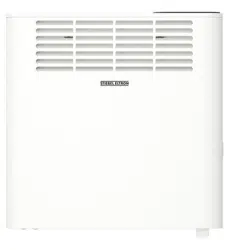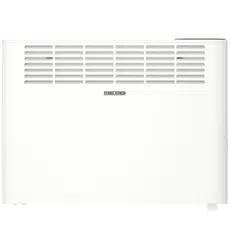
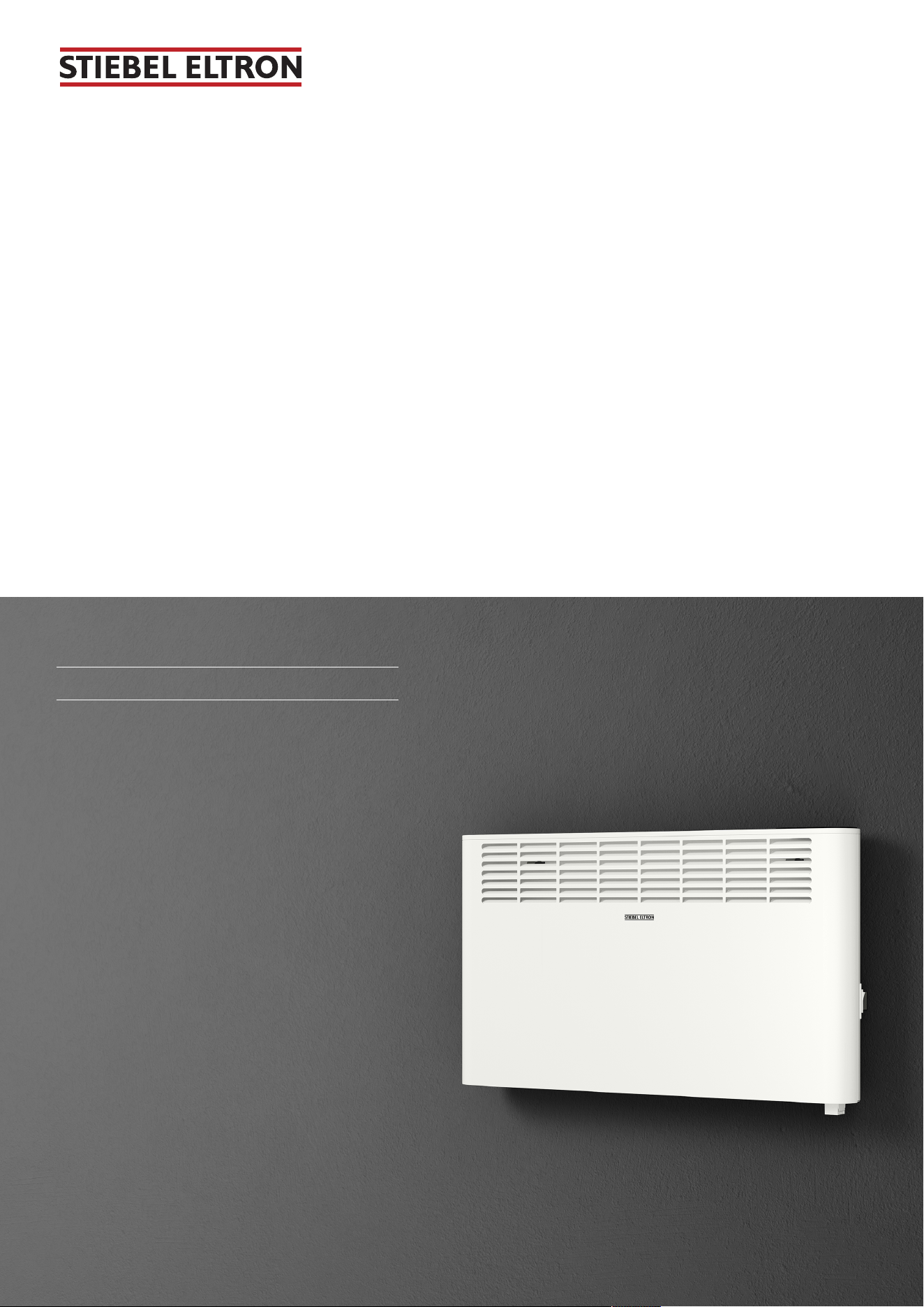
Wall mounted convector
2
CNS 1000 Plus LCD (AU)
CNS 1500 Plus LCD (AU)
CNS 2000 Plus LCD (AU)
Dieses Produkt ist nur für gut isolierte Räume oder
für den gelegentlichen Gebrauch geeignet.
This product is only suitable for well insulated
spaces or occasional use.
Ce produit convient uniquement aux locaux bien
isolés ou à un usage occasionnel.
Dit product is alleen geschikt voor goed geïsoleer-
de ruimtes of voor occasioneel gebruik.
Tento výrobek je vhodný pouze pro dobře izolo-
vané prostory nebo příležitostné použití.
Tento produkt je určený len do dobre izolovaných
priestorov alebo len na príležitostné použitie.
Produkt nadaje się wyłącznie do dobrze zaizolo-
wanych pomieszczeń lub do okazjonalnego kor-
zystania.
A termék kizárólag megfelelően szigetelt helyisé-
gekben vagy alkalomszerűen használható.
Operation and installation

2 | CNS Plus LCD (AU) www.stiebel-eltron.com
1 Special information................................................... 3
2 General information.................................................. 3
2.1 Symbols in this document ................................ 3
2.2 Symbols on the appliance................................. 3
2.3 Units of measurement ...................................... 3
3 Safety........................................................................ 3
3.1 Structure of the warning notices....................... 3
3.2 Intended use .................................................... 4
3.3 Foreseeable misuse.......................................... 4
3.4 Safety instructions............................................ 4
4 Appliance description................................................ 4
4.1 Standard delivery ............................................. 4
5 Installation (qualified contractors)............................. 4
5.1 Installation site................................................. 4
5.2 Installing the wall mounting bracket ................ 5
5.3 Installing the appliance .................................... 6
5.4 Electrical connection ........................................ 6
6 Commissioning (qualified contractors) ...................... 6
7 Operation.................................................................. 7
7.1 Programming unit............................................ 7
7.2 Operating buttons ............................................ 7
7.3 Display............................................................. 7
7.4 Standby............................................................ 7
8 Settings..................................................................... 8
8.1 Default display ................................................. 8
8.2 Standard menu ................................................ 8
8.3 Configuration menu ......................................... 8
9 Cleaning (users)........................................................ 9
10 Troubleshooting (users) ............................................ 10
11 Troubleshooting (qualified contractors)..................... 10
12 Shutting down the system ......................................... 10
13 Removal.................................................................... 10
14 Specification ............................................................. 10
14.1 Dimensions and connections ............................ 10
14.2 Data table ........................................................ 11
15 Warranty................................................................... 11
16 Environment and recycling........................................ 12
Special information
www.stiebel-eltron.com CNS Plus LCD (AU) | 3
1 Special information
– Keep children under the age of3 away from
the appliance if constant supervision cannot
be guaranteed.
– Children from the age of 3 to 8 may switch
the appliance on and off, provided they are
supervised or have been instructed in the
safe operation of the appliance and under-
stand any risks that may result. This is sub-
ject to the appliance having been installed
as described. Children from the age of 3 to 8
must not plug the power cable into its
socket or regulate the appliance.
– This appliance may be used by people (in-
cluding children) with reduced physical,
sensory or mental capabilities or a lack of
experience and knowledge, provided that
they are supervised or have been instructed
on how to use the appliance safely by a per-
son responsible for their safety.
– Children must be supervised to ensure that
they do not play with the appliance.
– In closed rooms, temperatures can rapidly
reach high levels. Ensure constant supervi-
sion if the appliance is operated in a small
room and the persons within that room can-
not regulate the appliance or leave the
room on their own.
– Observe all applicable national and regional
regulations and instructions.
– Parts of the appliance can get very hot and
may cause burns. Particular caution is ad-
vised when children or vulnerable persons
are present.
– To prevent the appliance from overheating,
never cover it with anything.
– Never install the appliance directly below a
wall socket.
– In the case of a permanent connection, en-
sure the appliance can be separated from
the power supply by an isolator with at least
3mm omnipolar contact separation.
– To prevent hazards, the power cable must
only be replaced (for example if damaged)
by a qualified contractor authorised by the
manufacturer, using an original spare part.
2 General information
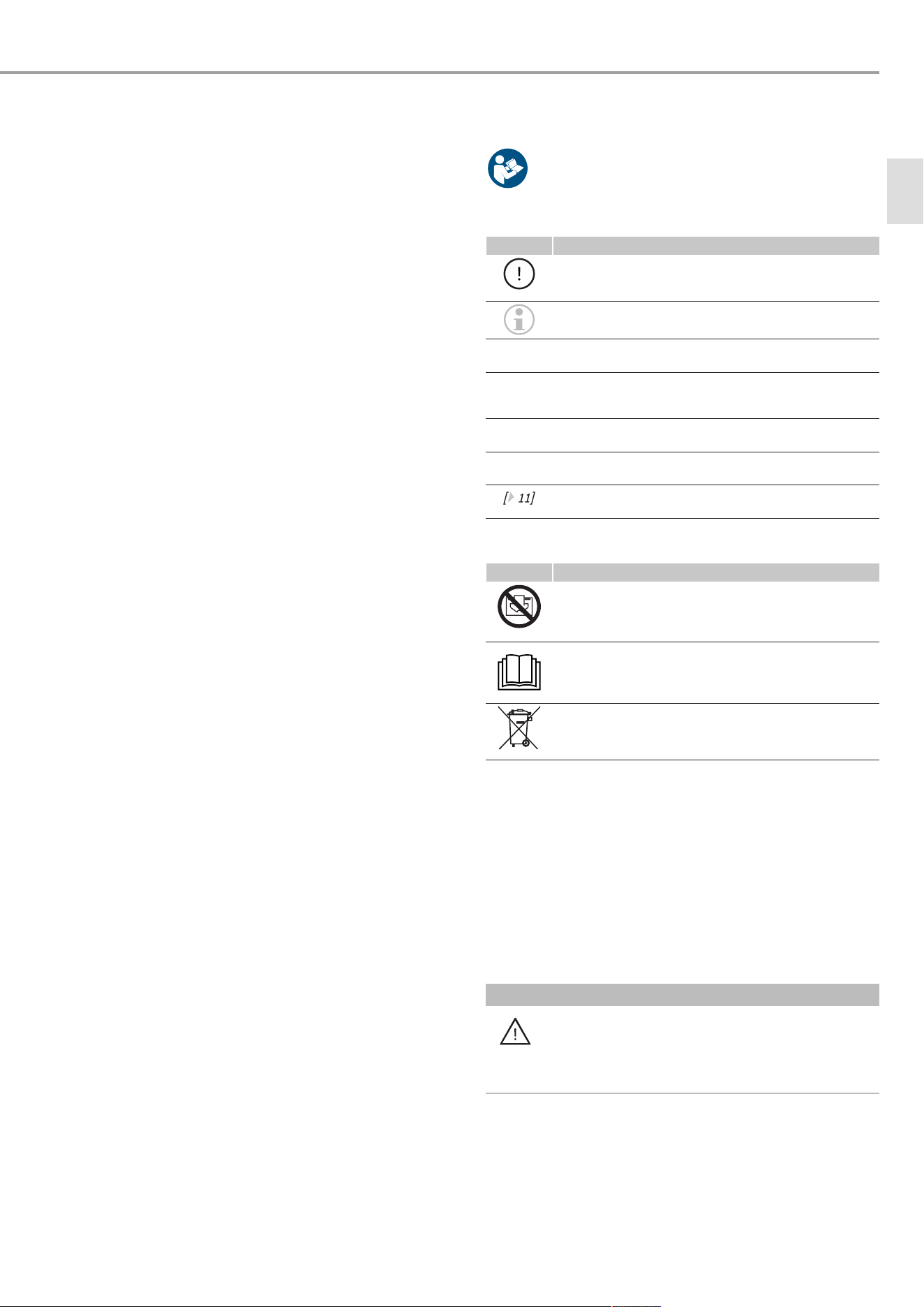
u Read these instructions carefully before using the
appliance and retain them for future reference.
2.1 Symbols in this document
Symbol Meaning
This symbol indicates possible property damage,
equipment damage, consequential damage or envir-
onmental damage.
General information is indicated by the adjacent
symbol.
This symbol indicates that you have to do something.
This symbol indicates that you must fulfil certain
prerequisites before you perform the following
steps.
This symbol indicates a result or intermediate result.
These symbols show you the software menu level (in
this example level3).
This symbol indicates a reference to the correspond-
ing page number (page11 in this example).
2.2 Symbols on the appliance
Symbol Meaning
WARNING Overheating
u To prevent the appliance from overheating,
never cover it with anything.
u To prevent potential hazards, read these in-
structions carefully before use.
u Do not dispose of the appliance as unsorted
waste, but take it to separate collection points
for reuse and recycling.
2.3 Units of measurement
All measurements are given in mm unless stated otherwise.
3 Safety
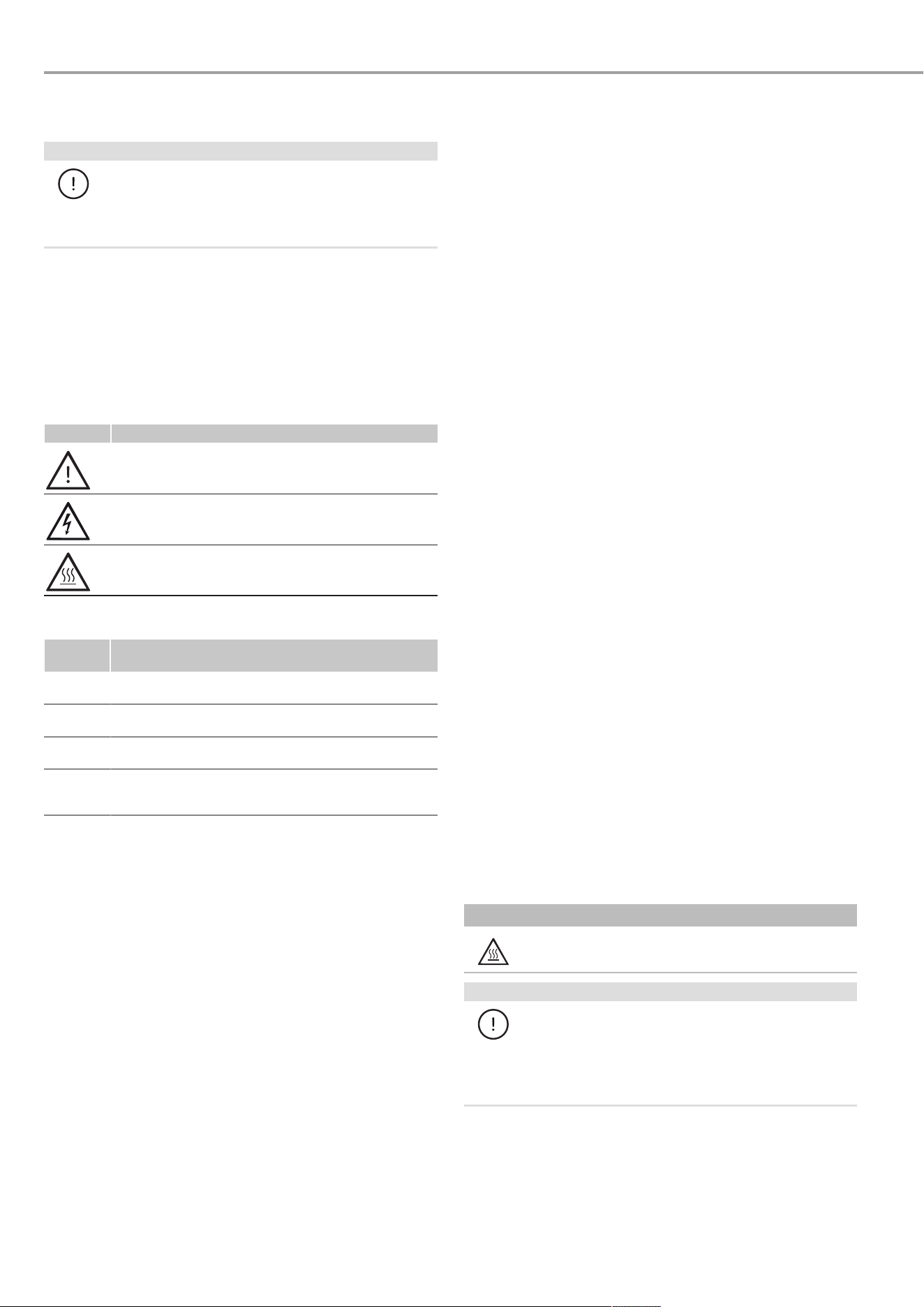
3.1 Structure of the warning notices
3.1.1 Section-specific warning notices
Section-specific warning notices apply to all steps in the section.
Injury
CAUTION
Type and source of risk
Consequence(s) of failure to observe the warning no-
tice
u Hazard prevention measure(s)
en
Appliance description
4 | CNS Plus LCD (AU) www.stiebel-eltron.com
Property damage, consequential losses, environmental
pollution
NOTICE
Type and source of risk
Consequence(s) of failure to observe the warning no-
tice
u Hazard prevention measure(s)
3.1.2 Embedded warning notices
Embedded warning notices apply only to the step immediately
following the notice.
u
SIGNAL WORD: Consequence(s) of failure to observe the
warning notice. Hazard prevention measure(s).
Step to
which the warning notice refers
3.1.3 Key to symbols
Symbol Type of risk
Injury
Electrocution
Burns, scalding
3.1.4 Signal words
Signal
word
Meaning
DANGER Failure to observe this information will result in
death or serious injury.
WARNING Failure to observe this information may result in
death or serious injury.
CAUTION Failure to observe this information may result in
moderate or minor injury.
NOTICE Failure to observe this information may result in
property damage, consequential losses or environ-
mental damage.
3.2 Intended use
This appliance is designed to heat living spaces.
The appliance is intended for domestic use. It can be used safely
by untrained persons. The appliance can also be used in non-
domestic environments, e.g.in small businesses, as long as it is
used in the same way.
Observation of these instructions and of instructions for any ac-
cessories used is also part of the intended use of this appliance.
3.3 Foreseeable misuse
Any other use beyond that described shall be deemed to be out-
side the intended use.
3.4 Safety instructions
Injury
– Never operate this appliance ...
– if the distance from adjacent objects or other flam-
mable materials would be less than the minimum per-
missible distance.
– in rooms where there is at risk of fire or explosion as a
result of chemicals, dust, gases or vapours. Ventilate
the room sufficiently before heating.
– in the direct proximity of pipes or receptacles that carry
or contain flammable or explosive materials.
– if an appliance component is damaged, the appliance
has fallen over or there is a fault.
– Never place any flammable, combustible or insulating ob-
jects or materials on the appliance or in direct proximity to
it.
– Ensure that the air intake and discharge are never blocked.
– Never place any objects between the appliance and the
wall.
– The appliance is unsuitable for use as a floorstanding appli-
ance. Only ever operate the appliance when it is mounted
on the wall mounting bracket supplied (see chapter
Install-
ation (qualified contractors) [}4]
).
Property damage, consequential losses, environmental
pollution
– Ensure that the power cable does not touch the appliance.
– Never stand on the appliance.
– Never operate the appliance in the open air.
– We guarantee trouble-free function and operational reliab-
ility only if original accessories and spare parts intended for
the appliance are used.
4 Appliance description
The appliance is a wall mounted electric direct heater.
The appliance is suitable for use as a standalone heater or as an
interim heater in spring/autumn and as a booster heater for
smaller rooms.
The air inside the appliance is heated by a heating element and
expelled via natural convection through the air discharge at the
top. Cool indoor air is drawn in through the air intake on the
underside of the appliance. When the set room temperature is
reached, it is maintained by periodic heating.
4.1 Standard delivery
– Wall mounted convector
– Documentation
– 1× wall mounting bracket (hooked into the appliance)
5 Installation (qualified contractors)
5.1 Installation site
CAUTION
Burns
u Only mount the appliance on a vertical wall.
NOTICE
Property damage
u Never install the appliance directly below a wall
socket.
u Ensure that the power cable does not touch the
appliance.
Installation (qualified contractors)
www.stiebel-eltron.com CNS Plus LCD (AU) | 5
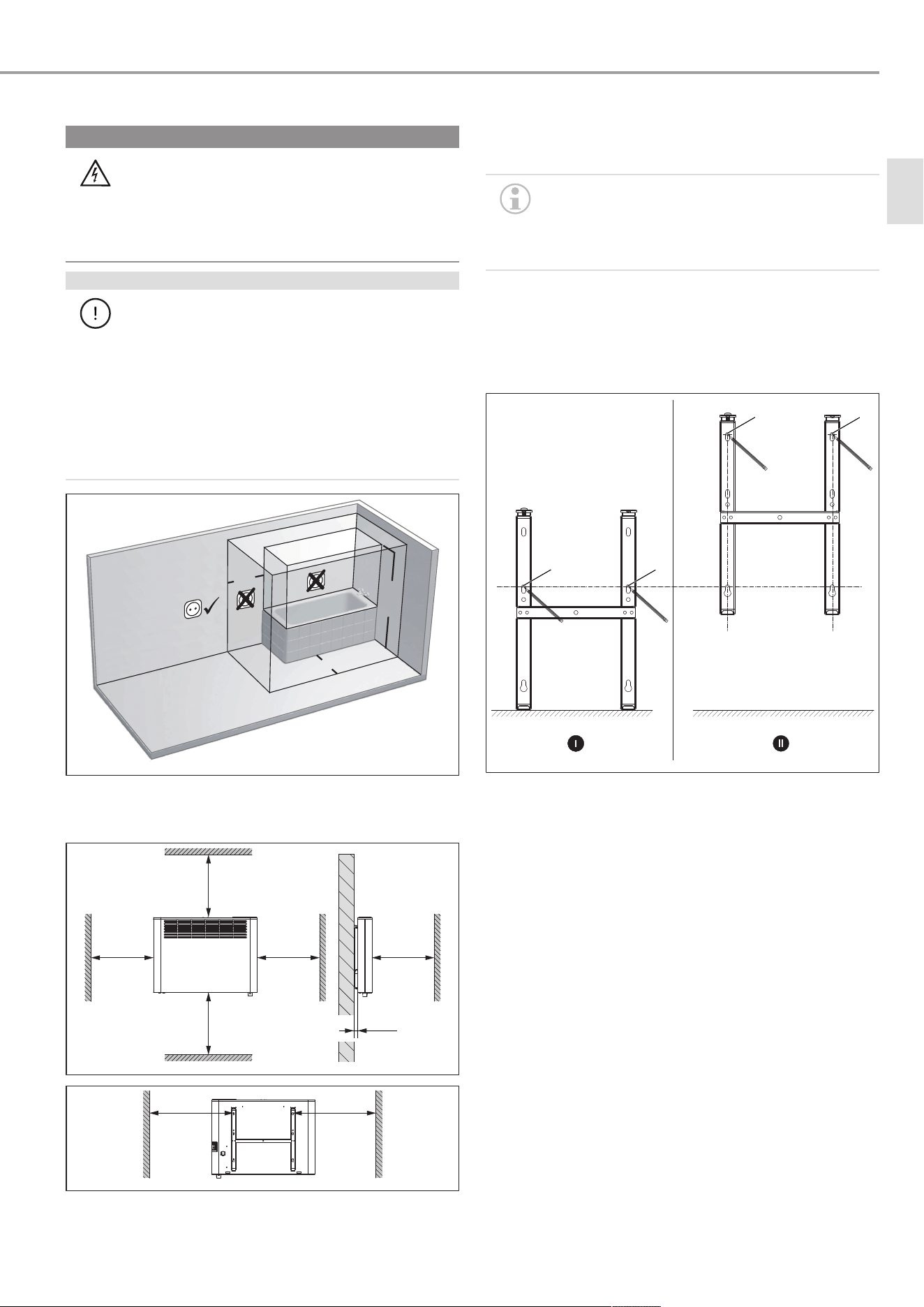
5.1.1 Installation in bathrooms
WARNING
Electrocution
When installing the appliance in rooms with a bath
and/or shower, the appliance must only be connected
to a standard safety socket outside safety zones 0, 1
and 2. The standard safety socket must be at least
600mm away from a bath or shower.
NOTICE
Property damage
If installing the appliance in a bathroom, it must only
be installed a sufficient distance away from a bathtub
and/or shower. If water gets into electronic compon-
ents and enclosures, a short circuit may occur or the
appliance may be damaged.
u During installation, ensure that switches and
other operating controls of the appliance cannot
be touched by people who are in the bath or
shower.
600
600
2250
1
2
3
0
D0000097137
Electrical safety zones in the bathroom
5.1.2 Minimum clearances
≥150≥100
≥100 ≥100 ≥500
≥20
D0000112446
≥224 ≥224
D0000112447
5.2 Installing the wall mounting bracket
The appliance is intended for wall mounting using the wall
mounting bracket supplied.
u Only mount the appliance horizontally on the
wall.
u The wall mounting bracket can be used as a
template for wall mounting. This ensures suffi-
cient clearance from the floor.
u Undo the locking screw.
u Push both hooks on the wall mounting bracket down and
unhook the wall mounting bracket from the appliance.
u Place the wall retainer horizontally on the floor. Use a spirit
level if the floor is uneven or sloping.
aaa
1
2
4
3
D0000072159
ü There are no electric cables or pipes in the drilling area.
u Mark out holes 1 and 2 for drilling.
u Lift up the wall mounting bracket so that its lower slots
match up with the drill hole markings on the installation
wall.
u Mark out holes 3 and 4 for drilling.
u Drill the holes.
u Secure the wall mounting bracket with suitable fixing ma-
terials (screws, rawl plugs). Use the slots to compensate for
any inaccuracies in the drill holes.
en
Commissioning (qualified contractors)
6 | CNS Plus LCD (AU) www.stiebel-eltron.com
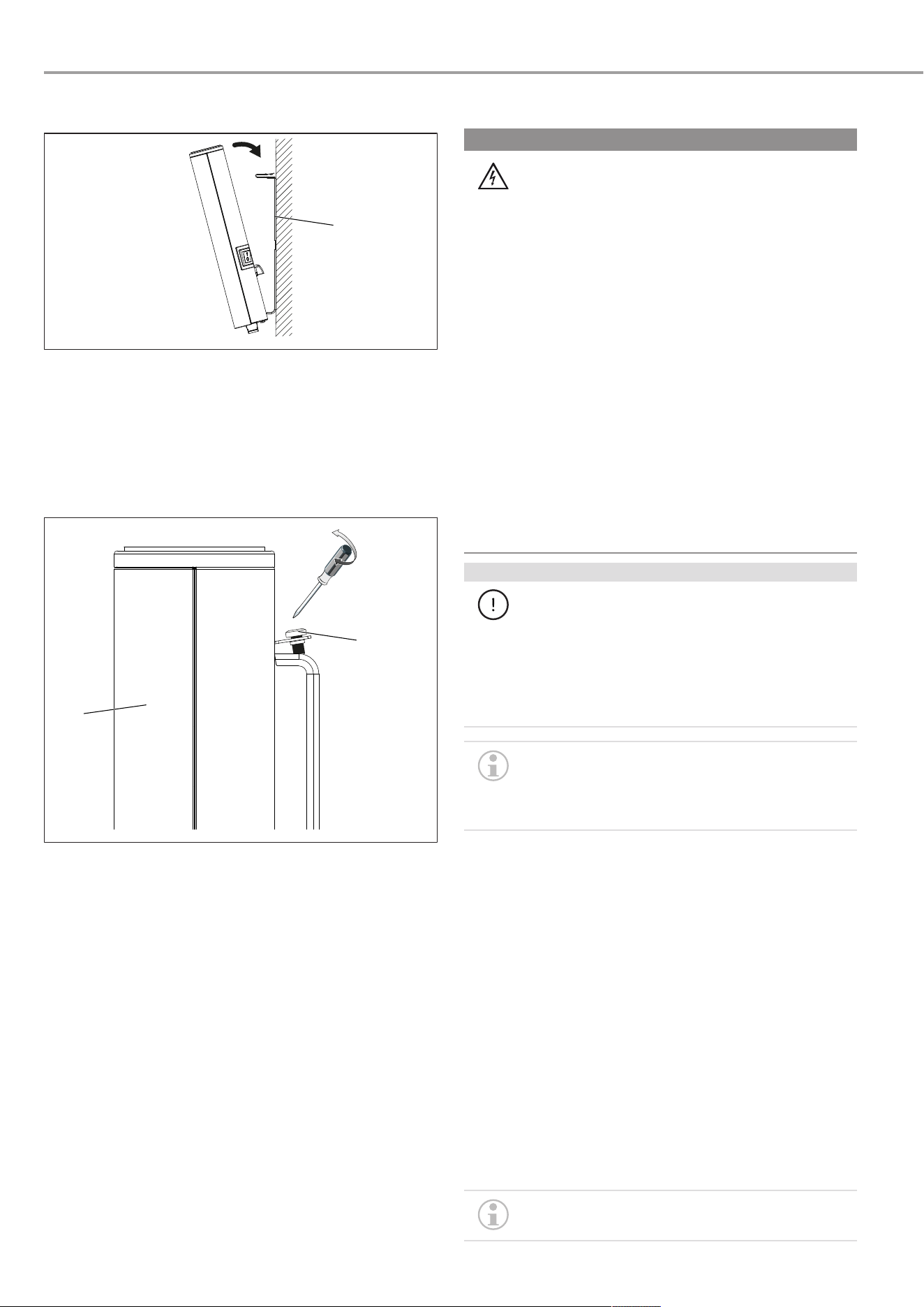
5.3 Installing the appliance
1
D0000112448
1 Wall mounting bracket
u Hook the appliance onto the bottom tabs of the wall mount-
ing bracket by the slots in the back of the appliance.
u Place the appliance in an upright position.
u Push the appliance towards the supporting wall.
ð The appliance audibly snaps into place in the two upper
springs on the wall mounting bracket.
1
2
D0000112449
1 Appliance 2 Locking screw
u Secure the appliance against unintentional release using
the supplied locking screw on the left-hand side of the wall
mounting bracket.
5.4 Electrical connection
WARNING
Electrocution
Incorrect electrical connection and installation work
may lead to serious injury through electrocution and
to appliance damage.
u Carry out all electrical connection and installation
work in accordance with national and regional
regulations.
u In the case of a permanent connection, ensure
that the appliance can be disconnected from the
power supply by an isolator with at least 3mm
omnipolar contact separation.
u Please note that installing the appliance with a
fixed power cable is not permissible.
u Only an authorised electrician is allowed to make
the permanent connection to a junction box.
u When connecting to an appliance junction box,
guide the cable through a strain relief fitting.
u Connect the appliance to the earth conductor.
u Seal the trimmed cable ends again correctly with
wire ferrules.
NOTICE
Property damage
If the appliance is not operated at the correct mains
voltage, it will be damaged.
u Operate the appliance at the mains voltage stated
on the type plate.
u Ensure the on-site supply cable has an adequate
cross-section.
In a non-domestic environment and in case of par-
ticularly high demands on the appliance, such as
permanent continuous operation, we recommend
that the appliance is installed with a permanent
connection to a junction box.
The appliance is delivered fully wired. The following electrical
connections are permissible:
Connection to a standard safety socket with matching plug
u Ensure that the standard safety socket is easily accessible
once the appliance has been installed.
Permanent connection to a junction box with earth conductor
u Trim the power cable so it leads directly to the junction box.
u Ensure that, after trimming the power cable, the appliance
can still be removed from the wall without a problem.
6 Commissioning (qualified contract-
ors)
The appliance is ready for operation as soon as it has been fixed
to the wall and plugged into the mains.
u Remove the protective film from the programming unit.
On initial start-up and after longer breaks in use, an
odour may develop briefly after switching on.
Operation
www.stiebel-eltron.com CNS Plus LCD (AU) | 7
u Switch on the appliance using the ON/OFF switch.
7 Operation
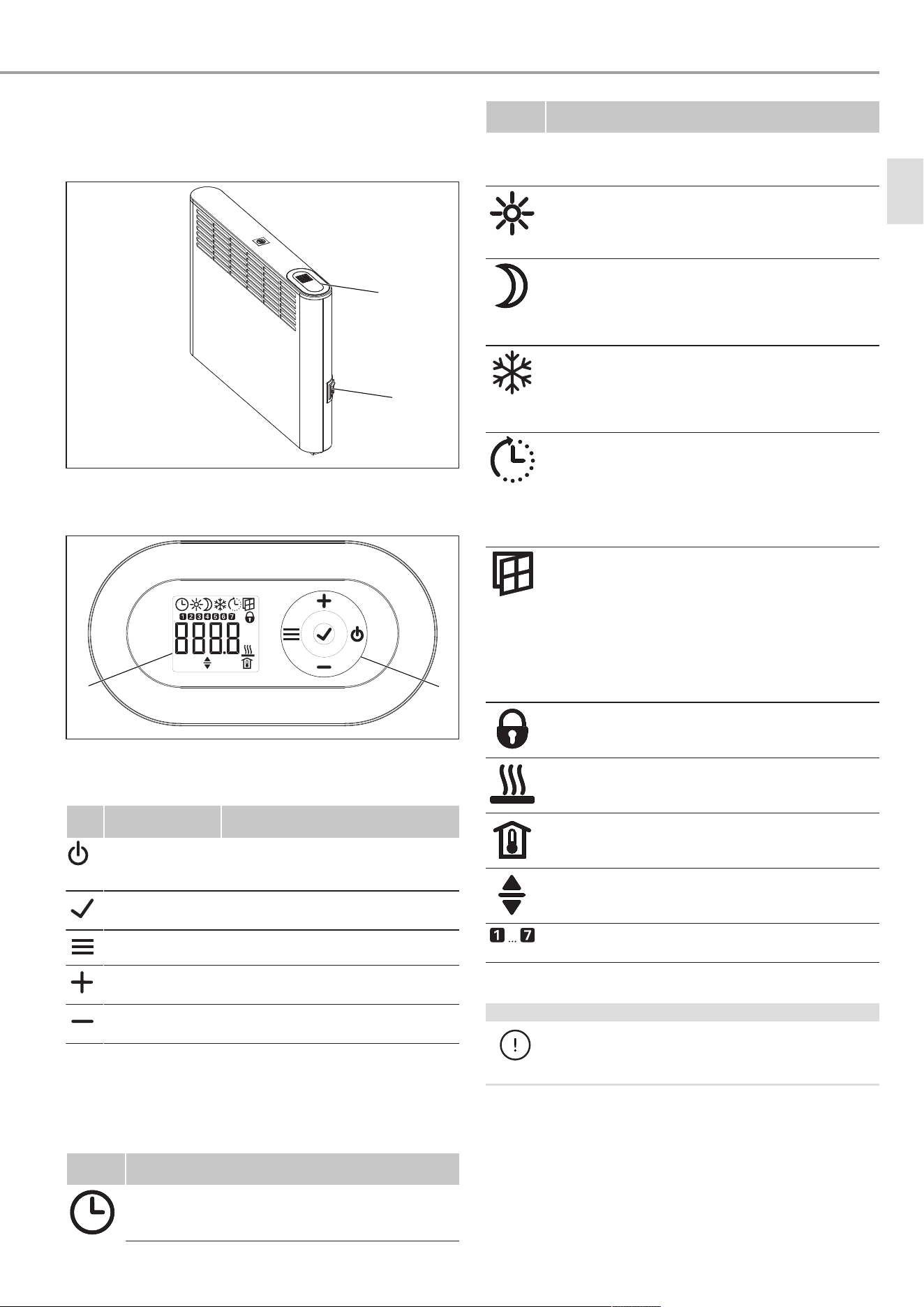
1
2
D0000112443
1 Programming unit 2 ON/OFF switch
7.1 Programming unit
1
2
D0000115316
1 Display 2 Operating buttons
7.2 Operating buttons
But-
ton
Designation Description
"Standby" button Switch on the programming unit;
Put programming unit and heating
appliance into standby
"OK" button Selection;
Confirm settings
"Menu" button Call up and exit menu
"+" button Call up menu items;
Change settings
"–" button Call up menu items;
Change settings
7.3 Display
If no button is pressed for 20seconds, the backlighting switches
off.
u Press any button to switch the backlighting back on.
Sym-
bols
Description
Time indication:
Indication of the current time or a programmed start
time
Sym-
bols
Description
Time program activated:
The appliance heats in accordance with the enabled
time program.
Comfort mode:
The appliance maintains the set comfort temperature.
Default value: 21.0°C. Use this setting for comfortable
room temperatures when someone is present.
Setback mode:
The appliance maintains the selected setback temper-
ature.
Default value: 18.0°C. Use this setting e.g.at night or
when absent for several hours.
Frost protection:
The frost protection symbol is displayed if the room
temperature is set to 7.0°C.
Use this setting to protect an unused room from frost
damage.
Adaptive start:
With a time program activated, the heating appliance
switching times are adjusted to ensure that the selec-
ted set room temperature is already reached by the
programmed start time.
Requirement: The "adaptive start" function is enabled
(see chapter
Standard menu [}8]
).
Window-open detection:
To avoid unnecessary energy consumption while air-
ing the room, the appliance automatically switches to
frost protection mode for one hour if a window is
opened. The "Window-open detection" symbol
flashes. After airing, frost protection mode can be ter-
minated manually by pressing "+". The appliance
then heats to the set room temperature again.
Requirement: window-open detection is enabled (see
chapter
Standard menu [}8]
).
Operating lock:
To lock or unlock the operating buttons, press "+" and
"–" simultaneously for 5seconds.
Heating enabled:
The appliance is heating to maintain the set room
temperature.
Room temperature indication
Editable parameter:
The parameter shown can be changed using "+" and
"–".
Days of the week:
1 = Monday, 2 = Tuesday … 7 = Sunday
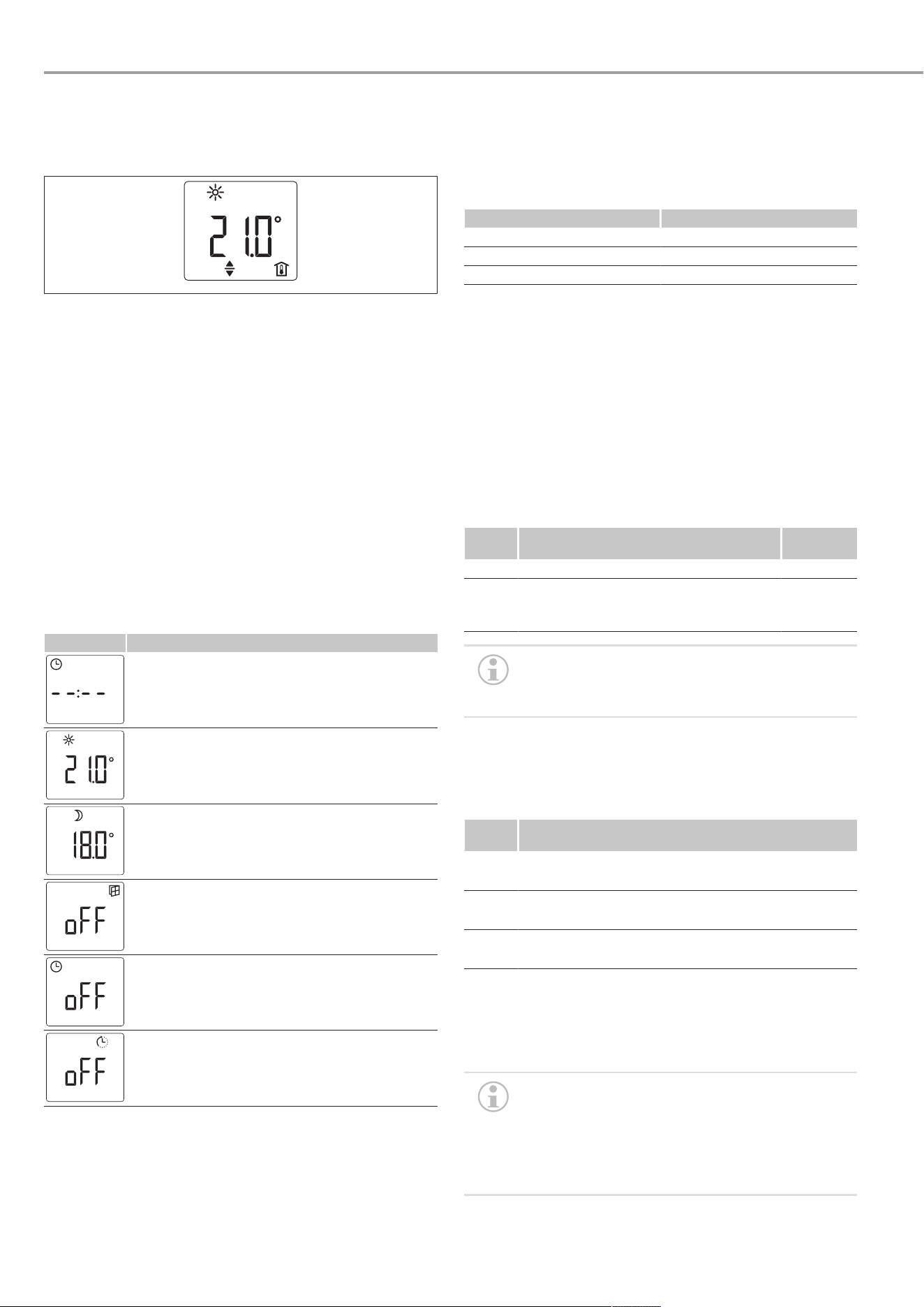
7.4 Standby
NOTICE
Property damage
In standby mode, the appliance will not switch on the
heating. There will be no frost protection.
u To switch on the programming unit, press "Standby".
ð The default display appears.
u To put the programming unit and the heating appliance
into standby, press "Standby".
ð The display shows "- - - -".
en
Settings
8 | CNS Plus LCD (AU) www.stiebel-eltron.com
8 Settings
8.1 Default display
D0000072134
The default display is displayed continuously. If no user input is
made for more than 20seconds while in the menu, the appli-
ance automatically switches to the standard display.
The default display shows the current set room temperature as
well as the "Editable parameter" symbol. The "+" and "–" but-
tons can be used to change the set room temperature.
If the set room temperature corresponds to one of the values set
for the comfort or setback temperature, the symbol for the cor-
responding operating mode (comfort mode, setback mode) ap-
pears in the menu bar.
The set room temperature can be changed manually when a
time program is active. The new set room temperature is main-
tained until the next programmed switching point is reached.
8.2 Standard menu
u To call up the standard menu, press "Menu".
Menu items
Display Description
To select the day of the week and time:
Days of the week: 1 = Monday to 7 = Sunday
To set the comfort temperature:
The comfort temperature must be set at least
0.5°C higher than the setback temperature.
To set the setback temperature:
The setback temperature must be set at least
0.5°C lower than the comfort temperature.
To switch "Window-open detection" function on
and off
Select or deactivate (off) the time program (Pro1,
Pro2, Pro3)
To switch "Adaptive start" function on and off
Changing the menu item settings
u Call up the required menu item using "+" and "–".
u Press "OK".
ð The "Editable parameter" symbol appears.
u Change the menu item setting using "+" and "–".
u To save the setting, press "OK".
u To call up the standard menu, press "Menu".
ð The default display appears.
8.3 Configuration menu
Display Description
I1-I2 Actual values
Pro1-Pro3 Time programs
P1-P5 Parameter
Calling up actual values, programming time programs and
setting parameters
u To access the configuration menu, press and hold the
"Menu" button for about 3seconds.
ð The actual value I1 is displayed.
u Use "+" and "–" to switch between the individual actual val-
ues, time programs and parameters.
u To exit the configuration menu, press "Menu".
ð The default display appears.
8.3.1 Actual values
Dis-
play
Description Unit
I1 Actual room temperature [°C] | [°F]
I2 Relative heating time
(The counter can be reset via parameter
P5)
[h]
The counter for relative heating time (I2) counts in
full hours how long the appliance heats for. When
the appliance is switched off, any heating phase of
less than 60minutes is not recorded.
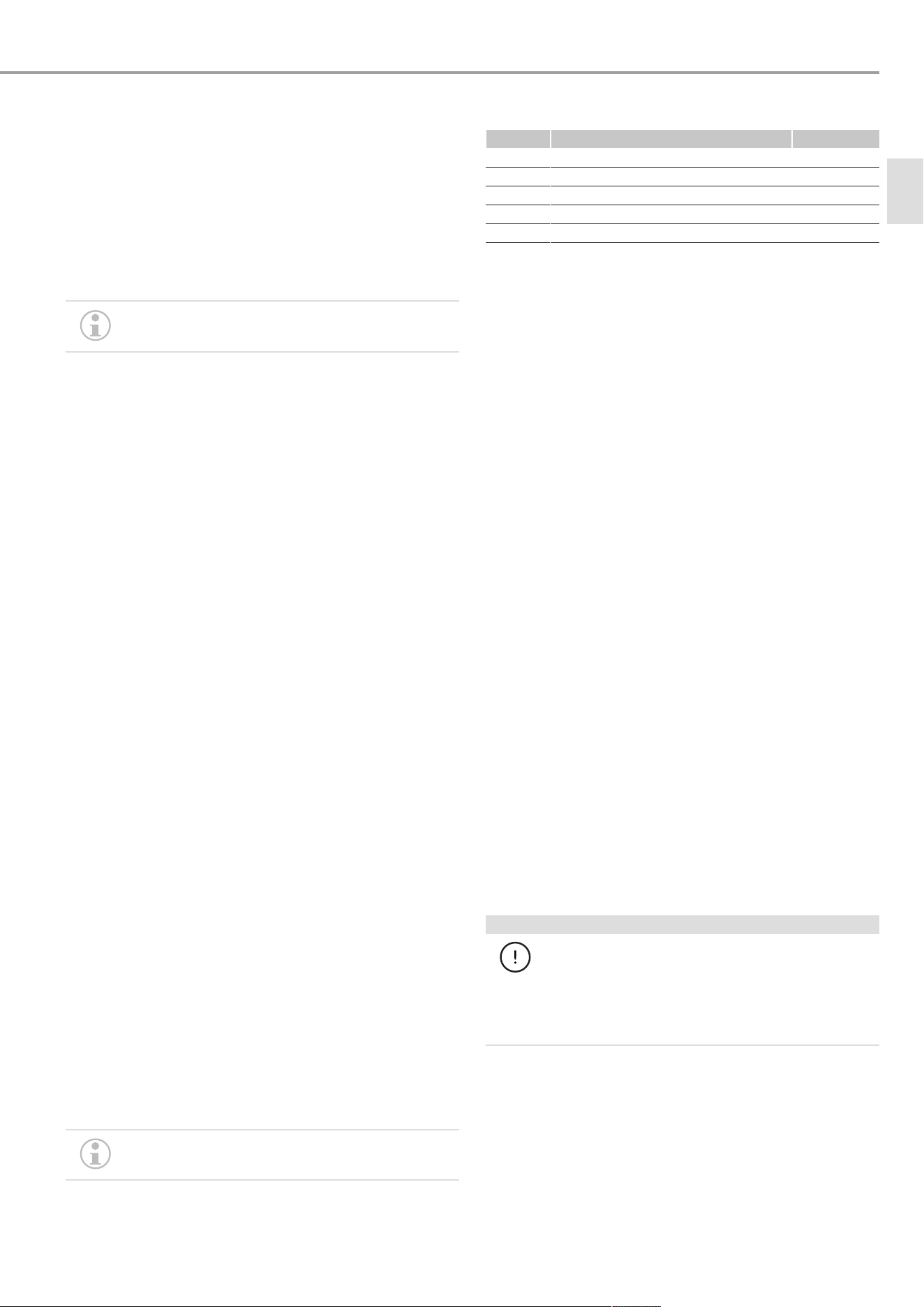
8.3.2 Setting time programs (weekly timer)
Three time programs are available. Time programs Pro1 and
Pro2 are pre-configured at the factory. Time program Pro3 can
be set according to your individual requirements.
Dis-
play
Description
Pro1 Time program "Daily"
- Repeated: Monday to Sunday
Pro2 Time program "Weekdays"
- Repeated: Monday to Friday
Pro3 Time program "User-defined"
- up to 14 comfort phases, user-configurable
u To use a time program, select the required time program in
the standard menu (see chapter
Standard menu [}8]
).
u When setting the time programs, ensure the day of the
week and the time are set correctly.
The following applies to all time programs (Pro1,
Pro2, Pro3):
If the end time is later than 23:59 h, the end time
will automatically be moved to the next day of the
week. The comfort phase is maintained past mid-
night and will end on the next day at the set end
time.
Cleaning (users)
www.stiebel-eltron.com CNS Plus LCD (AU) | 9
Time programs Pro1 and Pro2
With time programs Pro1 and Pro2, you can specify the comfort
mode start and end times. During the selected period, the appli-
ance heats to the set comfort temperature. Outside this specified
period, the appliance operates in setback mode. This results in a
comfort phase and a setback phase, which are repeated daily
(Pro1) or on every working day (Pro2).
Theses phases are factory-set as follows:
– 08:00h - 22:00h: Comfort mode
– 22:00h - 08:00h: Setback mode
When time programPro2 is enabled, the appliance
operates only in setback mode at weekends.
To configure comfort phases in time programs Pro1 and Pro2:
u In the configuration menu, call up the required time pro-
gram using "+" and "–".
u Press "OK".
ð The start time for comfort mode is displayed.
u Use "+" and "–" to set the required start time.
u Press "OK".
ð The end time for comfort mode is displayed.
u Use "+" and "–" to set the required end time.
u To save the setting, press "OK".
Time program Pro3
You can use time program Pro3 to specify up to 14 separate
comfort phases which are repeated weekly.
To configure a comfort phase in time program Pro3:
u In the configuration menu, call up the time program Pro3
using "+" and "–".
u Press "OK".
ð The display shows "3---".
u Press "OK".
ð A day of the week or a group of days is displayed.
u Use "+" and "–" to select the required day or group of days.
u Press "OK".
ð The start time for comfort mode is displayed.
u Use "+" and "–" to set the required start time.
u Press "OK".
ð The end time for comfort mode is displayed.
u Use "+" and "–" to set the required end time.
u Press "OK".
ð Comfort phase "3-01" has been configured.
u To configure a further comfort phase, use "+" and "–" in
time program Pro3 to select display "3---". Proceed as de-
scribe above.
Resetting the time programs
Activating parameter P4 resets all time programs
(Pro1, Pro2, Pro3) to the factory setting.
u To reset the selected comfort phases, activate parameterP4.
8.3.3 Parameter
Display Description Options
P1 Room temperature offset ±3 °C / ±5 °F
P2 Time format 12 h | 24 h
P3 Units for temperature indication °C| °F
P4 Reset Time programs on | off
P5 Reset relative heating time on | off
Changing a parameter value
u Call up the required parameter using "+" and "–".
u Press "OK".
ð The "Editable parameter" symbol appears.
u Select the required parameter value using "+" and "–".
u Press "OK" to save the selected value.
P1: Room temperature offset
Uneven temperature distribution in the room can result in a dif-
ferential between the displayed actual temperature I1 and the
room temperature you measure. To compensate for this differ-
ential, a room temperature offset of ±3°C can be set with para-
meter P1.
Example: The appliance shows I1 = 21.0°C. You have measured
a room temperature of 20.0°C. There is a differential of 1.0°C.
u To compensate for the differential, select an offset of P1 =
-1.0.
P2: Time format
Parameter P2 allows you to specify whether the time is dis-
played in the 12 hour or 24 hour format.
P3: Units for temperature indication
Parameter P3 is used to specify whether the room temperature
is displayed in degrees Celsius [°C] or Fahrenheit [°F].
P4: Reset time programs
Activating parameter P4 resets all Time programs to the factory
setting.
P5: Reset relative heating time
Activating parameter P5 resets the counter for relative heating
time (I2).
9 Cleaning (users)
NOTICE
Property damage
If moisture enters the appliance, the electronic com-
ponents may be damaged.
u Never spray cleaning spray into the air slot.
u Ensure that no moisture can enter the appliance.
u If a pale brownish discolouration appears on the appliance
casing, wipe it off with a damp cloth.
u Clean the appliance when cold with ordinary cleaning
products. Avoid abrasive or corrosive cleaning products.
en

Troubleshooting (users)
10 | CNS Plus LCD (AU) www.stiebel-eltron.com
10 Troubleshooting (users)
Fault Possible cause Remedy
Room does not get
warm enough. Ap-
pliance does not get
hot.
Temperature set too
low on the appli-
ance.
Check the selected
room temperature.
Adjust if necessary.
No power supply. Check position of the
ON/OFF switch, RCD
and fuse/MCB in
your fuse box.
Room does not get
warm enough al-
though the appli-
ance is hot.
Overheating. The
high limit safety cut-
out limits the heat-
ing output.
Eliminate the cause
(dirt or obstructions
at the air intake or
outlet). Observe the
minimum clear-
ances.
Heat demand of the
room is higher than
the appliance out-
put.
Remedy heat losses
(close windows and
doors; avoid con-
stant airing).
The room gets too
hot.
Appliance temperat-
ure is set too high.
Check the selected
room temperature.
Adjust if necessary.
Detected room tem-
perature does not
match actual room
temperature.
Avoid obstructions
to air flow between
appliance and in-
door air.
Window-open de-
tection does not re-
spond.
Appliance does not
detect a pronounced
temperature drop
when airing. (Win-
dow-open detection
requires a previ-
ously stable room
temperature.)
After making set-
tings on the appli-
ance, wait a while
until the room tem-
perature has fully
stabilised.
Avoid obstructions
to air flow between
appliance and in-
door air.
Manually switch the
appliance to standby
while windows are
open.
Window-open de-
tection is not en-
abled.
Switch on window-
open detection in
the standard menu.
"Adaptive start"
function does not
work as required.
This function is only
effective when a
time program is act-
ive.
Use the time pro-
grams for optimised
heating conveni-
ence.
Severely fluctuating
room temperature
or the appliance
learning procedure
has not been com-
pleted.
Wait a few days for
the behaviour to
stabilise.
"Adaptive start"
function is not en-
abled.
Switch on the "Ad-
aptive start" function
in the standard
menu.
Fault Possible cause Remedy
The display shows
"Err" or "E...".
Internal fault detec-
ted.
Notify a qualified
contractor.
u If you cannot remedy the fault, contact your qualified con-
tractor.
u To facilitate and speed up your enquiry, please provide the
qualified contractor with the number from the type plate.
11 Troubleshooting (qualified con-
tractors)
To prevent hazards, the power cable must only be replaced (for
example if damaged) by a qualified contractor authorised by the
manufacturer, using an original spare part.
12 Shutting down the system
u Use the ON/OFF switch to switch the appliance off when not
in use for longer periods (e.g. during the summer months).
All settings remain intact after switching off or after an interrup-
tion to the power supply. A power reserve in the appliance en-
sures that the day of the week and the time are saved for several
hours.
If the appliance has been switched off for a longer time with a
time program activated, you will be prompted to set the day and
time after switching it back on. Until this setting is made, the
appliance will operate in comfort mode.
13 Removal
u Isolate all poles of the appliance from the power supply.
u Undo and remove the locking screw from the wall mounting
bracket.
u To release the appliance, push down the springs at the top
of the wall mounting bracket.
u Tilt the appliance forwards.
u Lift the appliance off the bottom tabs on the wall mounting
bracket.
u To remove the wall mounting bracket, undo and remove the
fixing screws from it.
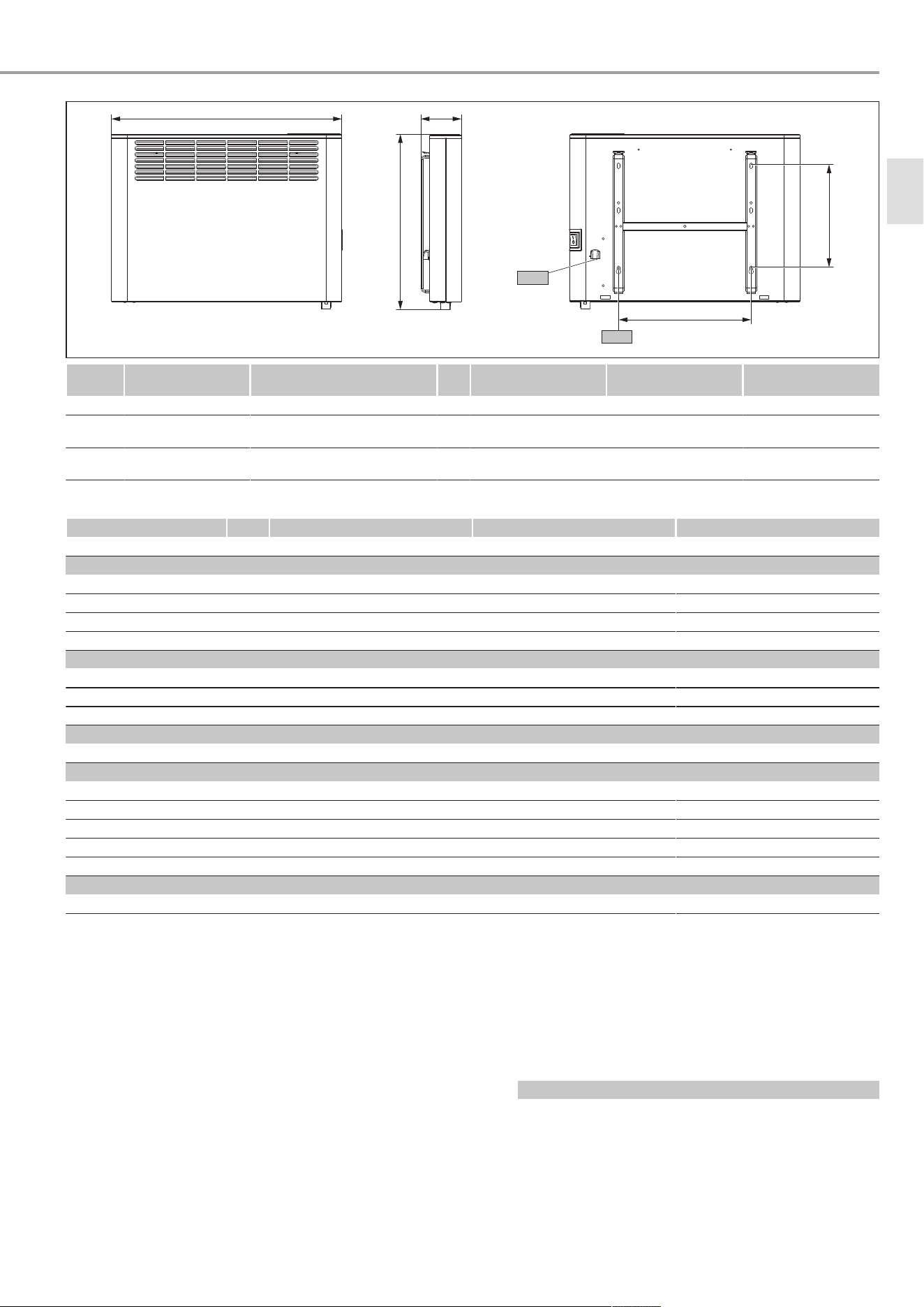
14 Specification
14.1 Dimensions and connections
Warranty
www.stiebel-eltron.com CNS Plus LCD (AU) | 11
b01
a20
443
102
260
i13
D0000112442
CNS 1000 Plus LCD
(AU)
CNS 1500 Plus LCD
(AU)
CNS 2000 Plus LCD
(AU)
a20 Appliance Width mm 426 582 738
b01 Entry electrical
cables
i13 Wall mounting
bracket
Horizontal hole spacing mm 179 335 491
14.2 Data table
CNS 1000 Plus LCD (AU) CNS 1500 Plus LCD (AU) CNS 2000 Plus LCD (AU)
207539 207540 207541
Electrical data
Connected load W 1000 1500 2000
Power supply 1/N/PE ~240V 1/N/PE ~240V 1/N/PE ~240V
Rated current A 4.2 6.3 8.3
Frequency Hz 50/- 50/- 50/-
Dimensions
Height mm 443 443 443
Width mm 426 582 738
Depth mm 102 102 102
Weights
Weight kg 4.9 6 7.7
Versions
Frost protection setting °C 7 7 7
Version Wall mounted appliance Wall mounted appliance Wall mounted appliance
IP rating IP24 IP24 IP24
Protection class I I I
Colour white (similar to RAL 9003) white (similar to RAL 9003) white (similar to RAL 9003)
Values
Setting range °C 5-30 5-30 5-30
15 Warranty
Warranty Stiebel Eltron Australia Only - According to national
regulations in Australia
Stiebel Eltron Warranty for Hand Dryers & Space Heaters
Who gives the warranty
1. The warranty is given by Stiebel Eltron (Aust) Pty Ltd
(A.B.N. 82 066 271 083) of 294 Salmon Street, Port Mel-
bourne, Victoria, 3207 (“we”, “us” or “our”).
The warranty
2. This warranty applies to Stiebel Eltron Hand Dryers and
Space Heaters (the “unit”).
3. Subject to the warranty exclusions we will repair or re-
place, at our absolute discretion, a faulty component in
your unit free of charge if it fails to operate in accordance
with its specifications, and you make a valid warranty
claim in accordance with this warranty, during the war-
ranty period.
4. If we repair or replace a faulty component to your unit un-
der this warranty, the warranty period is not extended
from the time of the repair or replacement.
5. The warranty period commences on the date of purchase
of the unit. Where the date of purchase is not known, then
the warranty period will commence 2 months after the
date of manufacture.
6. The warranty period for a unit used for domestic purposes
is shown in the table below. Domestic purposes means
that the unit is used in a domestic dwelling.
Component Warranty period
All components 5 years from the date of purchase of the
unit.
Your entitlement to make a warranty claim
7. You are entitled to make a warranty claim if:
– you own the unit or if you have the owner’s consent
to represent the owner of the unit;
en
Environment and recycling
12 | CNS Plus LCD (AU) www.stiebel-eltron.com
– you contact us within a reasonable time of discover-
ing the problem with the unit and in any event within
30 days.
How you make a warranty claim
8. To make a warranty claim you must provide us with the
following information:
– The model number of the unit;
– A description of the problem with the unit;
– The name, address and contact details (such as phone
number and e-mail address) of the owner;
– The address where the unit is installed and the loca-
tion (e.g. in living room);
– The serial number of the unit;
– The date of purchase of the unit and the name of the
seller of the unit;
– The date of installation of the unit where appropriate;
– A copy of the certificate of compliance when the unit
was installed where appropriate.
9. The contact details for you to make your warranty claim
are:
Name: Stiebel Eltron (Aust) Pty Ltd
Address: 294 Salmon Street, Port Melbourne, Vic-
toria, 3207
Telephone: 1800 153 351
(8.00 am to 5.00 pm AEST Monday to Fri-
day)
Contact person: Customer Service Representative
E-mail: [email protected]
10. We will arrange a suitable time with you to inspect and
test the unit.
Warranty exclusions
11. We may reject your warranty claim if:
– The unit was not installed by registered and qualified
tradespeople, where required.
– The unit was not installed and commissioned:
– in Australia;
– in accordance with the Operating and Installation
Guide; and
– in accordance with the relevant statutory and
local requirements of the State or Territory in
which the unit is installed.
– The unit has not been operated or maintained in ac-
cordance with the Operating and Installation Guide.
– The unit does not bear its original Serial Number or
Rating Label.
– The unit was damaged by or is faulty due to any or
any combination of the following:
– normal fair wear and tear;
– connection to an incorrect power supply;
– connection to faulty equipment, such as faulty
circuit breaker;
– accidental or malicious damage;
– act of God, including damage by flood, storm,
fire, lightning strike, cyclones, earthquakes, nat-
ural disasters or other similar actions of the ele-
ments;
– wiring not to AS3000 Standards;
– ingress of vermin.
– The unit was damaged before it was installed e.g. it
was damaged in transit.
– An unauthorised person has modified, serviced, re-
paired or attempted to repair the unit without our
consent.
– Non genuine parts other than those manufactured or
approved by us have been used on the unit.
12. We may charge you:
– for any additional transport costs if the unit is in-
stalled more than 30 kilometres from our closest au-
thorised service technician.
– for the extra time it takes our authorised service tech-
nician to access the unit for inspection and testing if it
is not sited in accordance with the Operating and In-
stallation Guide or not readily accessible for inspec-
tion.
– for any extra costs of our authorised service techni-
cian to make the unit safe for inspection.
13. You must ensure that access to the unit by our authorised
service technician is safe and free from obstruction.
14. Our authorised service technician may refuse to inspect
and test the unit until you provide safe and free access to
it, at your own cost.
15. If we reject your warranty claim in accordance with clause
11, we may charge you for our authorised service techni-
cian’s labour costs to inspect and test the unit.
16. In order to properly test the unit we may remove it to an-
other location for testing.
Australian Consumer Law
17. Our goods come with guarantees that cannot be excluded
under the Australian Consumer Law. You are entitled to a
replacement or refund for a major failure and compensa-
tion for any other reasonably foreseeable loss or damage.
You are also entitled to have the goods repaired or re-
placed if the goods fail to be of acceptable quality and the
failure does not amount to a major failure.
18. The Stiebel Eltron warranty for the unit is in addition to
any rights and remedies you may have under the Aus-
tralian Consumer Law.
16 Environment and recycling
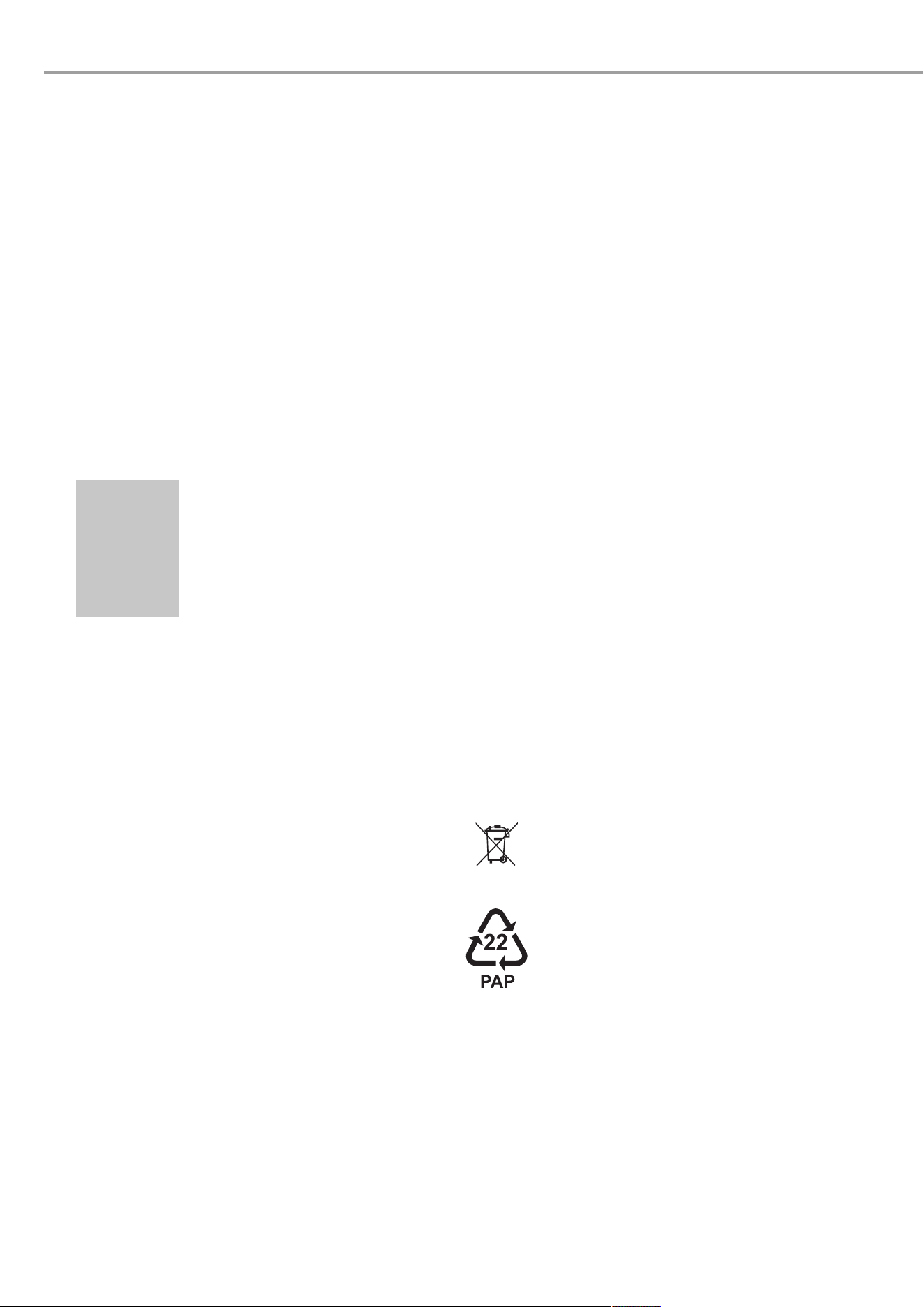
u Dispose of the appliances and materials after use in accord-
ance with national regulations.
u If a crossed-out waste bin is pictured on the ap-
pliance, take the appliance to your local waste
and recycling centre or nearest retail take-back
point for reuse and recycling.
This document is made of recyclable paper.
u Dispose of the document at the end of the appli-
ance's life cycle in accordance with national reg-
ulations.

www.stiebel-eltron.com CNS Plus LCD (AU) | 13

14 | CNS Plus LCD (AU) www.stiebel-eltron.com

www.stiebel-eltron.com CNS Plus LCD (AU) | 15

Comfort through Technology
FR
4 0 1 7 2 1 3 6 7 0 1 9 3
A 367019-47120-0035
B 367917-47120-0035
STIEBEL ELTRON Australia Pty. Ltd.
294 Salmon Street | Port Melbourne VIC 3207 | Australia
[email protected] | www.stiebel-eltron.com.au