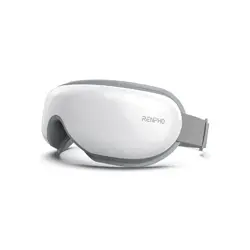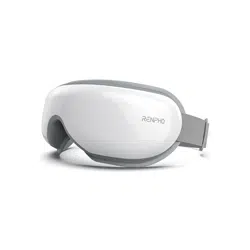
EYERIS CALINA
Model: R-WME04
USER MANUAL

IMPORTANT SAFETY
INSTRUCTIONS
READ ALL INSTRUCTIONS CAREFULLY BEFORE USE.
1. This device is not intended for use by persons (including
children) with reduced physical, sensory or mental capabilities,
or lack of experience and knowledge, unless they have been
given supervision or instruction concerning use of the device by
a person responsible for their safety.
2. Children should be supervised to ensure that they do not play
with the appliance.
3. The device is intended for household use only and not intended
for medical use. It should not be used in treatment or alleviation
of disease or abnormal physical state.
4. Cleaning and maintenance should not be conducted by children.
5. Please consult your doctor before use if you fit into any of the
following user groups:
- Persons who had undergone eye surgery or eye conditions such
as glaucoma, cataract and retinal detachment
- The elderly
- Pregnant or postpartum women
- Persons who are allergic to leather material
- Persons with skin infections, sensitivity, redness and/or burns on
the skin
- Persons with any swelling or wound around the eye area
- Persons using a pacemaker or other implantable medical devices
- Persons with a heart condition, malignant tumors, or other
serious health conditions
- Persons undergoing medical treatment
- Persons with high or abnormal blood pressure
6. If you experience any discomfort during use, stop using the
device immediately.
7. Remove contact lenses, glasses, false eyelashes, hairpins, and
any other accessories before use.
8. Do not use the device while driving, walking, or running.
9. Avoid contact with sharp objects.
10. High temperatures may cause burns to occur regardless of the
EN - 01

READ ALL INSTRUCTIONS CAREFULLY BEFORE USE.
1. This device is not intended for use by persons (including
children) with reduced physical, sensory or mental capabilities,
or lack of experience and knowledge, unless they have been
given supervision or instruction concerning use of the device by
a person responsible for their safety.
2. Children should be supervised to ensure that they do not play
with the appliance.
3. The device is intended for household use only and not intended
for medical use. It should not be used in treatment or alleviation
of disease or abnormal physical state.
4. Cleaning and maintenance should not be conducted by children.
5. Please consult your doctor before use if you fit into any of the
following user groups:
- Persons who had undergone eye surgery or eye conditions such
as glaucoma, cataract and retinal detachment
- The elderly
- Pregnant or postpartum women
- Persons who are allergic to leather material
- Persons with skin infections, sensitivity, redness and/or burns on
the skin
- Persons with any swelling or wound around the eye area
- Persons using a pacemaker or other implantable medical devices
- Persons with a heart condition, malignant tumors, or other
serious health conditions
- Persons undergoing medical treatment
- Persons with high or abnormal blood pressure
6. If you experience any discomfort during use, stop using the
device immediately.
7. Remove contact lenses, glasses, false eyelashes, hairpins, and
any other accessories before use.
8. Do not use the device while driving, walking, or running.
9. Avoid contact with sharp objects.
10. High temperatures may cause burns to occur regardless of the
control setting. Do not use the device on infants, persons who
are with disabilities, sleeping or unconscious. Check frequently
where the skin is in contact with the heated area to reduce the
risk of blistering.
DANGER - To reduce the risk of electric shock:
1. Never use pins or other metallic fasteners with this device.
2. Do not use the device with wet hands or submerge the device
in water or any liquid.
CAUTION - To reduce the risk of burns:
1. Use heated surfaces carefully. May cause serious burns. Do not
use overinsensitive skin areas or in the presence of poor
circulation. The unattended use of heat by children or
incapacitated persons may be dangerous.
2. The appliance has a heated surface. Persons insensitive to heat
must be careful when using the appliance.
WARNING - To reduce the risk of burns, fire, electric shock, or
injury to persons:
1. Do not operate under blanket or pillow. Excessive heating can
occur and cause fire, electric shock, or injury to persons.
2. Close supervision is necessary when this appliance is used by,
on, or near children, invalids, or disabled persons.
3. Use this appliance only for its intended use as described in this
manual. Do not use attachments not recommended by the
manufacturer.
4. Never operate this device if it is not working properly, has been
damaged, or dropped into water.
5. Never drop or insert any object into any opening.
6. Do not operate where aerosol (spray) products are being used
or where oxygen is being administered.
About the battery:
1. Do not use while bathing or in a shower.
2. Do not place or store appliance where it can fall or be pulled
into a tub or sink.
3. Do not place in or drop into water or other liquid.
4. Never operate on a soft surface such as a bed or couch where
the air openings may be blocked.
EN - 02

READ ALL INSTRUCTIONS CAREFULLY BEFORE USE.
1. This device is not intended for use by persons (including
children) with reduced physical, sensory or mental capabilities,
or lack of experience and knowledge, unless they have been
given supervision or instruction concerning use of the device by
a person responsible for their safety.
2. Children should be supervised to ensure that they do not play
with the appliance.
3. The device is intended for household use only and not intended
for medical use. It should not be used in treatment or alleviation
of disease or abnormal physical state.
4. Cleaning and maintenance should not be conducted by children.
5. Please consult your doctor before use if you fit into any of the
following user groups:
- Persons who had undergone eye surgery or eye conditions such
as glaucoma, cataract and retinal detachment
- The elderly
- Pregnant or postpartum women
- Persons who are allergic to leather material
- Persons with skin infections, sensitivity, redness and/or burns on
the skin
- Persons with any swelling or wound around the eye area
- Persons using a pacemaker or other implantable medical devices
- Persons with a heart condition, malignant tumors, or other
serious health conditions
- Persons undergoing medical treatment
- Persons with high or abnormal blood pressure
6. If you experience any discomfort during use, stop using the
device immediately.
7. Remove contact lenses, glasses, false eyelashes, hairpins, and
any other accessories before use.
8. Do not use the device while driving, walking, or running.
9. Avoid contact with sharp objects.
10. High temperatures may cause burns to occur regardless of the
5. Do not expose the appliance or battery to excessive tempera
tures.
6. Be aware of the risk of terminals of the battery-operated
appliance or battery being short-circuited by metal objects.
7. This appliance contains batteries that are non-replaceable.
When the battery is at end of life, the appliance shall be
properly disposed of.
8. Do not dismantle, open or shred battery.
9. Do not subject cells or batteries to mechanical shock.
10. In the event of a cell leaking, do not allow the liquid to come in
contact with the skin or eyes. If contact has been made, wash
the affected area with copious amounts of water and seek
medical advice.
11. Secondary cells and batteries need to be charged before use.
Always use the correct charger and refer to the manufacturer’s
instructions or product manual for proper charging instruc-
tions.
12. Do not leave a battery on prolonged charge when not in use.
13. After extended periods of storage, it may be necessary to
charge and discharge the cells or batteries several times to
obtain maximum performance.
14. CAUTION - The battery used in this device may present a risk
of fire or chemical burn if mistreated. Do not recharge,
disassemble, heat above 100℃ (212℉).
SAVE THESE
INSTRUCTIONS
EN - 03
WHAT’S IN THE BOX
Eyeris Calina x 1
USB-C Charging Cable x 1
Storage Bag x 1
EN - 04
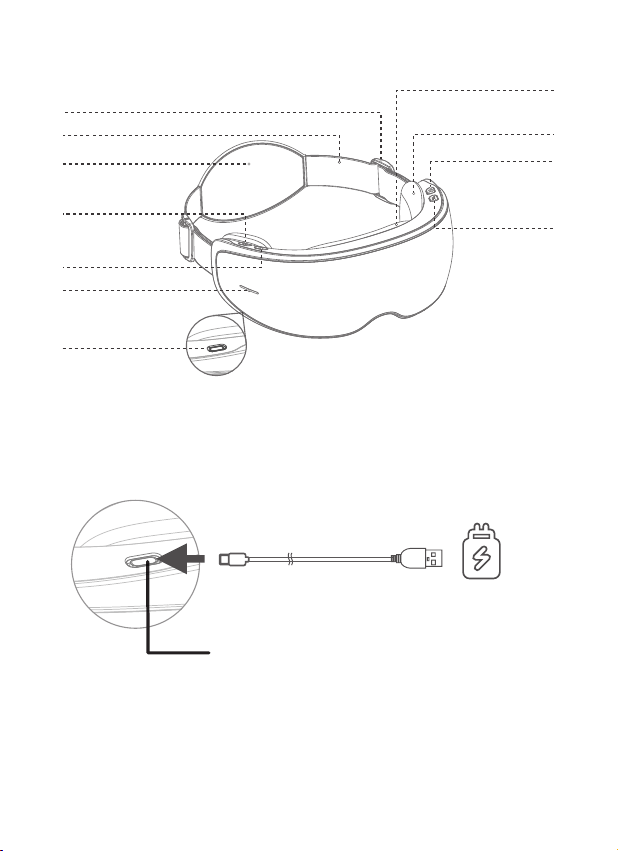
ABOUT YOUR EYERIS CALINA
Pressure Button
Heat / Silent
Mode / Voice
Mode Button
Volume / Next
Track Button
Power / Auto-off
Timer / Vibration
Button
Slidable Temple
Massage Cushion
Eye Massage Cushion
Adjustable Buckle
Elastic Headband
Head Pad
Light Indicator
Charging Port
Note:
� Do not use the device while charging.
� When the power indicator flashes red slowly, followed by a voice
broadcast “Low power, please charge”, charge the device.
� When batteries are depleted, the device will broadcast “Out of
battery, please recharge” and turn off automatically.
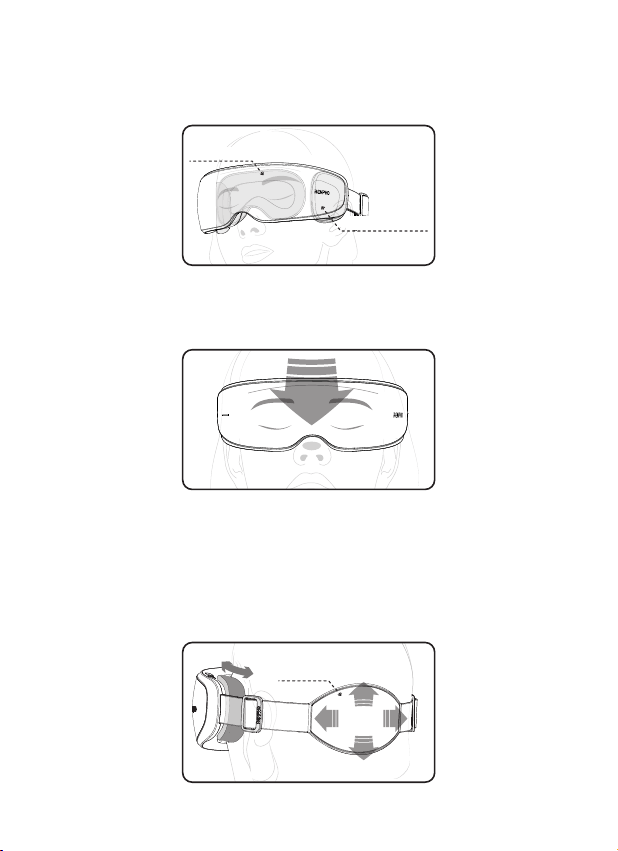
CHARGING YOUR EYERIS CALINA
Fully charge the device before initial use. The power indicator
turning solid red indicates the device is fully charged.
CHARGING YOUR EYERIS CALINA
DC 5V 2A Charger
(Not Included)
Provided Charging Cable
USB-C Charging Port
Charging time: approx. 90min
EN - 05
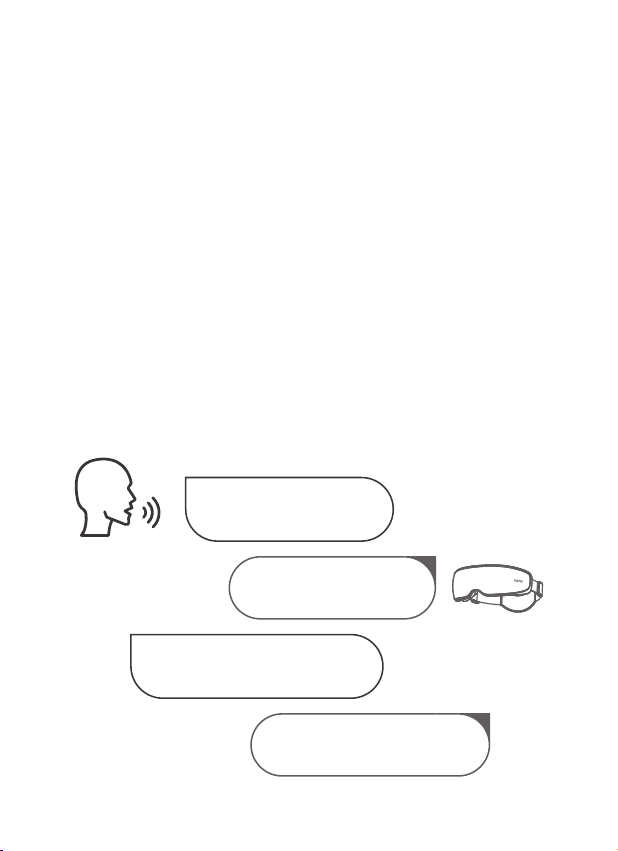
WEARING YOUR EYERIS CALINA
1. Before wearing the device, remove makeup and any eye
accessories (e.g. eyeglasses, false eyelashes, etc.).
2. Align the bridge of your nose with the contour (as pictured),
and then wear the device.
3. Adjust the temple massage cushions on both sides to the
desired temple areas. Then, adjust the elastic headband for a
proper fit using the adjustable buckles. Ensure that all massage
cushions are in comfortable contact with the eyes and temples.
(Note: Make sure that the elastic headband and head pad are
not folded or twisted and keep it flat in place.)
Temple Section
Eye Section
Head Pad
EN - 06
Note:
� Upon first use, it is recommended to start with soft pressure and
then choose strong pressure if comfortable. If you feel any pain
during use, switch back to soft pressure or loosen the elastic
headband.
� It is not recommended to use the device for more than 20
minutes at a time.
� Your vision may become blurry for a while, as expected after
using the device. It is recommended to close your eyes for a
few minutes until your vision goes back to normal.
� It is recommended to wipe any sweat, eye cream, or cosmetic
residue left on the protein leather surface that can help prolong
the lifespan of the device.
Tip: To use voice control, turn on the device first, say “Hi Eyeris”
and proceed with your clear voice command within 8 seconds
once you hear “Welcome”. If you fail to give a clear voice
command within 8 seconds, repeat the above steps, excluding
turning on the device.
USING YOUR EYERIS CALINA
The eye massager will
respond with “Welcome”
The eye massager will respond
with the corresponding voice
broadcast before execution
Turn on the eye massager
and say “Hi Eyeris”
Give a clear voice command to
the eye massager within 8s, such
as “Soft Pressure”
EN - 07
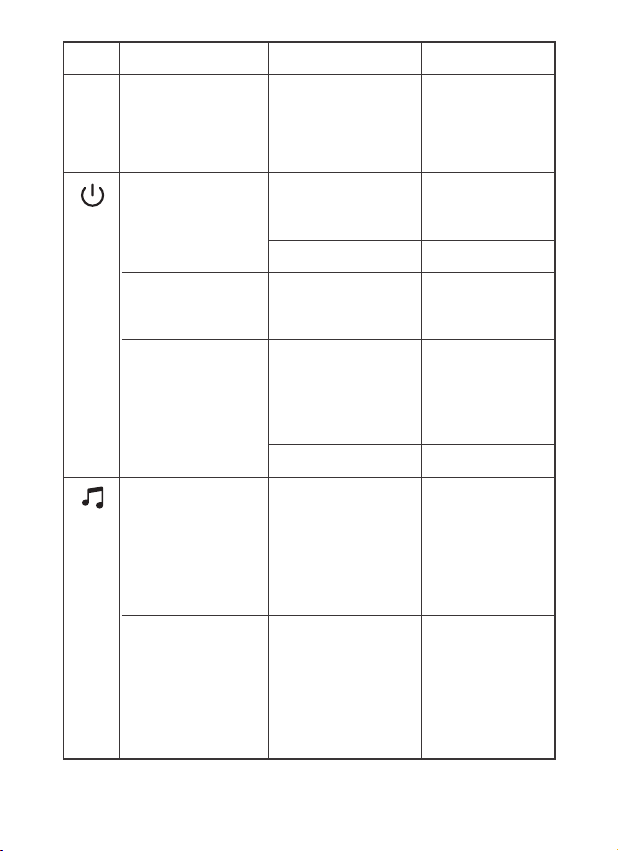
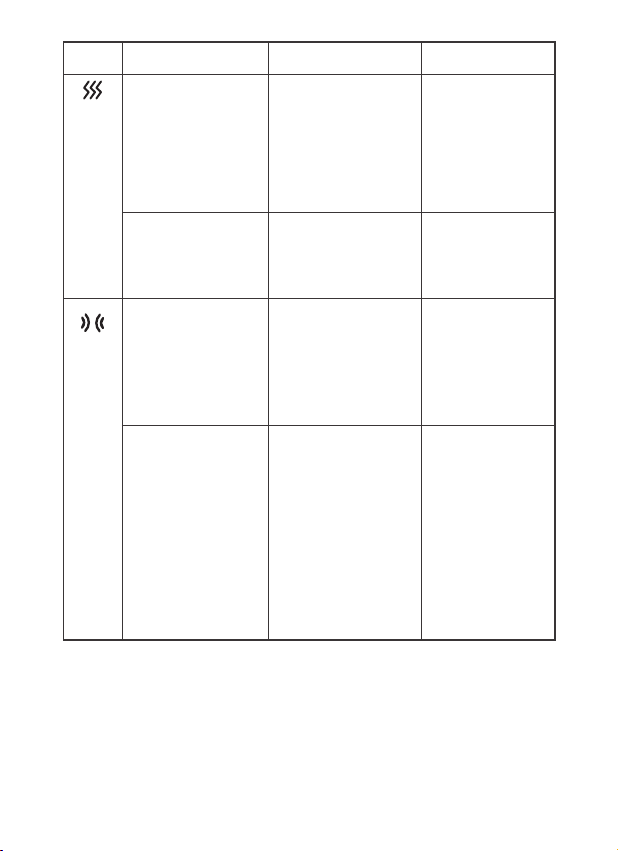
Button Manual Control Voice Control Voice Broadcast
/ Hi Eyeris
(Turn on the device
and wake it up when
you want to use the
voice-control function)
/ Welcome
a. Press and hold to
turn on / off the
device
/ Welcome to the
RENPHO Eye
Massager
b. Press to select the
auto-off timer: 10 min
/ 15 min / 20 min
Change Time Ten Minutes
Fifteen Minutes
Twenty Minutes
c. Double Press to turn
on / off the vibration
function
Vibration On /
(No voice prompts,
instead prompt
with three
vibrations)
a. Press to turn on / off
the music and cycle
the music volume
through level 0
(default) / 1 / 2 / 3 / 4
/ 5
Increase Volume
Decrease Volume
Level 5: Maximum
volume
Level 0: Mute
(No level 0 voice
prompts during
button-controlled
operation)
b. Press and hold to
switch to the next
music track
(Including the
included music
tracks and Bluetooth
music)
Change Music /
(No voice prompts,
play the next track
directly)
Turn Off Goodbye
Vibration Off No Vibration
EN - 08
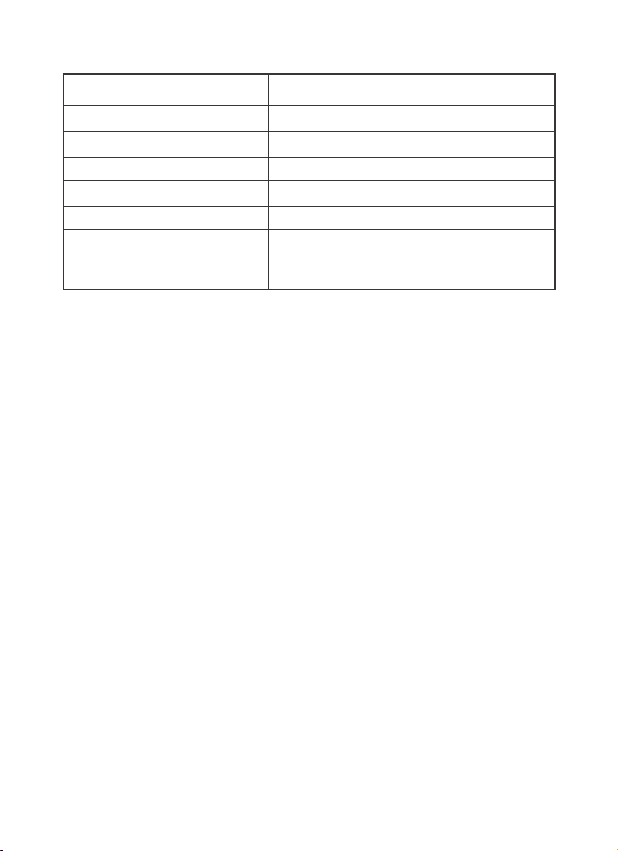
Button Manual Control Voice Control Voice Broadcast
a. Press to adjust the
warmth level:
low heat (108℉ / 42
℃) / medium heat
(113℉ / 45℃) / high
heat (118℉ / 48℃) /
no temperature
Low Heat
Medium Heat
High Heat
No Temperature
Low Heat
Medium Heat
High Heat
No Temperature
a. Press to adjust the
air pressure level:
soft pressure /
medium pressure /
strong pressure / no
pressure
Soft Pressure
Medium Pressure
Strong Pressure
No Pressure
Soft Pressure
Medium Pressure
Strong Pressure
No Pressure
b. Press and hold to
cycle through the
following pressure
modes:
Tension Relief
Mode: eyes &
temples
Regeneration
Mode: temples only
Retinal Protection
Mode: eyes only
Change Mode Tension Relief
Mode
Regeneration
Mode
Retinal Protection
Mode
b. Press and hold to
switch between
voice mode and
silent mode
Voice Mode
Silent Mode
Sound On
Sound Off
EN - 09
Note:
• Memory function: The device automatically recalls the last set
massage mode, pressure level, built-in music, auto-off timer,
and warmth level once turned on again.
• Auto-off timer: Once the timer is set, the device will operate for
the selected duration and then automatically shut off.
• In silent mode, the voice broadcast and included music will be
disabled. The music playing from your smartphone will be
paused but can be resumed through your smartphone.
Status
Indicator Light
Indicator Light
Solid whiteNormal operation
Bluetooth connected
Low battery
Charging
Fully charged
Charging at a voltage higher
than 5V
Solid blue
Flashes red slowly
Flashes red slowly
Solid red
Keeps flashing red quickly for 1 minute and
then turns off, indicating an improper charger
is used

EN - 10
1. Turn on the device and enable wireless setting on your
smartphone.
2. Search for "R-WME04" via your wireless setting and connect to
play your music playlist through the device.
3. Once connected successfully, the volume indicator will turn
solid blue, followed by a voice prompt.
4. Double press the Music Button to disconnect Bluetooth
connection.
Note:
Once paired successfully, the device will be automatically
connected to your smartphone next time if the wireless setting is
enabled.
CONNECTING TO YOUR SMARTPHONE
1. Turn off the device and allow it to cool down before cleaning or
storing.
2. Wipe the device surface with a soft cotton cloth slightly
dampened with mild detergent. Do not submerge it in water or
use bleach or corrosive cleaners.
3. Ensure the device is clean and dry before storing. Store it in a
cool, dry place, away from direct sunlight, moisture, heat, and
corrosive gases.
4. If the device has not been used for over 3 months, charge it
periodically to prolong its lifespan.
5. Do not disassemble or repair the device by yourself, as this may
cause damage and void the manufacturer's warranty.
CARE & MAINTENANCE

EN - 11
Problem Voice Control Solution
Wrong operationVoice control
function does
not work
Turn on the device, say “Hi Eyeris”
and proceed with your voice
command within 8 seconds once
you hear “Welcome”
The slidable temple
massage cushions on
both sides aren’t
aligned with each other
or are not accurately
aligned with the temple
areas
The temples
are not targeted
during massage
Refer to the “WEARING YOUR
EYERIS CALINA” section
Use a charger with a
voltage higher than 5V
Slow charging /
no charging
Use a DC 5V 2A charger (not
included)
Bluetooth on the mobile
device is not enabled
Bluetooth
connection
failure
Enable Bluetooth on your mobile
device and connect to “R-EMW04”
Unclear or
non-standard voice
commands
Voice
recognition
error
Speak clearly and use proper
pronunciation
Too much noise
interferes with voice
recognition
Use voice control in a quiet
environment
TROUBLESHOOTING GUIDE
Voice command is
Incomplete
Refer to the list of voice
commands and give a complete
voice command
Use other types of
charging cables
Use the provided charging cable
only
The device is
connected to another
mobile device
Ensure the device is fully
disconnected from another mobile
device
The device is off Turn on the device and connect to
Bluetooth

EN - 12
Problem Voice Control Solution
Silent mode is selectedNo music /
voice broadcast
or the sound of
music is faint
Press and hold the Heat Button to
switch to voice mode
No temperature / low
heat is selected
No heating or
insufficient
heating
Press the Heat Button to
adjust the heat level
Batteries are weak or
depleted
Fail to turn on
the device
Charge the device and restart it
No pressure is selectedNo pressure Press the Pressure Button to
switch to soft / medium / strong
pressure
Retinal protection mode
(eyes only) or
regeneration mode
(temples only) is
selected
Massage eye or
temple areas
only
Press and hold the Pressure Button
to switch to tension relief mode
Batteries are weak or
depleted
The device
stops working
suddenly
If you encounter any other problems, please contact our customer service
Charge the device and restart it
Bluetooth music is
playing at music volume
level 0
Adjust the volume level through
your phone
The device needs time
to warm up
Allow up to 1 minute to heat up
The device is
overheating
Built-in overheat protection. Allow the
device to cool down and restart it
Power Button was
pressed for only a
short duration
Press and hold the Power Button to
turn on the device
Auto-off timer is
activated
Restart the device if needed
Music volume level 0 or
low music volume
level is selected
through the device
Press the Music Button on the
device to adjust the music volume
level

EN - 13
Please feel free to contact us if you have any questions or
concerns. RENPHO Customer Service Team guarantees a quick
response and hassle-free solutions to any issue you may have
within business hours.
CUSTOMER SERVICE
*For defective products or the return of items, please contact us
with your order number within the specified warranty period. DO
NOT dis-pose of any product parts as they may be required for
inspection/repair.
WARRANTY POLICY
Your RENPHO product purchase is covered by a one year limited
manufacturer warranty from the date of delivery. For warranty
terms and conditions, please visit:
https://renpho.com/pages/warranty-terms-and-conditions
Note: Product registration is not required for the warranty. If you
choose not to register your product, it will not void the product
warranty.
[email protected] (US&CA)
[email protected] (AU)
[email protected](UK&EU)
+1(844) 417 0149 (US ONLY)
Monday-Friday 9:00AM-4:30PM
1800 MY RENPHO (1800 69 7367) (AU ONLY)
Monday-Friday 9:00AM-6:00PM (AEST)
+44(0)7434-666088 (UK ONLY)
Monday-Friday 9:00AM-5:00PM(GMT)
Tel:
Email:
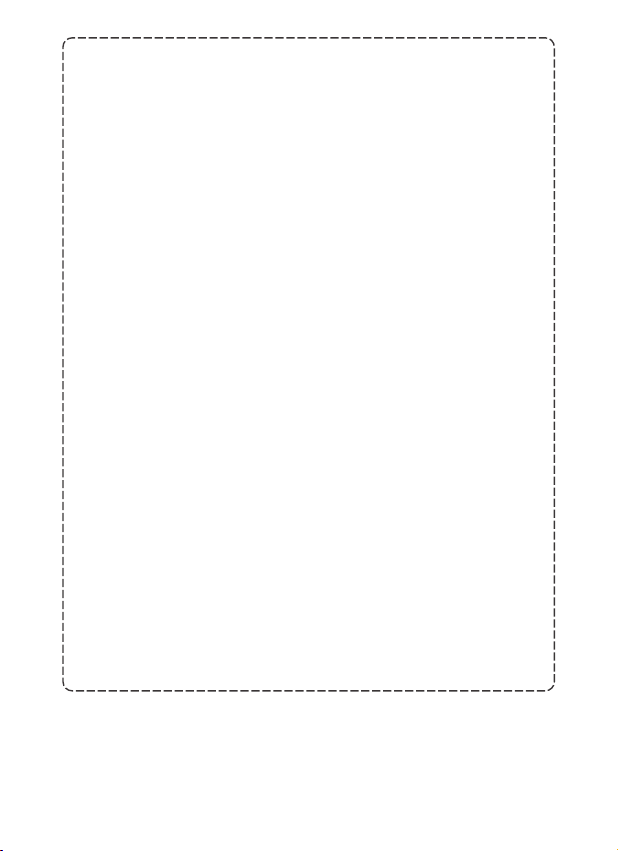
Product Name: Eye Massager
Model: R-WME04
Input: 5V 2A
Battery Capacity: 1500mAh 5.55Wh
TECHNICAL SPECIFICATIONS
EN - 14
FCC Regulatory Compliance
This device complies with part 15 of the FCC Rules. Operation is subject to the
following two conditions: (1) This device may not cause harmful interference, and
(2) this device must accept any interference received, including interference that
may cause undesired operation.
Warning: changes or modifications not expressly approved by the party
responsible for compliance could void the user’s authority to operate the
equipment.
Note: This equipment has been tested and found to comply with the limits for a
Class B digital device, pursuant to part 15 of the FCC Rules. These limits are
designed to provide reasonable protection against harmful interference in a
residential installation. This equipment generates, uses and can radiate radio
frequency energy and, if not installed and used in accordance with the
instructions, may cause harmful interference to radio communications. However,
there is no guarantee that interference will not occur in a particular installation. If
this equipment does cause harmful interference to radio or television reception,
which can be determined by turning the equipment off and on, the user is
encouraged to try to correct the interference by one or more of the following
measures:
—Reorient or relocate the receiving antenna.
—Increase the separation between the equipment and receiver.
—Connect the equipment into an outlet on a circuit different from that to which the
receiver is connected.
—Consult the dealer or an experienced radio/TV technician for help.
ISED Regulatory Compliance
This device contains licence-exempt transmitter(s)/receiver(s) that comply with
Innovation, Science and Economic Development Canada’s licence-exempt RSS(s).
Operation is subject to the following two conditions:
1: This device may not cause interference.
2: This device must accept any interference, including interference that may cause
undesired operation of the device.
L'émetteur/récepteur exempt de licence contenu dans le présent appareil est
conforme aux CNR d'Innovation, Sciences et Développement économique Canada
applicables aux appareils radio exempts de licence. L'exploitation est autorisée aux
deux conditions suivantes :
1. L'appareil ne doit pas produire de brouillage;
2. L'appareil doit accepter tout brouillage radioélectrique subi, même si le
brouillage est susceptible d'en compromettre le fonctionnement.
NA1
Made in China
Hereby, Shenzhen Ruiyi Business Technology Co., Ltd. declares
that this equipment complies with Directive 2014/53/EU,
Directive 2011/65/EU, Radio Equipment Regulations 2017,
Restriction of the Use of Certain Hazardous Substances in
Electrical and Electronic Equipment Regulations 2012, and other
relevant provisions. The full text of the Declaration of
Conformity can be obtained at the following internet address:
https://renpho.eu/pages/compliance-data
1. The symbol of the crossed-out garbage can on batteries or
accumulators indicates that they must not be disposed of in
household waste at the end of their life.
2. You are legally obliged to return old batteries and accumulators
after use. You can do this free of charge at a collection point in
your area. Addresses of suitable collection points can be obtained
from your city or local government.
3. Batteries may contain substances that are harmful to the
environment and human health. The separate collection and
recycling of old batteries and accumulators is intended to avoid
negative effects on the environment and human health.
4. Please avoid the generation of waste from old batteries as far as
possible, e.g. Please avoid littering public spaces by not carelessly
leaving batteries or electrical and electronic equipment containing
batteries.
1. Meaning of the crossed-out wheeled bin symbol
The crossed-out wheeled bin symbol means that you are legally
obliged to dispose of these appliances separately from unsorted
municipal waste, i.e. old appliances must be disposed of separately
from household waste. Batteries or rechargeable batteries that are
not permanently installed must be removed beforehand and
disposed of separately.
2. Options for returning old appliances
Owners of WEEE can return or collect it within the framework of
the possibilities set up and available by public waste management
authorities to ensure proper disposal.
3. Personal data
All end-users of WEEE are reminded that you are responsible
for deleting personal data from the WEEE to be disposed of.

尺 寸:
型 號:
更新日期: 20241119
R-WME04
98mm W x 135mm H
封面200g双面铜版纸,内页105g双面铜版纸
双面单色黑印刷
封面过油 无线胶装
骑马钉
Doris NA1设计师:
版本:
材 质:
颜 色:
工 艺:
装订方式 :
此页不印刷