WWW.FUSEAUDIO.NET
MODEL: Fuse Audio GLD
Instruction Manual
WWW.FUSEAUDIO.NET
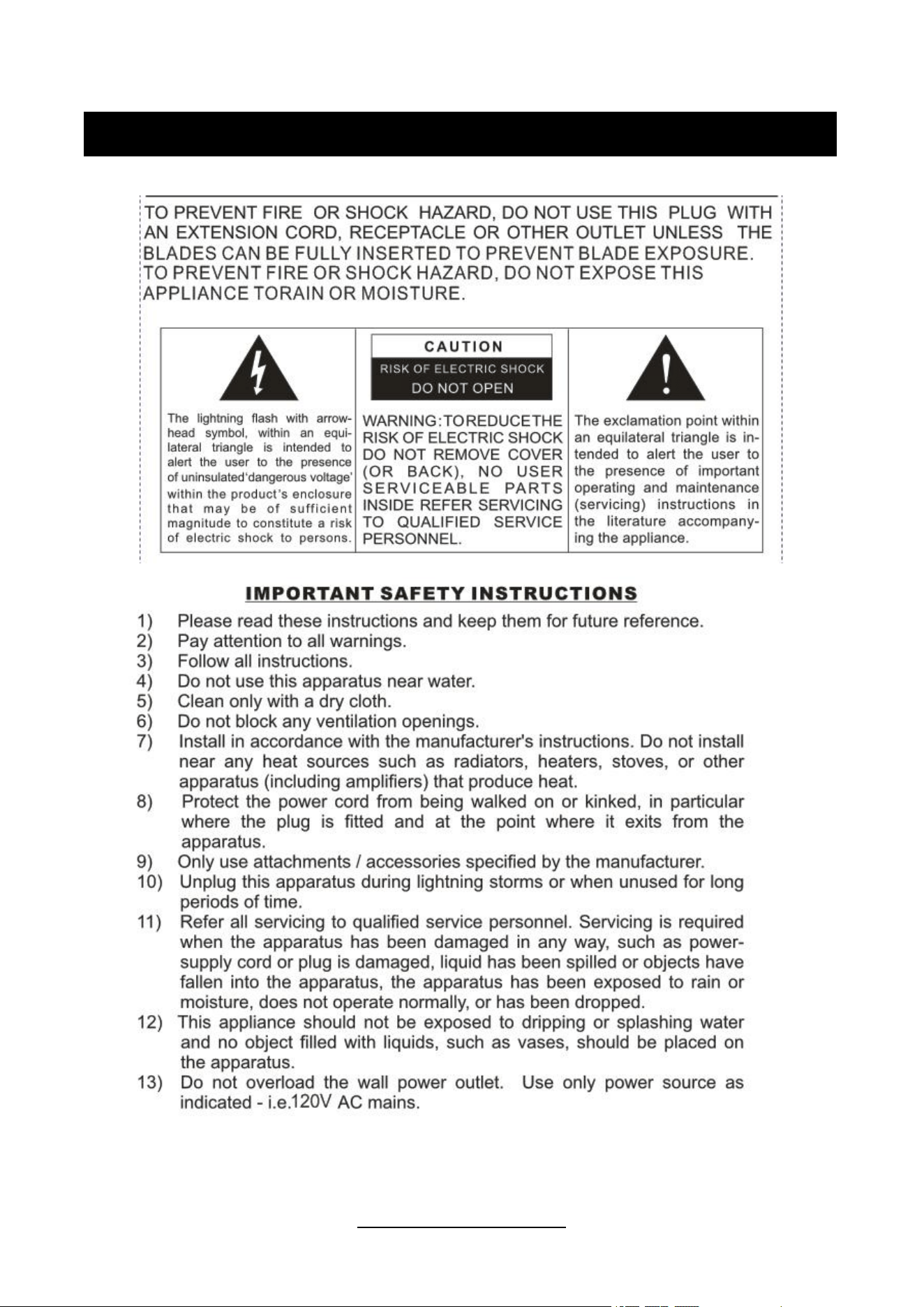
CAUTION
WWW.FUSEAUDIO.NET
PREPARATION FOR USE
UNPACKING AND SET UP
Carefully remove the unit from the display box and carton, and remove all packing materials from the
unit.
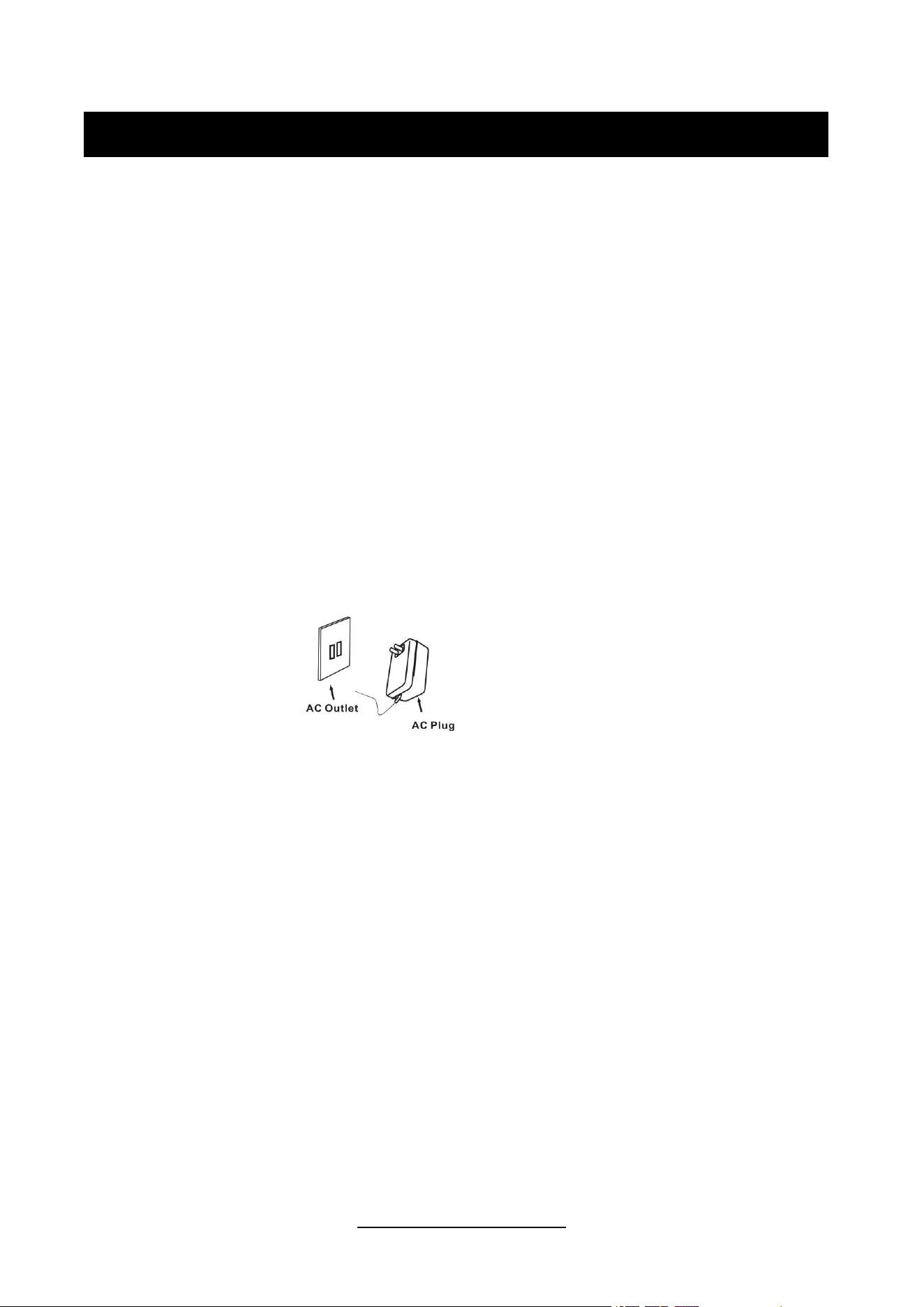
Unwind the AC power cord and extend it to its full length.
Place the unit on a flat and level surface. The selected location should be stable and free from
vibration and convenient to an AC outlet, out of a strong magnetic field.
Use the Speaker Wire to connect the left and right speakers’ Input Terminals to the turntable’s Output
Terminals correspondingly. Make sure the left and right channels are connected correctly.
Connect AC adaptor to the Power Jack of the unit.
Remove the white plastic stylus cover from the stylus assembly.
During this operation pay attention to the stylus, because the stylus damage is not covered by
guarantee.
This product is designed to operate by DC 15V 2.4A adapter. Attempting to operate this system from any
other power source may cause damage to the system, and such damage is not covered by warranty.
NOTE: You will note that this system is equipped with domestic standard AC power plug. If this plug does
not fit into your existing AC outlet, do not try to defeat this safety feature by filing the wide blade to make it
fit into your outlet. If this plug will not fit into your outlet, you probably have an outdated non-polarized AC
outlet. You should have your outlet changed by a qualified licensed electrician.
PROTECT YOUR FURNITURE
This model is equipped with non-skid rubber feet to prevent the product from moving when you operate
the controls. These feet are made from non-migrating rubber material specially formulated to avoid
leaving any marks or stains on your furniture. However certain types of oil-based furniture polishes, wood
preservatives, or cleaning sprays may cause the rubber feet to soften, and leave marks or a rubber
residue on the furniture. To prevent any damage to your furniture we strongly recommend that you
purchase small self-adhesive felt pads, available at hardware stores and home improvement centers
everywhere, and apply these pads to the bottom of the rubber feet before you place the product on fine
wooden furniture.

WWW.FUSEAUDIO.NET
Spring clip speaker terminals
To connect to the speakers included with this system or other passive speakers, connect
one end of the speaker wire included with this package to the back of the speakers and the
other end to the Speaker Output Terminals. To do this, flip the spring clips to the open
position, insert the speaker wire, and flip the spring clips to the closed position.
Note: The BLACK speaker wire should be inserted to the BLACK spring clips, and WHITE
STRIPE speaker wire should be inserted to the RED spring clips.
- Product Specification
Power Source
AC power adaptor, DC output 15V 2.4A
Power Consumption
50W
Speakers
Treble: 8Ω 10W X 2
Bass: 4Ω 10W X 2
Turntable Speed
33⅓, 45, 78RPM
Product Dimension
14.2" X 8.5" X 14.5" IN
Product Weight
12.5 Lbs
WWW.FUSEAUDIO.NET
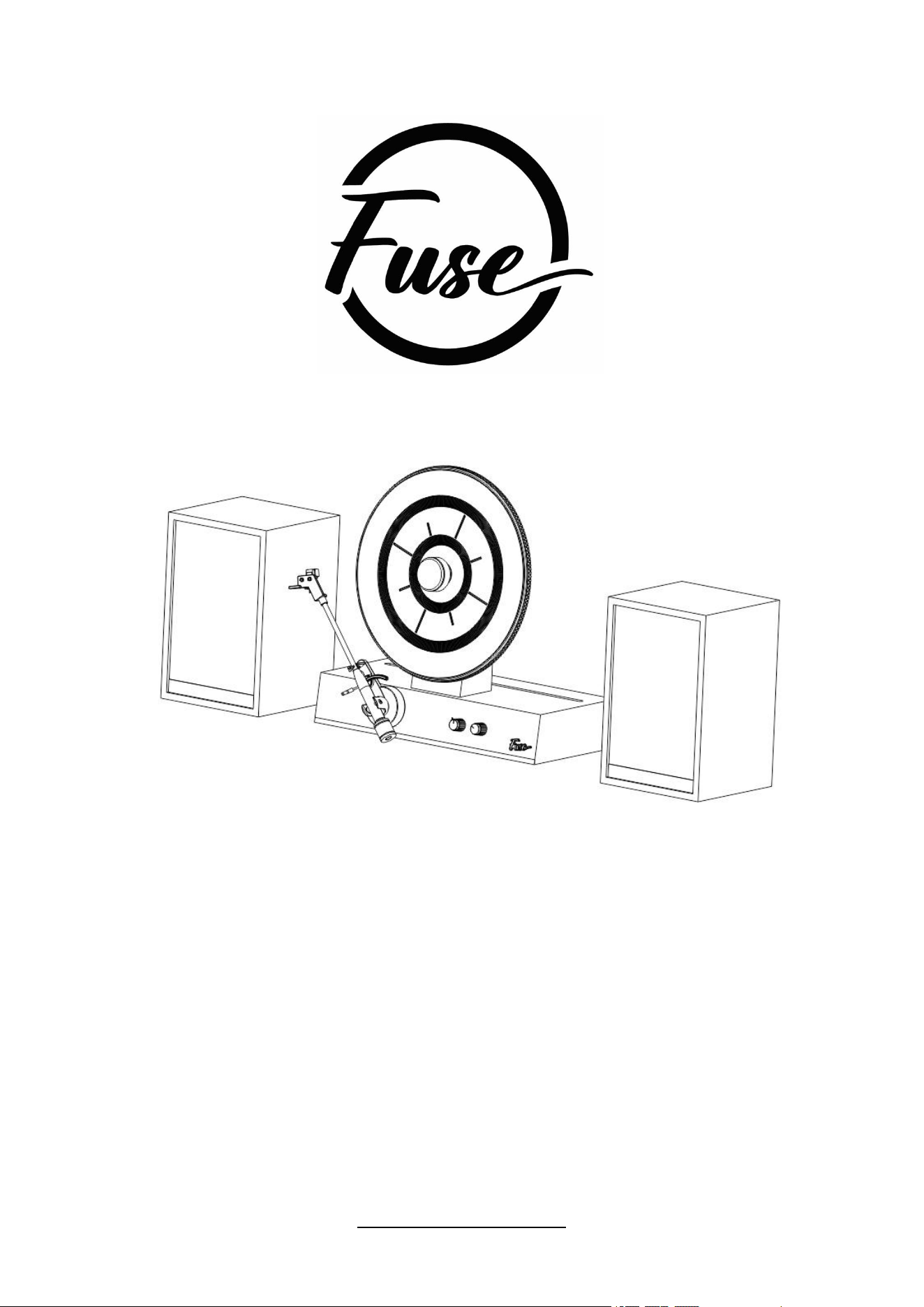
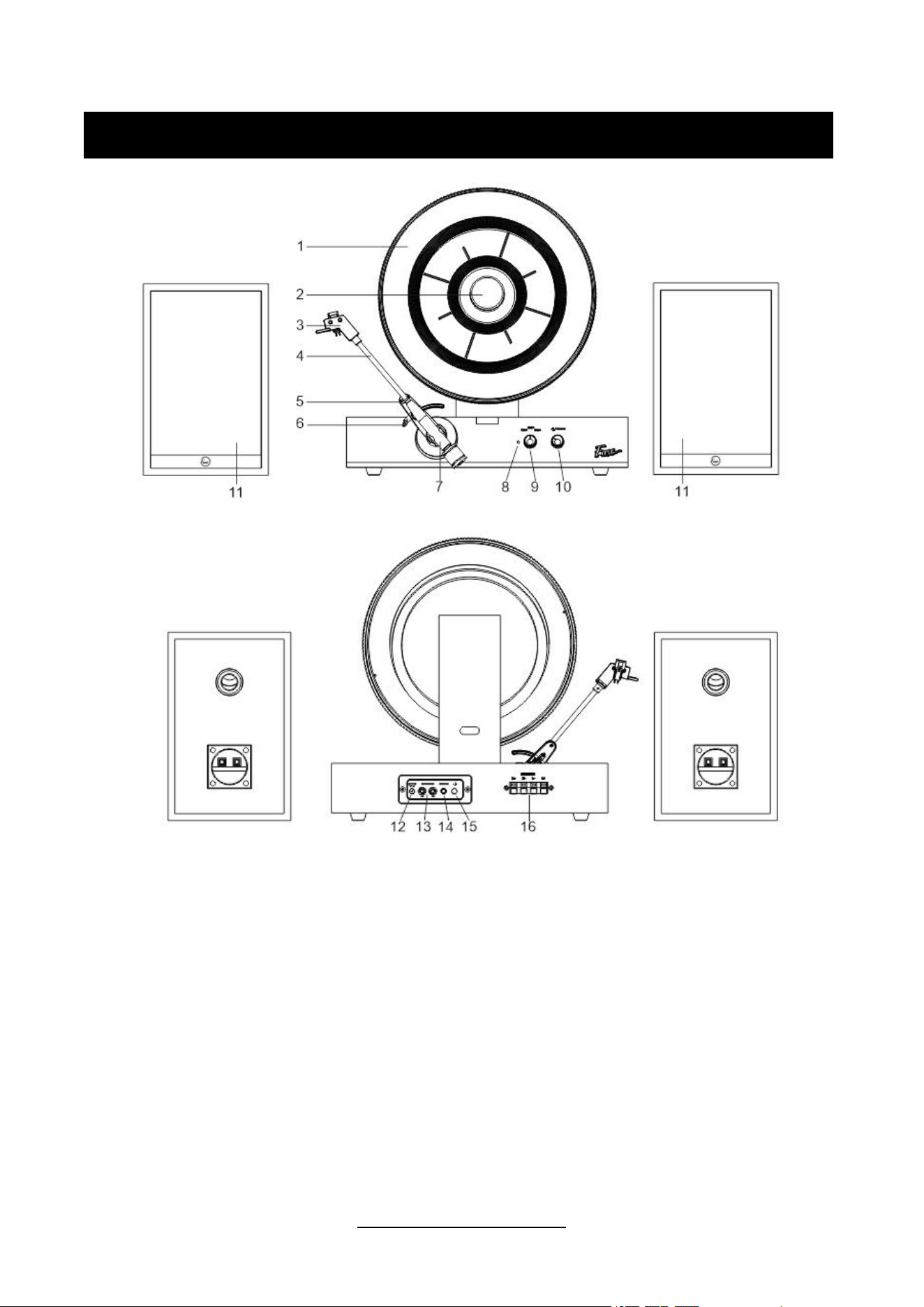
PRODUCT DESCRIPTION
1. Turntable
2. Magnetic Adapter
3. Cartridge & Stylus
4. Tonearm
5. Tonearm Lock
6. Tonearm Lift
7. Control Lever
8. Function Indicator
9. Speed Control Knob
10. On/Off Volume Knob
11. Speakers
12. Power Jack
13. Line Out Jack
14. Aux in Jack
15. Bluetooth Output Button
16. Speaker Output Terminals

WWW.FUSEAUDIO.NET
OPERATING INSTRUCTIONS
VINYL OPERATION
1. Rotate the ON/VOL Knob to turn on the unit.
2. Rotate the SPEED CONTROL KNOB to the correct speed (33 1/3, 45 or 78 rpm) for the
record size.
3. Take out the MAGNETIC ADAPTER, carefully put a record on the TURNTABLE, then put
the MAGNETIC ADAPTER back to hold the record.
4. Release the tonearm lock. Use the TONEARM LIFT to lift up the tonearm.
5. Gently move the tonearm over the record where play is desired to begin. Set the
TONEARM LIFT back to the down position, the tonearm will descend slowly onto the record
and begin to playback.
6. Rotate the volume control knob to get desired sound level.
7. At the end of the record, the tone arm will stop automatically.
Note: Do not turn or stop the turntable manually. Moving or jarring the turntable without
securing the tone arm clamp may result in damage to the tonearm.
BLUETOOTH INPUT OPERATION
1. Rotate the ON/VOL Knob to turn on the unit.
2. Bluetooth is the default function when unit is turned on. ***Make sure the Tonearm is put on
the tonearm rest position for BT to function correctly.
3. Turn on your Bluetooth device, search for "Fuse Audio GLD"and pair.
4. Once your Bluetooth device is successfully paired with the unit, you will hear a short
confirmation sound from the GLD.
5. Select and play the audio files though your Bluetooth device.
6. Adjust volume on both portable device and unit to reach desired level.
NOTE:
1. BT range is approximately 10 meters.
2. Other BT devices nearby may interfere with signal.
3. Only 1 device can be paired at a time so disconnect first if pairing a different device.

WWW.FUSEAUDIO.NET
BLUETOOTH OUTPUT OPERATION
This turntable features Bluetooth output which is a device that transmits audio from
this turntable to another Bluetooth device such as wireless Bluetooth headphones, Bluetooth
speakers, or other Bluetooth receiving devices.
1. When in VINYL mode (Platter needs to be spinning), place the audio device that )
supports Bluetooth technology as close to your turntable as possible within 15 feet.
2. Press the Bluetooth Output button on the back panel to enable Bluetooth output function.
Note: The function indicator will slowly flash green.
3. Set the other bluetooth device that you would like to connect to pairing mode.
4. Your turntable will connect automatically to your audio device, you will hear a short
confirmation sound once they are both in pairing mode.
5. When the pairing is complete, the function indicator LED will be solid green.
Note: If pairing is unsuccessful, make sure your audio device is not paired/connected to
another Bluetooth device.
6. Press the Bluetooth Output button again on the back panel to stop Bluetooth output
function.
NOTE: When in Bluetooth Output mode, there may be a sync delay between the
turntable sound and your Bluetooth device sound.
AUX IN OPERATION
1. Rotate the ON/VOL Knob to turn on the unit.
2. Connect the 3.5mm auxiliary cable between your external device and the AUX IN jack of
the back of the unit.
3. Play the music from your external device from the unit.
Note: The Aux in connection will automatically override the Bluetooth function. To resume
using the Bluetooth function, unplug the auxiliary cable from the aux in jack. Make sure the
Tonearm is put on the tonearm rest position for Aux In to function correctly.

WWW.FUSEAUDIO.NET
FCC Statement
Changes or modifications not expressly approved by the party responsible for compliance
could void the user's authority to operate the equipment.
This equipment has been tested and found to comply with the limits for a Class B digital
device, pursuant to Part 15 of the FCC Rules. These limits are designed to provide
reasonable protection against harmful interference in a residential installation. This
equipment generates uses and can radiate radio frequency energy and, if not installed and
used in accordance with the instructions, may cause harmful interference to radio
communications. However, there is no guarantee that interference will not occur in a
particular installation. If this equipment does cause harmful interference to radio or television
reception, which can be determined by turning the equipment off and on, the user is
encouraged to try to correct the interference by one or more of the following measures:
-- Reorient or relocate the receiving antenna.
-- Increase the separation between the equipment and receiver.
-- Connect the equipment into an outlet on a circuit different from that to which the receiver is
connected.
-- Consult the dealer or an experienced radio/TV technician for help
This device complies with part 15 of the FCC rules. Operation is subject to the following two
conditions (1)this device may not cause harmful interference, and (2) this device must
accept any interference received, including interference that may cause undesired
operation.