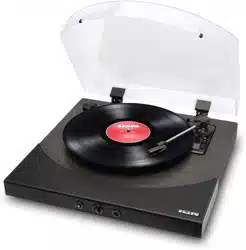
VINTAGE
TURNTABLE
Model:LPSC-008
User Manual
Before Use:
1.
Choose a safe location and avoid placing the unit in direct sunlight or near any heat source.
2.
Avoid environments subject to vibration, excessive dust, cold or moisture.
3.
Due to the risk of electrical shock, do not open the cabinet. Should a foreign object accidentally
find its way into the interior of the unit, contact your local dealer.
4.
Do not attempt to clean the unit with chemical solvents as this might damage the finishing. A
clean, dry cloth is recommended for cleaning.
5.
Keep this manual for future reference.
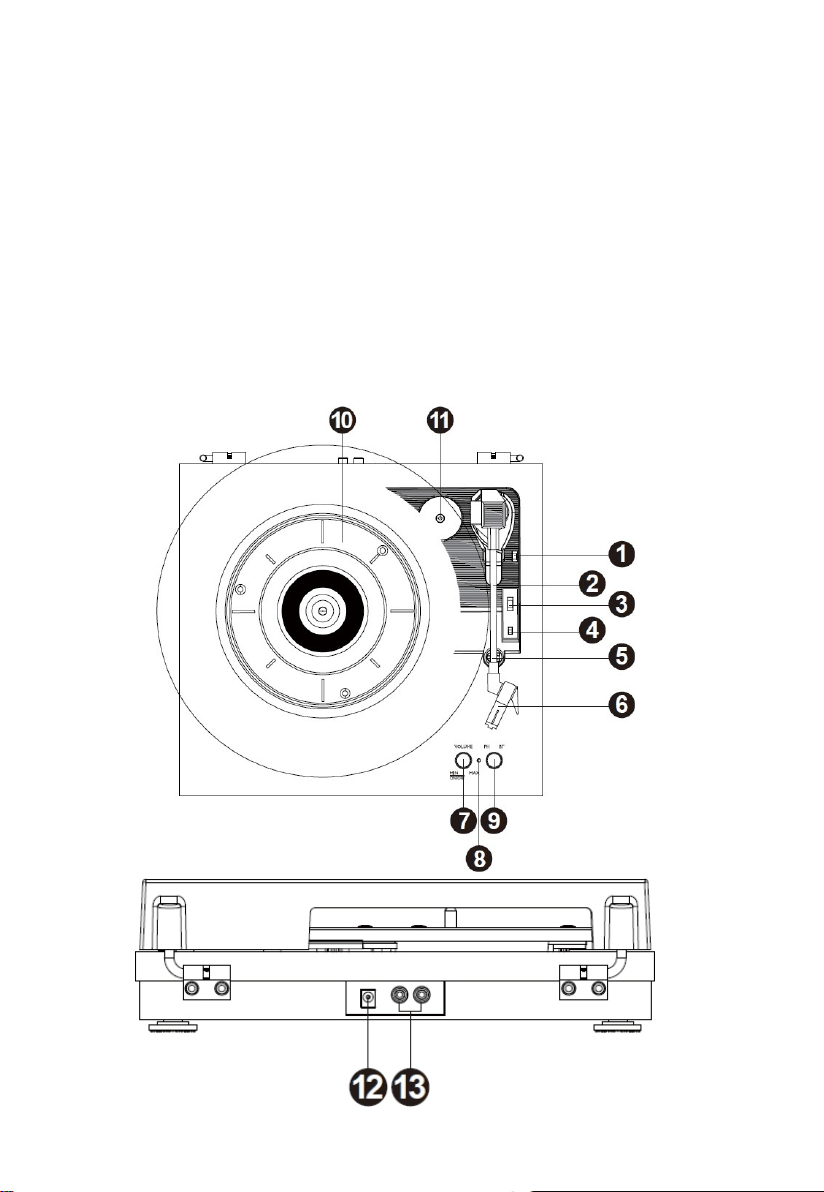
Turntable Parts:

1.
Lift Lever
2.
Tone-arm
3.
33/45/78 RPM Speed Selection Switch
4.
AUTO STOP ON/OFF Switch
5.
Tone Arm Clip/Rest
6.
Stylus(Needle) Cartridge
7.
Power Switch (VOLUME CONTROL KNOB)
8.
Indicator
9.
PH/BT Function Knob
10.
Turntable Platter
11.
45 RPM Adapter
12.
DC IN Power Jack
13.
L/R RCA Output Jack
Package Included:
The package includes below main unit and accessories. If anything missing, please feel free to
contact our after-sale service team via email LP0613@outlook.com
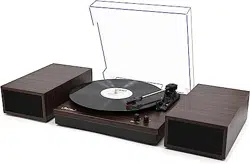
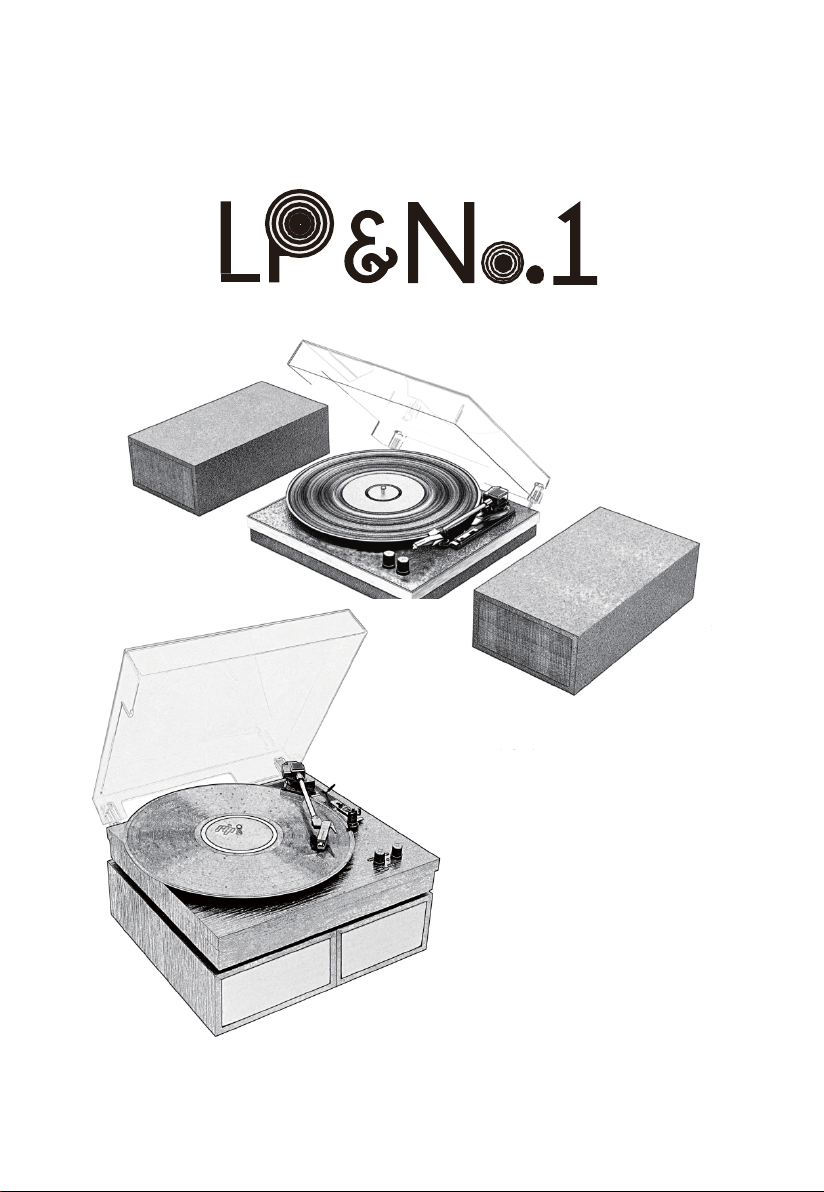
1. LPSC-008 Vintage Turntable
2. Dual External Speakers
3. 12V 2A Power Supply Adapter
4. User Manual
5. Warranty Card
6. 45 RPM Adapter
Getting Started:
1. Connect the main unit and the speakers with the RCA cable.
2. Firmly and securely insert the DC plug of the adaptor to the DC IN Jack on the back of the
unit. Plug the adapter’s AC plugs into a power outlet.
3. Connect the record player with external speakers,please attention, make sure the audio
cables color keeps the same as RCA audio port color, red to red, black to black when plug in.
Phono Mode:
1. Switch the function knob to PH mode. Turn on the power switch knob. The indicator will become
red color.
2. Place a record on the turntable platter and select the desired speed (33/45/78) according to the
record. NOTE: when playing a 45RPM record, use the included 45RPM adapter.
3. Remove the stylus protector. Open the tone-arm clip to release the tone-arm. Push the lift lever
backward to raise the tone-arm and gently move the tone-arm to the desired position over the
record. The turntable will begin to spin when the arm is moved toward the record. Push the lift
lever forward to lower the tone-arm slowly onto the desired position on the record to begin playing
the record. Please note: The record will begin to spin only when the tone-arm is moved toward
the record if the Auto Stop is turned on.
4. If the Auto Stop Control Switch is turned ON, the record will stop automatically when finished.
If Auto Stop Control Switch is turned OFF, the record will NOT stop automatically when finished.

Remark: AUTO STOP function applies to most 33RPM vinyl records. However, for very few
vinyl records, it will stop when it does not come to the end (In this case, turn the AUTO STOP
switch to OFF position and then it will continue playback), or it will not stop when it comes to
the end when AUTO STOP is ON.
5. Turn the VOLUME CONTROL KNOB to adjust the volume.
Bluetooth Mode:
1.
Switch the function knob to BT. The indicator will become blue color with flashing.
2.
Turn on your Bluetooth function on your mobile phone or tablet PC and then search the turntable
player with its name LPSC-008 . After pairing and connection, the Bluetooth indicator will become
blue color without flashing, and you can play your music of your mobile phone or tablet PC on this
turntable player.
3.
Turn the VOLUME CONTROL KNOB to adjust the volume.
Remark: the mobile phone or tablet PC's volume level also impact the overall volume;
please adjust that as well to have a satisfying sound
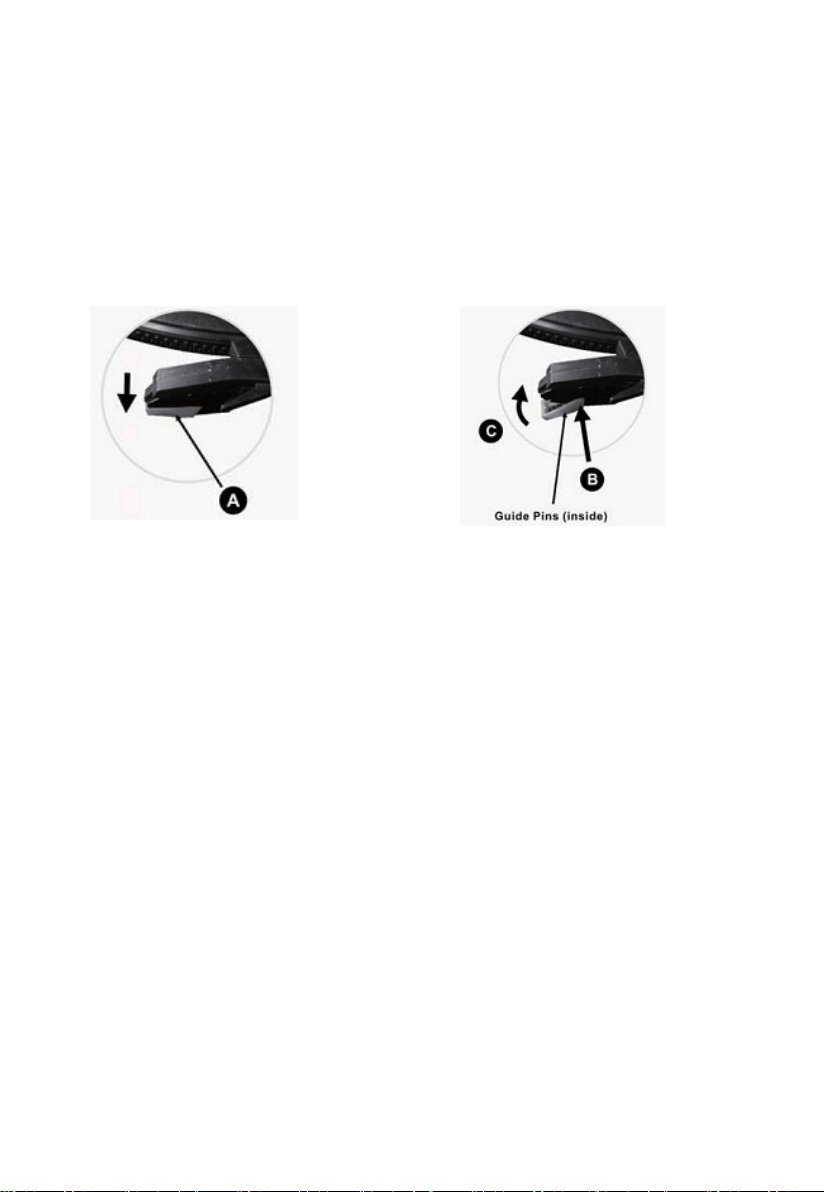
How to Replace the Turntable Stylus (Needle)?
Removing the Stylus from the Cartridge
1. Place a screwdriver at the tip of the stylus and push downward as shown in direction“A”.
2. Remove the stylus by pulling the stylus forward and pushing downward.
Installing the Stylus
1. Hold the tip of the stylus and insert the stylus by pressing as shown in direction “B”.
2. Push the stylus upward as in direction "C" until the stylus locks into the tipposition.
Tips to Better Turntable Performance:
1.
When opening or closing the turntable cover, handle it gently.
2.
Do not touch the needle tip with your fingers; avoid bumping the needle against the turntable
platter or record edge.
3.
Frequently clean the needle tip-use a soft brush in a “back-to-front’ motion only.
4.
If you must use a needle cleaning fluid, use very sparingly.
5.
Gently wipe the turntable player housing with a soft cloth. Use only a small amount of mild
detergent to clean the turntable player.
6.
Never apply harsh chemicals or solvents to any part of the turntablesystem.

LP&No.1
For more record players, visit at www.amazon.com/lpno1