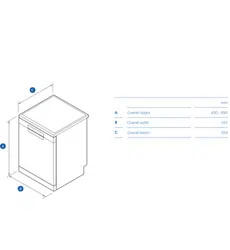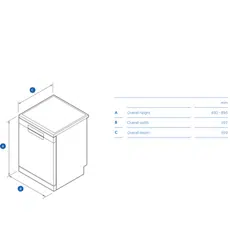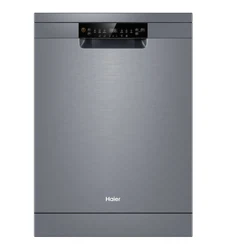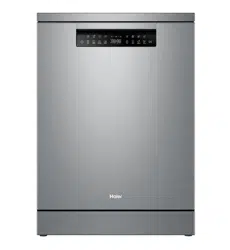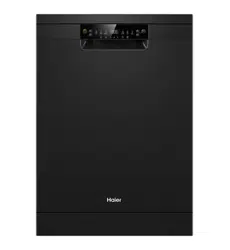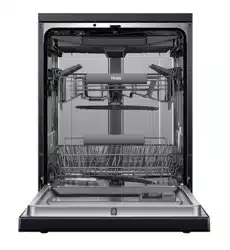
HDW13F0S1/HDW13F0W1
HDW13F0B1/HDW13F0PS1
NZ AU
User Manual
Dishwasher
1
Thank you
NZ AU
Please
read
these
instructions
carefully
before
using
this
appliance.
These instructions contain
important
information
which
will
help
you
get
the best
experience
of
the
appliance. Reading the manual carefully
can help to
ensure
your safety and
proper
installation and better
mai-
ntenance in the future.
Keep
this
manual
in a
convenient
place
so
you
can
always
refer
to
it
for
the
safety
and
proper
use.
If
you
sell
the
appliance,
or give
it
away,
or
leave
it
behind
when
moving
your house,
make
sure
you already passed
on
the
manual to it's
new
owner, so that they can
become
familiar
with
the
appliance
and
safety
warnings.
Legend
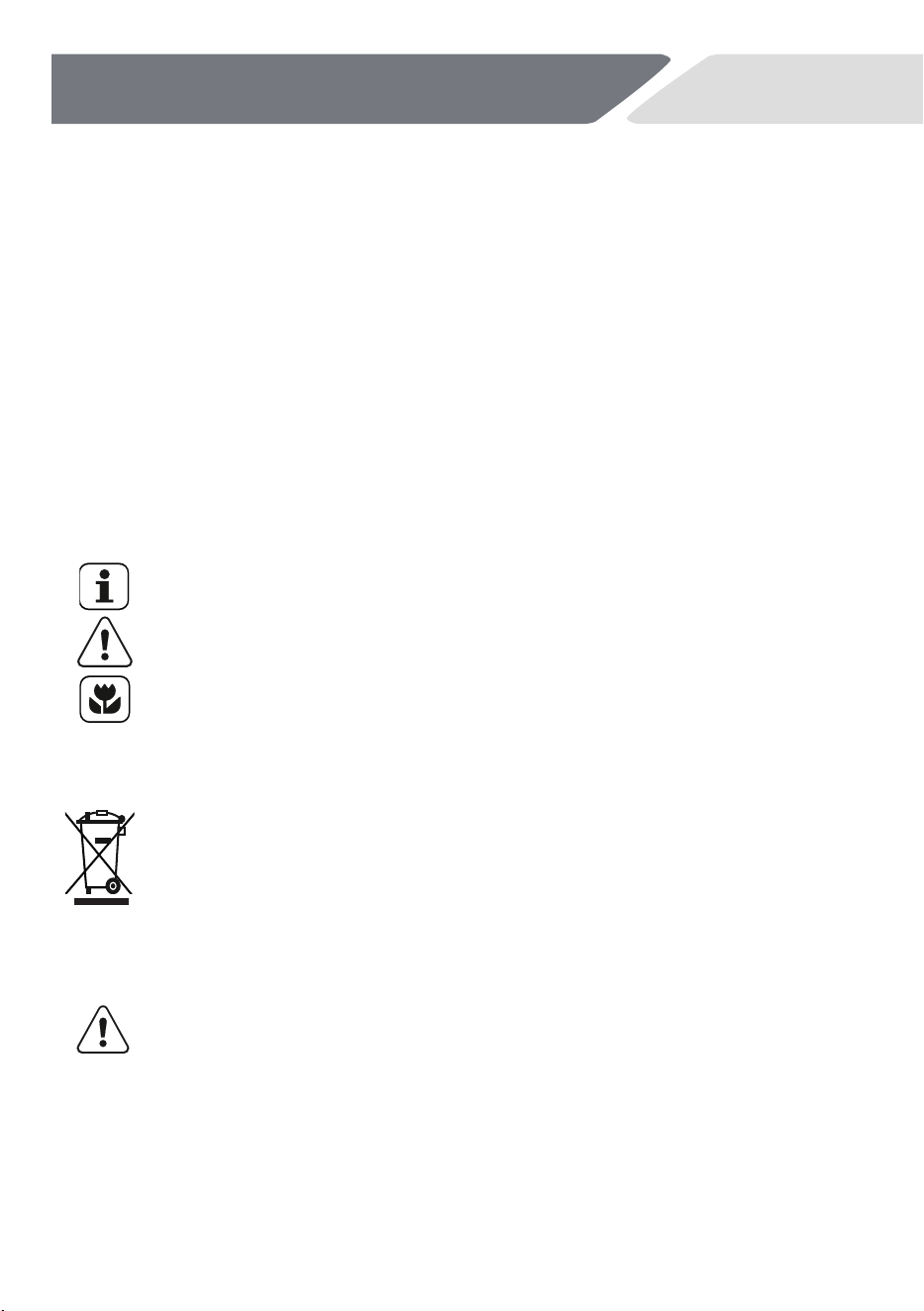
General information and tips
Warning–Important Safety information
Environmental information
Disposal
Help
protect
the
environment
and
human
health.
Put
the
packaging
in
applicable
containers
to
recycle
it. Help
to
recycle
waste
of
electrical
and
electronic
appliances. Don't
dispose
appliances
marked
with
this
symbol
with
the
household
waste.
Return
the
product
to
your
local
recycling
facilities or contact
with your
municipal offices.
WARNING!
Risk of injury or suffocation!
Disconnect
the
appliance
from
the
main
supply.
Cut
off
the
main
cable and
dispose
of
it. When you remove
the
door
catch,
be sure
to
prevent
children and pets to get closed to the
appliance.

2
Safety .....................................................................................................................
Content
NZ AU
Installation ............................................................................................................
Product Description ..........................................................................................
Control Panel ......................................................................................................
Program ...............................................................................................................
Before first use ...................................................................................................
Daily Use ..............................................................................................................
Care and Cleaning ..............................................................................................
Troubleshooting .................................................................................................
3
5
10
Technical Data .....................................................................................................
9
11
13
14
19
25
28
Customer service ...............................................................................................
Manufacturer’s Warranty..................................................................................
31
32
Standards test information ...............................................................................
31

3
Safety
NZ AU
Intended Use
The
appliance
is
designed
for
domestic use, including the below environm-
ents
inside
the
house,
staff
kitchen areas, farm
houses, hotels, motels or
other
residential
environments. It is not intended forcommercial or ind-
ustrial
use.
Do
not
use
it
for
purposes
other
than that
for
which
it was
designed.
Changes
or
modifications
to
the
device
are
not
allowed.
Unintended
use
may cause hazards and loss of warranty claims.
Before Switching on the
Appliance
for the First
Time
Do…
to make sure all packaging is
removed and is
kept out of children’s
reach.
to make
sure
that
the
electrical
information
on
the
rating
plate
agrees
with the power supply,
if not,
contact with electricians.
use
a separate
earthed socket
for
the
power
supply.
The
appliance
must be earthed.
to make sure the plug is accessible.
to make sure only the delivered electric cable and hose set are used.
hold
the
plug
and
not
the
electric cable
when
unplugging
the
power
supply.
to make
sure
not
to damage
the
electric cable and
the
plug.
If
dam
aged, have it
replaced
by an electrician.
to make
sure
the
hose
joints and
connections
are
firmed
and
there
is
no
leakage.
Do not…
install
or
use
the
appliance
where
the
temperature
is
below
5
°C.
Use
multi-plug adapters and extension cables.
let
people
(children
included),
with
reduced
physical
sensory, and me-
ntal
functions
or
lack of experience
and
knowledge use
the
appliance
also not supervised
by a person, who is
responsible
for their safety.
put wet
flammable products
in,
near,
or on the appliance.
4
Safety
NZ AU
During Daily Use
Do…
supervise
children
and stop
them to play
with
the
appliance.
put sharp pointed objects (e.g.
knives) in a way that there is no danger
of
injury.
Do not…
open the door while a programme is operating.The
appliance can
release
hot
steam.
keep the
appliance door open without supervision to prevent tripping
and
falling.
let
children
or
pets come
close
to
the
appliance
when
the
door
is
open.
sit
or
place
heavy
items on
the
open
door.
remove
the
dishes
from
the
appliance
until
the
programme
is completed.
Otherwise, there
can
still
be
detergent
on
the
dishes.
drink
the
water
in
the
appliance.The
water
may be contaminated
with
detergent
residues.
cover
any
ventilation
openings
in
the
base
by a carpet
or
similar
object.
use
water
spray
or
steam
to
clean
the
appliance.
let
the
children
make
the
cleaning
and
user
maintenance
without
supervision.
WARNING:
Some
dishwasher
detergents
are
strongly
alkaline.They
can
be
extremely
dangerous
if
swallowed.
Avoid
touch
with
the
skin
and
eyes and
keep
children
away
from
the
dishwasher
when
the door
is
open.Check
that
the
detergent
receptacle
is
empty
after
completion
of
the
wash cycle.
- The
door
is
not
left
in
the
open
position
since
this could
present
a
tripping
hazard.
- Warning:
Knives
and
other
utensils
with
sharp
points
must
be
loaded
in
the
basket
with
their
points
down
or
placed
in a horizontal
position.
- Only
use
hose-set
provided
by
manufacture,
old
hose-set
cannot
be
reused.
597
min580
5
7
0
820
mi
n
82
0
min600
5
Installation
NZ AU
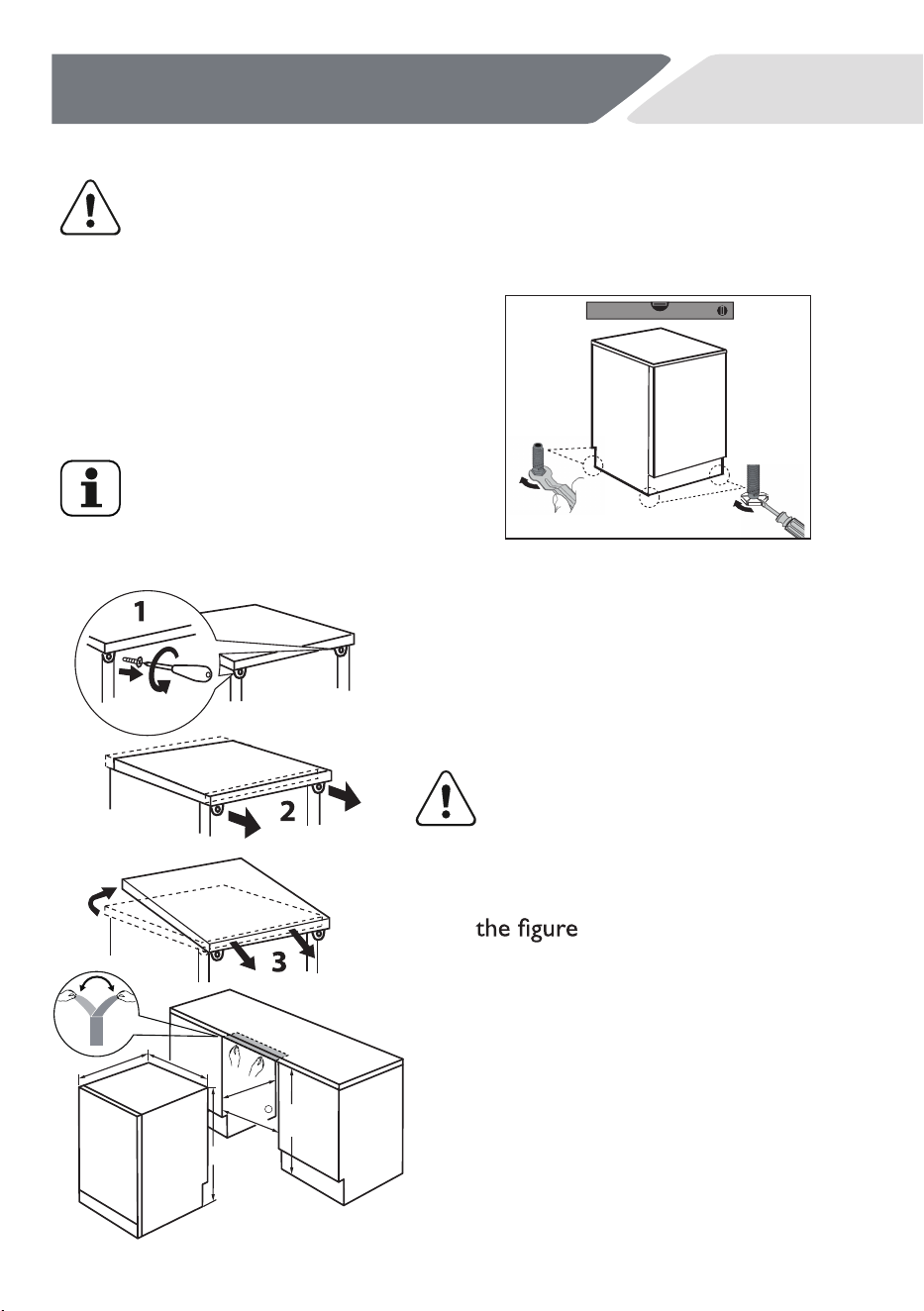
Adjust accurately all feet to get a firm,
horizontal position.
Only
with
a
correct
level
the
appliance
door
closes
and
seals
correctly.
4. The
dimensions
of
the
recess
should
at
least
match
with
the
dimensions
in
5.
After
installation,
the
minmum
gap
between
the
side
planel
and
the
cupboard is 1mm, and the minmum
gap
between
the
rear
and
the
cupboard
is
10mm.
The
top
gap
is
controlled
by adjusting the feet.
6.
Put
the
appliance
adjacent
to
the
slot.
Make
sure
that
all
connections
(water,
drain
water,
power)
are
neatly
positioned and connected.
Installation under
worktop
1.
Optional:Remove the worktop of
the appliance.
2.
Adjust
accurately
all
feet
to get
a
firm
level
position.
3.
Install
the
appliance carefully
into
the
recess.
WARNING!
If
used
as
free
standing
appli-
ance
again,
the
worktop
must
be
remounted.
WARNING!
Any installation need to carried out only by a qualified technic-
ian refer to section
"safety".
Free Standing Installation
I
nstall the appliance on horizontal
ground.
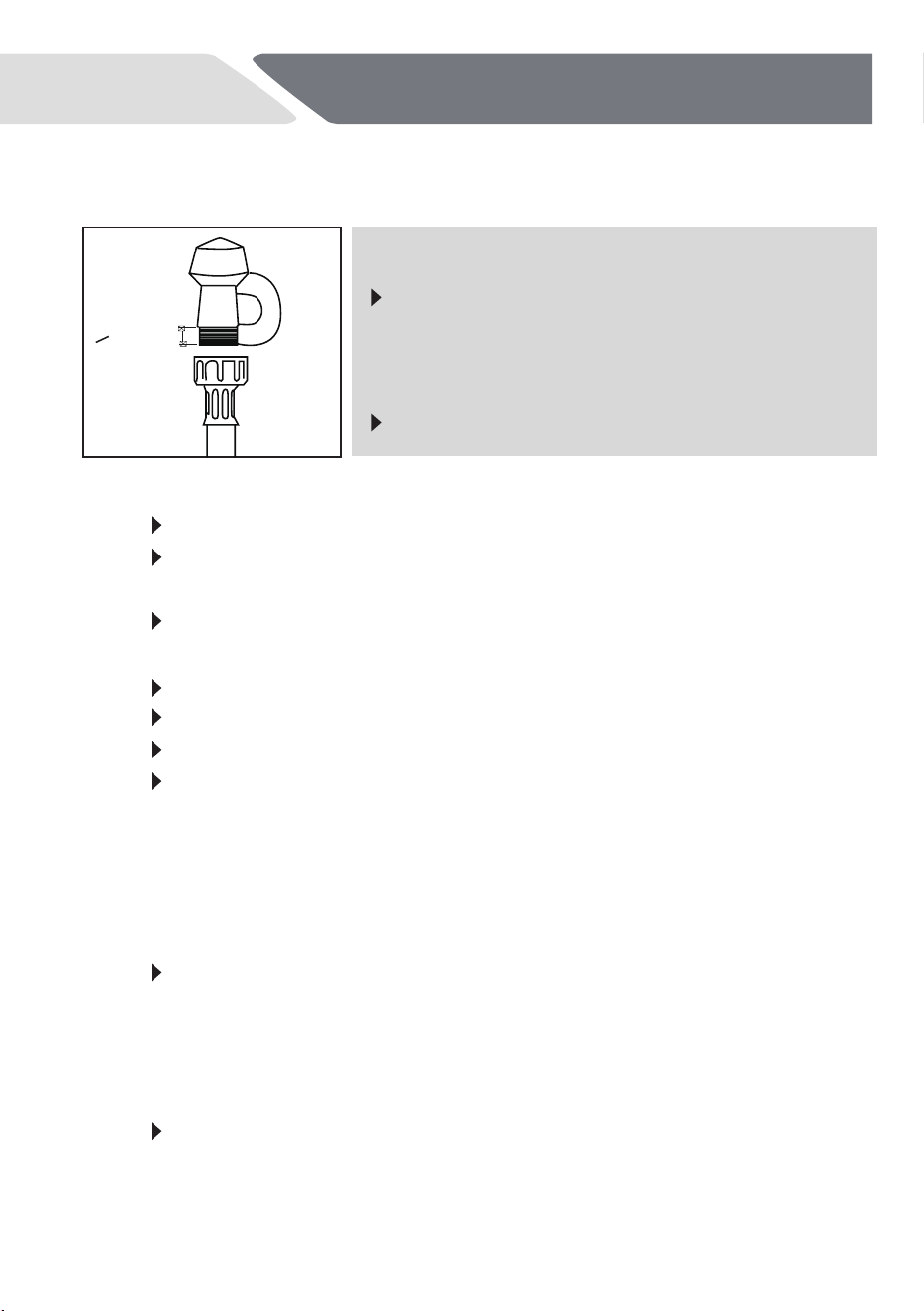
Fresh Water Connection
fig.A
>10mm
IMPORTANT!
2
6
Installation
NZ AU
1. Take note of water connection requirements.
The dishwasher has a single valve water connection.
We recommend a cold water connection for best performance
and energy efficiency.
The incoming water temperature shouldn't exceed 25°C.
2. Take note of the permitted water pressure extremes.
Lowest: 0.3 bar = 3 N/cm = 0.03MPa
Where pressure is below 1 bar, contact with qualified plumbers.
The appliance should be connected to
the water main using the new water
inlet hose supplied. Old hoses shouldn't
be used.
Don't shorten the inlet hose.
Where pressure is above 10 bar, a pressure reduction valve
must be installed. Contact with qualified plumbers.
Highest: 10 bar = 100 N/cm
2
= 1MPa
3.
4.
5.
Connect the water inlet hose to an accessible water tap with a 3/4”
BSP connector (see fig.A). Ensure that there is no kink in the inlet
hose, because this will restrict the flow of water. A 90° bend requi-
res a minimum height of 200 mm for a kink-free curve.
Ensure incoming water is clear. If the water pipes have not
been used for a long period, let the water run in the pipes, to
make sure it is clear with no impurities. If not, it will result in
the water inlet hose getting blocked and damaging the
appliance.
If required, use a filter insert to filter out deposits from the
piping. The filter insert is available from your authorised
service centre or customer care.
Tighten the hose coupling a further half turn after seal contact.
Confirm that the connections don't leak.
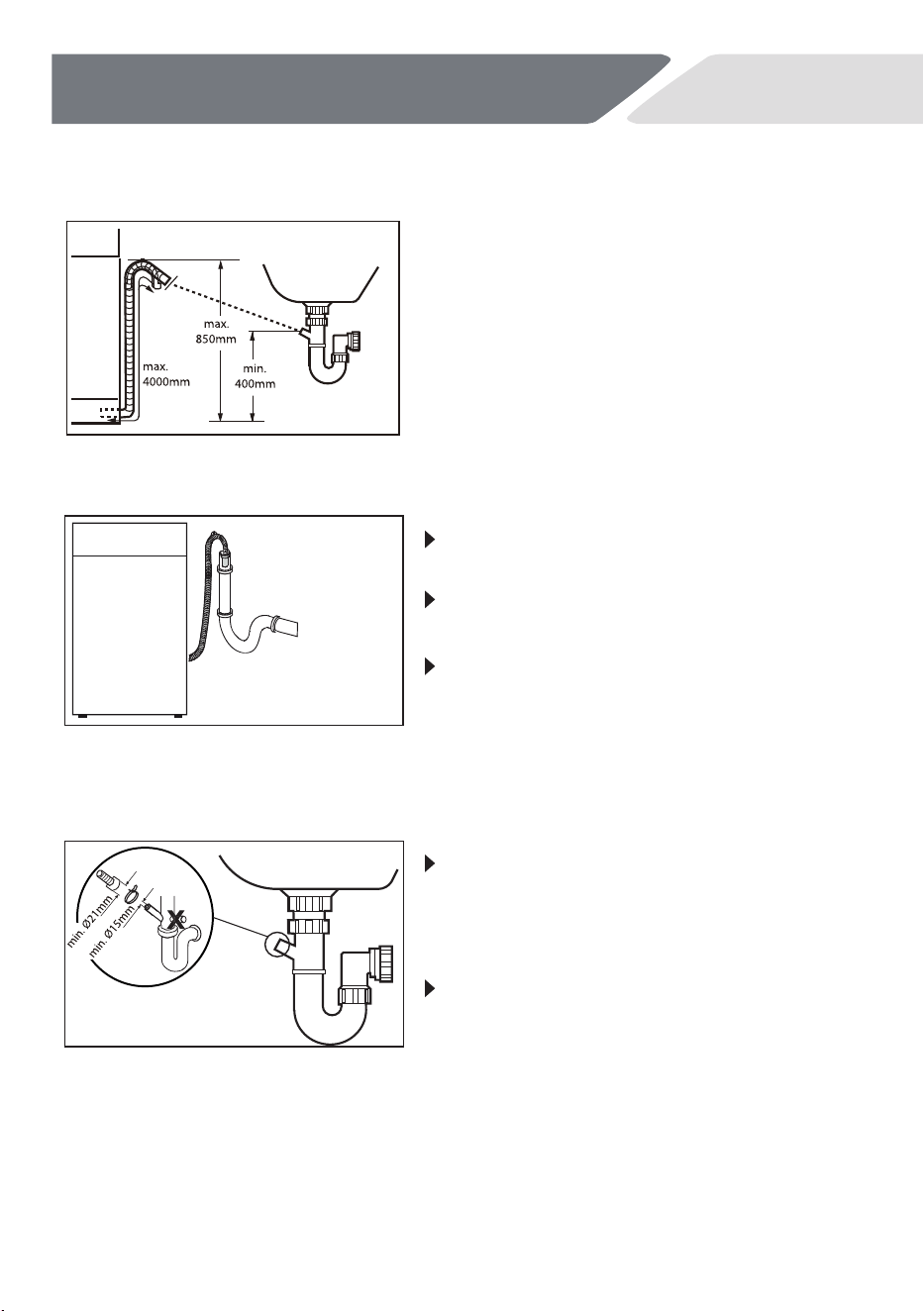
Drain Water Connection
7
Installation
NZ AU
Drain hose to waste water connection
Drain hose to sink connection
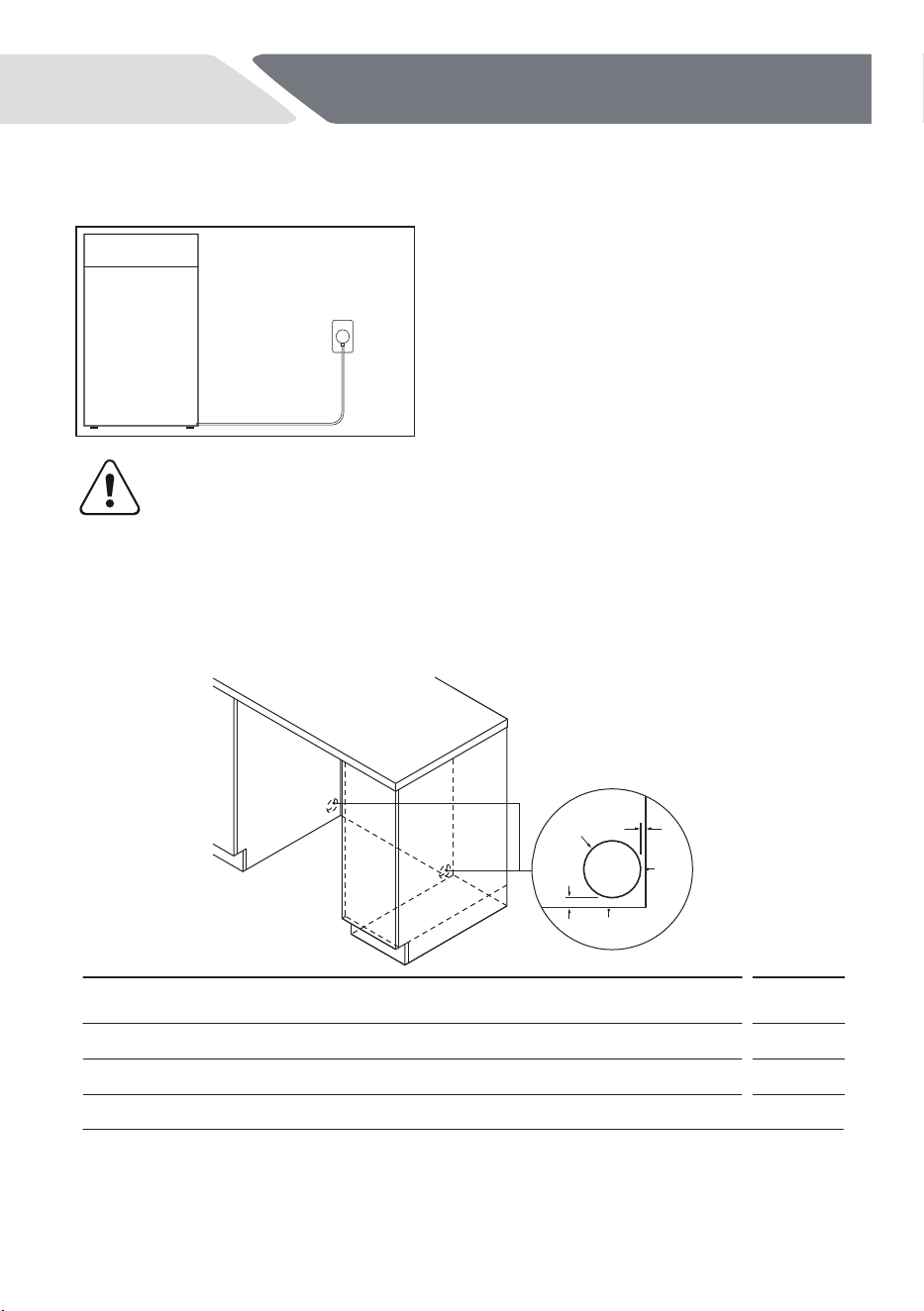
When connecting the drain hose to a
sink trap with a drain hose spigot, make
sure that the drain hose is supported
to the height of the bench.
Ensure the drain spigot has a minimum
hole diameter of 15 mm and it has been
drilled out.
The internal diameter of the stand pipe
with vent-hole must be minimum 40 mm.
Put the drain hose for approx.80 mm
in the wastewater pipe.
The top of the drainage pipe is fixed
with a tie, and the height of the tie
must be higher than the height of the
drainage pipe mouth
Fix
the
water
drain
hose
properly
to
the piping.The hose has to
reach at one
point
a
height
between
400
and
850
mm
above the
appliance bottom line.
An extension hose
for the water drain
hose
can't
exceed
a
total
length
of
4
m
and
must have the same diameter as
the
water drain hose.
Power connection
8
Installation
NZ AU
C
A
B
PROFILE
MM
A
B
C
Minimum diameter of service hole
15
50
70
Maximum distance between rear of cavity and service hole*
Maximum distance between floor and service hole**
*
based on a cabinetry depth of 580mm.
**
depending on adjustment of levelling feet.
Service hole dimensions
Service hole
As shown in the data, the power supply
is plugged into an externally accessible
place through the service hole for easy
plugging.
CAUTION!
Always ensure that all connections (power supply, drain and
fresh water hose) are firm, dry and not leaked.
Take care these parts are never to be crushed, kinked, or twisted
If the supply cord is damaged, it must be replaced by the service
agent (see warranty card) in order to avoid hazards.
rear
wall
floor

Suppliers name or trade
mark
Haier
Supplier´s model identifier
HDW13F0S1/HDW13F0W1
HDW13F0B1/HDW13F0PS1
Rated capacity in standard
place settings
13
Mainswater pressure
0.03 -1Mpa
Power voltage
220-240 V (50Hz)
Maximum current int ensity
10 A
Total abso rbed p ower 1720-2050 W
9
Technical Data
NZ AU
Check the electrical data on the rating label (located on the left-hand side
of the dishwasher’s stainless steel inner door). If the data on the rat-
ing label is different from those specified below, consider those on the
rating label as correct.
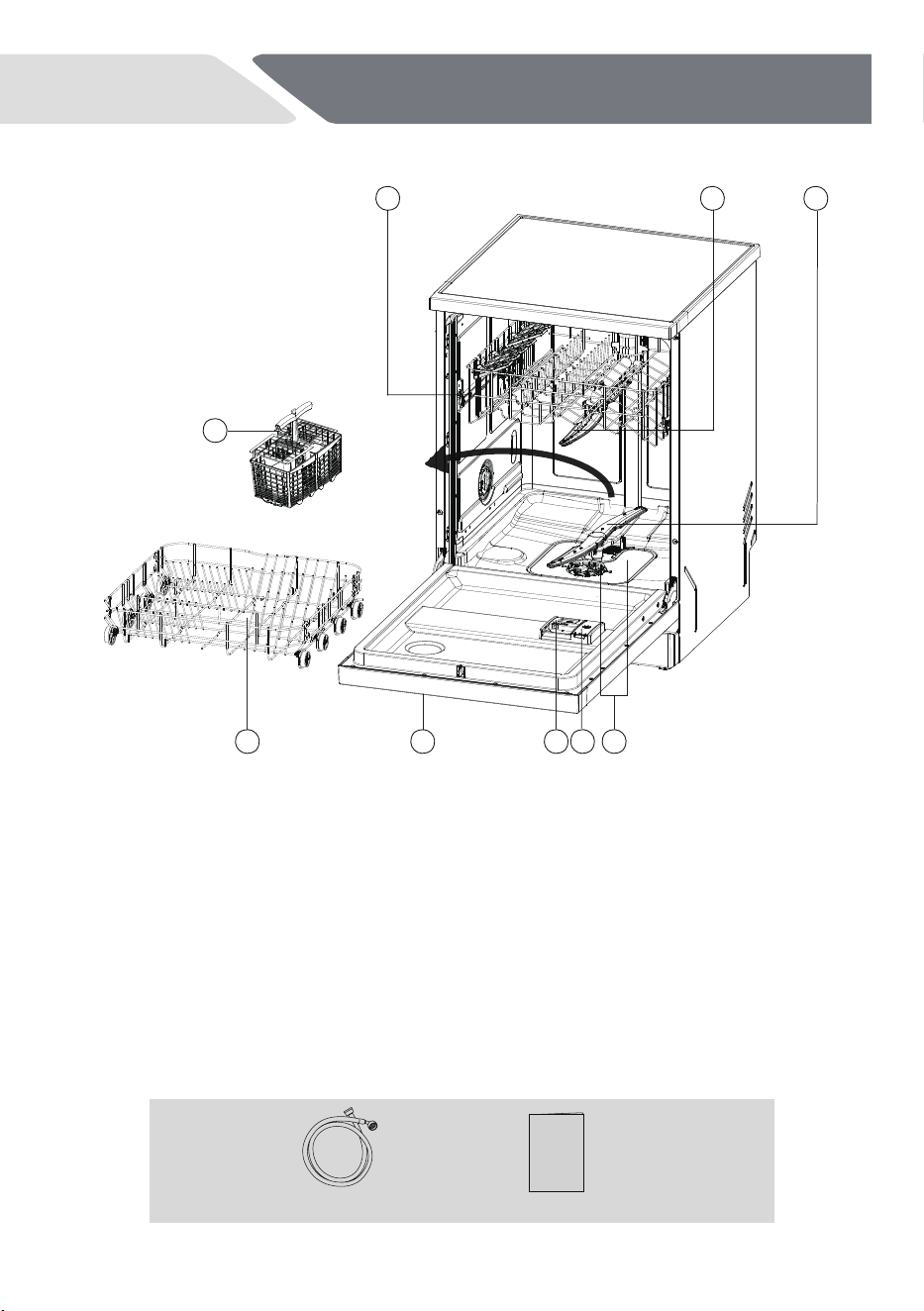
Accessories
Check the accessories and literature in accordance with this list:
7
water inlet hose
8 964
5
1 2 3
User manual
1. Upper basket
2. Upper spray arm
3. Lower spray arm
4. Lower basket
5. Cutlery basket
6. control panel
7. Detergent dispenser
8. Rinse aid dispenser
9. Filters
10
NZ AU
Product Description
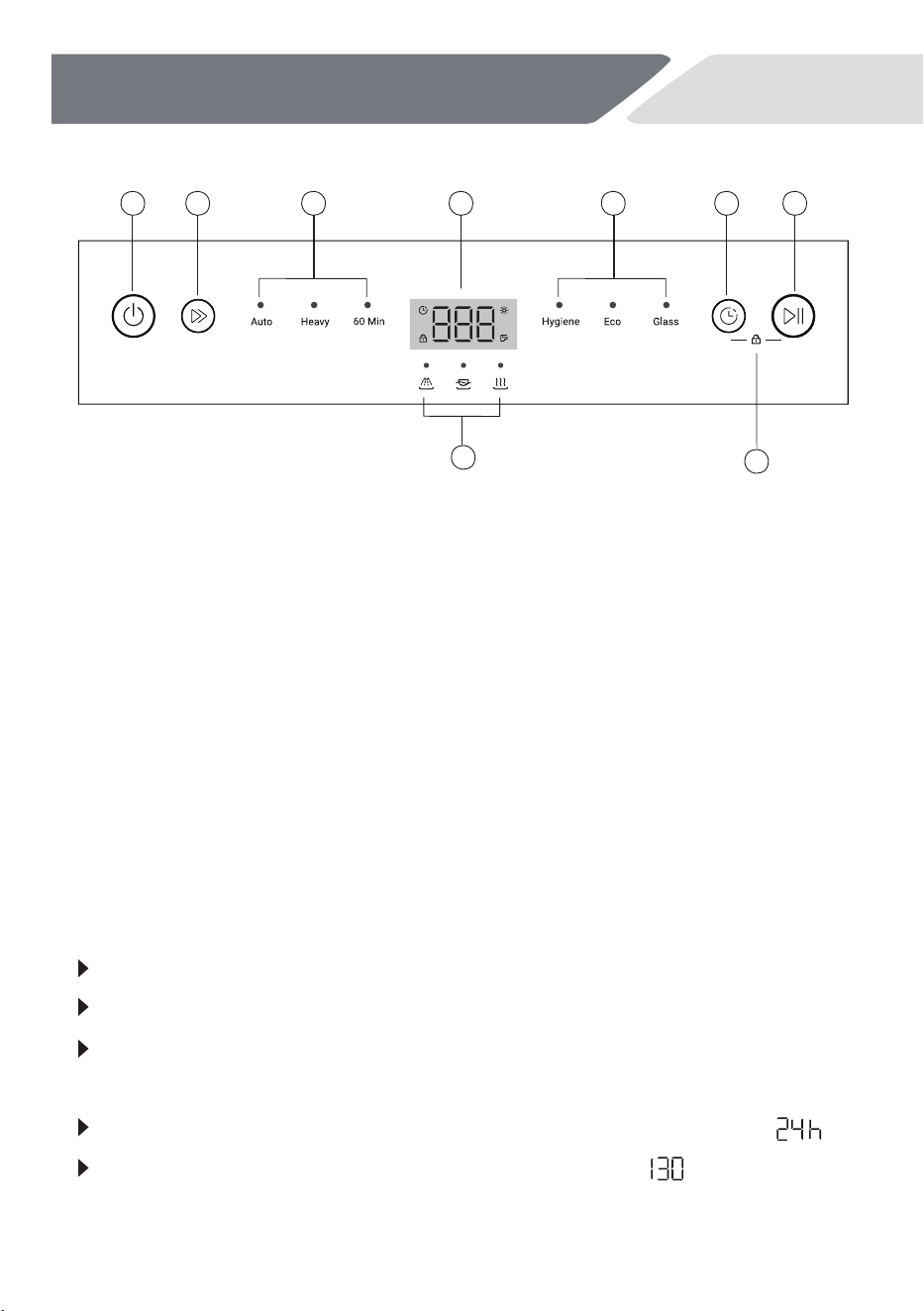
Time & Info display
During any selection the display shows by flashing related information like
Programme cycle time
Programme start delay time
Error codes and service information
After start of an operation it dispalys without flashing
Remaining time in hours of a delayed programme starts, e.g.
Remaining programme cycle time in minutes, e.g.
1 2 3 8
5
4
3 6 7
11
Control Panel
NZ AU
1. ON / OFF button
2. PROGRAMME SELECT button
3. Programme indicators
4. Status indication
5.
Child Lock
6. START DELAY button
7. START / PAUSE button
icon8. Time & Info Display/Indicator
While running it may be limited to local conditions and daily working load.
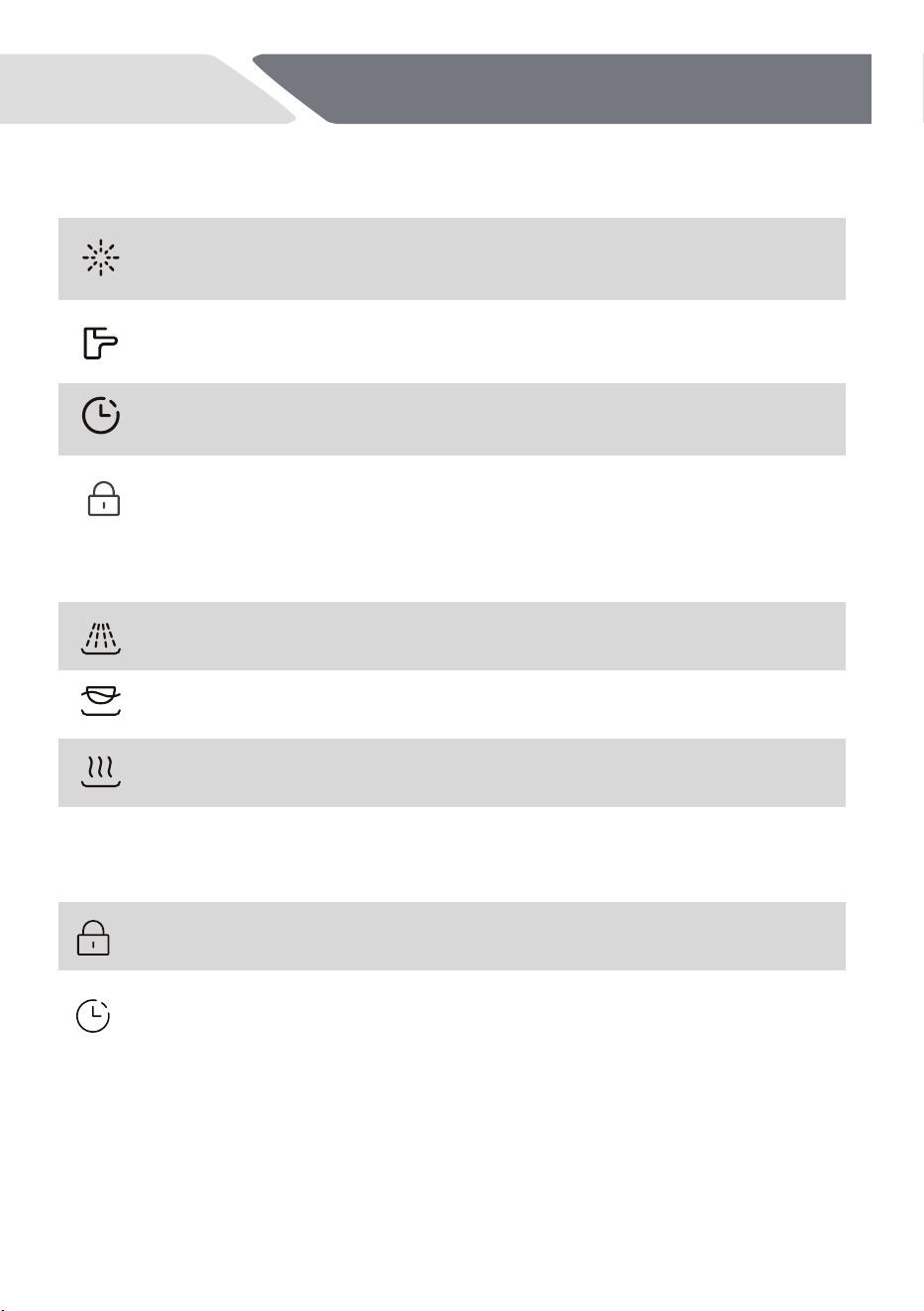
Status Indicators
Indicator Icon
Rinse aid
Water tap
Delay
been
Wash
Rinse
If the indicator is flashing: the Dishwasher is washing.
If the indicator is flashing: the Dishwasher is rinsing.
Dry If the indicator is flashing: the Dishwasher is drying.
Optional function
Child Lock
Child Lock
Delay start
12
Control Panel
NZ AU
If the indicator light on: Rinse aid is empty!
After adding Rinse Aid,the indicator lights off.
If the indicator light on, The appliance does not fill
with water.Check section:“TROUBLE SHOOTING”
If the indicator light on, a delay start has
activated.
If the indictor light on:Child Lock mode has
been activated.
To activate or cancel Child Lock , press and hold
until the Child Lock indicator comes on or turn off.
You can delay the start of a programme in 1 hour
Up to 24 hours. Check the catalog under “Daily
use” part.
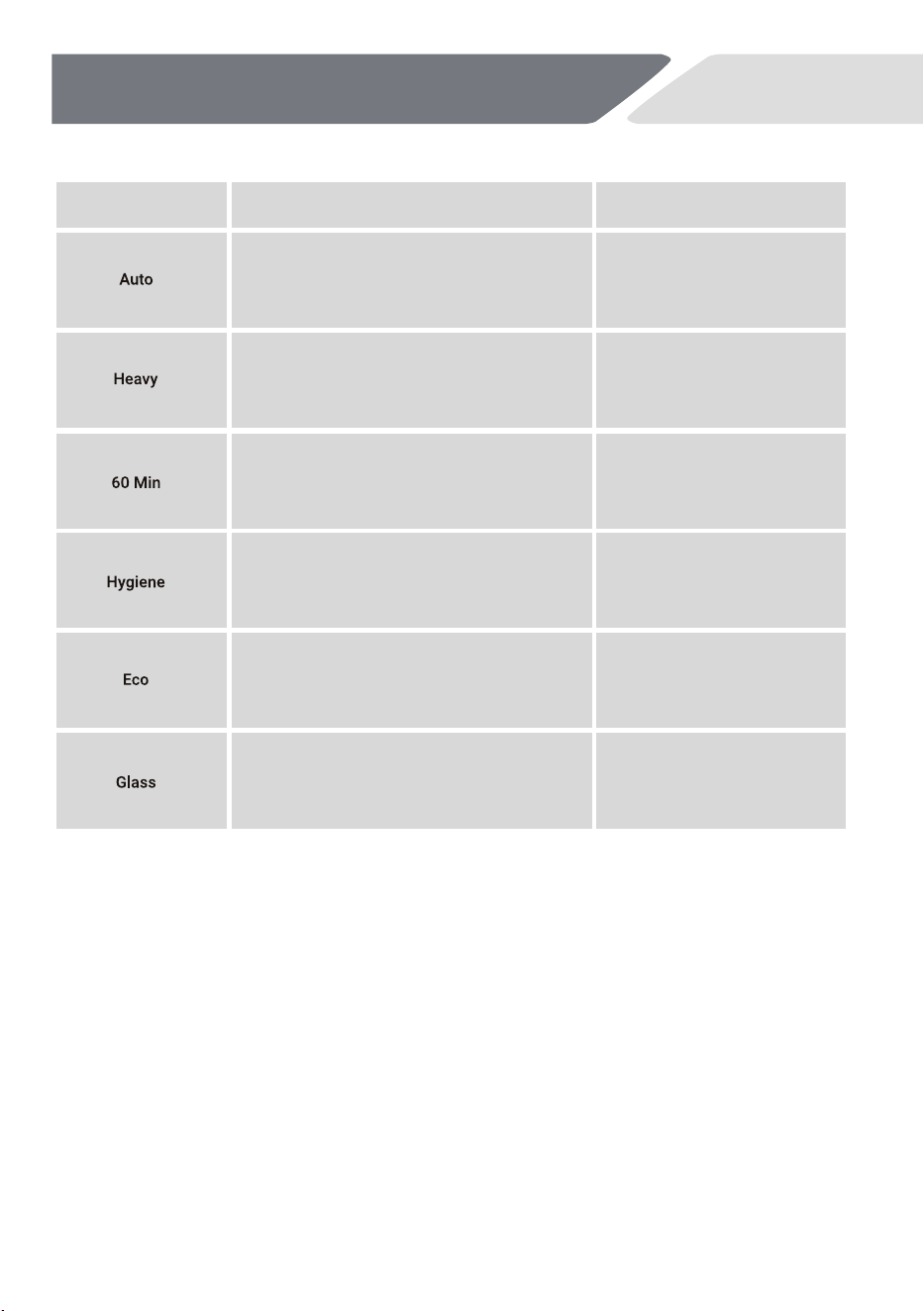
Type of loadProgramme
13
NZ AU
Non-delicate:
dinnerware,
cutlery,
pots
and
pans
Non-delicate:
dinnerware,
cutlery,
pots
and
pans
Non-delicate:
dinnerware,cutlery,
pots
and
pans
Non-delicate:
dinnerware
cutlery,
pots
and
pans
Non-delicate:
dinnerware,cutlery,
glassware
Delicate:
glassware,
dinnerware,
cutlery
1).
The Auto and Hygiene programs can automatically detect the dirty degree and it will
adjust the temperature, water volume, and programs automaticly.
Type of
food
residue
Light to heavy soil:
casserole, sauce,
potato, pasta,
rice, roasted or fried
food
Heavy soil:
casserole,
sauce,
potato, pasta,
rice,
roasted or fried
food
Mixed
soil:
coffee,
cake,
milk,
cold
drink,
salad,
sausage,
pasta,
roasted
or
fried
food
Hygiene soil:
casserole,
sauce,
potato, pasta,
rice,
roasted or
fried
food
Normal soil:
soup,
egg,
sauce,
potato, pasta,
rice,
roasted or
fried
food
Light soil:
coffee,
cake,
milk,
cold drink,
salad,
sausage
Program
14
Before first use
NZ AU
First Step
Remove
all
packaging
materials,
keep
them
out
of
children’s
reach
and
dispose
them
in
an
environmentally
manner.There
could
be
water
residue
inside the appliance due to quality checks in the factory.
Perform in the following steps:
1. Install the appliance.
Refer to section INSTALLATION.
2. Only for use of multitabs: adjust the rinse
aid setting.
Refer to section DIFFERENT SETTINGS FOR RINSE AID.
3. Fill the rinse aid dispenser.
Refer to section HOW TO FILL THE RINSE AID DISPENSER.
4. Open the water tap.
5. Start any wash programme (apart from Rinse programme)
with
detergent
but
no
load
to
remove
possible
manufacturing
residues.
Activate / De-Activate the Buzzer
An accoustic
signal
informs
about
the
end
of
a
programme.This
signal
can
be switched off.
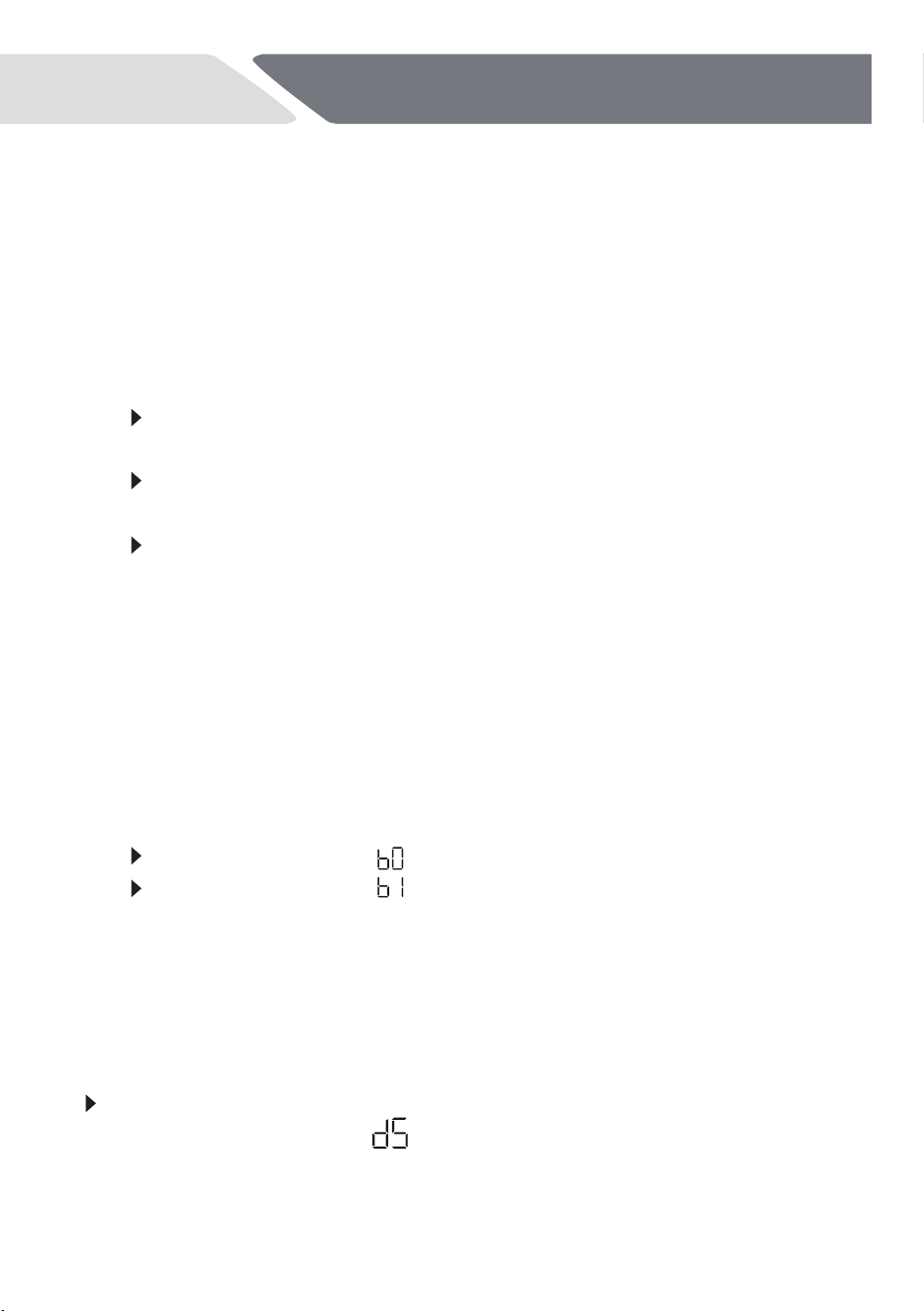
Refer to section HOW TO ADJUST SETTINGS and select the setting:
If the display shows the signal is switched off.
If the display shows the signal is switched on.
Different Settings for Rinse Aid
Rinse aid is added during the last rinsing phase
to dry the dishes without
streaks and stains.
Detergent (e.g. powder, tablets, ...)
require separate rinse aid:
Factory default setting:
.No settings are necessary.
The rinse aid is added from the rinse aid
dispenser only.
15
Before first use
NZ AU
Detergent with multifunction (e.g. Multitabs)
combine detergent and rinse aid:
The rinse aid setting should be adjust to . Please use the setting
instructions in section HOW TO ADJUST SETTINGS and select the
setting.
The rinse aid is added from the rinse aid dispenser in addition to the
multitabs rinse aid.
Setting cuts off the rinse aid dosage and the rinse aid indication.
The higher the value for the higher the dosage.
Usually the recommended setting performs well. In case of streaks, stains,
shimmer etc.,
refer to section TROUBLESHOOTING.
How to fill the Rinse Aid Dispenser
CAUTION!
Only use rinse aid for dishwashers.
Other products will result in damage to the appliance.
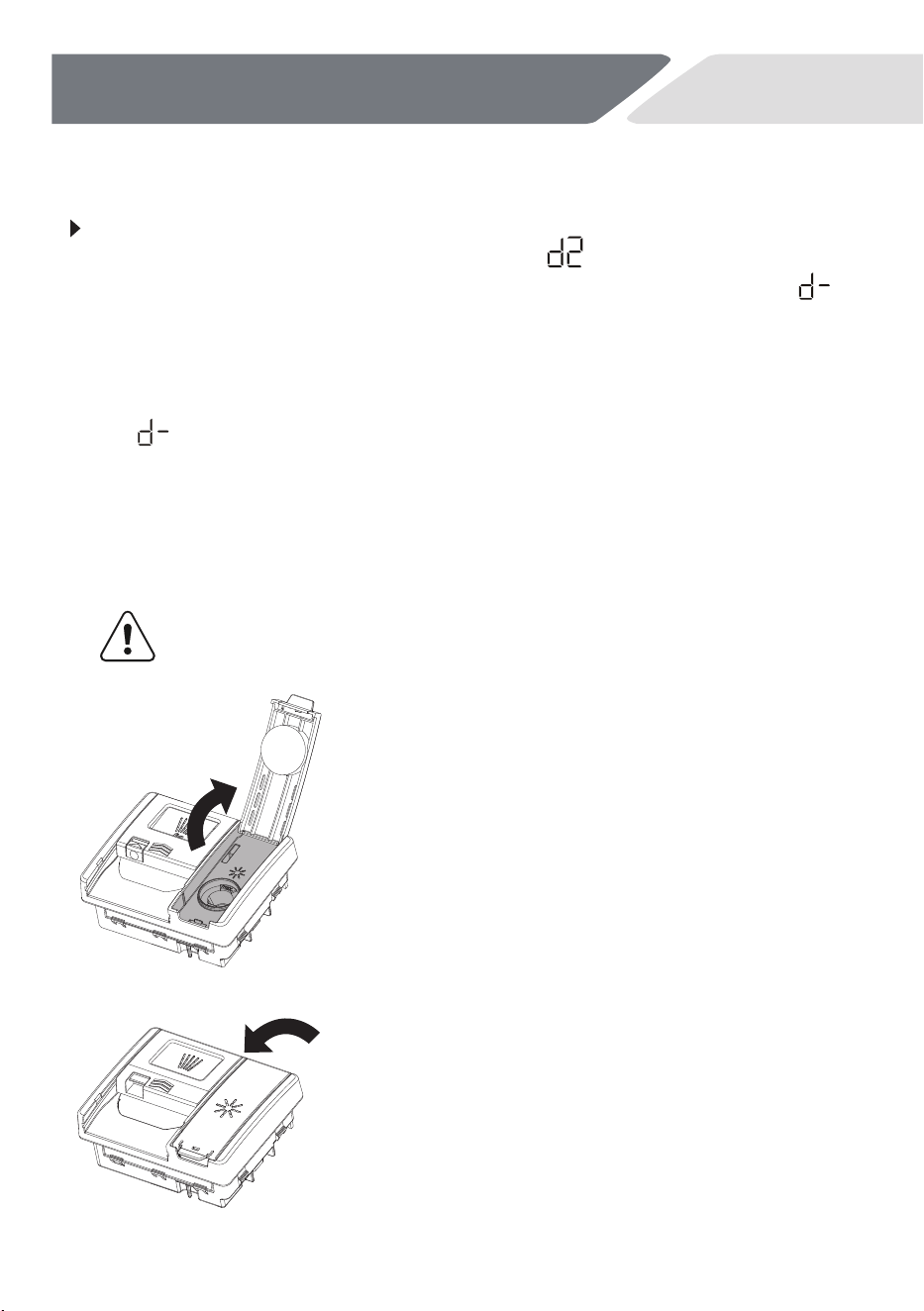
Lift the cover open and pour rinse aid
into the opening.
Don't
fill the
rinse aid over
the
MAX
line.
Take
care and don't spill
any onto
the
door
or detergent bucket.
Close the cover, ensure it clicks shut.
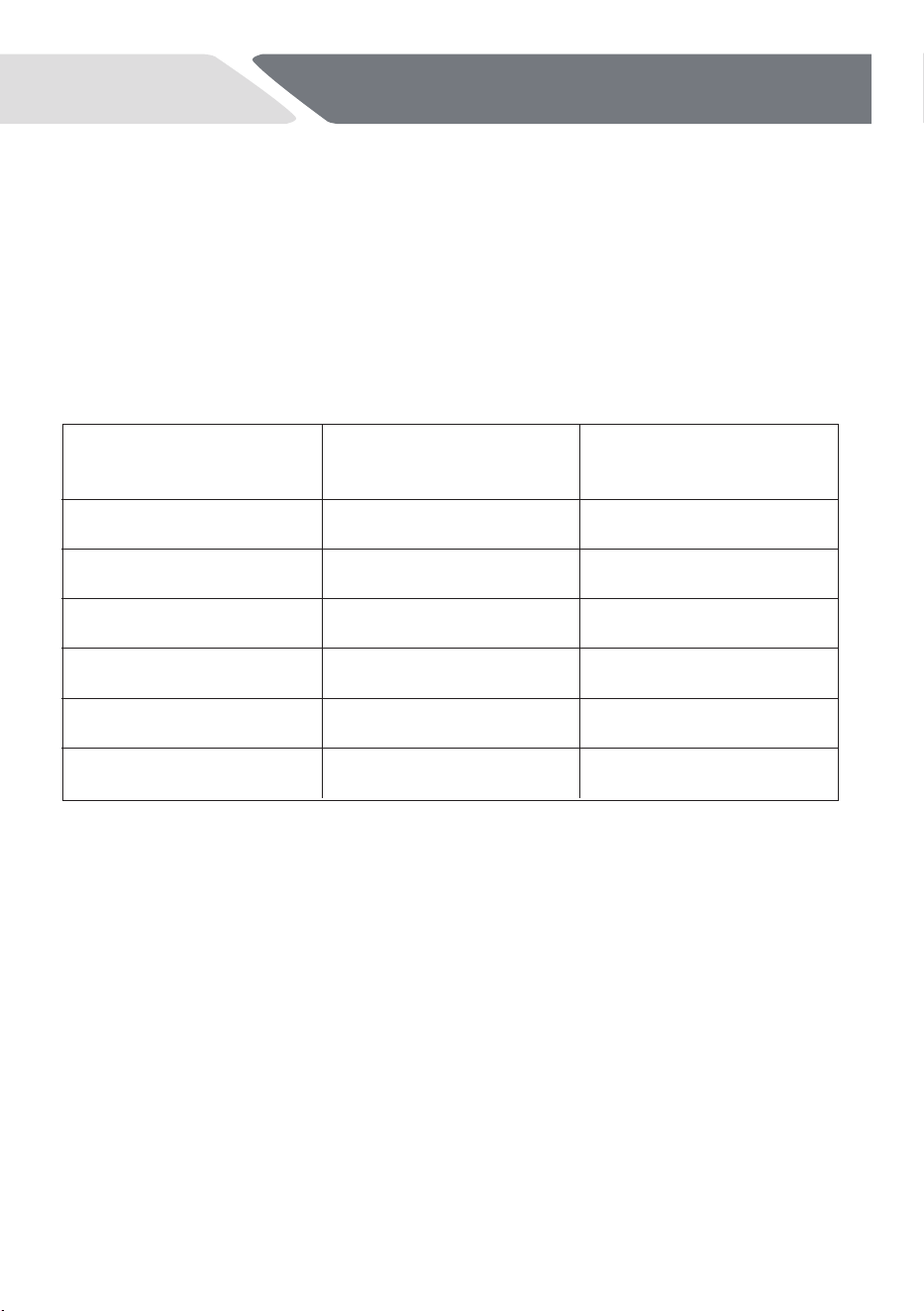
WASH
PROGRAM
Auto
Heavy
Eco
60Min
Glass
PRE WASH
COMPARTMENT
None
Full
Full
Full
Full
MAIN WASH
COMPARTMENT
1/2 - 2/3
2/3
2/3
1/2
2/3
16
Hygiene
None
1/2
NZ AU
Before first use
Powder detergent quantity
recommendations
Use
the
table
below
to
determine
the
optimal
powder
detergent
quantity for each wash programme.
If
the
water quality is poor in your
area,
more
detergent
may be
required.
Refer to 'Water Hardness' for more details.
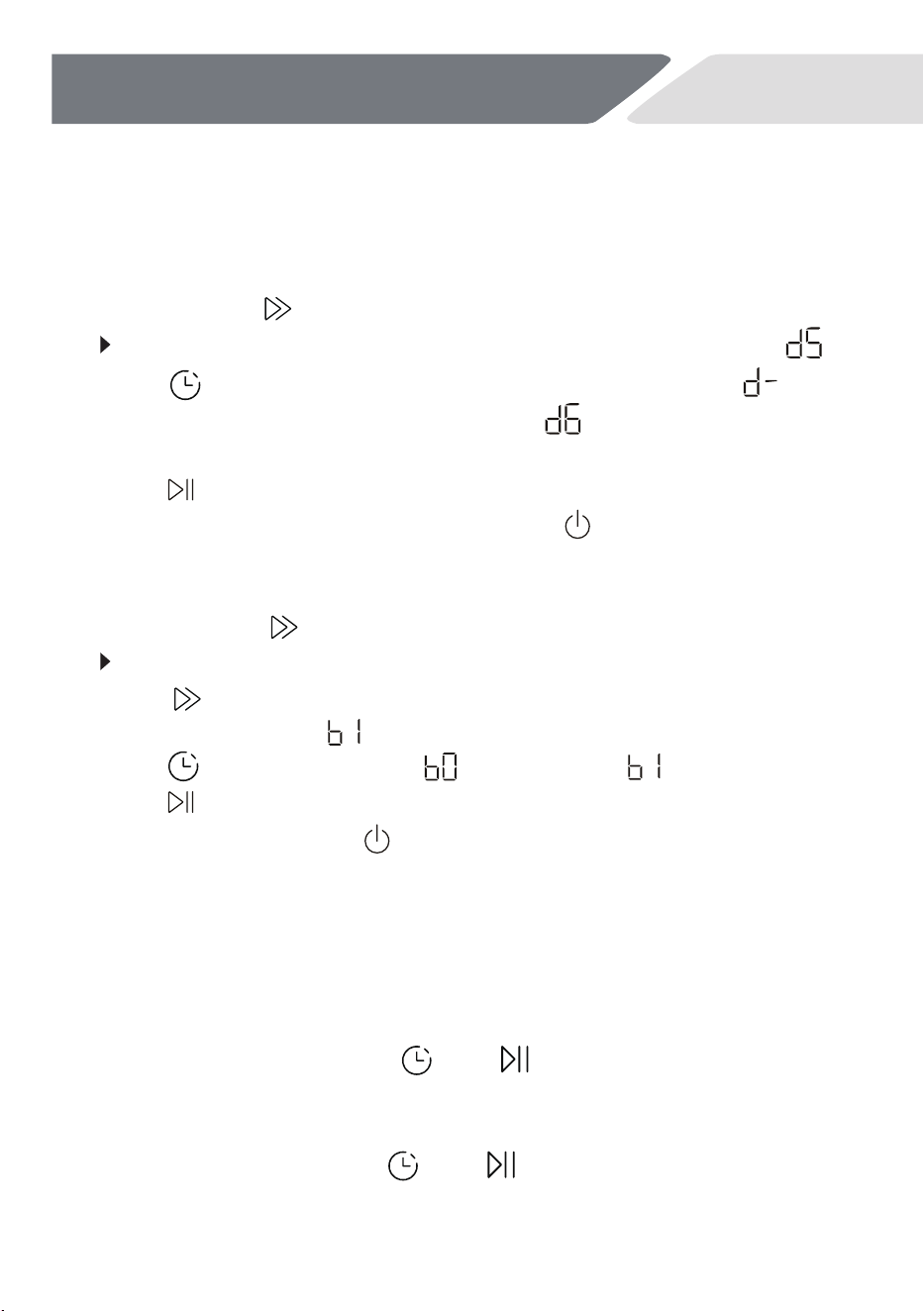
How to Adjust Settings
Adjust the Rinse Aid level
1. The appliance is switched on.
2. Press and hold about 3 seconds until:
The display shows the current Rinse Aid setting (the default is ).
3. Press to change the Rinse Aid setting in steps between
(minimum dispense,no rinse aid is set) and (maximum dispense,
represents putting in 6ml rinse aid).
5. To exit the Rinse Aid menu, press and hold for 1 second.
Activate / De-Activate the Buzzer
1. The appliance is switched on.
2. Press and hold for about 3 seconds until :
The display shows the current Rinse Aid setting.
3. Press to scroll to the buzzer menu.
4. The display will show (buzzer on).
5. Press to toggle between
(buzzer off) or (buzzer on),
7. To exit,press and hold 1 second.
4. Press to save the option.
6. Press to save the option.
17
Before first use
NZ AU
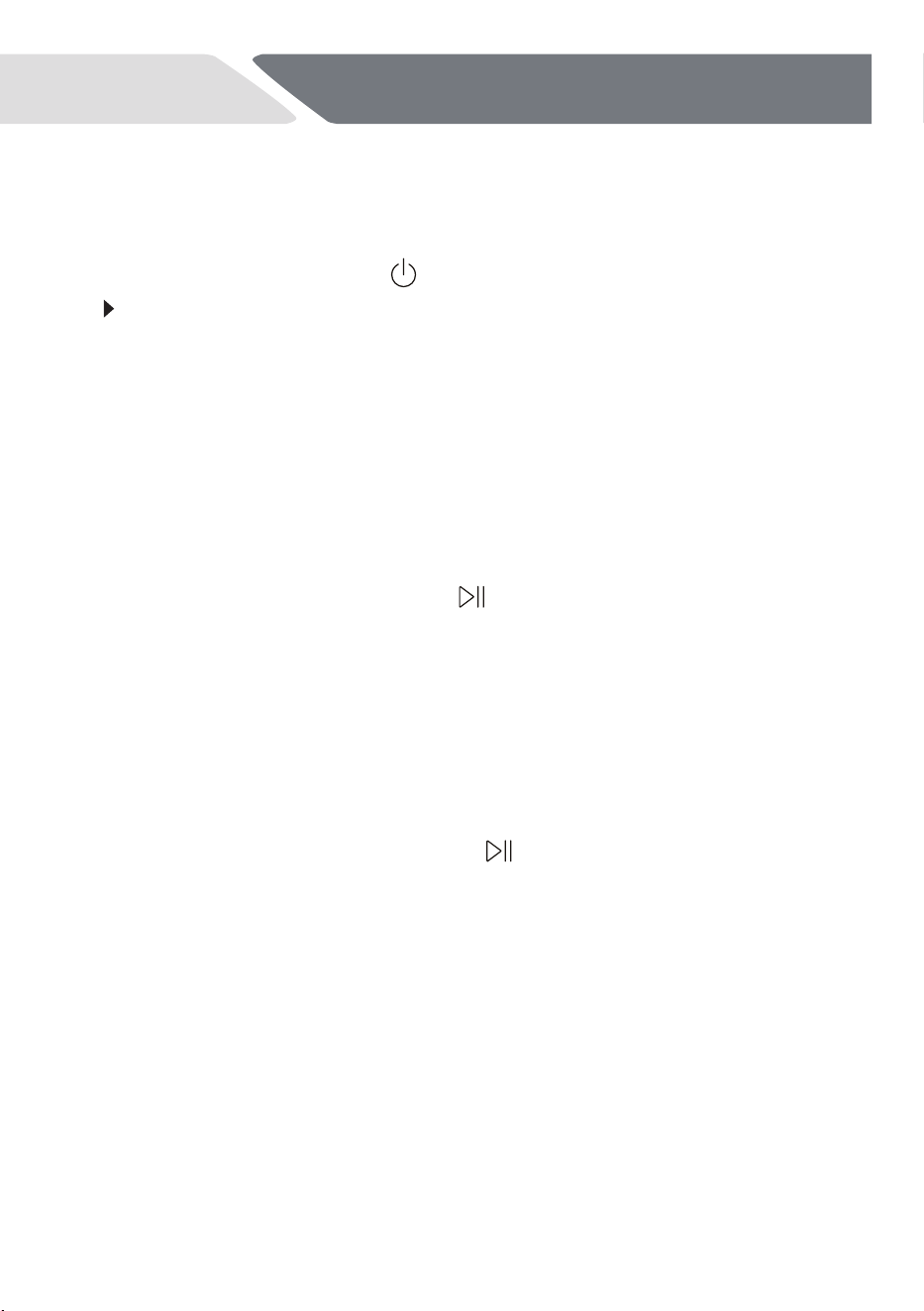
Child Lock
This feature disables all the buttons onthe dishwasher. If any other buttons
are pressed while Child Lock is activated, The display will show CLO,
the Child Lock indicator will flashfor a few seconds.
1. To activate Child Lock, press and for 3 seconds.
2. The display will remain on (if no programme has been started it will
continue to flash while the control panel is locked).
3. To cancel Child Lock, press and for 3 seconds.
18
NZ AU
Before first use
Dishwasher operation
1.
Load the baskets.
2.
Press the ON/OFF
button
to activate the
appliance.
If
the
rinse
aid
indicator
is
on,
fill
the
rinse
aid
dispenser
and
reset
the
rinse
aid
indicator,refer
to
section
HOW
TO
RESET
THE
RINSE
AID IDNICATOR.
3.
Add the detergent;
refer to section DETERGENT.
4.
Close the door.
5.
Set
the
program
according
to
the
type
of
load
and
how
dirty
the
dishes,
cups and cutlery are.
6.
Maybe select a start delay time.
7.
Press the START /
PAUSE
button
to start the program.
8.
After the program ends
the
appliance
changes
to
auto-off.
Unload
the baskets.
How to Reset Rinse
Aid Indicator
The rinse aid indicator is on:
1.
Always completely fill the rinse aid before starting the next wash cycle.
2
. After each filling, press and hold the
button for 5 seconds to turn
off the indicator light.
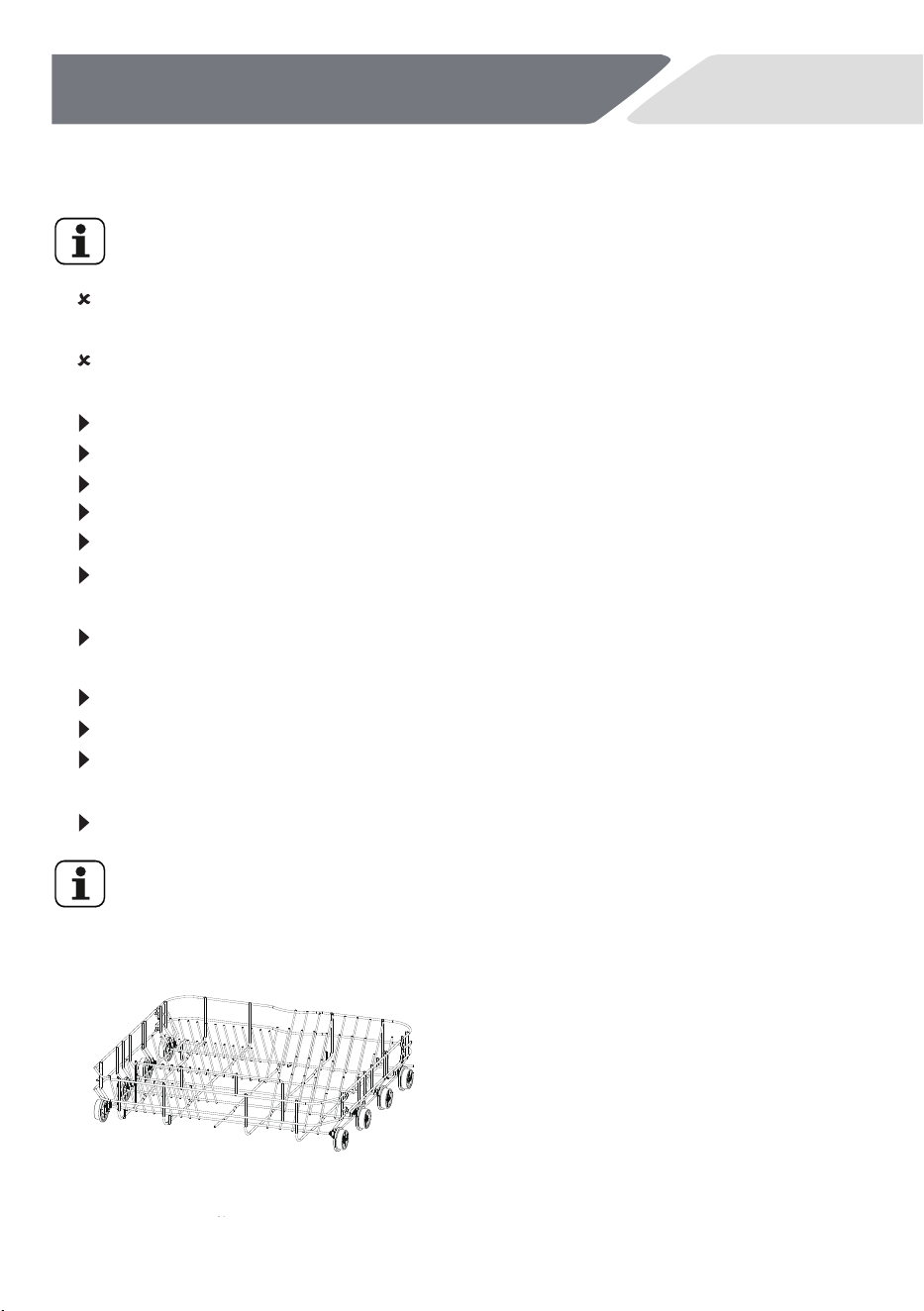
Load the Baskets
With delicate glasses and porcelain make sure they are labelled
dishwasher-proof.
Place heavily soiled items (like pots and
pans or dinner plates) in the bottom
basket. The more powerful spray jet
provides a better dishwashing result.
19
Daily Use
NZ AU
Do not put in the appliance items made of wood, horn, aluminium,
pewter and copper.
Do not put in the appliance items that can absorb water (sponges,
household clothes).
Only use the appliance to wash items that are dishwasher-safe items.
Remove the remaining food from the items.
Soften burned food on the items before washing.
Put hollow items (cups, glasses and pans) with the opening down.
Put items with deep hollows in a slanted position.
Mix spoons with other cutlery to prevent them from bonding
together.
Make sure that cutlery and dishes do not bond together and that
there is a gap between each item.
Make sure that glasses do not touch other glasses.
Put small items in the cutlery basket.
Put light items in the upper basket. Make sure that the items do not
move.
Make sure the spray arms can move freely before starting a program.
If collision noises are heard during a program run: Check that the
dishes and glassware have a firm position.
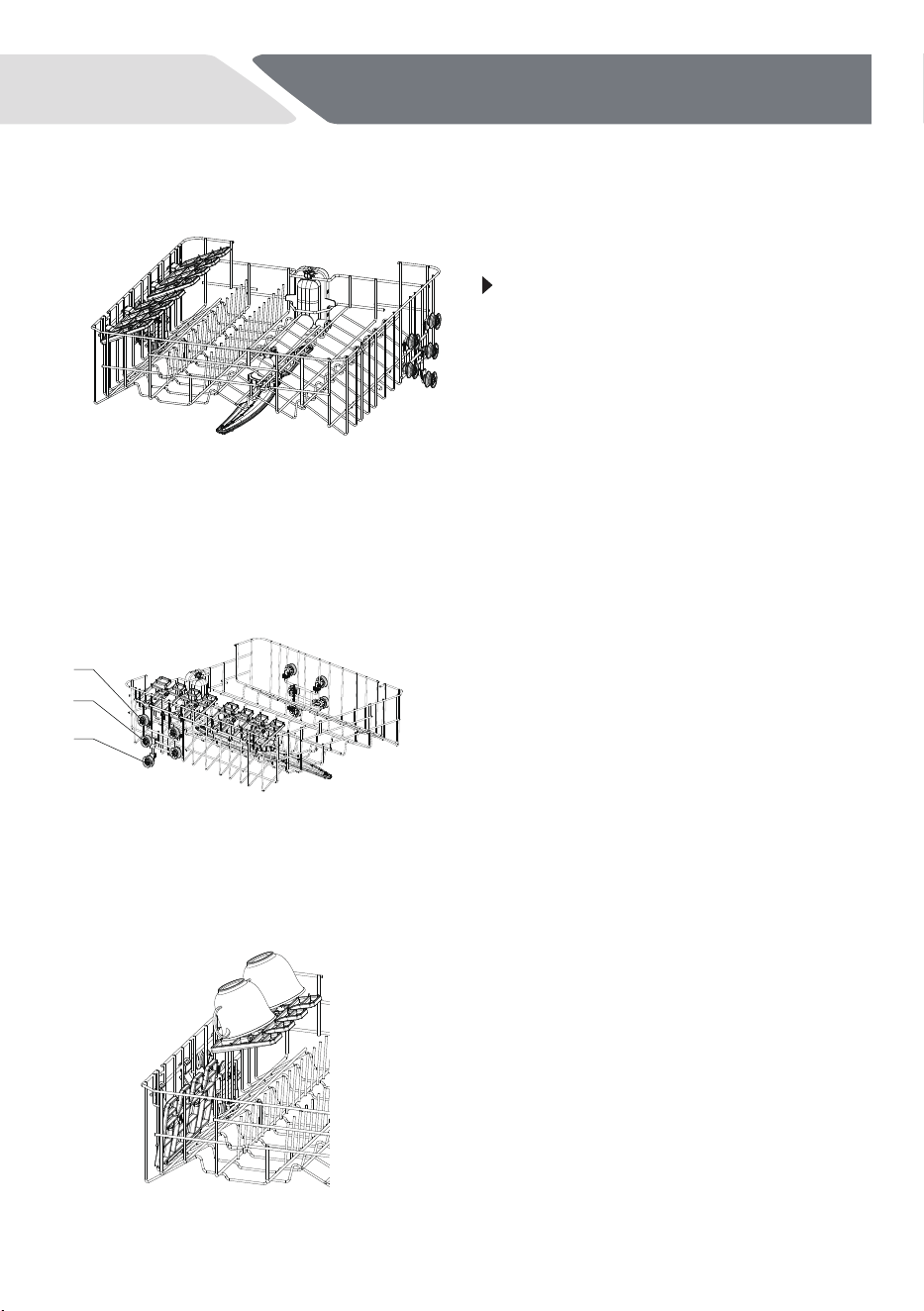
The upper basket is designed to
hold items like glasses,cups,
saucers, plates, small bowls and
shallow pans.
Upper baskets
The upper basket is designed
to hold items like glasses,
cups, saucers, plates, small
bowls and shallow pans.
You can adjust the height of
the upper basket to create
more space for tall items in
the lower basket. See below.
Place small items on the
foldable cup holder.
IMPORTANT!
Place sharp and pointed items
with the blade pointing
downward into the knife rack,
to keepthem out of harm’s
way.
20
Daily Use
NZ AU
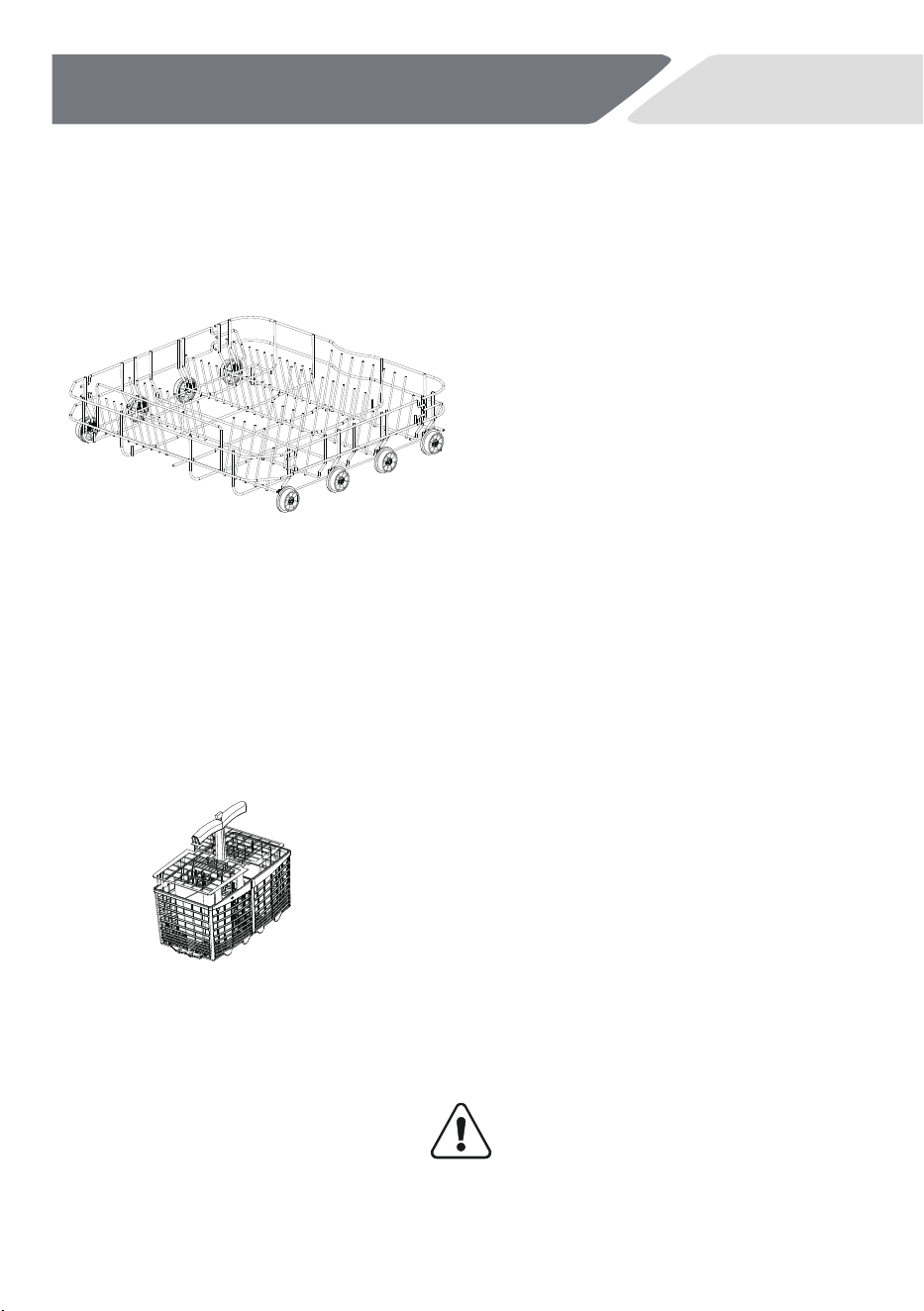
Adjusting the height of the upper basket
Adjust the height of the upper basket to make space for taller items.
The basket must be empty before the height is adjusted. Both sides of
the basket must be adjusted to the same height.
High position
When the middle shelf slide is in the
assembly position of wheel 1 and wheel 2,
the middle shelf is in the high position.
When the middle shelf slide is in the
assembly position of wheel 2 and wheel
3,the middle shelf is in the low position.
Low position
Foldaway cup racks
The cup racks can be folded or
opened according to needs. When
opened, tea cups can be placed on top,
and folding can save space for other
items.
1
2
3
21
Daily Use
NZ AU
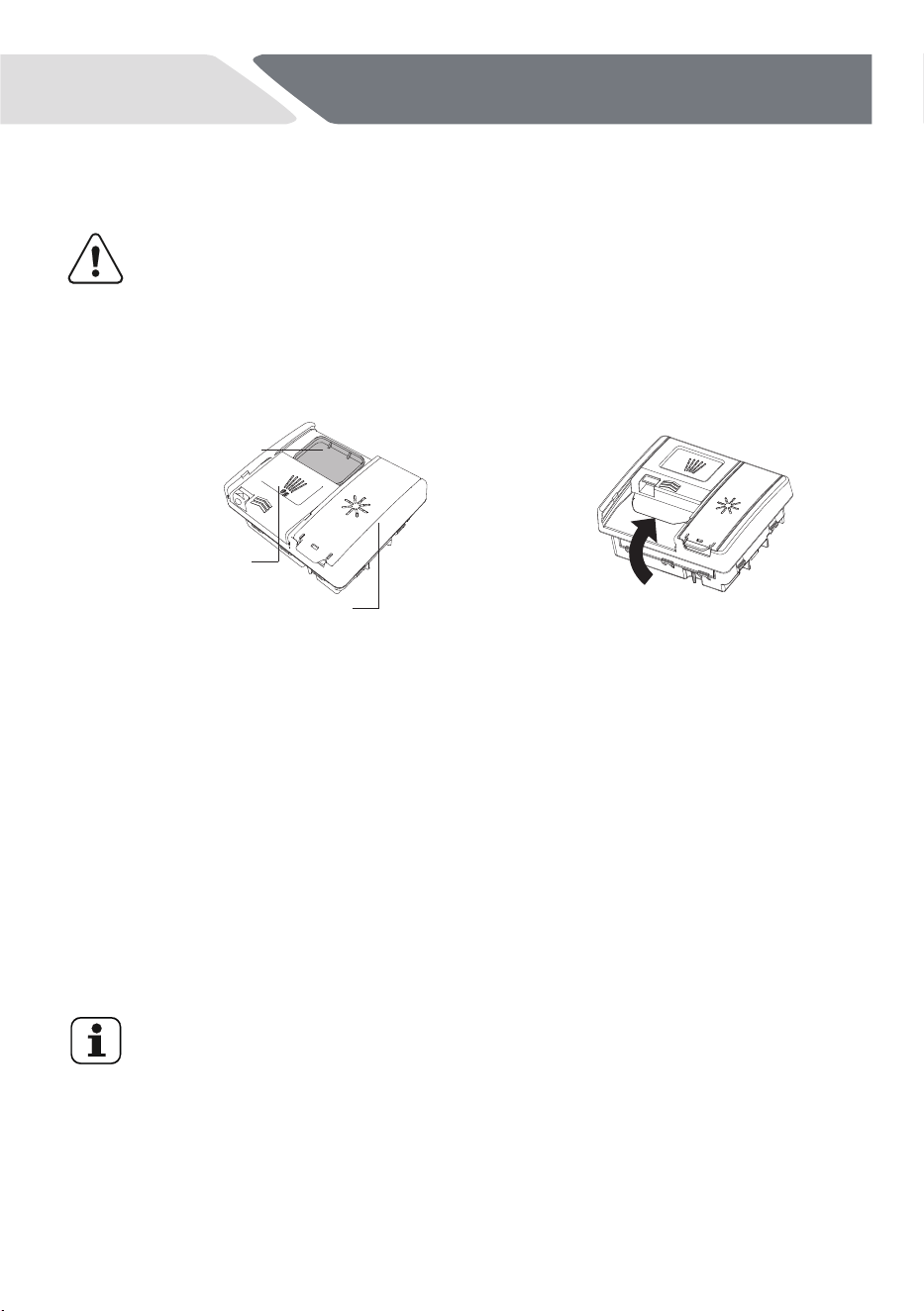
Lower basket
Cutlery basket
►
Place the largest items here:
pots, pans, lids, serving dishes
and bowls.
►
Ensure dishware items do not
block the spray arm above
from rotating.
►
If you need more height for
tall items, you can raise the
upper basket. See instructions
on previous pages.
►
Mix spoons with other cutlery to
prevent them to bond together.
►
Use the grid element in order to
separate the cutlery.
►
Place cutlery with the handles down
for better washing results.
►
If long items may block the spray
arm find a horizontal positioning in
the upper basket.
CAUTION!
Put sharp and pointed items with
the blade pointing downward to
keep them out of harm’s way.
Detergent
Please use only a dedicated dishwasher detergent and follow the
related instructions and dosage on its package.
22
Daily Use
NZ AU
Using powder detergent
For powder detergent quantities, refer to the following 'Powder detergent
quantity recommendations' table and the detergent manufacturer’s
guidance. . No detergent is needed for a rinse cycle
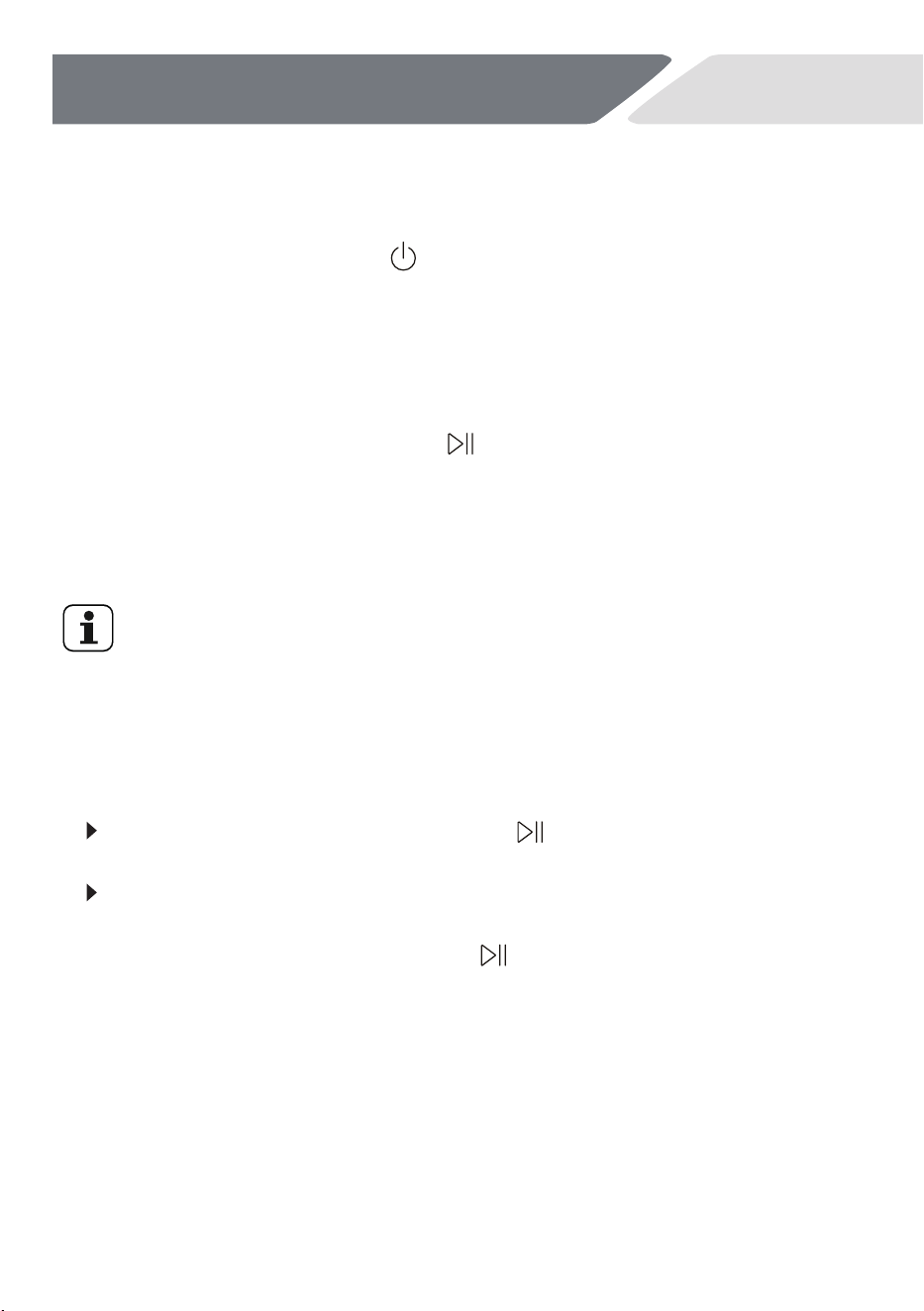
Check that the dispenser is empty
and dry. Add powder detergent
or tablets to the detergent dispenser.
Remove any excess detergent then slide
the cover closed. It will click into place.
If required, add additional detergent to
the pre-wash compartment on top of
the dispenser.
Main wash compartment
Rinse aid compartment
Pre-wash compartment
When
washing
heavily
soiled
dishware
in
hard
water,
more
detergent
may
be
required.
Refer
to
'Powder
detergent
quantity
recommendations'.
Multitabs
These
Multitabs
detergent
tablets
could
include
two
different
agents
for
water
softening,
rinse
aid
and
other
functions.The
softener
and
rinse
aid
settings
must
be
adjusted
according
to
section
BEFORE
FIRST
USE.
Usually
the
default
setting
performs
well.
If
there
are
streaks,
stains,
shim-
mer
etc.,
refer
to
section
TROUBLESHOOTING
and
BEFORE
FIRST
USE.
Detergent
tablets
do
not
fully
dissolve
with
short
programs.
That
may
cause
bad
washing
results
and
detergent
residues.
If
detergent
without
multifunction
should
be
used
again:
1.
Save
3
to
5
tablets.
2.
Adjust
the
softener
and
rinse
aid
setting
according
to
section
BEFORE
FIRST
USE.
3.
Use
Multitabs
detergent
tablets
for
the
next
3
to
5
wash
cycles.
1. Close the door.
2. Press the ON/OFF button
button
.
23
Daily Use
NZ AU
from the point of interruption.To prevent poor wash performance, do not
leave the door open for a long time.
Start a Program
3.
Press
the
pr
ogram
you
want
to
select
and
then
the
required
program
indicator
flashes.
Additionally
the
display
shows
the
program
run-time.
4.
If
need
select
a
start
time
for
a
delayed
start, re
fer
to
the section
START
A
PROGRAM
WITH
DELAY.
5.
Press
the
START/PAUSE
button
to
activate
the
program
or
the
delay
start.
The
program
starts.The
display
acts
now
as a
countdown
of
the
remaining
run-time.
The
appliance
remembers
the
last
programme
you
used.The
next
time
the
appliance
is
switched
on,
the
appliance
pre-selects
the
programme
used last time.
Interrupt a Running Program
To interrupt a running program:
Press
the
START/PAUSE
button
is
flashing.
Open
the
door.
To continue a paused program:
Close
the
door
and
press
the
button
.
The
displayed
cycle
time
to
continue
the
program
24
Daily Use
NZ AU
2. Press the reservation button until the display shows the required
delay time (from 1 to 24hours).
Start
a
Program
with
Delay
Set
a
start
time
by
the
following
procedure
in
order
to
delay
a
program
start:
1. Set
a
program.
3. Press
the
START/PAUSE
button
.
►
The
display
shows
the
countdown
of
the
start
delay.
►
When
the
countdown
is
completed,
the
program
starts.
Cancel
a
Delayed
Start
When
the
current
reservation
time
is
displayed
for
24 hours,
button
again
to
cancel
the
reservation.
press
the reservation
Afterwards,the
display
shows
the
duration
time
for
the
set
program.
Cancel Start Delay Program
Press the ON/OFF
button
for about 1 second.
The start delay is cancelled.
The program is aborted.
The
appliance is
switched off.
Start a new program and a delayed start if needed.
CAUTION!
If
a
program
is
aborted
in
the
process
of
washing
dishes,the
residue
of
detergent
remains
on
the
dishes.
These
can
cause
damage
to
health.
Make
sure
to
rinse
off
the
detergent
residues
completely
before
using
these
dishes
again.
If
the
door
is
opened
immediately
after
the
end
of
program, hot
steam
can
escape.
The danger
of
scalding.
Open
the
door
carefully.
Make
sure
that
there
is
detergent
in
the
detergent
dispenser
before
starting
a
new
program.
滚滚长江东逝水
25
1
2
Removing and cleaning the filter
butt on
filter base
filter cap
filter handle
Care and Cleaning
NZ AU
Cleaning the filter, spray arms and filter plate
Disconnect the dishwasher from the power supply and allow it to cool
before undertaking any cleaning or maintenance.
We recommend that the drain filter and filter plate be removed and cleaned
once a month or whenever there is evidence of food particles. The spray arms
in normal use should require cleaning less frequently. Lower and upper spray
arms can be shaken to remove any foreign material, cleaned in hot water, and
then rinsed in clean water.
The dishwasher must be used with the filter plate, drain filter and spray arms
correctly in place. If using a dishwasher cleaner or descaler, refer to manufacturer
instructions.
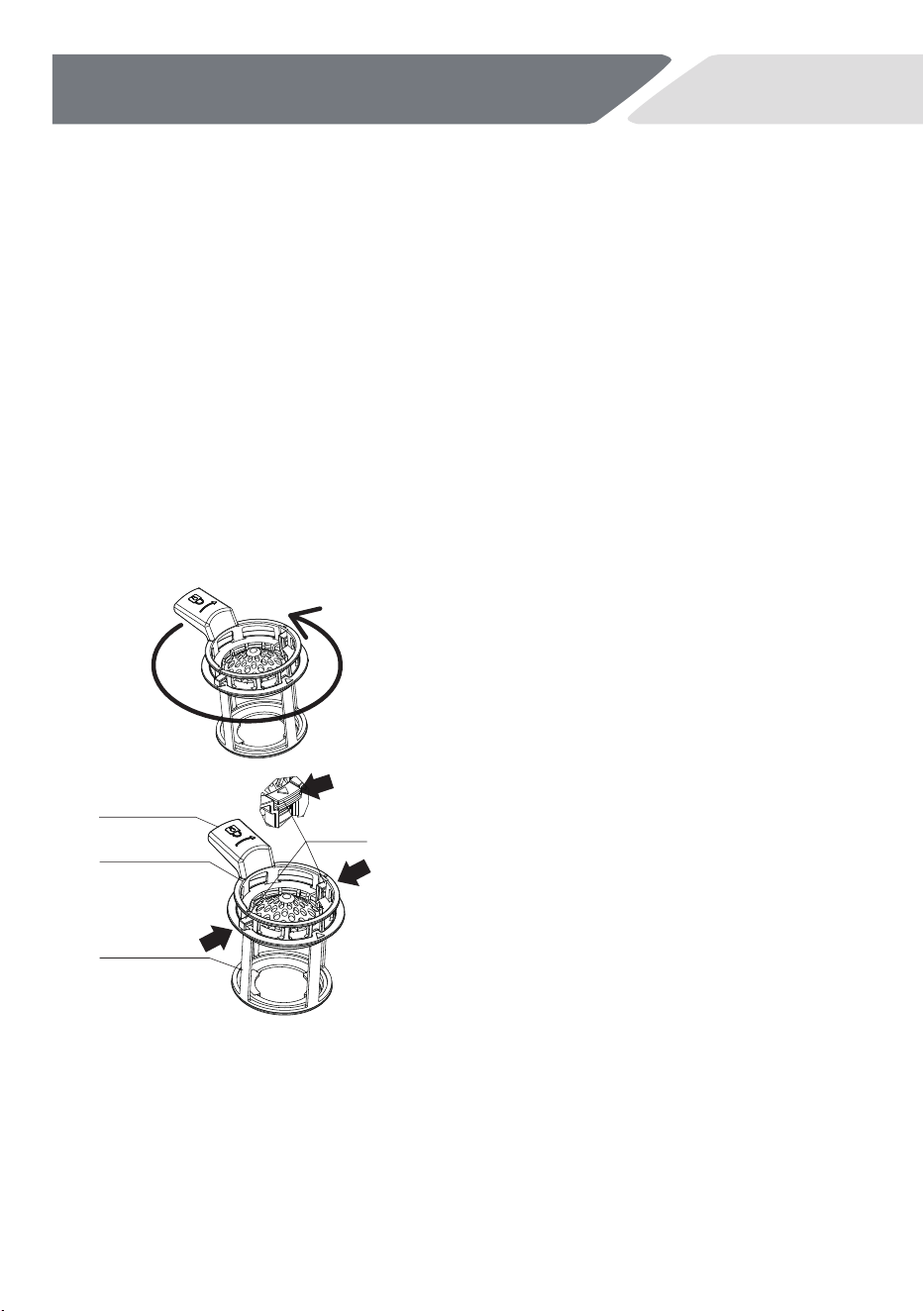
Twist the filter anticlockwise to release.
Lift to remove.
Twist the filter handle anticloc
kwise to
release. Lift to remove from the filter plate.
Separate the filter cap from the base by
pressing the release buttons and lifting.
Remove the filter plate gently from the
locating clips at the rear of the drain.
Do not attempt to remove the filter by
force as this may cause damage. Clean
under hot water and rinse thoroughly.
26
Care and Cleaning
NZ AU
1
2
Replacing the filters:
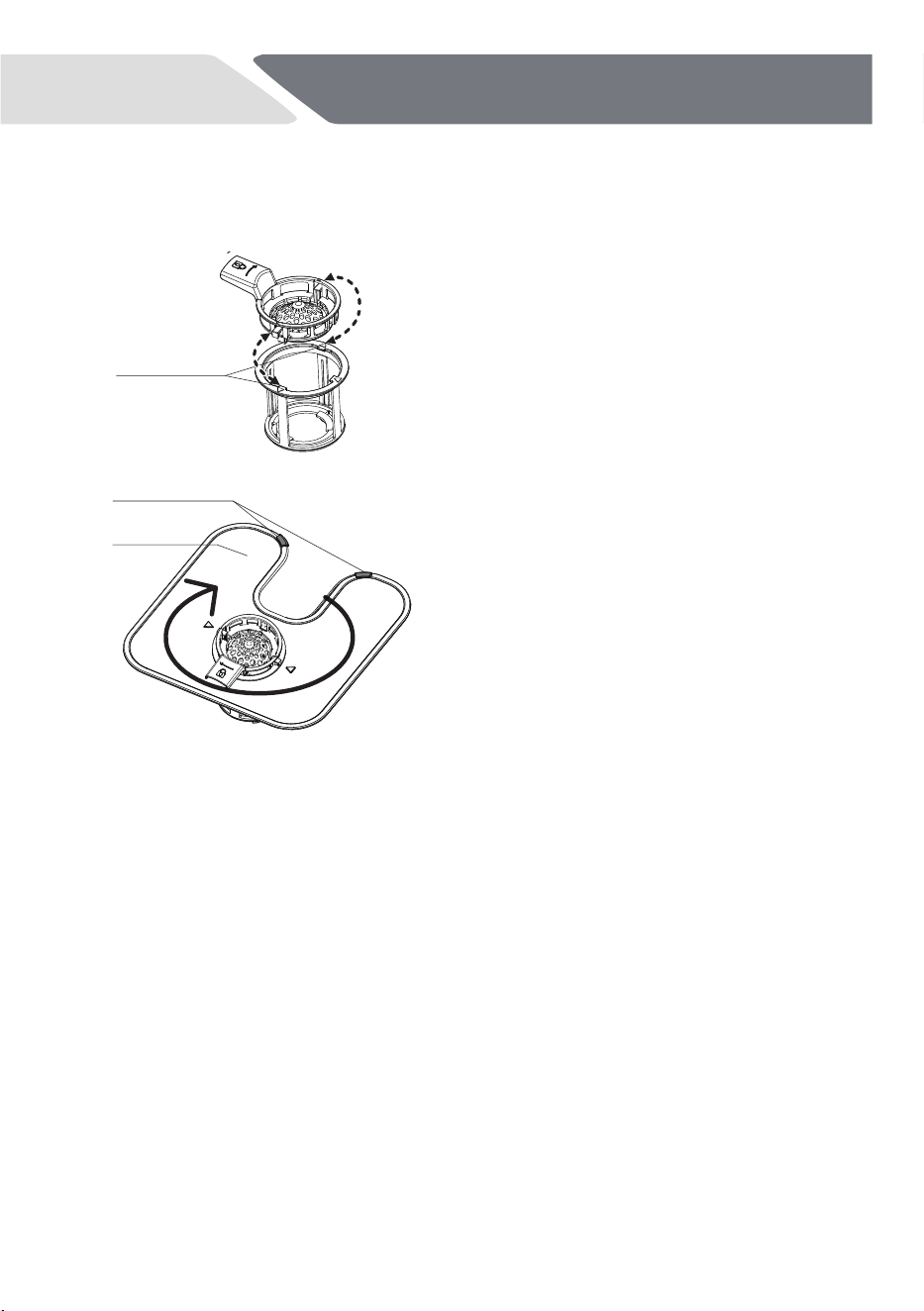
1. Align the filter cap with the notch on
the filter base for one side.
2. Press the button to clip the filter cap
under the filter base locating notches for
the other sides.
3. Slot the filter plate under the locating
clips at the rear of the drain and push
firmly back into the clips. Ensure the filter
plate is flush with the dishwasher base.
4. Place the drain filter back into the
dishwasher base. Rotate the filter handle
clockwise to click into place.
clips
locating notch
filter plate
27
Care and Cleaning
NZ AU
Care and Cleaning of the Spray Arms
Spray arms should be
regularly inspected for dirt. If needed the spray arms
could be removed.
External Cleaning
CAUTION!
Never clean the appliance with a steam cleaner.
Never use bleach or other chlorinated detergents.
Clean the appliance with a damp soft cloth.
Only use neutral detergents. Do not use abrasive products, abrasive
cleaning pads or solvents.
Clean the door seal with a damp soft cloth.
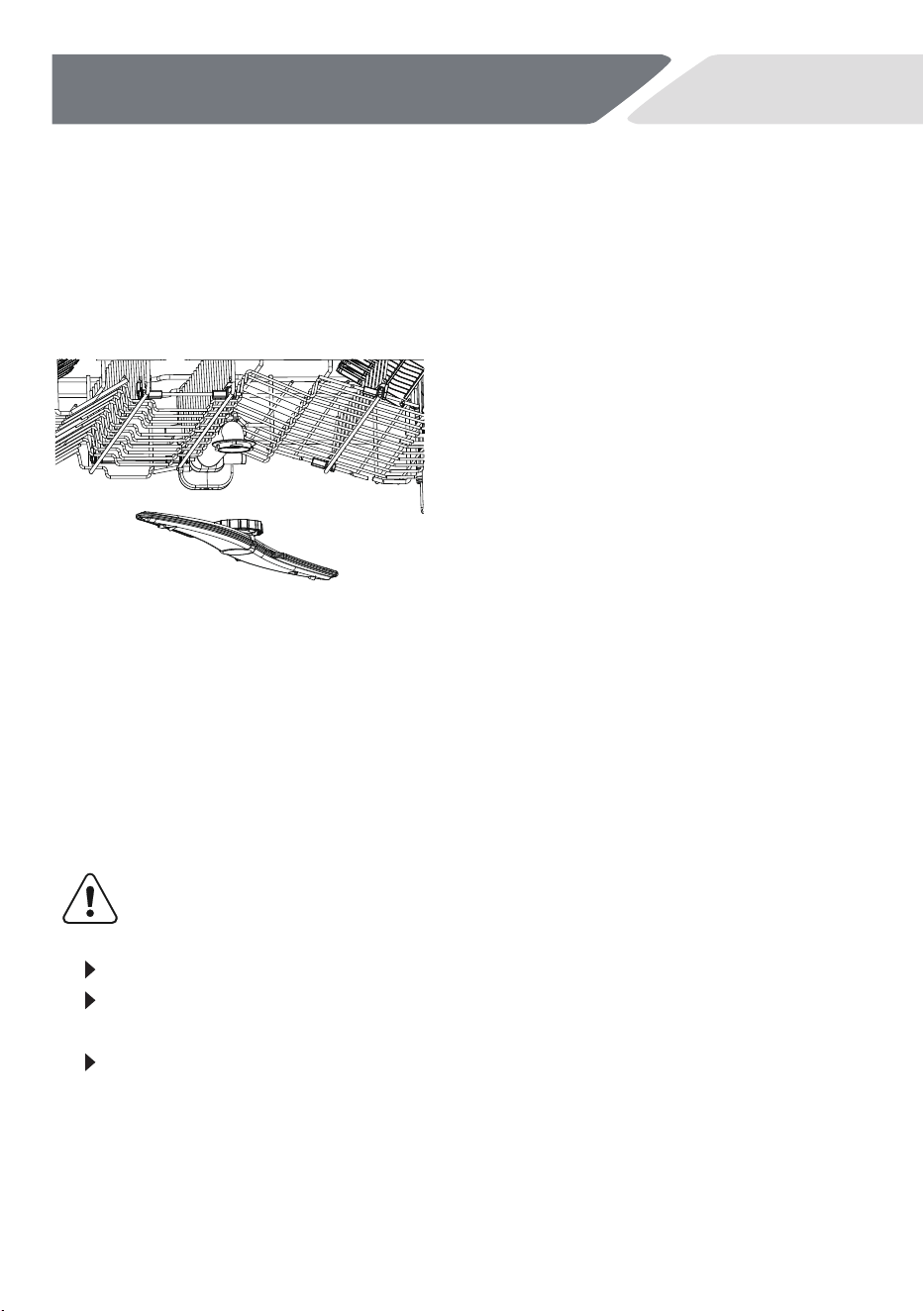
To remove the upper spray arm, turn
the locking nut clockwise to release.
Rinse the spray arm thoroughly under
running water, then refit.
Cleaning the Upper spray arm
To remove the lower spray arm, lift it from the base of the dishwasher.
Rinse the spray arm thoroughly under running water, then refit.
Ensure the arm rotates freely when refitted.
Cleaning the lower spray arm
28
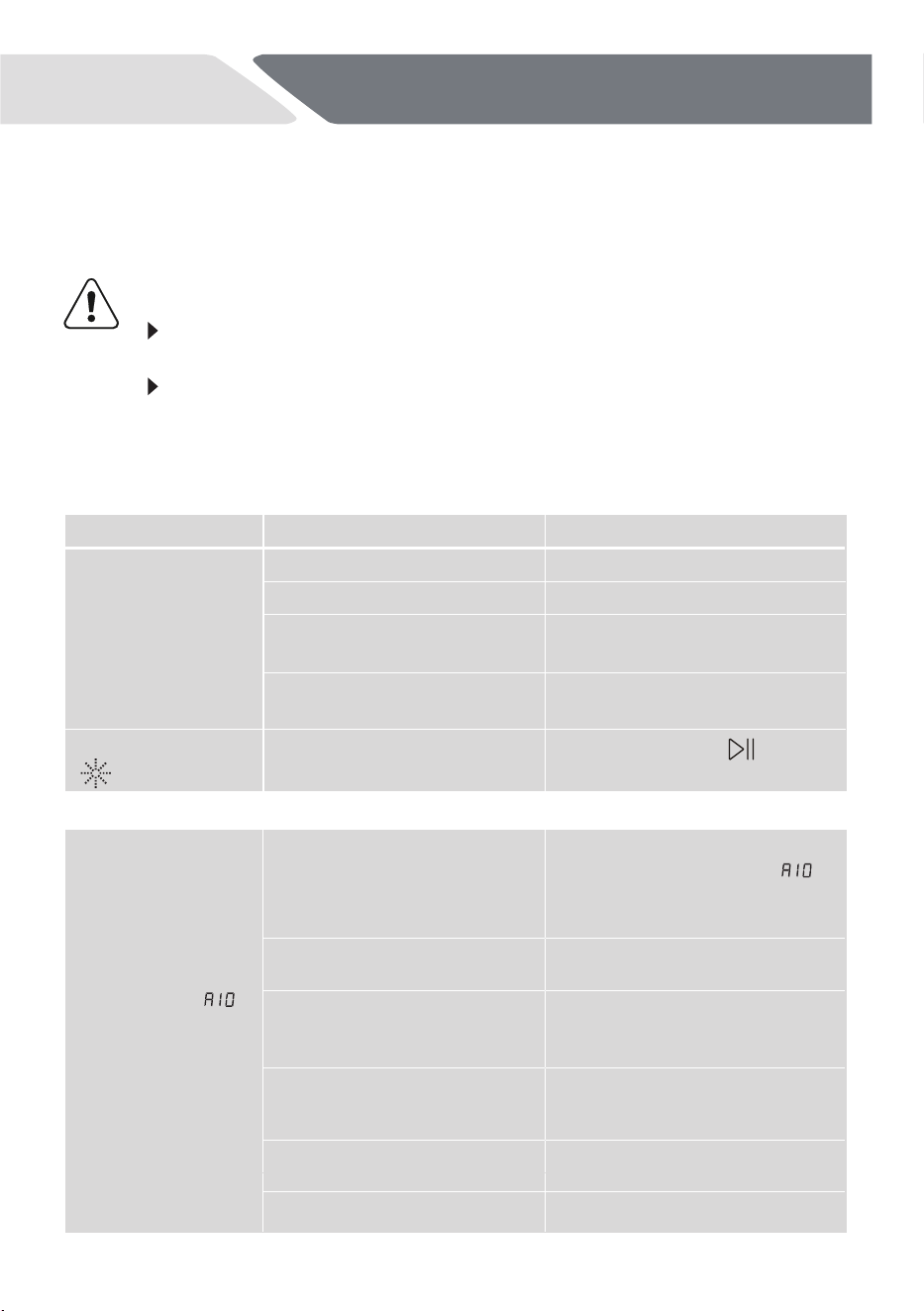
Problem Possible cause Possible solution
Close the appliance door.
Refer to displayed time.
Connect the power plug.
Fuse in the house circuit is
damaged.
Replace the fuse.
Rinse Aid Indicator
is light.
Rinse aid dispenser is empty.
Press and hold the button
for 5 sec after each refill.
Delay start is set.
Power plug is not connected
in the power socket.
Acoustic alarm,
display shows
ALARMCODE
The
not fill with water.
appliance does
Make sure that the position of
the hose is correct.
In case of aqua-stop system:
water protection is triggered;
the marker (C) is red.
The hose must be replaced.
Filter in the water inlet hose
is clogged.
Water inlet is clogged.
Water pressure is too low.
Contact your local water
authority.
Clean the filter at the inlet hose
connections at tap and the rear
of the appliance.
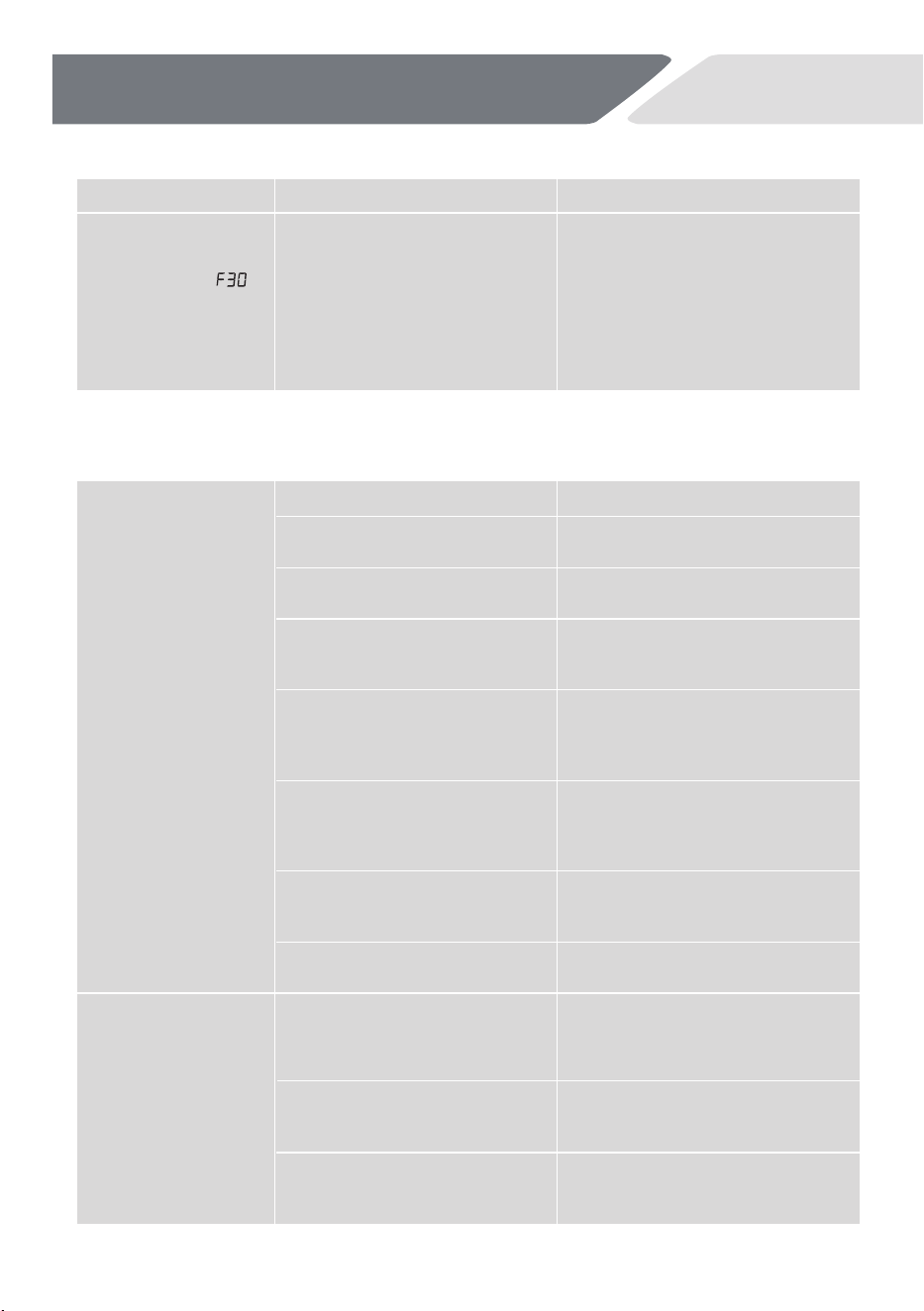
Error codes on the display
NZ AU
Troubleshooting
Many occurring problems could be solved
by
yourself without
specific
expertise.
In case of a problem please check all shown possibilities
and
follow
below instructions before
you contact an after-sales service.
CAUTION!
Before maintenance,
deactivate the
appliance and disconnect the
power plug from the power socket.
Electrical
equipment
should
be
serviced
only
by
qualified
electrical
experts,
because improper
repairs can cause considerable
consequential damages.
The
appliance does not start,
or it stops during operation
The program
does not start.
The appliance door is open.
The water tap is closed.
• Open the water tap.
Note:
Whenever
Error
‘ ’
is
solved
switch
off
the
appliance
and
restart the program.
The water
inlet
hose
has
a
kink
or
a bend.
Check the water flow from the
tap
29
NZ AU
水逝滚滚长江东
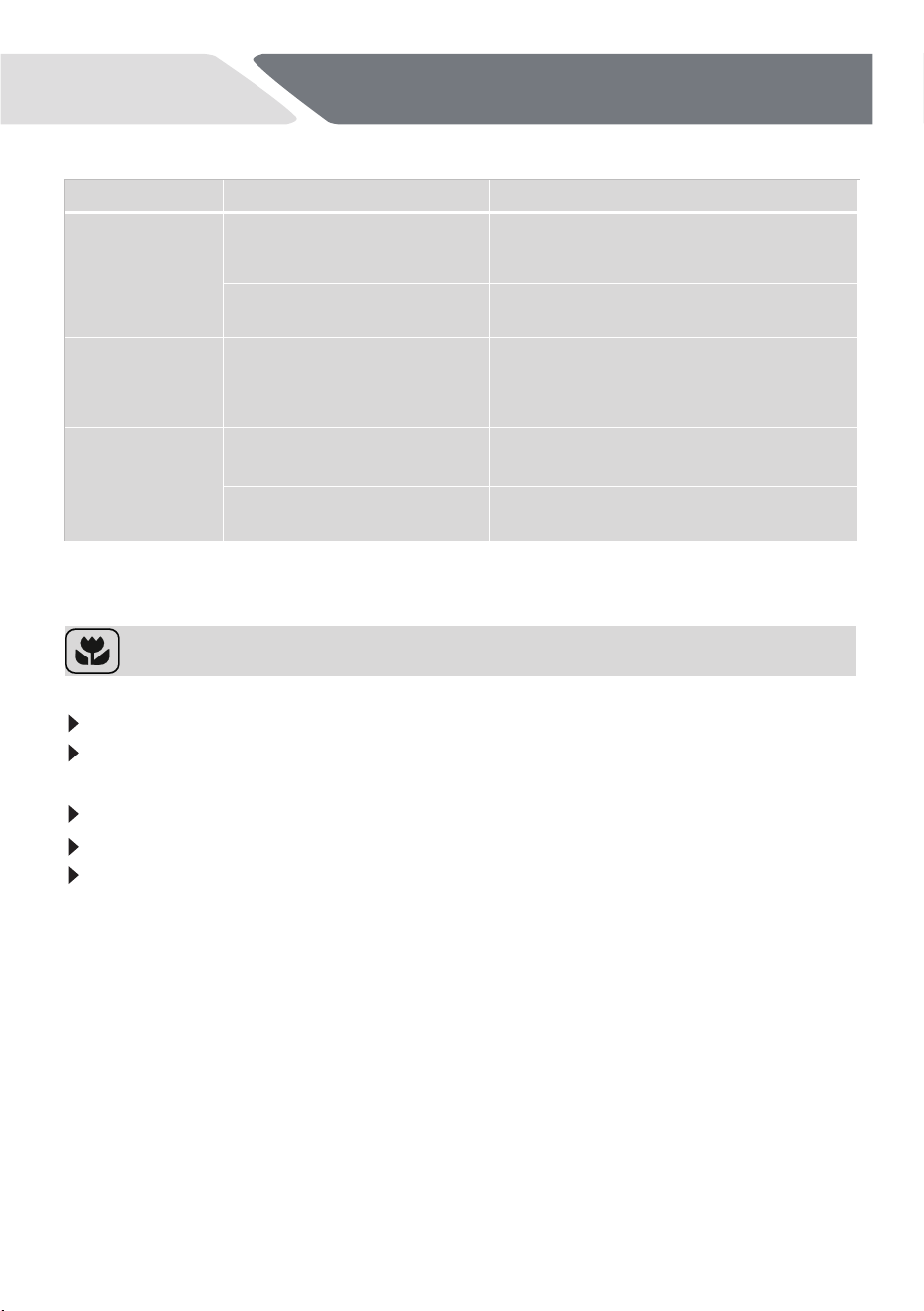
Problem Possible cause
Acoustic alarm,
display shows
ALARMCODE
Leak: The drain
•
•
•
•
•
•
Anti-flood device is on:
There are water leakages
in the appliance.
The water inlet valve is
open and blocked.
The drainage is blocked.
The dishes are not
clean.
Filters are clogged.
Filters are not correctly assem-
bled and installed. correctly assembled and installed.
Spray arms are clogged.
Rem
Clean the filters.
Make sure that the filters are
ove remaining food remnants
with a thin pointed object.
Incorrect position of the items
in the baskets. Water could not
wash all items.
Make sure that the position of the
items in the baskets is correct and
that the water can easily wash all
items.
Spray arms could not turn freely.
Make sure that the position of the
items in the baskets is correct and
does not cause the blockage of the
spray arms.
quantity of detergent in the deter-
gent dispenser.
The wash cycle was interrupted
by a long break.
Do not open the door or cut power
supply during the wash cycle.
Whitish streaks,
stains or bluish layers
on glasses and dishes.
Decrease the released quantity of
rinse aid. Refer to section
DIFFERENT SETTINGS FOR RINSE
AID.
No detergent or insufficient
Washing Results are not satisfactory
Troubleshooting
pump runs
permanently.
Close the water tap.
Disconnect the appliance
from the power supply.
Contact Service.
Possible Solution
Program was not
applicable
for
the type of load and
food
remnants.
Make
sure
that
the
program
is
applicable
for
the
type
of
load
and
food
remnants.
Make
sure
that
you
add
the
correct
quantity
detergent
in
the
dispenser
before
you start a program.
Make
sure
that
you
add
the
correct
quantity
of
detergent
in
the
dispenser
before
you start a program.
The released quantity of rinse
aid is
too
much.
The quantity of detergent
was
too
much.
Multitab
detergent
tablets
used
with
a
short
program
might
not fully dissolve.
Select a longer program when
using Multitab detergent tablet.
s.
30
NZ AU
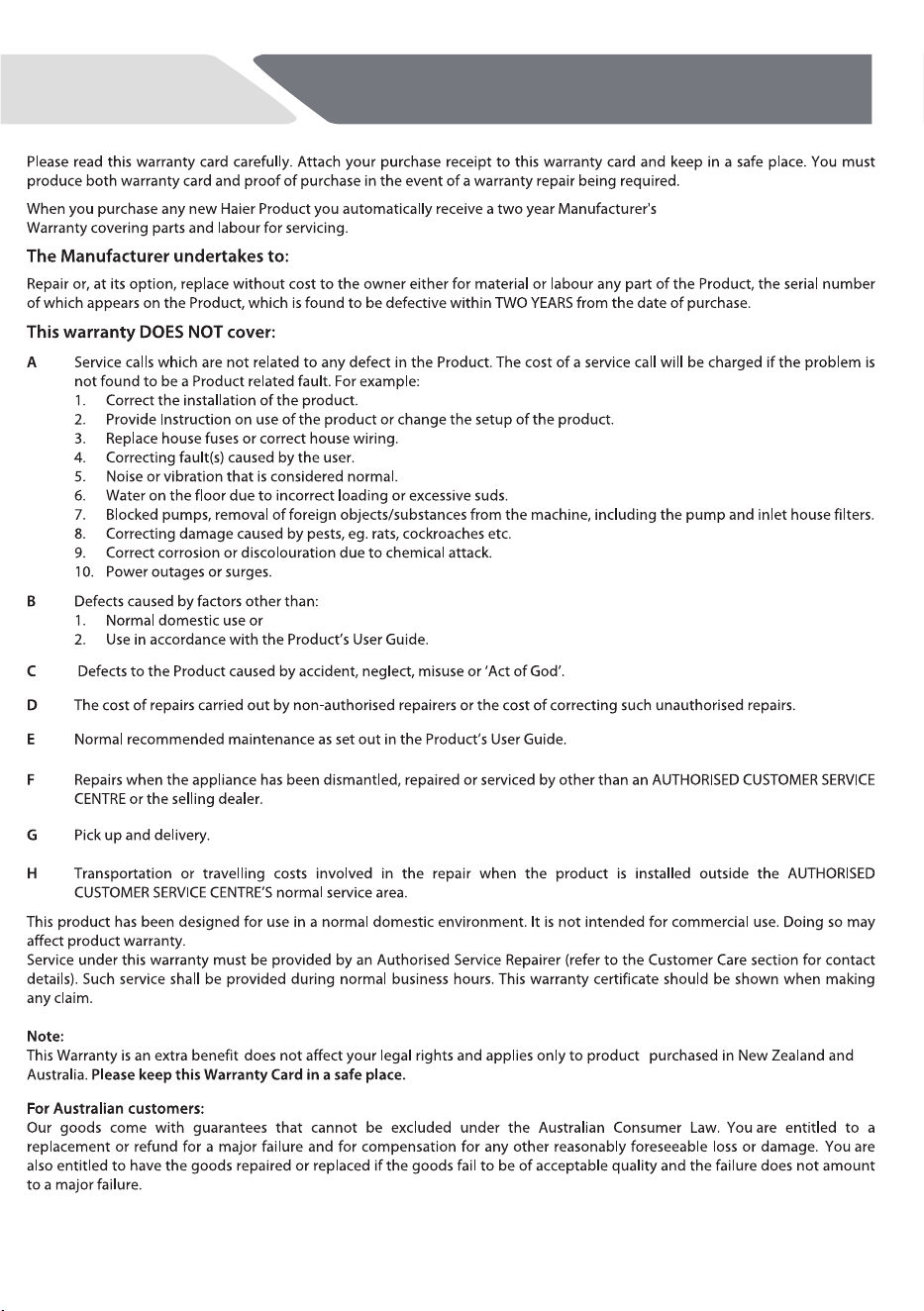
Problem Possible cause
Dry water drop
stains on glasses
and dishes.
Rinse aid dosage is too low.
Increase the released quantity of rinse aid.
Refer to section DIFFERENT SETTINGS
FOR RINSE AID.
Quality of rinse aid or Multitab.
Cleaning product too old, change the
product.
The dishes are
wet.
The dishes are
wet and matte.
Rinse aid dispenser is empty.
reset the rinse aid indicator.
Quality of rinse aid or Multitab.
Cleaning product too old; change the
product.
Open the door slightly and leave it ajar
(about 100 mm) to help the drying
process.
Refill rinse aid into the dispenser and
Troubleshooting
Possible Solution
• Program had no drying
phase.
• Program had a low
temperature drying phase.
Economic and Environmental Use
It is not
recommended to pre-rinse the dishes under running water.
Select
the
washing
programs
by
type
and
degree
of
contamination
of
the dishes.
Select the economic mode program ECO
for normal soiled items.
The most economical use
you will have with full loading.
Only
use
the
manufacturer’s
recommended
detergent
or
rinse
aid
dosages.

31
NZ AU
Customer service
Your local dealer.
If you cannot find a solution there, please contact:
If you have a problem with your appliance, please first check
TROUBLESHOOTING.
We recommend our Haier Customer Service and the use of original spare
parts.
The Service & Support area at www.haier.com.au
or at www.haier.co.nz
where you can activate the service claim and also find FAQs.
To contact our Service, ensure that you have the following data available.
The information can be found on the rating plate at the door.
Model _____________________
Serial No. _____________________
Standards test information
Standards
test
information can
be
viewed online
by going
to
www.haier.com.au or www.haier.co.nz and search your model code.
32
NZ AU
Manufacturer’s Warranty
s
33
Customer Care
0800 242 437


432921A 0120507036
条形码尺寸40*8mm,由厂家生成。