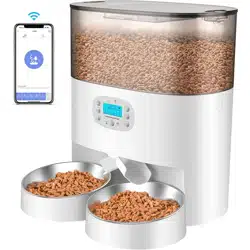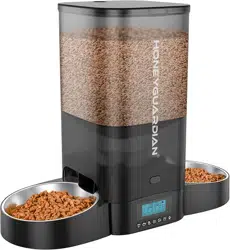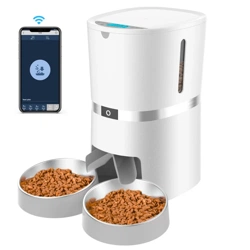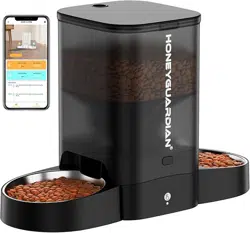
Smart Pet Feeder
User Manual
Before using this product, please read this manual
carefully and keep it for future reference.
Contents
! WARNING
SAFETY PRECAUTIONS
or sold by the manufacturer may cause an unsafe
condition.
CAUTION
stuck at the food outlet.
feeder and in the packaging.
WARRANTY
IN THE BOX
service@honeyguardian.com
seller through the shopping platform.
Automatic Pet Feeder
User Manual
Before using this product, please read this manual
carefully and keep it for future reference.
or
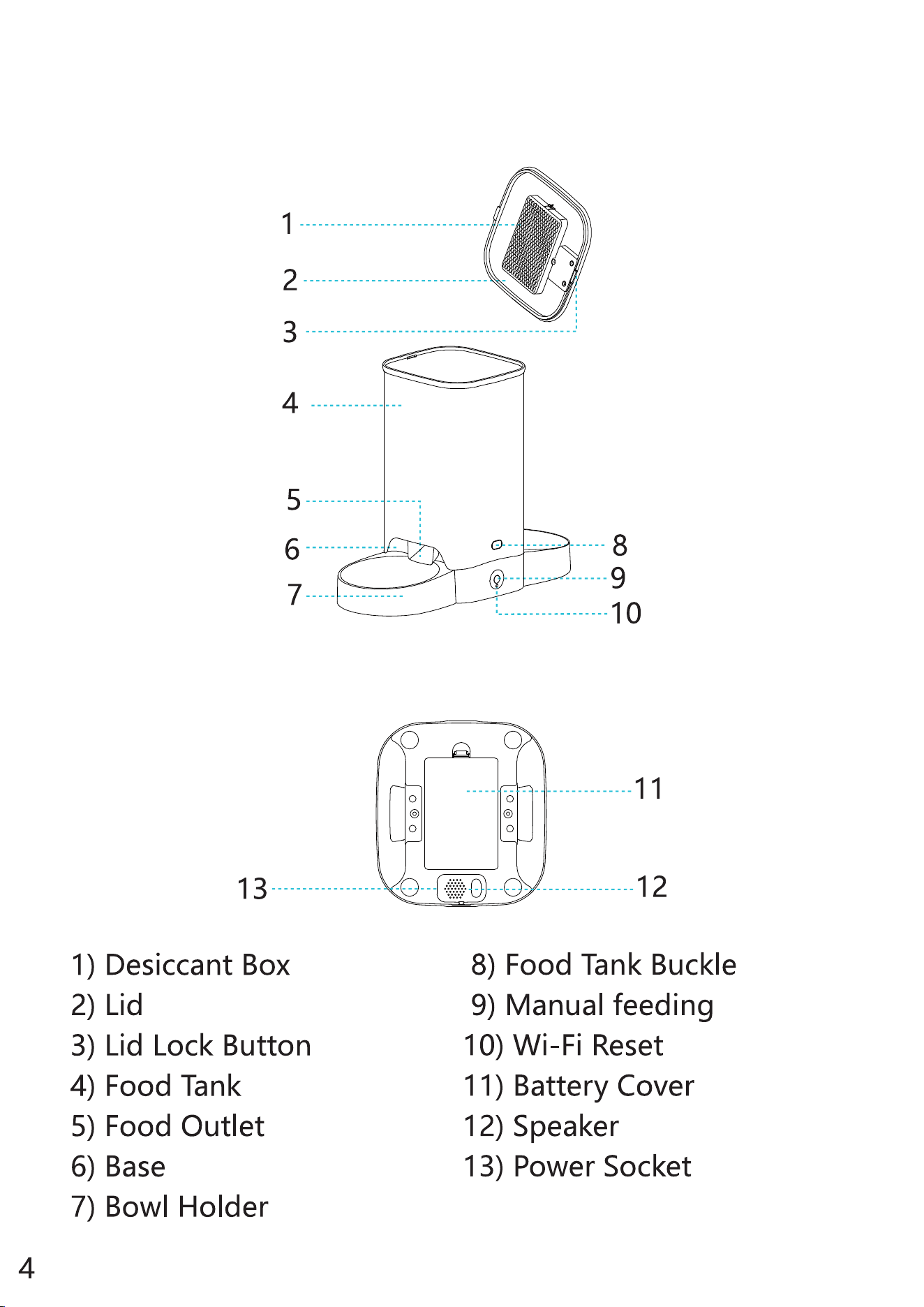
PRODUCT DIAGRAM
Front View
Bottom View
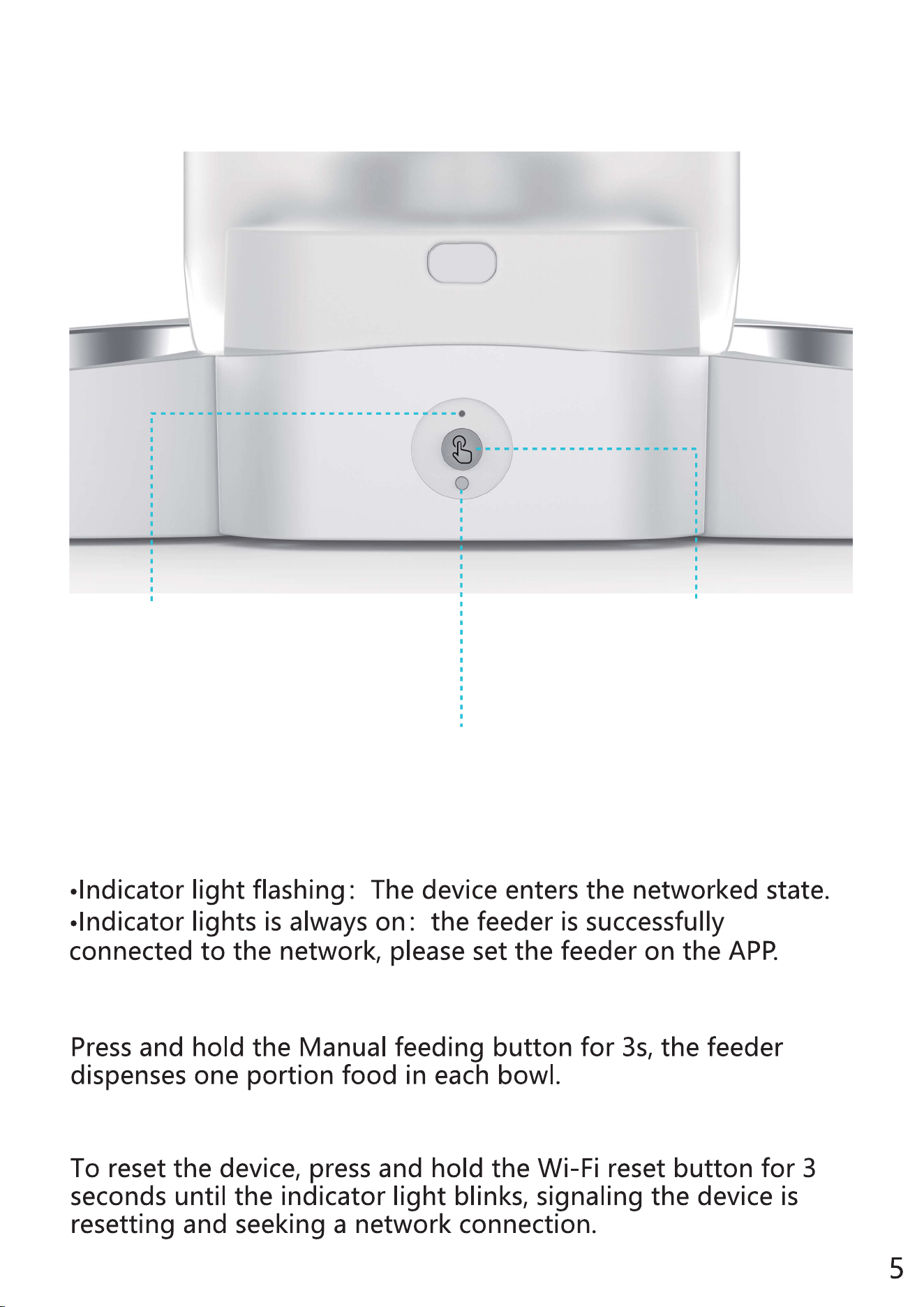
BUTTONS OVERVIEW
Manual Feeding Button
Manual Feeding Button
Wi-Fi reset Button
Wi-Fi Reset Button
Indicator light
Indicator light
HOW TO USE
ASSEMBLY AND PREPARE FOR SETTING
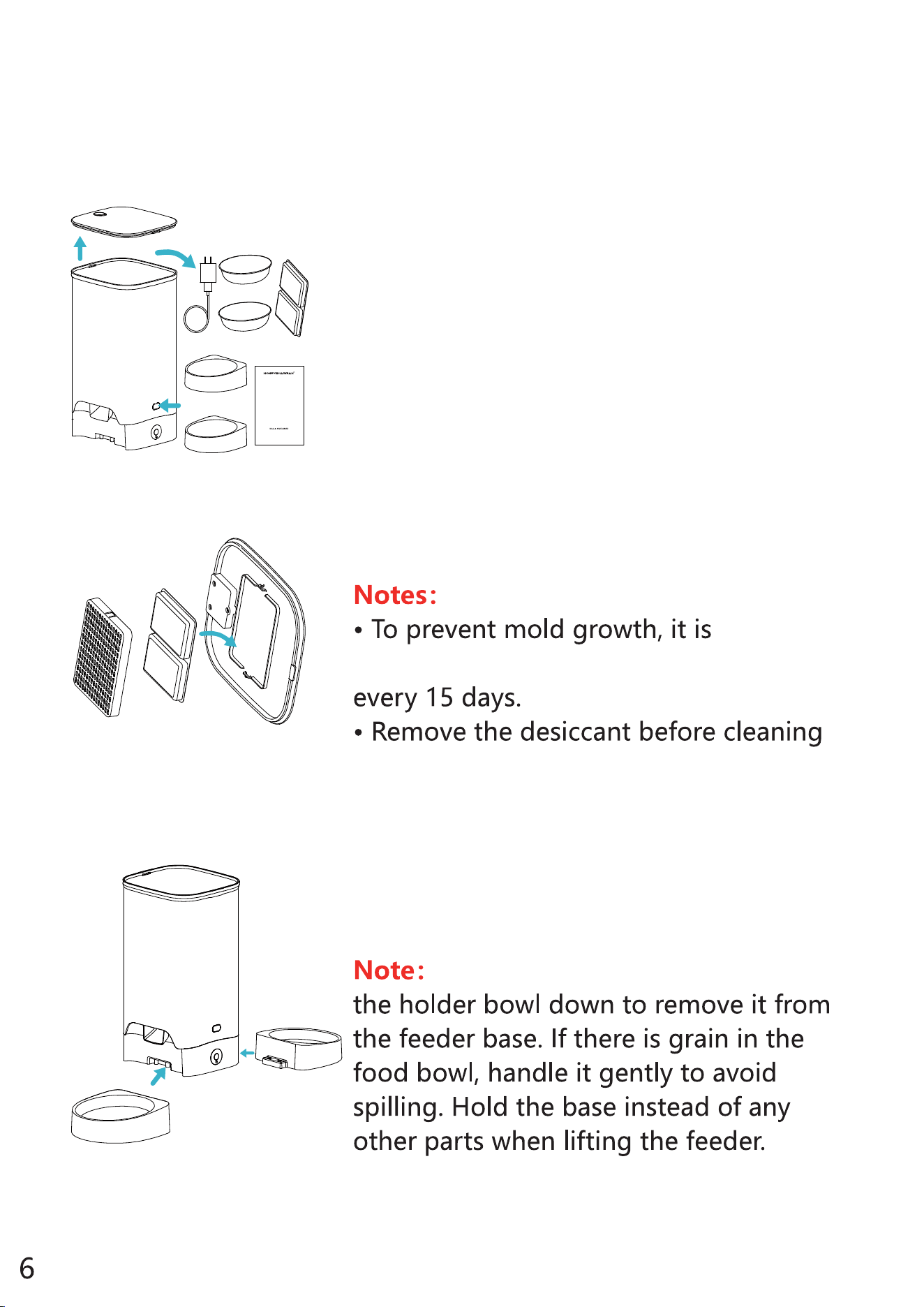
1. Press the Lid Lock Button to take out
the Accessories from the food tank.
2. Put the desiccant into the Desiccant
Box under the Lid.
recommended to change the desiccant
the lid.
3. Install the bowl holder. Attach the
bowl holder to the designated notches
underneath the feeder base.
Before moving the feeder, press
Aut oma tic Pet Feede r
User Manual
Before using this product, please read this manual
carefully and keep it for future reference.
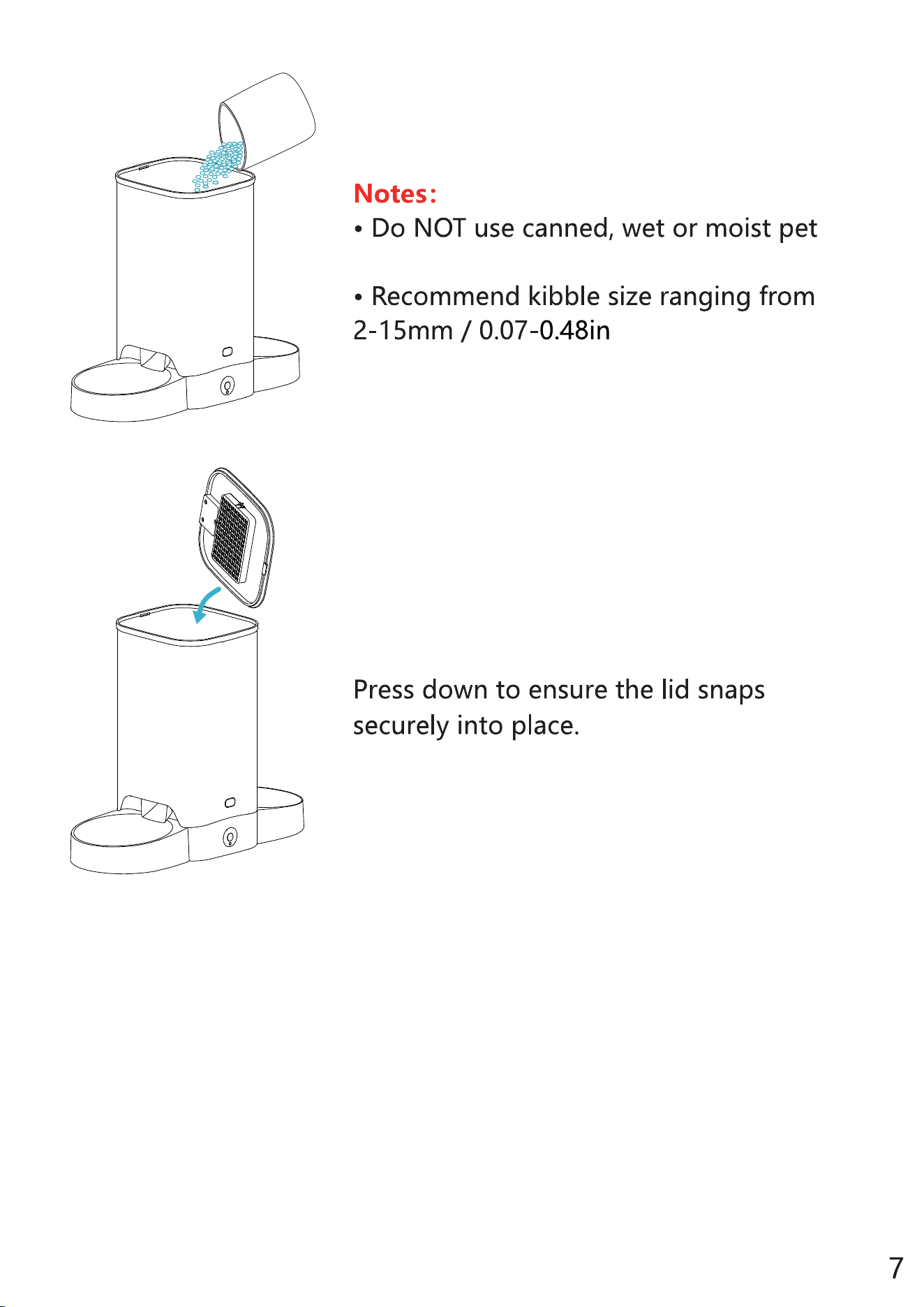
4. Add dry pet food to the food tank.
5. Put the lid back on.
food.
in diameter.
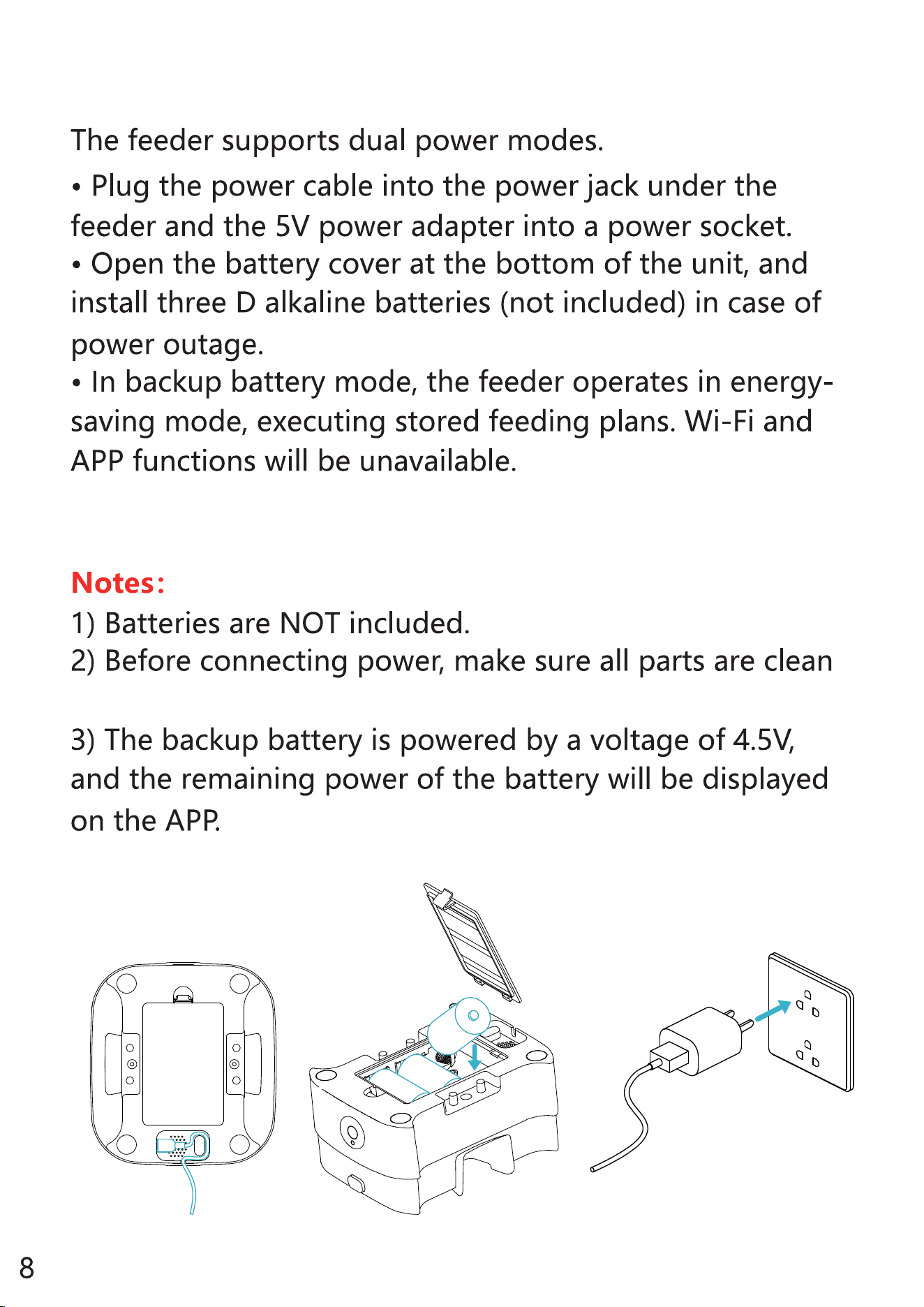
and dry.
6. Connect power
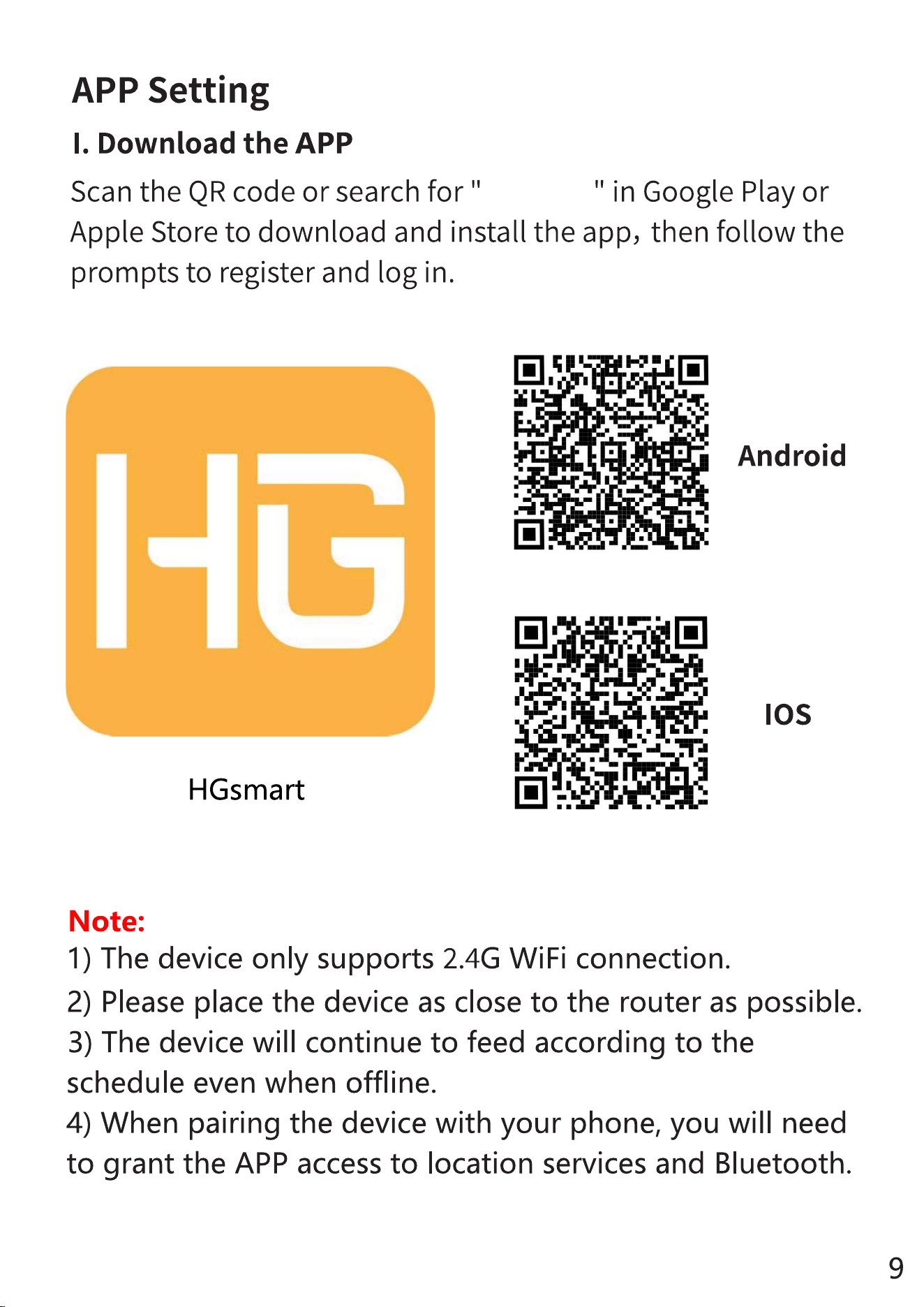
hgsmart
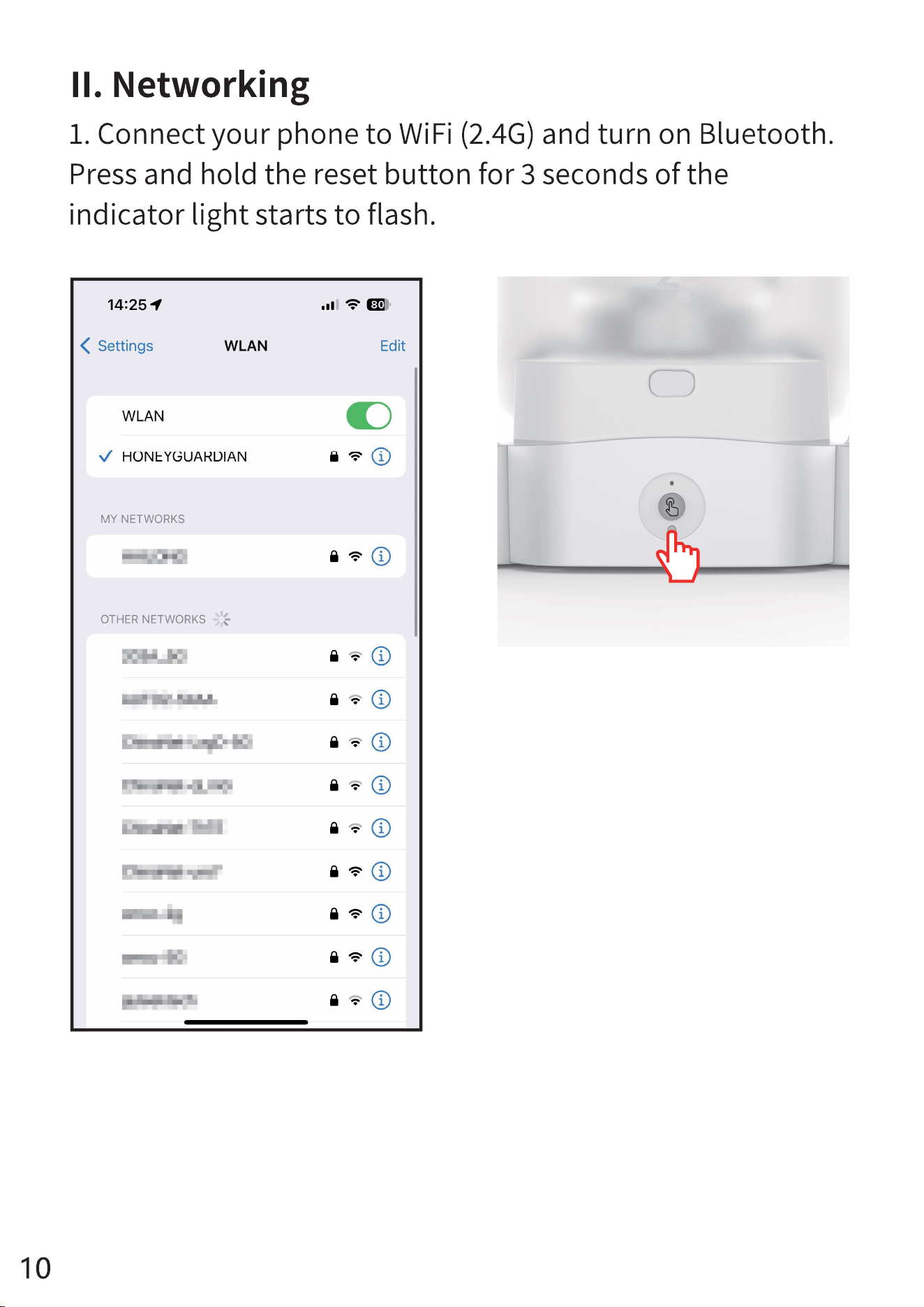
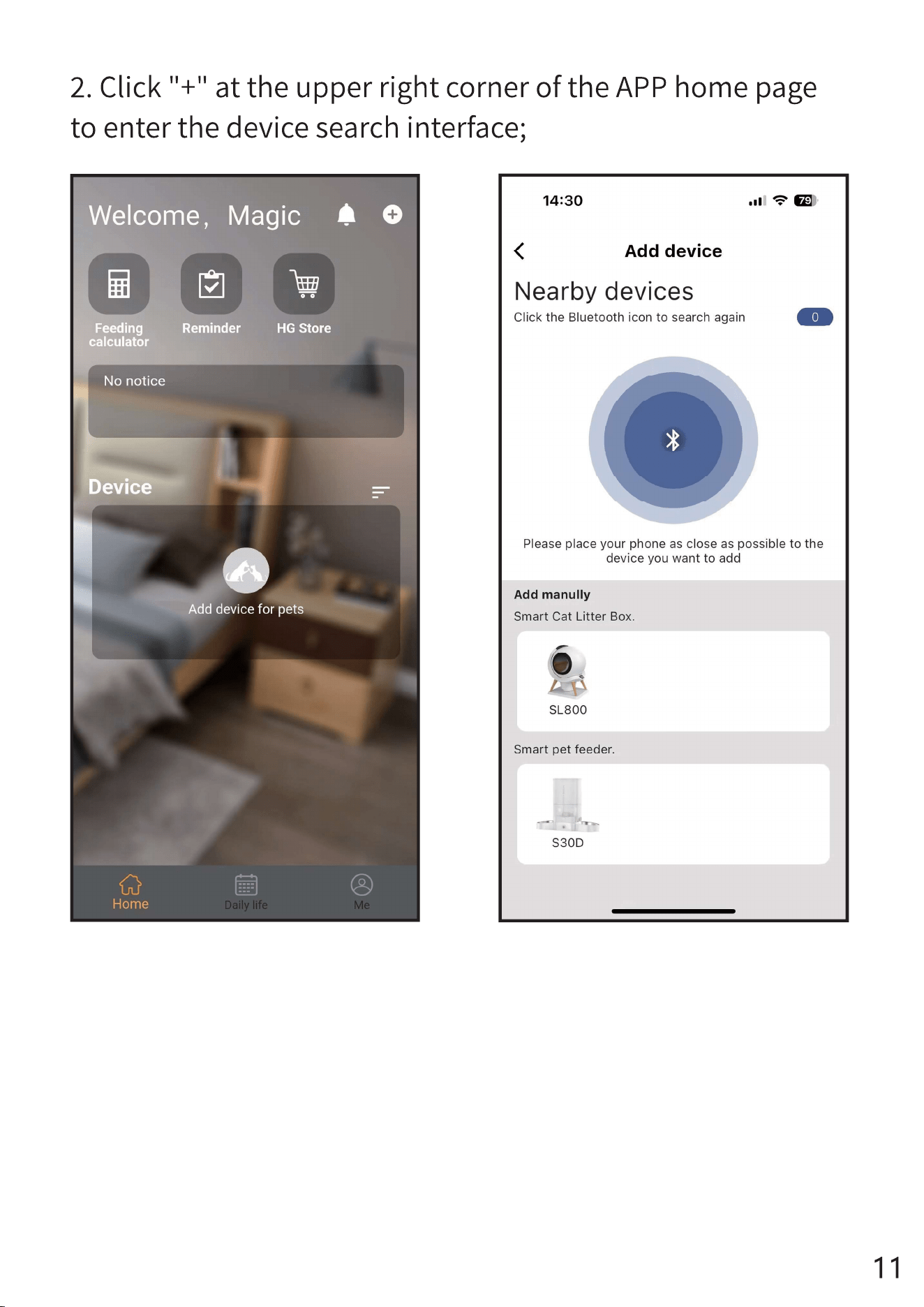
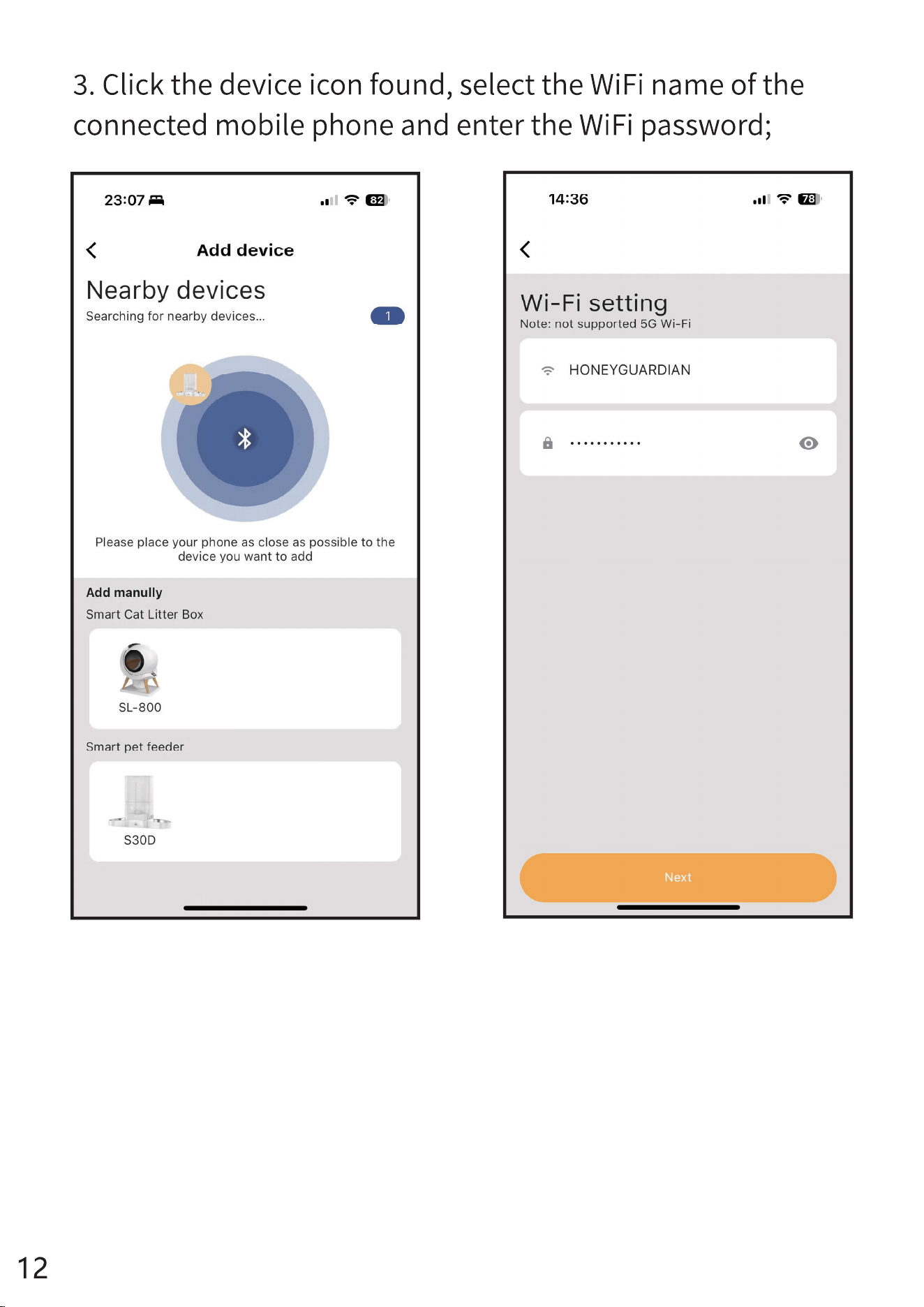
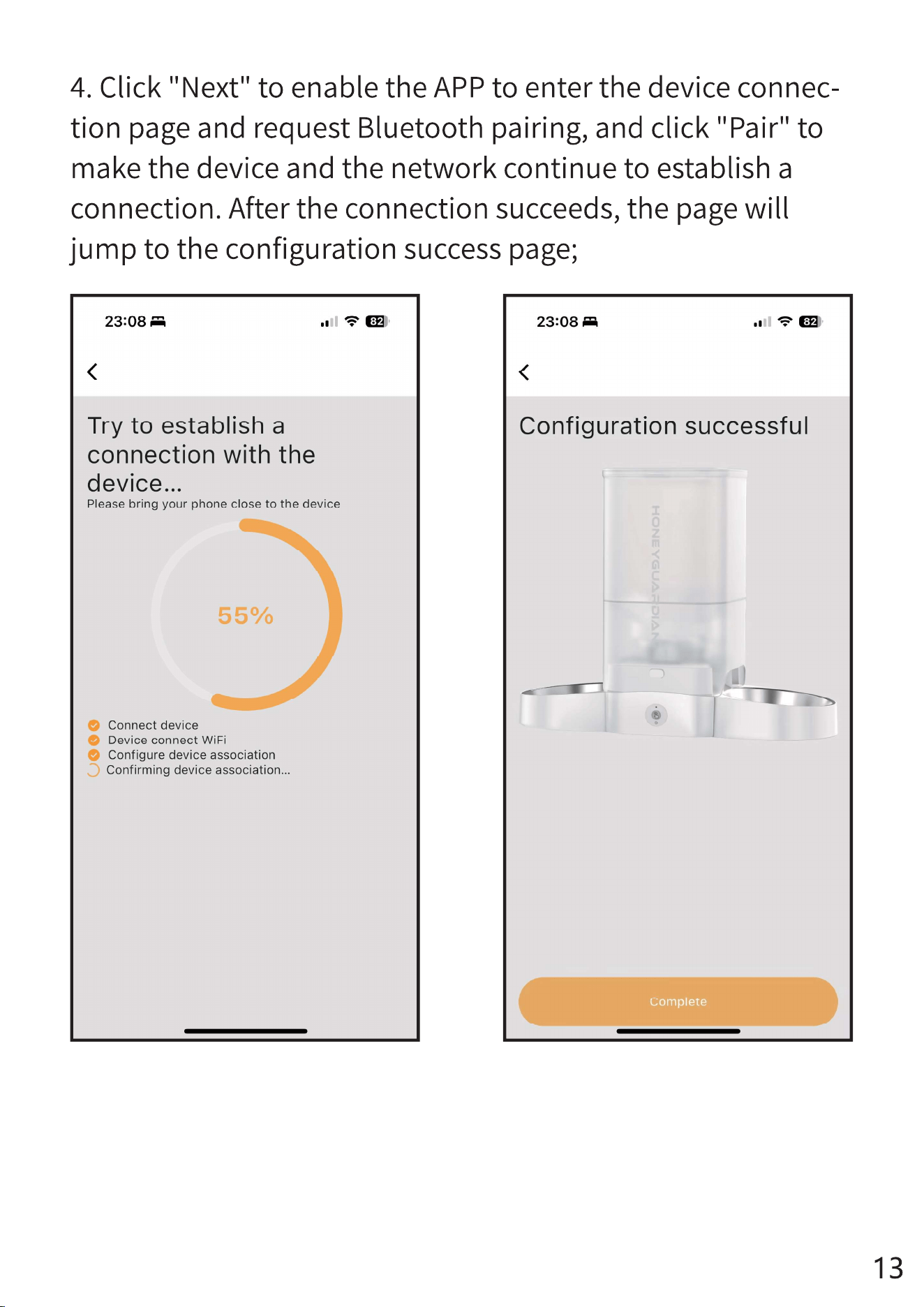
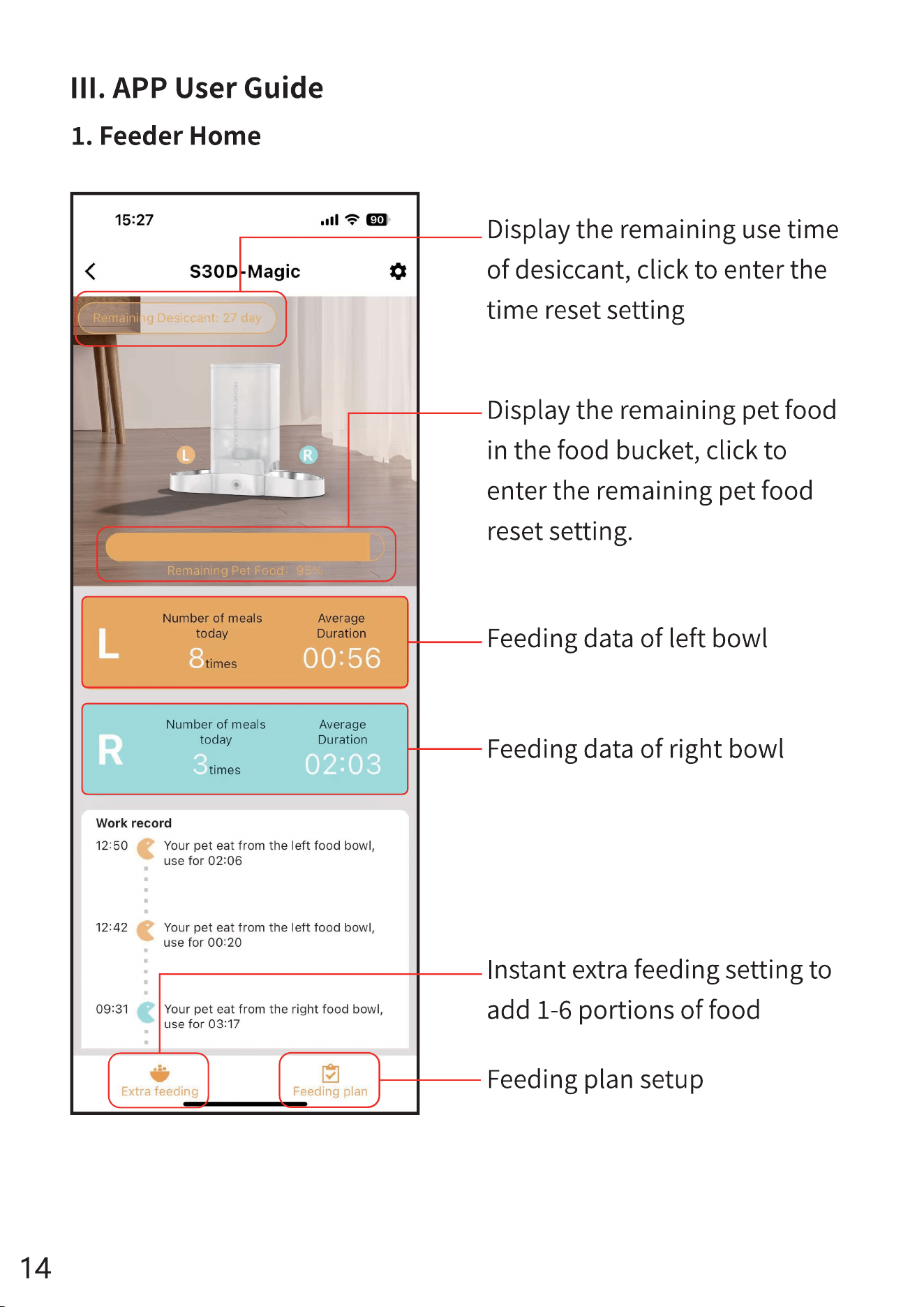
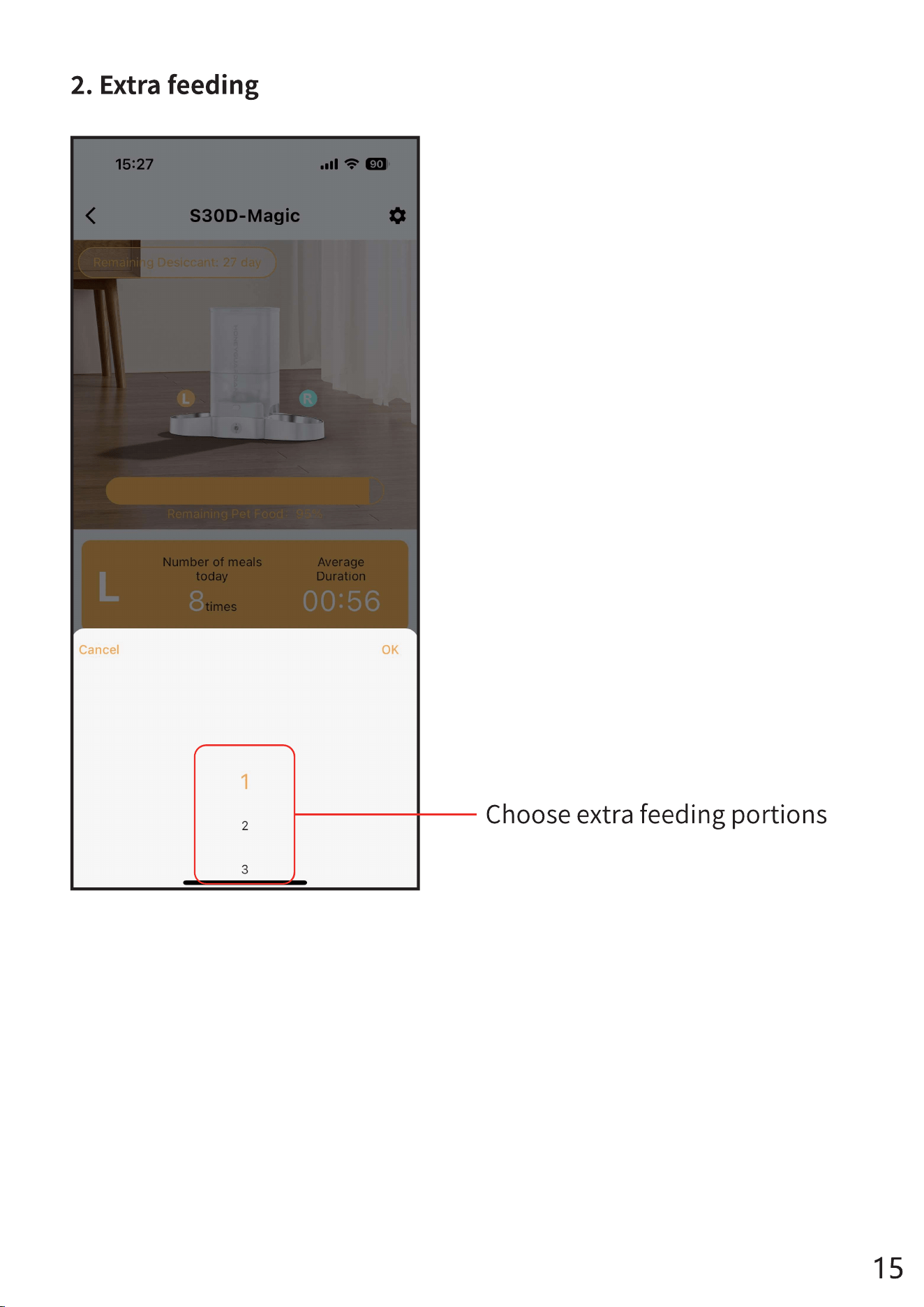
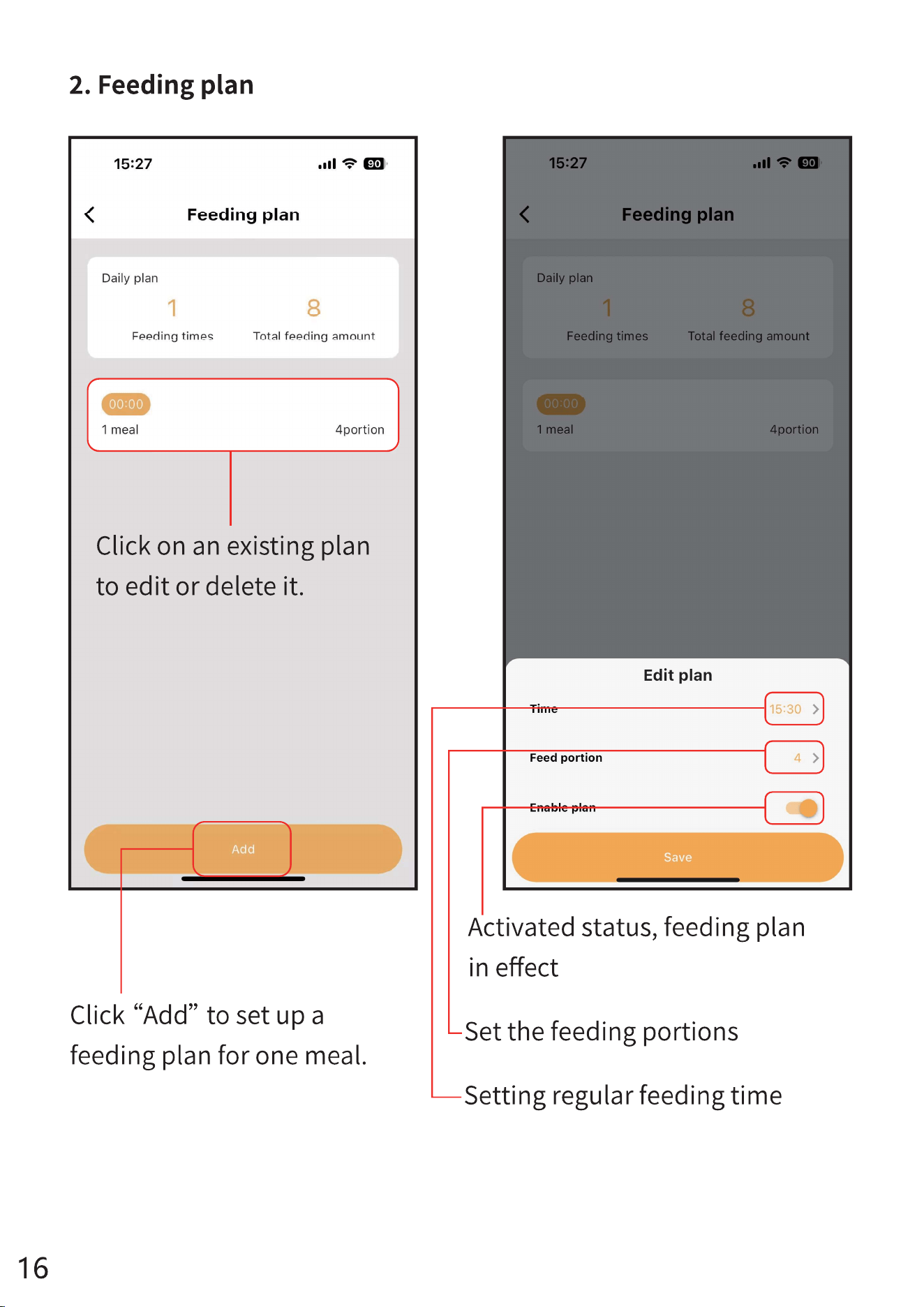
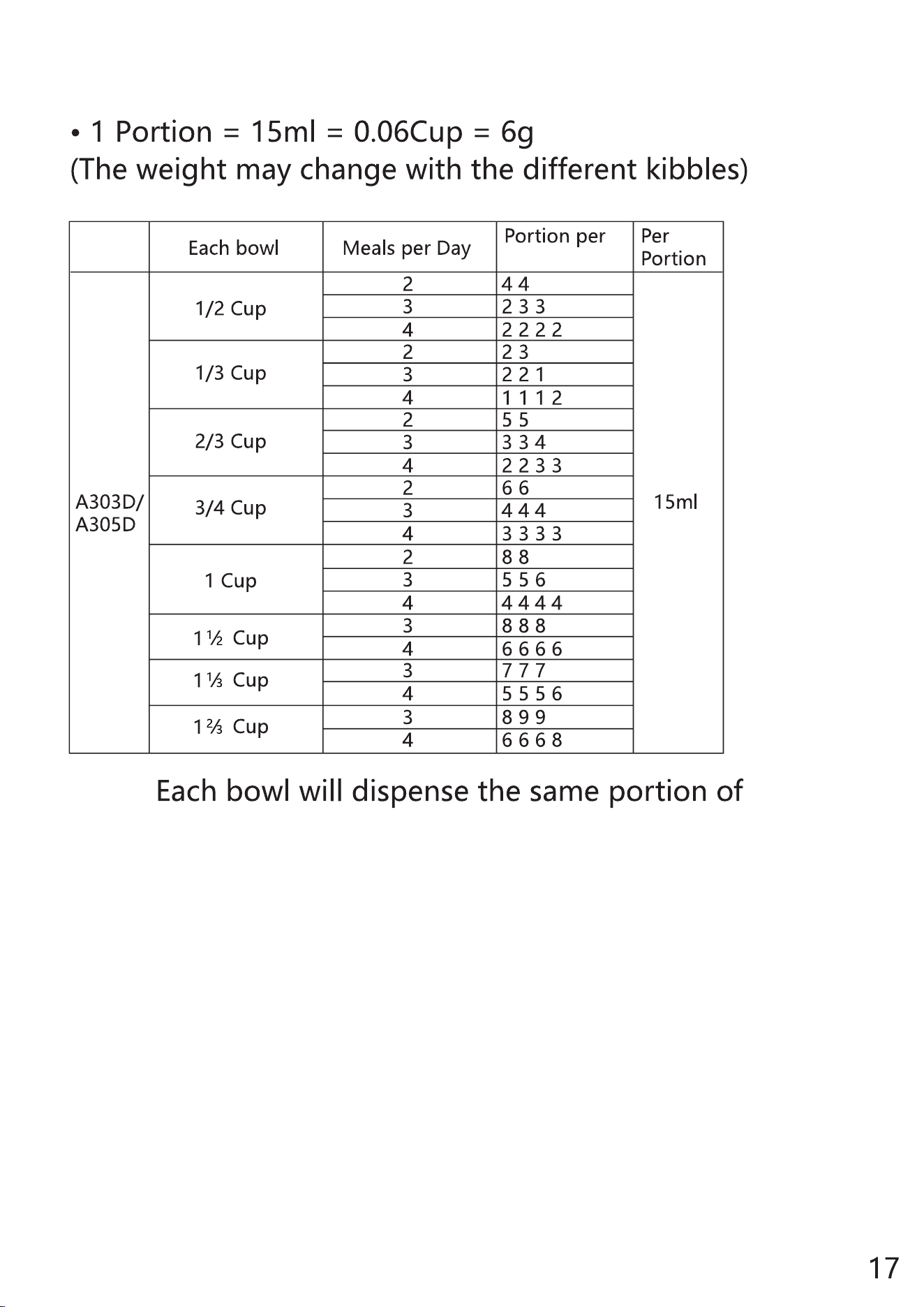
Note:
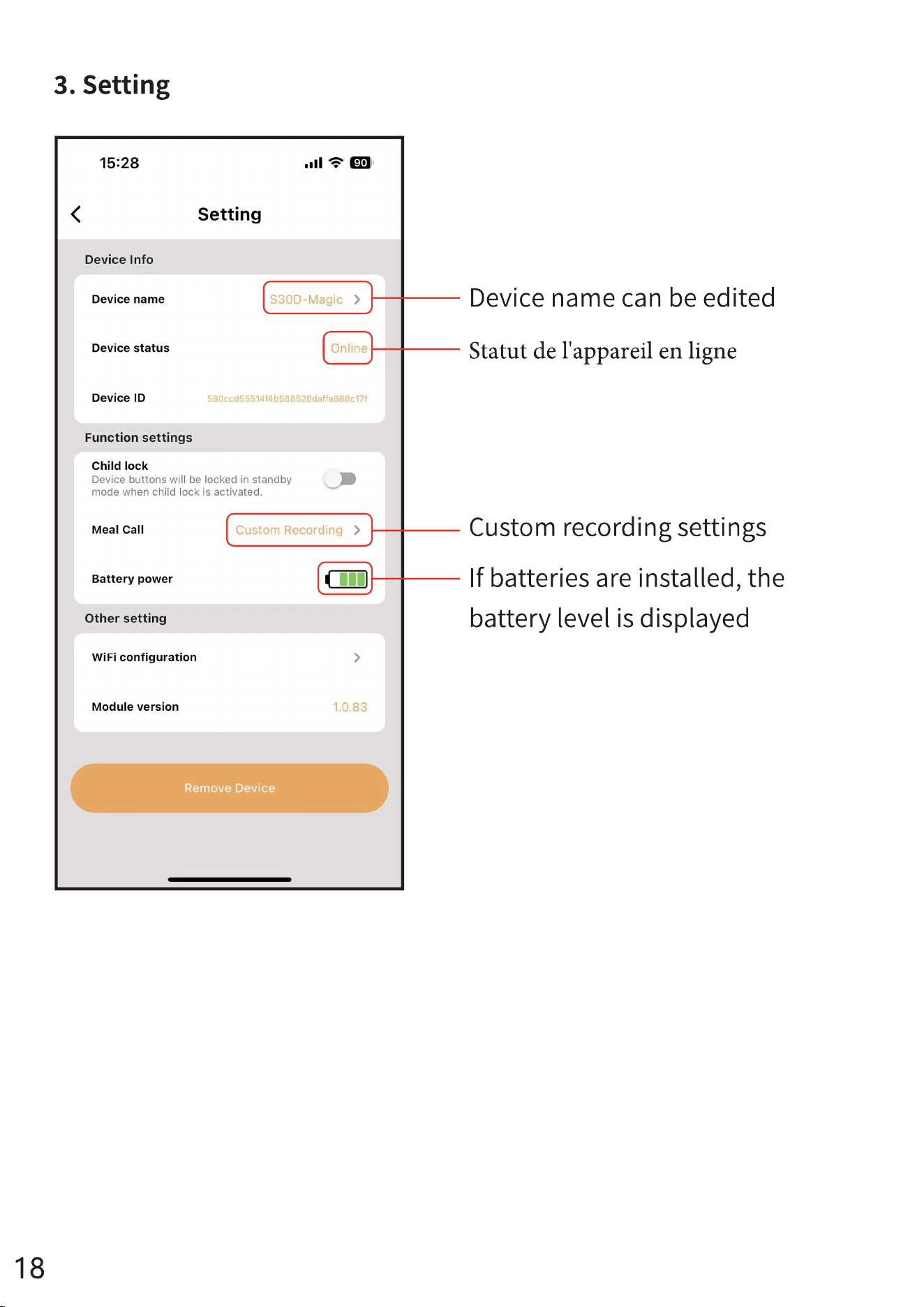
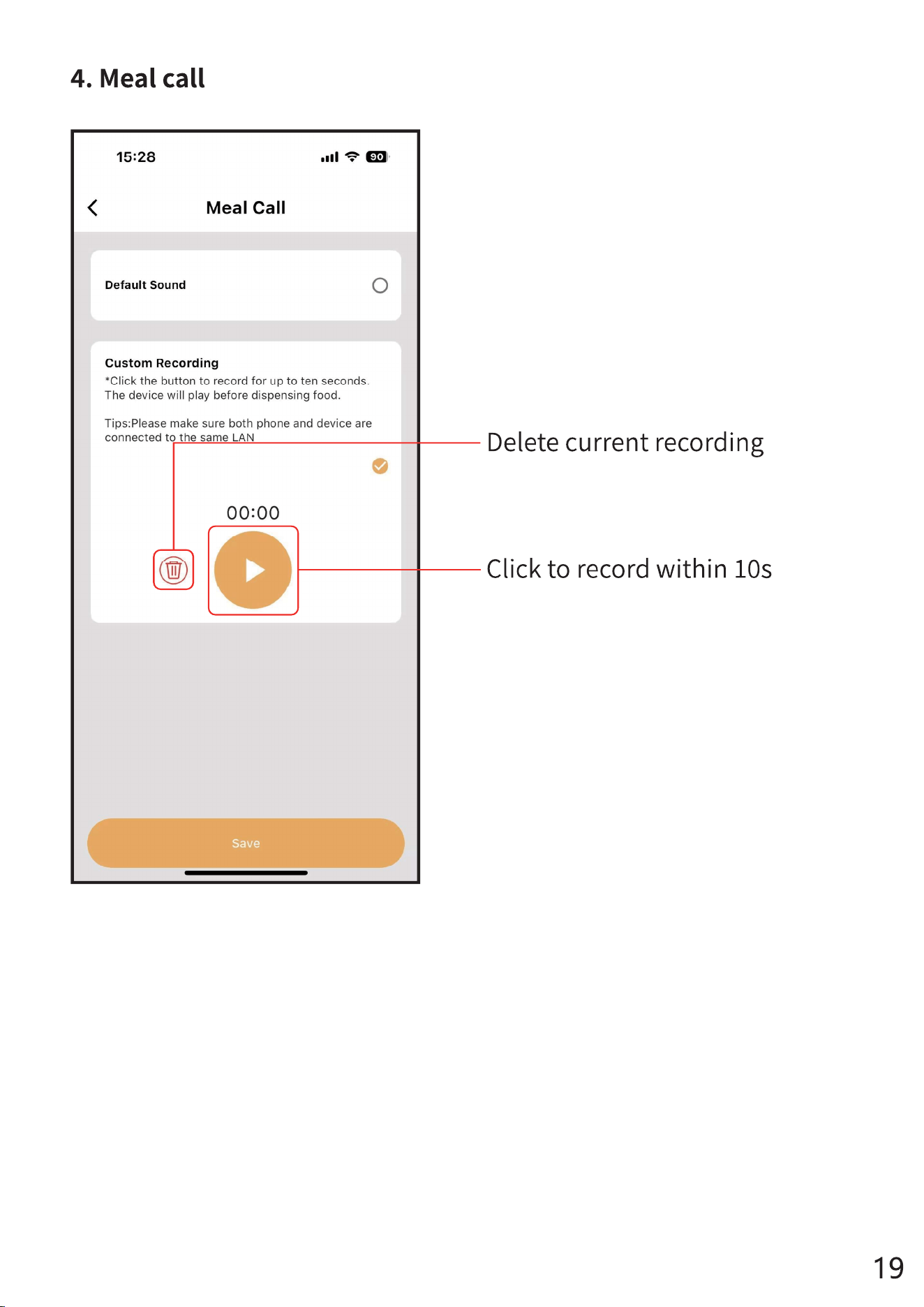
settings
*Reference for portion setting:
Model
Meal
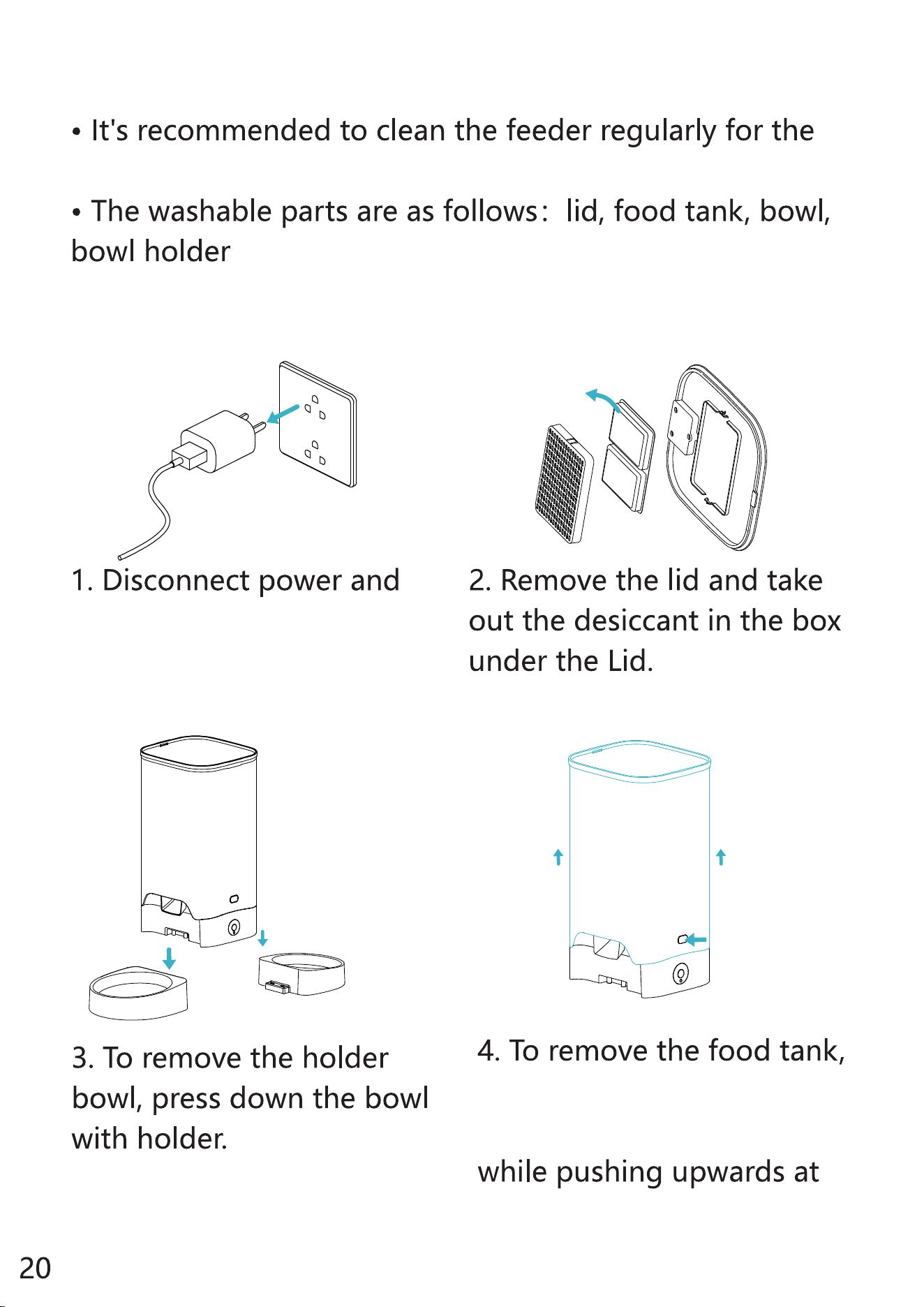
CLEAN AND CARE
health of your pet.
Clean the lid, food tank, food tray
take out the batteries
before cleaning.
use your thumbs to press
the buckles on both sides
the same time.
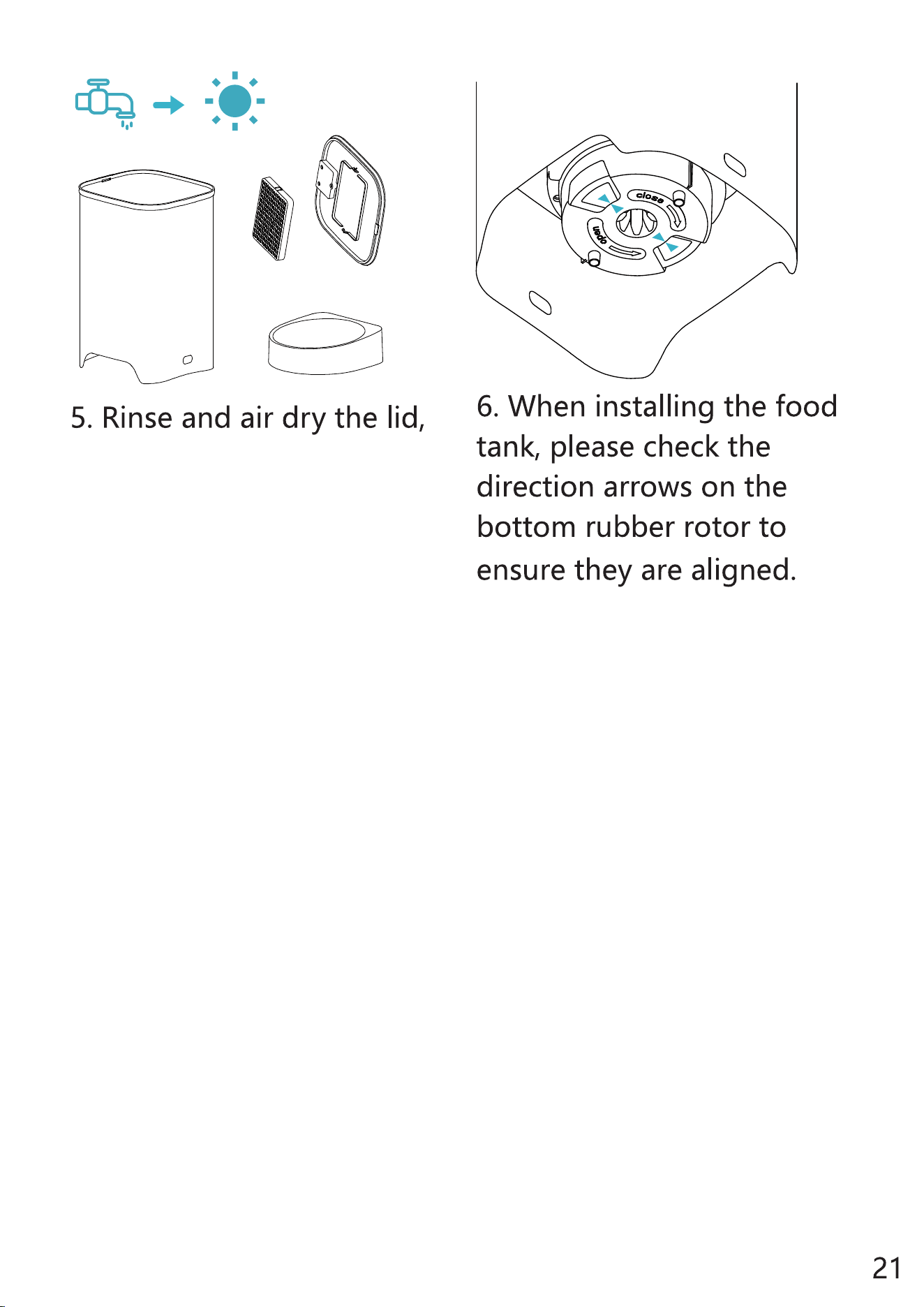
food tank, food tray
thoroughly before refitting
them to the machine.
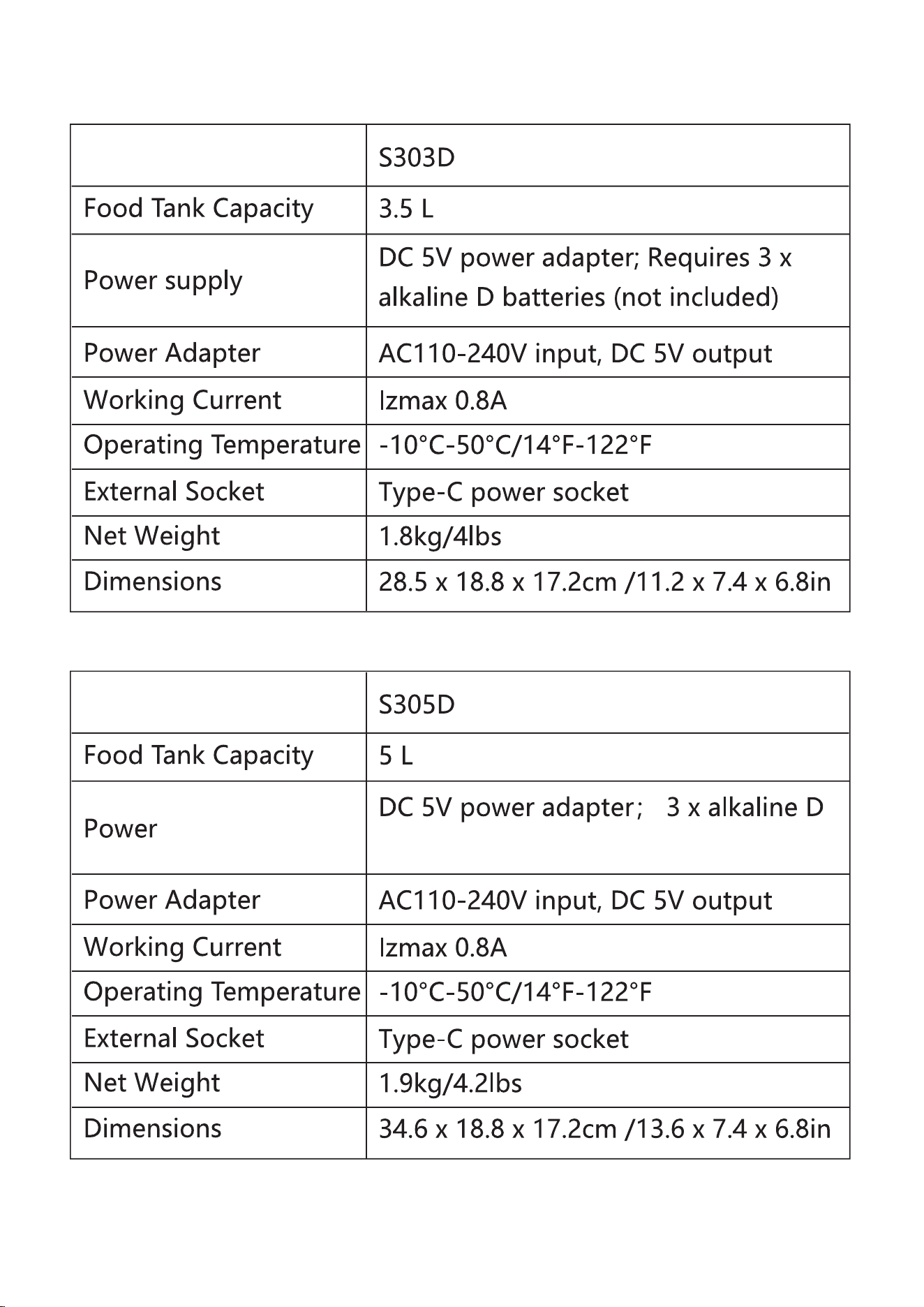
SPECIFICATIONS
Model
Model
batteries(not included)
HONEYGUARDIAN Smart Pet Feeder