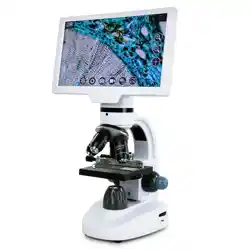
ITEM# 19003
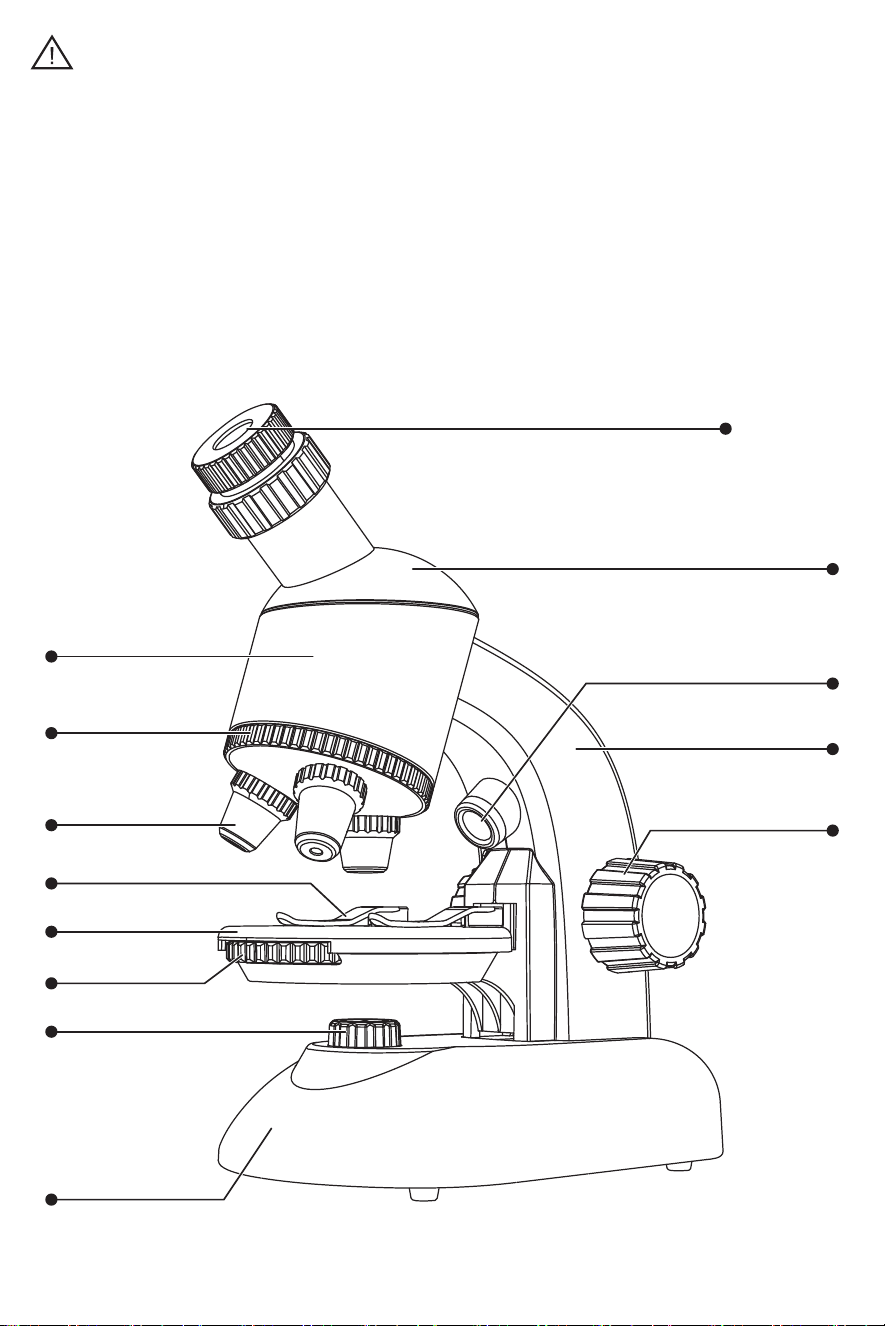
Nosepiece
Eyepiece barrel
Objective
(4x, 10x, 40x)
Clips
Stage
Filter wheel
Lower light source
Base
Adjustment knob of
light source height
360° horizontal rotating eyepiece
Upper light source
Arm
Eyepiece (10x, 16x)
PRODUCT PARTS
All packaging materials, such as tapes, plastic sheets, binding wires and
labels, are not part of the product and are not suitable for children to play with.
For the safety of your child, please handle packaging materials properly,
The user manual contains important information, please keep it for later use.
WARNING:
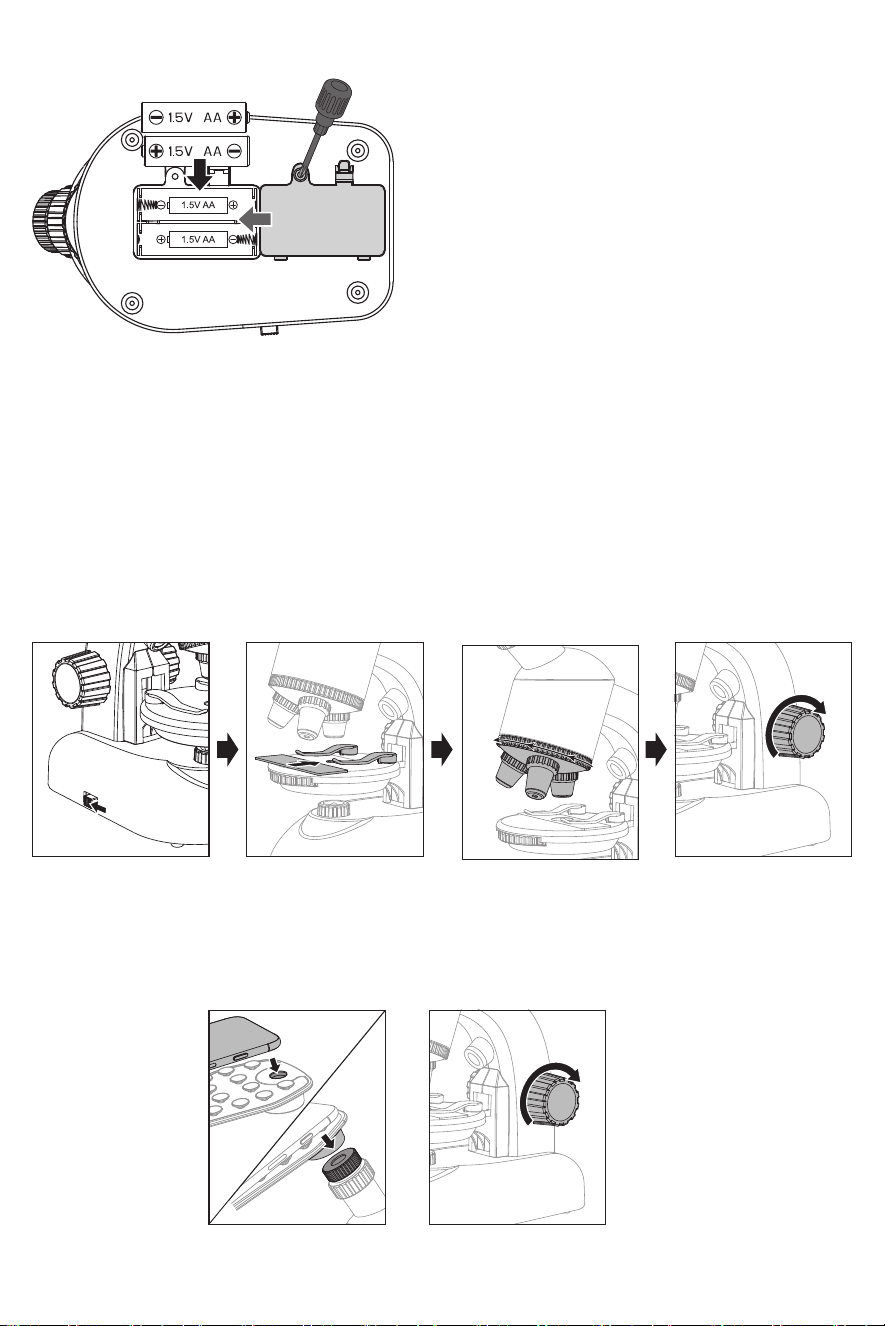
1. Use a screwdriver to open the battery cover.
2. Insert 2 × 1.5V “AA” batteries with the correct
polarity. Replace the battery cover and tighten
the screw.
1. Alkaline, carbon and zinc battery can be used.
Do not mix alkaline standard (carbon-zinc) , or
rechargeable (nickel-cadmium) battery.
2. Non-rechargeable battery are not to be recharged.
3. For electric toys using rechargeable battery, the
battery should be charged under adult supervision.
4. The rechargeable battery should be removed from
the toy before charging.
5. Different types of battery or new and used battery
are not to be mixed.
6. Battery are to be inserted with the correct polarity
(+ and-).
7. Exhausted battery are to be removed from the toy.
8. The supply terminals are not to be short-circuited.
9. Remove the battery when not in use for a long time.
10. Don’t put the battery in the fire.
Turn ON the power switch located on the bottom. Place the specimen slide on the stage and hold it in
position with the clips. The object should be located directly over the illumination. Rotate the objective
nosepiece to select the required magnification and turn the eyepiece adjusting knob to bring the image
into focus until the image appears clear.
1. DESKTOP MODE
NOTE FOR BATTERY USAGE:
Fix your smartphone on the smartphone holder and make sure that the camera lens is directly over
the hole in the holder base plate. Attach the smartphone holder to the microscope. Turn on the camera
and turn the eyepiece adjusting knob to bring the image into focus until the image appears clear.
2. SMARTPHONE MODE
BATTERY INSTALLATION
INSTRUCTIONS
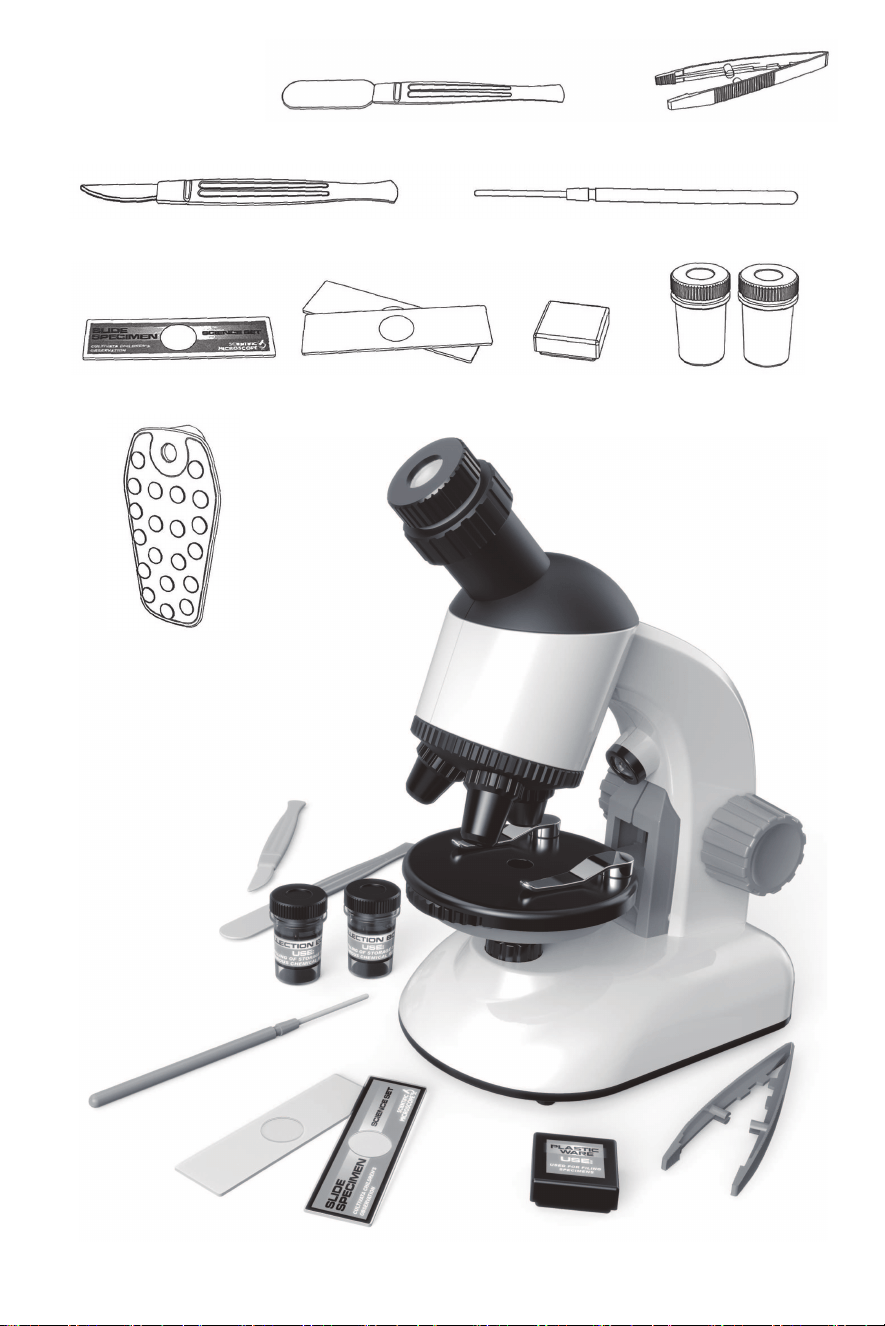
CONTENTS
Spatula x 1 Tweezer x 1
Scapel x 1 Needle x 1
Prepared slide x 1 Blank slide x 2 Storage case x 1 Collection Vial x 2
Mobile phone holder x 1
www.Jupitercreations.com