
Outdoor Guidance LED Screen
User Manual
Outdoor Guidance LED Screen User Manual
i
Legal Information
© 2022 Hangzhou Hikvision Digital Technology Co., Ltd. All rights reserved.
About this Manual
The Manual includes instructions for using and managing the Product. Pictures, charts, images and
all other information hereinafter are for description and explanation only. The information
contained in the Manual is subject to change, without notice, due to firmware updates or other
reasons. Please find the latest version of this Manual at the Hikvision website
(https://www.hikvision.com/).
Please use this Manual with the guidance and assistance of professionals trained in supporting the
Product.
Trademarks
and other Hikvision's trademarks and logos are the properties of
Hikvision in various jurisdictions.
Other trademarks and logos mentioned are the properties of their respective owners.
Disclaimer
TO THE MAXIMUM EXTENT PERMITTED BY APPLICABLE LAW, THIS MANUAL AND THE PRODUCT
DESCRIBED, WITH ITS HARDWARE, SOFTWARE AND FIRMWARE, ARE PROVIDED "AS IS" AND
"WITH ALL FAULTS AND ERRORS". HIKVISION MAKES NO WARRANTIES, EXPRESS OR IMPLIED,
INCLUDING WITHOUT LIMITATION, MERCHANTABILITY, SATISFACTORY QUALITY, OR FITNESS FOR
A PARTICULAR PURPOSE. THE USE OF THE PRODUCT BY YOU IS AT YOUR OWN RISK. IN NO EVENT
WILL HIKVISION BE LIABLE TO YOU FOR ANY SPECIAL, CONSEQUENTIAL, INCIDENTAL, OR INDIRECT
DAMAGES, INCLUDING, AMONG OTHERS, DAMAGES FOR LOSS OF BUSINESS PROFITS, BUSINESS
INTERRUPTION, OR LOSS OF DATA, CORRUPTION OF SYSTEMS, OR LOSS OF DOCUMENTATION,
WHETHER BASED ON BREACH OF CONTRACT, TORT (INCLUDING NEGLIGENCE), PRODUCT
LIABILITY, OR OTHERWISE, IN CONNECTION WITH THE USE OF THE PRODUCT, EVEN IF HIKVISION
HAS BEEN ADVISED OF THE POSSIBILITY OF SUCH DAMAGES OR LOSS.
YOU ACKNOWLEDGE THAT THE NATURE OF THE INTERNET PROVIDES FOR INHERENT SECURITY
RISKS, AND HIKVISION SHALL NOT TAKE ANY RESPONSIBILITIES FOR ABNORMAL OPERATION,
PRIVACY LEAKAGE OR OTHER DAMAGES RESULTING FROM CYBER-ATTACK, HACKER ATTACK,
VIRUS INFECTION, OR OTHER INTERNET SECURITY RISKS; HOWEVER, HIKVISION WILL PROVIDE
TIMELY TECHNICAL SUPPORT IF REQUIRED.
YOU AGREE TO USE THIS PRODUCT IN COMPLIANCE WITH ALL APPLICABLE LAWS, AND YOU ARE
SOLELY RESPONSIBLE FOR ENSURING THAT YOUR USE CONFORMS TO THE APPLICABLE LAW.
ESPECIALLY, YOU ARE RESPONSIBLE, FOR USING THIS PRODUCT IN A MANNER THAT DOES NOT
INFRINGE ON THE RIGHTS OF THIRD PARTIES, INCLUDING WITHOUT LIMITATION, RIGHTS OF
PUBLICITY, INTELLECTUAL PROPERTY RIGHTS, OR DATA PROTECTION AND OTHER PRIVACY RIGHTS.
YOU SHALL NOT USE THIS PRODUCT FOR ANY PROHIBITED END-USES, INCLUDING THE
DEVELOPMENT OR PRODUCTION OF WEAPONS OF MASS DESTRUCTION, THE DEVELOPMENT OR

Outdoor Guidance LED Screen User Manual
ii
PRODUCTION OF CHEMICAL OR BIOLOGICAL WEAPONS, ANY ACTIVITIES IN THE CONTEXT RELATED
TO ANY NUCLEAR EXPLOSIVE OR UNSAFE NUCLEAR FUEL-CYCLE, OR IN SUPPORT OF HUMAN
RIGHTS ABUSES.
IN THE EVENT OF ANY CONFLICTS BETWEEN THIS MANUAL AND THE APPLICABLE LAW, THE
LATTER PREVAILS.
Outdoor Guidance LED Screen User Manual
iii
Symbol Conventions
The symbols that may be found in this document are defined as follows.
Symbol
Description
Danger
Indicates a hazardous situation which, if not avoided, will or could
result in death or serious injury.
Caution
Indicates a potentially hazardous situation which, if not avoided,
could result in equipment damage, data loss, performance
degradation, or unexpected results.
Note
Provides additional information to emphasize or supplement
important points of the main text.

Outdoor Guidance LED Screen User Manual
iv
Contents
Chapter 1 Introduction ................................................................................................................... 1
1.1 Product Introduction ........................................................................................................ 1
1.2 Screen Type....................................................................................................................... 1
Chapter 2 Installation ..................................................................................................................... 3
2.1 Installation ........................................................................................................................ 3
Chapter 3 configuration.................................................................................................................. 4
3.1 Search Screen IP ................................................................................................................ 4
3.2 Change Screen IP............................................................................................................... 5
Outdoor Guidance LED Screen User Manual
1
Chapter 1 Introduction
1.1 Product Introduction
This document is a guide for Outdoor Guidance LED Screen installation and
configuration.
1.2 Screen Type
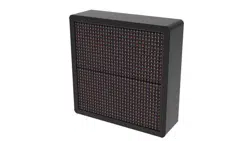
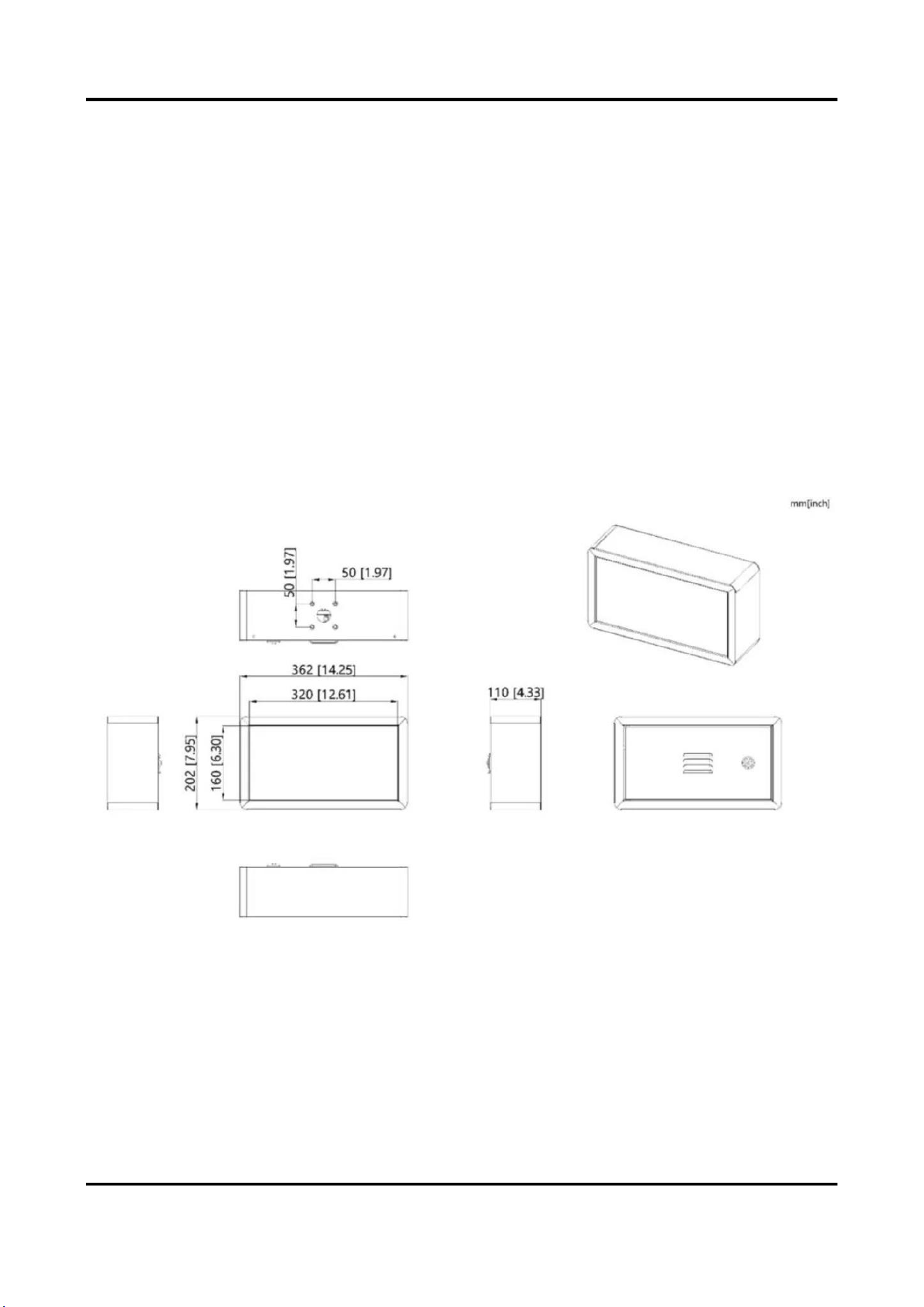
DS-TVL221-2-10P
Outdoor Guidance LED Screen, resolution 32*16, display 4 characters per row for
one row, support number, letter and arrow. Color support red, green and yellow.
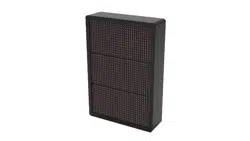
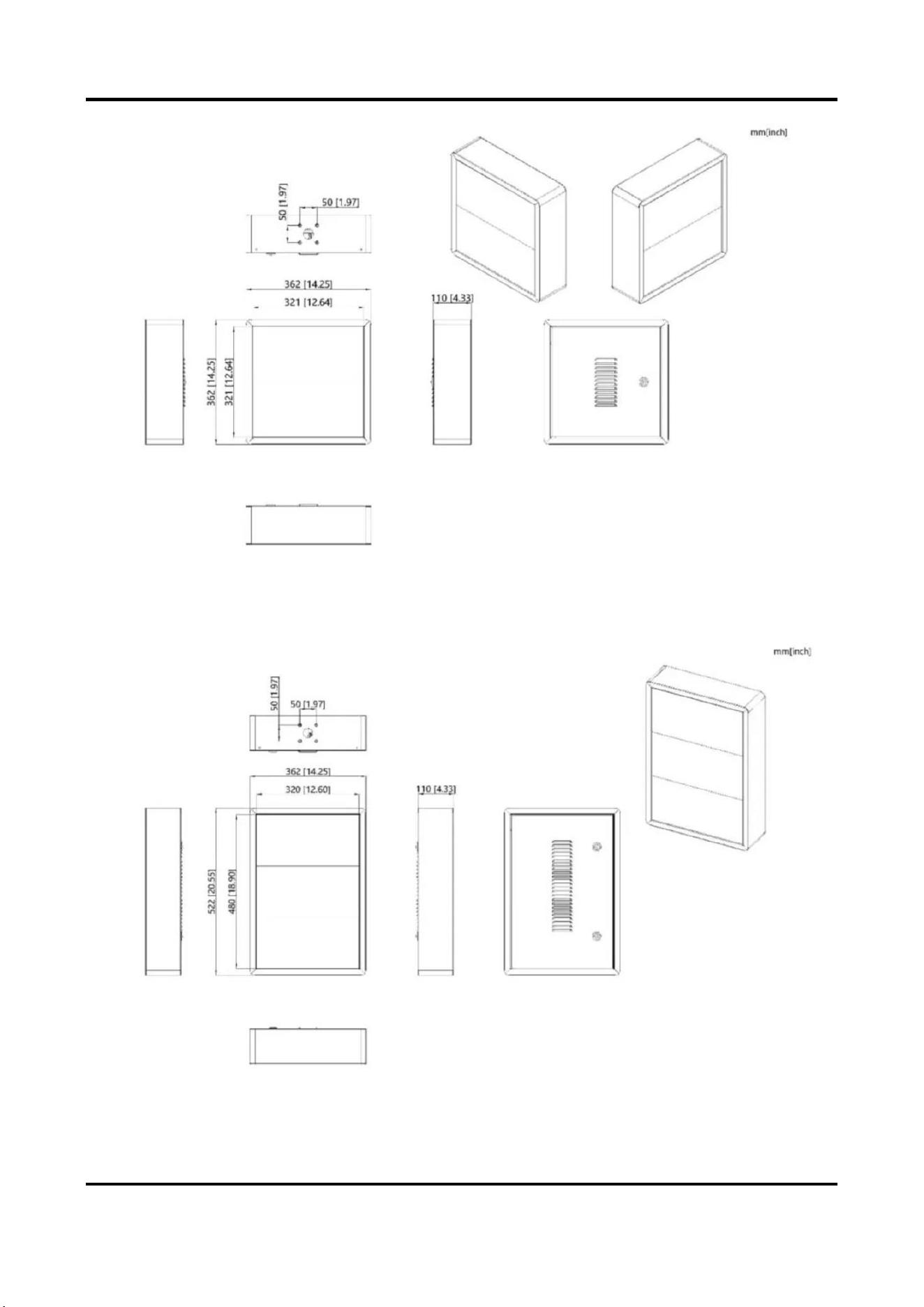
DS-TVL222-2-10P
Outdoor Guidance LED Screen, resolution 32*32, display 4 characters per row for
two rows, support number, letter and arrow. Color support red, green and yellow.
Outdoor Guidance LED Screen User Manual
2
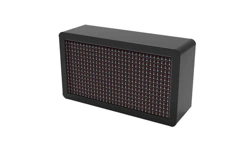
DS-TVL223-2-10P
Outdoor Guidance LED Screen, resolution 32*32, display 4 characters per row for
two rows, support number, letter and arrow. Color support red, green and yellow.
Outdoor Guidance LED Screen User Manual
3
Chapter 2 Installation
2.1 Installation
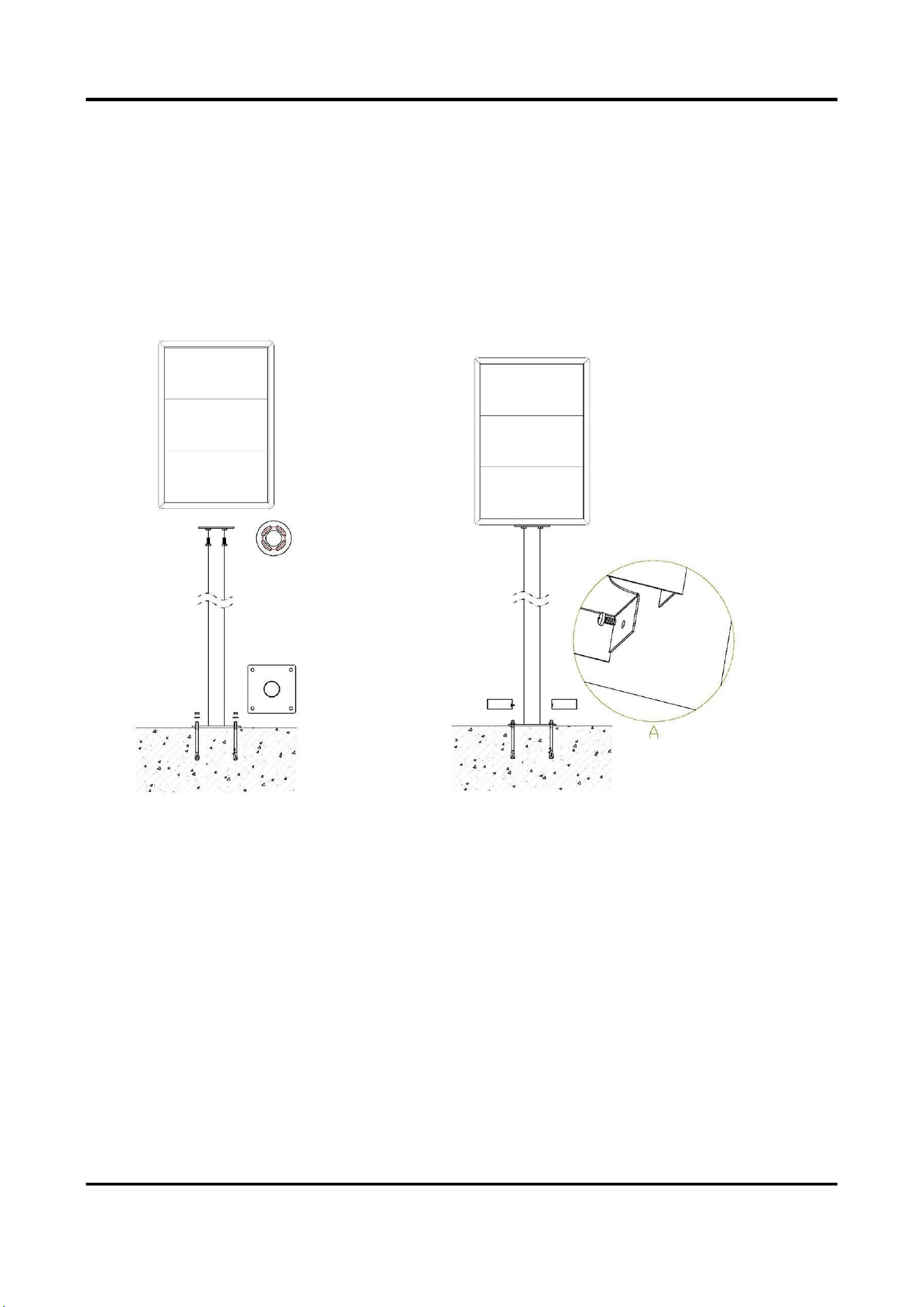
Here we take the installation of one type of screen for example
1. Connect the screen to the pole using four M8*25 bolts.
2. Drill four expansion bolt holes at the designated location (following the
fixed hole position at the bottom of the pole) and hammer four expansion bolts
into these holes (expansion bolt: M8*70 ×4).
3. Insert four expansion bolts into the holes at the bottom of the pole and
tighten them using nuts.
4. Position the left and right decorative plates on both sides of the bottom of
the pole, and secure them inside the decorative plates using screws.
5. Connect the power cord and the signal cable.
Outdoor Guidance LED Screen User Manual
4
Chapter 3 Configuration
After the installation completes, power on the LED screen, starting to configure
the LED screen
3.1 Search Screen IP
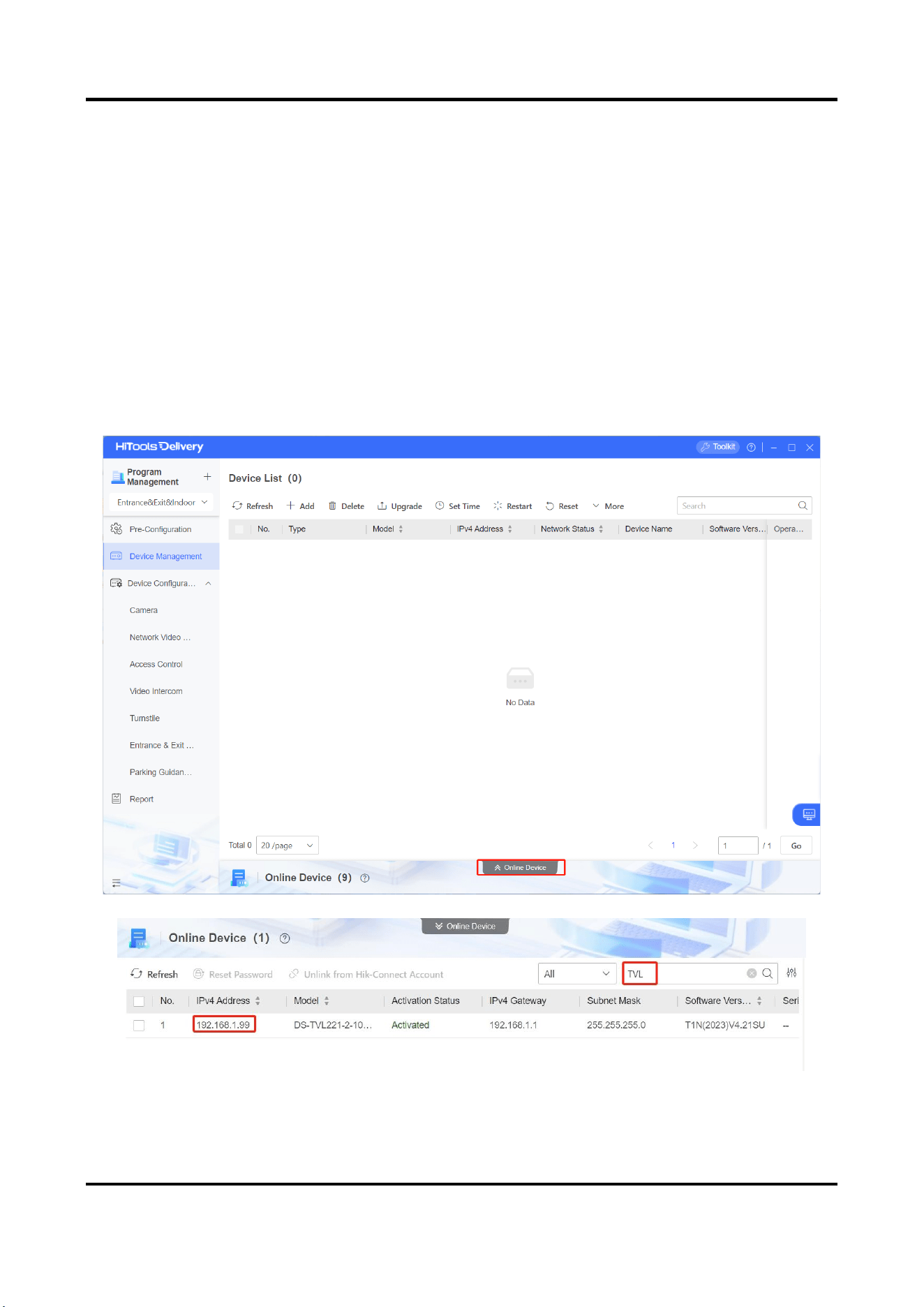
Opening the HiTools Delivery,choose Online Device, search the Outdoor Guidance
LED screen first.
The default IP about LED screen is 192.168.1.99
Outdoor Guidance LED Screen User Manual
5
3.2 Change Screen IP
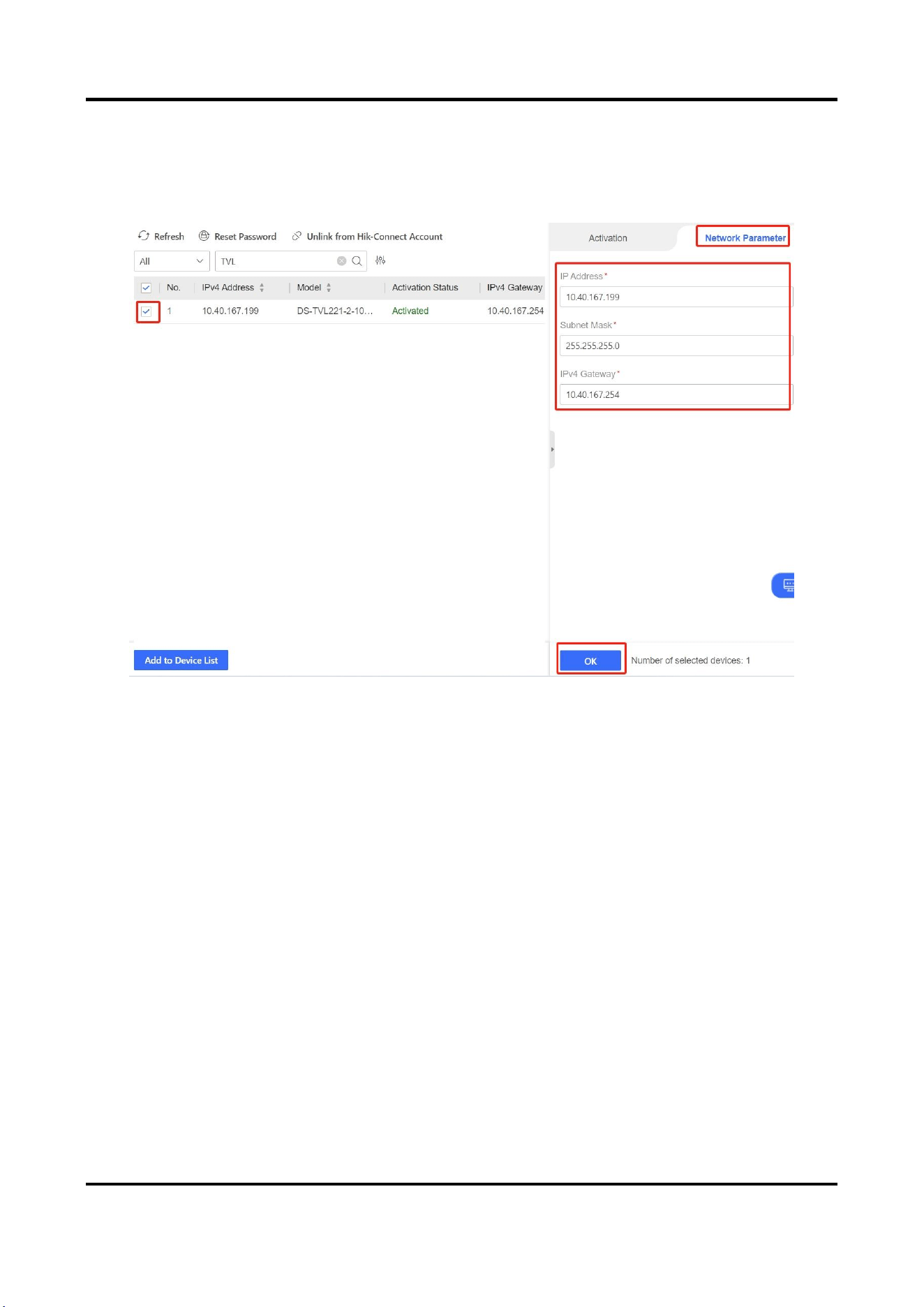
For changing the Outdoor Guidance LED screen IP, choose the device first, choose
Network Parameter, then change the IP address and IPv4 Gateway as requirement.