
2
General Information
Operating system requirements for Device Finder
• Windows: 7, 8, 8.1 and 10
• Apple Mac: macOS High Sierra (10.13), macOS Sierra (10.12), OS X El Capitan (10.11), OS X Yosemite
(10.10)
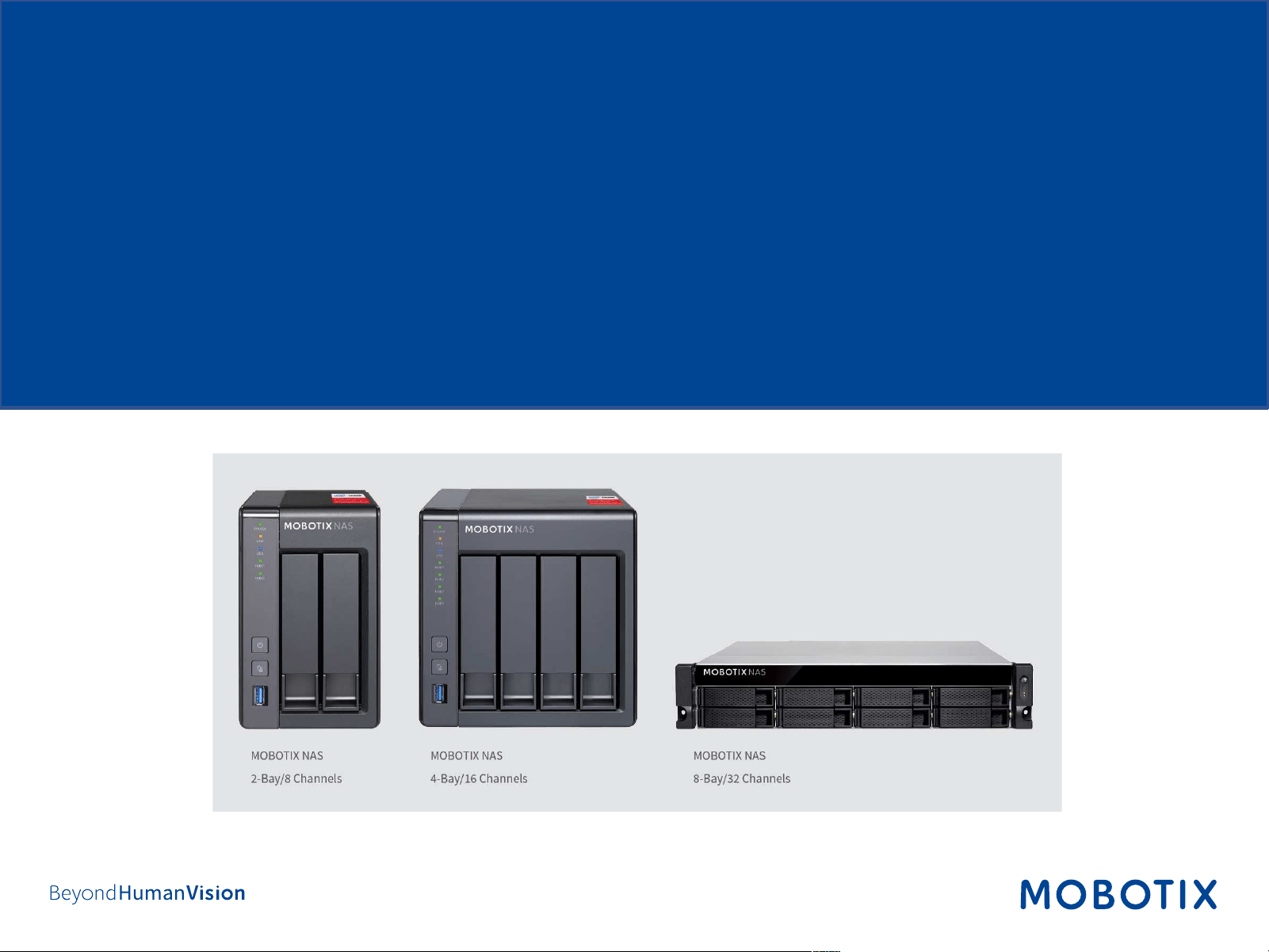
This document describes using Device Finder for the following MOBOTIX NAS models
IMPORTANT: We recommend updating all system components to the latest software releases. Please
download the latest releases of MxMC, MOBOTIX NAS, MOBOTIX MOVE, and MOBOTIX IoT cameras from the
MOBOTIX website
www.mobotix.com:
• Support > Download Center > Software Downloads
Video Tutorials are available from the MOBOTIX website www.mobotix.com:
• Support > Download Center > Documentation > Video Tutorials
The MOBOTIX NAS HDD Compatibility List is available from the MOBOTIX website
www.mobotix.com:
• Support > Download Center > Documentation > White Lists
Product Name
Item Number
Product Label
MOBOTIX NAS 2
-Bay/8 Channels
Mx
-S-NAS2a-8
251
-G
MOBOTIX NAS 4
-Bay/16 Channels
Mx
-S-NAS4A-16
451
-G
MOBOTIX NAS 8
-Bay/32 Channels
Mx
-S-NAS8A-32
873U
-G

3
Motivation
The Device Finder is an application for Apple and Windows computers that allows quick and easy configuration
of all MOBOTIX NAS devices on a network. It also provides for easy updates of the NAS operating system (QTS).
Main Features
• Find devices in the same network.
• Access NAS web interface.
• Mount NAS shares in Windows Explorer or Mac Finder.
• Provide detailed status overview of all NAS devices.
• Configure NAS devices (server name, date & time, access privileges, and network settings).
• Update NAS firmware (operating system).
4
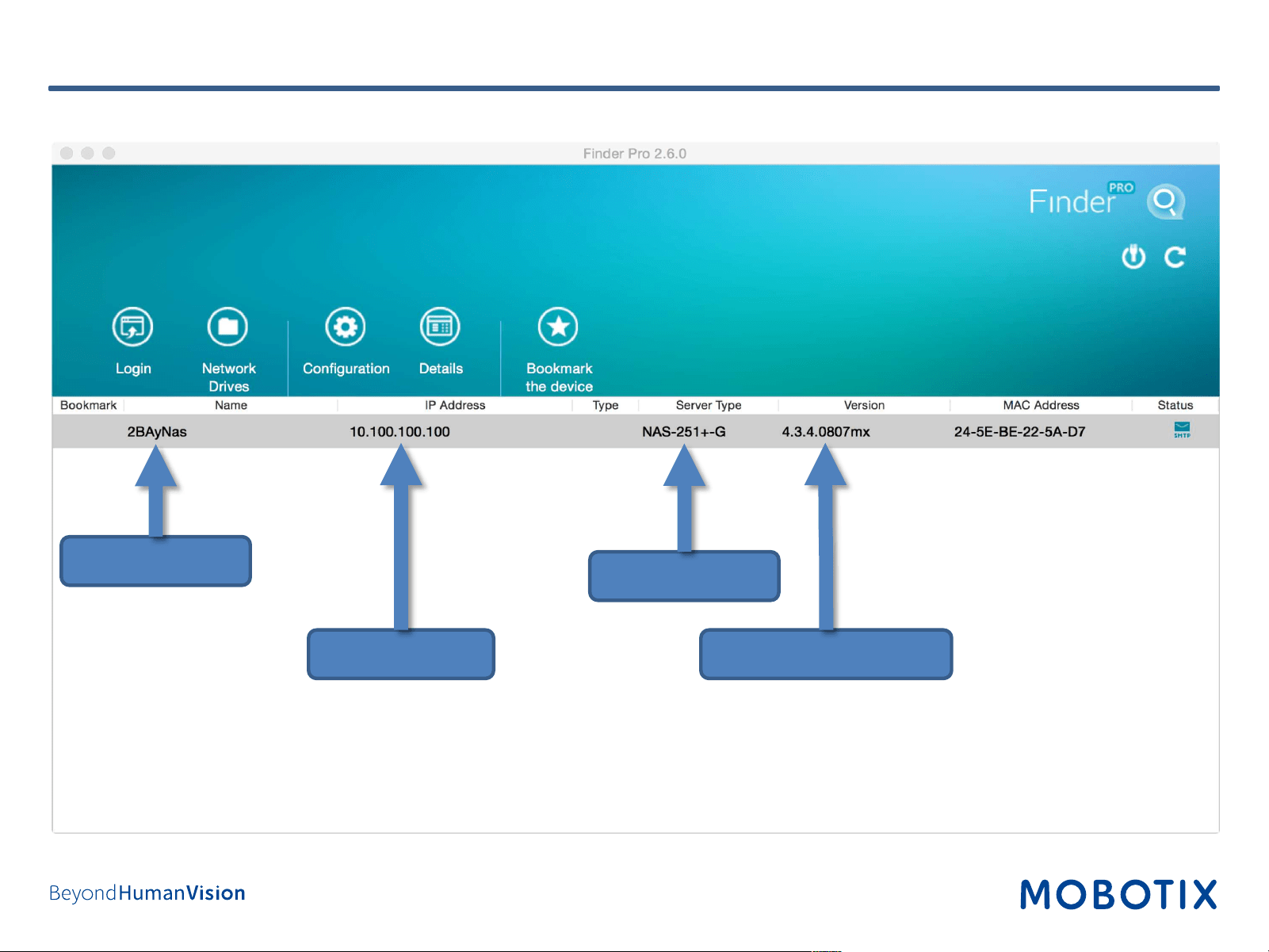
Device Finder Overview
NAS IP Address
NAS Name
Firmware release (QTS)
NAS Model

5
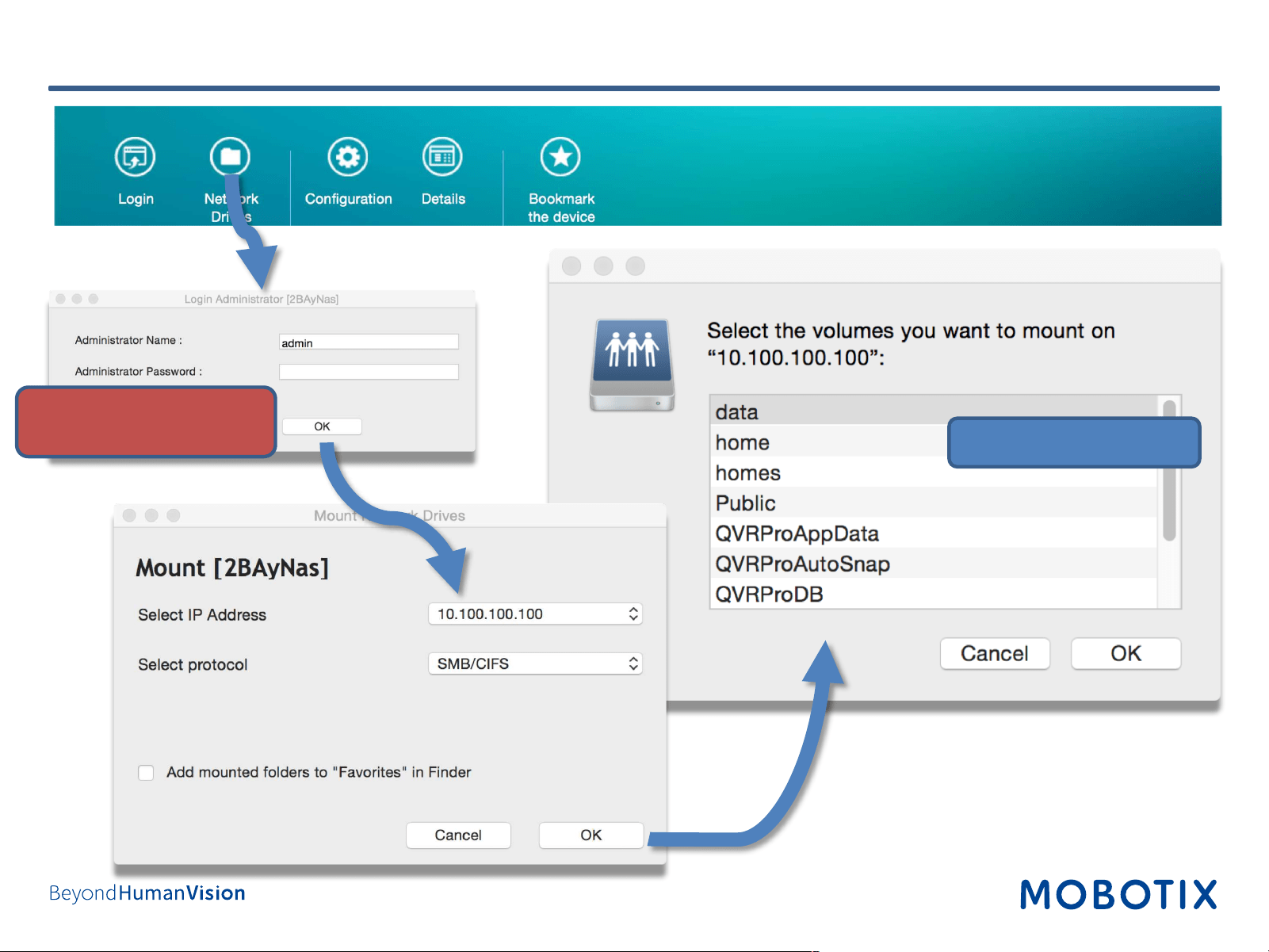
Device Finder – Open Web Interface
Default user: admin
Default password: admin
6
Device Finder – Mount Share (Apple)
Choose share, e.g., data
Default user: admin
Default password: admin
7
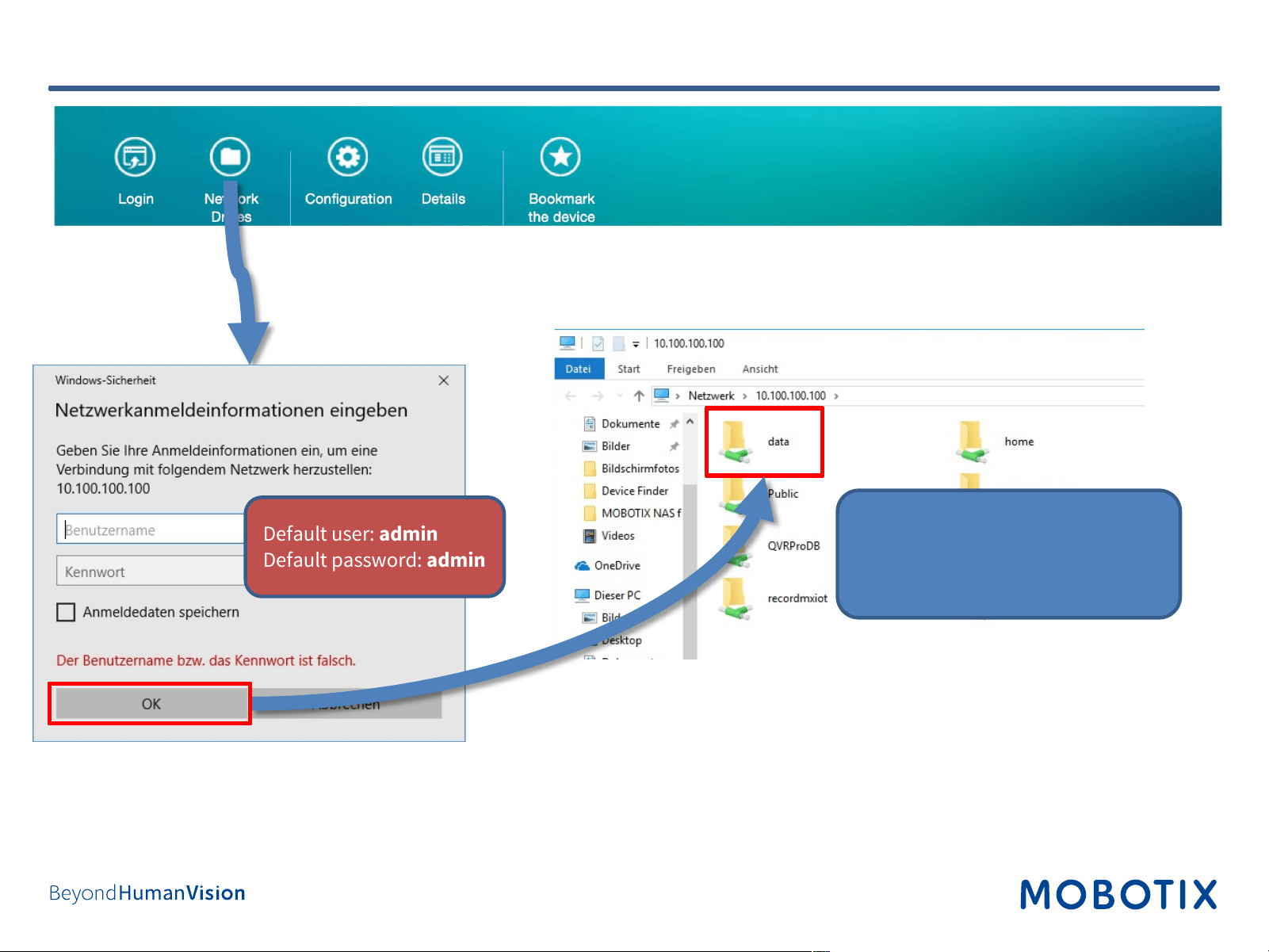
Device Finder – Mount Share (Windows)
1. Right-click on data.
2. Select Connect network
share in menu.
3. Assign a drive letter.
Default user: admin
Default password: admin
8
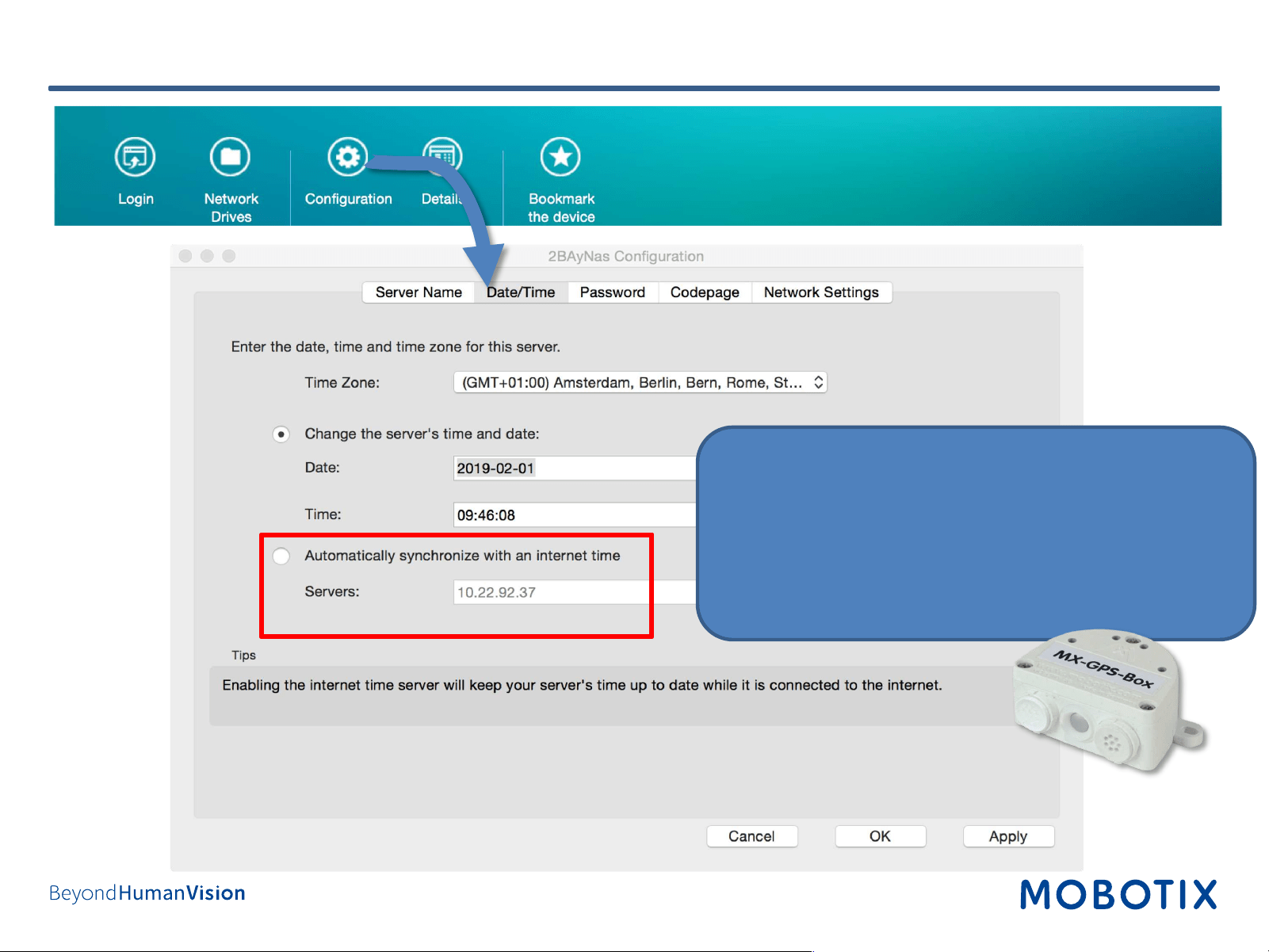
Device Finder – Basic Configuration (1)
Automatic time synchronization is highly recommended
for the MOBOTIX NAS and all other components of the
system! This will prevent problems with playing
back/exporting video.
Use NTP Server:
• Public NTP server (e.g., pool.ntp.org)
• MOBOTIX MX-GPS-Box (time signal from GPS satellites)
9
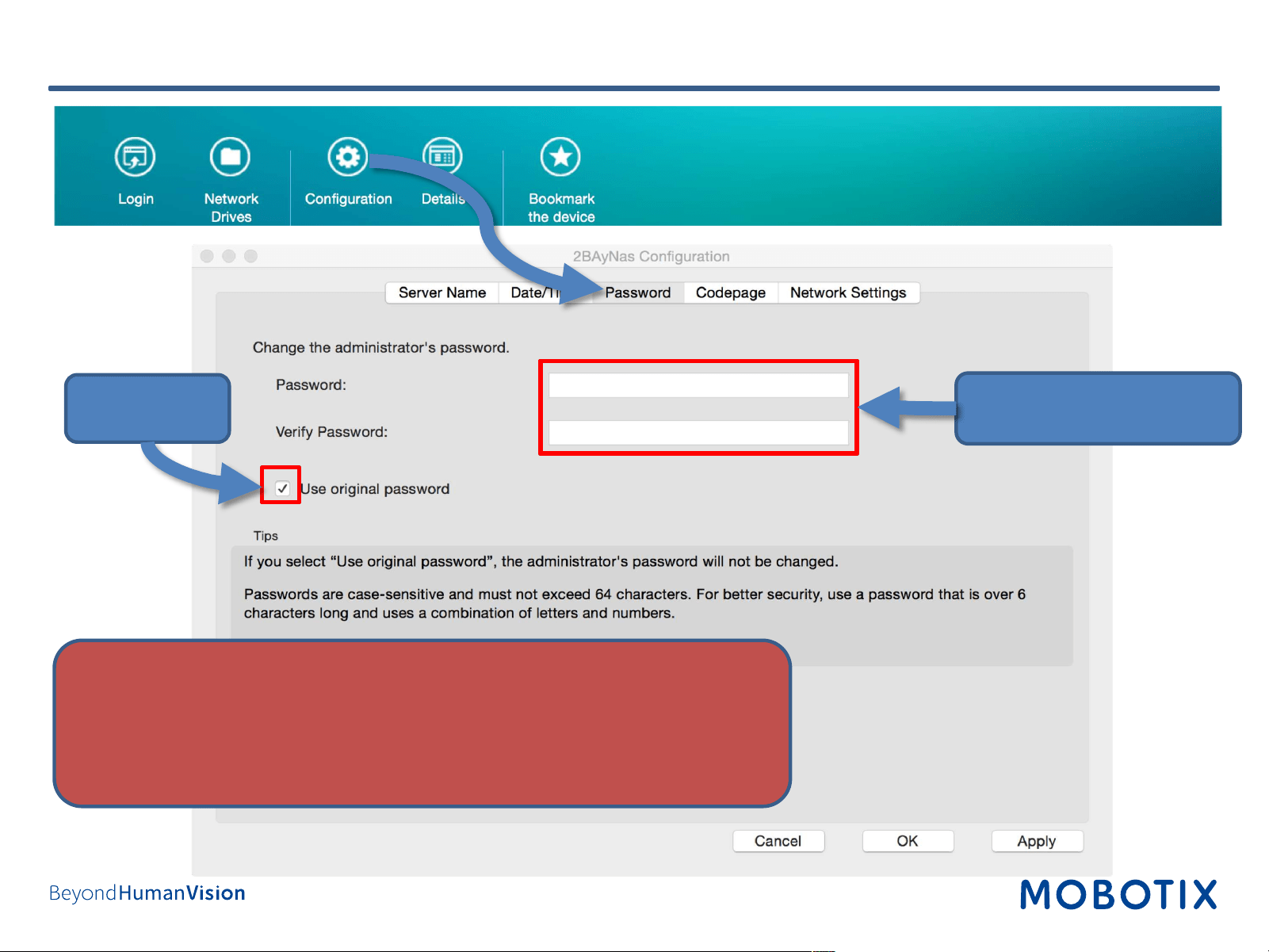
Device Finder – Basic Configuration (2)
NEVER use the default access privileges! Always make sure that you have
changed the default passwords to strong passwords (numbers, lower/upper
case letters, special characters)!
Deactivate!
1. Enter new password.
2. Confirm new password.
11
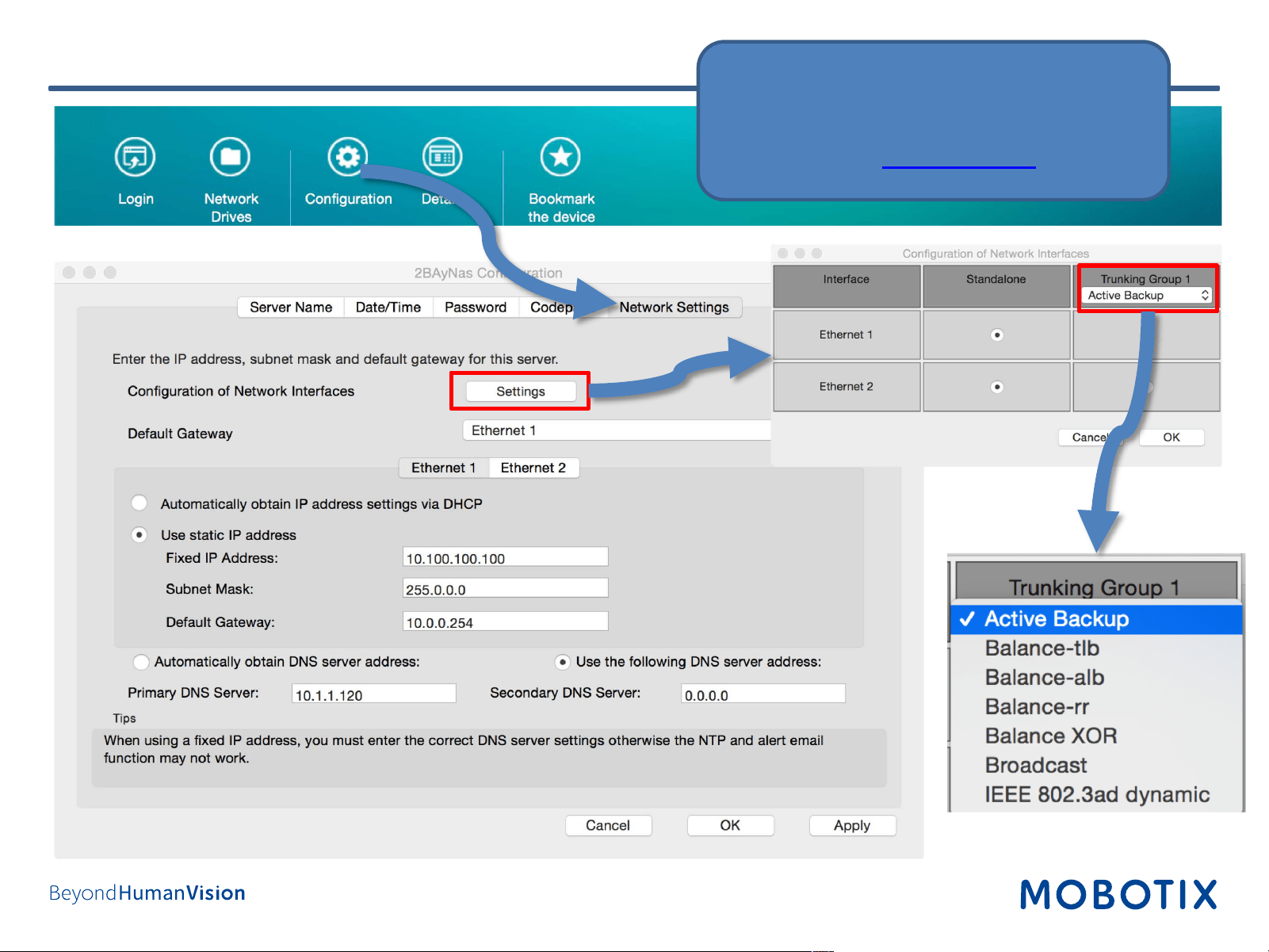
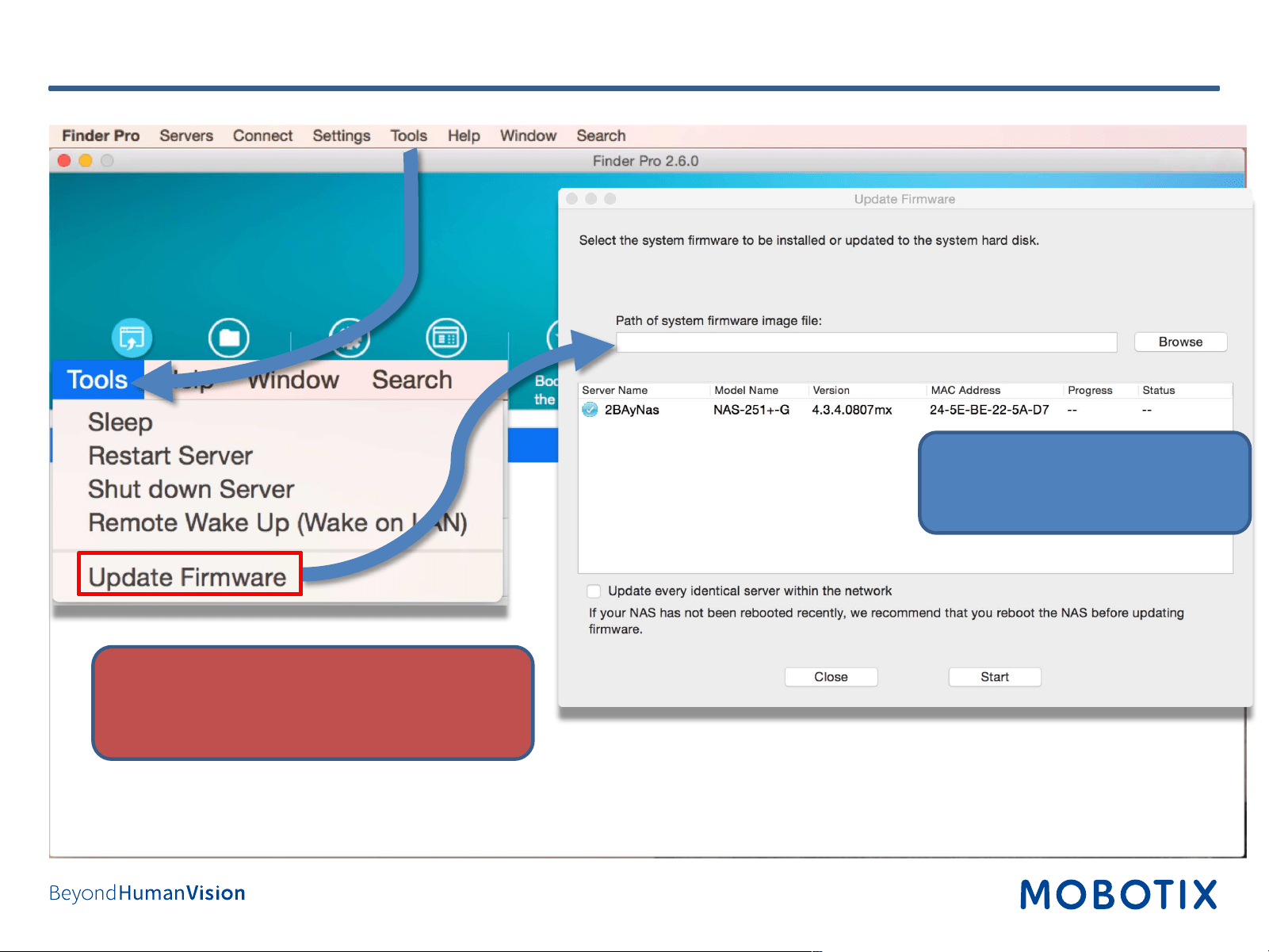
Device Finder – NAS Firmware Update
For network redundancy and
higher bandwidth use Port
Trunking !
Use the latest firmware release
downloaded from MOBOTIX
website!
Important!
Recording of MOVE/ONVIF cameras is
suspended while updating the NAS firmware!

12
Device Finder – Set Up Email Notification

13
Device Finder – General Application Settings
Disable automatic Device Finder
launch upon system start, if so
desired.

MOBOTIX AG
Kaiserstrasse
67722 Langmeil
Germany
+49 6302 9816-0
info@mobotix.com
www.mobotix.com
MOBOTIX, the MOBOTIX Logo, MxControlCenter, MxEasy, MxPEG, MxDisplay
and MxActivitySensor are trademarks of MOBOTIX AG registered in the
European Union, the U.S.A. and in other countries • Subject to change without
notice • MOBOTIX do not assume any liability for technical or editorial errors or
omissions contained herein • All rights reserved • © MOBOTIX AG