
RIGOL
Programming Guide
DSA800 Series Spectrum Analyzer
Aug. 2016
RIGOL TECHNOLOGIES, INC.


RIGOL
DSA800 Programming Guide I
Guaranty and Declaration
Copyright
© 2014 RIGOL TECHNOLOGIES, INC. All Rights Reserved.
Trademark Information
RIGOL is a registered trademark of RIGOL TECHNOLOGIES, INC.
Publication Number
PGD07104-1110
Software Version
DSA815:00.01.17
DSA832/DSA875:00.01.03
Software upgrade might change or add product features. Please acquire the latest version of the manual
from RIGOL website or contact RIGOL to upgrade the software.
Notices
RIGOL products are covered by P.R.C. and foreign patents, issued and pending.
RIGOL reserves the right to modify or change parts of or all the specifications and pricing policies at
the company’s sole decision.
Information in this publication replaces all previously released materials.
Information in this publication is subject to change without notice.
RIGOL shall not be liable for either incidental or consequential losses in connection with the furnishing,
use or performance of this manual as well as any information contained.
Any part of this document is forbidden to be copied, photocopied or rearranged without prior written
approval of RIGOL.
Product Certification
RIGOL guarantees that this product conforms to the national and industrial standards in China as well as
the ISO9001:2008 standard and the ISO14001:2004 standard. Other international standard conformance
certifications are in progress.
Contact Us
If you have any problem or requirement when using our products or this manual, please contact RIGOL.
E-mail: service@rigol.com
Website: www.rigol.com

RIGOL
II DSA800 Programming Guide
Safety Requirement
General Safety Summary
Please review the following safety precautions carefully before putting the instrument into operation so as
to avoid any personal injury or damage to the instrument and any product connected to it. To prevent
potential hazards, please follow the instructions specified in this manual to use the instrument properly.
Use Proper Power Cord.
Only the exclusive power cord designed for the instrument and authorized for use within the local country
could be used.
Ground the Instrument.
The instrument is grounded through the Protective Earth lead of the power cord. To avoid electric shock,
connect the earth terminal of the power cord to the Protective Earth terminal before connecting any input
or output terminals.
Connect the Probe Correctly.
If a probe is used, the probe ground lead must be connected to earth ground. Do not connect the ground
lead to high voltage. Improper way of connection could result in dangerous voltages being present on the
connectors, controls or other surfaces of the oscilloscope and probes, which will cause potential hazards for
operators.
Observe All Terminal Ratings.
To avoid fire or shock hazard, observe all ratings and markers on the instrument and check your manual for
more information about ratings before connecting the instrument.
Use Proper Overvoltage Protection.
Ensure that no overvoltage (such as that caused by a bolt of lightning) can reach the product. Otherwise,
the operator might be exposed to the danger of an electric shock.
Do Not Operate Without Covers.
Do not operate the instrument with covers or panels removed.
Do Not Insert Objects Into the Air Outlet.
Do not insert objects into the air outlet, as doing so may cause damage to the instrument.
Use Proper Fuse.
Please use the specified fuses.
Avoid Circuit or Wire Exposure.
Do not touch exposed junctions and components when the unit is powered on.
Do Not Operate With Suspected Failures.
If you suspect damage occurs to the instrument, have it inspected by RIGOL authorized personnel before
further operations. Any maintenance, adjustment or replacement especially to circuits or accessories must
be performed by RIGOL authorized personnel.
Provide Adequate Ventilation.
Inadequate ventilation may cause an increase of temperature in the instrument, which would cause
damage to the instrument. So please keep the instrument well ventilated and inspect the air outlet and the
fan regularly.
Do Not Operate in Wet Conditions.
To avoid short circuit inside the instrument or electric shock, never operate the instrument in a humid

RIGOL
DSA800 Programming Guide III
environment.
Do Not Operate in an Explosive Atmosphere.
To avoid personal injuries or damage to the instrument, never operate the instrument in an explosive
atmosphere.
Keep Instrument Surfaces Clean and Dry.
To avoid dust or moisture from affecting the performance of the instrument, keep the surfaces of the
instrument clean and dry.
Prevent Electrostatic Impact.
Operate the instrument in an electrostatic discharge protective environment to avoid damage induced by
static discharges. Always ground both the internal and external conductors of cables to release static before
making connections.
Use the Battery Properly.
Do not expose the battery (if available) to high temperature or fire.
Keep it out of the reach of children. Improper change of a battery (lithium battery) may cause an explosion.
Use the RIGOL specified battery only.
Handle with Caution.
Please handle with care during transportation to avoid damage to keys, knobs, interfaces and other parts
on the panels.
RIGOL
IV DSA800 Programming Guide
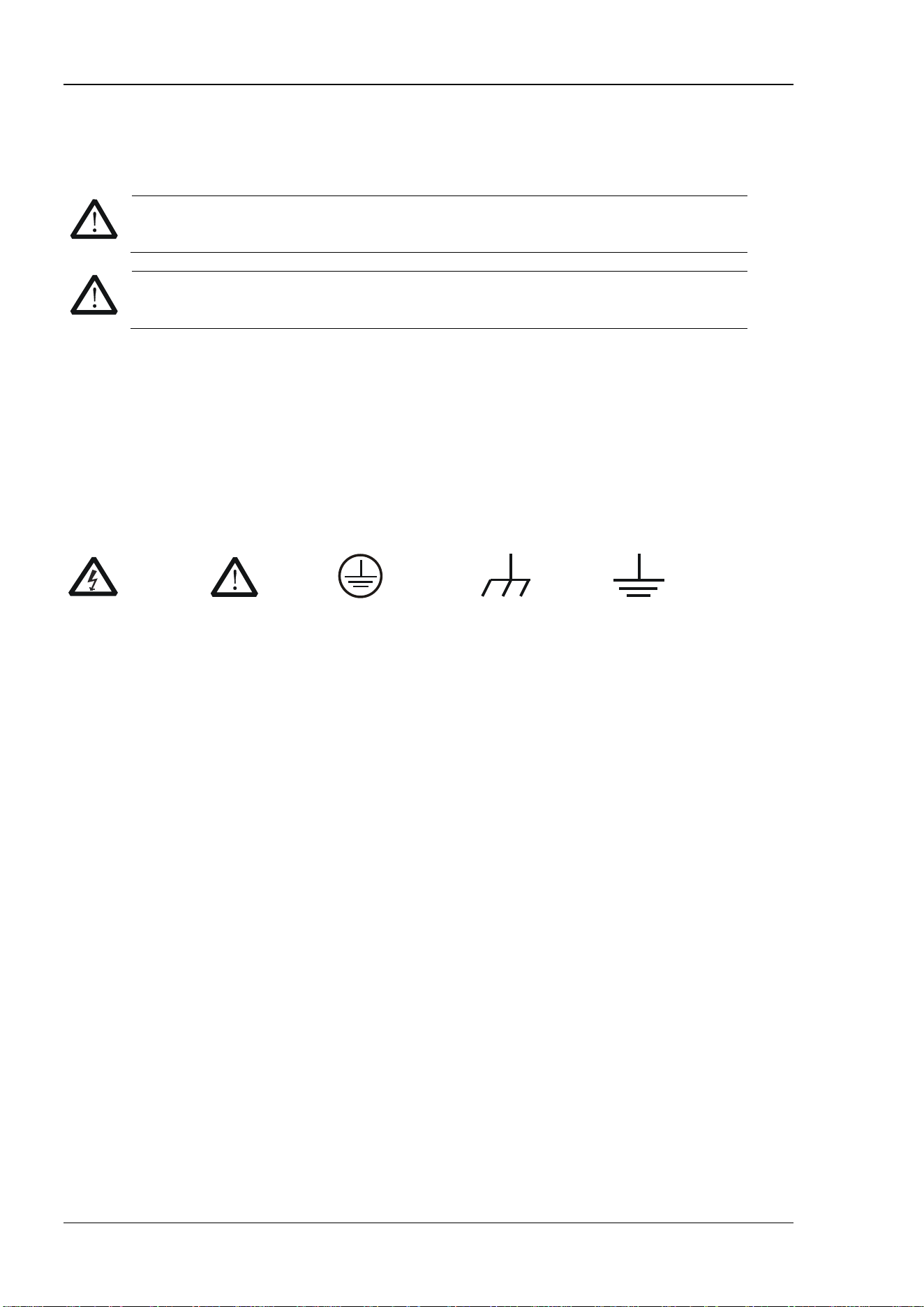
Safety Notices and Symbols
Safety Notices in this Manual:
WARNING
Indicates a potentially hazardous situation or practice which, if not avoided, will result in
serious injury or death.
CAUTION
Indicates a potentially hazardous situation or practice which, if not avoided, could result
in damage to the product or loss of important data.
Safety Terms on the Product:
DANGER
It calls attention to an operation, if not correctly performed, could result in injury or
hazard immediately.
WARNING
It calls attention to an operation, if not correctly performed, could result in potential
injury or hazard.
CAUTION
It calls attention to an operation, if not correctly performed, could result in damage
to the product or other devices connected to the product.
Safety Symbols on the Product:
Hazardous
Voltage
Safety
Warning
Protective
Earth
Terminal
Chassis
Ground
Test
Ground

RIGOL
DSA800 Programming Guide V
Allgemeine Sicherheits Informationen
Überprüfen Sie diefolgenden Sicherheitshinweise sorgfältigumPersonenschädenoderSchäden am
Gerätundan damit verbundenen weiteren Gerätenzu vermeiden. Zur Vermeidung vonGefahren, nutzen Sie
bitte das Gerät nur so, wiein diesem Handbuchangegeben.
Um Feuer oder Verletzungen zu vermeiden, verwenden Sie ein ordnungsgemäßes Netzkabel.
Verwenden Sie für dieses Gerät nur das für ihr Land zugelassene und genehmigte Netzkabel.
Erden des Gerätes.
Das Gerät ist durch den Schutzleiter im Netzkabel geerdet. Um Gefahren durch elektrischen Schlag zu
vermeiden, ist es unerlässlich, die Erdung durchzuführen. Erst dann dürfen weitere Ein- oder Ausgänge
verbunden werden.
Anschluss einesTastkopfes.
Die Erdungsklemmen der Sonden sindauf dem gleichen Spannungspegel des Instruments geerdet.
SchließenSie die Erdungsklemmen an keine hohe Spannung an.
Beachten Sie alle Anschlüsse.
Zur Vermeidung von Feuer oder Stromschlag, beachten Sie alle Bemerkungen und Markierungen auf dem
Instrument. Befolgen Sie die Bedienungsanleitung für weitere Informationen, bevor Sie weitere Anschlüsse
an das Instrument legen.
Verwenden Sie einen geeigneten Überspannungsschutz.
Stellen Sie sicher, daß keinerlei Überspannung (wie z.B. durch Gewitter verursacht) das Gerät erreichen
kann. Andernfallsbestehtfür den Anwender die GefahreinesStromschlages.
Nicht ohne Abdeckung einschalten.
Betreiben Sie das Gerät nicht mit entfernten Gehäuse-Abdeckungen.
Betreiben Sie das Gerät nicht geöffnet.
Der Betrieb mit offenen oder entfernten Gehäuseteilen ist nicht zulässig. Nichts in entsprechende
Öffnungen stecken (Lüfter z.B.)
Passende Sicherung verwenden.
Setzen Sie nur die spezifikationsgemäßen Sicherungen ein.
Vermeiden Sie ungeschützte Verbindungen.
Berühren Sie keine unisolierten Verbindungen oder Baugruppen, während das Gerät in Betrieb ist.
Betreiben Sie das Gerät nicht im Fehlerfall.
Wenn Sie am Gerät einen Defekt vermuten, sorgen Sie dafür, bevor Sie das Gerät wieder betreiben, dass
eine Untersuchung durch RIGOL autorisiertem Personal durchgeführt wird. Jedwede Wartung,
Einstellarbeiten oder Austausch von Teilen am Gerät, sowie am Zubehör dürfen nur von RIGOL
autorisiertem Personal durchgeführt werden.
Belüftung sicherstellen.
Unzureichende Belüftung kann zu Temperaturanstiegen und somit zu thermischen Schäden am Gerät
führen. Stellen Sie deswegen die Belüftung sicher und kontrollieren regelmäßig Lüfter und
Belüftungsöffnungen.
Nicht in feuchter Umgebung betreiben.
Zur Vermeidung von Kurzschluß im Geräteinneren und Stromschlag betreiben Sie das Gerät bitte niemals in
feuchter Umgebung.
Nicht in explosiver Atmosphäre betreiben.
Zur Vermeidung von Personen- und Sachschäden ist es unumgänglich, das Gerät ausschließlich fernab

RIGOL
VI DSA800 Programming Guide
jedweder explosiven Atmosphäre zu betreiben.
Geräteoberflächen sauber und trocken halten.
Um den Einfluß von Staub und Feuchtigkeit aus der Luft auszuschließen, halten Sie bitte die
Geräteoberflächen sauber und trocken.
Schutz gegen elektrostatische Entladung (ESD).
Sorgen Sie für eine elektrostatisch geschützte Umgebung, um somit Schäden und Funktionsstörungen
durch ESD zu vermeiden. Erden Sie vor dem Anschluß immer Innen- und Außenleiter der
Verbindungsleitung, um statische Aufladung zu entladen.
Die richtige Verwendung desAkku.
Wenneine Batterieverwendet wird, vermeiden Sie hohe Temperaturen bzw. Feuer ausgesetzt werden.
Bewahren Sie es außerhalbder Reichweitevon Kindern auf. UnsachgemäßeÄnderung derBatterie
(Anmerkung: Lithium-Batterie) kann zu einer Explosion führen. VerwendenSie nur von RIGOL
angegebenenAkkus.
Sicherer Transport.
Transportieren Sie das Gerät sorgfältig (Verpackung!), um Schäden an Bedienelementen, Anschlüssen und
anderen Teilen zu vermeiden.
RIGOL
DSA800 Programming Guide VII
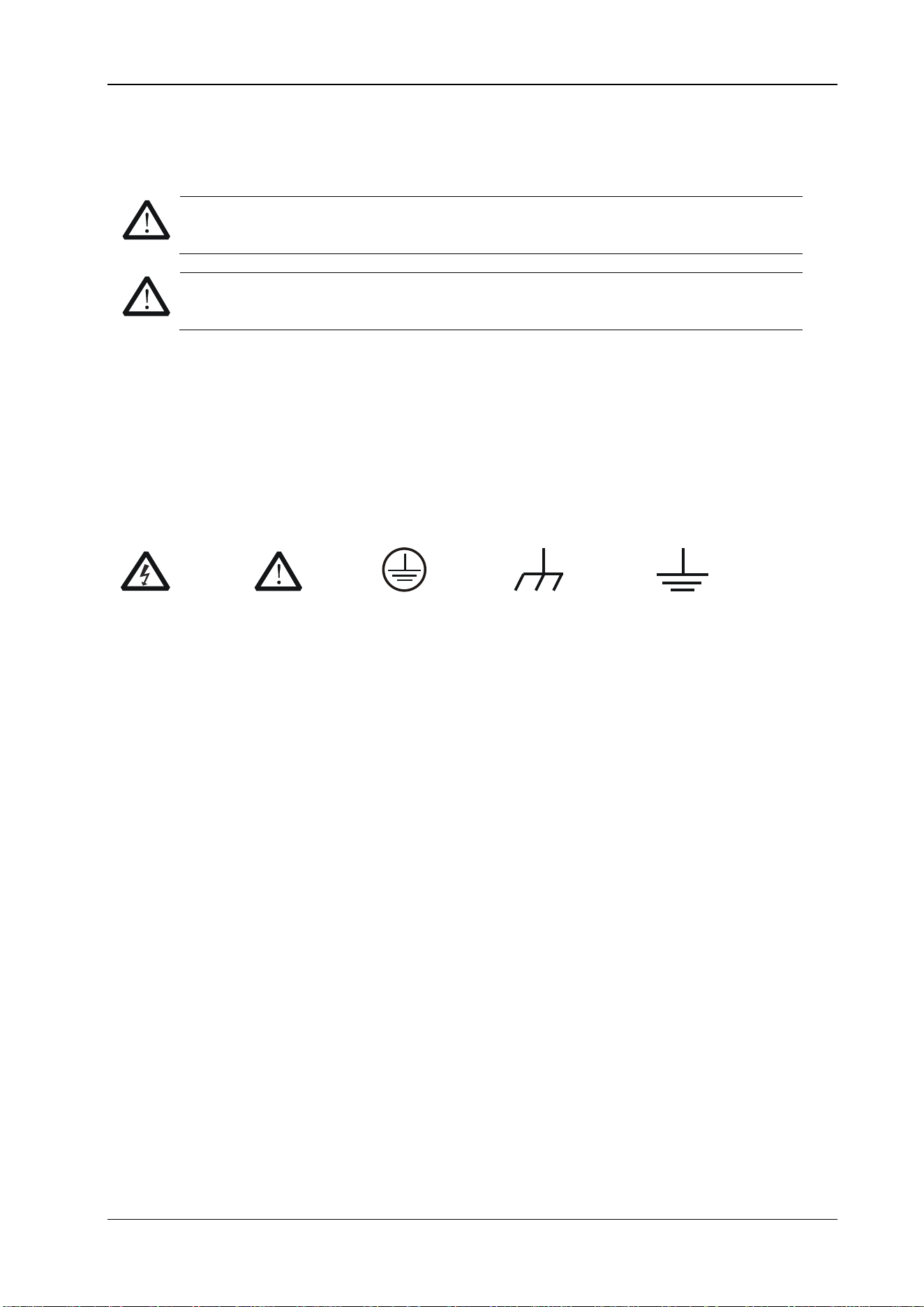
Sicherheits Begriffe und Symbole
Begriffe in diesem Guide:
WARNING
Die Kennzeichnung WARNING beschreibt Gefahrenquellen die leibliche Schäden oder den
Tod von Personen zur Folge haben können.
CAUTION
Die Kennzeichnung Caution (Vorsicht) beschreibt Gefahrenquellen die Schäden am Gerät
hervorrufen können.
Begriffe auf dem Produkt:
DANGER
weist auf eine Verletzung oder Gefährdung hin, die sofort geschehen kann.
WARNING
weist auf eine Verletzung oder Gefährdung hin, die möglicherweise nicht sofort
geschehen.
CAUTION
weist auf eine Verletzung oder Gefährdung hin und bedeutet, dass eine mögliche
Beschädigung des Instruments oder anderer Gegenstände auftreten kann.
Symbole auf dem Produkt:
Gefährliche
Spannung
Sicherheits-
Hinweis
Schutz-erde Gehäusemasse Erde
RIGOL
VIII DSA800 Programming Guide
Document Overview
This manual introduces how to program and control RIGOL DSA800 series spectrum analyzer using SCPI
commands through USB, LAN or GPIB (via USB-GPIB interface converter) interface.
Main Topics in this Manual:
Chapter 1 SCPI Overview
This chapter provides a brief introduction of the SCPI commands.
Chapter 2 Command System
This chapter introduces the syntax, function, parameter and using instruction of each DSA800 command in
alphabetical order (from A to Z).
Chapter 3 Programming Demos
This chapter introduces how to program and control DSA800 using development tools, such as Visual C++,
Visual Basic and LabVIEW.
Tip
The latest version of this manual can be downloaded from www.rigol.com.
Format Conventions in this Manual:
1. Key:
The key at the front panel is denoted by the format of "Key Name (Bold) +Text Box" in the manual. For
example, FREQ denotes the FREQ key.
2. Menu:
The menu is denoted by the format of "Menu Word (Bold) + Character Shading" in the manual. For
example, Center Freq denotes the center frequency menu item under the FREQ function key.
3. Connector:
The connector at the front or rear panel is denoted by the format of "Connector Name (Bold) + Square
Brackets (Bold)" in the manual. For example, [GEN OUTPUT 50Ω].
4. Operation step:
The operation for the next step is denoted by an arrow "" in the manual. For example, FREQ
Center Freq denotes that you first press FREQ on the front panel and then press Center Freq.
Content Conventions in this Manual:
DSA800 series spectrum analyzer includes the following six models. The introductions of the DSA800 series
commands in this manual are based on DSA875, unless otherwise noted.
Model
Frequency Range
Tracking Generator
DSA815 9 kHz to 1.5 GHz None
DSA832 9 kHz to 3.2 GHz None
DSA875
9 kHz to 7.5 GHz
None
DSA815-TG 9 kHz to 1.5 GHz 1.5 GHz
DSA832-TG
9 kHz to 3.2 GHz
3.2 GHz
DSA875-TG 9 kHz to 7.5 GHz 7.5 GHz

Contents RIGOL
DSA800 编程手册 IX
Contents
Guaranty and Declaration ......................................................................................................... I
Safety Requirement .................................................................................................................. II
General Safety Summary ............................................................................................................. II
Safety Notices and Symbols ......................................................................................................... IV
Allgemeine Sicherheits Informationen ........................................................................................... V
Sicherheits Begriffe und Symbole ............................................................................................... VII
Document Overview ............................................................................................................. VIII
Chapter 1 SCPI Overview .................................................................................................... 1-1
Syntax ..................................................................................................................................... 1-2
Symbol Description ................................................................................................................... 1-2
Parameter Type ........................................................................................................................ 1-3
Command Abbreviation ............................................................................................................. 1-3
Chapter 2 Command System ............................................................................................... 2-1
:ABORt..................................................................................................................................... 2-2
:CALCulate Subsystem .............................................................................................................. 2-2
:CALCulate:BANDwidth:NDB ............................................................................................... 2-4
:CALCulate:BANDwidth:RESult?........................................................................................... 2-4
:CALCulate:LLINe:ALL:DELete ............................................................................................. 2-4
:CALCulate:LLINe:CONTrol:DOMain ..................................................................................... 2-5
:CALCulate:LLINe:FAIL? ...................................................................................................... 2-5
:CALCulate:LLINe:FAIL:RATIo?............................................................................................ 2-6
:CALCulate:LLINe:FAIL:STOP:STATe .................................................................................... 2-6
:CALCulate:LLINe<n>:CONTrol:INTerpolate:TYPE ................................................................ 2-7
:CALCulate:LLINe<n>:DATA ............................................................................................... 2-7
:CALCulate:LLINe<n>:DATA:MERGe ................................................................................... 2-8
:CALCulate:LLINe<n>:DELete ............................................................................................ 2-9
:CALCulate:LLINe<n>:RELAmpt[:STATe] ............................................................................. 2-9
:CALCulate:LLINe<n>:RELFreq[:STATe] ............................................................................ 2-10
:CALCulate:LLINe<n>:STATe ............................................................................................ 2-10
:CALCulate:MARKer:AOFF ................................................................................................. 2-11
:CALCulate:MARKer:FCOunt:RESolution ............................................................................. 2-11
:CALCulate:MARKer:FCOunt:RESolution:AUTO ................................................................... 2-12
:CALCulate:MARKer:FCOunt:X? ......................................................................................... 2-12
:CALCulate:MARKer:FCOunt[:STATe] ................................................................................. 2-13
:CALCulate:MARKer<n>:CPEak[:STATe] ............................................................................ 2-13
:CALCulate:MARKer<n>:DELTa[:SET]:CENTer .................................................................... 2-14
:CALCulate:MARKer<n>:DELTa[:SET]:SPAN ....................................................................... 2-14
:CALCulate:MARKer<n>:FUNCtion .................................................................................... 2-15
:CALCulate:MARKer<n>:MAXimum:LEFT ........................................................................... 2-15
:CALCulate:MARKer<n>:MAXimum:MAX ............................................................................ 2-16
:CALCulate:MARKer<n>:MAXimum:NEXT .......................................................................... 2-16
:CALCulate:MARKer<n>:MAXimum:RIGHt ......................................................................... 2-16
:CALCulate:MARKer<n>:MINimum .................................................................................... 2-17
:CALCulate:MARKer<n>:MODE ......................................................................................... 2-17
:CALCulate:MARKer<n>:PEAK:EXCursion .......................................................................... 2-18
:CALCulate:MARKer<n>:PEAK:SEARch:MODE .................................................................... 2-18
:CALCulate:MARKer<n>:PEAK[:SET]:CF ............................................................................ 2-19
:CALCulate:MARKer<n>:PEAK:THReshold ......................................................................... 2-19
:CALCulate:MARKer<n>:PTPeak ....................................................................................... 2-20
:CALCulate:MARKer<n>[:SET]:CENTer .............................................................................. 2-20
:CALCulate:MARKer<n>[:SET]:RLEVel ............................................................................... 2-21
:CALCulate:MARKer<n>[:SET]:STARt ................................................................................ 2-21

RIGOL Contents
X DSA800 Programming Guide
:CALCulate:MARKer<n>[:SET]:STEP ................................................................................. 2-22
:CALCulate:MARKer<n>[:SET]:STOP ................................................................................. 2-22
:CALCulate:MARKer<n>:STATe .......................................................................................... 2-23
:CALCulate:MARKer<n>:TRACe ......................................................................................... 2-23
:CALCulate:MARKer<n>:TRACe:AUTO ............................................................................... 2-24
:CALCulate:MARKer<n>:VSRefl? ....................................................................................... 2-25
:CALCulate:MARKer<n>:VSValue? ..................................................................................... 2-25
:CALCulate:MARKer<n>:X ................................................................................................ 2-26
:CALCulate:MARKer<n>:X:CENTer ..................................................................................... 2-27
:CALCulate:MARKer<n>:X:POSition ................................................................................... 2-28
:CALCulate:MARKer<n>:X:POSition:CENTer ....................................................................... 2-28
:CALCulate:MARKer<n>:X:POSition:SPAN .......................................................................... 2-29
:CALCulate:MARKer<n>:X:POSition:STARt ......................................................................... 2-29
:CALCulate:MARKer<n>:X:POSition:STOP .......................................................................... 2-30
:CALCulate:MARKer<n>:X:READout .................................................................................. 2-30
:CALCulate:MARKer<n>:X:SPAN ....................................................................................... 2-31
:CALCulate:MARKer<n>:X:STARt....................................................................................... 2-31
:CALCulate:MARKer<n>:X:STOP ....................................................................................... 2-32
:CALCulate:MARKer<n>:Y? ............................................................................................... 2-33
:CALCulate:MARKer:TABLe:STATe ...................................................................................... 2-33
:CALCulate:MARKer:TRACking:STATe ................................................................................. 2-34
:CALCulate:NTData[:STATe] .............................................................................................. 2-34
:CALibration Subsystem ........................................................................................................... 2-35
:CALibration:[ALL] ............................................................................................................ 2-35
:CALibration:AUTO ............................................................................................................ 2-35
:CONFigure Subsystem ............................................................................................................ 2-36
:CONFigure? ..................................................................................................................... 2-36
:CONFigure:ACPower ........................................................................................................ 2-36
:CONFigure:CHPower ........................................................................................................ 2-37
:CONFigure:CNRatio ......................................................................................................... 2-37
:CONFigure:EBWidth......................................................................................................... 2-37
:CONFigure:HDISt ............................................................................................................ 2-38
:CONFigure:OBWidth ........................................................................................................ 2-38
:CONFigure:PF ................................................................................................................. 2-38
:CONFigure:SANalyzer ...................................................................................................... 2-38
:CONFigure:TOI ............................................................................................................... 2-39
:CONFigure:TPOWer ......................................................................................................... 2-39
:COUPle Subsystem ................................................................................................................. 2-40
:COUPle ........................................................................................................................... 2-40
:DISPlay Subsystem ................................................................................................................ 2-41
:DISPlay:AFUnction:POSition ............................................................................................. 2-42
:DISPlay:ANNotation:CLOCk[:STATe] ................................................................................. 2-42
:DISPlay:BRIGhtness ........................................................................................................ 2-43
:DISPlay:ENABle ............................................................................................................... 2-43
:DISPlay:MSGswitch:STATe ............................................................................................... 2-44
:DISPlay:UKEY:STATe ........................................................................................................ 2-44
:DISPlay:WINdow:TRACe:GRATicule:GRID ......................................................................... 2-45
:DISPlay:WINdow:TRACe:X[:SCALe]:SPACing .................................................................... 2-45
:DISPlay:WINdow:TRACe:Y:DLINe ..................................................................................... 2-46
:DISPlay:WINdow:TRACe:Y:DLINe:STATe ........................................................................... 2-46
:DISPlay:WINdow:TRACe:Y[:SCALe]:NRLevel ..................................................................... 2-47
:DISPlay:WINdow:TRACe:Y[:SCALe]:NRPosition ................................................................. 2-47
:DISPlay:WINdow:TRACe:Y[:SCALe]:PDIVision .................................................................. 2-48
:DISPlay:WINdow:TRACe:Y[:SCALe]:RLEVel....................................................................... 2-48
:DISPlay:WINdow:TRACe:Y[:SCALe]:RLEVel:OFFSet ........................................................... 2-49
:DISPlay:WINdow:TRACe:Y[:SCALe]:SPACing .................................................................... 2-49
:FETCh Subsystem .................................................................................................................. 2-50
:FETCh:ACPower? ............................................................................................................. 2-51

Contents RIGOL
DSA800 Programming Guide XI
:FETCh:ACPower:LOWer? ................................................................................................. 2-51
:FETCh:ACPower:MAIN? ................................................................................................... 2-52
:FETCh:ACPower:UPPer? .................................................................................................. 2-52
:FETCh:CHPower? ............................................................................................................ 2-53
:FETCh:CHPower:CHPower? .............................................................................................. 2-53
:FETCh:CHPower:DENSity? ............................................................................................... 2-54
:FETCh:CNRatio? .............................................................................................................. 2-54
:FETCh:CNRatio:CARRier?................................................................................................. 2-55
:FETCh:CNRatio:CNRatio? ................................................................................................. 2-55
:FETCh:CNRatio:NOISe? ................................................................................................... 2-56
:FETCh:EBWidth? ............................................................................................................. 2-56
:FETCh:HARMonics:AMPLitude:ALL? .................................................................................. 2-57
:FETCh:HARMonics:AMPLitude? <n> ................................................................................. 2-57
:FETCh:HARMonics[:DISTortion]? ...................................................................................... 2-58
:FETCh:HARMonics:FREQuency:ALL? ................................................................................. 2-58
:FETCh:HARMonics:FREQuency? <n> ............................................................................... 2-59
:FETCh:HARMonics:FUNDamental? .................................................................................... 2-59
:FETCh:OBWidth? ............................................................................................................ 2-60
:FETCh:OBWidth:OBWidth? .............................................................................................. 2-60
:FETCh:OBWidth:OBWidth:FERRor? .................................................................................. 2-61
:FETCh:TOIntercept? ........................................................................................................ 2-61
:FETCh:TOIntercept:IP3? .................................................................................................. 2-62
:FETCh:TPOWer? ............................................................................................................. 2-62
:FORMat Subsystem................................................................................................................ 2-63
:FORMat:BORDer ............................................................................................................. 2-63
:FORMat[:TRACe][:DATA] ................................................................................................. 2-64
:HCOPy Subsystem ................................................................................................................. 2-65
:HCOPy:ABORt ................................................................................................................. 2-65
:HCOPy:IMAGe:COLor[:STATe] .......................................................................................... 2-65
:HCOPy:IMAGe:FTYPe ...................................................................................................... 2-66
:HCOPy:IMAGe:INVert ...................................................................................................... 2-66
:HCOPy:IMAGe:PTIMe ...................................................................................................... 2-67
:HCOPy:IMAGe:QUALity ................................................................................................... 2-67
:HCOPy[:IMMediate] ........................................................................................................ 2-68
:HCOPy:PAGE:ORIentation ............................................................................................... 2-68
:HCOPy:PAGE:PRINts ....................................................................................................... 2-69
:HCOPy:PAGE:SIZE .......................................................................................................... 2-69
:HCOPy:RESume .............................................................................................................. 2-70
IEEE 488.2 Common Commands.............................................................................................. 2-71
*CLS ............................................................................................................................... 2-71
*ESE ............................................................................................................................... 2-71
*ESR? ............................................................................................................................. 2-72
*IDN? ............................................................................................................................. 2-72
*OPC ............................................................................................................................... 2-73
*RST ............................................................................................................................... 2-73
*SRE ............................................................................................................................... 2-73
*STB? ............................................................................................................................. 2-74
*TRG .............................................................................................................................. 2-74
*TST? ............................................................................................................................. 2-74
*WAI ............................................................................................................................... 2-74
:INITiate Subsystem ............................................................................................................... 2-75
:INITiate:CONTinuous ...................................................................................................... 2-75
:INITiate[:IMMediate] ...................................................................................................... 2-76
:INITiate:PAUSe ............................................................................................................... 2-76
:INITiate:RESTart ............................................................................................................. 2-76
:INITiate:RESume ............................................................................................................ 2-76
:INPut Subsystem ................................................................................................................... 2-77
:INPut:IMPedance ............................................................................................................ 2-77

RIGOL Contents
XII DSA800 Programming Guide
:MMEMory Subsystem ............................................................................................................. 2-78
:MMEMory:DELete ............................................................................................................ 2-78
:MMEMory:DISK:INFormation? .......................................................................................... 2-79
:MMEMory:LOAD:CORRection ............................................................................................ 2-79
:MMEMory:LOAD:LIMit ...................................................................................................... 2-80
:MMEMory:LOAD:MTABle .................................................................................................. 2-80
:MMEMory:LOAD:SETUp ................................................................................................... 2-81
:MMEMory:LOAD:STATe .................................................................................................... 2-81
:MMEMory:LOAD:TRACe ................................................................................................... 2-82
:MMEMory:MOVE .............................................................................................................. 2-82
:MMEMory:STORe:CORRection .......................................................................................... 2-83
:MMEMory:STORe:LIMit .................................................................................................... 2-83
:MMEMory:STORe:MTABle................................................................................................. 2-84
:MMEMory:STORe:PTABle ................................................................................................. 2-84
:MMEMory:STORe:RESults ................................................................................................ 2-85
:MMEMory:STORe:SCReen ................................................................................................ 2-85
:MMEMory:STORe:SETUp .................................................................................................. 2-86
:MMEMory:STORe:STATe ................................................................................................... 2-86
:MMEMory:STORe:TRACe .................................................................................................. 2-87
:OUTPut Subsystem ................................................................................................................ 2-88
:OUTPut[:STATe] .............................................................................................................. 2-88
:READ Subsystem ................................................................................................................... 2-89
:READ:ACPower? .............................................................................................................. 2-90
:READ:ACPower:LOWer? ................................................................................................... 2-90
:READ:ACPower:MAIN? ..................................................................................................... 2-90
:READ:ACPower:UPPer? .................................................................................................... 2-91
:READ:CHPower? .............................................................................................................. 2-91
:READ:CHPower:CHPower? ............................................................................................... 2-91
:READ:CHPower:DENSity? ................................................................................................. 2-92
:READ:CNRatio? ............................................................................................................... 2-92
:READ:CNRatio:CARRier? .................................................................................................. 2-92
:READ:CNRatio:CNRatio? .................................................................................................. 2-93
:READ:CNRatio:NOISe?..................................................................................................... 2-93
:READ:EBWidth? .............................................................................................................. 2-93
:READ:HARMonics:AMPLitude:ALL? ................................................................................... 2-94
:READ:HARMonics:AMPLitude? <n> .................................................................................. 2-94
:READ:HARMonics[:DISTortion]? ....................................................................................... 2-95
:READ:HARMonics:FREQuency:ALL? .................................................................................. 2-95
:READ:HARMonics:FREQuency? <n> ................................................................................. 2-96
:READ:HARMonics:FUNDamental? ..................................................................................... 2-96
:READ:OBWidth? .............................................................................................................. 2-96
:READ:OBWidth:OBWidth? ................................................................................................ 2-97
:READ:OBWidth:OBWidth:FERRor? .................................................................................... 2-97
:READ:TOIntercept? ......................................................................................................... 2-97
:READ:TOIntercept:IP3? ................................................................................................... 2-98
:READ:TPOWer? ............................................................................................................... 2-98
[:SENSe] Subsystem ............................................................................................................... 2-99
[:SENSe]:ACPower:AVERage:COUNt ................................................................................ 2-102
[:SENSe]:ACPower:AVERage[:STATe] ............................................................................... 2-102
[:SENSe]:ACPower:AVERage:TCONtrol ............................................................................. 2-103
[:SENSe]:ACPower:BANDwidth:ACHannel ........................................................................ 2-103
[:SENSe]:ACPower:BANDwidth:INTegration...................................................................... 2-104
[:SENSe]:ACPower:CSPacing ........................................................................................... 2-104
[:SENSe]:BANDwidth:EMIFilter:STATe .............................................................................. 2-105
[:SENSe]:BANDwidth[:RESolution]................................................................................... 2-106
[:SENSe]:BANDwidth[:RESolution]:AUTO ......................................................................... 2-106
[:SENSe]:BANDwidth:VIDeo ............................................................................................ 2-107
[:SENSe]:BANDwidth:VIDeo:AUTO .................................................................................. 2-107

Contents RIGOL
DSA800 Programming Guide XIII
[:SENSe]:BANDwidth:VIDeo:RATio .................................................................................. 2-108
[:SENSe]:CHPower:AVERage:COUNt ............................................................................... 2-108
[:SENSe]:CHPower:AVERage[:STATe] .............................................................................. 2-109
[:SENSe]:CHPower:AVERage:TCONtrol ............................................................................ 2-109
[:SENSe]:CHPower:BANDwidth:INTegration ..................................................................... 2-110
[:SENSe]:CHPower:FREQuency:SPAN .............................................................................. 2-110
[:SENSe]:CNRatio:AVERage:COUNt ................................................................................. 2-111
[:SENSe]:CNRatio:AVERage[:STATe]................................................................................ 2-112
[:SENSe]:CNRatio:AVERage:TCONtrol .............................................................................. 2-112
[:SENSe]:CNRatio:BANDwidth:INTegration ...................................................................... 2-113
[:SENSe]:CNRatio:BANDwidth:NOISe .............................................................................. 2-114
[:SENSe]:CNRatio:OFFSet ............................................................................................... 2-114
[:SENSe]:CORRection:CSET:ALL:DELete .......................................................................... 2-115
[:SENSe]:CORRection:CSET:ALL[:STATe] ......................................................................... 2-115
[:SENSe]:CORRection:CSET<n>:DATA ............................................................................ 2-116
[:SENSe]:CORRection:CSET<n>:DATA:MERGe ................................................................. 2-116
[:SENSe]:CORRection:CSET<n>:DELete .......................................................................... 2-117
[:SENSe]:CORRection:CSET<n>[:STATe] ......................................................................... 2-117
[:SENSe]:CORRection:CSET<n>:X:SPACing ..................................................................... 2-118
[:SENSe]:CORRection:CSET:TABLe:STATe ........................................................................ 2-118
[:SENSe]:DEMod ............................................................................................................ 2-119
[:SENSe]:DEMod:GAIN:AUTO ......................................................................................... 2-119
[:SENSe]:DEMod:GAIN:INCRement ................................................................................. 2-120
[:SENSe]:DEMod:STATe .................................................................................................. 2-120
[:SENSe]:DEMod:TIME ................................................................................................... 2-121
[:SENSe]:DETector[:FUNCtion] ....................................................................................... 2-121
[:SENSe]:EBWidth:AVERage:COUNt ................................................................................ 2-122
[:SENSe]:EBWidth:AVERage[:STATe] ............................................................................... 2-123
[:SENSe]:EBWidth:AVERage:TCONtrol ............................................................................. 2-123
[:SENSe]:EBWidth:FREQuency:SPAN ............................................................................... 2-124
[:SENSe]:EBWidth:MAXHold:STATe ................................................................................. 2-125
[:SENSe]:EBWidth:XDB .................................................................................................. 2-125
[:SENSe]:EXTRef[:STATe]? ............................................................................................. 2-126
[:SENSe]:FREQuency:CENTer.......................................................................................... 2-126
[:SENSe]:FREQuency:CENTer:DOWN .............................................................................. 2-127
[:SENSe]:FREQuency:CENTer:SET:STEP .......................................................................... 2-127
[:SENSe]:FREQuency:CENTer:STEP:AUTO ....................................................................... 2-127
[:SENSe]:FREQuency:CENTer:STEP[:INCRement] ............................................................ 2-128
[:SENSe]:FREQuency:CENTer:UP .................................................................................... 2-128
[:SENSe]:FREQuency:OFFSet .......................................................................................... 2-128
[:SENSe]:FREQuency:SPAN ............................................................................................ 2-129
[:SENSe]:FREQuency:SPAN:FULL .................................................................................... 2-129
[:SENSe]:FREQuency:SPAN:PREVious ............................................................................. 2-130
[:SENSe]:FREQuency:SPAN:ZIN ...................................................................................... 2-130
[:SENSe]:FREQuency:SPAN:ZOUT ................................................................................... 2-130
[:SENSe]:FREQuency:STARt ........................................................................................... 2-130
[:SENSe]:FREQuency:STOP ............................................................................................ 2-131
[:SENSe]:HDISt:AVERage:COUNt .................................................................................... 2-131
[:SENSe]:HDISt:AVERage[:STATe] .................................................................................. 2-132
[:SENSe]:HDISt:AVERage:TCONtrol ................................................................................. 2-132
[:SENSe]:HDISt:NUMBers ............................................................................................... 2-133
[:SENSe]:HDISt:TIME ..................................................................................................... 2-133
[:SENSe]:HDISt:TIME:AUTO[:STATe] .............................................................................. 2-134
[:SENSe]:OBWidth:AVERage:COUNt ................................................................................ 2-134
[:SENSe]:OBWidth:AVERage[:STATe] .............................................................................. 2-135
[:SENSe]:OBWidth:AVERage:TCONtrol ............................................................................ 2-135
[:SENSe]:OBWidth:FREQuency:SPAN .............................................................................. 2-136
[:SENSe]:OBWidth:MAXHold:STATe ................................................................................. 2-136

RIGOL Contents
XIV DSA800 Programming Guide
[:SENSe]:OBWidth:PERCent ............................................................................................ 2-137
[:SENSe]:POWer:ARANge ............................................................................................... 2-138
[:SENSe]:POWer:ASCale ................................................................................................. 2-138
[:SENSe]:POWer:ATUNe ................................................................................................. 2-138
[:SENSe]:POWer[:RF]:ATTenuation .................................................................................. 2-138
[:SENSe]:POWer[:RF]:ATTenuation:AUTO ........................................................................ 2-139
[:SENSe]:POWer[:RF]:GAIN[:STATe] ................................................................................ 2-139
[:SENSe]:POWer[:RF]:MIXer:RANGe[:UPPer] ................................................................... 2-140
[:SENSe]:SIGCapture[:STATe] ......................................................................................... 2-140
[:SENSe]:SIGCapture:SIGC[:STATe] ................................................................................. 2-141
[:SENSe]:SIGCapture:MAXHold[:STATe] ........................................................................... 2-141
[:SENSe]:SIGCapture:RESet ............................................................................................ 2-142
[:SENSe]:SIGCapture:2FSK[:STATe] ................................................................................. 2-142
[:SENSe]:SIGCapture:2FSK:RESet ................................................................................... 2-142
[:SENSe]:SIGCapture:2FSK:MAXHold[:STATe] .................................................................. 2-143
[:SENSe]:SIGCapture:2FSK:PFSWitch .............................................................................. 2-143
[:SENSe]:SIGCapture:2FSK:SIGNal .................................................................................. 2-144
[:SENSe]:SIGCapture:2FSK:AMPUp.................................................................................. 2-144
[:SENSe]:SIGCapture:2FSK:AMPDown ............................................................................. 2-145
[:SENSe]:SIGCapture:2FSK:MARK1[:FREQ] ...................................................................... 2-145
[:SENSe]:SIGCapture:2FSK:MARK1:Switch[:STATe] .......................................................... 2-146
[:SENSe]:SIGCapture:2FSK:MARK2[:FREQ] ...................................................................... 2-146
[:SENSe]:SIGCapture:2FSK:MARK2:Switch[:STATe] .......................................................... 2-147
[:SENSe]:SWEep:COUNt ................................................................................................. 2-147
[:SENSe]:SWEep:COUNt:CURRent? ................................................................................. 2-148
[:SENSe]:SWEep:POINts ................................................................................................. 2-148
[:SENSe]:SWEep:TIME ................................................................................................... 2-148
[:SENSe]:SWEep:TIME:AUTO .......................................................................................... 2-149
[:SENSe]:SWEep:TIME:AUTO:RULes ............................................................................... 2-149
[:SENSe]:TOI:AVERage:COUNt ........................................................................................ 2-150
[:SENSe]:TOI:AVERage[:STATe] ...................................................................................... 2-150
[:SENSe]:TOI:AVERage:TCONtrol .................................................................................... 2-151
[:SENSe]:TOI:FREQuency:SPAN ...................................................................................... 2-152
[:SENSe]:TPOWer:AVERage:COUNt ................................................................................. 2-152
[:SENSe]:TPOWer:AVERage[:STATe] ................................................................................ 2-153
[:SENSe]:TPOWer:AVERage:TCONtrol .............................................................................. 2-153
[:SENSe]:TPOWer:LLIMit ................................................................................................ 2-154
[:SENSe]:TPOWer:MODE ................................................................................................ 2-154
[:SENSe]:TPOWer:RLIMit ................................................................................................ 2-155
[:SENSe]:VSWR:FREFlect ................................................................................................ 2-155
[:SENSe]:VSWR:NREFlect ............................................................................................... 2-156
[:SENSe]:VSWR:RESet .................................................................................................... 2-156
[:SENSe]:VSWR:STATe .................................................................................................... 2-156
:SOURce Subsystem .............................................................................................................. 2-157
:SOURce:CORRection:OFFSet .......................................................................................... 2-157
:SOURce:POWer:LEVel:IMMediate:AMPLitude ................................................................... 2-158
:SOURce:POWer:MODE ................................................................................................... 2-158
:SOURce:POWer:SPAN .................................................................................................... 2-159
:SOURce:POWer:STARt ................................................................................................... 2-159
:SOURce:POWer:SWEep ................................................................................................. 2-160
:SOURce:TRACe:REF:STATe ............................................................................................ 2-160
:SOURce:TRACe:STORref ................................................................................................ 2-161
:STATus Subsystem ............................................................................................................... 2-162
:STATus:OPERation:CONDition? ....................................................................................... 2-163
:STATus:OPERation:ENABle ............................................................................................. 2-163
:STATus:OPERation[:EVENt]? .......................................................................................... 2-164
:STATus:PRESet .............................................................................................................. 2-164
:STATus:QUEStionable:CONDition? .................................................................................. 2-164

Contents RIGOL
DSA800 Programming Guide XV
:STATus:QUEStionable:ENABle ........................................................................................ 2-165
:STATus:QUEStionable[:EVENt]? ..................................................................................... 2-165
:SYSTem Subsystem ............................................................................................................. 2-166
:SYSTem:BEEPer:STATe .................................................................................................. 2-167
:SYSTem:CLEar .............................................................................................................. 2-167
:SYSTem:COMMunicate:APORt ........................................................................................ 2-168
:SYSTem:COMMunicate:BRMT ......................................................................................... 2-168
:SYSTem:COMMunicate:GPIB[:SELF]:ADDRess ................................................................. 2-169
:SYSTem:COMMunicate:LAN[:SELF]:AUToip:STATe ........................................................... 2-169
:SYSTem:COMMunicate:LAN[:SELF]:DHCP:STATe ............................................................. 2-170
:SYSTem:COMMunicate:LAN[:SELF]:IP:ADDress ............................................................... 2-170
:SYSTem:COMMunicate:LAN[:SELF]:IP:DNSServer ........................................................... 2-171
:SYSTem:COMMunicate:LAN[:SELF]:IP:GATeway .............................................................. 2-171
:SYSTem:COMMunicate:LAN[:SELF]:IP:SUBMask .............................................................. 2-172
:SYSTem:COMMunicate:LAN[:SELF]:MANuip:STATe .......................................................... 2-172
:SYSTem:COMMunicate:LAN[:SELF]:RESet ....................................................................... 2-173
:SYSTem:COMMunicate:USB[:SELF]:ADDRess? ................................................................ 2-173
:SYSTem:COMMunicate:USB[:SELF]:CLASs ...................................................................... 2-173
:SYSTem:CONFigure:INFormation? .................................................................................. 2-174
:SYSTem:CONFigure:MESSage?....................................................................................... 2-174
:SYSTem:DATE............................................................................................................... 2-175
:SYSTem:ERRor[:NEXT]? ................................................................................................ 2-175
:SYSTem:FSWItch[:STATe].............................................................................................. 2-176
:SYSTem:KLOCk ............................................................................................................. 2-176
:SYSTem:LANGuage ....................................................................................................... 2-177
:SYSTem:LINemod:STATe?.............................................................................................. 2-177
:SYSTem:LINemod:TYPe ................................................................................................. 2-178
:SYSTem:LKEY ............................................................................................................... 2-178
:SYSTem:OPTions? ......................................................................................................... 2-179
:SYSTem:PON:TYPE ....................................................................................................... 2-179
:SYSTem:PRESet ............................................................................................................ 2-180
:SYSTem:PRESet:SAVE ................................................................................................... 2-180
:SYSTem:PRESet:TYPE ................................................................................................... 2-180
:SYSTem:SPEaker[:STATe] .............................................................................................. 2-181
:SYSTem:SPEaker:VOLume ............................................................................................. 2-181
:SYSTem:TIME ............................................................................................................... 2-182
:SYSTem:TX:STATe? ....................................................................................................... 2-182
:SYSTem:TX:SWset ........................................................................................................ 2-183
:SYSTem:TX:SWSTa? ...................................................................................................... 2-183
:SYSTem:USERkey:CONFirm ........................................................................................... 2-184
:SYSTem:USERkey:KEYCmd ............................................................................................ 2-184
:SYSTem:USERkey:STATe ............................................................................................... 2-185
:SYSTem:VERSion? ......................................................................................................... 2-185
:TRACe Subsystem ............................................................................................................... 2-186
:TRACe:AVERage:CLEar .................................................................................................. 2-186
:TRACe:AVERage:COUNt ................................................................................................ 2-186
:TRACe:AVERage:COUNt:CURRent?................................................................................. 2-187
:TRACe:AVERage:RESet ................................................................................................. 2-187
:TRACe:CLEar:ALL ......................................................................................................... 2-187
:TRACe[:DATA] .............................................................................................................. 2-188
:TRACe:MATH:A ............................................................................................................. 2-189
:TRACe:MATH:B ............................................................................................................. 2-190
:TRACe:MATH:CONSt ..................................................................................................... 2-190
:TRACe:MATH:PEAK[:DATA]? .......................................................................................... 2-191
:TRACe:MATH:PEAK:POINts? .......................................................................................... 2-191
:TRACe:MATH:PEAK:SORT .............................................................................................. 2-191
:TRACe:MATH:PEAK:TABLe:STATe ................................................................................... 2-192
:TRACe:MATH:PEAK:THReshold ...................................................................................... 2-192

RIGOL Contents
XVI DSA800 Programming Guide
:TRACe:MATH:STATe ...................................................................................................... 2-193
:TRACe:MATH:TYPE ........................................................................................................ 2-193
:TRACe<n>:AVERage:TYPE ............................................................................................ 2-194
:TRACe<n>:MODE ......................................................................................................... 2-195
:TRIGger Subsystem ............................................................................................................. 2-196
:TRIGger:SEQuence:EXTernal:READy? ............................................................................. 2-196
:TRIGger:SEQuence:EXTernal:SLOPe ............................................................................... 2-196
:TRIGger:SEQuence:SOURce ........................................................................................... 2-197
:TRIGger:SEQuence:VIDeo:LEVel .................................................................................... 2-198
:UNIT Subsystem .................................................................................................................. 2-199
:UNIT:POWer ................................................................................................................. 2-199
Chapter 3 Programming Demos ......................................................................................... 3-1
Programming Instructions .......................................................................................................... 3-2
Programming Preparations ......................................................................................................... 3-2
Visual C++ 6.0 Programming Demo ........................................................................................... 3-4
Visual Basic 6.0 Programming Demo ........................................................................................ 3-13
LabVIEW 8.6 Programming Demo ............................................................................................ 3-17
Linux Programming Demo........................................................................................................ 3-21
Linux Programming Preparations ....................................................................................... 3-21
Linux Programming Procedures ......................................................................................... 3-23
Chapter 1 SCPI Overview RIGOL
DSA800 Programming Guide 1-1
Chapter 1 SCPI Overview
SCPI (Standard Commands for Programmable Instruments) is standardized instrument programming
language that is based on the standard IEEE488.1 and IEEE 488.2 and conforms to various stardards (such
as the floating point operation rule in IEEE754 stardard, ISO646 7-bit coded character for information
interchange (equivalent to ASCll programming).
Main topics of this chapter:
Syntax
Symbol Description
Parameter Type
Command Abbreviation

RIGOL Chapter 1 SCPI Overview
1-2 DSA800 Programming Guide
Syntax
SCPI commands present a hierarchical tree structure and contain multiple sub-systems, each of which is
made up of a root keyword and one or more sub-keywords. The command string usually starts with ":", the
keywords are separated by ":" and are followed by the parameter settings available, "?" is added at the end
of the command string to indicate query and the command and parameter are separated by a space.
For example,
:CALCulate:BANDwidth:NDB <rel_ampl>
:CALCulate:BANDwidth:NDB?
CALCulate is the root keyword of the command. BANDwidth and NDB are the second-level and
third-level keywords respectively. The command string starts with ":" which separates the multiple-level
keywords. <rel_ampl> represents the parameter available for setting, "?" represents query and the
command :CALCulate:BANDwidth:NDB and parameter <rel_ampl> are separated by a space.
"," is generally used for separating different parameters contained in the same command, for example,
:SYSTem:DATE <year>,<month>,<day>
Symbol Description
The following four symbols are not the content of SCPI commands and will not be sent with the commands,
but are usually used to describe the parameters in the commands.
Braces { }
The parameters enclosed in the braces are optional and can be ignored or set for one or more times. For
example,
In the [:SENSe]:CORRection:CSET<n>:DATA <freq>,<rel_ampl>{,<freq>,<rel_ampl>} command, the
frequency and amplitude in {,<freq>,<rel_ampl>} can be omitted or be set to one or more values.
Vertical Bar |
The vertical bar is used to separate multiple parameters and one of the parameters must be selected when
sending the command. For example,
In the :DISPlay:ANNotation:CLOCk[:STATe] OFF|ON|0|1 command, the command parameters available are
"OFF", "ON", "0" or "1".
Square Brackets [ ]
The content (command keyword) enclosed in the square brackets can be omitted. For example,
for the [:SENSe]:POWer[:RF]:ATTenuation? command, sending any of the four commands below can
generate the same effect:
:POWer:ATTenuation?
:POWer:RF:ATTenuation?
:SENSe:POWer:ATTenuation?
:SENSe:POWer:RF:ATTenuation?
Triangle Brackets < >
The parameter enclosed in the triangle brackets must be replaced by an effective value. For example,
send the :DISPlay:BRIGhtness <integer> command in :DISPlay:BRIGhtness 5 format.

Chapter 1 SCPI Overview RIGOL
DSA800 Programming Guide 1-3
Parameter Type
The command parameters introduced in this manual include 6 types: Bool, Keyword, Integer, Consecutive
Real Number, Discrete and ASCII String.
Bool
The parameter could be "OFF", "ON", "0" or "1". For example,
:DISPlay:ANNotation:CLOCk[:STATe] OFF|ON|0|1
Keyword
The parameter could be any of the values listed. For example,
:DISPlay:AFUnction:POSition BOTTom|CENTer|TOP
The parameter could be "BOTTom", "CENTer" or "TOP".
Integer
Unless otherwise noted, the parameter can be any integer within the effective value range. Note that do not
set the parameter to a decimal; otherwise errors will occur. For example,
:DISPlay:BRIGhtness <integer>
<integer> can be set to any integer between 0 and 10.
Consecutive Real Number
The parameter could be any value within the effective value range according to the accuracy requirement
(by default, there are 6 digits after the decimal points). For example,
:CALCulate:BANDwidth:NDB <rel_ampl>
<rel_ampl> can be set to any real number between -100 and 100.
Discrete
The parameter could only be one of the specified values and these values are discontinuous. For example,
:CALCulate:MARKer<n>:MAXimum:MAX
<n> could only be set to 1, 2, 3 or 4.
ASCII String
The parameter should be the combinations of ASCII characters. For example,
:SYSTem:DATE <year>,<month>,<day>
The parameter is a string in the specified date format.
Command Abbreviation
Since all the commands are case-insensitive, you can use any of them. But if abbreviation is used, all the
capital letters in the command must be written completely. For example,
:CALCulate:BANDwidth:NDB? can be abbreviated to :CALC:BAND:NDB?

Chapter 2 Command System RIGOL
DSA800 Programming Guide 2-1
Chapter 2 Command System
In this chapter, the DSA800 series spectrum analyzer command subsystems are introduced in alphabetical
order (from A to Z).
Main topics of this chapter:
:ABORt
:CALCulate Subsystem
:CALibration Subsystem
:CONFigure Subsystem
:COUPle Subsystem
:DISPlay Subsystem
:FETCh Subsystem
:FORMat Subsystem
:HCOPy Subsystem
IEEE 488.2 Common Commands
:INITiate Subsystem
:INPut Subsystem
:MMEMory Subsystem
:OUTPut Subsystem
:READ Subsystem
[:SENSe] Subsystem
:SOURce Subsystem
:STATus Subsystem
:SYSTem Subsystem
:TRACe Subsystem
:TRIGger Subsystem
:UNIT Subsystem
Explanation:
1. In this command set, commands relating to Quasi-peak detector, EMI filter, VSWR measurement,
advanced measurement and TX1000 are only applicable to DSA800 installed with the corresponding
options. For the details, refer to the explanation in each command subsystem.
2. In this command set, commands relating to the tracking generator are only applicable to
DSA815-TG/DSA832-TG/DSA875-TG.
3. In this command set, unless otherwise noted, the query returns "N/A" (quotation marks excluded) if
the corresponding option is not installed and returns "ERR" (quotation marks excluded) if the
corresponding function is not enabled or the type does not match.
4. In this manual, the parameter ranges of the commands are based on DSA875.

RIGOL Chapter 2 Command System
2-2 DSA800 Programming Guide
:ABORt
Syntax
:ABORt
Description
Give up the current operation and restart the sweep.
:CALCulate Subsystem
Command List:
:CALCulate:BANDwidth:NDB
:CALCulate:BANDwidth:RESult?
:CALCulate:LLINe:ALL:DELete
:CALCulate:LLINe:CONTrol:DOMain
:CALCulate:LLINe:FAIL?
:CALCulate:LLINe:FAIL:RATIo?
:CALCulate:LLINe:FAIL:STOP:STATe
:CALCulate:LLINe<n>:CONTrol:INTerpolate:TYPE
:CALCulate:LLINe<n>:DATA
:CALCulate:LLINe<n>:DATA:MERGe
:CALCulate:LLINe<n>:DELete
:CALCulate:LLINe<n>:RELAmpt[:STATe]
:CALCulate:LLINe<n>:RELFreq[:STATe]
:CALCulate:LLINe<n>:STATe
:CALCulate:MARKer:AOFF
:CALCulate:MARKer:FCOunt:RESolution
:CALCulate:MARKer:FCOunt:RESolution:AUTO
:CALCulate:MARKer:FCOunt:X?
:CALCulate:MARKer:FCOunt[:STATe]
:CALCulate:MARKer<n>:CPEak[:STATe]
:CALCulate:MARKer<n>:DELTa[:SET]:CENTer
:CALCulate:MARKer<n>:DELTa[:SET]:SPAN
:CALCulate:MARKer<n>:FUNCtion
:CALCulate:MARKer<n>:MAXimum:LEFT
:CALCulate:MARKer<n>:MAXimum:MAX
:CALCulate:MARKer<n>:MAXimum:NEXT
:CALCulate:MARKer<n>:MAXimum:RIGHt
:CALCulate:MARKer<n>:MINimum
:CALCulate:MARKer<n>:MODE

Chapter 2 Command System RIGOL
DSA800 Programming Guide 2-3
:CALCulate:MARKer<n>:PEAK:EXCursion
:CALCulate:MARKer<n>:PEAK:SEARch:MODE
:CALCulate:MARKer<n>:PEAK[:SET]:CF
:CALCulate:MARKer<n>:PEAK:THReshold
:CALCulate:MARKer<n>:PTPeak
:CALCulate:MARKer<n>[:SET]:CENTer
:CALCulate:MARKer<n>[:SET]:RLEVel
:CALCulate:MARKer<n>[:SET]:STARt
:CALCulate:MARKer<n>[:SET]:STEP
:CALCulate:MARKer<n>[:SET]:STOP
:CALCulate:MARKer<n>:STATe
:CALCulate:MARKer<n>:TRACe
:CALCulate:MARKer<n>:TRACe:AUTO
:CALCulate:MARKer<n>:VSRefl?
*
:CALCulate:MARKer<n>:VSValue?*
:CALCulate:MARKer<n>:X
:CALCulate:MARKer<n>:X:CENTer
:CALCulate:MARKer<n>:X:POSition
:CALCulate:MARKer<n>:X:POSition:CENTer
:CALCulate:MARKer<n>:X:POSition:SPAN
:CALCulate:MARKer<n>:X:POSition:STARt
:CALCulate:MARKer<n>:X:POSition:STOP
:CALCulate:MARKer<n>:X:READout
:CALCulate:MARKer<n>:X:SPAN
:CALCulate:MARKer<n>:X:STARt
:CALCulate:MARKer<n>:X:STOP
:CALCulate:MARKer<n>:Y?
:CALCulate:MARKer:TABLe:STATe
:CALCulate:MARKer:TRACking:STATe
:CALCulate:NTData[:STATe]
Explanation:
Commands marked with "*" are only available for DSA800 installed with the VSWR measurement kit
(option).
RIGOL Chapter 2 Command System
2-4 DSA800 Programming Guide
:CALCulate:BANDwidth:NDB
Syntax
:CALCulate:BANDwidth:NDB <rel_ampl>
:CALCulate:BANDwidth:NDB?
Description
Set the value of N in N dB bandwidth measurement.
Query the value of N in N dB bandwidth measurement.
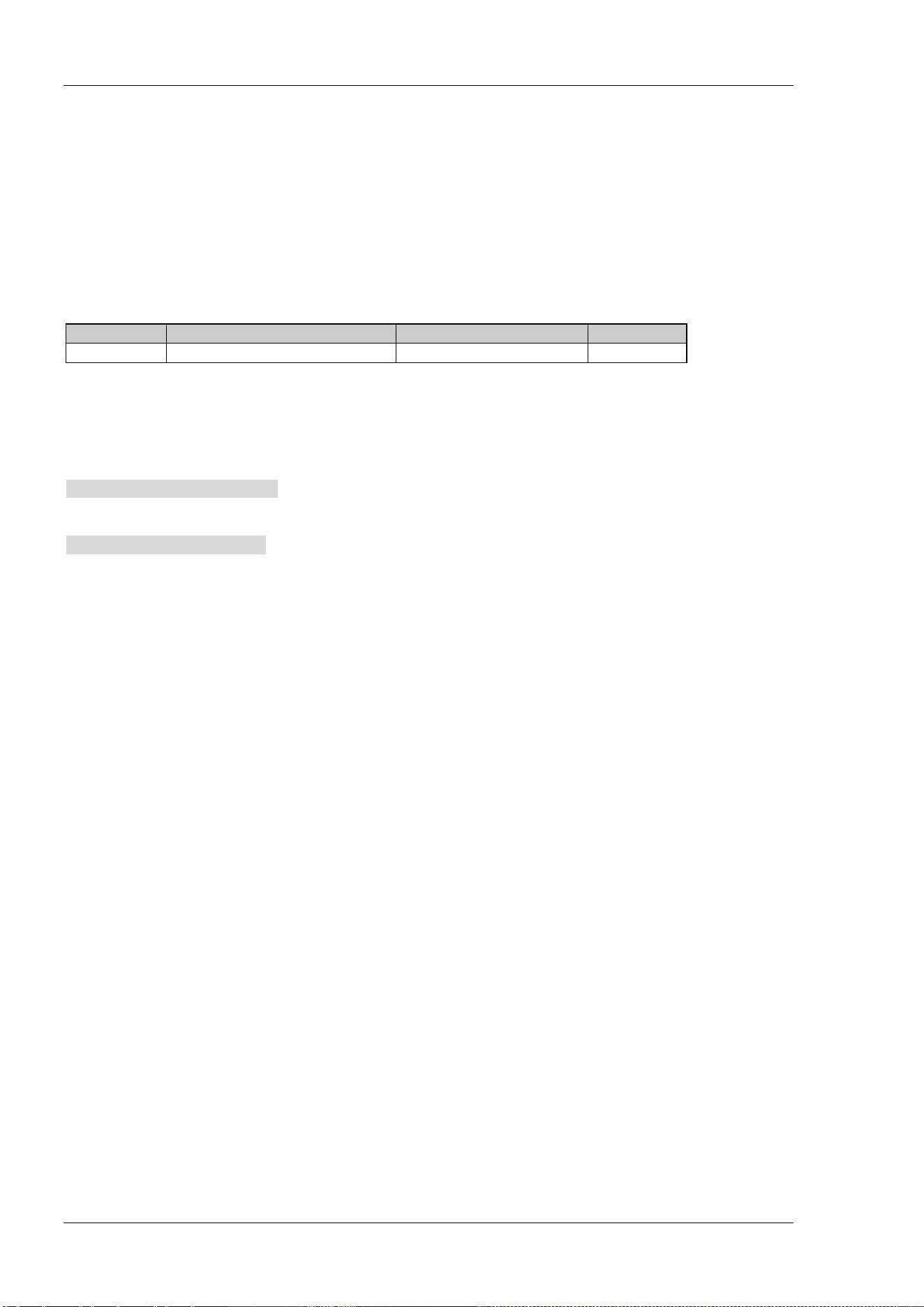
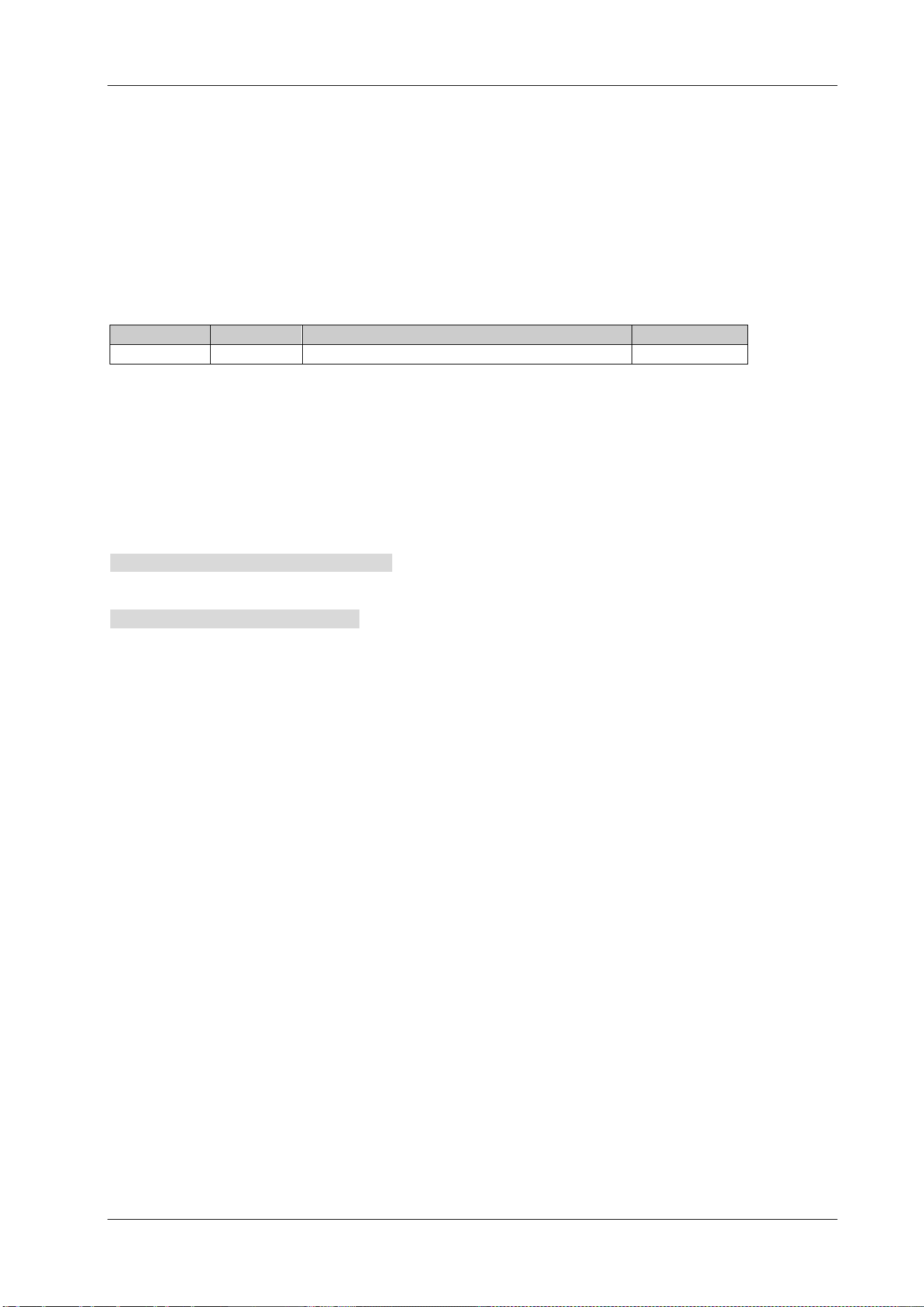
Parameter
Name
Type
Range
Default
<rel_ampl> Consecutive Real Number -100 dB to 100 dB -3 dB
Return Format
The query returns the value of N in scientific notation.
Example
The command below sets N to -4.
:CALCulate:BANDwidth:NDB -4
The query below returns -4.000000E+00.
:CALCulate:BANDwidth:NDB?
:CALCulate:BANDwidth:RESult?
Syntax
:CALCulate:BANDwidth:RESult?
Description
Query the measurement result of N dB bandwidth and the unit is Hz.
Return Format
The query returns the bandwidth in integer (in Hz).
If points that are located on both sides of the current marker and with N dB fall or rise in amplitude are not
found, the query returns ----.
:CALCulate:LLINe:ALL:DELete
Syntax
:CALCulate:LLINe:ALL:DELete
Description
Delete the limit line currently edited.
Chapter 2 Command System RIGOL
DSA800 Programming Guide 2-5
:CALCulate:LLINe:CONTrol:DOMain
Syntax
:CALCulate:LLINe:CONTrol:DOMain FREQuency|TIME
:CALCulate:LLINe:CONTrol:DOMain?
Description
Set the X axis to denote frequency or time in the Pass/Fail test.
Query the type of the X axis in the Pass/Fail test.
Parameter
Name Type Range Default
-- Keyword FREQuency|TIME
FREQuency
Explanation
This setting is applicable to both the upper and lower limit lines.
All the points of the current limit line will be deleted when the X axis type is changed.
Return Format
The query returns FREQ or TIME.
Example
The command below sets the X axis to time.
:CALCulate:LLINe:CONTrol:DOMain TIME
The query below returns TIME.
:CALCulate:LLINe:CONTrol:DOMain?
:CALCulate:LLINe:FAIL?
Syntax
:CALCulate:LLINe:FAIL?
Description
Query the result of the Pass/Fail test.
Return Format
The query returns PASS or FAIL. The query returns UNMEAS if the test is not finished.
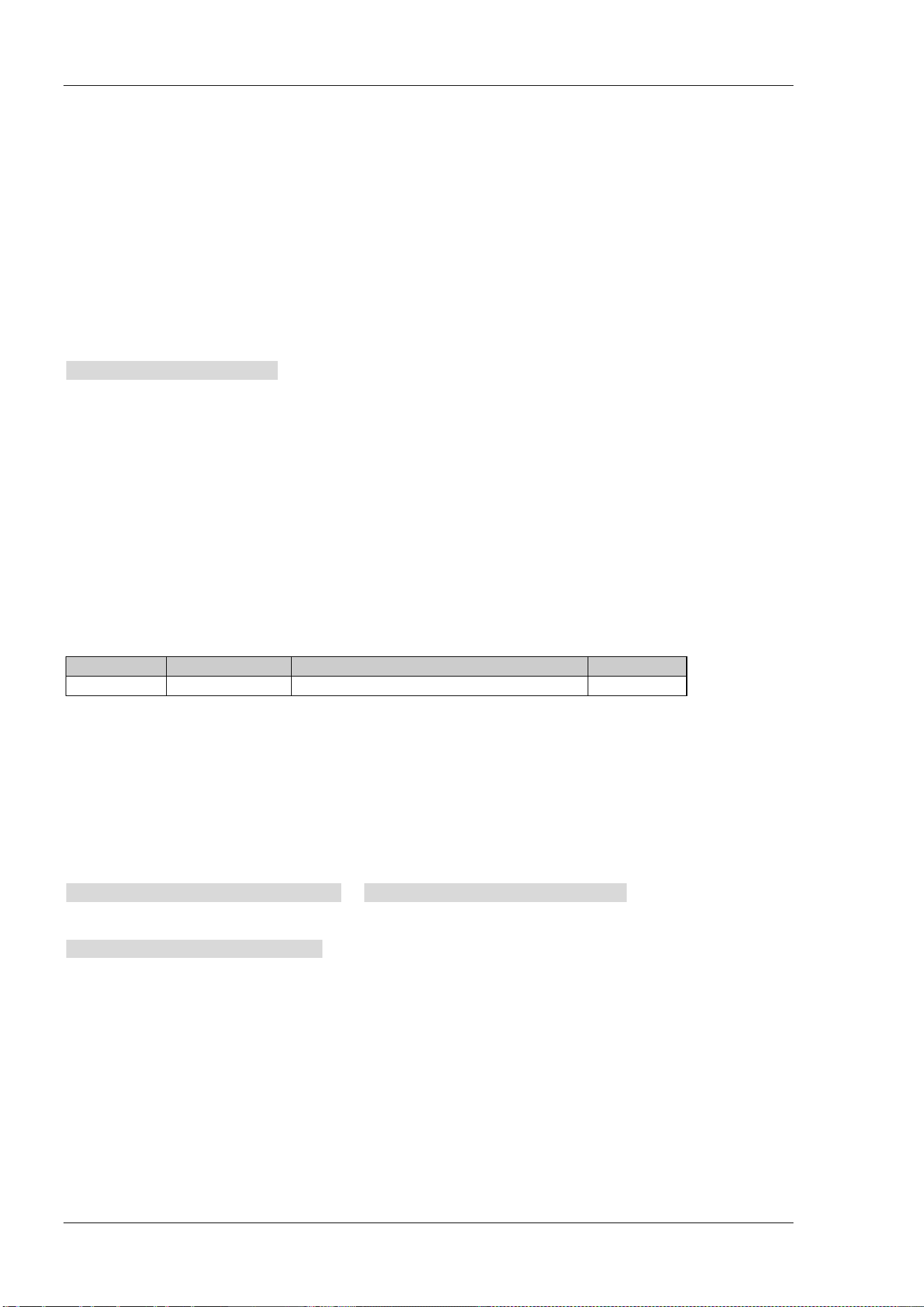
RIGOL Chapter 2 Command System
2-6 DSA800 Programming Guide
:CALCulate:LLINe:FAIL:RATIo?
Syntax
:CALCulate:LLINe:FAIL:RATIo?
Description
Query the fail ratio of the Pass/Fail test.
Return Format
The query returns the fail ratio in scientific notation.
Example
The query below returns 5.490000E+00.
:CALCulate:LLINe:FAIL:RATIo?
:CALCulate:LLINe:FAIL:STOP:STATe
Syntax
:CALCulate:LLINe:FAIL:STOP:STATe OFF|ON|0|1
:CALCulate:LLINe:FAIL:STOP:STATe?
Description
Set whether to stop the test if the test fails.
Query whether to stop the test if the test fails.
Parameter
Name
Type
Range
Default
-- Bool OFF|ON|0|1 ON|1
Explanation
If the parameter is set to ON or 1, the test stops when the test fails and the test continues if the parameter
is set to OFF or 0.
Return Format
The query returns 0 or 1.
Example
The command below sets the instrument to stop the test when the test fails.
:CALCulate:LLINe:FAIL:STOP:STATe ON or :CALCulate:LLINe:FAIL:STOP:STATe 1
The query below returns 1.
:CALCulate:LLINe:FAIL:STOP:STATe?
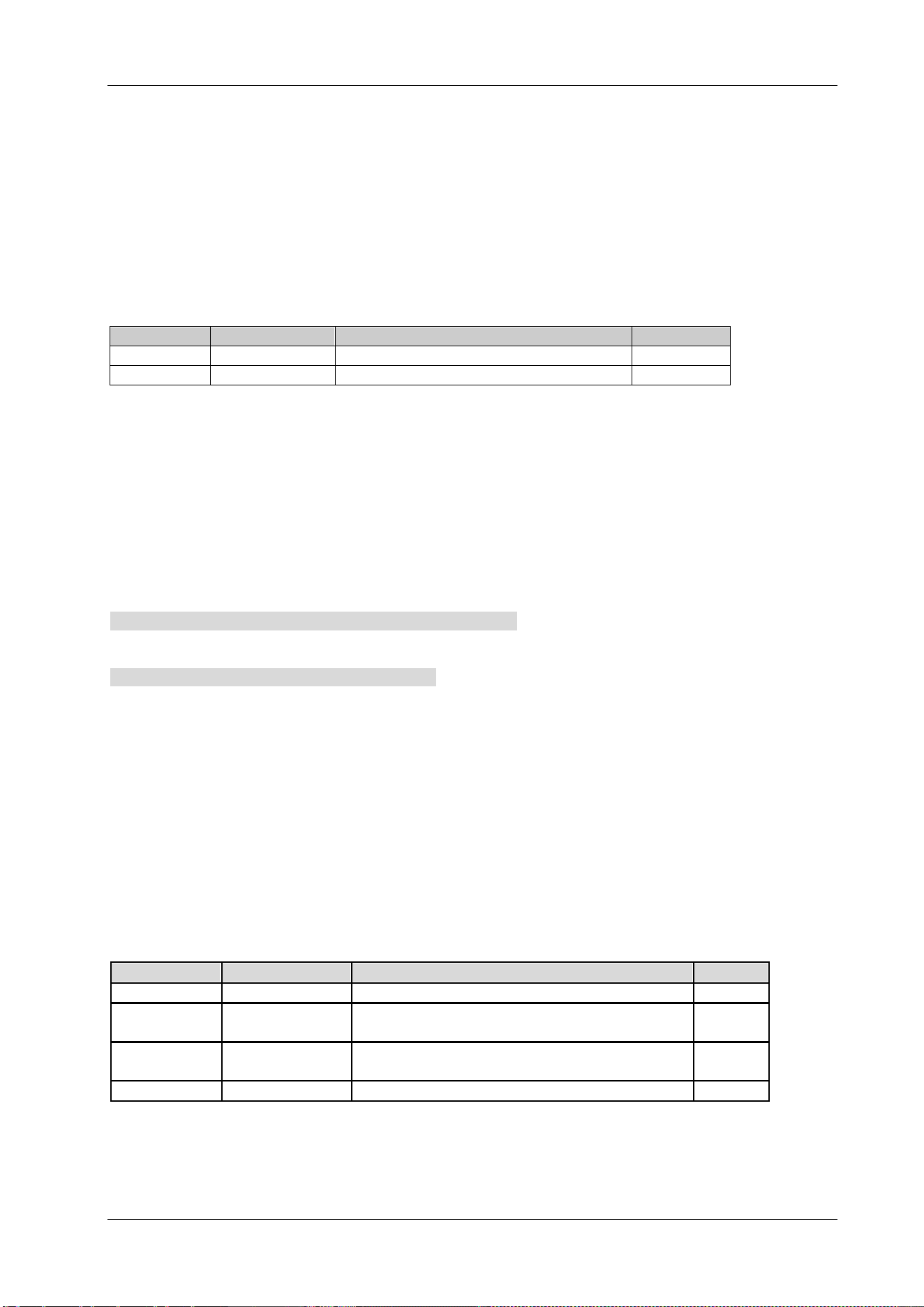
Chapter 2 Command System RIGOL
DSA800 Programming Guide 2-7
:CALCulate:LLINe<n>:CONTrol:INTerpolate:TYPE
Syntax
:CALCulate:LLINe<n>:CONTrol:INTerpolate:TYPE LOGarithmic|LINear
:CALCulate:LLINe<n>:CONTrol:INTerpolate:TYPE?
Description
Set the frequency interpolation mode in the Pass/Fail test to log or linear.
Query the frequency interpolation mode.
Parameter
Name Type Range Default
<n>
Discrete
1|2
--
-- Keyword LOGarithmic|LINear LINear
Explanation
<n> denotes the lower limit line (1) or upper limit line (2).
In log mode, both the frequency and amplitude use log unit to make interpolation operation.
In linear mode, the frequency uses a linear unit and the amplitude uses a log unit for interpolation
operation.
Return Format
The query returns LOG or LIN.
Example
The command below sets the frequency interpolation mode of the lower limit line to log.
:CALCulate:LLINe1:CONTrol:INTerpolate:TYPE LOGarithmic
The query below returns LOG.
:CALCulate:LLINe1:CONTrol:INTerpolate:TYPE?
:CALCulate:LLINe<n>:DATA
Syntax
:CALCulate:LLINe<n>:DATA <x-axis>,<ampl>,<connected>{,<x-axis>,<ampl>,<connected>}
:CALCulate:LLINe<n>:DATA?
Description
Create a limit line of the Pass/Fail test.
Query the limit line information.
Parameter
Name Type Range Default
<n> Discrete 1|2 2
<x-axis>
Consecutive
Real Number
0 Hz to 7.5 GHz (the X axis denotes frequency)
0 us to 7.5 ks (the X axis denotes time)
--
<ampl>
Consecutive
Real Number
-400 dBm to 320 dBm --
<connected>
Discrete
0|1
0
Explanation
<n>: denote the lower limit line (1) or upper limit line (2).
<x-axis>: the frequency or time (depend on the X axis type) of the point being edited.
<ampl>: the amplitude of the point being edited.
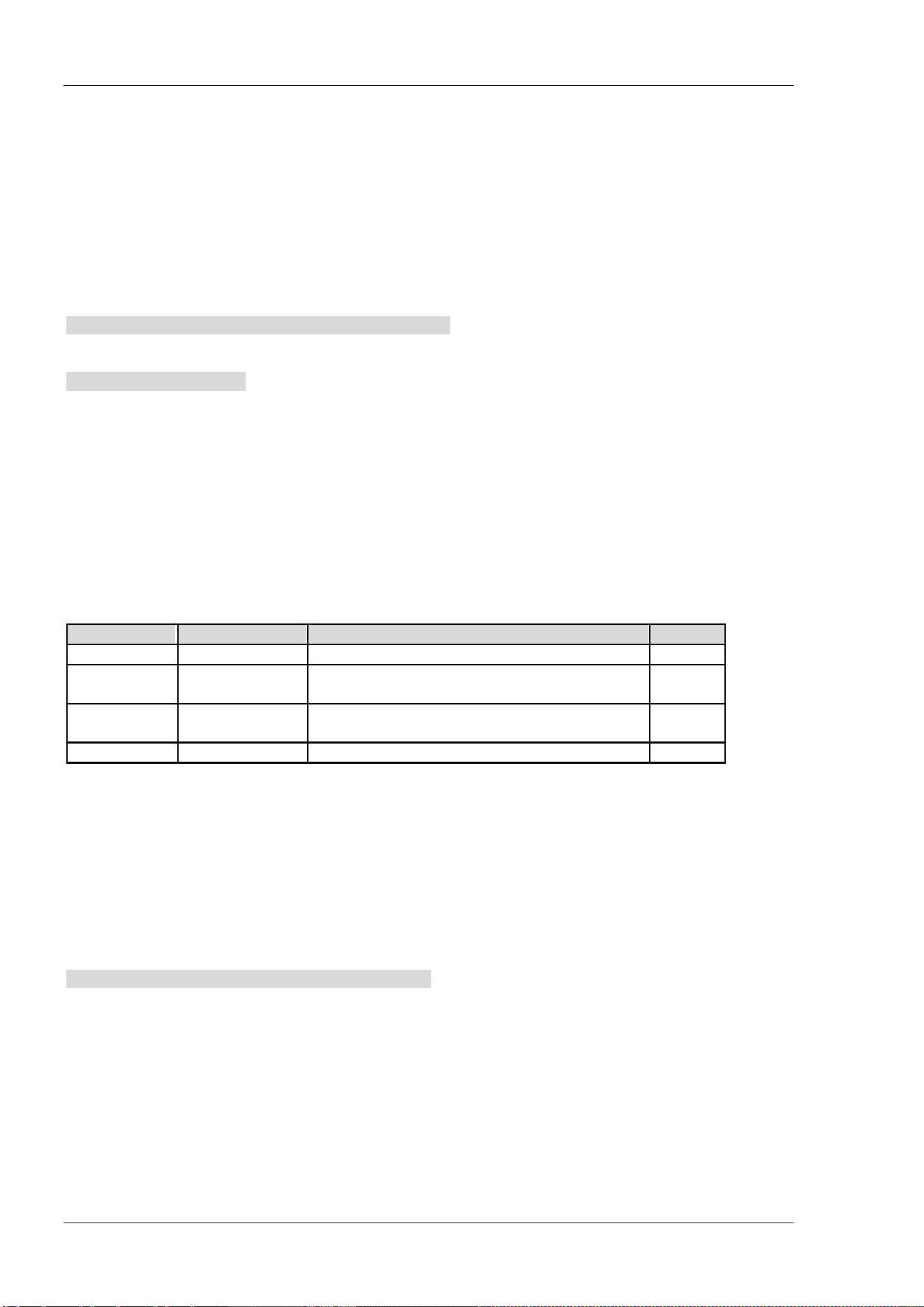
RIGOL Chapter 2 Command System
2-8 DSA800 Programming Guide
<connected>: whether to connect the current point with the previous one. 1 denotes yes and 0 denotes no.
Note that for the first point, only 0 is available.
Up to 200 points can be edited for each limit line.
Return Format
The query returns the specified limit line information in
<x-axis>,<ampl>,<connected>{,<x-axis>,<ampl>,<connected>} format.
If no point is edited of the specified limit line, the query returns NULL.
Example
The command below creates an upper limit line with 3 points.
:CALCulate:LLINe2:DATA 50,100,0,100,150,1,200,200,1
The query below returns 50,100.000000,0,100,150.000000,1,200,200.000000,1.
:CALCulate:LLINe2:DATA?
:CALCulate:LLINe<n>:DATA:MERGe
Syntax
:CALCulate:LLINe<n>:DATA:MERGe <x-axis>,<ampl>,<connected>{,<x-axis>,<ampl>,<connected>}
Description
In the Pass/Fail test, add points onto the limit line being edited.
Parameter
Name
Type
Range
Default
<n> Discrete 1|2 2
<x-axis>
Consecutive
Real Number
0 Hz to 7.5 GHz (X axis denotes frequency)
0 us to 7.5 ks (X axis denotes time)
--
<ampl>
Consecutive
Real Number
-400 dBm to 320 dBm --
<connected>
Discrete
0|1
0
Explanation
<n>: denote the lower limit line (1) or upper limit line (2).
<x-axis>: the frequency or time (depend on the X axis type) of the point being edited.
<ampl>: the amplitude of the point being edited.
<connected>: whether to connect the current point with the previous one. 1 denotes yes and 0 denotes no.
Note that for the first point, only 0 is available.
Up to 200 points can be edited for each limit line.
Example
The command below adds two points onto the upper limit line.
:CALCulate:LLINe2:DATA:MERG 250,200,1,300,250,1
Chapter 2 Command System RIGOL
DSA800 Programming Guide 2-9
:CALCulate:LLINe<n>:DELete
Syntax
:CALCulate:LLINe<n>:DELete
Description
Delete the specified limit line of the Pass/Fail test.
Parameter
Name
Type
Range
Default
<n>
Discrete
1|2
--
Explanation
<n> denotes the lower limit line (1) or the upper limit line (2).
Example
The command below deletes the lower limit line.
:CALCulate:LLINe1:DELete
:CALCulate:LLINe<n>:RELAmpt[:STATe]
Syntax
:CALCulate:LLINe<n>:RELAmpt[:STATe] OFF|ON|0|1
:CALCulate:LLINe<n>:RELAmpt?
Description
Enable or disable the REL Amplitude.
Query the status of the REL Amplitude.
Parameter
Name Type Range Default
<n>
Discrete
1|2
--
--
Bool
OFF|ON|0|1
OFF|0
Explanation
<n> denotes the lower limit line (1) or upper limit line (2).
When the REL Amplitude is enabled, the amplitude set is the difference between the amplitude of the
current point and the current reference level.
Return Format
The query returns 0 or 1.
Example
The command below enables the REL Amplitude.
:CALCulate:LLINe1:RELAmpt:STATe ON or :CALCulate:LLINe1:RELAmpt:STATe 1
The query below returns 1.
:CALCulate:LLINe1:RELAmpt?
RIGOL Chapter 2 Command System
2-10 DSA800 Programming Guide
:CALCulate:LLINe<n>:RELFreq[:STATe]
Syntax
:CALCulate:LLINe<n>:RELFreq[:STATe] OFF|ON|0|1
:CALCulate:LLINe<n>:RELFreq?
Description
Enable or disable the REL Frequency.
Query the status of the REL Frequency.
Parameter
Name
Type
Range
Default
<n> Discrete 1|2 --
-- Bool OFF|ON|0|1 OFF|0
Explanation
<n> denotes the lower limit line (1) or upper limit line (2).
When the REL Frequency is enabled, the frequency set is the difference between the frequency of the
current point and the current center frequency.
Return Format
The query returns 0 or 1.
Example
The command below enables the REL Frequency.
:CALCulate:LLINe1:RELFreq:STATe ON or :CALCulate:LLINe1:RELFreq:STATe 1
The query below returns 1.
:CALCulate:LLINe1:RELFreq?
:CALCulate:LLINe<n>:STATe
Syntax
:CALCulate:LLINe<n>:STATe OFF|ON|0|1
:CALCulate:LLINe<n>:STATe?
Description
Enable or disable the upper/lower limit line.
Query the status of the limit lines.
Parameter
Name
Type
Range
Default
<n> Discrete 1|2 --
-- Bool OFF|ON|0|1 OFF|0
Explanation
<n> denotes the lower limit line (1) or upper limit line (2).
Return Format
The query returns 0 or 1.
Chapter 2 Command System RIGOL
DSA800 Programming Guide 2-11
Example
The command below enables the upper limit line.
:CALCulate:LLINe2:STATe ON or :CALCulate:LLINe2:STATe 1
The query below returns 1.
:CALCulate:LLINe2:STATe?
:CALCulate:MARKer:AOFF
Syntax
:CALCulate:MARKer:AOFF
Description
Disable all the markers currently enabled as well as all the functions based on the markers.
:CALCulate:MARKer:FCOunt:RESolution
Syntax
:CALCulate:MARKer:FCOunt:RESolution <freq>
:CALCulate:MARKer:FCOunt:RESolution?
Description
Set the resolution of the frequency counter.
Query the resolution of the frequency counter.
Parameter
Name
Type
Range
Default
<freq>
Discrete 1 Hz|10 Hz|100 Hz|1 kHz|10 kHz|100 kHz 1 kHz
Explanation
When <freq> is set in "Number" format, the default unit is Hz. It can also be set in "Number+Unit" format;
for example, 1 kHz.
Use the
:CALCulate:MARKer:FCOunt:RESolution:AUTO command to set the resolution setting to auto
mode.
Return Format
The query returns the resolution in integer and the unit is Hz.
Example
The command below sets the resolution of the frequency counter to 1 kHz.
:CALCulate:MARKer:FCOunt:RESolution 1000 or :CALCulate:MARKer:FCOunt:RESolution 1kHz
The query below returns 1000.
:CALCulate:MARKer:FCOunt:RESolution?
RIGOL Chapter 2 Command System
2-12 DSA800 Programming Guide
:CALCulate:MARKer:FCOunt:RESolution:AUTO
Syntax
:CALCulate:MARKer:FCOunt:RESolution:AUTO OFF|ON|0|1
:CALCulate:MARKer:FCOunt:RESolution:AUTO?
Description
Set the resolution of the frequency counter automatically.
Query the status of the auto setting of the resolution of the frequency counter.
Parameter
Name Type Range Default
-- Bool OFF|ON|0|1 ON|1
Return Format
The query returns 0 or 1.
Example
The command below disables the auto setting of the resolution of the frequency counter.
:CALCulate:MARKer:FCOunt:RESolution:AUTO OFF or :CALCulate:MARKer:FCOunt:RESolution:AUTO 0
The query below returns 0.
:CALCulate:MARKer:FCOunt:RESolution:AUTO?
:CALCulate:MARKer:FCOunt:X?
Syntax
:CALCulate:MARKer:FCOunt:X?
Description
Query the reading of the frequency counter.
Return Format
The query returns the reading in integer and the unit is Hz.
The query returns 9000000000000000 when the frequency counter is disabled.
Chapter 2 Command System RIGOL
DSA800 Programming Guide 2-13
:CALCulate:MARKer:FCOunt[:STATe]
Syntax
:CALCulate:MARKer:FCOunt[:STATe] OFF|ON|0|1
:CALCulate:MARKer:FCOunt[:STATe]?
Description
Enable or disable the frequency counter.
Query the status of the frequency counter.
Parameter
Name
Type
Range
Default
-- Bool OFF|ON|0|1 OFF|0
Explanation
Use the
:CALCulate:MARKer:FCOunt:X? command to query the reading of the frequency counter.
Return Format
The query returns 0 or 1.
Example
The command below enables the frequency counter.
:CALCulate:MARKer:FCOunt:STATe ON or :CALCulate:MARKer:FCOunt:STATe 1
The query below returns 1.
:CALCulate:MARKer:FCOunt:STATe?
:CALCulate:MARKer<n>:CPEak[:STATe]
Syntax
:CALCulate:MARKer<n>:CPEak[:STATe] OFF|ON|0|1
:CALCulate:MARKer<n>:CPEak[:STATe]?
Description
Enable continuous peak search and mark the peak using the specified marker or disable continuous peak
search.
Query the status of continuous peak search.
Parameter
Name
Type
Range
Default
<n>
Discrete
1|2|3|4
1
--
Bool
OFF|ON|0|1
OFF|0
Return Format
The query returns 0 or 1.
Example
The command below enables continuous peak search and marks the peak using marker 2.
:CALCulate:MARKer2:CPEak:STATe ON or :CALCulate:MARKer2:CPEak:STATe 1
The query below returns 1.
:CALCulate:MARKer2:CPEak:STATe?
RIGOL Chapter 2 Command System
2-14 DSA800 Programming Guide
:CALCulate:MARKer<n>:DELTa[:SET]:CENTer
Syntax
:CALCulate:MARKer<n>:DELTa[:SET]:CENTer
Description
Set the center frequency of the spectrum analyzer to the frequency difference of the specified Delta, Delta
Pair or Span Pair marker.
Parameter
Name
Type
Range
Default
<n> Discrete 1|2|3|4 --
Explanation
Use the :CALCulate:MARKer<n>:MODE command to select Delta, Delta Pair or Span Pair marker.
This function is invalid in zero span mode.
Example
The command below sets the center frequency to the frequency difference of marker 1 (Delta Pair marker).
:CALCulate:MARKer1:DELTa:SET:CENTer
:CALCulate:MARKer<n>:DELTa[:SET]:SPAN
Syntax
:CALCulate:MARKer<n>:DELTa[:SET]:SPAN
Description
Set the span of the spectrum analyzer to the frequency difference of the specified Delta, Delta Pair or Span
Pair marker.
Parameter
Name
Type
Range
Default
<n> Discrete 1|2|3|4 --
Explanation
Use the
:CALCulate:MARKer<n>:MODE command to select Delta, Delta Pair or Span Pair marker.
This function is not available in zero span mode.
Example
The command below sets the span of the spectrum analyzer to the frequency difference of marker 1 (Delta
Pair marker).
:CALCulate:MARKer1:DELTa:SET:SPAN
Chapter 2 Command System RIGOL
DSA800 Programming Guide 2-15
:CALCulate:MARKer<n>:FUNCtion
Syntax
:CALCulate:MARKer<n>:FUNCtion NDB|NOISe|OFF
:CALCulate:MARKer<n>:FUNCtion?
Description
Select special measurement type for the specified marker.
Query the special measurement type of the specified marker.
Parameter
Name
Type
Range
Default
<n> Discrete 1|2|3|4 --
-- Keyword NDB|NOISe|OFF OFF
Explanation
NDB: N dB bandwidth.
NOISe: noise marker.
OFF: disable all the measurements.
Return Format
The query returns NDB, NOIS or OFF.
Example
The command below sets the measurement type of marker 1 to N dB bandwidth.
:CALCulate:MARKer1:FUNCtion NDB
The query below returns NDB.
:CALCulate:MARKer1:FUNCtion?
:CALCulate:MARKer<n>:MAXimum:LEFT
Syntax
:CALCulate:MARKer<n>:MAXimum:LEFT
Description
Search and mark the nearest peak which is located at the left side of the current peak on the trace and
meets the peak search condition.
Parameter
Name
Type
Range
Default
<n>
Discrete
1|2|3|4
--
Explanation
When no peak is found, "No peak found" is displayed on the screen.
RIGOL Chapter 2 Command System
2-16 DSA800 Programming Guide
:CALCulate:MARKer<n>:MAXimum:MAX
Syntax
:CALCulate:MARKer<n>:MAXimum:MAX
Description
Execute a peak search according to the search mode set by
the
:CALCulate:MARKer<n>:PEAK:SEARch:MODE command and mark the peak using the specified marker.
Parameter
Name
Type
Range
Default
<n> Discrete 1|2|3|4 --
Example
The command below executes a peak search and marks the peak using marker 2.
:CALCulate:MARKer2:MAXimum:MAX
:CALCulate:MARKer<n>:MAXimum:NEXT
Syntax
:CALCulate:MARKer<n>:MAXimum:NEXT
Description
Search and mark the peak whose amplitude is closest to that of the current peak and which meets the peak
search condition.
Parameter
Name
Type
Range
Default
<n> Discrete 1|2|3|4 --
Explanation
When no peak is found, "No peak found" is displayed on the screen.
:CALCulate:MARKer<n>:MAXimum:RIGHt
Syntax
:CALCulate:MARKer<n>:MAXimum:RIGHt
Description
Search and mark the nearest peak which is located at the right side of the current peak and meets the peak
search condition.
Parameter
Name
Type
Range
Default
<n> Discrete 1|2|3|4 --
Explanation
When no peak is found, "No peak found" is displayed on the screen.
Chapter 2 Command System RIGOL
DSA800 Programming Guide 2-17
:CALCulate:MARKer<n>:MINimum
Syntax
:CALCulate:MARKer<n>:MINimum
Description
Search and mark the peak on the trace with the minimum amplitude.
Parameter
Name
Type
Range
Default
<n> Discrete 1|2|3|4 --
Explanation
When no peak is found, "No peak found" is displayed on the screen.
:CALCulate:MARKer<n>:MODE
Syntax
:CALCulate:MARKer<n>:MODE POSition|DELTa|BAND|SPAN
:CALCulate:MARKer<n>:MODE?
Description
Set the type of the specified marker.
Query the type of the specified marker.
Parameter
Name
Type Range Default
<n> Discrete 1|2|3|4 --
--
Keyword
POSition|DELTa|BAND|SPAN
POSition
Explanation
POSition: Normal
DELTa: Delta
BAND: Delta Pair
SPAN: Span Pair
Return Format
The query returns POS, DELT, BAND or SPAN.
Example
The command below sets the type of marker 1 to Normal.
:CALCulate:MARKer1:MODE POSition
The query below returns POS.
:CALCulate:MARKer1:MODE?
RIGOL Chapter 2 Command System
2-18 DSA800 Programming Guide
:CALCulate:MARKer<n>:PEAK:EXCursion
Syntax
:CALCulate:MARKer<n>:PEAK:EXCursion <rel_ampl>
:CALCulate:MARKer<n>:PEAK:EXCursion?
Description
Set the peak excursion and the unit is dB.
Query the peak excursion.
Parameter
Name
Type
Range
Default
<n> Discrete 1|2|3|4 --
<rel_ampl> Consecutive Real Number 0 dB to 200 dB 10 dB
Return Format
The query returns the peak excursion in scientific notation.
Example
The command below sets the peak excursion to 12 dB.
:CALCulate:MARKer1:PEAK:EXCursion 12
The query below returns 1.200000E+01.
:CALCulate:MARKer1:PEAK:EXCursion?
:CALCulate:MARKer<n>:PEAK:SEARch:MODE
Syntax
:CALCulate:MARKer<n>:PEAK:SEARch:MODE PARameter|MAXimum
:CALCulate:MARKer<n>:PEAK:SEARch:MODE?
Description
Set the peak search mode.
Query the peak search mode.
Parameter
Name
Type
Range
Default
<n>
Discrete
1|2|3|4
--
--
Keyword
PARameter|MAXimum
MAXimum
Explanation
PARameter: parameter. Search and mark the peak which meets the search parameter conditions (peak
excursion and peak threshold).
MAXimum: maximum. Search and mark the maximum on the trace.
This command applies only to the peak search executed by sending
the
:CALCulate:MARKer<n>:MAXimum:MAX command, while other searches (Next Peak, Peak Right, Peak
Left and Min Search) are not limited by it.
Return Format
The query returns PAR or MAX.
Chapter 2 Command System RIGOL
DSA800 Programming Guide 2-19
Example
The command below sets the peak search mode of trace 1 to parameter and marks the peak using marker
1.
:CALCulate:MARKer1:PEAK:SEARch:MODE PARameter
The query below returns PAR.
:CALCulate:MARKer1:PEAK:SEARch:MODE?
:CALCulate:MARKer<n>:PEAK[:SET]:CF
Syntax
:CALCulate:MARKer<n>:PEAK[:SET]:CF
Description
Execute a peak search (mark the peak using the specified marker) and set the center frequency of the
spectrum analyzer to the frequency of the current peak.
Parameter
Name
Type
Range
Default
<n>
Discrete
1|2|3|4
--
Example
The command below executes a peak search (marks the peak using marker 1) and sets the center
frequency of the spectrum analyzer to the frequency of the current peak.
:CALCulate:MARKer1:PEAK:SET:CF
:CALCulate:MARKer<n>:PEAK:THReshold
Syntax
:CALCulate:MARKer<n>:PEAK:THReshold <ampl>
:CALCulate:MARKer<n>:PEAK:THReshold?
Description
Set the peak threshold and the unit is dBm.
Query the peak threshold.
Parameter
Name
Type
Range
Default
<n> Discrete 1|2|3|4 --
<ampl> Consecutive Real Number -200 dBm to 0 dBm -90 dBm
Return Format
The query returns the peak threshold in scientific notation.
Example
The command below sets the peak threshold of marker 1 to -100 dBm.
:CALCulate:MARKer1:PEAK:THReshold -100
The query below returns -1.000000E+02.
:CALCulate:MARKer1:PEAK:THReshold?
RIGOL Chapter 2 Command System
2-20 DSA800 Programming Guide
:CALCulate:MARKer<n>:PTPeak
Syntax
:CALCulate:MARKer<n>:PTPeak
Description
Execute peak-peak search and mark the peak using the specified marker.
Parameter
Name
Type
Range
Default
<n> Discrete 1|2|3|4 --
Explanation
The marker type of the specified marker will automatically change to Delta Pair after executing this
command. The reference marker and delta marker are used to mark the peak-peak positions respectively.
Example
The command below executes peak-peak search. The reference marker 1R and delta marker 1 mark the
peak-peak positions respectively.
:CALCulate:MARKer1:PTPeak
:CALCulate:MARKer<n>[:SET]:CENTer
Syntax
:CALCulate:MARKer<n>[:SET]:CENTer
Description
Set the center frequency of the spectrum analyzer to the frequency of the specified marker.
Parameter
Name
Type
Range
Default
<n>
Discrete
1|2|3|4
--
Explanation
If the specified marker is Normal marker, the center frequency will be set to the frequency of the marker.
If the specified marker is Delta, Delta Pair or Span Pair marker, the center frequency will be set to the
frequency of the delta marker.
This command is only available when the specified marker is enabled.
This function is invalid in zero span mode.
Example
The command below sets the center frequency of the spectrum analyze to the frequency of marker 1
(Normal marker).
:CALCulate:MARKer1:SET:CENTer
Chapter 2 Command System RIGOL
DSA800 Programming Guide 2-21
:CALCulate:MARKer<n>[:SET]:RLEVel
Syntax
:CALCulate:MARKer<n>[:SET]:RLEVel
Description
Set the reference level of the spectrum analyzer to the amplitude of the specified marker.
Parameter
Name
Type Range Default
<n> Discrete 1|2|3|4 --
Explanation
If the specified marker is Normal marker, the reference level will be set to the amplitude of the marker.
If the specified marker is Delta, Delta Pair or Span Pair marker, the reference level will be set to the
amplitude of the delta marker.
This command is only available when the specified marker is enabled.
Example
The command below sets the reference level of the spectrum analyzer to the amplitude of marker 2
(Normal marker).
:CALCulate:MARKer2:SET:RLEVel
:CALCulate:MARKer<n>[:SET]:STARt
Syntax
:CALCulate:MARKer<n>[:SET]:STARt
Description
Set the start frequency of the spectrum analyzer to the frequency of the specified marker.
Parameter
Name
Type
Range
Default
<n> Discrete 1|2|3|4 --
Explanation
If the specified marker is Normal marker, the start frequency will be set to the frequency of the marker.
If the specified marker is Delta, Delta Pair or Span Pair marker, the start frequency will be set to the
frequency of the delta marker.
This command is only available when the specified marker is enabled.
This function is invalid in zero span mode.
Example
The command below sets the start frequency of the spectrum analyzer to the frequency of marker 3
(Normal marker).
:CALCulate:MARKer3:SET:STARt
RIGOL Chapter 2 Command System
2-22 DSA800 Programming Guide
:CALCulate:MARKer<n>[:SET]:STEP
Syntax
:CALCulate:MARKer<n>[:SET]:STEP
Description
Set the center frequency step of the spectrum analyzer to the frequency of the specified marker.
Parameter
Name
Type
Range
Default
<n> Discrete 1|2|3|4 --
Explanation
If the specified marker is Normal marker, the center frequency step will be set to the frequency of the
marker.
If the specified marker is Delta, Delta Pair or Span Pair marker, the center frequency step will be set to the
frequency of the delta marker.
This command is only available when the specified marker is enabled.
This function is invalid in zero span mode.
Example
The command below sets the center frequency step of the spectrum analyzer to the frequency of marker 4
(Normal marker).
:CALCulate:MARKer4:SET:STEP
:CALCulate:MARKer<n>[:SET]:STOP
Syntax
:CALCulate:MARKer<n>[:SET]:STOP
Description
Set the stop frequency of the spectrum analyzer to the frequency of the specified marker.
Parameter
Name
Type
Range
Default
<n> Discrete 1|2|3|4 --
Explanation
If the specified marker is Normal marker, the stop frequency will be set to the frequency of the marker.
If the specified marker is Delta, Delta Pair or Span Pair marker, the stop frequency will be set to the
frequency of the delta marker.
This command is only available when the specified marker is enabled.
This function is invalid in zero span mode.
Example
The command below sets the stop frequency of the spectrum analyzer to the frequency of marker 2
(Normal marker).
:CALCulate:MARKer2:SET:STOP
Chapter 2 Command System RIGOL
DSA800 Programming Guide 2-23
:CALCulate:MARKer<n>:STATe
Syntax
:CALCulate:MARKer<n>:STATe OFF|ON|0|1
:CALCulate:MARKer<n>:STATe?
Description
Enable or disable the specified marker.
Query the status of the specified marker.
Parameter
Name
Type
Range
Default
<n> Discrete 1|2|3|4 --
-- Bool OFF|ON|0|1 OFF|0
Explanation
If the specified marker is not enabled currently, it will be set to Normal marker (POSition) when this
command is sent to enable it.
Return Format
The query returns 0 or 1.
Example
The command below enables marker 1.
:CALCulate:MARKer1:STATe ON or :CALCulate:MARKer1:STATe 1
The query below returns 1.
:CALCulate:MARKer1:STATe?
:CALCulate:MARKer<n>:TRACe
Syntax
:CALCulate:MARKer<n>:TRACe <integer>
:CALCulate:MARKer<n>:TRACe?
Description
Set the trace to be marked by the specified marker.
Query the marker trace of the specified marker.
Parameter
Name
Type Range Default
<n> Discrete 1|2|3|4 --
<integer> Discrete 1|2|3|4 1
Explanation
<integer> denotes the trace selected and can be trace 1, trace 2, trace 3 or trace 4 (math trace). The trace
selected must have been enabled.
You can also use the
:CALCulate:MARKer<n>:TRACe:AUTO command to set the marker trace of the
specified marker to Auto.
Return Format
The query returns 1, 2, 3 or 4.
If the marker trace is set to Auto, the query returns the number of the trace marked by the marker.
RIGOL Chapter 2 Command System
2-24 DSA800 Programming Guide
Example
The command below sets the marker trace of marker 1 to trace 2.
:CALCulate:MARKer1:TRACe 2
The query below returns 2.
:CALCulate:MARKer1:TRACe?
:CALCulate:MARKer<n>:TRACe:AUTO
Syntax
:CALCulate:MARKer<n>:TRACe:AUTO OFF|ON|0|1
:CALCulate:MARKer<n>:TRACe:AUTO?
Description
Set the marker trace of the specified marker to Auto.
Query whether the marker trace is set to Auto.
Parameter
Name
Type
Range
Default
<n> Discrete 1|2|3|4 --
-- Bool OFF|ON|0|1 ON|1
Explanation
When AUTO is disabled, the current marker will hold on the corresponding trace.
Return Format
The query returns 0 or 1.
Example
The command below sets the marker trace of marker 1 to Auto.
:CALCulate:MARKer1:TRACe:AUTO ON or :CALCulate:MARKer1:TRACe:AUTO 1
The query below returns 1.
:CALCulate:MARKer1:TRACe:AUTO?
Chapter 2 Command System RIGOL
DSA800 Programming Guide 2-25
:CALCulate:MARKer<n>:VSRefl?
Syntax
:CALCulate:MARKer<n>:VSRefl?
Description
Query the reflection coefficient at the specified marker.
Parameter
Name
Type Range Default
<n> Discrete 1|2|3|4 --
Return Format
The query returns the reflection coefficient in scientific notation.
Example
The command below returns 0.600118E+00.
:CALCulate:MARKer1:VSRefl?
:CALCulate:MARKer<n>:VSValue?
Syntax
:CALCulate:MARKer<n>:VSValue?
Description
Query the VSWR at the specified marker.
Parameter
Name
Type Range Default
<n> Discrete 1|2|3|4 --
Return Format
The query returns the VSWR in scientific notation.
Example
The command below returns 1.390118E+00.
:CALCulate:MARKer1:VSValue?
RIGOL Chapter 2 Command System
2-26 DSA800 Programming Guide
:CALCulate:MARKer<n>:X
Syntax
:CALCulate:MARKer<n>:X <param>
:CALCulate:MARKer<n>:X?
Description
Set the X-axis value of the specified marker and the default unit is Hz.
Query the X-axis value of the specified marker.
Parameter
Name
Type
Range
Default
<n> Discrete 1|2|3|4 --
<param>
Consecutive Real Number
Refer to Explanation
--
Explanation
<param> can be any value within the range currently available of the X axis.
If the readout mode is frequency, it cannot exceed the frequency range of the sweep and the units
available are Hz (default), kHz, MHz and GHz.
If the readout mode is time, it cannot exceed the time range of the sweep and the units available are s
(default), us, ms and ks.
If the specified marker type is Normal, this command sets the X value of the marker.
If the specified marker type is Delta, this command sets the X value of the delta marker relative to the
reference marker.
If the specified marker type is Delta Pair, this command sets the X value of the reference or delta marker
according to the current menu state.
If the specified marker type is Span Pair, this command sets the X value of the span or center of the
reference marker and delta marker according to the current menu state.
Return Format
When the readout mode is frequency or the reciprocal of time, the query returns the X-axis value of the
marker in integer.
When the readout mode is time or period, the query returns the X-axis value of the marker in scientific
notation.
Example
The command below sets the X-axis value of marker 1 to 150 MHz (the readout mode is frequency).
:CALCulate:MARKer1:X 15000000
The query returns 15000000.
:CALCulate:MARKer1:X?
Chapter 2 Command System RIGOL
DSA800 Programming Guide 2-27
:CALCulate:MARKer<n>:X:CENTer
Syntax
:CALCulate:MARKer<n>:X:CENTer <param>
:CALCulate:MARKer<n>:X:CENTer?
Description
Set the X-axis center value of the specified Span Pair marker.
Query the X-axis center value of the specified Span Pair marker.
Parameter
Name
Type
Range
Default
<n> Discrete 1|2|3|4 --
<param>
Consecutive Real Number
Refer to Explanation
--
Explanation
<param> can be any value within the range currently available of the X axis.
If the readout mode is frequency, it cannot exceed the frequency range of the sweep and the units
available are Hz (default), kHz, MHz and GHz.
If the readout mode is time, it cannot exceed the time range of the sweep and the units available are s
(default), us, ms and ks.
Return Format
When the readout mode is frequency, the query returns the X-axis center value of the marker in integer and
the unit is Hz.
When the readout mode is time or period, the query returns the X-axis center value of the marker in
scientific notation and the unit is s.
Example
The command below sets the X-axis center value of marker 1 (Span Pair marker) to 1500000000 Hz (the
readout mode is frequency).
:CALCulate:MARKe1:X:CENTer 1500000000 or :CALCulate:MARKe1:X:CENTer 1.5GHZ
The query below returns 1500000000.
:CALCulate:MARKe1:X:CENTer?
RIGOL Chapter 2 Command System
2-28 DSA800 Programming Guide
:CALCulate:MARKer<n>:X:POSition
Syntax
:CALCulate:MARKer<n>:X:POSition <integer>
:CALCulate:MARKer<n>:X:POSition?
Description
Set the position of the specified Normal marker.
Query the position of the specified Normal marker.
Parameter
Name
Type Range Default
<n> Discrete 1|2|3|4 --
<integer> Integer 0 to 600 300
Return Format
The query returns the position of the marker in integer.
Example
The command below sets the position of marker 1 (Normal marker) to 100.
:CALCulate:MARKer1:X:POSition 100
The query below returns 100.
:CALCulate:MARKer1:X:POSition?
:CALCulate:MARKer<n>:X:POSition:CENTer
Syntax
:CALCulate:MARKer<n>:X:POSition:CENTer <param>
:CALCulate:MARKer<n>:X:POSition:CENTer?
Description
Set the center position of the specified Span Pair marker.
Query the center position of the specified Span Pair marker.
Parameter
Name
Type
Range
Default
<n> Discrete 1|2|3|4 --
<param> Integer 0 to 600 300
Return Format
The query returns the center position of the specified marker in integer.
Example
The command below sets the center position of marker 1 (Span Pair marker) to 200.
:CALCulate:MARKer1:X:POSition:CENTer 200
The query below returns 200.
:CALCulate:MARKer1:X:POSition:CENTer?
Chapter 2 Command System RIGOL
DSA800 Programming Guide 2-29
:CALCulate:MARKer<n>:X:POSition:SPAN
Syntax
:CALCulate:MARKer<n>:X:POSition:SPAN <param>
:CALCulate:MARKer<n>:X:POSition:SPAN?
Description
Set the number of points corresponding to the span of the specified Span Pair marker.
Query the number of points corresponding to the span of the specified Span Pair marker.
Parameter
Name
Type
Range
Default
<n> Discrete 1|2|3|4 --
<param> Integer 0 to 600 0
Return Format
The query returns the number of points corresponding to the span of the specified Span Pair marker in
integer.
Example
The command below sets the number of points corresponding to the span of marker 1 (Span Pair marker)
to 150.
:CALCulate:MARKer1:X:POSition:SPAN 150
The query below returns 150.
:CALCulate:MARKer1:X:POSition:SPAN?
:CALCulate:MARKer<n>:X:POSition:STARt
Syntax
:CALCulate:MARKer<n>:X:POSition:STARt <param>
:CALCulate:MARKer<n>:X:POSition:STARt?
Description
Set the position of the reference marker of the specified Delta Pair marker.
Query the position of the reference marker of the specified Delta Pair marker.
Parameter
Name
Type
Range
Default
<n> Discrete 1|2|3|4 --
<param> Integer 0 to 600 300
Return Format
The query returns the position of the reference marker in integer.
Example
The command below sets the position of the reference marker of marker 1 (Delta Pair marker) to 100.
:CALCulate:MARKer1:X:POSition:STARt 100
The query below returns 100.
:CALCulate:MARKer1:X:POSition:STARt?
RIGOL Chapter 2 Command System
2-30 DSA800 Programming Guide
:CALCulate:MARKer<n>:X:POSition:STOP
Syntax
:CALCulate:MARKer<n>:X:POSition:STOP <param>
:CALCulate:MARKer<n>:X:POSition:STOP?
Description
Set the position of the delta marker of the specified Delta Pair marker.
Query the position of the delta marker of the specified Delta Pair marker.
Parameter
Name
Type
Range
Default
<n> Discrete 1|2|3|4 --
<param> Integer 0 to 600 300
Return Format
The query returns the position of the delta marker in integer.
Example
The command below sets the position of the delta marker of marker 1 (Delta Pair marker) to 300.
:CALCulate:MARKer1:X:POSition:STOP 300
The query below returns 300.
:CALCulate:MARKer1:X:POSition:STOP?
:CALCulate:MARKer<n>:X:READout
Syntax
:CALCulate:MARKer<n>:X:READout FREQuency|TIME|ITIMe|PERiod
:CALCulate:MARKer<n>:X:READout?
Description
Set the readout mode of the X axis of the specified marker.
Query the readout mode of the X axis of the specified marker.
Parameter
Name
Type Range Default
<n> Discrete 1|2|3|4 --
-- Keyword FREQuency|TIME|ITIMe|PERiod Refer to Explanation
Explanation
FREQuency: frequency. The default readout mode in non-zero span mode.
TIME: time. The default readout mode in zero span mode.
ITIMe: the reciprocal of time. Only available in zero span mode when Delta Pair marker is used.
PERiod: period. Not available in zero span mode.
Return Format
The query returns FREQ, TIME, ITIM or PER.
Example
The command below sets the readout mode of the X axis of marker 1 to time.
:CALCulate:MARKer1:X:READout TIME
The query below returns TIME.
:CALCulate:MARKer1:X:READout?
Chapter 2 Command System RIGOL
DSA800 Programming Guide 2-31
:CALCulate:MARKer<n>:X:SPAN
Syntax
:CALCulate:MARKer<n>:X:SPAN <param>
:CALCulate:MARKer<n>:X:SPAN?
Description
Set the X value corresponding to the span of the specified Span Pair marker.
Query the X value corresponding to the span of the specified Span Pair marker.
Parameter
Name
Type
Range
Default
<n> Discrete 1|2|3|4 --
<param> Consecutive Real Number Refer to Explanation 0
Explanation
<param> can be any value within the range currently available of the X axis.
If the current readout mode is frequency, it cannot exceed the frequency range of the sweep and the units
available are Hz (default), kHz, MHz and GHz.
If the current readout mode is time, it cannot exceed the time range of the sweep and the units available
are s (default), us, ms and ks.
Return Format
When the readout mode is frequency, the query returns the X value of the span of the marker in integer
and the unit is Hz.
When the readout mode is time or period, the query returns the X value of the span of the marker in
scientific notation and the unit is s.
Example
The command below sets the X value of the span of marker 1 (Span Pair marker) to 500 MHz (the readout
mode is frequency).
:CALCulate:MARKer1:X:SPAN 500000000
The query below returns 500000000.
:CALCulate:MARKer1:X:SPAN?
:CALCulate:MARKer<n>:X:STARt
Syntax
:CALCulate:MARKer<n>:X:STARt <param>
:CALCulate:MARKer<n>:X:STARt?
Description
Set the X value of the reference marker of the specified Delta Pair marker.
Query the X value of the reference marker of the specified Delta Pair marker.
Parameter
Name
Type
Range
Default
<n>
Discrete
1|2|3|4
--
<param> Consecutive Real Number Refer to Explanation --
Explanation
<param> can be any value within the range currently available of the X axis.
RIGOL Chapter 2 Command System
2-32 DSA800 Programming Guide
If the current readout mode is frequency, it cannot exceed the frequency range of the sweep and the units
available are Hz (default), kHz, MHz and GHz.
If the current readout mode is time. it cannot exceed the time range of the sweep and the units available
are s (default), us, ms and ks.
Return Format
When the readout mode is frequency, the query returns the X value of the reference marker in integer and
the unit is Hz.
When the readout mode is time or period, the query returns the X value of the reference marker in scientific
notation and the unit is s.
Example
The command below sets the X value of the reference marker of marker 1 (Delta Pair marker) to 750 MHz
(the readout mode is frequency).
:CALCulate:MARKer1:X:STARt 750000000
The query below returns 750000000.
:CALCulate:MARKer1:X:STARt?
:CALCulate:MARKer<n>:X:STOP
Syntax
:CALCulate:MARKer<n>:X:STOP <param>
:CALCulate:MARKer<n>:X:STOP?
Description
Set the X value of the delta marker of the specified Delta Pair marker.
Query the X value of the delta marker of the specified Delta Pair marker.
Parameter
Name
Type Range Default
<n> Discrete 1|2|3|4 --
<param> Consecutive Real Number Refer to Explanation --
Explanation
<param> can be any value within the range currently available of the X axis.
If the current readout mode is frequency, it cannot exceed the frequency range of the sweep and the units
available are Hz (default), kHz, MHz and GHz.
If the current readout mode is time, it cannot exceed the time range of the sweep and the units available
are s (default), us, ms and ks.
Return Format
When the readout mode is frequency, the query returns the X value of the delta marker in integer and the
unit is Hz.
When the readout mode is time or period, the query returns the X value of the delta marker in scientific
notation and the unit is s.
Example
The command below sets the X value of the delta marker of marker 1 (Delta Pair marker) to 350 MHz (the
readout mode is frequency).
:CALCulate:MARKer1:X:STOP 350000000
The query below returns 350000000.
:CALCulate:MARKer1:X:STOP?
Chapter 2 Command System RIGOL
DSA800 Programming Guide 2-33
:CALCulate:MARKer<n>:Y?
Syntax
:CALCulate:MARKer<n>:Y?
Description
Query the Y-axis value of the specified marker and the default unit is dBm.
Parameter
Name
Type
Range
Default
<n> Discrete 1|2|3|4 --
Explanation
If the specified marker is normal marker, query the Y value of the marker.
If the specified marker is Delta, Delta Pair or Span Pair marker, query the Y-axis difference between the
reference marker and the delta marker.
Return Format
The query returns the Y-axis value in scientific notation.
Example
The query below returns 5.960000E+00.
:CALCulate:MARKer1:Y?
:CALCulate:MARKer:TABLe:STATe
Syntax
:CALCulate:MARKer:TABLe:STATe OFF|ON|0|1
:CALCulate:MARKer:TABLe:STATe?
Description
Enable or disable the marker table.
Query the status of the marker table.
Parameter
Name
Type
Range
Default
--
Bool
OFF|ON|0|1
OFF|0
Return Format
The query returns 0 or 1.
Example
The command below disables the marker table.
:CALCulate:MARKer:TABLe:STATe OFF or :CALCulate:MARKer:TABLe:STATe 0
The query below returns 0.
:CALCulate:MARKer:TABLe:STATe?
RIGOL Chapter 2 Command System
2-34 DSA800 Programming Guide
:CALCulate:MARKer:TRACking:STATe
Syntax
:CALCulate:MARKer:TRACking:STATe OFF|ON|0|1
:CALCulate:MARKer:TRACking:STATe?
Description
Enable or disable the signal track.
Query the status of the signal track.
Parameter
Name
Type
Range
Default
-- Bool OFF|ON|0|1 OFF|0
Explanation
When signal track is enabled, the instrument will execute a peak search after each sweep and set the center
frequency to the frequency of the current peak to hold the signal at the center of the screen.
Return Format
The query returns 0 or 1.
Example
The command below enables the signal track.
:CALCulate:MARKer:TRACKing:STATe ON or :CALCulate:MARKer:TRACKing:STATe 1
The query below returns 1.
:CALCulate:MARKer:TRACKing:STATe?
:CALCulate:NTData[:STATe]
Syntax
:CALCulate:NTData[:STATe] OFF|ON|0|1
:CALCulate:NTData[:STATe]?
Description
Enable or disable normalization.
Query the status of normalization.
Parameter
Name
Type
Range
Default
-- Bool OFF|ON|0|1 OFF|0
Explanation
This command is only applicable to DSA815-TG/DSA832-TG/DSA875-TG.
Return Format
The query returns 0 or 1.
Example
The command below enables normalization.
:CALCulate:NTData:STATe ON or :CALCulate:NTData:STATe 1
The query below returns 1.
:CALCulate:NTData:STATe?
Chapter 2 Command System RIGOL
DSA800 Programming Guide 2-35
:CALibration Subsystem
Command List:
:CALibration:[ALL]
:CALibration:AUTO
:CALibration:[ALL]
Syntax
:CALibration:[ALL]
Description
Execute self-calibration immediately.
Example
The command below makes the instrument execute self-calibration immediately.
:CALibration:ALL
:CALibration:AUTO
Syntax
:CALibration:AUTO OFF|ON|0|1
:CALibration:AUTO?
Description
Enable or disable auto calibration.
Query the status of auto calibration.
Parameter
Name
Type
Range
Default
-- Bool OFF|ON|0|1 ON|1
Explanation
By default, auto calibration is enabled. But the instrument will use the last setting at the next power-on if
users change this setting.
Return Format
The query returns 0 or 1.
Example
The command below enables auto calibration.
:CALibration:AUTO ON or :CALibration:AUTO 1
The query below returns 1.
:CALibration:AUTO?

RIGOL Chapter 2 Command System
2-36 DSA800 Programming Guide
:CONFigure Subsystem
Command List:
:CONFigure?
:CONFigure:ACPower
*
:CONFigure:CHPower*
:CONFigure:CNRatio*
:CONFigure:EBWidth*
:CONFigure:HDISt*
:CONFigure:OBWidth*
:CONFigure:PF
:CONFigure:SANalyzer
*
:CONFigure:TOI*
:CONFigure:TPOWer*
Explanation:
Commands marked with "*" are only available for DSA800 installed with the advanced measurement kit
(option).
:CONFigure?
Syntax
:CONFigure?
Description
Query the current measurement function.
Return Format
The query returns OFF, TPOW, ACP, CHP, OBW, EBW, CNR, HD, TOI or PF.
:CONFigure:ACPower
Syntax
:CONFigure:ACPower
Description
Set the spectrum analyzer to the adjacent channel power measurement state.
Explanation
This command stops the current measurement and sets the instrument to the default state of the specified
measurement.
When any of the measurement settings is changed, use the
:READ command to initialize the measurement
without restoring it to the default value.

Chapter 2 Command System RIGOL
DSA800 Programming Guide 2-37
:CONFigure:CHPower
Syntax
:CONFigure:CHPower
Description
Set the spectrum analyzer to the channel power measurement state.
Explanation
This command stops the current measurement and sets the instrument to the default state of the specified
measurement.
When any of the measurement settings is changed, use the
:READ command to initialize the measurement
without restoring it to the default value.
:CONFigure:CNRatio
Syntax
:CONFigure:CNRatio
Description
Set the spectrum analyzer to the C/N ratio measurement state.
Explanation
This command stops the current measurement and sets the instrument to the default state of the specified
measurement.
When any of the measurement settings is changed, use the
:READ command to initialize the measurement
without restoring it to the default value.
:CONFigure:EBWidth
Syntax
:CONFigure:EBWidth
Description
Set the spectrum analyzer to the emission bandwidth measurement state.
Explanation
This command stops the current measurement and sets the instrument to the default state of the specified
measurement.
When any of the measurement settings is changed, use the
:READ command to initialize the measurement
without restoring it to the default value.

RIGOL Chapter 2 Command System
2-38 DSA800 Programming Guide
:CONFigure:HDISt
Syntax
:CONFigure:HDISt
Description
Set the spectrum analyzer to the harmonic distortion measurement state.
Explanation
This command stops the current measurement and sets the instrument to the default state of the specified
measurement.
When any of the measurement settings is changed, use the
:READ command to initialize the measurement
without restoring it to the default value.
:CONFigure:OBWidth
Syntax
:CONFigure:OBWidth
Description
Set the spectrum analyzer to the occupied bandwidth measurement state.
Explanation
This command stops the current measurement and sets the instrument to the default state of the specified
measurement.
When any of the measurement settings is changed, use the
:READ command to initialize the measurement
without restoring it to the default value.
:CONFigure:PF
Syntax
:CONFigure:PF
Description
Enable the Pass/Fail test function.
:CONFigure:SANalyzer
Syntax
:CONFigure:SANalyzer
Description
This command will disable the current measurement function and set the spectrum analyzer to sweep
mode.

Chapter 2 Command System RIGOL
DSA800 Programming Guide 2-39
:CONFigure:TOI
Syntax
:CONFigure:TOI
Description
Set the spectrum analyzer to the TOI measurement state.
Explanation
This command stops the current measurement and sets the instrument to the default state of the specified
measurement.
When any of the measurement settings is changed, use the
:READ command to initialize the measurement
without restoring it to the default value.
:CONFigure:TPOWer
Syntax
:CONFigure:TPOWer
Description
Set the spectrum analyzer to the T-power measurement state.
Explanation
This command stops the current measurement and sets the instrument to the default state of the specified
measurement.
When any of the measurement settings is changed, use the
:READ command to initialize the measurement
without restoring it to the default value.
RIGOL Chapter 2 Command System
2-40 DSA800 Programming Guide
:COUPle Subsystem
Command List:
:COUPle
:COUPle
Syntax
:COUPle ALL|NONE
:COUPle?
Description
Set all the related parameters automatically according to the coupling relationship.
Query the status of the coupling linked setting.
Parameter
Name
Type
Range
Default
--
Keyword
ALL|NONE
ALL
Explanation
The following parameters have coupling relationships.
CF step
Reference level
Input attenuation
Resolution bandwidth (RBW)
Video bandwidth (VBW)
Sweep time
Return Format
The query returns ALL or NONE.
Example
The command below disables the linked setting of parameters that have coupling relationships.
:COUPle NONE
The query below returns NONE.
:COUPle?

Chapter 2 Command System RIGOL
DSA800 Programming Guide 2-41
:DISPlay Subsystem
Command List:
:DISPlay:AFUnction:POSition
:DISPlay:ANNotation:CLOCk[:STATe]
:DISPlay:BRIGhtness
:DISPlay:ENABle
:DISPlay:MSGswitch:STATe
:DISPlay:UKEY:STATe
:DISPlay:WINdow:TRACe:GRATicule:GRID
:DISPlay:WINdow:TRACe:X[:SCALe]:SPACing
:DISPlay:WINdow:TRACe:Y:DLINe
:DISPlay:WINdow:TRACe:Y:DLINe:STATe
:DISPlay:WINdow:TRACe:Y[:SCALe]:NRLevel
*
:DISPlay:WINdow:TRACe:Y[:SCALe]:NRPosition*
:DISPlay:WINdow:TRACe:Y[:SCALe]:PDIVision
:DISPlay:WINdow:TRACe:Y[:SCALe]:RLEVel
:DISPlay:WINdow:TRACe:Y[:SCALe]:RLEVel:OFFSet
:DISPlay:WINdow:TRACe:Y[:SCALe]:SPACing
Explanation:
Commands marked with "*" are only available for DSA815-TG/DSA832-TG/DSA875-TG.
RIGOL Chapter 2 Command System
2-42 DSA800 Programming Guide
:DISPlay:AFUnction:POSition
Syntax
:DISPlay:AFUnction:POSition BOTTom|CENTer|TOP
:DISPlay:AFUnction:POSition?
Description
Set the position of the active function area on the screen.
Query the position of the active function area on the screen.
Parameter
Name
Type
Range
Default
-- Keyword BOTTom|CENTer|TOP TOP
Explanation
BOTTom: bottom
CENTer: center
TOP: top
Return Format
The query returns BOTT, CENT or TOP.
Example
The command below sets the position of the active function area to the screen center.
:DISPlay:AFUnction:POSition CENTer
The query below returns CENT.
:DISPlay:AFUnction:POSition?
:DISPlay:ANNotation:CLOCk[:STATe]
Syntax
:DISPlay:ANNotation:CLOCk[:STATe] OFF|ON|0|1
:DISPlay:ANNotation:CLOCk[:STATe]?
Description
Enable or disable the display of the time and date.
Query the status of the display of the time and date.
Parameter
Name
Type
Range
Default
-- Bool OFF|ON|0|1 ON|1
Return Format
The query returns 0 or 1.
Example
The command below enables the display of the time and date.
:DISPlay:ANNotation:CLOCk:STATe ON or :DISPlay:ANNotation:CLOCk:STATe 1
The query below returns 1.
:DISPlay:ANNotation:CLOCk:STATe?
Chapter 2 Command System RIGOL
DSA800 Programming Guide 2-43
:DISPlay:BRIGhtness
Syntax
:DISPlay:BRIGhtness <integer>
:DISPlay:BRIGhtness?
Description
Set the screen brightness.
Query the screen brightness.
Parameter
Name
Type
Range
Default
<integer> Integer 1 to 10 2
Return Format
The query returns the brightness in integer.
Example
The command below sets the brightness to 6.
:DISPlay:BRIGhtness 6
The query below returns 6.
:DISPlay:BRIGhtness?
:DISPlay:ENABle
Syntax
:DISPlay:ENABle OFF|ON|0|1
:DISPlay:ENABle?
Description
Set the on/off state of the screen.
Query the on/off state of the screen.
Parameter
Name
Type
Range
Default
--
Bool
OFF|ON|0|1
ON|1
Explanation
When OFF|0 is selected, the screen is locked. At this point, the screen stops refreshing and the
measurement speed is improved. You can press Esc to unlock the screen.
Return Format
The query returns 0 or 1.
Example
The command below locks the screen.
:DISPlay:ENABle OFF or :DISPlay:ENABle 0
The query below returns 0.
:DISPlay:ENABle?
RIGOL Chapter 2 Command System
2-44 DSA800 Programming Guide
:DISPlay:MSGswitch:STATe
Syntax
:DISPlay:MSGswitch:STATe OFF|ON|0|1
:DISPlay:MSGswitch:STATe?
Description
Enable or disable the message display.
Query the status of message display.
Parameter
Name
Type
Range
Default
-- Bool OFF|ON|0|1 ON|1
Return Format
The query returns 0 or 1.
Example
The command below disables the message display.
:DISPlay:MSGswitch:STATe OFF or :DISPlay:MSGswitch:STATe 0
The query below returns 0.
:DISPlay:MSGswitch:STATe?
:DISPlay:UKEY:STATe
Syntax
:DISPlay:UKEY:STATe OFF|ON|0|1
:DISPlay:UKEY:STATe?
Description
Enable or disable the display of the UserKey definition in the user interface.
Query whether the UserKey definition is displayed in the user interface.
Parameter
Name
Type
Range
Default
--
Bool
OFF|ON|0|1
ON|1
Return Format
The query returns 0 or 1.
Example
The command below enables the display of the UserKey definition in the user interface.
:DISPlay:UKEY:STATe ON or :DISPlay:UKEY:STATe 1
The query below returns 1.
:DISPlay:UKEY:STATe?
Chapter 2 Command System RIGOL
DSA800 Programming Guide 2-45
:DISPlay:WINdow:TRACe:GRATicule:GRID
Syntax
:DISPlay:WINdow:TRACe:GRATicule:GRID <integer>
:DISPlay:WINdow:TRACe:GRATicule:GRID?
Description
Set the brightness of the screen grid.
Query the brightness of the screen grid.
Parameter
Name
Type
Range
Default
<integer>
Integer 0 to 10 3
Return Format
The query returns the brightness of the screen grid in integer.
Example
The command below sets the screen grid brightness to 2.
:DISPlay:WINdow:TRACe:GRATicule:GRID 2
The query below returns 2.
:DISPlay:WINdow:TRACe:GRATicule:GRID?
:DISPlay:WINdow:TRACe:X[:SCALe]:SPACing
Syntax
:DISPlay:WINdow:TRACe:X[:SCALe]:SPACing LINear|LOGarithmic
:DISPlay:WINdow:TRACe:X[:SCALe]:SPACing?
Description
Set the scale type of X-axis.
Query the scale type of X-axis.
Parameter
Name
Type
Range
Default
--
Keyword
LINear|LOGarithmic
LINear
Explanation
LINear: linear
LOGarithmic: log
Return Format
The query returns LIN or LOG.
Example
The command below sets the scale type of X-axis to LOG.
:DISPlay:WINdow:TRACe:X:SCALe:SPACing LOGarithmic
The query below returns LOG.
:DISPlay:WINdow:TRACe:X:SCALe:SPACing?
RIGOL Chapter 2 Command System
2-46 DSA800 Programming Guide
:DISPlay:WINdow:TRACe:Y:DLINe
Syntax
:DISPlay:WINdow:TRACe:Y:DLINe <ampl>
:DISPlay:WINdow:TRACe:Y:DLINe?
Description
Set the position of the display line on the screen and the default unit is dBm.
Query the position of the display line.
Parameter
Name
Type
Range
Default
<ampl>
Consecutive Real Number The current amplitude range 0 dBm
Explanation
By default, the display line is disabled. When the display line is enabled for the first time, its position is 0
dBm. This parameter is not affected by the preset setting and always uses the last setting.
Return Format
The query returns the position of the display line in scientific notation.
Example
The command below sets the position of the display line to -10 dBm.
:DISPlay:WINdow:TRACe:Y:DLINe -10
The query below returns -1.000000E+01.
:DISPlay:WINdow:TRACe:Y:DLINe?
:DISPlay:WINdow:TRACe:Y:DLINe:STATe
Syntax
:DISPlay:WINdow:TRACe:Y:DLINe:STATe OFF|ON|0|1
:DISPlay:WINdow:TRACe:Y:DLINe:STATe?
Description
Enable or disable the display line.
Query the status of the display line.
Parameter
Name
Type
Range
Default
-- Bool OFF|ON|0|1 OFF|0
Return Format
The query returns 0 or 1.
Example
The command below enables the display line.
:DISPlay:WINdow:TRACe:Y:DLINe:STATe ON or :DISPlay:WINdow:TRACe:Y:DLINe:STATe 1
The query below returns 1.
:DISPlay:WINdow:TRACe:Y:DLINe:STATe?
Chapter 2 Command System RIGOL
DSA800 Programming Guide 2-47
:DISPlay:WINdow:TRACe:Y[:SCALe]:NRLevel
Syntax
:DISPlay:WINdow:TRACe:Y[:SCALe]:NRLevel <rel_ampl>
:DISPlay:WINdow:TRACe:Y[:SCALe]:NRLevel?
Description
Set the reference level of normalization.
Query the reference level of normalization.
Parameter
Name
Type
Range
Default
<rel_ampl>
Consecutive Real Number -200 dB to 200 dB 0 dB
Explanation
This command changes the reference level of VSWR at the same time.
Return Format
The query returns the reference level of normalization in scientific notation.
Example
The command below sets the reference level of normalization to -20 dB.
:DISPlay:WINdow:TRACe:Y:SCALe:NRLevel -20
The query below returns -2.000000E+01.
:DISPlay:WINdow:TRACe:Y:SCALe:NRLevel?
:DISPlay:WINdow:TRACe:Y[:SCALe]:NRPosition
Syntax
:DISPlay:WINdow:TRACe:Y[:SCALe]:NRPosition <integer>
:DISPlay:WINdow:TRACe:Y[:SCALe]:NRPosition?
Description
Set the reference position of normalization.
Query the reference position of normalization.
Parameter
Name
Type
Range
Default
<integer> Integer 0% to 100% 100%
Return Format
The query returns the reference position of normalization in scientific notation.
Example
The command below sets the reference position of normalization to 50%.
:DISPlay:WINdow:TRACe:Y:SCALe:NRPosition 50
The query below returns 5.000000E+01.
:DISPlay:WINdow:TRACe:Y:SCALe:NRPosition?
RIGOL Chapter 2 Command System
2-48 DSA800 Programming Guide
:DISPlay:WINdow:TRACe:Y[:SCALe]:PDIVision
Syntax
:DISPlay:WINdow:TRACe:Y[:SCALe]:PDIVision <rel_ampl>
:DISPlay:WINdow:TRACe:Y[:SCALe]:PDIVision?
Description
Set the Y-axis scale.
Query the Y-axis scale.
Parameter
Name
Type
Range
Default
<rel_ampl>
Consecutive Real Number 0.1 dB to 20 dB 10 dB
Return Format
The query returns the Y-axis scale in scientific notation.
Example
The command below sets the Y-axis scale to 15 dB.
:DISPlay:WINdow:TRACe:Y:SCALe:PDIVision 15
The query below returns 1.500000E+01.
:DISPlay:WINdow:TRACe:Y:SCALe:PDIVision?
:DISPlay:WINdow:TRACe:Y[:SCALe]:RLEVel
Syntax
:DISPlay:WINdow:TRACe:Y[:SCALe]:RLEVel <ampl>
:DISPlay:WINdow:TRACe:Y[:SCALe]:RLEVel?
Description
Set the reference level.
Query the reference level.
Parameter
Name
Type
Range
Default
<rel_ampl>
Consecutive Real Number
-100 dBm to 20 dBm
0 dBm
Return Format
The query returns the reference level in scientific notation.
Example
The command below sets the reference level to -10 dBm.
:DISPlay:WINdow:TRACe:Y:SCALe:RLEVel -10
The query below returns -1.000000E+01.
:DISPlay:WINdow:TRACe:Y:SCALe:RLEVel?
Chapter 2 Command System RIGOL
DSA800 Programming Guide 2-49
:DISPlay:WINdow:TRACe:Y[:SCALe]:RLEVel:OFFSet
Syntax
:DISPlay:WINdow:TRACe:Y[:SCALe]:RLEVel:OFFSet <rel_ampl>
:DISPlay:WINdow:TRACe:Y[:SCALe]:RLEVel:OFFSet?
Description
Set the offset of the reference level.
Query the offset of the reference level.
Parameter
Name
Type
Range
Default
<rel_ampl>
Consecutive Real Number -300 dB to 300 dB 0 dB
Explanation
The offset of the reference level modifies the reference level and amplitude readout of the marker; but does
not change the position of the curve.
Return Format
The query returns the offset of the reference level in scientific notation.
Example
The command below sets the offset of the reference level to 10 dB.
:DISPlay:WINdow:TRACe:Y:SCALe:RLEVel:OFFSet 10
The query below returns 1.000000E+01.
:DISPlay:WINdow:TRACe:Y:SCALe:RLEVel:OFFSet?
:DISPlay:WINdow:TRACe:Y[:SCALe]:SPACing
Syntax
:DISPlay:WINdow:TRACe:Y[:SCALe]:SPACing LINear|LOGarithmic
:DISPlay:WINdow:TRACe:Y[:SCALe]:SPACing?
Description
Set the scale type of Y-axis.
Query the scale type of Y-axis.
Parameter
Name
Type
Range
Default
-- Keyword LINear|LOGarithmic LOGarithmic
Explanation
LINear: linear
LOGarithmic: log
Return Format
The query returns LIN or LOG.
Example
The command below sets the scale type of Y-axis to log.
:DISPlay:WINdow:TRACe:Y:SCALe:SPACing LOGarithmic
The query below returns LOG.
:DISPlay:WINdow:TRACe:Y:SCALe:SPACing?

RIGOL Chapter 2 Command System
2-50 DSA800 Programming Guide
:FETCh Subsystem
Command List:
:FETCh:ACPower?
:FETCh:ACPower:LOWer?
:FETCh:ACPower:MAIN?
:FETCh:ACPower:UPPer?
:FETCh:CHPower?
:FETCh:CHPower:CHPower?
:FETCh:CHPower:DENSity?
:FETCh:CNRatio?
:FETCh:CNRatio:CARRier?
:FETCh:CNRatio:CNRatio?
:FETCh:CNRatio:NOISe?
:FETCh:EBWidth?
:FETCh:HARMonics:AMPLitude:ALL?
:FETCh:HARMonics:AMPLitude? <n>
:FETCh:HARMonics[:DISTortion]?
:FETCh:HARMonics:FREQuency:ALL?
:FETCh:HARMonics:FREQuency? <n>
:FETCh:HARMonics:FUNDamental?
:FETCh:OBWidth?
:FETCh:OBWidth:OBWidth?
:FETCh:OBWidth:OBWidth:FERRor?
:FETCh:TOIntercept?
:FETCh:TOIntercept:IP3?
:FETCh:TPOWer?
Explanation:
The :FETCh commands are only available for DSA800 installed with the advanced measurement kit
(option).
Chapter 2 Command System RIGOL
DSA800 Programming Guide 2-51
:FETCh:ACPower?
Syntax
:FETCh:ACPower?
Description
Query the results of adjacent channel power measurement.
Explanation
This command is only available when the adjacent channel power measurement is enabled.
The power unit of the return values is the same with the current Y-axis unit.
This command will select data from the latest measurement results and transmit the data to the output
buffer.
Return Format
The query returns 5 values (main channel power, upper channel power as well as the power difference
between the upper channel and main channel (in dBc), the lower channel power as well as the power
difference between the lower channel and the main channel (in dBc)) in scientific notation (separated by
commas).
Example
The query below returns -5.150423E+01,-5.173441E+01, -2.301865E-01,-5.142665E+01,7.757568E-02.
:FETCh:ACPower?
:FETCh:ACPower:LOWer?
Syntax
:FETCh:ACPower:LOWer?
Description
Query the lower channel power of adjacent channel power measurement.
Explanation
This command is only available when the adjacent channel power measurement is enabled.
The power unit of the return value is the same with the current Y-axis unit.
This command will select data from the latest measurement results and transmit the data to the output
buffer.
Return Format
The query returns the lower channel power in scientific notation.
Example
The query below returns -5.142665E+01.
:FETCh:ACPower:LOWer?
RIGOL Chapter 2 Command System
2-52 DSA800 Programming Guide
:FETCh:ACPower:MAIN?
Syntax
:FETCh:ACPower:MAIN?
Description
Query the main channel power of adjacent channel power measurement.
Explanation
This command is only available when the adjacent channel power measurement is enabled.
The power unit of the return value is the same with the current Y-axis unit.
This command will select data from the latest measurement results and transmit the data to the output
buffer.
Return Format
The query returns the main channel power in scientific notation.
Example
The query below returns -5.150423E+01.
:FETCh:ACPower:MAIN?
:FETCh:ACPower:UPPer?
Syntax
:FETCh:ACPower:UPPer?
Description
Query the upper channel power of adjacent channel power measurement.
Explanation
This command is only available when the adjacent channel power measurement is enabled.
The power unit of the return value is the same with the current Y-axis unit.
This command will select data from the latest measurement results and transmit the data to the output
buffer.
Return Format
The query returns the upper channel power in scientific notation.
Example
The query below returns -5.173441E+01.
:FETCh:ACPower:UPPer?
Chapter 2 Command System RIGOL
DSA800 Programming Guide 2-53
:FETCh:CHPower?
Syntax
:FETCh:CHPower?
Description
Query the results of channel power measurement.
Explanation
This command is only available when the channel power measurement is enabled.
The power unit of the return values is the same with the current Y-axis unit.
This command will select data from the latest measurement results and transmit the data to the output
buffer.
Return Format
The query returns the channel power and the power spectral density in scientific notation (separated by
comma).
Example
The query below returns -1.599480E+01,-7.900511E+01.
:FETCh:CHPower?
:FETCh:CHPower:CHPower?
Syntax
:FETCh:CHPower:CHPower?
Description
Query the channel power.
Explanation
This command is only available when the channel power measurement is enabled.
The power unit of the return value is the same with the current Y-axis unit.
This command will select data from the latest measurement results and transmit the data to the output
buffer.
Return Format
The query returns the channel power in scientific notation.
Example
The query below returns -1.599480E+01.
:FETCh:CHPower:CHPower?
RIGOL Chapter 2 Command System
2-54 DSA800 Programming Guide
:FETCh:CHPower:DENSity?
Syntax
:FETCh:CHPower:DENSity?
Description
Query the channel power spectral density.
Explanation
This command is only available when the channel power measurement is enabled.
The power unit of the return value is the same with the current Y-axis unit.
This command will select data from the latest measurement results and transmit the data to the output
buffer.
Return Format
The query returns the channel power spectral density in scientific notation.
Example
The query below returns -7.900511E+01.
:FETCh:CHPower:DENSity?
:FETCh:CNRatio?
Syntax
:FETCh:CNRatio?
Description
Query the results of C/N ratio measurement.
Explanation
This command is only available when the C/N ratio measurement is enabled.
The power unit of the return values is the same with the current Y-axis unit.
This command will select data from the latest measurement results and transmit the data to the output
buffer.
Return Format
The query returns the carrier power, noise power and C/N ratio (in dB) in scientific notation (separated by
commas).
Example
The query below returns -6.048788E+01,-6.186192E+01,1.374039E+00.
:FETCh:CNRatio?
Chapter 2 Command System RIGOL
DSA800 Programming Guide 2-55
:FETCh:CNRatio:CARRier?
Syntax
:FETCh:CNRatio:CARRier?
Description
Query the carrier power.
Explanation
This command is only available when the C/N ratio measurement is enabled.
The power unit of the return value is the same with the current Y-axis unit.
This command will select data from the latest measurement results and transmit the data to the output
buffer.
Return Format
The query returns the carrier power in scientific notation.
Example
The query below returns -1.484203E+01.
:FETCh:CNRatio:CARRier?
:FETCh:CNRatio:CNRatio?
Syntax
:FETCh:CNRatio:CNRatio?
Description
Query the C/N ratio.
Explanation
This command is only available when the C/N ratio measurement is enabled.
This command will select data from the latest measurement results and transmit the data to the output
buffer.
Return Format
The query returns the C/N ratio in scientific notation.
Example
The query below returns 8.956909E-02.
:FETCh:CNRatio:CNRatio?
RIGOL Chapter 2 Command System
2-56 DSA800 Programming Guide
:FETCh:CNRatio:NOISe?
Syntax
:FETCh:CNRatio:NOISe?
Description
Query the noise power.
Explanation
This command is only available when the C/N ratio measurement is enabled.
The power unit of the return value is the same with the current Y-axis unit.
This command will select data from the latest measurement results and transmit the data to the output
buffer.
Return Format
The query returns the noise power in scientific notation.
Example
The query below returns -1.442294E+01.
:FETCh:CNRatio:NOISe?
:FETCh:EBWidth?
Syntax
:FETCh:EBWidth?
Description
Query the result of emission bandwidth measurement.
Explanation
This command is only available when the emission bandwidth measurement is enabled.
This command will select data from the latest measurement results and transmit the data to the output
buffer.
Return Format
The query returns the emission bandwidth in integer and the unit is Hz.
Example
The query below returns 50000.
:FETCh:EBWidth?
Chapter 2 Command System RIGOL
DSA800 Programming Guide 2-57
:FETCh:HARMonics:AMPLitude:ALL?
Syntax
:FETCh:HARMonics:AMPLitude:ALL?
Description
Query the amplitudes of the first 10 harmonics and the first harmonic is the fundamental waveform.
Explanation
This command is only available when the harmonic distortion measurement is enabled.
The amplitude unit of the return values is the same with the current Y-axis unit.
This command will select data from the latest measurement results and transmit the data to the output
buffer.
Return Format
The query returns the amplitudes of the first 10 harmonics in scientific notation (separated by commas).
If the number of harmonics under measurement is less than 10, the harmonics that are not measured do
not have return values.
Example
The query below returns
-1.692102E+01,-6.458423E+01,-7.509421E+01,-7.924328E+01,-7.847027E+01,-7.885457E+01,-7.8823
58E+01,-7.921457E+01,-7.923057E+01,-7.915358E+01.
:FETCh:HARMonics:AMPLitude:ALL?
:FETCh:HARMonics:AMPLitude? <n>
Syntax
:FETCh:HARMonics:AMPLitude? <n>
Description
Query the amplitude of the specified harmonic.
Parameter
Name
Type
Range
Default
<n> Integer 1 to 10 --
Explanation
This command is only available when the harmonic distortion measurement is enabled.
The amplitude unit of the return value is the same with the current Y-axis unit.
The query returns --- when the harmonic read does not have data.
This command will select data from the latest measurement results and transmit the data to the output
buffer.
Return Format
The query returns the amplitude of the specified harmonic in scientific notation.
Example
The query below returns -1.692102E+01.
:FETCh:HARMonics:AMPLitude? 1
RIGOL Chapter 2 Command System
2-58 DSA800 Programming Guide
:FETCh:HARMonics[:DISTortion]?
Syntax
:FETCh:HARMonics[:DISTortion]?
Description
Query the percentage of the total harmonic distortion.
Explanation
This command is only available when the harmonic distortion measurement is enabled.
This command will select data from the latest measurement results and transmit the data to the output
buffer.
Return Format
The query returns the percentage of the total harmonic distortion in scientific notation.
Example
The query below returns 2.490393E+02.
:FETCh:HARMonics:DISTortion?
:FETCh:HARMonics:FREQuency:ALL?
Syntax
:FETCh:HARMonics:FREQuency:ALL?
Description
Query the frequencies of the first 10 harmonics and the first harmonic is the fundamental waveform.
Explanation
This command is only available when the harmonic distortion measurement is enabled.
This command will select data from the latest measurement results and transmit the data to the output
buffer.
Return Format
The query returns the frequencies of the first 10 harmonics in integer (separated by commas) and the unit
is Hz.
If the number of harmonics under measurement is less than 10, the harmonics that are not measured do
not have return values.
Example
The query below returns
45500000,91000000,136500000,182000000,227500000,273000000,318500000,364000000,409500000,4
55000000.
:FETCh:HARMonics:FREQuency:ALL?
Chapter 2 Command System RIGOL
DSA800 Programming Guide 2-59
:FETCh:HARMonics:FREQuency? <n>
Syntax
:FETCh:HARMonics:FREQuency? <n>
Description
Query the frequency of the specified harmonic.
Parameter
Name
Type Range Default
<n> Integer 1 to 10 --
Explanation
This command is only available when the harmonic distortion measurement is enabled.
The query returns --- when the harmonic read does not have data.
This command will select data from the latest measurement results and transmit the data to the output
buffer.
Return Format
The query returns the frequency of the specified harmonic in integer and the unit is Hz.
Example
The query below returns 45500000.
:FETCh:HARMonics:FREQuency? 1
:FETCh:HARMonics:FUNDamental?
Syntax
:FETCh:HARMonics:FUNDamental?
Description
Query the frequency of the fundamental waveform.
Explanation
This command is only available when the harmonic distortion measurement is enabled.
This command is equivalent to the :FETCh:HARMonics:FREQuency? 1 command.
This command will select data from the latest measurement results and transmit the data to the output
buffer.
Return Format
The query returns the frequency of the fundamental waveform in integer and the unit is Hz.
Example
The query below returns 45500000.
:FETCh:HARMonics:FUNDamental?
RIGOL Chapter 2 Command System
2-60 DSA800 Programming Guide
:FETCh:OBWidth?
Syntax
:FETCh:OBWidth?
Description
Query the results of occupied bandwidth measurement.
Explanation
This command is only available when the occupied bandwidth measurement is enabled.
This command will select data from the latest measurement results and transmit the data to the output
buffer.
Return Format
The query returns the occupied bandwidth (Hz) and the transmit frequency error (Hz) in integer (separated
by comma).
Example
The query below returns 1860000,20000.
:FETCh:OBWidth?
:FETCh:OBWidth:OBWidth?
Syntax
:FETCh:OBWidth:OBWidth?
Description
Query the occupied bandwidth.
Explanation
This command is only available when the occupied bandwidth measurement is enabled.
This command will select data from the latest measurement results and transmit the data to the output
buffer.
Return Format
The query returns the occupied bandwidth in integer and the unit is Hz.
Example
The query below returns 1860000.
:FETCh:OBWidth:OBWidth?
Chapter 2 Command System RIGOL
DSA800 Programming Guide 2-61
:FETCh:OBWidth:OBWidth:FERRor?
Syntax
:FETCh:OBWidth:OBWidth:FERRor?
Description
Query the transmit frequency error.
Explanation
This command is only available when the occupied bandwidth measurement is enabled.
This command will select data from the latest measurement results and transmit the data to the output
buffer.
Return Format
The query returns the transmit frequency error in integer and the unit is Hz.
Example
The query below returns 20000.
:FETCh:OBWidth:OBWidth:FERRor?
:FETCh:TOIntercept?
Syntax
:FETCh:TOIntercept?
Description
Query the results of TOI measurement.
Explanation
This command is only available when the TOI measurement is enabled.
The amplitude unit of the return values is the same with the current Y-axis unit.
This command will select data from the latest measurement results and transmit the data to the output
buffer.
Return Format
The query returns the measurement results of TOI in the following format:
the Base Lower frequency (Hz), amplitude, the Base Upper frequency (Hz), amplitude, the 3rd Order Lower
frequency (Hz), amplitude, intercept, the 3rd Order Upper frequency (Hz), amplitude, intercept.
Example
The query below returns
1500450000,-8.131735E+01,1500450000,-8.131735E+01,1500450000,-8.131735E+01,-8.131735E+01,1
500450000,-8.131735E+01,-8.131735E+01.
:FETCh:TOIntercept?
RIGOL Chapter 2 Command System
2-62 DSA800 Programming Guide
:FETCh:TOIntercept:IP3?
Syntax
:FETCh:TOIntercept:IP3?
Description
Query the minor one of the intercepts of the Third Order Lower and the Third Order Upper.
Explanation
This command is only available when the TOI measurement is enabled.
This command will select data from the latest measurement results and transmit the data to the output
buffer.
Return Format
The query returns the minor one in scientific notation.
Example
The query below returns -8.131735E+01.
:FETCh:TOIntercept:IP3?
:FETCh:TPOWer?
Syntax
:FETCh:TPOWer?
Description
Query the result of T-power measurement.
Explanation
This command is only available when the T-power measurement is enabled.
The power unit of the return value is the same with the current Y-axis unit.
This command will select data from the latest measurement results and transmit the data to the output
buffer.
Return Format
The query returns the T-power measurement result in scientific notation.
Example
The query below returns -1.658941E+01.
:FETCh:TPOWer?
Chapter 2 Command System RIGOL
DSA800 Programming Guide 2-63
:FORMat Subsystem
Command List:
:FORMat:BORDer
:FORMat[:TRACe][:DATA]
:FORMat:BORDer
Syntax
:FORMat:BORDer NORMal|SWAPped
:FORMat:BORDer?
Description
Set the byte order of binary data transmission.
Query the byte order of binary data transmission.
Parameter
Name
Type
Range
Default
-- Keyword NORMal|SWAPped NORMal
Explanation
NORMal: the transmission starts with the MSB (Most Significant Byte) and ends with the LSB (Least
Significant Byte).
SWAPped: the transmission starts with the LSB (Least Significant Byte) and ends with the MSB (Most
Significant Byte).
Return Format
The query returns NORM or SWAP.
Example
The command below sets the byte order of binary data transmission to NORMal.
:FORMat:BORDer NORMal
The query below returns NORM.
:FORMat:BORDer?
RIGOL Chapter 2 Command System
2-64 DSA800 Programming Guide
:FORMat[:TRACe][:DATA]
Syntax
:FORMat[:TRACe][:DATA] ASCii|REAL[,32]
:FORMat[:TRACe][:DATA]?
Description
Set the input/output format of the trace data.
Query the input/output format of the trace data.
Parameter
Name
Type
Range
Default
-- Keyword
ASCii|REAL[,32]
ASCii
Explanation
ASCii: the data points are ASCII characters separated by commas.
REAL[,32]: the data points are a 32 bit binary number.
Return Format
The query returns ASCII or REAL,32.
Example
The command below sets the input/output format of the trace data to REAL,32.
:FORMat:TRACe:DATA REAL,32
The query below returns REAL,32.
:FORMat:TRACe:DATA?
Chapter 2 Command System RIGOL
DSA800 Programming Guide 2-65
:HCOPy Subsystem
Command List:
:HCOPy:ABORt
:HCOPy:IMAGe:COLor[:STATe]
:HCOPy:IMAGe:FTYPe
:HCOPy:IMAGe:INVert
:HCOPy:IMAGe:PTIMe
:HCOPy:IMAGe:QUALity
:HCOPy[:IMMediate]
:HCOPy:PAGE:ORIentation
:HCOPy:PAGE:PRINts
:HCOPy:PAGE:SIZE
:HCOPy:RESume
:HCOPy:ABORt
Syntax
:HCOPy:ABORt
Description
Cancel the current print operation.
:HCOPy:IMAGe:COLor[:STATe]
Syntax
:HCOPy:IMAGe:COLor[:STATe] OFF|ON|0|1
:HCOPy:IMAGe:COLor[:STATe]?
Description
Set the print color to gray or color.
Query the print color.
Parameter
Name
Type
Range
Default
-- Bool OFF|ON|0|1 OFF|0
Explanation
OFF|0: gray
ON|1: color
Return Format
The query returns 0 or 1.
Example
The command below sets the print color to gray.
:HCOPy:IMAGe:COLor:STATe OFF or :HCOPy:IMAGe:COLor:STATe 0
The query below returns 0.
:HCOPy:IMAGe:COLor:STATe?
RIGOL Chapter 2 Command System
2-66 DSA800 Programming Guide
:HCOPy:IMAGe:FTYPe
Syntax
:HCOPy:IMAGe:FTYPe DEFault|EXIFjpeg
:HCOPy:IMAGe:FTYPe?
Description
Set the image type of the print to default or Exif/JPEG.
Parameter
Name
Type
Range
Default
--
Keyword
DEFault|EXIFjpeg
DEFault
Return Format
The query returns DEF or EXIF.
Example
The command below sets the image type of the print to Exif/JPEG.
:HCOPy:IMAGe:FTYPe EXIFjpeg
The query below returns EXIF.
:HCOPy:IMAGe:FTYPe?
:HCOPy:IMAGe:INVert
Syntax
:HCOPy:IMAGe:INVert OFF|ON|0|1
:HCOPy:IMAGe:INVert?
Description
Enable or disable inverted print.
Query the status of inverted print.
Parameter
Name
Type
Range
Default
-- Bool OFF|ON|0|1 OFF|0
Explanation
OFF|0: disable inverted print.
ON|1: enable inverted print.
Return Format
The query returns 0 or 1.
Example
The command below enables inverted print.
:HCOPy:IMAGe:INVert ON or :HCOPy:IMAGe:INVert 1
The query below returns 1.
:HCOPy:IMAGe:INVert?
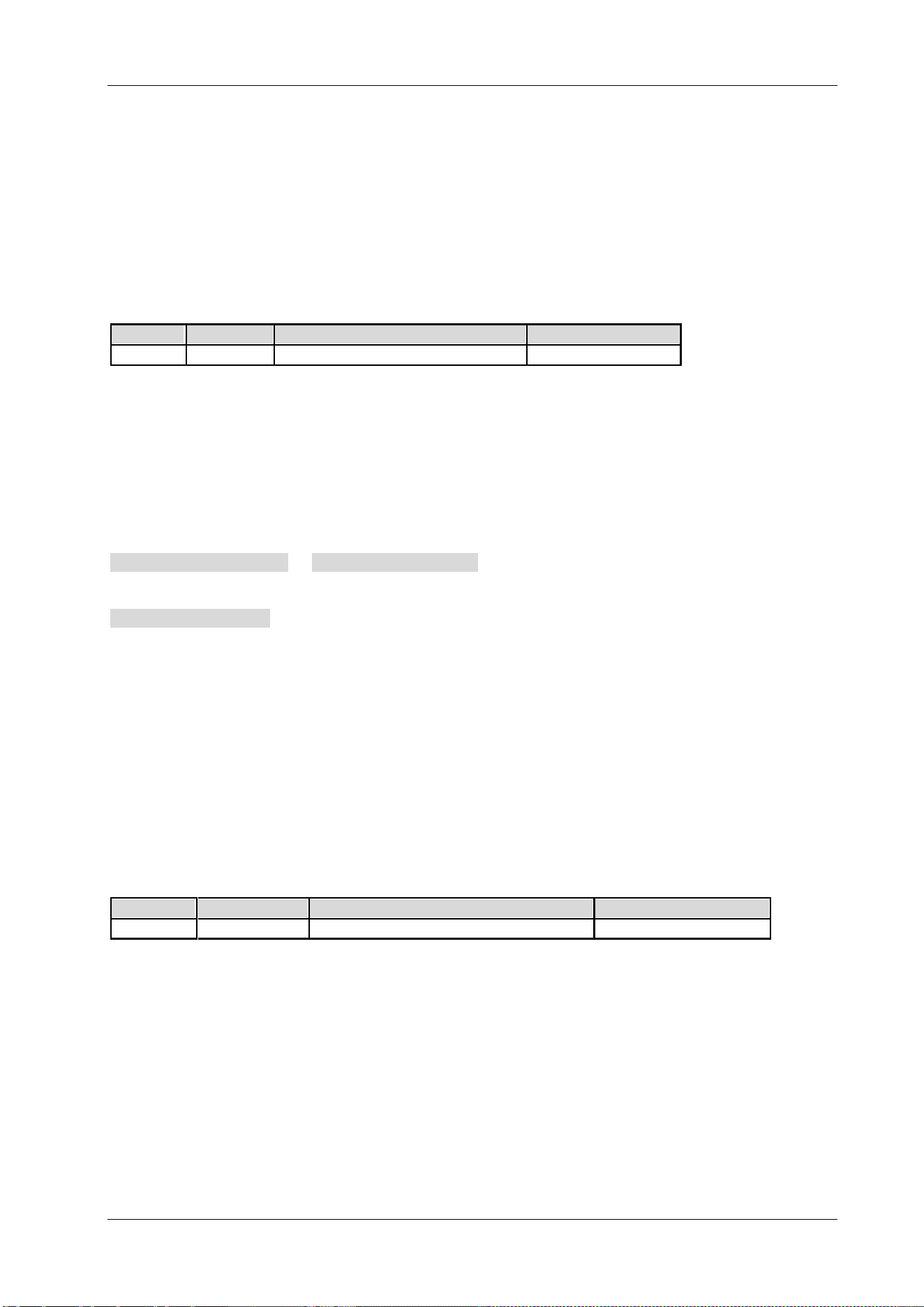
Chapter 2 Command System RIGOL
DSA800 Programming Guide 2-67
:HCOPy:IMAGe:PTIMe
Syntax
:HCOPy:IMAGe:PTIMe OFF|ON|0|1
:HCOPy:IMAGe:PTIMe?
Description
Enable or disable date print.
Query the status of date print.
Parameter
Name
Type
Range
Default
-- Bool OFF|ON|0|1 OFF|0
Explanation
OFF|0: disable date print.
ON|1: enable date print.
Return Format
The query returns 0 or 1.
Example
The command below enables date print.
:HCOPy:IMAGe:PTIMe ON or :HCOPy:IMAGe:PTIMe 1
The query below returns 1.
:HCOPy:IMAGe:PTIMe?
:HCOPy:IMAGe:QUALity
Syntax
:HCOPy:IMAGe:QUALity DEFault|NORMal|DRAFt|FINE
:HCOPy:IMAGe:QUALity?
Description
Set the print quality.
Query the print quality.
Parameter
Name
Type
Range
Default
-- Keyword DEFault|NORMal|DRAFt|FINE DEFault
Explanation
DEFault: default
NORMal: normal
DRAFt: draft
FINE: fine
Return Format
The query returns DEF, NORM, DRAF or FINE.
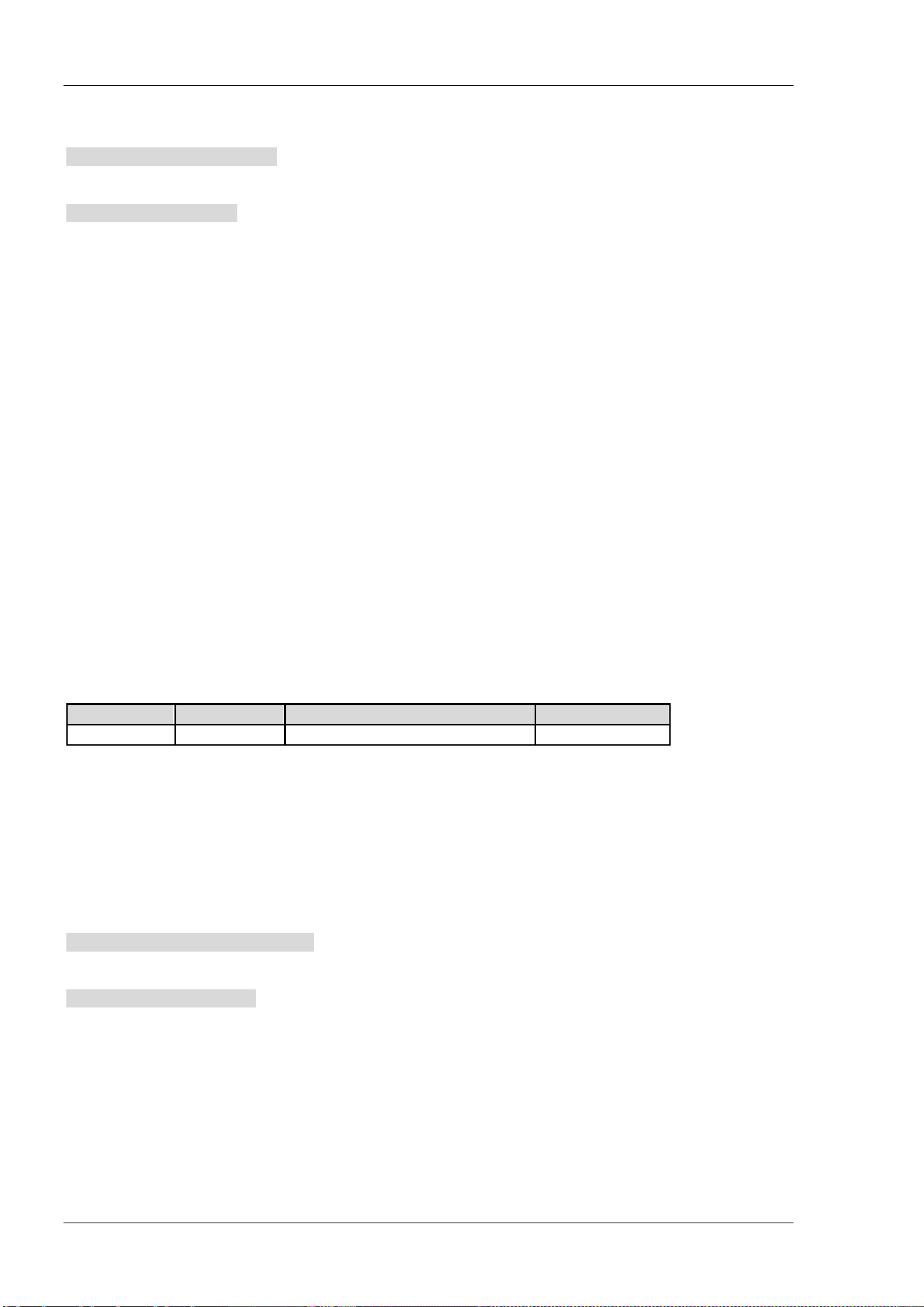
RIGOL Chapter 2 Command System
2-68 DSA800 Programming Guide
Example
The command below sets the print quality to draft.
:HCOPy:IMAGe:QUALity DRAFt
The query below returns DRAF.
:HCOPy:IMAGe:QUALity?
:HCOPy[:IMMediate]
Syntax
:HCOPy[:IMMediate]
Description
Execute the print operation.
:HCOPy:PAGE:ORIentation
Syntax
:HCOPy:PAGE:ORIentation LANDscape|PORTrait
:HCOPy:PAGE:ORIentation?
Description
Set the print orientation to landscape or portrait.
Query the print orientation.
Parameter
Name
Type
Range
Default
-- Keyword LANDscape|PORTrait LANDscape
Explanation
LANDscape: landscape
PORTrait: portrait
Return Format
The query returns LAND or PORT.
Example
The command below sets the print orientation to portrait.
:HCOPy:PAGE:ORIentation PORTrait
The query below returns PORT.
:HCOPy:PAGE:ORIentation?
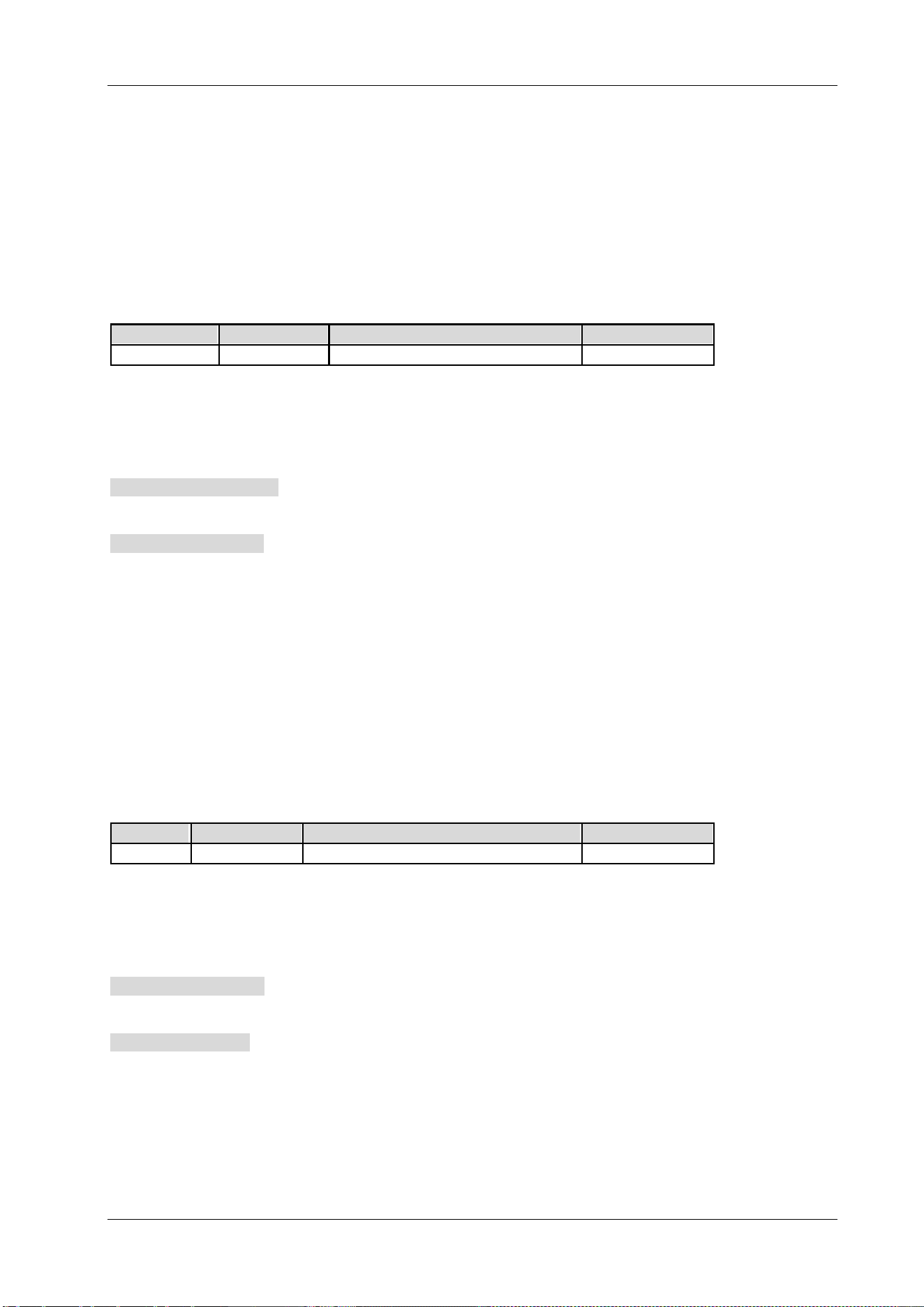
Chapter 2 Command System RIGOL
DSA800 Programming Guide 2-69
:HCOPy:PAGE:PRINts
Syntax
:HCOPy:PAGE:PRINts <integer>
:HCOPy:PAGE:PRINts?
Description
Set the print copies.
Query the print copies.
Parameter
Name
Type
Range
Default
<integer> Integer 1 to 999 1
Return Format
The query returns the print copies in integer.
Example
The command below sets the print copies to 10.
:HCOPy:PAGE:PRINts 10
The query below returns 10.
:HCOPy:PAGE:PRINts?
:HCOPy:PAGE:SIZE
Syntax
:HCOPy:PAGE:SIZE DEFault|A4|A5|A6|B5
:HCOPy:PAGE:SIZE?
Description
Set the page size of the print.
Query the page size of the print.
Parameter
Name
Type
Range
Default
--
Keyword
DEFault|A4|A5|A6|B5
DEFault
Return Format
The query returns DEF, A4, A5, A6 or B5.
Example
The command below sets the page size of the print to A5.
:HCOPy:PAGE:SIZE A5
The query below returns A5.
:HCOPy:PAGE:SIZE?

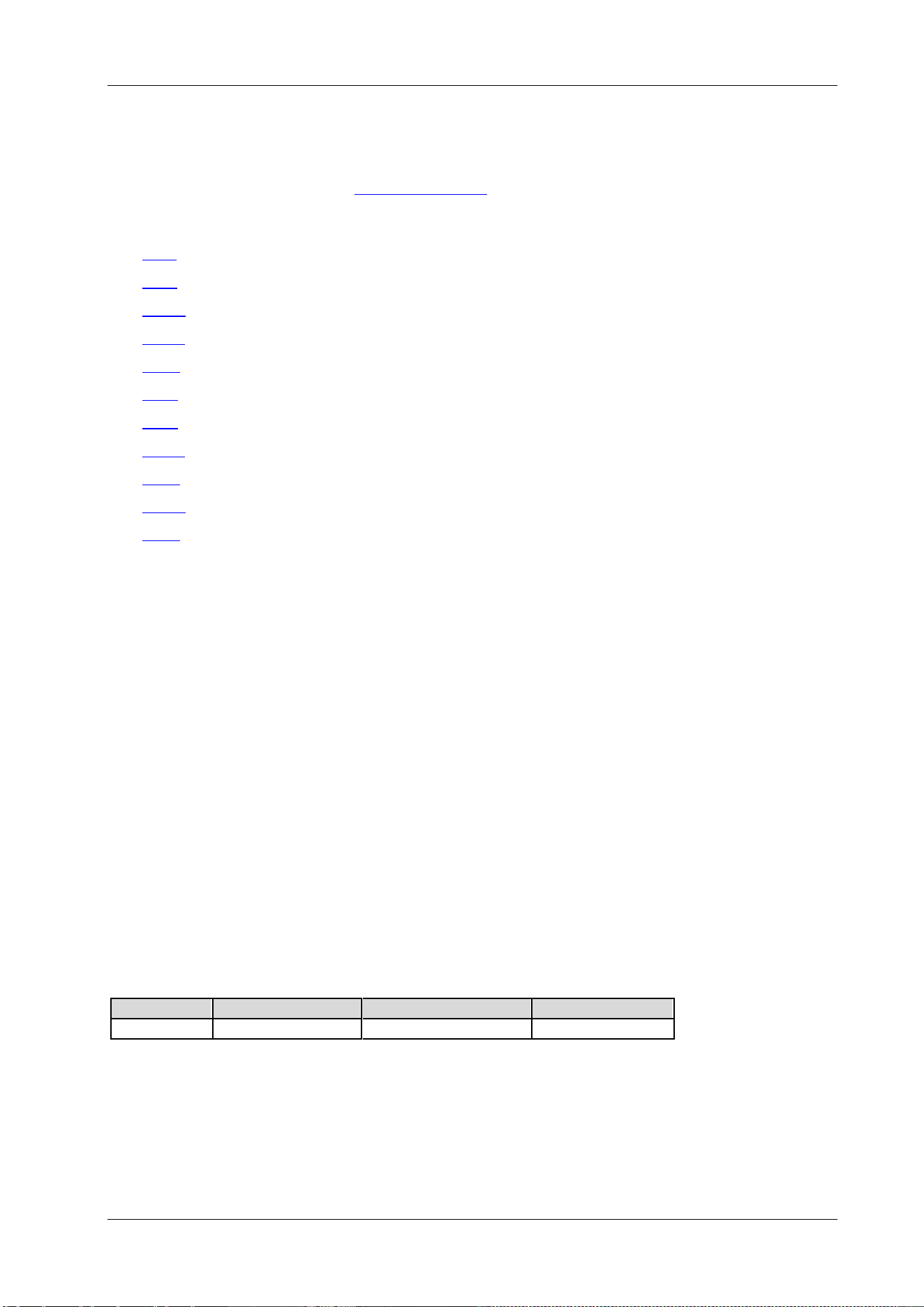
Chapter 2 Command System RIGOL
DSA800 Programming Guide 2-71
IEEE 488.2 Common Commands
IEEE 488.2 common commands are used to operate or query the status registers. About the structure of
the status registers, please refer to
:STATus Subsystem.
Command List:
*CLS
*ESE
*ESR?
*IDN?
*OPC
*RST
*SRE
*STB?
*TRG
*TST?
*WAI
*CLS
Syntax
*CLS
Description
Clear all the event registers and clear the error queue.
*ESE
Syntax
*ESE <value>
*ESE?
Description
Set the enable register for the standard event status register.
Query the enable register for the standard event status register.
Parameter
Name
Type
Range
Default
<value>
Integer
Refer to Explanation
0
Explanation
The bit 2, bit 3, bit 4 and bit 7 are reserved; you can set their values but they will not affect the instrument.
The bit 1 and bit 6 are not used and are always treated as 0; therefore, the range of <value> are the
decimal numbers corresponding to the binary numbers ranging from 00000000 (0 in decimal) to 11111111
(255 in decimal) and of which the bit 1 and bit 6 are 0.
RIGOL Chapter 2 Command System
2-72 DSA800 Programming Guide
Return Format
The query returns an integer which equals the sum of the weights of all the bits that have already been set
in the register. For example, the query returns 144 if bit 4 (16 in decimal) and bit 7 (128 in decimal) are
enabled.
Example
The command below sets the enable register of the standard event status register to 16.
*ESE 16
The query below returns 16.
*ESE?
*ESR?
Syntax
*ESR?
Description
Query and clear the event register for the standard event status register.
Explanation
The bit 1 and bit 6 of the standard event status register are not used and are always treated as 0; therefore,
the range of <value> are the decimal numbers corresponding to the binary numbers ranging from
00000000 (0 in decimal) to 11111111 (255 in decimal) and of which the bit 1 and bit 6 are 0.
Return Format
The query returns an integer which equals the sum of the weights of all the bits that have already been set
in the register. For example, the query returns 144 if bit 4 (16 in decimal) and bit 7 (128 in decimal) are
enabled.
Example
The query below returns 24 (bit 3 and bit 4 have already been set).
*ESR?
*IDN?
Syntax
*IDN?
Description
Query the ID string of the instrument.
Return Format
The query returns the ID string in the format below.
Rigol Technologies,<model>,<serial number>,XX.XX.XX.XX.XX
<model>: instrument model
<serial number>: serial number of the instrument
XX.XX.XX.XX.XX: software version of the instrument
Example
The query below returns Rigol Technologies,DSA875,DSA8A134400008,00.00.00.00.03.
*IDN?
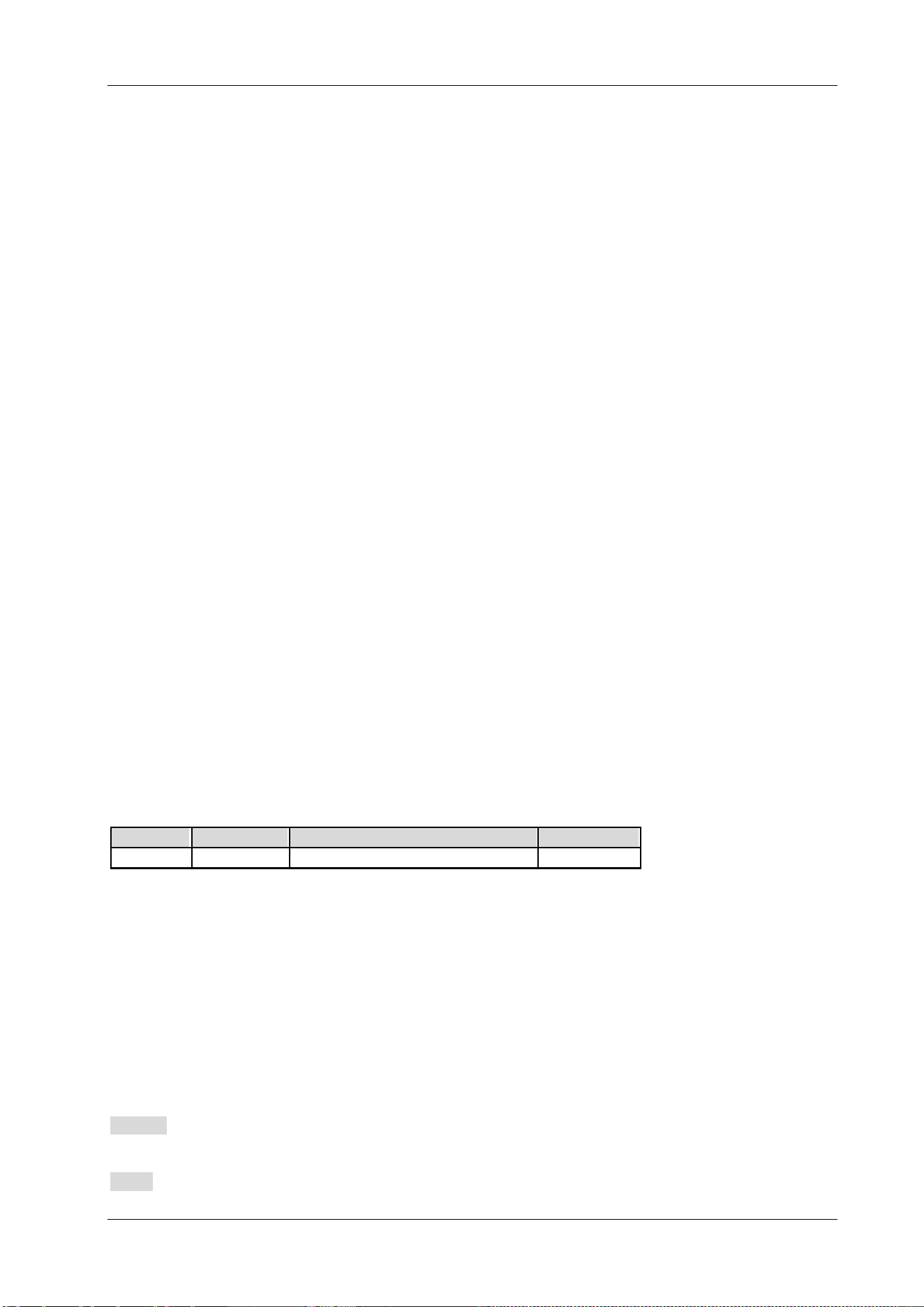
Chapter 2 Command System RIGOL
DSA800 Programming Guide 2-73
*OPC
Syntax
*OPC
*OPC?
Description
The *OPC command sets bit 0 of the standard event status register to 1 after the current operation is
finished.
The *OPC? command queries whether the current operation is finished.
Return Format
The query returns 1 if the current operation is finished, otherwise returns 0.
*RST
Syntax
*RST
Description
Restore the instrument to its default state.
*SRE
Syntax
*SRE <value>
*SRE?
Description
Set the enable register for the status byte register.
Query the enable register for the status byte register.
Parameter
Name Type Range Default
<value> Integer Refer to Explanation 0
Explanation
The bit 0 and bit 1 of the status byte register are not used and are always treated as 0; therefore, the range
of <value> are the decimal numbers corresponding to the binary numbers ranging from 00000000 (0 in
decimal) to 11111111 (255 in decimal) and of which the bit 0 and bit 1 are 0.
Return Format
The query returns an integer which equals the sum of the weights of all the bits that have already been set
in the register. For example, the query returns 144 if bit 4 (16 in decimal) and bit 7 (128 in decimal) are
enabled.
Example
The command below sets the enable register of the status byte register to 16.
*SRE 16
The query below returns 16.
*SRE?
RIGOL Chapter 2 Command System
2-74 DSA800 Programming Guide
*STB?
Syntax
*STB?
Description
Query the event register for the status byte register.
Explanation
The bit 0 and bit 1 of the status byte register are not used and are always treated as 0; therefore, the query
returns the decimal numbers corresponding to the binary numbers ranging from 00000000 (0 in decimal) to
11111111 (255 in decimal) and of which the bit 0 and bit 1 are 0.
Return Format
The query returns an integer which equals the sum of the weights of all the bits set in the register. For
example, the query returns 144 if bit 4 (16 in decimal) and bit 7 (128 in decimal) are enabled.
Example
The query below returns 24 (bit 3 and bit 4 have already been set).
*STB?
*TRG
Syntax
*TRG
Description
Trigger a sweep or measurement immediately.
*TST?
Syntax
*TST?
Description
Query whether the self-check operation is finished.
*WAI
Syntax
*WAI
Description
Wait for the operation to finish.
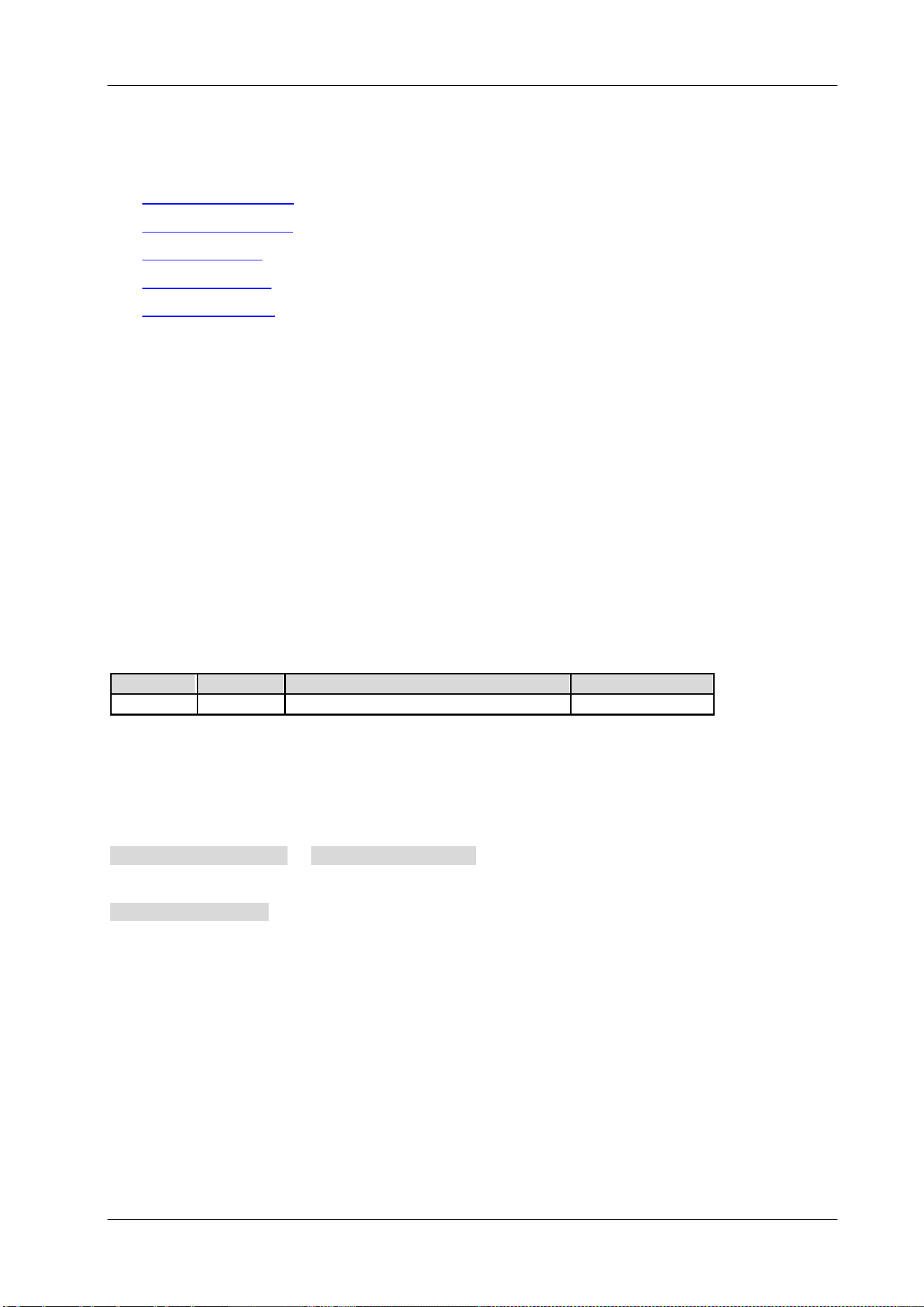
Chapter 2 Command System RIGOL
DSA800 Programming Guide 2-75
:INITiate Subsystem
Command List:
:INITiate:CONTinuous
:INITiate[:IMMediate]
:INITiate:PAUSe
*
:INITiate:RESTart*
:INITiate:RESume*
Explanation:
Commands marked with "*" are only available for DSA800 installed with the advanced measurement kit
(option).
:INITiate:CONTinuous
Syntax
:INITiate:CONTinuous OFF|ON|0|1
:INITiate:CONTinuous?
Description
In non-measurement state, select continuous (ON|1) or single (OFF|0) sweep. In measurement state,
select continuous (ON|1) or single (OFF|0) measurement.
Query the sweep or measurement mode.
Parameter
Name
Type Range Default
-- Bool OFF|ON|0|1 ON|1
Return Format
The query returns 0 or 1.
Example
The command below sets the instrument to sweep continuously (the instrument is in non-measurement
state).
:INITiate:CONTinuous ON or :INITiate:CONTinuous 1
The query below returns 1.
:INITiate:CONTinuous?

RIGOL Chapter 2 Command System
2-76 DSA800 Programming Guide
:INITiate[:IMMediate]
Syntax
:INITiate[:IMMediate]
Description
In non-measurement state, initialize a sweep.
In measurement state, trigger a measurement.
Explanation
The instrument must be in single measurement mode. This command will be ignored if
the
:INITiate:CONTinuous command is set to ON or 1.
Use the
:FETCh? command to transmit a measurement result from the internal memory to the output
buffer.
:INITiate:PAUSe
Syntax
:INITiate:PAUSe
Description
Switch the measurement state of the instrument from "Wait for Trigger" to "Pause".
Explanation
This command is only available when the measurement function is enabled and continuous measurement
mode is selected.
:INITiate:RESTart
Syntax
:INITiate:RESTart
Description
Restart the current measurement when the instrument is in idle state.
Explanation
This command is only available when the measurement function is enabled.
:INITiate:RESume
Syntax
:INITiate:RESume
Description
Restore the measurement state of the instrument from "Pause" to "Wait for Trigger".
Explanation
This command is only available when the measurement function is enabled and continuous measurement
mode is selected.
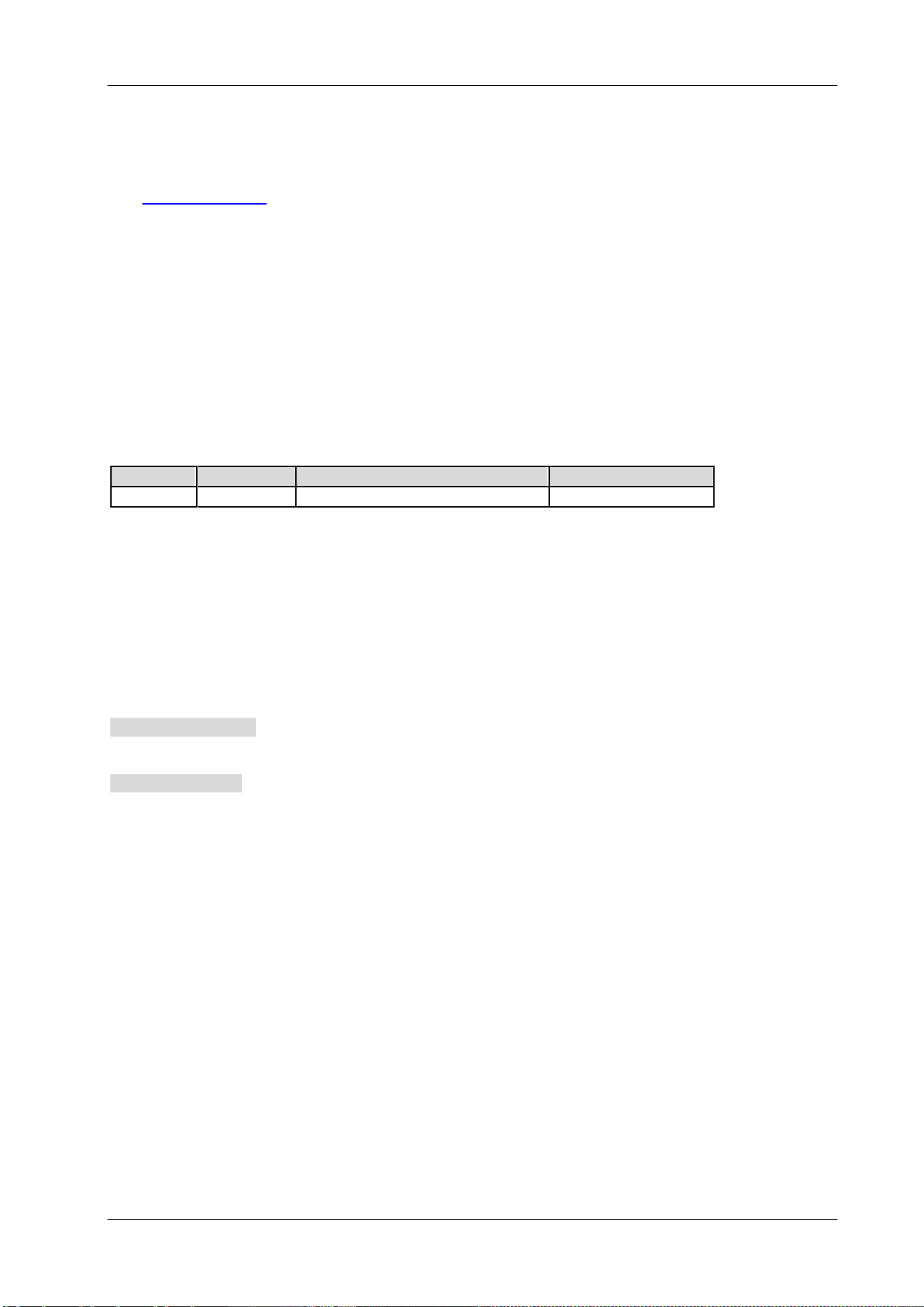
Chapter 2 Command System RIGOL
DSA800 Programming Guide 2-77
:INPut Subsystem
Command List:
:INPut:IMPedance
:INPut:IMPedance
Syntax
:INPut:IMPedance 50|75
:INPut:IMPedance?
Description
Set the input impedance for the voltage-to-power conversion and the unit is Ω.
Query the input impedance for the voltage-to-power conversion.
Parameter
Name
Type
Range
Default
--
Discrete
50|75
50
Explanation
If the output impedance of the system under measurement is 75 Ω, you should use a 75 Ω to 50 Ω adapter
(option) supplied by RIGOL to connect the spectrum analyzer with the system under test and then set the
input impedance of the spectrum analyzer to 75 Ω.
Return Format
The query returns 50 or 75.
Example
The command below sets the input impedance to 75 Ω.
:INPut:IMPedance 75
The query below returns 75.
:INPut:IMPedance?
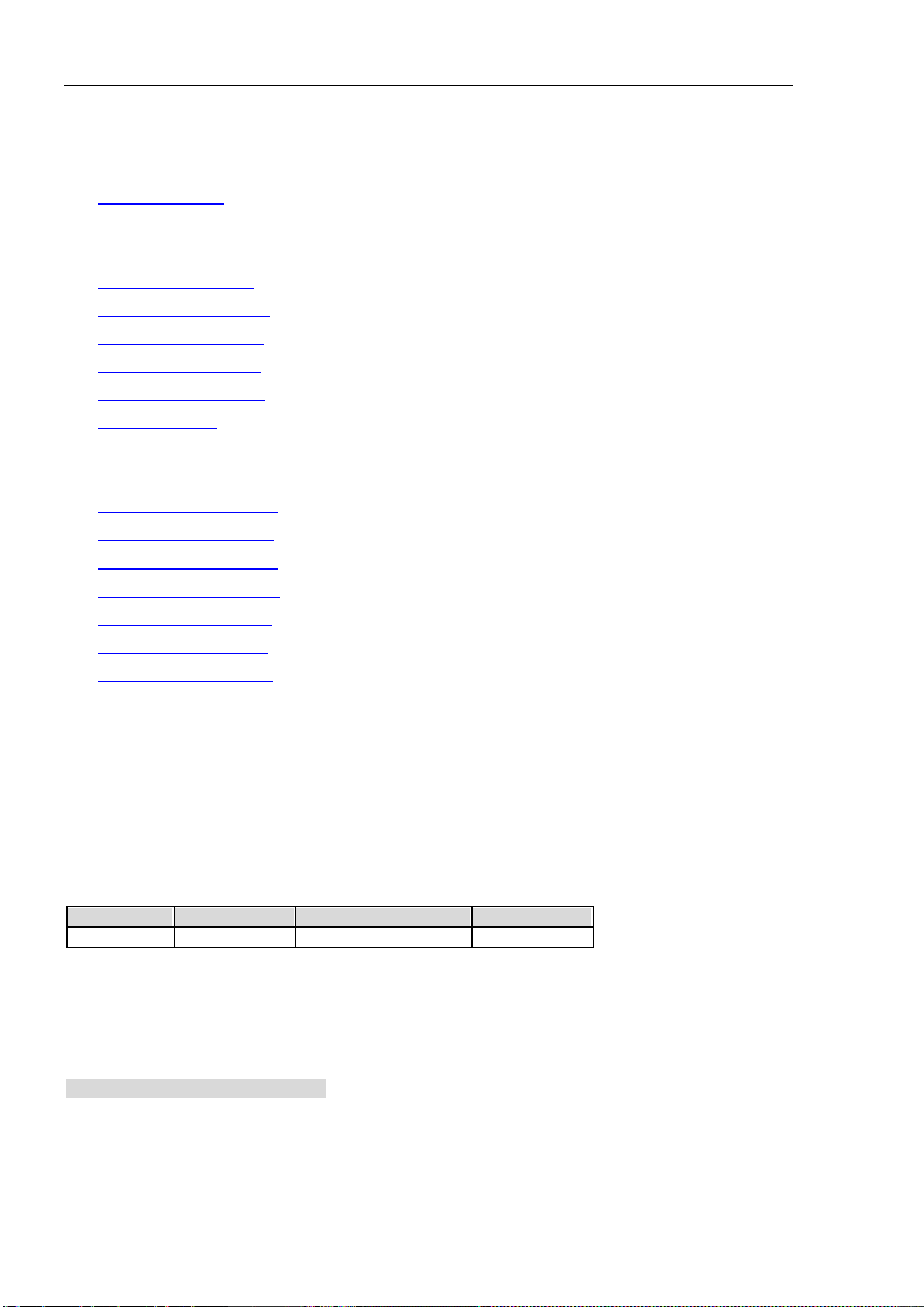
RIGOL Chapter 2 Command System
2-78 DSA800 Programming Guide
:MMEMory Subsystem
Command List:
:MMEMory:DELete
:MMEMory:DISK:INFormation?
:MMEMory:LOAD:CORRection
:MMEMory:LOAD:LIMit
:MMEMory:LOAD:MTABle
:MMEMory:LOAD:SETUp
:MMEMory:LOAD:STATe
:MMEMory:LOAD:TRACe
:MMEMory:MOVE
:MMEMory:STORe:CORRection
:MMEMory:STORe:LIMit
:MMEMory:STORe:MTABle
:MMEMory:STORe:PTABle
:MMEMory:STORe:RESults
:MMEMory:STORe:SCReen
:MMEMory:STORe:SETUp
:MMEMory:STORe:STATe
:MMEMory:STORe:TRACe
:MMEMory:DELete
Syntax
:MMEMory:DELete <file_name>
Description
Delete the file with the specified filename.
Parameter
Name Type Range Default
<file_name>
ASCII String -- --
Explanation
<file_name> should contain the path and the filename; for example, E:\Rigol\Trace1.trc.
This operation fails if the file with the specified filename does not exist.
Example
The command below deletes the Trace1.trc file under the Rigol folder in the USB storage device.
:MMEMory:DELete E:\Rigol\Trace1.trc
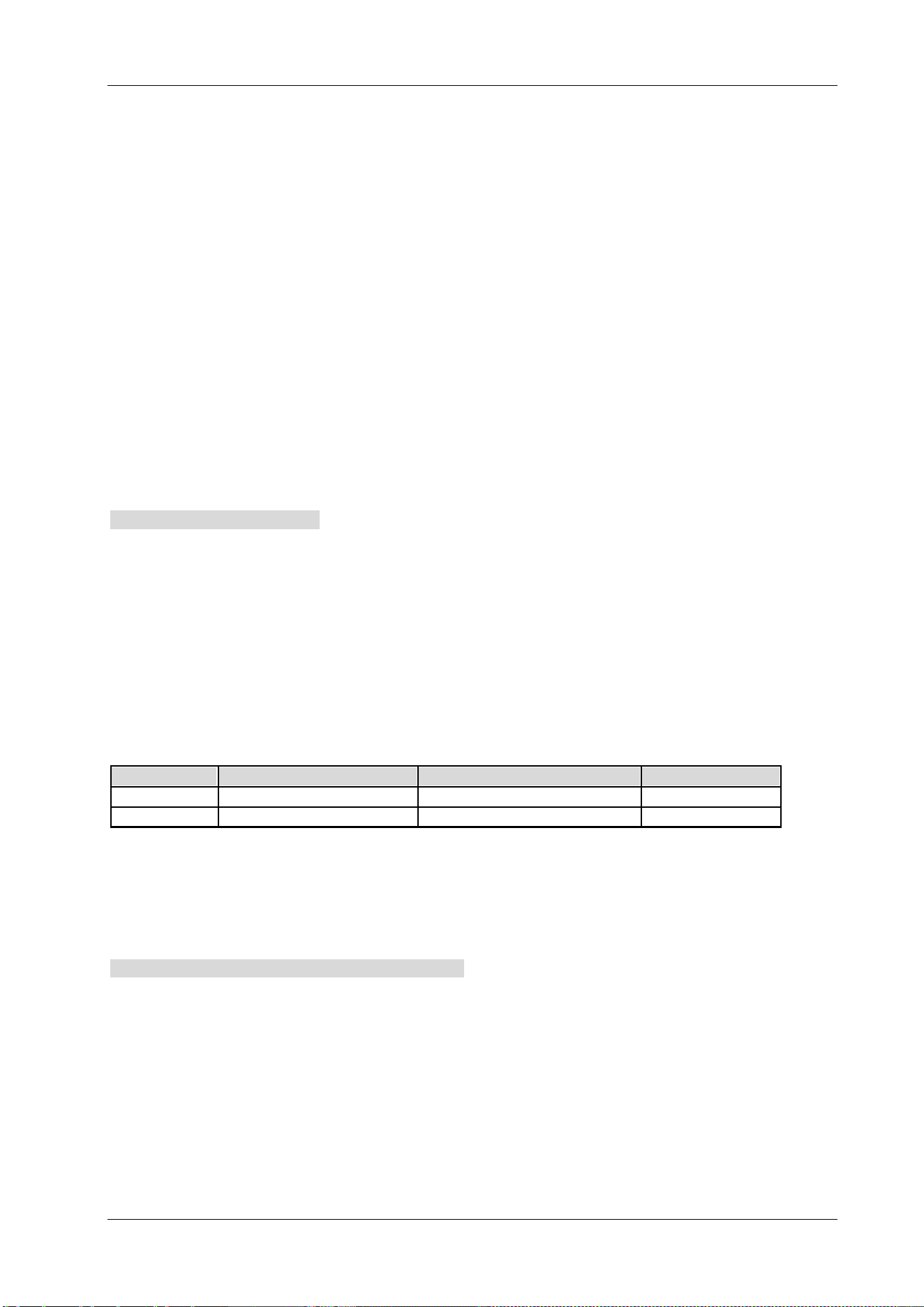
Chapter 2 Command System RIGOL
DSA800 Programming Guide 2-79
:MMEMory:DISK:INFormation?
Syntax
:MMEMory:DISK:INFormation?
Description
Query the disk information of the current USB storage device.
Return Format
The query returns the disk information (include the disk name, type, file system, space used and total
capacity) in string.
Example
The return values of the query below are as follows.
Disk Name: E
Type: Mobile Disk
File System: FAT32
Space Used: 2.15 MB
Total Capacity: 3.73 GB
:MMEMory:DISK:INFormation?
:MMEMory:LOAD:CORRection
Syntax
:MMEMory:LOAD:CORRection ANTenna|CABLe|OTHer|USER,<file_name>
Description
Load the data of the specified file (.cbl) and execute amplitude correction.
Parameter
Name
Type
Range
Default
-- Keyword ANTenna|CABLe|OTHer|USER --
<file_name>
ASCII String -- --
Explanation
<file_name> should contain the path and the filename.
This operation fails when the specified file does not exist.
Example
The command below loads the 123.cbl file in the D disk and executes amplitude correction.
:MMEMory:LOAD:CORRection ANT,D:\Corr0:123.cbl
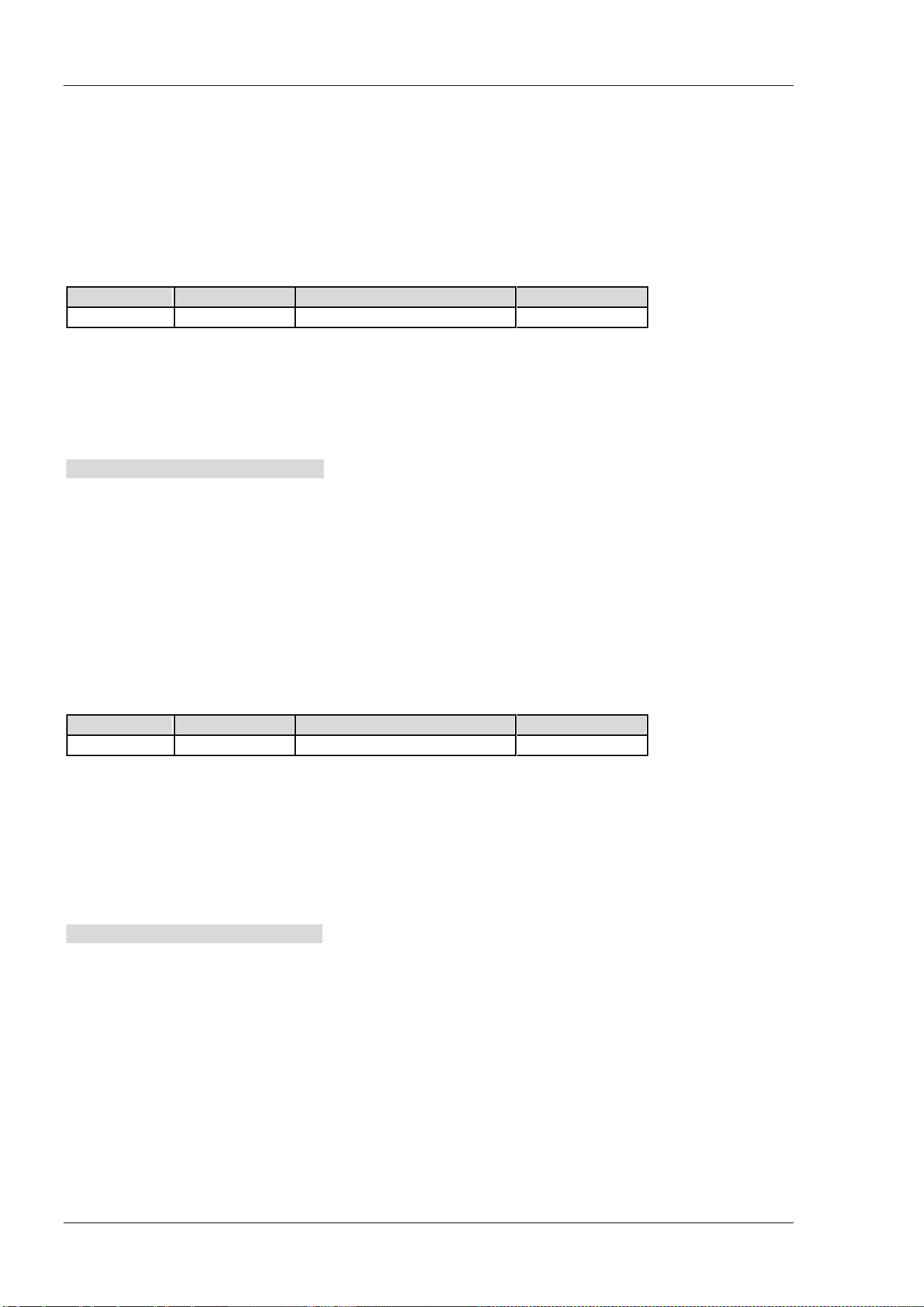
RIGOL Chapter 2 Command System
2-80 DSA800 Programming Guide
:MMEMory:LOAD:LIMit
Syntax
:MMEMory:LOAD:LIMit <file_name>
Description
Load the edited limit line file (.lim) into the instrument.
Parameter
Name
Type
Range
Default
<file_name>
ASCII String -- --
Explanation
<file_name> should contain the path and the filename.
This operation fails when the specified file does not exist.
Example
The command below loads the limit line file upp1.lim in the D disk into the instrument.
:MMEM:LOAD:LIM D:\Limit1:upp1.lim
:MMEMory:LOAD:MTABle
Syntax
:MMEMory:LOAD:MTABle <file_name>
Description
Load the stored marker table file (.mkr) into the instrument.
Parameter
Name
Type
Range
Default
<file_name>
ASCII String
--
--
Explanation
<file_name> should contain the path and the filename.
The marker table file can only be stored in external memory and can only be loaded into the instrument
from external memory.
This operation fails if the specified file does not exist.
Example
The command below loads the marker table file Mark.mkr in the USB storage device into the instrument.
:MMEMory:LOAD:MTABle E:\Mak.mkr

Chapter 2 Command System RIGOL
DSA800 Programming Guide 2-81
:MMEMory:LOAD:SETUp
Syntax
:MMEMory:LOAD:SETUp <file_name>
Description
Load the specified setup file (.set).
Parameter
Name
Type
Range
Default
<file_name>
ASCII String -- --
Explanation
<file_name> should contain the path and the filename.
This operation fails if the specified file does not exist.
Example
The command below loads the setup file pf.set in the D disk into the instrument.
:MMEMory:LOAD:SETUp D:\Setup0:pf.set
:MMEMory:LOAD:STATe
Syntax
:MMEMory:LOAD:STATe 1,<file_name>
Description
Load the specified state file (.sta).
Parameter
Name
Type
Range
Default
<file_name>
ASCII String
--
--
Explanation
<file_name> should contain the path and the filename.
This operation fails if the specified file does not exist.
Example
The command below loads the state file default.sta in the D disk into the instrument.
:MMEMory:LOAD:STATe 1,D:\State0:default.sta
RIGOL Chapter 2 Command System
2-82 DSA800 Programming Guide
:MMEMory:LOAD:TRACe
Syntax
:MMEMory:LOAD:TRACe <file_name>
Description
Load the specified trace file (.trc).
Parameter
Name
Type
Range
Default
<file_name>
ASCII String -- --
Explanation
<file_name> should contain the path and the filename.
This operation fails if the specified file does not exist.
Example
The comamnd below loads the trace file t1.trc in the D disk into the instrument.
:MMEMory:LOAD:TRACe D:\Trace0:t1.trc
:MMEMory:MOVE
Syntax
:MMEMory:MOVE <file_name1>,<file_name2>
Description
Rename the file specified in <file_name1> as <file_name2>.
Parameter
Name
Type
Range
Default
<file_name1>
ASCII String
--
--
<file_name2>
ASCII String
--
--
Explanation
<file_name1> and <file_name2> should contain the path and the filename.
This operation fails if the specified file does not exist.
Example
The command below rename file1.bmp in the USB storage device as file2.bmp.
:MMEM:MOVE E:\file1.bmp, E:\file2.bmp
Chapter 2 Command System RIGOL
DSA800 Programming Guide 2-83
:MMEMory:STORe:CORRection
Syntax
:MMEMory:STORe:CORRection ANTenna|CABLe|OTHer|USER,<file_name>
Description
Save the amplitude correction data file with the specified filename (.cbl or .csv).
Parameter
Name
Type
Range
Default
-- Keyword ANTenna|CABLe|OTHer|USER --
<file_name>
ASCII String -- --
Explanation
<file_name> should contain the path and the filename.
You can save the amplitude correction file in the D disk or E disk. The .csv format file can only be stored in
the E disk.
If the specified file already exists, it will be overwritten.
Example
The command below store the amplitude correction file to the D disk with the filename ANT.cbl.
:MMEMory:STORe:CORRection ANT,D:\Corr1:ANT.cbl
:MMEMory:STORe:LIMit
Syntax
:MMEMory:STORe:LIMit <file_name>
Description
Save the limit line currently edited with the specified filename (.lim).
Parameter
Name
Type
Range
Default
<file_name>
ASCII String -- --
Explanation
<file_name> should contain the path and the filename.
You can save the limit file in the D disk or E disk.
If the specified file already exists, it will be overwritten.
Example
The command below stores the limit line currently edited in the D disk with the filename low.liml.
:MMEMory:STORe:LIMit D:\Limit0:low.lim
RIGOL Chapter 2 Command System
2-84 DSA800 Programming Guide
:MMEMory:STORe:MTABle
Syntax
:MMEMory:STORe:MTABle <file_name>
Description
Save the marker table in the USB storage device with the specified filename (.mkr or .csv).
Parameter
Name
Type
Range
Default
<file_name>
ASCII String -- --
Explanation
<file_name> should contain the path and the filename.
If the specified file already exists, it will be overwritten.
Example
The command below stores the marker table to the USB storage device with the filename MAK1.mkr.
:MMEMory:STORe:PTABle E:\MAK1.mkr
:MMEMory:STORe:PTABle
Syntax
:MMEMory:STORe:PTABle <file_name>
Description
Save the peak table in the USB storage device with the specified filename (.csv).
Parameter
Name
Type
Range
Default
<file_name>
ASCII String
--
--
Explanation
<file_name> should contain the path and the filename.
If the specified file already exists, it will be overwritten.
Example
The command below stores the peak table in the USB storage device with the filename PT1.csv.
:MMEMory:STORe:PTABle E:\PT1.csv
Chapter 2 Command System RIGOL
DSA800 Programming Guide 2-85
:MMEMory:STORe:RESults
Syntax
:MMEMory:STORe:RESults <file_name>
Description
Save the current measurement results in the USB storage device with the specified filename (.csv).
Parameter
Name
Type
Range
Default
<file_name>
ASCII String -- --
Explanation
<file_name> should contain the path and the filename.
If the specified file already exists, it will be overwritten.
Example
The command below stores the current measurement results in the USB storage device with the filename
ACP.csv.
:MMEMory:STORe:RESults E:\ACP.csv
:MMEMory:STORe:SCReen
Syntax
:MMEMory:STORe:SCReen <file_name>
Description
Save the current screen image in the USB storage device with the specified filename (.bmp/.jpg/.png).
Parameter
Name Type Range Default
<file_name>
ASCII String -- --
Explanation
<file_name> should contain the path and the filename.
If the specified file already exists, it will be overwritten.
Example
The command below stores the current screen image in the USB storage device with the filename
screen.bmp.
:MMEMory:STORe:SCReen E:\screen.bmp
RIGOL Chapter 2 Command System
2-86 DSA800 Programming Guide
:MMEMory:STORe:SETUp
Syntax
:MMEMory:STORe:SETUp <file_name>
Description
Save the current setting with the specified filename (.set).
Parameter
Name
Type
Range
Default
<file_name>
ASCII String -- --
Explanation
<file_name> should contain the path and the filename.
You can save the setup file in the D disk or E disk.
If the specified file already exists, it will be overwritten.
Example
The command below stores the current setting in the USB storage device with the filename ST1.set.
:MMEMory:STORe:SETUp D:\Setup1:ST1.set
:MMEMory:STORe:STATe
Syntax
:MMEMory:STORe:STATe 1,<file_name>
Description
Save the current instrument state with the specified filename (.sta).
Parameter
Name
Type
Range
Default
<file_name>
ASCII String -- --
Explanation
<file_name> should contain the path and the filename.
You can save the state file in the C disk, D disk or E disk.
If the specified file already exists, it will be overwritten.
Example
The command below stores the current instrument state in the USB storage device with the filename
state.sta.
:MMEMory:STORe:STATe 1,E:\state.sta
Chapter 2 Command System RIGOL
DSA800 Programming Guide 2-87
:MMEMory:STORe:TRACe
Syntax
:MMEMory:STORe:TRACe <label>,<file_name>
Description
Save the specified trace with the specified filename (.trc or .csv).
Parameter
Name
Type
Range
Default
<label> Keyword TRACE1|TRACE2|TRACE3|MATH|ALL --
<file_name>
ASCII String -- --
Explanation
<file_name> should contain the path and the filename.
You can save the trace file in the D disk or E disk. The .csv format file can only be stored in the E disk.
If the specified file already exists, it will be overwritten.
Example
The command below stores trace 1 in the D disk with the filename T1.trc.
:MMEMory:STORe:TRACe TRACE1,D:\Trace1:T1.trc
RIGOL Chapter 2 Command System
2-88 DSA800 Programming Guide
:OUTPut Subsystem
Command List:
:OUTPut[:STATe]
:OUTPut[:STATe]
Syntax
:OUTPut[:STATe] OFF|ON|0|1
:OUTPut[:STATe]?
Description
Enable or disable the output of the tracking generator.
Query the on/off status of the tracking generator.
Parameter
Name
Type
Range
Default
--
Bool
OFF|ON|0|1
OFF|0
Explanation
This command is only available for DSA815-TG/DSA832-TG/DSA875-TG.
Return Format
The query returns 0 or 1.
Example
The command below enables the output of the tracking generator.
:OUTPut:STATe ON or :OUTPut:STATe 1
The query below returns 1.
:OUTPut:STATe?

Chapter 2 Command System RIGOL
DSA800 Programming Guide 2-89
:READ Subsystem
Both the :READ commands and the
:FETCh commands are used to acquire the measurement results. The
difference between them lies in that the
:FETCh commands acquire the measurement results immediately
while the :READ commands start a measurement and return the measurement results after the
measurement finishes.
Command List:
:READ:ACPower?
:READ:ACPower:LOWer?
:READ:ACPower:MAIN?
:READ:ACPower:UPPer?
:READ:CHPower?
:READ:CHPower:CHPower?
:READ:CHPower:DENSity?
:READ:CNRatio?
:READ:CNRatio:CARRier?
:READ:CNRatio:CNRatio?
:READ:CNRatio:NOISe?
:READ:EBWidth?
:READ:HARMonics:AMPLitude:ALL?
:READ:HARMonics:AMPLitude? <n>
:READ:HARMonics[:DISTortion]?
:READ:HARMonics:FREQuency:ALL?
:READ:HARMonics:FREQuency? <n>
:READ:HARMonics:FUNDamental?
:READ:OBWidth?
:READ:OBWidth:OBWidth?
:READ:OBWidth:OBWidth:FERRor?
:READ:TOIntercept?
:READ:TOIntercept:IP3?
:READ:TPOWer?
Explanation:
The :READ commands are only available for DSA800 installed with the advanced measurement kit (option).

RIGOL Chapter 2 Command System
2-90 DSA800 Programming Guide
:READ:ACPower?
Syntax
:READ:ACPower?
Description
Execute an adjacent channel power measurement and return the measurement results.
Explanation
The power unit of the return values is the same with the current Y-axis unit.
This command will select data from the latest measurement results and transmit the data to the output
buffer.
Return Format
The query returns 5 values (main channel power, upper channel power as well as the power difference
between the upper channel and main channel (in dBc), the lower channel power as well as the power
difference between the lower channel and the main channel (in dBc)) in scientific notation (separated by
commas). For example, -5.150423E+01,-5.173441E+01, -2.301865E-01,-5.142665E+01,7.757568E-02.
:READ:ACPower:LOWer?
Syntax
:READ:ACPower:LOWer?
Description
Execute an adjacent channel power measurement and return the lower channel power.
Explanation
The power unit of the return value is the same with the current Y-axis unit.
This command will select data from the latest measurement results and transmit the data to the output
buffer.
Return Format
The query returns the lower channel power in scientific notation. For example, -5.142665E+01.
:READ:ACPower:MAIN?
Syntax
:READ:ACPower:MAIN?
Description
Execute an adjacent channel power measurement and return the main channel power.
Explanation
The power unit of the return value is the same with the current Y-axis unit.
This command will select data from the latest measurement results and transmit the data to the output
buffer.
Return Format
The query returns the main channel power in scientific notation. For example, -5.150423E+01.

Chapter 2 Command System RIGOL
DSA800 Programming Guide 2-91
:READ:ACPower:UPPer?
Syntax
:READ:ACPower:UPPer?
Description
Execute an adjacent channel power measurement and return the upper channel power.
Explanation
The power unit of the return value is the same with the current Y-axis unit.
This command will select data from the latest measurement results and transmit the data to the output
buffer.
Return Format
The query returns the upper channel power in scientific notation. For example, -5.173441E+01.
:READ:CHPower?
Syntax
:READ:CHPower?
Description
Execute a channel power measurement and return the measurement results.
Explanation
The power unit of the return values is the same with the current Y-axis unit.
This command will select data from the latest measurement results and transmit the data to the output
buffer.
Return Format
The query returns the channel power and the power spectral density in scientific notation (separated by
comma). For example, -1.599480E+01,-7.900511E+01.
:READ:CHPower:CHPower?
Syntax
:READ:CHPower:CHPower?
Description
Execute a channel power measurement and return the channel power.
Explanation
The power unit of the return value is the same with the current Y-axis unit.
This command will select data from the latest measurement results and transmit the data to the output
buffer.
Return Format
The query returns the channel power in scientific notation. For example, -1.599480E+01.

RIGOL Chapter 2 Command System
2-92 DSA800 Programming Guide
:READ:CHPower:DENSity?
Syntax
:READ:CHPower:DENSity?
Description
Execute a channel power measurement and return the channel power spectral density.
Explanation
The power unit of the return value is the same with the current Y-axis unit.
This command will select data from the latest measurement results and transmit the data to the output
buffer.
Return Format
The query returns the channel power spectral density in scientific notation. For example, -7.900511E+01.
:READ:CNRatio?
Syntax
:READ:CNRatio?
Description
Execute a C/N ratio measurement and return the measurement results.
Explanation
The power unit of the return values is the same with the current Y-axis unit.
This command will select data from the latest measurement results and transmit the data to the output
buffer.
Return Format
The query returns the carrier power, noise power and C/N ratio (in dB) in scientific notation (separated by
commas).
For example, -6.048788E+01,-6.186192E+01,1.374039E+00.
:READ:CNRatio:CARRier?
Syntax
:READ:CNRatio:CARRier?
Description
Execute a C/N ratio measurement and return the carrier power.
Explanation
The power unit of the return value is the same with the current Y-axis unit.
This command will select data from the latest measurement results and transmit the data to the output
buffer.
Return Format
The query returns the carrier power in scientific notation. For example, -1.484203E+01.

Chapter 2 Command System RIGOL
DSA800 Programming Guide 2-93
:READ:CNRatio:CNRatio?
Syntax
:READ:CNRatio:CNRatio?
Description
Execute a C/N ratio measurement and return the C/N ratio.
Explanation
This command will select data from the latest measurement results and transmit the data to the output
buffer.
Return Format
The query returns the C/N ratio in scientific notation. For example, 8.956909E-02.
:READ:CNRatio:NOISe?
Syntax
:READ:CNRatio:NOISe?
Description
Execute a C/N ratio measurement and return the noise power.
Explanation
The power unit of the return value is the same with the current Y-axis unit.
This command will select data from the latest measurement results and transmit the data to the output
buffer.
Return Format
The query returns the noise power in scientific notation. For example, -1.442294E+01.
:READ:EBWidth?
Syntax
:READ:EBWidth?
Description
Execute an emission bandwidth measurement and return the measurement result.
Explanation
This command will select data from the latest measurement results and transmit the data to the output
buffer.
Return Format
The query returns the emission bandwidth in integer and the unit is Hz. For example, 50000.
RIGOL Chapter 2 Command System
2-94 DSA800 Programming Guide
:READ:HARMonics:AMPLitude:ALL?
Syntax
:READ:HARMonics:AMPLitude:ALL?
Description
Execute a harmonic distortion measurement and return the amplitudes of the first 10 harmonics.
Explanation
If the number of harmonics under measurement is less than 10, the harmonics that are not measured do
not have return values.
The amplitude unit of the return values is the same with the current Y-axis unit.
This command will select data from the latest measurement results and transmit the data to the output
buffer.
Return Format
The query returns the amplitudes of the first 10 harmonics in scientific notation (separated by commas).
For example,
-1.692102E+01,-6.458423E+01,-7.509421E+01,-7.924328E+01,-7.847027E+01,-7.885457E+01,-7.8823
58E+01, -7.921457E+01,-7.923057E+01,-7.915358E+01.
:READ:HARMonics:AMPLitude? <n>
Syntax
:READ:HARMonics:AMPLitude? <n>
Description
Execute a harmonic distortion measurement and return the amplitude of the specified harmonic.
Parameter
Name Type Range Default
<n> Integer 1 to 10 --
Explanation
The amplitude unit of the return value is the same with the current Y-axis unit.
The query returns --- when the harmonic read does not have data.
This command will select data from the latest measurement results and transmit the data to the output
buffer.
Return Format
The query returns the amplitude of the specified harmonic in scientific notation. For example,
-1.692102E+01.

Chapter 2 Command System RIGOL
DSA800 Programming Guide 2-95
:READ:HARMonics[:DISTortion]?
Syntax
:READ:HARMonics[:DISTortion]?
Description
Execute a harmonic distortion measurement and return the percentage of the total harmonic distortion.
Explanation
This command will select data from the latest measurement results and transmit the data to the output
buffer.
Return Format
The query returns the percentage of the total harmonic distortion in scientific notation. For example,
2.490393E+02.
:READ:HARMonics:FREQuency:ALL?
Syntax
:READ:HARMonics:FREQuency:ALL?
Description
Execute a harmonic distortion measurement and return the frequencies of the first 10 harmonics.
Explanation
If the number of harmonics under measurement is less than 10, the harmonics that are not measured do
not have return values.
This command will select data from the latest measurement results and transmit the data to the output
buffer.
Return Format
The query returns the frequencies in integer (separated by commas) and the unit is Hz.
For example, 45500000,91000000,136500000,182000000,
227500000,273000000,318500000,364000000,409500000,455000000.
RIGOL Chapter 2 Command System
2-96 DSA800 Programming Guide
:READ:HARMonics:FREQuency? <n>
Syntax
:READ:HARMonics:FREQuency? <n>
Description
Execute a harmonic distortion measurement and return the frequency of the specified harmonic.
Parameter
Name
Type
Range
Default
<n> Integer 1 to 10 --
Explanation
The query returns --- when the harmonic read does not have data.
This command will select data from the latest measurement results and transmit the data to the output
buffer.
Return Format
The query returns the frequency of the specified harmonic in integer and the unit is Hz. For example,
45500000.
:READ:HARMonics:FUNDamental?
Syntax
:READ:HARMonics:FUNDamental?
Description
Execute a harmonic distortion measurement and return the frequency of the fundamental waveform.
Explanation
This command is equivalent to the :READ:HARMonics:FREQuency? 1 command.
This command will select data from the latest measurement results and transmit the data to the output
buffer.
Return Format
The query returns the frequency of the fundamental waveform in integer and the unit is Hz. For example,
45500000.
:READ:OBWidth?
Syntax
:READ:OBWidth?
Description
Execute an occupied bandwidth measurement and return the measurement results.
Explanation
This command will select data from the latest measurement results and transmit the data to the output
buffer.
Return Format
The query returns the occupied bandwidth (Hz) and the transmit frequency error (Hz) in integer (separated
by comma). For example, 1860000,20000.

Chapter 2 Command System RIGOL
DSA800 Programming Guide 2-97
:READ:OBWidth:OBWidth?
Syntax
:READ:OBWidth:OBWidth?
Description
Execute an occupied bandwidth measurement and return the occupied bandwidth.
Explanation
This command will select data from the latest measurement results and transmit the data to the output
buffer.
Return Format
The query returns the occupied bandwidth in integer and the unit is Hz. For example, 1860000.
:READ:OBWidth:OBWidth:FERRor?
Syntax
:READ:OBWidth:OBWidth:FERRor?
Description
Execute an occupied bandwidth measurement and return the transmit frequency error.
Explanation
This command will select data from the latest measurement results and transmit the data to the output
buffer.
Return Format
The query returns the transmit frequency error in integer and the unit is Hz. For example, 20000.
:READ:TOIntercept?
Syntax
:READ:TOIntercept?
Description
Execute a TOI measurement and return the measurement results.
Explanation
The power unit of the return value is the same with the current Y-axis unit.
This command will select data from the latest measurement results and transmit the data to the output
buffer.
Return Format
The query returns the measurement results of TOI in the following format:
the Base Lower frequency (Hz), amplitude, the Base Upper frequency (Hz), amplitude, the 3rd Order Lower
frequency (Hz), amplitude, intercept, the 3rd Order Upper frequency (Hz), amplitude, intercept.
For example,
1500450000,-8.131735E+01,1500450000,-8.131735E+01,1500450000,-8.131735E+01,-8.131735E+01,1
500450000,-8.131735E+01,-8.131735E+01.

RIGOL Chapter 2 Command System
2-98 DSA800 Programming Guide
:READ:TOIntercept:IP3?
Syntax
:READ:TOIntercept:IP3?
Description
Execute a TOI measurement and return the minor one of the intercepts of the 3rd Order Lower and the 3rd
Order Upper.
Explanation
This command will select data from the latest measurement results and transmit the data to the output
buffer.
Return Format
The query returns the minor one in scientific notation. For example, -8.131735E+01.
:READ:TPOWer?
Syntax
:READ:TPOWer?
Description
Execute a T-power measurement and return the measurement result.
Explanation
The power unit of the return value is the same with the current Y-axis unit.
This command will select data from the latest measurement results and transmit the data to the output
buffer.
Return Format
The query returns the T-power measurement result in scientific notation. For example, -1.658941E+01.

Chapter 2 Command System RIGOL
DSA800 Programming Guide 2-99
[:SENSe] Subsystem
Command List:
[:SENSe]:ACPower:AVERage:COUNt
*
[:SENSe]:ACPower:AVERage[:STATe]*
[:SENSe]:ACPower:AVERage:TCONtrol*
[:SENSe]:ACPower:BANDwidth:ACHannel*
[:SENSe]:ACPower:BANDwidth:INTegration*
[:SENSe]:ACPower:CSPacing*
[:SENSe]:BANDwidth:EMIFilter:STATe
[:SENSe]:BANDwidth[:RESolution]
[:SENSe]:BANDwidth[:RESolution]:AUTO
[:SENSe]:BANDwidth:VIDeo
[:SENSe]:BANDwidth:VIDeo:AUTO
[:SENSe]:BANDwidth:VIDeo:RATio
[:SENSe]:CHPower:AVERage:COUNt
*
[:SENSe]:CHPower:AVERage[:STATe]*
[:SENSe]:CHPower:AVERage:TCONtrol*
[:SENSe]:CHPower:BANDwidth:INTegration*
[:SENSe]:CHPower:FREQuency:SPAN*
[:SENSe]:CNRatio:AVERage:COUNt*
[:SENSe]:CNRatio:AVERage[:STATe]*
[:SENSe]:CNRatio:AVERage:TCONtrol*
[:SENSe]:CNRatio:BANDwidth:INTegration*
[:SENSe]:CNRatio:BANDwidth:NOISe*
[:SENSe]:CNRatio:OFFSet*
[:SENSe]:CORRection:CSET:ALL:DELete
[:SENSe]:CORRection:CSET:ALL[:STATe]
[:SENSe]:CORRection:CSET<n>:DATA
[:SENSe]:CORRection:CSET<n>:DATA:MERGe
[:SENSe]:CORRection:CSET<n>:DELete
[:SENSe]:CORRection:CSET<n>[:STATe]
[:SENSe]:CORRection:CSET<n>:X:SPACing
[:SENSe]:CORRection:CSET:TABLe:STATe
[:SENSe]:DEMod
[:SENSe]:DEMod:GAIN:AUTO
[:SENSe]:DEMod:GAIN:INCRement
[:SENSe]:DEMod:STATe
[:SENSe]:DEMod:TIME

RIGOL Chapter 2 Command System
2-100 DSA800 Programming Guide
[:SENSe]:DETector[:FUNCtion]
[:SENSe]:EBWidth:AVERage:COUNt
*
[:SENSe]:EBWidth:AVERage[:STATe]*
[:SENSe]:EBWidth:AVERage:TCONtrol*
[:SENSe]:EBWidth:FREQuency:SPAN*
[:SENSe]:EBWidth:MAXHold:STATe*
[:SENSe]:EBWidth:XDB*
[:SENSe]:EXTRef[:STATe]?
[:SENSe]:FREQuency:CENTer
[:SENSe]:FREQuency:CENTer:DOWN
[:SENSe]:FREQuency:CENTer:SET:STEP
[:SENSe]:FREQuency:CENTer:STEP:AUTO
[:SENSe]:FREQuency:CENTer:STEP[:INCRement]
[:SENSe]:FREQuency:CENTer:UP
[:SENSe]:FREQuency:OFFSet
[:SENSe]:FREQuency:SPAN
[:SENSe]:FREQuency:SPAN:FULL
[:SENSe]:FREQuency:SPAN:PREVious
[:SENSe]:FREQuency:SPAN:ZIN
[:SENSe]:FREQuency:SPAN:ZOUT
[:SENSe]:FREQuency:STARt
[:SENSe]:FREQuency:STOP
[:SENSe]:HDISt:AVERage:COUNt
*
[:SENSe]:HDISt:AVERage[:STATe]*
[:SENSe]:HDISt:AVERage:TCONtrol*
[:SENSe]:HDISt:NUMBers*
[:SENSe]:HDISt:TIME*
[:SENSe]:HDISt:TIME:AUTO[:STATe]*
[:SENSe]:OBWidth:AVERage:COUNt*
[:SENSe]:OBWidth:AVERage[:STATe]*
[:SENSe]:OBWidth:AVERage:TCONtrol*
[:SENSe]:OBWidth:FREQuency:SPAN*
[:SENSe]:OBWidth:MAXHold:STATe*
[:SENSe]:OBWidth:PERCent*
[:SENSe]:POWer:ARANge
[:SENSe]:POWer:ASCale
[:SENSe]:POWer:ATUNe
[:SENSe]:POWer[:RF]:ATTenuation
[:SENSe]:POWer[:RF]:ATTenuation:AUTO

Chapter 2 Command System RIGOL
DSA800 Programming Guide 2-101
[:SENSe]:POWer[:RF]:GAIN[:STATe]
[:SENSe]:POWer[:RF]:MIXer:RANGe[:UPPer]
[:SENSe]:SIGCapture[:STATe]
***
[:SENSe]:SIGCapture:SIGC[:STATe]***
[:SENSe]:SIGCapture:MAXHold[:STATe]***
[:SENSe]:SIGCapture:RESet***
[:SENSe]:SIGCapture:2FSK[:STATe***
[:SENSe]:SIGCapture:2FSK:RESet***
[:SENSe]:SIGCapture:2FSK:MAXHold[:STATe]***
[:SENSe]:SIGCapture:2FSK:PFSWitch***
[:SENSe]:SIGCapture:2FSK:SIGNal***
[:SENSe]:SIGCapture:2FSK:AMPUp***
[:SENSe]:SIGCapture:2FSK:AMPDown***
[:SENSe]:SIGCapture:2FSK:MARK1[:FREQ]***
[:SENSe]:SIGCapture:2FSK:MARK1:Switch[:STATe]***
[:SENSe]:SIGCapture:2FSK:MARK2[:FREQ]***
[:SENSe]:SIGCapture:2FSK:MARK2:Switch[:STATe]***
[:SENSe]:SWEep:COUNt
[:SENSe]:SWEep:COUNt:CURRent?
[:SENSe]:SWEep:POINts
[:SENSe]:SWEep:TIME
[:SENSe]:SWEep:TIME:AUTO
[:SENSe]:SWEep:TIME:AUTO:RULes
[:SENSe]:TOI:AVERage:COUNt
*
[:SENSe]:TOI:AVERage[:STATe]*
[:SENSe]:TOI:AVERage:TCONtrol*
[:SENSe]:TOI:FREQuency:SPAN*
[:SENSe]:TPOWer:AVERage:COUNt*
[:SENSe]:TPOWer:AVERage[:STATe]*
[:SENSe]:TPOWer:AVERage:TCONtrol*
[:SENSe]:TPOWer:LLIMit*
[:SENSe]:TPOWer:MODE*
[:SENSe]:TPOWer:RLIMit*
[:SENSe]:VSWR:FREFlect**
[:SENSe]:VSWR:NREFlect**
[:SENSe]:VSWR:RESet**
[:SENSe]:VSWR:STATe**
Explanation: Commands marked with "*" are only available for DSA800 installed with the advanced
measurement kit (option); commands marked with "**" are only available for DSA800 installed with the
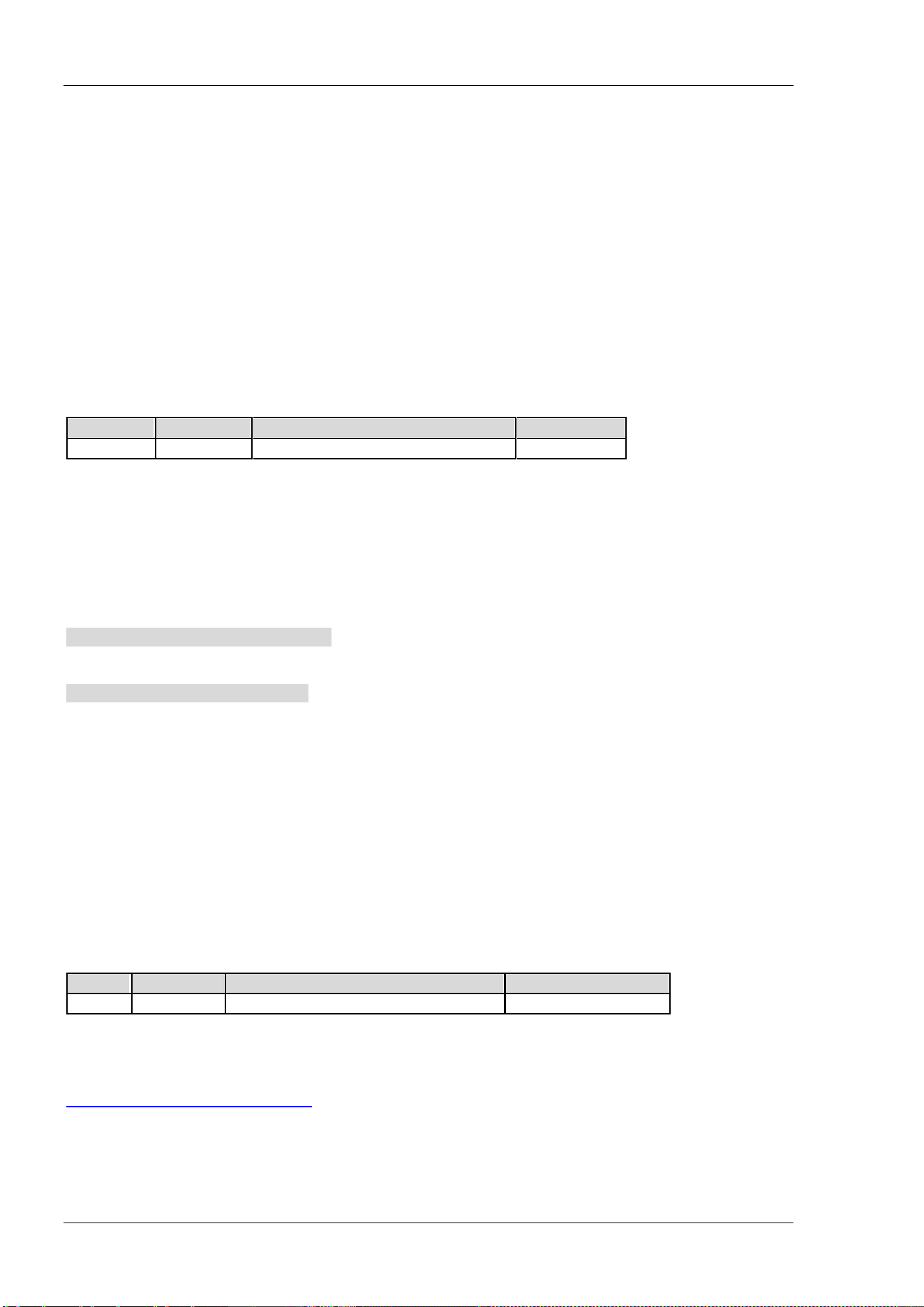
RIGOL Chapter 2 Command System
2-102 DSA800 Programming Guide
VSWR measurement kit (option); commands marked with "***" are only available for DSA800 installed with
the signal seamless capture kit (option).
[:SENSe]:ACPower:AVERage:COUNt
Syntax
[:SENSe]:ACPower:AVERage:COUNt <integer>
[:SENSe]:ACPower:AVERage:COUNt?
Description
Set the number of averages of the adjacent channel power measurement.
Query the number of averages of the adjacent channel power measurement.
Parameter
Name
Type Range Default
<integer>
Integer 1 to 1000 10
Explanation
This command is only available when the adjacent channel power function is enabled.
Return Format
The query returns the number of averages in integer.
Example
The command below sets the number of averages to 100.
:SENSe:ACPower:AVERage:COUNt 100
The query below returns 100.
:SENSe:ACPower:AVERage:COUNt?
[:SENSe]:ACPower:AVERage[:STATe]
Syntax
[:SENSe]:ACPower:AVERage[:STATe] OFF|ON|0|1
[:SENSe]:ACPower:AVERage[:STATe]?
Description
Enable or disable the average measurement function of the adjacent channel power measurement.
Query the status of the average measurement function of the adjacent channel power measurement.
Parameter
Name
Type Range Default
-- Bool OFF|ON|0|1 OFF|0
Explanation
This command is only available when the adjacent channel power measurement is enabled.
The number of averages of the average measurement function can be set through the
[:SENSe]:ACPower:AVERage:COUNt command.
Return Format
The query returns 0 or 1.
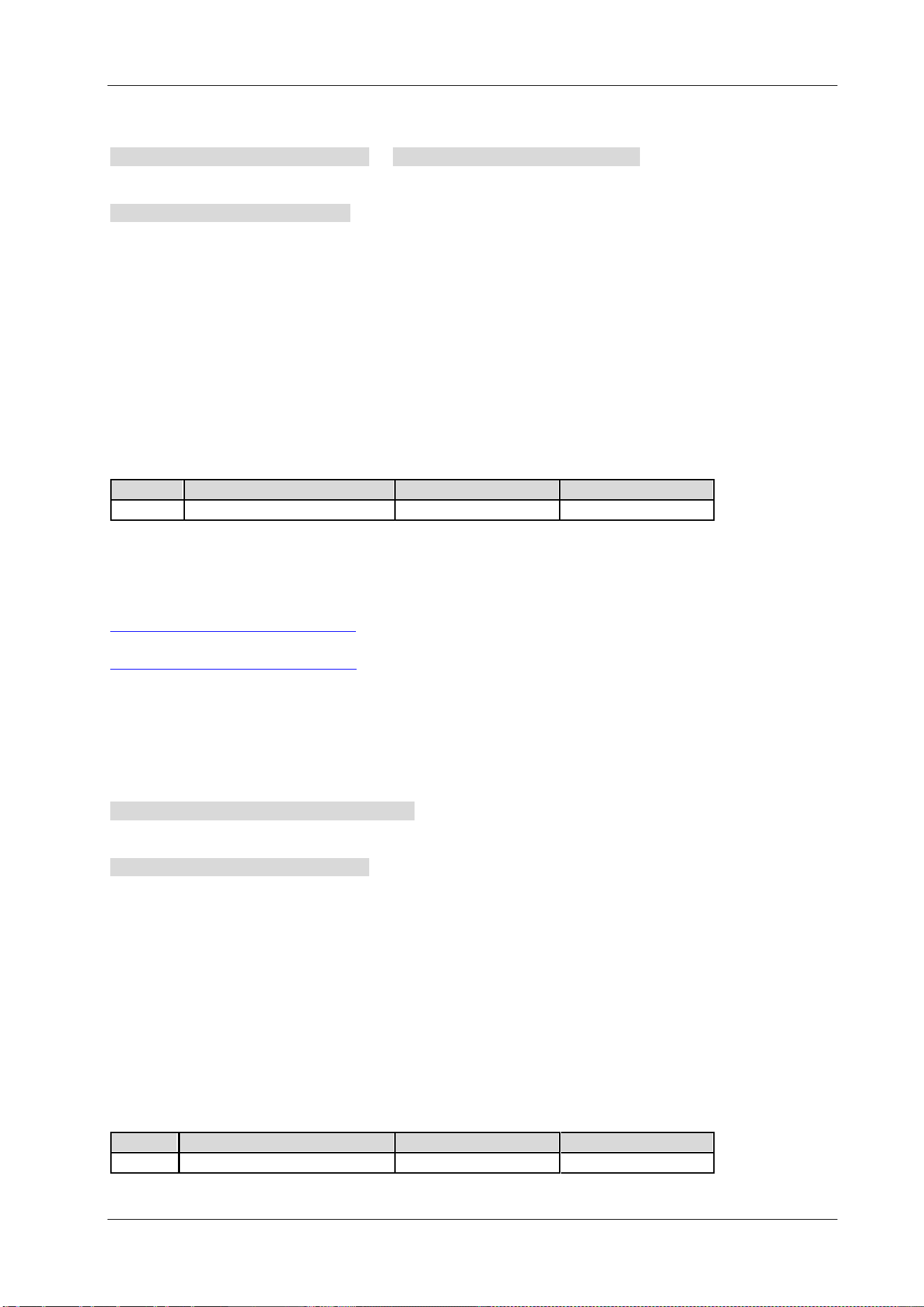
Chapter 2 Command System RIGOL
DSA800 Programming Guide 2-103
Example
The command below enables the average measurement function.
:SENSe:ACPower:AVERage:STATe ON or :SENSe:ACPower:AVERage:STATe 1
The query below returns 1.
:SENSe:ACPower:AVERage:STATe?
[:SENSe]:ACPower:AVERage:TCONtrol
Syntax
[:SENSe]:ACPower:AVERage:TCONtrol EXPonential|REPeat
[:SENSe]:ACPower:AVERage:TCONtrol?
Description
Set the average mode of the adjacent channel power measurement.
Query the average mode of the adjacent channel power measurement.
Parameter
Name
Type
Range
Default
-- Keyword EXPonential|REPeat EXPonential
Explanation
EXPonential: exponential average
REPeat: repeat average
When exponential average is selected, the result is the exponential average of the latest N (specified by the
[:SENSe]:ACPower:AVERage:COUNt command) measurement results.
When repeat average is selected, the result is the arithmetic average of the latest N (specified by the
[:SENSe]:ACPower:AVERage:COUNt command) measurement results.
This command is only available when the adjacent channel power measurement is enabled.
Return Format
The query returns EXP or REP.
Example
The command below sets the average mode to repeat average.
:SENSe:ACPower:AVERage:TCONtrol REPeat
The query below returns REP.
:SENSe:ACPower:AVERage:TCONtrol?
[:SENSe]:ACPower:BANDwidth:ACHannel
Syntax
[:SENSe]:ACPower:BANDwidth:ACHannel <freq>
[:SENSe]:ACPower:BANDwidth:ACHannel?
Description
Set the adjacent channel bandwidth.
Query the adjacent channel bandwidth.
Parameter
Name
Type
Range
Default
<freq>
Consecutive Real Number
33 Hz to 2.5 GHz
2 MHz
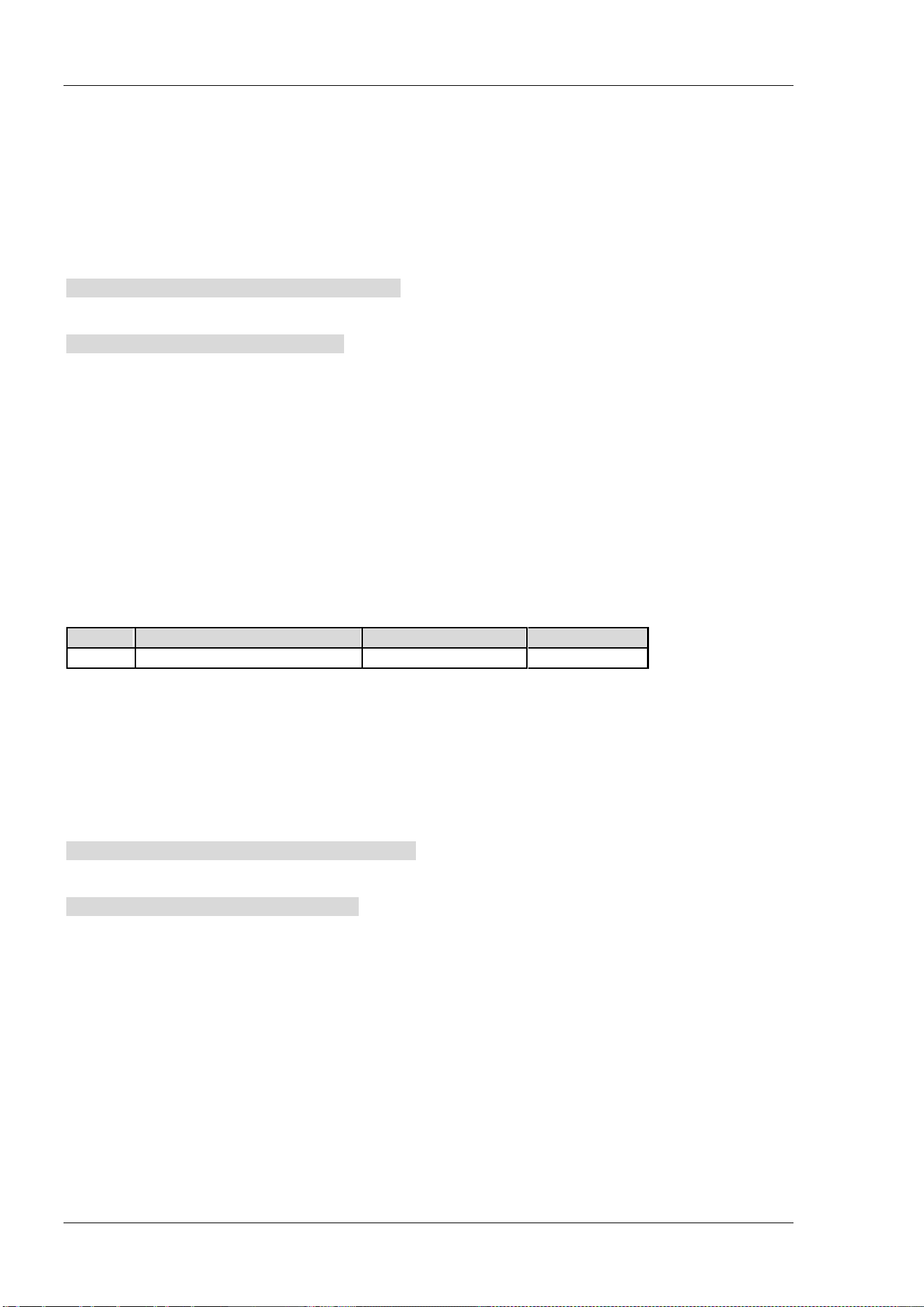
RIGOL Chapter 2 Command System
2-104 DSA800 Programming Guide
Explanation
This command is only available when the adjacent channel power measurement is enabled.
The adjacent channel bandwidth is related to the main channel bandwidth. Its range is from Main Channel
Bandwidth/20 to Main Channel Bandwidth×20.
Return Format
The query returns the adjacent channel bandwidth in integer and the unit is Hz.
Example
The command below sets the adjacent channel bandwidth to 1 MHz.
:SENSe:ACPower:BANDwidth:ACHannel 1000000
The query below returns 1000000.
:SENSe:ACPower:BANDwidth:ACHannel?
[:SENSe]:ACPower:BANDwidth:INTegration
Syntax
[:SENSe]:ACPower:BANDwidth:INTegration <freq>
[:SENSe]:ACPower:BANDwidth:INTegration?
Description
Set the main channel bandwidth.
Query the main channel bandwidth.
Parameter
Name
Type Range Default
<freq>
Consecutive Real Number
33 Hz to 2.5 GHz
2 MHz
Explanation
This command is only available when the adjacent channel power measurement is enabled.
Return Format
The query returns the main channel bandwidth in integer and the unit is Hz.
Example
The command below sets the main channel bandwidth to 1 MHz.
:SENSe:ACPower:BANDwidth:INTegration 1000000
The query below returns 1000000.
:SENSe:ACPower:BANDwidth:INTegration?
[:SENSe]:ACPower:CSPacing
Syntax
[:SENSe]:ACPower:CSPacing <freq>
[:SENSe]:ACPower:CSPacing?
Description
Set the center frequency difference (channel spacing) between the main channel and the adjacent channels.
Query the channel spacing.
Chapter 2 Command System RIGOL
DSA800 Programming Guide 2-105
Parameter
Name
Type Range Default
<freq>
Consecutive Real Number
33 Hz to 2.5 GHz
2 MHz
Explanation
This command is only available when the adjacent channel power measurement is enabled.
Return Format
The query returns the channel spacing in integer and the unit is Hz.
Example
The command below sets the channel spacing to 1 MHz.
:SENSe:ACPower:CSPacing 1000000
The query below returns 1000000.
:SENSe:ACPower:CSPacing?
[:SENSe]:BANDwidth:EMIFilter:STATe
Syntax
[:SENSe]:BANDwidth:EMIFilter:STATe OFF|ON|0|1
[:SENSe]:BANDwidth:EMIFilter:STATe?
Description
Enable or disable the EMI filter.
Query the status of the EMI filter.
Parameter
Name
Type Range Default
-- Bool OFF|ON|0|1 OFF|0
Explanation
ON: select the EMI filter (-6 dB bandwidth).
OFF: select the Gauss filter (-3 dB bandwidth).
Return Format
The query returns 0 or 1.
Example
The command below selects the EMI filter.
:SENSe:BANDwidth:EMIFilter:STATe ON or :SENSe:BANDwidth:EMIFilter:STATe 1
The query below returns 1.
:SENSe:BANDwidth:EMIFilter:STATe?
RIGOL Chapter 2 Command System
2-106 DSA800 Programming Guide
[:SENSe]:BANDwidth[:RESolution]
Syntax
[:SENSe]:BANDwidth[:RESolution] <freq>
[:SENSe]:BANDwidth[:RESolution]?
Description
Set the resolution bandwidth (RBW).
Query the resolution bandwidth.
Parameter
Name
Type
Range
Default
<freq> Discrete 10 Hz to 1 MHz, at 1-3-10 step 1 MHz
Explanation
When the detector type is Quasi-Peak (refer to the [:SENSe]:DETector[:FUNCtion] command) or the filter
type is EMI (refer to the
[:SENSe]:BANDwidth:EMIFilter:STATe command), the resolution bandwidth could
only be 200 Hz, 9 kHz or 120 kHz.
Return Format
The query returns the resolution bandwidth in integer and the unit is Hz.
Example
The command below sets the RBW to 1000 Hz.
:SENSe:BANDwidth:RESolution 1000
The query below returns 1000.
:SENSe:BANDwidth:RESolution?
[:SENSe]:BANDwidth[:RESolution]:AUTO
Syntax
[:SENSe]:BANDwidth[:RESolution]:AUTO OFF|ON|0|1
[:SENSe]:BANDwidth[:RESolution]:AUTO?
Description
Enable or disable the auto setting mode of RBW.
Query the status of the auto setting mode of RBW.
Parameter
Name
Type
Range
Default
-- Bool OFF|ON|0|1 ON|1
Explanation
In auto mode, the resolution bandwidth changes with the span (non-zero span).
Return Format
The query returns 0 or 1.
Example
The command below enables the auto setting mode of RBW.
:SENSe:BANDwidth:RESolution:AUTO ON or :SENSe:BANDwidth:RESolution:AUTO 1
The query below returns 1.
:SENSe:BANDwidth:RESolution:AUTO?
Chapter 2 Command System RIGOL
DSA800 Programming Guide 2-107
[:SENSe]:BANDwidth:VIDeo
Syntax
[:SENSe]:BANDwidth:VIDeo <freq>
[:SENSe]:BANDwidth:VIDeo?
Description
Set the video bandwidth (VBW).
Query the video bandwidth.
Parameter
Name
Type
Range
Default
<freq> Discrete 1 Hz to 3 MHz, at 1-3-10 step 1 MHz
Return Format
The query returns the video bandwidth in integer and the unit is Hz.
Example
The command below sets the video bandwidth to 1000 Hz.
:SENSe:BANDwidth:VIDeo 1000
The query below returns 1000.
:SENSe:BANDwidth:VIDeo?
[:SENSe]:BANDwidth:VIDeo:AUTO
Syntax
[:SENSe]:BANDwidth:VIDeo:AUTO OFF|ON|0|1
[:SENSe]:BANDwidth:VIDeo:AUTO?
Description
Enable or disable the auto setting mode of VBW.
Query the status of the auto setting mode of VBW.
Parameter
Name
Type
Range
Default
--
Bool
OFF|ON|0|1
ON|1
Return Format
The query returns 0 or 1.
Example
The command below enables the auto setting mode of VBW.
:SENSe:BANDwidth:VIDeo:AUTO ON or :SENSe:BANDwidth:VIDeo:AUTO 1
The query below returns 1.
:SENSe:BANDwidth:VIDeo:AUTO?

RIGOL Chapter 2 Command System
2-108 DSA800 Programming Guide
[:SENSe]:BANDwidth:VIDeo:RATio
Syntax
[:SENSe]:BANDwidth:VIDeo:RATio <number>
[:SENSe]:BANDwidth:VIDeo:RATio?
Description
Set the V/R ratio, namely the ratio of VBW to RBW.
Query the V/R ratio.
Parameter
Name
Type Range Default
<number> Discrete 0.000001 to 30000, at 1-3-10 step 1
Return Format
The query returns the V/R ratio in scientific notation.
Example
The command below sets the V/R ratio to 0.01.
:SENSe:BANDwidth:VIDeo:RATio 0.01
The query below returns 1.000000E-02.
:SENSe:BANDwidth:VIDeo:RATio?
[:SENSe]:CHPower:AVERage:COUNt
Syntax
[:SENSe]:CHPower:AVERage:COUNt <integer>
[:SENSe]:CHPower:AVERage:COUNt?
Description
Set the number of averages of the channel power measurement.
Query the number of averages of the channel power measurement.
Parameter
Name
Type
Range
Default
<integer> Integer 1 to 1000 10
Explanation
This command is only available when the channel power measurement is enabled.
Return Format
The query returns the number of averages in integer.
Example
The command below sets the number of averages to 100.
:SENSe:CHPower:AVERage:COUNt 100
The query below returns 100.
:SENSe:CHPower:AVERage:COUNt?
Chapter 2 Command System RIGOL
DSA800 Programming Guide 2-109
[:SENSe]:CHPower:AVERage[:STATe]
Syntax
[:SENSe]:CHPower:AVERage[:STATe] OFF|ON|0|1
[:SENSe]:CHPower:AVERage[:STATe]?
Description
Enable or disable the average measurement function of the channel power measurement.
Query the status of the average measurement function of the channel power measurement.
Parameter
Name
Type
Range
Default
-- Bool OFF|ON|0|1 OFF|0
Explanation
This command is only available when the channel power measurement function is enabled.
Return Format
The query returns 0 or 1.
Example
The command below enables the average measurement function.
:SENSe:CHPower:AVERage:STATe ON or :SENSe:CHPower:AVERage:STATe 1
The query below returns 1.
:SENSe:CHPower:AVERage:STATe?
[:SENSe]:CHPower:AVERage:TCONtrol
Syntax
[:SENSe]:CHPower:AVERage:TCONtrol EXPonential|REPeat
[:SENSe]:CHPower:AVERage:TCONtrol?
Description
Set the average mode of the channel power measurement.
Query the average mode of the channel power measurement.
Parameter
Name
Type
Range
Default
-- Keyword EXPonential|REPeat EXPonential
Explanation
EXPonential: exponential average
REPeat: repeat average
When exponential average is selected, the result is the exponential average of the latest N (specified by the
[:SENSe]:CHPower:AVERage:COUNt command) measurement results.
When repeat average is selected, the result is the arithmetic average of the latest N (specified by the
[:SENSe]:CHPower:AVERage:COUNt command) measurement results.
This command is only available when the channel power measurement is enabled.
Return Format
The query returns EXP or REP.
RIGOL Chapter 2 Command System
2-110 DSA800 Programming Guide
Example
The command below sets the average mode to repeat average.
:SENSe:CHPower:AVERage:TCONtrol REPeat
The query below returns REP.
:SENSe:CHPower:AVERage:TCONtrol?
[:SENSe]:CHPower:BANDwidth:INTegration
Syntax
[:SENSe]:CHPower:BANDwidth:INTegration <freq>
[:SENSe]:CHPower:BANDwidth:INTegration?
Description
Set the integration bandwidth of the channel power measurement.
Query the integration bandwidth.
Parameter
Name
Type
Range
Default
<freq>
Consecutive Real Number
100 Hz to 7.5 GHz
2 MHz
Explanation
This command is only available when the channel power measurement is enabled.
Return Format
The query returns the integration bandwidth in integer and the unit is Hz.
Example
The command below sets the integration bandwidth to 1 MHz.
:SENSe:CHPower:BANDwidth:INTegration 1000000
The query below returns 1000000.
:SENSe:CHPower:BANDwidth:INTegration?
[:SENSe]:CHPower:FREQuency:SPAN
Syntax
[:SENSe]:CHPower:FREQuency:SPAN <freq>
[:SENSe]:CHPower:FREQuency:SPAN?
Description
Set the channel span of the channel power measurement.
Query the channel span of the channel power measurement.
Parameter
Name
Type Range Default
<freq>
Consecutive Real Number
100 Hz to 7.5 GHz
3 MHz
Explanation
This command is only available when the channel power measurement is enabled.
The channel span is related to the integration bandwidth and the range is from integration bandwidth to
integration bandwidth×20.
Chapter 2 Command System RIGOL
DSA800 Programming Guide 2-111
Return Format
The query returns the channel span in integer and the unit is Hz.
Example
The command below sets the channel span to 1 MHz.
:SENSe:CHPower:FREQuency:SPAN 1000000
The query below returns 1000000.
:SENSe:CHPower:FREQuency:SPAN?
[:SENSe]:CNRatio:AVERage:COUNt
Syntax
[:SENSe]:CNRatio:AVERage:COUNt <integer>
[:SENSe]:CNRatio:AVERage:COUNt?
Description
Set the number of averages of the C/N ratio measurement.
Query the number of averages of the C/N ratio measurement.
Parameter
Name
Type
Range
Default
<integer> Integer 1 to 1000 10
Explanation
This command is only available when the C/N ratio measurement is enabled.
Return Format
The query returns the number of averages in integer.
Example
The command below sets the number of averages to 100.
:SENSe:CNRatio:AVERage:COUNt 100
The query below returns 100.
:SENSe:CNRatio:AVERage:COUNt?
RIGOL Chapter 2 Command System
2-112 DSA800 Programming Guide
[:SENSe]:CNRatio:AVERage[:STATe]
Syntax
[:SENSe]:CNRatio:AVERage[:STATe] OFF|ON|0|1
[:SENSe]:CNRatio:AVERage[:STATe]?
Description
Enable or disable the average measurement function of the C/N ratio measurement.
Query the status of the average measurement function of the C/N ratio measurement.
Parameter
Name
Type
Range
Default
-- Bool OFF|ON|0|1 OFF|0
Explanation
This command is only available when the C/N ratio measurement is enabled.
Return Format
The query returns 0 or 1.
Example
The command below enables the average measurement function.
:SENSe:CNRatio:AVERage:STATe ON or :SENSe:CNRatio:AVERage:STATe 1
The query below returns 1.
:SENSe:CNRatio:AVERage:STATe?
[:SENSe]:CNRatio:AVERage:TCONtrol
Syntax
[:SENSe]:CNRatio:AVERage:TCONtrol EXPonential|REPeat
[:SENSe]:CNRatio:AVERage:TCONtrol?
Description
Set the average mode of the C/N ratio measurement.
Query the average mode of the C/N ratio measurement.
Parameter
Name
Type
Range
Default
-- Keyword EXPonential|REPeat EXPonential
Explanation
EXPonential: exponential average
REPeat: repeat average
When exponential average is selected, the result is the exponential average of the latest N (specified by the
[:SENSe]:CNRatio:AVERage:COUNt command) measurement results.
When repeat average is selected, the result is the arithmetic average of the latest N (specified by the
[:SENSe]:CNRatio:AVERage:COUNt command) measurement results.
This command is only available when the C/N ratio measurement is enabled.
Return Format
The query returns EXP or REP.
Chapter 2 Command System RIGOL
DSA800 Programming Guide 2-113
Example
The command below sets the average mode to repeat average.
:SENSe:CNRatio:AVERage:TCONtrol REPeat
The query below returns REP.
:SENSe:CNRatio:AVERage:TCONtrol?
[:SENSe]:CNRatio:BANDwidth:INTegration
Syntax
[:SENSe]:CNRatio:BANDwidth:INTegration <freq>
[:SENSe]:CNRatio:BANDwidth:INTegration?
Description
Set the carrier bandwidth.
Query the carrier bandwidth.
Parameter
Name
Type
Range
Default
<freq>
Consecutive Real Number 33 Hz to 2.5 GHz 2 MHz
Explanation
This command is only available when the C/N ratio measurement is enabled.
The Carrier bandwidth is related to the noise bandwidth. Its range is from noise bandwidth/20 to noise
bandwidth×20.
Return Format
The query returns the carrier bandwidth in integer and the unit is Hz.
Example
The command below sets the carrier bandwidth to 1 MHz.
:SENSe:CNRatio:BANDwidth:INTegration 1000000 or :SENSe:CNRatio:BANDwidth:INTegration 1MHz
The query below returns 1000000.
:SENSe:CNRatio:BANDwidth:INTegration?
RIGOL Chapter 2 Command System
2-114 DSA800 Programming Guide
[:SENSe]:CNRatio:BANDwidth:NOISe
Syntax
[:SENSe]:CNRatio:BANDwidth:NOISe <freq>
[:SENSe]:CNRatio:BANDwidth:NOISe?
Description
Set the noise bandwidth.
Query the noise bandwidth.
Parameter
Name
Type
Range
Default
<freq> Consecutive Real Number 33 Hz to 2.5 GHz 2 MHz
Explanation
This command is only available when the C/N ratio measurement is enabled.
Return Format
The query returns the noise bandwidth in integer and the unit is Hz.
Example
The command below sets the noise bandwidth to 1 MHz.
:SENSe:CNRatio:BANDwidth:NOISe 1000000
The query below returns 1000000.
:SENSe:CNRatio:BANDwidth:NOISe?
[:SENSe]:CNRatio:OFFSet
Syntax
[:SENSe]:CNRatio:OFFSet <freq>
[:SENSe]:CNRatio:OFFSet?
Description
Set the center frequency difference (offset frequency) between the carrier waveform and the noise.
Query the offset frequency.
Parameter
Name
Type
Range
Default
<freq> Consecutive Real Number 33 Hz to 2.5 GHz 2 MHz
Explanation
This command is only available when the C/N ratio measurement is enabled.
Return Format
The query returns the offset frequency in integer and the unit is Hz.
Example
The command below sets the offset frequency to 1 MHz.
:SENSe:CNRatio:OFFSet 1000000
The query below returns 1000000.
:SENSe:CNRatio:OFFSet?
Chapter 2 Command System RIGOL
DSA800 Programming Guide 2-115
[:SENSe]:CORRection:CSET:ALL:DELete
Syntax
[:SENSe]:CORRection:CSET:ALL:DELete
Description
Delete all the amplitude correction data.
[:SENSe]:CORRection:CSET:ALL[:STATe]
Syntax
[:SENSe]:CORRection:CSET:ALL[:STATe] OFF|ON|0|1
[:SENSe]:CORRection:CSET:ALL[:STATe]?
Description
Enable or disable the amplitude correction function.
Query the status of the amplitude correction function.
Parameter
Name
Type
Range
Default
--
Bool
OFF|ON|0|1
OFF|0
Explanation
When the function is enabled, all the correction settings are enabled and by default, Antenna correction is
used.
When the function is disabled, all the correction settings are disabled.
To enable or disable a single correction setting, refer to the [:SENSe]:CORRection:CSET<n>[:STATe]
command.
Return Format
The query returns 0 or 1.
Example
The comamnd below enables the amplitude correction function.
:SENSe:CORRection:CSET:ALL:STATe ON or :SENSe:CORRection:CSET:ALL:STATe 1
The query below returns 1.
:SENSe:CORRection:CSET:ALL:STATe?
RIGOL Chapter 2 Command System
2-116 DSA800 Programming Guide
[:SENSe]:CORRection:CSET<n>:DATA
Syntax
[:SENSe]:CORRection:CSET<n>:DATA <freq>,<rel_ampl>{,<freq>,<rel_ampl>}
[:SENSe]:CORRection:CSET<n>:DATA?
Description
Create an amplitude correction curve using the specified data.
Query the specified amplitude correction data.
Parameter
Name
Type
Range
Default
<n> Discrete 1|2|3|4 --
<freq> Consecutive Real Number 0 Hz to 7.5 GHz --
<rel_ampl> Consecutive Real Number -120 dB to 100 dB --
Explanation
<n>: 1 denotes Antenna, 2 denotes Cable, 3 denotes Other and 4 denotes User.
The range of the number of points for editing is from 1 to 200.
Return Format
The query returns the specified amplitude correction data in <freq>,<rel_ampl>{,<freq>,<rel_ampl>}
format.
Example
The command below creates an amplitude correction curve.
:SENSe:CORRection:CSET1:DATA 900E6,0.3,1.0E9,0.35,1.3E9,0.2
The query below returns 900000000,0.300000,1000000000,0.350000,1300000000,0.200000.
:SENSe:CORRection:CSET1:DATA?
[:SENSe]:CORRection:CSET<n>:DATA:MERGe
Syntax
[:SENSe]:CORRection:CSET<n>:DATA:MERGe <freq>,<rel_ampl>{,<freq>,<rel_ampl>}
Description
Add correction data onto the current correction curve.
Parameter
Name
Type
Range
Default
<n> Discrete 1|2|3|4 --
<freq> Consecutive Real Number 0 Hz to 7.5 GHz --
<rel_ampl> Consecutive Real Number -120 dB to 100 dB --
Explanation
<n>: 1 denotes Antenna, 2 denotes Cable, 3 denotes Other and 4 denotes User.
The range of the number of points for editing is from 1 to 200.
Example
The command below adds two points onto the current correction curve.
:SENSe:CORRection:CSET1:DATA:MERGe 950E6,0.32,1.4E9,0.1
Chapter 2 Command System RIGOL
DSA800 Programming Guide 2-117
[:SENSe]:CORRection:CSET<n>:DELete
Syntax
[:SENSe]:CORRection:CSET<n>:DELete
Description
Delete the specified amplitude correction setting.
Parameter
Name
Type
Range
Default
<n> Discrete 1|2|3|4 --
Explanation
<n>: 1 denotes Antenna, 2 denotes Cable, 3 denotes Other and 4 denotes User.
Example
The command below deletes the Antenna correction setting.
:SENSe:CORRection:CSET1:DELete
[:SENSe]:CORRection:CSET<n>[:STATe]
Syntax
[:SENSe]:CORRection:CSET<n>[:STATe] OFF|ON|0|1
[:SENSe]:CORRection:CSET<n>[:STATe]?
Description
Enable or disable the specified amplitude correction function.
Query the status of the specified amplitude correction function.
Parameter
Name
Type
Range
Default
<n>
Discrete
1|2|3|4
--
-- Bool OFF|ON|0|1 OFF|0
Explanation
<n>: 1 denotes Antenna, 2 denotes Cable, 3 denotes Other and 4 denotes User.
Return Format
The query returns 0 or 1.
Example
The command below disables the Antenna amplitude correction function.
:SENSe:CORRection:CSET1:STATe OFF or :SENSe:CORRection:CSET1:STATe 0
The query below returns 0.
:SENSe:CORRection:CSET1:STATe?
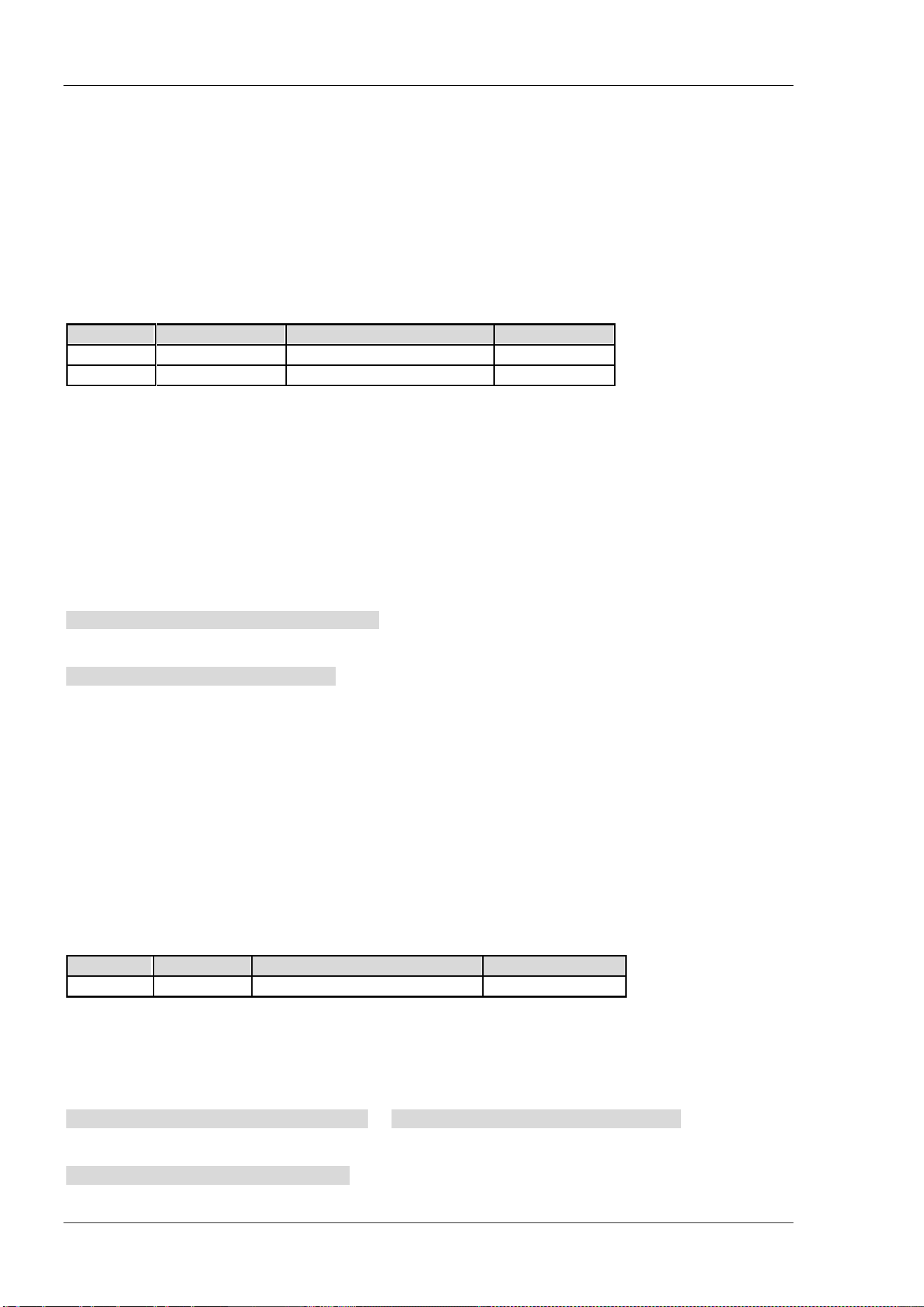
RIGOL Chapter 2 Command System
2-118 DSA800 Programming Guide
[:SENSe]:CORRection:CSET<n>:X:SPACing
Syntax
[:SENSe]:CORRection:CSET<n>:X:SPACing LINear|LOGarithmic
[:SENSe]:CORRection:CSET<n>:X:SPACing?
Description
Set the frequency interpolation mode of the amplitude correction.
Query the frequency interpolation mode of the amplitude correction.
Parameter
Name
Type
Range
Default
<n> Discrete 1|2|3|4 --
-- Keyword LINear|LOGarithmic LINear
Explanation
<n>: 1 denotes Antenna, 2 denotes Cable, 3 denotes Other and 4 denotes User.
In linear (LINear) mode, the frequency uses a Lin unit and the amplitude uses a Log unit to perform
interpolation.
In log (LOGarithmic) mode, both of the frequency and amplitude use a Log unit to perform interpolation.
Return Format
The query returns LIN or LOG.
Example
The command below sets the frequency interpolation mode to linear.
:SENSe:CORRection:CSET1:X:SPACing LINear
The query below returns LIN.
:SENSe:CORRection:CSET1:X:SPACing?
[:SENSe]:CORRection:CSET:TABLe:STATe
Syntax
[:SENSe]:CORRection:CSET:TABLe:STATe OFF|ON|0|1
[:SENSe]:CORRection:CSET:TABLe:STATe?
Description
Enable or disable the correction table.
Query the status of the correction table.
Parameter
Name
Type
Range
Default
-- Bool OFF|ON|0|1 OFF|0
Return Format
The query returns 0 or 1.
Example
The command below enables the correction table.
:SENSe:CORRection:CSET:TABLe:STATe ON or :SENSe:CORRection:CSET:TABLe:STATe 1
The query below returns 1.
:SENSe:CORRection:CSET:TABLe:STATe?
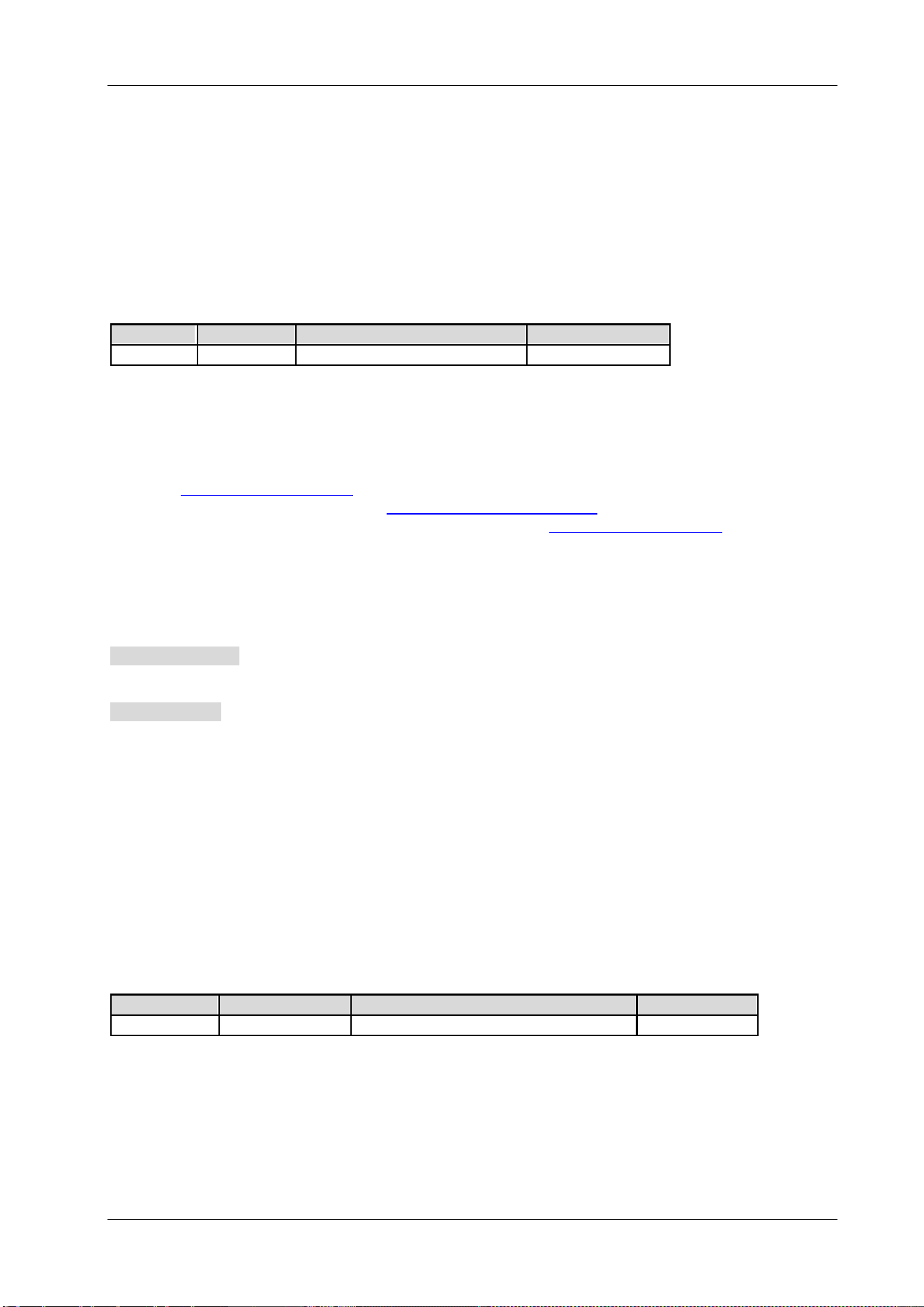
Chapter 2 Command System RIGOL
DSA800 Programming Guide 2-119
[:SENSe]:DEMod
Syntax
[:SENSe]:DEMod AM|FM|OFF
[:SENSe]:DEMod?
Description
Set the demodulation type or disable the demodulation.
Query the demodulation type.
Parameter
Name
Type
Range
Default
-- Keyword AM|FM|OFF OFF
Explanation
AM: amplitude modulation
FM: frequency modulation
OFF: off
When AM or FM is selected, the spectrum analyzer enables the demodulation function automatically. At this
point, the [:SENSe]:DEMod:STATe
? command returns 1.
When OFF is selected (equivalent to the
[:SENSe]:DEMod:STATe OFF|0 command), the spectrum analyzer
disables the demodulation function. At this point, the command
[:SENSe]:DEMod:STATe? returns 0.
Return Format
The query returns AM, FM or OFF.
Example
The command below sets the demodulation type to AM.
:SENSe:DEMod AM
The query below returns AM.
:SENSe:DEMod?
[:SENSe]:DEMod:GAIN:AUTO
Syntax
[:SENSe]:DEMod:GAIN:AUTO OFF|ON|0|1
[:SENSe]:DEMod:GAIN:AUTO?
Description
Enable or disable the auto setting mode of the signal gain.
Query the status of the auto setting mode of the signal gain.
Parameter
Name
Type
Range
Default
--
Bool
OFF|ON|0|1
ON|1
Explanation
When the demodulation function is enabled (namely AM or FM is selected), this command is valid.
Return Format
The query returns 0 or 1.
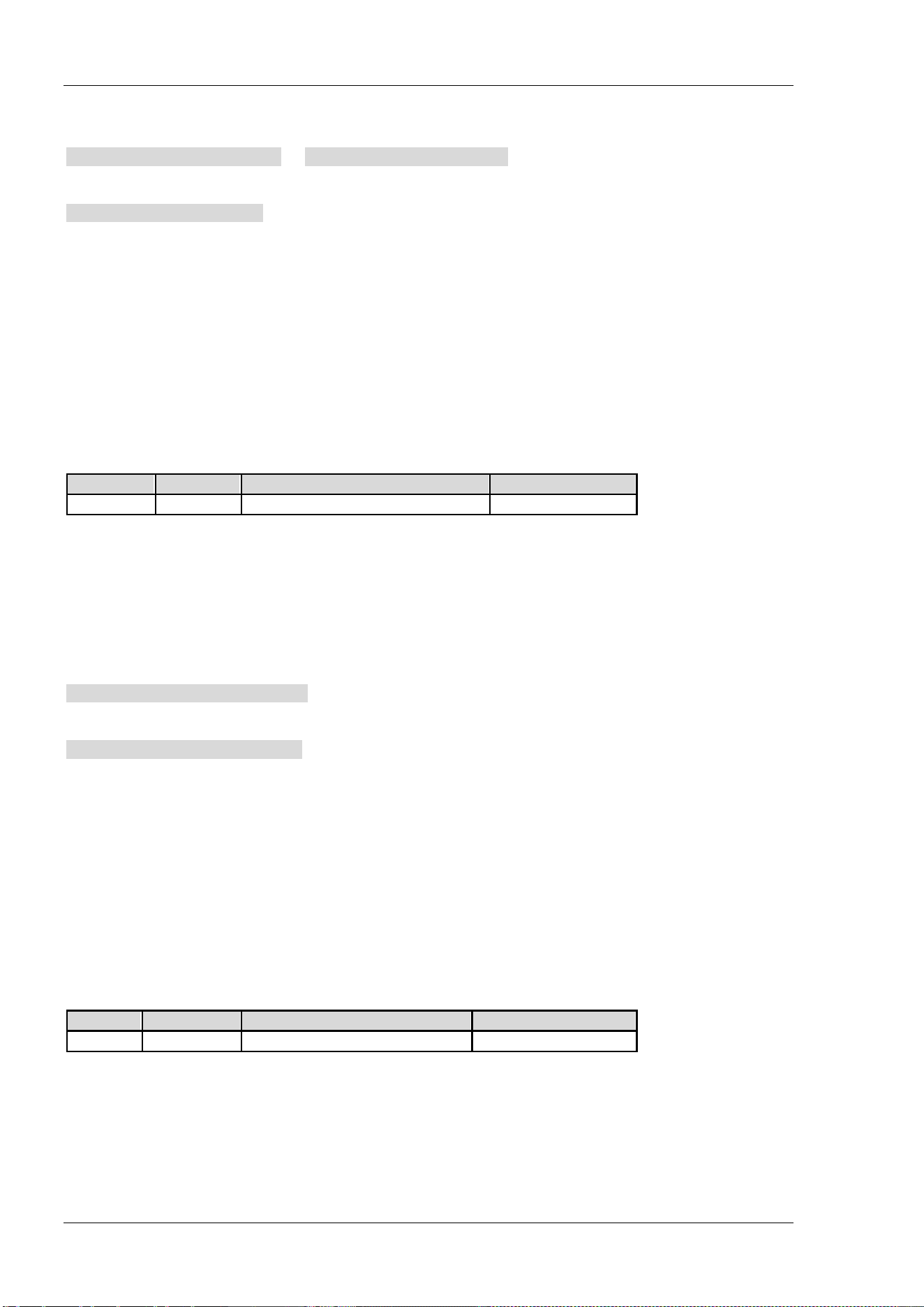
RIGOL Chapter 2 Command System
2-120 DSA800 Programming Guide
Example
The command below enables the auto setting mode of the signal gain.
:SENSe:DEMod:GAIN:AUTO ON or :SENSe:DEMod:GAIN:AUTO 1
The query below returns 1.
:SENSe:DEMod:GAIN:AUTO?
[:SENSe]:DEMod:GAIN:INCRement
Syntax
[:SENSe]:DEMod:GAIN:INCRement <integer>
[:SENSe]:DEMod:GAIN:INCRement?
Description
Set the signal gain.
Query the signal gain.
Parameter
Name
Type
Range
Default
<integer>
Integer
1 to 7
7
Explanation
When the demodulation function is enabled (namely AM or FM is selected), this command is valid.
Return Format
The query returns the signal gain in integer.
Example
The command below sets the signal gain to 4.
:SENSe:DEMod:GAIN:INCRement 4
The query below returns 4.
:SENSe:DEMod:GAIN:INCRement?
[:SENSe]:DEMod:STATe
Syntax
[:SENSe]:DEMod:STATe OFF|ON|0|1
[:SENSe]:DEMod:STATe?
Description
Enable or disable the demodulation function.
Query the status of the demodulation function.
Parameter
Name
Type Range Default
-- Bool OFF|ON|0|1 OFF|0
Explanation
When the demodulation function is enabled, AM demodulation is selected by default.
Return Format
The query returns 0 or 1.
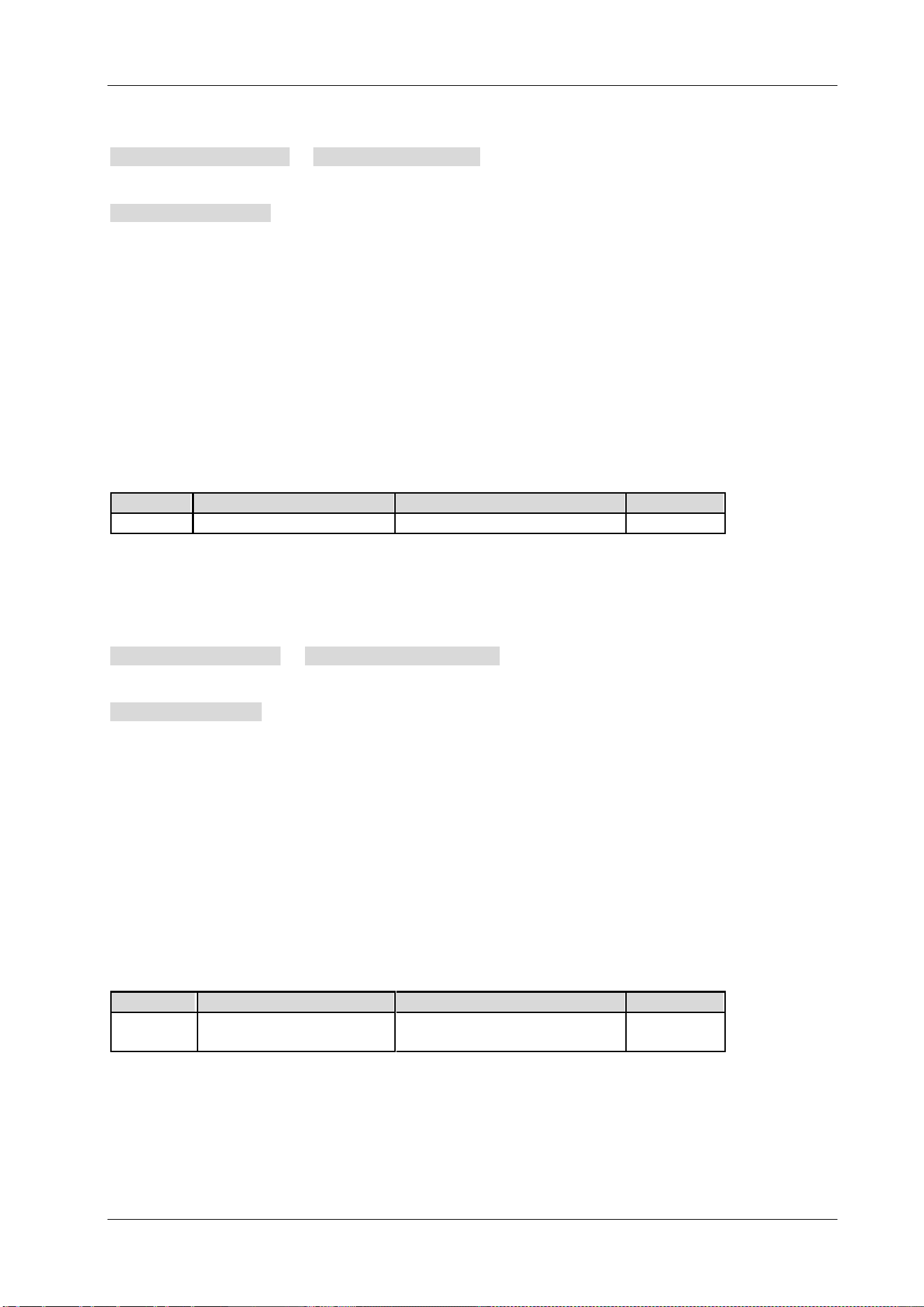
Chapter 2 Command System RIGOL
DSA800 Programming Guide 2-121
Example
The command below enables the demodulation function.
:SENSe:DEMod:STATe ON or :SENSe:DEMod:STATe 1
The query below returns 1.
:SENSe:DEMod:STATe?
[:SENSe]:DEMod:TIME
Syntax
[:SENSe]:DEMod:TIME <time>
[:SENSe]:DEMod:TIME?
Description
Set the demodulation time.
Query the demodulation time.
Parameter
Name
Type
Range
Default
<time>
Consecutive Real Number
5 ms to 1000 s
100 ms
Return Format
The query returns the demodulation time in scientific notation and the unit is s.
Example
The command below sets the demodulation time to 500 ms.
:SENSe:DEMod:TIME 0.5 or :SENSe:DEMod:TIME 500ms
The query below returns 5.000000E-01.
:SENSe:DEMod:TIME?
[:SENSe]:DETector[:FUNCtion]
Syntax
[:SENSe]:DETector[:FUNCtion] NEGative|NORMal|POSitive|RMS|SAMPle|VAVerage|QPEak
[:SENSe]:DETector[:FUNCtion]?
Description
Set the detector type.
Query the detector type.
Parameter
Name Type Range Default
-- Keyword
NEGative|NORMal|POSitive|
RMS|SAMPle|VAVerage|QPEak
POSitive
Explanation
NEGative: negative peak
NORMal: normal detector
POSitive: positive peak
RMS: RMS average
SAMPle: sample detector
RIGOL Chapter 2 Command System
2-122 DSA800 Programming Guide
VAVerage: voltage average
QPEak: Quasi-Peak
Return Format
The query returns NEG, NORM, POS, RMS, SAMP, VAV or QPEAK.
Example
The command below sets the detector type to Quasi-Peak.
:SENSe:DETector:FUNCtion QPEak
The query below returns QPEAK.
:SENSe:DETector:FUNCtion?
[:SENSe]:EBWidth:AVERage:COUNt
Syntax
[:SENSe]:EBWidth:AVERage:COUNt <integer>
[:SENSe]:EBWidth:AVERage:COUNt?
Description
Set the number of averages of the emission bandwidth measurement.
Query the number of averages of the emission bandwidth measurement.
Parameter
Name
Type Range Default
<integer>
Integer
1 to 1000
10
Explanation
This command is only available when the emission bandwidth measurement is enabled.
Return Format
The query returns the number of averages in integer.
Example
The command below sets the number of averages to 100.
:SENSe:EBWidth:AVERage:COUNt 100
The query below returns 100.
:SENSe:EBWidth:AVERage:COUNt?
Chapter 2 Command System RIGOL
DSA800 Programming Guide 2-123
[:SENSe]:EBWidth:AVERage[:STATe]
Syntax
[:SENSe]:EBWidth:AVERage[:STATe] OFF|ON|0|1
[:SENSe]:EBWidth:AVERage[:STATe]?
Description
Enable or disable the average measurement function of the emission bandwidth measurement.
Query the status of the average measurement function of the emission bandwidth measurement.
Parameter
Name
Type
Range
Default
-- Bool OFF|ON|0|1 OFF|0
Explanation
This command is only available when the emission bandwidth measurement is enabled.
Return Format
The query returns 0 or 1.
Example
The command below enables the average measurement function.
:SENSe:EBWidth:AVERage:STATe ON or :SENSe:EBWidth:AVERage:STATe 1
The query below returns 1.
:SENSe:EBWidth:AVERage:STATe?
[:SENSe]:EBWidth:AVERage:TCONtrol
Syntax
[:SENSe]:EBWidth:AVERage:TCONtrol EXPonential|REPeat
[:SENSe]:EBWidth:AVERage:TCONtrol?
Description
Set the average mode of the emission bandwidth measurement.
Query the average mode of the emission bandwidth measurement.
Parameter
Name
Type
Range
Default
-- Keyword EXPonential|REPeat EXPonential
Explanation
EXPonential: exponential average
REPeat: repeat average
When exponential average is selected, the result is the exponential average of the latest N (specified by the
[:SENSe]:EBWidth:AVERage:COUNt command) measurement results.
When repeat average is selected, the result is the arithmetic average of the latest N (specified by the
[:SENSe]:EBWidth:AVERage:COUNt command) measurement results.
This command is only available when the emission bandwidth measurement is enabled.
Return Format
The query returns EXP or REP.
RIGOL Chapter 2 Command System
2-124 DSA800 Programming Guide
Example
The command below sets the average mode to repeat average.
:SENSe:EBWidth:AVERage:TCONtrol REPeat
The query below returns REP.
:SENSe:EBWidth:AVERage:TCONtrol?
[:SENSe]:EBWidth:FREQuency:SPAN
Syntax
[:SENSe]:EBWidth:FREQuency:SPAN <freq>
[:SENSe]:EBWidth:FREQuency:SPAN?
Description
Set the span of the emission bandwidth measurement.
Query the span of the emission bandwidth measurement.
Parameter
Name
Type
Range
Default
<freq>
Consecutive Real Number
100 Hz to 7.5 GHz
2 MHz
Explanation
This command is only available when the emission bandwidth measurement is enabled.
This setting changes the span of the spectrum analyzer.
Return Format
The query returns the span in integer and the unit is Hz.
Example
The command below sets the span to 10 MHz.
:SENSe:EBWidth:FREQuency:SPAN 10000000
The query below returns 10000000.
:SENSe:EBWidth:FREQuency:SPAN?
Chapter 2 Command System RIGOL
DSA800 Programming Guide 2-125
[:SENSe]:EBWidth:MAXHold:STATe
Syntax
[:SENSe]:EBWidth:MAXHold:STATe OFF|ON|0|1
[:SENSe]:EBWidth:MAXHold:STATe?
Description
Enable or disable the Max Hold.
Query the status of the Max Hold.
Parameter
Name
Type
Range
Default
-- Bool OFF|ON|0|1 OFF|0
Explanation
This command is only available when the emission bandwidth measurement is enabled.
When Max Hold is enabled, each measurement result is compared with the previous result and the
maximum is displayed.
When Max Hold is disabled, the current measurement result is displayed.
Max Hold and the average measurement function are mutually exclusive and the average measurement
function will be automatically disabled when Max Hold is enabled.
Return Format
The query returns 0 or 1.
Example
The command below enables the Max Hold.
:SENSe:EBWidth:MAXHold:STATe ON or :SENSe:EBWidth:MAXHold:STATe 1
The query below returns 1.
:SENSe:EBWidth:MAXHold:STATe?
[:SENSe]:EBWidth:XDB
Syntax
[:SENSe]:EBWidth:XDB <real_amp>
[:SENSe]:EBWidth:XDB?
Description
Set the value of X dB of the EBW measurement.
Query the value of X dB of the EBW measurement.
Parameter
Name
Type
Range
Default
<real_amp>
Consecutive Real Number
-100 dB to -0.1 dB
-10 dB
Explanation
This command is only available when the emission bandwidth measurement is enabled.
Return Format
The query retunes the value of X dB in scientific notation.
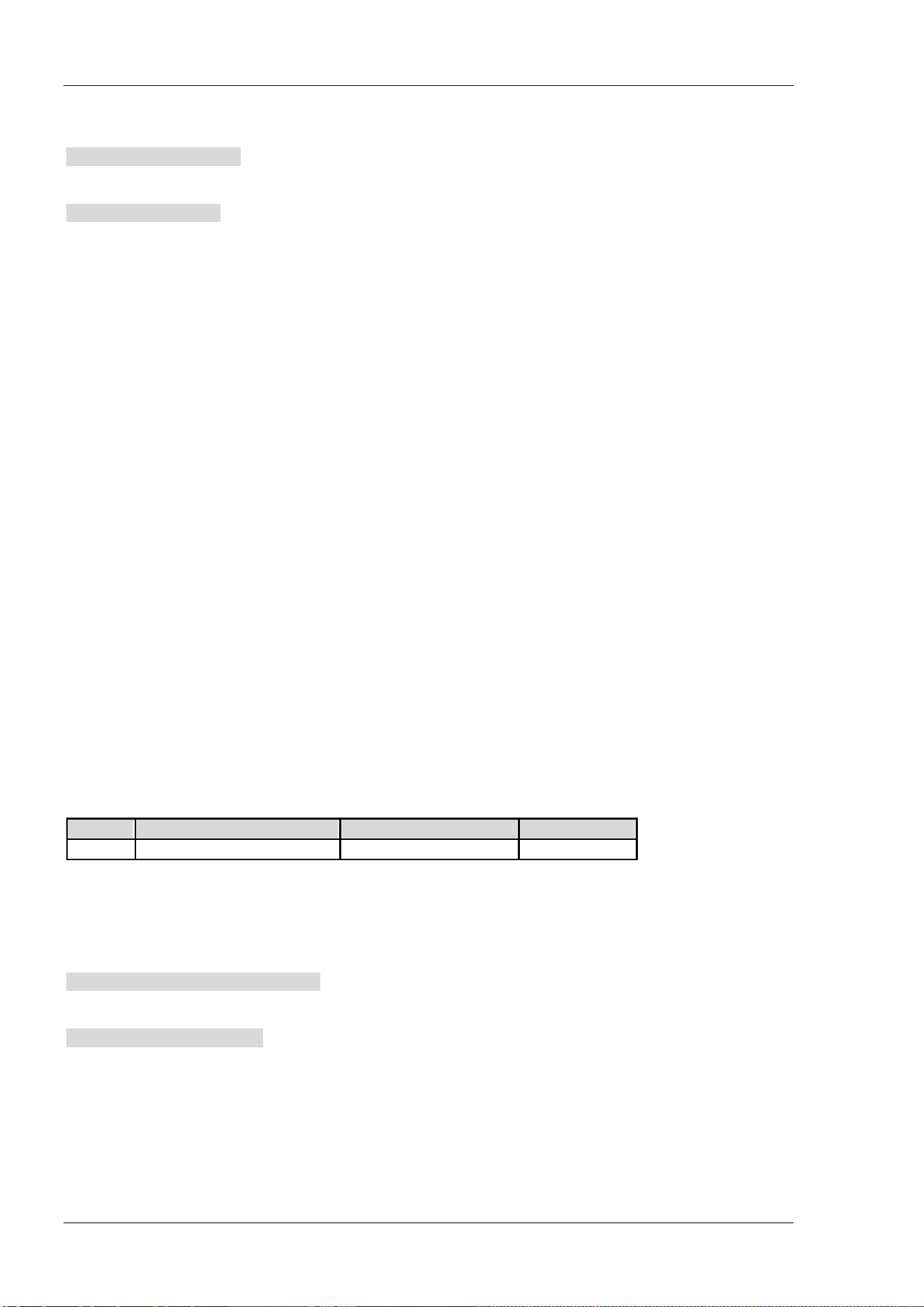
RIGOL Chapter 2 Command System
2-126 DSA800 Programming Guide
Example
The command below sets the value of X dB to -20 dB.
:SENSe:EBWidth:XDB -20
The query below returns -2.000000E+01.
:SENSe:EBWidth:XDB?
[:SENSe]:EXTRef[:STATe]?
Syntax
[:SENSe]:EXTRef[:STATe]?
Description
Query the reference state of the instrument.
Explanation
The query returns 1: the instrument is using external reference oscillator.
The query returns 0: the instrument is using internal reference oscillator.
Return Format
The query returns 1 or 0.
[:SENSe]:FREQuency:CENTer
Syntax
[:SENSe]:FREQuency:CENTer <freq>
[:SENSe]:FREQuency:CENTer?
Description
Set the center frequency.
Query the center frequency.
Parameter
Name
Type
Range
Default
<freq>
Consecutive Real Number
0 Hz to 7.5 GHz
3.75 GHz
Return Format
The query returns the center frequency in integer and the unit is Hz.
Example
The command below sets the center frequency to 1 MHz.
:SENSe:FREQuency:CENTer 1000000
The query below returns 1000000.
:SENSe:FREQuency:CENTer?
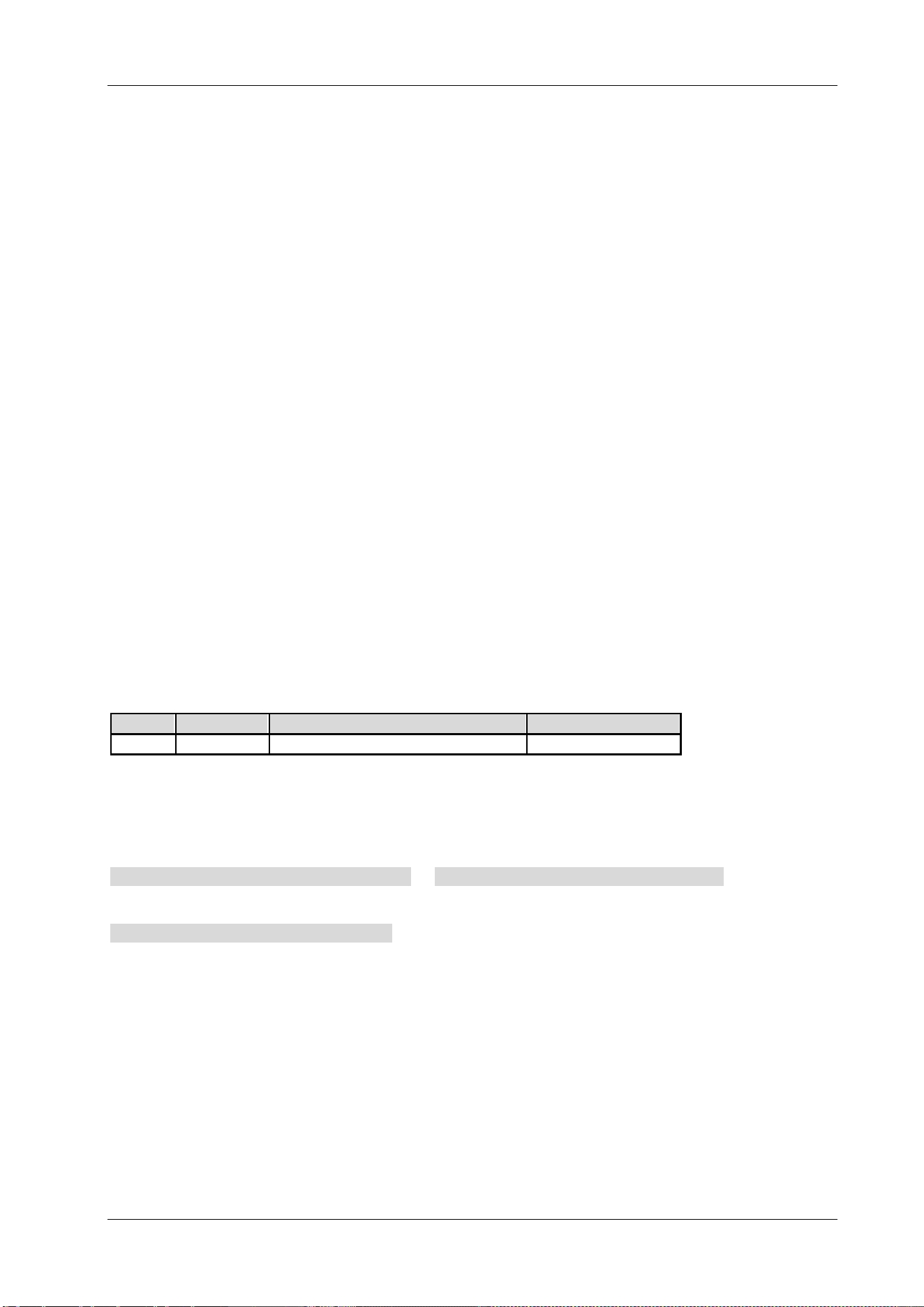
Chapter 2 Command System RIGOL
DSA800 Programming Guide 2-127
[:SENSe]:FREQuency:CENTer:DOWN
Syntax
[:SENSe]:FREQuency:CENTer:DOWN
Description
Decrease the center frequency at the center frequency step.
[:SENSe]:FREQuency:CENTer:SET:STEP
Syntax
[:SENSe]:FREQuency:CENTer:SET:STEP
Description
Set the CF step to the current center frequency.
[:SENSe]:FREQuency:CENTer:STEP:AUTO
Syntax
[:SENSe]:FREQuency:CENTer:STEP:AUTO OFF|ON|0|1
[:SENSe]:FREQuency:CENTer:STEP:AUTO?
Description
Enable or disable the auto setting mode of the CF step.
Query the status of the auto setting mode of the CF step.
Parameter
Name
Type
Range
Default
-- Bool OFF|ON|0|1 ON|1
Return Format
The query returns 0 or 1.
Example
The command below enables the auto setting mode.
:SENSe:FREQuency:CENTer:STEP:AUTO ON or :SENSe:FREQuency:CENTer:STEP:AUTO 1
The query below returns 1.
:SENSe:FREQuency:CENTer:STEP:AUTO?
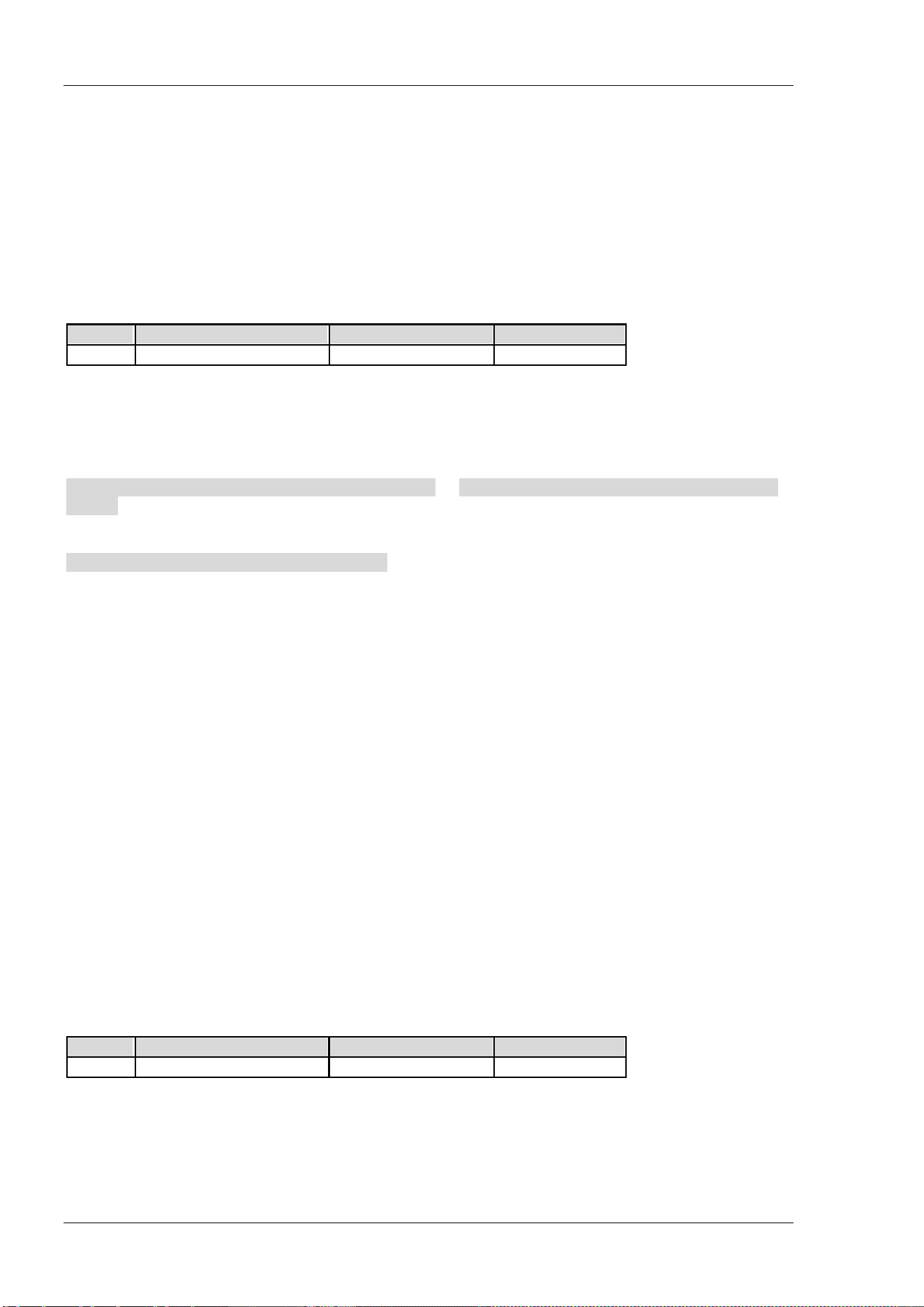
RIGOL Chapter 2 Command System
2-128 DSA800 Programming Guide
[:SENSe]:FREQuency:CENTer:STEP[:INCRement]
Syntax
[:SENSe]:FREQuency:CENTer:STEP[:INCRement] <freq>
[:SENSe]:FREQuency:CENTer:STEP[:INCRement]?
Description
Set the CF step.
Query the CF step.
Parameter
Name
Type
Range
Default
<freq>
Consecutive Real Number 1 Hz to 7.5 GHz 750 MHz
Return Format
The query returns the CF step in integer and the unit is Hz.
Example
The command below sets the CF step to 100 kHz.
:SENSe:FREQuency:CENTer:STEP:INCRement 100000 or :SENSe:FREQuency:CENTer:STEP:INCRement
100KHz
The query below returns 100000.
:SENSe:FREQuency:CENTer:STEP:INCRement?
[:SENSe]:FREQuency:CENTer:UP
Syntax
[:SENSe]:FREQuency:CENTer:UP
Description
Increase the center frequency at the center frequency step.
[:SENSe]:FREQuency:OFFSet
Syntax
[:SENSe]:FREQuency:OFFSet <freq>
[:SENSe]:FREQuency:OFFSet?
Description
Set the frequency offset.
Query the frequency offset.
Parameter
Name
Type Range Default
<freq>
Consecutive Real Number -100 GHz to 100 GHz 0 Hz
Return Format
The query returns the frequency offset in integer and the unit is Hz.
The frequency offset changes the display values of the center frequency, start frequency and stop
frequency; but does not affect the hardware setting of the spectrum analyzer.
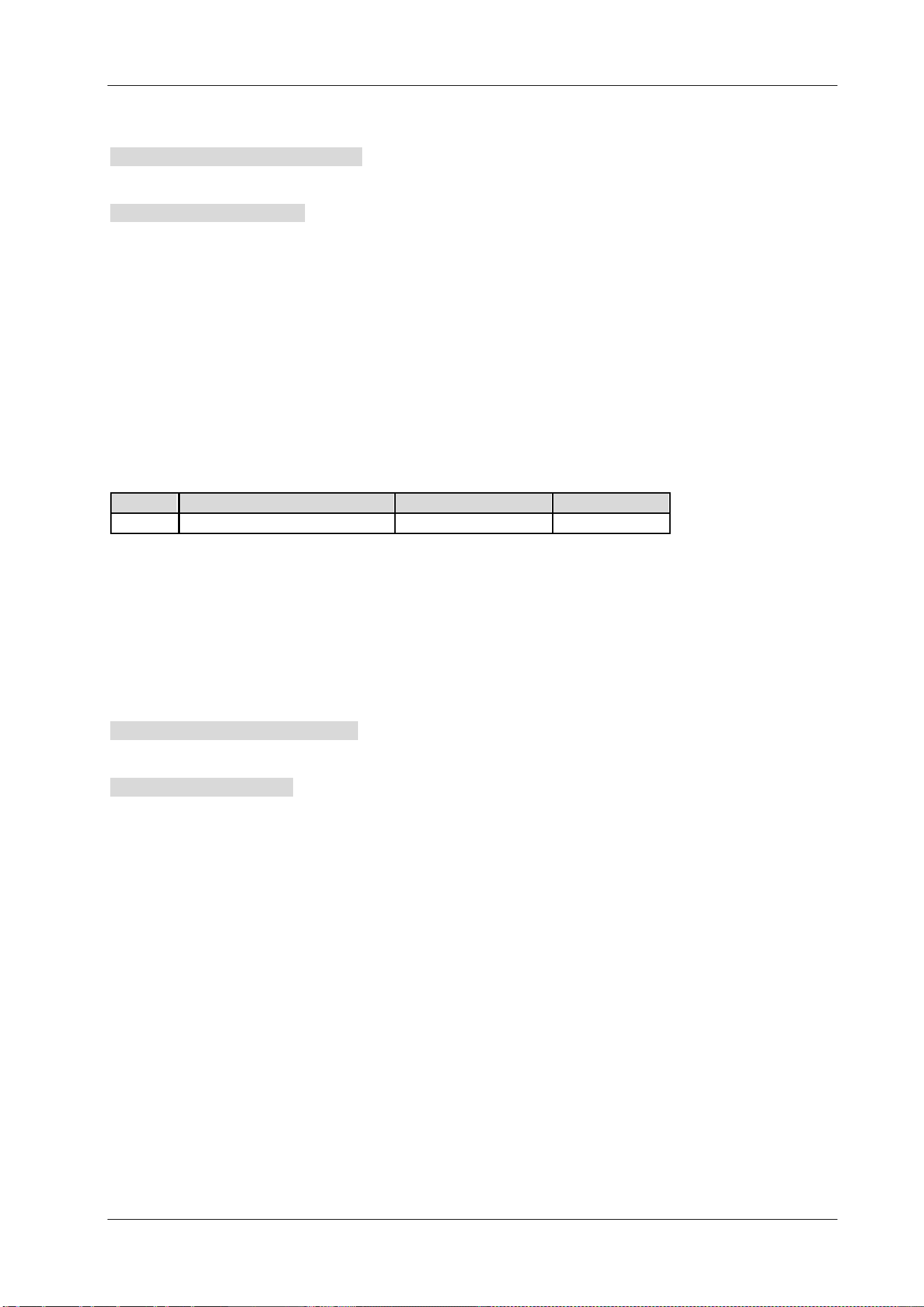
Chapter 2 Command System RIGOL
DSA800 Programming Guide 2-129
Example
The command below sets the frequency offset to 1 MHz.
:SENSe:FREQuency:OFFSet 1000000
The query below returns 1000000.
:SENSe:FREQuency:OFFSet?
[:SENSe]:FREQuency:SPAN
Syntax
[:SENSe]:FREQuency:SPAN <freq>
[:SENSe]:FREQuency:SPAN?
Description
Set the span.
Query the span.
Parameter
Name
Type
Range
Default
<freq>
Consecutive Real Number
0 Hz to 7.5 GHz
7.5 GHz
Explanation
When the span is set to 0, the instrument enters the zero span mode; the X axis changes from frequency to
time and the instrument only displays signals of which the frequency equals the center frequency.
Return Format
The query returns the span in integer and the unit is Hz.
Example
The command below sets the span to 20 MHz.
:SENSe:FREQuency:SPAN 20000000
The query below returns 20000000.
:SENSe:FREQuency:SPAN?
[:SENSe]:FREQuency:SPAN:FULL
Syntax
[:SENSe]:FREQuency:SPAN:FULL
Description
Set the span to its maximum (full span).
RIGOL Chapter 2 Command System
2-130 DSA800 Programming Guide
[:SENSe]:FREQuency:SPAN:PREVious
Syntax
[:SENSe]:FREQuency:SPAN:PREVious
Description
Set the span to the previous span setting.
[:SENSe]:FREQuency:SPAN:ZIN
Syntax
[:SENSe]:FREQuency:SPAN:ZIN
Description
Set the span to half of the current value.
[:SENSe]:FREQuency:SPAN:ZOUT
Syntax
[:SENSe]:FREQuency:SPAN:ZOUT
Description
Set the span to twice of the current value.
[:SENSe]:FREQuency:STARt
Syntax
[:SENSe]:FREQuency:STARt <freq>
[:SENSe]:FREQuency:STARt?
Description
Set the start frequency.
Query the start frequency.
Parameter
Name
Type
Range
Default
<freq>
Consecutive Real Number
0 Hz to 7.5 GHz
0 Hz
Return Format
The query returns the start frequency in integer and the unit is Hz.
Example
The command below sets the start frequency to 10 MHz.
:SENSe:FREQuency:STARt 10000000
The query below returns 10000000.
:SENSe:FREQuency:STARt?
Chapter 2 Command System RIGOL
DSA800 Programming Guide 2-131
[:SENSe]:FREQuency:STOP
Syntax
[:SENSe]:FREQuency:STOP <freq>
[:SENSe]:FREQuency:STOP?
Description
Set the stop frequency.
Query the stop frequency.
Parameter
Name
Type
Range
Default
<freq>
Consecutive Real Number 0 Hz to 7.5 GHz 7.5 GHz
Return Format
The query returns the stop frequency in integer and the unit is Hz.
Example
The command below sets the stop frequency to 10 MHz.
:SENSe:FREQuency:STOP 10000000
The query below returns 10000000.
:SENSe:FREQuency:STOP?
[:SENSe]:HDISt:AVERage:COUNt
Syntax
[:SENSe]:HDISt:AVERage:COUNt <integer>
[:SENSe]:HDISt:AVERage:COUNt?
Description
Set the number of averages of the harmonic distortion measurement.
Query the number of averages of the harmonic distortion measurement.
Parameter
Name
Type
Range
Default
<integer>
Integer 1 to 1000 10
Explanation
This command is only available when the harmonic distortion measurement is enabled.
Return Format
The query returns the number of averages in integer.
Example
The command below sets the number of averages to 100.
:SENSe:HDISt:AVERage:COUNt 100
The query below returns 100.
:SENSe:HDISt:AVERage:COUNt?
RIGOL Chapter 2 Command System
2-132 DSA800 Programming Guide
[:SENSe]:HDISt:AVERage[:STATe]
Syntax
[:SENSe]:HDISt:AVERage[:STATe] OFF|ON|0|1
[:SENSe]:HDISt:AVERage[:STATe]?
Description
Enable or disable the average measurement function of the harmonic distortion measurement.
Query the status of the average measurement function of the harmonic distortion measurement.
Parameter
Name
Type
Range
Default
-- Bool OFF|ON|0|1 OFF|0
Explanation
This command is only available when the harmonic distortion measurement is enabled.
Return Format
The query returns 0 or 1.
Example
The command below enables the average measurement function.
:SENSe:HDISt:AVERage:STATe ON or :SENSe:HDISt:AVERage:STATe 1
The query below returns 1.
:SENSe:HDISt:AVERage:STATe?
[:SENSe]:HDISt:AVERage:TCONtrol
Syntax
[:SENSe]:HDISt:AVERage:TCONtrol EXPonential|REPeat
[:SENSe]:HDISt:AVERage:TCONtrol?
Description
Set the average mode of the harmonic distortion measurement.
Query the average mode of the harmonic distortion measurement.
Parameter
Name Type Range Default
-- Keyword EXPonential|REPeat EXPonential
Explanation
EXPonential: exponential average
REPeat: repeat average
When exponential average is selected, the result is the exponential average of the latest N (specified by the
[:SENSe]:HDISt:AVERage:COUNt command) measurement results.
When repeat average is selected, the result is the arithmetic average of the latest N (specified by the
[:SENSe]:HDISt:AVERage:COUNt command) measurement results.
This command is only available when the harmonic distortion measurement is enabled.
Return Format
The query returns EXP or REP.
Chapter 2 Command System RIGOL
DSA800 Programming Guide 2-133
Example
The command below sets the average mode to repeat average.
:SENSe:HDISt:AVERage:TCONtrol REPeat
The query below returns REP.
:SENSe:HDISt:AVERage:TCONtrol?
[:SENSe]:HDISt:NUMBers
Syntax
[:SENSe]:HDISt:NUMBers <integer>
[:SENSe]:HDISt:NUMBers?
Description
Set the number of the harmonics to be measured.
Query the number of the harmonics to be measured.
Parameter
Name
Type
Range
Default
<integer>
Integer
2 to 10
10
Explanation
This command is only available when the harmonic distortion measurement is enabled.
Return Format
The query returns the number of harmonics in integer.
Example
The command below sets the number of harmonics to 5.
:SENSe:HDISt:NUMBers 5
The query below returns 5.
:SENSe:HDISt:NUMBers?
[:SENSe]:HDISt:TIME
Syntax
[:SENSe]:HDISt:TIME <time>
[:SENSe]:HDISt:TIME?
Description
Set the sweep time of the harmonic distortion measurement.
Query the sweep time of the harmonic distortion measurement.
Parameter
Name
Type Range Default
<time>
Consecutive Real Number 20 us to 7.5 ks 37.5 ms
Explanation
This command is only available when the harmonic distortion measurement is enabled.
Return Format
The query returns the sweep time in scientific notation and the unit is s.
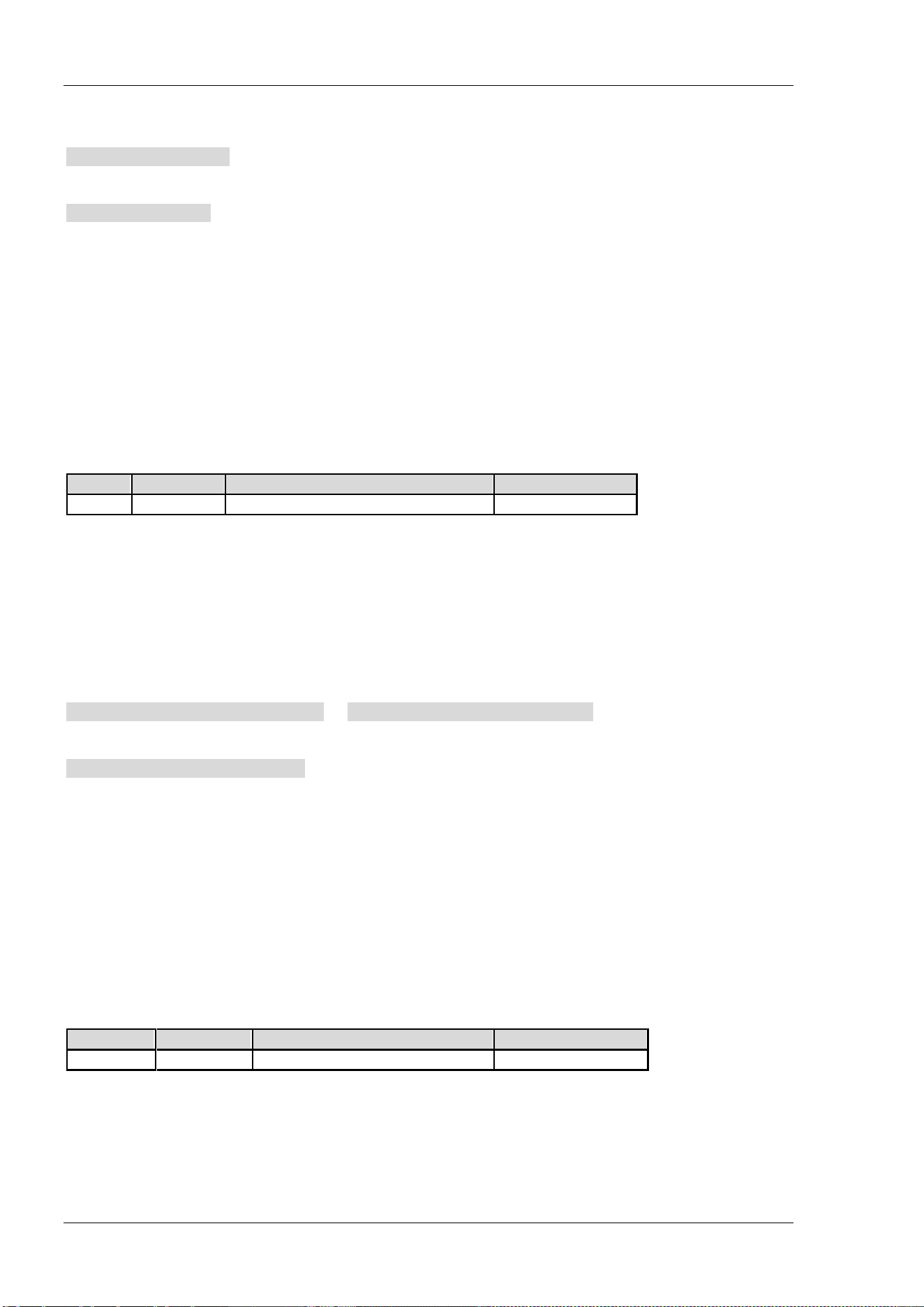
RIGOL Chapter 2 Command System
2-134 DSA800 Programming Guide
Example
The command below sets the sweep time to 100 ms.
:SENSe:HDISt:TIME 0.1
The query below returns 1.000000E-01.
:SENSe:HDISt:TIME?
[:SENSe]:HDISt:TIME:AUTO[:STATe]
Syntax
[:SENSe]:HDISt:TIME:AUTO[:STATe] OFF|ON|0|1
[:SENSe]:HDISt:TIME:AUTO[:STATe]?
Description
Enable or disable the auto setting mode of the sweep time of the harmonic distortion measurement.
Query the status of the auto setting mode of the sweep time of the harmonic distortion measurement.
Parameter
Name
Type
Range
Default
--
Bool
OFF|ON|0|1
ON|1
Explanation
This command is only available when the harmonic distortion measurement is enabled.
This setting changes the sweep time of the spectrum analyzer.
Return Format
The query returns 0 or 1.
Example
The command below enables the auto setting mode of the sweep time.
:SENSe:HDISt:TIME:AUTO:STATe ON or :SENSe:HDISt:TIME:AUTO:STATe 1
The query below returns 1.
:SENSe:HDISt:TIME:AUTO:STATe?
[:SENSe]:OBWidth:AVERage:COUNt
Syntax
[:SENSe]:OBWidth:AVERage:COUNt <integer>
[:SENSe]:OBWidth:AVERage:COUNt?
Description
Set the number of averages of the occupied bandwidth measurement.
Query the number of averages of the occupied bandwidth measurement.
Parameter
Name
Type Range Default
<integer>
Integer
1 to 1000
10
Explanation
This commend is only available when the occupied bandwidth measurement is enabled.
Return Format
The query returns the number of averages in integer.

Chapter 2 Command System RIGOL
DSA800 Programming Guide 2-135
Example
The command below sets the number of averages to 100.
:SENSe:OBWidth:AVERage:COUNt 100
The query below returns 100.
:SENSe:OBWidth:AVERage:COUNt?
[:SENSe]:OBWidth:AVERage[:STATe]
Syntax
[:SENSe]:OBWidth:AVERage[:STATe] OFF|ON|0|1
[:SENSe]:OBWidth:AVERage[:STATe]?
Description
Enable or disable the average measurement function of the occupied bandwidth measurement.
Query the status of the average measurement function of the occupied bandwidth measurement.
Parameter
Name
Type
Range
Default
--
Bool
OFF|ON|0|1
OFF|0
Explanation
This commend is only available when the occupied bandwidth measurement is enabled.
Return Format
The query returns 0 or 1.
Example
The command below enables the average measurement function.
:SENSe:OBWidth:AVERage:STATe ON or :SENSe:OBWidth:AVERage:STATe 1
The query below returns 1.
:SENSe:OBWidth:AVERage:STATe?
[:SENSe]:OBWidth:AVERage:TCONtrol
Syntax
[:SENSe]:OBWidth:AVERage:TCONtrol EXPonential|REPeat
[:SENSe]:OBWidth:AVERage:TCONtrol?
Description
Set the average mode of the occupied bandwidth measurement.
Query the average mode of the occupied bandwidth measurement.
Parameter
Name
Type
Range
Default
--
Keyword
EXPonential|REPeat
EXPonential
Explanation
EXPonential: exponential average
REPeat: repeat average
When exponential average is selected, the result is the exponential average of the latest N (specified by the
[:SENSe]:OBWidth:AVERage:COUNt command) measurement results.
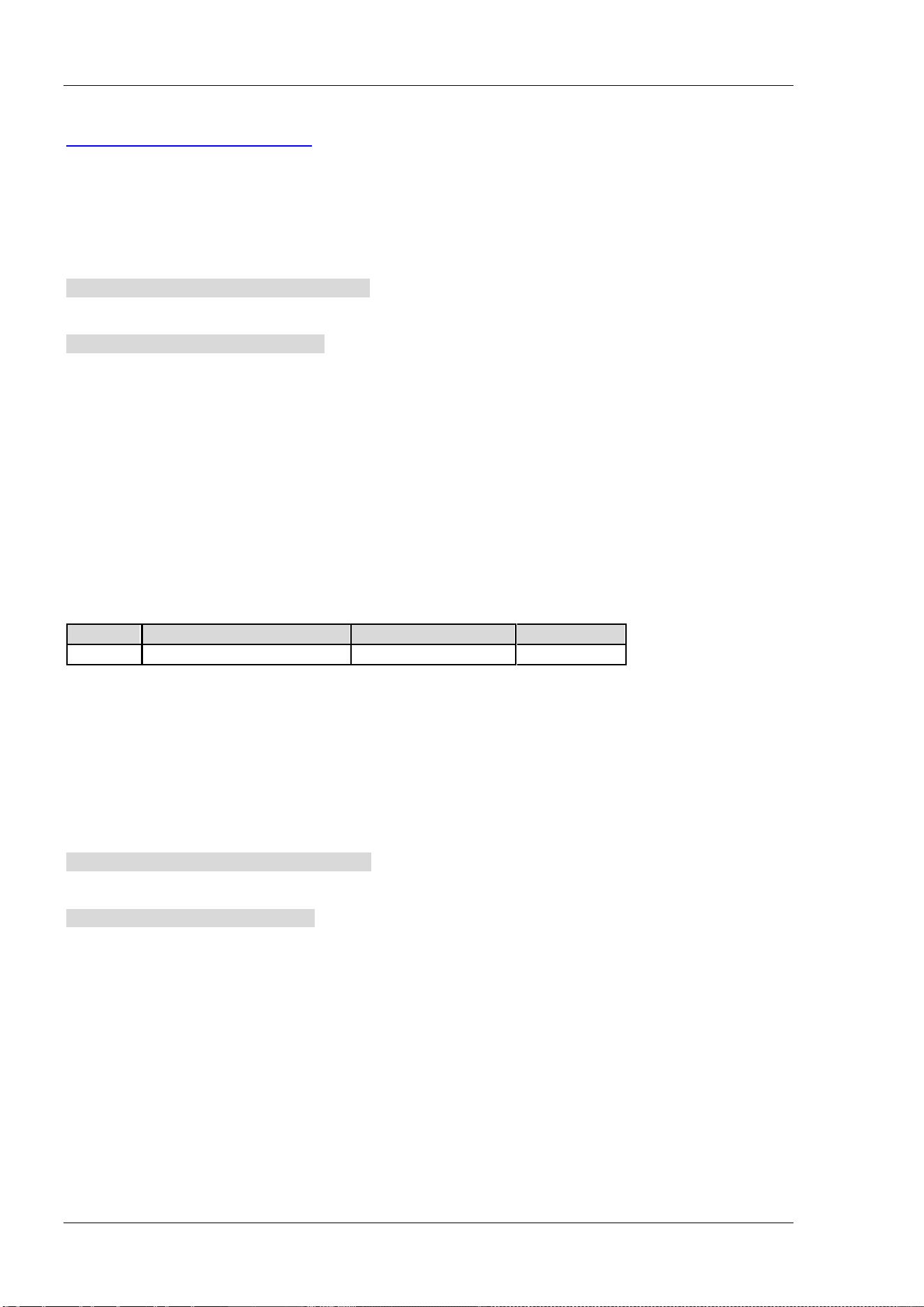
RIGOL Chapter 2 Command System
2-136 DSA800 Programming Guide
When repeat average is selected, the result is the arithmetic average of the latest N (specified by the
[:SENSe]:OBWidth:AVERage:COUNt command) measurement results.
This command is only available when the occupied bandwidth measurement is enabled.
Return Format
The query returns EXP or REP.
Example
The command below sets the average mode to repeat average.
:SENSe:OBWidth:AVERage:TCONtrol REPeat
The query below returns REP.
:SENSe:OBWidth:AVERage:TCONtrol?
[:SENSe]:OBWidth:FREQuency:SPAN
Syntax
[:SENSe]:OBWidth:FREQuency:SPAN <freq>
[:SENSe]:OBWidth:FREQuency:SPAN?
Description
Set the span of the occupied bandwidth measurement.
Query the span of the occupied bandwidth measurement.
Parameter
Name
Type
Range
Default
<freq>
Consecutive Real Number 100 Hz to 7.5 GHz 2 MHz
Explanation
This command is only available when the occupied bandwidth measurement is enabled.
This setting changes the span of the spectrum analyzer.
Return Format
The query returns the span in integer and the unit is Hz.
Example
The command below sets the span to 1 MHz.
:SENSe:OBWidth:FREQuency:SPAN 1000000
The query below returns 1000000.
:SENSe:OBWidth:FREQuency:SPAN?
[:SENSe]:OBWidth:MAXHold:STATe
Syntax
[:SENSe]:OBWidth:MAXHold:STATe OFF|ON|0|1
[:SENSe]:OBWidth:MAXHold:STATe?
Description
Enable or disable the Max Hold of the occupied bandwidth measurement.
Query the status of the Max Hold of the occupied bandwidth measurement.
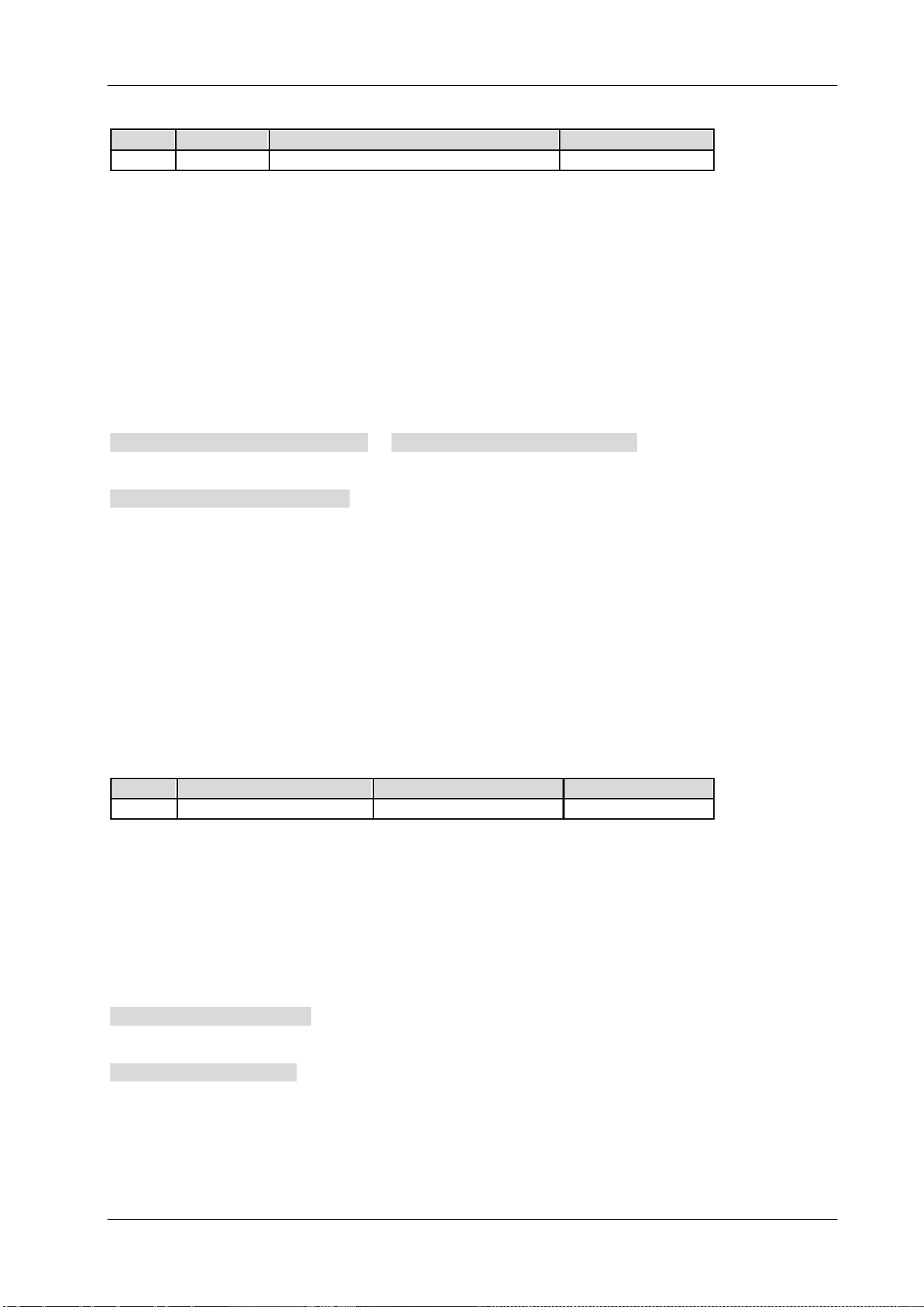
Chapter 2 Command System RIGOL
DSA800 Programming Guide 2-137
Parameter
Name
Type Range Default
--
Bool
OFF|ON|0|1
OFF|0
Explanation
This command is only available when the occupied bandwidth measurement is enabled.
When Max Hold is enabled, each measurement result is compared with the previous result and the
maximum is displayed.
When Max Hold is disabled, the current measurement result is displayed.
Max Hold and the average measurement function are mutually exclusive and the average measurement
function will be automatically disabled when Max Hold is enabled.
Return Format
The query returns 0 or 1.
Example
The command below enables the Max Hold.
:SENSe:OBWidth:MAXHold:STATe ON or :SENSe:OBWidth:MAXHold:STATe 1
The query below returns 1.
:SENSe:OBWidth:MAXHold:STATe?
[:SENSe]:OBWidth:PERCent
Syntax
[:SENSe]:OBWidth:PERCent <real>
[:SENSe]:OBWidth:PERCent?
Description
Set the percentage (power ratio) the signal power takes up in the whole span power.
Query the power ratio of the occupied bandwidth measurement.
Parameter
Name
Type
Range
Default
<real>
Consecutive Real Number
1 to 99.99
99
Explanation
This command is only available when the occupied bandwidth measurement is enabled.
The range (1 to 99.99) of <real> corresponds to the 1% to 99.99% of the instrument setting.
Return Format
The query returns the percentage in scientific notation.
Example
The command below sets the power ratio to 90%.
:SENSe:OBWidth:PERCent 90
The query below returns 9.000000E+01.
:SENSe:OBWidth:PERCent?
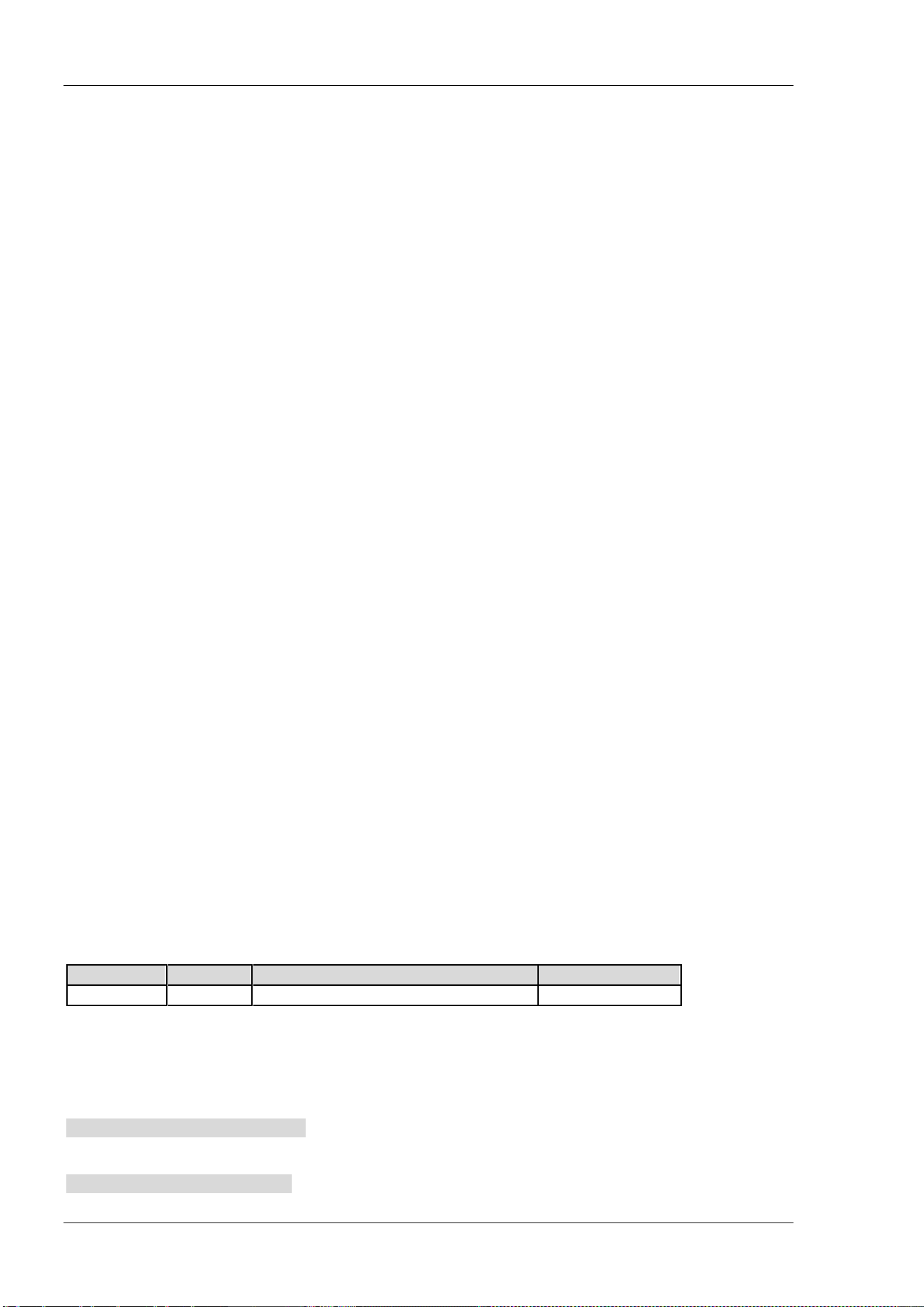
RIGOL Chapter 2 Command System
2-138 DSA800 Programming Guide
[:SENSe]:POWer:ARANge
Syntax
[:SENSe]:POWer:ARANge
Description
Execute auto range; namely adjust the amplitude-related parameters within the current span for easy
observation of the signal.
[:SENSe]:POWer:ASCale
Syntax
[:SENSe]:POWer:ASCale
Description
Execute auto scale; namely adjust the reference level and scale automatically to display the peak of the
signal in the upmost grid as far as possible for easy observation of the trace.
[:SENSe]:POWer:ATUNe
Syntax
[:SENSe]:POWer:ATUNe
Description
Search for signals within the full frequency range and adjust the frequency and amplitude for optimum
display effect of the signal.
[:SENSe]:POWer[:RF]:ATTenuation
Syntax
[:SENSe]:POWer[:RF]:ATTenuation <rel_ampl>
[:SENSe]:POWer[:RF]:ATTenuation?
Description
Set the attenuation of the RF attenuator.
Query the attenuation of the RF attenuator.
Parameter
Name
Type
Range
Default
<rel_ampl>
Integer 0 dB to 30 dB 10 dB
Return Format
The query returns the attenuation in integer and the unit is dB.
Example
The command below sets the attenuation to 20 dB.
:SENSe:POWer:RF:ATTenuation 20
The query below returns 20.
:SENSe:POWer:RF:ATTenuation?
Chapter 2 Command System RIGOL
DSA800 Programming Guide 2-139
[:SENSe]:POWer[:RF]:ATTenuation:AUTO
Syntax
[:SENSe]:POWer[:RF]:ATTenuation:AUTO OFF|ON|0|1
[:SENSe]:POWer[:RF]:ATTenuation:AUTO?
Description
Enable or disable the auto setting mode of the input attenuation.
Query the status of the auto setting mode of the input attenuation.
Parameter
Name
Type
Range
Default
--
Bool OFF|ON|0|1 ON|1
Return Format
The query returns 0 or 1.
Example
The command below disables the auto setting mode of the input attenuation.
:SENSe:POWer:RF:ATTenuation:AUTO OFF or :SENSe:POWer:RF:ATTenuation:AUTO 0
The query below returns 0.
:SENSe:POWer:RF:ATTenuation:AUTO?
[:SENSe]:POWer[:RF]:GAIN[:STATe]
Syntax
[:SENSe]:POWer[:RF]:GAIN[:STATe] OFF|ON|0|1
[:SENSe]:POWer[:RF]:GAIN[:STATe]?
Description
Enable or disable the preamplifier.
Query the status of the preamplifier.
Parameter
Name
Type
Range
Default
--
Bool
OFF|ON|0|1
OFF|0
Return Format
The query returns 0 or 1.
Example
The command below enables the preamplifier.
:SENSe:POWer:RF:GAIN:STATe ON or :SENSe:POWer:RF:GAIN:STATe 1
The query below returns 1.
:SENSe:POWer:RF:GAIN:STATe?
RIGOL Chapter 2 Command System
2-140 DSA800 Programming Guide
[:SENSe]:POWer[:RF]:MIXer:RANGe[:UPPer]
Syntax
[:SENSe]:POWer[:RF]:MIXer:RANGe[:UPPer] <ampl>
[:SENSe]:POWer[:RF]:MIXer:RANGe[:UPPer]?
Description
Set the maximum power of the input mixer.
Query the maximum power of the input mixer.
Parameter
Name
Type
Range
Default
<ampl> Integer -30 dBm to 0 dBm -10 dBm
Return Format
The query returns the maximum power of the input mixer in scientific notation and the unit is dBm.
Example
The command below sets the maximum power of the input mixer to -20 dBm.
:SENSe:POWer:RF:MIXer:RANGe:UPPer -20
The query below returns -2.000000E+01.
:SENSe:POWer:RF:MIXer:RANGe:UPPer?
[:SENSe]:SIGCapture[:STATe]
Syntax
[:SENSe]:SIGCapture[:STATe] OFF|ON|0|1
[:SENSe]:SIGCapture[:STATe]?
Description
Turn the Sig Capture function on or off.
Query the on/off status of the Sig Capture function.
Parameter
Name
Type
Range
Default
——
Bool OFF|ON|0|1 OFF|0
Return Format
The query returns 0 or 1.
Example
The command below turns the Sig Capture function on.
:SENSe:SIGCapture:STATe ON or :SENSe:SIGCapture:STATe 1
The query below returns 1.
:SENSe:SIGCapture:STATe?
Chapter 2 Command System RIGOL
DSA800 Programming Guide 2-141
[:SENSe]:SIGCapture:SIGC[:STATe]
Syntax
[:SENSe]:SIGCapture:SIGC[:STATe] OFF|ON|0|1
[:SENSe]:SIGCapture:SIGC[:STATe]?
Description
Turn the real time trace on or off.
Query the on/off status of the real time trace.
Parameter
Name
Type
Range
Default
——
Bool
OFF|ON|0|1 OFF|0
Explanation
The real time trace, max hold and 2FSK are mutually exclusive.
Return Format
The query returns 0 or 1.
Example
The command below turns the real time trace on.
:SENSe:SIGCapture:SIGC:STATe ON or :SENSe:SIGCapture:SIGC:STATe 1
The query below returns 1.
:SENSe:SIGCapture:SIGC:STATe?
[:SENSe]:SIGCapture:MAXHold[:STATe]
Syntax
[:SENSe]:SIGCapture:MAXHold[:STATe] OFF|ON|0|1
[:SENSe]:SIGCapture:MAXHold[:STATe]?
Description
Turn the max hold on or off.
Query the on/off status of the max hold.
Parameter
Name
Type
Range
Default
——
Bool OFF|ON|0|1 OFF|0
Explanation
The max hold, real time trace and 2FSK are mutually exclusive.
Return Format
The query returns 0 or 1.
Example
The command below turns the max hold on.
:SENSe:SIGCapture:MAXHold:STATe ON or :SENSe:SIGCapture:MAXHold:STATe 1
The query below returns 1.
:SENSe:SIGCapture:MAXHold:STATe?
RIGOL Chapter 2 Command System
2-142 DSA800 Programming Guide
[:SENSe]:SIGCapture:RESet
Syntax
[:SENSe]:SIGCapture:RESet
Description
Reset the max hold.
Explanation
This command is valide only when the Sig Capture function is turned on.
[:SENSe]:SIGCapture:2FSK[:STATe]
Syntax
[:SENSe]:SIGCapture:2FSK[:STATe] OFF|ON|0|1
[:SENSe]:SIGCapture:2FSK[:STATe]?
Description
Turn 2FSK on or off.
Query the on/off status of 2FSK.
Parameter
Name
Type
Range
Default
——
Bool OFF|ON|0|1 OFF|0
Explanation
2FSK, the max hold and real time trace are mutually exclusive.
Return Format
The query returns 0 or 1.
Example
The command below turns 2FSK on.
:SENSe:SIGCapture:2FSK:STATe ON or :SENSe:SIGCapture:2FSK:STATe 1
The query below returns 1.
:SENSe:SIGCapture:2FSK:STATe?
[:SENSe]:SIGCapture:2FSK:RESet
Syntax
[:SENSe]:SIGCapture:2FSK:RESet
Description
Reset the max hold of 2FSK.
Explanation
This command is valid only when 2FSK is turned on.
Chapter 2 Command System RIGOL
DSA800 Programming Guide 2-143
[:SENSe]:SIGCapture:2FSK:MAXHold[:STATe]
Syntax
[:SENSe]:SIGCapture:2FSK:MAXHold[:STATe] OFF|ON|0|1
[:SENSe]:SIGCapture:2FSK:MAXHold[:STATe]?
Description
Turn the max hold of 2FSK on or off.
Query the on/off status of the max hold of 2FSK.
Parameter
Name
Type
Range
Default
——
Bool OFF|ON|0|1 OFF|0
Explanation
This command is valid only when 2FSK is turned on.
Return Format
The query returns 0 or 1.
Example
The command below turns the max hold of 2FSK on.
:SENSe:SIGCapture:2FSK:MAXHold:STATe ON or :SENSe:SIGCapture:2FSK:MAXHold:STATe 1
The query below returns 1.
:SENSe:SIGCapture:2FSK:MAXHold:STATe?
[:SENSe]:SIGCapture:2FSK:PFSWitch
Syntax
[:SENSe]:SIGCapture:2FSK:PFSWitch OFF|ON|0|1
[:SENSe]:SIGCapture:2FSK:PFSWitch?
Description
Turn the pass/fail function of 2FSK on or off.
Query the on/off status of the pass/fail function of 2FSK.
Parameter
Name
Type
Range
Default
——
Bool OFF|ON|0|1 OFF|0
Explanation
This command is valid only when 2FSK is turned on.
Return Format
The query returns 0 or 1.
Example
The command below turns the pass/fail function of 2FSK on.
:SENSe:SIGCapture:2FSK:PFSWitch ON or :SENSe:SIGCapture:2FSK:PFSWitch 1
The query below returns 1.
:SENSe:SIGCapture:2FSK:PFSWitch?
RIGOL Chapter 2 Command System
2-144 DSA800 Programming Guide
[:SENSe]:SIGCapture:2FSK:SIGNal
Syntax
[:SENSe]:SIGCapture:2FSK:SIGNal 0|1|2
[:SENSe]:SIGCapture:2FSK:SIGNal?
Description
Select the desired 2FSK signal for editing its amplitude limits of pass/fail test.
Query the 2FSK signal selected currently.
Parameter
Name
Type
Range
Default
——
Discrete 0|1|2 0
Explanation
0: Modify the first 2FSK signal (Peak 1 and Peak 2).
1: Modify the second 2FSK signal (Peak 3 and Peak 4).
2: Modify the third 2FSK signal (Peak 5 and Peak 6).
This command is valid only when 2FSK is turned on.
Return Format
The query returns 0 or 1.
Example
The command below selects the first 2FSK signal.
:SENSe:SIGCapture:2FSK:SIGNal 0
The query below returns 0.
:SENSe:SIGCapture:2FSK:SIGNal?
[:SENSe]:SIGCapture:2FSK:AMPUp
Syntax
[:SENSe]:SIGCapture:2FSK:AMPUp <ample>
[:SENSe]:SIGCapture:2FSK:AMPUp?
Description
Set the amplitude upper limit of the specified 2FSK signal.
Query the amplitude upper limit of the specified 2FSK signal.
Parameter
Name
Type
Range
Default
<ample>
Consecutive Real Number
The amplitude lower limit to 320 dBm -10 dBm
Explanation
This command is valid only when 2FSK is turned on.
Return Format
The query returns the amplitude upper limit in scientific notation.
Example
The command below sets the amplitude upper limit to -20 dBm.
:SENSe:SIGCapture:2FSK:AMPUp -20
The query below returns -2.000000E+01.
:SENSe:SIGCapture:2FSK:AMPUp?
Chapter 2 Command System RIGOL
DSA800 Programming Guide 2-145
[:SENSe]:SIGCapture:2FSK:AMPDown
Syntax
[:SENSe]:SIGCapture:2FSK:AMPDown <ample>
[:SENSe]:SIGCapture:2FSK:AMPDown?
Description
Set the amplitude lower limit of the specified 2FSK signal.
Query the amplitude lower limit of the specified 2FSK signal.
Parameter
Name
Type
Range
Default
<ample>
Consecutive Real
Number
-400 dBm to the amplitude upper limit -100 dBm
Explanation
This command is valid only when 2FSK is turned on.
Return Format
The query returns the amplitude lower limit in scientific notation.
Example
The command below sets the amplitude upper limit to -20 dBm.
:SENSe:SIGCapture:2FSK:AMPDown -20
The query below returns -2.000000E+01.
:SENSe:SIGCapture:2FSK:AMPDown?
[:SENSe]:SIGCapture:2FSK:MARK1[:FREQ]
Syntax
[:SENSe]:SIGCapture:2FSK:MARK1[:FREQ] <freq>
[:SENSe]:SIGCapture:2FSK:MARK1[:FREQ]?
Description
Set the frequency of Marker 1.
Query the frequency of Marker 1.
Parameter
Name
Type
Range
Default
<freq>
Consecutive Real
Number
(Center Freq -Span/2) to (Center Freq + Span/2)
Wherein, Span fixes as 1.5 MHz
Center Freq +
Span/2
Explanation
This command is valid only when 2FSK is turned on.
Return Format
The query returns the frequency of Marker 1 in integer and the unit is Hz.
Example
The command below sets the frequency of Marker 1 to 750 MHz.
:SENSe:SIGCapture:2FSK:MARK1:FREQ 750000000
The query below returns 750000000.
:SENSe:SIGCapture:2FSK:MARK1:FREQ?
RIGOL Chapter 2 Command System
2-146 DSA800 Programming Guide
[:SENSe]:SIGCapture:2FSK:MARK1:Switch[:STATe]
Syntax
[:SENSe]:SIGCapture:2FSK:MARK1:Switch[:STATe] OFF|ON|0|1
[:SENSe]:SIGCapture:2FSK:MARK1:Switch[:STATe]?
Description
Turn the Marker 1 on or off.
Query the on/off of Marker 1.
Parameter
Name
Type
Range
Default
——
Bool OFF|ON|0|1 OFF|0
Explanation
This command is valid only when 2FSK is turned on.
Return Format
The query returns 0 or 1.
Example
The command below turns the Marker 1 on.
:SENSe:SIGCapture:2FSK:MARK1:Switch:STATe ON or :SENSe:SIGCapture:2FSK:MARK1:Switch:STATe 1
The query below returns 1.
:SENSe:SIGCapture:2FSK:MARK1:Switch:STATe?
[:SENSe]:SIGCapture:2FSK:MARK2[:FREQ]
Syntax
[:SENSe]:SIGCapture:2FSK:MARK2[:FREQ] <freq>
[:SENSe]:SIGCapture:2FSK:MARK2[:FREQ]?
Description
Set the frequency of Marker 2.
Query the frequency of Marker 2.
Parameter
Name
Type
Range
Default
<freq>
Consecutive Real
Number
(Center Freq -Span/2) to (Center Freq + Span/2)
Wherein, Span fixes as 1.5 MHz
Center Freq +
Span/2
Explanation
This command is valid only when 2FSK is turned on.
Return Format
The query returns the frequency of Marker 2 in integer and the unit is Hz.
Example
The command below sets the frequency of Marker 2 to 750 MHz.
:SENSe:SIGCapture:2FSK:MARK2:FREQ 750000000
The query below returns 750000000.
:SENSe:SIGCapture:2FSK:MARK2:FREQ?
Chapter 2 Command System RIGOL
DSA800 Programming Guide 2-147
[:SENSe]:SIGCapture:2FSK:MARK2:Switch[:STATe]
Syntax
[:SENSe]:SIGCapture:2FSK:MARK2:Switch[:STATe] OFF|ON|0|1
[:SENSe]:SIGCapture:2FSK:MARK2:Switch[:STATe]?
Description
Turn the Marker 2 on or off.
Query the on/off of Marker 2.
Parameter
Name
Type
Range
Default
—— Bool OFF|ON|0|1 OFF|0
Explanation
This command is valid only when 2FSK is turned on.
Return Format
The query returns 0 or 1.
Example
The command below turns the Marker 2 on.
:SENSe:SIGCapture:2FSK:MARK2:Switch:STATe ON or :SENSe:SIGCapture:2FSK:MARK2:Switch:STATe 1
The query below returns 1.
:SENSe:SIGCapture:2FSK:MARK2:Switch:STATe?
[:SENSe]:SWEep:COUNt
Syntax
[:SENSe]:SWEep:COUNt <integer>
[:SENSe]:SWEep:COUNt?
Description
Set the number of sweeps for a single sweep.
Query the number of sweeps for a single sweep.
Parameter
Name
Type
Range
Default
<integer>
Integer 1 to 9999 1
Return Format
The query returns the number of sweeps in integer.
Example
The command below sets the number of sweeps to 10.
:SENSe:SWEep:COUNt 10
The query below returns 10.
:SENSe:SWEep:COUNt?
RIGOL Chapter 2 Command System
2-148 DSA800 Programming Guide
[:SENSe]:SWEep:COUNt:CURRent?
Syntax
[:SENSe]:SWEep:COUNt:CURRent?
Description
Query the number of sweeps that have been finished in single sweep.
Explanation
The [:SENSe]:SWEep:COUNt? command queries the number of sweeps to be executed in a single sweep.
While, this command queries the number of sweeps that have been finished in single sweep.
Return Format
The query returns the number in integer
[:SENSe]:SWEep:POINts
Syntax
[:SENSe]:SWEep:POINts <number of points>
[:SENSe]:SWEep:POINts?
Description
Set the sweep points.
Query the sweep points.
Parameter
Name
Type
Range
Default
<number of points>
Integer
101 to 3001
601
Return Format
The query returns the sweep points in integer.
Example
The command below sets the sweep points to 650.
:SENSe:SWEep:POINts 650
The query below returns 650.
:SENSe:SWEep:POINts?
[:SENSe]:SWEep:TIME
Syntax
[:SENSe]:SWEep:TIME <time>
[:SENSe]:SWEep:TIME?
Description
Set the sweep time.
Query the sweep time.
Parameter
Name
Type Range Default
<time>
Consecutive Real Number 20 us to 7500 s 37.5 ms
Chapter 2 Command System RIGOL
DSA800 Programming Guide 2-149
Return Format
The query returns the sweep time in scientific notation and the unit is s.
Example
The command below sets the sweep time to 0.1 s.
:SENSe:SWEep:TIME 0.1
The query below returns 1.000000E-01.
:SENSe:SWEep:TIME?
[:SENSe]:SWEep:TIME:AUTO
Syntax
[:SENSe]:SWEep:TIME:AUTO OFF|ON|0|1
[:SENSe]:SWEep:TIME:AUTO?
Description
Enable or disable the auto sweep time.
Query the status of the auto sweep time.
Parameter
Name
Type
Range
Default
-- Bool OFF|ON|0|1 ON|1
Return Format
The query returns 0 or 1.
Example
The command below enables the auto sweep time.
:SENSe:SWEep:TIME:AUTO ON or :SENSe:SWEep:TIME:AUTO 1
The query below returns 1.
:SENSe:SWEep:TIME:AUTO?
[:SENSe]:SWEep:TIME:AUTO:RULes
Syntax
[:SENSe]:SWEep:TIME:AUTO:RULes NORMal|ACCuracy
[:SENSe]:SWEep:TIME:AUTO:RULes?
Description
Set the setting method of the auto sweep time.
Query the setting method of the auto sweep time.
Parameter
Name
Type
Range
Default
--
Keyword
NORMal|ACCuracy
NORMal
Return Format
The query returns NORM or ACC.
RIGOL Chapter 2 Command System
2-150 DSA800 Programming Guide
Example
The command below sets the setting method of the auto sweep time to accuracy.
:SENSe:SWEep:TIME:AUTO:RULes ACCuracy
The query below returns ACC.
:SENSe:SWEep:TIME:AUTO:RULes?
[:SENSe]:TOI:AVERage:COUNt
Syntax
[:SENSe]:TOI:AVERage:COUNt <integer>
[:SENSe]:TOI:AVERage:COUNt?
Description
Set the number of averages of the TOI measurement.
Query the number of averages of the TOI measurement.
Parameter
Name
Type
Range
Default
<integer>
Integer 1 to 1000 10
Explanation
This command is only available when the TOI measurement is enabled.
Return Format
The query returns the number of averages in integer.
Example
The command below sets the number of averages to 100.
:SENSe:TOI:AVERage:COUNt 100
The query below returns 100.
:SENSe:TOI:AVERage:COUNt?
[:SENSe]:TOI:AVERage[:STATe]
Syntax
[:SENSe]:TOI:AVERage[:STATe] OFF|ON|0|1
[:SENSe]:TOI:AVERage[:STATe]?
Description
Enable or disable the average measurement function of the TOI measurement.
Query the status of the average measurement function of the TOI measurement.
Parameter
Name
Type
Range
Default
-- Bool OFF|ON|0|1 OFF|0
Explanation
This command is only available when the TOI measurement is enabled.
Chapter 2 Command System RIGOL
DSA800 Programming Guide 2-151
Return Format
The query returns 0 or 1.
Example
The command below enables the average measurement.
:SENSe:TOI:AVERage:STATe ON or :SENSe:TOI:AVERage:STATe 1
The query below returns 1.
:SENSe:TOI:AVERage:STATe?
[:SENSe]:TOI:AVERage:TCONtrol
Syntax
[:SENSe]:TOI:AVERage:TCONtrol EXPonential|REPeat
[:SENSe]:TOI:AVERage:TCONtrol?
Description
Set the average mode of the TOI measurement.
Query the average mode of the TOI measurement.
Parameter
Name
Type
Range
Default
-- Keyword EXPonential|REPeat EXPonential
Explanation
EXPonential: exponential average
REPeat: repeat average
When exponential average is selected, the result is the exponential average of the latest N (specified by the
[:SENSe]:TOI:AVERage:COUNt command) measurement results.
When repeat average is selected, the result is the arithmetic average of the latest N (specified by the
[:SENSe]:TOI:AVERage:COUNt
command) measurement results.
This command is only available when the TOI measurement is enabled.
Return Format
The query returns EXP or REP.
Example
The command below sets the average mode to repeat average.
:SENSe:TOI:AVERage:TCONtrol REPeat
The query below returns REP.
:SENSe:TOI:AVERage:TCONtrol?
RIGOL Chapter 2 Command System
2-152 DSA800 Programming Guide
[:SENSe]:TOI:FREQuency:SPAN
Syntax
[:SENSe]:TOI:FREQuency:SPAN <freq>
[:SENSe]:TOI:FREQuency:SPAN?
Description
Set the span of the TOI measurement.
Query the span of the TOI measurement.
Parameter
Name
Type
Range
Default
<freq>
Consecutive Real Number 100 Hz to 7.5 GHz 2 MHz
Explanation
This command is only available when the TOI measurement is enabled.
This setting changes the span of the spectrum analyzer.
Return Format
The query returns the span in integer and the unit is Hz.
Example
The command below sets the span to 1 MHz.
:SENSe:TOI:FREQuency:SPAN 1000000
The query below returns 1000000.
:SENSe:TOI:FREQuency:SPAN?
[:SENSe]:TPOWer:AVERage:COUNt
Syntax
[:SENSe]:TPOWer:AVERage:COUNt <integer>
[:SENSe]:TPOWer:AVERage:COUNt?
Description
Set the number of averages of the T-power measurement.
Query the number of averages of the T-power measurement.
Parameter
Name
Type
Range
Default
<integer>
Integer 1 to 1000 10
Explanation
This command is only available when the T-power measurement is enabled.
Return Format
The query returns the number of averages in integer.
Example
The command below sets the number of averages to 100.
:SENSe:TPOWer:AVERage:COUNt 100
The query below returns 100.
:SENSe:TPOWer:AVERage:COUNt?
Chapter 2 Command System RIGOL
DSA800 Programming Guide 2-153
[:SENSe]:TPOWer:AVERage[:STATe]
Syntax
[:SENSe]:TPOWer:AVERage[:STATe] OFF|ON|0|1
[:SENSe]:TPOWer:AVERage[:STATe]?
Description
Enable or disable the average measurement function of the T-power measurement.
Query the status of the average measurement function of the T-power measurement.
Parameter
Name
Type
Range
Default
-- Bool OFF|ON|0|1 OFF|0
Explanation
This command is only available when the T-power measurement is enabled.
Return Format
The query returns 0 or 1.
Example
The command below enables the average measurement.
:SENSe:TPOWer:AVERage:STATe ON or :SENSe:TPOWer:AVERage:STATe 1
The query below returns 1.
:SENSe:TPOWer:AVERage:STATe?
[:SENSe]:TPOWer:AVERage:TCONtrol
Syntax
[:SENSe]:TPOWer:AVERage:TCONtrol EXPonential|REPeat
[:SENSe]:TPOWer:AVERage:TCONtrol?
Description
Set the average mode of the T-power measurement.
Query the average mode of the T-power measurement.
Parameter
Name
Type
Range
Default
-- Keyword EXPonential|REPeat EXPonential
Explanation
EXPonential: exponential average
REPeat: repeat average
When exponential average is selected, the result is the exponential average of the latest N (specified by the
[:SENSe]:TPOWer:AVERage:COUNt
command) measurement results.
When repeat average is selected, the result is the arithmetic average of the latest N (specified by the
[:SENSe]:TPOWer:AVERage:COUNt
command) measurement results.
This command is only available when the T-power measurement is enabled.
Return Format
The query returns EXP or REP.
RIGOL Chapter 2 Command System
2-154 DSA800 Programming Guide
Example
The command below sets the average mode to repeat average.
:SENSe:TPOWer:AVERage:TCONtrol REPeat
The query below returns REP.
:SENSe:TPOWer:AVERage:TCONtrol?
[:SENSe]:TPOWer:LLIMit
Syntax
[:SENSe]:TPOWer:LLIMit <time>
[:SENSe]:TPOWer:LLIMit?
Description
Set the start line of the T-power measurement.
Query the start line of the T-power measurement.
Parameter
Name
Type
Range
Default
<time>
Consecutive Real Number
0 us to the stop line
0 us
Explanation
This command is only available when the T-power measurement is enabled.
Return Format
The query returns the start line in scientific notation and the unit is s.
Example
The command below sets the start line to 5 ms.
:SENSe:TPOWer:LLIMit 0.005
The query below returns 5.000000E-03.
:SENSe:TPOWer:LLIMit?
[:SENSe]:TPOWer:MODE
Syntax
[:SENSe]:TPOWer:MODE AVERage|PEAK|RMS
[:SENSe]:TPOWer:MODE?
Description
Set the power type of the T-power measurement.
Query the power type of the T-power measurement.
Parameter
Name Type Range Default
--
Keyword
AVERage|PEAK|RMS
PEAK
Explanation
AVERage: average power
PEAK: peak power
RMS: RMS power
Chapter 2 Command System RIGOL
DSA800 Programming Guide 2-155
This command is only available when the T-power measurement is enabled.
Return Format
The query returns AVER, PEAK or RMS.
Example
The command below sets the power type to average power.
:SENSe:TPOWer:MODE AVERage
The query below returns AVER.
:SENSe:TPOWer:MODE?
[:SENSe]:TPOWer:RLIMit
Syntax
[:SENSe]:TPOWer:RLIMit <time>
[:SENSe]:TPOWer:RLIMit?
Description
Set the stop line of the T-power measurement.
Query the stop line of the T-power measurement.
Parameter
Name
Type
Range
Default
<time>
Consecutive Real Number Start line to the sweep time
50 ms
Explanation
This command is only available when the T-power measurement is enabled.
Return Format
The query returns the stop line in scientific notation and the unit is s.
Example
The command below sets the stop line to 10 ms.
:SENSe:TPOWer:RLIMit 0.01
The query below returns 1.000000E-02.
:SENSe:TPOWer:RLIMit?
[:SENSe]:VSWR:FREFlect
Syntax
[:SENSe]:VSWR:FREFlect
Description
The spectrum analyzer executes the first measurement (with the device under test disconnected) of the
VSWR measurement.
Explanation
This command is only available when the VSWR measurement is enabled.
Disconnect the device under test before sending this command.
RIGOL Chapter 2 Command System
2-156 DSA800 Programming Guide
[:SENSe]:VSWR:NREFlect
Syntax
[:SENSe]:VSWR: NREFlect
Description
The spectrum analyzer executes the second measurement of the VSWR measurement.
Explanation
This command is only available when the VSWR measurement is enabled.
Disconnect the device under test and send the [:SENSe]:VSWR:FREFlect command; then connect the the
device under test and send this command.
[:SENSe]:VSWR:RESet
Syntax
[:SENSe]:VSWR:RESet
Description
Restore the parameters of the VSWR measurement to their initial states.
[:SENSe]:VSWR:STATe
Syntax
[:SENSe]:VSWR:STATe OFF|ON|0|1
[:SENSe]:VSWR:STATe?
Description
Enable or disable the VSWR measurement.
Query the status of the VSWR measurement.
Parameter
Name
Type Range Default
-- Bool OFF|ON|0|1 OFF|0
Return Format
The query returns 0 or 1.
Example
The command below enables the VSWR measurement.
:SENSe:VSWR:STATe ON or :SENSe:VSWR:STATe 1
The query below returns 1.
:SENSe:VSWR:STATe?
Chapter 2 Command System RIGOL
DSA800 Programming Guide 2-157
:SOURce Subsystem
Command List:
:SOURce:CORRection:OFFSet
:SOURce:POWer:LEVel:IMMediate:AMPLitude
:SOURce:POWer:MODE
:SOURce:POWer:SPAN
:SOURce:POWer:STARt
:SOURce:POWer:SWEep
:SOURce:TRACe:REF:STATe
:SOURce:TRACe:STORref
Explanation:
The :SOURce commands are only available for DSA815-TG/DSA832-TG/DSA875-TG.
:SOURce:CORRection:OFFSet
Syntax
:SOURce:CORRection:OFFSet <rel_ampl>
:SOURce:CORRection:OFFSet?
Description
Set the offset of the output amplitude of the tracking generator.
Query the offset of the output amplitude of the tracking generator.
Parameter
Name
Type
Range
Default
<rel_ampl>
Integer
-200 dB to 200 dB
0 dB
Return Format
The query returns the offset in scientific notation.
The amplitude offset changes the power readout of the tracking generator but does not change the actual
output power of the tracking generator.
Example
The command below sets the offset to 10 dB.
:SOURce:CORRection:OFFSet 10
The query below returns 1.000000E+01.
:SOURce:CORRection:OFFSet?
RIGOL Chapter 2 Command System
2-158 DSA800 Programming Guide
:SOURce:POWer:LEVel:IMMediate:AMPLitude
Syntax
:SOURce:POWer:LEVel:IMMediate:AMPLitude <ampl>
:SOURce:POWer:LEVel:IMMediate:AMPLitude?
Description
Set the output amplitude of the tracking generator in fixed power output mode.
Query the output amplitude of the tracking generator in fixed power output mode.
Parameter
Name
Type
Range
Default
<ampl> Integer -40 dBm to 0 dBm -20 dBm
Return Format
The query returns the output amplitude in scientific notation.
Example
The command below sets the output amplitude to -10 dBm.
:SOURce:POWer:LEVel:IMMediate:AMPLitude -10
The query below returns -1.000000E+01.
:SOURce:POWer:LEVel:IMMediate:AMPLitude?
:SOURce:POWer:MODE
Syntax
:SOURce:POWer:MODE FIXed|SWEep
:SOURce:POWer:MODE?
Description
Set the power output mode of the tracking generator.
Query the power output mode of the tracking generator.
Parameter
Name
Type
Range
Default
--
Keyword
FIXed|SWEep
FIXed
Explanation
FIXed: disable the power sweep. The output power of the tracking generator is fixed at the specified power.
SWEep: enable the power sweep. The output power of the tracking generator varies with the sweep rate of
the spectrum analyzer within the specified sweep frequency range (from start to stop frequency) and
increases gradually from the specified tracking generator power within the specified power range.
This command is only available when the tracking generator is enabled.
This command is only available for DSA815-TG/DSA832-TG/DSA875-TG.
Return Format
The query returns FIX or SWE.
Example
The command below sets the power output mode to sweep.
:SOURce:POWer:MODE SWEep
The query below returns SWE.
:SOURce:POWer:MODE?
Chapter 2 Command System RIGOL
DSA800 Programming Guide 2-159
:SOURce:POWer:SPAN
Syntax
:SOURce:POWer:SPAN <rel_ampl>
:SOURce:POWer:SPAN?
Description
Set the output amplitude range of the tracking generator in fixed power output.
Query the output amplitude range of the tracking generator in fixed power output.
Parameter
Name
Type
Range
Default
<rel_ampl>
Integer 0 dB to 20 dB 0 dB
Explanation
This command is only available when the tracking generator is enabled.
This command is only available for DSA815-TG/DSA832-TG/DSA875-TG.
Return Format
The query returns the output amplitude range in scientific notation.
Example
The command below sets the output amplitude range to 10 dB.
:SOURce:POWer:SPAN 10
The query below returns 1.000000E+01.
:SOURce:POWer:SPAN?
:SOURce:POWer:STARt
Syntax
:SOURce:POWer:STARt <ample>
:SOURce:POWer:STARt?
Description
Set the start output amplitude of the tracking generator in power sweep mode.
Query the start output amplitude of the tracking generator in power sweep mode.
Parameter
Name Type Range Default
<ampl>
Integer -40 dBm to 0 dBm -20 dBm
Explanation
This command is only available when the power sweep is enabled.
This command is only available for DSA815-TG/DSA832-TG/DSA875-TG.
Return Format
The query returns the start output amplitude in scientific notation.
Example
The command below sets the start output amplitude to -10 dBm.
:SOURce:POWer:STARt -10
The query below returns -1.000000E+01.
:SOURce:POWer:STARt?
RIGOL Chapter 2 Command System
2-160 DSA800 Programming Guide
:SOURce:POWer:SWEep
Syntax
:SOURce:POWer:SWEep <rel_ampl>
:SOURce:POWer:SWEep?
Description
Set the output amplitude range of the tracking generator in power sweep mode.
Query the output amplitude range of the tracking generator in power sweep mode.
Parameter
Name
Type
Range
Default
<rel_ampl>
Integer 0 dB to 20 dB 0 dB
Explanation
This command is only valid when the tracking generator is enabled.
The command is only applicable to DSA815-TG/DSA832-TG/DSA875-TG.
Return Format
The query returns the output amplitude range in scientific notation.
Example
The command below sets the output amplitude range to 10 dB.
:SOURce:POWer:SWEep 10
The query below returns 1.000000E+01.
:SOURce:POWer:SWEep?
:SOURce:TRACe:REF:STATe
Syntax
:SOURce:TRACe:REF:STATe OFF|ON|0|1
:SOURce:TRACe:REF:STATe?
Description
Set whether to display the reference trace of normalization.
Query whether to display the reference trace of normalization.
Parameter
Name
Type
Range
Default
-- Bool OFF|ON|0|1 OFF|0
Explanation
This command is only available when the normalization is enabled.
Return Format
The query returns 0 or 1.
Example
The command below enables the reference trace.
:SOURce:TRACe:REF:STATe ON or :SOURce:TRACe:REF:STATe 1
The query below returns 1.
:SOURce:TRACe:REF:STATe?

RIGOL Chapter 2 Command System
2-162 DSA800 Programming Guide
:STATus Subsystem
The :STATus command system and
IEEE 488.2 Common Commands are used to operate and query the
status registers. The structure of the status registers, including Questionable Status Register, Operation
Status Register, Standard Event Status Register, Status Byte Register and Error Queue, is shown below.
The :STATus commands are used to set and query the Questionable Status Register and Operation Status
Register. IEEE488.2 common commands are used to operate the Standard Event Status Register and Status
Byte Register. The
:SYSTem:ERRor[:NEXT]? command is used to query and delete the error messages in
the error queue.
Chapter 2 Command System RIGOL
DSA800 Programming Guide 2-163
Command List:
:STATus:OPERation:CONDition?
:STATus:OPERation:ENABle
:STATus:OPERation[:EVENt]?
:STATus:PRESet
:STATus:QUEStionable:CONDition?
:STATus:QUEStionable:ENABle
:STATus:QUEStionable[:EVENt]?
:STATus:OPERation:CONDition?
Syntax
:STATus:OPERation:CONDition?
Description
Query the value of the condition register for the operation status register.
Return Format
The query returns the value of the condition register in integer. For example, 24.
:STATus:OPERation:ENABle
Syntax
:STATus:OPERation:ENABle <integer>
:STATus:OPERation:ENABle?
Description
Set the value of the enable register for the operation status register.
Query the value of the enable register for the operation status register.
Parameter
Name
Type
Range
Default
<integer>
Integer
Refer to Explanation
0
Explanation
The following table lists the bit definitions for the operation status register. The bit 0 to bit 2, bit 5 to bit 7,
bit 13 and bit 14 are reserved; they can be set but will not affect the instrument. The bit 15 and bit 12 to bit
8 are not used and are always treated as 0; therefore, the range of <integer> are the decimal numbers
corresponding to the binary numbers ranging from 0000000000000000 (0 in decimal) to
1111111111111111 (32767 in decimal) and of which the bit 15 and bit 12 to bit 8 are 0.
Bit
Value
Definition
0 1 Reserved
1 2 Reserved
2
4
Reserved
3
8
SWEeping
4
16
MEASuring
5
32
Reserved
6 64 Reserved
RIGOL Chapter 2 Command System
2-164 DSA800 Programming Guide
7 128 Reserved
8 0 Not Used
9 0 Not Used
10 0 Not Used
11 0 Not Used
12 0 Not Used
13 8192 Reserved
14 16384 Reserved
15 0 Not Used
Return Format
The query returns the value of the enable register of the operation status register in integer.
Example
The command below sets the value of the enable register of the operation status register to 100.
:STATus:OPERation:ENABle 100
The query below returns 100.
:STATus:OPERation:ENABle?
:STATus:OPERation[:EVENt]?
Syntax
:STATus:OPERation[:EVENt]?
Description
Query the value of the event register for the operation status register.
Return Format
The query returns the value of the event register in integer. For example, 24.
:STATus:PRESet
Syntax
:STATus:PRESet
Description
Clear the enable registers of the operation status register and the questionable status register.
:STATus:QUEStionable:CONDition?
Syntax
:STATus:QUEStionable:CONDition?
Description
Query the value of the condition register for the questionable status register.
Return Format
The query returns the value of the condition register of the questionable status register in integer. For
example, 0.
Chapter 2 Command System RIGOL
DSA800 Programming Guide 2-165
:STATus:QUEStionable:ENABle
Syntax
:STATus:QUEStionable:ENABle <integer>
:STATus:QUEStionable:ENABle?
Description
Set the value of the enable register for the questionable status register.
Query the value of the enable register for the questionable status register.
Parameter
Name Type Range Default
<integer>
Integer Refer to Explanation 0
Explanation
The following table lists the bit definitions for the questionable status register. The bit 0 to bit 8, bit 13 and
bit 14 are reserved; they can be set but will not affect the instrument. The bit 15 and bit 12 to bit 9 are not
used and are always treated as 0; therefore, the range of <integer> are the decimal numbers
corresponding to the binary numbers ranging from 0000000000000000 (0 in decimal) to
1111111111111111 (32767 in decimal) and of which the bit 15 and bit 12 to bit 9 are 0.
Bit
Value
Definition
0 1 Reserved
1 2 Reserved
2 4 Reserved
3 8 Reserved
4 16 Reserved
5 32 Reserved
6
64
Reserved
7
128
Reserved
8
256
Reserved
9
0
Not Used
10 0 Not Used
11 0 Not Used
12 0 Not Used
13 8192 Reserved
14 16384 Reserved
15 0 Not Used
Return Format
The query returns the value of the enable register of the questionable status register in integer.
:STATus:QUEStionable[:EVENt]?
Syntax
:STATus:QUEStionable[:EVENt]?
Description
Query the value of the event register for the questionable status register.
Return Format
The query returns the value of the event register of the questionable status register in integer. For example,
0.
RIGOL Chapter 2 Command System
2-166 DSA800 Programming Guide
:SYSTem Subsystem
Command List:
:SYSTem:BEEPer:STATe
:SYSTem:CLEar
:SYSTem:COMMunicate:APORt
:SYSTem:COMMunicate:BRMT
:SYSTem:COMMunicate:GPIB[:SELF]:ADDRess
:SYSTem:COMMunicate:LAN[:SELF]:AUToip:STATe
:SYSTem:COMMunicate:LAN[:SELF]:DHCP:STATe
:SYSTem:COMMunicate:LAN[:SELF]:IP:ADDress
:SYSTem:COMMunicate:LAN[:SELF]:IP:DNSServer
:SYSTem:COMMunicate:LAN[:SELF]:IP:GATeway
:SYSTem:COMMunicate:LAN[:SELF]:IP:SUBMask
:SYSTem:COMMunicate:LAN[:SELF]:MANuip:STATe
:SYSTem:COMMunicate:LAN[:SELF]:RESet
:SYSTem:COMMunicate:USB[:SELF]:ADDRess?
:SYSTem:COMMunicate:USB[:SELF]:CLASs
:SYSTem:CONFigure:INFormation?
:SYSTem:CONFigure:MESSage?
:SYSTem:DATE
:SYSTem:ERRor[:NEXT]?
:SYSTem:FSWItch[:STATe]
:SYSTem:KLOCk
:SYSTem:LANGuage
:SYSTem:LINemod:STATe?
:SYSTem:LINemod:TYPe
:SYSTem:LKEY
:SYSTem:OPTions?
:SYSTem:PON:TYPE
:SYSTem:PRESet
:SYSTem:PRESet:SAVE
:SYSTem:PRESet:TYPE
:SYSTem:SPEaker[:STATe]
:SYSTem:SPEaker:VOLume
:SYSTem:TIME
:SYSTem:TX:STATe?
**
:SYSTem:TX:SWset**
:SYSTem:TX:SWSTa?**
Chapter 2 Command System RIGOL
DSA800 Programming Guide 2-167
:SYSTem:USERkey:CONFirm
:SYSTem:USERkey:KEYCmd
:SYSTem:USERkey:STATe
:SYSTem:VERSion?
Explanation:
Commands marked with "**" are only available for DSA800 installed with the RF Demo kit (option).
:SYSTem:BEEPer:STATe
Syntax
:SYSTem:BEEPer:STATe OFF|ON|0|1
:SYSTem:BEEPer:STATe?
Description
Enable or disable the beeper in Pass/Fail test.
Query the status of the beeper.
Parameter
Name
Type
Range
Default
--
Bool
OFF|ON|0|1
OFF|0
Return Format
The query returns 0 or 1.
Example
The command below enables the beeper.
:SYSTem:BEEPer:STATe ON or :SYSTem:BEEPer:STATe 1
The query below returns 1.
:SYSTem:BEEPer:STATe?
:SYSTem:CLEar
Syntax
:SYSTem:CLEar
Description
Clear all the data of user settings.
Explanation
After clearing the user data, restore the settings to the factory state, including:
— Restore the user data stored in NVRAM and NorFlash to factory settings.
— restore the HOST NAME, IP address and password in the LXI to factory settings.
RIGOL Chapter 2 Command System
2-168 DSA800 Programming Guide
:SYSTem:COMMunicate:APORt
Syntax
:SYSTem:COMMunicate:APORt GPIB|LAN|USB|OFF
:SYSTem:COMMunicate:APORt?
Description
Select the current communication port or disable all the communication ports.
Query the communication port currently selected.
Parameter
Name
Type
Range
Default
-- Keyword GPIB|LAN|USB|OFF OFF
Return Format
The query returns GPIB, LAN, USB or OFF.
Example
The command below set the communication port to LAN.
:SYSTem:COMMunicate:APORt LAN
The query below returns LAN.
:SYSTem:COMMunicate:APORt?
:SYSTem:COMMunicate:BRMT
Syntax
:SYSTem:COMMunicate:BRMT OFF|ON|0|1
:SYSTem:COMMunicate:BRMT?
Description
Switch the instrument state to local or remote mode.
Query the current operation state of the instrument.
Parameter
Name
Type
Range
Default
--
Bool
OFF|ON|0|1
--
Explanation
OFF|0: switch the instrument state to local mode.
On|1: switch the instrument state to remote mode.
The command is only applicable to DSA815.
Return Format
The query returns 0 or 1.
Example
The command below switches the instrument to local mode.
:SYSTem:COMMunicate:BRMT OFF or :SYSTem:COMMunicate:BRMT 0
The query below returns 0.
:SYSTem:COMMunicate:BRMT?
Chapter 2 Command System RIGOL
DSA800 Programming Guide 2-169
:SYSTem:COMMunicate:GPIB[:SELF]:ADDRess
Syntax
:SYSTem:COMMunicate:GPIB[:SELF]:ADDRess <integer>
:SYSTem:COMMunicate:GPIB[:SELF]:ADDRess?
Description
Set the GPIB address.
Query the GPIB address.
Parameter
Name
Type
Range
Default
<integer> Integer 0 to 30 18
Return Format
The query returns the GPIB address in integer.
Example
The command below sets the GPIB address to 16.
:SYSTem:COMMunicate:GPIB:SELF:ADDRess 16
The query below returns 16.
:SYSTem:COMMunicate:GPIB:SELF:ADDRess?
:SYSTem:COMMunicate:LAN[:SELF]:AUToip:STATe
Syntax
:SYSTem:COMMunicate:LAN[:SELF]:AUToip:STATe OFF|ON|0|1
:SYSTem:COMMunicate:LAN[:SELF]:AUToip:STATe?
Description
Enable or disable the auto IP setting mode.
Query the status of the auto IP setting mode.
Parameter
Name
Type
Range
Default
--
Bool
OFF|ON|0|1
ON|1
Explanation
The spectrum analyzer always tries to get the IP address configuration in the order of DHCP, auto IP and
manual IP. The three setting modes cannot be turned off at the same time.
Return Format
The query returns 0 or 1.
Example
The command below disables the auto IP setting mode.
:SYSTem:COMMunicate:LAN:SELF:AUToip:STATe OFF
or :SYSTem:COMMunicate:LAN:SELF:AUToip:STATe 0
The query below returns 0.
:SYSTem:COMMunicate:LAN:SELF:AUToip:STATe?
RIGOL Chapter 2 Command System
2-170 DSA800 Programming Guide
:SYSTem:COMMunicate:LAN[:SELF]:DHCP:STATe
Syntax
:SYSTem:COMMunicate:LAN[:SELF]:DHCP:STATe OFF|ON|0|1
:SYSTem:COMMunicate:LAN[:SELF]:DHCP:STATe?
Description
Enable or disable the DHCP mode.
Query the status of the DHCP mode.
Parameter
Name
Type
Range
Default
-- Bool OFF|ON|0|1 ON|1
Explanation
The spectrum analyzer always tries to get the IP address configuration in the order of DHCP, auto IP and
manual IP. The three setting modes cannot be turned off at the same time.
Return Format
The query returns 0 or 1.
Example
The command below disables the DHCP mode.
:SYSTem:COMMunicate:LAN:SELF:DHCP:STATe OFF or :SYSTem:COMMunicate:LAN:SELF:DHCP:STATe 0
The query below returns 0.
:SYSTem:COMMunicate:LAN:SELF:DHCP:STATe?
:SYSTem:COMMunicate:LAN[:SELF]:IP:ADDress
Syntax
:SYSTem:COMMunicate:LAN[:SELF]:IP:ADDress <ip_address>
:SYSTem:COMMunicate:LAN[:SELF]:IP:ADDress?
Description
Set the IP address.
Query the IP address.
Parameter
Name
Type
Range
Default
<ip_address>
ASCII STRING Refer to
Explanation
--
Explanation
The format of <ip_address> is nnn.nnn.nnn.nnn; wherein, the range of the first nnn is from 1 to 223
(except 127) and the ranges of the other three nnn are from 0 to 255.
Return Format
The query returns the current IP address in nnn.nnn.nnn.nnn format.
Example
The command below sets the IP address to 172.16.3.199.
:SYSTem:COMMunicate:LAN:SELF:IP:ADDress 172.16.3.199
The query below returns 172.16.3.199.
:SYSTem:COMMunicate:LAN:SELF:IP:ADDress?
Chapter 2 Command System RIGOL
DSA800 Programming Guide 2-171
:SYSTem:COMMunicate:LAN[:SELF]:IP:DNSServer
Syntax
:SYSTem:COMMunicate:LAN[:SELF]:IP:DNSServer <ip_address>
:SYSTem:COMMunicate:LAN[:SELF]:IP:DNSServer?
Description
Set the DNS address.
Query the DNS address.
Parameter
Name
Type Range Default
<ip_address>
ASCII STRING Refer to Explanation --
Explanation
The format of <ip_address> is nnn.nnn.nnn.nnn; wherein, the range of the first nnn is from 1 to 223
(except 127) and the ranges of the other three nnn are from 0 to 255.
Return Format
The query returns the current DNS address in nnn.nnn.nnn.nnn format.
Example
The command below sets the DNS address to 172.16.2.2.
:SYSTem:COMMunicate:LAN:SELF:IP:DNSServer 172.16.2.2
The query below returns 172.16.2.2.
:SYSTem:COMMunicate:LAN:SELF:IP:DNSServer?
:SYSTem:COMMunicate:LAN[:SELF]:IP:GATeway
Syntax
:SYSTem:COMMunicate:LAN[:SELF]:IP:GATeway <ip_address>
:SYSTem:COMMunicate:LAN[:SELF]:IP:GATeway?
Description
Set the default gateway.
Query the default gateway.
Parameter
Name
Type Range Default
<ip_address>
ASCII STRING Refer to Explanation --
Explanation
The format of <ip_address> is nnn.nnn.nnn.nnn; wherein, the range of the first nnn is from 1 to 223
(except 127) and the ranges of the other three nnn are from 0 to 255.
Return Format
The query returns the current default gateway in nnn.nnn.nnn.nnn format.
Example
The command below sets the default gateway to 172.16.3.1.
:SYSTem:COMMunicate:LAN:SELF:IP:GATeway 172.16.3.1
The query below returns 172.16.3.1.
:SYSTem:COMMunicate:LAN:SELF:IP:GATeway?
RIGOL Chapter 2 Command System
2-172 DSA800 Programming Guide
:SYSTem:COMMunicate:LAN[:SELF]:IP:SUBMask
Syntax
:SYSTem:COMMunicate:LAN[:SELF]:IP:SUBMask<ip_address>
:SYSTem:COMMunicate:LAN[:SELF]:IP:SUBMask?
Description
Set the subnet mask.
Query the subnet mask.
Parameter
Name
Type
Range
Default
<ip_address>
ASCII STRING Refer to
Explanation
--
Explanation
The format of <ip_address> is nnn.nnn.nnn.nnn and the range of the nnn is from 0 to 255.
Return Format
The query returns the current subnet mask in nnn.nnn.nnn.nnn format.
Example
The command below sets the subnet mask to 255.255.255.0.
:SYSTem:COMMunicate:LAN:SELF:IP:SUBMask 255.255.255.0
The query below returns 255.255.255.0.
:SYSTem:COMMunicate:LAN:SELF:IP:SUBMask?
:SYSTem:COMMunicate:LAN[:SELF]:MANuip:STATe
Syntax
:SYSTem:COMMunicate:LAN[:SELF]:MANuip:STATe OFF|ON|0|1
:SYSTem:COMMunicate:LAN[:SELF]:MANuip:STATe?
Description
Enable or disable the manual IP setting mode.
Query the status of the manual IP setting mode.
Parameter
Name Type Range Default
-- Bool OFF|ON|0|1 OFF|0
Explanation
The spectrum analyzer always tries to get the IP address configuration in the order of DHCP, auto IP and
manual IP. The three setting modes cannot be turned off at the same time.
Return Format
The query returns 0 or 1.
Example
The command below enables the manual IP setting mode.
:SYSTem:COMMunicate:LAN:SELF:MANuip:STATe ON
or :SYSTem:COMMunicate:LAN:SELF:MANuip:STATe 1
The query below returns 1.
:SYSTem:COMMunicate:LAN:SELF:MANuip:STATe?
Chapter 2 Command System RIGOL
DSA800 Programming Guide 2-173
:SYSTem:COMMunicate:LAN[:SELF]:RESet
Syntax
:SYSTem:COMMunicate:LAN[:SELF]:RESet
Description
Reset the LAN setting: enable the DHCP and Auto IP, disable the Manual IP.
:SYSTem:COMMunicate:USB[:SELF]:ADDRess?
Syntax
:SYSTem:COMMunicate:USB[:SELF]:ADDRess?
Description
Query the USB device address.
Return Format
The query returns the USB device address; for example, 1.
:SYSTem:COMMunicate:USB[:SELF]:CLASs
Syntax
:SYSTem:COMMunicate:USB[:SELF]:CLASs TMC|PRINter|AUTO
:SYSTem:COMMunicate:USB[:SELF]:CLASs?
Description
Set the USB device class.
Query the USB device class.
Parameter
Name
Type
Range
Default
--
Keyword
TMC|PRINter|AUTO
TMC
Explanation
When AUTO is selected, the device class is decided by the USB main device.
When TMC is selected, the spectrum analyzer is used as Test & Measurement Class device.
When PRINter is selected, the spectrum analyzer is used as Printer Class device. At this point, the
instrument is disconnected from the PC. To control the instrument remotely, you need to connect them
again.
Return Format
The query returns TMC or PRIN.
Example
The command below sets the USB device class to printer.
:SYSTem:COMMunicate:USB:SELF:CLASs PRINter
The query below returns PRIN.
:SYSTem:COMMunicate:USB:SELF:CLASs?

RIGOL Chapter 2 Command System
2-174 DSA800 Programming Guide
:SYSTem:CONFigure:INFormation?
Syntax
:SYSTem:CONFigure:INFormation?
Description
Query the system information of the spectrum analyzer.
Explanation
The system information includes the model, serial number, software and hardware versions.
Return Format
The query returns the system information (the language depends on the current system language). For
example,
Model: DSA875
Serial Number: DSA8A134400008
Version of Main Board: 00.10
Version of Radio Frequency Board FPGA: 00.01
Version of Digital Board FPGA: 00.04
Version of Firmware: 00.00.00
Version of Boot: 00.00.00
Note: For DSA815-TG/DSA832-TG/DSA875-TG, the system information returned also includes the "Version
of TG Board FPGA".
:SYSTem:CONFigure:MESSage?
Syntax
:SYSTem:CONFigure:MESSage?
Description
Query the system message displayed lately.
Explanation
Up to 71 history messages can be displayed.
Return Format
The query returns the system messages lately displayed (the language depends on the current system
language). For example,
470|Calibration memory lost.|2014-05-16 09:38:36
10|U Disk connected.|2014-05-16 09:49:48
Chapter 2 Command System RIGOL
DSA800 Programming Guide 2-175
:SYSTem:DATE
Syntax
:SYSTem:DATE <year>,<month>,<day>
:SYSTem:DATE?
Description
Set the date of the instrument.
Query the date of the instrument.
Parameter
Name
Type
Range
Default
<year> ASCII String 2000 to 2099 --
<month> ASCII String 01 to 12 --
<day> ASCII String 01 to 31 --
Return Format
The query returns the current date in YYYY,MM,DD format.
Example
The command below sets the date of the instrument to 2014/05/16.
:SYSTem:DATE 2014,05,16
The query below returns 2014,05,16.
:SYSTem:DATE?
:SYSTem:ERRor[:NEXT]?
Syntax
:SYSTem:ERRor[:NEXT]?
Description
Query and delete the last message that entered the error queue.
Explanation
If no error currently exists, the query returns 0,"No Error".
Use the
*CLS command to delete all the messages in the error queue.
Return Format
The query returns the error message in "Error Number,"Error Message"" format. For example,
-110,"Command header error".
RIGOL Chapter 2 Command System
2-176 DSA800 Programming Guide
:SYSTem:FSWItch[:STATe]
Syntax
:SYSTem:FSWItch[:STATe] OFF|ON|0|1
:SYSTem:FSWItch[:STATe]?
Description
Enable or disable the front panel power switch.
Query the status of the front panel power switch.
Parameter
Name
Type
Range
Default
-- Bool OFF|ON|0|1 ON|1
Return Format
The query returns 0 or 1.
Example
The command below disables the front panel power switch.
:SYSTem:FSWItch:STATe OFF or :SYSTem:FSWItch:STATe 0
The query below returns 0.
:SYSTem:FSWItch:STATe?
:SYSTem:KLOCk
Syntax
:SYSTem:KLOCk OFF|ON|0|1,<key>
:SYSTem:KLOCk? <key>
Description
Lock or unlock the specified function key.
Query whether the specified key is locked.
Parameter
Name
Type
Range
Default
--
Bool
OFF|ON|0|1
OFF|0
<key> Keyword Refer to Explanation --
Explanation
The parameter <key> is used to specify the keys. The range of this parameter is as follows.
FREQ|SPAN|AMP|
/*FREQ, SPAN, AMPT keys*/
BW|SWEEP|TRACE|TG|
/*BW/Det, Sweep/Trig, Trace/P/F, TG keys*/
MARK|MARKFUNC|MARKTO|PEAK|
/*Marker, Marker Fctn, Marker->, Peak keys*/
TUNE|
/*Auto key*/
MEAS|MEASSET|DEMOD|
/*Meas, Meas Setup, Demod keys*/
SYSTEM|PRINTSETUP|STORAGE| /*System, Print Setup, Storage keys*/
PRESET|PRINT /* Preset, Print keys*/
ON|1: lock the specified key.
OFF|0: unlock the specified key.
When more than one key is locked or unlocked at the same time, please use "," to separate the keys.
To lock all keys at the front panel (except power switch), please use :SYSTem:KLOCk ON|1,ALL
command; to unlock all keys, please use :SYSTem:KLOCk OFF|0,ALL command.
Chapter 2 Command System RIGOL
DSA800 Programming Guide 2-177
Return Format
The query returns "keyname 0" or "keyname 1".
Example
The command below locks the FREQ key.
:SYSTem:KLOCk ON,FREQ or :SYSTem:KLOCk 1,FREQ
The query below returns FREQ 1.
:SYSTem:KLOCk? FREQ
:SYSTem:LANGuage
Syntax
:SYSTem:LANGuage ENGLish|CHINese|JAPan|PORTugese|GERMan|POLish|KORea|TCHinese
:SYSTem:LANGuage?
Description
Set the language of the instrument.
Query the language of the instrument.
Parameter
Name
Type
Range
Default
-- Keyword
ENGLish|CHINese|JAPan|PORTugese|GERMan|
POLish|KORea|TCHinese
ENGLish
Return Format
The query returns ENGL, CHIN, JAP, PORT, GERM, POL, KOR or TCHinese.
Example
The command below sets the language to Chinese.
:SYSTem:LANGuage CHINese
The query below returns CHIN.
:SYSTem:LANGuage?
:SYSTem:LINemod:STATe?
Syntax
:SYSTem:LINemod:STATe?
Description
Query the status of line mode.
Return Format
The query returns 0 (non-line mode) or 1 (line mode).
Example
The query below returns 1.
:SYSTem:LINemod:STATe?
RIGOL Chapter 2 Command System
2-178 DSA800 Programming Guide
:SYSTem:LINemod:TYPe
Syntax
:SYSTem:LINemod:TYPe FACTory|USER1|USER2|USER3|USER4|USER5|USER6|OFF
Description
Set the preset setting used in line mode or exit line mode.
Parameter
Name
Type
Range
Default
-- Keyword
FACTory|USER1|USER2|USER3|USER4|
USER5|USER6|OFF
OFF
Example
The command below sets the preset setting used in line mode to USER4.
:SYSTem:LINemod:TYPe USER4
:SYSTem:LKEY
Syntax
:SYSTem:LKEY <license key>
:SYSTem:LKEY? <option>
Description
Install and activate the specified option.
Query the serial number of the specified option.
Parameter
Name
Type
Range
Default
<license key> ASCII STRING -- --
<option> Integer 1 to 4 --
Explanation
<option> denotes the number of the option. The numbers of the options and the corresponding order
numbers are as shown below.
Number of Option
1
2
3
4
Order Number of Option
AMK-DSA800
EMI-DSA800
VSWR-DSA800
PA-DSA875
Return Format
The query returns the serial number.
Example
The command below installs the option (the corresponding option number is 1) of which the serial number
is UADEYSACMA6RJACQTAWJZLLPBCVA.
:SYSTem:LKEY UADEYSACMA6RJACQTAWJZLLPBCVA
The query below returns UADEYSACMA6RJACQTAWJZLLPBCVA.
:SYSTem:LKEY? 0001
Chapter 2 Command System RIGOL
DSA800 Programming Guide 2-179
:SYSTem:OPTions?
Syntax
:SYSTem:OPTions?
Description
Query the option status (include the option number, order number, type and activation status) of the
spectrum analyzer.
Return Format
The query returns the option status (include the option number, order number, type and activation status)
of the spectrum analyzer. For example,
Serial NO.|Option|Option Type|Active
1| AMK-DSA800|Official|Y
2| EMI-DSA800|None|N
3| VSWR-DSA800|Official|Y
4| PA-DSA875|Official|Y
:SYSTem:PON:TYPE
Syntax
:SYSTem:PON:TYPE PRESet|LAST
:SYSTem:PON:TYPE?
Description
Set the instrument to recall the last setting or the preset setting at power-on.
Query the setting recalled by the instrument at power-on.
Parameter
Name
Type
Range
Default
-- Keyword PRESet|LAST PRESet
Explanation
PRESet: preset setting, including factory setting and six user settings. Use the :SYSTem:PRESet:TYPE
command to select the desired setting.
LAST: the last setting.
Return Format
The query returns PRES or LAST.
Example
The command below sets the instrument to recall the last setting.
:SYSTem:PON:TYPE LAST
The query below returns LAST.
:SYSTem:PON:TYPE?
RIGOL Chapter 2 Command System
2-180 DSA800 Programming Guide
:SYSTem:PRESet
Syntax
:SYSTem:PRESet
Description
Recall the preset setting of the system to restore the instrument to the state specified by
the :SYSTem:PRESet:TYPE
command.
:SYSTem:PRESet:SAVE
Syntax
:SYSTem:PRESet:SAVE <type>,<name>
Description
Save the user setting.
Parameter
Name Type Range Default
<type> Keyword USER1|USER2|USER3|USER4|USER5|USER6 --
<name> ASCII String
The name (not include the path and the suffix) of the
file to be saved
--
Explanation
This command is only available when USER1, USER2, USER3, USER4, USER5 or USER6 is selected using
the :SYSTem:PRESet:TYPE
command.
Example
The command below saves the current instrument setting in USER2 using the filename def2.sta.
:SYSTem:PRESet:SAVE USER2,def2
:SYSTem:PRESet:TYPE
Syntax
:SYSTem:PRESet:TYPe FACTory|USER1|USER2|USER3|USER4|USER5|USER6
:SYSTem:PRESet:TYPe?
Description
Set the preset type of the system to preset or one of USER1 to USER6.
Query the preset type of the system.
Parameter
Name
Type
Range
Default
-- Keyword FACTory|USER1|USER2|USER3|USER4|USER5|USER6 FACTory
Return Format
The query returns FACT, USER1, USER2, USER3, USER4, USER5 or USER6.
Example
The command below sets the preset type of the system to USER5.
:SYSTem:PRESet:TYPe USER5
The query below returns USER5.
:SYSTem:PRESet:TYPe?
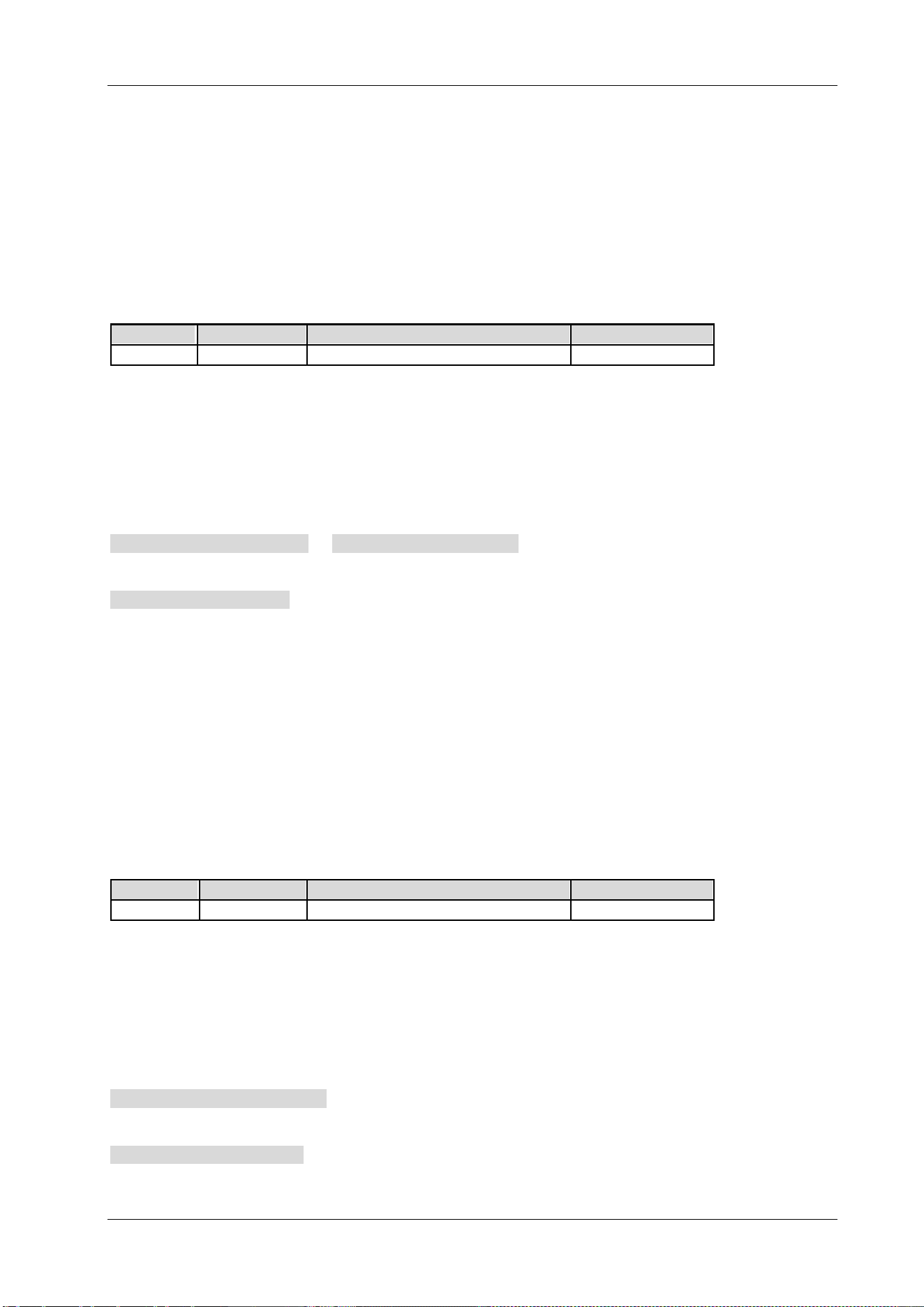
Chapter 2 Command System RIGOL
DSA800 Programming Guide 2-181
:SYSTem:SPEaker[:STATe]
Syntax
:SYSTem:SPEaker[:STATe] OFF|ON|0|1
:SYSTem:SPEaker[:STATe]?
Description
Enable or disable the earphone in demodulation.
Query the status of the earphone in demodulation.
Parameter
Name
Type
Range
Default
-- Bool OFF|ON|0|1 OFF|0
Explanation
This command is only available when the AM or FM demodulation is enabled.
Return Format
The query returns 0 or 1.
Example
The command below enables the earphone.
:SYSTem:SPEaker:STATe ON or :SYSTem:SPEaker:STATe 1
The query below returns 1.
:SYSTem:SPEaker:STATe?
:SYSTem:SPEaker:VOLume
Syntax
:SYSTem:SPEaker:VOLume <integer>
:SYSTem:SPEaker:VOLume?
Description
Set the volume of the earphone in demodulation.
Query the volume of the earphone in demodulation.
Parameter
Name
Type
Range
Default
<integer>
Integer 0 to 255 100
Explanation
This command is only available when the AM or FM demodulation is enabled.
Return Format
The query returns the volume of the earphone in integer.
Example
The command below sets the volume of the earphone to 100.
:SYSTem:SPEaker:VOLume 100
The query below returns 100.
:SYSTem:SPEaker:VOLume?
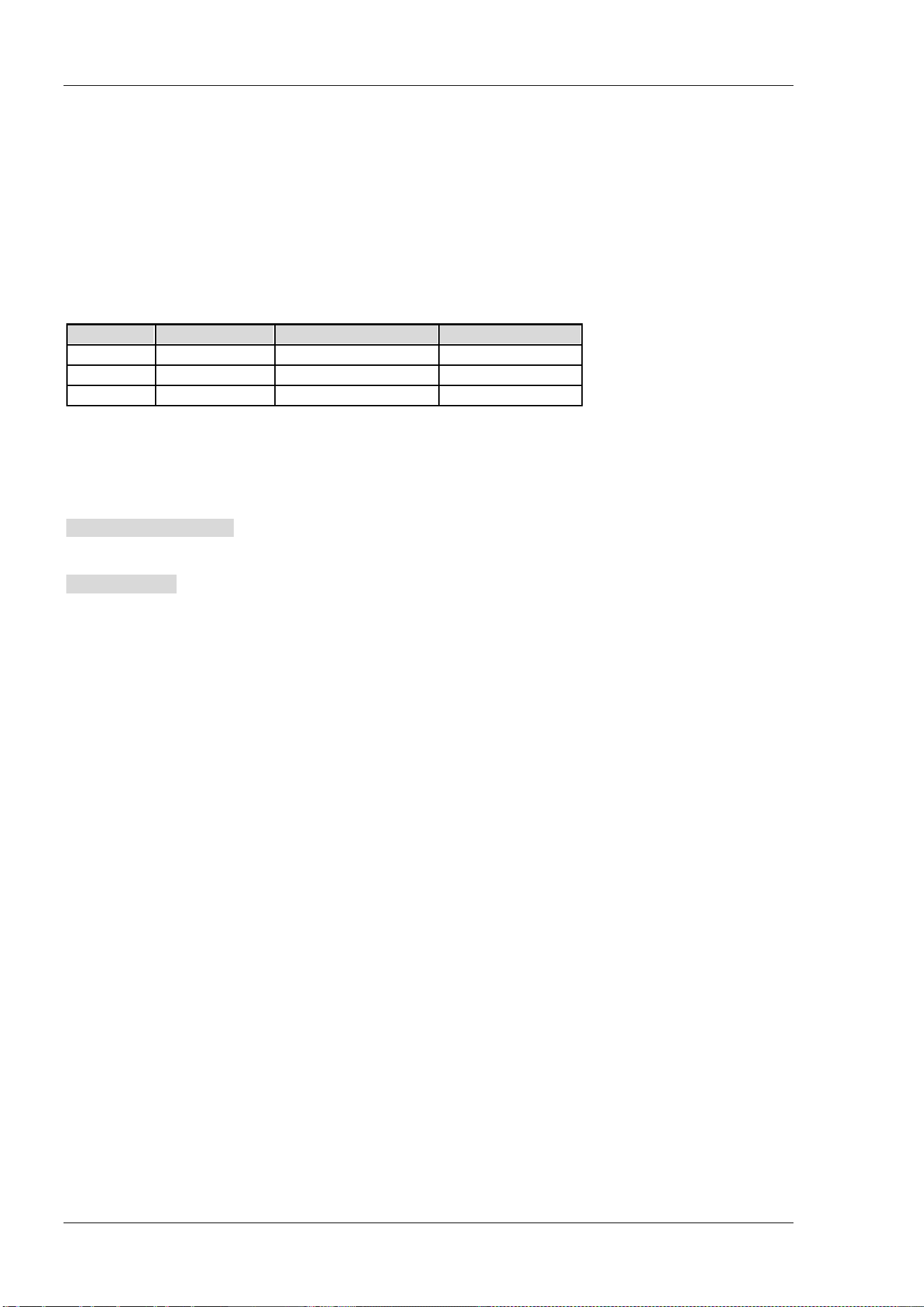
RIGOL Chapter 2 Command System
2-182 DSA800 Programming Guide
:SYSTem:TIME
Syntax
:SYSTem:TIME <hour>,<minute>,<second>
:SYSTem:TIME?
Description
Set the time of the instrument.
Query the time of the instrument.
Parameter
Name
Type
Range
Default
<hour> ASCII String 00 to 23 --
<minute> ASCII String 00 to 59 --
<second> ASCII String 00 to 59 --
Return Format
The query returns the current time in HH,MM,SS format.
Example
The command below sets the time to 15:10:30.
:SYSTem:TIME 15,10,30
The query below returns 15,10,30.
:SYSTem:TIME?
:SYSTem:TX:STATe?
Syntax
:SYSTem:TX:STATe?
Description
Query the connection status of TX1000.
Return Format
The query returns 0 or 1.
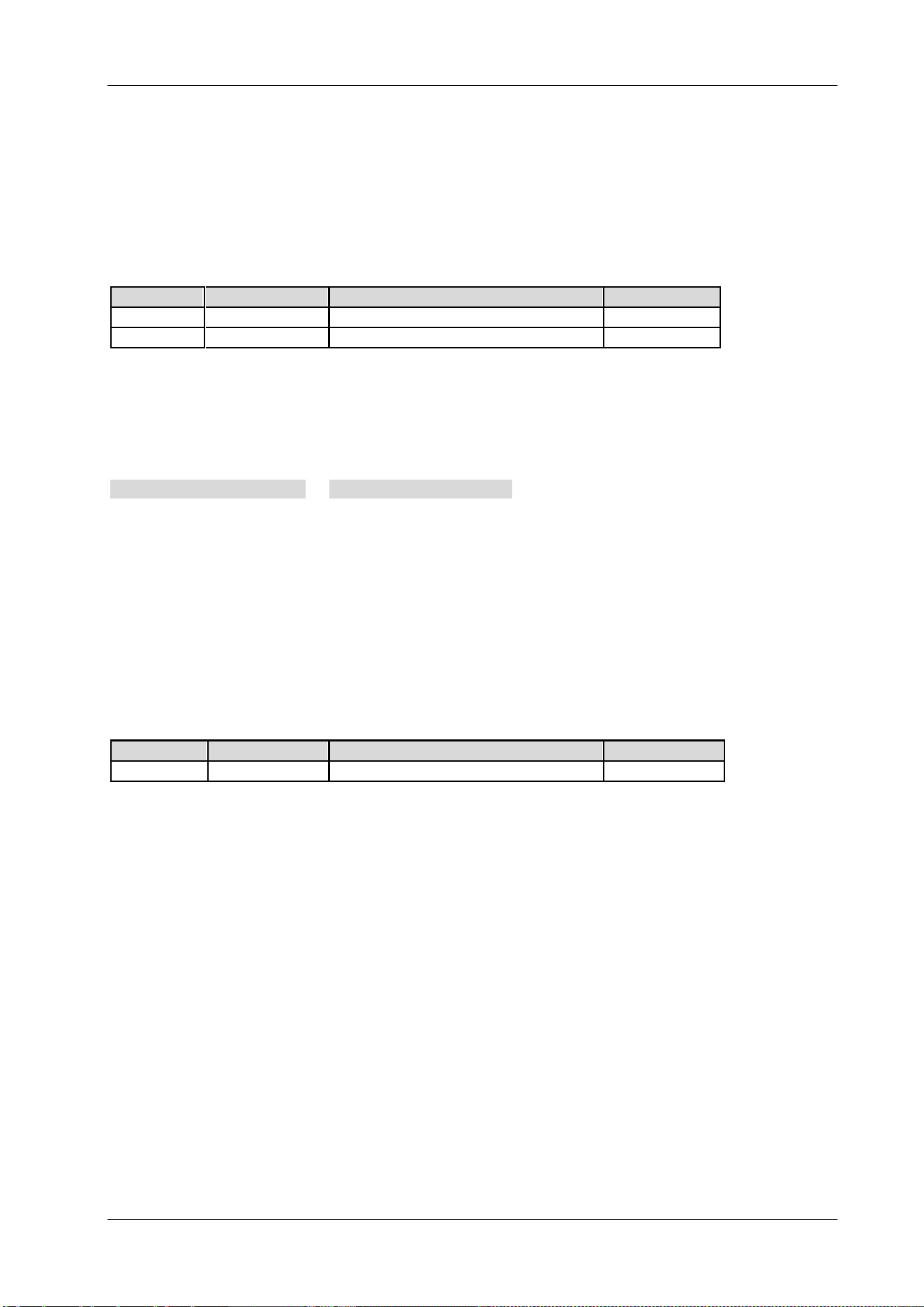
Chapter 2 Command System RIGOL
DSA800 Programming Guide 2-183
:SYSTem:TX:SWset
Syntax
:SYSTem:TX:SWset <SW1|SW2|SW3|SW4|SW5>,OFF|ON|0|1
Description
Set the on/off status of TX1000.
Parameter
Name
Type
Range
Default
--
Keyword SW1|SW2|SW3|SW4|SW5 --
-- Bool OFF|ON|0|1 OFF|0
Explanation
SW1 to SW5 represents the 5 switches of TX1000 respectively.
This command is only available when TX1000 is connected.
Example
The command below sets switch 1 to on.
:SYSTem:TX:SWset SW1,ON or :SYSTem:TX:SWset SW1,1
:SYSTem:TX:SWSTa?
Syntax
:SYSTem:TX:SWSTa? <SW1|SW2|SW3|SW4|SW5>
Description
Query the on/off status of TX1000.
Parameter
Name Type Range Default
-- Keyword SW1|SW2|SW3|SW4|SW5 --
Explanation
SW1 to SW5 represents the 5 switches of TX1000 respectively.
This command is only available when TX1000 is connected.
Return Format
The query returns 0 or 1.
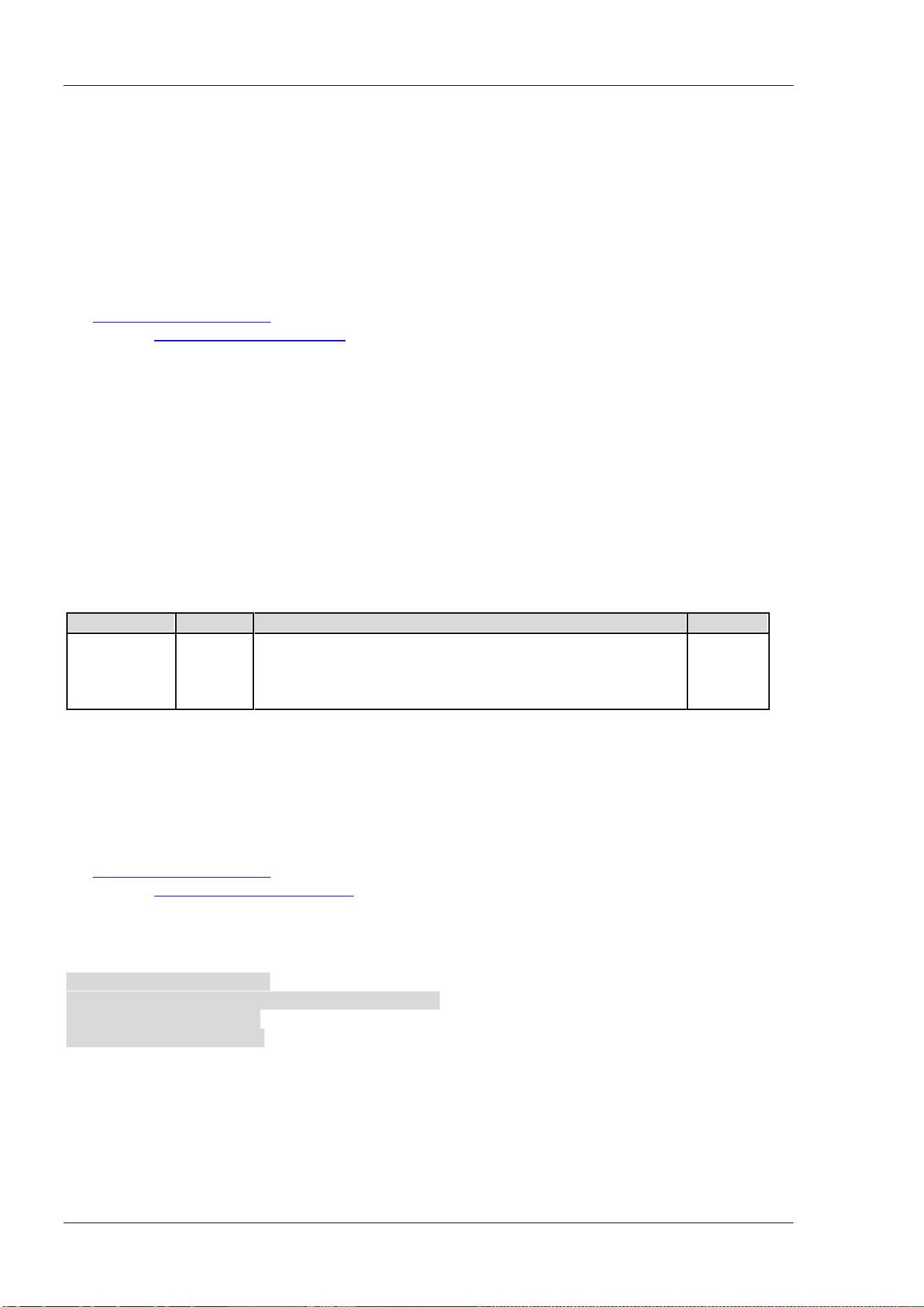
RIGOL Chapter 2 Command System
2-184 DSA800 Programming Guide
:SYSTem:USERkey:CONFirm
Syntax
:SYSTem:USERkey:CONFirm
Description
Confirm and validate the definition of UserKey.
Explanation
The definition of UserKey is only valid when the UserKey setting is enabled (refer to
the
:SYSTem:USERkey:STATe command) and this command is sent after sending the defining command
(refer to the
:SYSTem:USERkey:KEYCmd command).
:SYSTem:USERkey:KEYCmd
Syntax
:SYSTem:USERkey:KEYCmd <key_value>{,<key_value>}
:SYSTem:USERkey:KEYCmd?
Description
Define a related function for UserKey.
Query the function currently related to UserKey.
Parameter
Name
Type
Range
Default
<key_value>
Keyword
FREQ|SPAN|AMP|BW|SWEep|TUNE|DEMod|
TRACe|TG|MEAS|MEASset|MARK|MARKfunc|
MARKto|PEAK|PRESet|SYSTem|STORage|PRINt|PRINtsetup|
HELP|F1|F2|F3|F4|F5|F6|F7|RETUrn|PAGEdown
SYSTem
Explanation
The following parameters correspond to the front panel keys:
FREQ|SPAN|AMP|BW|SWEep|TUNE|DEMod|TRACe|TG|MEAS|MEASset|MARK|MARKfunc|MARKto|PEAK|P
RESet|SYSTem|STORage|PRINt|PRINtsetup|HELP|
The following parameters correspond to the front panel menu softkeys and menu control keys:
F1|F2|F3|F4|F5|F6|F7|RETUrn|PAGEdown
The definition of UserKey is only valid when the UserKey setting is enabled (refer to
the
:SYSTem:USERkey:STATe command) and this command is sent after sending the defining command
(refer to the :SYSTem:USERkey:CONFirm
command).
Example
The command below defines the related function of UserKey to System Self-Test Key Test. The query
command returns System,Self-Test,Key Test.
:SYSTem:USERkey:STATe ON
:SYSTem:USERkey:KEYCmd SYSTem,PAGEdown,F2,F2
:SYSTem:USERkey:CONFirm
:SYSTem:USERkey:KEYCmd?
Chapter 2 Command System RIGOL
DSA800 Programming Guide 2-185
:SYSTem:USERkey:STATe
Syntax
:SYSTem:USERkey:STATe OFF|ON|0|1
:SYSTem:USERkey:STATe?
Description
Enable or disable the UserKey setting.
Query the status of the UserKey setting.
Parameter
Name
Type
Range
Default
-- Bool OFF|ON|0|1 OFF|0
Example
The command below enables the UserKey setting.
:SYSTem:USERkey:STATe ON or :SYSTem:USERkey:STATe 1
The query below returns 1.
:SYSTem:USERkey:STATe?
:SYSTem:VERSion?
Syntax
:SYSTem:VERSion?
Description
Query the SCPI version of the instrument.
Return Format
The query returns the SCPI version. For example, 1999.0.
RIGOL Chapter 2 Command System
2-186 DSA800 Programming Guide
:TRACe Subsystem
Command List:
:TRACe:AVERage:CLEar
:TRACe:AVERage:COUNt
:TRACe:AVERage:COUNt:CURRent?
:TRACe:AVERage:RESet
:TRACe:CLEar:ALL
:TRACe[:DATA]
:TRACe:MATH:A
:TRACe:MATH:B
:TRACe:MATH:CONSt
:TRACe:MATH:PEAK[:DATA]?
:TRACe:MATH:PEAK:POINts?
:TRACe:MATH:PEAK:SORT
:TRACe:MATH:PEAK:TABLe:STATe
:TRACe:MATH:PEAK:THReshold
:TRACe:MATH:STATe
:TRACe:MATH:TYPE
:TRACe<n>:AVERage:TYPE
:TRACe<n>:MODE
:TRACe:AVERage:CLEar
Syntax
:TRACe:AVERage:CLEar
Description
Clear the number of trace averages currently executed.
:TRACe:AVERage:COUNt
Syntax
:TRACe:AVERage:COUNt <integer>
:TRACe:AVERage:COUNt?
Description
Set the number of averages of the trace.
Query the number of averages of the trace.
Parameter
Name
Type
Range
Default
<integer> Integer 1 to 1000 100

Chapter 2 Command System RIGOL
DSA800 Programming Guide 2-187
Return Format
The query returns the number of averages of the trace in integer.
Example
The command below sets the number of averages to 200.
:TRACe:AVERage:COUNt 200
The query below returns 200.
:TRACe:AVERage:COUNt?
:TRACe:AVERage:COUNt:CURRent?
Syntax
:TRACe:AVERage:COUNt:CURRent?
Description
Query the number of averages currently executed of the trace.
Return Format
The query returns the number of averages currently executed of the trace in integer.
:TRACe:AVERage:RESet
Syntax
:TRACe:AVERage:RESet
Description
Execute the trace average reset operation.
Explanation
This command is valid when the trace type is set to "Video Avg" or "Power Avg".
:TRACe:CLEar:ALL
Syntax
:TRACe:CLEar:ALL
Description
Clear all the traces; namely set the type of all the traces to BLANK (Off).
RIGOL Chapter 2 Command System
2-188 DSA800 Programming Guide
:TRACe[:DATA]
Syntax
:TRACe[:DATA]
TRACE1|TRACE2|TRACE3|TRACE4,<definite_length_block>|<comma_separated_ASCII_data>
:TRACe[:DATA]? TRACE1|TRACE2|TRACE3|TRACE4
Description
Load the user data into the specified trace.
Query the data of the specified trace.
Parameter
Name
Type
Range
Default
-- Keyword TRACE1|TRACE2|TRACE3|TRACE4 --
<definite_length_block> ASCII String -- --
<comma_separated_ASCII_data> ASCII String -- --
Explanation
1. Use the :FORMat[:TRACe][:DATA] command to set the format of the user data.
2. <comma_separated_ASCII_data>:
Data block
[1]
. Select this parameter when the data format is ASCii. The two neighboring data points
are separated by a comma (1 byte) and a space (1 byte) and each point is expressed in scientific
notation; for example, -1.390530e+01 (13 bytes). Up to 601 points can be sent.
3. <definite_length_block>:
Data block
[1]
. Select this parameter when the data format is REAL[,32] and each point is represented
by a 32 bit (4 bytes) binary number. Up to 601 points can be sent.
Use the :FORMat:BORDer
command to set the byte order of the binary data transmission.
4. When the Pass/Fail test is enabled, the :TRACe? TRACE2 command returns the data of the upper
limit line and the :TRACe? TRACE3 command returns the data of the lower limit line.
5. When VSWR is enabled, the :TRACe? TRACE1 command returns the reference data of the VSWR,
the :TRACe? TRACE2 command returns the trace data of the calibration currently enabled and
the :TRACe? TRACE4 command returns the difference (the return loss) between the reference data
and trace data.
Return Format
The query returns the data of the specified trace and the format of the return data depends on the setting
of the
:FORMat[:TRACe][:DATA] command.
Example
[2]
1. When the data format is ASCii
The command below sends the user data to trace 1.
:TRACe:DATA TRACE1,#9000009014 -1.390530e+01, -7.108871e+01, -7.089631e+01,
-6.992984e+01, -7.010770e+01, ……
The query below returns #9000009014 -1.390530e+01, -7.108871e+01, -7.089631e+01,
-6.992984e+01, -7.010770e+01, ……
:TRACe:DATA? TRACE1
2. When the data format is REAL[,32]
The command below sends the user data to trace 2.
:TRACe:DATA
TRACE2,#9000002404111111111111111111111111111001111111111111111111111111111101110
111111111111111111111111111010011……
The query below returns
#90000024041111111111111111111111111110011111111111111111111111111111011101111111
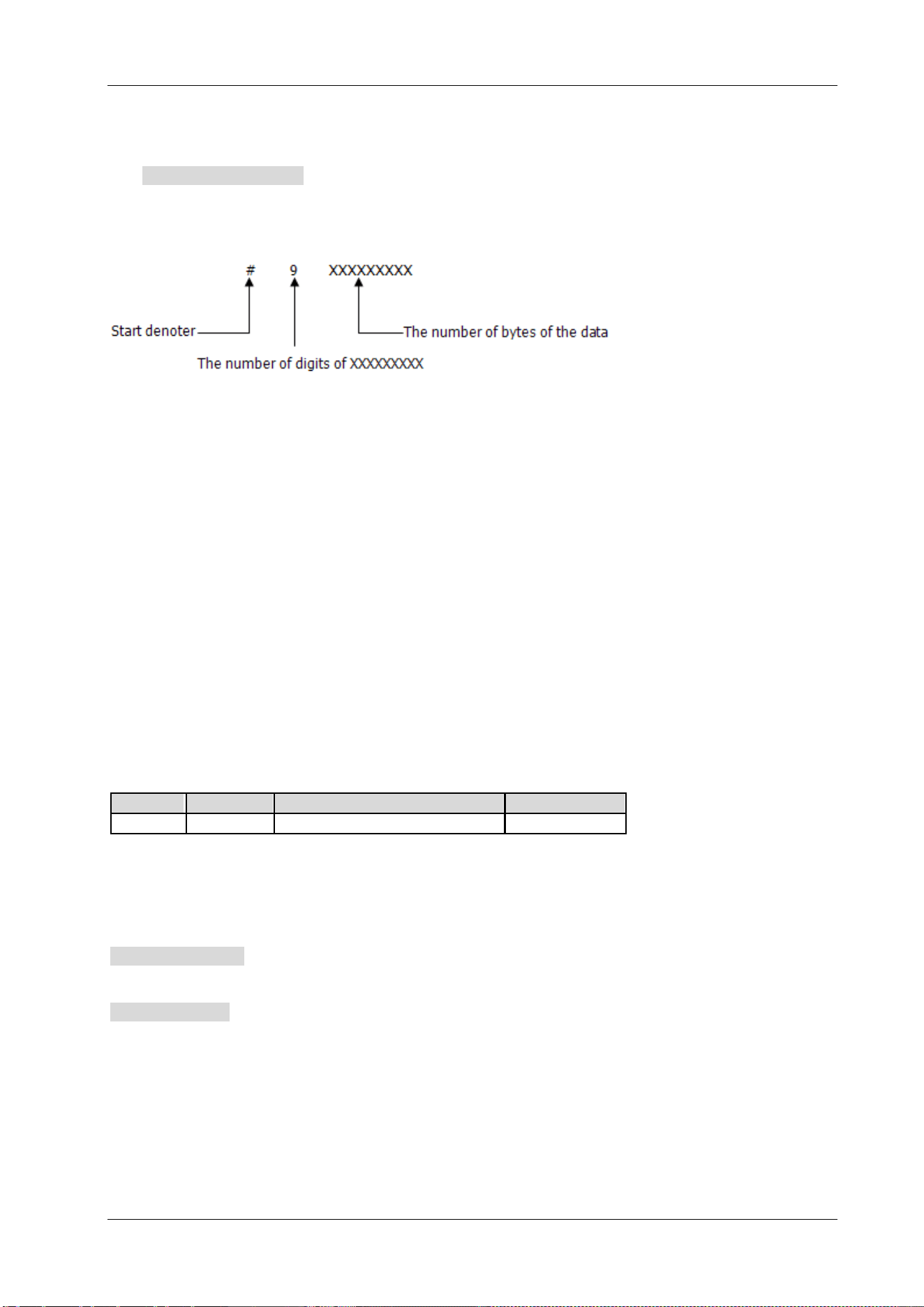
Chapter 2 Command System RIGOL
DSA800 Programming Guide 2-189
11111111111111111111010011……
Note: As the PC software converts the binary data returned to ASCII character, the return value is
unrecognizable code when the PC software is used to execute the query command.
:TRACe:DATA? TRACE2
Remark:
[1] The format of the data block is "Data Block Header + Data Block"; wherein, the format of the data block
header is as follows.
The first figure (9) following # denotes the number of digits of the number in the data block header; this
number denotes the number of bytes of the data in this transmission (add 0 before the number when the
number of digits is less than 9). For example, the data block header is #9000000100 when 100 bytes of
data is transmitted.
[2] In the two examples here, 601 points are transmitted and the queries return 601 points. However, due
to the limited space, the succeeding data is omitted here. The return values in the above examples are
acquired when the trace stops sweeping.
:TRACe:MATH:A
Syntax
:TRACe:MATH:A T1|T2|T3
:TRACe:MATH:A?
Description
Set A in the trace math expression to denote trace 1, trace 2 or trace 3.
Query the trace represented by A in the trace math expression.
Parameter
Name
Type
Range
Default
-- Keyword T1|T2|T3 T1
Return Format
The query returns T1, T2 or T3.
Example
The command below sets A to trace 2.
:TRACe:MATH:A T2
The query below returns T2.
:TRACe:MATH:A?
RIGOL Chapter 2 Command System
2-190 DSA800 Programming Guide
:TRACe:MATH:B
Syntax
:TRACe:MATH:B T1|T2|T3
:TRACe:MATH:B?
Description
Set B in the trace math expression to denote trace 1, trace 2 or trace 3.
Query the trace represented by B in the trace math expression.
Parameter
Name
Type
Range
Default
-- Keyword T1|T2|T3 T2
Return Format
The query returns T1, T2 or T3.
Example
The command below sets B to trace 1.
:TRACe:MATH:B T1
The query below returns T1.
:TRACe:MATH:B?
:TRACe:MATH:CONSt
Syntax
:TRACe:MATH:CONSt <integer>
:TRACe:MATH:CONSt?
Description
Set the constant in the trace math expression.
Query the constant in the trace math expression.
Parameter
Name
Type
Range
Default
<integer> Consecutive Real Number -300 dB to 300 dB 0 dB
Return Format
The query returns the constant in scientific notation.
Example
The command below sets the constant to 50 dB.
:TRACe:MATH:CONSt 50
The query below returns 5.000000E+01.
:TRACe:MATH:CONSt?
Chapter 2 Command System RIGOL
DSA800 Programming Guide 2-191
:TRACe:MATH:PEAK[:DATA]?
Syntax
:TRACe:MATH:PEAK[:DATA]?
Description
Query the frequencies (Hz) and amplitudes (the unit is the same with the current Y-axis unit) of the peaks
in the peak table.
Explanation
This command only queries trace 1.
Return Format
The query returns the frequencies and amplitudes of the peaks in the peak table in the following format and
up to 10 frequencies and amplitudes can be returned.
For example, 43500000,-7.253288E+01,43950000,-7.169086E+01.
:TRACe:MATH:PEAK:POINts?
Syntax
:TRACe:MATH:PEAK:POINts?
Description
Query the number of peaks in the peak table.
Return Format
The query returns an integer between 0 and 10.
:TRACe:MATH:PEAK:SORT
Syntax
:TRACe:MATH:PEAK:SORT AMPLitude|FREQuency
:TRACe:MATH:PEAK:SORT?
Description
Set the sorting rule of the peak table.
Query the sorting rule of the peak table.
Parameter
Name
Type
Range
Default
--
Keyword
AMPLitude|FREQuency
FREQuency
Return Format
The query returns AMPL or FREQ.
Example
The command below sets the sorting rule of the peak table to amplitude.
:TRACe:MATH:PEAK:SORT AMPLitude
The query below returns AMPL.
:TRACe:MATH:PEAK:SORT?
RIGOL Chapter 2 Command System
2-192 DSA800 Programming Guide
:TRACe:MATH:PEAK:TABLe:STATe
Syntax
:TRACe:MATH:PEAK:TABLe:STATe OFF|ON|0|1
:TRACe:MATH:PEAK:TABLe:STATe?
Description
Enable or disable the peak table.
Query the status of the peak table.
Parameter
Name
Type
Range
Default
-- Bool OFF|ON|0|1 OFF|0
Return Format
The query returns 0 or 1.
Example
The command below enables the peak table.
:TRACe:MATH:PEAK:TABLe:STATe ON or :TRACe:MATH:PEAK:TABLe:STATe 1
The query below returns 1.
:TRACe:MATH:PEAK:TABLe:STATe?
:TRACe:MATH:PEAK:THReshold
Syntax
:TRACe:MATH:PEAK:THReshold NORMal|DLMore|DLLess
:TRACe:MATH:PEAK:THReshold?
Description
Set the display mode of the peak in the peak table.
Query the display mode of the peak in the peak table.
Parameter
Name
Type
Range
Default
--
Keyword
NORMal|DLMore|DLLess
NORMal
Explanation
NORMal: normal. Display the first 10 peaks that meet the search parameters.
DLMore: >display line. Display the first 10 peaks that not only meet the search parameters but also have
amplitudes greater than the specified display line.
DLLess: <display line. Display the first 10 peaks that not only meet the search parameters but also have
amplitudes lower than the specified display line.
Return Format
The query returns NORM, DLM or DLL.
Example
The command below sets the display mode of the peaks in the peak table to normal.
:TRACe:MATH:PEAK:THReshold NORMal
The query below returns NORM.
:TRACe:MATH:PEAK:THReshold?
Chapter 2 Command System RIGOL
DSA800 Programming Guide 2-193
:TRACe:MATH:STATe
Syntax
:TRACe:MATH:STATe OFF|ON|0|1
:TRACe:MATH:STATe?
Description
Enable or disable the math operation of the trace.
Query the status of the math operation of the trace.
Parameter
Name
Type
Range
Default
-- Bool OFF|ON|0|1 OFF|0
Return Format
The query returns 0 or 1.
Example
The command below enables the math operation of the trace.
:TRACe:MATH:STATe ON or :TRACe:MATH:STATe 1
The query below returns 1.
:TRACe:MATH:STATe?
:TRACe:MATH:TYPE
Syntax
:TRACe:MATH:TYPE A-B|A+CONST|A-CONST
:TRACe:MATH:TYPE?
Description
Set the operation type of the trace.
Query the operation type of the trace.
Parameter
Name
Type
Range
Default
--
Keyword
A-B|A+CONST|A-CONST
A-B
Return Format
The query returns A-B, A+CONST or A-CONST.
Example
The command below sets the operation type of the trace to A+constant.
:TRACe:MATH:TYPE A+CONST
The query below returns A+CONST.
:TRACe:MATH:TYPE?
RIGOL Chapter 2 Command System
2-194 DSA800 Programming Guide
:TRACe<n>:AVERage:TYPE
Syntax
:TRACe<n>:AVERage:TYPE VIDeo|RMS
:TRACe<n>:AVERage:TYPE?
Description
Set the average type of the trace.
Query the average type of the trace.
Parameter
Name
Type
Range
Default
<n> Discrete 1|2|3 --
-- Keyword VIDeo|RMS VIDeo
Explanation
VIDeo: video average
RMS: power average
When the Pass/Fail test is enabled, both the :TRACe2:AVERage:TYPE? command
and :TRACe3:AVERage:TYPE? command return ERR.
When VSWR measurement is enabled, the :TRACe1:AVERage:TYPE?
command, :TRACe2:AVERage:TYPE? command and :TRACe3:AVERage:TYPE? command all return
ERR.
Return Format
The query returns VID or RMS.
Example
The command below sets the average type of trace 1 to video average.
:TRACe1:AVERage:TYPE VIDeo
The query below returns VID.
:TRACe1:AVERage:TYPE?
Chapter 2 Command System RIGOL
DSA800 Programming Guide 2-195
:TRACe<n>:MODE
Syntax
:TRACe<n>:MODE WRITe|MAXHold|MINHold|VIEW|BLANk|VIDeoavg|POWeravg
:TRACe<n>:MODE?
Description
Set the type of the specified trace.
Query the type of the specified trace.
Parameter
Name
Type
Range
Default
<n> Discrete 1|2|3 --
-- Keyword WRITe|MAXHold|MINHold|VIEW|BLANk|VIDeoavg|POWeravg WRITe
Explanation
WRITe: clear write
MAXHold: max hold
MINHold: min hold
VIEW: view
BLANk: off
VIDeoavg: video average
POWeravg: power average
Return Format
The query returns WRIT, MAXH, MINH, VIEW, BLANK, VID or POW.
Example
The command below sets the type of trace 1 to video average.
:TRACe1:MODE VIDeoavg
The query below returns VID.
:TRACe1:MODE?
RIGOL Chapter 2 Command System
2-196 DSA800 Programming Guide
:TRIGger Subsystem
Command List:
:TRIGger:SEQuence:EXTernal:READy?
:TRIGger:SEQuence:EXTernal:SLOPe
:TRIGger:SEQuence:SOURce
:TRIGger:SEQuence:VIDeo:LEVel
:TRIGger:SEQuence:EXTernal:READy?
Syntax
:TRIGger:SEQuence:EXTernal:READy?
Description
Query whether the current trigger is ready.
Explanation
This command is valid only when the external trigger is selected.
Return Format
Return 1 -- the trigger is ready.
Return 0 -- the trigger is being prepared.
:TRIGger:SEQuence:EXTernal:SLOPe
Syntax
:TRIGger:SEQuence:EXTernal:SLOPe POSitive|NEGative
:TRIGger:SEQuence:EXTernal:SLOPe?
Description
Set the trigger edge of external trigger.
Query the trigger edge of external trigger.
Parameter
Name Type Range Default
-- Keyword POSitive|NEGative POSitive
Explanation
POSitive: rising edge
NEGative: falling edge
Return Format
The query returns POS or NEG.
Example
The command below sets the trigger edge of external trigger to the rising edge.
:TRIGger:SEQuence:EXTernal:SLOPe POSitive
The query below returns POS.
:TRIGger:SEQuence:EXTernal:SLOPe?
Chapter 2 Command System RIGOL
DSA800 Programming Guide 2-197
:TRIGger:SEQuence:SOURce
Syntax
:TRIGger:SEQuence:SOURce IMMediate|VIDeo|EXTernal
:TRIGger:SEQuence:SOURce?
Description
Set the trigger type.
Query the trigger type.
Parameter
Name
Type
Range
Default
-- Keyword IMMediate|VIDeo|EXTernal IMMediate
Explanation
IMMediate: free run trigger
VIDeo: video trigger. This trigger type is not available in non-zero span mode as well as RMS Avg detection
or Voltage Avg detection in zero span mode.
EXTernal: external trigger
Return Format
The query returns IMM, VID or EXT.
Example
The command below sets the trigger type to external trigger.
:TRIGger:SEQuence:SOURce EXTernal
The query below returns EXT.
:TRIGger:SEQuence:SOURce?
RIGOL Chapter 2 Command System
2-198 DSA800 Programming Guide
:TRIGger:SEQuence:VIDeo:LEVel
Syntax
:TRIGger:SEQuence:VIDeo:LEVel <ampl>
:TRIGger:SEQuence:VIDeo:LEVel?
Description
Set the trigger level of video trigger.
Query the trigger level of video trigger.
Parameter
Name
Type
Range
Default
<ampl> Consecutive Real Number -300 dBm to 50 dBm 0 dBm
Explanation
This command is only valid when video trigger is selected. You can use the :TRIGger:SEQuence:SOURce
command to select video trigger.
Note: Video trigger is not available in non-zero span mode as well as RMS Avg detection or Voltage Avg
detection in zero span mode.
Return Format
The query returns the trigger level in scientific notation.
Example
The command below sets the trigger level to 10 dBm.
:TRIGger:SEQuence:VIDeo:LEVel 10
The query below returns 1.000000E+01.
:TRIGger:SEQuence:VIDeo:LEVel?
Chapter 2 Command System RIGOL
DSA800 Programming Guide 2-199
:UNIT Subsystem
Command List:
:UNIT:POWer
:UNIT:POWer
Syntax
:UNIT:POWer DBM|DBMV|DBUV|V|W
:UNIT:POWer?
Description
Set the unit of the Y axis.
Query the unit of the Y axis.
Parameter
Name
Type
Range
Default
--
Keyword
DBM|DBMV|DBUV|V|W
Refer to Explanation
Explanation
The default log unit is dBm.
The default linear unit is V.
Return Format
The query returns DBM, DBMV, DBUV, V or W.
Example
The comamnd below sets the amplitude unit to Watts.
:UNIT:POWer W
The query below returns W.
:UNIT:POWer?


Chapter 3 Programming Demos RIGOL
DSA800 Programming Guide 3-1
Chapter 3 Programming Demos
This chapter lists some programming demos to illustrate how to use commands to realize the common
functions of the spectrum analyzer in the development environments of Visual C++ 6.0, Visual Basic 6.0
and LabVIEW 8.6 as well as the programming demo to illustrate how to control the spectrum analyzer to
realize the common functions in Linux operation system. All the demos are based on NI (National
Instrument)-VISA (Virtual Instrument Software Architecture).
NI-VISA (National Instrument-Virtual Instrument Software Architecture) is an API (application programming
interface) written by NI based on VISA standards. You can use NI-VISA to realize the communication
between the spectrum analyzer and the PC via instrument buses such as USB. As VISA has defined a set of
software commands, users can control the instrument without understanding the working state of the
interface bus. For more details, please refer to the NI-VISA Help.
Main topics of this chapter:
Programming Instructions
Programming Preparations
Visual C++ 6.0 Programming Demo
Visual Basic 6.0 Programming Demo
LabVIEW 8.6 Programming Demo
Linux Programming Demo
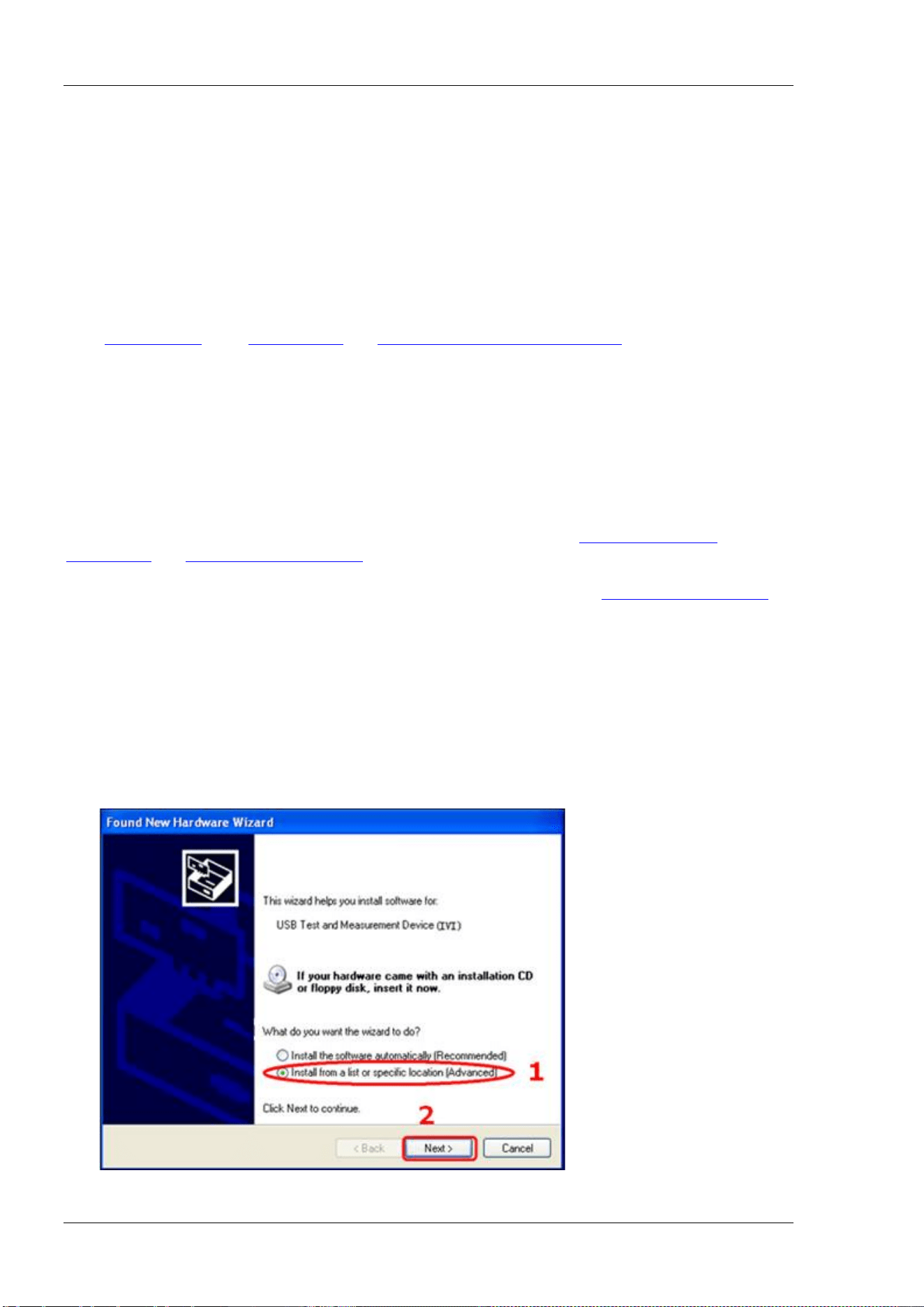
RIGOL Chapter 3 Programming Demos
3-2 DSA800 Programming Guide
Programming Instructions
This section introduces the problems that might occur during the programming process as well as their
solutions. If these problems occur, please solve them according to the corresponding instructions.
1. When you use a working environment built via network, it is recommended that you build a pure local
network environment.
2. If the local network environment is complicated (such as it contains lots of devices and broadcast
messages), it is recommended that you add some fault tolerance during the programming process. For
the details, refer to the instrument write/read operations with exception handling functions
"
InstrWriteEx()" and "InstrReadEx()" in "Visual C++ 6.0 Programming Demo".
3. The number of the Socket programming port of this device is 5555.
Programming Preparations
The programming preparations introduced here are only applicable to programming under Windows
operation system using Visual C++ 6.0, Visual Basic 6.0 and LabVIEW 8.6 development tools.
For the programming preparations under Linux operation system, refer to "
Linux Programming
Preparations" in "Linux Programming Demo".
First make sure your PC has installed the VISA library of NI (download it from
http://www.ni.com/visa/).
Here, the default installation path is C:\Program Files\IVI Foundation\VISA.
The USB interface of the spectrum analyzer is used to communicate with the PC and please use a USB cable
to connect the USB Device interface at the rear panel of the spectrum analyzer to the USB interface of the
PC.
After successful connection, turn on the instrument. A "Found New Hardware Wizard" dialog box
appears on the PC. Please follow the instructions to install the "USB Test and Measurement Device (IVI)"
(the installation procedures are as follows).
1. Select "Install from a list or specific location (Advanced)";
2. Click "Next";
3. Select "Don't search. I will choose the device to install.";
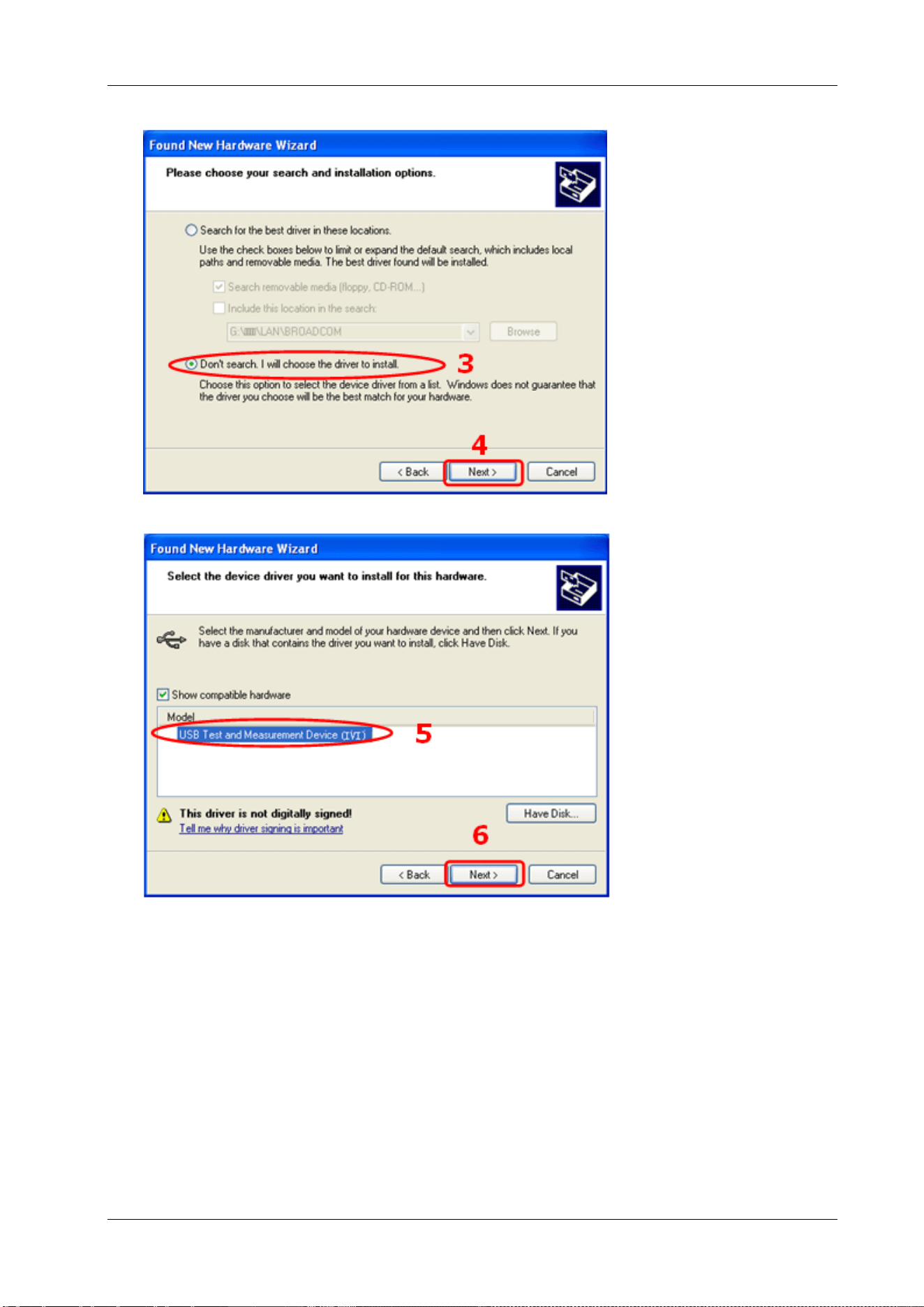
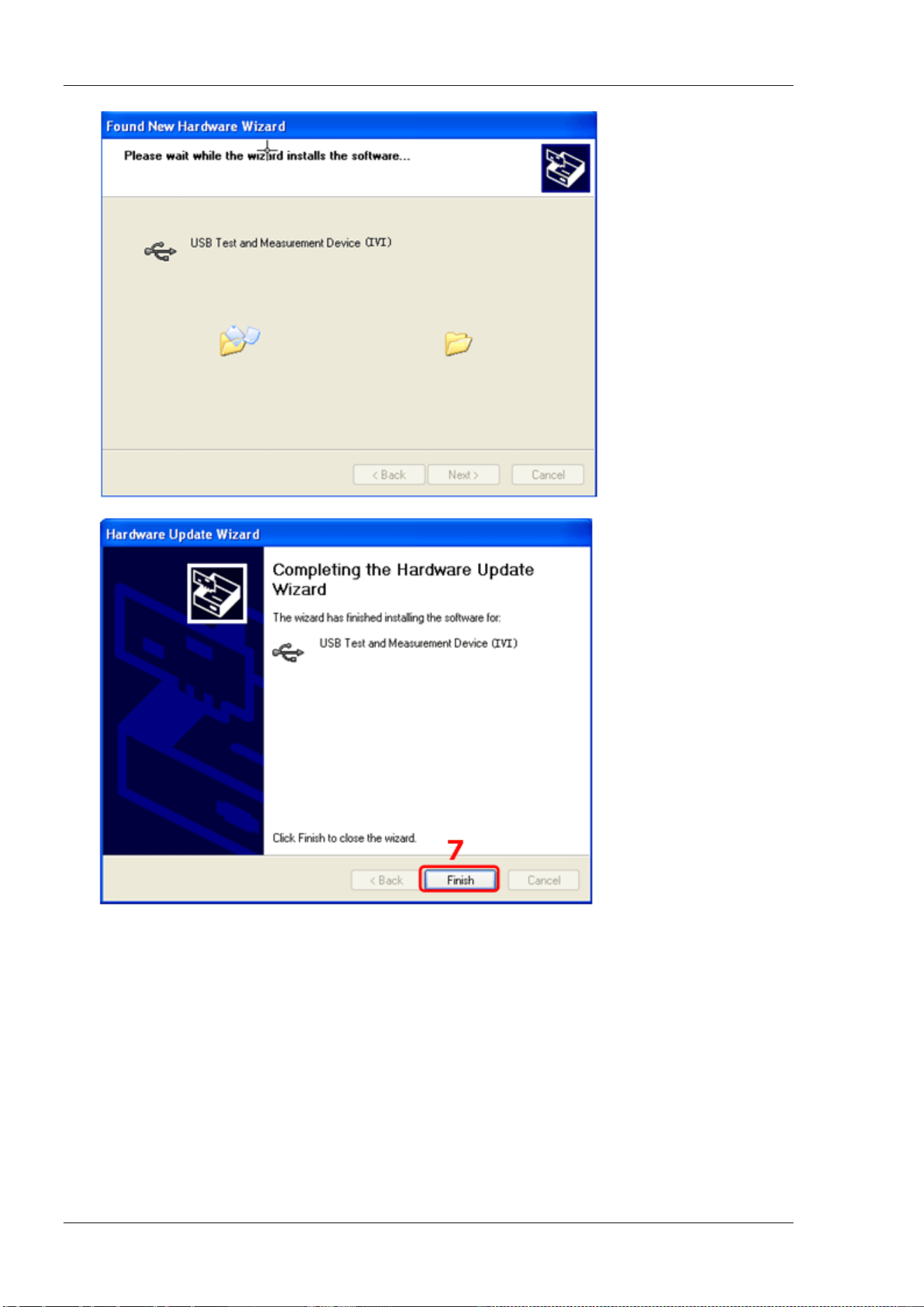
RIGOL Chapter 3 Programming Demos
3-4 DSA800 Programming Guide
7. When the installation finishes, click "Finish".
By now, the programming preparations are finished. In the following part, the programming demos in
Visual C++ 6.0, Visual Basic 6.0 and LabVIEW 8.6 development environments are introduced in detail.
Visual C++ 6.0 Programming Demo
Enter the Visual C++6.0 programming environment and follow the steps below.
1. Build a MFC project based on dialog box and name it as DemoForDSA.
2. Open the Link tab in Project Settings and add visa32.lib to the Object/library modules
manually.
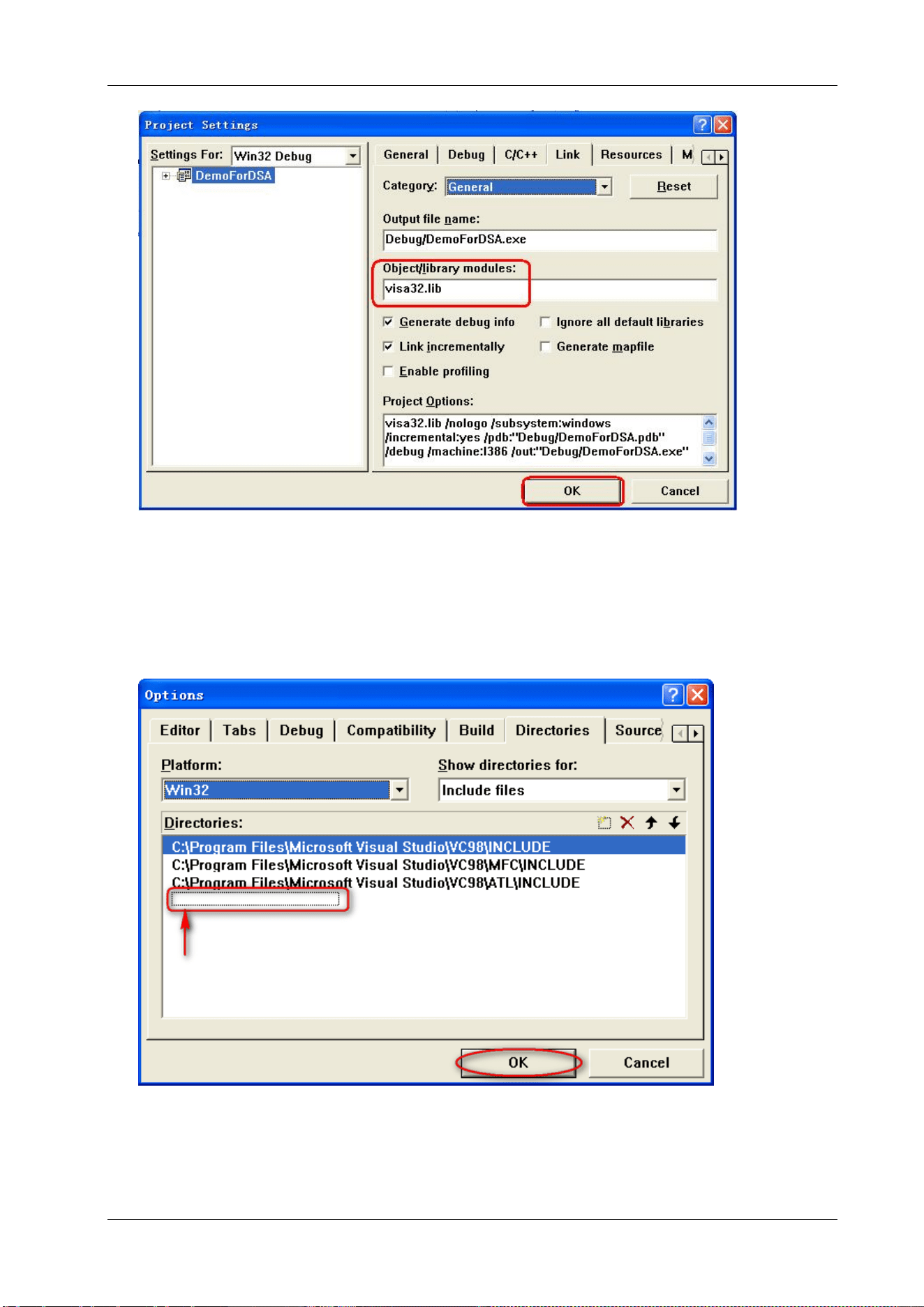
Chapter 3 Programming Demos RIGOL
DSA800 Programming Guide 3-5
3. Open the Directories tab in Tools Options.
Select Include files in Show directories for and double-click at the blank in Directories to add the
path of Include: C:\Program Files\IVI Foundation\VISA\WinNT\include.
Select Library files in Show directories for and double-click at the blank in Directories to add the
path of Lib: C:\Program Files\IVI Foundation\VISA\WinNT\lib\msc.
Note: The two pathes added here are related to the installation directory of NI-VISA on your PC. Here,
NI-VISA is installed under C:\Program Files\IVI Foundation\VISA by default.
At present, VISA library has been added.
4. Add the Text, Edit and Button controls as shown in the figure below.
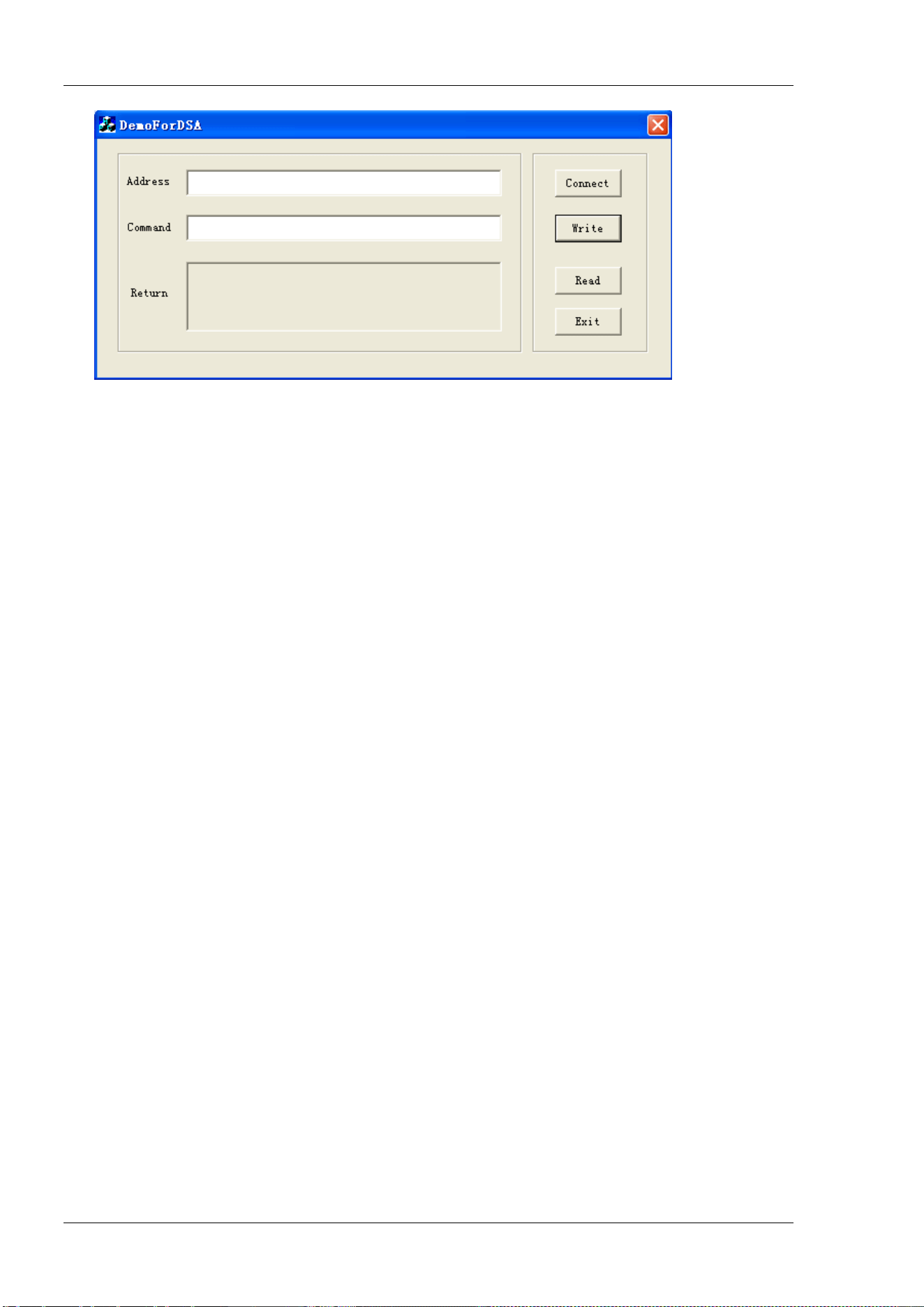
RIGOL Chapter 3 Programming Demos
3-6 DSA800 Programming Guide
5. Add the control variables.
Open the Member Variables tab in View ClassWizard and add the following three variables:
Instrument Address: CString m_strInstrAddr
Command: CString m_strCommand
Return Value: CString m_strResult
6. Encapsulate the read and write operations of VISA.
1) Encapsulate the write operation of VISA for easier operation.
bool CDemoForDSADlg::InstrWrite(CString strAddr, CString strContent) //Write operation
{
ViSession defaultRM,instr;
ViStatus status;
ViUInt32 retCount;
char * SendBuf = NULL;
char * SendAddr = NULL;
bool bWriteOK = false;
CString str;
// Change the address's data style from CString to char*
SendAddr = strAddr.GetBuffer(strAddr.GetLength());
strcpy(SendAddr,strAddr);
strAddr.ReleaseBuffer();
// Change the command's data style from CString to char*
SendBuf = strContent.GetBuffer(strContent.GetLength());
strcpy(SendBuf,strContent);
strContent.ReleaseBuffer();
//open a VISA resource
status = viOpenDefaultRM(&defaultRM);
if (status < VI_SUCCESS)
{
AfxMessageBox("No VISA resource was opened!");
return false;
}
status = viOpen(defaultRM, SendAddr, VI_NULL, VI_NULL, &instr);
//Write command to the instrument
status = viWrite(instr, (unsigned char *)SendBuf, strlen(SendBuf), &retCount);

Chapter 3 Programming Demos RIGOL
DSA800 Programming Guide 3-7
//Close the system
status = viClose(instr);
status = viClose(defaultRM);
return bWriteOK;
}
2) Encapsulate the read operation of VISA for easier operation.
bool CDemoForDSADlg::InstrRead(CString strAddr, CString *pstrResult) //Read operation
{
ViSession defaultRM,instr;
ViStatus status;
ViUInt32 retCount;
char * SendAddr = NULL;
unsigned char RecBuf[MAX_REC_SIZE];
bool bReadOK = false;
CString str;
// Change the address's data style from CString to char*
SendAddr = strAddr.GetBuffer(strAddr.GetLength());
strcpy(SendAddr,strAddr);
strAddr.ReleaseBuffer();
memset(RecBuf,0,MAX_REC_SIZE);
//Open a VISA resource
status = viOpenDefaultRM(&defaultRM);
if (status < VI_SUCCESS)
{
// Error Initializing VISA...exiting
AfxMessageBox("No VISA resource was opened!");
return false;
}
//Open the instrument
status = viOpen(defaultRM, SendAddr, VI_NULL, VI_NULL, &instr);
//Read from the instrument
status = viRead(instr, RecBuf, MAX_REC_SIZE, &retCount);
//close the system
status = viClose(instr);
status = viClose(defaultRM);
(*pstrResult).Format("%s",RecBuf);
return bReadOK;
}
3) Encapsulate the the read operation with exception handling function of VISA.
ViStatus CDemoForDSADlg::OpenVisaDevice(CString strAddr) //Open a VISA device
{
ViStatus status;
char * SendAddr = NULL;
// Change the address's data style from CString to char*
SendAddr = strAddr.GetBuffer(strAddr.GetLength());
strcpy(SendAddr,strAddr);

RIGOL Chapter 3 Programming Demos
3-8 DSA800 Programming Guide
strAddr.ReleaseBuffer();
//Open a VISA resource
status = viOpenDefaultRM(&m_SessRM);
if (status == 0)
{
//Open the device
status = viOpen(m_SessRM, SendAddr, VI_NULL, VI_NULL, &m_SessInstr);
//If you fails to open the connection, close the resource
if (status != 0)
{
viClose(m_SessRM);
}
}
return status;
}
ViStatus CDemoForDSADlg::CloseVisaDevice() //Close a VISA device
{
ViStatus status;
//Close the device
status = viClose(m_SessInstr);
if (status == 0)
{
//close the resource
status = viClose(m_SessRM);
}
return status;
}
bool CDemoForDSADlg::InstrWriteEx(CString strAddr, CString strContent) //Write operation with
exception handling
{
ViStatus status;
ViUInt32 retCount;
char * SendBuf = NULL;
bool bWriteOK = true;
// Change the address's data style from CString to char*
SendBuf = strContent.GetBuffer(strContent.GetLength());
strcpy(SendBuf,strContent);
strContent.ReleaseBuffer();
do
{
//Write command to the instrument
status = viWrite(m_SessInstr, (unsigned char *)SendBuf, strlen(SendBuf), &retCount);
//If an error occurs, perform error handing
if (status < 0)

Chapter 3 Programming Demos RIGOL
DSA800 Programming Guide 3-9
{
//If the time exceed the limit value, resend the command after a delay of 1s
if (VI_ERROR_TMO == status)
{
Sleep(1000);
status = viWrite(m_SessInstr, (unsigned char *)SendBuf, strlen(SendBuf),
&retCount);
}
else
{
//If another error occurs, reopen the connection after the connection is closed and
resend the command
status = CloseVisaDevice();
Sleep(1000);
status = OpenVisaDevice(m_strInstrAddr);
if (status == 0)
{
status = viWrite(m_SessInstr, (unsigned char *)SendBuf, strlen(SendBuf),
&retCount);
}
}
}
} while (status < 0);
return bWriteOK;
}
bool CDemoForDSADlg::InstrReadEx(CString strAddr, CString *pstrResult) //Read operation with
exception handling
{
ViStatus status;
ViUInt32 retCount;
char * SendAddr = NULL;
unsigned char RecBuf[MAX_REC_SIZE];
bool bReadOK = true;
// Change the address's data style from CString to char*
SendAddr = strAddr.GetBuffer(strAddr.GetLength());
strcpy(SendAddr,strAddr);
strAddr.ReleaseBuffer();
memset(RecBuf,0,MAX_REC_SIZE);
do
{
//Read from the instrument
status = viRead(m_SessInstr, RecBuf, MAX_REC_SIZE, &retCount);
if (status < 0)
{
//If the time exceed the limit value, read from the instrument after a delay of 1s
if (VI_ERROR_TMO == status)
{
Sleep(1000);
status = viRead(m_SessInstr, RecBuf, MAX_REC_SIZE, &retCount);
}
else
{

RIGOL Chapter 3 Programming Demos
3-10 DSA800 Programming Guide
//If another error occurs, reopen the connection after the connection is closed and
reread from instrument
status = CloseVisaDevice();
Sleep(1000);
status = OpenVisaDevice(m_strInstrAddr);
if (status == 0)
{
status = viRead(m_SessInstr, RecBuf, MAX_REC_SIZE, &retCount);
}
}
}
} while (status < 0);
(*pstrResult).Format("%s",RecBuf);
return bReadOK;
}
7. Add the control message response codes.
1) Connect to the instrument
void CDemoForDSADlg::OnBtConnectInstr() // Connect to the instrument
{
// TODO: Add your control notification handler code here
ViStatus status;
ViSession defaultRM;
ViString expr = "?*";
ViPFindList findList = new unsigned long;
ViPUInt32 retcnt = new unsigned long;
ViChar instrDesc[1000];
CString strSrc = "";
CString strInstr = "";
unsigned long i = 0;
bool bFindDSA = false;
status = viOpenDefaultRM(&defaultRM);
if (status < VI_SUCCESS)
{
// Error Initializing VISA...exiting
MessageBox("No VISA instrument was opened ! ");
return ;
}
memset(instrDesc,0,1000);
// Find resource
status = viFindRsrc(defaultRM,expr,findList, retcnt, instrDesc);
for (i = 0;i < (*retcnt);i++)
{
// Get instrument name
strSrc.Format("%s",instrDesc);
InstrWrite(strSrc,"*IDN?");
::Sleep(200);
InstrRead(strSrc,&strInstr);
// If the instrument(resource) belongs to the DSA series then jump out //from the loop

Chapter 3 Programming Demos RIGOL
DSA800 Programming Guide 3-11
strInstr.MakeUpper();
if (strInstr.Find("DSA") >= 0)
{
bFindDSA = true;
m_strInstrAddr = strSrc;
break;
}
//Find next instrument
status = viFindNext(*findList,instrDesc);
}
if (bFindDSA == false)
{
MessageBox("Didn’t find any DSA!");
}
UpdateData(false);
}
2) Write Operation
void CDemoForDSADlg::OnBtWrite() //Write operation
{
// TODO: Add your control notification handler code here
UpdateData(true);
if (m_strInstrAddr.IsEmpty())
{
MessageBox("Please connect to the instrument first!");
}
InstrWrite(m_strInstrAddr,m_strCommand);
m_strResult.Empty();
UpdateData(false);
}
3) Read Operation
void CDemoForDSADlg::OnBtRead() //Read operation
{
// TODO: Add your control notification handler code here
UpdateData(true);
InstrRead(m_strInstrAddr,&m_strResult);
UpdateData(false);
}
8. Execution Result
1) Click "Connect" to search for the spectrum analyzer;
2) Input "*IDN?" in the "Command" edit box;
3) Click "Write" to write the command into the spectrum analyzer;
4) Click "Read" to read the return value.
The execution result is as shown in the figure below.
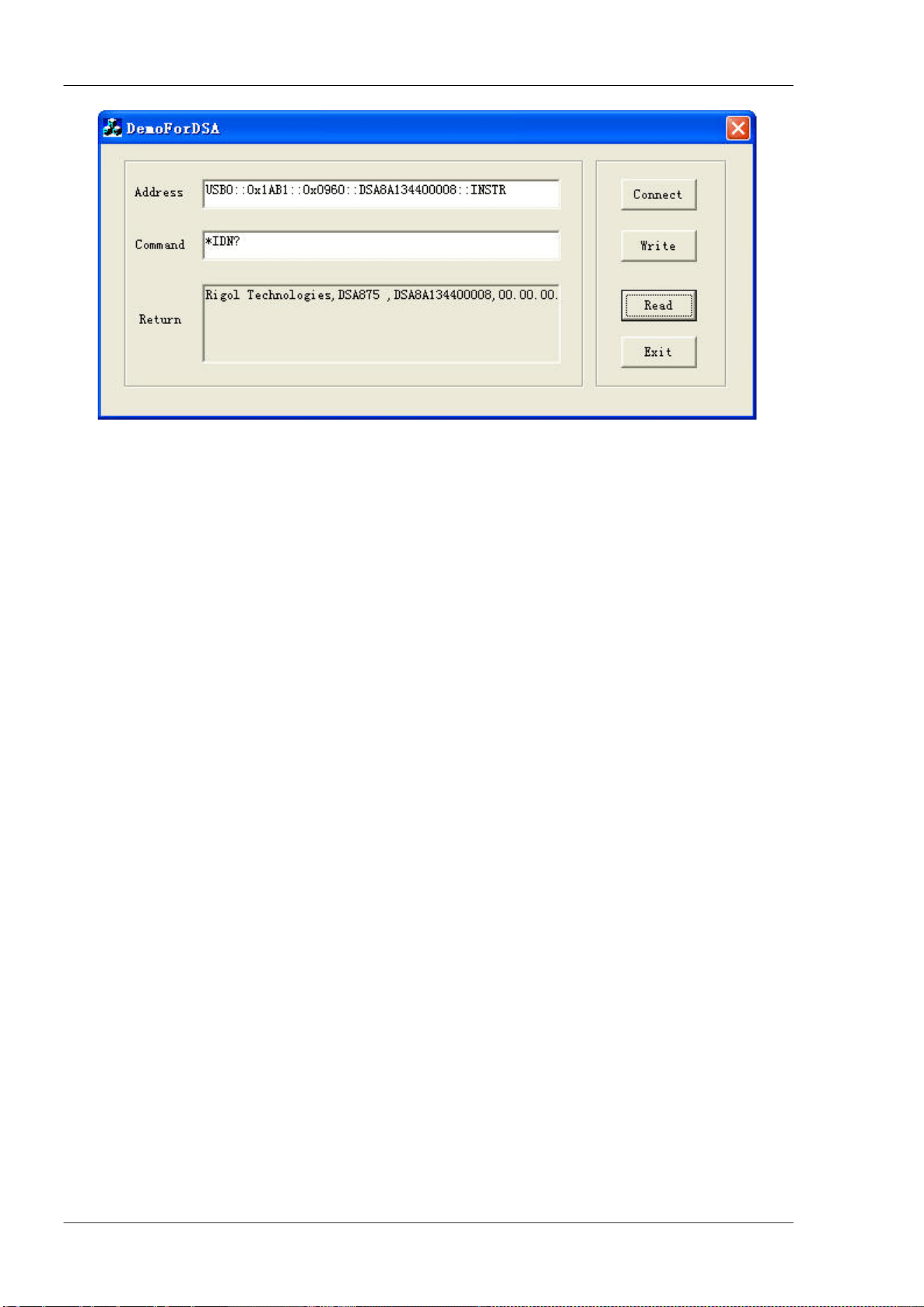
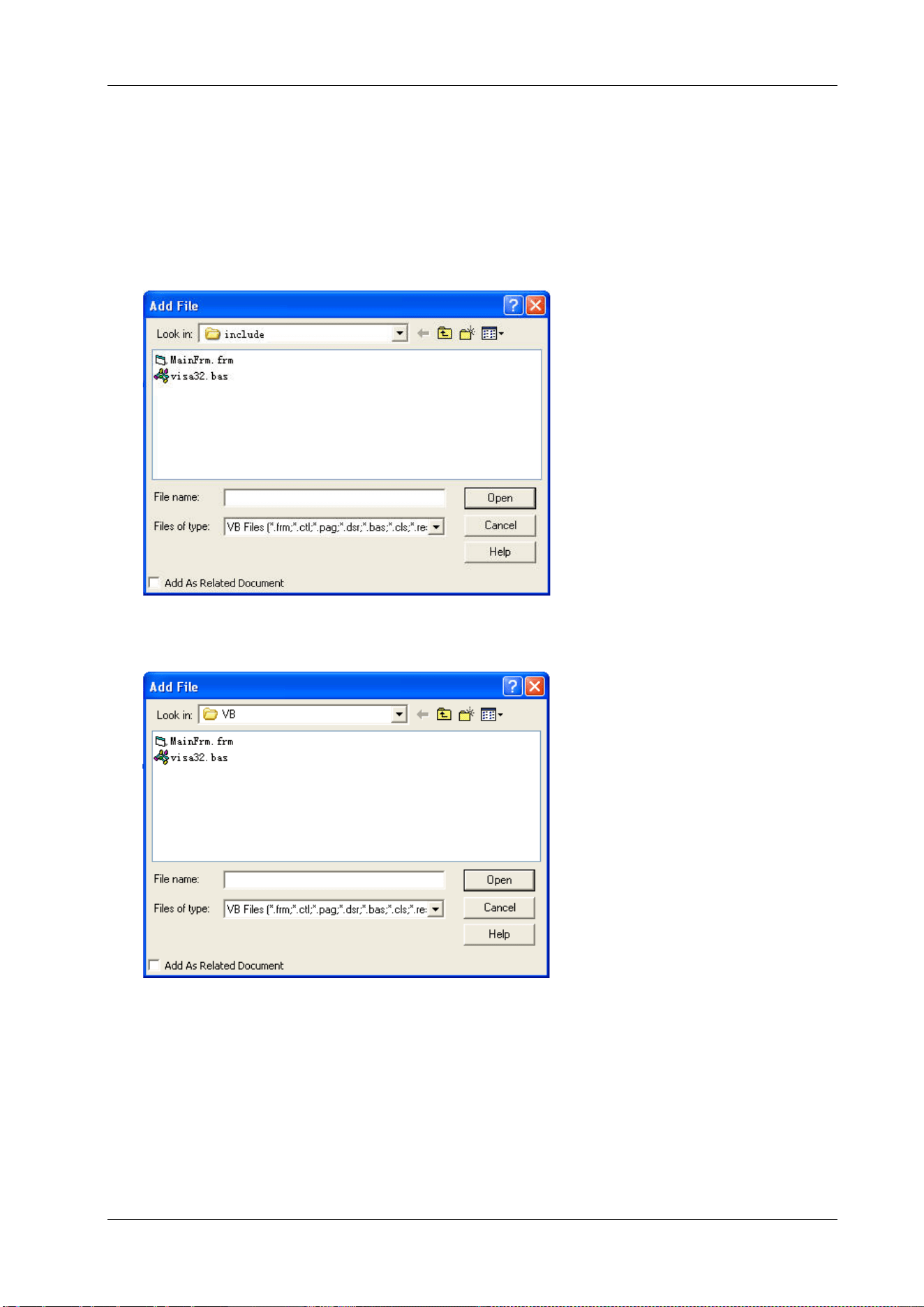
Chapter 3 Programming Demos RIGOL
DSA800 Programming Guide 3-13
Visual Basic 6.0 Programming Demo
Enter the Visual Basic 6.0 programming environment and follow the steps below.
1. Build a standard application program project (Standard EXE) and name it as DemoForDSA.
2. Open Project Add File… . Search for the visa32.bas file under the include folder under the
installation path of NI-VISA and add the file which contains all VISA functions and constant statements
to the project.
Then add the Declare Sub Sleep Lib "kernel32" (ByVal dwMilliseconds As Long) statement
into the visa32.bas, or create a new module to declare the Sleep function.
3. Add the Label, Text and Button controls as shown in the figure below.
4. Encapsulate the write and read operations of VISA.
1) Encapsulate the write operation of VISA for easier operation.
'-----------------------------------------------------------
'Function Name:InstrWrite
'Function:Send command to the instrument
'Input:rsrcName,instrument(resource) name
strCmd,Command
'-----------------------------------------------------------
Public Sub InstrWrite(rsrcName As String, strCmd As String)

RIGOL Chapter 3 Programming Demos
3-14 DSA800 Programming Guide
Dim status As Long
Dim dfltRM As Long
Dim sesn As Long
Dim rSize As Long
'Initialize the system
status = viOpenDefaultRM(dfltRM)
'Failed to initialize the system
If (status < VI_SUCCESS) Then
MsgBox " No VISA resource was opened!"
Exit Sub
End If
'Open the VISA instrument
status = viOpen(dfltRM, rsrcName, VI_NULL, VI_NULL, sesn)
'Failed to open the instrument
If (status < VI_SUCCESS) Then
MsgBox "Failed to open the instrument!"
Exit Sub
End If
'Write command to the instrument
status = viWrite(sesn, strCmd, Len(strCmd), rSize)
'Failed to write to the instrument
If (status < VI_SUCCESS) Then
MsgBox " Faild to write to the instrument!"
Exit Sub
End If
'Close the system
status = viClose(sesn)
status = viClose(dfltRM)
End Sub
2) Encapsulate the read operation of VISA for easier operation.
'-----------------------------------------------------------
'Function Name:InstrRead
'Function:Read the return value from the instrument
'Input:rsrcName,Resource name
'Return:The string gotten from the instrument
'-----------------------------------------------------------
Public Function InstrRead(rsrcName As String) As String
Dim status As Long
Dim dfltRM As Long
Dim sesn As Long
Dim strTemp0 As String * 256
Dim strTemp1 As String
Dim rSize As Long
'Begin by initializing the system
status = viOpenDefaultRM(dfltRM)
'Initial failed
If (status < VI_SUCCESS) Then
MsgBox " Failed to open the instrument! "
Exit Function
End If
'Open the instrument

Chapter 3 Programming Demos RIGOL
DSA800 Programming Guide 3-15
status = viOpen(dfltRM, rsrcName, VI_NULL, VI_NULL, sesn)
'Open instrument failed
If (status < VI_SUCCESS) Then
MsgBox " Failed to open the instrument! "
Exit Function
End If
' Read from the instrument
stasus = viRead(sesn, strTemp0, 256, rSize)
' Read failed
If (status < VI_SUCCESS) Then
MsgBox " Failed to read from the instrument! "
Exit Function
End If
'Close the system
status = viClose(sesn)
status = viClose(dfltRM)
' Remove the space at the end of the string
strTemp1 = Left(strTemp0, rSize)
InstrRead = strTemp1
End Function
5. Add the control event codes.
1) Connect to the instrument
' Connect to the instrument
Private Sub CmdConnect_Click()
Const MAX_CNT = 200
Dim status As Long
Dim dfltRM As Long
Dim sesn As Long
Dim fList As Long
Dim buffer As String * MAX_CNT, Desc As String * 256
Dim nList As Long, retCount As Long
Dim rsrcName(19) As String * VI_FIND_BUFLEN, instrDesc As String * VI_FIND_BUFLEN
Dim i, j As Long
Dim strRet As String
Dim bFindDSA As Boolean
' Initialize the system
status = viOpenDefaultRM(dfltRM)
' Initialize failed
If (status < VI_SUCCESS) Then
MsgBox " No VISA resource was opened !"
Exit Sub
End If
' Find instrument resource
Call viFindRsrc(dfltRM, "USB?*INSTR", fList, nList, rsrcName(0))
' Get the list of the instrument(resource)
strRet = ""
bFindDSA = False
For i = 0 To nList - 1
' Get the instrument name
InstrWrite rsrcName(i), "*IDN?"
Sleep 200
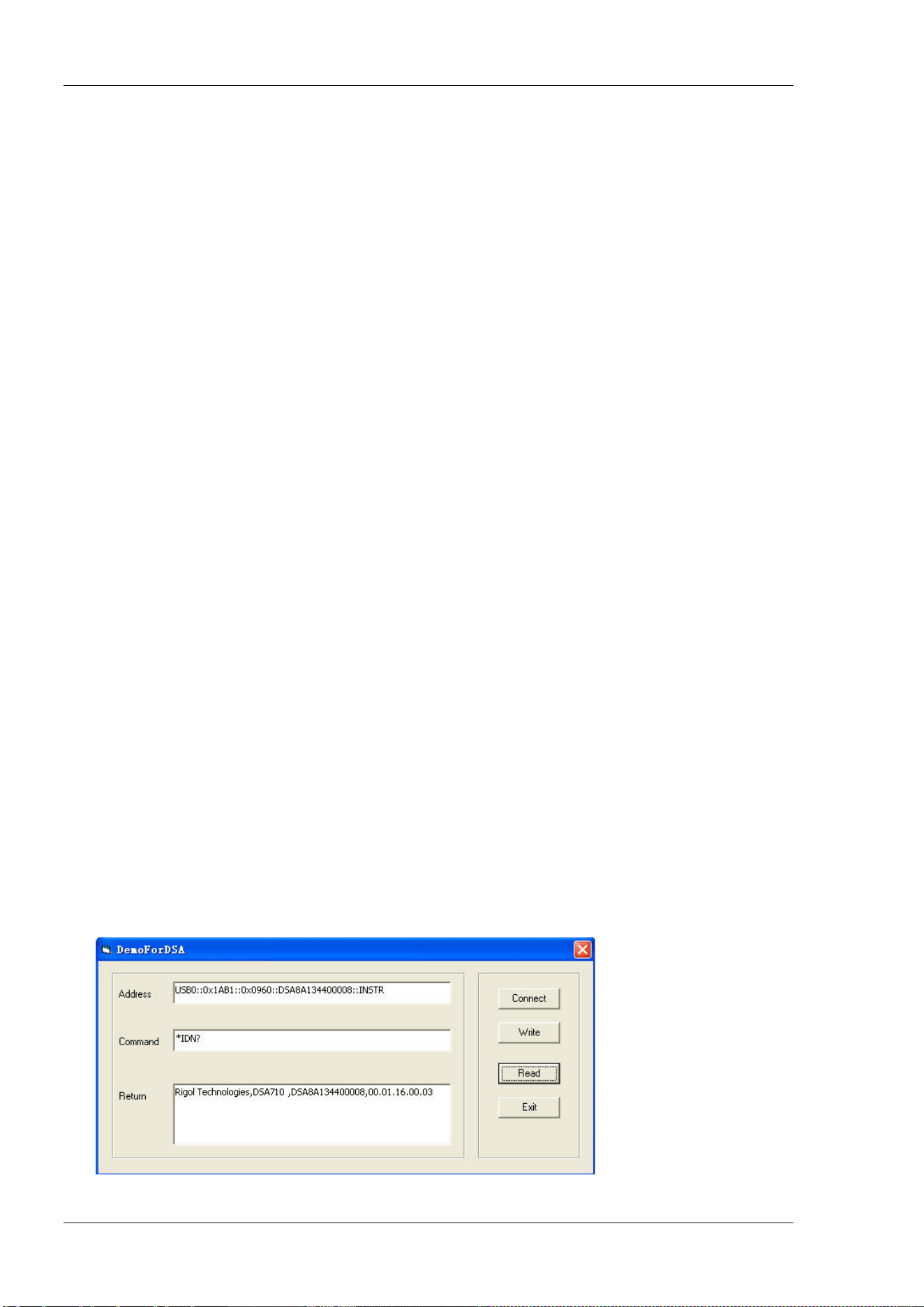
RIGOL Chapter 3 Programming Demos
3-16 DSA800 Programming Guide
strRet = InstrRead(rsrcName(i))
' Continue to switch the resource until find a DSA instrument
strRet = UCase(strRet)
j = InStr(strRet, "DSA")
If (j >= 0) Then
bFindDSA = True
Exit For
End If
Call viFindNext(fList + i - 1, rsrcName(i))
Next i
'Dispaly
If (bFindDSA = True) Then
TxtInsAddr.Text = rsrcName(i)
Else
TxtInsAddr.Text = ""
End If
End Sub
2) Write Operation
'Write the command to the instrument
Private Sub CmdWrite_Click()
If (TxtInsAddr.Text = "") Then
MsgBox ("Please write the instrument address!")
End If
InstrWrite TxtInsAddr.Text, TxtCommand.Text
End Sub
3) Read Operation
'Read the return value from the instrument
Private Sub CmdRead_Click()
Dim strTemp As String
strTemp = InstrRead(TxtInsAddr.Text)
TxtReturn.Text = strTemp
End Sub
6. Execution Result
1) Click "Connect" to search for the spectrum analyzer;
2) Input "*IDN?" in the "Command" edit box;
3) Click "Write" to write the command into the spectrum analyzer;
4) Click "Read" to read the return value.
The execution result is as shown in the figure below.
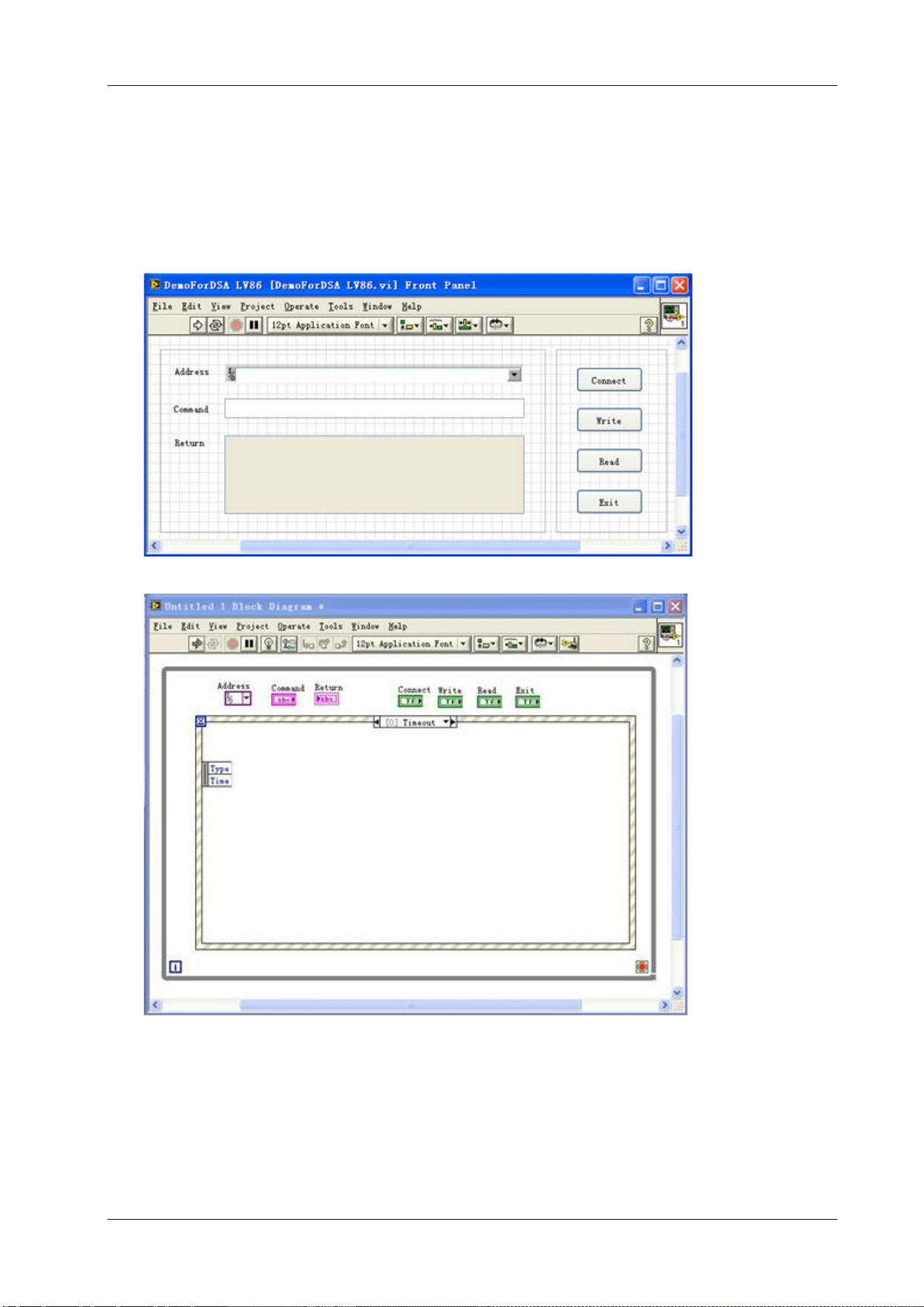
Chapter 3 Programming Demos RIGOL
DSA800 Programming Guide 3-17
LabVIEW 8.6 Programming Demo
Enter the Labview 8.6 programming environment and follow the steps below.
1. Create a new VI file and name it as DemoForDSA LV86.
2. Add controls in the front panel interface, including the Address bar, Command bar and Return bar
as well as the Connect, Write, Read and Exit buttons.
3. Create the event structure in Show block Diagram under the Window menu.
4. Add the events (including connect to the instrument, write operation, read operation and exit).
1) Connect to the instrument
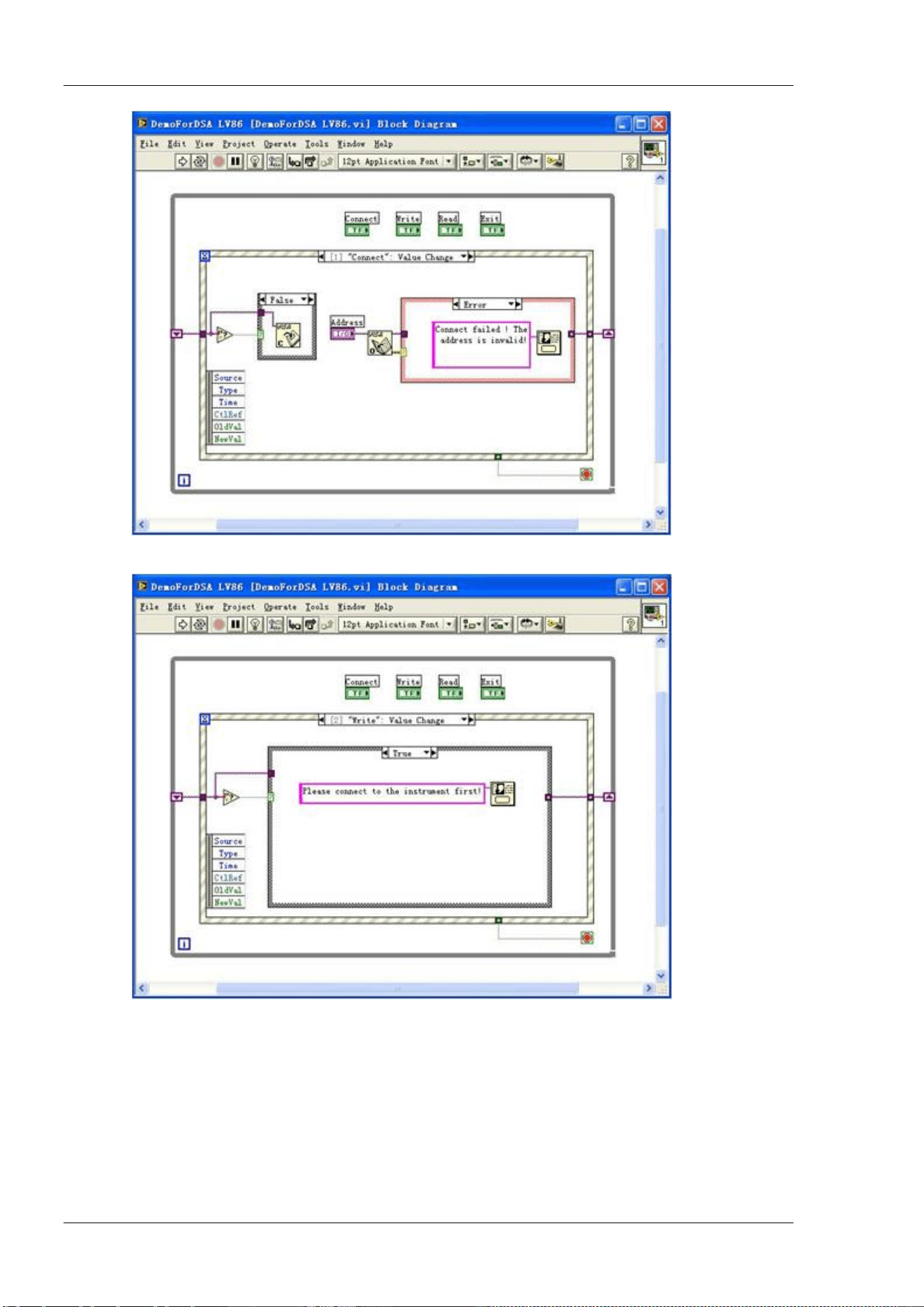
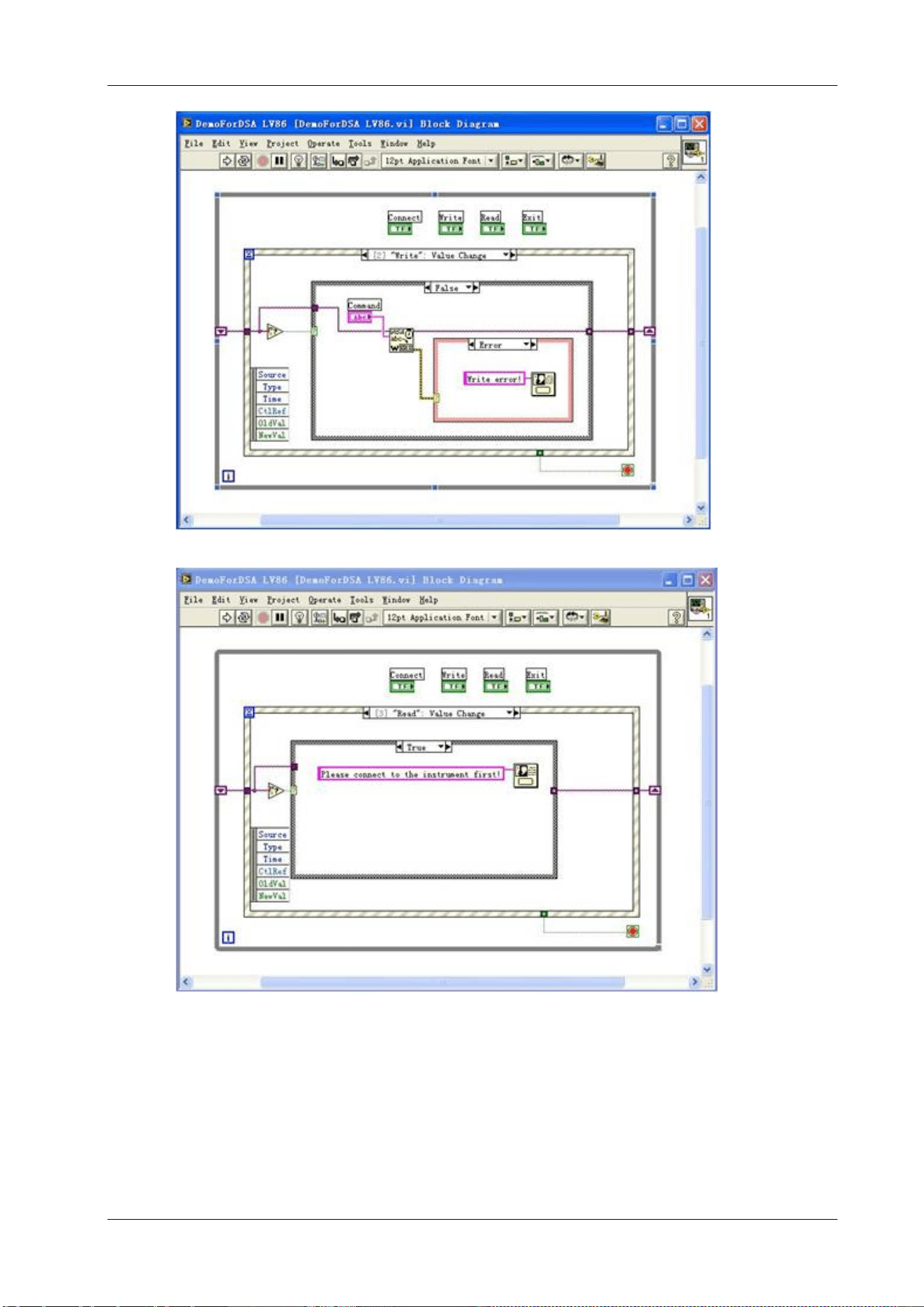
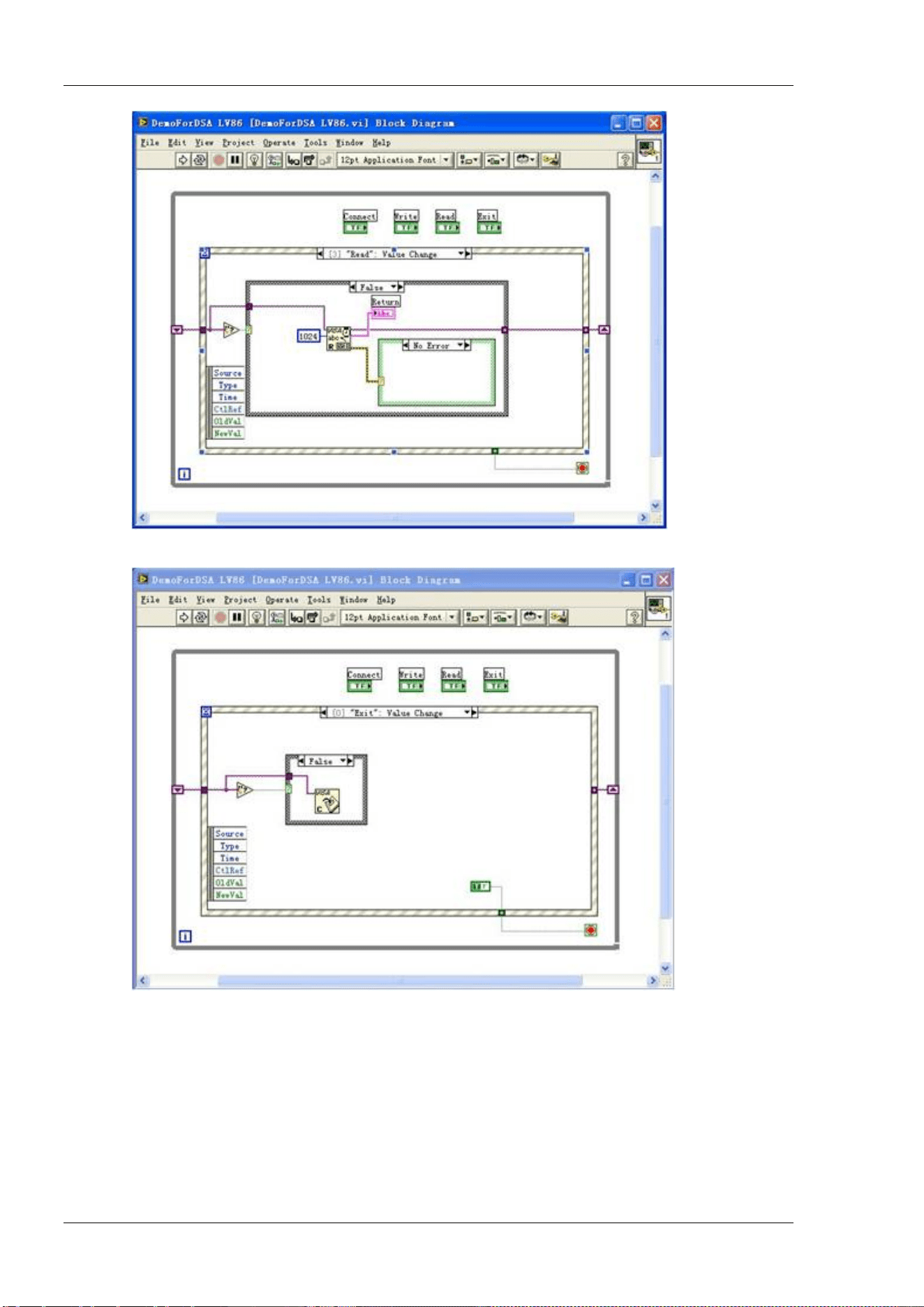
RIGOL Chapter 3 Programming Demos
3-20 DSA800 Programming Guide
4) Exit
5) Run the program and the interface as shown below is displayed. Click the Address dropdown box
and select the VISA resource name. Click Connect to connect the instrument, input the
command in the Command box and click Write to write the command into the instrument. If a
query command is used (for example, *IDN?), click Write to write the command into the
instrument and click Read; the return value is displayed in the Return box. Click Exit to exit the
program.
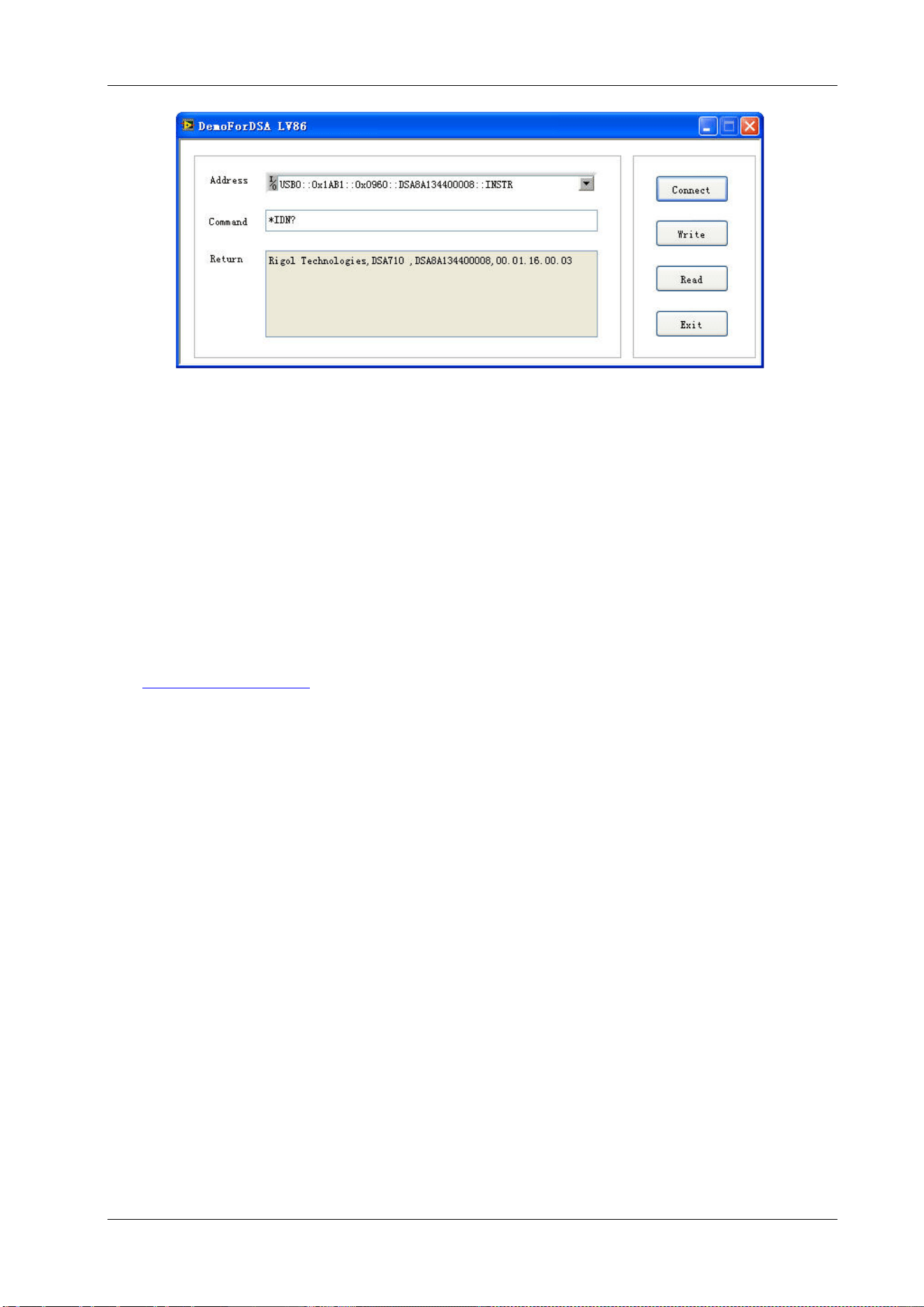
Chapter 3 Programming Demos RIGOL
DSA800 Programming Guide 3-21
Linux Programming Demo
This section illustrates how to program and control the spectrum analyzer to realize the common functions
under Linux operation system.
Linux Programming Preparations
1. programming environment used here:
Operation System: Fedroa 8 (Linux-2.6.23)
GCC Version: gcc-4.1.2
2. Install the VISA library: make sure your PC has installed the VISA library of NI (download it from
http://www.ni.com/visa/). The installation procedures are as follows.
First download the VISA library NI-VISA-4.4.0.ISO from the NI network.
Create a new directory
#mkdir NI_VISA
Mount the iso file
#mount -o loop -t iso9660 NI-VISA-4.4.0.iso NI_VISA
Enter the NI_VISA directory to install
#cd NI_VISA
#./INSTALL
Unmount the iso file
#umount NI_VISA
After the installation is finished, the default installation path is /usr/local.
3. Here, the LAN interface of the spectrum analyzer is used to communicate with the PC. Please use a
network cable to connect the LAN interface at the rear panel of the spectrum analyzer with the LAN
interface of the PC. You can also use a network cable to connect the spectrum analyzer to the local
area network of the PC.
After the spectrum analyzer is correctly connected to the PC, configure the network address of the
spectrum analyzer to make it be within the same network segment with the network address of the PC.
For example, if the network address and DNS setting of the PC are as shown in the figures below, the
network address of the spectrum analyzer should be configured as follows.
IP Address: 172.16.3.X
*
Default Gateway: 172.16.3.1
Subnet Mask: 255.255.255.0
DNS: 172.16.2.2
Remark
*
: X can be any value between 2 and 254 that has not been used.
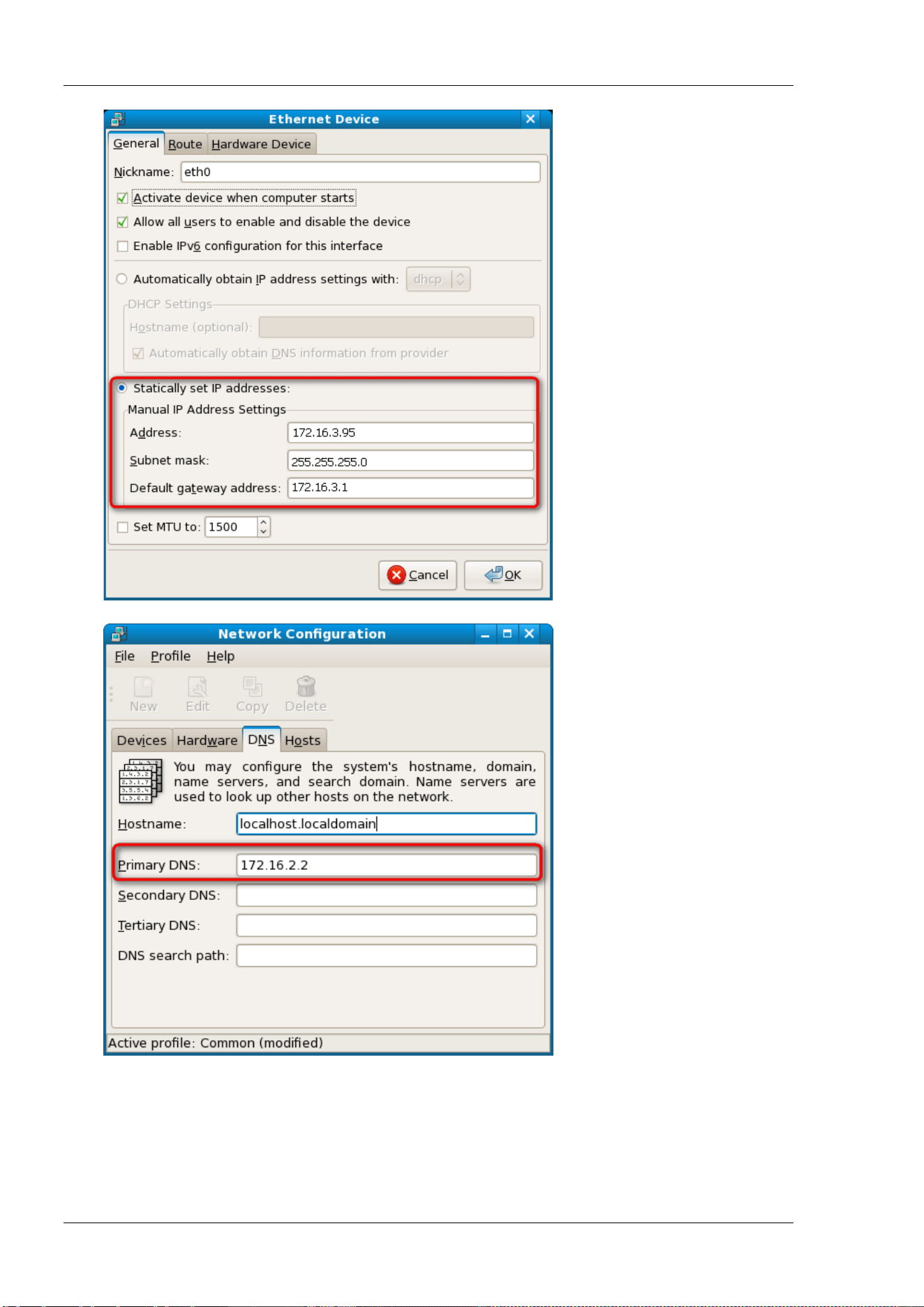
RIGOL Chapter 3 Programming Demos
3-22 DSA800 Programming Guide
4. Use any of the two methods below to add the library location to the search path of the library so that
the program can load the library file installed automatically.
Method 1: indicate the search path of the library in the environment variable LD_LIBRARY_PATH.
Operation Method: add the library file path /usr/local/lib in the LD_LIBRARY_PATH variable in
the /etc/profile file as shown in the figure below.
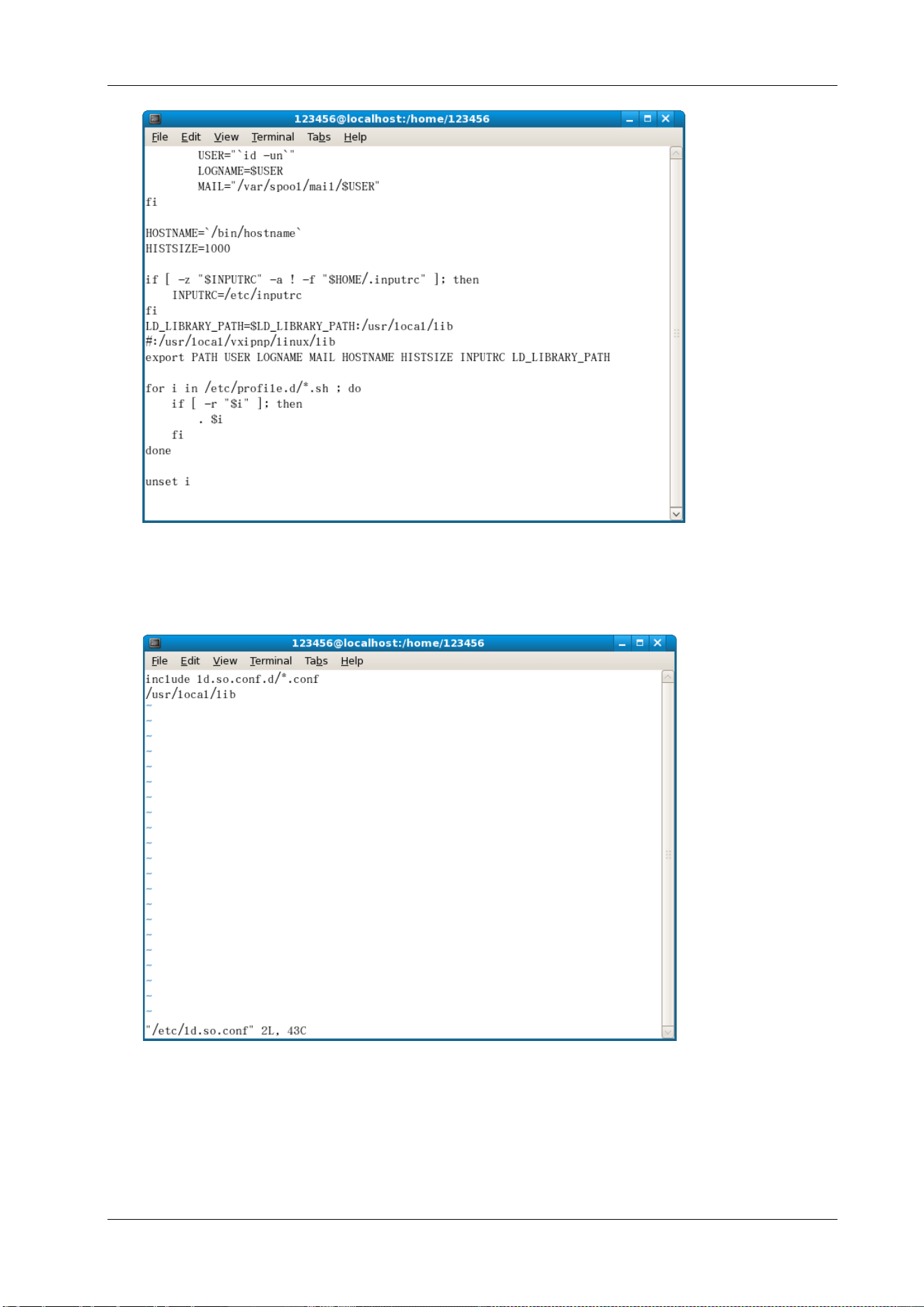
Chapter 3 Programming Demos RIGOL
DSA800 Programming Guide 3-23
Method 2: add the search path of the library in the /etc/ld.so.conf file.
Add Method: #echo "/usr/local/lib" >> /etc/ld.so.conf, as shown in the figure below.
After setting the search path of the library in /etc/ld.so.conf, run the /sbin/ldconfig command to
update /etc/ld.so.cache (this command should have the root permission) so as to ensure the
location of the library when executing the program.
Linux Programming Procedures

RIGOL Chapter 3 Programming Demos
3-24 DSA800 Programming Guide
1. Edit the DemoForDSA.h header file and declare a class to encapsulate the operation and property of
the instrument.
#ifndef DEMO_FOR_DSA_H
#define DEMO_FOR_DSA_H
#include <stdio.h>
#include <string.h>
#include <stdlib.h>
#include <iostream>
//#include <syswait.h>
using namespace std;
#define MAX_SEND_BUF_SIZE 50
#define MAX_REC_SIZE 300
class DemoForDSA
{
// Construction
public:
DemoForDSA();
bool InstrRead(string strAddr, string & pstrResult);
bool InstrWrite(string strAddr, string strContent);
bool ConnectInstr();
string m_strInstrAddr;
string m_strResult;
string m_strCommand;
};
void makeupper(string & instr);
#endif
2. Edit the DemoForDSA.cpp file to realize various operations of the instrument.
#include "visa.h"
#include "DemoForDSA.h"
DemoForDSA::DemoForDSA()
{
m_strInstrAddr = "";
m_strResult = "";
m_strCommand = "";
}
bool DemoForDSA::ConnectInstr()
{
ViUInt32 retCount;
ViStatus status;
ViSession defaultRM;
ViString expr = "?*";
ViPFindList findList = new unsigned long;
ViPUInt32 retcnt = new unsigned long;
string strSrc = "";
string strInstr = "";
ViChar instrDesc[1000];

Chapter 3 Programming Demos RIGOL
DSA800 Programming Guide 3-25
unsigned long i = 0;
bool bFindDSA = false;
memset(instrDesc,0,1000);
//Turn on the VISA device
status = viOpenDefaultRM(&defaultRM);
if (status < VI_SUCCESS)
{
cout<<"No VISA equipment!"<<endl;
return false;
}
//Search for resource
status = viFindRsrc(defaultRM,expr,findList, retcnt, instrDesc);
for (i = 0;i < (*retcnt);i++)
{
//Acquire the instrument name
strSrc=
InstrWrite(strSrc,"*IDN?");
usleep(200);
InstrRead(strSrc,strInstr);
//If the instrument is DSA series, the desired instrument is found and exit
makeupper(strInstr);
if (strInstr.find("DSA",0) > 0)
{
bFindDSA = true;
m_strInstrAddr = strSrc;
break;
}
//Acquire the next device
status = viFindNext(*findList,instrDesc);
}
if (bFindDSA == false)
{
printf("DSA device not found!\n");
return false;
}
return true;
}
bool DemoForDSA::InstrWrite(string strAddr, string strContent) //Write operation
{
ViSession defaultRM,instr;
ViStatus status;
ViUInt32 retCount;
char * SendBuf = NULL;
char * SendAddr = NULL;
bool bWriteOK = false;
string str;
//Address conversion, convert the strig type to char*

RIGOL Chapter 3 Programming Demos
3-26 DSA800 Programming Guide
SendAddr = const_cast<char*>(strAddr.c_str());
//Address conversion, convert the strig type to char*
SendBuf = const_cast<char*>(strContent.c_str());
//Turn on the actual device
status = viOpenDefaultRM(&defaultRM);
if (status < VI_SUCCESS)
{
cout<<"No VISA equipment!"<<endl;
return false;
}
status = viOpen(defaultRM, SendAddr, VI_NULL, VI_NULL, &instr);
//Write command into the device
status = viWrite(instr, (unsigned char *)SendBuf, strlen(SendBuf), &retCount);
//Turn off the device
status = viClose(instr);
status = viClose(defaultRM);
return bWriteOK;
}
bool DemoForDSA::InstrRead(string strAddr, string & pstrResult) //Instrument reads
{
ViSession defaultRM,instr;
ViStatus status;
ViUInt32 retCount;
char* SendAddr = NULL;
char * result = NULL;
bool bReadOK = false;
unsigned char RecBuf[MAX_REC_SIZE];
string str;
memset(RecBuf,0,MAX_REC_SIZE);
result=char*)malloc(MAX_REC_SIZE*sizeof(char));
memset(result,0,MAX_REC_SIZE);
//Address conversion, convert the strig type to char*
SendAddr=const_cast<char*>(strAddr.c_str());
//Turn on the VISA device
status = viOpenDefaultRM(&defaultRM);
if (status < VI_SUCCESS)
{
// Error Initializing VISA...exiting
cout<<"No VISA equipment!"<<endl;
return false;
}
//Turn on the actual device
status = viOpen(defaultRM, SendAddr, VI_NULL, VI_NULL, &instr);
//Read the device
status = viRead(instr, RecBuf, MAX_REC_SIZE, &retCount);
//Turn off the device

Chapter 3 Programming Demos RIGOL
DSA800 Programming Guide 3-27
status = viClose(instr);
status = viClose(defaultRM);
sprintf(result,"%s",RecBuf);
pstrResult = result;
free(result);
return bReadOK;
}
void makeupper( string &instr)
{
string outstr = "";
if(instr == "")
{
exit(0);
}
for(int i = 0;i < instr.length();i++)
{
instr[i] = toupper(instr[i]);
}
}
3. Edit the function file mainloop.cpp to complete the flow control.
#include "DemoForDSA.h"
void menudisplay()
{
cout<<"\t\t Please operate the instrument:\n read write quit"<<endl;
}
int main()
{
DemoForDSA demo;
char temp[50];
if(!demo.ConnectInstr())
{
cout<<"can not connect the equipment!"<<endl;
return 0;
}
else
{
cout<<"\n connect equipment success!"<<endl;
cout<<" the equipment address is :"<<demo.m_strInstrAddr<<endl;
}
while(1)
{
menudisplay();
//cin>>demo.m_strCommand;
cin.getline(temp,50);
demo.m_strCommand=
if(demo.m_strCommand[0]='r' && demo.m_strCommand[1]='e'
&& demo.m_strCommand[2]='a' && demo.m_strCommand[3]='d')
{
//demo.InstrWrite(demo.m_strInstrAddr,"*IDN?");

RIGOL Chapter 3 Programming Demos
3-28 DSA800 Programming Guide
//demo.InstrRead(demo.m_strInstrAddr,demo.m_strResult);
cout<<"read result:"<<demo.m_strResult<<endl;
demo.m_strResult="";
}
else if (demo.m_strCommand[0]='w' && demo.m_strCommand[1]='r'
&& demo.m_strCommand[2]='i' && demo.m_strCommand[3]='t' &&
demo.m_strCommand[4]='e')
{
if (demo.m_strInstrAddr="")
{
cout<<"Please connect the instrument!\n";
}
demo.InstrWrite(demo.m_strInstrAddr,demo.m_strCommand.substr(5,40));
usleep(200);
//Read the instrument
demo.InstrRead(demo.m_strInstrAddr,demo.m_strResult);
}
else if (demo.m_strCommand[0] == 'q' && demo.m_strCommand[1] == 'u'
&& demo.m_strCommand[2] == 'i' && demo.m_strCommand[3] == 't')
{
break;
}
else if(demo.m_strCommand != "")
{
cout<<"Bad command!"<<endl;
}
}
return 1;
}
4. makefile file
src = DemoForDSA.cpp mainloop.cpp DemoForDSA.h
obj = DemoForDSA.o mainloop.o
INCLUDE= -I/usr/local/vxipnp/linux/include
LIB= -lvisa -lc -lpthread
CC=
demo : $(obj)
$(CC) $(INCLUDE) $(LIB) -o demo $(obj)
mainloop.o : mainloop.cpp DemoForDSA.h
$(CC) -c $< -o $@
DemoForDSA.o: DemoForDSA.cpp DemoForDSA.h
$(CC) -c $< -o $@
.PHONY : clean
clean:
rm demo $(obj)
5. Execution Result
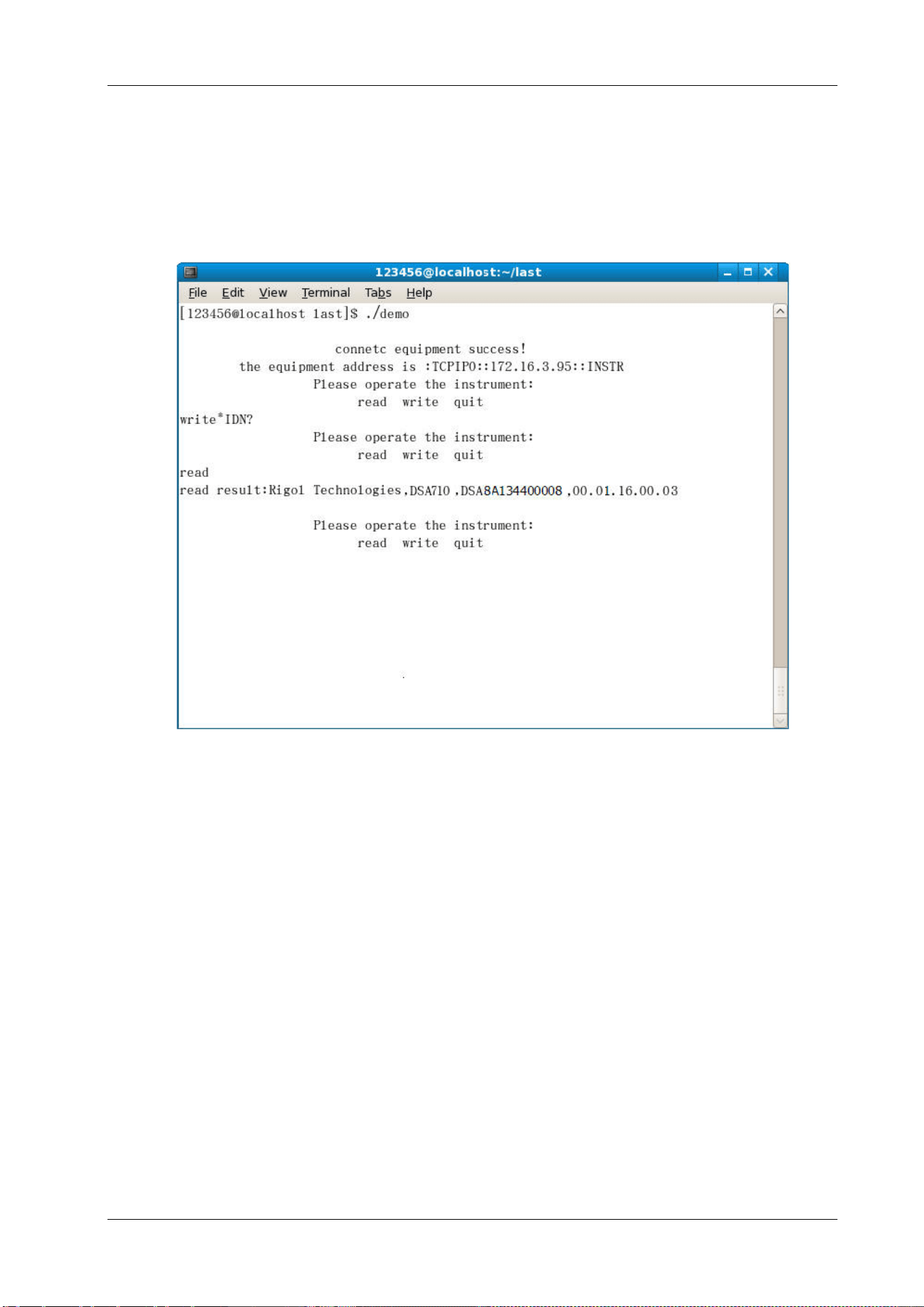
Chapter 3 Programming Demos RIGOL
DSA800 Programming Guide 3-29
1) #make
2) ./demo
3) When the program runs, the instrument is connected automatically. If no instrument is found, "No
VISA equipment!" is displayed and the system exits the program. If the instrument is found and
successfully connected, the interface as shown in the figure below is displayed.
4) Input write<command> (for example, write<*IDN?>) to write the command into the
spectrum analyzer.
5) Input read to read the return value as shown in the figure below.