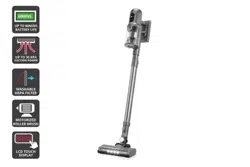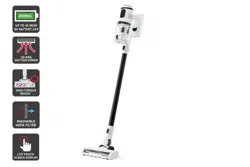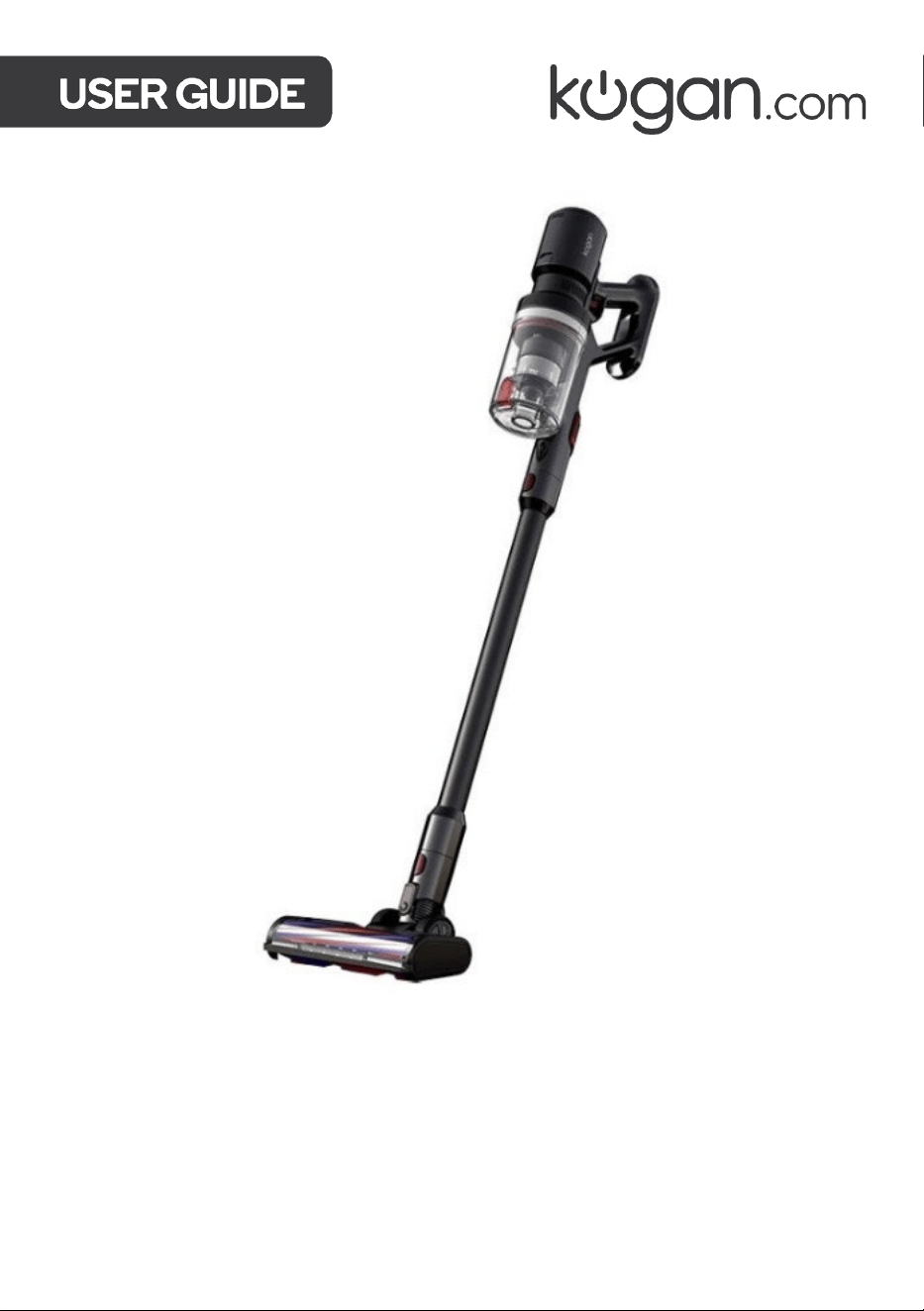
Z11 PRO CORDLESS STICK
VACUUM CLEANER
KAVACSTV11A, KAVACSTV11W


To reduce potential fire risks, electric shock or injury, always observe the basic safety
prevention measures during use, including but not limited to the following:
Power supply:
• This product is powered by a 29.6V DC lithium battery. Do not use any other model or
capacity of the battery. Only use the original battery supplied by Kogan.com.
• If the battery has any malfunction or abnormality, cease use immediately and contact
help.Kogan.com for support.
• Always hold by the power plug when connecting and disconnecting to avoid damaging
the cord.
During use:
• Do not use this machine outdoors or in humid areas or grasp it with wet hands.
• If the machine becomes physically damaged, placed outdoors or falls into water, cease
use immediately and contact help.Kogan.com for support.
• To avoid blockages, don’t place large objects into the suction nozzle of the vacuum
cleaner. Keep the suction nozzle away from lint, hair and other objects that may cause
a blockage and frequently clean the appliance.
• To avoid injury, keep your hair, clothes, fingers and other body parts away from the
suction nozzle and movable parts.
• Avoid sucking in any burning or smoking garbage, such as cigarette ends, matches,
soot and other objects.
• Do not use the vacuum cleaner to clean flammable substances or liquids, such as
gasoline or places where there may be gasoline, kerosene, paint, alcohol, detergent,
etc.
• Do not use the vacuum cleaner before installing the filter.
• Turn off the machine before connecting or replacing any accessories.
• Keep the vacuum cleaner indoors and use it in dry rooms only.
• Do not use it for other purposes unless otherwise specified in this user guide.
• Do not use the vacuum cleaner as a toy. Children nearby must be supervised.
• Be careful when cleaning stairs.
• Only use accessories included with this product and recommended by Kogan.com.
• To ensure the correct operation of the vacuum, the HEPA filter and dust cup will need
to be emptied and cleaned regularly.
SAFETY & WARNINGS
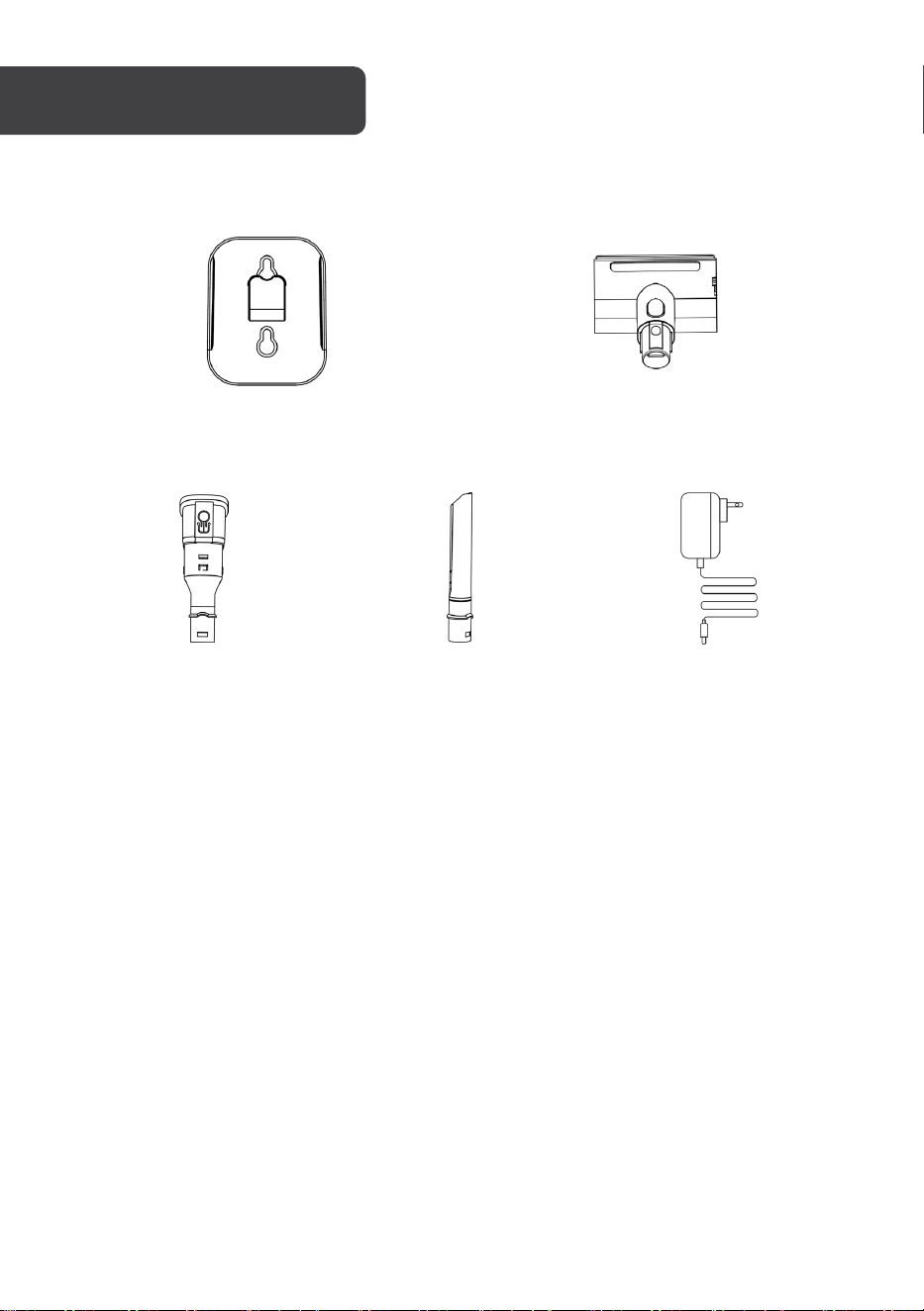
Wall Bracket Motorised Mattress Brush
2-in-1 Bristle Brush Long Crevice Nozzle Charger
ACCESSORIES
OVERVIEW
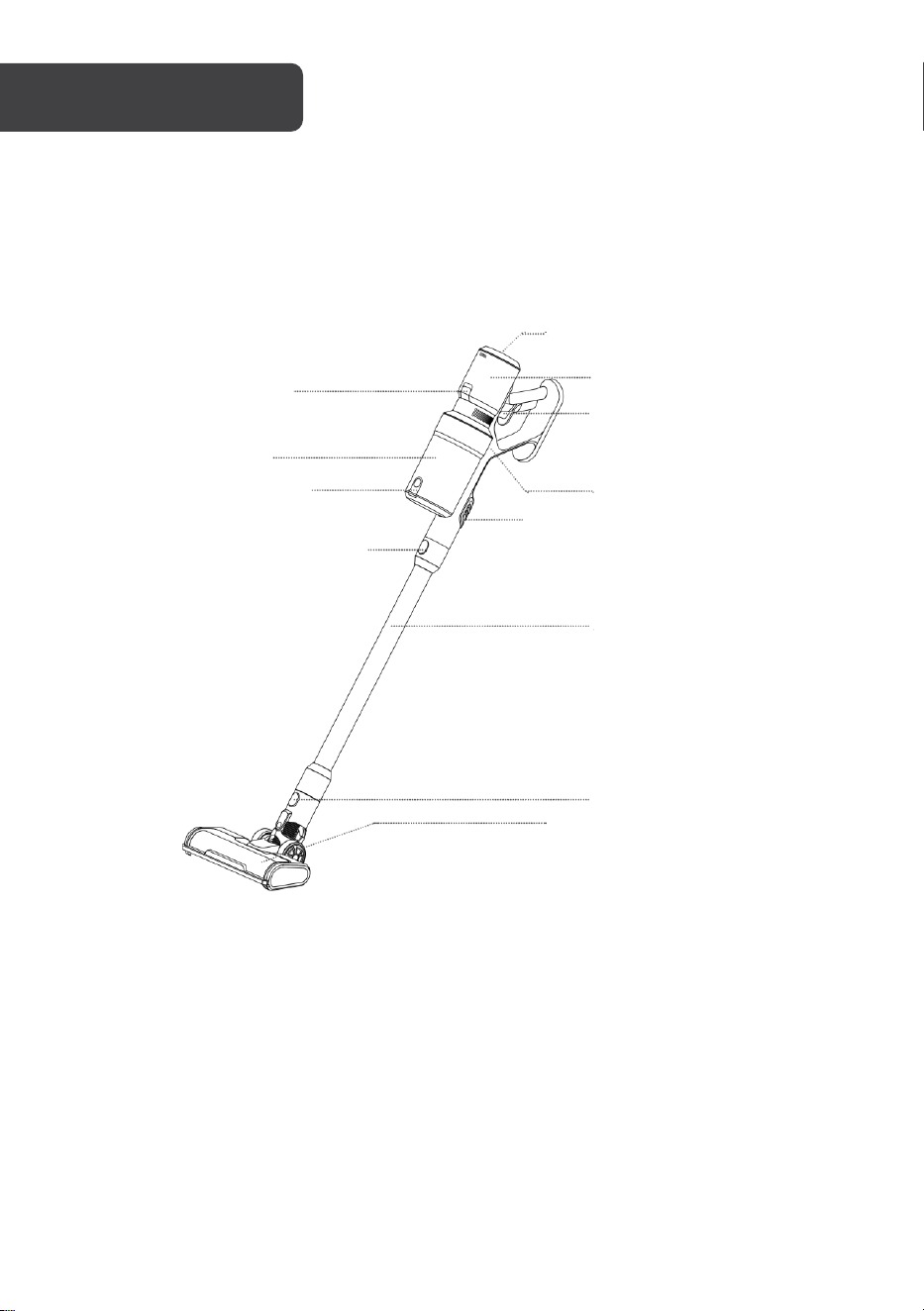
Speed Adjustment Button
Battery Lock
Dust Cup
Dust Cup Lock
Aluminium Tube Lock
Vacuum Cleaner Body
Aluminium Tube
Floor Brush Lock
Electric Floor Brush
with Plush Roller Bar
Dust Cup Release Button
Battery Pack
Power Button
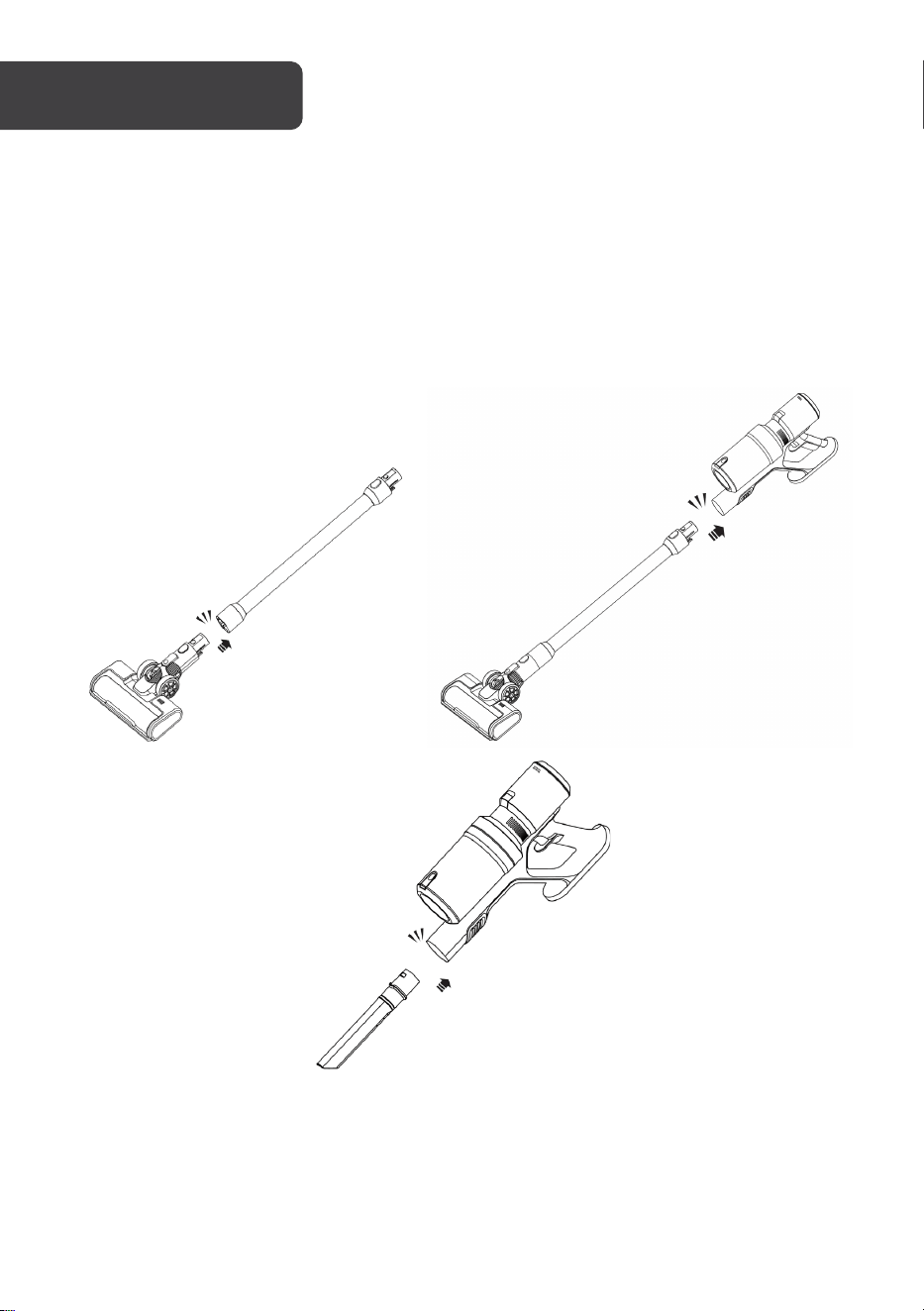
1. Align the floor brush to the aluminium tube and push it gently. It will connect with an
audible click.
2. Align the aluminium tube with the vacuum cleaner body and push it gently. It will
connect with an audible click.
Note: The floor brush and other brush heads can be connected directly to the vacuum
cleaner body when a more compact unit is desired (for example, cleaning a car interior).
ASSEMBLY
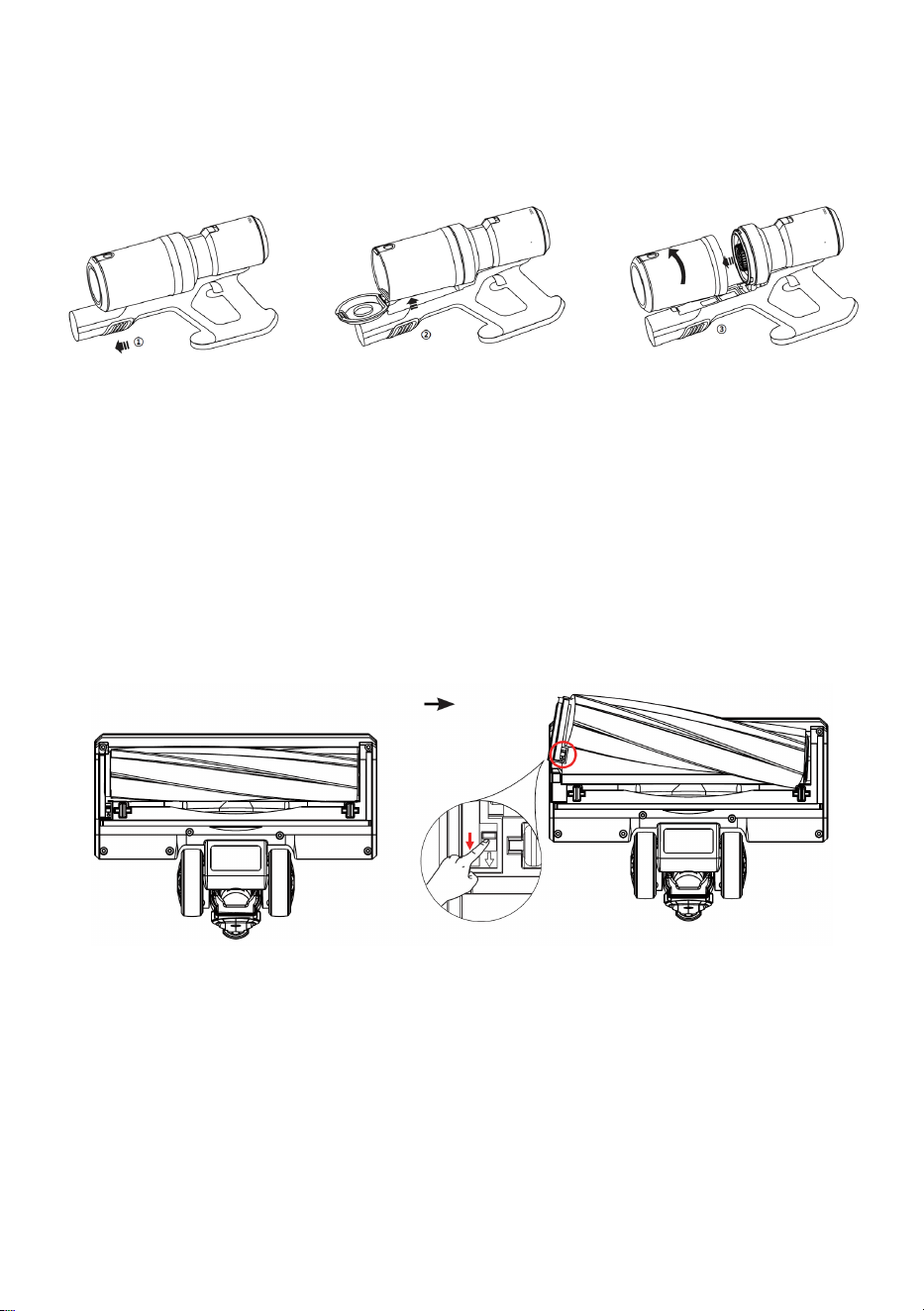
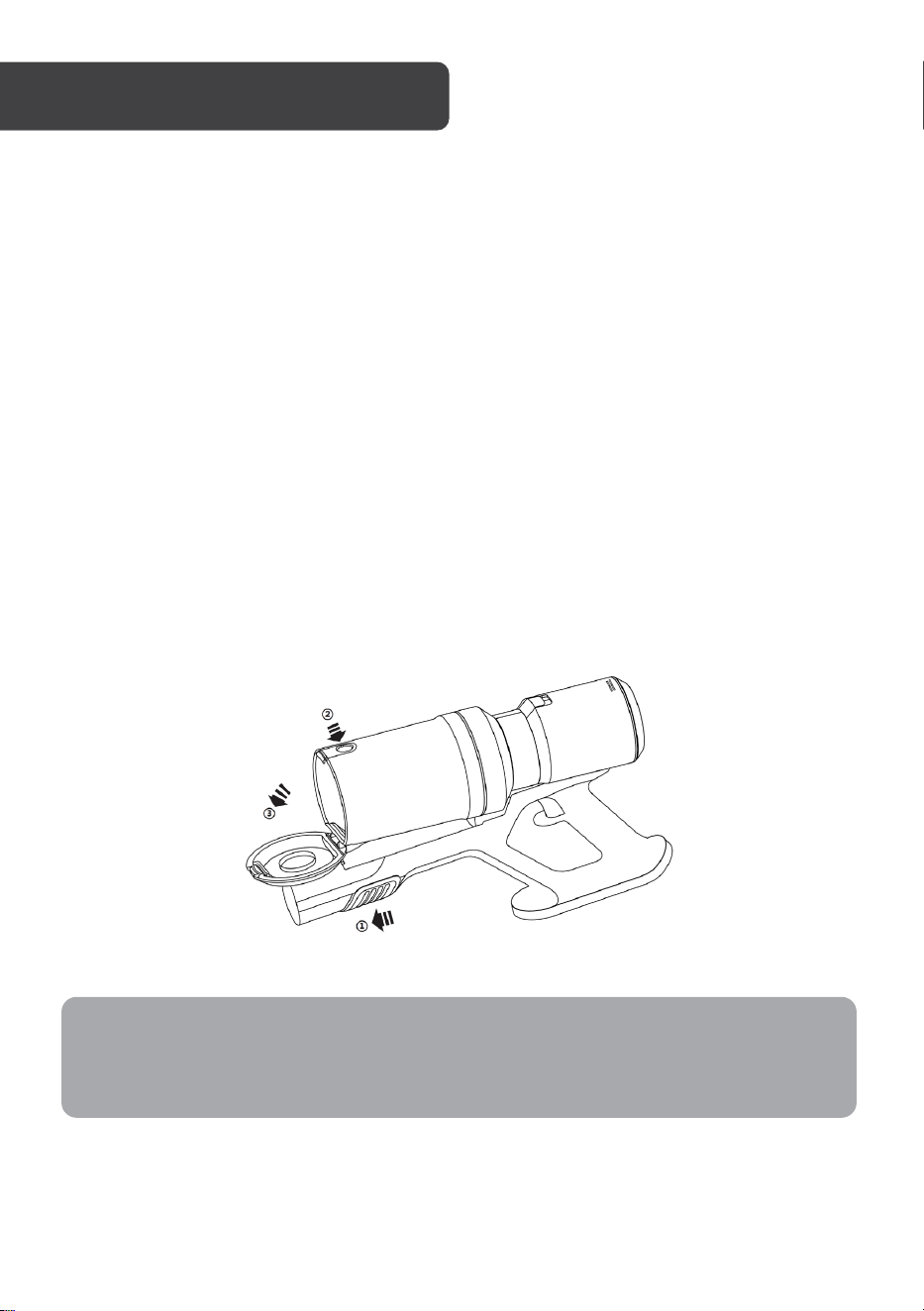
Dust Cup Installation and Removal
Slide the dust cup release button forward on the vacuum cleaner body, and the dust cup
assembly will pop up. Rotate the dust cup anticlockwise to remove.
Roller Brush Replacement
Push the release button underneath the brush head and lift the roller brush out.
To install a replacement roller brush, insert the right side first and then gently press the roller
brush down and into position.
Note: Ensure the roller brush is firmly in place before operating the vacuum.
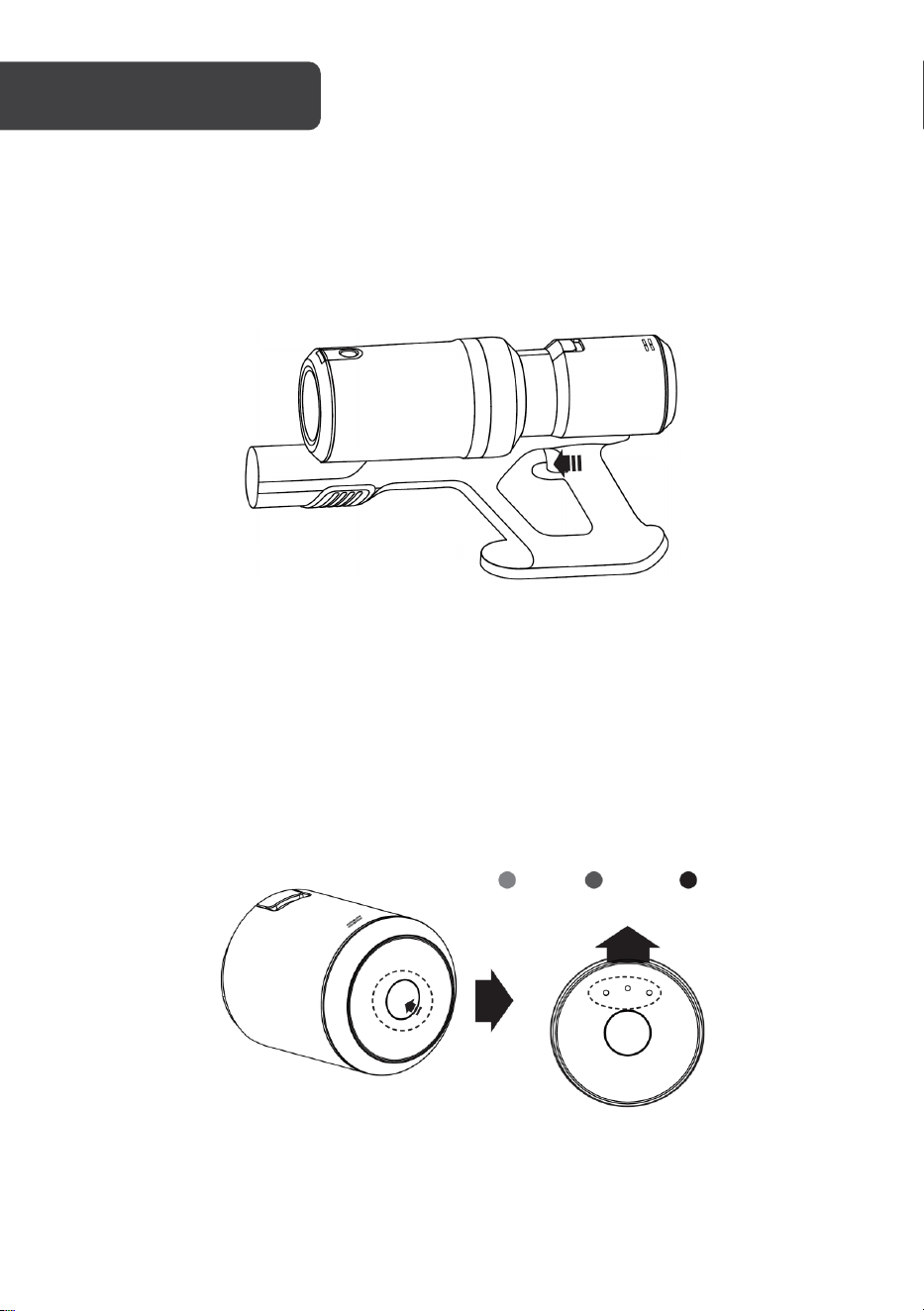
Turning on vacuum
Once assembly is complete, turn on the power button at the handle to turn on the vacuum.
Suction adjustment
Suction power can be set to three levels by pressing the suction adjustment button on the
top of the machine body.
There are three LED indicator lights on the button: the blue indicator light for low suction
power, the purple indicator light for medium suction power and the red indicator for high
suction power.
OPERATION
Low
Medium
High
Blue
Red Purple
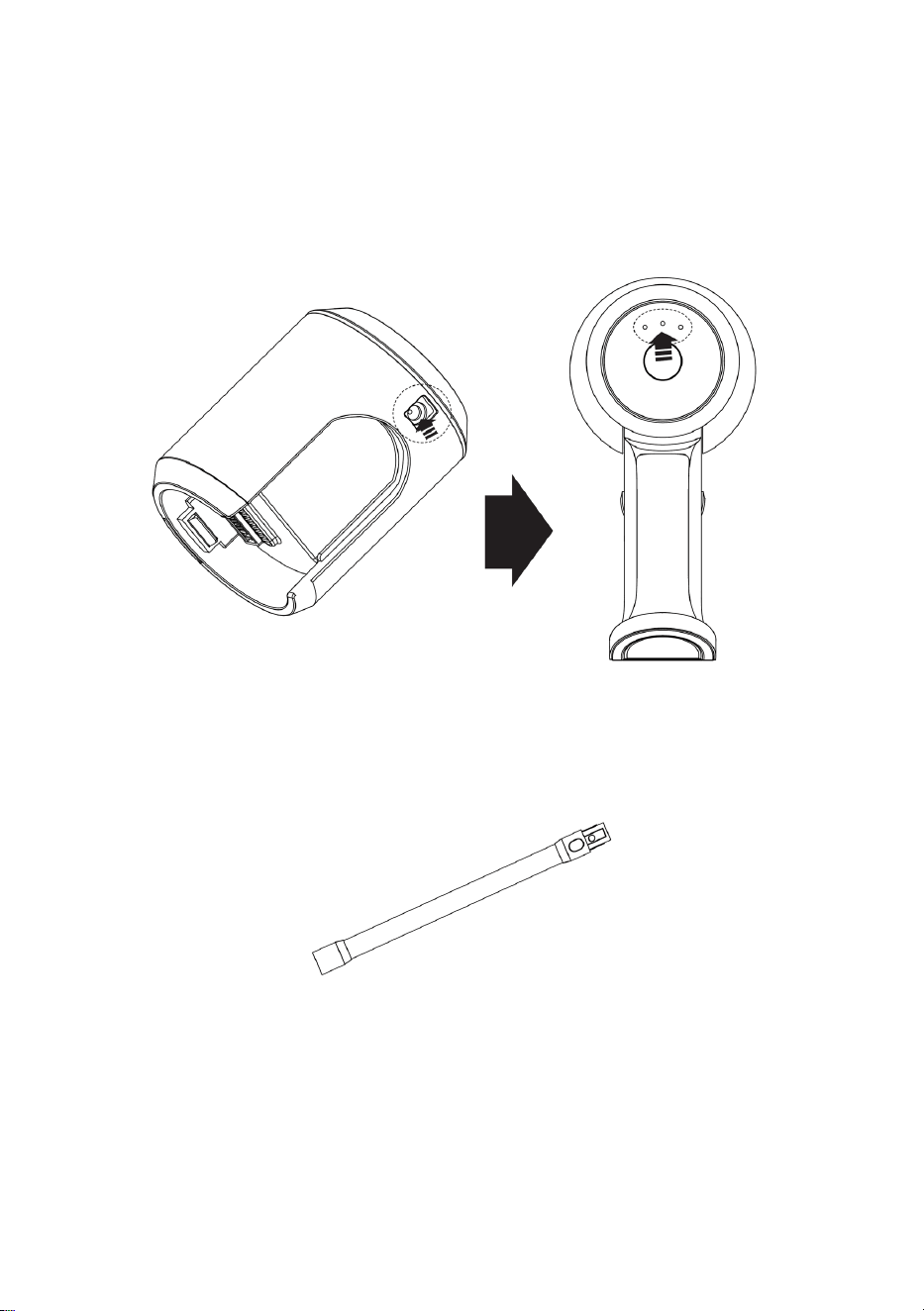
Charging and indicator light
Connect the power adapter to the charging port on the battery pack and plug it into a
power outlet to begin charging the battery.
The three indicator lights will flash when the battery is charging and become solid when it is
fully charged.
Aluminium tube
Easy to install, used for cleaning high places such as ceilings, roofs, air conditioners and
curtains. Compatible with the included brush heads.
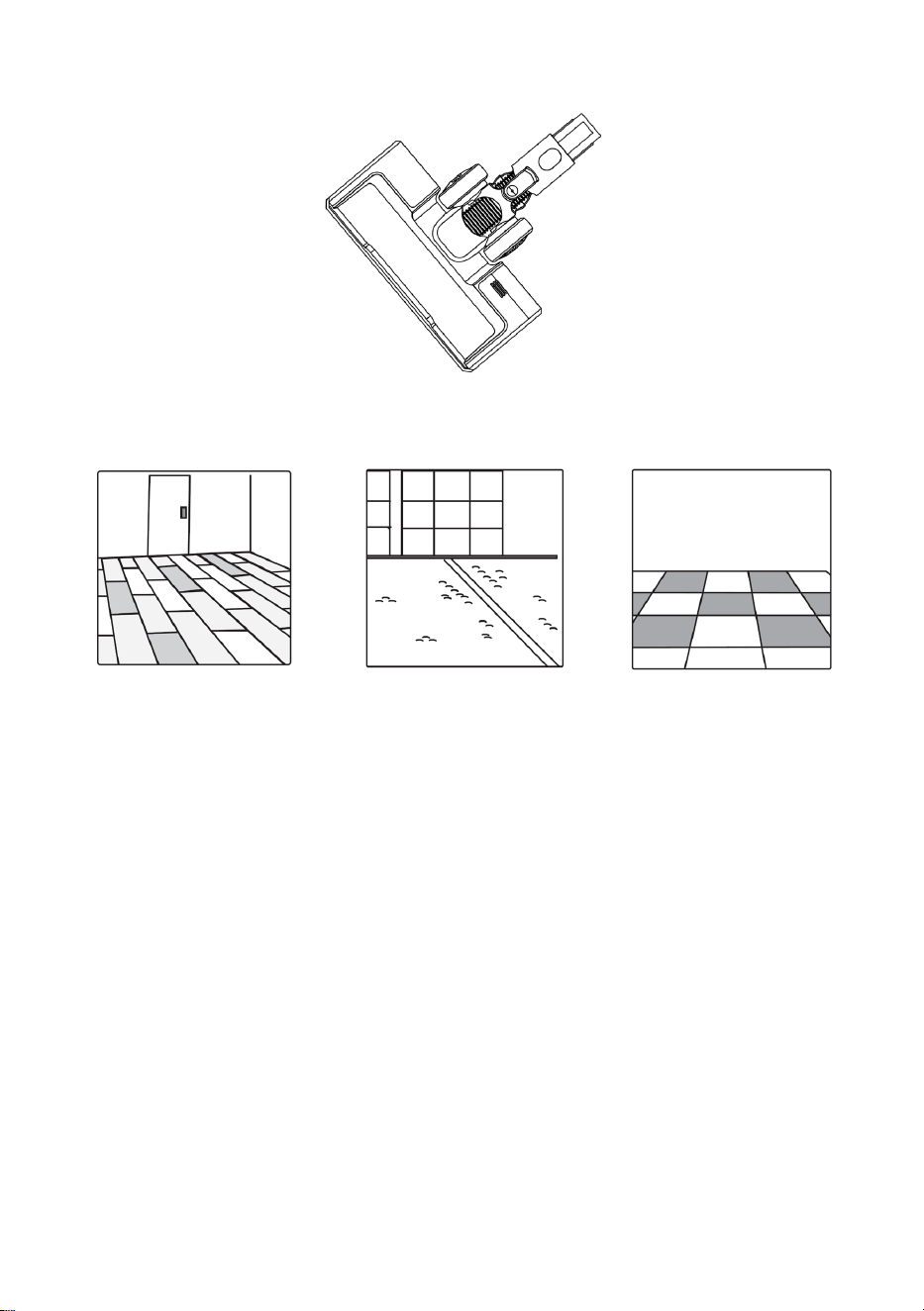
Electric Floor Brush
This is suitable for cleaning hard surfaces such as floor and ceramic tiles and the undercoat
carpet.
• Quickly remove dust thanks to the built-in independent motor and large plush roller
brush rotating at high speed.
• Flexibly and thoroughly clean thanks to the horizontal rotation (270°) and vertical
rotation (90°) of floor brush.
• Clean dark areas such as under a sofa using the front LED light.
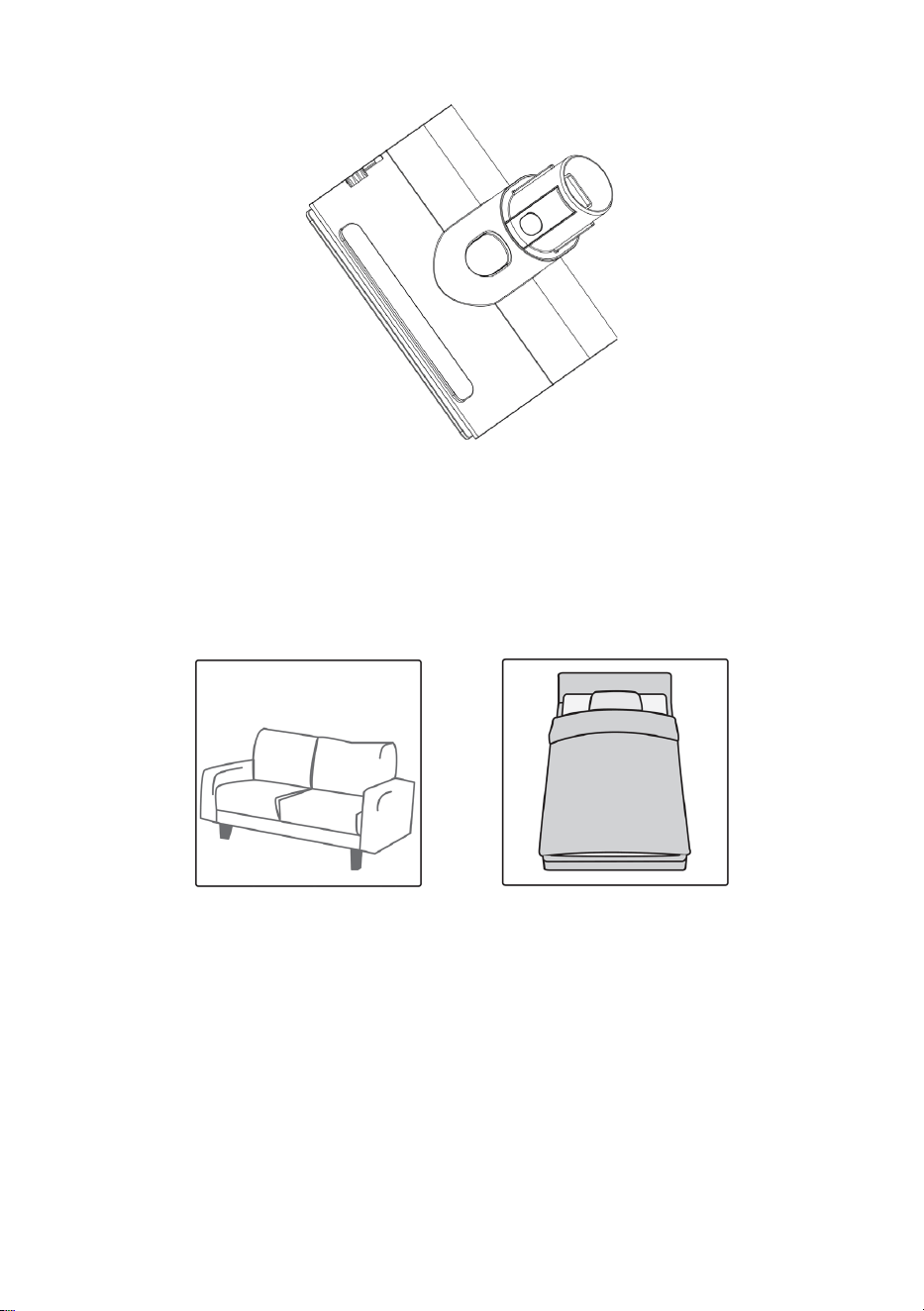
Mattress brush
• Suitable for cleaning fabrics such as mattresses and sofas.
• The roller can rotate at a high speed and collect particles such as pollen and hair
on bedding, improving sleeping health.
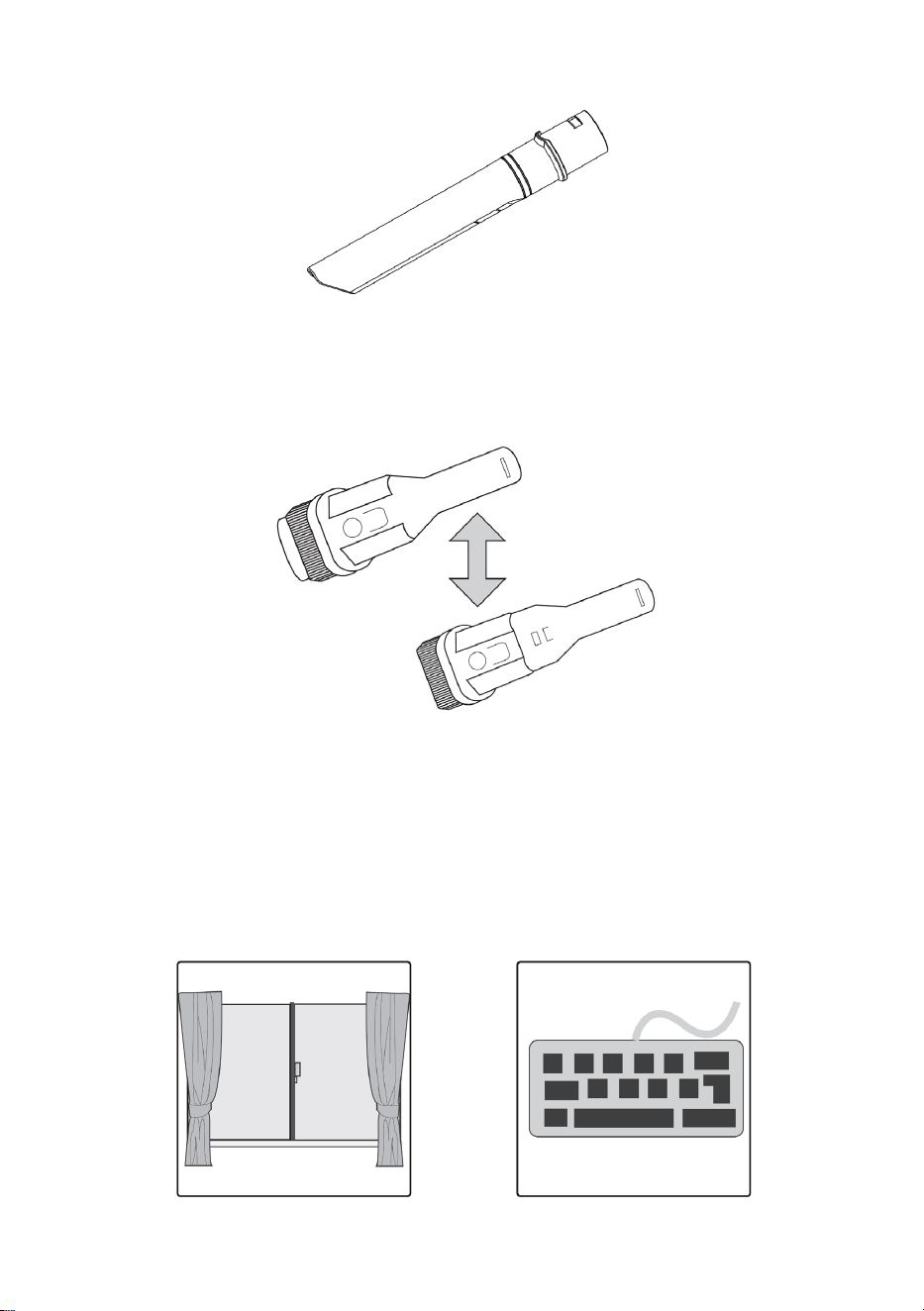
Long crevice nozzle
This is suitable for cleaning various crevices and narrow areas in the household and car.
2-in-1 bristle brush
• The brush is suitable for cleaning places such as curtains, car interior and air
conditioners or any areas where hair can collect.
• The fine hairbrush can deeply clean small areas such as computer keyboards.
• The retractable brush can suck and clean simultaneously to remove dust efficiently.
During operation
Do not let the unit get close to heaters or any other sources of heat (ovens, radiators etc.).
Before use
To prevent damage, remove large and sharp objects from the area to be cleaned. Do not
vacuum any inflammable objects or liquids, such as gasoline, cigarettes or alcohol.
Daily storage
Store the machine in a cool and dry place and avoid direct sunlight or humidity.
Emptying and cleaning dust cup
Slide the dust cup release button forward on the vacuum cleaner body, and the dust cup
assembly will pop up. Rotate the dust cup anticlockwise to remove and empty the contents.
CLEANING & CARE
Note:
To maintain proper suction and operation, ensure the dust cup is emptied after each
use and cleaned regularly.
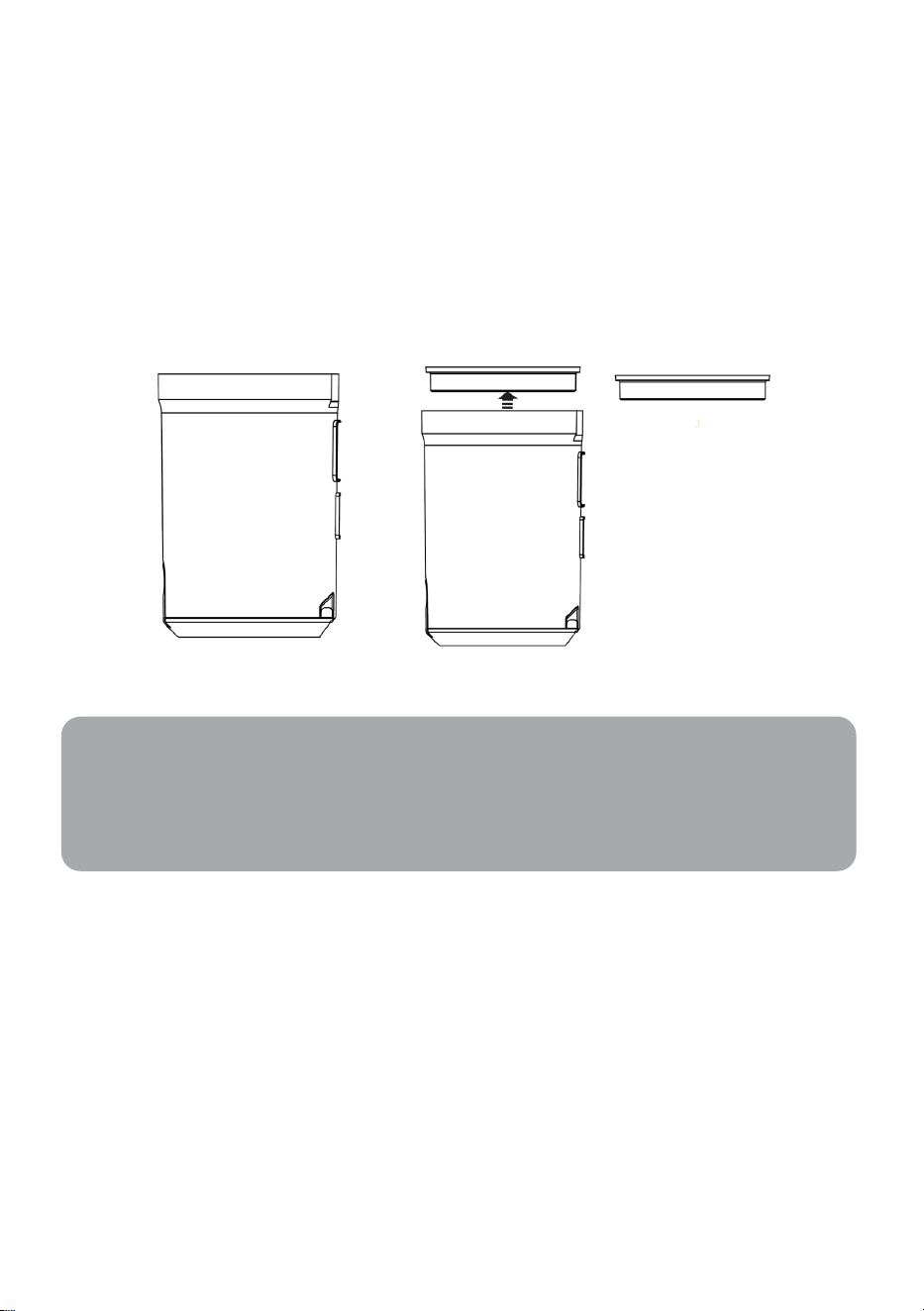
Replacing/cleaning HEPA filter
• Separate the dust cup from the machine body (refer to previous page).
• Remove the HEPA filter element from the top of the dust cup and clean it with a soft
brush.
• The HEPA filter and dust cup can also be cleaned using warm water. Before next use,
ensure the dust cup and HEPA filter are completely dry.
• If the HEPA filter is damaged or worn it must be replaced with a new filter.
Note: Do not use the vacuum filters without a HEPA filter installed in the correct position.
Cleaning machine body
• Never immerse the machine body in water or any liquid.
• Only use a soft, slightly damp cloth to clean the machine body. Do not allow any liquid
substances to enter the machine body.
• Do not use any corrosive chemicals or abrasives cleaners.
Notes:
• To maintain proper suction and operation, ensure the HEPA filter is cleaned
frequently.
• HEPA filters should be replaced every 6 months.

Issue Possible cause Solution
Vacuum wont power on Battery depleted
Check battery and replace
if required
Weak suction power
• Dust cup or HEPA filter
filled with dust
• Battery power low
• Clean dust cup or HEPA
filter
• Connect power adapter
Dust leakage
No suction after
connecting floor brush
• Dust cup or HEPA filter
filled with dust
Clean dust cup or HEPA
filter
Rated power 400W
Battery configuration Li-ion 2000mAh 29.6V
Charging time 2~3 hours
Noise level 75dB
Outer dimension 1172 x 256 x 217mm
Weight (Net/Gross Weight) 2.9kg/4.6kg
Capacity of Dust Cup 500ml
TROUBLESHOOTING
SPECIFICATIONS

Need more information?
We hope that this user guide has given you
the assistance needed for a simple set-up.
For the most up-to-date guide for your product,
as well as any additional assistance you may require,
head online to help.kogan.com