

2
n 180
42.7
6
n 37
M6 SOCKET SET SCREWS
3/4" NPT
AM-520 Mounting Cap Mechanical Drawings
Revision History:
* Rev. 1.0: Initial Release

3
English
Compatible VIVOTEK Cameras
I
Fixed Dome series FD8361 / FD8361L / FD8362 /FD8362E / FD8363 / FD8335H/
FD8372 / FD8162 / FD8135H / FD8163 / FD8131V / FD8133V/
FD8134V / FE8172V / FE8171V / MD7530 / MD7560 / MD8562
/ FD8164 / FD8137H / FD8131 / FD8133 / FD8134 / FE8172 /
F8173 / FD8164V / FD8137HV
You may also refer to VIVOTEK's website for the list of supported models. Support for other models can
be available through time.
60,3
R0,5
R0,5
17
3
21
15
43,6
40
8
1-1/2" PS11
3/4" NPT
1-1/2" PS11XL17mm
3/4" NPT
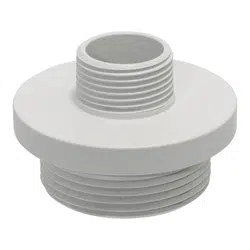
AM-522 Mounting Adapter Mechanical Drawings

4
Installation
II
Above are the locations of different groups of mounting holes for matching different
cameras:
Hole
Type
Applicable Cameras Screw No. of
screws
Screw
pack
A
FD8361 / FD8361L / FD8362 /FD8362E / FD8363
/ FD8335H/ FD8372
M5X10 round
head
4
A
B
FD8162 / FD8135H / FD8163
M4X12 round
head
3
B
C
FD8131V / FD8133V/ FD8134V
M3X6 round
head
3
C/E/F/K
D
FE8172V / FE8171V
M3X8 binding
head
3
D
E
MD7530 / MD7560 / MD8562
M3X6 round
head
3
C/E/F/K
F
FD8164 / FD8137H
M3X6 round
head
3
C/E/F/K
H
FD8131 / FD8133 / FD8134
M3X6 round
head
2
H
I
FE8172 / FE8173
M3X8 binding
head
4
I
K FD8164V / FD8137HV
M3X6 round
head
3
C/E/F/K
Mounting Hole Denitions

5
English
Refer to the table below for the description of the included screws:
Screw Description No. of
screws
Material char.
M5X10 (A) 4
M4X12 (B) 3
M3X6 (C/E/F/K) 3
M3X8 (D) 3
M3X6 (H) 2
M3X8 (I) 4
NOTE:
1. AM-522 is necessary when installing the AM-520 mounting cap to VIVOTEK's standard
mounting options such as AM-212 (wall mount bracket) and AM-221 (gooseneck).
2. Route cables before you secure the accessories to a wall.
3. For details on the cable connections with each camera, please refer to their Quick
Installation Guide.
For cabling and conguration details with each network camera, please refer to their
documentation.
6
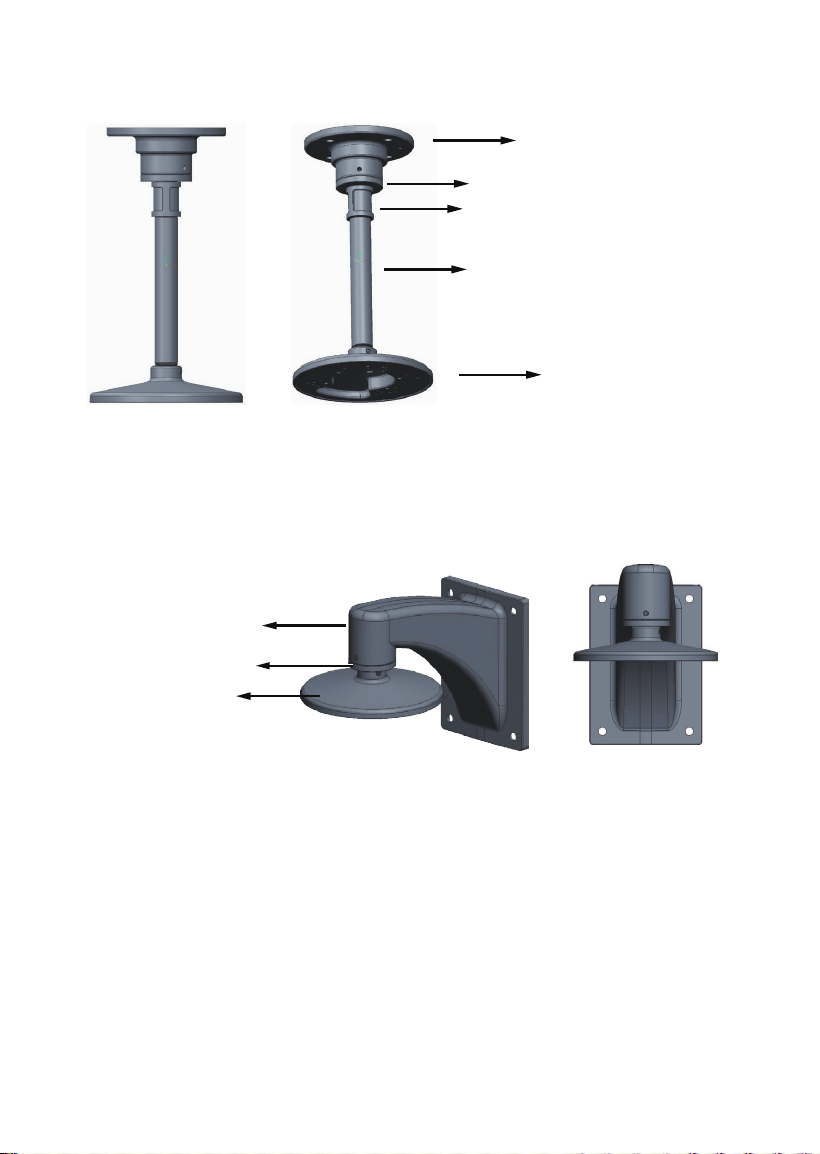
Conguration - Pendant Pipe
3/4”pendent pipe
AM-520
AM-522 adapter
AM-118 pendant head
3/4” female adapter
Conguration - Wall Mount
AM-520
AM-522 adapter
AM-212 Wall-mount bracket
Note: The 3/4" female adapter is separately purchased.

7
English
Conguration - Gooseneck
AM-520
AM-522 adapter
AM-221 gooseneck
NOTE:
When installing the mounting cap, take note that the orientation of the mounting cap can
affect the camera's shooting direction. You may need to remove the mounting cap, rotate,
and re-install it for the best orientation. Use the hex wrench to tighten its retention hex
socket screw when done.

8
H holes
M3X6 Screws
RJ-45
coupler
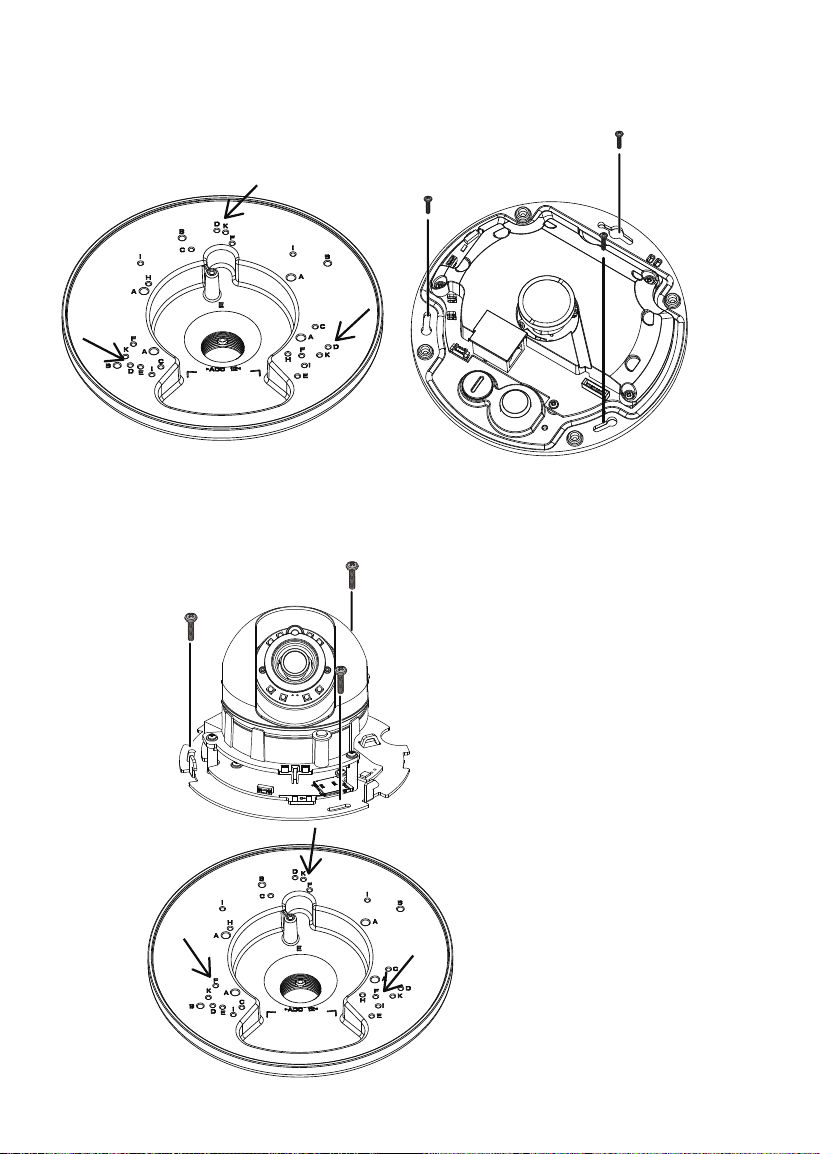
Refer to the matching table on page 4 for the mounting hole information for your camera.
Installing Camera to Mounting Cap
1. You should route cables through other accessories before you install cameras to the
mounting cap.
2. Route power lines and other cables through the mounting cap.
3. Orient and install the camera to the mounting cap.
4. Connect cables to the camera.
5. Install the mounting cap to other accessories, e.g., wall-mount bracket.
6. Proceed with initial setup such as enabling network access, focus tuning, or zooming.
When done, secure the outer dome cover.
FD8134
Some installation samples are shown below:
9
English
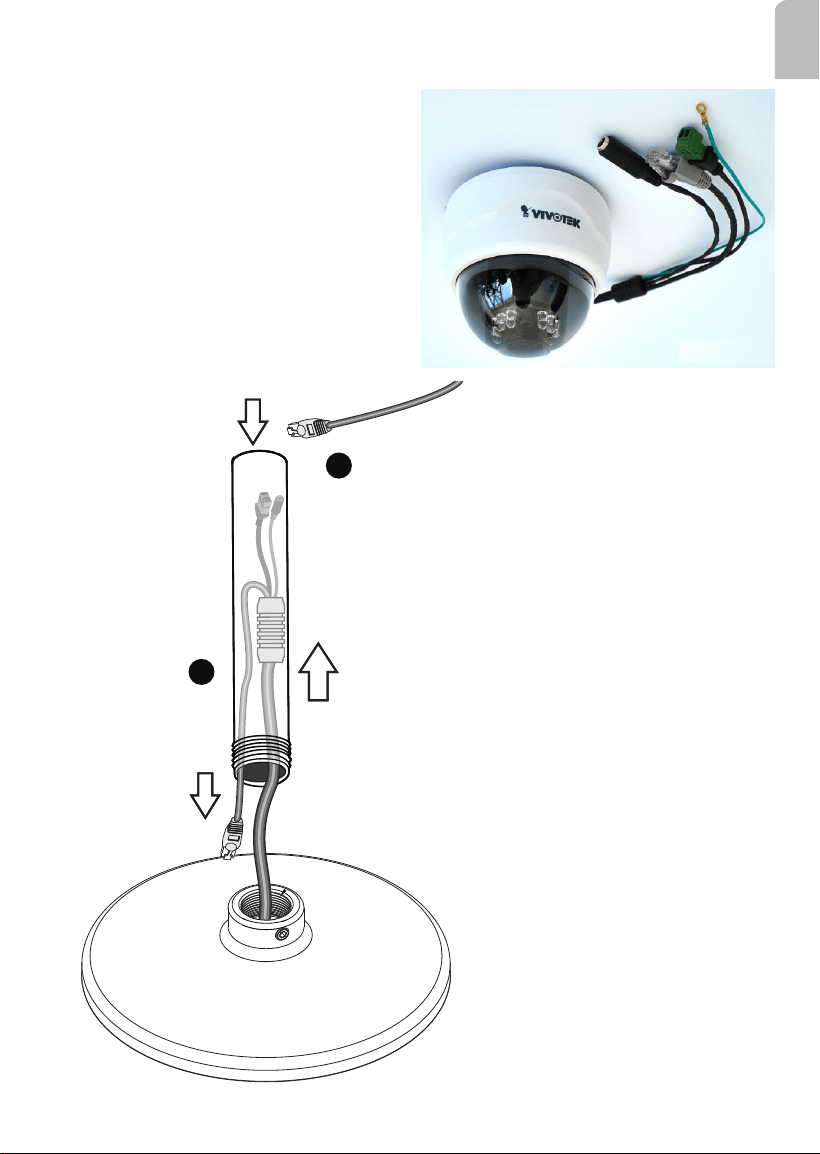
Note that for cameras that come with cable glands, e.g., FD8134 and FD8134V, it can be
tricky passing them through a 3/4" pendant pipe.
1
2
From local network
1. You can pass the cable gland and other
wires into or through the pendant pipe, while
leaving the RJ-45 connector behind.
2. Route another Ethernet cable from the
local network through the other end of the
pendant pipe.
3. You can then install the pendant pipe.

10
RJ-45 coupler
You can then connect the RJ-45 from the camera with that from the local network using an
RJ-45 coupler. When done, press the coupler and the cables into the recess of the bracket.
Align and install the camera to the bracket.

11
English
M3X6 Screws
C holes
FD8134V
M4X12 Screws
B holes
FD8135H

12
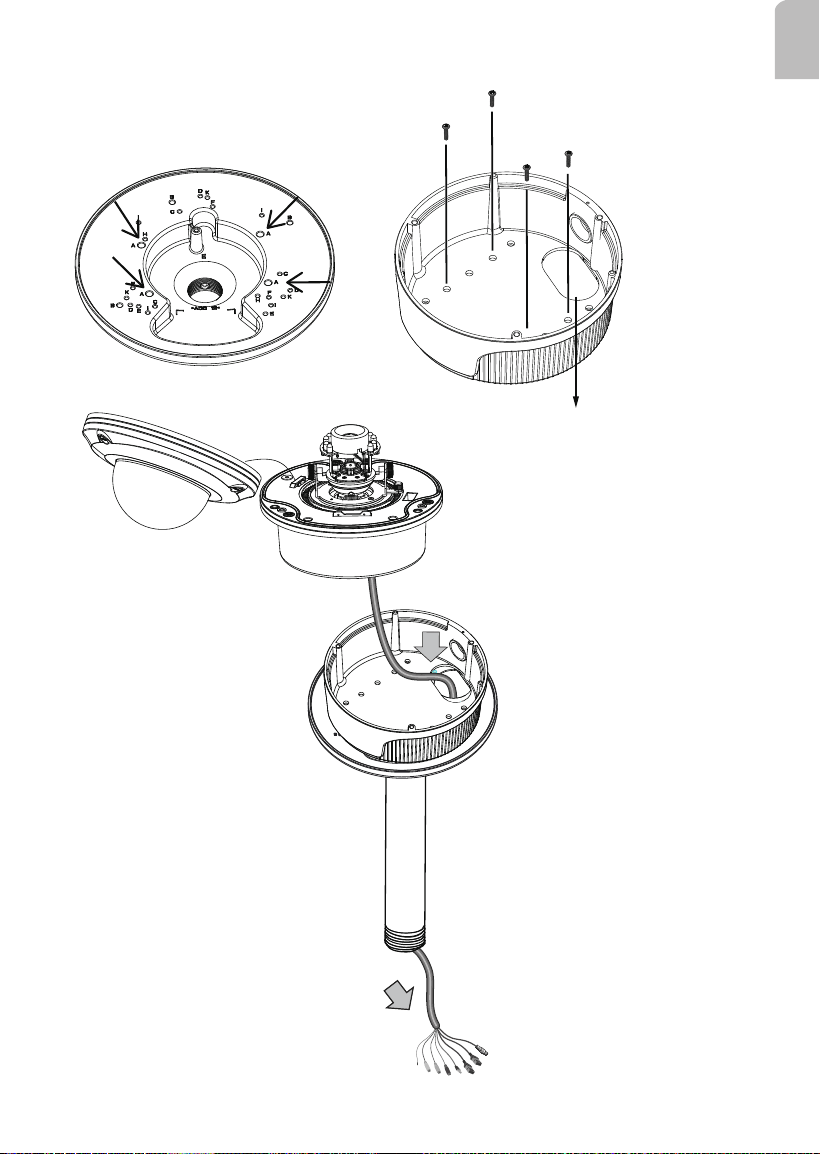
A HOLES
FD8362E

13
English
MD8562
E holes
M3X6 Screws
Press and route cables through here
14
D holes
M3X8 Screws
For details routing and preparing for waterproof cabling, please refer to the camera's Quick
Installation Guide.
FE8172V
F holes
FD8164 / FD8137H
15
English
FD8361 & FD8361L
M5X10
A holes
Route cables through
here

16
I holes
FE8172 / FE8173
K holes
FD8164V / FD8137HV