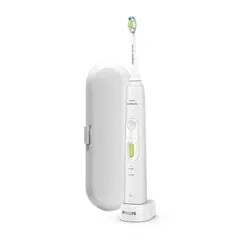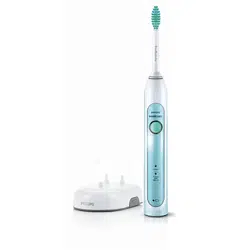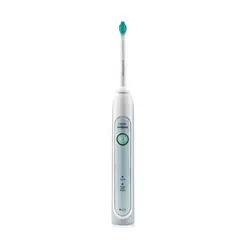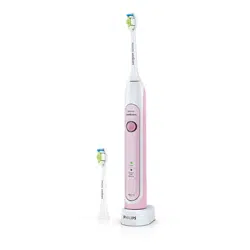
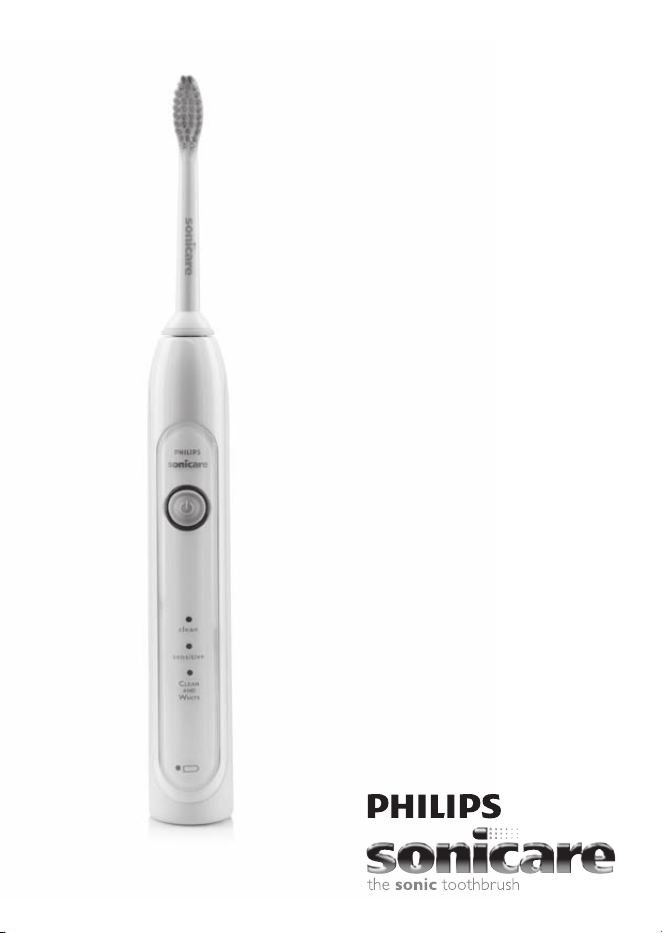
HealthyWhite
700 series
Rechargeable
sonic toothbrush
1

HX6700series
EnglisH 4

4
iMPORTAnT
sAFEgUARDs
READ ALL INSTRUCTIONS BEFORE USE
Read this user manual carefully before you use the
appliance and save it for future reference.
DAngERs
To reduce the risk of electrocution:
1 DO NOT place or store the product where it
can fall or be pulled into a tub or sink.
2 Do not place the product in or drop it into
water or any other liquid.
3 DO NOT reach for a product that has fallen
into water. Unplug immediately.
4 Do not use the product while bathing.
WARnings
To reduce the risk of burns, electrocution, re to
persons:
1 DO NOT plug the product into an outlet with
a voltage other than specied on the bottom
of the charger. This product is designed to
operate within a range of 100 to 240 volts.
Voltage converters DO NOT guarantee voltage
compatibility.
2 Never force the plug into an outlet; if it does not
easily t into the outlet, discontinue use.
3 Discontinue use if this product appears damaged
in any way (brush head, handle, charger). This
product contains no serviceable parts. Refer to
chapter ‘Guarantee and service’ if your Sonicare
no longer works properly or needs repair.
EnglisH

4 Never use the charger if it has a damaged cord
or plug.
5 Keep the cord away from heated surfaces.
6 Do not use the charger outdoors.
7 Do not use the charger if dropped into water.
8 Avoid using a brush head with crushed or bent
bristles. Damaged bristles may break off while
brushing. Replace the brush head with a new
one every 3 months or sooner if signs of wear
appear. Inappropriate cleaning may cause bristle
damage. (See chapter ‘Cleaning’).
9 This product is designed to clean your teeth,
gums and tongue only. Use this product only
for its intended use as described in this booklet.
Discontinue use of this product and contact
a physician/dentist if discomfort or pain is
experienced.
10 This appliance is not intended for use by
persons (including children) with reduced
physical, sensory or mental capabilities, or lack
of experience and knowledge, unless they have
been given supervision or instruction concerning
use of the appliance by a person responsible for
their safety.
11 Children should be supervised to ensure that
they do not play with the appliance.
12 Sonicare is a personal care device and is not
intended for use on multiple patients in a dental
ofce or institution.
13 Do not use attachments other than those
recommended by the manufacturer.
14 If your toothpaste includes peroxide, baking soda
or other bicarbonate (common in whitening
toothpastes), thoroughly clean your brush head
and handle with soap and water after each use.
Otherwise plastic cracking may occur.
EnglisH 5

15 To avoid damage to the product, do not place
the brush head, handle, charger or charger
covers in the dishwasher for cleaning.
MEDiCAl WARnings
1 Consult your dental professional before you use
this product if you have had oral or gum surgery
in the previous 2 months.
2 Contact your dental professional if excessive
bleeding occurs after using this product or
bleeding continues to occur after 1 week of use.
3 If you have a pacemaker or other implanted
device contact your physician or the device
manufacturer prior to use.
4 Sonicare has been tested and is compliant with
safety standards for electromagnetic devices.
5 Consult your physician prior to using the
Sonicare if you have medical concerns.
SAVE THESE
INSTRUCTIONS
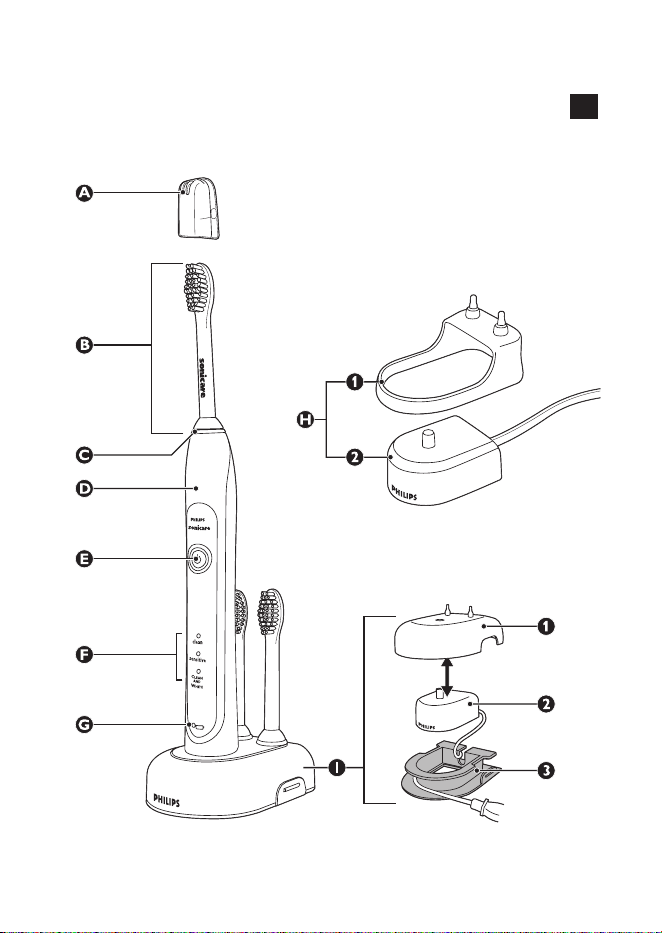
Your sonicare (Fig. 1)
A Hygienic travel cap
B Brush head
C Interchangeable color code ring
D Handle with soft grip
E Power on/off button
F Brushing modes
G Charge light indicator
- Deluxe charge indicator (select models)
- Standard charge indicator (select models)
EnglisH6

H Standard charger (select models)
- H1 Charger cover with brush head holder
- H2 Travel charger
I Deluxe charger (select models)
- I1 Charger cover with brush head holder
- I2 Travel charger
- I3 Charger base with cord wrap
getting started
Changing the color code ring
Sonicare brush heads come with interchangeable
color code rings to identify your brush head.
To change the color code ring:
1 Pull the color code ring from the bottom of
the brush head.
2 Install a new ring by slipping one edge of the
new ring over the bottom of the brush head.
Then press down on the other side to snap the
ring into place.
Attaching the brush head
1 Align the brush head so the bristles face the
front of the handle.
2 Firmly press the brush head down onto the
metal shaft until it stops.
Note: There is a small gap between the color code ring
and the handle.
EnglisH 7

Charging your sonicare
1 Plug the charger into a live outlet.
2 Place the handle on the charger.
, The battery charge indicator next to the battery
symbol ashes to indicate that the toothbrush is
charging.
Battery charge indicator
The battery charge indicator shows the approximate
remaining battery charge.
Deluxe charge indicator (select models):
- Solid green: 50-100%
- Flashing green: 10-49%
- Flashing yellow: less than 10%
Standard charge indicator (select models):
- Solid green: 50-100%
- Flashing green: less than 50%
Note: When the battery of your Sonicare is low, you hear
3 beeps after the completion of the brushing cycle and
the battery charge indicator ashes for 30 seconds.
Note: To keep the battery fully charged, you may
keep your Sonicare on the charger when not in use. It
takes 24 hours to fully charge the battery.
Using your sonicare
Brushing instructions
1 Wet the bristles and apply a small amount of
toothpaste.
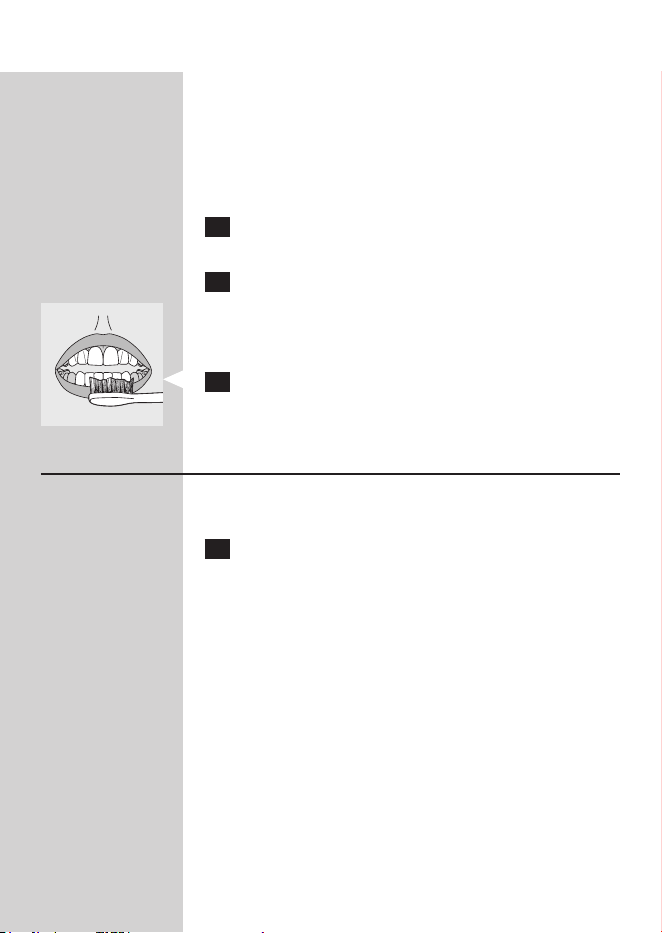
2 Place the toothbrush bristles against the teeth
at a slight angle towards the gumline.
EnglisH8

3 Press the power on/off button to turn on the
Sonicare.
4 Apply light pressure to maximize Sonicare’s
effectiveness and let the Sonicare toothbrush
do the brushing for you.
5 Gently move the brush head slowly across
the teeth in a small back and forth motion
so the longer bristles reach between your
teeth. Continue this motion throughout
your brushing cycle.
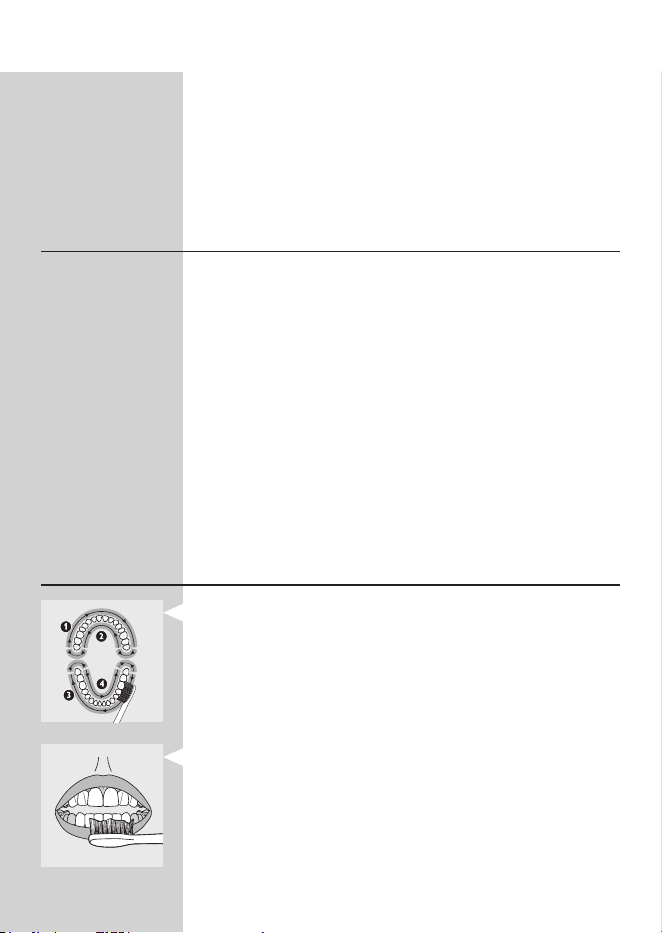
Note: To make sure you brush evenly throughout the
mouth, divide your mouth into 4 sections using the
Quadpacer
®
feature (see chapter ‘Features’).
6 Begin brushing in section 1 (outside top teeth)
and brush for 30 seconds before moving to
section 2 (inside top teeth). Continue brushing
in section 3 (outside bottom teeth) and brush
for 30 seconds before moving to section 4
(inside bottom teeth).
7 After you have completed the brushing
cycle, you can spend additional time brushing
the chewing surfaces of your teeth and areas
where staining occurs. You may also brush your
tongue, with the toothbrush turned on or off,
as you prefer.
Your Sonicare is safe to use on:
- Braces (brush heads wear out sooner when used
on braces)
- Dental restorations (llings, crowns, veneers)
Note: The toothbrush may be turned off at any time
by pressing and holding the power on/off button for
2 seconds.
EnglisH 9
Clean and White mode brushing
instructions
The Clean and White mode combines 2 minutes
of Clean mode for a whole mouth clean, with an
additional 30 seconds of White mode to focus on
the visible front teeth.
1 Brush the rst 2 minutes as instructed in steps
1-6 above.
2 After the 2 minutes of Clean mode, the
White mode begins with a change in brushing
sound and motion. That is your signal to start
brushing the upper front teeth for 15 seconds
3 At the next beep and pause, move to the
bottom front teeth for the nal 15 seconds of
brushing.
Brushing modes
Sonicare automatically starts in the default Clean
mode. To select a different brushing mode:
1 Press the on/off button to toggle between
modes.
, The green LED indicates the selected mode.
Note: You can only switch between modes when the
toothbrush is turned on.
Clean mode
Standard mode for superior teeth cleaning.
sensitive mode (select models)
Gentle, yet thorough cleaning for sensitive gums
and teeth.
EnglisH10

Clean and White mode
2 minutes of Clean mode, with an additional
30 seconds of White mode to focus on your
visible front teeth.
Note: When Sonicare is used in clinical studies, the
default 2-minute Clean mode must be selected.
However, in whitening/stain reduction studies, the Clean
and White mode must be selected. The handle should
be fully charged and the Easy-start feature deactivated.
Features
Easy-start
®
- This Sonicare model comes with the Easy-start
®
feature activated.
- The Easy-start feature gently increases power over
the rst 14 brushings to ease into the Sonicare
experience.
Note: Each of the rst 14 brushings must be at least
1 minute in length to move through the Easy-start
ramp-up cycle properly.
Note: When the Clean and White mode is selected, the
Easy-start feature is inactive.
Deactivating or activating the Easy-start
feature
1 Attach your brush head to the handle.
2 Place the handle in the plugged-in charger.
- To deactivate Easy-start:
Press and hold the power on/off button for
2 seconds. You hear 1 beep to indicate that the
Easy-start feature has been deactivated.
- To activate Easy-start:
EnglisH 11
Press and hold the power on/off button for 5
seconds. You hear 2 beeps to indicate that the Easy-
start feature has been activated.
Note: Using the Easy-start feature beyond the initial
ramp-up period is not recommended and reduces
Sonicare’s effectiveness in removing plaque.
smartimer
®
The Smartimer
®
indicates that your brushing cycle is
complete by automatically turning off the toothbrush
at the end of the brushing cycle.
Dental professionals recommend brushing no less
than 2 minutes twice a day.
If you want to pause or stop brushing during your
2-minute cycle, press and hold the power on/off
button for 2 seconds. Press the power on/off button
again and the Smartimer picks up where you left off.
The Smartimer automatically resets to the beginning
of a 2-minute cycle if:
- brushing is paused for 30 seconds or longer.
- the handle is returned to the charger.
Quadpacer
®
(select models)
- The Quadpacer
®
is an interval timer that has a
short beep and pause to remind you to brush the
4 sections of your mouth evenly and thoroughly.
- When you use the two-minute Clean or Sensitive
mode, you hear a short beep and a pause in
brushing action at 30, 60 and 90 second intervals.
- When you use the Clean and White mode, you
hear and feel a change in the brush head sound
and motion after 2 minutes of Clean mode. Then
move the brush head to the visible top front teeth
and brush them for 15 seconds. At the nal beep
and pause, move to the visible bottom teeth and
brush them for 15 seconds.
EnglisH12
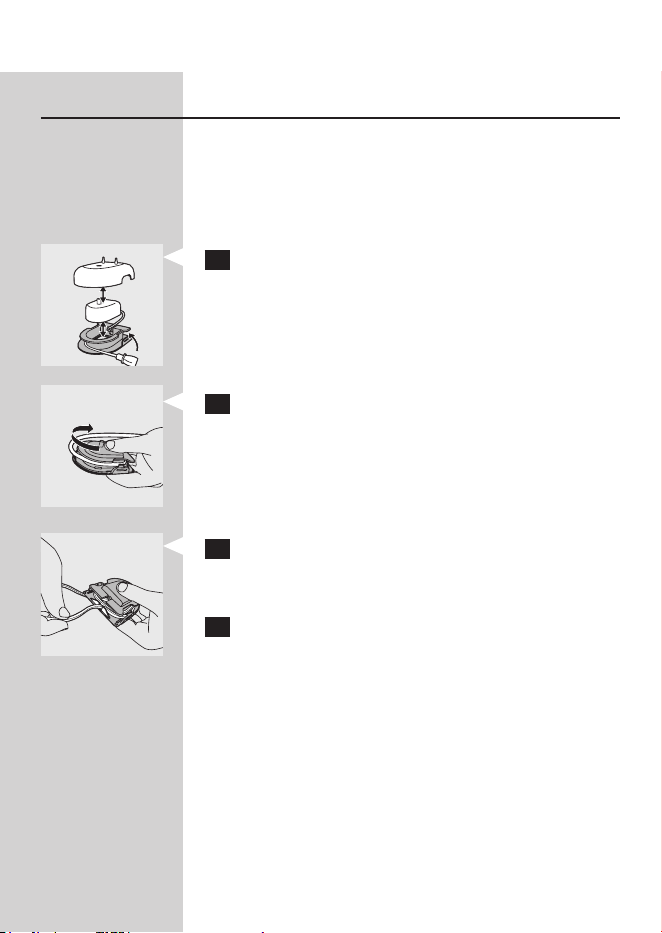
Cord wrap on deluxe charger (select
models)
If your model includes the deluxe charger cover and
base, the travel charger is pre-installed inside the
cover. If you want to shorten the power cord, you
can store excess cord in the cord wrap feature built
into the charger base.
1 To separate the charger cover from the
charger base, press the two gray snap bars on
the charger base and pull the white charger
cover upwards.
2 Wrap excess power cord around the gray
charger base as shown in the picture. Be sure
to wrap the cord on the inside of the two snap
levers.
3 When you have stored the excess cord, guide
the power cord through the small groove in
the rear of the gray charger base.
4 Reattach the charger cover by pressing it down
over the charger base until it snaps into place.
Tip: For extra convenience during travel, you can
remove the travel charger and use it without the
charger cover and charger base.
EnglisH 13

Cleaning
Do not clean brush heads, handle, charger or
charger covers in the dishwasher.
Toothbrush handle
1 Remove the brush head and rinse the metal
shaft area with warm water.
Do not push on the rubber seal on the metal shaft
with sharp objects, as this may cause damage.
2 Use a damp cloth to wipe the entire surface of
the handle.
Brush head
1 Rinse the brush head and bristles after each
use.
2 Remove the brush head from the handle and
rinse the brush head connection at least once a
week with warm water.
Charger
1 Unplug the charger before cleaning.
2 Use a damp cloth to wipe the surface of the
charger.
storage
- If you are not going to use the product for an
extended period of time, unplug it from the
electrical outlet, clean it and store it in a cool and
dry place away from direct sunlight. You can use
the cord wrap (select models) to store the power
cord in an organized manner.
EnglisH14

- You can store brush heads on the pegs at the
back of the charger.
Replacement
Brush head
- Replace Sonicare brush heads every 3 months to
achieve optimal results.
- Use only Sonicare ProResults replacement brush
heads.
Disposal
- At the end of product life and prior to disposal,
please remove the rechargeable battery from the
handle by following the instructions below.
- Do not throw away the appliance with the normal
household waste at the end of its life, but hand
it in at an ofcial collection point for recycling. By
doing this, you help to preserve the environment.
- The built-in rechargeable battery contains
substances that may pollute the environment.
Always remove the battery before you discard
the appliance, and recycle or dispose of the
battery according to local waste management
requirements.
- If you have any recycling questions, contact your
local waste management ofce.
Removing the rechargeable battery
Please note that this process is not reversible.
- To remove the rechargeable battery, you need a
at-head (standard) screwdriver. Observe basic
safety precautions when you follow the procedure
EnglisH 15

outlined below. Be sure to protect your eyes,
hands, ngers, and the surface on which you work.
1 To deplete the rechargeable battery of any
charge, remove the handle from the charger,
turn on the Sonicare and let it run until it
stops. Repeat this step until you can no longer
switch on the Sonicare.
2 Insert a screwdriver into the slot
located at the bottom of the handle and
turn counterclockwise to release the bottom
cap.
3 Hold the handle upside down and push
down on the shaft to release the internal
components of the handle.
4 Insert the screwdriver under the circuit board,
next to the battery connections, and twist to
break the connections. Remove the circuit
board and pry the battery from the plastic
carrier.
The rechargeable battery can now be recycled or
disposed of and the rest of the product discarded
appropriately.
guarantee and service
Philips warrants its products for two years after the
date of purchase. Defects due to faulty materials
and workmanship will be repaired or replaced at
Philips expense provided that convincing proof of
purchase in the qualifying period is provided. Use
EnglisH16

of unauthorized replacement parts will void this
warranty.
Contact our Customer Care Center at 1-800-682-
7664 (North America), outside North America
contact your local Philips Customer Care Center.
Internet information: www.sonicare.com (North
America) or www.philips.com (outside North
America).
WARRAnTY EXClUsiOns
What is not covered under warranty:
- Brush heads
- Damage caused by use of unauthorized
replacement parts.
- Damage caused by misuse, abuse, neglect,
alterations or unauthorized repair.
- Normal wear and tear, including chips, scratches,
abrasions, discoloration or fading.
iMPliED WARRAnTiEs
ANY IMPLIED WARRANTIES, INCLUDING
IMPLIED WARRANTIES OF MERCHANTABILITY
AND FITNESS FOR A PARTICULAR PURPOSE,
SHALL BE LIMITED TO THE DURATION OF THE
EXPRESS WARRANTIES SET FORTH ABOVE. IN
SOME STATES LIMITATIOINS ON DURATION OF
IMPLIED WARRANTIES DO NOT APPLY.
liMiTATiOn OF REMEDiEs
IN NO EVENT SHALL PHILIPS OR ANY OF
ITS AFFILIATED OR SUBSIDIARY COMPANIES
BE LIABLE FOR ANY SPECIAL, INCIDENTAL
OR CONSEQUENTIAL DAMAGES BASED
UPON BREACH OF WARRANTY, BREACH OF
CONTRACT, NEGLIGENCE, TORT, OR ANY
OTHER LEGAL THEORY. SUCH DAMAGES
EnglisH 17

INCLUDE, WITHOUT LIMITATION, LOSS OF
SAVINGS OR REVENUE; LOSS OF PROFIT;
LOSS OF USE; THE CLAIMS OF THIRD PARTIES
INCLUDING, WITHOUT LIMITATION, DENTISTS
AND DENTAL HYGIENISTS; AND COST OF ANY
SUBSTITUTE EQUIPMENT OR SERVICES. SOME
STATES DO NOT ALLOW THE EXCLUSION
OR LIMITATION OF INCIDENTAL OR
CONSEQUENTIAL DAMAGES.
Frequently asked questions
This chapter lists the questions most frequently
asked about the appliance. If you cannot nd the
answer to your question, contact the Customer Care
Center in your country.
Question Answer
Why doesn’t the
Sonicare work?
You may need to recharge the Sonicare. Charge
the Sonicare for at least 24 hours.
Make sure that your Sonicare charger is plugged
into a live electrical outlet and not into an outlet
controlled by a light switch.
You may need to reattach or replace the brush
head.
Why do I feel a
tickling sensation
when I use the
Sonicare?
You may experience a slight tickling/tingling
sensation when you use the Sonicare for the rst
time. As you become accustomed to brushing
with Sonicare, this sensation diminishes.
The brush head
chatters against my
teeth. What can I
do about this?
To avoid this, keep the brush head properly
oriented, with the bristles placed on the gumline
at a slight angle.
EnglisH18

Question Answer
Why does the
Sonicare seem less
powerful?
You may need to charge the Sonicare.
The Easy-start feature may be on. Deactivate the
Easy-start feature (See chapter ‘Features’).
You may need to replace your brush head.
Why does the
Sonicare seem
to change power
during brushing?
You may be in the Clean and White brushing
mode. If this is the case, the toothbrush starts in
the Clean mode for 2 minutes and then changes
to the White mode for 30 seconds. The Clean
and White mode has a different sound and brush
movement.
Do I need a special
charger if I travel
with my Sonicare?
Travel tip: the Sonicare charger can be used with
common worldwide voltages between 100-240V
AC, at either 50 or 60Hz. A simple plug adapter is
all that is required.
EnglisH 19

4235.020.2526.4
www.philips.com/Sonicare
©2012 Koninklijke Philips Electronics NV (KPENV). All rights reserved.
PHILIPS and the Philips shield are registered trademarks of KPENV.
DiamondClean Easy-start, Quadpacer, Sonicare and the Sonicare logo
are trademarks of Philips Oral Healthcare, Inc. and/or KPENV.
Protected by U.S. and international patents. Other patents pending.
Reg. U.S. Pat. & Tm. Off.