

Axisbodywornsolution
TableofContents
ThisistheAxisbodywornsolution.............................3
What'snewinthelatestrelease?...................................3
Getstarted................................................5
Installyoursystem..........................................6
Congureyoursystem.......................................7
AccessAXISBodyWornManagerforthersttime....................7
OpenAXISBodyWornManager....................................8
Contentdestinations.............................................8
Systembackup.................................................9
Aboutcameraproles............................................9
Createacameraprole...........................................11
Createauser...................................................12
Importbodywornusers..........................................13
Addcameras...................................................13
Cameraassignment..............................................13
Extendthesystem...............................................14
Addsystemcontrollers...........................................15
Certicates....................................................15
Automaticrecordingactivation....................................16
Recordlocationdata.............................................
17
Limitaccesstorecordings.........................................18
Cloudextensions................................................
18
Emailnotications..............................................
20
Manageusers..............................................22
Transferacameratoadifferentuser...............................
22
Removeauser..................................................
22
Maintenance...............................................23
..............................................................23
Changepassword...............................................23
Downloadsystemreport..........................................23
Transferacameratoanotherbodywornsystem.......................
23
Removesystemhardware.........................................
23
Replacesystemhardware.........................................24
Resetsystemorhardware.........................................
25
Removepairedequipment........................................25
Systemrestore..................................................
26
Adjustdateandtime.............................................28
Upgradesystemrmware.........................................29
Downgradesystemrmware......................................29
Systemcontroller...........................................30
Camerauserguide..........................................32
Productoverview................................................
32
Dailyuse......................................................
33
Bodyworncameraerrorfeedback..................................
37
AXISTW1201MiniCubeSensor....................................39
AXISBodyWornAssistant........................................41
Troubleshooting............................................
45
Basictroubleshooting............................................
45
Dashboard.....................................................49
Generaltroubleshootingsteps.....................................49
Learnmore................................................51
Securepasswords...............................................51
Needmorehelp?............................................52
Contactsupport.................................................52
SharingdatawithAxis...........................................52
2

Axisbodywornsolution
ThisistheAxisbodywornsolution
ThisistheAxisbodywornsolution
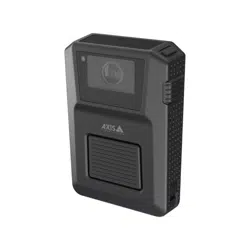
TheAxisbodywornsolutionconsistsofAxisbodyworncameras,Axisdockingstations,Axissystemcontrollers,andacontent
destination.AXISBodyWornManageristhewebapplicationwhereyoucancongureandmanageyourbodywornsystem.
AXISBodyWornAssistantisanapplicationformobiledevicesthatconnectsdirectlytothebodyworncameraand,forinstance,
letsyouviewrecordedvideo.
AnoptionalRFIDreadercanbeconnectedtothesystemcontroller.Itletsthecamerauserself-assignanyavailablebodyworn
camera,usingtheirself-assigntag.
Whenyouplacethecamerainthedockingstation,thedockingstationchargesthecamera’sbattery,andthecameraconnectstothe
system.Thesystemcontrollerthenseamlesslytransfersalldatafromthecameratothecontentdestinationofyourchoice.The
systemcontrolleralsokeepsthecamerasup-to-datewiththelatestrmwareandsettings,andmonitorsthehealthoftheAxis
bodywornsolution.
Thesystemissupportedbydifferenttypesofcontentdestinationssuchasevidencemanagementsystems(EMS),videomanagement
systems(VMS),andmediaservers.YoucanusetheBodyWornIntegrationAPItointegratewithanythirdpartyVMSorEMS.Go
towww.axis.com/developer-community-introtojointheAxisDevelopercommunity,andgetaccesstotheBodyWornIntegration
APIdocumentation.
TheAxisbodywornsolution
What'snewinthelatestrelease?
Ofoadingexibility-Largesystemswithsystemcontrollersindifferentlocationsgivethecamerauserthepossibilitytodocka
cameraanywhereduringaworkshift.Thesystemensuresallrecordingsaretransferredsecurelywhenswitchingbetweendifferent
systemcontrollersevenbeforeanofoadiscomplete.Thisprovidesimprovedexibilitytothecamerauserto,forexample,respond
toanalarmandbringthecameraatanytimeduringofoad,andthencompletetheofoadatanysystemlocation.
Systembackupandrestore-Thesystembackupsavesallyourcongurations.Itletsyourestorethebodywornsysteminthe
unlikelyeventthatthesystemcontroller,onwhichthesystemwasinitiallycreatedon,malfunctions.Thebackupisupdatedevery24
hours.SeeSystemrestoreonpage26formoreinformation.
3

Axisbodywornsolution
ThisistheAxisbodywornsolution
Emailnotications-Youcanreceiveemailsfromthebodywornsystemnotifyingyouifconnectiontocontentdestinationislost,
connectiontoextensionsystemcontrollerislost,ifsystemcontrollerstoragespaceislow,orifthesystembackupsynchronization
failed.Thenoticationshelpreducetimespentmonitoringthesystemhealth.SeeEmailnoticationsonpage20formore
information.ThisfeaturerequiresaccesstoCloudextensionsonpage18.
Improvedsystemstatusoverview-TheDashboard
givesyouabetteroverviewofyourdevicesandsystemhealth.Italsohighlightsanyissuesthatrequireattention.Ifthereareany
issuesthepagegivesyoueasyaccessandhelptoxtheproblem.
Periodicreminderwhenrecording-Thecameravibratesperiodicallywhilerecordingasareminderandasreassuranceforthe
camerauser.Youcanselectapreferredintervalfortheperiodicreminder,orturnitoffcompletely,inthecameraprole.
4

Axisbodywornsolution
Getstarted
Getstarted
Therecommendedworkowtoinstallandcongureyoursystemis:
1.Installyoursystemonpage6
2.OpenAXISBodyWornManagerandconguresystemsettings.SeeAccessAXISBodyWornManagerforthersttimeon
page7
3.Createacameraproleonpage11
4.Createauseronpage12
5.Addcamerasonpage13
6.Ifyou’reusingxedcameraassignment,Assignacameratoauser.Alternatively,ifyou’reusingself-assigncamera
assignment,seeSetupself-assigncameraassignment.
Towatchthisvideo,gotothewebversionofthisdocument.
www.axis.com/products/online-manual/58704#t10138319
GettingstartedwiththeAxisbodywornsolution
Itispossibletoaddmorethan40camerastoyoursystembyaddingmoresystemcontrollers.Theextensionsystemcontrollers
becomeinstancesoftheexistingsystem.Allsettingsareinheritedfromthesystemtotheextensionsystemcontrollers.Theusersand
camerasthatareaddedtotheextensionsystemcontrolleraremanagedthroughAXISBodyWornManager.Forinformationon
howtoextendyoursystembyaddingmoresystemcontrollers,seeExtendthesystem.
5

Axisbodywornsolution
Installyoursystem
Installyoursystem
Note
Youneedthesehardwarecomponentstoinstallabodywornsystem:
•Systemcontroller(s)
•Dockingstation(s)
•Bodyworncamera(s)
•Acomputer
•OptionalRFIDreaderforself-assigncameraassignment.
•Networkcables
•WealsorecommendusingaUPS(UninterruptiblePowerSupply)toavoidunexpectedsystemshutdowns.
1.Connectthesystemcontrollertoyournetwork.
2.ConnectthedockingstationstotheDockingstationsportsonthesystemcontroller.
3.Optionally,connecttheRFIDreadertothesystemcontrollerUSBconnector.
4.Connectacomputertothesamenetworkasthesystemcontroller.
5.Poweronthedevices.
6.Dockthecameras.
7.ContinuetoAccessAXISBodyWornManagerforthersttimeonpage7
6

Axisbodywornsolution
Configureyoursystem
Configureyoursystem
AccessAXISBodyWornManagerforthersttime
Note
•UseAXISIPUtilityversion4.14orlater.
•Beforeyoustart,makesureyouhavethe:
-latestrmwareavailable.Youcandownloaditataxis.com.
-contentdestinationconnectionleavailable,seeContentdestinations.
1.Findthesystemcontrolleronyournetwork:
1.1Gotoaxis.com/support/downloadsanddownloadAXISIPUtility.
1.2StartAXISIPUtility.
1.3Usetheserialnumber,thatyoucanndontheundersideofthesystemcontroller,tolocatethesystem
controllerinthelist.
1.4Inthesearchresultlist,double-clickyoursystemcontroller.AXISBodyWornManageropensinyourbrowser.
2.Followthewizardtosetupthesystem:
-SelectCreateanewsystemifyouareconguringasinglesystemcontrollersetup,orifyouareconguringthe
rstsystemcontrollerinamultisystemcontrollersetup.SelectExtendanexistingsystemifyouwanttoadd
moresystemcontrollerstoyourexistingsystem.Inthisstepyoucanalsochooseyourpreferredlanguagefor
thebodywornsystem.
-Createanadministratoraccount.Youradministratorusernameisroot.
-Installthelatestrmware.Downloadthelatestrmwareataxis.com.
-TheSystemrestorekeyisanimportantsecurityfeature.ThebodywornsystemrequiresaSystemrestorekeyfor
certainoperations.Theseoperationsincludeforinstance,reestablishingtheconnectionbetweenthebodyworn
systemandtheexistingcameras,afterreplacingasystemcontrollerthathasfailed.
-TheSuperadminpassphraseprovidesextrasecurityforthebodywornsystem.Systemcriticalactions,for
examplerestoringthesystem,requirevericationwiththeSuperadminpassphrase.Itisalsorequiredwhen
unlockingacamerathatforsecurityreasonsislockedandcan'tbeusedinthesystem.Thepassphrasecan’t
bechanged.
-DownloadtheSystemrestorekeytoyourcomputerandstoreitinasecurelocation.
-Nameyourbodywornsystem.Thismakesiteasieridentifyingitinyourcontentdestinationandindifferent
cloudservices,andwhenyoureceiveemailnoticationsaboutcriticalsystemevents.Youcanchangethe
systemnameunderSettingsinAXISBodyWornManager.
-Congurenetworksettings.
-Dateandtime.Settingthetimecorrectlyiscriticalforseveralreasons.SeeAdjustdateandtimeonpage
28forinformation.
-Cloudextensions.Thebodywornsystemcomeswithasetofstandardfeaturesoutofthebox.TheCloud
extensionsareasetofadditionalcloud-basedcapabilitiesthat,forexample,giveyouimprovedlocationdata
performance.YoucanchoosetoenableCloudextensionsinAXISBodyWornManageratanytime.However
onceenabled,Cloudextensionscan'tbeturnedoffwithoutresettingthesystem.SeeCloudextensionson
page18formoreinformation.
-Theconnectionleconnectsthebodywornsystemtothecontentdestination.Thecontentdestinationiswhere
yourrecordingsandmetadataarestoredandmanaged.Thebodywornsystemislockedtoacontentdestination
7

Axisbodywornsolution
Configureyoursystem
onceconnectedtoit.Tochangetoanothercontentdestination,youneedtoresetthebodywornsystemrst.
SeeContentdestinationsonpage8formoreinformation.
-Selectthepowerlinefrequencythatisusedinyourregion.Withtherightfrequency,thereislessimageicker.
TheAmericanregionsusuallyuse60Hz.Therestoftheworldmostlyuses50Hz.Ifyou'renotsureofyour
region'spowerlinefrequency,checkwiththelocalauthorities.
-Youcanassigncamerastousersintwoways.WithFixedcameraassignmenteveryuserismanuallyassignedto
aspeciccamera.WithSelf-assignthecamerausertapsaself-assigntagonanRFIDreader,connectedtothe
system,topickupanyavailablecamera.ItisnotpossibletoswitchbetweenFixedandSelf-assignwithout
resettingthesystem.SeeCameraassignmentonpage13formoreinformation.
OpenAXISBodyWornManager
1.OpenabrowserandentertheIPaddressorhostnameofthesystemcontroller.
IfyoudonotknowtheIPaddress,seeAccessAXISBodyWornManagerforthersttimeonpage7.
2.Entertheusernamerootandyouradministratorpassword.
AXISBodyWornManageropensinyourbrowser.
Contentdestinations
Thecontentdestinationstoresandmanagesyourrecordingsandmetadata.AcontentdestinationisforinstanceanEMS(evidence
managementsystem),aVMS(videomanagementsystem)oramediaserver.TheAxisbodywornsolutionsupportsanumberof
differentcontentdestinations.
TheyallrequireaconnectionletointegratewiththeAxisbodywornsystem.Theconnectionleisgeneratedinyourcontent
destination.Forinformationabouthowtogeneratetheconnectionle,pleaserefertotheuserhelpinyourcontentdestination.
Theconnectionwiththecontentdestinationalsorequiresthatthenetworkcommunicationisworkingproperly.Thismayinclude
proxy,rewall,andanti-virusconguration.
ConnecttoAXISCameraStation
GototheAXISCameraStationIntegratorGuideforhelponhowtointegrateanAxisbodywornsystemwithAXISCameraStation.
ConnecttoAXISCaseInsight
GototheAXISCaseInsightSystemIntegratorGuideforhelponhowtointegrateanAxisbodywornsystemwithAXISCaseInsight.
Note
Firmware10.2.0.3orlaterisrequiredtoconnecttoAXISCaseInsight.
Integratewiththirdpartyapplications
GotoBodywornintegrationsforhelponhowtointegratewiththirdpartyapplications.
8

Axisbodywornsolution
Configureyoursystem
Note
•Thebodywornsystempusheschangestothecontentdestination,forexamplewhenyouadd,remove,orchangeauser,
orwhenyouchangeacameraname.Thistypeofcommunicationisoneway,whichmeansthatthecontentdestination
doesn’tpushcorrespondingchangestothebodywornsystem.
•Youmustconnecttoacontentdestinationbeforeyoucanusethebodywornsystem.
•Werecommendthatyoudeletetheconnectionlefromyourcomputerafterconnectingtothecontentdestination.
•Thebodywornsystemislockedtoacontentdestinationonceconnectedtoit.Tochangetoanothercontentdestination,
youneedtoresetthebodywornsystemrst.
•Neverremoveorresetthecontentdestinationbeforeresettingthebodywornsystem.Alwaysresetthebodywornsystem
rst.Ifyouremoveorresetthecontentdestinationrst,recordingscanremainoncamerasorinthesystemcontrollers,
preventingyoufromresettingthebodywornsystem.Thisisasecurityfeatureensuringthatallevidenceisuploaded
tothecontentdestination.
AssociaterecordingswithauserinAXISCaseInsight
ArecordingtransferredtoAXISCaseInsightisnowassociatedwithauser.TheAXISCaseInsightusercorrespondstotheperson
wearingthecamera.
Thismakesiteasiertosearchforandcollectrecordingsmadebyaspecicperson,forexamplewhencreatingacase.
SeeCreateauseronpage12forinformationonhowtoassociaterecordingswithauserinAXISCaseInsight.
Systembackup
Thesystembackupsavesallyourcongurations.Itletsyourestorethebodywornsystemintheunlikelyeventthatthesystem
controller,onwhichthesystemwasinitiallycreatedon,malfunctions.Thebackupincludesallusers,cameraproles,camera
assignment,andsystemsettings.Thebackupisupdatedautomaticallyevery24hours.Systembackupisavailableonsystems
withmorethanonesystemcontroller.
Tocongurethesystembackup:
1.GotoSettings>Systembackup.
2.ClickCongure.
3.SelectSystemcontrollerbackup.
4.Selecttheextensionsystemcontrollerthatyouwanttosavethebackupto.
5.ClickSave.
Note
•Thebackupdoesnotincludeanyrecordedevidence.
•Werecommendthatyouphysicallylabelthebackupsystemcontroller.Thiswillbeyourwayofidentifyingitintheunlikely
eventthatthesystemcontroller,onwhichthesystemwasinitiallycreatedon,malfunctions.
SeeRestoreasystemwithmorethanonesystemcontrolleronpage26ifyouwanttorestoreasystem.
YoucanreceiveasystemnoticationIfthesystembackupfailstosynchronize.SeeEmailnoticationsonpage20.
Aboutcameraproles
UseCameraprolestoapplythesamecamerasettingstoagroupofusers.Youcanforexamplecreatedifferentprolesfortheday
andnightshifts.Adefaultcameraproleisassignedtonewusers.
9

Axisbodywornsolution
Configureyoursystem
CamerasettingsSub-setting
Description
Chooseifyouwanttostarttherecording
usingaSingleclickoraDoubleclickof
thefrontbutton.
Recordingactivation
FalldetectionTurnontostartarecordingwhenthe
cameradetectsafall.
Frontrecordingindicator
—
Chooseifyouwantthefrontrecording
indicatortobe
•On
•Off
•Flashing
duringrecording.
WhenAXISTW1201MiniCubeSensor
isconnected,thisbehaviorisappliedto
theminicubesensor’sfrontrecording
indicator.
Notication
—
Choosecamerafeedbackforstartingand
stoppingrecordings:
•Beepandvibration
•Beeponly
•Vibrationonly
Periodicrecordingreminder
—
Thecameravibratesperiodically
whilerecordingasareminderandas
reassurance.Selectapreferredinterval
fortheperiodicreminder,orturnitoff.
Allowsilentmode
—
Allowsthecamerausertoturnthe
display,frontrecordingindicator,beep,
andvibrationonoroff.
Allowaudiorecordingoff
—
Allowsthecamerausertoturnoffthe
microphonewhilerecording.
AXISTW1201MiniCubeSensor
Description
Disablemaincamerafrontbutton
Disablesthemainbodyworncamera'sfrontbutton(used
tostartandstoprecordings)whentheminicubesensoris
connected.Selectthisoptionifyouwanttousetherecording
buttonontheminicubesensoronly.
AXISBodyWornAssistantsettings
Description
Allowaccesstorecordings
Choosewhetherthecamerauserisallowedtoviewrecordings
inAXISBodyWornAssistant,ornot.
Recordingsettings
Sub-setting
Description
Resolution
—
Choosebetween1080pand720pimage
resolution.
Textoverlay
—
Selectthedatatoincludeinthetext
overlay.UserIDisenteredwhenyou
createauser.Locationdatashowsthe
startpositionforarecording.
10

Axisbodywornsolution
Configureyoursystem
Recordingsettings
Sub-setting
Description
Turnontorecordaudio. Audio
Optimizeforpostprocessing
Recordaudioinrawformatwithdual
audiochannels.Thisresultsinahigher
bitrate.
Ensuresthatthewholeeventiscaptured
byaddingrecordingtimebeforethe
recordingisstarted.
Thepre-bufferhasadedicatedspace
onthecamerastorage.Whenusing
themaximumresolution1080pinvery
complexsceneswithalotofmovement,
orinlowlight,thepre-buffermemory
cangetfull,resultinginaslightlyshorter
pre-buffertimethancongured.
LengthThepre-buffertimeinseconds.
Pre-buffer
AudioTurnontoincludeaudiointhepre-buffer.
LocationdataAssistedGNSS(ephemeris)
enabled
—
Recordthegeographicalpositionofthe
camerawhenandwherearecordingis
startedandstopped,ifthecamerahas
GPSsignal.
Turnofflocationdataforindooruse.
Locationdataincreasespower
consumption.
Createacameraprole
1.OpenAXISBodyWornManageronpage8
2.GotoCameraproleandselectoneofthepre-conguredcameraproles.
3.Editthecameraprolename.
4.EdittheCamerasettings.
5.EdittheRecordingsettings.
6.ClosetheCameraproletosave.
Example-Camerasettingsforusergroup1onpage1 1andExample-Camerasettingsforusergroup2onpage12showhowdifferent
cameraandrecordingsettingscanbeusedtocreatecameraprolesforspecicneeds.
Example-Camerasettingsforusergroup1
Thefollowingneedswereidentiedforausergroup:
•Getmaximumimageandaudioquality.
•Recordevents(videoandaudio)thathappenedduringthe90secondsbeforetherecordingbutton(Frontbutton)was
pressed.
•Recorddatashowingthelocationwheretherecordingtookplace.
•Enablethecamerausertooperatewithoutbeingdetected,byallowingthecamerausertoturnoffallcamerafeedback
(LED,sound,vibration).
11

Axisbodywornsolution
Configureyoursystem
•Allowtheusertoturnoffthemicrophonewhilerecording.
ThetablebelowshowstheRecordingandCamerasettingsthatfullltheneedslistedabove.
NeedRecordingsettings
Camerasettings
MaximumimageandaudioqualityResolution:1080p
Audio:On
SelectOptimizedforpost-processing
1
Recordbeforepressingbutton
Pre-buffer
2
:On
Length:90s
Audio:On
Recordlocationdata
Locationdata
3
:On
OperatewithoutbeingdetectedSelectAllowsilentmode
Turnoffthemicrophonewhilerecording
SelectAllowaudiorecordingoff
1.Enablesdualaudiochannels,optimizedforprocessinginrawformat.Thisresultsinaslightlyhigherbitrate.
2.Thepre-bufferhasadedicatedspaceonthecamerastorage.Whenusingthemaximumresolution1080pinverycomplexsceneswithalot
ofmovement,orinlowlight,thepre-buffermemorycangetfull,resultinginaslightlyshorterpre-buffertimethanconguredinAXIS
BodyWornManager.
3.Locationdataisforoutdooruseonly.WerecommendturningLocationdataoffforindooruse.
Example-Camerasettingsforusergroup2
Thefollowingneedswereidentiedforausergroup:
•Allowusertorecordvideoandaudiocontinuouslyduringalongshift,bysavingstorageandbattery.
•Helppeopleunderstandthattheyarebeingvideorecorded(bymakingsurethatthecameraalwaysindicatesthatit
isrecording).
•Allowtheusertoturnoffthemicrophonewhilerecording.
ThetablebelowshowstheRecordingandCamerasettingsthatfullltheneedslistedabove.
NeedRecordingsettings
Camerasettings
RecordcontinuouslyResolution:720p
Audio:On
De-selectOptimizeforpost-processing
Locationdata
1
:Off
Showthatcameraisrecording
De-selectAllowsilentmode
Turnoffthemicrophonewhilerecording
SelectAllowaudiorecordingoff
1.Locationdataisforoutdooruseonly.WerecommendturningLocationdataoffforindooruse.
Createauser
Abodywornuserinthesystemisthelinkbetweenarecordingandthepersonusingabodyworncamera.
Tocreateauser:
1.GotoUsers.
2.Click
toaddanewuser.
3.Enteruserinformation:
3.1Nameoftheuser.
12

Axisbodywornsolution
Configureyoursystem
3.2User'suniqueIDwithintheorganization.ThisIDcandisplayedintheoverlay.
3.3Optionally,entertheAXISCaseInsightusername.
Note
•Thisoptionispresentedonlyifyou’reusingAXISCaseInsight.
•Whenyouenterauser’semailaddressasusername,acorrespondingguestuseriscreatedinAXISCaseInsight.
Thisguestuserhasnoaccesstoanyrecordedevidenceinthesystem.Accessrightsfortheuseraremanagedin
AXISCaseInsight.
•Youcan’tenterorchangetheusernameforanexistinguser.Todothis,youmustremovetheuserandadditagain.
3.4ChooseaCameraprole
4.ClickAdduser.
Importbodywornusers
ThebodywornsystemallowsyoutoimportyourbodywornusersfromaCSVUTF-8(Commadelimited)le.Thisisthemostefcient
waytoaddnewusers,aswellasupdateusernamesandcameraprolesforexistingbodywornuserswithauserID.
Toimportbodywornusers:
1.GotoUsers.
2.Openthecontextmenu
andclickImportusers.
3.DownloadtheCSVtemplate,whichshowsyouthecorrectformatfortheusersanduserIDs.
4.EntertheusersanduserIDsintheCSVle.
5.ClickSelectCSVleandselectthelethatyoucreated.
6.ResolveanyconictsshowninthestatuswindowandthenclickImport.
Addcameras
1.Dockthecamerayouwanttoaddtoyoursystem.AllcameraLEDswillashwithamberlight.
2.GotoDevices.
3.Inthecameralist,clickNew.
4.IntheAddcameraslist,selectthecamera(s)youwanttoaddandclickAdd.AllLEDsstopashingwhenthecamerahas
beenaddedsuccessfully,whichmaytakeacoupleofminutes.
Cameraassignment
Therearetwowaystoassignacameratoauser:
Fixedcameraassignment-Thebodywornsystemadministratorassignsaspeciccameratothecamerauser.Thecamerauser
alwaysusesthesamebodyworncamera.SeeAssignacameratoauser
Self-assigncameraassignment-Thecamerausertapsaself-assigntagonanRFIDreaderconnectedtothesystem.Thesystem
thenassignsanavailablecameratotheuser.AllLEDsontheself-assignedcameraashgreen,whichmeansthattheusercanundock
thecamera.Forself-assigncameraassignmentsetup,seeSetupself-assigncameraassignment.
Note
Acameradoesn’tfunctionunlessauserisassignedtoit.AllLEDsashredwhenyouundockittoindicatethatauser
mustbeassignedtothecamerabeforeuse.
13

Axisbodywornsolution
Configureyoursystem
Assignacameratoauser
1.GotoDevices.
2.Openthecamerayouwanttoassign.
3.IntheAssignedtolist,selectauser.
Setupself-assigncameraassignment
Towatchthisvideo,gotothewebversionofthisdocument.
www.axis.com/products/online-manual/58704#t10160563
Setupself-assigncameraassignment
Note
•Self-assigncameraassignmentmodeisaccessedthroughthesystemsetupwizard,andisavailableafterasystemreset.
•TheRFIDreaderrequiredforthissetupisExternalRFIDCardReader125kHz+13.56MHzwithNFC(USB).
•AlwaysinstallyourRFIDreader(s)inthesamelocationasyourdockingstations.
Tosetupself-assigncameraassignment,youneedtopairthebodywornuserwithaself-assigntag:
1.ConnecttheRFIDreadertothesystemcontroller.WaitfortheLEDonthereadertolightupgreen,whichtakesabout15
seconds.Thereadernowhasthecorrectrmwareandisreadyforuse.
2.DisconnecttheRFIDreaderfromthesystemcontroller.
3.ConnectthesameRFIDreadertothecomputerthatyouuseforaccessingAXISBodyWornManager.
4.InAXISBodyWornManager,gotoUsers.
5.Selecttheuserthatyouwanttopairtheself-assigntagwith.
6.Click
topairnewequipment.
7.ClickPair(Self-assigntag).
8.Taptheself-assigntagontheRFIDreadertoregisterit.Keeptappinguntilalldotsturnblue.
9.DisconnecttheRFIDreaderfromthecomputer.
10.ConnectthesameRFIDreadertothesystemcontroller.
Nowthecamerausercanusethetagtoself-assignabodyworncamera.
Extendthesystem
1.Connectthenewsystemcontrollertothesamenetworkastheexistingbodywornsystem.
14

Axisbodywornsolution
Configureyoursystem
2.Accessthenewsystemcontroller,seeAccessAXISBodyWornManagerforthersttime.
3.SelectExtendanexistingsystem.
4.CreateanadministratorpasswordandclickOkay.
5.TypeintheIPaddressofthesystemcontrollerthatyouinitiallycreatedthebodywornsystemon,andclickConnect.
6.Addthenewsystemcontrollertothebodywornsystem,seeAddsystemcontrollers.
Addsystemcontrollers
1.Installthenewsystemcontroller,seeExtendthesystem
2.GotoDevices.
3.Inthesystemcontrollerlist,clickNew.
4.IntheAddsystemcontrollerslist,selectthesystemcontroller(s)youwanttoaddandclickAdd.
Certicates
Certicatesauthenticatedevicesonanetwork,andenableencryptedwebbrowsingusingHTTPS.Werecommendusingcerticates
tosecurelyconnecttoyourbodywornsystem.
Tosecurelyconnecttoyourbodywornsystem:
1.Createacerticatesigningrequest
2.UseyourCA(certicateauthority)tosigntheCSR(certicatesigningrequest).
3.Installcerticate
Createacerticatesigningrequest
1.GotoSettings>Certicates.
2.ClickCreate.
3.InCreateself-signedcerticate,enteryourvaluesandclickCreate.
4.Openthecontextmenu
nexttothenewcerticate.
5.ClickCreatesigningrequest.
6.InCreatecerticatesigningrequest,clickCreate.
7.IntheSigningrequestdialog,copythewholetextandpasteitintoalewiththelename<filename>.csr.
Note
Alternatively,youcancreateasigningrequestforthealreadyexistingDefault(self-signed)certicate.
Installcerticate
1.GotoSettings>Certicates.
2.ClickInstall.
3.ClickSelectleandlocateyoursignedcerticatewiththelename<filename>.crt.
4.ClickInstall.
15

Axisbodywornsolution
Configureyoursystem
5.Openthecontextmenunexttothecerticate.
6.ClickActivate.
Note
Theinstalledcerticategetsitsnamefromtheuploaded.crtle,minusthesufx.Thisnamemustbeunique.
Automaticrecordingactivation
Incombinationwithpre-buffer,automaticrecordingactivationensuresthatthewholeincidentiscapturedwithouttheneedforthe
camerausertomanuallystartarecording.Recordingcanbestartedautomaticallyusing:
•Falldetectiononpage16
•Unholsterdetectiononpage16
Falldetection
Falldetectiontriggersvideorecordingautomaticallywhenthepersonwearingthecamerafalls.Incombinationwithpre-buffer,
thisfeatureensuresthatthewholeincidentiscapturedwithoutmanualactivation.
Toturnonfalldetection:
1.GotoCameraproles.
2.Openthecameraprolethatyouwanttoedit.
3.TurnonFalldetection.
Unholsterdetection
Aholstersensordetectsunholsteringtoautomaticallytriggervideorecording.Incombinationwithpre-buffer,thisfeatureensures
thatthewholeincidentiscapturedwithoutmanualactivation.ThisfeaturerequirespairingtheuserwithaYardarmholstersensor.
Towatchthisvideo,gotothewebversionofthisdocument.
www.axis.com/products/online-manual/58704#t10163346
Setupaholstersensorforyourbodyworncamera
Toenableunholsterdetection:
1.Makesuretheholstersensorisdisconnectedfromitspowersupply.
2.GotoUsersandselecttheuserthatyouwanttopairtheholstersensorwith.
3.Clicktopairnewequipment.
4.ClickPair(Holstersensor).
16

Axisbodywornsolution
Configureyoursystem
5.Dockthecamera(dooneofthefollowing,basedoncameraassignmentmethod):
-Fixedcameraassignment:Dockthecameraassignedtothebodywornuserthatyouwanttopairtheholster
sensorwith.
-Self-assigncameraassignment:Makesureacameraisdocked.
6.Enterthe6digitserialnumberfoundontheholstersensor.
7.Undockthecamera(dooneofthefollowing,basedoncameraassignmentmethod):
-Fixedcameraassignment:Undockthecameraandwaitforittostart.OperationstatusLEDlightsupgreen.
-Self-assigncameraassignment:Self-assignacamera,undockit,andwaitforittostart.Operationstatus
LEDlightsupgreen.
8.Connectpowersupplytotheholstersensor.
9.ThewirelessconnectivitystatusLEDonthecamerapulsesyellowtoshowthatthepairingstarted.Waitforthewireless
connectivitystatusLEDonthecameratolightupgreen,whichindicatesasuccessfulpairing(cantakeupto20seconds).
ThewirelessconnectivitystatusLEDlightsupredifthepairingfailed.
10.Disconnectpowerfromtheholstersensor.
11.Installtheholstersensorandunholstertomakesurethepairingwassuccessful.TherecordingLEDonthecamera
shouldlightupred.
12.Dockthecamera.
Aftercompletingthepairing,checkthepairingstatusfortheholstersensorunderPairedequipment.Greenstatusshowsthatthe
pairingisregisteredinthebodywornsystem.
Toconnectthecameratoaholstersensorinthedailyuse,undockthecameraandmakesurethatitisintheholstersensor’srange
within10minutesafterundocking.Undernormalcircumstancestherangeis5–10m(16–33ft.).
Recordlocationdata
YoucanturnonLocationdatatorecordthegeographicalpositionofthecamera.IfthecamerahasGPSsignal,itsavesitsposition
whenandwherearecordingisstartedandstopped.Thismeansthatthecameracansaveuptotwopositionsforeachrecording.This
locationdataistransferredtothecontentdestinationandisusefulwhenmanagingrecordingsandbuildingcases.
Note
Locationdataisforoutdooruseonly.WerecommendturningLocationdataoffforindooruse.
ToturnonLocationdata:
1.GotoCameraproles.
2.OpenthecameraproleforwhichyouwanttoturnonLocationdata.
3.TurnonLocationdata.
Note
Differentcontentdestinationsmaypresentoruselocationdataindifferentways.Forexample,itcanbeusedforsearching
recordings,orbedisplayedinamaporbookmarkforarecording.
Youcanalsoincludethestartpositionforarecordingasanoverlayinthevideo.Todothis,gotothecameraproleandselect
LocationdataintheTextoverlaysection.
17

Axisbodywornsolution
Configureyoursystem
Limitaccesstorecordings
TheAllowaccesstorecordingssettingletsyoudecidewhetherthecamerausercanviewrecordingsinAXISBodyWornAssistant,or
not.Youcanturnitonoroffinthecameraprole.Toturnoffaccesstorecordings:
1.GotoCameraproles.
2.Opentheproleyouwanttoedit.
3.DeselectAllowaccesstorecordings.
Cloudextensions
Thebodywornsystemcomeswithasetofstandardfeaturesoutofthebox.TheCloudextensionsareasetofadditionalcloud-based
capabilities.
Availablecloudextensionsare:
AssistedGNSS(ephemeris)-Improvesthelocationdataperformance,andhelpsdecreasethetimeittakestogettherstx.
Emailnotications-Thenoticationshelpreducetimespentmonitoringthesystemhealth.SeeEmailnoticationsonpage20
formoreinformation.
Note
Onceenabled,Cloudextensionscan'tbeturnedoffwithoutresettingthesystem.
Toturncloudextensionson:
1.GotoSettings>Cloud.
2.TurnCloudextensionson.
3.SelectaCloudserverlocation.
Note
•Toenablecloudextensions,youalsoneedtomakesurethatyourbodywornsystemhasaccessto*.bodyworn.axis.cloud.
•TheCloudserverlocationisthegeographicallocationwhereyourdataisstored.Youcanonlychangethecloudserver
locationbyresettingthebodywornsystem.
Thesearethehostnamesusedbybodyworn.axis.cloudthatthesystemmusthaveaccesstowhensettingupandwhenusing
cloudextensions:
Global,*.bodyworn.axis.cloud
RegionDomainPortPurpose
Global
logs.bodyworn.axis.cloud
443(HTTPS)
Endpointforuploadingzipped
logsfromsystemcontroller.
(AzureFrontDoor)
Global
ags.bodyworn.axis.cloud
443(HTTPS)
APIforfeatureags.Proxy
forapi.agsmith.com.(Azure
FrontDoor)
Global
agnss.bodyworn.axis.cloud
443(HTTPS)
APIforfetchingAssistedGNSS
(GPS)datales.(AzureFront
Door)
Global
api.bodyworn.axis.cloud
443(HTTPS)APIforglobalendpoints(i.e.
fetchingRegions).(Azure
FrontDoor)
18

Axisbodywornsolution
Configureyoursystem
Global,*.bodyworn.axis.cloud
RegionDomainPortPurpose
Global
dispatchse1-st.axis.com:443
dispatchse1-st.axis.com:80
dispatchse2-st.axis.com:443
dispatchse2-st.axis.com:80
dispatcher-st.axis.com:443
dispatcher-st.axis.com:80
dispatchus1-st.axis.com:443
dispatchus1-st.axis.com:80
dispatchjp1-st.axis.com:443
dispatchjp1-st.axis.com:80
195.60.68.120:443
195.60.68.120:80
195.60.68.121:443
195.60.68.121:80
443(TLS)
80(TLS)
Systemcontrollerregional
onboarding.Usedfor
establishingtrustand
registeringthesystem
controllertoaregional
onboardingservice.The
systemcontrollermaytry
toestablishconnectionsto
anyoftheseaddresses.If
thesystemcontrollercan’t
establishconnectionitwilltry
anotherentryinthelist.This
meansthatitisokaytoallow
connectionstoonlyasubset,
forexample,"dispatchse1-
st.axis.com:443"and
"dispatchus1-
st.axis.com:443".We
recommendallowing
connectionstomorethan
oneforserviceavailability
reasons.
Global
oakcgi.o3c.axis.com
443(HTTPS)
Systemcontrollerregional
onboarding.Used
forretrievingowner
authenticationkeywhich
isrequiredforregisteringthe
systemcontrollertoaregional
onboardingservice.
Europe(Germany),*.de.bodyworn.axis.cloud
RegionDomainPortPurpose
EUGermany
logs.de.bodyworn.axis.cloud
443(HTTPS)
Endpointforuploadingzipped
logsfromsystemcontroller.
(AzureFrontDoor)
EUGermany
ags.de.bodyworn.axis.cloud
443(HTTPS)
APIforfeatureags.Front
forapi.agsmith.com.(Azure
FrontDoor)
EUGermany
agnss.de.bodyworn.axis.cloud
443(HTTPS)
APIforfetchingAssistedGNSS
(GPS)datales.(AzureFront
Door)
EUGermany
device.de.bodyworn.axis.cloud
443(HTTPS)
APIendpointonboarding
systemcontrollers.Used
forinitiatingonboarding
sequence.
EUGermany
axisbws-de.azure-devices.net
443(HTTPS,WSS)
Endpointusedforapplication
communicationbetween
systemcontrollerandcloud.
(AzureIoTHub)
19

Axisbodywornsolution
Configureyoursystem
Europe(Germany),*.de.bodyworn.axis.cloud
RegionDomainPortPurpose
EUGermany
o3c-01.de.body-
worn.axis.cloud
o3c-02.de.body-
worn.axis.cloud
443(HTTPS)
Systemcontrollerregional
onboarding.Thesystem
controlleridentiesitselfwith
atrustedcerticateandwill
getAzureIoTHubcredentials
inreturn.
EUGermany
worn.axis.com
N/A
Emailnoticationsaresent
fromthisemailaddress.
NorthAmerica(US),*.useast.bodyworn.axis.cloud
RegionDomainPortPurpose
USEast
logs.useast.body-
worn.axis.cloud
443(HTTPS)
Endpointforuploadingzipped
logsfromsystemcontroller.
(AzureFrontDoor)
USEast
ags.useast.body-
worn.axis.cloud
443(HTTPS)
APIforfeatureags.Front
forapi.agsmith.com.(Azure
FrontDoor)
USEast
agnss.useast.body-
worn.axis.cloud
443(HTTPS)
APIforfetchingAssistedGNSS
(GPS)datales.(AzureFront
Door)
USEast
device.useast.body-
worn.axis.cloud
443(HTTPS)
APIendpointonboarding
systemcontrollers.Used
forinitiatingonboarding
sequence.
USEast
axisbws-useast.azure-
devices.net
443(HTTPS,WSS)
Endpointusedforapplication
communicationbetween
systemcontrollerandcloud.
(AzureIoTHub)
USEast
o3c-01.useast.body-
worn.axis.cloud
o3c-02.useast.body-
worn.axis.cloud
443(HTTPS)
Systemcontrollerregional
onboarding.Thesystem
controlleridentiesitselfwith
atrustedcerticateandwill
getAzureIoTHubcredentials
inreturn.
USEast
worn.axis.com
N/A
Emailnoticationsaresent
fromthisemailaddress.
Emailnotications
Youcanreceiveemailsfromthebodywornsystemnotifyingyouaboutthefollowingcriticalevents:
•Lostconnectiontocontentdestination
•Lostconnectiontoextensionsystemcontroller
•Systemcontrollerstoragespaceislow
•Failedtosynchronizesystembackup
Toturnonsystemnotications:
20

Axisbodywornsolution
Configureyoursystem
1.GotoSettings>Emailnotications.
2.Enteryouremailaddress.
3.Optionally,selectSendatestemailtoverifytheaddress.
4.ClickSet.
Tostopreceivingthenotications,removetheemailaddressandclickSet.
Note
•TheEmailnoticationsfeaturerequiresaccesstoCloudextensions.
•Tosendemailnoticationstomorethanoneperson,useamailinglist.
21

Axisbodywornsolution
Manageusers
Manageusers
Transferacameratoadifferentuser
Important
Assigningacameratoadifferentusermayaffecttheuserstructureinyourcontentdestination.Makesuretoupdatethe
userstructurethereaswellifneeded.
1.Assignacameratoauseronpage14
2.Gotoyourcontentdestinationandmaketherequiredchangestotheuserstructure.
Removeauser
1.GotoUsers.
2.Clicktheuseryouwanttodelete.
3.Openthecontextmenu
.
4.ClickRemove.
Important
Neverremovebodywornusersfromyourcontentdestination.AlwaysuseAXISBodyWornManagertoremoveusers.
22

Axisbodywornsolution
Maintenance
Maintenance
Alwaysinitiateallbodywornsystemmaintenance,suchasresettingthesystem,orremovingacamera,fromAXISBodyWornManager.
Changepassword
1.GotoSettings>Password.
2.Enteryouroldpasswordandyournewpassword.
3.ClickSave.
Downloadsystemreport
Youcandownloadasystemreportfromyourbodywornsystem.Axissupportusesthesystemreportfortroubleshooting.
1.GotoSupport>Systemreport.
2.ClickDownloadsystemreport.
3.SendtheletoAxissupport.
Note
Asystemreportincludesthesystemcontrollerthatyouaresigned-into,andthecamerasthatare,orhavebeendockedtoit.
Thelatestlogsfromacameraareincludedafterit'sdocked.
Todownloadasystemreportfromasystemcontroller,thatispartoftheextendedsystem:
1.Accessthesystemcontroller.
2.Openthecontextmenu
.
3.ClickDownloadsystemreport.
4.SendtheletoAxissupport.
Transferacameratoanotherbodywornsystem
Touseabodyworncamerainanothersystem,youmustrstremovethecamerafromyourcurrentsystem.Thenyoucanaddthe
cameratothenewsystem.
Totransferacameratoanotherbodywornsystem:
1.Removethecamerafromyourcurrentsystem,seeRemoveacameraonpage23.
2.FollowtheinstructionsinAddcamerastoaddthecamerainthenewsystem.
Removesystemhardware
Youcanremovecamerasandextensionsystemcontrollersfromthebodywornsystem.
Removeacamera
Note
Youcanremoveacamerabothdockedandundocked.Ifyouchoosetoremovethecamerawhenit’sundocked,allcontentis
transferred,andthecameraisremovedafterit’sdocked.Whenthecontenttransferiscomplete,thecameraisresetto
factorydefaultwiththelatestuploadedrmware.
23

Axisbodywornsolution
Maintenance
Toremoveacamerafromthebodywornsystem:
1.GotoDevices.
2.Clickthecamerayouwanttoremove.
3.Openthecontextmenu
.
4.ClickRemove.
Important
Neverremovebodyworncamerasfromyourcontentdestination.AlwaysuseAXISBodyWornManagertoremovecameras.
Removeanextensionsystemcontroller
Note
•AlwaysremovetheextensionsystemcontrollerfromthesysteminAXISBodyWornManagerbeforeyouphysically
disconnectit.
•Whenyouremoveasystemcontrollerfromthebodywornsystem,allcontentistransferredtothecontentdestination,and
thesystemcontrollerisresettofactorydefaultsettings.
Toremoveanextensionsystemcontrollerfromthebodywornsystem:
1.GotoDevices.
2.Clickthesystemcontrolleryouwanttoremove.
3.Openthecontextmenu
.
4.ClickRemove.
Replacesystemhardware
Youcanreplacecamerasandsystemcontrollersinthebodywornsystem.
Replaceacamera
1.Dockthecamerathatyouwanttoreplace.
2.WaitforthestorageLEDonthecameratoturngreen,whichmeansthatallrecordingsaretransferred.
3.OpenAXISBodyWornManagerandremovethecamerathatyouwanttoreplace,seeRemoveacamera.
4.Undocktheoldcamera.
5.Addthenewcameratothesystem,seeAddcameras.
Replaceextensionsystemcontroller
Toreplaceasystemcontroller,thatispartoftheextendedbodywornsystem:
1.Removetheoldsystemcontroller,seeRemoveanextensionsystemcontroller.
2.Addthenewsystemcontroller,seeAddsystemcontrollers.
Replacesystemcontroller
Ifthesystemcontrollerthatyoucreatedthesystemonhasfailed,youmayneedtoreplacethesystemcontrollerandrestorethe
system,seeRestoreasystemwithasinglesystemcontroller.
24

Axisbodywornsolution
Maintenance
Resetsystemorhardware
Youcanresetcameras,systemcontrollers,ortheentirebodywornsystem,tofactorydefaultsettings.
Resetcamera
Toresetacameratofactorydefaultsettings,removeitfromthebodywornsystem,seeRemoveacamera.
Resetextensionsystemcontroller
Youcanresetanextensionsystemcontrollertofactorydefaultsettingsbyremovingitfromthebodywornsystem,seeRemovean
extensionsystemcontroller.
Ifyoucan’taccessthebodywornsystemthroughAXISBodyWornManager,youcanreseteachextensionsystemcontrollerby
accessingthemseparately:
1.Accesstheextensionsystemcontroller.
2.Openthecontextmenu
.
3.ClickResetsystemcontroller
Note
Thebackupextensionsystemcontrollercan’tberesettofactorydefaultsettings.
Resetsystem
Important
•Neverremoveorresetthecontentdestinationbeforeresettingthebodywornsystem.Alwaysresetthebodywornsystem
rst.Ifyouremoveorresetthecontentdestinationrst,recordingscanremainoncamerasorinthesystemcontrollers,
preventingyoufromresettingthebodywornsystem.Thisisasecurityfeatureensuringthatallevidenceisuploaded
tothecontentdestination.
•Neverremovecamerasorusersinthecontentdestinationbeforethey’reremovedinAXISBodyWornManager.
Toresettheentirebodywornsystemtofactorydefaultsettings:
1.Removeallcameras,seeRemoveacamera.
2.Ifpossible,disablethecorrespondingcamerasinthecontentdestination.
3.Removeallextensionsystemcontrollers,seeRemoveanextensionsystemcontroller.
4.GotoSupport>Systemreset.
5.ClickResetsystem.
Removepairedequipment
1.GotoUsers.
2.Clicktheuserthatyouwanttoremoveapairingfrom.
3.Locatetheequipmentthatyouwanttoremove,andopenthecontextmenu.
4.ClickRemove.
Note
WhenapairingbetweenabodywornuserandAXISBodyWornAssistantisremovedfromthebodywornsystem,itstill
remainsinAXISBodyWornAssistant.ToreplacetheexistingpairinginAXISBodyWornAssistant,seeReplaceexistingpairing.
25

Axisbodywornsolution
Maintenance
Systemrestore
Youcanrestoreasystemintheunlikelyeventthatthesystemcontroller,onwhichthesystemwasinitiallycreatedon,malfunctions.
Restoringasystemwithmorethanonesystemcontrollerisdifferentfromrestoringasystemwithasinglesystemcontroller:
Morethanonesystemcontroller-Letsyourestorethesystem,includingallusers,cameraproles,cameraassignment,andsystem
settings.Whenyourestorethesystemfromabackupsavedonanextensionsystemcontroller,itbecomesthesystemcontroller
whereyouaccessAXISBodyWornManager.Thesystemrestoretakesaboutthesameamountoftimeittakestorestartthesystem.
SeeRestoreasystemwithmorethanonesystemcontrolleronpage26forinformationonhowtorestorethesystem.
Singlesystemcontroller-Letsyoureplacethesystemcontroller,andreestablishtheconnectionbetweenthebodywornsystemand
theexistingcameras.SeeRestoreasystemwithasinglesystemcontrollerforinformationonhowtorestorethesystem.Torestore
thesystem,youneedyourlatestSystemrestorekey,seeDownloadSystemrestorekey.
Restoreasystemwithmorethanonesystemcontroller
RestoringthebodywornsystemrequiresaSystembackuponpage9.
Torestorethebodywornsystem:
1.Accesstheextensionsystemcontrollercontainingthesystembackup(entertheIPaddressofthesystemcontroller
inawebbrowser).
2.Openthecontextmenu
.
3.ClickRestoresystem.
4.EntertheSuperadminpassphrase.
5.ClickRestore.
6.Reestablishtheconnectionbetweentherestoredsystemandtheexistingextensionsystemcontrollers:
6.1Resetallextensionsystemcontrollers,seeResetextensionsystemcontrolleronpage25.
6.2Congureallextensionsystemcontrollers,seeExtendthesystemonpage14.
7.Reestablishtheconnectionbetweenthebodywornsystemandtheexistingcameras.seeUnlockcamerasonpage27.
Important
Remembertore-congurethebackupwhenthesystemrestoreisdone.Thepreviousbackupsystemcontrollerisnowwhere
youaccessAXISBodyWornManager.Youalsoneedtoreplacethemalfunctioningsystemcontrollerwithanewone.
Restoreasystemwithasinglesystemcontroller
1.Installanewsystemcontroller.
2.Accessthenewsystemcontroller,seeAccessAXISBodyWornManagerforthersttime.
3.ClickCreateanewsystem.
4.IntheSystemrestorekeystepofthesystemsetup,clickuploadanexistingSystemrestorekey,torestorethesystem.
5.EnteryourSuperadminpassphrase.
6.ClickSelectleandselectyourSystemrestorekey.
7.ClickUpload.
8.Finishthesystemsetup.
9.Unlockcameras.
26

Axisbodywornsolution
Maintenance
Important
•Restoringasystemwithonlyonesystemcontrollermeansreestablishingtheconnectionbetweenthebodywornsystemand
theexistingcameras.Itdoesn’trestoresystemcongurations,suchasusers,cameraproles,contentdestination,etc.
•YoucanonlyrestoreasystemifyouhavetheSystemrestorekey.YoumaynotbeabletodownloadaSystemrestore
keyifthesystemhasfailed.WerecommendthatyoudownloadtheSystemrestorekeyduringtheinitialsystemsetup,
andstoreitinasecurelocation.
DownloadSystemrestorekey
TherearetwowaystodownloadtheSystemrestorekey:
•TheSystemrestorekeyisgeneratedanddownloadedduringthesystemsetup.
•YoucanalsodownloadaSystemrestorekeyatanytimeinAXISBodyWornManager
TodownloadtheSystemrestorekeyinAXISBodyWornManager:
1.GotoSupport>Systemrestorekey.
2.ClickDownloadSystemrestorekey.
3.EntertheSuperadminpassphrasethatyoucreatedinthesystemsetup.
4.ClickDownloadandstoretheSystemrestorekeyinasecurelocation.
Important
•TheSystemrestorekeyispassphraseprotected.
•AlwaysstoretheSystemrestorekeyandtheSuperadminpassphraseinasecureway.
Unlockcameras
Youcanunlockacamera,thatforsecurityreasonsislocked,andcan'tbeusedinthesystem.Tounlockcameras,youneedtoenter
theSuperadminpassphrasethatyoucreatedduringthesystemsetup.
Tounlockacamera:
27

Axisbodywornsolution
Maintenance
1.GotoDashboard
.
2.OpenthecamerawithstatusLocked.
3.EnteryourSuperadminpassphrase.
4.ClickUnlock.
Adjustdateandtime
Allbodyworncamerasinthebodywornsystemgetthesamedateandtimeasthesystem.
Important
•WerecommendusingNTPserver(DHCP)orNTPstaticandfallbackserverasopposedtoManualtime,astheseensure
anaccuratesystemtime.
•Thetimeandtimezoneofyourbodywornsystemmustalwaysmatchthetimeandtimezoneofthecontentdestination.
•Ifthetimesetinthebodywornsystemisincorrect,timedifferencemaypreventtheGPSfromprovidinglocationdatain
therecording.
•Acorrectsystemtimeiscriticalwhenusingrecordingsasevidencematerial.
Tosetthedateandtime:
1.OpenAXISBodyWornManageronpage8
2.GotoSettings>Dateandtime.
28

Axisbodywornsolution
Maintenance
Upgradesystemrmware
Thebodywornsystemdetectsnewsystemrmwareversionswhentheyarereleased.AnoticationappearsinAXISBodyWorn
Manager.
Note
Automaticsystemrmwaredetectionrequiresthatthesystemhasaccesstohttps://www.axis.com.
Toupgradethesystemrmware:
1.GotoSettings>Firmware.
2.Clickthelinkaxis.com,thattakesyoutotheFirmwarepageonaxis.com.
3.Downloadthenewrmware.
4.InAXISBodyWornManager,clickChoosele...toselectthenewsystemrmwarele.
5.ClickUploadandinstall.
Asystemrmwareupgradetakeseffectimmediately.Allsystemcontrollersinthesystemareupgraded.Whentheupgradeisdone,
thesystemrestarts.Un-dockedcamerasareupgradedondocking.
Downgradesystemrmware
Note
Downgradingtoanearlierrmwareversionrequiresresettingthebodywornsystem.Neveruploadanearlierrmware
versiondirectlyinAXISBodyWornManager.
Todowngradethebodywornsystemtoanearlierrmwareversion:
1.Resetsystemonpage25.
2.Createanewbodywornsystemanduploadtheearlierrmwareversionduringthesetupwizard,seeAccess
AXISBodyWornManagerforthersttimeonpage7.
29

Axisbodywornsolution
Systemcontroller
Systemcontroller
Thesystemcontrolleristhecentralintegrationandmanagementpointofthebodywornsolution.Itcontrolsthetransferofevidence,
fromthebodyworncameratothecontentdestinationinasecureway.
Note
TheSystemcontrollerisnotastoragedevice.Thebodywornsystemonlyworkswhenit’sconnectedtoacontentdestination,
wheretherecordingsarestored.
NumberNameDescription
1
StatusLED
Green:Thesystemcontrollerisreadyto
use.
Amber:Storagewarning.Lessthan8%
storageleft.
Red:Generalwarning.Connectionwith
Contentdestinationfailed,orstorage
error.
2
Powerbutton
Seetablebelow.
3
StorageLEDGreen:Standby
Flashinggreen:Accessingstorage
Red:Storageerror
4
USBconnector
30

Axisbodywornsolution
Systemcontroller
Iwantto...Actionneeded
Information
TurnonthesystemcontrollerPressthepowerbutton.ThestatusLEDturnsamber.ThestatusLEDturns
greenwhenthesystemcontrollerisreadyforuse.
TurnoffthesystemcontrollerPressandholdthepowerbutton
untilthestatusLEDturnsamber.
ShutdownbeginswhenthestatusLEDturns
amber.Thesystemcontrollerisoffwhenthe
statusLEDturnsoff.
31

Axisbodywornsolution
Camerauserguide
Camerauserguide
Productoverview
1
Powerbutton
2
Frontrecordingindicator
3
Display
4
Topbutton
5
Functionbutton
6
Cameralens
7
Frontbutton
32

Axisbodywornsolution
Camerauserguide
NumberNameDescription
1
Dockingstatus
Green:Cameraisreadytouse(battery
charged,lestransferred,softwareupto
date).
Pulsingamber:Batterycharging,
letransfer,softwareupdate(any
combinationof)isongoing.
2
RecordingstatusRed:Recording
3
OperationstatusGreen:Standby,readytouse
Flashinggreen:Lessthan0.5hoursof
battery(redbatterystatus)orstorage
(redstoragestatus)left
Amber:Recordingnotpossible(storage
error,softwareerror,orotheroperational
error)
4
Batterystatus
Green:>1hourleft
Amber:0.5–1hoursleft
Red:0–0.5hoursleft
5
StoragestatusGreen:>1hourofrecordingleft
Amber:0.5–1hoursofrecordingleft
Red:0–0.5hoursofrecordingleft
6
MicrophoneLightsupifyou’veturnedoffthe
microphone
7
WirelessconnectivitystatusLightsupgreen:Paired
Pulsingamber:Pairing
Lightsupred:Pairingfailed
8
Cameraextension
Green:Cameraextensionconnected
Pulsingamber:Switchingbetween
camerasourceswhenconnectingthe
cameraextensiontothebodyworn
camera.Recordingisdisabled.
Red:Cameraextensionerror
Dailyuse
Iwantto...Actionneeded
Information
TurnonmycameraPressthepowerbutton.ThestatusLEDspulseamberuntilthecamerais
readyforuse.ThentheoperationstatusLEDturns
green.Thistakesabout15s.
TurnoffmycameraPressandholdthepowerbuttonfor
5s.
Thecameravibratesandbeeps.
33

Axisbodywornsolution
Camerauserguide
StartarecordingPressthefrontbuttononce.
1
Thecameravibrates,beepsandthefrontrecording
indicatorturnsonwhentherecordingstarts.
1
StoparecordingPressthefrontbuttonforatleast
4s.
Thecameravibratesandbeepswhentherecording
stops.
Turnoffmicrophone(audioisonby
default)
Pressthefunctionbuttonforat
least3s.
MicrophoneLEDon.
Turnonmicrophone
Pressthefunctionbuttonforat
least3s.
MicrophoneLEDoff
TurnonsilentmodePressthetopbuttonforatleast3s.Turnsoffthedisplay,frontrecordingindicator,
beep,andvibration.
TurnoffsilentmodePressthetopbuttonforatleast3s.Turnsonthedisplay,frontrecordingindicator,
beep,andvibration.
Checkremainingbatterycapacity
Pressthetopbuttonandcheckthe
batterystatusonthedisplay.
Green:>1hourleft
Amber:0.5–1hoursleft
Red:0–0.5hoursleft
Checkremainingstoragecapacity
Pressthetopbuttonandcheckthe
storagestatusonthedisplay.
Green:>1hourofrecordingleft
Amber:0.5–1hoursofrecordingleft
Red:0–0.5hoursofrecordingleft
1.ThiscanbeconguredinAXISBodyWornManager.
DownloadandprinttheAXISW100DailyUseGuidetohelpthecamerausersintheirdailywork.
AXISW100DailyUseGuide
AXISW100DailyUseGuide
34

Axisbodywornsolution
Camerauserguide
Startingashift
Werecommendcheckingafewthingsbeforestartingashift:
•Beforeyouundockthecamera,makesurethatthedockingstatusisgreen,whichindicatesthatthebatteryischarged,all
lesaretransferred,andthatthesoftwareisuptodate.
•Ifyou’reusingself-assigncameraassignment,tapyourself-assigntagontheRFIDreader.AllLEDsontheself-assigned
cameraashgreen,indicatingthatit’sreadytobeundocked.Youmustundockthecamerawithin15secondsafter
tappingtheself-assigntag.Onlyoneusercanself-assignacameraatatime.
•Ifyou’reconnectingthecameratoaholstersensor,makesurethatitisinthecamera’srangewithin10minutesafteryou
undockthecamera.Undernormalcircumstancestherangeis5–10m(16–33ft.).
•Whenyouundockthecamera,itrestarts.Thistakesabout20seconds,afterwhichthecameraisreadytouse.
•Cleanthewindow,usingadry,nonabrasivecloth.SeeCleaningformorecleaningrecommendations.
•Optionally,usetheliveviewinAXISBodyWornAssistanttocheckyourcameraimage,makingsurethatitisworking
properlyandthatthecameraorientationisokay.
Endingashift
Important
Alwaysdockyourbodyworncameraafterashift.Thisensuresthat:
•thecamerabatteryischargedbeforethenextshift
•allcontentisuploadedtothesystemcontroller
•thecamera’ssoftwareisuptodate
•camerasettingsandusercongurationissynchronizedwiththesystem
•Whenyoudockthecamera,itrestarts.Afterabout10secondsthestatusLEDsstartpulsingwithamberlight.Afteranother
10secondsthecamerastartsuploadingcontent.ThedockingstatusLEDshowsamberlight.
•Ittakes3–6.5hourstofullychargeadepletedbattery.
•Thetimetouploadrecordedvideovaries.Forexample,12hoursofrecordedvideocantakeuptoabout30minutesto
uploadtothesystemcontroller,dependingonthebitrateofthevideorecordings.
Note
Ifacameraisnotdockedforeightweeks,it’slockedbythesystemforsecurityreasons,seeUnlockcameras.
Batteryhealth
Toensureoptimalbatterycapacitythroughoutthelifeoftheproduct,followtheserecommendationsonnormaluse.
NO NO
NO
TICE TICE
TICE
•Alwaysusethecamerawithintheoperatingtemperaturerange-20°C(-4°F)to55°C(131°F).Usingthecameraoutside
ofthespeciedtemperaturerangedamagesthebattery.
•Alwayschargethecamerawithinthechargingtemperaturerange-0°C(32°F)to40°C(104°F).Chargingthecamera
outsideofthespeciedtemperaturerangedamagesthebattery.
•Donotleavethecamerainyourcar.Temperaturesinparkedcarscanexceedthespeciedtemperaturerange.
•Alwaysrechargeacamerathatisturnedoffwithalowbattery,assoonaspossible.Thebatterydischargesovertime,which
shortenstheexpectedbatterylife.
•DonotleaveafullychargedcameraonthedockingstationorconnectedtoUSBchargingforalongtime.Itcanshorten
theexpectedbatterylife.
Toensureoptimalbatterycapacitythroughoutthelifeoftheproduct,followtheserecommendationsonstorage.
35

Axisbodywornsolution
Camerauserguide
NO NO
NO
TICE TICE
TICE
•AlwaysremovethecamerafromthebodywornsystemthroughAXISBodyWornManagerbeforestoringit.Whenyou
removethecamerafromthesystem,thecameraentersshippingmode,whichensuresahealthybatterylevel.
•Alwaysstorethecameraattherecommendedstoragetemperature.Ifyouarestoringthecameraforlessthan3months,
therecommendedstoragetemperaturerangeis-20°C(-4°F)to45°C(1 13°F).Ifyouarestoringthecameraformorethan3
months,therecommendedstoragetemperatureis25°C(77°F).Storingthecameraoutsideofthespeciedtemperature
damagesthebattery.
•Donotstorethecamerawiththebatteryfullycharged.Doingsoshortenstheexpectedbatterylife.
•Donotstorethecamerawithadepletedbattery.Doingsoshortenstheexpectedbatterylife.
•Ifyouarestoringthecameraformorethan3months,chargethecameraevery3months.
•Donotstorethecameraindampenvironments.Thismayincreasebatterydischargerates.
•Usethecameraatleastonceayearsothatthebatteryisdischargedandchargedagain.Thishelpstoactivatethebattery
andrestoreitsenergy.
Cleaning
Tocleanthebodyworncamera:
•Useanon-abrasive,solvent-freeneutralsoap,ordetergent,withwater.
•Useasoftmicrobercloth,ormoistnon-abrasivesponge.
•Drywithasoftclothtopreventwaterspotting.
NO NO
NO
TICE TICE
TICE
•Neveruseharshdetergents,suchasgasoline,benzeneoracetone,toavoidmaterialdegradation.
•Neveruseabrasivesofanykindtocleanthecamera.
Todisinfectthecamera:
•Usedisinfectionproductswithupto50percentisopropylalcoholontheexteriorsurfacesofthecamera.
•Applywithasoftmicrobercloth,ornon-abrasivesponge.
Chargingthecamera
Tochargethebodyworncamera,alwaysuseoneofthefollowingoptions:
•AXISW700DockingStation1-bay
•AXISW701DockingStation8-bay
•5VDCoutputmobilephonecharger,orpowerbank,withaUSBconnector.
Operatingtime
Operatingtimevariesdependingonhowyouusethebodyworncamera.Thelimitingfactorsofoperatingtimearebatterycapacity,
andstoragespace.Theseareaffectedbypowerconsumption,andrecordingbitrate,respectively.
Factorsthatincreasepowerconsumptionare:
Outdooruse-Whenyouusethecameraoutdoors,theLEDdisplayincreasesitsintensity,whichincreasespowerconsumption.
Locationdata-Whenthecamerapositioningsystemison.
Temperature-+25°C(77°F)istheoptimaloperatingtemperature.Usingthecameraintemperaturesaboveorbelowthisincreases
powerconsumption.
36
Axisbodywornsolution
Camerauserguide
Movement-Increasedmovementinthescene,orcameramovement.Thecameraprocessorusespowerinrelationtothemovement
inthescene.
Factorsthatincreaserecordingbitrateare:
Movement-Increasedmovementinthescene,orcameramovement.
Imageresolution-Highrecordingresolution.
Light-Lowlightincreasesimagenoise.
Scenecomplexity-Ascenewithfewobjectsandcolors,forinstanceatypicalofce,resultsinalowerbitratethanamore
complexscene.
Note
Thepre-bufferhasadedicatedspaceonthecamerastorage.Whenusingthemaximumresolution1080pinverycomplex
sceneswithalotofmovement,orinlowlight,thepre-buffermemorycangetfull,resultinginaslightlyshorterpre-buffer
timethanconguredinAXISBodyWornManager.
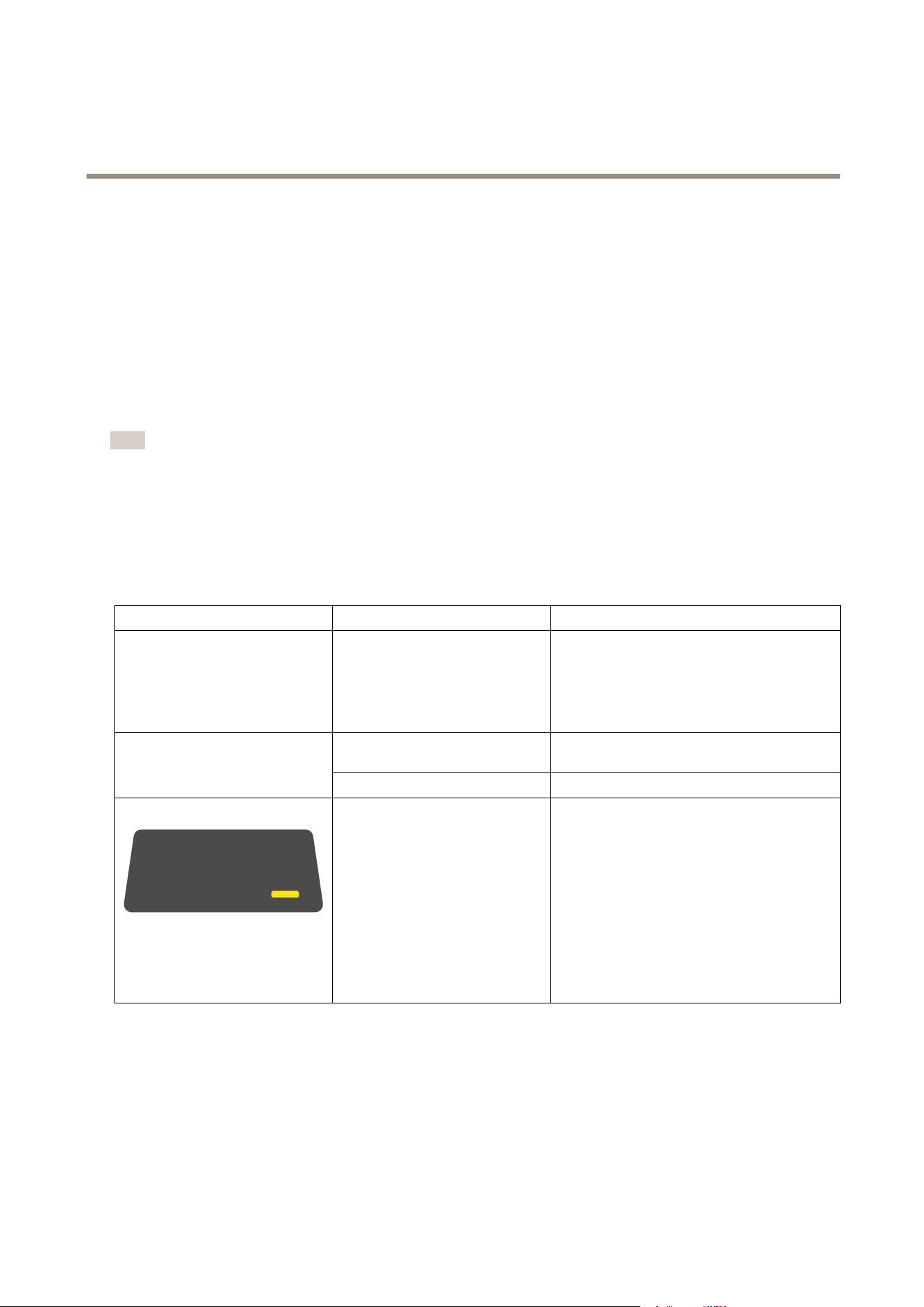
Bodyworncameraerrorfeedback
Usethebodyworncamerafeedbacktoidentifydifferenterrors.Thetablebelowshowsthedifferentcamerabehaviors,whatthey
mean,andhowtosolvetheproblem.
BehaviorWhatitmeansWhattodo
AllLEDsareoffwhenthecamerais
docked
Nouserisassignedtothecamera.•Ifyouareusingxedcamera
assignment,assignausertothe
camera,seeAssignacameratoauser.
•Ifyouareusingself-assigncamera
assignment,thismeansthatthe
cameraisreadytobeself-assigned.
Thecameraisinshippingmode
1
Addthecamerainthebodywornsystem,seeAdd
cameras.
•Nofeedback
•Cameradoesn’tstart
Thecamerahasrunoutofbattery.
Chargethecamera.
•LED:Operationstatus
amber
•Beep:2short,1long
•Buzz:2short,1long
Recordingnotpossible,SWerroror
otheroperationalerror.
TrytheGeneraltroubleshootingsteps.Ifthe
problempersiststryaxis.com/support.
37

Axisbodywornsolution
Camerauserguide
BehaviorWhatitmeansWhattodo
•LED:Cameraextension
red,Operationstatus
green
•Beep:1short
•Buzz:1short
Faultysensorcamera,orbodyworn
camera.
Disconnectthesensorcameratoeliminatebody
worncameraerror.Pressthetopbutton.Ifthe
cameraextensionLEDisstillred,thenthereis
somethingwrongwiththebodyworncamera.
IfthecameraextensionLEDisoff,thenthereis
somethingwrongwiththesensorcamera.Try
replacingthesensorcamera.
LED:Allashamber
ThecameraIsnotaddedinthebody
wornsystem.
Addthecameratothebodywornsystem,seeAdd
cameras.
•LED:Allashred
•Beep:intermittent
•Buzz:intermittent
Auserisnotassignedtothecamera.Dockthecameraandassignausertoit,seeAssign
acameratoauser.
LED:Dockingstatusashesamber
GeneralerrorTrytheGeneraltroubleshootingsteps.Ifthe
problempersiststryaxis.com/support.
38

Axisbodywornsolution
Camerauserguide
BehaviorWhatitmeansWhattodo
LED:Dockingstatusashesamber,
Storagered
Errorwhenuploadingcontenttothe
systemcontroller
Checktheconnectionbetweenthebodyworn
cameraandthedockingstation.Checkthe
connectionbetweenthedockingstationandthe
systemcontroller.Makesurethatthesystem
controllerisokay,seeDashboard.
LED:Dockingstatusashesamber,
Batteryred
Batteryisnotcharging
TrytheGeneraltroubleshootingsteps.Ifthe
problempersiststryaxis.com/support.
1.Thebodyworncameraisinshippingmodeuntilitisdockedandaddedtoabodywornsystem.Shippingmodeisapowersavingmodeused
fortransportationandstorage.
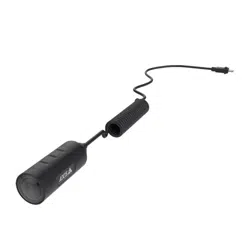
AXISTW1201MiniCubeSensor
AXISTW1201BodyWornMiniCubeSensorconnectstoAXISW100BodyWornCameraviaaUSBcable.Itgivesyoumoreexibility
tochoosehowyouwanttowearthemainbodyworncamera.
39
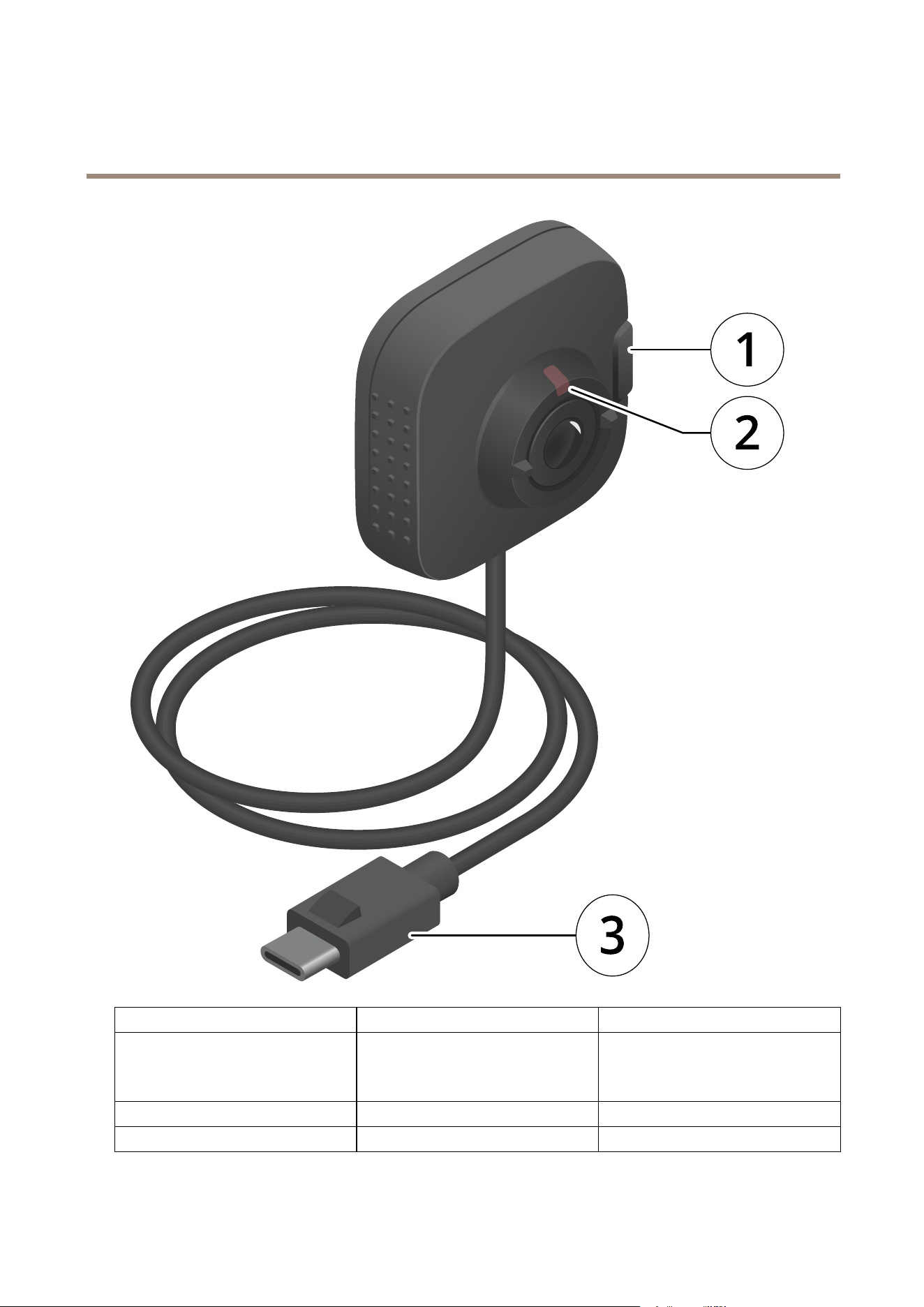
Axisbodywornsolution
Camerauserguide
NumberNameDescription
1
RecordingbuttonUsetherecordingbuttontostartand
stoprecording.
1
2
FrontrecordingindicatorLightsupredwhenrecording
3
USBconnectorConnectstothemainbodyworncamera
40

Axisbodywornsolution
Camerauserguide
1.YoucanchoosetodisabletheFrontbutton(usedtostartandstoprecordings)onthemainbodyworncamera,anduseonlytherecordingbutton
onAXISTW1201BodyWornMiniCubeSensor.Todothis,gotothecameraproleinAXISBodyWornManager.
Note
AXISTW1201BodyWornMiniCubeSensorhasnobuiltinmicrophone.Ifaudiorecordingiscritical,makesurethe
microphoneonthemainbodyworncameraisfreeofanyobstructions.
AXISBodyWornAssistant
AXISBodyWornAssistantisanapplicationthatletsyou:
•viewrecordedvideo
•viewlivevideo
•viewlocationdataforarecording
•categorizeandadddescriptiontorecordedvideoifsupportedbyyourcontentdestination
•accessuserhelp,includingtheDailyUseGuide
YoucandownloadAXISBodyWornAssistantforAndroidandiOS,onGooglePlayandAppStore,respectively.
Note
•Recordedvideocan’tbesavedtoyourmobiledevice.
•ThevisualwatermarkintheimageisonlyvisiblewhenviewingvideoinAXISBodyWornAssistant.Thepurposeofthevisual
watermarkistopreventanyonefromspreadingvideowithoutthepossibilitytotraceitsorigin.
•YoucanviewtherecordingsinAXISBodyWornAssistantupuntilthemomentyoudockthecamera.Afterdocking,the
systemcontrollertransferstherecordingstothecontentdestinationandemptiesthecamera.
ConnectAXISBodyWornAssistanttoabodyworncamera
Note
BeforeyouconnectAXISBodyWornAssistanttoyourbodyworncameraforthersttime,thebodywornsystem
administratormustpairyourbodywornuserwithAXISBodyWornAssistantonthemobiledevice.
1.OpenAXISBodyWornAssistantonyourmobiledevice.
2.TapConnect.
3.Followtheon-screeninstructionsinAXISBodyWornAssistant.
PairabodywornuserwithAXISBodyWornAssistant
TheconnectionbetweenAXISBodyWornAssistantandthebodyworncamerarequiresapairingbetweenthebodywornuserand
AXISBodyWornAssistant.ThepairinginvolvesAXISBodyWornAssistant,AXISBodyWornManager,andthebodyworncamera.The
QRCode®andthePINcodegeneratedbyAXISBodyWornManagerarescannedandenteredinAXISBodyWornAssistantresulting
inasecurepairing.
41

Axisbodywornsolution
Camerauserguide
Towatchthisvideo,gotothewebversionofthisdocument.
www.axis.com/products/online-manual/58704#t10156506
PairandconnectAXISBodyWornAssistant
AXISBodyWornManagerofferstwowaystopairabodywornuserwithamobiledevice.
Localpairing-Youhaveaccesstothebodywornuser'scameraandmobiledevice.
Remotepairing-Youdon'thaveaccesstothebodywornuser'scameraandmobiledevice.Thebodywornuserreceivesapairing
requestperemail.
Note
Tocompletethepairing,thecameratopairmustbeassignedtothebodywornuser.
1.GotoUsers.
2.Clicktheuseryouwanttopairwiththemobiledevice.
3.Click
tostartpairing.
4.IntheAXISBodyWornAssistantoption,clickPair.
5.SelectLocalpairingorRemotepairingandclickNext.
6.Followtheon-screeninstructionsinAXISBodyWornManagerandinAXISBodyWornAssistant.
Note
•TheQRCode®andthePINcodearevalidfor24hours.
•YoumustenterthePINcodeinAXISBodyWornAssistantwithin5minutesafteryouundockthebodyworncamera.
•Amobiledevicecanbepairedwithonebodywornuseronly.
•AXISBodyWornAssistantispairedwithabodywornuser.Thismeansthatyoucanconnectanycamerato
AXISBodyWornAssistant,oncethecameraisassignedtothepaireduser.
Replaceexistingpairing
1.Removetheexistingpairing,seeRemovepairedequipment.
42

Axisbodywornsolution
Camerauserguide
2.Tapthenewpairingicon
inAXISBodyWornAssistant.
3.ConrmthatyouwanttoremovetheexistingpairinginAXISBodyWornAssistant.
4.Startanewpairing,seePairabodywornuserwithAXISBodyWornAssistant.
AXISBodyWornAssistantuserguide
Iwantto...Actionneeded
Skiponeframeforwardorbackward
Double-taptherightsideofthevideotogooneframeforward.
Double-taptheleftsideofthevideotogooneframebackward.
WatchrecordedvideoinslowmotionPressandholdanywhereonthevideo.
Watchrecordedvideo
OpenRecordings.Toviewnewrecordingsyoumayneedto
swipedowntorefreshtheview.
43

Axisbodywornsolution
Camerauserguide
Watchlivevideofromthecamera
OpenLiveview.
Addacategorytoarecordedvideo
Openthevideoyouwanttocategorize.SwipeopenInformation
fromthebottomofthescreen.Selectoneofthepredened
categories.SeeCategoryandnotesonpage44formore
information.
Addnotestoarecordedvideo
Openthevideoyouwanttoaddnotesto.Swipeopen
Informationfromthebottomofthescreen.Addyournotes.
ThenotesaresavedwhenyouleavetheInformationview.See
Categoryandnotesonpage44formoreinformation.
Categoryandnotes
Categoriesandnotescontainadditionalinformationaboutarecording.Thisinformationcanforinstancehelpinvestigatorsor
evidencemanagementsystemswhenbuildingacase,orwhenmanagingles.Youcanaddacategoryandnotestoarecordingusing
AXISBodyWornAssistant,whiletherecordingisonthecamera.
Note
Thesefeaturesareavailableifsupportedbyyourcontentdestination.
Apppermissions
Operatingsystem
FunctionRequires
Camera
Permission
-
LocationPermission
-
LocationActivationbyuser
Android10andearlier
WirelessActivationbyapp
Camera
Permission
-
LocationPermission
-
Android10andlater
WirelessActivationbyuser
iOS1 1andearlierCamera
Permission
-
Camera
Permission
-
iOS1 1andlater
LocalnetworkPermission
-
44

Axisbodywornsolution
Troubleshooting
Troubleshooting
Basictroubleshooting
Problem
CauseSolution
Cameraisinshippingmode.
Addthecameratothebody
wornsystem,seeAddcameras
onpage13
Cameradoesn'tturnon.
Cameraisoutofbattery.Chargethecamera,see
Chargingthecamera
Cameradoesn'trecord.
Camerastorageisfull(storage
statusisred).
Dockthecamera.
Recordingstarteddirectly
afterthecamerawasturned
on,ordirectlyafterthe
previousrecordingwasended.
-
Recordingstarteddirectly
afterthepreviousrecording
wasended.
-
Pre-buffervideoisnot
complete.Pre-buffertime
isshorterthanconguredin
AXISBodyWornManager.
Whenusingthemaximum
resolution1080pinvery
complexsceneswithalotof
movement,orinlowlight,the
pre-buffermemorycanget
full.
-
Imagelooksfoggy.Thelensisdirty.
Cleanthelens,seeCleaning
LEDdisplaydoesn'twork.
Cameraisinsilentmodewhich
turnsoffthedisplay.
Pressthetopbuttonfor2
seconds,seeDailyuse
Noaudioinrecordings.Audioisturnedoffinthe
cameraprole.
Makesureaudioisturnedon
inthecameraproleinAXIS
BodyWornManager.
Ofoadingrecordingsisslow.
Manysimultaneousofoads
affecttransferspeed.
CheckcamerastatusinAXIS
BodyWornManager.Waitfor
recordingstobetransferred.
Cameraisnotdiscoveredby
thesystemanddoesn’tappear
inAXISBodyWornManager
Thedockingstationis
connectedtothesystem
controllerthrougharouter.
EnableIPv6onthenetwork.
Nocameraisassignedtothe
userwhentheusertapsthe
RFIDtagonthereader(using
self-assign).
Noneofthecamerasare
currentlyreadyforuse.A
cameraisreadyforusewhen
ithasenoughstorageand
battery,andithasthesame
rmwareversionastherestof
thesystem.
Waituntilacameraisready
foruse.
Thetimeittakestoreceive
therstGPSpositionafter
startingthecameradepends
ontheoutdoorenvironment.
Forexample,tallbuildingsand
humidityintheatmosphere
-
Notrecordinglocationdata.
Bodyworncamera
45

Axisbodywornsolution
Troubleshooting
Problem
CauseSolution
canincreasethetimeittakes
togettherstGPSposition.
Locationdataisturnedoffin
thecameraprole.
Gotothecameraproleand
turnonLocationdata.
Thebodywornsystemtimeis
wrong.
Setacorrectsystemtime.We
recommendusingNTPserver
(DHCP)orNTPstaticand
fallbackserverasopposedto
Manualtime,astheseensure
anaccuratesystemtime.
Can’tremovecamera.
Anextensionsystemcontroller
hasbeendisconnected
physicallyfromthesystem
beforeitwasremovedinAXIS
BodyWornManager.This
preventsthesystemfrom
verifyingthetransferstatus.
Tomakesurethatallcontent
hasbeentransferredto
thecontentdestination,
removetheextensionsystem
controllerinAXISBodyWorn
Managerbeforeyouremove
itfromthesystemphysically.
Thenyoucanremovethe
camera.
DockingstationDockingstationLEDdoesn't
turnon.
Thedockingstationdoesn't
havepower.
Connectthedockingstation
tothepowersupply.Docking
stationscan'tbepoweredby
PoE.
Youareusinganoldversionof
AXISIPUtility.
UpgradetoAXISIPUtility
version4.14orlater.
Systemcontrolleristurnedoff.Connectthesystemcontroller
tothepowersupply.
SystemcontrollerCan'tndsystemcontrollerin
AXISIPUtility.
Systemcontrollerisnot
connectedcorrectlytothe
network.
Connectthesystemcontroller
tothenetwork.
Contentdestinationis
unavailable.
Checkthecontentdestination
statusontheDashboardon
page49inAXISBodyWorn
Manager.
Manysimultaneousofoads
affecttransferspeed.
OpenthedeviceinAXISBody
WornManagertocheckthe
transferstatus.Waitfor
recordingstobetransferred.
Transferstatushistoryis
displayedforthreedaysafter
thetransferiscomplete.
Camerawasundockedbefore
thetransferoftherecording
wascompleted.
OpenthedeviceinAXIS
BodyWornManagertocheck
thetransferstatus.Dock
thecameraandwaitforall
recordingstobetransferred.
Transferstatushistoryis
displayedforthreedaysafter
thetransferiscomplete.
Thetimeinthebodyworn
systemdoesn'tmatchthetime
ofthecontentdestination.
Makesurethatthebody
wornsystemandthecontent
destinationhavematching
time.
Recordingsdon'tappearin
contentdestination.
Contentdestination
46

Axisbodywornsolution
Troubleshooting
Problem
CauseSolution
Outoflicenses.Checklicensesandbuy
additionallicensesifneeded.
Recordingshavethewrong
resolution.
Theimageresolutionsetting
inAXISBodyWornManager
iswrong.
Gotothecameraprolein
AXISBodyWornManager
andsetthecorrectimage
resolution.
Recordingisdeleted.Retentiontimeofthecontent
destinationisshort.For
example:Iftheretentiontime
onthecontentdestinationis
7days,andtherecordingon
thecamerais8daysoldwhen
docking,thentherecording
willbedeletedwhenitreaches
thecontentdestination.
Changetheretentiontimeon
thecontentdestinationtoa
highervalue.
Recordingistransferredfrom
cameratosystemcontroller,
butnotfromthesystem
controllertothecontent
destination.
Thecamerahasbeenremoved
fromthecontentdestination.
Renametheuserthatthe
cameraisassignedto,and
restartthesystemcontroller.
Can’tcompletepairing
Can’tconnecttobodyworn
camera
Can’tuseLiveview
Thewirelessrangebetween
themobiledeviceandthe
bodyworncameraislimited.
Keepthemobiledeviceand
thebodyworncameracloser
together.
Can'tseethefullUserIDin
thevisualwatermark.
Onlytherst12charactersof
theUserIDareshowninthe
visualwatermark.
IftheUserIDislongerthan
12characters,werecommend
includingthemostunique
partofitrst.
AXISBodyWornAssistant
Can’tconnecttobodyworn
camera.
Thepairingisremovedfrom
thebodywornsystem.
Contactthesystem
administratorandrequest
anewpairing.Onceyou
receivetheinformation
needed,opentheappand
tapthenewpairingicon
.
RFIDreaderTheLEDonthereaderdoesn’t
turngreenwhenconnectingit
tothesystemcontroller.
YouareusinganRFIDreader
thatisnotsupportedbythe
bodywornsystem.
UseExternalRFIDCard
Reader125kHz+13.56MHz
withNFC(USB)
47

Axisbodywornsolution
Troubleshooting
Problem
CauseSolution
LocationdataisturnedoffTurnLocationdataoninthe
cameraprole
Nolocationdataintext
overlay
NoGPSsignalatthestartof
therecording
-
Video
NouserIDintextoverlayThebodywornuserhasno
userID
AddauserIDtothebodyworn
user
Theholstersensorisnot
connectedtothecamera
Whenyouconnectthecamera
totheholstersensor,make
surethatitisinthecamera’s
rangewithin10minutesafter
youundockthecamera.Under
normalcircumstancesthe
rangeis5–10m(16–33ft.).
Recordingdoesn’tstartwhen
unholstering
Theholstersensoris
uncalibrated
Calibratetheholster
sensor.Seethe
YardarmProductDocumentationf-
orinformation.
Holstersensor
Holstersensordoesn’tpairor
connecttocamera
TheHolsterAwareSetup
mobileapplicationis
connectedtotheholster
sensor
CloseTheHolsterAwareSetup
mobileapplicationandstart
thepairingprocessover
48

Axisbodywornsolution
Troubleshooting
Dashboard
TheDashboard
givesyouanoverviewofyourdevicesandsystemhealth.Italsohighlightsanyissuesthatrequireattention.Ifthereareany
issuesthepagegivesyoueasyaccessandhelptoxtheproblem.
Detailsaboutanyissueisshownwhenyouhovertherespectivedeviceinthelist.
Generaltroubleshootingsteps
Ifyou’renotsurewhat’scausingtheproblemwithyourbodywornsystem,oneofthefollowingactionsmayhelp:
Camera
1.Restartthebodyworncamera.
-Ifthecameraisdocked,undockthecameraanddockitagain.
-Ifthecameraisundocked,usethepowerbuttontoturnitoff,andthenturnitbackonagain.
2.Upgradethebodyworncamerawiththelatestrmware,seeUpgradesystemrmware.
3.DockthecameraandremoveitfromthesystemthroughAXISBodyWornManager.Thisresetsthecameratofactory
default.Addthecameratothesystemagain.SeeResetcamera.
49

Axisbodywornsolution
Troubleshooting
Systemcontroller
1.Restartthesystemcontroller,seeSystemcontroller.Logsandrecordingsremainintactonthesystemcontrollerstorage
duringtherestart.
2.Upgradethesystemcontrollerwiththelatestrmware,seeUpgradesystemrmware.
3.Resettheextensionsystemcontrollertofactorydefault(thisdoesn’tapplytothesystemcontrollerthatthebodyworn
systemwasinitiallycreatedon),usingoneofthefollowingmethods:
-WerecommendthatyouresettheextensionsystemcontrollerfromAXISBodyWornManager,seeReset
extensionsystemcontroller.
-Whentheabovemethodisnotpossible,accesstheextensionsystemcontrollerandclickResetsystemcontroller.
4.Resetthebodywornsystemtofactorydefaultsettings,seeResetsystem.
50

Axisbodywornsolution
Learnmore
Learnmore
Securepasswords
Important
Axisdevicessendtheinitiallysetpasswordincleartextoverthenetwork.Toprotectyourdeviceaftertherstlogin,set
upasecureandencryptedHTTPSconnectionandthenchangethepassword.
Thedevicepasswordistheprimaryprotectionforyourdataandservices.Axisdevicesdonotimposeapasswordpolicyasthey
maybeusedinvarioustypesofinstallations.
Toprotectyourdatawestronglyrecommendthatyou:
•Useapasswordwithatleast8characters,preferablycreatedbyapasswordgenerator.
•Don’texposethepassword.
•Changethepasswordatarecurringinterval,atleastonceayear.
51

Axisbodywornsolution
Needmorehelp?
Needmorehelp?
Contactsupport
Contactsupportataxis.com/support.
SharingdatawithAxis
Wecollectanonymousdataonhowusersinteractwithourproductsandhowourproductsperform.Thiswaywecanimproveour
productsandtheuserexperience.Wedon’tcollectanypersonaldata.
PleaserefertoourPrivacyPolicyfordetails.AXISBodyWornManagerusesGoogleAnalytics.SeeGooglePrivacy&Termsfor
informationonHowGoogleusesinformationfromsitesorappsthatusetheirservices.
Tochangeyourprivacysettings,gotoSettings>Privacy.
52

UserManualVer.M12.7
AxisbodywornsolutionDate:June2021
©AxisCommunicationsAB,2020-2021
PartNo.T10135878