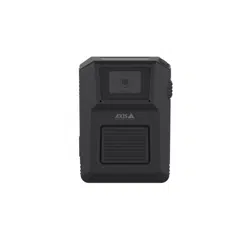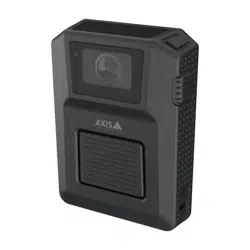


AXISW102BodyWornCamera
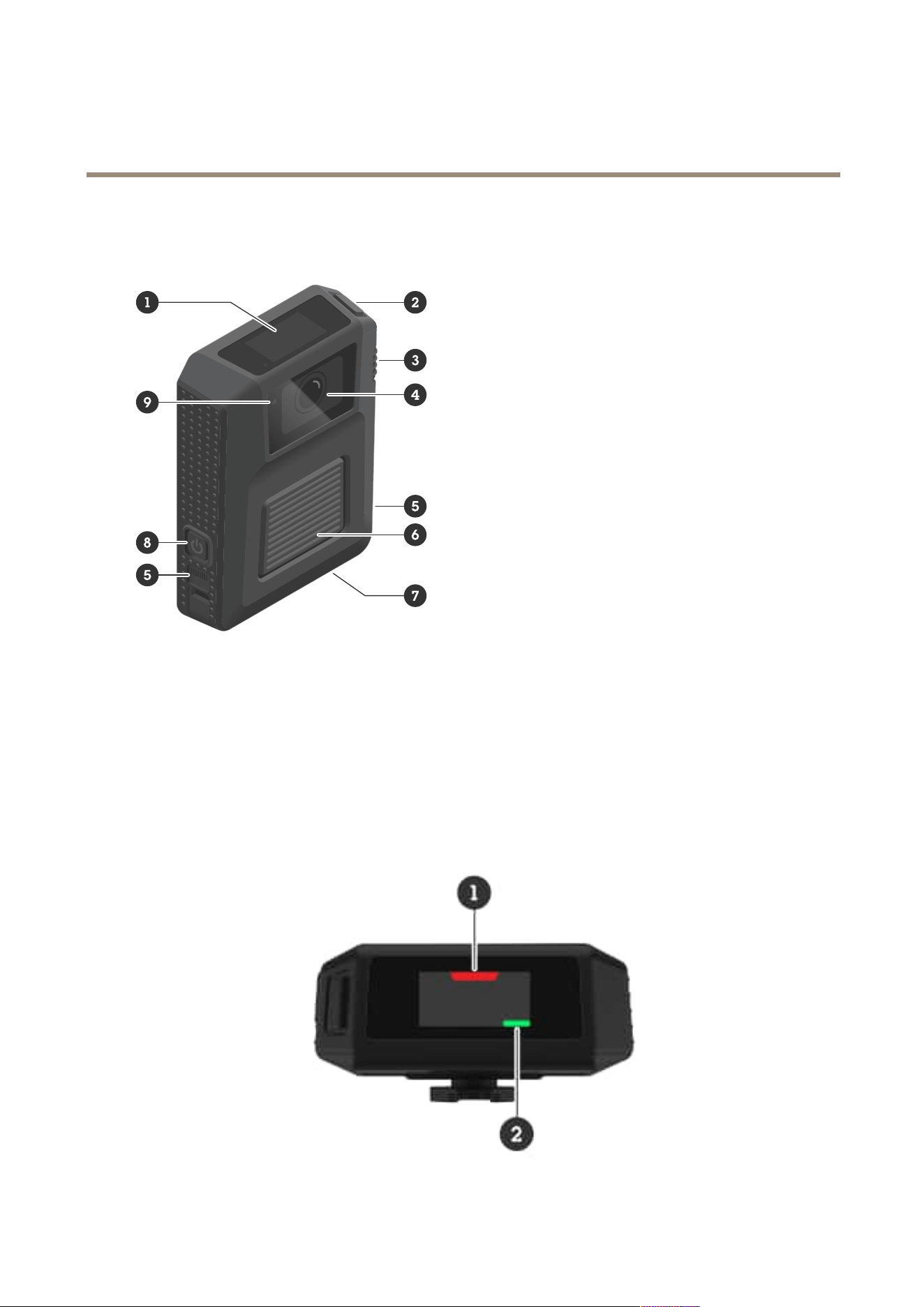
Productoverview
Productoverview
1
Display
2
Topbutton
3
Functionbutton
4
Cameralens
5
Microphone(2x)
6
Recordingbutton
7
USBconnector
8
Powerbutton
9
Frontrecordingindicator
Display
3
AXISW102BodyWornCamera
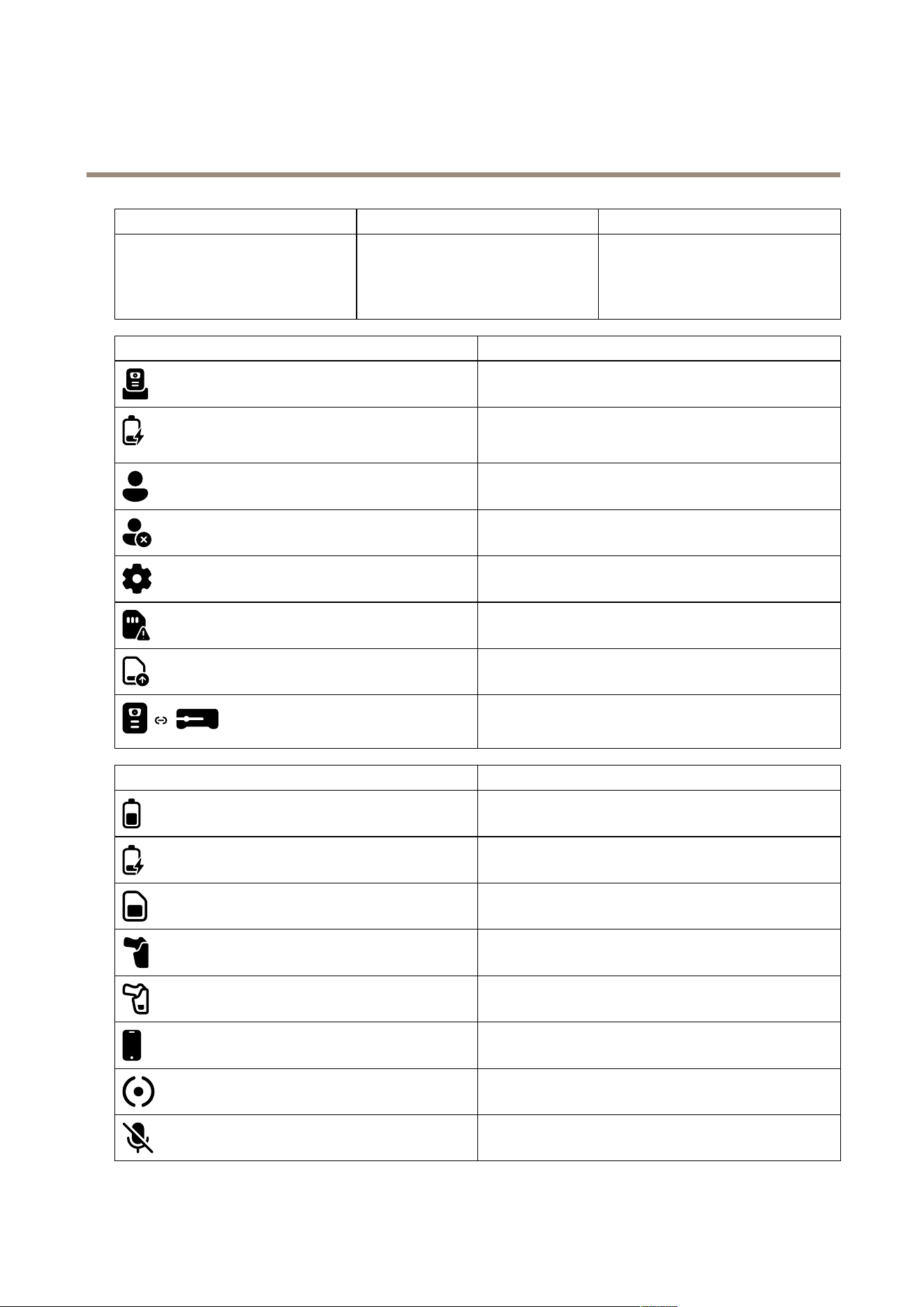
Productoverview
1
RecordingLEDRedwhenthecameraisrecording.
2
StatusLEDSteadygreenwhenthecameraisready
touseorrecording.
Steadyamberwhenthecameracan’t
record.
IconswhendockedIndication
Thecameraisdocked.
Thebatteryischarging.Colorindicatesifthebatteryischarging
orcharged.Combinedwithprogressbarandchargelevelin
percent.
Auserisassignedtothecamera.
Nouserisassignedtothecamera.
Camerasoftwareupgradeisongoing.Combinedwithprogress
bar.
Thecameracouldn’tbeaddedtothebodywornsystem.
Datatransfertothecontentdestinationisongoing.Combined
withprogressbar.
Pulsingamber:thecameraisn’taddedtothebodywornsystem.
Red:noconnectiontothesystemcontroller.
IconsduringoperationIndication
Batterychargelevel.Colordependsonchargelevel.
Thebatteryischarging.
Amountoflocalstorageused.Colordependsonamountleft.
Holstersensorconnection.
Holstersensorbatterychargelevel.
AXISBodyWornAssistantconnection.
Bodywornminisensorconnection.
Microphoneturnedoff.
4
AXISW102BodyWornCamera
Productoverview
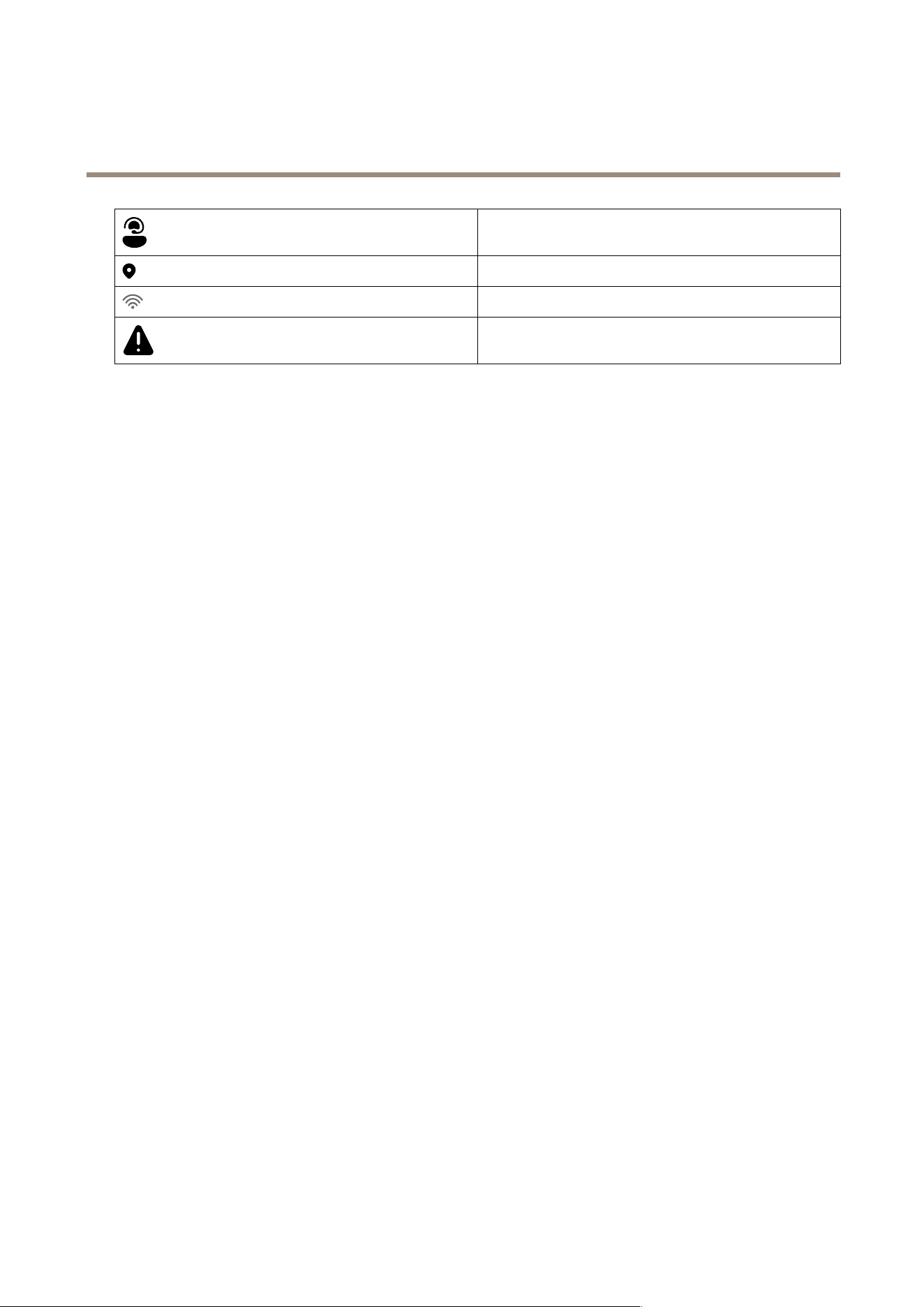
AXISBodyWornLiveconnection.
GPScoordinates.
Wi-Fi®connectivity.
Thecameraisn’toperational.
5

AXISW102BodyWornCamera
Dailyuse
Dailyuse
Iwantto...Actionneeded
Information
TurnonmycameraPressthepowerbutton.
Thecameravibratesandbeeps.TheAXIS
Communicationslogoisshownduringstartup.
ThenthestatusLEDturnsgreenwhenthecamera
isreadytouse.Dependingonyoursettings,this
takesupto30seconds.
TurnoffmycameraPressandholdthepowerbuttonfor
atleast5seconds.
Thecameravibratesandbeeps.
Startarecording
Presstherecordingbuttononce.
Thisiscongurablein
AXISBodyWornManager.
Thecameravibratesandbeeps,andthefront
recordingindicatorandtherecordingLEDturnon
whentherecordingstarts.
ThisiscongurableinAXISBodyWornManager.
Stoparecording
Presstherecordingbuttonforat
least4seconds.
Thecameravibratesandbeepswhentherecording
stops.
StartalivestreamDouble-pressthefunctionbutton.
Stopalivestream
Presstherecordingbuttonforat
least4seconds.
Formoreinformation,seethe
AXISBodyWornLiveusermanual.
Createabookmark
Presstherecordingbuttononce
whilerecording.
Thisfeatureisavailableifthecontentdestination
you’reusingsupportsit.SeeBookmarksformore
information.
Turnoffmicrophone(audioisonby
default)
Pressthefunctionbuttonforat
least3seconds.
Microphoneiconon.
Turnonmicrophone
Pressthefunctionbuttonforat
least3seconds.
Microphoneiconoff.
TurnonsilentmodePressthetopbuttonforatleast3
seconds.
Turnsoffthedisplay,frontrecordingindicator,
beeps,andvibrations.
TurnoffsilentmodePressthetopbuttonforatleast3s.Turnsonthedisplay,frontrecordingindicator,
beeps,andvibrations.
Checkremainingbatterycapacity
Pressthetopbuttonandcheckthe
batterychargelevelonthedisplay.
Green:>1hourleft
Amber:0.5–1hoursleft
Red:0–0.5hoursleft
Checkremainingstoragecapacity
Pressthetopbuttonandcheckthe
amountoflocalstorageusedonthe
display.
Green:>1hourofrecordingleft
Amber:0.5–1hoursofrecordingleft
Red:0–0.5hoursofrecordingleft
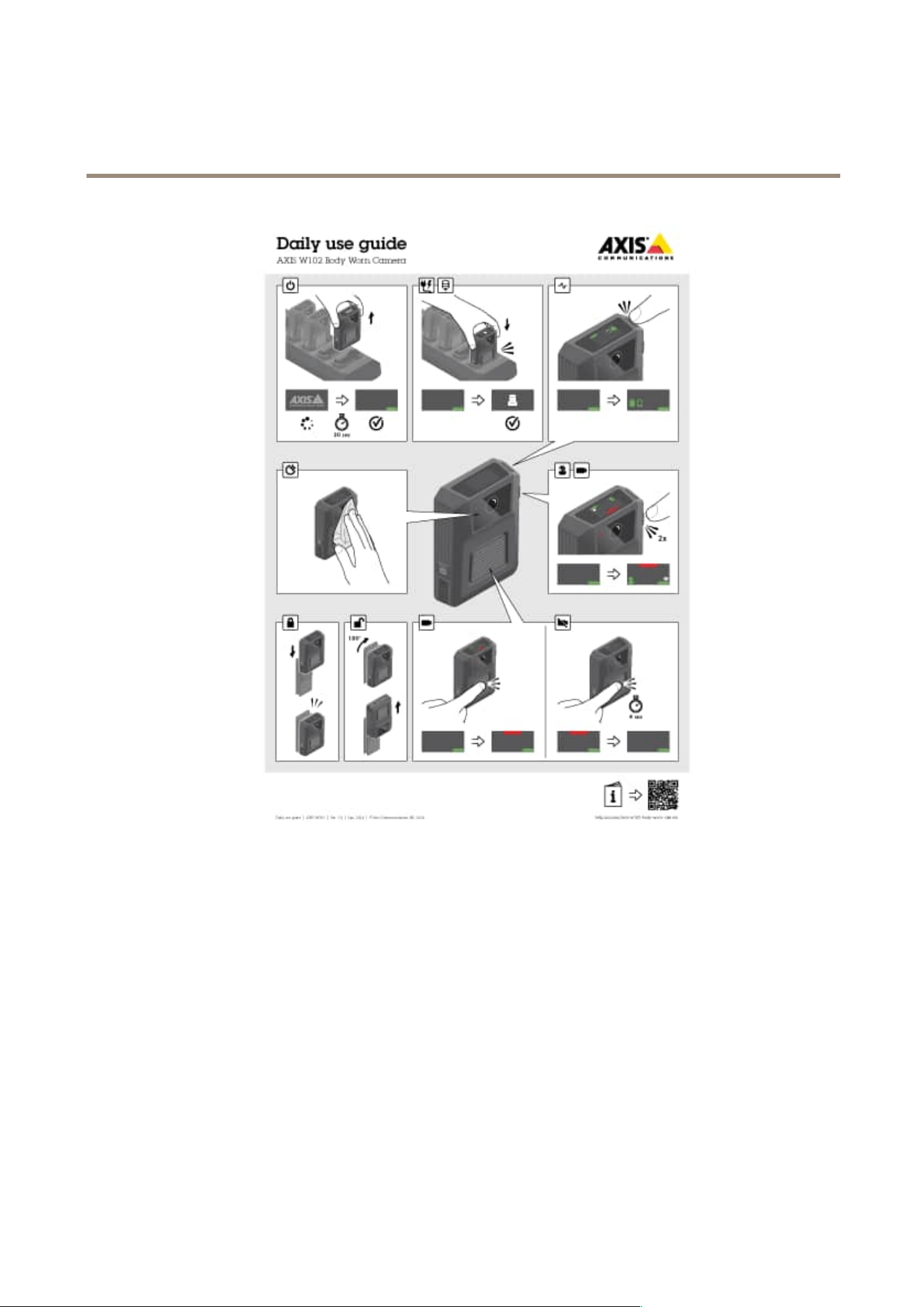
DownloadtheDailyuseguidefromthecamera’ssupportpageandprintit,tohelpthecamerausersintheirdailywork.
6
AXISW102BodyWornCamera
Dailyuse
Dailyuseguide
Startingashift
Werecommendthatyoucheckafewthingsbeforeyoustartanewshift:
•Beforeyouundockthecamera,makesurethatyourusernameisvisible.Itindicatesthatthebatteryischarged,alllesare
transferred,andthesoftwareisuptodate.
•Ifyou’reusingself-assigncameraassignment,tapyourself-assigntagontheRFIDreader.Theself-assignedcamera’s
displaylightsupgreenandshowstheusername,toindicatethatit’sreadytobeundocked.Youmustundockthecamera
within15secondsaftertappingtheself-assigntag.Onlyoneuseratatimecanself-assignacamera.
•Ifyou’reconnectingthecameratoaholstersensor,makesurethatit’sinthecamera’srangewithin10minutesafteryou
undockthecamera.Undernormalcircumstancestherangeis5–10m(16–33ft.).
•Whenyouundockthecamera,itrestarts.Dependingonyoursettings,thistakesupto40seconds,afterwhichthe
cameraisreadytouse.
•Cleanthelenswindow,usingadry,nonabrasivecloth.SeeCleaningformorecleaningrecommendations.
7

AXISW102BodyWornCamera
Dailyuse
•Optionally,usetheliveviewinAXISBodyWornAssistanttocheckyourcameraimage,makingsurethatitisworking
properlyandthatthecameraorientationisokay.Formoreinformation,seeAXISBodyWornAssistantinthebodyworn
solutionmanual.
Endingashift
Important
Alwaysdockyourbodyworncameraafterashift.Thisensuresthat:
•thecamerabatteryischargedbeforethenextshift
•allcontentisuploadedtothesystemcontroller
•thecamera’ssoftwareisuptodate
•usercongurationandcamerasettingsaresynchronizedwiththesystem
•Whenyoudockthecamera,itrestarts.Tomakesurethecameraisproperlydocked,waitanother10secondsforthe
displaytocomebackon.
•Thetimeittakestofullychargeadepletedbatteryvariesdependingontheambientchargingtemperature.Checkthe
datasheetfordetailedinformation.
•Thetimetouploadrecordedvideovaries.Forexample,12hoursofrecordedvideocantakeuptoabout30minutesto
uploadtothesystemcontroller,dependingonthebitrateofthevideorecordings.
Batteryhealth
Toensureoptimalbatterycapacitythroughoutthelifeoftheproduct,followtheserecommendationsonnormaluse.
NO NO
NO
TICE TICE
TICE
•Alwaysusethecamerawithintheoperatingtemperaturerangespeciedintheproduct’sdatasheet.Ifyouusethecamera
outsideofthespeciedtemperaturerangeitdamagesthebattery.
•Alwayschargethecamerawithinthechargingtemperaturerangespeciedintheproduct’sdatasheet.Ifyouchargethe
cameraoutsideofthespeciedtemperaturerangeitdamagesthebattery.
•Don’tleavethecamerainyourcar.Temperaturesinparkedcarscanexceedthespeciedtemperaturerange.
•Alwaysrechargeacamerathatisturnedoffwithalowbattery,assoonaspossible.Thebatterydischargesovertime,which
shortenstheexpectedbatterylife.
•Don’tchargeacameraformorethan45days.Itcanshortentheexpectedbatterylife.
Toensureoptimalbatterycapacitythroughoutthelifeoftheproduct,followtheserecommendationsonstorage.
NO NO
NO
TICE TICE
TICE
•AlwaysremovethecamerafromthebodywornsystemthroughAXISBodyWornManagerbeforeyoustoreit.Whenyou
removethecamerafromthesystem,thecameraentersshippingmode,whichensuresahealthybatterylevel.
•Alwaysstorethecamerawithinthestoragetemperaturerangespeciedintheproduct’sdatasheet.Therecommended
temperaturesaredifferentforshort-termstorage(lessthan3months)andlong-termstorage(morethan3months).Ifyou
storethecameraoutsideofthespeciedtemperatureitdamagesthebattery.
•Don’tstorethecamerawiththebatteryfullycharged.Itshortenstheexpectedbatterylife.
•Don’tstorethecamerawithadepletedbattery.Itshortenstheexpectedbatterylife.
•Ifyoustorethecameraformorethan3months,chargeitevery3months.
•Don’tstorethecameraindampenvironments.Itcanincreasebatterydischargerates.
•Usethecameraatleastonceayearsothatthebatteryisdischargedandchargedagain.Thishelpstoactivatethebattery
andrestoreitsenergy.
8
AXISW102BodyWornCamera
Dailyuse
Tolearnmoreaboutbatteryhealth,gotoaxis.com/learning/white-papersandsearchforthewhitepaperBatteryhealthinbody
worncameras.
Replacethebattery
YoucanreplaceabodyworncamerabatteryusingtheAXISTW1906BatteryKit5P.Beforeyoureplacethebattery,readthe
installationguideavailableontheAXISTW1906BatteryKit5Psupportpage.
Towatchthisvideo,gotothewebversionofthisdocument.
help.axis.com/?&piaId=91063§ion=replace-the-battery
Important
•Takeprecautionstoavoidelectrostaticdischarge(ESD)eventswhenyoureplacethebattery.
•Donotreplacethe3.7VID1058batteryduringthe3-yearwarrantyperiod.Replacementofthebatteryduringthe3-year
warrantyperiodcarriedoutbyanyotherpartythanAxis(oranRMApartneronbehalfofAxis)willvoidthemainitem’s
warranty.ContactAxisSupportoryourresellerforbattery-orservice-relatedmatters.
Cleaning
Cleanthecamera
•Useanon-abrasive,solvent-freeneutralsoap,ordetergent,withwater.
•Useasoftmicrobercloth,ormoistnon-abrasivesponge.
•Drywithasoftclothtopreventwaterspotting.
NO NO
NO
TICE TICE
TICE
•Neveruseharshdetergents,suchasgasoline,benzeneoracetone,toavoidmaterialdegradation.
•Neveruseabrasivesofanykindtocleanthecamera.
•Neverusewaterwithanydetergentonthedockingconnectorssinceitcausescorrosionandabadconnection.
Disinfectthecamera
•Usedisinfectionproductswithupto50percentisopropylalcoholontheexteriorsurfacesofthecamera.
•Applywithasoftmicrobercloth,ornon-abrasivesponge.
Cleanthedockingstation
Tocleantheoutersurfaceofthedockingstation:
•Useanon-abrasive,solvent-freeneutralsoap,ordetergent,withwater.
•Useasoftmicrobercloth,ormoistnon-abrasivesponge.
•Drywithasoftclothtopreventwaterspotting.
9

AXISW102BodyWornCamera
Dailyuse
Tocleantheinsideofthedockingbay:
•Usecannedairintendedforelectronicstoclearanydustinbetweenandaroundthepogopins.
•Useadryclothtocarefullycleanthepogopins.
•Aftercleaning,makesureallofthepogopinsspringbacktotheirupperposition.
NO NO
NO
TICE TICE
TICE
•Neveruseharshdetergents,suchasgasoline,benzeneoracetone,toavoidmaterialdegradation.
•Neveruseabrasivesofanykindtocleanthedockingstation.
•Neverusewaterwithanydetergentonthepogopinsinsidethedockingbayssinceitcausescorrosionandabadconnection.
Chargingthecamera
Tochargethebodyworncamera,alwaysuse:
•CompatibleAxisdockingstation
•5VDCoutputmobilephonecharger
•5VDCoutputpowerbank
Operatingtime
Operatingtimevariesdependingonhowyouusethebodyworncamera.Thelimitingfactorsofoperatingtimearebatterycapacity
andstoragespace.Theseareaffectedbypowerconsumptionandrecordingbitrate,respectively.
NO NO
NO
TICE TICE
TICE
Iftheambientchargingtemperatureisabove35°C(95°F)thebatteryisonlychargedupto70%offullcapacity,witha
signicantlyshortenedoperatingtimeasaresult.
Factorsthatincreasepowerconsumptionare:
Locationdata-Whenthecamerapositioningsystemison.
Wirelessconnection-WhenyouuseAXISBodyWornLive,AXISBodyWornAssistant,orturnonbroadcasts.
Sensorcamera-Whenyouconnectasensorcameratothebodyworncamera.
Outdooruse-Whenyouusethecameraoutdoors,theLEDdisplayincreasesitsintensity,whichincreasespowerconsumption.
Temperature-+25°C(77°F)istheoptimaloperatingtemperature.Usingthecameraintemperaturesaboveorbelowthisaffects
thebatterycapacity.
Movement-Increasedmovementinthescene,orcameramovement.Thecameraprocessorusespowerinrelationtothemovement
inthescene.
Imageresolution-Highrecordingresolution.
Electronicimagestabilization-Whenelectronicimagestabilizationisturnedon.
Factorsthatincreaserecordingbitrateare:
Movement-Increasedmovementinthescene,orcameramovement.
Imageresolution-Highrecordingresolution.
Light-Lowlightincreasesimagenoise.
10

AXISW102BodyWornCamera
Dailyuse
Scenecomplexity-Ascenewithfewobjectsandcolors,forinstanceatypicalofce,resultsinalowerbitratethanamore
complexscene.
11
AXISW102BodyWornCamera
Troubleshooting
Troubleshooting
Bodyworncameraerrorfeedback
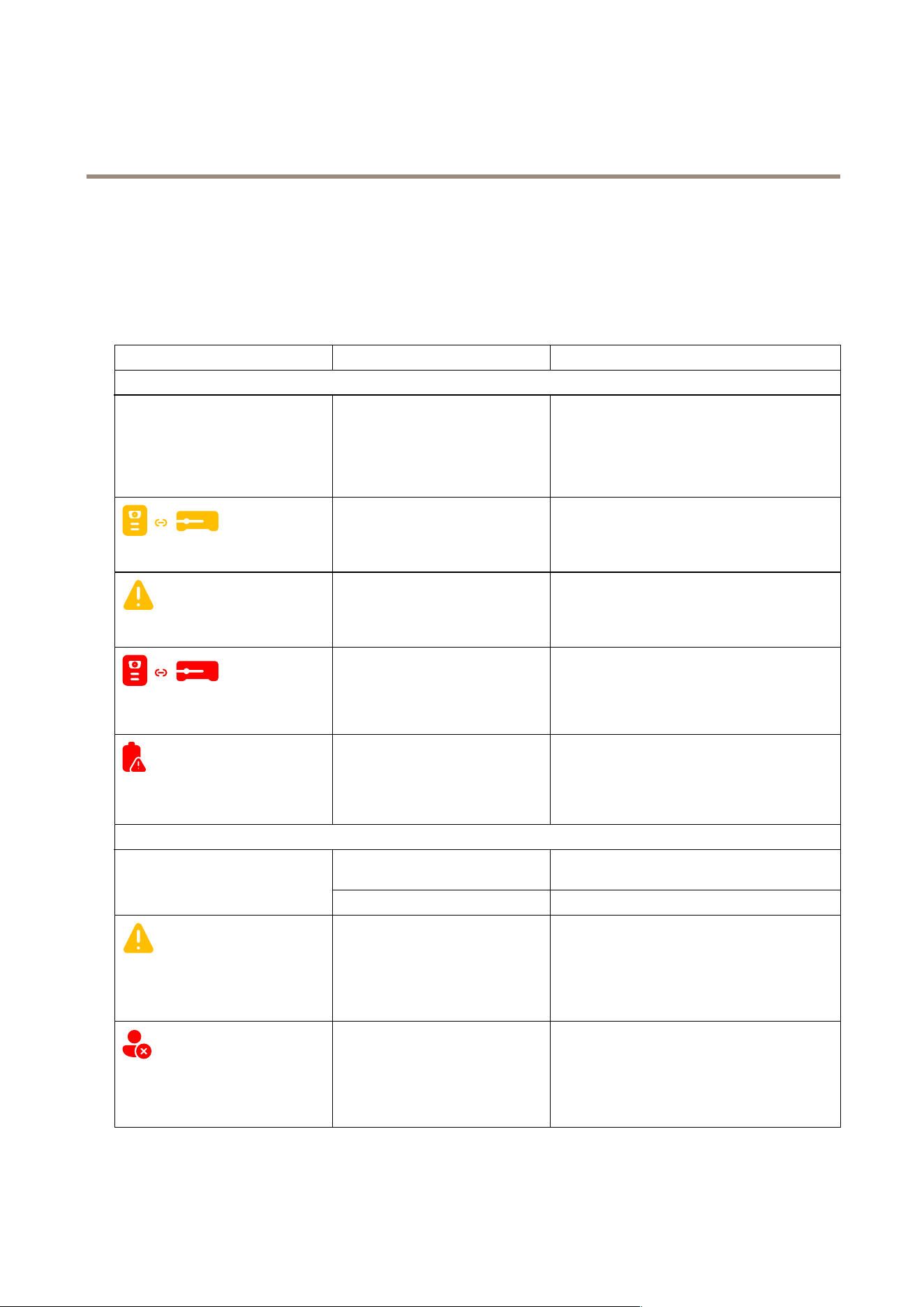
Usethebodyworncamerafeedbacktoidentifydifferenterrors.Thetablebelowshowsthedifferentcamerabehaviors,whatthey
mean,andhowtosolvetheproblem.
BehaviorWhatitmeansWhattodo
Thecameraisdocked:
•Thedisplayisblack.Nouserisassignedtothecamera.•Ifyouareusingxedcamera
assignment,assignausertothe
camera,seeAssignausertoacamera.
•Ifyouareusingself-assigncamera
assignment,thismeansthatthe
cameraisreadytobeself-assigned.
•Icon:pulsing
Thecameraisnotaddedinthebody
wornsystem.
Addthecameratothebodywornsystem,see
Addcameras.
•Icon:steady
Generalerror.TrytheGeneraltroubleshootingsteps.Ifthe
problempersiststryaxis.com/support.
•Icon:steady
Lostconnectiontosystemcontroller.
Checktheconnectionbetweenthebodyworn
cameraandthedockingstation.Checkthe
connectionbetweenthedockingstationandthe
systemcontroller.Makesurethatthesystem
controllerisokay,seeDashboard.
•Icon:ashing
•Beep:continuous
Thebatteryisnotcharging.
TrytheGeneraltroubleshootingsteps.Ifthe
problempersiststryaxis.com/support.
Thecameraisundocked:
Thecameraisinshippingmode.
1
Addthecamerainthebodywornsystem,see
Addcameras.
•Nofeedback.
•Cameradoesn’tstart.
Thecamerahasrunoutofbattery.
Chargethecamera.
•Icon:steady
•Beep:2short,1long
•Buzz:2short,1long
Recordingnotpossible,SWerroror
otheroperationalerror.
TrytheGeneraltroubleshootingsteps.Ifthe
problempersiststryaxis.com/support.
•Icon:steady
•Beep:2x3
•Buzz:2x3
Nouserisassignedtothecamera.Dockthecameraandassignausertoit,see
Assignausertoacamera.
12

AXISW102BodyWornCamera
Troubleshooting
BehaviorWhatitmeansWhattodo
•Icon:steady
•Beep:1everysecond
minute(Periodic),or3
everyminute(Periodic
reinforced)
•Buzz:1everysecond
minute(Periodic),or3
everyminute(Periodic
reinforced)
Thebatteryisabouttorunout.Thisbehavioronlyoccurswhenthecameraprole
settingLowbatterywarningissettoPeriodicor
Periodicreinforced.
Thecameraneedscharging.
Ifthecameraisplacedinthedockingstation,
makesureit’sdockedproperly.
•Icon:steady
•Beep:2short,1long
•Buzz:2short,1long
Storagefull,notpossibletorecord.
Dockthecameratoofoadtherecordings.
1.Thebodyworncameraisinshippingmodeuntilitisdockedandaddedtoabodywornsystem.Shippingmodeisapowersavingmodeused
fortransportationandstorage.
Technicalissues,clues,andsolutions
Issue
CauseSolution
Cameraisinshippingmode.
Addthecameratothebodywornsystem,
seeAddcameras.
Cameradoesn’tturnon.
Cameraisoutofbattery.Chargethecamera,seeChargingthe
camera.
Ifthatdoesn’thelp:
1.Pressandholdthepower
buttononthecamerafor4
seconds.
2.Dockthecameraandwait
untilit’scharged.
3.Undockthecameraandwait
forittorestart.
Orifyoudon’thaveaccesstoadocking
station:
1.Pressandholdthepower
buttononthecamerafor4
seconds.
2.UseaUSBchargertocharge
thecamera.SeeChargingthe
camera.
Cameradoesn'trecord.Camerastorageisfull.
Dockthecamera.
13

AXISW102BodyWornCamera
Troubleshooting
Recordingstarteddirectlyafterthe
camerawasturnedon,ordirectlyafter
thepreviousrecordingwasended.
–
Recordingstarteddirectlyafterthe
previousrecordingwasended.
–
Prebuffervideoisnotcomplete.Prebuffer
timeisshorterthanconguredin
AXISBodyWornManager.
Whenusingthemaximumresolution
1080pinverycomplexsceneswitha
lotofmovement,orinlowlight,the
prebuffermemorycangetfull.
–
Thelensisdirty.
Cleanthelens,seeCleaning
Imagelooksfoggy.
Theprotectivelmisstillonthelens
window.
Removetheprotectivelm.
Displaydoesn'twork.Thecameraisinsilentmodewhichturns
offthedisplay.
Pressthetopbuttonfor2seconds,see
Dailyuse
Noaudioinrecordings.Audioisturnedoffinthecameraprole.Makesureaudioisturnedonin
thecameraproleinAXISBodyWorn
Manager.
Manysimultaneousofoadsaffect
transferspeed.
CheckcamerastatusinAXISBodyWorn
Manager.Waitforrecordingstobe
transferred.
Ofoadingrecordingsisslow.
Theconnectionbetweenthecamera
andthedockingstationisbad.The
cameraisdockedincorrectly.Thedocking
connectorsaredirtyorwornout.
Makesureallconnectorsareclean.See
Cleaningonpage9.
Cameraisnotdiscoveredbythesystem
anddoesn’tappearinAXISBodyWorn
Manager.
Thedockingstationisconnectedtothe
systemcontrollerthrougharouter.
EnableIPv6onthenetwork.
Nocameraisassignedtotheuserwhen
theusertapstheRFIDtagonthereader
(usingself-assign).
Therecanbedifferentreasons:
•Theuserisalreadyassigned
toanundockedcamera.
•Thereiscurrentlynocamera
readyforuse.Acamera
isreadyforusewhenit
hasenoughstorageand
battery,andithasthesame
AXISOSversionastherestof
thesystem.
•TheRFIDtagisn’tregistered
inthesystem.
•Docktheassignedcamera.
•Waituntilacameraisready
foruse.
•RegistertheRFIDtaginthe
system.
Thetimeittakestoreceivetherst
GPSpositionafterstartingthecamera
dependsontheoutdoorenvironment.For
example,tallbuildingsandhumidityin
theatmospherecanincreasethetimeit
takestogettherstGPSposition.
–
Locationdataisturnedoffinthecamera
prole.
Gotothecameraproleand
turnonLocationdata.See
Cameraprolesettings.
Notrecordinglocationdata.
Thebodywornsystemtimeiswrong.
Setacorrectsystemtime.See
Adjustdateandtime.
14

AXISW102BodyWornCamera
Troubleshooting
Can’tremovecamera.
Anextensionsystemcontrollerhasbeen
disconnectedphysicallyfromthesystem
beforeitwasremovedinAXISBodyWorn
Manager.Thispreventsthesystemfrom
verifyingthetransferstatus.
Tomakesurethatallcontenthasbeen
transferredtothecontentdestination,
removetheextensionsystemcontroller
inAXISBodyWornManagerbeforeyou
removeitfromthesystemphysically.
Thenyoucanremovethecamera.
CamerastatusisInsafemode.
Ifacameraisundockedforeightweeks,
forsecurityreasons,itenterssafemode.
SeeAllowcamerasbackintothesystem
Cameradoesn’tcharge.
Cameradoesn’tofoadles.
Thecameraisn’tdockedproperly,orthere
issomethingwrongwiththedocking
station.
Trythefollowinginthestatedorder:
1.Undockanddockthecamera
properly.
2.Cleantheconnectorson
thecameraandthepogo
pinsinthedockingbay.For
instructions,seeCleaningon
page9.
3.Dockthecamerainanother
dockingbay,whereother
camerasdon’thavethis
problem.Ifthecamerastarts
tochargeorofoadles,the
originaldockingbayisfaulty
andthedockingstation
shouldbereplaced.
15

UsermanualVer.M1.7
AXISW102BodyWornCamera
Date:June2024
©AxisCommunicationsAB,2024
Partno.T10205586