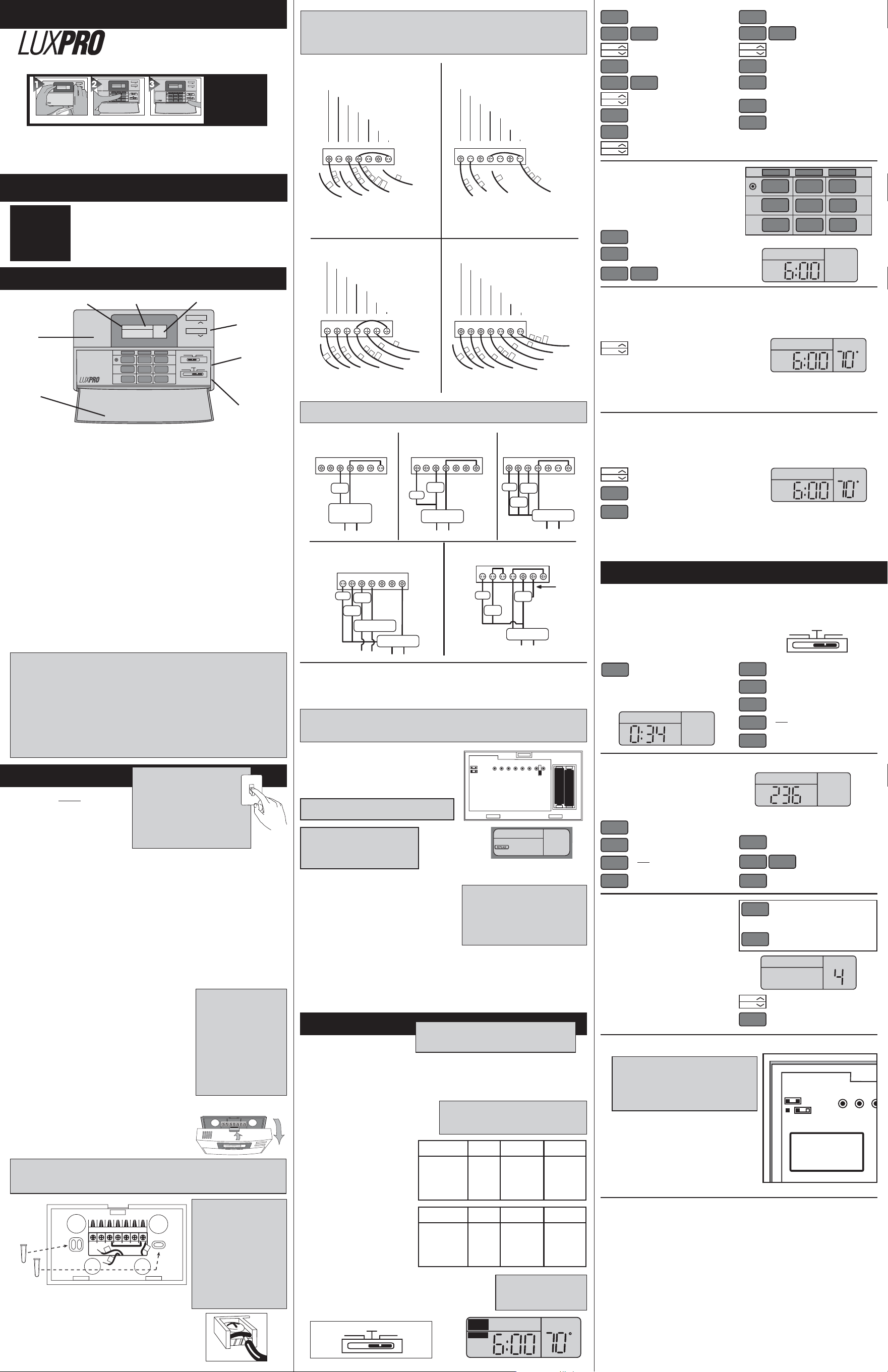
Push in the RESET key. This sets the
built-in heating and cooling programs. To
review the built-in programs,press NEXT
or PREVIOUS repeatedly; when you are
done, press RETURN.
You can use the built-in programs as
shown, or change them as you wish.
Each day is divided into four periods.
Each period has its own starting time and
temperature.
• The Unit can be used with most 24 volt gas, oil or electric heating and air conditioning
systems, single-stage heat pumps or gas millivolt heating systems. It cannot be used with 120
volt heating systems or multistage heat pumps. Ask your dealer for other LUX thermostats to con-
trol those systems.
•
The Unit is programmable.
There are four programming periods per day. Each period can be pro-
grammed separately.
• You can use the built-in time/temperature programs, or alter them to suit your schedule. The
Unit provides separate programming for every day of the week- for both heating and cooling. You
can override the programmed temperatures for as little as one programming period or for an entire
vacation.
• In cool weather, when the system switch is set to HEAT, the Unit will maintain cooler “set back”
room temperatures to save energy. It will then change to warmer “comfort” settings — all auto-
matically, at specified times during the day.
• In warm weather, when the system switch is set to COOL, the Unit will maintain warmer “set
back” room temperatures to save energy. It will then change to cooler “comfort” settings - all
automatically, at specified times during the day.
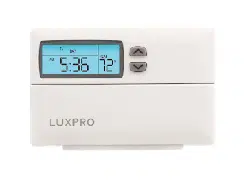
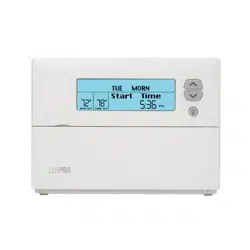
• A large liquid crystal display shows time, day of the week, and room and set temperatures.
It will remind you when the filter should be changed in your blower and track your system’s energy
usage.
• Temperature swing adjustment lets you fine-tune your system for maximum comfort and
economy.
• A 4-minute minimum on/off time in COOL prevents your air conditioning system from being
damaged.
• Two Energizer® or DURACELL® “AA” alkaline batteries (not included) are used to retain your
time and temperature programs.
LUX PRODUCTS CORPORATION • Mt. Laurel, New Jersey 08054 USA
INSTALLATION
IMPORTANT!
Thank you for your confidence in our product. To obtain the best results from
your investment, please read these instructions and acquaint yourself with
your purchase before installing your new thermostat. Then follow the
installation procedures, one step at a time. This will save you time and
minimize the chance of damaging the thermostat and the systems it controls.
These instructions may contain information beyond that required for your
particular installation. Please save for future reference.
READ
INSTALLATION
INSTRUCTIONS
FIRST
Please read this ENTIRE instruction man-
ual carefully and completely before
beginning your thermostat installation.
TOOLS REQUIRED
#1 Phillips screwdriver (small)
Drill with 3/16-in. (4.8mm) bit
THERMOSTAT LOCATION
On replacement installations, mount the new thermostat in place of the old one unless the conditions
listed below suggest otherwise. On new installations, follow the guidelines listed below.
1. Locate the thermostat on an inside wall, about 5 ft. (1.5m) above the floor, and in a room that is
used often.
2. Do not install it where there are unusual heating conditions, such as: in direct
sunlight; near a lamp, radio, television, radiator, register, or fireplace; near hot water pipes in a wall;
near a stove on the other side of a wall.
3. Do not locate in unusual cooling conditions, such as: on a wall separating an unheated room; or in
a draft from a stairwell, door, or window.
4. Do not locate in a damp area. This can lead to corrosion that will shorten thermostat life.
5. Do not locate where air circulation is poor, such as: in a corner or an alcove; or behind an open
door.
6. Do not install the unit until all construction work and painting has been completed.
7. This thermostat does not require leveling.
CAUTION
To avoid electrical shock and
to prevent damage to the
furnace, air conditioner, and
thermostat, disconnect the power
supply before beginning work. This
can be done at the fuse box, at the
circuit breaker, or at the appliance.
OFF
REMOVING THE OLD THERMOSTAT
Switch electricity to the furnace and air conditioner OFF; then
proceed with the following steps.
1. Remove cover from old thermostat. Most are snap-on types and
simply pull off. Some have locking screws on the side. These
must be loosened.
2. Note the letters printed near the terminals. Attach labels
(enclosed) to each wire for identification. Remove and label wires
one at a time. Make sure the wires do not fall back inside the
wall.
3. Loosen all screws on the old thermostat and remove it from the
wall.
MOUNTING THE UNIT ON THE WALL
1. Strip insulation 3/8 in. (9.5mm) from wire ends and clean off any corrosion.
2. Fill wall opening with non-combustible insulation to prevent
drafts from affecting the thermostat.
3. While holding thermostat, press button on TOP of the housing
and swing the front down and away from the back plate to
separate the front and back portions.
CAUTION
Read instructions carefully
before removing any
wiring from existing
thermostat. Wires must be
labeled before they are
removed. When removing
wires from their terminals,
ignore the color of the
wires since these may not
comply with the standard.
CAUTION
Do not allow wires to touch each other or parts on thermostat. Wires must be
trapped between black spacer and brass terminal. Also, be sure to tighten securely
all 7 electrical terminal screws.
NOTE
If you are mounting the base
to a soft material like plaster-
board or if you are using the
old mounting holes, the
screws may not hold. Drill a
3/16-in. (4.8mm) hole at each
screw location, and insert the
plastic anchors provided.
Then mount the base as
described below.
Heating Systems
GYWRHBORC
Tape Off *
* If replacing a Honeywell TM-11,
tape off wire “R”; connect wire “B”
to terminal “RH.”
** If replacing a Honeywell thermostat
with a clock wire “C,” tape off wire “C”
G
5
4
B
R
C
V
R
*
H
W
F
R
H
Tape Off **
C
Tape Off
TC
FAN RELAY
COOLING COMPRESSOR
HEATING CONTROL
HEATING TRANSFORMER
DAMPER OR CHANGEOVER VALVE
(POWERED IN HEAT)
DAMPER OR CHANGEOVER VALVE
(POWERED IN COOL)
COOL TRANSFORMER
Cooling Systems
GYWRHBORC
Y
V
R
C
R
C
G
F
T
C
Tape Off
FAN RELAY
COOLING COMPRESSOR
HEATING CONTROL
HEATING TRANSFORMER
DAMPER OR CHANGEOVER VALVE
(POWERED IN HEAT)
DAMPER OR CHANGEOVER VALVE
(POWERED IN COOL)
COOL TRANSFORMER
* If both Y and C wire are
present, tape off “C” wire.
*
Heating/Cooling Systems
4- or 5-Wire with One Transformer
GYWRHBORC
C
Y
G
F
W
V
R
R
C
B
O
(Optional)
(Optional)
Tape Off
T
C
FAN RELAY
COOLING COMPRESSOR
HEATING CONTROL
HEATING TRANSFORMER
DAMPER OR CHANGEOVER VALVE
(POWERED IN HEAT)
DAMPER OR CHANGEOVER VALVE
(POWERED IN COOL)
COOL TRANSFORMER
* If both Y and C wire are
present, tape off “C” wire.
*
FAN RELAY
COOLING COMPRESSOR
HEATING CONTROL
HEATING TRANSFORMER
DAMPER OR CHANGEOVER VALVE
(POWERED IN HEAT)
DAMPER OR CHANGEOVER VALVE
(POWERED IN COOL)
COOL TRANSFORMER
Heating/Cooling Systems
5- or 6-Wire with Two Transformers
GYWRHBORC
Y
C
G
F
W
4
A
R
H
B
O
(Optional)
(Optional)
V
R
RC
Tape Off
TC
*
* If both Y and C wire are
present, tape off “C” wire.
CAUTION
• Your thermostat is a precision instrument. Please handle it with care.
• Turn off electricity to the appliance before installing or servicing thermostat or any
part of the system. Do not turn electricity back on until work is completed.
• Do not short (jumper) across electric terminals at control on furnace or air conditioner
to test the system. This will damage the thermostat and void your warranty.
• All wiring must conform to local codes and ordinances.
• This thermostat is designed for use with 24 volt and millivolt systems. The thermostat
should be limited to a maximum of 1.0 amps; higher amperage may cause damage
to the thermostat. If you are in doubt, call your utility company.
THE BUILT IN
TEMPERATURE
PROGRAMS
PERIOD HEAT COOL
MON-FRI
MORN 6:00 AM 70° 6:00 AM 75°
(Weekday) DAY 8:30 AM 60° 8:30 AM 85°
preprograms EVE 3:00 PM 70° 3:00 PM 75°
NIGHT 11:00 PM 65° 11:00 PM 80°
PERIOD HEAT COOL
SAT-SUN
MORN 6:00 AM 70° 6:00 AM 75°
(Weekend) DAY 6:15 AM 70° 6:15 AM 75°
preprograms EVE 3:00 PM 70° 3:00 PM 75°
NIGHT 11:00 PM 65° 11:00 PM 80°
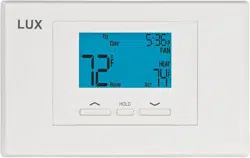
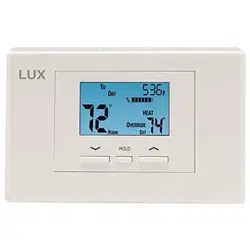
The Unit alternately displays the current time and room temperature. It also displays the day of the week
and the currently active program period that is controlling the temperature: MORN, DAY, EVE, or NIght.
The set point temperature will appear in the right side of the display. In the winter, set the system switch
to HEAT to control your heating system. In the summer, set the switch to COOL to control your air
conditioner. In spring and fall or when windows are open, you can set the system switch OFF.
Setting the FAN switch to AUTO automatically
runs your system’s fan during heating and cooling.
Setting the FAN switch to ON runs your system’s
fan continuously even without heating or cooling.
NOTE
The FAN switch works only if your system
provides a wire for the Unit’s “G” terminal.
PROGRAMMING THE UNIT
You can change any preset times or temperatures to suit your sched-
ules for the Weekday, Saturday or Sunday programs. Each period
(Morning, Day, Evening, and Night) is programmed separately for HEAT
and COOL. On the System Switch, select HEAT mode to program the
heating values, and select COOL mode to program the cooling values.
PSP700 SERIES
Complete, Easy To Read Programming And Installation Instructions Inside
ADVANCED FEATURES
WIRING DIAGRAMS
OPERATION
This thermostat is “armchair programmable”
You can make any program or setting change
with the thermostat body on or off the wall.
TEMP
TEMP
FAN
AUTO ON
OFF
HEAT COOL
NEXT
AHEAD
HOLD
PREVIOUS
BACK
FILTER
USAGE
COPY
PREVIOUS
DAY
RETURN
ENERGY
USAGE
RESET
PROGRAM DAY/TIME SYSTEM
S
U
N
ITE
AM
COOL
80
°
12:10
°
TEMP
TEMP
FAN
AUTO ON
OFF
HEAT COOL
NEXT
AHEAD
HOLD
PREVIOUS
BACK
FILTER
USAGE
COPY
PREVIOUS
DAY
RETURN
ENERGY
USAGE
RESET
PROGRAM DAY/TIME SYSTEM
S
U
N
ITE
AM
COOL
80
°
12:10
°
TEMP
TEMP
Choose Heat or CoolSet Day & Time
Installs Easily
Easy as
1–2–3
INSTALLATION AND OPERATING INSTRUCTIONS
TYPICAL SINGLE-STAGE
HEAT PUMP WIRING
Figure 12
110
GYWRHBORC
COMP
FAN
24 VAC HEAT
TRANSFORMER
CHG.
OVER
ADD
JUMPER
BETWEEN
Y & W
ALT.
110
TYPICAL COOLING AND
HEATING SYSTEM
(5-WIRE)
FAN
COOL
COMP
GAS
VALVE
24 VAC HEAT
TRANSFORMER
110
Figure 11
24 VAC COOL
TRANSFORMER
REMOVE
JUMPER
BETWEEN
RH & RC
GYWRH RCOB
TYPICAL COOLING AND
HEATING SYSTEM
(4-WIRE)
Figure 10
110
GAS
VALVE
COOL
COMP
FAN
24 VAC HEAT
TRANSFORMER
GYWRH RCOB
TYPICAL HOOKUP FOR 3-WIRE
HEAT SYSTEM IF THIRD
WIRE IS FAN WIRE
Figure 9
GAS
VALVE
110
FAN
24 VAC
TRANSFORMER
GYWRH RCOB
TYPICAL HOOKUP FOR 2-WIRE
24V HEATING SYSTEM AND
MILLIVOLT SYSTEM
Figure 8
GAS
VALVE
110
24 VAC
TRANSFORMER
OR
THERMOPILE
GYWRH RCOB
CAUTION
Be careful not to drop the body or disturb electronic parts.
Leave the cover closed while the body is being removed from the base.
GYWRHBORC
G
W
R
Attaching Wires
4. Hold the base against the wall, with the wires coming through
wherever it is convenient for wiring. Route the wires to below
the terminal block. Position the base for best appearance (to
hide any marks from an old thermostat). An optional wall plate
is included for covering old mounting holes. Attach the base
to the wall with the two screws provided.
FEATURES
These diagrams below are provided for new installations
or unreferenced wires.
1. Remove fresh batteries from their package.
2. Remove body of thermostat as described earlier.
3. Remove existing batteries if they are being replaced.
4. Install two new Energizer
®
or DURACELL
®
"AA" size
alkaline batteries in the battery compartment. OBSERVE
THE POLARITY MARKINGS SHOWN.
NOTE: Some earlier versions of this model may have 4-
”AAA” batteries instead, all other instructions will be the
same as displayed in this section.
5. Place body back on the wall. Hook the bottom of the body onto the base, swing the body up and in,
and snap the body onto the base.
Installation is now complete. Be sure to turn the power back on to your heating and /or air conditioning
system. If this is the first time you are installing batteries, the thermostat will display “SUN 12:00 AM”.
Within 90 seconds the thermostat will begin to display the room temperature alternately with the time. To
correct the display, see “Setting the TIME and DAY,” after you set the programs.
REPLACE BATTERIES WHEN THE
“REPLACE” INDICATOR APPEARS
CAUTION
The Unit is protected against normal static
electric discharges. However, in extremely
dry weather you should touch another
metal object before the Unit to avoid
potential loss of programs.
JP2
ELECT
GAS
JP1
ENERGIZER
®
OR DURACELL®
ENERGIZER
®
OR DURACELL®
NOTE
When replacing batteries, you have
approximately 1 minute before the
programs are lost.
NOTE
If you have an electric system and the blower does not operate after installation, find the
electric/gas heat selector on the back of the body. Move the selector to the ELEC position.
NO
TE
HEAT and COOL may
have different temperatures.
WARNING: Use Energizer
®
or DURACELL
®
Alkaline Batteries Only.
Energizer
®
is a registered trademark of Eveready Battery Company, Inc.
DURACELL
®
is a registered trademark of The Gillette Company, Inc.
WARNING: Use Energizer
®
or DURACELL
®
Alkaline Batteries Only.
INSTALLING BATTERIES
The Unit requires batteries to operate your furnace and
retain its programming in memory. Replace the batteries
when the REPLACE indicator appears in the display or
at least once a year.
SMART TEMP
®
ELECTRONIC THERMOSTAT
TEMP
TEMP
FAN
AUTO ON
OFF
HEAT COOL
NEXT
AHEAD
HOLD
PREVIOUS
BACK
FILTER
USAGE
COPY
PREVIOUS
DAY
RETURN
ENERGY
USAGE
RESET
PROGRAM DAY/TIME SYSTEM
SU
NITE
AM
COOL
80
°
12: 10
°
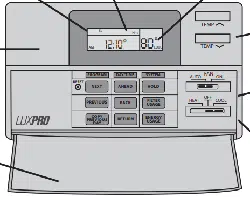
LCD Display
Screen
Tempature
Adjustment
Buttons
Set TemperatureActive Program Period
Thermostat
Body
Thermostat
Door
Fan
Switch
System
Switch
OFF
HEAT COOL
TU
AM
MORN
HEAT
MO WE TH FR
SET TEMP
PROGRAM
FOR:
START AT:
To start programming, and to advance the
display to the next program period (e.g., Mo).
To change the start time for the
displayed period (e.g., MORN).
To change the temperature setting for the dis-
played period.
To move to the next period (e.g., DAY).
To change the start time for DAY.
To change the temperature setting for DAY.
To move to EVE.
To change the start time for EVE.
NEXT
AHEAD
BACK
TEMP
TEMP
NEXT
TEMP
TEMP
NEXT
NEXT
AHEAD
BACK
To change the start time for EVE.
To move to NITE.
To change the temperature set-
ting for NITE.
To change the temperature setting for NITE.
To move to the next day (e.g., Tu).
To copy all four of the previous day’s programs
into the current day. This also automatically
advances the display to the following day.
To view and change settings for the previous
program period.
To store all changes (This will occur automati-
cally if no buttons are pressed for 20 seconds.)
TEMP
TEMP
AHEAD
BACK
TEMP
TEMP
NEXT
NEXT
COPY
PREVIOUS
DAY
PREVIOUS
RETURN
TECHNICAL SERVICE
If you have any problems installing or using this thermostat, please carefully and thoroughly review the
instruction manual again. If you require assistance, please contact our Technical Assistance Department at
856-234-8803 during regular business hours between 8:00AM and 4:30PM Eastern Standard Time, Monday
through Friday. You can also receive technical assistance online at http://www.luxproducts.com anytime day
or night. Our web site offers you answers to the most common technical questions, and also permits you to
email your questions to our technical support staff at your convenience.
WARRANTY
Limited Warranty: If this unit fails because of defects in materials or workmanship within one year from date
of original purchase, LUX, will, at its option, repair or replace it. This warranty does not cover damage by
accident, misuse, or failure to follow installation instructions. Implied warranties are limited in duration to one
year from date of purchase. Some states do not allow limitations on how long an implied warranty last, so
the above limitation may not apply to you. Please return malfunctioning or defective units to the participating
retailer from which purchase was made, along with proof of purchase. Please refer to Technical Service
Section before returning thermostat.
Purchaser assumes all risks and liability for incidental and consequential damage resulting from installation
and use of this unit. Some states do no allow the exclusion of incidental or consequential damages, so the
above exclusion may not apply to you. This warranty gives you specific legal rights and you may also have
other rights which vary from state to state. Applicable in the U.S.A. only.
Open the drop down door on the front of the
thermostat. Press the AHEAD button. You should
see a day of the week (e.g., “MO”) flashing in the
display. When you finish setting the correct time
and day of the week, press teh RETURN button to
store your changes.
SETTING THE TIME AND DAY
NEXT
AHEAD
HOLD
PREVIOUS
BACK
FILTER
USAGE
COPY
PREVIOUS
DAY
RETURN
ENERGY
USAGE
RESET
PROGRAM
DAY/TIME
SYSTEM
TU
AM
AM
MO R N
HEAT
TH
O
VERRIDE
Use both of these to change the
current time.
AHEAD
BACK
To change the current day.
AHEAD
To set the current time. The time (e.g., “6:28”)
will be flashing.
NEXT
TEMPORARY TEMPERATURE OVERRIDE
MANUAL TEMPERATURE HOLD
Use the Temp UP and Temp DOWN buttons
to initiate the temporary override. The word
“Override” will be displayed on the screen
while this is in effect (as shown to the right).
TEMP
TEMP
This feature lets you temporarily change the current set temperature without changing the pro-
grams stored in your thermostat’s memory. This setting is considered “temporary”, because the
stored program temperature will again take over at the next scheduled program period.
Note: If you have already altered the set temperature, and then use the Temp UP and Temp
DOWN buttons and return the set tempere to the same value as the current program tempera-
ture, the override will be terminated and the “Override” indicator on the screen will turn off. An
override may also be canceled by pressing the RETURN button.
To initiate a Manual Temperature Hold, start by
changing the set temperature using the Temp
UP and Temp DOWN buttons to your desired
“holding” temperature (just as in a temporary
temperature override above). Now press the
HOLD button. The word “Hold” will be displayed on the screen while this is in effect (as
shown in the drawing to the right). While Hold is being shown on the screen, the tem-
perature will remain at the set temperature until the hold is canceled by the user.
To cancel an existing hold, you can either push the HOLD button again, or push the RETURN but-
ton. When the “Hold” indicator disappears from the screen, the hold will be canceled and the
thermostat will be back in normal “Run” mode and follow the programs stored in memory.
This feature lets you manually change the current set temperature for an indefinate amount of
time without having to change the programs stored in your thermostat’s memory. This will, in
effect, make the thermostat “act” like a non-programmable unit as long as it remains in the
HOLD mode.
TEMP
TEMP
HOLD
RETURN
AM
MO R N
HEAT
TH
H
OLD
Screw
Anchors (2)
ENERGY USAGE MONITOR
A timer in the thermostat records your systems’s ON time for the current day, the previous day,
and also comulatively to let you see the effects of your temperature settings and varying weather
conditions.
Select HEAT mode to monitor heating energy usage, OR
Select COOL mode to monitor cooling energy usage.
OFF
HEAT COOL
To view the first usage monitor. The current
day (e.g., “Fr”) will appear. The “Usage” and
“Hr” indicators will appear on the screen. The
time displayed indicates the total Energy Usage just for
today. Below is an example of the screen while displaying
the Energy Usage monitor.
To display yesterday’s total Energy Usage.
To display the total Energy Usage since the
usage monitor was last reset back to zero.
ENERGY
USAGE
NEXT
NEXT
To reset display to 000.
AHEAD
HEAT
WE
USAGE
HR
To store all changes (This occurs automatically
if no buttons are pressed for 20 seconds.)
RETURN
To undo the previous “reset display to 000”
AHEAD
The FILTER Monitor counts the hours since
the filter in your blower fan unit was last
changed. After 250 hours of use, “Filter” will
appear in the display. After you change the fil-
ter, set the thermostat’s FILTER Monitor back
to zero as follows.
Hold this button down for 3 seconds to display
the Filter Usage Monitor Limit value.
FILTER
USAGE
To store all changes (This occurs automatically
if no buttons are pressed for 20 seconds.)
RETURN
FILTER
HR
FILTER USAGE MONITOR
TO CHAGE THE Filter Usage Monitor limit:
To display the Filter Usage Monitor.
To reset the display to 000.
FILTER
USAGE
AHEAD
To undo the previous “reset display to 000”
AHEAD
To return to Run mode (This occurs automati-
cally if no buttons are pressed for 20 seconds.)
RETURN
To adjust the limit value to
between 100 and 500 hours.
AHEAD
BACK
TEMPERATURE SWING
A thermostat woks by turning your heating or
coooling system on and off whenever the
room temperature varries a certain number of
degrees from the set point temperature. This
amount of variation above and below the set
point is called the “swing” amount.
Your system should cycle on approximately 3
to 6 times per hour. A smaller swing number
setting increases the number of cycles per
hour, which has an end result of making the
room temperature more constant and precise.
A larger swing number setting decreases the
number of cycles per hour. This will make the
room temperature vary a larger, however this
will provide an energy savings in most cases.
Press these two buttons simultaneously, and
then release to display the current setting.
The default setting of #4 will usually work fine
in most installations. This setting is consid-
ered to be optional, and you are not required
to change this setting in order to operate your
heating and cooling systems.
FILTER
USAGE
ENERGY
USAGE
+
S
ET
T
EMP
S
WING
Use these two buttons to change the
Temperature Swing value (Range: #1 - #9).
TEMP
TEMP
To store all changes (This occurs automatically
if no buttons are pressed for 20 seconds.)
RETURN
ADDITIONAL OPTIONS: ºF TO º C DISPLAY, AND 12HR TO 24HR CLOCK
Remove the front half of the thermostat from the back
plate. Looking at the upper-left of the circuit board on
the rear of the unit, there will be two jumper caps which
are labeled “JP1” and “JP2” (as shown in the drawing
to the right).
To change ºF to ºC, remove the bottom jumper (JP1).
To change 12HR to 24HR, remove the top jumper (JP2).
Once finished, press the small “RESET” button to the
left of the keypad buttons for changes to take effect.
Reprogram any time or temperature settings as needed.
JP2
JP1
** When the jumpers
are removed, place
them on only one of
the pins for storage.
NOTE
Making these changes will require you to reset
the thermostat after making the change. Please
write down any heating or cooling program
times or temperatures that you may have stored
in memory as these will be lost during the reset.
43213-05
BLOWER FAN
There is a switch on the back of the circuit board which has (2) positions, GAS and ELECTRIC. Choose
the GAS switch position to have your furnace control the fan operation while in heat mode, or choose the
ELECTRIC switch position to have the thermostat control the fan operation while in heat mode.