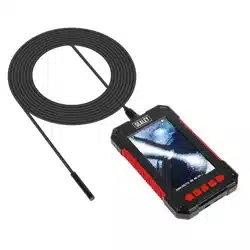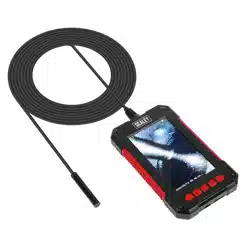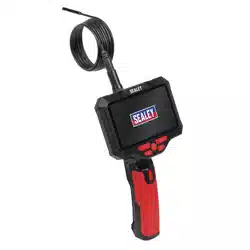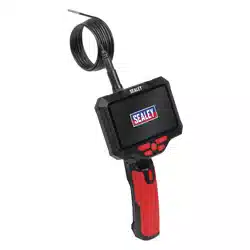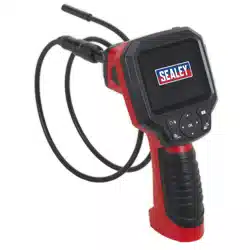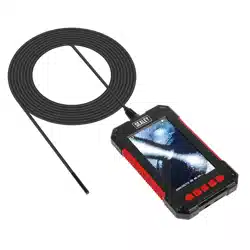

CAMERA TABLET VIDEO BORESCOPES
LENS DIAMETERS 3.9MM, 5.5MM, 8.0MM
MODEL NOs. RESPECTIVELY: VS8114, VS8115, VS8116
Thank you for purchasing a Sealey product. Manufactured to a high standard, this product will, if used according to these
instructions, and properly maintained, give you years of trouble free performance.
IMPORTANT: PLEASE READ THESE INSTRUCTIONS CAREFULLY. NOTE THE SAFE OPERATIONAL REQUIREMENTS, WARNINGS & CAUTIONS. USE
THE PRODUCT CORRECTLY AND WITH CARE FOR THE PURPOSE FOR WHICH IT IS INTENDED. FAILURE TO DO SO MAY CAUSE DAMAGE AND/OR
PERSONAL INJURY AND WILL INVALIDATE THE WARRANTY. KEEP THESE INSTRUCTIONS SAFE FOR FUTURE USE.
1. SAFETY
1.1. GENERAL SAFETY
9 Alwaysperformautomotivetestinginasafeenvironment.
9 Keepyourworkareacleanandwelllit.
9 Keepclothing,hair,hands,tools,testequipment,etc.awayfromallmovingorhotengineparts.
9 Operatethetoolinawell-ventilatedworkarea.
8 DO NOToperatethetoolinexplosiveatmospheres,suchasinthepresenceofammableliquids,gases,orheavydust.
8 DO NOTusethetoolaroundcorrosivechemicalswhichcandamagethetool.
8 DO NOTabusetheexiblecable.Neverusetheexiblecabletocarrythetool.
8 DO NOTdroptheborescope,itisnotshockproof.
9 Keepbystandersandchildrenawaywhileoperatingthetool.
9 Keepthetooldry,clean,freefromoil,waterandgrease.Useasmallamountofmilddetergentonacleanclothtocleantheoutside
of the tool when necessary andstoreinadry,childproofarea.
1.2. BATTERY SAFETY
WARNING! Toreducetheriskofburnsorre:
8 DO NOTAttempttoopen,dismantle,modifyorservicethebatterypack.
8 DO NOTCrush,puncture,shortexternalcontactsordisposeofinreorwater.
8 DO NOTExposetotemperaturesabove40°Corbelow-10°C.
8 DO NOTExposetodirectsunlightforlongperiodsoftime.
8 DO NOTExposetomoisture.
2. INTRODUCTION
Large110mmLCDscreenwitharesolutionupto1080pfullHDforvideorecording,playbackandstillimages.Tabletdesignmakestheimage
incrediblyclearbutalsoveryportable.Featurescontrolsforlightintensity,digitalzoomandimagerotation.WaterproofprobepodwithIP67
rating.Poweredby2600mAhrechargeablewith5hourworkingtime(USBChargingcablesupplied).SDcardcanbeinstalledtoachievele
storage(notsupplied).Kitincludes45°mirror,hookandmagneticpick-up.CableLength:2m.
3. SPECIFICATION
NOTE: AllitemssharetheattributesbelowexceptfortheCamerasize.
CameraProbeLength:...................................................... 2m
Camera(VS8114,VS8115,VS8116):.... Ø3.9,Ø5.5,Ø8.0mm
MirrorFlip/RotateFunction:.............................................. Yes
Pod Length:................................................................. 45mm
Power Source:........................ 5V-2600mAhlithiumbattery
RecordFunction(Video+Still):....................................... Yes
Screen Resolution:........................................... 1920x1080p
ScreenSize:.............................................................. 110mm
SD Memory Slot:.............................................................. Yes
USBConnection:.............................................................. No
Viewing Angle:..................................................................70°
4. CHARGING
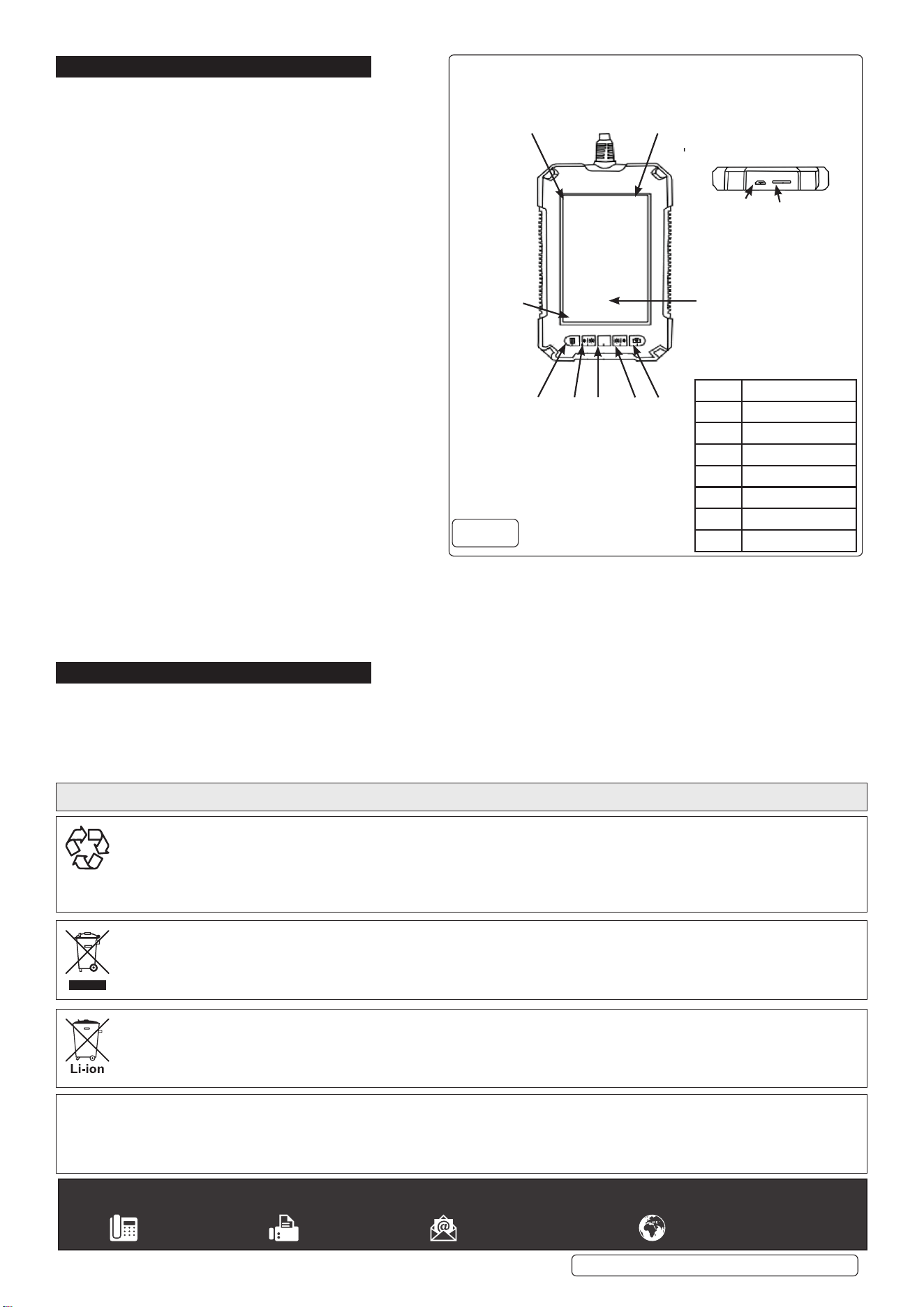
4.1. ConnecttheUSBcable(supplied)totheunit(g.1)andtheotherendtoaUSBpowersource.
4.2. Whilecharging,theredLEDonthelowerleftcornerofthefrontfacewilllight(g.1).Oncecharged,thelightwillgoout.
4.3. RemovetheUSBcableoncethechargelightgoesout.
NOTE: Duringoperation,abatterystatesymbolwillshowinthetoplefthandcornerofthedisplayscreen(g.1).
Original Language Version
© Jack Sealey Limited
Refer to
instructions
VS8114,VS8115,VS8116Issue118/03/22
VS8114,VS8115,VS8116Issue118/03/22
Original Language Version
© Jack Sealey Limited
5. OPERATION
5.1. Whencharged,presstheOn/Obutton(g.1.3)
toturntheuniton.Iftheunithascharge,theLED
(section4.2)willshowgreen.
5.2. MENU OPTIONS
5.2.1. Todisplaythemenu,presstheMenubutton(g.1.1).
5.2.2. To cycle through the Menu options use the Down arrow
button(g.1.4).
5.2.3. Whentherequiredoptionishighlighted,presstheOK
button(g.1.3)toentertheoptions’choices.
5.2.4. UseDownarrowbutton(g.1.4)tohighlighttherequired
optionandpressOKbutton(g.1.3)toacceptit.
5.2.5. Toexitthemenusection,pressthemenubutton(g.1.1).
5.3. OPERATIONAL CONTROLS
5.3.1. Todecreaseboreilluminationwheninuse,press
lightdownbutton(g.1.2).Toincreaseboreillumination
wheninuse,presslightupbutton(g.1.4.).Thelight
levelindicatorbarwilldisplaythelightvalueselected.
5.3.2. Totakephotographs,pressthePhoto/Videobutton
5.3.3. (g.1.5).TorecordvIdeo,pressandholdthe
Photo/Videobutton(g.1.5).
5.3.4. Toreviewphotos/videos,selecttherelevantmenuoption
andscrollthroughusingtheupanddownarrows(g.1.2,
g.1.4).WhenhighlightedpressOKbutton(g.1.3).
5.4. ACCESSORIES
5.4.1. Theaccessoriesincludedwiththisunitcanbeusedto
retrievesmallparts,orprovidebetterviewinginto
inaccessibleareas.Thesecanbeattachedtothe
camera head using the accessory collar as follows:
5.4.2. Slide the desired accessory through the accessory collar
andalignwiththenotchinside.
5.4.3. Positionthehookontheendoftheaccessorybehindthecamerahead.
5.4.4. Slidetheaccessorycollaroverthecameraheadwiththeaccessoryinplace,untiltightened.
NOTE: Theseaccessoriesarenotdesignedforliftingheavyobjectsorpullingwithforce.Alwaysholdthecameraprobeinyourhand
whileusinganaccessory.PullingontheLCDunitwillputstressonthecableconnectionandcouldcausetheunittomalfunction.Use
onlyforsmall,lightweightobjects.
6. MAINTENANCE
6.1. Keepunit,probeandcablescleanandcheckfordamagebeforeeveryuse.Ifdamageisobserved,removefromuseuntilunitis
repaired.
6.2. Thebatteryisnotdesignedtoberemoved.
6.3. Ifthedeviceisnotused,itshouldbestoredinadryplace,awayfromchildren.
Sealey Group, Kempson Way, Suffolk Business Park, Bury St Edmunds, Suffolk. IP32 7AR
01284 757500 01284 703534 sales@sealey.co.uk www.sealey.co.uk
ENVIRONMENT PROTECTION
Recycleunwantedmaterialsinsteadofdisposingofthemaswaste.Alltools,accessoriesandpackagingshouldbesorted,takento
arecyclingcentreanddisposedofinamannerwhichiscompatiblewiththeenvironment.Whentheproductbecomescompletely
unserviceableandrequiresdisposal,drainanyfluids(ifapplicable)intoapprovedcontainersanddisposeoftheproductandfluids
accordingtolocalregulations.
WEEE REGULATIONS
DisposeofthisproductattheendofitsworkinglifeincompliancewiththeEUDirectiveonWasteElectricalandElectronicEquipment
(WEEE).Whentheproductisnolongerrequired,itmustbedisposedofinanenvironmentallyprotectiveway.Contactyourlocalsolid
wasteauthorityforrecyclinginformation.
Note: It is our policy to continually improve products and as such we reserve the right to alter data, specifications and component parts without prior
notice.
Important:NoLiabilityisacceptedforincorrectuseofthisproduct.
Warranty:Guaranteeis12monthsfrompurchasedate,proofofwhichisrequiredforanyclaim.
Partssupportisavailableforthisproduct.Pleaseemailsales@sealey.co.ukortelephone01284757500
Battery
Indicator
Here
SD Card`
Indicator
Here
Date/Time
76
Light level
ITEM FUNCTION
1 Menu/back
2 Up/lightdown
3 Poweron/o,OK
4 Down/lightup
5 Photo/Video
6 Charge point
7 SD Card slot
1 2 3
4
5
BATTERY REMOVAL
UndertheWasteBatteriesandAccumulatorsRegulations2009,JackSealeyLtdarerequiredtoinformpotentialpurchasersofproducts
containingbatteries(asdefinedwithintheseregulations),thattheyareregisteredwithValpak’sregisteredcompliancescheme.Jack
SealeyLtd’sBatteriesProducerRegistrationNumber(BPRN)isBPRN00705.
g.1