
Thank you for purchasing a Sealey product. Manufactured to a high standard, this product will, if used according to these instructions,
and properly maintained, give you years of trouble free performance.
IMPORTANT: PLEASE READ THESE INSTRUCTIONS CAREFULLY. NOTE THE SAFE OPERATIONAL REQUIREMENTS, WARNINGS & CAUTIONS. USE
THE PRODUCT CORRECTLY AND WITH CARE FOR THE PURPOSE FOR WHICH IT IS INTENDED. FAILURE TO DO SO MAY CAUSE DAMAGE AND/OR
PERSONAL INJURY AND WILL INVALIDATE THE WARRANTY. KEEP THESE INSTRUCTIONS SAFE FOR FUTURE USE.
Original Language Version
© Jack Sealey Limited
VIDEO BORESCOPES
1. SAFETY
1.1. GENERAL SAFETY
9 Always perform automotive testing in a safe environment.
9 Keep your work area clean and well lit.
9 Keep clothing, hair, hands, tools, test equipment, etc. away from all moving or hot engine parts.
9 Operate the tool in a well-ventilated work area.
8 DO NOT operate the tool in explosive atmospheres, such as in the presence of ammable liquids, gases, or heavy dust.
8 DO NOT use the tool around corrosive chemicals which can damage the tool.
8 DO NOT abuse the exible cable. Never use the exible cable to carry the tool.
8 DO NOT drop the borescope, it is not shock proof.
9 Keep bystanders and children away while operating the tool.
9 Keep the tool dry, clean, free from oil, water and grease.
WARNING: The handheld display unit is NOT waterproof.
9 Handle the borescope with care. If it is dropped, check for breakage and any other conditions which may aect its operation.
8 DO NOT immerse the imager head and cable into corrosive substances, petroleum or oil.
8 DO NOT use near moving machinery.
8 DO NOT use excessive force to insert or withdraw the imager head or cable.
8 DO NOT use the tool while tired or under the inuence of drugs, alcohol, or intoxicating medication.
8 DO NOT over-reach. Maintain proper footing and balance at all times.
8 DO NOT use the tool for personal or medical use in any way.
1.2. CHARGING SAFETY
9 Use only the supplied charging cable.
9 Allow clearance all around the device to allow cooling.
9 Disconnect the charging cable from the electrical supply when not in use.
8 DO NOT charge in an explosive atmosphere or in the presence of ammable material.
8 DO NOT leave camera unattended whilst recharging.
8 DO NOT exceed the maximum charging time.
9 The warnings, precautions and instructions discussed in this instruction manual cannot cover all possible conditions and situations that
may occur. It must be understood by the operator that common sense and caution are factors which cannot be built into this product,
but must be supplied by the operator.
2. INTRODUCTION
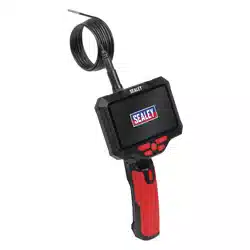
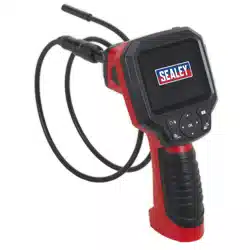
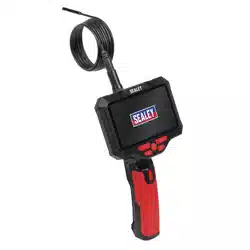
High performance pistol grip borescopes with 5”/127mm true colour LCD display screen. Includes 2000mm long waterproof probe pod
with IP67 rating. High brightness LED auxiliary lighting enables use in multiple environments. Features video record/playback, still images
and stream live video via the AV out connection. Comfortable pistol grip handle and clear function buttons allows one handed operation.
4GB Micro SD card (supplied) stores up to 4.5 hours of video and 10,000 images, which can be transferred to a PC via the USB
connection. Features 180° screen rotation function for increased exibility in application. Powered by lithium-ion battery pack, providing up
to 6 hours continuous use. AV and Type-C USB charging cable supplied. Supplied in storage case. The VS8118 is equipped with dual lens
for both forward and side camera view.
Refer to
instructions
MODEL NOs: VS8117, VS8118
VS8117 VS8118 Issue 1 30/01/25
3. SPECIFICATIONS
4. FEATURES
Original Language Version
© Jack Sealey Limited
Model No: VS8117 VS8118
Accessories: Magnet, Hook, Side Mirror, Type-C USB Charging
Cable
Magnet, Hook, Side Mirror, Type-C USB Charging
Cable
Camera: Ø3.9mm Ø5.5mm
Micro SD Card Size: 4GB 4GB
Mirror Flip/Rotate Function: Yes Yes
Nett Weight: 1.22kg 1.22kg
Pod Length: 30mm 48mm
Power Source: 5000mAh Li-ion Rechargeable Battery 5000mAh Li-ion Rechargeable Battery
Record Function (Video + Still): Yes Yes
Screen Resolution: 854 x 480 Pixels 854 x 480 Pixels
Screen Size: 5”/127mm 5”/127mm
SD Memory Slot: Yes Yes
USB Connection: Yes Yes
Viewing Angle: 70° 78°
CONTENTS
VS8117 Video Borescope 3.9mm Camera & 5” Screen
VS8117-01 USB Cable (USB - C-Type)
VS8117-02 Accessory Kit (hook, magnet, xed set)
VS8117-03 Long Probe 3.9mm (2000mm Long)
VS8117-SC Storage Case
VS8117 VS8118 Issue 1 30/01/25
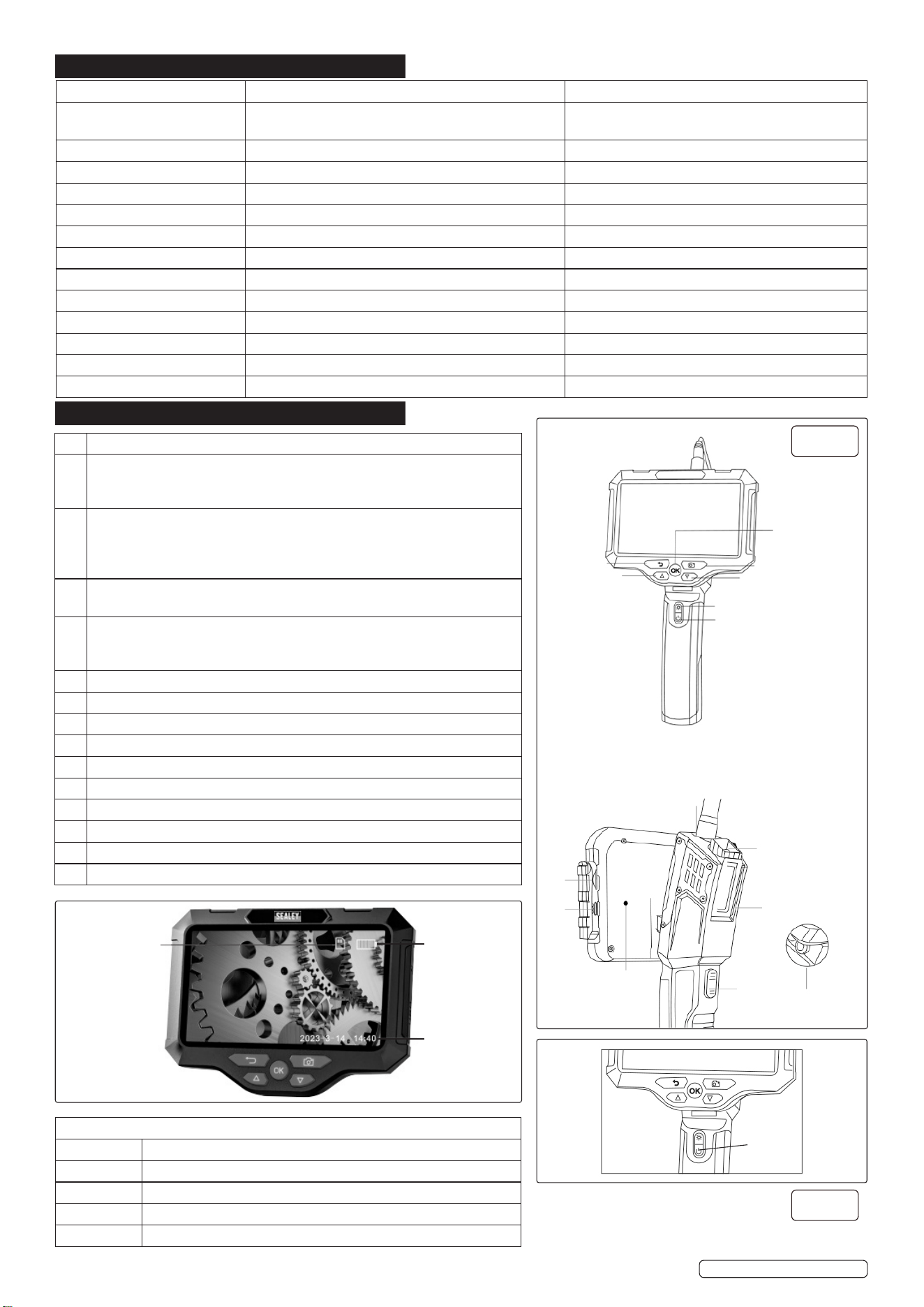
1 Setting Key - This is the “back” function in the menu screen.
2 Up Select key: This key is the “Up” function in the menu screen. In the
image screen, short press for “Zoom in” function, long press for screen
rotation.
3 Conrmation Key: When in the menu screen, press briey to conrm. Press
and hold to switch to album (view photos and videos). When in image
screen, press the OK button to switch between the front view camera and
the side view camera (this switch function is only for dual cameras).
4 Image capture: Short press to capture photos, long press to record video,
short press again to stop recording video.
5 Down Select key: This key is the “down” function in the menu screen. In
the image screen. Press for “Zoom out” function. Long press for screen
rotation.
6 Brightness adjustment for camera LED light.
7 Power button: Long press to power On/O.
8 TF card slot.
9 Charging interface.
10 Camera probe interface.
11 Reset: Short press to reset, shutdown.
12 Speaker.
13 Auxiliary lighting.
14 Screen gear adjustment switch.
15 Auxiliary lighting switch.
1
2
3
4
5
6
7
10
13
12
14
15
11
9
8
Reset
g.1
Power
On/O
g.2
Power level
indication: Full/
medium/ low/
empty
Date and
time: Modify in
Settings - date
and time
TF card status:
TF card status
inserted/no
card
5. OPERATION
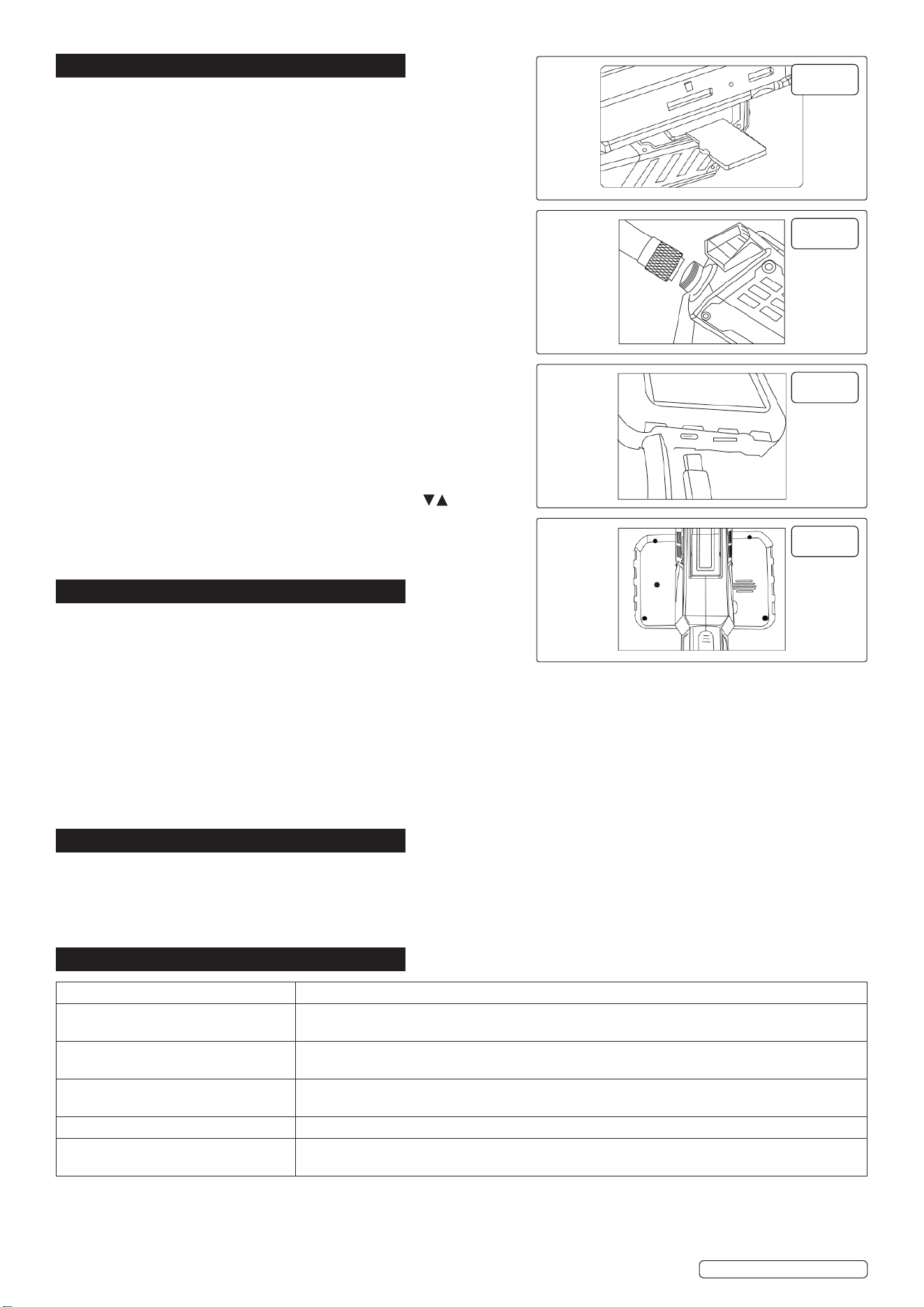
5.2.1. Press power button for 3 seconds to power On/O. Fig.2
5.2.2. The TF memory card can be ejected by being pressed in the card slot.
The photos or videos taken by the camera can be viewed, copied or
checked using a card reader.
Only when the TF memory card is correctly installed, the device can use
the photo and video recording and setting functions. Fig.3
5.1. INSERTING THE TF CARD
5.1.1. Only insert TF card when device is switched o. Insert TF card the correct
way making sure the correct insertion direction is applied.
5.2. INSERTING THE HOSE CONNECTOR
5.2.1. Insert the hose connector into the host port (alignment with indication
mark), turn clockwise until it is locked into place. Fig.4
NOTE: Before starting the device connect the camera probe, restart the
device if you change the probe.
5.3. CHARGING
5.3.1. Use the TYPE-C charging cable to charge this device or to copy, or to
check the photos and videos taken by the camera. Fig.5
5.4. LANGUAGE SETTINGS
5.4.1. The default language is English. The device also supports English,
Chinese, Japanese, Korean, French, German, Italian, and Spanish.
5.5. HOW TO SET LANGUAGE
5.5.1. Press the menu button twice to enter the setting page.
5.5.2. Select the second item on the setting page.
5.5.3. Use the Up and Down keys to select the desired language.
5.5.4. Press OK to save.
5.5.5. Long press the OK button to enter/exit the album, press to select
the photo or video to view, press the setting button to delete the photo or
video .
5.5.6. If there is a crash or, no response after pressing the buttons press the
reset button at the back of the device. Fig. 6
6. MAINTENANCE
6.5.1. Keep the device in a dry location and out of the reach of children. This
helps prevent device damage and possible personal injuries.
6.1. SERVICE AND REPAIR
6.1.1. For service and repair contact Sealey Service Centre.
6.2. DISMANTLING THE PRODUCT WHEN OUT OF SERVICE
8 DO NOT attempt to dismantle contact Sealey Service Centre.
6.3. PREVENTATIVE MAINTENANCE MEASURES
8 DO NOT use abrasive or solvent cleaners. Use a mild detergent on a soft cloth, taking care not to put excessive pressure on the
display screen.
6.4. REPAIR OF THE MACHINE
6.4.1. For repair contact Sealey Service Centre.
6.5. STORAGE OF THE PRODUCT
6.5.1. Store in a dry clean place out of the reach of children.
7. END OF LIFE
7.5.1. Through years of normal wear, the video borescope will eventually become unserviceable. When this happens ensure that it is
disposed of in accordance with local authority regulations.
7.1. BATTERY DISPOSAL
7.1.1. Exposure to high temperatures can cause the batteries to explode; DO NOT dispose of in a re. Some countries have regulations
concerning battery disposal. Follow all applicable regulations. Return used batteries to a collection location for recycling.
8. TROUBLESHOOTING
Original Language Version
© Jack Sealey Limited
VS8117 VS8118 Issue 1 30/01/25
FAULT REMEDY
The product does not show images or
has black screen
Remove the camera connector, reassemble and tighten, or restart the device.
Image frozen Check whether the device has sucient power, or restart the device, or reassemble the camera
connector.
Imaging image not clear The best imaging focal length of the device is: 2cm-10cm, calibrate the distance from the object you
are looking at, or clean the front of the camera with a clean alcohol wipe.
Charging the product Use (5V-1A/5V-2A) charger to charge the device, fast charging is not supported.
Camera heating up Camera’s heating is normal, especially when the LED light on the camera is at it’s maximum
brightness. This does not aect normal use or service life.
g.3
g.4
g.5
g.6
Reset
Sealey Group, Kempson Way, Suffolk Business Park, Bury St Edmunds, Suffolk. IP32 7AR
01284 757500 sales@sealey.co.uk www.sealey.co.uk
Note: It is our policy to continually improve products and as such we reserve the right to alter data, specifications and component parts without prior
notice.
Important: No Liability is accepted for incorrect use of this product.
Warranty: Guarantee is 12 months from purchase date, proof of which is required for any claim.
WEEE REGULATIONS
Dispose of this product at the end of its working life in compliance with the EU Directive on Waste Electrical and Electronic Equipment
(WEEE). When the product is no longer required, it must be disposed of in an environmentally protective way. Contact your local solid
waste authority for recycling information.
ENVIRONMENT PROTECTION
Recycle unwanted materials instead of disposing of them as waste. All tools, accessories and packaging should be sorted, taken to
a recycling centre and disposed of in a manner which is compatible with the environment. When the product becomes completely
unserviceable and requires disposal, drain any fluids (if applicable) into approved containers and dispose of the product and fluids
according to local regulations.
Original Language Version
© Jack Sealey Limited
VS8117 VS8118 Issue 1 30/01/25
BATTERY REMOVAL - UNSCREW SCREWS FROM CASING, REMOVE BATTERY FROM DEVICE.
Under the Waste Batteries and Accumulators Regulations 2009, Jack Sealey Ltd are required to inform potential purchasers of products
containing batteries (as defined within these regulations), that they are registered with Valpak’s registered compliance scheme. Jack
Sealey Ltd’s Batteries Producer Registration Number (BPRN) is BPRN00705.