
User Guide
FC-GMCC101-MC
Integrated Safety System
email - [email protected] (US)
tel - 1-800-477-2267 (East Coast) - 1-888-883-2790 (West Coast)
email - [email protected] (Europe)
2
User Guide
Illustrations are typical and may not match exact vehicle details
email - [email protected] (US)
tel - 1-800-477-2267 (East Coast) - 1-888-883-2790 (West Coast)
email - [email protected] (Europe)
FC-GMCC101-MC
Integrated Safety System
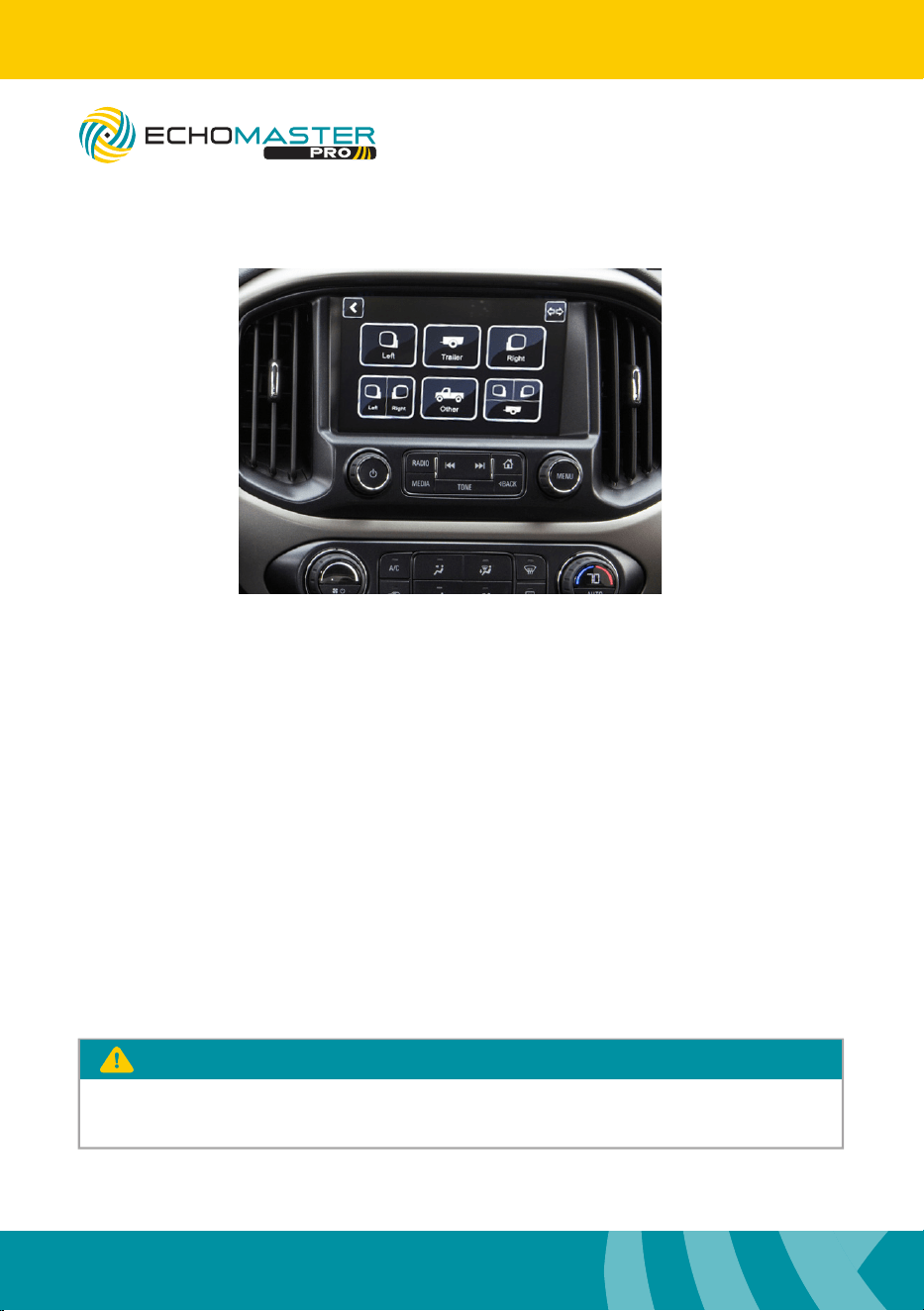
Use this button
to see left/right view
To Access the Menu
8” version
Press and hold the ”BACK” button
for three seconds to enter the
camera menu
Use the touch screen select your
desired view
Press “BACK” to return to the
previous screen
4” version
Press and hold the ”HOME”
button for three seconds to enter
the camera view.
Press the ”HOME” button for one
second to cycle through the views.
Press the “BACK” button
to return to the factory screen.
The camera is accessible after 7 seconds while in reverse. Press and hold the
“BACK” button on the 8” and the “HOME” button on the 4” to access.
PLEASE NOTE
3
User Guide
Illustrations are typical and may not match exact vehicle details
email - [email protected] (US)
tel - 1-800-477-2267 (East Coast) - 1-888-883-2790 (West Coast)
email - [email protected] (Europe)
email - [email protected] (US)
tel - 1-800-477-2267 (East Coast) - 1-888-883-2790 (West Coast)
email - [email protected] (Europe)
FC-GMCC101-MC
Integrated Safety System
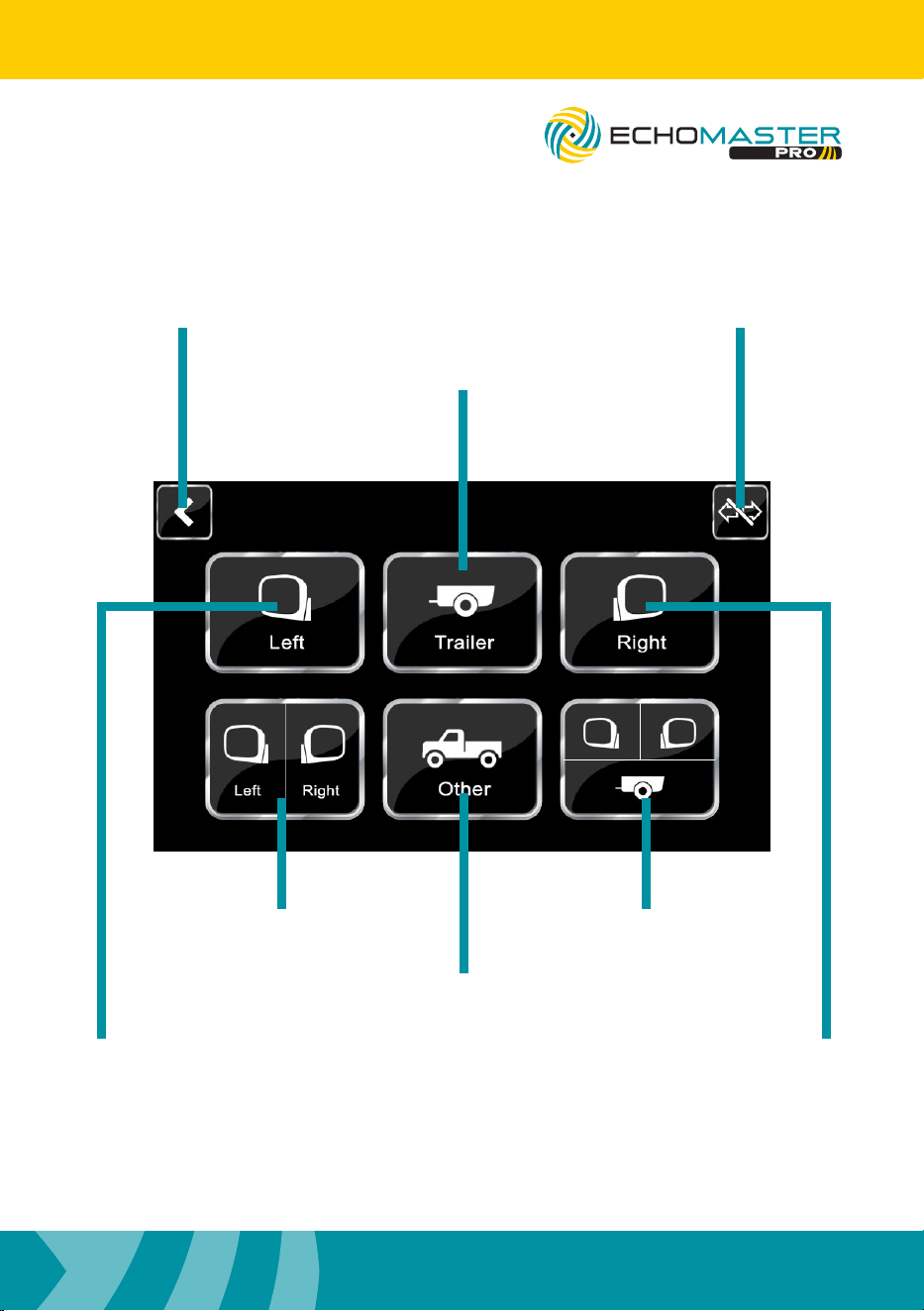
Use this button to turn on/off
auto turn signal views
Use this button to go back
to the previous screen
Use this button to
see the trailer view
Use this button
to see left/right view
Use this button
to see left/right/trailer view
Use this button
to see the optional
camera (if installed)
Use this button to
see the left side
camera
Use this button to
see the right side
camera
4” version
Press and hold the ”HOME”
button for three seconds to enter
the camera view.
Press the ”HOME” button for one
second to cycle through the views.
Press the “BACK” button
to return to the factory screen.
AGREEMENT: End user agrees to use this product in compliance with the instructions and terms
of use above and with all State and Federal laws. EchoMaster provides instructions and safety
warnings with respect to this product and disclaims all liability for any use not in conformity with
those instructions or other misuse of its product. If you do not agree, please discontinue use
immediately and contact EchoMaster. This product is intended for off-road use and passenger
use only.
UG-FC-GMCC101-MC
REV. 073117
15500 Lightwave Drive, Suite 202, Clearwater, Florida 33760
Unit 25B, Woolmer Way, Bordon, Hampshire, United Kingdom, GU35 9QE
email - [email protected] (US)
tel - 1-800-477-2267 (East Coast) - 1-888-883-2790 (West Coast)
email - [email protected] (Europe)
tel - +44(0)1420 487110 (sales) - +44(0)1420 470618 (technical)
EchoMaster is a Power Brand of AAMP Global.
EchoMaster.com