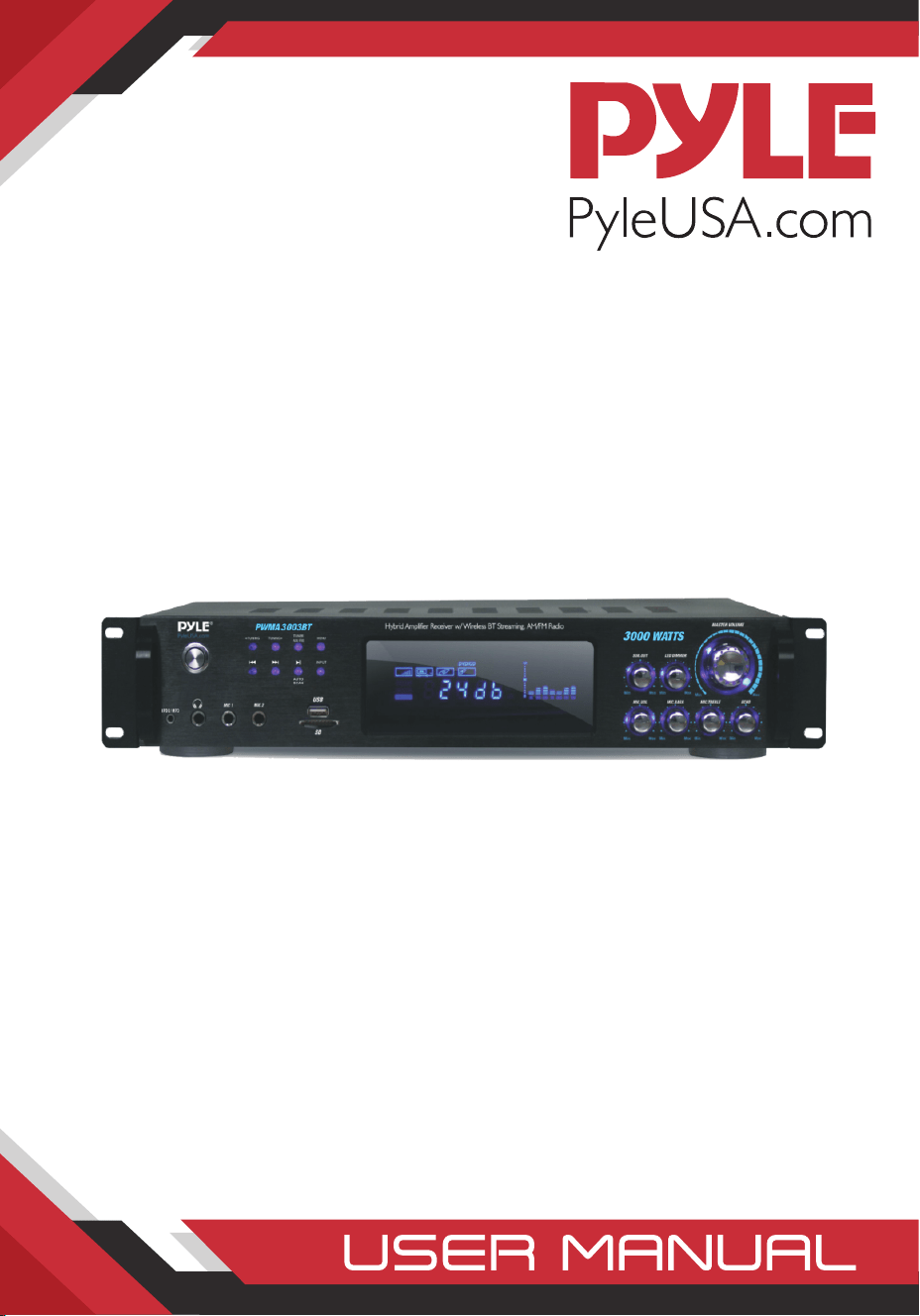
PWMA3003BT
Wireless BT Home Amplifier Receiver
and Microphone System
Hybrid Pre-Amplifier with (2) Wireless Microphones,
MP3/USB/SD/AUX/AM/FM Radio (3000 Watt)

www.PyleUSA.com
2
Safety Instructions
CAUTION: To reduce the risk of electric shock, DO NOT ATTEMPT TO OPEN
THE AMPLIFIER OR REMOVE THE COVER. There are no user serviceable
parts inside-please use a qualied technician for all servicing.
WARNING: To prevent electrical shock or re hazard ,this amplier should
not be exposed to rain or moisture. Do not place objects lled with liquid,
such as vases, on the amplier.
WHEN USING ELECTRICAL PRODUCTS, CAUTION SHOULD ALWAYS BE USED.
PLEASE READ AND KEEP THESE SAFETY INSTRUCTIONS.
Precaution
1. Power Source
The unit should be connected to a power supply AC-120V/60Hz,
AC-240V/50Hz.
2. Ventilation
The unit should be situated so that its location or position does not
interfere with its proper ventilation. Place the unit at least 10cm away
from the walls.
3. Water and Moisture
The unit should not be used near water-for example, near a swimming
pool in a wet basement, etc.
4. Electric Shock
If a metal object, such as hair pin or needle comes into contact inside this
unit, a dangerous electric shock may result. For families with children,
never permit children to put anything, especially metal, inside this unit.
Intended to alert the user to the presence of uninsulated
“dangerous voltage” within the product’s enclosure that may
be strong enough to create a risk electric shock to a person.
Intended to alert the user to the presence of important
operating and maintenance (servicing) instructions in the
literature accompanying the product.

www.PyleUSA.com
3
5. Enclosure Removal
Never remove the enclosure. If the internal parts are touched accidentally,
a serious electric shock might occur.
6. Abnormal Smell
If an abnormal smell or smoke is detected, immediately turn the power
OFF and pull out the power cord. Contact your dealer or nearest service
station.
1. POWER SWITCH: Press to switch the power unit ON or OFF.
2. : This knob is used to select the preview station which has been kept
in system.
3. TUNING - : Radio tuning button. Decrements the radio frequency.
4. : This knob is used to select the next station which has been kept in
system.
5. TUNING +: Radio tuning button. Increments the radio frequency.
6. : play/pause song button on USB/SD card
7. AM/FM SELECTOR
8. INPUT: This is used to select the input sources:
DVD/CD,TUNER,IPOD/MP3 AUX
9. MENU CONTROL: This is used to increment and decrement level for the
selected function of Master Volume, Bass, Treble, Balance, Auto Station seek.
10. FUNCTION DISPLAYED FLUORESCENT WINDOW
1 2 3 41 6 8
121 120 119 118 117 116 115 114
5 7 9 10
11 12 13

www.PyleUSA.com
4
11. SUB. OUT VOLUME CONTROL
12. LED DIMMER
13. MASTER VOLUME CONTROL: Adjusts the blue lights and blue rings.
Adjusts the volume level. Turn the knob clockwise to increase the volume.
14. ECHO CONTROL: Turn the knob to adjust the MIC echo level.
15. MIC TREBLE: Adjusts the treble of MIC.
16. MIC BASS: Adjusts the bass of MIC.
17. MIC VOLUME: Adjusts the volume level. Turn the knob clockwise to
increase the MIC volume .
18. USB/SD: Card input
19. MIC INPUT JACKS 1 & 2 KARAOKE MIC: Connect to these jacks.
20. HEADPHONE JACK: Headphone connect to this jack.
21. IPOD/MP3 JACK: Connect to this jack
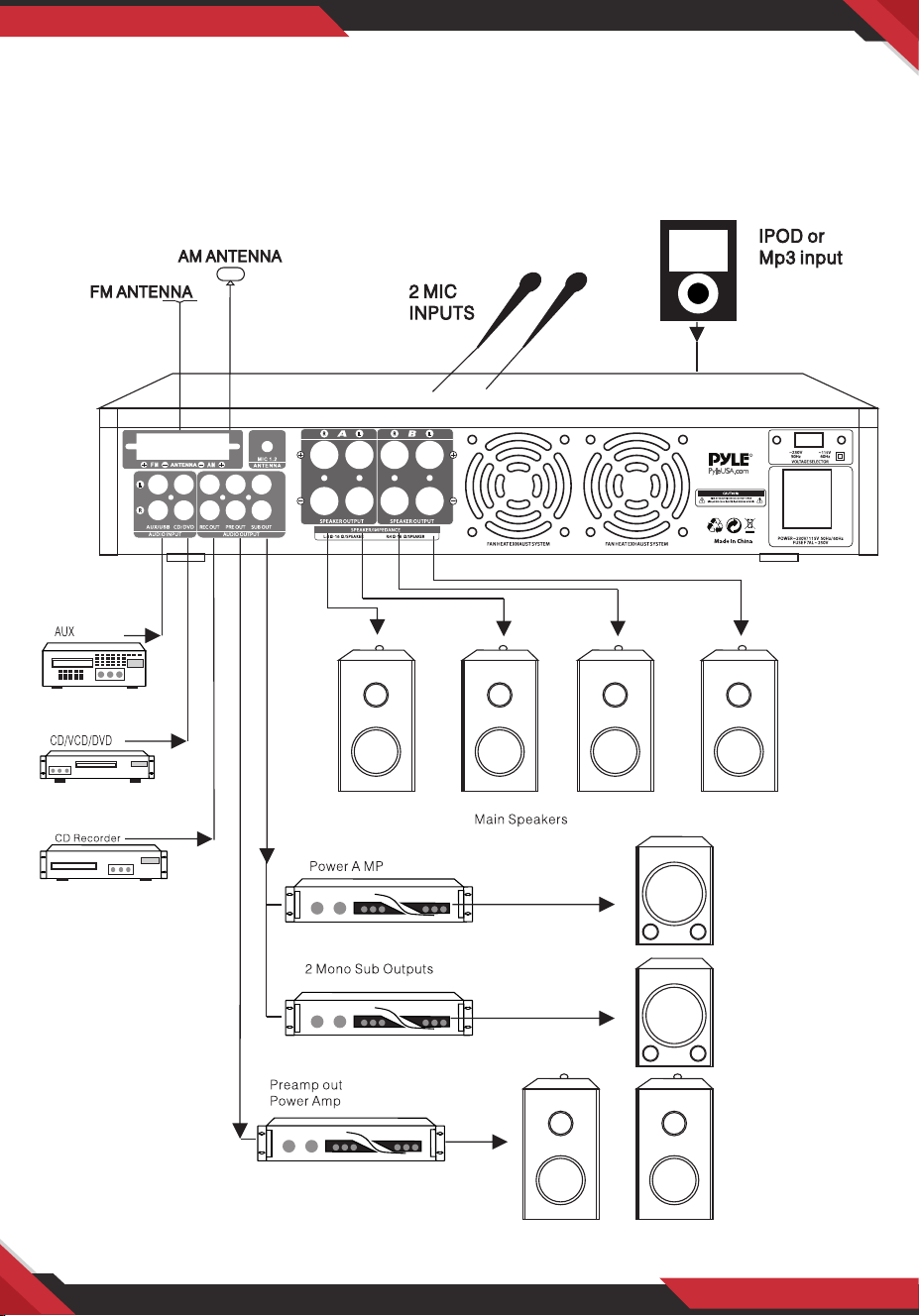
1. TUNER ANT: Connect for AM and FM antennas.
2. AUDIO INPUT JACKS:
Connect the audio output jacks of CDNCD/DVD, AUX to these jacks.
3. REC. LINE OUTPUT JACKS:
Connect the RECORD input jacks to these jacks.
4. PRE OUTPUT JACKS:
Connect the pre professional input jacks to these jacks.
5. SUB-WOOFER OUTPUT JACKS 1 & 2
6. A SPEAKER OUTPUT TERMINALS:
Connect your speaker system to these terminals.
7. B SPEAKER OUTPUT TERMINALS: Connect your outer speaker system(s)
to these terminals.
11 12 13 14 15 16 17 18 19 110
www.PyleUSA.com
5
8. COOLING FAN
9. 115/230 SWITCH: According to power voltage,push this button to the
station of the 115V or 230V.
10. POWER CORD: Connect to AC 115V/60Hz & 230V/50Hz outlet.

www.PyleUSA.com
6
Remote Control
1. MUTE: Mute Selector
2. INPUT TUNER /Mp3/AUX,IPOD/DVD,CD:
Signal input selector.
3. AUTO SCAN FM: Auto scan selector,
scan and store stations auto matically.
Can store 30 stations.
4. FM/AM: Fm/am Signal input selector. TUNER
5. MENU: This is used to increment and
decrement level for the selected function of
master Volume, Bass, Treble, Balance, Auto
station seek.
6\8. VOL- VOL+: Master volume down and up.
7\14. PREV NEXT: Station preview and next
selector
9. STOP: USB/SD stop
10/11 TUNING- TUNING+: The two keys are
used to adjust to the best signal of the
12. REPEAT: USB/SD playing the song again
13. EQ: Allows the adjustment of specic
frequency bands.
15. PLAY/PAUSE: USB prev select key
16. ST/MO: Stereo and mono selector
17. MEMORY: After a station has been found,
you can store the stationby pressing the
MEMORY button, and the screen will
display SAVE.
18. DIGITAL: Tuning AM/FM button
19. RESET: The entries are reset to the default
values

www.PyleUSA.com
7
A. Remote control should be operated within 6 meters with a scope of 30°
in front of the receiver.
B. Make sure that there is no large obstacle between the remote control and
the machine.
C. Remote sensor should be far away from the light, high amounts of light
can aect its performance.
How to replace the preset radio stations?
Use the remote control to set the radio stations.
NOTE: The preset stations can't be deleted, BUT CAN BE REPLACED.
Operations Steps
1. Press TUNER MODE on the remote control
2. Press AM/FM, and select FM
3. Press PRE/NEXT to select the stations you don't want to keep
4. Press TUNING again, choose the radio stations you want to keep
5. Press MEMORY to save the new stations.
In this way, you can replace the preset radio stations.
SAFETY INSTRUCTIONS
1. Make sure that all connections are properly connected and the main
volume is set to minimum level before turning ON the unit.
2. When more than one pair of speakers are used, (specially the main
speaker output) make sure that the speakers used are of the same wattage
and impedance, otherwise the unit maybe damaged under high power or
long term operation.
3. To avoid humming sounds and unwanted noise,make sure that all the
wires are properly inserted
4. For speaker cords, strip o the vinyl coating and twist the wire tip.
Push down the pink jack or loosen the screw terminal, before inserting the
wire tip, then fasten it and tighten the screw. Be careful not to let the wires
stick out ofthe terminal otherwise this may cause a short circuit when
wires of dierent terminal contact each other.
5. After the unit is turned ON, adjust the main volume to the desired level
same with the bass and treble volume, etc.

www.PyleUSA.com
8
PWMA3003BT
3000 Watts Home Amplier+Microphone Receiver
Wireless BT Streaming Hybrid Amplier Receiver
Pro Audio Multi-Channel Stereo Pre-Amplier System with (2) VHF Wireless
Microphones, MP3/USB/SD Readers, FM Radio, Rack Mount (3000 Watt)
Features:
• Home Theater Pro Audio Receiver
• High-Powered Hybrid Pre-Amplier
• Multi-Channel Source Audio Selection
• Built-in Bluetooth for Wireless Music Streaming
• Includes (2) VHF Wireless Handheld Microphones
• FM Radio with Digital LCD Display
• USB Flash & SD Memory Card Readers
• MP3 Audio File Playback Support
• Connect & Stream Audio from External Devices
• Aux (3.5mm) Input Jack
• (2) 1/4’’ Microphone Inputs
• Headphone Jack, 1/4’’
• RCA (L/R) Audio Input/output Jacks
• Dedicated for Subwoofer Output
• Screw-Type Speaker Terminal Binding Posts
• Front Panel Button & Rotary Control Center
• Independent Audio Source Selection
• LED Backlight Illumination with Dimmer Control
• Microphone Volume/Echo Control
• Integrated Overload & Short Circuitry Protection
• Built-in Cooling Fan
• Universal Rack Mount Design
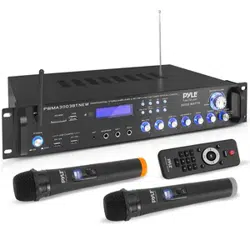
What’s in the Box:
• Hybrid Pre-Amplier
• (2) VHF Wireless Handheld Microphones
• Detachable Rack-Mount Brackets
• FM Antenna/Bluetooth Antenna
• Remote Control
• Power Cable

www.PyleUSA.com
9
Wireless BT Connectivity:
• Built-in Receiver for Wireless Audio Music Streaming
• Simple & Hassle-Free Pairing
• Works with All of Today’s Latest Devices
(Smartphones, Tablets, Laptops, Computers, etc.)
• Wireless BT Version: 5.0
• Wireless BT Network Name: ‘PYLE’
• Wireless Range: 35’+ ft.
Technical Specs:
• Power Output: 3000 Watt MAX
• 900 Watt @ 2 Ohm
• 450 Watt @ 4 Ohm
• 300 Watt @ 8 Ohm
• Frequency Response: 40Hz-15 kHz, +/-2dB
• S/N Ratio: >76dB
• T.H.D.: <1%
• Radio Station Memory Presets: 30
• Digital Media File Playback Support: MP3/WMA/WAV/FLAC/APE
• Maximum USB/SD Flash Memory Support: Up to 64GB
• Battery Operated Remote, Requires (2) x ‘AAA’ Battery, Not Included
• Battery Operated Mic, Requires (2) x ‘AAA’ Batteries (Each), Not Included
• Power Cord Length: 4.5’ ft.
• Power Supply: 120/240V, Switchable
• Unit Dimensions (L x W x H): 19.0’’ x 12.0’’ x 3.1’’ –inches
Questions? Issues?
We are here to help!
Phone: (1) 718-535-1800
Email: suppor[email protected]
This product can expose you to a chemical or group of checmicals, which may include
“Lead (PB)” which is known in the state of California to cause cancer, birth defects, or
other reproductive harm. For more info, go to https://www.p65warnings.ca.gov/.