Follow Elechelf
Visit us:www.elechelf.com
1
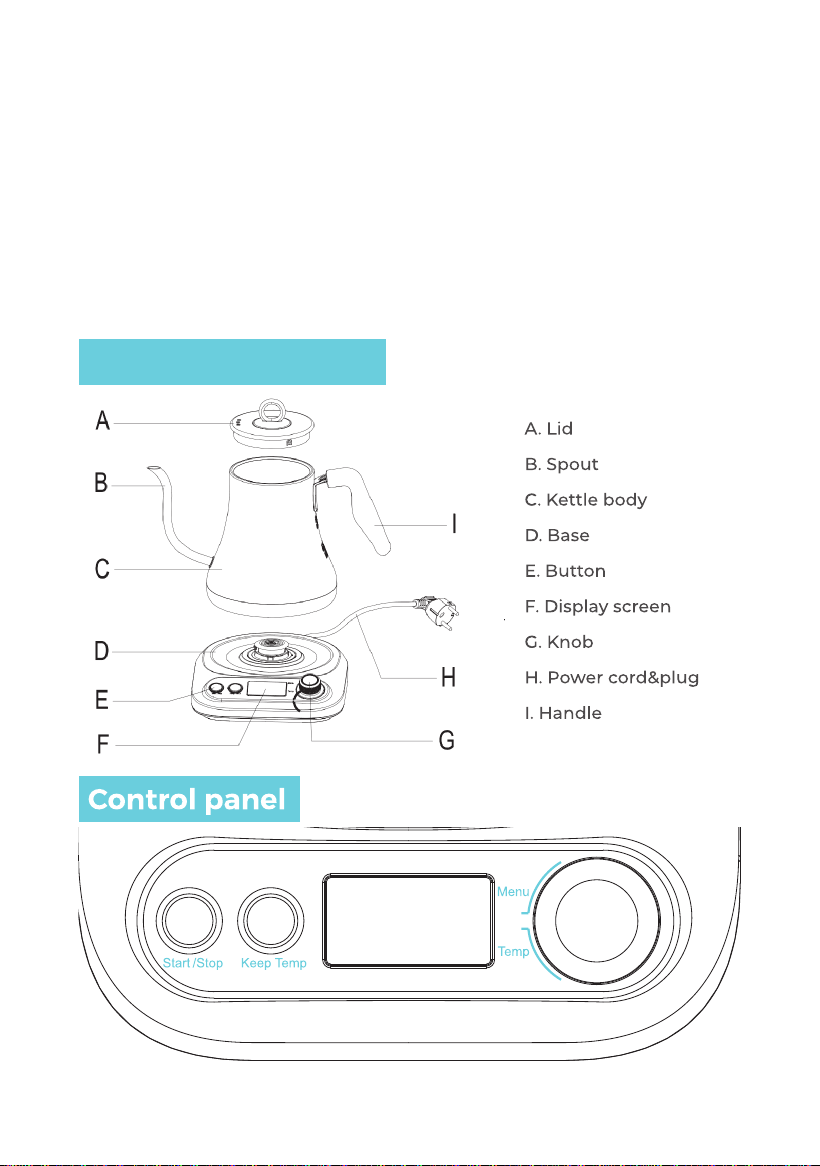
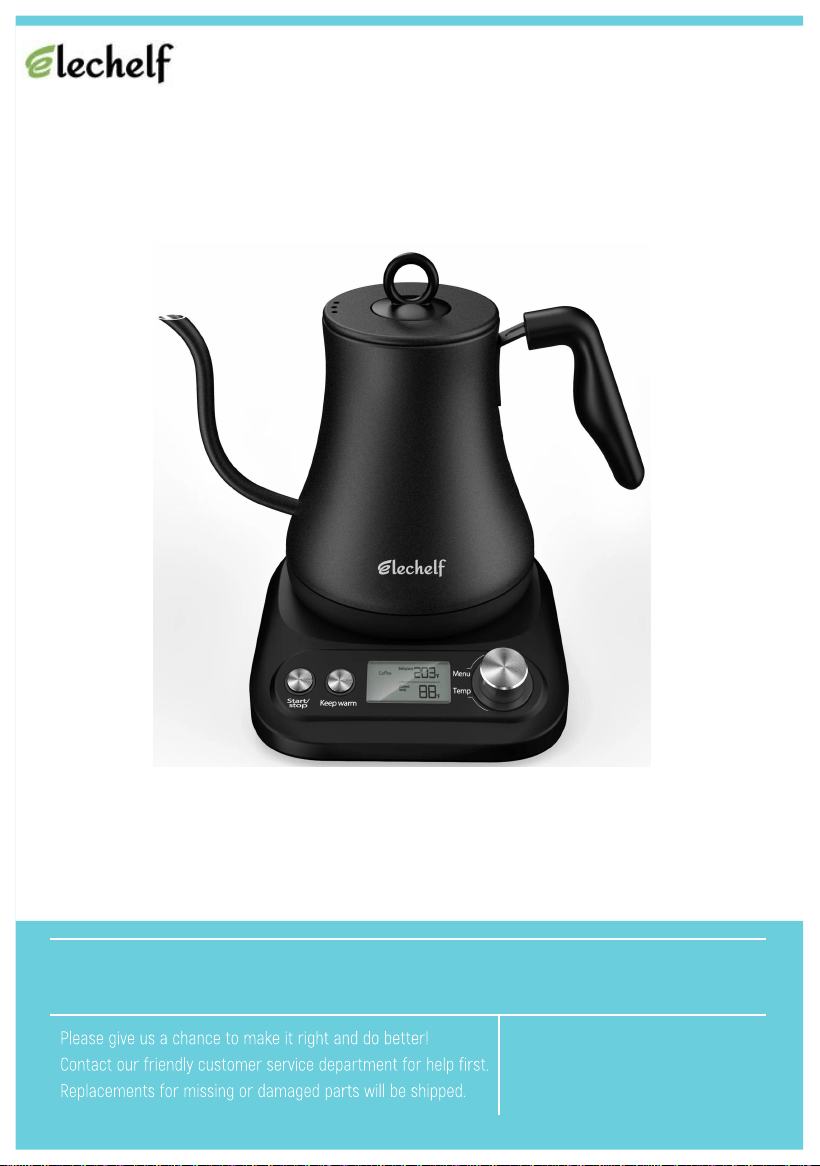
1. Start/Stop: This button is used to start or stop the program.
2. Keep Temp: Used to keep the “Setting temp” last 2 hours. After selecting the menu set the
temperature, then press this button (before or after press the “Start/Stop” button is also
available). It will light up, and activate after the program is nished.
3. The LCD screen: display menu on the left, the right digital display of setting and real-time
temperature.
4. Knob: Used to select menus and set temperature. (Turn the knob to select the menu
corresponding. If you want to adjust the water temperature, rst press the knob, when
the temperature number ashes, then turn the knob to adjust the water temperature).
Note: When in the "Boil Black" function, you cannot set "Keep temp".
Product illustration
2
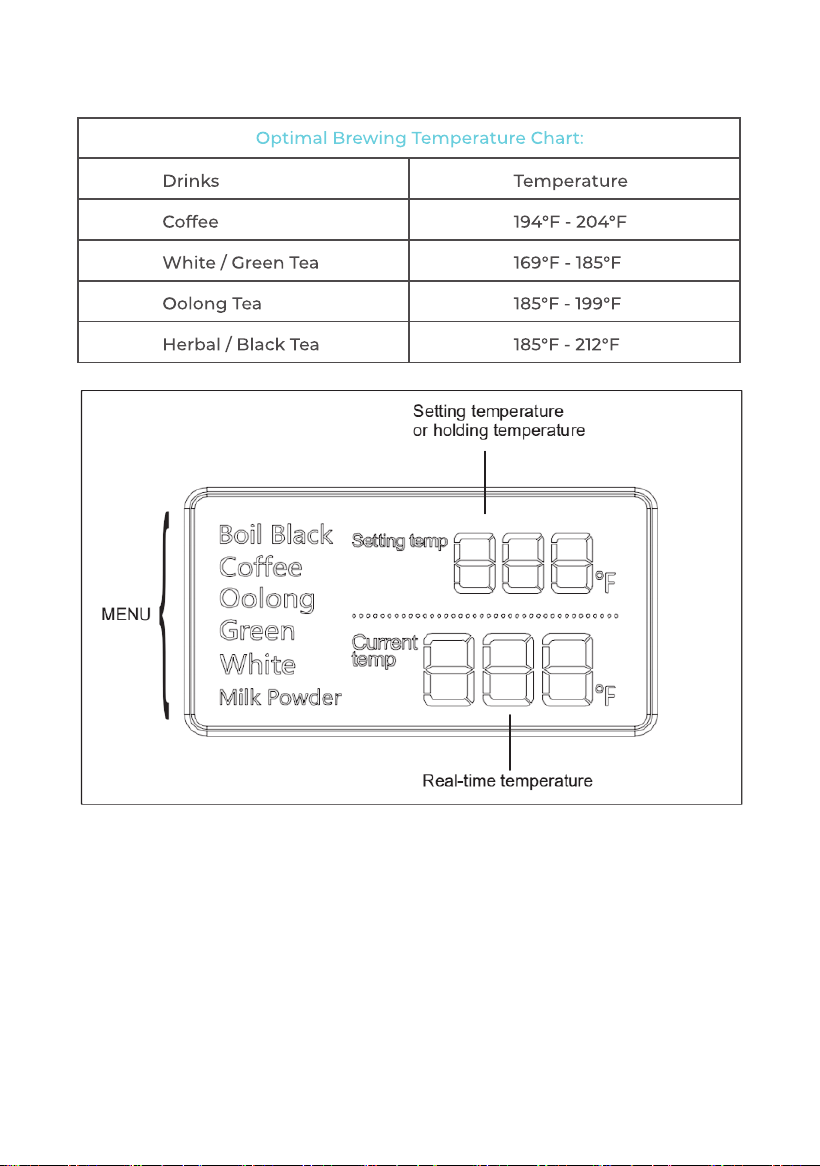
1. Menu is displayed on the left: Boil/Black(tea), Coffee, Oolong (tea),
Green(tea), White(tea), Milk Powder.
2. Upper column displays “Setting temp”.
3. Lower column displays “Current temp”, which is the real-time tempera-
ture.
3