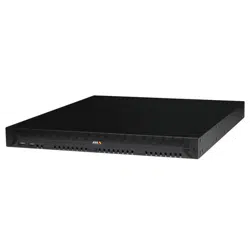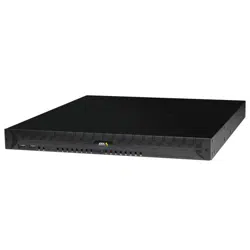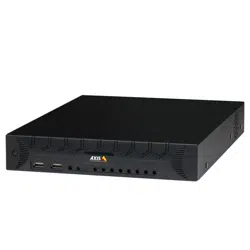


AboutthisDocument
ThismanualisintendedforadministratorsandusersofAXISCamera
StationS20ApplianceSeries.Itincludesinstructionsforusingand
managingtheproductonyournetwork.Previousexperienceof
networkingwillbeofusewhenusingthisproduct.Someknowledge
ofUNIXorLinux-basedsystemsmayalsobeusefulwhendeveloping
shellscriptsandapplications.Laterversionsofthisdocumentwillbe
postedatwww.axis.com.
LegalConsiderations
Videoandaudiosurveillancecanberegulatedbylawsthatvaryfrom
countrytocountry.Checkthelawsinyourlocalregionbeforeusing
thisproductforsurveillancepurposes.
Liability
Everycarehasbeentakeninthepreparationofthisdocument.Please
informyourlocalAxisofceofanyinaccuraciesoromissions.Axis
CommunicationsABcannotbeheldresponsibleforanytechnicalor
typographicalerrorsandreservestherighttomakechangestothe
productandmanualswithoutpriornotice.AxisCommunicationsAB
makesnowarrantyofanykindwithregardtothematerialcontained
withinthisdocument,including,butnotlimitedto,theimplied
warrantiesofmerchantabilityandtnessforaparticularpurpose.Axis
CommunicationsABshallnotbeliablenorresponsibleforincidentalor
consequentialdamagesinconnectionwiththefurnishing,performance
oruseofthismaterial.Thisproductisonlytobeusedforitsintended
purpose.
IntellectualPropertyRights
AxisABhasintellectualpropertyrightsrelatingtotechnologyembodied
intheproductdescribedinthisdocument.Inparticular,andwithout
limitation,theseintellectualpropertyrightsmayincludeoneormore
ofthepatentslistedatwww.axis.com/patent.htmandoneormore
additionalpatentsorpendingpatentapplicationsintheUSandother
countries.
ThisproductcontainssourcecodecopyrightAppleComputer,
Inc.,underthetermsofApplePublicSourceLicense2.0(see
www.opensource.apple.com/apsl).Thesourcecodeisavailablefrom
https://developer.apple.com/bonjour/
EquipmentModications
Thisequipmentmustbeinstalledandusedinstrictaccordancewiththe
instructionsgivenintheuserdocumentation.Thisequipmentcontains
nouser-serviceablecomponents.Unauthorizedequipmentchangesor
modicationswillinvalidateallapplicableregulatorycertications
andapprovals.
CopyrightandTrademarkAcknowledgments
©2015AxisCommunicationsAB,©2014DellInc.Allrightsreserved.
ThisproductisprotectedbyU.S.andinternationalcopyrightand
intellectualpropertylaws.AXISCOMMUNICATIONS,AXIS,ETRAX,
ARTPECandVAPIXareregisteredtrademarksortrademarkapplications
ofAxisABinvariousjurisdictions.Allothercompanynamesand
productsaretrademarksorregisteredtrademarksoftheirrespective
companies.Wereservetherighttointroducemodicationswithout
notice.
Dell™isatrademarkofDellInc.Ethernet,InternetExplorer,WWWare
registeredtrademarksoftherespectiveholders.Microsoft®,Windows®,
MS-DOS®,WindowsVista®,theWindowsVistastartbutton,andOfce
Outlook®areeithertrademarksorregisteredtrademarksofMicrosoft
CorporationintheUnitedStatesand/orothercountries.Javaand
allJava-basedtrademarksandlogosaretrademarksorregistered
trademarksofOracleand/oritsafliates.
RegulatoryInformation
Europe
ThisproductcomplieswiththeapplicableCEmarkingdirectives
andharmonizedstandards:
•ElectromagneticCompatibility(EMC)Directive2014/30/EU.See
ElectromagneticCompatibility(EMC)onpage2.
•LowVoltage(LVD)Directive2014/35/EU.SeeSafetyonpage2.
•RestrictionsofHazardousSubstances(RoHS)Directive2011/65/EU.
SeeDisposalandRecyclingonpage2.
Acopyoftheoriginaldeclarationofconformitymaybeobtainedfrom
AxisCommunicationsAB.SeeContactInformationonpage3.
ElectromagneticCompatibility(EMC)
Thisequipmenthasbeendesignedandtestedtofulllapplicable
standardsfor:
•Radiofrequencyemissionwheninstalledaccordingtothe
instructionsandusedinitsintendedenvironment.
•Immunitytoelectricalandelectromagneticphenomenawhen
installedaccordingtotheinstructionsandusedinitsintended
environment.
USA
Thisequipmenthasbeentestedusingashieldednetworkcable(STP)
andfoundtocomplywiththelimitsforaClassAdigitaldevice,
pursuanttopart15oftheFCCRules.Theselimitsaredesignedto
providereasonableprotectionagainstharmfulinterferencewhenthe
equipmentisoperatedinacommercialenvironment.Thisequipment
generates,uses,andcanradiateradiofrequencyenergyand,ifnot
installedandusedinaccordancewiththeinstructionmanual,may
causeharmfulinterferencetoradiocommunications.Operationofthis
equipmentinaresidentialareaislikelytocauseharmfulinterference
inwhichcasetheuserwillberequiredtocorrecttheinterferenceathis
ownexpense.Theproductshallbeconnectedusingashieldednetwork
cable(STP)thatisproperlygrounded.
Canada
ThisdigitalapparatuscomplieswithCANICES-3(ClassA).Theproduct
shallbeconnectedusingashieldednetworkcable(STP)thatis
properlygrounded.Cetappareilnumériqueestconformeàlanorme
NMBICES-3(classeA).Leproduitdoitêtreconnectéàl'aided'uncâble
réseaublindé(STP)quiestcorrectementmisàlaterre.
Europe
ThisdigitalequipmentfulllstherequirementsforRFemission
accordingtotheClassAlimitofEN55022.Theproductshallbe
connectedusingashieldednetworkcable(STP)thatisproperly
grounded.Notice!ThisisaClassAproduct.Inadomesticenvironment
thisproductmaycauseRFinterference,inwhichcasetheusermaybe
requiredtotakeadequatemeasures.
Thisproductfulllstherequirementsforimmunityaccordingto
EN55024ofceandcommercialenvironments.
Australia/NewZealand
ThisdigitalequipmentfulllstherequirementsforRFemission
accordingtotheClassAlimitofAS/NZSCISPR22.Theproductshall
beconnectedusingashieldednetworkcable(STP)thatisproperly
grounded.Notice!ThisisaClassAproduct.Inadomesticenvironment
thisproductmaycauseRFinterference,inwhichcasetheusermaybe
requiredtotakeadequatemeasures.
Japan
この装置は、クラスA情報技術装置です。この装置を家庭環
境で使⽤すると電波妨害を引き起こすことがあります。この
場合には使⽤者が適切な対策を講ずるよう要求されることが
あります。本製品は、シールドネットワークケーブル(STP)を
使⽤して接続してください。また適切に接地してください。
Safety
ThisproductcomplieswithIEC/EN60950-1,SafetyofInformation
TechnologyEquipment.
DisposalandRecycling
Whenthisproducthasreachedtheendofitsusefullife,disposeof
itaccordingtolocallawsandregulations.Forinformationabout
yournearestdesignatedcollectionpoint,contactyourlocalauthority
responsibleforwastedisposal.Inaccordancewithlocallegislation,
penaltiesmaybeapplicableforincorrectdisposalofthiswaste.
Europe
Thissymbolmeansthattheproductshallnotbedisposedof
togetherwithhouseholdorcommercialwaste.Directive2012/19/EU
onwasteelectricalandelectronicequipment(WEEE)isapplicablein
theEuropeanUnionmemberstates.Topreventpotentialharmto
humanhealthandtheenvironment,theproductmustbedisposed
ofinanapprovedandenvironmentallysaferecyclingprocess.For
informationaboutyournearestdesignatedcollectionpoint,contact
yourlocalauthorityresponsibleforwastedisposal.Businessesshould

contacttheproductsupplierforinformationabouthowtodispose
ofthisproductcorrectly.
ThisproductcomplieswiththerequirementsofDirective201 1/65/EUon
therestrictionoftheuseofcertainhazardoussubstancesinelectrical
andelectronicequipment(RoHS).
ContactInformation
AxisCommunicationsAB
Emdalavägen14
22369Lund
Sweden
Tel:+46462721800
Fax:+4646136130
www.axis.com
Support
Shouldyourequireanytechnicalassistance,pleasecontactyourAxis
reseller.Ifyourquestionscannotbeansweredimmediately,your
resellerwillforwardyourqueriesthroughtheappropriatechannelsto
ensurearapidresponse.IfyouareconnectedtotheInternet,youcan:
•downloaduserdocumentationandsoftwareupdates
•ndanswerstoresolvedproblemsintheFAQdatabase.Search
byproduct,category,orphrase
•reportproblemstoAxissupportstaffbyloggingintoyourprivate
supportarea
•chatwithAxissupportstaff
•visitAxisSupportatwww.axis.com/techsup/
WarrantyInformation
ForinformationaboutAxis’productwarrantyandtheretorelated
information,seewww.axis.com/warranty/
LearnMore!
VisitAxislearningcenterwww.axis.com/academy/forusefultrainings,
webinars,tutorialsandguides.

AXISCameraStationS20ApplianceSeries
TableofContents
SwitchManagement.........................................5
AccesstheBuilt-inPoESwitch.....................................5
NavigationBar.................................................5
Overview..................................................6
SystemInformation..............................................6
ResourceUsage.................................................6
PortStatus.....................................................6
PoE.......................................................8
PoEStatus.....................................................8
PoEAdministration..............................................8
ACL(AccessControlList).....................................10
AccessControlListStatus.........................................10
AccessControlListAdministration..................................10
Network...................................................1 1
SwitchConguration............................................11
DHCPServer...................................................11
Admin....................................................13
Security.......................................................13
Maintenance..................................................13
Settings.......................................................13
Firmware......................................................13
4

AXISCameraStationS20ApplianceSeries
SwitchManagement
SwitchManagement
Thismanualcoversswitchfeatures,functionality,andoperationsthatareaccessibleviatheswitch’sbuild-inwebserver.
Theswitchfunctionoffersaneasy-to-useinterfacethatletsyoucongureandmanageyourproductandreviewcurrentsystem
conditions.
AccesstheBuilt-inPoESwitch
Fromthedesktop,opentheGetStartedApplicationandgototheInformation&Supporttaborpointyourbrowsertothe
switchIPaddress192.168.50.1
Loginwithusernameadminandpasswordsystem.
Itisrecommendedtochangethepasswordthersttimeyouaccesstheswitch.
NavigationBar
Featuresofthenavigationbarare:
•Tabs
-Overview
-PoE
-ACL
-Network
-Admin
•Languageselection
Thedropdownlistdisplayslanguageselectionsavailableonyourproduct.Whenyouselectalanguage,alluserinterfaces
willbedisplayedinthatlanguage.
5

AXISCameraStationS20ApplianceSeries
Overview
Overview
TheOverviewcontainsthreepaneswhereyoucanndproductinformationandstatus:
•SystemInformation
•ResourceUsage
•PortStatus
SystemInformation
Thispaneprovidesbasicidentityinformationaboutyourswitch.
Model-Thedevice’smodelname.
SerialNumber-Thedeviceserialnumberisusefulformaintenanceorwhentrackingtheindividualdevice.
FirmwareVersion-Seewhichrmwarethatareinstalledtodeterminewhetheryouneedtoupgradetheswitchrmware.
PortCounter-Acountonthenumberofnetworkportsthedevicesupports,includingacorporateuplinkport.
MaxPoE-Thetotalpoweravailableforpoweroverethernet(PoE)devices.
ResourceUsage
Thispanetellsyouhowkeyswitchresourcesarebeingused.
TotalPoEUsage-TheTotalPoEbargraphshowshowmuchpower(inwatts)isbeingconsumedbyPoEdevicesattachedtothe
switch.Oncethemaximumpowerhasbeenreached,thedevicescannotprovideanyfurtherpower.
PoEStatus-PoEStatusindicateswhetherPoEisenabledandhowmanyportshavebeenenabledtosupportPoE.
ACLStatus-IndicateswhetherACL(AccessControlList)isenabledandhowmanyportsareenabledwiththisaddedsecurityfeature.
ACLbindsaspecicMACaddresstoaport,preventingtrafc(sentorreceived)fromdeviceswithotherMACaddresses.
PortStatus
PortStatusdisplaysoperationaldetailsforeachswitchportandU1.Thisareaishelpfulwhenyouwanttoknowallthekey
operationalparametersofeachport.Fromthispaneyoucandisableindividualswitchportsandimprovingsecurityforunusedports.
Port#-Theportnumbertowhichtheselecteddeviceisconnected.
LinkState-
•Upindicatesthatadeviceisconnectedtothisport
•Downindicatesthatnodeviceisconnected
LinkSpeed-Thecurrentnegotiatedlinkspeedforeachport.
TransmitRate/ReceiveRate-Anoverviewoftrafcloadoneachportshowingtheaveragedatarateinmegabitspersecondfor
outboundandinbounddataontheport.
PowerDraw-Theaveragepower(inwatts)beingdrawnviaPoEbythedeviceattachedtotheport.
PoEEnabled/ACLEnabled-Enabled/disabledstatusofeachport.Toimprovesecurity,itisrecommendedtoonlyenablePoEfor
thoseportswithactivePoEdevices.ACLshouldbeusedtopreventunauthorizeddevicesfrombeingplacedonthenetwork.
6

AXISCameraStationS20ApplianceSeries
Overview
PortEnabled/Disabled-AllowsyoutoviewandchangeEnabled/Disabledportstatus(theport'sabilitytoreceiveorsenddata).
ThisisseparatefromthelinkstatusandPoE.AdisabledportmayormaynotstillbeprovidingpowertoaPoEdevice,anditmay
stillbephysicallyconnectedtodevice,butitcannotbeusedtosendorreceivedata,eventhoughitslinkstatusmaystillbeUp
andtheattacheddeviceisstilldrawingpower.Disablingtheportpreventsanydevicefromaccessingtheswitchornetwork.Ports
thatarenotinuseshouldbedisabledforincreasedsecurity.
Uplink1-IfU1orSFP1containsanactiveconnectionitwilldisplayUp;otherwise,itwillshowDown.Themaximumlinkspeed
andaveragetransmit/receivedatainmegabitspersecondhelpyouunderstandtrafcpatternsandverifyoperationalstatus
ofassociatedapplications.
7

AXISCameraStationS20ApplianceSeries
PoE
PoE
ThePoE/CablepagedisplaysdetailedinformationaboutthesetupandstatusofpoweroverEthernetforeachportandforthePoE
deviceasawhole.Thisdatawillbeusefulforsetting,enabling,disabling,andmanagingtheswitch’spowerbudget.
ThePoEpagecontainstwopanes:
•PoEStatus
•PoEAdministration
PoEStatus
ThispanedisplaysthepoweroverEthernetstatusparameters.
Port#-Theapplianceportnumbertowhichtheselecteddeviceisconnected.
LinkState-Upindicatesthatadeviceisconnectedtothisport;Downindicatesthatnodeviceisconnected.
PoEMode/PoEClass-Typeofdevicetheswitchhasdetected.Thisisnotcongurable,ratherthevaluesassignedbytheswitch
basedonitsinteractionandpowerdrawoftheattacheddevice.
•PoEModevalueswillbeeitherATorAFreferringtotheIEEE802.3atorIEEE802.3afstandards.
•PoEClassvaluesrangefrom0to4andcorrespondtothefollowingpropertiesasdenedintheIEEEstandard
andasshowninthetablebelow:
Class
Usage
ClassicationCurrent
(mA)
PowerRange(watts)
ClassDescription
0
Default
0-40.44-12.94
Classication
unimplemented
1
Optional
9-120.44-3.84
Verylowpower
2
Optional
17-203.84-6.49
Lowpower
3
Optional
26-306.49-12.95
Midpower
4
Validfor802.3at(Type2)devices;
notallowedfor802.3afdevices
36-4412.95-25.50
Highpower
PowerDraw-Theaveragenumberofwattstheattacheddeviceisconsuming.
PowerLimit-ThisdisplaysadefaultlimitbasedonthePoEmodeandclass.
PoEEnabled/Disabled-AllowsyoutoviewandchangethePoEEnabled/DisabledstatustoturnthePoEtothedeviceonorofffor
devices.DevicesrequiringPoEwillbeturnedoffwhendisabledandthelinkstatewillchangetoDown.
PoEAdministration
Thispanesummarizestheswitch’scurrenttotalpowerconsumptionandpoweravailabilityinformation.ItalsoprovidesageneralPoE
control.
(WattsScale)andTotalPoEUsage-Showstheamountofpower(inwatts)beingdrawnbyalldevicescurrentlyattachedtothe
switchalongwiththetotalpowerconsumed(inwattsandpercentages)byallattacheddevices.Thisishelpfulwheninstalling
devicesandverifyingyourpowerbudget.
PoEPortActive-ShowsthenumberofportsthatarecurrentlyenabledfordataprovidingpoweroverEthernet.
MasterPoE(EnableAll/DisableAll)-AllowsyoutoenableordisablePoEforalltheportsinonecommand.Youcantoggleall
PoEonoroffforallports.
8

AXISCameraStationS20ApplianceSeries
PoE
PoEPowerManagement
Eachportreservespoweraccordingtotheconnectedpowereddevice’sPoEclass.
Iftheactualpowerconsumptionforagivenportexceedsthereservedpowerforthatportitwillshutdown.
Portswillalsoshutdownwhentheactualpowerconsumptionforallportsexceedsthetotalamountofpowerthatthepowersupply
candeliver.Theportsarethenshutdownaccordingtotheportsprioritywherealowerportnumbermeanshigherpriority.
9

AXISCameraStationS20ApplianceSeries
ACL(AccessControlList)
ACL(AccessControlList)
ThispageallowsyoutolockaMACaddresstoaportsothatonlytrafccomingfromthatMACaddresswillbepassed.This
dramaticallyimprovessecurityandpreventsunauthorizedusersfromattachingalaptoporotherdevicestothesecuritynetwork.
TheACLpagecontainstwopanes:
•AccessControlListStatus
•AccessControlListAdministration
AccessControlListStatus
ThispaneshowsthestatusoftheACLfunctionalityandprovidescontrolstoenable/disableACLonindividualports.
Theaccesscontrolliststatusfeaturesare:
Port#-Theportnumbertowhichtheselecteddeviceisconnected.
LinkState-Upindicatesthatadeviceisconnectedtothisport;Downindicatesthatnodeviceisconnected.
DiscoveredMACAddress-Datatrafcwillonlybeallowedto/fromthisMACaddress.TheswitchautomaticallydetectstheMAC
addressofanydeviceattachedtotheportanddisplaysithere.
BoundMACAddress-EnablingACLwillbindtheporttothediscoveredMACaddress.Nootherdevicewillbeabletocommunicate
onthisport.WhenyouenableACL,ifthereisaDiscoveredMACAddress,itwillmovetotheBoundMACAddresscolumn,
bindingittothisport.
PoEEnabled/Disabled-DisplaysthecurrentPoEEnabled/Disabledstatus.
ACLEnabled/Disabled-WhenyouenableACL,ifthereisaDiscoveredMACAddressitwillmovetotheBoundMACAddress
column,bindingittothisport.DisablingACLclearstheBoundMACAddressvaluesoyoumaybindadifferentdevicetothisport.
AccessControlListAdministration
ThisshowsyouanoverviewofACLstatusandallowsyoutoenableordisableACLforalldevicesattachedtotheswitch.
ACLPortsActive-ThenumberofportsboundtoaspecicMACaddressusingACL.
MasterACL-ThisfeaturewillenableordisableACLforallportswithaboundedMACaddress.Onlyportswithadiscovered
MACaddressorboundedaddresswillbeaffected.
10

AXISCameraStationS20ApplianceSeries
Network
Network
ThenetworkpageallowsyoutoconguretheIPaddressoftheswitchandtomanagethebuilt-inDHCPservercontrollingthe
assignmentofIPaddressesofcamerasorotherdevicesattachedtotheswitch’sports.
TheNetworkscreencontainstwopanes:
•SwitchConguration
•SwitchDHCPServer
SwitchConguration
TheswitchcongurationallowsyoutomanagetheIPassignmentoftheswitch,itssubnetmask,gateway,andDNS.
ThefactorydefaultsettingisaStaticIPconnectiontypewithanaddressof192.168.50.1andasubnetmaskof255.255.255.0.
Youcanenteradifferentaddressthroughthispane,butformostcamerainstallationswerecommendyoutousedefaultsettings.The
reasonisthatthisnetworkwillnormallybeisolatedfromthecorporateLANandwillonlybeusedformanagingandcollecting
cameraandrelatedsecurityapplicationdatabythevideomanagementsoftware(VMS)residingontheserver.
Ifaninstallationrequiresthatotherapplications(notresidingontheAXISS20xxServer)areabletoaccessdevicesontheswitch,the
trafcmustpassthroughaphysicalconnectiontotheU1port.However,inmostinstancesthisisundesirable,andnotrecommended,
sinceitwouldintroducetrafcfromcamerastothecorporateLAN.
Ifdirectaccesstodevicesontheswitchfromexternalapplicationsisrequired,thenyoushouldsettheGateway,DNS1,andDNS2
forallowingtrafctopassfromtheswitchtoothersubnetsandtoresolvedomainnamestoIPaddresses.
Featuresofthispaneare:
ConnectionType-ThedefaultsettingisStaticIP.
IPAddress-TheIPaddressoftheU1switchconnection.Theswitchweb-interfacecanbeaccessedthroughthisaddress.
SubnetMask-ThesubnetmaskoftheU1switchconnection.
Gateway-ThegatewayforaccessingtheU1switchconnection.
DNS1-Theprimarydomainnameserverusedbytheswitch.
DNS2-Analternatedomainnameserverusedbytheswitch.
Reset-Clearsalltheentriesallowingyoutostartagain.
Save-Savesthechangesmadeinanyofthenetworksettings.Forthesechangestotakeeffect,youmustreboottheswitch.
DHCPServer
FromtheSwitchDHPCServerpaneyoucanconguretheswitchtouseitsinternalDHCPserverforassigningIPaddressestoattached
devices.YoucanalsosetthedynamicIPaddressleaselengthforrenewalwithaminimumsettingof60minutes.
WhenusingtheU1connectionforallowingdevicestoaccessorbeingaccessedbyexternalapplicationsthegatewayandDNS
addressesmustbespecied.
TheIntelI21 1NetworkInterfaceconnectstheservertothebuilt-inswitchandshouldalwaysbesettouseDHCP.
Important
Iftheswitch’sDHCPisenabledandtheserverisconnectedtoanexternalnetworkviatheU1networkconnector,noother
DHCPhostscanbeinuseontheexternalnetwork,otherwisetherewillbeIPaddressconicts.
11

AXISCameraStationS20ApplianceSeries
Network
Thefeaturesofthispaneare:
StatusEnable/Disable-WhentheDHCPserverissettodisableyoumustassignIPaddressesmanuallytothecamerasorusean
externalDHCPserveraccessibleviatheU1networkconnectionforIPassignment.
Start/EndIPAddresses-WhenDHCPisenabled,youcanchooseaStartandEndIPaddressrangeforassignmentofattacheddevices.
SubnetMask-ThesubnetmaskoftheU1switchconnection.
Gateway-ThegatewaythatcouldbeusedtoaccesstheU1switchconnection.
DNS1-Theprimarydomainnameserverusedbytheswitch.
DNS2-Analternatedomainnameserverusedbytheswitch.
LeaseLength-ThesuggestedlengthoftimeinminutesthattheDHCPserverwilluseforpotentiallyreassigningitspoolof
dynamicIPaddresses.Aminimumof60minutesisenforced.
Reset-Clearsalltheentriesallowingyoutostartagain.
Save-Savesthechangesmadeinanyofthenetworksettings.Forthesechangestotakeeffect,youmustreboottheswitch.
12

AXISCameraStationS20ApplianceSeries
Admin
Admin
Fromthispageyoucanperformbasicadministrativefunctions.TheAdminscreencontainsfouroperationalpanes:
•Security
•Maintenance
•Settings
•Firmware
Security
Thispaneallowsyoutosetthepasswordfortheswitchadministrator.Theappliance’sswitchonlyhasoneusernamedadminwhose
factorydefaultpasswordissystem.
Maintenance
Youwillusethispanetoresettheswitchtoitsfactorydefault,ortorebootaftermakingnetworksettingsorothersignicant
congurationchanges.
Youmustreboottheswitchtocommitchangestotheswitch’sIPaddressassignmentsortoenable/disablechangesinDHCP/StaticIP
assignmentbehavior.
Rebootingtheswitchcausesalldevicestotemporarilyloseconnectionwiththeswitch(includingPoE).
Settings
Youcansettheswitch’shostnameanddomainwhenyouwanttolocateandaccesstheswitchusingalogicalnameratherthana
physicalIPaddress.Thismakesiteasiertolocatespecicdevicesusingnetworkdiscoverytools.
Thefactorydefaultsettingsforhostnameistheappliance’sserialnumberwithadomainoflocal.
Firmware
Thispaneshowsthecurrentinstalledrmwareversionoftheswitchandallowsyoutochangeit.
Toupdatethermware,browseonthehostdeviceofthebrowsertondthenewrmware.Selecttheappropriatermwarele,and
clickUpdate,theswitchwillbegintheupgradeprocess.Thisprocesswilltakeseveralminutes,donotremovepowerorexercise
otherfeaturesoftheswitchduringtheupgradeprocess.Alldevicesconnectedtotheswitchwilltemporarilyloseconnection
withtheswitchasitreboots.
Changingthermwaredoesnotchangethesettingsoftheswitch,itonlychangesthermwareandanyassociatedchangesin
behaviorthatcomewiththenewversion.
13

UserManualVer.M1.8
AXISCameraStationS20ApplianceSeries
Date:August2016
©AxisCommunicationsAB,2016
PartNo.1637679