
1
Introduction
Congratulations on your purchase, and welcome to BOSS Audio Systems!
This product is designed to directly t the Carling type switch location.
It receives audio via Bluetooth streaming and 3.5 mm AUX jack. The
product outputs audio by connection to an external 12V amplier.
The product has a remote output wire which allows the connected amplier
to automatically turn on or off whenever this product is turned on or off.
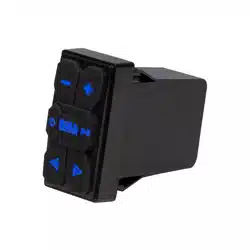
The product also has illuminated soft buttons for playback control. The
buttons are illuminated blue in Bluetooth mode and red in AUX input mode.
Package Contents
• Bluetooth audio receiver
• User manual and warranty card.
Important
Read and understand all instructions before you use your product. If you
do not follow the instructions in this manual, we are not responsible for
injury or damage resulting from improper handling. This will also void the
warranty.
Important safety precautions
• Be sure to observe the following guidelines:
- Do not increase speaker volume so high that you cannot hear what
is around you.
- Use caution or temporarily discontinue use in potentially hazardous
situations.
• Do not make any adjustment on the product when driving or in other
situations where distractions can be hazardous. Responsible and safe
driving is your primary responsibility when operating a vehicle.

2
• Start volume at a low setting then gradually increase the volume until
you can hear it comfortably, without sound distortion or ear discomfort.
• In the event of smoke, strange noise or odor emitted from the product
or any other abnormal operational signs appearing on the product,
disconnect the product from the power supply. Discontinue use and
contact your dealer or our technical support. Using the product in this
condition may result in permanent damage to the system.
• Servicing must only be carried out by a technician. Contact our
technical support for any service question.
Installation precautions
• WARNING: Always consult a professional installer.
• Before installation, disconnect the negative terminal of the vehicle
battery to prevent damage to the product, re, and/or possible injury.
• If extending the power cable which connects the vehicle battery, we
recommend to run the extended cable to the battery through a fuse box
(not included) with at least 5A.
• The ground cable should be as short as possible. Connect the ground
cable to metal parts of your vehicle, or to the negative terminal on the
battery if your vehicle does not have a grounded chassis frame.
• If extending the ground cable to the battery, make sure to use a high
quality cable with proper gauge rating.
• Replace a faulty fuse with a new one of the same type and rating.
• Observe the safety and operating instructions of the devices which are
connected to the product.
• DO NOT use abrasive cleaning materials on the product.
• DO NOT submerge the product to water.

3
Control Panel
Volume up; hold down
to increase rapidly.
Hold down to switch
between BT and AUX
mode.
Start, pause or resume
playback;
in BT mode, hold
down to disconnect or
re-connect BT;
in AUX mode, press
briey to mute or
unmute volume
Volume down; hold
down to decrease
rapidly.
Select next track.
Hold down to power
on or off.
Select previous track.
Mounting
The unit features rocker switch dimensions, and is designed to directly t
the Carling switch location.
Option 1: Direct t
Simply insert the unit into an available Carling sized cut-out on the
dashboard of your vehicle. No drilling or cutting is required.
Option 2: Hole cutting
Find a suitable location in the dashboard, and cut a
rectangular hole (W x H: 0.85” x 1.45”). Then directly t
the unit in the hole.
Important! When drilling or cutting any holes on your
vehicle, make sure the gas tank, fuel lines, hydraulic lines
and electrical wiring are not damaged.
0.85”
1.45”

4
Wiring
Important notes on wiring
• See the section “Installation precautions”.
• Disconnect the negative terminal of the vehicle battery prior to wiring.
• Connect the unit to a 12V DC battery and negative ground only.
5A
D
C
B
A
Battery
External
Amplier
Fuse holder
On-off switch
Chassis ground
Chassis ground
ATM fuse (2A)
12V
Optional direct battery wiring circuit
A
: Using RCA cables (not included), connect the MAIN OUT sockets to
the RCA input on a 12V amplier (not included) for sound output.
B
: Using an 18 gauge wire (not included), connect the REMOTE OUT
wire (blue) to the remote terminal on the amplier. This can control
turn-on/turn-off of the amplier whenever the unit is turned on/off.
C
: Using an 18 gauge wire, connect the GROUND wire (black) to the
metal frame (chassis) of your vehicle.
D
: Using an 18 gauge wire, connect the POWER wire (red) to the
battery (positive terminal). We recommend to connect the battery
through a 5A fuse (not included) and on-off switch (not included).

5
Bluetooth Audio Streaming
Before you can stream music from your mobile phone to this unit, you
must pair the unit with your mobile phone through Bluetooth.
1. Make sure the unit is connected to an amplier for sound output.
2. Press and hold to turn on the unit. You will hear an audible tone.
- The unit will automatically switch to Bluetooth mode, and the button
backlights will light up blue and ash. This indicates that the unit is
not connected and is currently in pairing mode.
3. On your mobile phone, enable Bluetooth then select “Boss Audio
BPS1RS” to pair the unit with your mobile phone. If prompted for
password, input “0000” on your mobile phone.
- When the unit successfully connects your mobile phone, you will
hear an audio tone, and the button backlights will turn to solid blue.
- If failed to connect your mobile phone, repeat the steps above.
4. Start audio playback on your mobile phone, audio will be streamed to
the unit and will output through the connected amplier.
- The unit automatically connects to the last paired device each time
the two are powered on.
- Hold down to disconnect or reconnect Bluetooth connection.
NOTE: To connect to another device, you have to disconnect the currently
connected device then repeat the steps above to pair with a device.
Playback control through Bluetooth
• To start, pause or resume play, press .
• To select the previous or next track, press or .
• To adjust volume, press or .
- If there is an incoming call during play, music
play will automatically pause. Music play will
automatically resume after the call ends.

6
AUX Audio Input
You can input audio from a playback device (e.g. a mobile phone or MP3
player) through the AUX IN socket (3.5 mm).
3.5 mm audio
cable
1. Make sure the unit is connected to an amplier for sound output.
2. Press and hold to turn on the unit.
3. Press and hold the button to switch to AUX mode from Bluetooth
mode. The button backlights will turn red.
4. Using a 3.5 mm audio cable (not included), connect
the AUX IN socket (3.5 mm) to the headphone on
your device (e.g. a mobile phone or MP3 player).
5. Start audio playback on the connected device. Audio
will output through the connected amplier.
• To adjust volume, press or .
• To mute or unmute volume, press briey .
- The unit’s buttons cannot be used to select track and
play/pause playback.
Care of the environment
Do not throw away the product with the normal household waste at the
end of its life, but hand it in at an ofcial collection point for recycling. By
doing this, you help to preserve the environment.

7
Troubleshooting
Refer to the checklist below to solve the problems when using the product.
If problems persist, contact our technical support. Do not attempt to
disassemble or modify the product.
Problem Solution
No power The fuse is blown. Replace with a new one of the same
type and rating.
The unit is not powered on. Press and hold on the
unit’s control panel to turn it on.
No sound
Incorrect source input. Press and hold the button
to select Bluetooth or AUX source.
adfaVolume is minimum. Increase volume using the volume
control on the unit or the connected device.
Make sure the REMOTE OUT wire of the unit is
correctly or securely connected to your amplier.
Make sure the connected amplier has correct signal
input and output connection (refer to the user manual
of the amplier).
No/poor
Bluetooth
connection
Make sure Bluetooth is enabled on your device.
Make sure the device is within Bluetooth range.
To connect to another device, disconnect the current
Bluetooth connection.
Move the device closer to the unit. Or remove any
obstacle between the device and the unit.

8
Problem Solution
Poor audio
quality
For Bluetooth streaming, move the device closer or
remove obstacles or sources of interference that are
affecting Bluetooth reception.
For best audio performance, set the device volume to a
minimum 75% before connecting to the unit (Bluetooth
and AUX input).
Make sure your amplier has correct settings (refer to
the user manual of the amplier).
No response Power glitch or interference. Disconnect power for 10
seconds then reconnect power.
Specications
BluetoothBBluetooth
• Version: 5.0 + EDR
• Proles: A2DP, AVRCP
• Range: 33 ft/10 m (line of sight)
Audio
• RCA output: 2V RMS
• AUX input: max. 1V RMS
• Input/Output impedance: 10k Ω
• Frequency response:
20Hz - 20kHz
• THD+N: 1%
BluetoothBGeneral
• Power supply: 12V DC (10-16V
allowable)
• Current draw: 1A
• Fuse: 2A (ATM mini type)
• Remote output: max. 300mA
• Weight: 0.22 lbs/ 0.1 kg
• Mounting cut-out (W x H):
0.85” x 1.45”
• Dimensions (W x H x D):
1” x 1.93” x 2.36”
Specications are subject to change without notice.