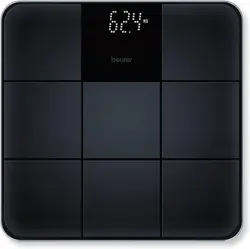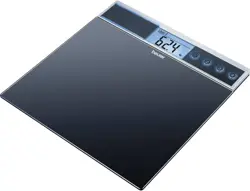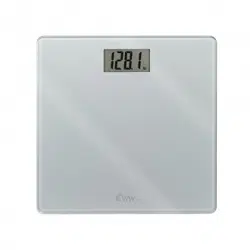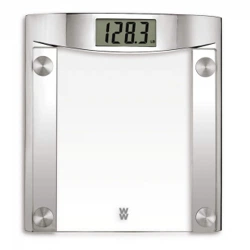
Electronic
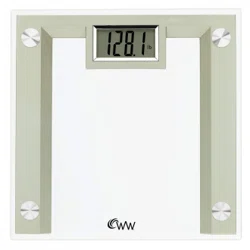
Glass scale
Instrucons for use
Please read the instrucons and warnings carefully before use to
ensure safe and sasfactory operaon of this product.
Thank you for purchasing a 180
Innovaons product.
Manufactured for and Distributed by: 180
innovaons , Lakewood, CO, 80215
Made in China
MODEL 8188A
This scale features our convenient step-on operaon. Once inialized, the scale can be operated by simply stepping straight
onto the plaorm – no more waing!
1. Open the baery compartment on the scale underside.
2. Remove isolang tab from beneath the baery.
3. Close the baery compartment.
4. Select kg, st or lb weight mode by the switch on the underside of the scale.
5. Posion scale on a firm flat surface.
This inializaon process must be repeated any me the scale is moved
At all other mes, step straight on the scale
1. Press the plaorm center and remove your foot.
2. “0.0” will be displayed.
3. The scale will switch off and is now ready for use.
1. Step on scale plaorm and stand very sll while it computes your weight.
2. Your weight will be displayed.
3. Step off. Your weight will be displayed for a few seconds.
4. The scale will swi
tch off.
Lo Replace baery.
---- Weight exceeds maximum capacity.
• Always weigh yourself on the same scale placed on the same floor surface. Do not compare weight reading from one scale to
another as some differences will exist due to manufacturing tolerances.
• Placing your scale on a hard, even floor will ensure the greatest accuracy and consistency.
• Weigh yourself at the same me each day, before meals and with
out footwear. First thing in the morning is a good me.
• Your scale rounds up or down to the nearest increment. If you weigh yourself twice and get two different readings, your
weight lies between the two.
• Clean your scale with a damp cloth. Do not use chemical cleaning agents.
• Do not allow your scale to become saturated with water as this can damage the electronics.
• Treat your scale with care – it is a precision inst
rument. Do not drop it or jump on it. It is not shock proof.
NEW FEATURE
PREPARING YOUR SCALE
INITIALIZING YOUR SCALE
OPERATING YOUR SCALE
ADVICE FOR USE AND CARE
WARNING INDICATORS
1
If you experience any difficulty in the use of your scale:
• Check to make sure the ba
ery is correctly fi ed.
• Check that you have selected your preference of kilograms, stones or pounds.
• Make sure the scale is on a flat, level floor and not touching against a wall.
• Repeat the ‘Ini
aliza on’ procedure every me the scale is moved.
• When you use the scale, if there is no display at all or if “Lo” is displayed – try a new ba
ery.
• If “----“ is displayed the scale has been overloaded.
• When the symbol “Lo” appears, the ba
ery needs to be replaced.
• Use ONLY the recommended 3.0 Volt DC bu
on type ba ery or equivalent. CR2032 3.0 VDC
• Remove ba
ery cover by pushing down on the tab and li ing the cover off the unit.
• Use your finger to push down and pull out the ba
ery. Avoid using any sharp metal object as it can cause the supply
terminals to short-circuit.
• Clean the ba
ery contacts and also those of the device prior to ba ery re-installa on.
• Make sure that the new ba
ery is inserted with the posi ve polarity up!
• Replace ba
ery cover.
• Remove the ba
ery if the scale will not be used for extended periods of me.
• Ba
eries contain substances that may be harmful to the environment and human health.
• WARNING: Discard old ba
ery carefully, out of reach of young children. Swallowing the ba ery may be fatal. If the ba ery
is swallowed, contact the hospital immediately to have it removed.
This symbol indicates that ba
eries should not be disposed of in the normal household waste but should be taken to
an appropriate local recycling facility when one is available.
Never throw ba
eries in a fire or a empt to open outer casings, they may explode!
This electronic glass scale is guaranteed for one year from the date of purchase against manufacturer’s defect under normal,
household use. Following the direc
ons closely will ensure years of dependable opera on. If the scale does not func on
properly, first check the ba
ery (see ba ery replacement instruc on). Replace the ba ery if necessary.
If the scale s does not func on properly, please write:
or call customer service at 1-877-299-6700. Our representa ve will provide further instruc on on how to correct the trouble or
will ask you to return it for repair or replacement.
NOTE: POTENTIAL FOE RADIO/TELEVISION INTERFERENCE (for U.S.A. Only)
This product has been tested and found to comply with the limits for a Class B digital device, pursuant to part 15 of the FCC
rules. These limits are designed to provide reasonable protec
on against harmful interference in a residen al installa on. The
product generates, uses, and can radiate radio frequency energy and, if not installed and used in accordance with the
instruc ons, may cause harmful interference to radio communica ons. However, there is no guarantee that interference will
not occur in a par cular installa on. If the product does cause harmful interference to radio or television recep on, which can
be determined by turning the product on and off, the user is encouraged to try to correct the interference by one or more of
the following measures:
• Reorient or relocate the receiving antenna.
• Increase the separa
on between the product and the receiver.
• Consult the dealer or an experienced radio/TV technician for help.
Rev. 20130711
TROUBLESHOOTING GUIDE
CHANGING THE BATTERY
LIMITED WARRANTY
FCC STATEMENT
2
d