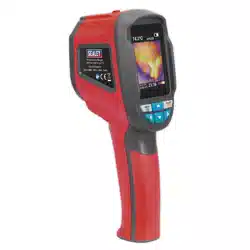
THERMAL IMAGING CAMERA
MODEL NO: VS913
Thank you for purchasing a Sealey product. Manufactured to a high standard, this product will, if used according to these
instructions, and properly maintained, give you years of trouble free performance.
IMPORTANT: PLEASE READ THESE INSTRUCTIONS CAREFULLY. NOTE THE SAFE OPERATIONAL REQUIREMENTS, WARNINGS & CAUTIONS. USE
THE PRODUCT CORRECTLY AND WITH CARE FOR THE PURPOSE FOR WHICH IT IS INTENDED. FAILURE TO DO SO MAY CAUSE DAMAGE AND/OR
PERSONAL INJURY AND WILL INVALIDATE THE WARRANTY. KEEP THESE INSTRUCTIONS SAFE FOR FUTURE USE.
VS913 Issue 1 09/04/20
Original Language Version
© Jack Sealey Limited
Refer
to
instructions
1. SAFETY
WARNING! Ensure that Health & Safety, local authority and general workshop practice regulations are adhered to when using this
equipment.
9 Familiarise yourself with the applications, limitations, and potential hazards of the Thermal Camera.
9 Keep the Thermal Camera clean and in good condition.
9 Protect the Thermal Camera from the following:
- Thermal shock caused by large and/or rapid ambient temperature change.
- High temperatures.
8 DO NOT get the Thermal Camera wet or use in damp or wet locations or areas where there is condensation.
8 DO NOT use the Thermal Camera for any purpose other than that for which it is designed.
8 DO NOT allow untrained persons (particularly children) to operate the Thermal Camera.
8 DO NOT operate the Thermal Camera when you are tired or under the influence of alcohol, drugs or intoxicating medication.
8 WARNING! The warnings, cautions and instructions discussed in this instruction manual cannot cover all possible conditions and
situations that may occur. It must be understood that common sense and caution are factors which cannot be built into this
product, but must be applied by the operator. I
2. INTRODUCTION
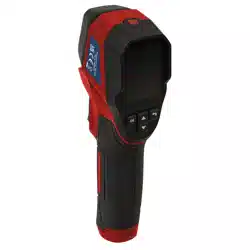
Thermal imaging camera for the detection of high and low temperature. Heat-mapped colour palettes and temperature reading.
Includes on-screen cursor to accurately locate minimum/maximum temperature variation. Suitable for many industries including
automotive, building and electrical.
3. SPECIFICATION
Model no.: .................................................................. VS913
Colour Palette ...................................................................... 3
Emissivity .............................................................. On Screen
Field of Vision .......................................................... 33
o
x 33
o
Image Mix (Camera to Thermal) ............................... Thermal
Memory Capacity ................................4Mb SD Memory Card
Power Source .................................... 4 x AAA (Not Included)
Resolution ........................................................ 32 x 32 pixels
Screen Size ....................................... 1.8” 128 x 160mm TFT
Temperature Range .................................... -20
o
C to +650
o
C
4. OPERATION
4.1. BATTERY INSTALLATION
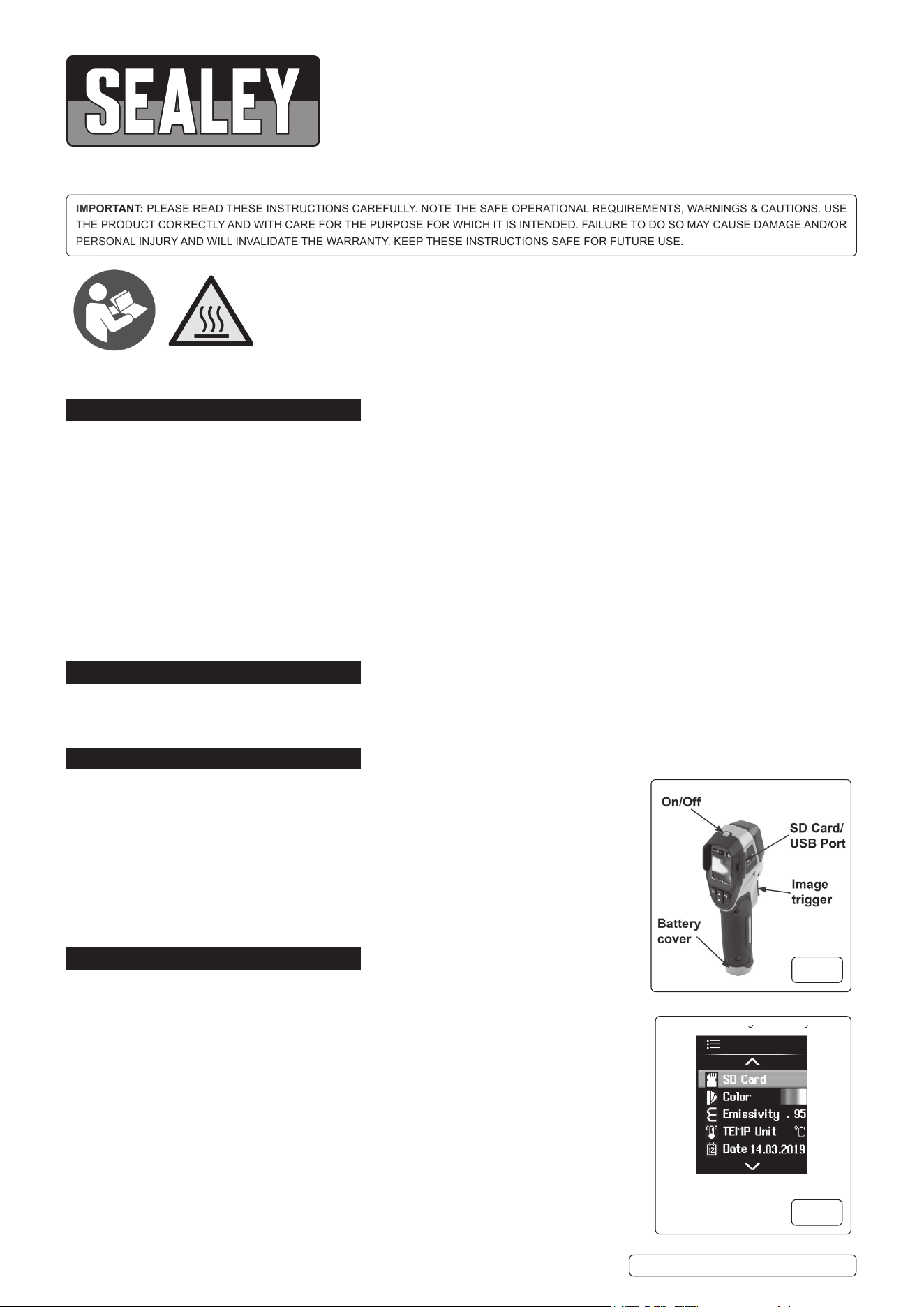
4.1.1. Useasmallcross-headscrewdrivertoremovethebatterycover(g.1).
4.1.2. Fit 4 AAA batteries (not supplied) and replace cover (DO NOT over tighten).
4.1.3. PressandholdtheOn/Obutton(g.1)for2-3secondsuntilthestartscreenappears.
4.2. HOME SCREEN DISPLAY (g.2)
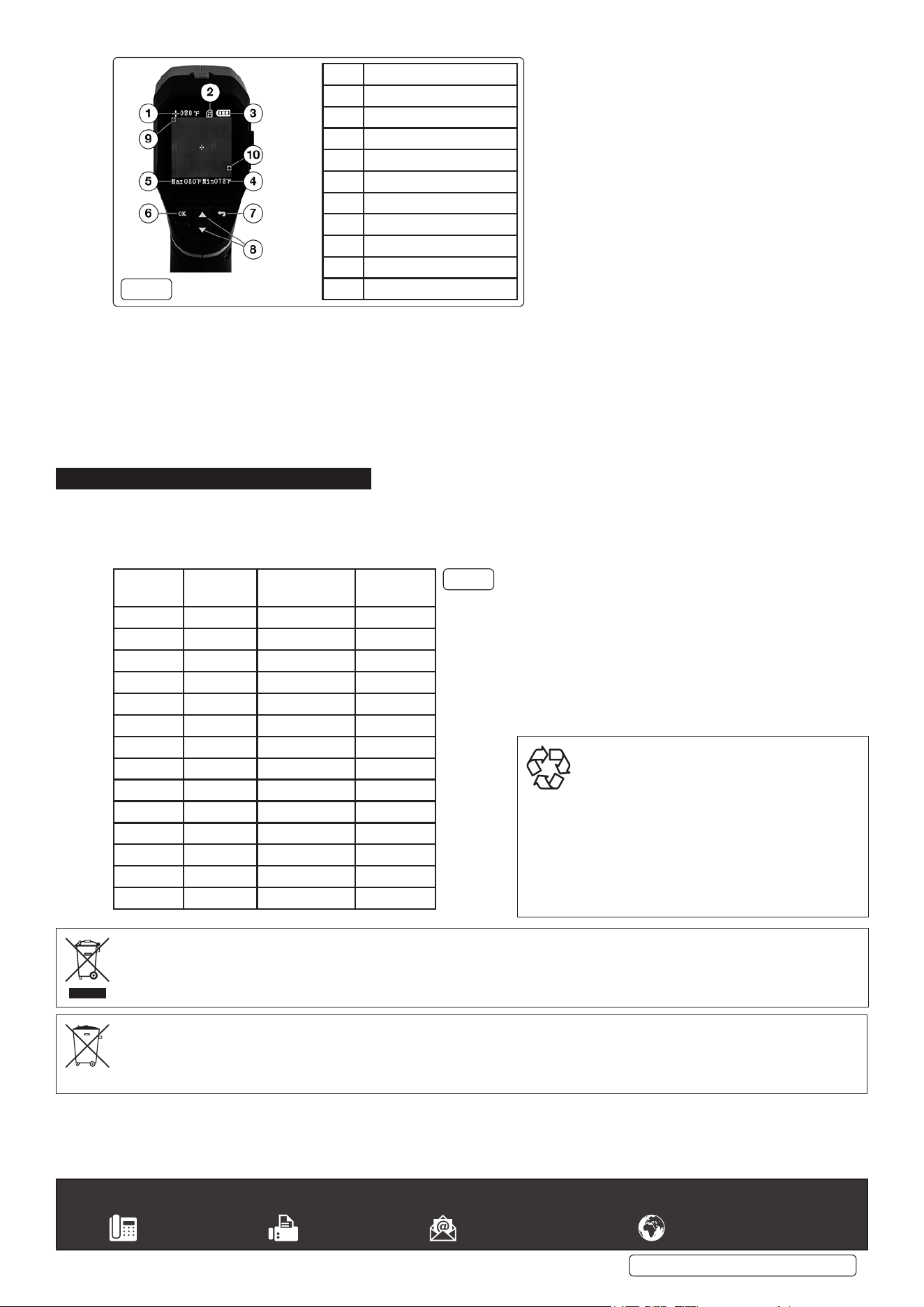
4.2.1. Pressthe“OK”button(g.3.6)todisplaythesettingsmenu.UsingtheɅorVbuttons(fig.3.8)
highlighttheeldyouwishtoset/adjustandpress“OK”.
4.2.2. Onceyouhavetheselectedtheoptionstosuityourusage,usethereturnbutton(g.3.7)to
start using the unit. Options are:
SD Card: View images taken or format SD card
Colour: Three variations to choose from.
Emissivity:Fivesettings(.95,.90,.80,.60,.30)Seechart(g.4)overleaf.
Temperature units: Celsius or Fahrenheit.
Date/Time: 12 or 24 hour clock.
AutoO:O,1,2,5,and10minutesettings.
g.1
g.2
Hot surfaces
4.3. TAKING A READING
NOTE: KeepCameraasafedistancefromobjectsbeingviewedtoavoidcausingdamagetothecamera.
4.3.1. Use the menu to set up the parameters of your investigation (4.2.2).
4.3.2. Tousethecamera,simplypointitattheobjectinquestionandviewtheLCDscreen.Minimumtemperatureisindicatedinasmallred
box while maximum is indicated in a small green box. These values will display along the bottom of the screen at all times.
4.3.3. The centre of the view is indicated by the + on the screen. The temperature at the centre of the screen is displayed in the top left hand
cornerofthescreen(g.3.1).
4.3.4. Thebatterystateisindicatedwhenthethermalimageisviewed(g.3.3).
4.3.5. WithanSDcardinstalled(g.1),pointthecameraattherequiredareaandpullthetriggertorecordthescreendisplay.
5. MAINTENANCE
5.1. Use a clean, damp cloth to clean the outer casing. DO NOT use abrasive compounds or any form of solvent to clean the case, screen
or lens. This can cause damage to the lens and prevent the camera from operating properly,
8 DO NOT splash water onto the camera.
5.2. Store camera and USB cable in supplied pouch when not in use.
Material Thermal
Radiation
Material Thermal
Radiation
Asphalt 0.90-0.98 Black Cloth 0.98
Concrete 0.94 Human Skin 0.98
Cement 0.96 Bubble 0.75-0.80
Sand 0.9 Charcoal Dust 0.96
Soil 0.92-0.96 Paint 0.80-0.95
Water 0.92-0.96 Matt Paint 0.97
Ice 0.96-0.98 Black Rubber 0.94
Snow 0.83 Plastic 0.85-0.95
Glass 0.90-0.95 Wood 0.90
Ceramic 0.90-0.94 Paper 0.70-0.94
Marble 0.94 Chromic Oxide 0.81
Gypsum 0.80-0.90 Copper Oxide 0.78
Mortar 0.89-0.91 Ferric Oxide 0.78-0.82
Brick 0.93-0.96 Texture 0.90
g.4
Item Function
1 Centre Temperature
2 Storage Card in use
3 Battery level indicator
4 Min. temperature
5 Max. temperature
6 Select key
7 Return/Enter key
8 Menu selection
9 Red box (min. temp.)
10 Green box (max. temp.)
g.3
VS913 Issue 1 09/04/20
Original Language Version
© Jack Sealey Limited
Sealey Group, Kempson Way, Suffolk Business Park, Bury St Edmunds, Suffolk. IP32 7AR
01284 757500 01284 703534 sales@sealey.co.uk www.sealey.co.uk
BATTERY REMOVAL
Under the Waste Batteries and Accumulators Regulations 2009, Jack Sealey Ltd are required to inform potential purchasers of products
containing batteries (as defined within these regulations), that they are registered with Valpak’s registered compliance scheme. Jack
SealeyLtdBatteriesProducerRegistrationNumber(BPRN)isBPRN00705.
NOTE: Itisourpolicytocontinuallyimproveproductsandassuchwereservetherighttoalterdata,specicationsandcomponentpartswithoutprior
notice.
IMPORTANT: No liability is accepted for incorrect use of this product.
WARRANTY: Guarantee is 12 months from purchase date, proof of which will be required for any claim.
WEEE REGULATIONS
Dispose of this product at the end of its working life in compliance with the EU Directive on Waste Electrical and Electronic Equipment
(WEEE). When the product is no longer required, it must be disposed of in an environmentally protective way. Contact your local solid
waste authority for recycling information.
ENVIRONMENT PROTECTION
Recycle unwanted materials instead of disposing of
them as waste. All tools, accessories and packaging
should be sorted, taken to a recycling centre and
disposed of in a manner which is compatible with
the environment. When the product becomes
completely unserviceable and requires disposal,
drain any fluids (if applicable) into approved
containers and dispose of the product and fluids
according to local regulations.