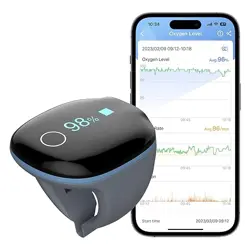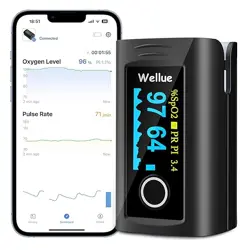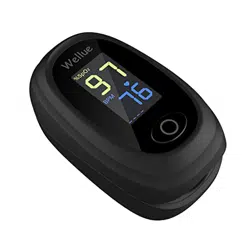
O2Ring
User Manual
Download App
Download the ViHealth App from
iOS App Store or Google Play Store,
or scan the QR code.
Notice: If you have installed the
App before, please update it to the
latest version.
1. Introduction
1.1.Intended use
This Pulse Oximeter is intended to be used for
measuring, displaying and storing of pulse oxygen
saturation (SpO2), pulse rate of adults in home or
healthcare facilities environment.
1.2.Warnings and Cautions
DO NOT squeeze the sensor part or apply
excessive force on it.
Do not use this device during MRI examination.
Do not use this device with a defibrillator.
Do not store the device in the following locations:
locations in which the device is exposed to direct
sunlight, high temperatures or levels of moisture,
or heavy contamination; locations near to sources
of water or fire; or locations that are subject to
strong electromagnetic influences.
Do not use the device in a combustible
environment.
Never submerge the device in water or other
liquids.
Do not clean the device with acetone or other
volatile solutions.
Do not drop this device or subject it to strong
impact.
The device and accessories are provided
non-sterile.
Do not place this device in pressure vessels or gas
sterilization device.
Do not dismantle the device, as this could cause
damage or malfunctions or impede the operation
of the device.
Consult your doctor immediately if you experience
symptoms that could indicate acute disease.
Do not self-diagnose or self-medicate on the basis
of this device without consulting your doctor. In
particular, do not start taking any new medication
or change the type and/or dosage of any existing
medication without prior approval.
Use only cables, sensors and other accessories
specified in this manual.
Prolonged continuous monitoring may increase the
risk of undesirable changes in skin characteristics,
such as irritation, reddening, blistering or burns.
Do not open the device cover without
authorization. The cover should only be opened by
a qualified service personnel.
1.3.Guide to Symbols
Symbol
Description
Manufacturer
Date of manufacture
SN
Serial number
Indicates a medical device that
is not to be disposed of as
unsorted municipal waste.
Follow Instructions for Use.
Type BF Applied Part
No alarm system
MRI unsafe. Presents hazards in
all MR environments as device
contains strongly ferromagnetic
materials.
IP22
Resistant to liquid ingress
CE marking
Authorized representative in
the European community
UKCA marking
Authorized Representative in
the United Kingdom
This product complies with the
rules and regulations of the
Federal Communication
Commission.
Non-ionizing radiation
Our products and packaging can
be recycled, don't throw them
away! Find where to drop them
off on the
www.quefairedemesdechets.fr
site (Only applicable for French
market).
1.4.Unpacking
Device
User Manual
Data/Charging Cable
2. Overview
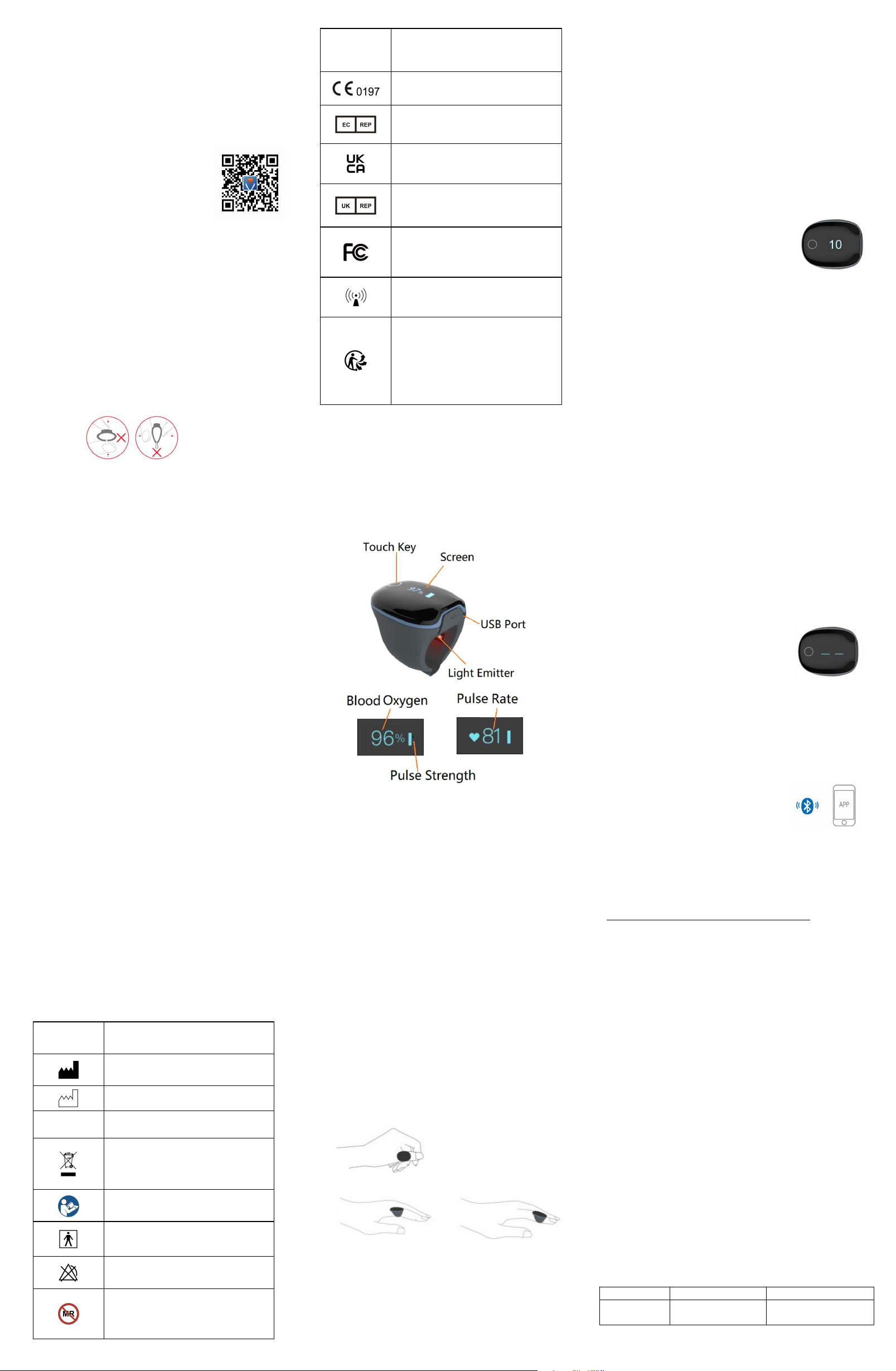
3. Using the Device
3.1.Charging
Charge the battery before using.
Connect the device to computer USB or USB charging
adapter with USB cable.
After fully charged, the device will power off
automatically.
3.2.POWER ON/OFF
POWER ON:
Wear the device, it will turn on automatically.
POWER OFF:
The device turns off automatically in a moment after
you take it off.
3.3.Typical steps
1. START. Charge the battery. Wear the device to
power on.
2. STOP. Take off the device, the recording will be
over after the countdown.
3. DATA SYNC. After the countdown, run App to sync
data. OR next time after you turn on the device, run
App to sync.
3.4.Start working
1) Wear the device on thumb finger, index finger
as option in case of too tight for thumb. Try to move
the device along the forefinger to find out a best fit.
Avoid being loose. Loose wearing causes inaccurate
measure.
2) Device will turn on automatically. After a few
seconds, the device will begin to monitor.
Notice:
Keep snug enough, loose wearing may cause
inaccurate readings.
DO NOT use middle finger; if too tight for
thumb or forefinger, try little finger.
If the working time is less than 2 minutes,
the data will not be saved.
Please avoid excessive motion.
Please avoid strong ambient light condition.
3.5.Stop working & sync data
Take off the device, the countdown
will begin.
(If the working time is less than 2
minutes, there will be no countdown)
During the countdown, if you wear
the device again, the record will be resumed.
After the countdown, the data will have been saved
in device and ready to sync.
Sync data:
After the countdown, run App to sync data;
OR next time after you turn on the device, run
App to sync.
Notice: The built-in memory can store 4 sessions. The
oldest will be overwritten by the 5th. Please sync
data to your phone in time.
3.6.Screen Wake up
The screen will go off automatically for saving power
in Standard Mode; you can touch the key on top to
wake up the screen.
3.7.How to Check Battery
Touch the key on top, you can switch display between
readings and battery.
3.8.Unavailable Symbol
When this symbol displays on device screen, it
indicates the readings is unavailable right now.
It may caused by:
Excessive movement;
Poor signal, finger is too cold;
Usually, the readings will recover in
a few seconds when at rest.
3.9.Bluetooth Connection
The device Bluetooth will be enabled automatically
after it’s turned on.
To establish a Bluetooth connection,
1) Keep the device on.
2) Make sure the phone Bluetooth
is enabled.
3) Run the App and follow the
on-screen instructions.
Notice: DO NOT PAIR in the settings
of your smart device.
4. PC software
PC Software: O2 Insight Pro
Download from:
https://getwellue.com/pages/pc-software
Install the software on Windows(win 7/8/10) or
MacOS(10.15 or above).
Install the software on PC:
1) Turn on device, connect the device to PC USB
port with the supplied Data Cable (it’s different
from universal USB cable)
2) Run the PC software, click the Download
button to download data from the device.
With the PC software, you can view and print sleep
report, which can also be exported as PDF or CSV
files.
Note: While the device is being connected to app, it
can’t connect to PC software.
5. Maintenance
5.1.Time & Date
After connection with App, device time will sync from
your phone time automatically.
5.2.Cleaning
Use a soft cloth moistened with water or alcohol to
clean the device surface.
6. Troubleshooting
Problem
Possible Cause
Possible Solution
Device
does not
Battery may be
low.
Charge battery and
try again.
TM
turn on or
no
response
Device might be
damaged.
Please contact
your local
distributor.
Software
exception
Keep device in
charging, touch the
key for 8 seconds.
The app
cannot find
the device
The Bluetooth of
your phone is
off.
Turn on the
Bluetooth in the
phone.
The device
Bluetooth is off.
Turn on device
For Android,
Bluetooth
cannot work
without location
permission
Allow location
access
Only one
Light
Emitter on
the ring
turns red.
This is normal,
the O2Ring only
has one light
emitter.
No need to worry
about it.
The device
screen
displays
“Error 1”.
Errors occur
during data
analysis.
Connect the power
supply and plug in
the charging cable,
press and hold the
touch key for 3s to
reset the
hardware.
For more information about O2RIng, please visit:
https://getwellue.com/pages/faqs
7. Specifications
Environmental
Operating
Storage
Temperature
5 to 40
°
C
-25 to 70
°
C
Relative humidity
(non-condensing)
10% to 95%
10% to 95%
Barometric
700 to 1060hPa
700 to
1060hPa
Protection against
electric shock
Internally powered equipment
Degree protection
against electrical
shock
Type BF
Electro-magnetic
compatibility
Group I, Class B
Degree of dust &
water resistance
IP22
Weight
15 g
Size
38
×
30
×
38 mm
Battery
3.7Vdc, Rechargeable
Lithium-polymer
Charge time
2-3 hours
Battery life
12-16 hours for typical use
Wireless
Bluetooth 4.0 BLE
Oxygen level
range
70% to 99%
SpO2 Accuracy
(Arms)
80-99%:
±
2%, 70-79%:
±
3%
Pulse Rate range
30 to 250 bpm
Pulse Rate
accuracy
±2 bpm or ±2%, whichever is
greater
Vibration source
low oxygen level;
high/low pulse rate
Recorded
parameters
Oxygen level, Pulse Rate,
motion
Data storage
4 sessions, up to 10 hours for
each
Frequency range
2.402-2.480GHz
Max RF power
-10 dBm
Expected service
life
3 years
Mobile App for
iOS
iOS 9.0 or above,
iPhone 4s/ iPad 3 or above
Mobile App for
android
Android 5.0 or above,
with Bluetooth 4.0 BLE
8. Appendix EMC
The equipment meets the requirements of IEC
60601-1-2:2014.
Table 1
Guidance and manufacturer’s declaration-electromagnetic
emission
The Pulse Oximeter is intended for use in the electromagnetic
environment specified below. The customer or the user of the
Pulse Oximeter should assure that it is used in such an
environment.
Emissions test
Compliance
Electromagnetic
environment-guidance
RF emissions
CISPR 11
Group 1
The Pulse Oximeter uses RF
energy only for its internal
function. Therefore, its RF
emissions are very low and are
not likely to cause any
interference in nearby
electronic equipment.
RF emissions
CISPR 11
Class B
The Pulse Oximeter suitable
for use in all establishments,
including domestic
establishments and those
directly network that supplies
buildings used for domestic
purposes.
Harmonic
emissions
IEC61000-3-2
N/A
Voltage
fluctuations/flicker
emissions
IEC61000-3-3
N/A
Table 2
Guidance and manufacturer ’s declaration-electromagnetic
emission
The Pulse Oximeter is intended for use in the electromagnetic
environment specified below. The customer or the user of the
Pulse Oximeter should assure that it is used in such an
environment.
Immunity test
IEC60601
test level
Compliance
level
Electromagnetic
environment
-guidance
Electrostatic
discharge(ESD)
IEC61000-4-2
±8 kV
contact
±15kV air
±8 kV
contact
±15kV air
Floors should be
wood, concrete
or ceramic tile. if
floors are
covered with
synthetic
material, the
relative humidity
should be at
least 30%
Electrical fast
transient/
burst
IEC61000-4-4
±2kV for
power
Supply lines
±1 kV for
input/output
lines
N/A
N/A
Surge
IEC 61000-4-5
±1kV line (s)
to line(s)
±2kV line(s)
to earth
N/A
N/A
Voltage dips,
short
interruptions
and voltage
variations on
power supply
input lines
IEC61000-4-11
<5% UT
(>95% dip in
UT) for 0.5
cycle
<40% UT
(60% dip in
UT) for 5
cycles
<70% UT
(30% dip in
UT) for 25
cycles
<5% UT
(>95% dip in
UT) for 5 s
N/A
N/A
Power frequency
(50Hz/60Hz)
magnetic field
IEC61000-4-8
3A/m
3A/m
Power frequency
magnetic fields
should be at
levels
characteristic of
a typical location
in a typical
commercial or
hospital
environment.
NOTE: UT is the a.c. mains voltage prior to application of the
test level.
Table 3
Guidance and manufacturer’s declaration – electromagnetic
immunity
The Pulse Oximeter is intended for use in the electromagnetic
environment specified below. The customer or the user of The
Pulse Oximeter should assure that it is used in such an
electromagnetic environment.
Immunity test
IEC60601
test level
Complian
ce level
Electromagnetic
environment -guidance
Conducted RF
IEC61000-4-6
Radiated RF
IEC61000-4-3
3 Vrms
150 kHz to
80 MHz
3 V/m
80 MHz to
2.5 GHz
N/A
3 V/m
Portable and mobile RF
communications
equipment should be used
no closer to any part of
The Pulse Oximeter,
including cables, than the
recommended separation
distance calculated from
the equation applicable to
the frequency of the
transmitter.
Recommended separation
distance
d=1.2
P
d=1.2
P
80MHz to
800MHz
d=2.3
P
800MHz to
2.5GHz
Where P is the maximum
output power rating of
the transmitter in watts
(W) according to the
transmitter manufacturer
and d is the
recommended separation
distance in metres (m). b
Field strengths from fixed
RF transmitters, as
determined by an
electromagnetic site
survey ,a should be less
than the compliance level
in each frequency range .b
Interference may occur in
the vicinity of equipment
marked with the following
symbol.
NOTE 1: At 80 MHz and 800 MHz, the higher frequency range
applies.
NOTE 2: These guidelines may not apply in all situations.
Electromagnetic propagation is affected by absorption and
reflection from structures, objects and people.
a: Field strengths from fixed transmitters, such as base stations
for radio (cellular / cordless) telephones and land mobile
radios, amateur radio, AM and FM radio broadcast and TV
broadcast cannot be predicted theoretically with accuracy. To
assess the electromagnetic environment due to fixed RF
transmitters, and electromagnetic site survey should be
considered. If the measured field strength in the location in
which The Pulse Oximeter is used exceeds the applicable RF
compliance level above, The Pulse Oximeter should be
observed to verify normal operation. If abnormal performance
is observed, additional measures may be necessary, such as
re-orienting or relocating The Pulse Oximeter.
b: Over the frequency range 150 kHz to 80 MHz, field strengths
should be less than 3V/m.
Table 4
Recommended separation distances between portable and
mobile RF communication the equipment
The Pulse Oximeter is intended for use in an electromagnetic
environment in which radiated RF disturbances are controlled.
The customer or the user of The Pulse Oximeter can help
prevent electromagnetic interference by maintaining a
minimum distance between portable and mobile RF
communications equipment (transmitters) and the Pulse
Oximeter as recommended below, according to the maximum
output power of the communications equipment.
Rated
maximum
output power
of transmitter
W(Watts)
Separation distance according to frequency of
transmitter M(Meters)
150kHz to
80MHz
d=1.2
P
80MHz to
800MHz
d=1.2
P
80MHz to
2,5GHz
d=2.3
P
0,01
N/A
0.12
0.23
0,1
N/A
0.38
0.73
1
N/A
1.2
2.3
10
N/A
3.8
7.3
100
N/A
12
23
For transmitters rated at a maximum output power not listed
above, the recommended separation distance in metres (m) can
be determined using the equation applicable to the frequency
of the transmitter, where P is the maximum output power
rating of the transmitter in watts (W) according to the
transmitter manufacturer.
NOTE 1: At 80 MHz and 800 MHz, the separation distance for
the higher frequency range applies.
NOTE 2: These guidelines may not apply in all situations.
Electromagnetic propagation is affected by absorption and
reflection from structures, objects and people.
Copyright
This manual is written by our company and all rights
reserved. Without our company's prior written
consent, no part of this manual may be reproduced
or copied in any form or method.
Illustration
All illustrations provided in this manual are for
reference only, and the settings or data in the
illustrations may not be exactly the same as the
actual display you see on the product.
Shenzhen Viatom Technology Co., Ltd.
4E, Building 3, Tingwei Industrial Park, No.6
Liufang Road, Block 67, Xin'an Street, Baoan
District, Shenzhen,
518101, Guangdong, China
www.viatomtech.com
MedNet EC-REP GmbH
Borkstrasse 10, 48163 Muenster, Germany
Tel:+49 251 32266-0
Fax:+49 251 32266-22
Email:contact@mednet-ecrep.com
MediMap Ltd
2 The Drift, Thurston, Suffolk IP31 3RT, United
Kingdom
Tel:+49 251 32266-0
Fax:+49 251 32266-22
Email:contact@mednet-ecrep.com
Australia Sponsor: SHARE INFO PTY LTD
Add:4 Allnutt ct, Cheltenham, melbourne,
VIC 3192, Austrilia
Product name: Pulse Oximeter Model: PO2
Version: D Date: Jun. 26, 2023 PN: 255-04064-CE