PACKAGE CONTENTS
Before using your new product, please read these instructions to prevent any damage.
NS-MQ3CS5 / NS-MQ3CS5-C
QUICK SETUP GUIDE
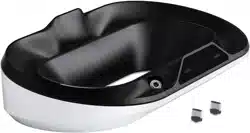
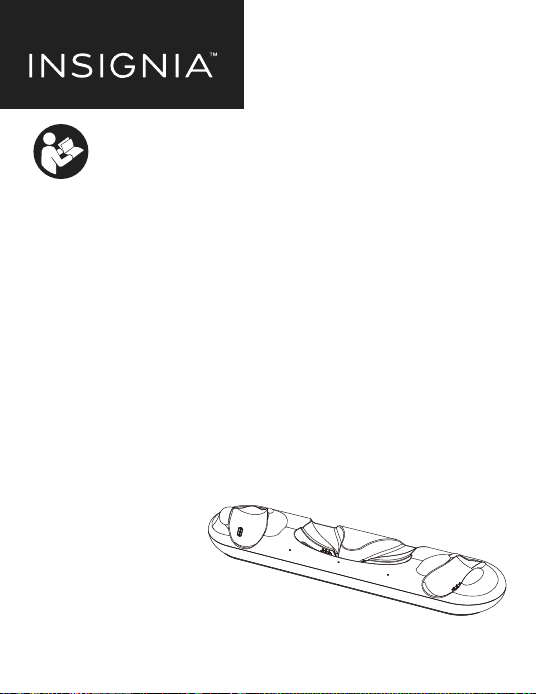
Charging Dock
2 Rechargeable Battery Packs
2 Custom Battery Doors
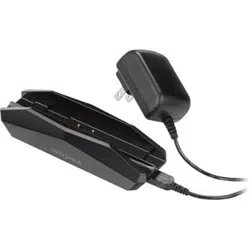
1 AC Adapter
Quick Setup Guide
•
•
•
•
•
Please see www.insigniaproducts.com for the latest
Quick Start Guide and troubleshooting.
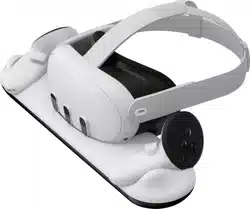
Charging Dock for Meta Quest 3

Incorrect battery use may result in battery leakage, overheating, or explosion.
When using batteries, make sure that you follow these instructions:
Keep batteries out of the reach of children.
Do not heat, open, puncture, mutilate, or dispose of batteries in re.
If a battery leaks, remove the battery, taking care to keep the leaked uid from
touching your skin or clothes. If uid from the battery comes into contact with
skin or clothes, ush skin with water or remove the clothing immediately. Before
inserting a new battery, thoroughly clean the controller with a damp paper towel.
Do not allow metal objects to touch the battery terminals, because they can
become hot and cause burns. For example, do not carry the battery in a pocket
with keys or coins.
Remove the battery when the controller will not be used for an extended period
of time.
CAUTION: Do not open, crush, heat. Maxmun operation Temperature 45°C.
FEATURES
Charges 2 Quest 3 touch plus controllers and headset simultaneously
Rechargeable batteries extend your game time
Stylish stand holds and displays your touch plus controllers and headset
Rechargeable batteries eliminate costly disposable batteries
LED lights display charging status
Compatible with Quest 3 elite strap with battery
Automatic shut o after controllers and headset are fully charged
Powered by AC adapter
SAFETY INFORMATION
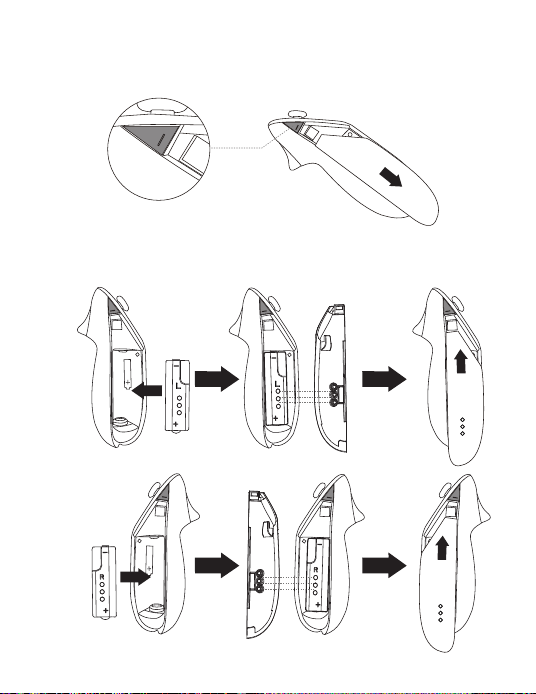
1. Press the Eject button to release original battery cover and slide out.
2. Install the rechargeable battery pack making sure you have it aligned
with the correct polarity. Slide the custom battery door onto the controller.
INSTALLING THE BATTERY PACKS
Right
Left
* Grips need to be removed before using controller charging dock.
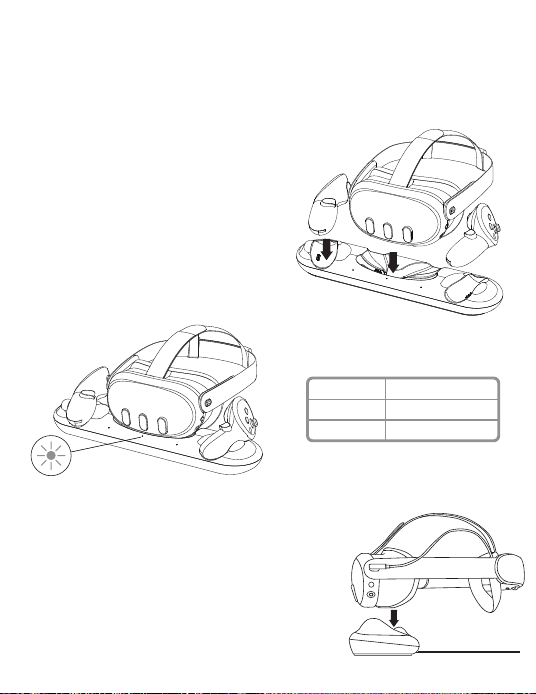
1. Plug the AC adapter into a power outlet, then connect the AC power
adapter to the jack on the bottom of the charging dock.
STATUS LED
Amber
Blue
DESCRIPTION
Charging in process
Fully charged
USING THE CHARGING DOCK
2. Set your touch plus controllers on the
charging dock on their sides with the grip
button facing upward.
3. Set your headset on the charging dock
with the front of the headset facing
toward you.
4. The power LED indicators will turn on.
5. When charging Quest 3 with an elite strap
with battery. Plug the elite strap cable into
the headset. Ensure the arms are horizontal
before docking the headset. Leave strap
battery connected to headset to charge
simultaneously.
SPECIFICATIONS
TROUBLESHOOTING
Dimensions
Input DC 12V/2A
Output
1.5V/300mA
5V/3A
Cable Length
4 .9 ft. (1.5m)
14.17 x 3.54 x 1.96in. (36 x 9.0 x 5.0cm)
1.96 x 0.64 x 0.64 in. (5 x1.65x1.65cm)
Battery Capacity
Battery Type
Charging Dock
Rechargeable Battery Pack
Headset
Touch Plus Controllers
3.8V/150mAh
Li-Polymer
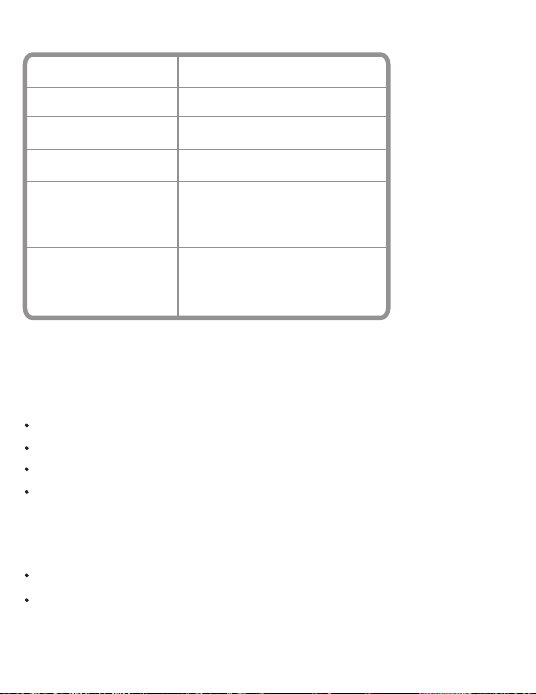
Make sure that the Headset charging plug adheres to the Metal Pins Charging Contact.
.Make sure that each rechargeable battery is correctly installed in the Touch plus controller.
Make sure that the custom battery door is correctly installed on the Touch plus controller.
Made sure that you have connected the AC power adapter to the charging dock and a
working power outlet.
Make sure that the battery is fully charged before disconnecting from the charging dock.
Leaving your fully charged controller on the charging dock for extended periods of time
will limit your battery's lifespan and performance.
Charging dock doesn’t charge
Battery life seems short

This device complies with part 15 of the FCC Rules. Operation is subject to the
following two conditions: (1) This device may not cause harmful interference,
and (2) this device must accept any interference received, including interference
that may cause undesired operation.
Warning: Changes or modications to this unit not expressly approved by the party
responsible for compliance could void the user’s authority to operate the equipment.
Note: This equipment has been tested and found to comply with the limits for a
Class B digital device, pursuant to Part 15 of the FCC Rules. These limits are designed
to provide reasonable protection against harmful interference in a residential
installation. This equipment generates, uses and can radiate radio frequency energy
and, if not installed and used in accordance with the instructions, may cause harmful
interference to radio communications.
However, there is no guarantee that interference will not occur in a particular
installation. If this equipment does cause harmful interference to radio or television
reception, which can be determined by turning the equipment o and on, the user is
encouraged to try to correct the interference by one or more of the following measures:
- Increase the separation between the equipment and receiver.Reorient or relocate
the receiving antenna.
- CIncrease the separation between the equipment and receiver.
- Connect the equipment into an outlet on a circuit dierent from that to which
the receiver is connected.
- Consult the dealer or an experienced radio/TV technician for help.
LEGAL NOTICES
FCC Information
ICES-003 Statement
This Class B digital apparatus complies with Canadian ICES-003.

ONE-YEAR LIMITED WARRANTY
Denitions:
The Distributor* of Insignia branded products warrants to you, the original purchaser of this new
Insignia-branded product (“Product”), that the Product shall be free of defects in the original manufacturer
of the material or workmanship for a period of one (1) year from the date of your purchase of the Product
(“Warranty Period”).
For this warranty to apply, your Product must be purchased in the United States or Canada from a Best Buy
branded retail store or online at www.bestbuy.com or www.bestbuy.ca and is packaged with this warranty
statement.
How long does the coverage last?
The Warranty Period lasts for 1 year (365 days) from the date you purchased the Product. Your purchase date
is printed on the receipt you received with the Product.
What does this warranty cover?
During the Warranty Period, if the original manufacture of the material or workmanship of the Product is
determined to be defective by an authorized Insignia repair center or store personnel, Insignia will (at its
sole option): (1) repair the Product with new or rebuilt parts; or (2) replace the Product at no charge with
new or rebuilt comparable products or parts. Products and parts replaced under this warranty become the
property of Insignia and are not returned to you. If service of Products or parts are required after the
Warranty Period expires, you must pay all labor and parts charges. This warranty lasts as long as you own
your Insignia Product during the Warranty Period. Warranty coverage terminates if you sell or otherwise
transfer the Product.
How to obtain warranty service?
If you purchased the Product at a Best Buy retail store location or from a Best Buy online website
(www.bestbuy.com or www.bestbuy.ca), please take your original receipt and the Product to any Best Buy
store. Make sure that you place the Product in its original packaging or packaging that provides the same
amount of protection as the original packaging.
To obtain warranty service, in the United States and Canada call 1-877-467-4289. Call agents may diagnose
and correct the issue over the phone.
Where is the warranty valid?
This warranty is valid only in the United States and Canada at Best Buy branded retail stores or websites to
the original purchaser of the product in the country where the original purchase was made.
What does the warranty not cover?
This warranty does not cover:
• Food, beverage, and or medicine loss/spoilage.
• Customer instruction/education
• Installation
• Set up adjustments
• Cosmetic damage

ENGLISH V2-24-0405
• Damage due to weather, lightning, and other acts of God, such as power surges
• Accidental damage
• Misuse
• Abuse
• Negligence
• Commercial purposes/use, including but not limited to use in a place of business or in communal areas of a
multiple dwelling condominium or apartment complex, or otherwise used in a place of other than a private
home.
• Modication of any part of the Product, including the antenna
• Display panel damaged by static (non-moving) images applied for lengthy periods (burn-in).
• Damage due to incorrect operation or maintenance
• Connection to an incorrect voltage or power supply
• Attempted repair by any person not authorized by Insignia to service the Product
• Products sold “as is” or “with all faults”
• Consumables, including but not limited to batteries (i.e. AA, AAA, C etc.)
• Products where the factory applied serial number has been altered or removed
• Loss or Theft of this product or any part of the product
• Display panels containing up to three (3) pixel failures (dots that are dark or incorrectly illuminated)
grouped in an area smaller than one tenth (1/10) of the display size or up to ve (5) pixel failures throughout
the display. (Pixel based displays may contain a limited number of pixels that may not function normally.)
• Failures or Damage caused by any contact including but not limited to liquids, gels or pastes.
REPAIR REPLACEMENT AS PROVIDED UNDER THIS WARRANTY IS YOUR EXCLUSIVE REMEDY FOR BREACH OF
WARRANTY. INSIGNIA SHALL NOT BE LIABLE FOR ANY INCIDENTAL OR CONSEQUENTIAL DAMAGES FOR THE
BREACH OF ANY EXPRESS OR IMPLIED WARRANTY ON THIS PRODUCT, INCLUDING, BUT NOT LIMITED TO, LOST
DATA, LOSS OF USE OF YOUR PRODUCT, LOST BUSINESS OR LOST PROFITS. INSIGNIA PRODUCTS MAKES NO
OTHER EXPRESS WARRANTIES WITH RESPECT TO THE PRODUCT, ALL EXPRESS AND IMPLIED WARRANTIES FOR
THE PRODUCT, INCLUDING BUT NOT LIMITED TO ANY IMPLIED WARRANTIES OF AND CONDITIONS OF
MERCHANTABILITY AND FITNESS FOR A PARTICULAR PURPOSE, ARE LIMITED IN DURATION TO THE WARRANTY
PERIOD SET FORTH ABOVE AND NO WARRANTIES, WHETHER EXPRESS OR IMPLIED, WILL APPLY AFTER THE
WARRANTY PERIOD. SOME STATES, PROVINCES AND JURISDICTIONS DO NOT ALLOW LIMITATIONS ON HOW
LONG AN IMPLIED WARRANTY LASTS, SO THE ABOVE LIMITATION MAY NOT APPLY TO YOU. THIS WARRANTY
GIVES YOU SPECIFIC LEGAL RIGHTS, AND YOU MAY ALSO HAVE OTHER RIGHTS, WHICH VARY FROM STATE TO
STATE OR PROVINCE TO PROVINCE.
Contact Insignia:
1-877-467-4289
www.insigniaproducts.com
INSIGNIA is a trademark of Best Buy and its aliated companies.
*Distributed by Best Buy Purchasing, LLC
7601 Penn Ave South, Richeld, MN 55423 U.S.A
©2024 Best Buy. All rights reserved.