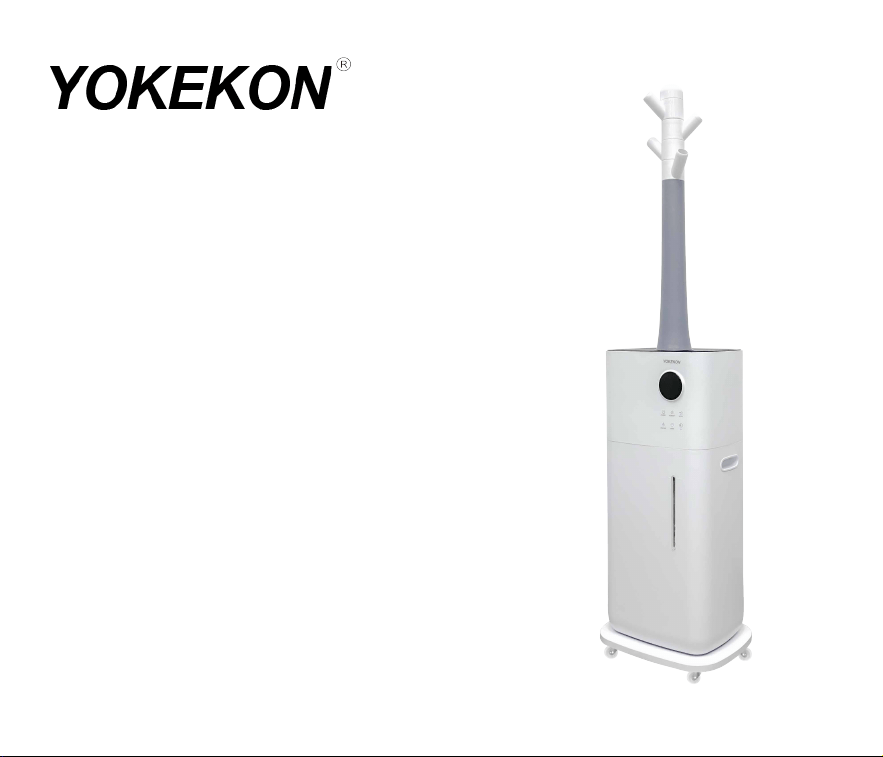
User Manual
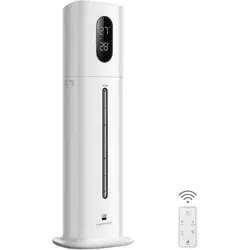
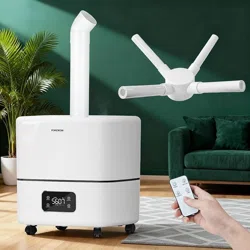
YK-MH-2118
Thanks for your purchase.
We provide a one-year warranty.
If any quality issues, replacement or refund is available.
Please feel free to contact us via E-mail:


Precautions
Thank you for purchasing our humidifier YK-MH-2118.
Please read this manual carefully before using
and keep it for future reference.
All pictures shown are for illustration purposes only.
Actual products may vary due to product enhancement.

Safety Guide
Components
Placement
Installation
Water Filling & Accessories Assembly
Control Panel & Remote Control
Maintenance
FAQ
Product Specifications
Warranty Card
1-2
3
4
5
6
7
8
9-10
11
12
ContentsContents

0101
Safety Guide
0101
Please do not disassemble or transform the machine.
Please do not let the machine be strongly impacted.
Please stop the machine before moving it.
Please don't connect the socket that exceeds the rated voltage and don't use the
extension cable to avoid fire or electric shock.
When the plug or wire is abnormally hot, please stop using it.
Please do not unplug the power plug with wet hands, otherwise, it may cause
electric shock or injury.
Please do not block the outlet or add water to the mist outlet which may cause
water leakage, deformation or failure.
Please do not use acidic detergent in the main body. If the detergent remains, it
may produce toxic gas.
Children should use it under the supervision of adults.
Please do not deliberately inhale the spray mist, especially for people with
sensitive respiratory tract.

02
When not in use for a long time (more than 24 hours), please pour out the water in the
water tank and sink to prevent mold or impurities from harming your health.
Please do not put essential oil into the main body/water tank, which may cause water
leakage deformation or failure.
Please do not insert your fingers or other things into the water inlet or air outlet or
the gap which may cause damage to the machine or electric shock.
When the room temperature is lower than 0°C, please pour out the water in the water
tank and sink to avoid freezing and damaging the machine.
Please leave it at room temperature for 30 minutes before the first use to avoid
damage to the water tank due to sudden temperature changes.
Please use it at normal room temperature (5°C~40°C).
Safety Guide
02
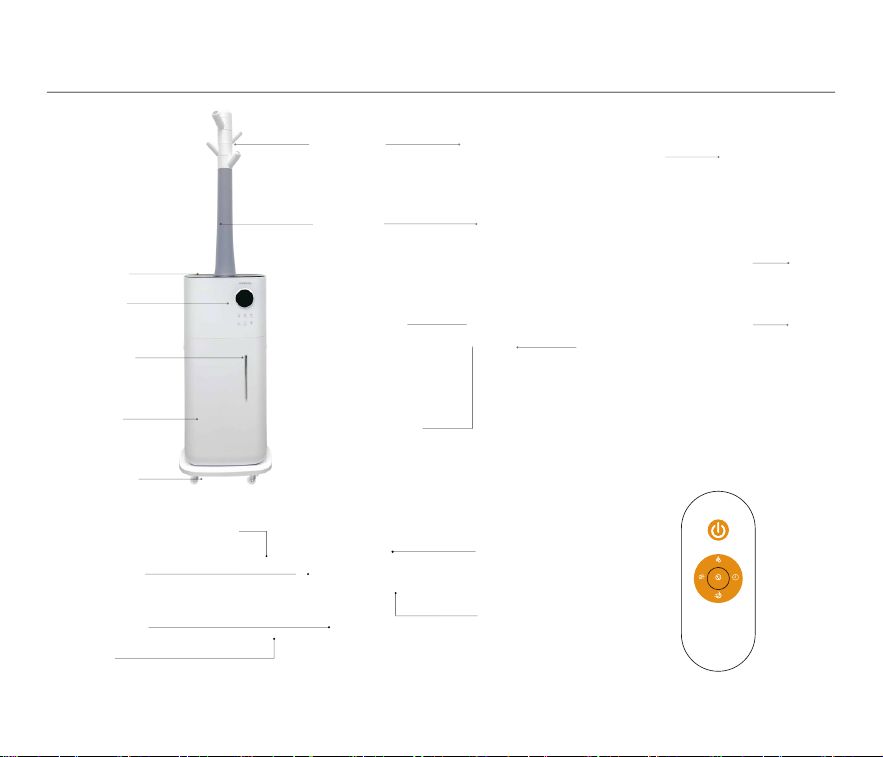
Cover
Main Body
Water Pipe
Power
Input
Safety
Drainage
Holes
Misting
Nozzles
Misting
Tube
Water Overflow Port
Water Outlet
Fan Outlet
Main Body Inside
Float
UV Lamp
Remote Control
Atomizer
Water
Viewport
Tank Handle
Water Pump
Components
03
Display
Casters
Water
Tank
HUMIDITY
MAX-MIN
TIMERUV
SLEEP
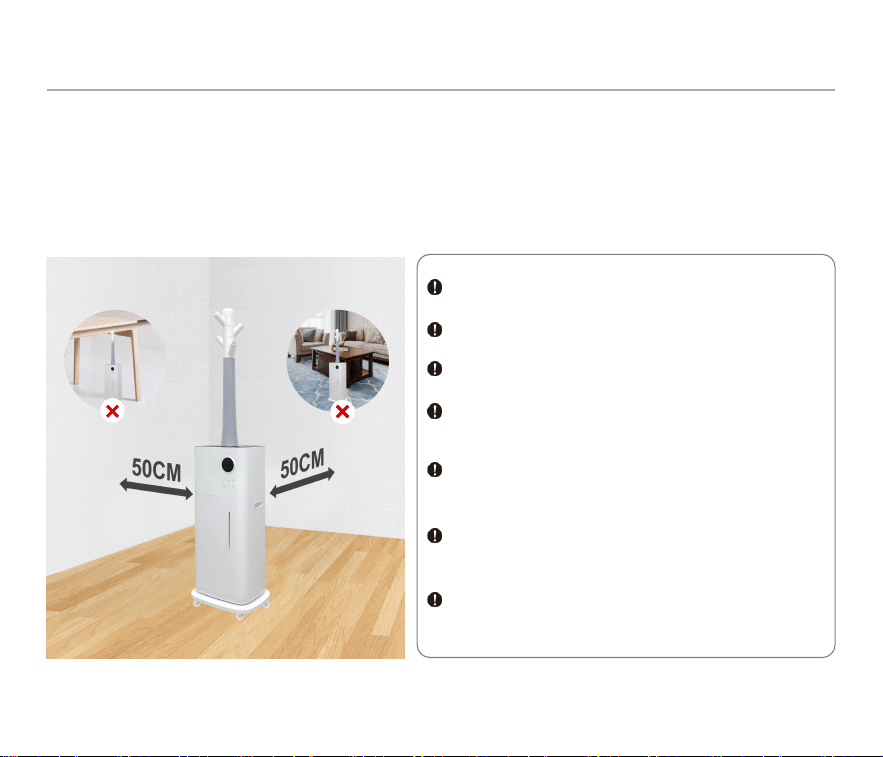
Please place the humidifier in a horizontal position, at least 50 cm away from walls,
furniture, furnace, household appliances, etc.
Please do not use it in the following occasions to avoid water leakage, signal interference
or injury, etc.
Direct sunlight.
On the unstable platform.
With high temperatures humidity and dust.
Near the air conditioner, furnace, heater
and stove.
Under the table, or on the carpets bedding,
etc.
Near the radio and other objects that emit
radio waves.
Near mobile phones, computers and other
precision instruments.
Placement
04
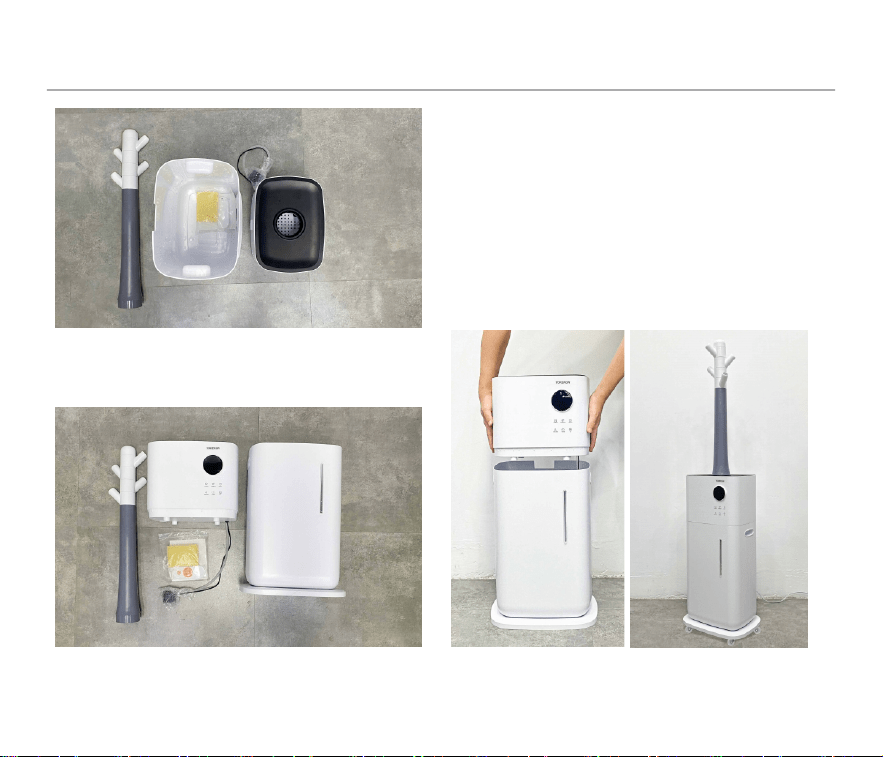
4. Place the main body on the water tank
properly.
3. Remove the protective bag from the
water pump.
1. Take off the main body, take out the
remote control and other accessories
in the water tank.
2. Remove the insulating plastic sheet
before using the remote control.
Installation
05
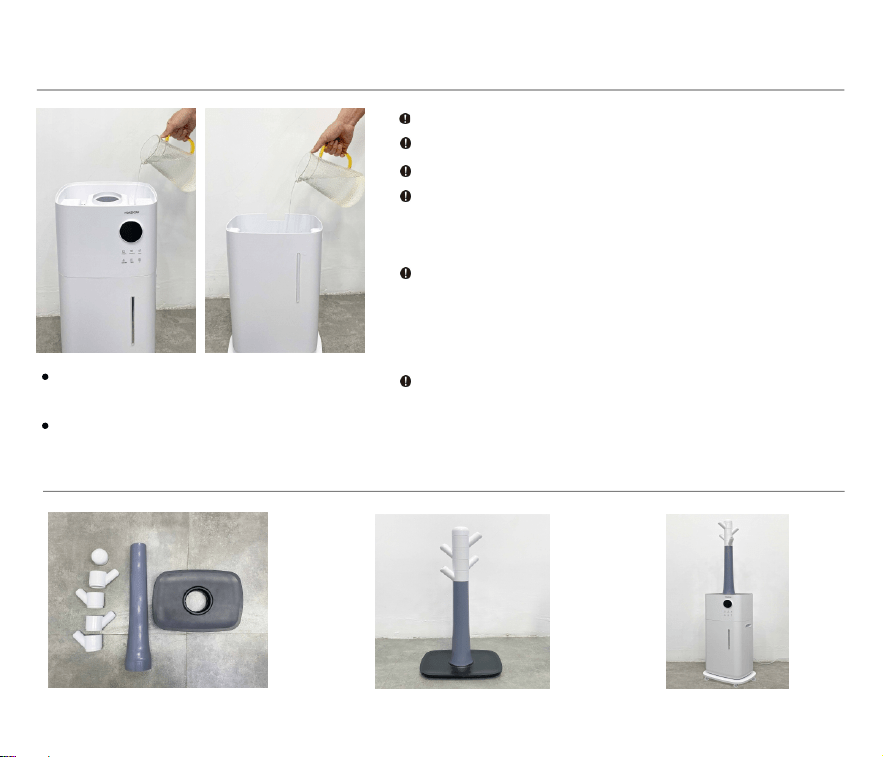
Open the lid and add water from
the top.
Remove the main body and add
water to the water tank directly.
Water Filling & Accessories Assembly
06
Please add water below 40°C.
Distilled water or RO water is recommended.
Please do not exceed the maximum water mark.
Please do not allow water enter the mist outlet
or water may enter the inside and cause the
machine to malfunction.
Please do not add mineral water, plasma water
or tap water that has not been used for a long
time. If mold or impurities grow, it may cause
health problems.
When the water is insufficient, the machine will
prompt water shortage and automatically shut
down. Please refill with water and turn it on.
→ →
07
Control Panel & Remote Control
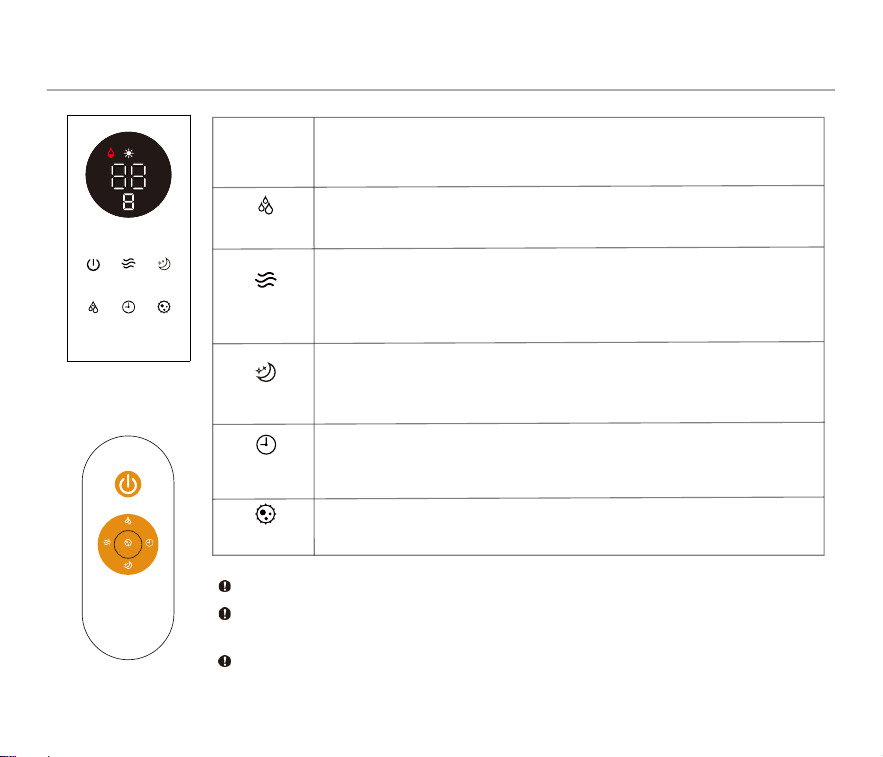
POWER
The operation of remote control is the same as the control panel.
Please remove the insulating plastic sheet before using the remote
control.
When turning on the UV light, do not look directly at it for a long
time, otherwise it may cause eye discomfort.
HUMIDITY
TIMER
MAX-MIN
UV
SLEEP
Touch the button and the display lights up and the
humidifier starts to work.
The humidity can be set between 40-90% in increments
of 5%. The humidifier will automatically stop spraying mist
when the surrounding humidity reaches the set value.
The timer can be set for 1-12 hours in increments of
1 hour. The humidifier will shut down automatically
when the time reaches the set value.
The mist volume can be adjusted in three levels: low,
medium, high.
Touch the UV button to turn on/off the sterilization feature.
Touch the button to enter sleep mode, and the display will
be dimmed. Touch any button to exit sleep mode, and the
display will light up.
Remote Control
Display & Buttons
HUMIDITY
h
MAX-MIN TIMER UV
SLEEPPOWER
HUMIDITY
MAX-MIN
TIMERUV
SLEEP
Maintenance
08
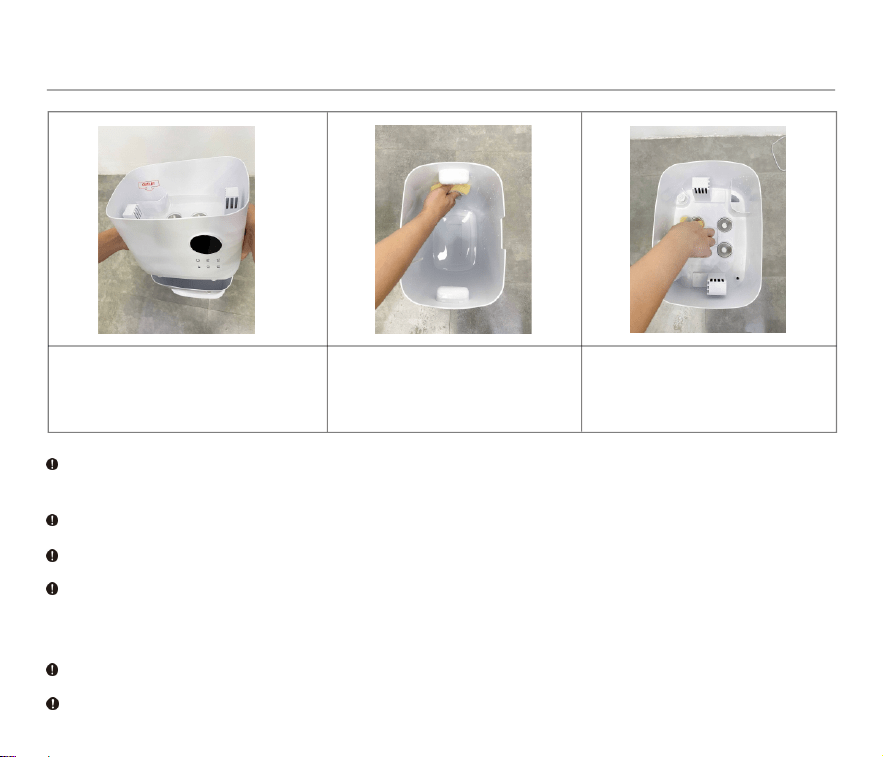
Be sure to pull out the power plug before maintaining the humdifier.
Do not directly flush the whole machine with water to avoid short circuits and failure.
When not in use for a long time (more than 24 hours), please pour out the water in the
water tank and sink to prevent mold or impurities from harming your health.
Make sure the main body is completely dry before use.
With the use of tap water, minerals and organics may adhere to it, which may cause the
function of humidifier to decline or malfunction. If the dirt is not easy to clean, the cloth
can be soaked in neutral detergent before wiping.
Tilt the main body to this side
and pour out the water. Take
care not to wet the ground.
Clean the water tank with
the sponge weekly.
Clean the sink with the
sponge weekly.
The residue of detergent in the sink and tank should be cleaned up before use.

Q:After the power is turned on, the display does not light up.
A:There may be water entering the circuit board. Please air-dry the main body for one
day. If it still can't be turned on, please contact customer service by email.
Q:Low mist output.
Q:Abnormal noise.
A:There is too little water in the tank, or the ground is not stable. Please fill water
and place the humidifier on a flat and stable surface.
Q:The humidity value is not completely consistent with the room humidity.
A:There is a built-in humidity sensor in the main body. The humidity difference of
5-10 is within the normal range. If not, please contact customer service by email.
Q:Red light flashing.
FAQ
09
A:When the ambient humidity exceeds the set value, the machine will stop
spraying mist automatically. But if the atomizer is damaged, please
contact customer service by email.
A:Please open the sink and check whether the water can be pumped up. If not,
check whether the water pipe has fallen or broken. None of the above, contact
customer service by email.

FAQ
10
Q:There is white powder around the humidifier.
A: Tap water contains certain minerals, may adhere to the object, please do not
worry and clean the water tank regularly. Keep the precision instrument away
from the humidifier to avoid damage to them.
Q:There is scale in the water sink or tank.
A: Tap water contains certain minerals, may adhere to the object, please do not
worry and clean the water sink and tank regularly.
Q:The floor is wet or there is water around the humidifier.
A: Humidity is too high, or the humidifier is placed in a non-ventilated place, so the
mist can not be fully evaporated.
Q:The fire on the stove turned red.
Q:Interference with TV remote control signal.
A: Keep the humidifier 1m away from the TV or other objects that emit radio waves.
A: Because the composition of the tap water reacts with the flame(Flame reaction),
please keep the humidifier away from the stove.
Q:Why didn’t the humidifier generate mist
?
A: It needs to wait 40-60 seconds to generate mist every refilling.
11
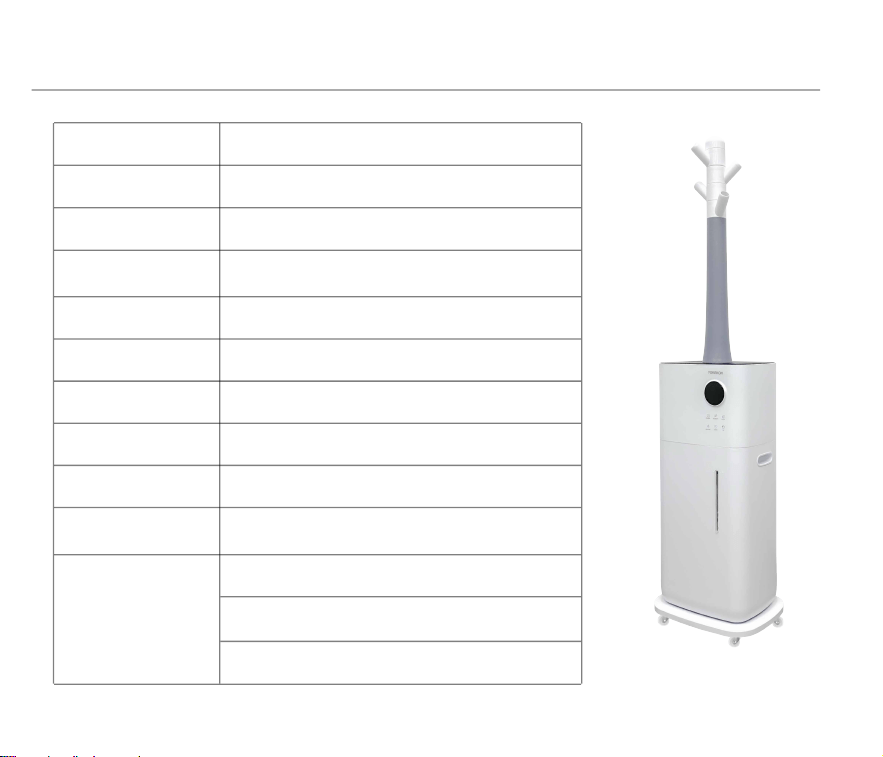
Product Name Ultrasonic Humidifier
Model Number YK-MH-2118
Operation Mode Low Medium High
Max Mist Output 2000mL/h
Rated Power
Rated Voltage
110W
110V-240V~
Noise
Tank Capacity 4.49Gal / 17L
≤35dB
Size 295*225*1150mm
N.W. 4.2Kg
Safety Functions
1-12 hours timer
Waterless auto shut-off
Automatic shutdown when falling
Product Specifications

12
Warranty Period
Our company provides a one-year warranty, which starts from the date of purchase.
Warranty Requirements
1. Please provide the warranty card and the order number.
2. Please describe the problems in details with pictures or videos.
3. Send e-mail to
Non-Warranty Policy
The following conditions are not covered by the warranty.
Over the warranty period.
Damage caused by natural disasters and other force majeure.
Any damage caused by use not in accordance with the requirements in the User Manual.
Failure or damage caused by forced use of the product.
The user disassembles or repairs the product without authorization.
Sorry that warrant service would not be available if you are unable to provide the above
information.
When returning the product, please confirm that the product is intact, and the
packing boxes and accessories are complete.