www.PyleUSA.com
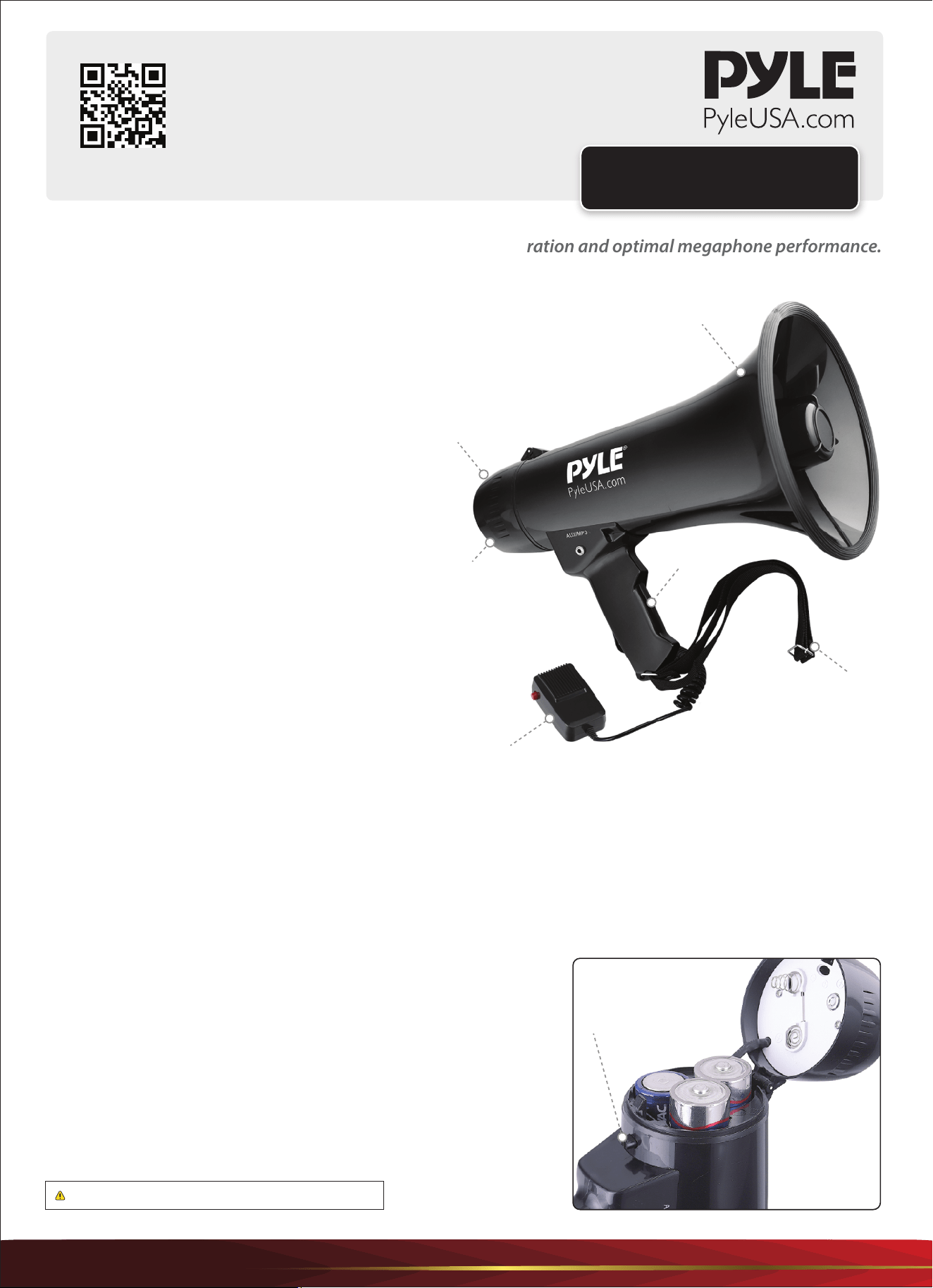
battery compartment
button
This user manual contains important information for safe operation and optimal megaphone performance.
Please carefully read and follow safety notes and instructions. Save this manual for future reference.
Ensure it is available to all persons using this device.
PRECAUTIONS
• Ensure that plastic bags, packaging, etc., are removed.
• Never let children use electrical devices unattended.
• Observe proper polarity when inserting batteries. Incorrectly inserted batteries may cause damage & the risk of re.
• Leaking batteries can cause permanent damage to the device.
• Remove batteries if the megaphone will not be used for long periods.
Battery Insertion
• Ensure correct polarity of cells used. Insert the
batteries correctly by aligning the (-) marks on the
batteries with the spring in the back cover.
• Use new batteries/cells whenever possible.
• When the megaphone is not in use for a long
period, remove the dry cells and replace them.
Drained cells or rechargeable batteries may result
in insufficient sound volume.
SAFETY
This megaphone is intended to be used only as
described in this user manual. Any other use or use
under different operating conditions is considered
improper and may result in personal injury or device
damage. Please use the megaphone as described and
supervise its use when used by children or minors.
Visit Our Website
SCAN ME
PyleUSA.com
USER GUIDE
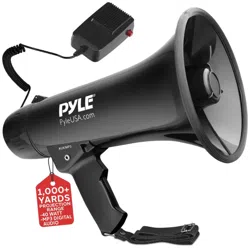
Megaphone Bullhorn
WARNING: Cancer and Reproductive Harm - www.P65warnings.ca.gov
1. Access the Battery Compartment: Unfasten the clip located near
the top, back-side of the unit. This will release the lid to reveal the
battery compartment.
2. Insert Batteries: Refer to the correct battery direction placement
indicated on the top side of the opening battery compartment lid.
Insert the batteries accordingly.
3. Close the Battery Compartment: Close the cover and fasten the clip
until locked.
Note: Ensure the batteries are inserted correctly, observing the correct
polarity.
PMP43IN
Speaker
Grip
Back Cover
Shoulder Strap
Battery
Container
Handheld microphone
www.PyleUSA.com
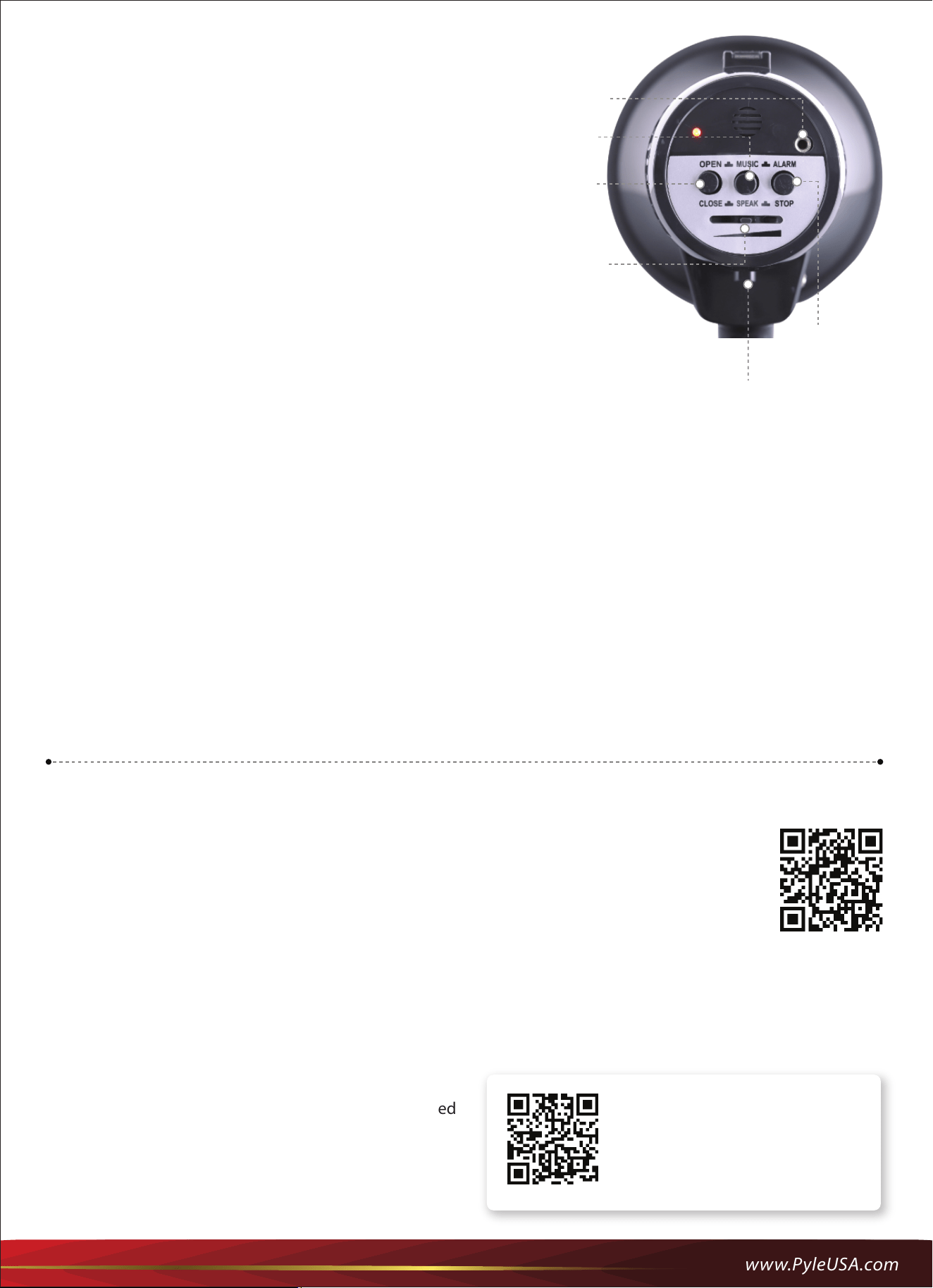
1. Open the back cover by pressing down on the 'battery
compartment button'.
2. Insert 6 x UM-1 Cells, then close the back cover until it locks into
position. Your megaphone is now ready to operate.
3. To activate the megaphone, press the 'ON/OFF' button on the
back cover.
4. When using the megaphone, place your lips as close as possible
to the megaphone when speaking. Adjust the 'Volume Control'
to the desired level without causing howling or feedback.
5. Music Activation: Press the ‘Music’ button to activate soft music.
Siren Activation: Press the ‘Siren’ button to activate the emergency
siren/alarm.
Switching O the Alarm: Press the same button (‘Siren’) again, or
Press the ‘ON/OFF’ button.
OPERATING INSTRUCTIONS
Voice Mode
• Press the ‘OPEN’ button on the back cover. The indicator lights up, and then you can now speak into the microphone.
• Adjust the desired volume level using the Volume slider switch on the megaphone.
Alarm Mode
• Press the ‘ALARM’ button to activate Alarm.
• Adjust the desired volume level using the Volume slider switch on the megaphone.
AUX/MP3
Connect an AUX (3.5mm) cable.
Connect your desired media, and you will be able to instantly stream audio through the megaphone’s speaker.
Features:
•
(3) Modes: Talk, Siren & Music
• Aux (3.5mm) Input Connector Jack
• Stream MP3 & Digital Audio Files
• Ability to Connect External Devices
(iPhone, Android, Smartphone, iPad, Tablet, etc.)
• Includes Plug-in Handheld Microphone
• Button Activated Automatic Siren Alarm
• Adjustable Volume Control
• 40 Watt MAX Power Output
• Ergonomic Pistol Grip and Lightweight Chassis
• Projection Range: Up to 1000 Square Yards
• Battery Powered: Requires 6 x 'D' Batteries, Not Included
• Dimensions: 8'' Diameter x 13.2'' Length
• For Indoor/Outdoor Use
Questions or Comments?
We are here to help!
Phone: 1.718.535.1800
PyleUSA.com/ContactUs
Register Product
Thank you for choosing PyleUSA.
By registering your product, you ensure
that you receive the full benets of our
exclusive warranty and personalized
customer support.
Complete the form to access expert
support and to keep your PyleUSA
purchase in perfect condition.
PyleUSA.com/register
Volume
control
ON/OFF
button
Microphone
battery compartment
button
Music
Alarm

