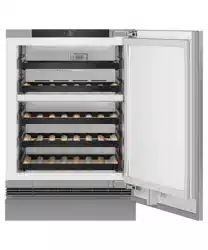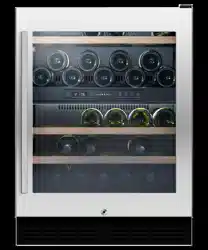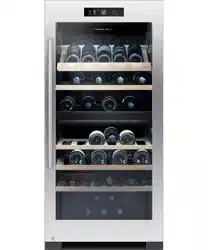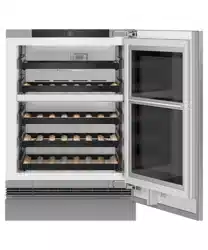

INTEGRATED
WINE CABINET
RS6009V2RT1 & RS6009V2R1 models
USER GUIDE
USER GUIDE
NZ AU UK IE HK SG


3
CONTENTS
Registration
To register your product visit our website: fisherpaykel.com/register
Safety and warnings 5
Product overview 9
Control panel 10
Menu 11
Using your wine cabinet 12
Wine modes 14
Light modes (glass door models only) 15
Loading suggestions 16
Adding and removing wine racks 17
Wi-Fi connection 18
Cleaning 19
Replacing the air filters 20
Accessories 21
Troubleshooting 22
Faults 24
European Directive 2012/19/EU on Waste
Electrical and Electronic Equipment (WEEE) 25
Customer care 27

5
SAFETY AND WARNINGS
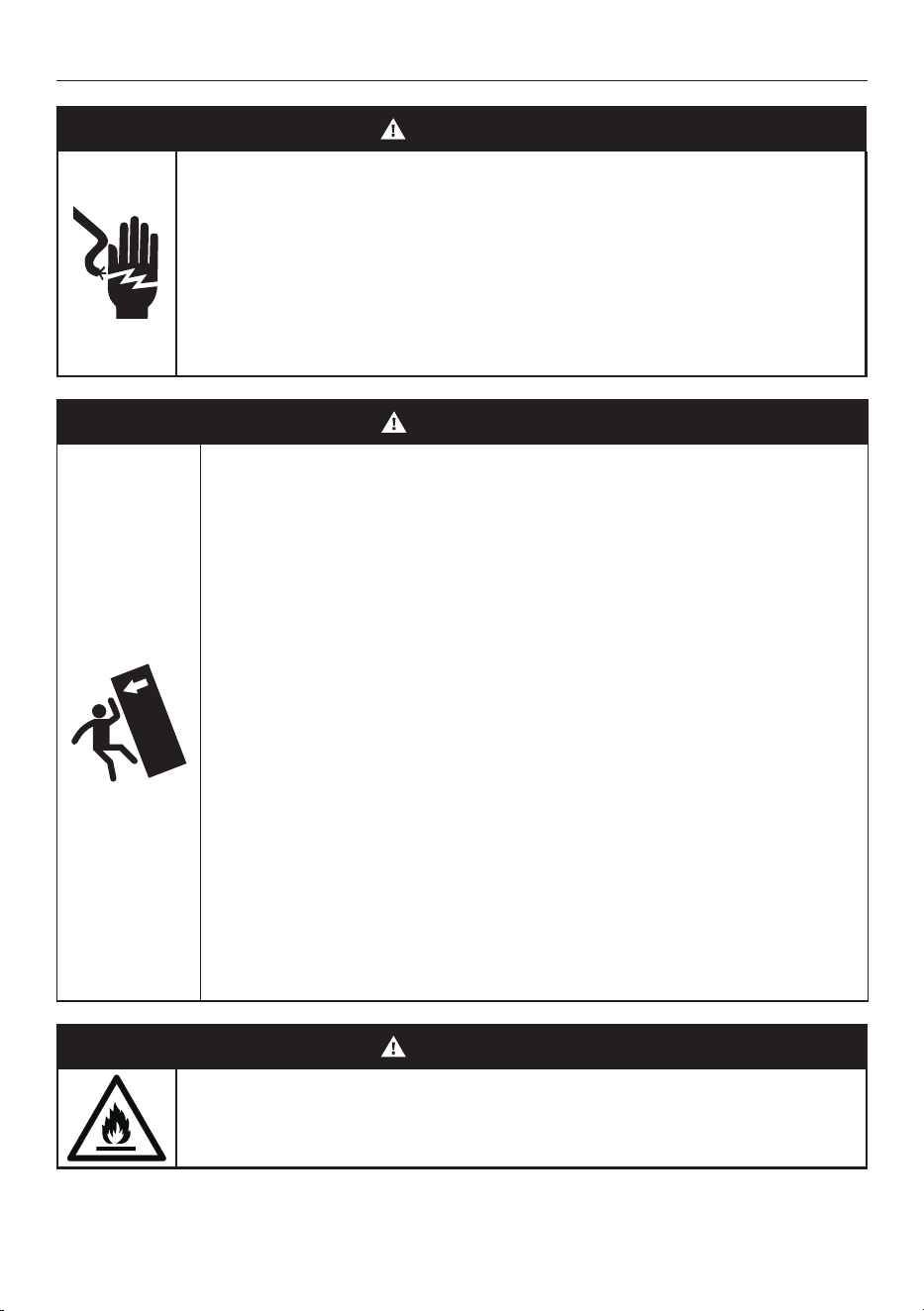
WARNING!
Electric Shock Hazard
Failure to do so can result in death, electric
shock, fire or injury to persons.
• Read and follow the safety and warnings
outlined in this user guide before operating
this appliance.
WARNING!
Tip Hazard
• This product may tip until it is fully installed.
Keep children away and take care. Failure to
follow this advice may result in injury.
• This appliance is top-heavy and must
be secured to prevent the possibility of
tipping forward.
To ensure that the appliance is stable
under all loading conditions:
• The anti-tip bracket and fittings supplied
must be installed by a professional installer
according to the installation steps in
this guide.
• This product may tip when the anti-tip
bracket is unscrewed. Refer to installation
instructions to safely uninstall the product.
WARNING!
This appliance contains flammable
refrigerant isobutane (R600a).

6
READ AND SAVE THIS GUIDE
WARNING!
Read Safety Guide. Failure to follow all guides and rules could cause personal injury or
property damage. When using this appliance, always exercise basic safety precautions
including the following:
Use this appliance only for the intended purpose as described in the user guide and
installation guide of this appliance.
General
z
This appliance is designed for use in a normal domestic (residential) environment.
z
Children should be supervised to ensure that they do not play with the appliance.
z
Children aged 3 to 8 years may load and unload this appliance under supervision.
z
Cleaning and user maintenance shall not be undertaken by children without supervision.
z
This appliance can be used by children aged from 8 years and above and persons with
reduced physical, sensory or mental capabilities or lack of experience and knowledge
if they have been given supervision or instruction concerning use of the appliance in a
safe way and understand the hazards involved.
z
The manufacturer’s installation instructions for appliance and cabinetry ventilation must
be followed when installing the appliance.
z
To avoid hazard due to instability of the appliance, it must be fixed in accordance with
installation guide.
z
Keep ventilation openings, in the appliance enclosure or in the built-in structure, clear
of obstruction.
z
Do not use mechanical devices or other means to accelerate the defrosting process,
other than those recommended by the manufacturer.
z
Do not damage the refrigerant circuit. In case of damage to the refrigerant circuit,
ventilate the area by opening all windows.
z
It is hazardous for anyone other than a Fisher & Paykel trained and supported service
technician to service this appliance.
z
It is hazardous for anyone other than an Authorised Service Person to service this
appliance. In Queensland – the authorized Service Person MUST hold a Gas Work
Authorisation for hydrocarbon refrigerants, to carry out Servicing or repairs which
involve the removal of covers.
z
Do not store explosive substances such as aerosol cans with a flammable propellant
in this appliance
Installation
z
Ensure that the appliance is secured to prevent tipping forward. Tipping of appliance
can lead to serious injury or death.
WARNING!
To reduce the risk associated with choking:
z
DO NOT allow children under 3 years of age to have access to small parts during the
installation of the water filter.
SAFETY AND WARNINGS

7
SAFETY AND WARNINGS
Electrical
z
Do not plug in any other appliance at the same power point as your appliance or use
extension cords or double adapters.
z
When moving your appliance away from the wall, be careful not to roll over or damage
the power cord.
z
When positioning the appliance, ensure the power cord is not trapped or damaged. If
the power cord is damaged, it must only be replaced by your Fisher & Paykel trained
and supported service technician.
z
Do not operate electrical equipment or any other equipment that may produce arcs,
sparks or flames in the area. Contact your Fisher & Paykel trained and supported
service technician immediately to arrange for the appliance to be repaired.
z
Do not use electrical appliances inside the food storage compartments of the appliance,
unless they are of the type recommended by the manufacturer.
z
Do not locate multiple portable socket-outlets or portable power supplies at the rear
of the appliance.
Temperature control
z
This refrigerating appliance is intended to be used at ambient temperatures ranging
from 16 °C to 43 °C. The appliance performance may be compromised when operating
outside of the temperature range.
z
For optimum performance, it is recommended to control the ambient temperature
between 16°C and 25°C.
z
Once you turn on your appliance for the first time, the cooling system will automatically
cool all compartments to their set temperatures. This will take between 2 – 3 hours.
z
The control panel enables you to change and control the temperatures of the
compartments accurately and independently regardless of the temperature or humidity
of the surroundings whether it is summer or winter.
z
We recommend checking the operation of your appliance once every 4 hours for the
first 24 hours.
z
If at any time you notice that the appliance is not cooling properly, call your installer
or Fisher & Paykel trained and supported service technician to verify if the unit is
operating properly. Take immediate steps to prevent food from spoiling by storing in
another appliance or freezer.
Servicing
z
All electrical repairs must be carried out by an adequately trained service technician or
qualified electrician.
z
Electrical shock hazard. Assume all parts are live.
z
Disconnect supply before servicing and installation.
z
The LED light cannot be serviced by the user. Contact your Fisher & Paykel Dealer or
Fisher & Paykel trained and supported service technician.
z
For spare parts, please contact Fisher & Paykel Customer Care. Spare parts are
available for all Fisher & Paykel appliances for a minimum period of 10 years from the
date of manufacture.
IMPORTANT!
Your appliance is designed to operate for many years without the need for service
checks. However, if your appliance is malfunctioning, have it attended to by your
Fisher & Paykel trained and supported service technician as soon as possible.

8
Cleaning
z
If the appliance is left empty for long periods, switch off, defrost, clean, dry, and leave
the door open to prevent mould developing within the appliance.
z
Use only soap-based cleaning products. Many commercially available cleaning products
contain solvents that may degrade the plastic components of your refrigerator and
cause them to crack
z
Avoid using anti-bacterial cleaning products on either the interior or exterior
of the cabinet as they may cause rusting of metal components and cracking of
plastic components.
z
Regularly clean accessible draining systems and surfaces that come in contact with food.
z
GLASS DOOR: Use only mild liquid detergent dissolved in warm water and a soft cloth.
Rinse with clean water and dry with a clean, lint-free cloth.
Disposal
z
Extreme care must be taken when disposing of your old appliance to avoid hazards:
z
The flammable refrigerant gas must be safely removed by a qualified
service technician.
z
The thermal insulation foam in this appliance contains flammable insulation which
can emit gases. Any exposed foam may be highly flammable and must be carefully
treated during disposal.
z
WARNING: Risk of child entrapment. Before you throw away your old refrigerator or
freezer, the doors and panels should be removed and the racks left in place so that
children may not easily climb inside.
z
Consult your local energy authority or local codes as to the best way to dispose of
your old appliance.
z
Your Fisher & Paykel trained and supported service technician will be able
to give advice on environmentally-friendly methods of disposing of your old
appliance or freezer.
z
Remove all packaging and dispose of it responsibly. Recycle items that you can.
For wine cabinet only
z
This appliance is intended to be used exclusively for the storage of wine.
z
Do not store food and dairy products in the Wine cabinet. The internal temperature
may not be cold enough to prevent spoilage in food, and the expiry dates stated on the
food packaging may be invalid.
Energy Labelling and Eco-design
z
This product contains light sources of energy efficiency class F.
z
Information on product can be found in European Product Database (EPREL) at the
following link http://eprel.ec.europa.eu/. You will be asked to enter the model identifier.
You can identify the model information on the serial plate located on the inside or outer
edge of the lower compartment.
SAFETY AND WARNINGS
9
6.0°C
White
12.0°C
Red
PRODUCT OVERVIEW
1
5
5
2
3
4
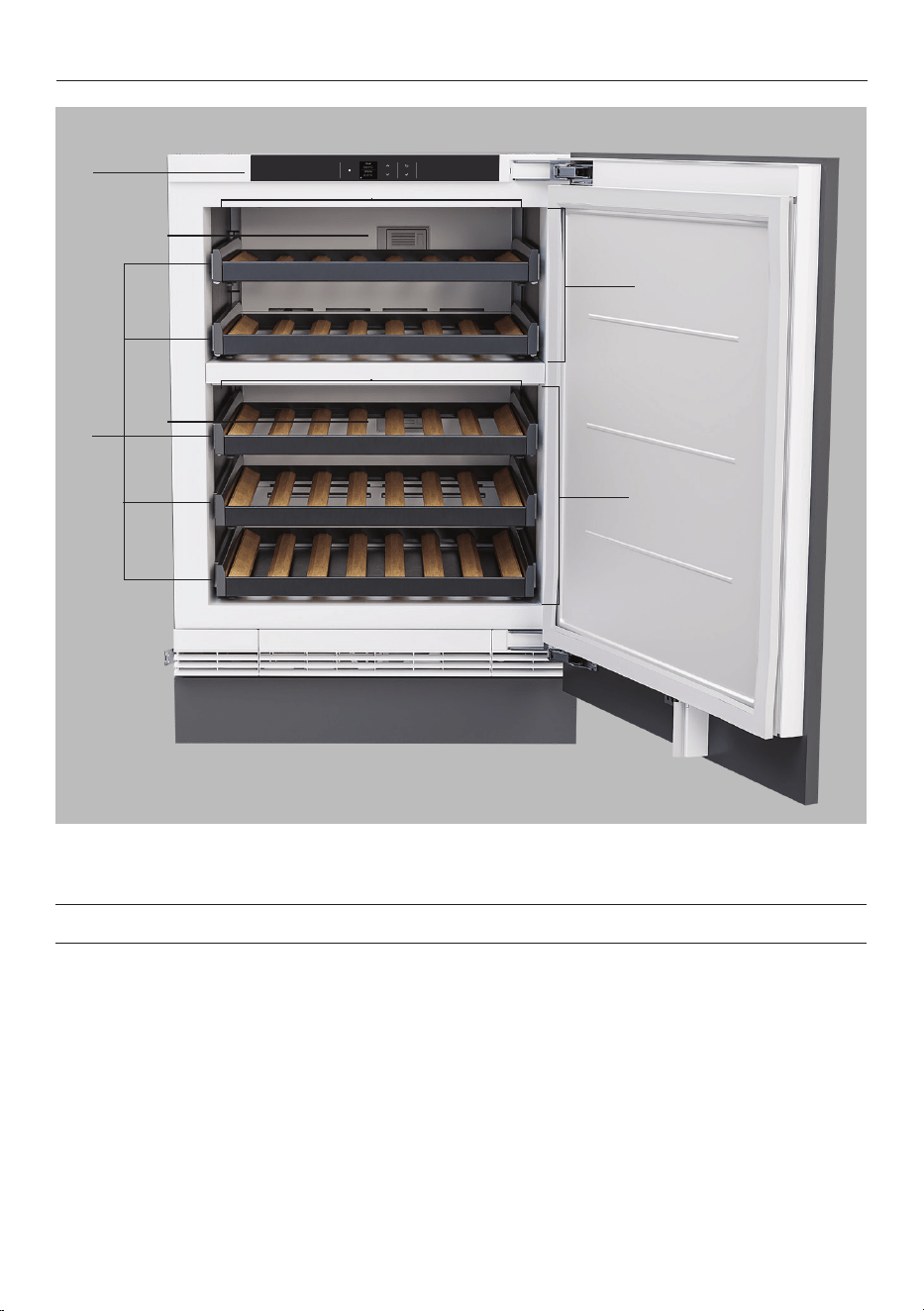
RS6009V2R illustrated with door panel and toe kick (not supplied).
6
6
Features
1 Control panel
2 Upper zone
3 Lower zone
4 Wine racks
5 Air filters
6 Lighting
10
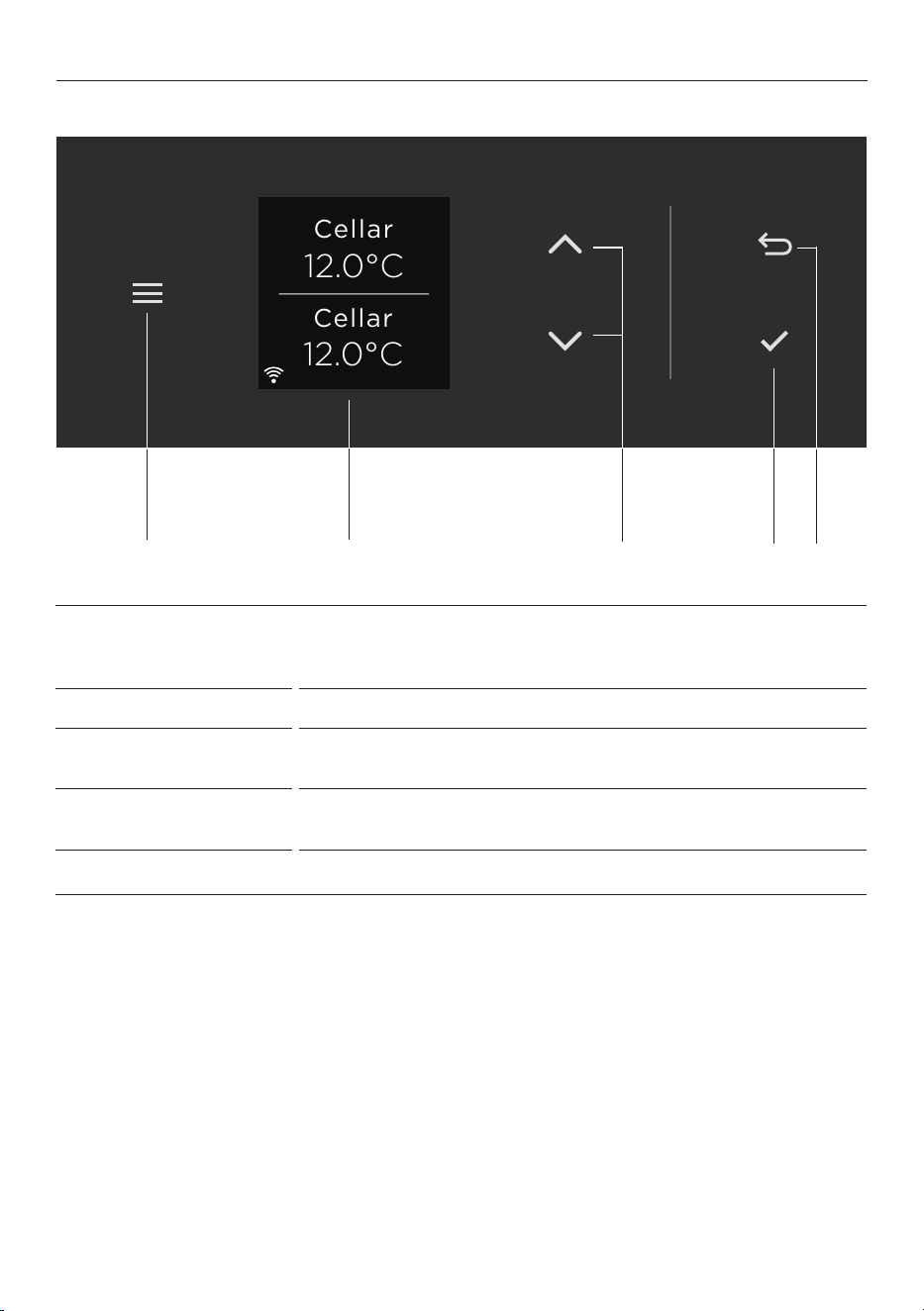
CONTROL PANEL
1 Menu Press to access product features and settings, or to return to
standby. If the display has been locked, hold for two seconds
to unlock.
2 Display screen Displays product features and settings.
3 Scroll Press to select wine modes and adjust temperatures. Enables
you to scroll through the menu, features and settings.
4 Select Press to confirm and activate the selected features and
settings.
5 Back Press to go back to the previous menu.
12.0°C
Cellar
12.0°C
Cellar
31
2
4 5
11
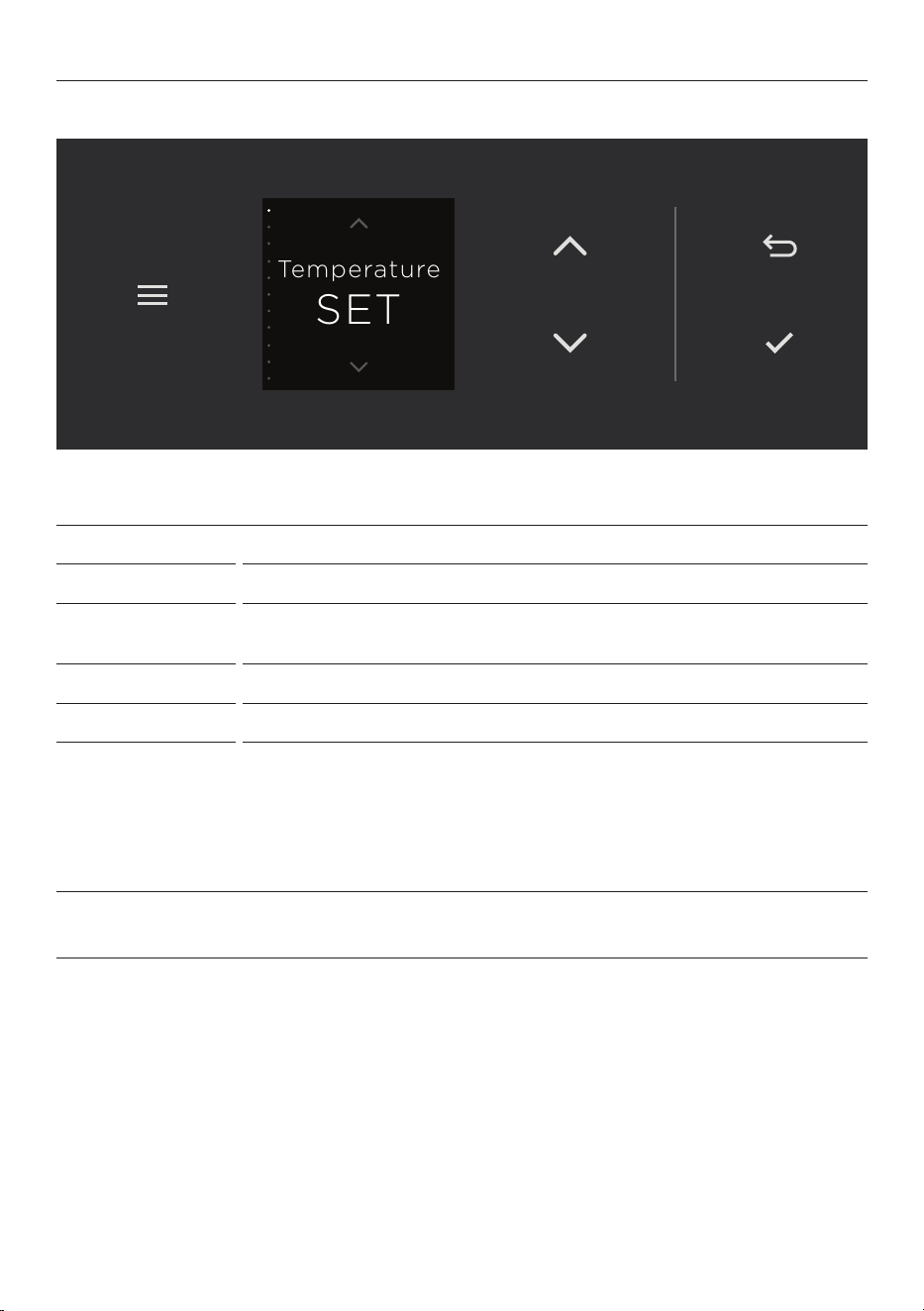
MENU
TEMPERATURE
Adjust the temperature for the selected zone.
WINE MODES
Select a wine storage mode. Refer to ‘Wine Modes’.
LIGHT MODES
Adjust the lighting brightness to suit your preferences (glass door
models only).
ALARM MUTE
Mute the door alarm for 20 minutes or until the door is closed again.
DISPLAY LOCK
Lock the controls to prevent accidental use.
SABBATH MODE
For the Sabbath observant. In Sabbath Mode alarms, lights and the
display will be deactivated for 80 hours.
z
The lights will not turn on when you open the door.
z
The door alarm will not operate.
z
The display will not illuminate.
z
The display will be unresponsive.
SETTINGS
Adjust the appliance settings to suit your preferences or set up a Wi-Fi
connection. Refer to ‘Wi-Fi connection and remote mode’.
SET
Temperature
12
USING YOUR WINE CABINET
Select a wine mode and temperature that suits the wine you will be storing. See ‘Wine
Modes’ for storage recommendations.
Adjust the settings as needed to suit your preferences.
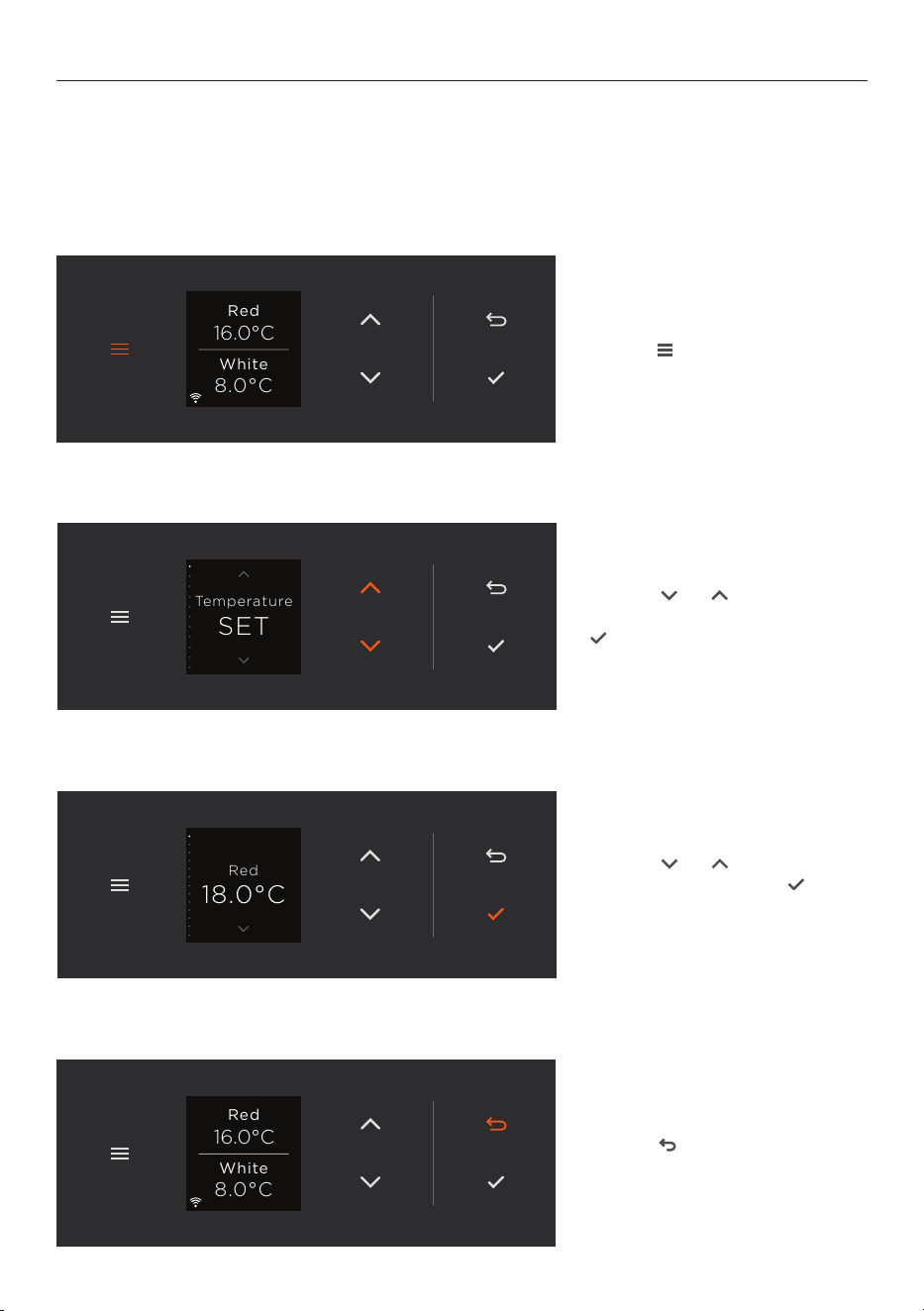
Accessing the menu
1. Press
Fridge
3.0 °C
Fridge
3.0 °C
Fridge
5.0 °C
to access the menu.
8.0°C
White
16.0°C
Red
2. Press
Fridge
3.0 °C
Fridge
3.0 °C
Fridge
5.0 °C
or
Fridge
3.0 °C
Fridge
3.0 °C
Fridge
5.0 °C
to scroll
through the menu, then press
Fridge
3.0 °C
Fridge
3.0 °C
Fridge
5.0 °C
to select a feature.
SET
Temperature
3. Press
Fridge
3.0 °C
Fridge
3.0 °C
Fridge
5.0 °C
or
Fridge
3.0 °C
Fridge
3.0 °C
Fridge
5.0 °C
to adjust
as needed, then press
Fridge
3.0 °C
Fridge
3.0 °C
Fridge
5.0 °C
to
confirm your selection.
Red
18.0°C
4. Press
Fridge
3.0 °C
Fridge
3.0 °C
Fridge
5.0 °C
at any point to exit
the menu.
8.0°C
White
16.0°C
Red
13
USING YOUR WINE CABINET
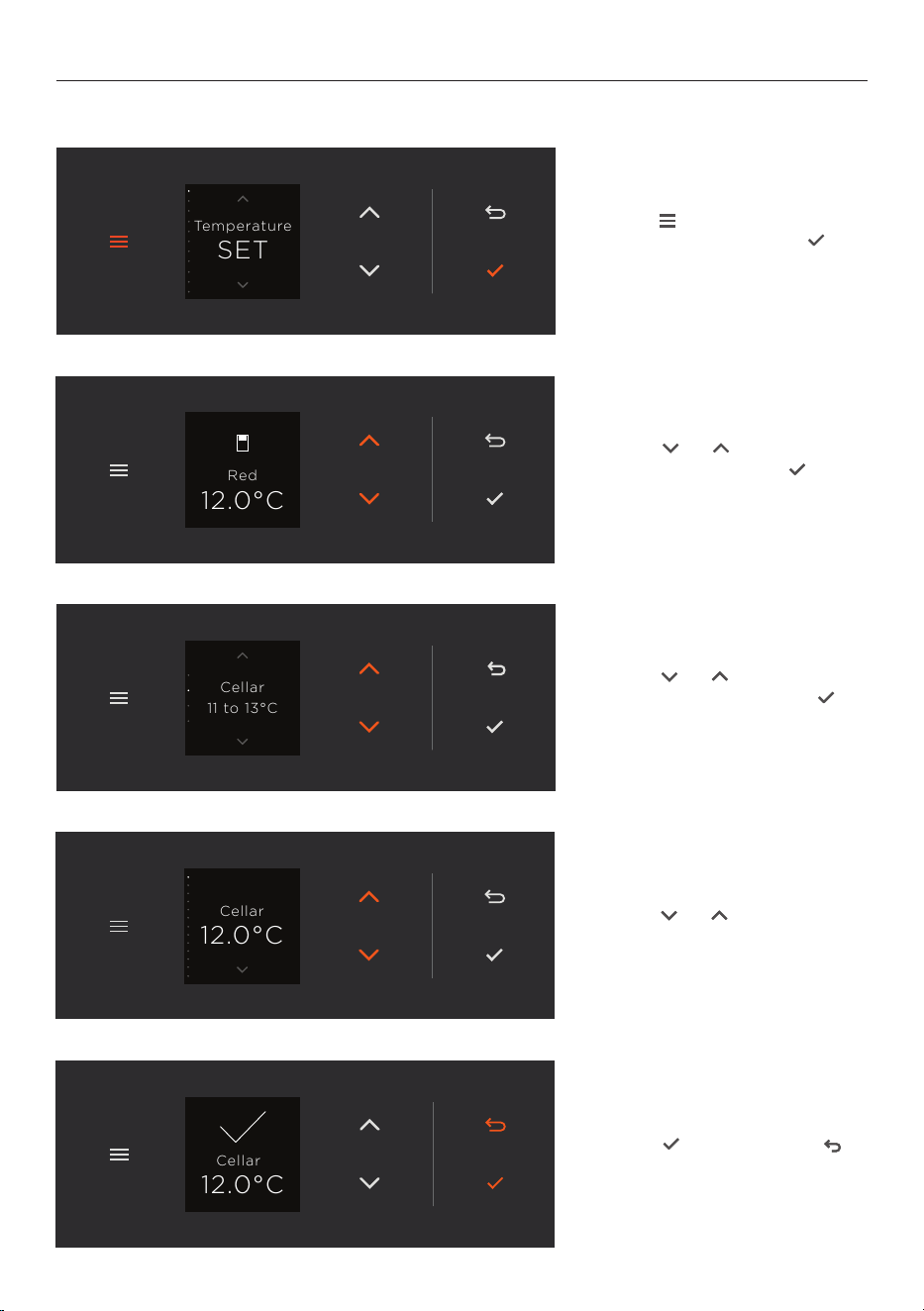
Selecting and adjusting wine modes
Cellar
12.0°C
4. Press
Fridge
3.0 °C
Fridge
3.0 °C
Fridge
5.0 °C
or
Fridge
3.0 °C
Fridge
3.0 °C
Fridge
5.0 °C
to adjust the
temperature.
1. Press
Fridge
3.0 °C
Fridge
3.0 °C
Fridge
5.0 °C
to access
TEMPERATURE SET. Press
Fridge
3.0 °C
Fridge
3.0 °C
Fridge
5.0 °C
to confirm.
SET
Temperature
2. Press
Fridge
3.0 °C
Fridge
3.0 °C
Fridge
5.0 °C
or
Fridge
3.0 °C
Fridge
3.0 °C
Fridge
5.0 °C
to select
a compartment. Press
Fridge
3.0 °C
Fridge
3.0 °C
Fridge
5.0 °C
to confirm.
12.0°C
Red
11 to 13°C
Cellar
3. Press
Fridge
3.0 °C
Fridge
3.0 °C
Fridge
5.0 °C
or
Fridge
3.0 °C
Fridge
3.0 °C
Fridge
5.0 °C
to scroll to
desired mode, then press
Fridge
3.0 °C
Fridge
3.0 °C
Fridge
5.0 °C
to
select.
12.0°C
Cellar
5. Press
Fridge
3.0 °C
Fridge
3.0 °C
Fridge
5.0 °C
to confirm and
Fridge
3.0 °C
Fridge
3.0 °C
Fridge
5.0 °C
to exit the menu.
14
WINE MODES
Wine modes give you control over the temperature in each compartment to best care for
your wine and provide the ideal serving temperature for all wine varieties.
The modes are set to recommended temperatures, but you can set different temperatures
as desired.
Not all wines will improve over time. Check with your wine merchant for more information
regarding the best storage conditions for your wine.
WINE MODE TYPES OF WINE TO STORE
RED
(16°C/61°F)
For short-term storage of light,
fruity and full-bodied reds at serving
temperature.
Pinot Noir, Merlot, Malbec,
Shiraz/Syrah, Chianti,
Cabernet Sauvignon,
Vintage Port.
CELLAR
(12°C/54°F)
For longer-term storage of all wine
varieties, ‘Cellar Mode’ provides
conditions suitable for aging wines.
All varieties.
WHITE
(8°C/46°F)
For short-term storage of aromatic
white wines and Rosé at serving
temperature.
Sauvignon Blanc,
Chardonnay, Riesling, Pinot
Gris, Viognier, Chablis,
Gewürztraminer, Rosé.
SPARKLING
(7°C/45°F)
For short-term storage of all
sparkling wines at serving
temperature.
Sparkling wines (eg Méthode
Champenoise, Metodo
Classico) Champagne,
Cava, Prosecco.
15
LIGHT MODES (GLASS DOOR MODELS ONLY)
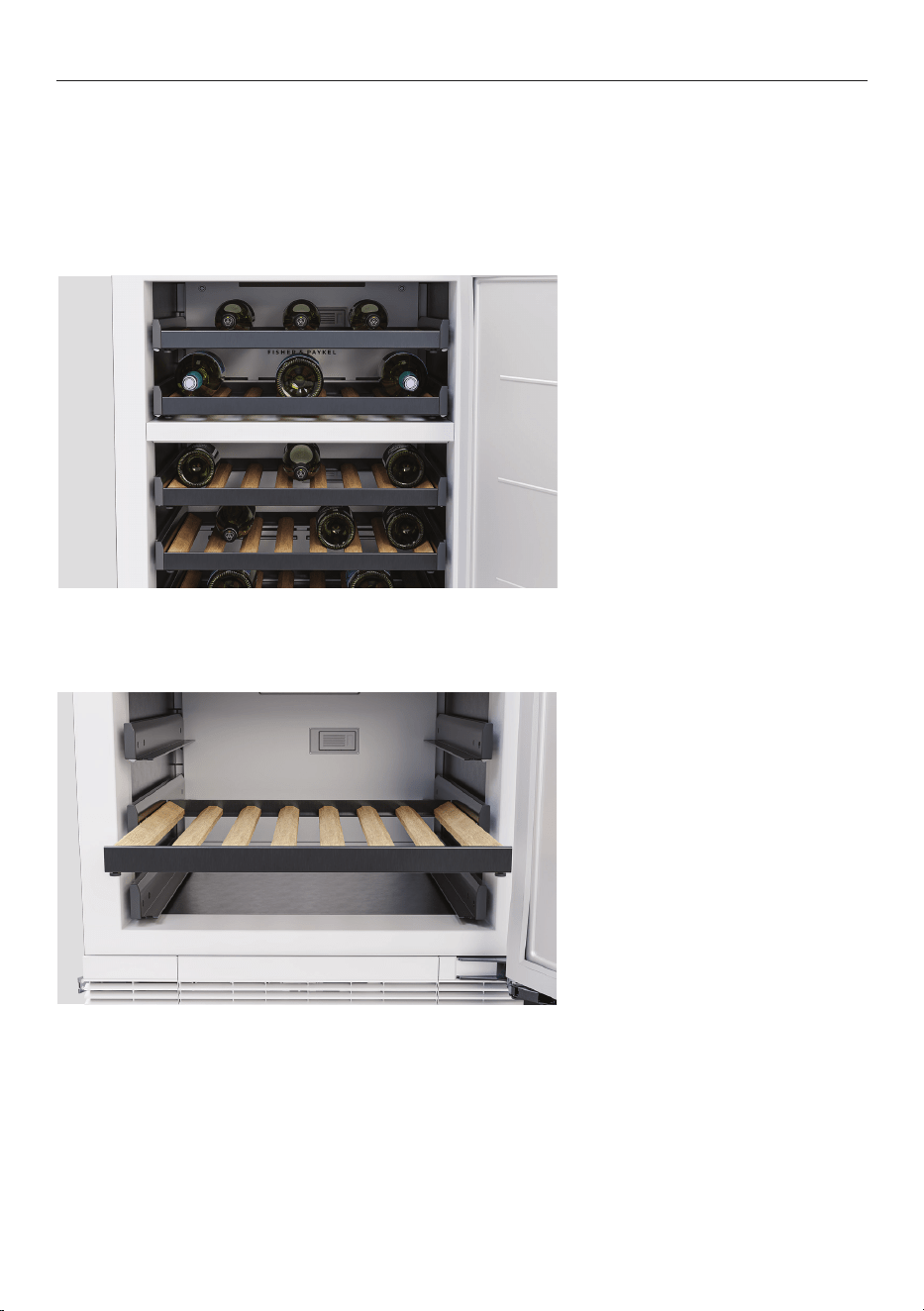
Light modes let you select the illumination level of bottles and the surrounding
environment. Light mode will default to LOW after 3 hours to ensure the best wine care.
LIGHT MODE
OFF
Select OFF to turn off all compartment lights. Best mode for long-term
storage.
LOW
Dimmest setting available. Softly illuminates the interior of your wine
cabinet while allowing it to blend into the surrounding environment.
MEDIUM
Medium illumination subtly highlights your wine collection.
HIGH
Turns all compartment lights to full brightness to showcase your wine
collection.
16
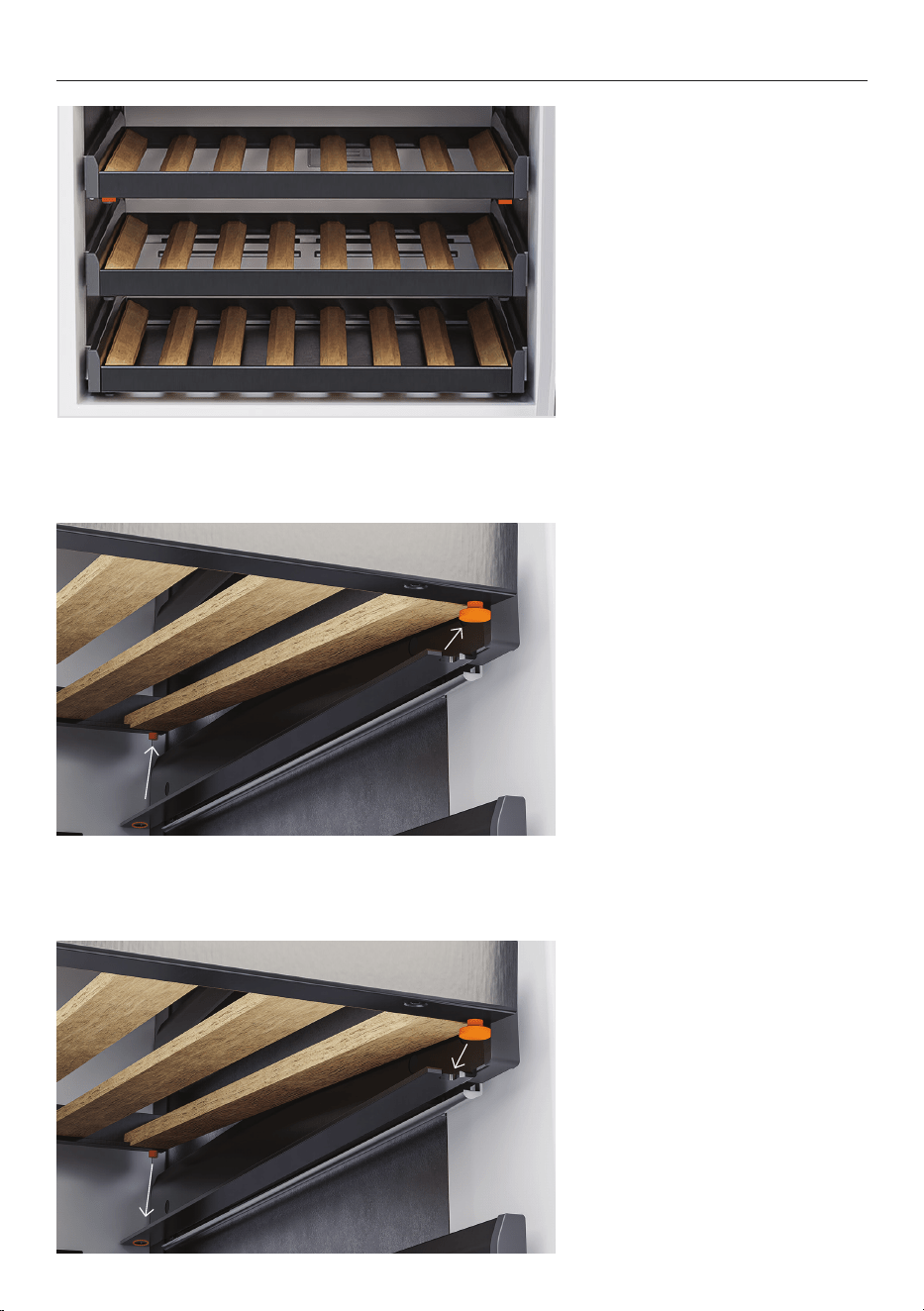
This product is designed to store up to 35 standard 750ml bottles. Remove shelves if
needed to make space for larger bottles or magnums. Sparkling wine may fit best on the
lower shelves of each compartment.
For best results, do not overfill the racks or exceed the overall capacity of the product.
LOADING SUGGESTIONS
Bottles of the same size can be
placed in alternating directions
on each shelf.
Racks can be removed to store
magnums and larger wine
bottles.
17
ADDING AND REMOVING WINE RACKS
1. Pull the rack towards you and
locate the pins at the base of
the corners.
3. To refit, push the front pins
into the slide support and lower
the rack until the rear pins lock
into place.
2. Lift the rear of the rack to
free the rear pins, then pull the
rack towards you to separate
the front pins from the slide
support so you can remove the
rack.
18
Your appliance may be connected to your home wireless network and operated remotely
using the app.
Getting started
z
Ensure your home Wi-Fi network and Bluetooth on your mobile device are turned on.
z
You will be given step-by-step guidance on mobile device.
z
It may take up to 10 minutes to connect your appliance.
On your mobile device:
1 Download the app from www.fisherpaykel.com/connect
2 Register and create an account.
3 Add your appliance and set up the Wi-Fi connection.
WI-FI CONNECTION
Connecting to Wi-Fi
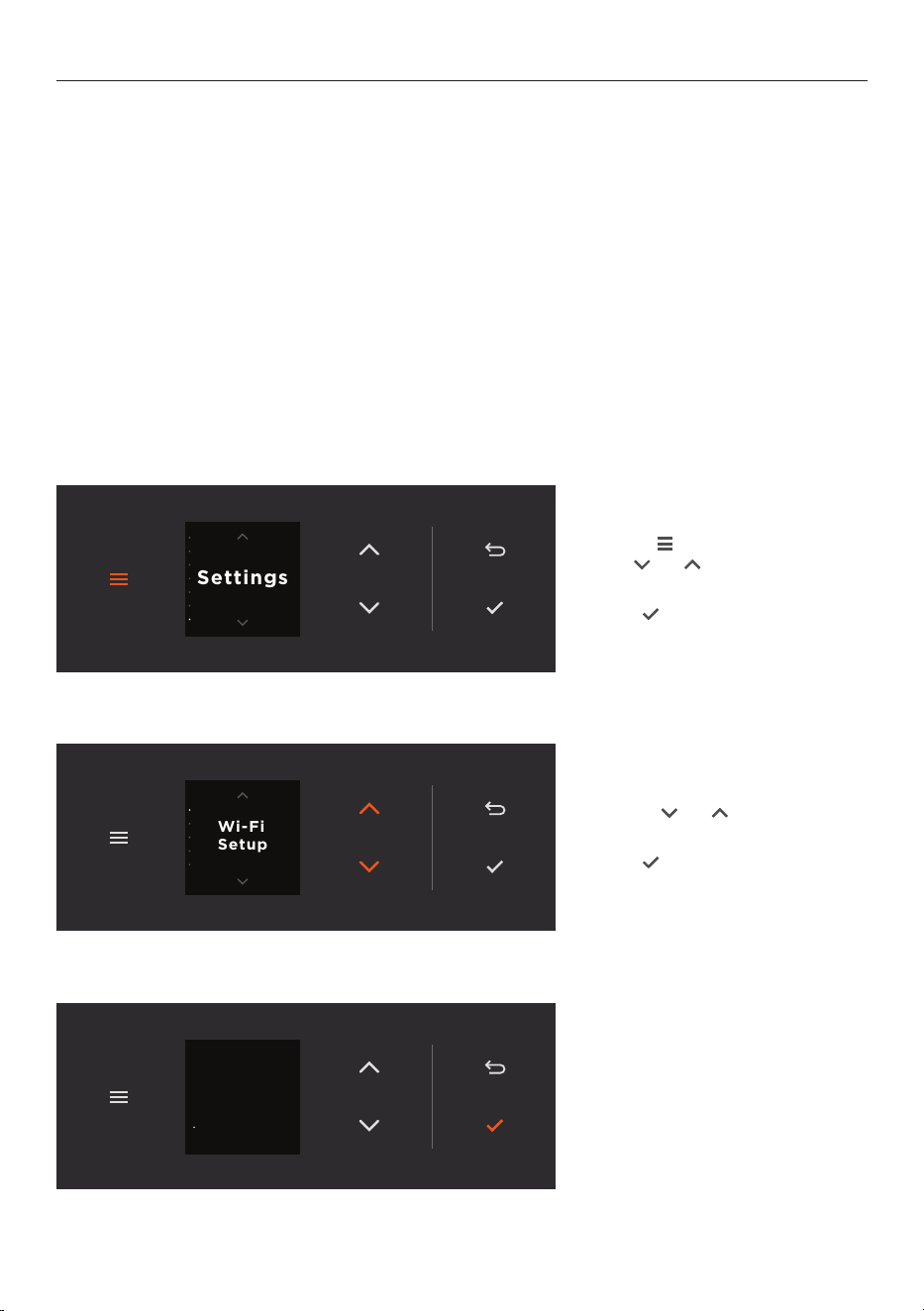
1. Press
Fridge
3.0 °C
Fridge
3.0 °C
Fridge
5.0 °C
to access the menu,
then
Fridge
3.0 °C
Fridge
3.0 °C
Fridge
5.0 °C
or
Fridge
3.0 °C
Fridge
3.0 °C
Fridge
5.0 °C
to scroll to
SETTINGS.
Press
Fridge
3.0 °C
Fridge
3.0 °C
Fridge
5.0 °C
to select.
Settings
2. Press
Fridge
3.0 °C
Fridge
3.0 °C
Fridge
5.0 °C
or
Fridge
3.0 °C
Fridge
3.0 °C
Fridge
5.0 °C
to scroll to
WI-FI SETUP.
Press
Fridge
3.0 °C
Fridge
3.0 °C
Fridge
5.0 °C
to select.
Wi-Fi
Setup
3. Follow the prompts on
the display and in the app to
complete setup.
To complete
connection,
follow the app
instructions
Connect

19
CLEANING
Surfaces
Remove racks, then wipe interior surfaces with a damp cloth and mild detergent. Dry with a
clean, lint-free cloth. Use a small brush to clean difficult to reach spots if needed.
We do not recommend using the following cleaning products as they may cause damage:
z
Plastic or stainless steel scouring pads
z
Abrasive, solvent, household cleaners
z
Acid or alkaline cleaners
z
Hand washing liquids or soap
z
Stainless steel cleaners or polishes
z
Laundry detergents or disinfectants
Glass door
Use only mild liquid detergent dissolved in warm water and a soft cloth. Rinse with clean
water and dry with a clean, lint-free cloth.
Door seal
Use a small brush to clean around the door seal as needed.
Wooden wine racks
Clean wine spills immediately to prevent staining. Stains can be spot cleaned with a damp
cloth and mild detergent.
Take care to keep the wood as dry as possible. Do not use water or cleaners for day-to-day
cleaning.
Lower grille
Clean regularly to keep dust-free.
20
REPLACING THE AIR FILTERS
Your product comes with activated carbon air filters to keep each compartment free of
odours. Replace the carbon air filters every 6 months to maintain optimal performance. An
alert will show in the display when the filters need to be replaced. To reset the alert, go to
settings.
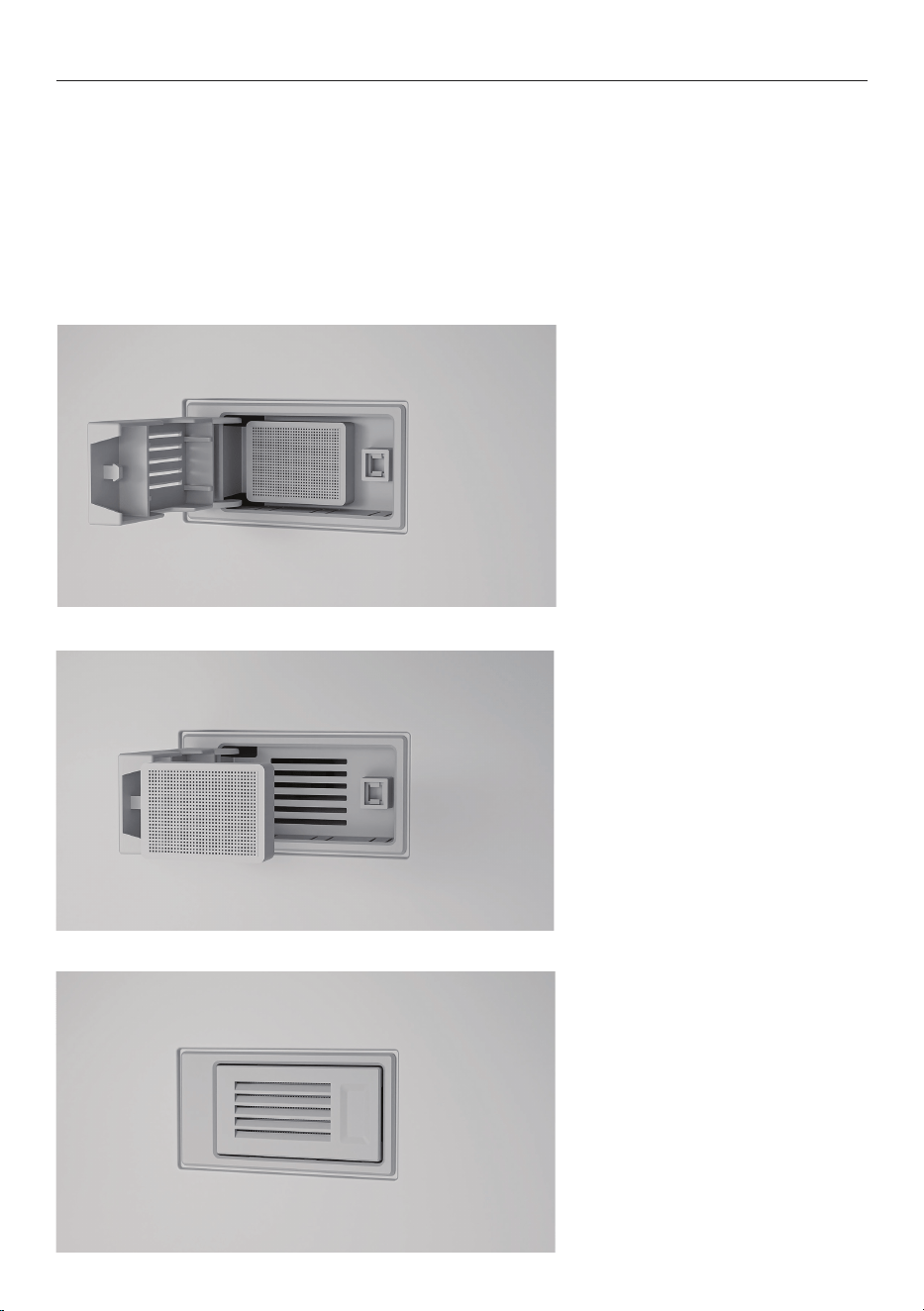
Replacing the air filters
The air filters are located behind the top rack of each compartment. Remove the racks to
access the filters.
1. Push the filter cover to open.
3. Push the filter cover to close.
2. Remove the old filter and
replace with a new one.

21
ACCESSORIES
Item Reference
Air filter for Integrated Wine (2-pack) FILTER ODOUR WINE KIT
Bottle label kit for Integrated Wine ALV14
Cooling accessories are available to purchase from www.fisherpaykel.com. Go to the
website and search by product or accessory reference.
22
TROUBLESHOOTING
General use
Why will the product not turn on?
z
No power. Make sure the product is connected to the power supply and switched
on at the wall.
z
Check the circuit breaker, or check if there is a power cut in your home or area. If the
product still won’t turn on, call Customer Care or your Authorised Service Centre.
Why is the display not working?
z
The product may be in Sabbath Mode. Press and hold
Fridge
3.0 °C
Fridge
3.0 °C
Fridge
5.0 °C
to exit this mode.
Why is the light not working?
z
Light mode is switched off. (Glass door models only.) See ‘Accessing the menu’
and ‘Light modes’.
z
Product is not switched on. Check it is turned on at the wall or the isolating switch.
z
Light needs to be replaced. Call Customer Care or your Authorised Service Centre.
Why is the product beeping and displaying a code when I open the door?
z
There is a fault. Record the code on the display, and call Customer Care or your
Authorised Service Centre.
Why are the storage compartments too warm?
z
Temperature setting not correct. See ‘Selecting and adjusting wine mode.’
z
Frequent door openings. Minimise door openings to allow temperature to stabilise.
z
Large amount of wine has been recently added. Keep recommended bottle capacity.
Why is the product making unfamiliar noises?
z
Product is not stable or level. Check Installation guide at www.fisherpaykel.com or call
Customer Care or your Authorised Service Centre.
Why is the product warm on the outside?
z
This is normal.
Why is there condensation on the outside of the product?
z
This is not unusual during periods of high humidity. Wipe dry with a lint-free cloth.

23
TROUBLESHOOTING
Why is the door not closing?
z
Items in product are preventing door from closing tightly. Rearrange items so
door can close.
z
Product is not installed correctly. Check Installation guide at www.fisherpaykel.com or
call Customer Care or your Authorised Service Centre.
Why is there condensation inside the product?
z
Frequent or long door openings. Minimise door openings.
z
Door seal is leaking. Check and clean door seal. See ‘Cleaning.’
z
This is not unusual during periods of high humidity. Wipe dry with a lint-free cloth.
z
Items in product preventing door from closing tightly. Rearrange items so door
can close tightly.
z
Doors not aligned. Call Customer Care or your Authorised Service Centre.
24
FAULTS
If a fault occurs, there will be 4 rapid beeps and the fault will be displayed on the
control panel.
Record the fault code and contact a Fisher & Paykel trained and supported service
technician in order to repair the fault. You can do this by going online to fisherpaykel.com
or by contacting our Customer Care Centre.
Normal appliance sounds
This product has been designed to have excellent energy ratings and cooling performance.
As a result, it can produce sounds somewhat different to your old appliance.
Low frequency
ticking
This is the valve that controls cooling to each compartment. This noise will only last
for a few seconds at a time.
Fan air flow This product has fans which change speed depending on demand. During cooling
periods, such as after frequent door openings, fans circulate the cold air in the
appliance producing some air-flow sound. This is quite normal.
Cracking or
popping
This may occur when the automatic defrost function is operating.
Running water This is the liquid refrigerant in the system and can be heard
as a boiling or gurgling noise.
Hissing sound
after closing
the door
This is due to the pressure difference between the warm air that has entered the
product, and suddenly cooled, and the outside air pressure.
Humming This is the compressor running and is quite normal.
Other sounds Product not stable or level.
Bottles rattling on shelves.

25
EUROPEAN DIRECTIVE 2012/19/EU ON WASTE
ELECTRICAL AND ELECTRONIC EQUIPMENT (WEEE)
EU This appliance is marked according to the European Directive 2012/19/EU on Waste
Electrical and Electronic Equipment (WEEE). By ensuring this product is disposed of
correctly, you will help prevent potential negative consequences for the environment and
human health, which could otherwise be caused by inappropriate handling of this product.
The symbol
marked on the serial plate, or on the documents accompanying the product,
indicates that this appliance cannot be treated as household waste. It shall be handed over
to the applicable collection point for the recycling of electrical and electronic equipment.
Disposal of the appliance shall be carried out in accordance with the local environment
regulations for waste disposal and ensure the refrigerant circuit is not damaged.
For more detailed information about treatment, recovery and recycling of this product,
please contact your local city office, your household waste disposal service or your
Fisher & Paykel retailer/dealer from whom you purchased this product.
26
MANUFACTURER’S WARRANTY AND SERVICE GUIDE
To access your Warranty and Service Guide
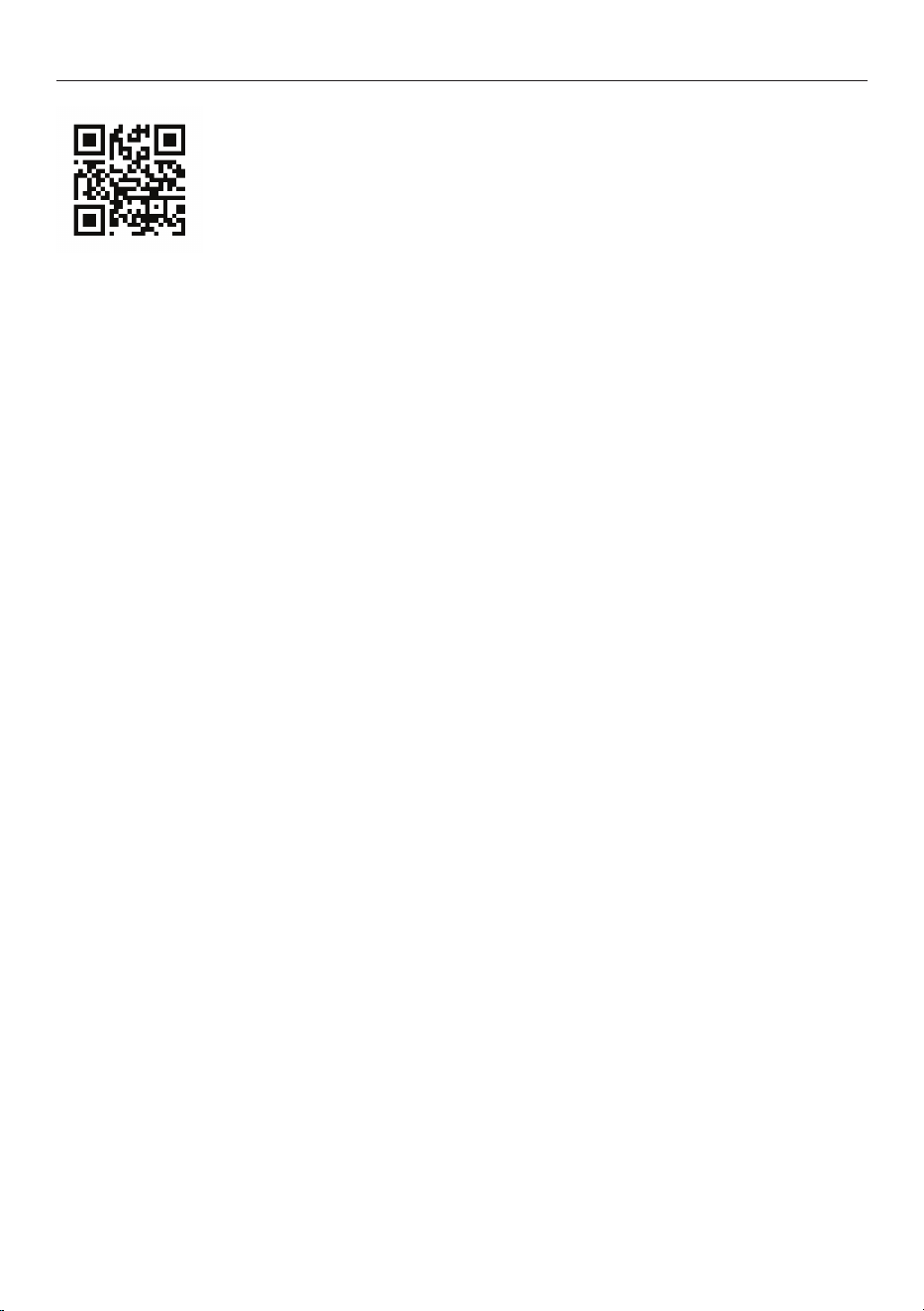
Scan the QR code with your smartphone to access your warranty and
book a service, refer to your separate warranty and service book or
view online at:
New Zealand
https://www.fisherpaykel.com/nz/help-and-support/warranty-information
Australia
https://www.fisherpaykel.com/au/help-and-support/warranty-information
United Kingdom
https://www.fisherpaykel.com/uk/help-and-support/warranty-information
Ireland
https://www.fisherpaykel.com/ie/help-and-support/warranty-information
Europe
https://www.fisherpaykel.com/eu/help-and-support/warranty-information
Singapore
https://www.fisherpaykel.com/sg/help-and-support/warranty-information
Hong Kong
https://www.fisherpaykel.com/asia/help-and-support/warranty-information
This product has been designed for use in a domestic (residential) environment. This
product is not designed for any commercial use. Any commercial use by the customer will
affect this products Manufacturer’s Warranty.
For spare parts, please contact Fisher & Paykel Customer Care. Spare parts are available for
all Fisher & Paykel products for a minimum period of 10 years from the date of manufacture.

27
Before you call for service or assistance
Check the things you can do yourself. Refer to your User guide and check:
1 Your product is correctly installed.
2 You are familiar with its normal operation.
3 You have read the ‘Before you call for service or assistance’, ‘Faults’
and ‘Troubleshooting’.
If, after checking these points, you still need assistance or parts, please refer to your nearest
Fisher & Paykel trained and supported service technician, Customer Care, or contact us
through our website fisherpaykel.com.
In NZ if you need assistance
Call the Fisher & Paykel Customer Care Centre and talk to one of our
Customer Care Consultants.
Toll Free: 0800 372 273
Website: fisherpaykel.com
Postal address:
Fisher & Paykel Appliances New Zealand
PO BOX 58546
Botany
Auckland
In Australia if you need assistance
Call the Fisher & Paykel Customer Care Centre and talk to one of our
Customer Care Consultants.
Toll Free: 1300 650 590
Website: fisherpaykel.com
Postal address:
Fisher & Paykel Appliances Australia
Level 1
1 Eden Park Drive
Macquarie Park
NSW 2113
CUSTOMER CARE

28
In UK or Europe if you need assistance
Call the Fisher & Paykel Customer Care Centre and talk to one of our
Customer Care Consultants.
Toll Free: 08000 886 605
Website: fisherpaykel.com
Postal address:
Fisher & Paykel Appliances Ltd
420 Cob Drive
Swan Valley
Northampton NN4 9BB
In Ireland if you need assistance
Call the Fisher & Paykel Customer Care Centre and talk to one of our
Customer Care Consultants.
Toll Free: 1800 625174 or 01 807 7960
Website: fisherpaykel.com
Postal address:
Fisher & Paykel Appliances Ltd,
Unit 2D Corporate Park,
Swords Dublin
In Asia if you need assistance
Call the Fisher & Paykel Customer Care Centre and talk to one of our
Customer Care Consultants.
Phone: +65 6741 0777
Website: fisherpaykel.com
Email: sg.customercare@fisherpaykel.com
Postal address:
Fisher & Paykel Appliances
51 Kampong Bugis
#01-05 Kallang Riverside Condominium
Singapore 338986
CUSTOMER CARE
29
CUSTOMER CARE
Complete and keep for safe reference:
Model
Serial No.
Purchase Date
Purchaser
Dealer
Suburb
Town
Country
If you need service
Fisher & Paykel has a network of Fisher & Paykel trained and supported service technicians
that can carry out any service necessary on your appliance. Our Customer Care Centre can
recommend a Fisher & Paykel trained and supported service technician in your area, or you
can book one online at fisherpaykel.com.
If you call, write or contact us via our website please provide:
your name and address, model number, serial number, date of purchase and a complete
description of the problem. This information is needed in order to better respond to your
request for assistance.
Product details can be found inside the product at the bottom right.

431765A 05.24
FISHERPAYKEL.COM
© Fisher & Paykel Appliances 2024. All rights reserved.
The models shown in this guide may not be available in all markets
and are subject to change at any time.
The product specifications in this guide apply to the specific products and
models described at the date of issue. Under our policy of continuous product
improvement, these specifications may change at any time.
For current details about model and specification availability in your country,
please go to our website or contact your local Fisher & Paykel dealer.