PHD5N1
lnstallation Guide
Multi-congurable AHD / CVBS Camera Kit
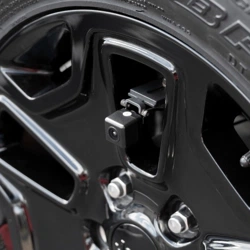
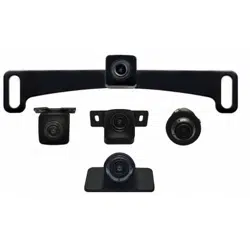
1. Tag Mount Camera
2. Standard Front / Rear Camera
3. Flush mount Camera
4. Lip mount Camera
5. Blind Spot Camera
Installation Notes
Assembling The Cameras
Camera housings use the same 4 screws for mounting the
Standard housing back cover and Lip mount housing back
cover.
The camera has a white dot on top indicating for top viewing
angle.
The Flush mount housing uses a 25mm or 63/64” hole saw.
Box Contents
u AHD / CVBS Camera (1)
u Standard Mount Housing with Hardware (1)
u Blind-spot Housing with Double-sided Tape (1)
u Lip Mount Housing with Hardware (1)
u Flush Mount Housing with Hardware (1)
u Tag Mount Bracket (1)
u Camera Extension Cable (1)
u Camera Power/Video Adapters (1)
u U-Shaped Camera Angle Adjustment Tool (1)
u Warranty Card
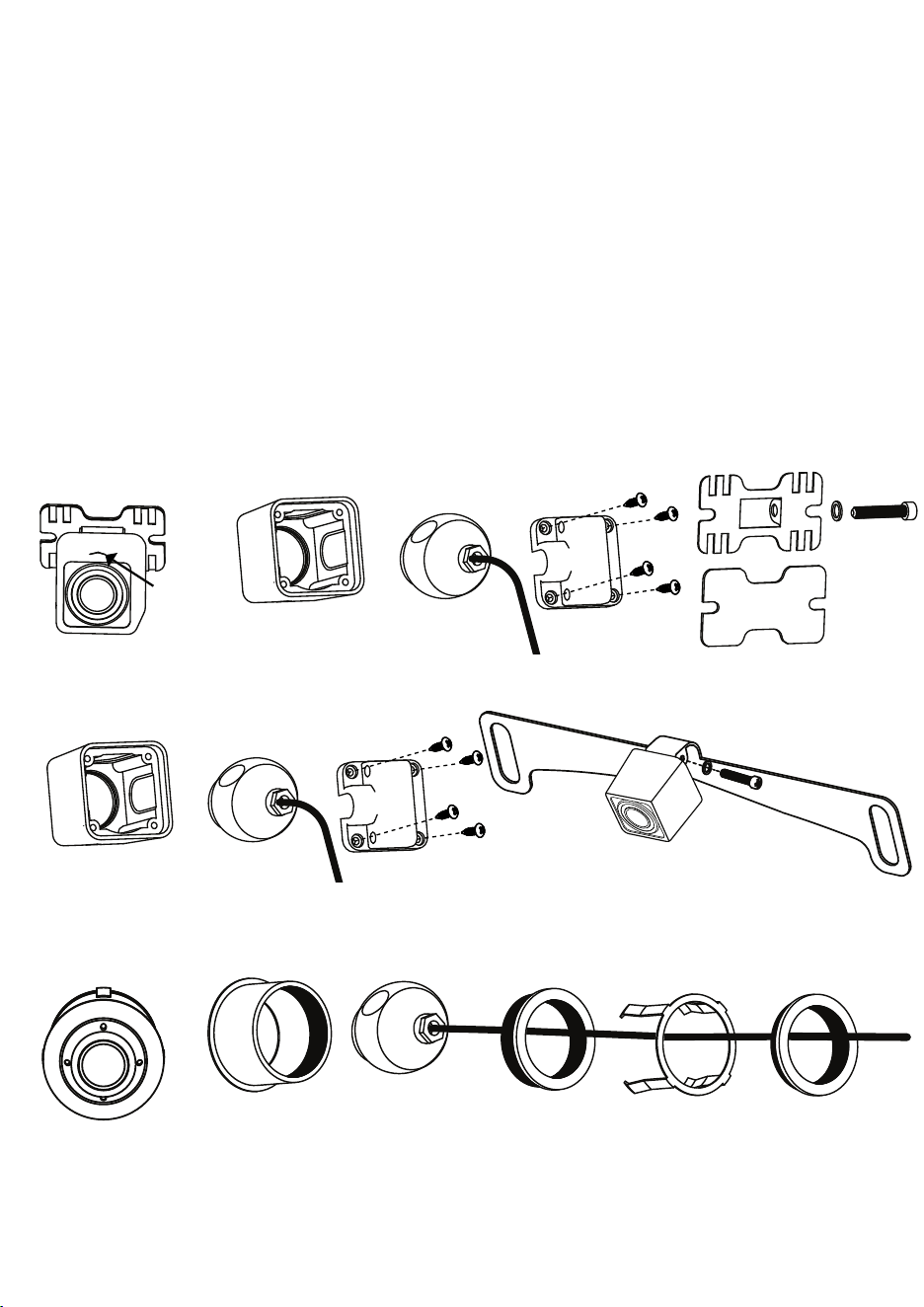
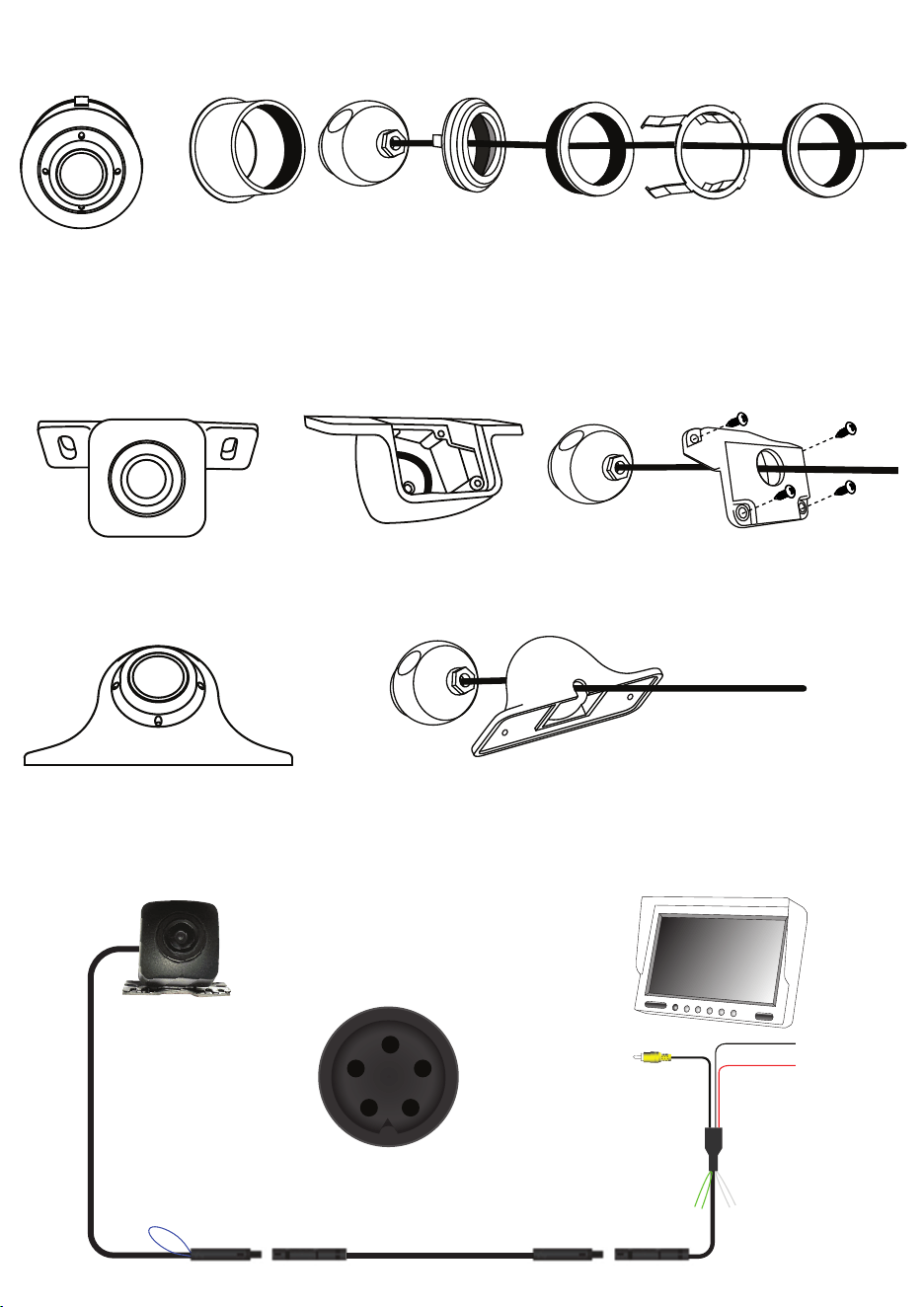
Standard Camera:
Insert the camera into the square housing, Make sure the white mark on the camera is on the top where the arrow is
on the square housing. Place the back housing over the camera cable and into the square housing. Secure the back
housing with the 4 screws.
Buttery Mount:
Mount the buttery bracket to the bottom or top of the camera depending on your application with the supplied bolt
and washer.
Tag Mount (License plate):
Insert the camera into the square housing, Make sure the white mark on the camera is on the top. Place the back
housing over the camera cable and into the square housing. Secure the back housing with the 4 screws.
Mount the tag mount to the assembled camera housing with the supplied bolt and washer.
Flush Mount Camera:
Insert the camera into the large metal housing. Insert the medium metal housing through the camera cable and
onto the large metal housing. Tighten the medium metal housing by rotating it clockwise until tight. Slide the metal
spring clip through the cable and over the large metal housing making sure the large clips are towards the front of the
housing. Slide the small metal housing over the cable. Tighten the small metal housing by rotating it clockwise until
tight.
Square Housing
Back Cover
Large Housing
Medium Housing
Small Housing
Spring Clip
Arrow
Assembling The Cameras Cont,
Wiring Diagram
Flush Mount Adjustable Camera:
Remove the large rubber grommet inside the metal housing. Insert the camera into the large metal housing. Insert the
grommet over the cable and push it into the back of the metal housing, making sure the tapered part of the grommet is
facing the front. Insert the medium metal housing through the camera cable and onto the large metal housing. Tighten
the medium metal housing by rotating it clockwise until tight. Slide the metal spring clip through the cable and over the
large metal housing making sure the large clips are towards the front of the housing. Slide the small metal housing over
the cable. Tighten the small metal housing by rotating it clockwise until tight.
Lip Mount Camera:
Insert the camera into the plastic housing. Make sure the white mark on the camera is on the top. Slide the back cover
through the cable and to the back of the housing. Secure the back cover with the supplied 4 screws.
Blind Spot Camera:
Slide the cable through the front of the rubber housing and out the bottom. Push the camera into the rubber housing.
Large Housing
Medium Housing
Small Housing
Spring Clip
Rubber Grommet
Plastic Housing
Back Cover
1
23
4
Mirror
VIDEO
VIDEO
Power +12V
Ground
Parking
1
2 3
4 5
6.0m / 20ft Extension (Included)
Parking Lines (Green)
ON - Cut (Default)
OFF - Joined
CVBS / AHD (Blue)
CVBS 480P: Joined (Default)
AHD 720P: Cut
Mirror Image (White)
ON - Cut (Default)
OFF - Joined
Ground (Black)
+ 12V (Red)
Rubber Housing
EchoMaster is a Power Brand of AAMP Global
Camera Specications
PHD5N1
Sensor Type
1/4” CMOS
LEDs
0
Illumination
0.1 LUX
Viewing Angle (Diagonal)
170 degrees
Mirror Image (Selectable)
YES
Parking Lines
YES
Water/Debris-Proof
IP67
Audio
NO
Power Supply
9V-12V DC
Current
70mA
Working Temperature
-30ºC - +70ºC
System
NTSC
TV Lines AHD
720
TV Lines CVBS
480
Resolution (HxV)
CVBS 480P / AHD 720P
TECHNICAL SUPPORT:
Phone: 727-592-5991
Email: [email protected]
Chat: EchoMaster.com
CUSTOMER SOLUTIONS:
800-477-2267
© 2021 AAMP Global PHD5N1 REV. 060123