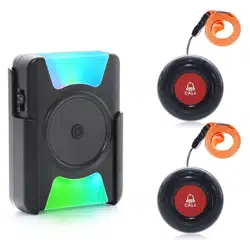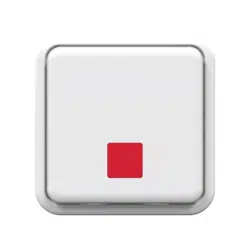


AXIST8343AlertButton
TableofContents
Solutionoverview...........................................3
Productoverview...........................................4
HowtoaddadevicetoaZ-WaveNetwork......................5
HowtotesttheZ-Wavedevice................................6
HowtoprogramtheZ-Wavedevice............................7
Troubleshooting............................................10
Specications..............................................11
2

AXIST8343AlertButton
Solutionoverview
Solutionoverview
ThedeviceisZ-Wave®enabledandfullycompatiblewithanyZ-Waveenablednetwork.ThedevicecanbesetupinaZ-Wave
networktocommunicatedirectlywithotherend-devicessuchaslightingcontrollers,ortoreportdirectlytoaZ-Wavecontroller,
suchasAXISM5065PTZNetworkCamera.
3

AXIST8343AlertButton
Productoverview
Productoverview
1.Alertbutton
2.Rearcover
3.LEDindicator
4.Batterycompartments
5.Linkbutton
6.Rearcoverlatch
4

AXIST8343AlertButton
HowtoaddadevicetoaZ-WaveNetwork
HowtoaddadevicetoaZ-WaveNetwork
Auto-inclusion
Thedetectorsupportstheauto-inclusionfeature,whereitwillautomaticallyenterlearningmode(inclusion/exclusion)whenrst
poweredup.
1.Carefullyremovethefrontcoverbypullingthebottomofthefrontcover.
2.PutaZ-Wavecontrollerintoinclusionmode.
3.Insert2AAA-batteries(1,5V)intothebatterycompartmentwiththecorrectpolarity.TheLEDonthedeviceshouldturnON.
4.EnterthePINnumberintotheZ-Wavecontroller.SeetheinstallationguideforwheretondthePINnumberonthedevice.
5.TheinclusionprocessshouldbecompletedwhentheLEDstopsblinking.
6.Performatestbeforeyouretthebatterycover.SeeHowtotesttheZ-WaveDevice.
Manualinclusion
YoucanalsochoosetomanuallyaddtheZ-Wavedevicetoacontroldevice.Followthestepsbelow.
Note
Forbestresults,excludethedevicebeforestartingtheinclusionprocess.SeeManualexclusion
1.Carefullyremovethefrontcoverbypullingthebottomofthefrontcover.Youwillnowseethelinkbutton,whichisused
toputthedeviceintolearningmode(inclusion/exclusion).
2.Pressthelinkbutton3timeswithin1.5secondstoputtheunitintolearning(inclusion/exclusion)mode.
3.EnterthePINnumberintotheZ-Wavecontroller.SeetheinstallationguideforwheretondthePINnumberonthedevice.
4.TheinclusionprocessshouldbecompletedwhentheLEDstopsblinking.
5.Performatestbeforeyouretthebatterycover.SeeHowtotesttheZ-WaveDevice.
Manualexclusion
1.Detachthefrontcover.
2.Pressthelinkbutton3timeswithin1.5secondstoputtheunitintolearning(inclusion/exclusion)mode.
3.TheexclusionprocessshouldbecompletedwhentheLEDstopsblinking.
4.Retthefrontcover.
5

AXIST8343AlertButton
HowtotesttheZ-Wavedevice
HowtotesttheZ-Wavedevice
Forthealertbuttontocontrolotherdevices,anactionruleneedstobecreatedontheZ-Wavecontroller.Actionrulesare
user-denedelementsinthecontrollerthatdeterminewhataction(s)totakewhenaneventoccurs.Thealertbuttontriggersthe
eventfortheactionrule,whichthencontrolsotherdevicessuchasplugsordimmers,oractivatesanalarm.Analarmistriggered
afterashortpressofthealertbutton.Todisarm,pressfor10seconds.
AfteryouhaveincludedthedeviceinthenetworkwiththeZ-Wavecontroller,thealertbuttonwillsenddataaboutitsbatterypower
tothecontrollerafterabout2minutes.Afterthat,itwillonlysenddatawhenthebuttonispressed.
6
AXIST8343AlertButton
HowtoprogramtheZ-Wavedevice
HowtoprogramtheZ-Wavedevice
Note
ProgrammingZ-WavedevicesusingaZ-Wavecontrollerisrecommendedforexperiencedusersonly.
Z-WaveGroup
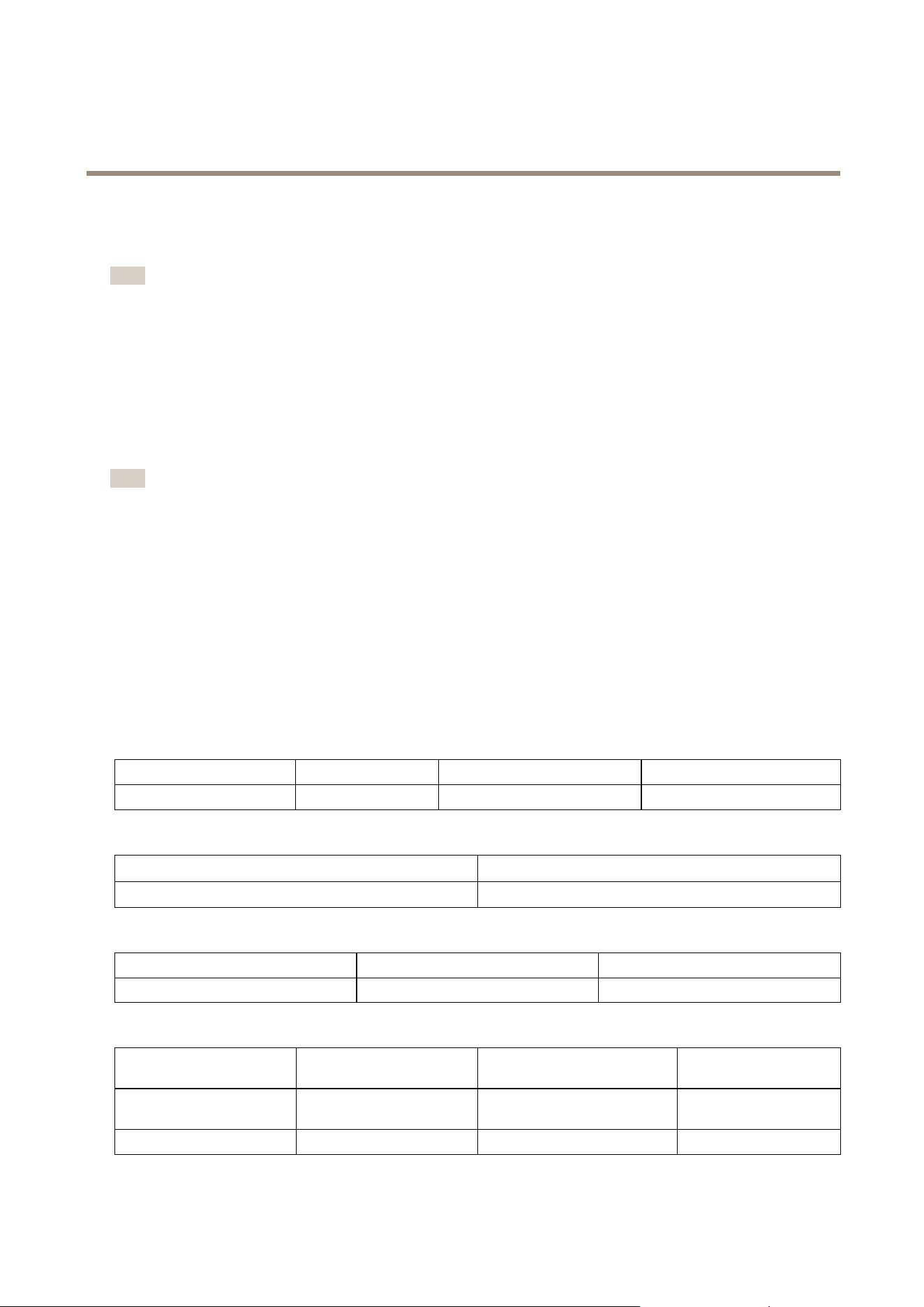
ThedevicesupportstwodifferentZ-WaveAssociationGroups:
•Group1:Associationwith1Controllernode.
•Group2:Associationwith4nodes(i.e.end-devicessuchassmartplugsandotherlightingcontrollers).Thisallowsthe
devicetosendcommandsdirectlytootherdeviceswithouttheparticipationofthecontroller.Thishastheeffectthat
whenthedevicetriggers,allotherassociateddeviceswillalsobeoperated.
Note
AssociationgroupsupportcanvaryamongZ-WaveControllers.TheAXISM5065supportsZ-WaveAssociationGroup1.
Group1commands:
•Whendevicestatuschanges,theunitwillsendaNoticationcommandtothenodeinGroup1.
•Whendevicestatuschanges,theunitwillcheckitsbatterystatus.Whenthebatteryleveloftheunitdropstoan
unacceptablelevel,theunitwillemitanoticationreporttothenodesinGroup1.
•Whenyouperformafactoryreset,theunitwillsendaDeviceResetLocallynoticationtothenodeinGroup1.
Group2commands:
•WhentheUpkeyispressed,theunitwillsendaBASICSETcommandcontaininganadjustablevaluetothenodesinGroup
2.WhentheDownkeyispressed,aBASIC_SETcommandwillalsobesenttothenodesinGrouping2.
Z-WavePlus® ®
®
info
RoletypeNodetypeInstallerIconUserIcon
SlaveSleepingreport
Z-WavePlusnode
NoticationSensorNoticationSensor
Version
Protocollibrary
3(Slave_Enhance_232_Library)
Protocolversion
4.61(6.71.01)
Manufacturer
ManufacturerID
ProductTypeProductID
0x03640x00040x0001
AGI(AssociationGroupInformation)table
GroupProleCommandClass&Command
(List)Nbytes
GroupName(UTF-8)
1
General
NoticationReport
DeviceResetLocallyNotication
Lifeline
2
ControlBasicSetPIRControl
7
AXIST8343AlertButton
HowtoprogramtheZ-Wavedevice
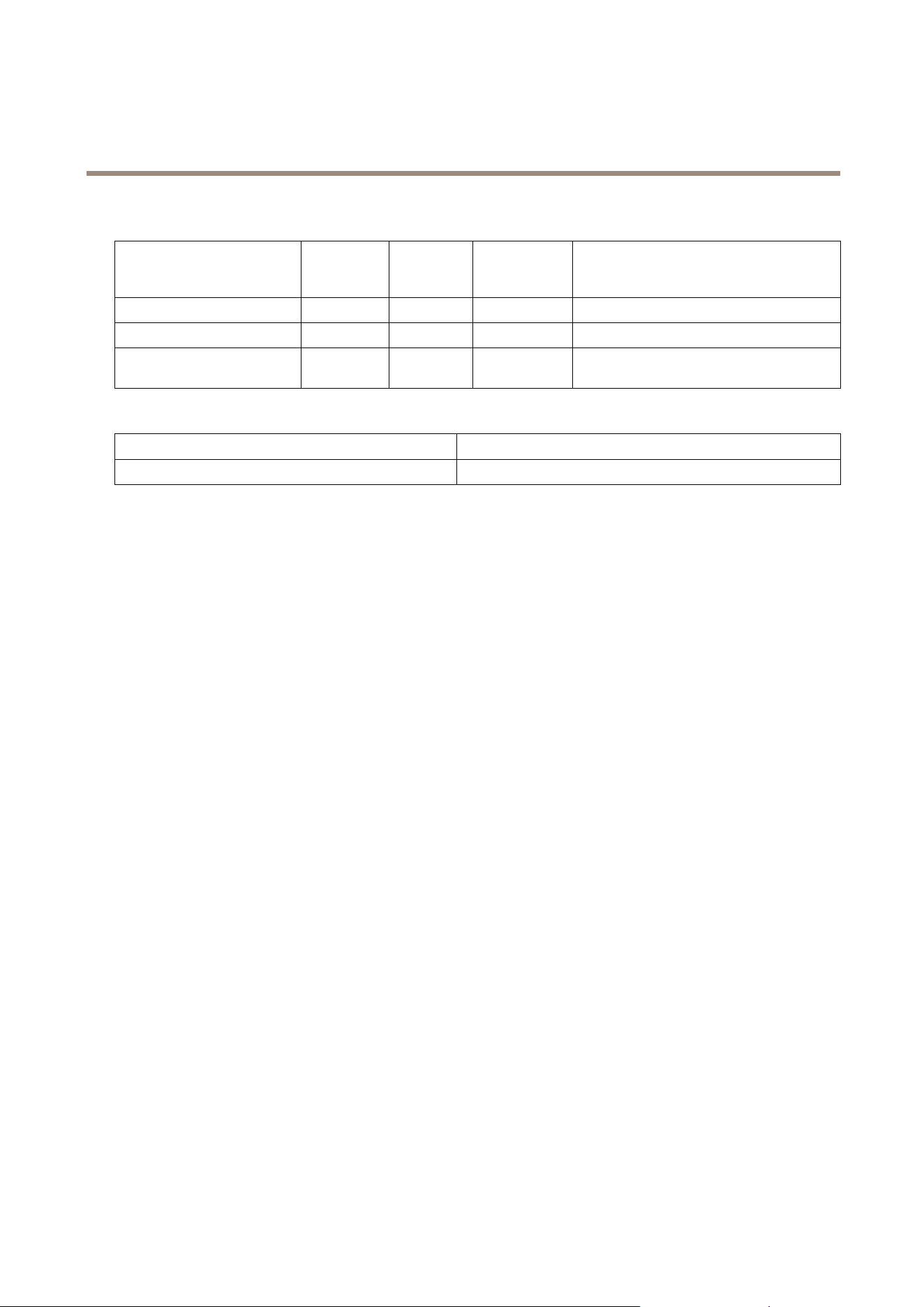
Notication
EventTypeEventEvent
Parameters
Length
EventParameters
Programstarted
0x0C
0x01
null
Programcompleted
0x0C
0x03
null
Powerisappliedfortherst
time
0x080x01
null
Battery
BatteryReport(value)
Description
0xFFBatteryislow
Commandclasses
Thisproductsupportsthefollowingcommandclasses:
•COMMAND_CLASS_ZWAVEPLUS_INFO_V2
•COMMAND_CLASS_ASSOCIATION_V2
•COMMAND_CLASS_ASSOCIATION_GRP_INFO
•COMMAND_CLASS_TRANSPORT_SERVICE_V2
•COMMAND_CLASS_VERSION_V2
•COMMAND_CLASS_MANUFACTURER_SPECIFIC_V2
•COMMAND_CLASS_DEVICE_RESET_LOCALLY
•COMMAND_CLASS_POWERLEVEL
•COMMAND_CLASS_SECURITY
•COMMAND_CLASS_SECURITY_2
•COMMAND_CLASS_SUPERVISION
•COMMAND_CLASS_FIRMWARE_UPDATE_MD_V4
•COMMAND_CLASS_BATTERY
•COMMAND_CLASS_WAKE_UP_V2
•COMMAND_CLASS_NOTIFICATION_V4
Wake-upcommandclass
AfterthedetectorhasbeenincludedinaZ-Wavenetworkitwillgotosleep,butwillperiodicallysendawake-upnotication
commandtothecontrolleratapresetperiod.Thedetectorwillstayawakeforatleast10secondsandthengobacktosleep,to
conservebatterylife.
Thetimeintervalbetweenwake-upnoticationcommandscanbesetinthewake-upcommandclass,basedontherangevalues
below:
8

AXIST8343AlertButton
HowtoprogramtheZ-Wavedevice
Minimumwake-upinterval
600s(10minutes)
Maximumwake-upinterval
86400s(1day)
Defaultwake-upinterval
14400s(4hours)
Wake-upintervalstepseconds
600s(10minutes)
9
AXIST8343AlertButton
Troubleshooting
Troubleshooting
Ifyoucan’tndwhatyou’relookingforhere,trythetroubleshootingsectionataxis.com/support
Action/Status
DescriptionLEDindication
NonodeID.TheZ-Wavecontrollercouldnotndthedeviceand
didnotprovideanodeID.
2secondson,2secondsoff,for2
minutes.
1.Pressthelinkbutton3timeswithin1.5seconds
toputthedeviceintoexclusionmode.
2.Within1secondofstep1,pressthelinkbutton
againandholdfor5seconds.
FactoryReset
(Thisprocedureshouldonlybe
usedwhenthecontrolleris
inoperable.)
3.NodeIDisexcluded.Thedevicerevertstofactory
defaultstate.
2secondson,2secondsoff,for2
minutes.
Failureorsuccessinincluding/excludingtheIDcanbeviewedontheZ-WaveController.
Thetablebelowliststypicalproblemsencountered:
SymptomPossibleCause
Recommendation
Cannotperforminclusionand
association.
1.Thedeviceisstillconnected,orhas
beenaccidentallyincludedinaprevious
network.
2.TheenteredPINcodeisincorrect.
3.Thebatteryhasrunoutofpower.
4.Batterypolarityisreversed.
1.Excludethedevicebefore
includingitagain.
2.Makesureyouenteredthe
correctPINcode.
3.Replacethebattery.
4.Retthebatterywiththe
correctpolarity.
WhenAlertButtonispressed,
theLEDilluminates,butthe
receiver(s)havenoresponse.
1.Thedeviceisstillconnected,orhas
beenaccidentallyincludedinaprevious
network.
2.Thedistancebetweenthealertbutton
andthereceiver(s)istoogreat.
3.Thebatterieshaverunoutofpower.
1.Excludethedevicebefore
includingitagain.
2.Movethedevicecloserto
thereceivers.
3.Replacethebatteries.
Note
Forbestresults,excludethedevicebeforestartingtheinclusionprocess.Formoredetailsseetheinstallationguide.
10

AXIST8343AlertButton
Specifications
Specifications
Tondthelatestversionoftheproduct’sdatasheet,gototheproductpageataxis.comandlocateSupport&Documentation.
Specications
BatteryAAABatteryx2
Batterylife
1year*
Range
Upto100m(328ft)lineofsight
Operatingfrequency
908.42MHz(US),922.5MHz(JP),868.42MHz(EU)
FCCIDFU5AC136
Specicationsaresubjecttochangewithoutnotice.
*measuredat1triggerperday.
1 1

UserManualVer.M2.4
AXIST8343AlertButton
Date:November2018
©AxisCommunicationsAB,2017-2019
PartNo.T101 17077