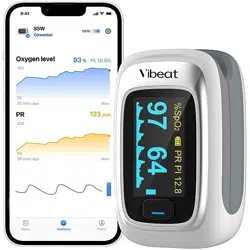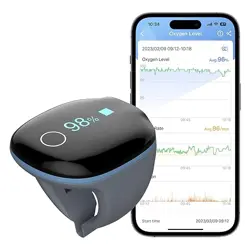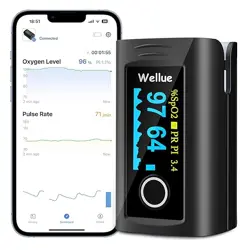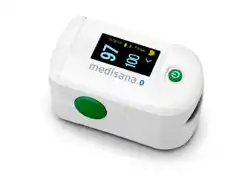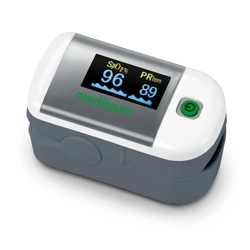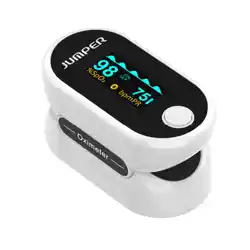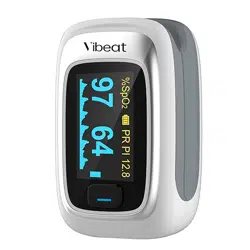

Pulse Oximeter
User Manual
(Model: S5, S5W)
Shenzhen Creative Industry Co., Ltd.
Floor 5, BLD 9, Baiwangxin High-Tech Industrial Park,
Songbai Road, Xili Street, Nanshan District, 518110
Shenzhen, P. R. China
Manufacture date: See the label on the product
Revision Date: August 3, 2023
Manual Version: V1.1 PN: 3502-2290146
Download the APP software (Only for S5W)
App name: ViHealth
iOS: App Store
Android: Google Play
1. Sign up or log in to your App account.
2. Enable Bluetooth on your phone, and insert the finger
into the device to turn it on.
3. Tap the searched device icon on the App.
Notes
It's not a medical device. This device is for Sports
and Aviation use only and not intended for medical
use.
The Oximeter is not intended for medical use.
The Oximeter is not an apnea monitor and should not
be used for arrhythmia analysis.
Do not self-diagnose or self-medicate on the basis of
the measurements. Always consult your doctor.
It is intended for spot-check use only.
Please read the manual very carefully before using
this device. Failure to follow these instructions can
cause measuring abnormality or damage to the
Oximeter.
The contents contained in this manual are subject to
change without notice.
Information furnished by our company is believed to
be accurate and reliable. However, no responsibility is
assumed by us for its use, or any infringements of
users or other rights of third parties that may result
from its use.
Instructions for Safe Operation
Make sure that there is no visible damage that may
affect user’s safety or measurement performance with
regard to sensors and clips. It is recommended that the
device should be inspected minimally before each use. If
there is obvious damage, stop using the device.
Special attention should be paid while the oximeter is
used constantly under the ambient temperature over
37°C, burning hurt may occur because of over-heating of
the sensor at this situation.
Necessary maintenance must be performed only by
qualified service technicians. Users are not permitted to
service this device.
The oximeter must not be used with devices and
accessories not specified in User Manual.
Warnings and Cautions
Explosive hazard—DO NOT use the Oximeter in
environment with inflammable gas such as some
ignitable anesthetic agents.
DO NOT use the Oximeter while the user is under MRI or
CT scanning. This device is NOT MRI Compatible.
Discomfort or pain may appear if using the Oximeter
continuously on the same location for a long time,
especially for user with poor microcirculation. It is
recommended that the Oximeter should not be applied
to the same location for longer than 2 hours. If any
abnormal condition is found, please change the position
of Oximeter.
The light (the infrared light is invisible) emitted from the
device is harmful to the eyes. Do not stare at the light.
The Oximeter is not a treatment device.
Local laws and regulations must be followed when
disposing of the device.
Keep the Oximeter away from dust, vibration, corrosive
substances, explosive materials, high temperature and
moisture.
The device should be kept out of the reach of children.
If the oximeter gets wet, please stop using it and do not
resume operation until it is dry and checked for correct
operation. When it is carried from a cold environment
to a warm and humid environment, please do not use it
immediately. Allow at least 15 minutes for Oximeter to
reach ambient temperature.
DO NOT operate the button on the front panel with
sharp materials or sharp point.
DO NOT use high temperature or high-pressure steam
disinfection on the Oximeter. Refer to Chapter 8 for
instructions regarding cleaning and disinfection.
Pay attention to the effects of lint, dust, light (including
sunlight), etc.
1 Overview
1.1 Intended Use
This Pulse Oximeter is intended for measuring the pulse
rate and oxygen level (SpO
2
) through a user’s finger.
1.2 Views
2 Battery Installation
1. Refer to Figure 2, insert two AAA size batteries into the
battery compartment properly, and note the polarity
markings.
2. Replace the cover.
Attentions:
• Make sure that the
batteries are correctly
installed. Incorrect
installation may cause
the device not to work.
• Remove batteries if
the device is not being used for more than 7 days to
prevent and avoid potential damage from the battery
leaking. Any such damage is not covered under the
product warranty.
3 Start/Stop Measuring
1. Open the clip and put finger inside the clip (make sure
the finger is in the correct position), and then release
the clip.
2. Wait for 2 seconds,
the oximeter will
power on and start
to measure.
3. The display screen shows the measurement.
4. Get the finger out, and the device will automatically
power off.
Attentions for measuring:
Do not shake the finger and relax during measurement.
Do not put wet finger directly into sensor.
Avoid placing the device on the same limb which is
wrapped with a cuff for blood pressure measurement or
during venous infusion.
Do not let anything block the emitting light from device,
i.e. do not use finger nail polish/paints.
Existence of high intensive light sources, such as
fluorescence light, ruby lamb, infrared heater or strong
sunshine, etc. may cause inaccuracy of measurement
result. Please put an opaque cover on the sensor or
change the measuring site if necessary.
Vigorous exercise and electrosurgical device interference
may affect the measuring accuracy.
Nail polish may affect the measuring accuracy, and too
long fingernail may cause failure of measurement or
inaccurate result.
If the first reading appears with poor waveform
(irregular or not smooth), then the reading is unlikely
true, the more stable value is expected by waiting for a
while, or a restart is needed when necessary.
4 Screen
4.1 Indications and Icons
Icon : indicates the wireless connection is set up
between the mobile device and oximeter. Only S5W
has this function.
Status of
Definition
Flashing in
blue
The oximeter is connecting with the
mobile devices.
Blue on
The connection between the oximeter
and mobile devices is established.
No display of
“ ” icon
1. The oximeter fails to set up wireless
connection with mobile device within 3
minutes.
2. Hardware failure of wireless function.
Icon / : low battery voltage.
Flashing value: indicates the value is over the defined
limits. There also accompanies the reminding sound.
5 Menu Setup
During measuring, long pressing Display key can enter the
setup menu screen.
Menu operating procedures:
1. Shortly press Display Key to choose the setting item;
2. Long press Display Key to active the setting item,
then shortly press it to modify the setting parameter;
3. Long press Display Key to confirm the modification
and exit from this setting item.
4. Move the setting item to “Exit”, and long pressing
Display Key to store the modification and exit from
the setup menu.
“Beep”:Pulse beep option. If it is set to on, every pulse
beat makes a beep.
6 Record List
A single group of stable readings will be recorded in the
record list each time when the oximeter shuts down
regardless of spot-check or continuous mode. However,
if the time from displaying valid readings to the end of
measurement is less than 5 seconds, then no recording
will be done.
Up to 12 groups of records can be stored in the record
list, the newest record is marked as M1, and the oldest
record is marked as M12. The new record will override
the previous record.
When batteries are removed from the device all
readings will be deleted.
On power off status, long pressing the Display key shows
the record list screen. On record list screen, a short
pressing on the Display key can shift the records display,
and if there is no key operation for 6 seconds, then the
oximeter will power off automatically again.
7 Technical Specifications
A. Oxygen level Measurement
Sensor: dual-wavelength LED sensor with wavelength:
Red light: 663 mm, Infrared light: 890 mm.
Maximal average optical output power: ≤2mW
Oxygen level display range: 35% - 100%
Oxygen level measuring accuracy: ≤ 2% for oxygen level
range from 70% to 100%
B. Pulse Rate measurement
PR display range: 30 bpm – 250 bpm
PR measuring accuracy: ±2bpm or ±2% (whichever is
greater)
C. Perfusion Index (PI) Display range
0% - 20%
D. Over-limit settings
Oxygen level:
Low limit setting range: 85% - 99%, step: 1%
Default setting: 90%
Pulse Rate:
Low limit setting range: 30 - 60 bpm, step: 1bpm;
High limit setting range: 100 - 240 bpm, step: 5bpm;
Default setting: high: 120bpm; low: 50bpm
E. Power supply requirement
2 x LR03 (AAA) alkaline batteries
Supply voltage: 3.0VDC, Operating current: ≤40mA
F. Environmental Conditions
Operating Temperature: 5°C - 40°C
Operating Humidity: 30% - 80%
SpO
2
alm Lo 90
PR alm Hi 120
PR alm Lo 50
Setting menu >>
Beep On
Exit
<< Setting menu
Battery
Cover
Rubber Cushions
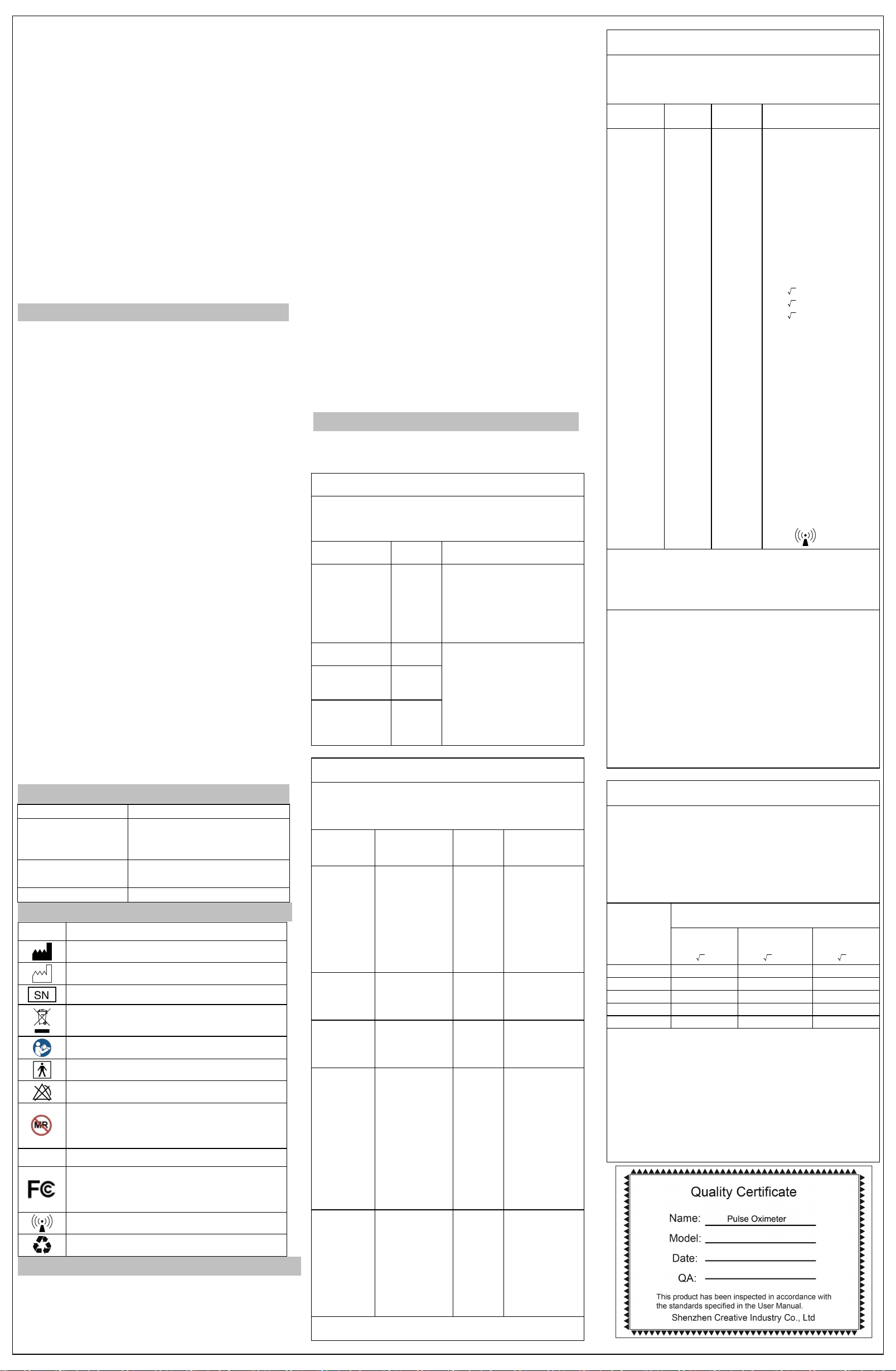
Display
Key
Nameplate
Lanyard Hole
Display Screen
PI value
Oxygen Level
symbol
Oxygen Level
value
PR label
Pulse
strength bar
PR value
Pleth wave
PI label
Battery voltage
Wireless icon
Atmospheric pressure: 70kPa - 106kPa
G. Low Perfusion Performance
The accuracy of oxygen level and PR measurement still
meet the precision described above when the
modulation amplitude is as low as 0.6%.
H. Ambient Light Interference
The difference between the oxygen level value
measured in the condition of indoor natural light and
that of darkroom is less than ±1%.
I. Dimensions: 56 mm (L) × 34 mm (W) × 30 mm (H)
Net Weight: approx. 60g (including batteries)
J. Classification
The type of protection against electric shock:
Internally powered equipment.
The degree of protection against electric shock: Type
BF applied parts.
The degree of protection against harmful solid foreign
objects and ingress of liquid:
The equipment is IP22 with protection against harmful
solid foreign objects and ingress of liquid.
Electro-Magnetic Compatibility: Group I, Class B
8 Maintenance and Cleaning & Disinfection
8.1 Maintenance
The expected service life (not a warranty) of this device is 5
years. In order to ensure its long service life, please pay
attention to the maintenance.
Please change the batteries when the low-voltage
indicator lightens.
Please clean the surface of the device before using, with
75% alcohol wipes, then let it air dry or wipe it dry. Do
not allow liquid to enter the device.
Please take out the batteries if the Oximeter will not be
used any more than 7 days.
The recommended storage environment of the device:
ambient temperature: -20 ºC - 60 ºC, relative humidity
10% - 95%, atmospheric pressure: 50 kPa - 107.4 kPa.
The Oximeter is calibrated in the factory before sale, so
there is no need to calibrate it during its life cycle.
Caution:
High-pressure sterilization cannot be used on the
device.
Do not immerse the device in liquid.
It is recommended that the device should be kept in
a dry environment. Humidity may reduce the life of
the device, or even damage it.
8.2 Cleaning and Disinfecting Instruction
Surface-clean sensor with a soft cloth damped with a
solution such as 75% isopropyl alcohol, if low-level
disinfection is required, use a mild bleach solution.
Then surface-clean with a cloth damped ONLY with
clean water and dry with a clean, soft cloth.
Caution:
Do not sterilize by irradiation steam, or ethylene
oxide.
Do not use the Oximeter if it is damaged.
9 Troubleshooting
Problem
Solution
The oxygen level and
Pulse Rate value are
unstable.
Place the finger correctly inside
and try again. Keep calm.
Cannot turn on the
device.
Change or re-install the batteries.
No display
Change the battery.
10 Symbols
Symbol
Description
Manufacturer
Date of manufacture
Serial number
Indicates a device that is not to be disposed
of as unsorted municipal waste.
Follow Instructions for Use.
Type BF Applied Part
No alarm system
MRI unsafe. Presents hazards in all MR
environments as device contains strongly
ferromagnetic materials.
IP22
Resistant to liquid ingress
This product complies with the rules and
regulations of the Federal Communication
Commission.
Non-ionizing radiation
This product complies with verpackG.
11 FCC Statement
FCC Warning:
FCC ID: A49POD-1W
Any Changes or modifications not expressly approved by
the party responsible for compliance could void the user's
authority to operate the equipment.
This device complies with part 15 of the FCC Rules.
Operation is subject to the following two conditions:
(1) This device may not cause harmful interference, and
(2) this device must accept any interference received,
including interference that may cause undesired operation.
Note: This equipment has been tested and found to comply
with the limits for a Class B digital device, pursuant to part
15 of the FCC Rules. These limits are designed to provide
reasonable protection against harmful interference in a
residential installation. This equipment generates uses and
can radiate radio frequency energy and, if not installed and
used in accordance with the instructions, may cause
harmful interference to radio communications. However,
there is no guarantee that interference will not occur in a
particular installation. If this equipment does cause
harmful interference to radio or television reception, which
can be determined by turning the equipment off and on,
the user is encouraged to try to correct the interference by
one or more of the following measures:
-Reorient or relocate the receiving antenna.
-Increase the separation between the equipment and
receiver.
-Connect the equipment into an outlet on a circuit different
from that to which the receiver is connected.
-Consult the dealer or an experienced radio/TV technician
for help.
The device has been evaluated to meet general RF
exposure requirement. The device can be used in portable
exposure condition without restriction.
Appendix EMC
The equipment meets the requirements of IEC
60601-1-2:2014.
Table 1
Guidance and manufacturer’s declaration-electromagnetic
emission
The Pulse Oximeter is intended for use in the electromagnetic
environment specified below. The customer or the user of the
Pulse Oximeter should assure that it is used in such an
environment.
Emissions test
Compliance
Electromagnetic
environment-guidance
RF emissions
CISPR 11
Group 1
The Pulse Oximeter uses RF
energy only for its internal
function. Therefore, its RF
emissions are very low and are
not likely to cause any
interference in nearby electronic
equipment.
RF emissions
CISPR 11
Class B
The Pulse Oximeter suitable for
use in all establishments,
including domestic establishments
and those directly network that
supplies buildings used for
domestic purposes.
Harmonic
emissions
IEC61000-3-2
N/A
Voltage
fluctuations/flicker
emissions
IEC61000-3-3
N/A
Table 2
Guidance and manufacturer’s declaration-electromagnetic
emission
The Pulse Oximeter is intended for use in the electromagnetic
environment specified below. The customer or the user of the
Pulse Oximeter should assure that it is used in such an
environment.
Immunity test
IEC60601 test
level
Compliance
level
Electromagnetic
environment
-guidance
Electrostatic
discharge(ESD)
IEC61000-4-2
±8 kV contact
±15kV air
±8 kV
contact
±15kV air
Floors should be
wood, concrete or
ceramic tile. if
floors are covered
with synthetic
material, the
relative humidity
should be at least
30%
Electrical fast
transient/
burst
IEC61000-4-4
±2kV for power
Supply lines
±1 kV for
input/output lines
N/A
N/A
Surge
IEC 61000-4-5
±1kV line (s) to
line(s)
±2kV line(s) to
earth
N/A
N/A
Voltage dips,
short
interruptions
and voltage
variations on
power supply
input lines
IEC61000-4-11
<5% UT
(>95% dip in UT)
for 0.5 cycle
<40% UT
(60% dip in UT)
for 5 cycles
<70% UT
(30% dip in UT)
for 25 cycles
<5% UT
(>95% dip in UT)
for 5 s
N/A
N/A
Power
frequency
(50Hz/60Hz)
magnetic field
IEC61000-4-8
3A/m
3A/m
Power frequency
magnetic fields
should be at levels
characteristic of a
typical location in
a typical
commercial or
hospital
environment.
NOTE: UT is the a.c. mains voltage prior to application of the test
level.
Table 3
Guidance and manufacturer’s declaration – electromagnetic
immunity
The Pulse Oximeter is intended for use in the electromagnetic
environment specified below. The customer or the user of The
Pulse Oximeter should assure that it is used in such an
electromagnetic environment.
Immunity
test
IEC60601
test level
Compliance
level
Electromagnetic
environment -guidance
Conducted
RF
IEC61000-4-6
Radiated RF
IEC61000-4-3
3 Vrms
150 kHz to
80 MHz
3 V/m
80 MHz to
2.5 GHz
N/A
3 V/m
Portable and mobile RF
communications equipment
should be used no closer to
any part of The Pulse
Oximeter, including cables,
than the recommended
separation distance
calculated from the
equation applicable to the
frequency of the
transmitter.
Recommended separation
distance
d=1.2
P
d=1.2
P
80MHz to 800MHz
d=2.3
P
800MHz to 2.5GHz
Where P is the maximum
output power rating of the
transmitter in watts (W)
according to the transmitter
manufacturer and d is the
recommended separation
distance in metres (m). b
Field strengths from fixed
RF transmitters, as
determined by an
electromagnetic site
survey ,a should be less
than the compliance level in
each frequency range .b
Interference may occur in
the vicinity of equipment
marked with the following
symbol.
NOTE 1: At 80 MHz and 800 MHz, the higher frequency range
applies.
NOTE 2: These guidelines may not apply in all situations.
Electromagnetic propagation is affected by absorption and
reflection from structures, objects and people.
a: Field strengths from fixed transmitters, such as base stations for
radio (cellular / cordless) telephones and land mobile radios,
amateur radio, AM and FM radio broadcast and TV broadcast
cannot be predicted theoretically with accuracy. To assess the
electromagnetic environment due to fixed RF transmitters, and
electromagnetic site survey should be considered. If the measured
field strength in the location in which The Pulse Oximeter is used
exceeds the applicable RF compliance level above, The Pulse
Oximeter should be observed to verify normal operation. If
abnormal performance is observed, additional measures may be
necessary, such as re-orienting or relocating The Pulse Oximeter.
b: Over the frequency range 150 kHz to 80 MHz, field strengths
should be less than 3V/m.
Table 4
Recommended separation distances between portable and mobile
RF communication the equipment
The Pulse Oximeter is intended for use in an electromagnetic
environment in which radiated RF disturbances are controlled. The
customer or the user of The Pulse Oximeter can help prevent
electromagnetic interference by maintaining a minimum distance
between portable and mobile RF communications equipment
(transmitters) and the Pulse Oximeter as recommended below,
according to the maximum output power of the communications
equipment.
Rated
maximum
output power
of transmitter
W(Watts)
Separation distance according to frequency of
transmitter M(Meters)
150kHz to
80MHz
d=1.2
P
80MHz to
800MHz
d=1.2
P
80MHz to
2,5GHz
d=2.3
P
0,01
N/A
0.12
0.23
0,1
N/A
0.38
0.73
1
N/A
1.2
2.3
10
N/A
3.8
7.3
100
N/A
12
23
For transmitters rated at a maximum output power not listed
above, the recommended separation distance in metres (m) can
be determined using the equation applicable to the frequency of
the transmitter, where P is the maximum output power rating of
the transmitter in watts (W) according to the transmitter
manufacturer.
NOTE 1: At 80 MHz and 800 MHz, the separation distance for the
higher frequency range applies.
NOTE 2: These guidelines may not apply in all situations.
Electromagnetic propagation is affected by absorption and
reflection from structures, objects and people.