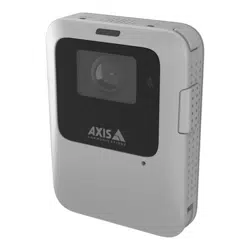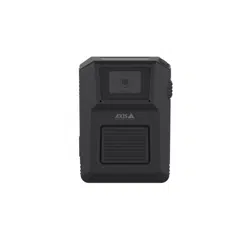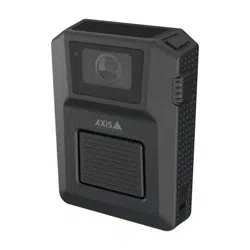


AXISW110BodyWornCamera
Productoverview
Productoverview
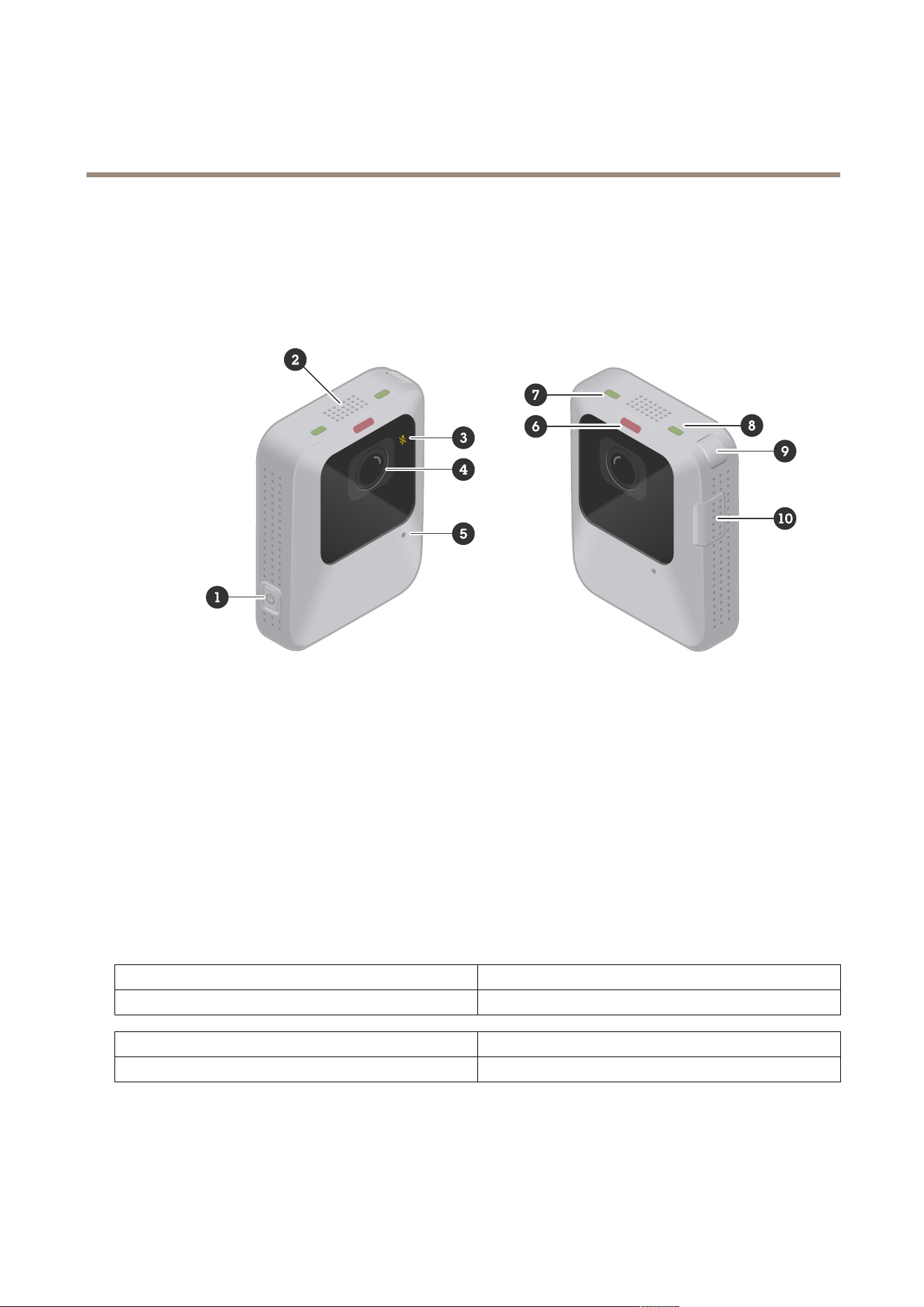
1
Powerbutton
2
Speaker
3
MicrophoneLED
4
Cameralens
5
Microphone
6
RecordingLED
7
StatusLED
8
WirelessconnectivityLED
9
Functionbutton
10
Recordingbutton
LEDindicators
MicrophoneLEDIndication
Amber
Steadywhenthemicrophoneisturnedoff.
RecordingLEDIndication
Red
Steadywhenthecameraisrecording.
3

AXISW110BodyWornCamera
Productoverview
StatusLED
Indication
GreenSteadywhenthecameraisreadytouse.
Flashingwhenthebatteryisrunninglowduringoperation.For
moreinfoaboutbatterywarnings,seeFeedback>Lowbattery
warninginCameraprolesettings.
Amber
Steadywhenit’snotpossibletorecordbecausethestorageis
full,orduetostorageerror,softwareerror,orotheroperational
error.
Pulsingwhenthecameraisdockedandoneormoreofthe
followingprocessesareongoing:batterycharging,letransfer,
softwareupdate.
WirelessconnectivityLEDIndication
GreenLightsupwhenpairedwithAXISBodyWornAssistantora
holstersensor.
SteadywhenstreamingtoAXISBodyWornLive.
Amber
Pulsingwhentryingtopair/connect.
Red
Lightsupwhenpair/connectfailed.
Savebatterywithstandbymode
Important
Youcan’tusepre-bufferincombinationwithstandbymode.
Tosavebattery,thecameracanenterstandbymodewhenit'snotrecording.Tosetitup:
•TurnonStandbymodeforthecamerausersthroughthecameraprolesinAXISBodyWornManager.Thecamerasthen
enterstandbymodebydefaultwhenthey’renotrecording.
Whenyouusestandbymode,ittakesaboutonesecondforthecameratostartrecordingwhenyoupresstherecordingbutton.
Voicefeedback
Whenyouusethecamera,itcangivefeedbackwhenyou,forexample,presstherecordingbuttontostartorstoprecording,tryto
pairthecamerawithAXISBodyWornAssistant,orwhenthebatteryisabouttorunout.Youcangetthecamerafeedbackthrough
vibrations,beeps,orvoice.Ifyouselectthevoiceoption,thecameragivesthealertsasspokenmessages.Forexample,ifyoupress
thefunctionbutton,yougetinformationabouttheremainingbatterycapacityinpercent.
Voicefeedbackishelpfulforinexperiencedcamerausers,sincetheygetclearinformationaboutwhathappenswhenthey,for
example,pressabutton.Itisalsousefulforpeoplewhoarebeingrecorded,whocanhearamessagefromthecamerathatit
hasstartedtorecord.
YouselectwhattypeoffeedbackyouwantinthecameraprolessettingsinAXISBodyWornManager.
Note
VoicefeedbackiscurrentlyonlyavailableinEnglish.
4
AXISW110BodyWornCamera
Dailyuse
Dailyuse
Iwantto...Actionneeded
Information
TurnonmycameraPressthepowerbutton.ThestatusLEDpulsesamberuntilthecamerais
readyforuse.ThenthestatusLEDturnsgreen.
Dependingonyoursettings,thistakesupto30
seconds.
TurnoffmycameraPressthepowerbuttonforatleast
5seconds.
Thecameravibratesandbeeps.
Startarecording
Presstherecordingbuttononce.Thecameravibratesandbeepsandtherecording
LEDturnsredwhentherecordingstarts.
Stoparecording
Presstherecordingbuttonforat
least3seconds.
Thecameravibratesandbeepswhentherecording
stops.
StartalivestreamDouble-pressthefunctionbutton.
Stopalivestream
Presstherecordingbuttonforat
least3seconds.
Formoreinformation,seethe
AXISBodyWornLiveusermanual.
Createabookmark
Presstherecordingbuttononce
whilerecording.
Thecameravibratesandbeeps.
Thisfeatureisavailableifthecontentdestination
you’reusingsupportsit.SeeBookmarksformore
information.
Turnoffmicrophone(audioisonby
default)
Pressthefunctionbuttonforat
least3seconds.
MicrophoneLEDon.
Turnonmicrophone
Pressthefunctionbuttonforat
least3seconds.
MicrophoneLEDoff
CheckremainingbatterycapacityPressthefunctionbutton.
Ifvoicefeedbackisturnedon,youhearinformation
abouttheremainingbatterycapacity.
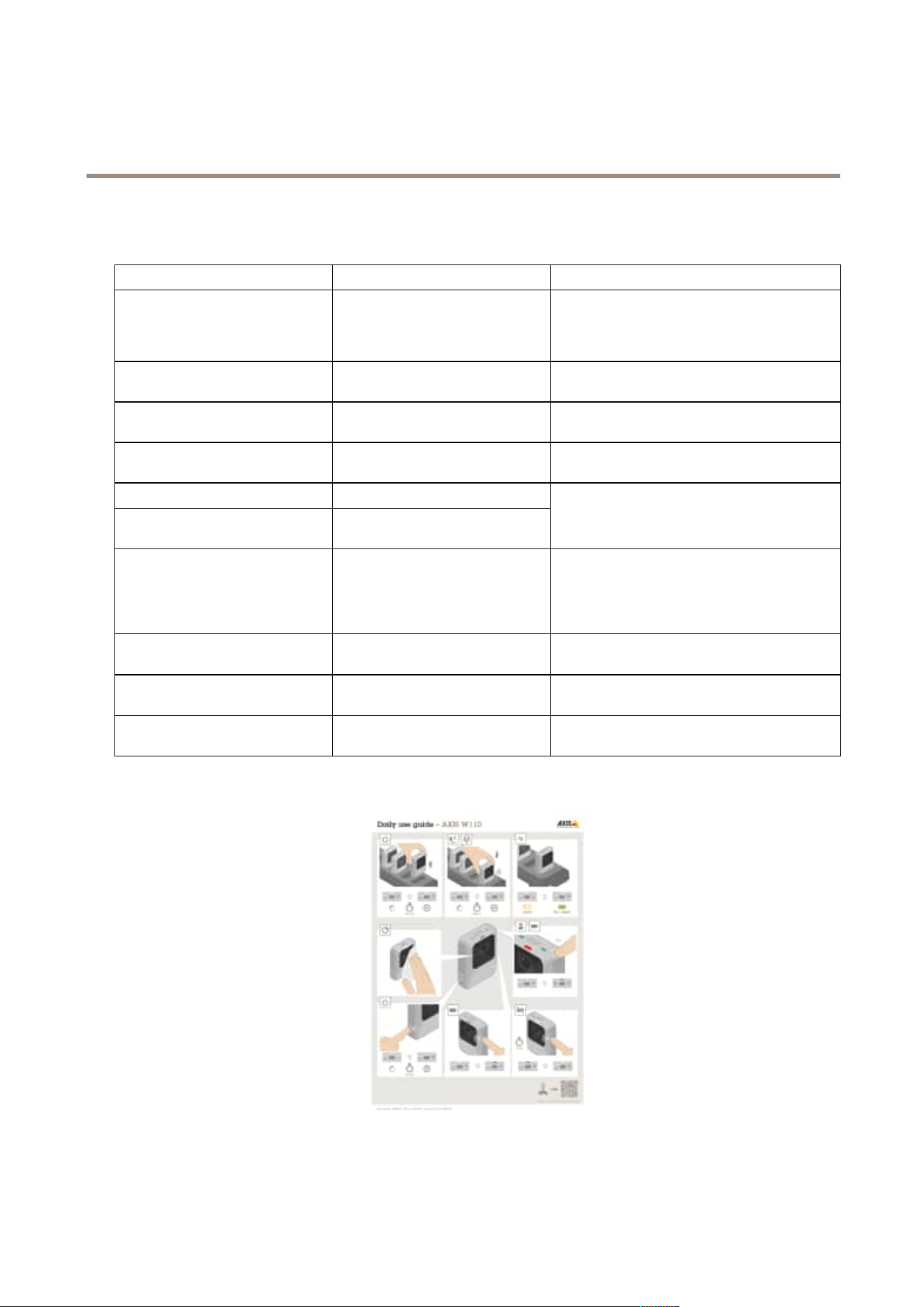
DownloadtheDailyuseguidefromthecamera’ssupportpageandprintit,tohelpthecamerausersintheirdailywork.
Dailyuseguide
5

AXISW110BodyWornCamera
Dailyuse
Startingashift
Werecommendthatyoucheckafewthingsbeforeyoustartanewshift:
•Beforeyouundockthecamera,makesurethatthestatusLEDisgreen.Thegreencolorindicatesthatthebatteryis
charged,alllesaretransferred,andthesoftwareisuptodate.
•Ifyou’reusingself-assigncameraassignment,tapyourself-assigntagontheRFIDreader.LEDsontheself-assigned
cameraashgreen,indicatingthatit’sreadytobeundocked.Youmustundockthecamerawithin15secondsafter
tappingtheself-assigntag.Onlyoneusercanself-assignacameraatatime.
•Ifyou’reconnectingthecameratoaholstersensor,makesurethatit’sinthecamera’srangewithin10minutesafteryou
undockthecamera.Undernormalcircumstancestherangeis5–10m(16–33ft.).
•Whenyouundockthecamera,itrestarts.Dependingonyoursettings,thistakesupto40seconds,afterwhichthe
cameraisreadytouse.
•Cleanthelenswindow,usingadry,nonabrasivecloth.SeeCleaningformorecleaningrecommendations.
•Optionally,usetheliveviewinAXISBodyWornAssistanttocheckyourcameraimage,makingsurethatitisworking
properlyandthatthecameraorientationisokay.Formoreinformation,seeAXISBodyWornAssistantinthebodyworn
solutionmanual.
Endingashift
Important
Alwaysdockyourbodyworncameraafterashift.Thisensuresthat:
•thecamerabatteryischargedbeforethenextshift
•allcontentisuploadedtothesystemcontroller
•thecamera’ssoftwareisuptodate
•usercongurationandcamerasettingsaresynchronizedwiththesystem
•Whenyoudockthecamera,itrestarts.Tomakesurethecameraisproperlydocked,waitanother10secondsforLEDsto
comebackon.
•Thetimeittakestofullychargeadepletedbatteryvariesdependingontheambientchargingtemperature.Checkthe
datasheetfordetailedinformation.
•Thetimetouploadrecordedvideovaries.Forexample,12hoursofrecordedvideocantakeuptoabout30minutesto
uploadtothesystemcontroller,dependingonthebitrateofthevideorecordings.
Batteryhealth
Toensureoptimalbatterycapacitythroughoutthelifeoftheproduct,followtheserecommendationsonnormaluse.
NO NO
NO
TICE TICE
TICE
•Alwaysusethecamerawithintheoperatingtemperaturerangespeciedintheproduct’sdatasheet.Ifyouusethecamera
outsideofthespeciedtemperaturerangeitdamagesthebattery.
•Alwayschargethecamerawithinthechargingtemperaturerangespeciedintheproduct’sdatasheet.Ifyouchargethe
cameraoutsideofthespeciedtemperaturerangeitdamagesthebattery.
•Don’tleavethecamerainyourcar.Temperaturesinparkedcarscanexceedthespeciedtemperaturerange.
•Alwaysrechargeacamerathatisturnedoffwithalowbattery,assoonaspossible.Thebatterydischargesovertime,which
shortenstheexpectedbatterylife.
•Don’tchargeacameraformorethan45days.Itcanshortentheexpectedbatterylife.
Toensureoptimalbatterycapacitythroughoutthelifeoftheproduct,followtheserecommendationsonstorage.
6

AXISW110BodyWornCamera
Dailyuse
NO NO
NO
TICE TICE
TICE
•AlwaysremovethecamerafromthebodywornsystemthroughAXISBodyWornManagerbeforeyoustoreit.Whenyou
removethecamerafromthesystem,thecameraentersshippingmode,whichensuresahealthybatterylevel.
•Alwaysstorethecamerawithinthestoragetemperaturerangespeciedintheproduct’sdatasheet.Therecommended
temperaturesaredifferentforshort-termstorage(lessthan3months)andlong-termstorage(morethan3months).Ifyou
storethecameraoutsideofthespeciedtemperatureitdamagesthebattery.
•Don’tstorethecamerawiththebatteryfullycharged.Itshortenstheexpectedbatterylife.
•Don’tstorethecamerawithadepletedbattery.Itshortenstheexpectedbatterylife.
•Ifyoustorethecameraformorethan3months,chargeitevery3months.
•Don’tstorethecameraindampenvironments.Itcanincreasebatterydischargerates.
•Usethecameraatleastonceayearsothatthebatteryisdischargedandchargedagain.Thishelpstoactivatethebattery
andrestoreitsenergy.
Tolearnmoreaboutbatteryhealth,gotoaxis.com/learning/white-papersandsearchforthewhitepaperBatteryhealthinbody
worncameras.
Cleaning
Cleanthecamera
•Useanon-abrasive,solvent-freeneutralsoap,ordetergent,withwater.
•Useasoftmicrobercloth,ormoistnon-abrasivesponge.
•Drywithasoftclothtopreventwaterspotting.
NO NO
NO
TICE TICE
TICE
•Neveruseharshdetergents,suchasgasoline,benzeneoracetone,toavoidmaterialdegradation.
•Neveruseabrasivesofanykindtocleanthecamera.
•Neverusewaterwithanydetergentonthedockingconnectorssinceitcausescorrosionandabadconnection.
Disinfectthecamera
•Usedisinfectionproductswithupto50percentisopropylalcoholontheexteriorsurfacesofthecamera.
•Applywithasoftmicrobercloth,ornon-abrasivesponge.
Cleanthedockingstation
Tocleantheoutersurfaceofthedockingstation:
•Useanon-abrasive,solvent-freeneutralsoap,ordetergent,withwater.
•Useasoftmicrobercloth,ormoistnon-abrasivesponge.
•Drywithasoftclothtopreventwaterspotting.
Tocleantheinsideofthedockingbay:
•Usecannedairintendedforelectronicstoclearanydustinbetweenandaroundthepogopins.
•Useadryclothtocarefullycleanthepogopins.
•Aftercleaning,makesureallofthepogopinsspringbacktotheirupperposition.
7

AXISW110BodyWornCamera
Dailyuse
NO NO
NO
TICE TICE
TICE
•Neveruseharshdetergents,suchasgasoline,benzeneoracetone,toavoidmaterialdegradation.
•Neveruseabrasivesofanykindtocleanthedockingstation.
•Neverusewaterwithanydetergentonthepogopinsinsidethedockingbayssinceitcausescorrosionandabadconnection.
Chargingthecamera
Tochargethebodyworncamera,alwaysuse:
•CompatibleAxisdockingstation
Operatingtime
Operatingtimevariesdependingonhowyouusethebodyworncamera.Thelimitingfactorsofoperatingtimearebatterycapacity
andstoragespace.Theseareaffectedbypowerconsumptionandrecordingbitrate,respectively.
Factorsthatincreasepowerconsumptionare:
Wirelessconnection-WhenyouuseAXISBodyWornLive,AXISBodyWornAssistant.
Temperature-+25°C(77°F)istheoptimaloperatingtemperature.Usingthecameraintemperaturesaboveorbelowthisaffects
thebatterycapacity.
Movement-Increasedmovementinthescene,orcameramovement.Thecameraprocessorusespowerinrelationtothemovement
inthescene.
Imageresolution-Highrecordingresolution.
Electronicimagestabilization-Whenelectronicimagestabilizationisturnedon.
Factorsthatincreaserecordingbitrateare:
Movement-Increasedmovementinthescene,orcameramovement.
Imageresolution-Highrecordingresolution.
Light-Lowlightincreasesimagenoise.
Scenecomplexity-Ascenewithfewobjectsandcolors,forinstanceatypicalofce,resultsinalowerbitratethanamore
complexscene.
8

AXISW110BodyWornCamera
Troubleshooting
Troubleshooting
Cameraerrorfeedback
Usethebodyworncamerafeedbacktoidentifydifferenterrors.Thetablebelowshowsthedifferentcamerabehaviors,whatthey
mean,andhowtosolvetheproblem.
BehaviorWhatitmeansWhattodo
Thecameraisdocked:
•AllLEDsareoff.Nouserisassignedtothecamera.•Ifyouareusingxed
cameraassignment,assign
ausertothecamera,see
Assignausertoacamera.
•Ifyouareusingself-assign
cameraassignment,this
meansthatthecamerais
readytobeself-assigned.
•StatusLED:FlashingamberGeneralerror.TrytheGeneraltroubleshootingsteps.If
theproblempersiststryaxis.com/support.
•StatusLED:Flashingamber
•WirelessconnectivityLED:
Red
Errorwhenuploadingcontenttothe
systemcontroller.
Checktheconnectionbetweenthebody
worncameraandthedockingstation.
Checktheconnectionbetweenthe
dockingstationandthesystemcontroller.
Makesurethatthesystemcontrolleris
okay,seeDashboard.
•StatusLED:Flashingamber
•Beep:continuous
Thebatteryisnotcharging.
TrytheGeneraltroubleshootingsteps.If
theproblempersiststryaxis.com/support.
Thecameraisundocked:
Thecameraisinshippingmode.
1
Addthecamerainthebodywornsystem,
seeAddcameras.
•Nofeedback.
•Cameradoesn’tstart.
Thecamerahasrunoutofbattery.
Chargethecamera.
•StatusLED:Amber
•Beep:2short,1long
•Buzz:2short,1long
Recordingnotpossibledueto:
•Storagefull
•Softwareerror
•Otheroperationalerror
TrytheGeneraltroubleshootingsteps.If
theproblempersiststryaxis.com/support.
•StatusLED:Greenorashing
amber
•RecordingLEDandwireless
connectivityLED:Flashing
amber
Thecameraisnotaddedinthebodyworn
system.
Addthecameratothebodywornsystem,
seeAddcameras.
•AllLEDs:Flashingred
•Beep:2x3
•Buzz:2x3
Nouserisassignedtothecamera.Dockthecameraandassignausertoit,
seeAssignausertoacamera.
1.Thebodyworncameraisinshippingmodeuntilitisdockedandaddedtoabodywornsystem.Shippingmodeisapowersavingmodeused
fortransportationandstorage.
9

AXISW110BodyWornCamera
Troubleshooting
Technicalissues,clues,andsolutions
Issue
CauseSolution
Cameraisinshippingmode.
Addthecameratothebodywornsystem,
seeAddcameras.
Cameradoesn’tturnon.
Cameraisoutofbattery.Chargethecamera,seeChargingthe
camera.
Ifthatdoesn’thelp:
1.Pressandholdthepower
buttononthecamerafor4
seconds.
2.Dockthecameraandwait
untilit’scharged.
3.Undockthecameraandwait
forittorestart.
Cameradoesn'trecord.Camerastorageisfull.
Dockthecamera.
Recordingstarteddirectlyafterthe
camerawasturnedon,ordirectlyafter
thepreviousrecordingwasended.
–
Recordingstarteddirectlyafterthe
previousrecordingwasended.
–
Pre-buffervideoisnotcomplete.
Pre-buffertimeisshorterthancongured
inAXISBodyWornManager.
Whenusingthemaximumresolution
1080pinverycomplexsceneswitha
lotofmovement,orinlowlight,the
pre-buffermemorycangetfull.
–
Thelensisdirty.
Cleanthelens,seeCleaning
Imagelooksfoggy.
Theprotectivelmisstillonthelens
window.
Removetheprotectivelm.
Noaudioinrecordings.Audioisturnedoffinthecameraprole.Makesureaudioisturnedonin
thecameraproleinAXISBodyWorn
Manager.
Manysimultaneousofoadsaffect
transferspeed.
CheckcamerastatusinAXISBodyWorn
Manager.Waitforrecordingstobe
transferred.
Ofoadingrecordingsisslow.
Theconnectionbetweenthecamera
andthedockingstationisbad.The
cameraisdockedincorrectly.Thedocking
connectorsaredirtyorwornout.
Makesureallconnectorsareclean.See
Cleaningonpage7.
Cameraisnotdiscoveredbythesystem
anddoesn’tappearinAXISBodyWorn
Manager.
Thedockingstationisconnectedtothe
systemcontrollerthrougharouter.
EnableIPv6onthenetwork.
10

AXISW110BodyWornCamera
Troubleshooting
Nocameraisassignedtotheuserwhen
theusertapstheRFIDtagonthereader
(usingself-assign).
Therecanbedifferentreasons:
•Theuserisalreadyassigned
toanundockedcamera.
•Thereiscurrentlynocamera
readyforuse.Acamerais
readyforusewhenithas
enoughstorageandbattery,
andithasthesamermware
versionastherestofthe
system.
•TheRFIDtagisn’tregistered
inthesystem.
•Docktheassignedcamera.
•Waituntilacameraisready
foruse.
•RegistertheRFIDtaginthe
system.
Can’tremovecamera.
Anextensionsystemcontrollerhasbeen
disconnectedphysicallyfromthesystem
beforeitwasremovedinAXISBodyWorn
Manager.Thispreventsthesystemfrom
verifyingthetransferstatus.
Tomakesurethatallcontenthasbeen
transferredtothecontentdestination,
removetheextensionsystemcontroller
inAXISBodyWornManagerbeforeyou
removeitfromthesystemphysically.
Thenyoucanremovethecamera.
CamerastatusisInsafemode.
Ifacameraisundockedforeightweeks,
forsecurityreasons,itenterssafemode.
SeeAllowcamerasbackintothesystem
Cameradoesn’tcharge.
Cameradoesn’tofoadles.
Thecameraisn’tdockedproperly,orthere
issomethingwrongwiththedocking
station.
Trythefollowinginthestatedorder:
1.Undockanddockthecamera
properly.
2.Cleantheconnectorson
thecameraandthepogo
pinsinthedockingbay.For
instructions,seeCleaningon
page7.
3.Dockthecamerainanother
dockingbay,whereother
camerasdon’thavethis
problem.Ifthecamerastarts
tochargeorofoadles,the
originaldockingbayisfaulty
andthedockingstation
shouldbereplaced.
11

UsermanualVer.M1.18
AXISW110BodyWornCamera
Date:December2023
©AxisCommunicationsAB,2023
Partno.T10198865