
Home » pepsi » pepsi ICE147PEP Ice Maker Owner’s Manual
Contents
1 pepsi ICE147PEP Ice Maker
2 FEATURES
3 IMPORTANT SAFEGUARDS
4 GETTING TO KNOW YOUR UNIT
5 OPERATING PROCEDURES &
MAINTENANCE
5.1 BEFORE FIRST USE
6 TROUBLESHOOTING GUIDE
7 1 Year Warranty
8 Documents / Resources
9 Related Posts
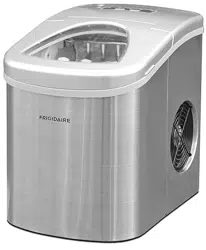
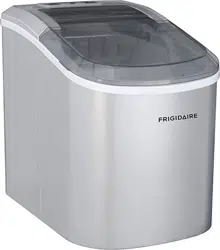
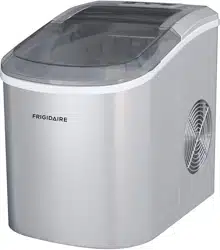
pepsi ICE147PEP Ice Maker
pepsi ICE147PEP Ice Maker Owner’s Manual
Manuals+ — User Manuals Simplified.
FEATURES
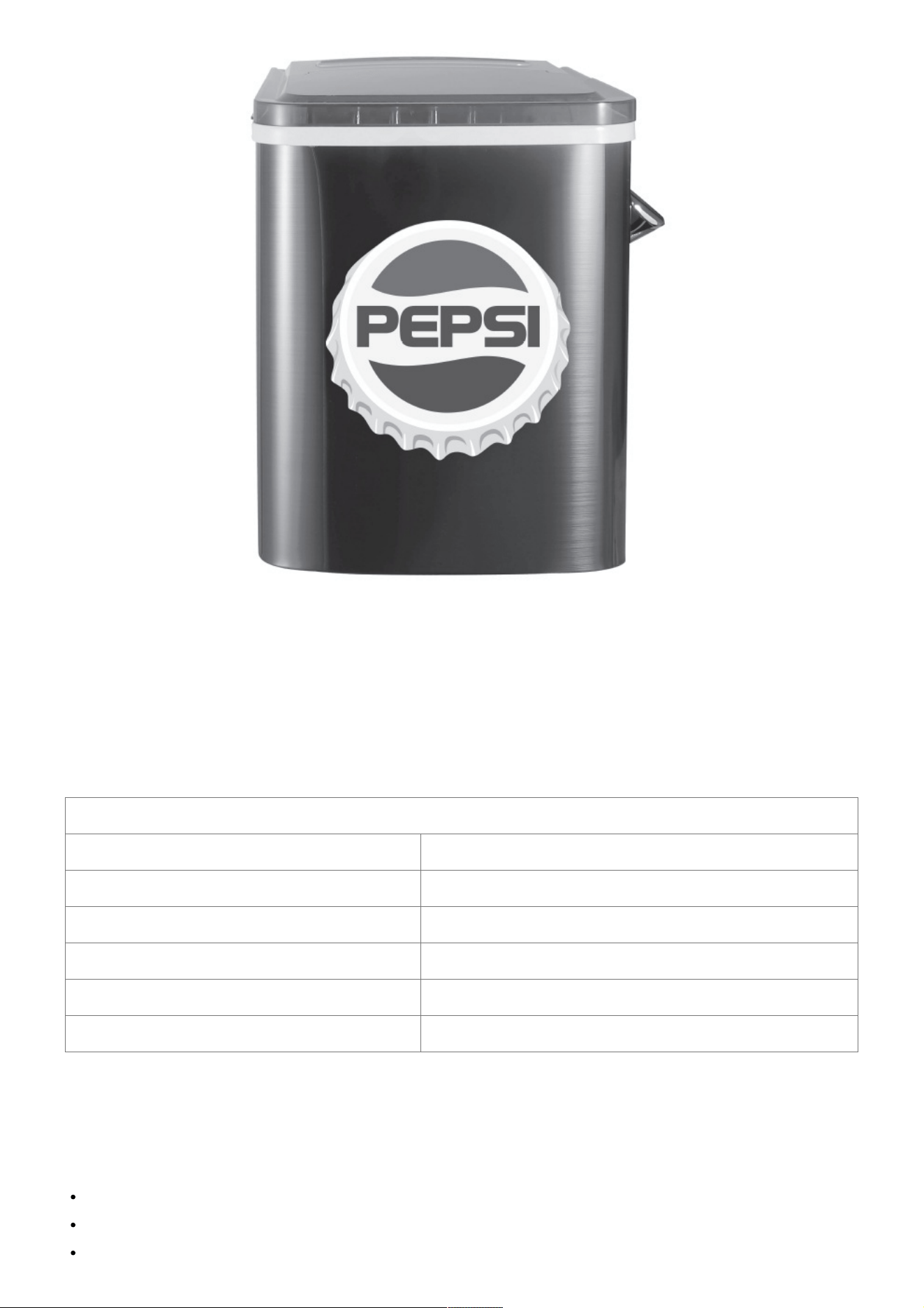
This ice maker is freestanding design. You must leave sufficient room on all four sides in order for the ice maker to
exhaust properly. If heat is not allowed to exhaust properly, the ice maker will not operate efficiently. Moreover,
due to the design of thermoelectric units, they should not be placed in a warm room. Typically it will cool anywhere
between units, they should not be placed in a warm room. Typically it will cool anywhere between 20-28 °F below
the ambient temperature but this depends on many environmental factors.
SPECIFICATION
INPUT VOLTAGE 120V 60Hz
POWER CONSUMPTION 90-120 W
DAILY ICE OUTPUT 12 KGS(26 LBS)/24H
DIMENSIONS 8.7’’W x 12.3”D x 12.5”H
ICE-MARKING AMOUNT PER TIME 9 PCS
REFRIGERANT R600a
IMPORTANT SAFEGUARDS
When using electrical appliances, basic safety precautions should always be followed:
Read all instructions.
Do not touch hot surfaces. Use handles or knobs.
To protect against electrical hazards, do not immerse cord, plugs, or the appliance in water or other liquid.

This appliance is not intended for use by persons (including children) with reduced physical, sensory or mental
capabilities, or lack of experience and knowledge, unless they have been given supervision or instruction
concerning the use of the appliance by a person responsible for their safety.
Close supervision is necessary when any appliance is used by or near children. Children should be supervised
to ensure that they do not play with the appliance.
Unplug from outlet when not in use and before cleaning or servicing.
Do not operate any appliance with a damaged cord or plug, or after the appliance malfunctions, or is dropped
or damaged in any manner. Return appliance to the manufacturer for examination, repair, or electrical or
mechanical adjustment. All servicing should be performed by an authorized service representative.
Do not use outdoors.
Do not let cord hang over edge of table or counter, or touch hot surfaces. Do not let the power cord cross over
carpeting or other heat insulators. Do not cover the cord.
Do not place on or near a hot gas or electric burner, or in a heated oven.
Always attach plug to appliance first, then plug cord into the wall outlet. To disconnect, turn any control to
‘OFF’, then remove plug from wall outlet.
Do not use appliance for other than intended use.
Do not leave unit unattended while in use.
Plug the ice maker into an exclusive, grounded 3-prong outlet. No other appliance should be plugged into the
same outlet. Be sure that the plug is fully inserted into the receptacle.
If the ice maker is brought in from outside in wintertime, do not use for a few hours, allowing the unit to warm
up to the room temperature before operating.
Do not clean your ice maker with any flammable fluids. The fumes may create a fire hazard or explosion.
WARNING: Do not touch the evaporator when the ice maker is making ice, it may burn your skin.
SAFETY INSTRUCTIONS
This appliance must be plugged into at least a 15 A, 110 – 115 V, 60 Hz GROUNDED OUTLET. This appliance
must be grounded. It is equipped with a 3-wire cord grounding plug. The plug must be plugged into an outlet that
is properly installed and grounded.
WARNING
Improper use of grounded wire the risk of electric shock. Consult an electrician if necessary. Do not attempt to
defeat this safety feature by modifying the plug.
Avoid the use of an extension cord because it may overheat and cause a risk of fire. However, if it is necessary to
use an extension cord:
A. Use only 3-wire extension cords with 3-blade grounding plug.
B. The marked rating of an extension cord must be be equal to or greater than the rating of this appliance.
C. It should be positioned such that it does not drape over the counter or tabletop where it can be pulled on by
children.
Attempting any maintenance or cleaning:
To minimize the possibility of electric shock, unplug this appliance from the power supply or disconnect at the
household distribution panel by removing the fuse or switching off the circuit breaker, before attempting any
maintenance or cleaning.
NOTE: Pressing the POWER on/off button to an off position does
NOT disconnect the appliance from the power supply.
GETTING TO KNOW YOUR UNIT
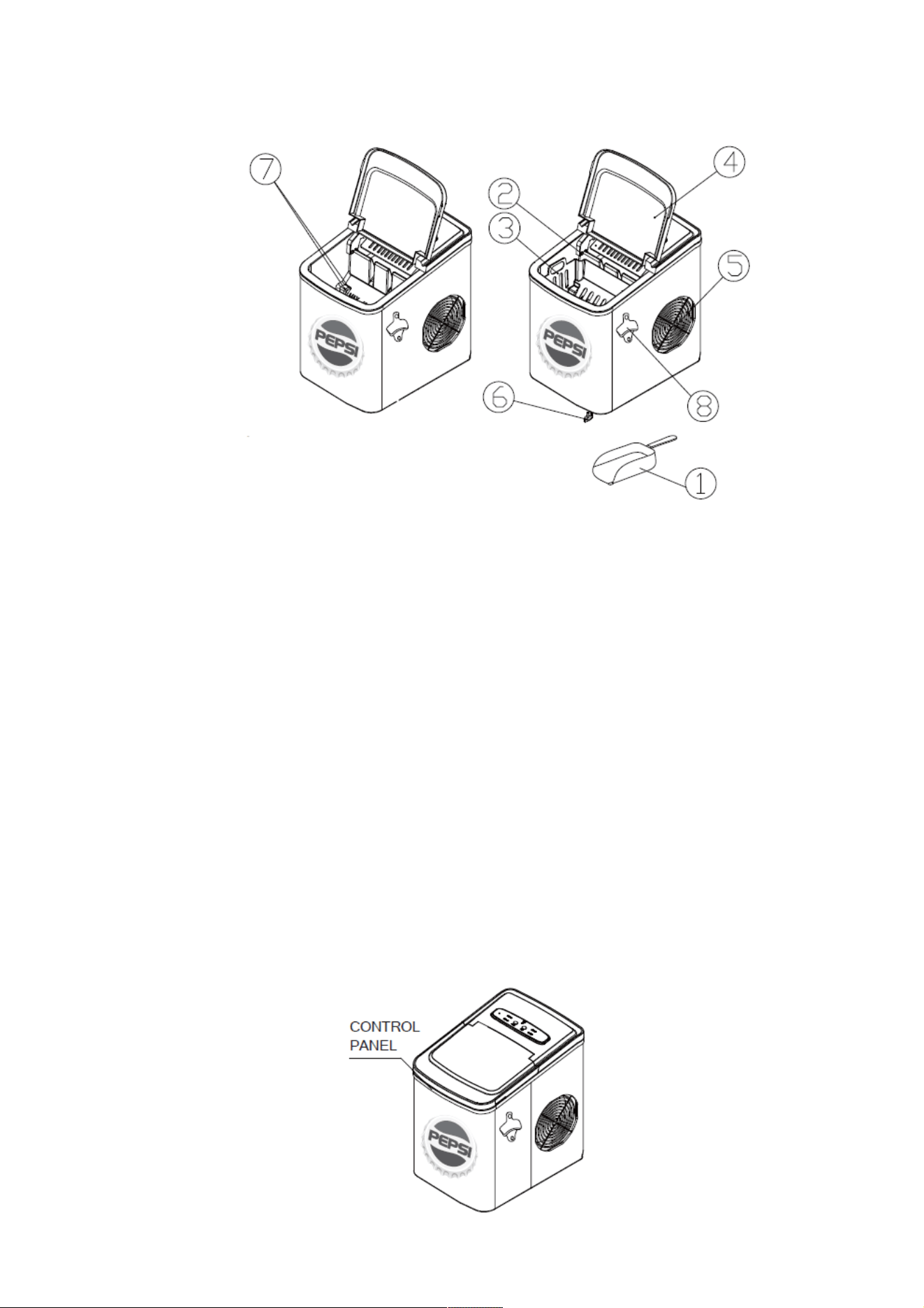
General instrucions
1. Ice scoop
2. Ice-full sensor
3. Ice basket
4. Top cover with transparent window
5. Air exhaust
6. Water drain cap: at front bottom side of the unit
7. MAXIMUM WATER LEVEL: ▲
Remove the ice basket, you can see the water level mark.
8. Bottle opener
OPERATING PROCEDURES & MAINTENANCE
Postion of control panel & function
Control Panel: Easy to use, visible functions touch display setting
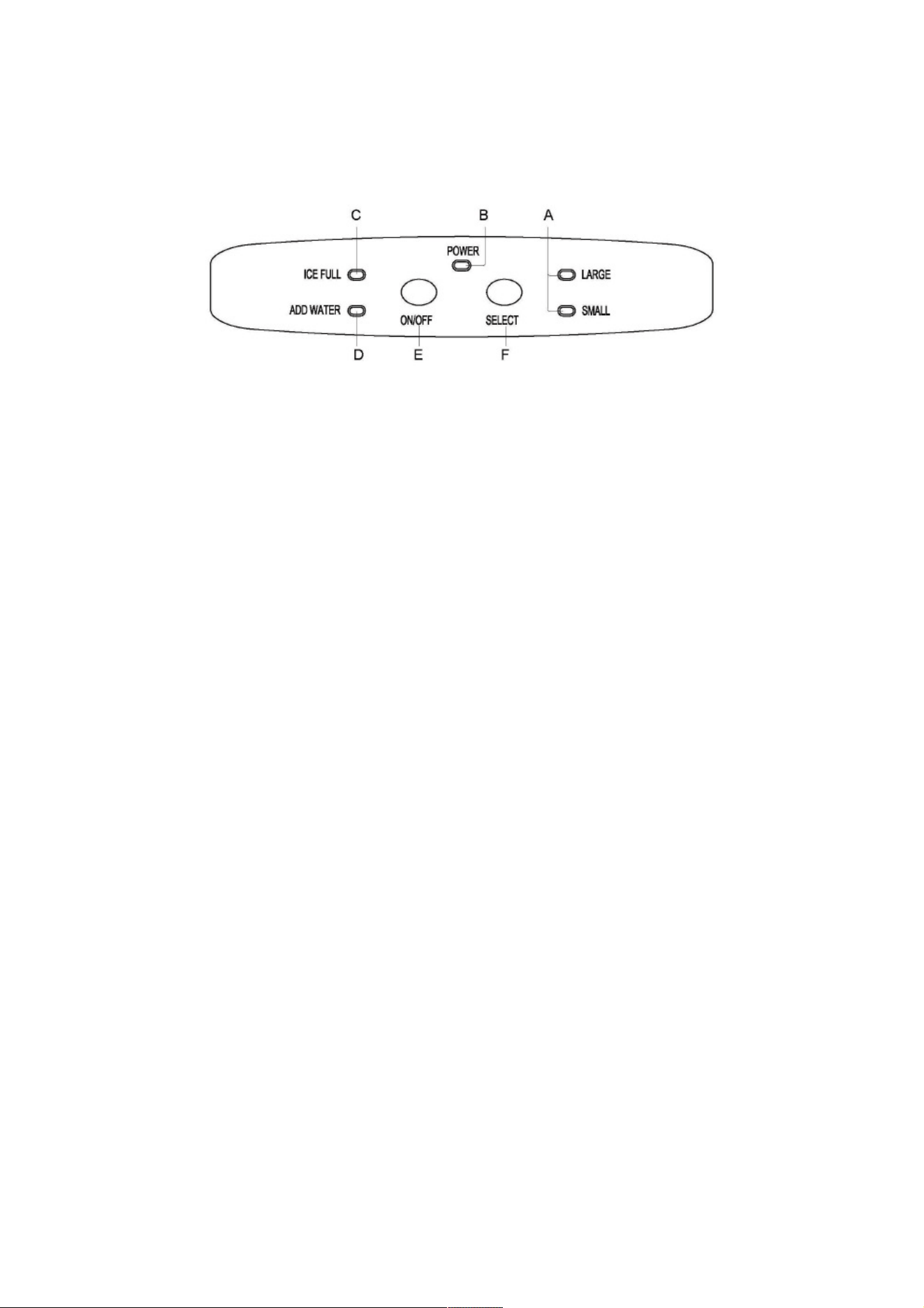
A. Selected ice size display: Small and Large
B. Power indicator
C. Ice-Full indicator
D. Water shortage indicator
E. Button to turn on/off the unit
F. Button to select ice cube size
BEFORE FIRST USE
This portable ice maker uses a fully-automatic control system, with an advanced microcomputer for easy and
convenient ice making. Making ice is simple and fast. Just add water, plug into an outlet, and press the ON/OFF
button. You can select one of the two ice cube sizes with the touch of a button. When first turning on the unit or
during ice-making cycles, the compressor will stay idle for 3 minutes, while energizing. There are warning
indicators that alert you to fill water when the reservoir is empty, and to remove ice when the storage basket is full.
The icemaker also has built-in safeguards that can limit accidental damage, automatically shutting down the
system when necessary.
Please read carefully.
1. The incline angle of the ice maker cabinet should not exceed 45˚ during transportation or use. Do not turn the
icemaker upside down. Inverting the ice maker could cause the compressor or refrigerating system to operate
incorrectly. When the ice maker is moved or transported, please allow time for the fluids in the compressor to
settle. Before using the ice maker for the first time, please wait 2 hours after the unit has been leveled and
positioned in its proper place.
2. Please ensure the ice maker is level and on a stable table or platform to avoid malfunction.
3. The machine must be placed on a dry and level surface with sufficient ventilation, far from heat sources such as
ovens, heaters and corrosive gases. Leave an 8″ (20 cm) clearance on all sides of the ice maker for proper
ventilation.
4. Do not fill the water reservoir with hot water. This may damage the ice maker. It is best to fill the water reservoir
with water of room temperature or lower.
USE YOUR ICE MAKER
1. Ensure that the drain plug underneath the front of the unit is closed and the water tube screen is in place.
2. Plug the ice maker into the wall outlet and the green power indicator light will blink (approximately every 5
seconds).
3. Open the cover and remove the ice basket.
4. Fill the water reservoir. NOTE: do not fill above the max water level mark at the back of the water reservoir.
5. Replace the ice basket and close the cover.
6. Press the ON/OFF button and the green POWER LED will light signifying that the unit is on.To change

between either the small or large ice size, press the SELECT button until the desired ice size is indicated.
7. The ice making cycle will last approximately 8-13 minutes depending on the ice size that is selected. The ice
making cycle starts with water being pumped into the Water
8. Tray situated below the Evaporator Fingers. Over the next 8-13 minutes ice forms on the Evaporator Fingers.
Once this has completed, the Ice Tray will tilt backwards and the remaining water in the Ice Tray is drained back
into the Water Reservoir. The ice cubes are then dropped from the Evaporator Fingers and pushed forward into
the Ice
9. Basket by the Ice Shovel. The Ice Tray will automatically move back into position under the Evaporator Fingers
and start the next cycle.
10. The ICE FULL LED light will light up when the ice basket is full and the Ice Maker will stop the ice making cycle
automatically. Gently remove the ice from the Ice Basket with the Ice Scoop. Once the Ice Basket has been
emptied and the Cover closed, the Ice Maker will restart its ice making function automatically.
11. The ADD WATER LED light will light up when there is no more water in the Water Reservoir, and the ice
making cycle will stop automatically. Press the Power Button once (the Power Button will flash every 5
seconds), remove the ice basket, and add water to the Water Reservoir.
NOTE: Do not fill above the MAX water level mark at the back of the Water Reservoir. Replace the ice basket,
and close the Cover.
IMPORTANT: Wait 3 minutes then press the Power Button to restart the ice making function.
12. When you have finished making ice, transfer the ice to a freezer.
NOTE: The ice will last in the Ice Maker for up to a 18 hour period, depending on the ambiant temperature.
Stop the ice making cycle by pressing the Power Button. Unplug the unit from the wall outlet. Open the Cover
and allow the Ice Maker to reach room temperature and follow the directions in the Care and Cleaning section.
CARE AND CLEANING
1. Stop the ice-making cycle by pressing the POWER button. the green LED light will go out, indicating the ice
maker is off. Unplug the Ice Maker from the wall outlet and allow the unit to warm up to room temperature.
2. If the Water Tray is not in the vertical position behind the Evaporator Fingers, gently push the Water Tray back
so that all water drains into the Water Reservoir.
3. Open the Drain Plug to drain out excess water.
4. Remove the Ice Basket.
5. Remove the Water Tube Screen and rinse under running water.
6. Clean the Ice Maker interior with a soft cloth dampened in warm water and vinegar. Rinse with a clean, damp
cloth.
7. Replace the Drain Plug and the Water Tube Screen. Wash the Ice Basket and Ice Scoop in warm soapy water.
Rinse and dry.
8. Clean the exterior of the Ice Maker with a soft, damp cloth. Use a mild dishwashing soap if necessary.
9. IMPORTANT NOTE: Do not clean the Evaporator Fingers.
TROUBLESHOOTING GUIDE

PROBLEM POSSIBLE CAUSES SOLUTION
ADD WATER
indicator light turns on.
Low water level or lack of water.
Add water and the icemaker will op
erate automatically.
There is no indication on the control
panel.
Plug disconnected.
Check that the plug is plugged into
the electrical outlet.
ICE FUL L and ADD WATER
indicators light up simultaneously.
Electrical power surge.
Air in the lines or the lines are block
ed. The water tank cannot detect w
ater level.
Turn off ice maker, unplug from elec
trical outlet, refill water if required, r
eplace the plug, then restart the uni
t.
Inspect relative parts. Remove the
drain cap on the back of the unit an
d drain out a small amount of water.
Replace cap and restart ice maker.
Check if ice is blocking the ice push
er. Turn off the ice maker, let the ice
melt, then restart.
The ICE FULL indicator light is on. The ice basket is full.
Remove ice from the ice storage ba
sket to make more.
The unit does not operate.
Power is not being supplied to the
unit.
The ambient temperature or the wa
ter temperature is too high.
Plug the unit into a standard 110/12
0 V 60 Hz, power source.
Please run the ice maker in temper
atures below 32°C (90°F) and/or po
ur colder water into the water reser
voi r.
Ice blockage. No ice is being made.
Making ice takes too much time.
Turn off the machine. Start the mac
hine after the ice block melts. Or ch
ange the size selector to small ice c
ubes.
The ice-making cycle seems norma
l but no ice is produced.
There is refrigerant leakage. A pipe
in the cooling system is blocked.
Consult a qualified technician or cal
l customer service.
To make a warranty claim. Please email Support@curtiscs.com or call 1-800-968-9853.
1 Year Warranty
This product is warranted to be free from defects in material and workmanship for a period of one (1) year from
the date of original purchase. During this period, your exclusive remedy is repair or replacement of this product or
component found to be defective, at our option; however, you are responsible for all costs associated with
returning the product to us. If the product or component is no longer available, we will replace with a similar one of
equal or greater value. Prior to a replacement being sent, the product must be rendered inoperable or returned to
us.
This warranty does not cover glass, filters, wear from normal use, use not in conformity with the printed
directions., or damage to the product resulting from accident, alteration, abuse, or misuse. This warranty extends
only to the original consumer purchaser or gift recipient. Keep the original sales receipt, as proof of purchase is
required to make a warranty claim. This warranty is void if the product is used for other than single-family
household use or subjected to any voltage and waveform other than as on the specified rating on the label (e.g.,
120V-6OHz).
We exclude all claims for special, incidental, and consequential damages caused by breach of express or implied
warranty. All liability is limited to the amount of the purchase price. Every implied warranty, including any statutory
warranty or condition of merchantability or fitness for a particular purpose, is disclaimed except to the extent
prohibited by law, in which case such warranty or condition is limited to the duration of this written warranty. This
warranty gives you specific legal rights. You may have other legal rights that vary depending on where you live.
Some states or provinces do not allow limitations on implied warranties or special, incidental, or consequential
damages, so the foregoing limitations may not apply to you.
For faster service, locate the model, type, and serial numbers on your appliance.
ATTACH YOUR PROOF OF PURCHASE HERE, PROOF OF PURCHASE IS REQUIRED TO OBTAIN
WARRANTY SERVICE.
Please have the following information available when you contact the Support Team:
Name, address and telephone number.
Model number and serial number.
A clear, detailed description of the problem.
Proof of purchase including dealer or retailer name, address and date of purchase.
For service assistance and product information.please call: 1-800-968-9853.
Curtis International Ltd.
7045 BECKETT DRIVE, UNIT 15, MISSISSAUGA,ON, L5S 2A3 www.curtisint.com
Documents / Resources
pepsi ICE147PEP Ice Maker [pdf] Owner's Manual
ICE147PEP Ice Maker, ICE147PEP, Ice Maker
Manuals+,