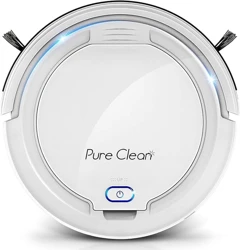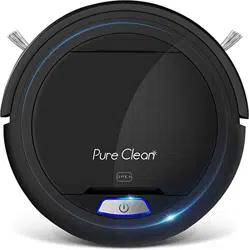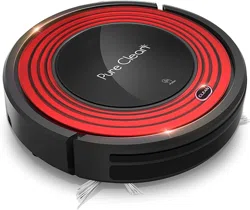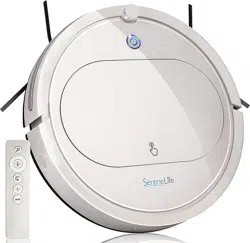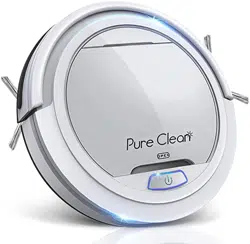

Mini Robotic Vacuum Cleaner

www.PyleUSA.com
2
3
4
4
5
6
7
8
8
8
9
9
12
13
TABLE OF CONTENTS
SAFETY INSTRUCTIONS
* BATTERY AND RECHARGING INSTRUCTIONS
PRODUCT FEATURES
MAIN BODY AND ACCESSORIES
BATTERY INSTALLATION AND REMOVAL
RECHARGING BATTERY
GENERAL OPERATION
* STARTING OPERATION
SIDE BRUSH INSTALLATON
CLEANING AND MAINTENANCE
*CLEANING DUST BIN
*CLEANING INTAKE
TROUBLESHOOTING

www.PyleUSA.com
3
SAFETY INSTRUCTIONS
Read the safety instructions before operating Mini Robotic Vacuum
Cleaner and keep this manual handy for your future reference. Observe
the basic safety rules to prevent any occurrence of re, electric shock and
personal injury.
1. Do not operate the Mini Robotic Vacuum Cleaner outdoors.
2. Before starting to use the Mini Robotic Vacuum Cleaner, make sure the
dust bin lter is properly installed.
3. Do not use this product in wet or moist environments (any environment
with liquid), e.g. bathroom or laundry room.
4. Before you use the Mini Robotic Vacuum Cleaner, remove any loose
articles on the oor such as clothes, paper, loose cables, or extension cords.
Additionally, lift curtains and drapes o the oor to avoid any possible
accidents. If a loose cable is tangled with the Mini Robotic Vacuum Cleaner,
the cable may be dragged with the Mini Robotic Vacuum Cleaner and
could topple furniture or cause property damage.
5. Never stand or sit on the Mini Robotic Vacuum Cleaner. Use Caution when
operating the Mini Robotic Vacuum Cleaner around children or pets.
6. DO NOT let the Mini Robotic Vacuum Cleaner approach cigarettes,
lighters, matches or other ammable objects or combustible materials.
7. Never use the product to clean up combustible or highly volatile liquids
such as gasoline.
8. While the product is in operation, make sure all doors leading outside are
closed.
9. If the Mini Robotic Vacuum Cleaner malfunctions or is damaged by force,
do not operate regardless the cause. Call your local dealer for service
information.
10. Before charging, ensure that the adapter and outlet are properly connected.
11. The Mini Robotic Vacuum Cleaner operates in temperatures from 32°F to
104°F. Do not use this product in high-temperature environments or under
intense sunlight.
12. The appliance is not intended for children, people with reduced physical
sensory or mental capabilities, or those with a lack of experience and
knowledge. Proper supervision or instruction should be given to all users
for safety reasons.
13. Do not let children play with the appliance.
www.PyleUSA.com
4
BATTERY AND RECHARGING INSTRUCTIONS
1. The battery is rechargeable, please use the voltage and current specied on
the packing. If you are not sure of the voltage and current of your house,
please contact the seller or local power company of a licensed electrician.
(Only use battery pack which provided by manufacturer or specied by
manufacturer, please check the polarity before installing the battery.
Battery voltage: 11.1V DC
Working current: 700-800mA
2. Only use the original battery and power adapter of the product for charging.
3. Charging adaptor is for indoor use only.
4. Do not recharge the product if the battery cord or plug is damaged.
5. Never touch the charger, plug or cable with damped hands.
6. Before cleaning the product, unplug the adaptor, switch o the unit and
take out the battery.
7. Please take out the battery when it is not in use for a long time.
8. The battery must be removed from the product before it is scrapped.
9. Switch o the Mini Robotic Vacuum Cleaner before taking out the battery.
Recycle and dispose the waste battery properly.
PRODUCT FEATURES
This revolutionary Mini Robotic Vacuum Cleaner is equipped with functions
suitable for cleaning up oor surfaces of home and oce such as wood, tile,
and linoleum. The Robotic Vacuum Cleaner is denitely a good household
helper.
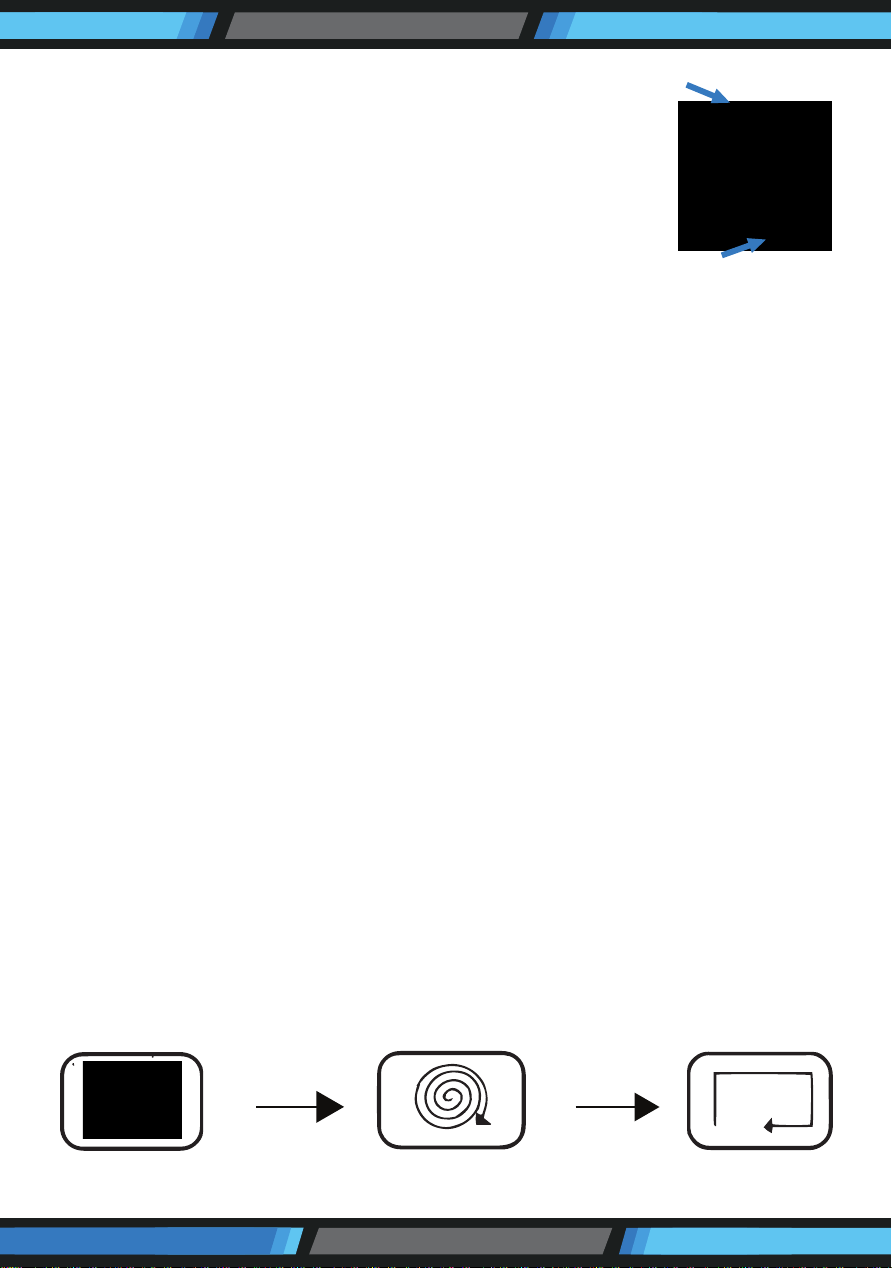
NOTE:
Take out or remove the packing foam from behind the
front bumper before using the Mini Robotic Vacuum
Cleaner.
Random
Spiral
Along the wall
www.PyleUSA.com
5
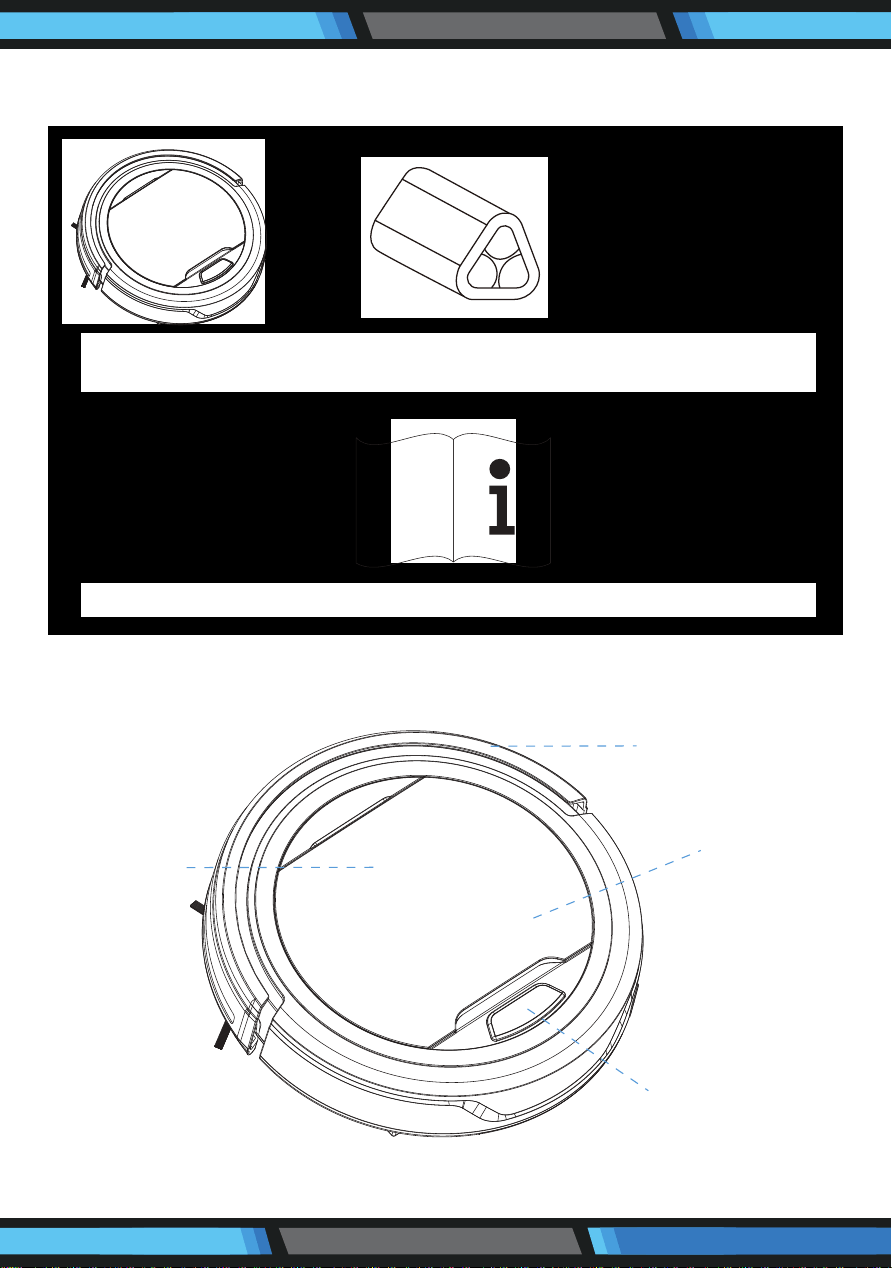
Main Body x 1 Rechargeable Battery x 1 Adapter x 1
Filter x 1 User Manual x 1 Side brush x 2
MAIN BODY AND ACCESSORIES
MAIN BODY AND ACCESSORIES
Bumper
Top Cover
Inner Dustbin
Switch ON/OFF
www.PyleUSA.com
6
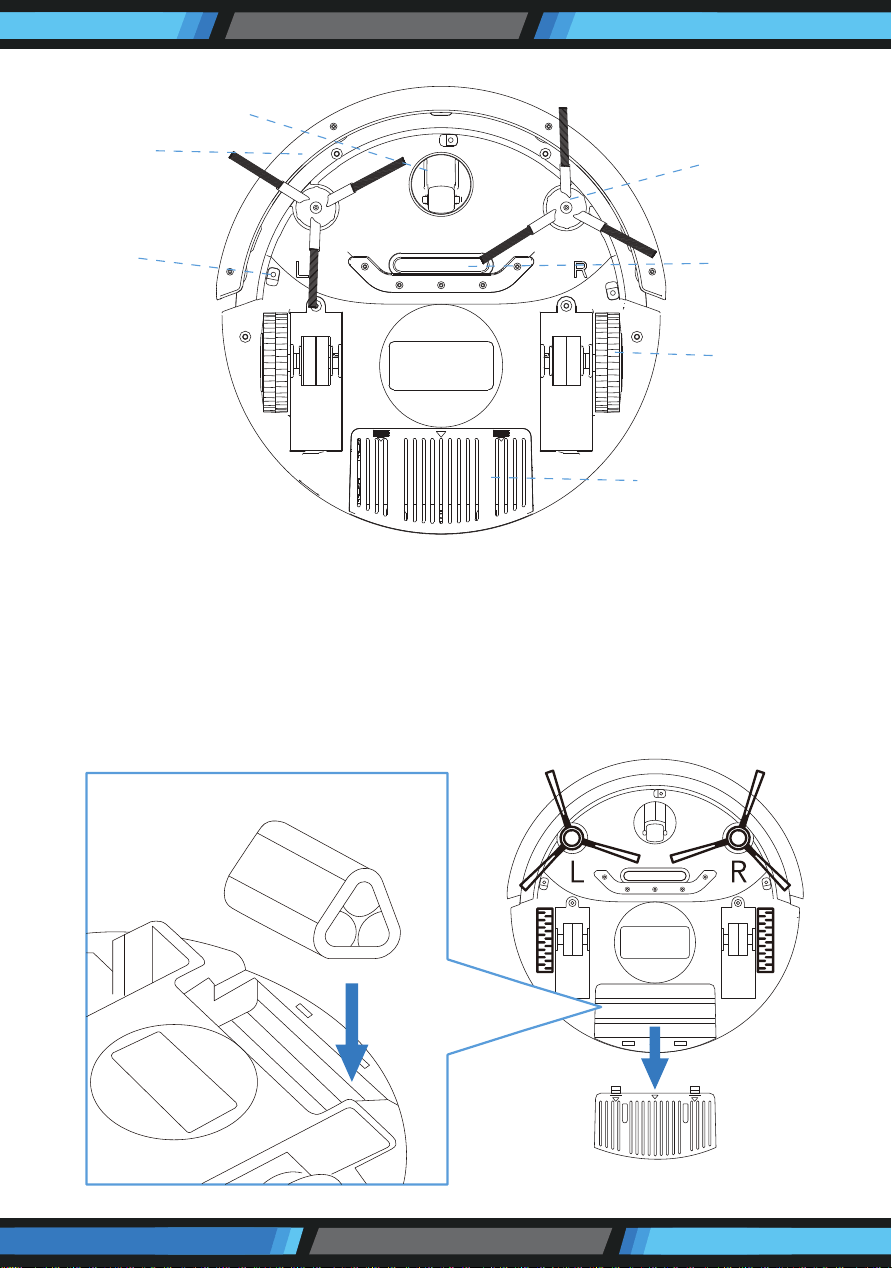
BATTERY INSTALLATION AND REMOVAL
1. Before installing or removing the battery, the product must be disconnected
from the power source.
2. Open the battery cover.
3. Insert the battery into the battery cabinet and close the cover.
Make sure the cover clips well Iocated in its position.
Front Wheel
Bumper
Anti Drop
Sensor
Side Brush
Vacuum
Intake
Wheel
Battery House
www.PyleUSA.com
7
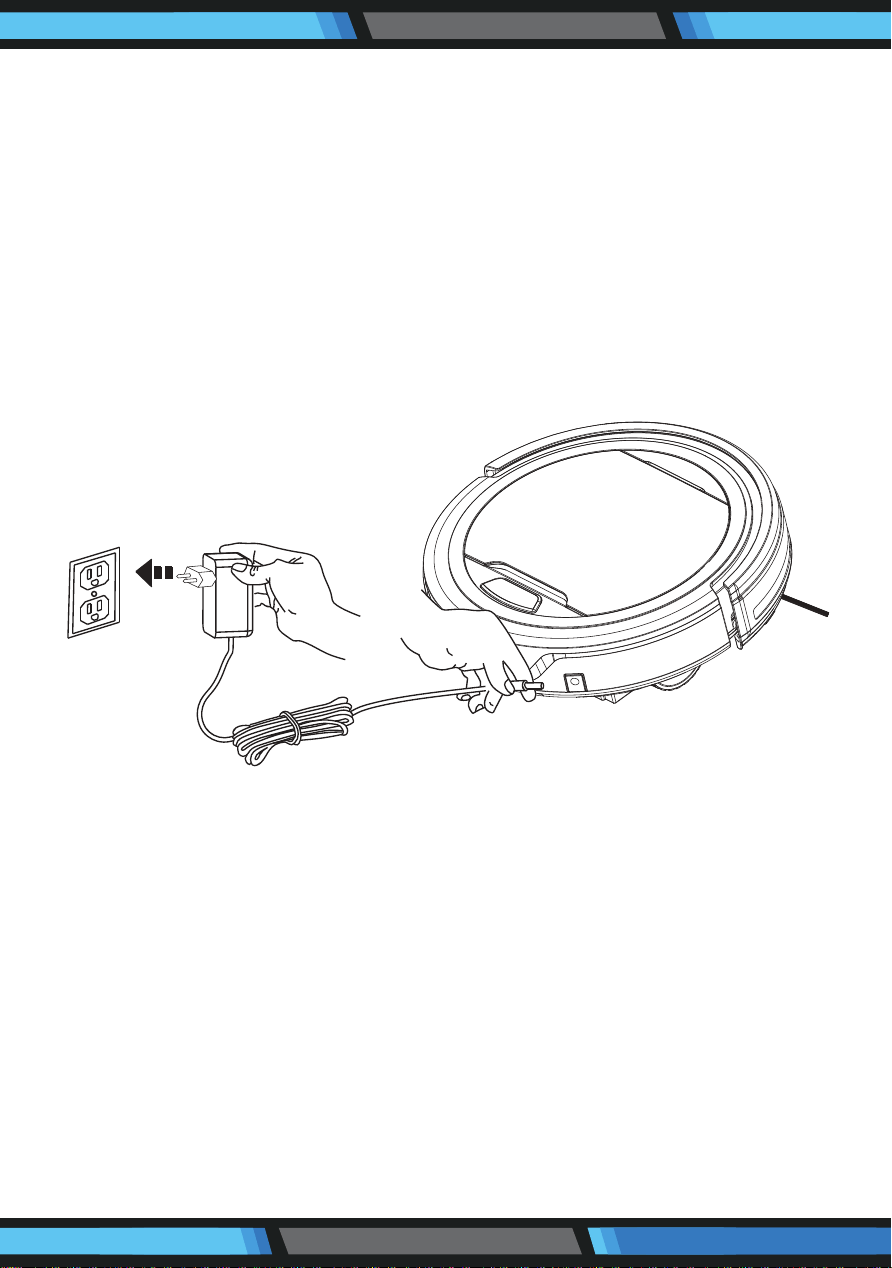
RECHARGING BATTERY
1. Before charging, make sure the battery is correctly installed.
2. To charge the product, connect the adapter output into the DC jack, then
plug the output into a wall outlet. A blue light will ash when charging.
3. After it is fully charged, the indicator light will turn to a solid blue light.
4. When the product runs out of power, an LED indicator will turn red/purple
to signal that charging is needed.
5. To ensure the best performance and life span of the battery, please charge
the product for at least 3 hours continuously.
NOTE:
a. Charge the Mini Robotic Vacuum Cleaner for at least 8 hours before rst use.
b. When the battery is low, please charge as soon as possible.
c. If you are not using the robot for an extended period of time, please fully
charge the battery and remove it, then store it in a well ventilated and dry
place.
d. If the robot is unused for more than 3 months, please charge it for at least
8 hours before using again.
Adapter Plug
Adapter Plug Outlet
www.PyleUSA.com
8
GENERAL OPERATION
Starting Operation
1. Place the product in a room with a lot of free space, then power it on.
2. When the product runs out of power, the LED indicator in the illumination
ring will turn red and the product will stop working.
Note: *This product is not suitable for long-pile carpets
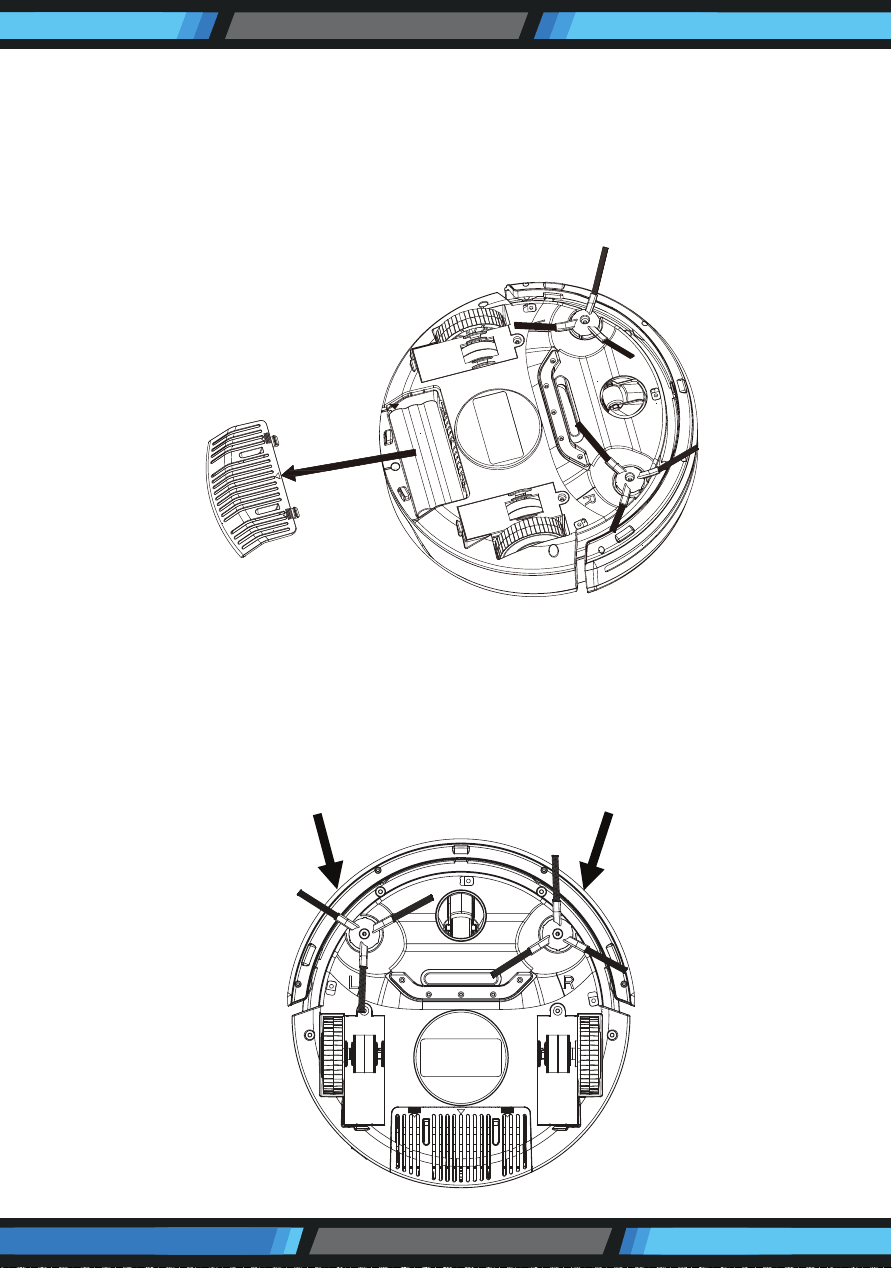
SIDE BRUSH INSTALLATION
Install the L side brush in the L slot and the R side brush in the R slot on the
bottom of the vacuum. Be sure that each side brush clicks into place.
To remove side brushes, pull rmly up.
www.PyleUSA.com
9
CLEANING AND MAINTENANCE
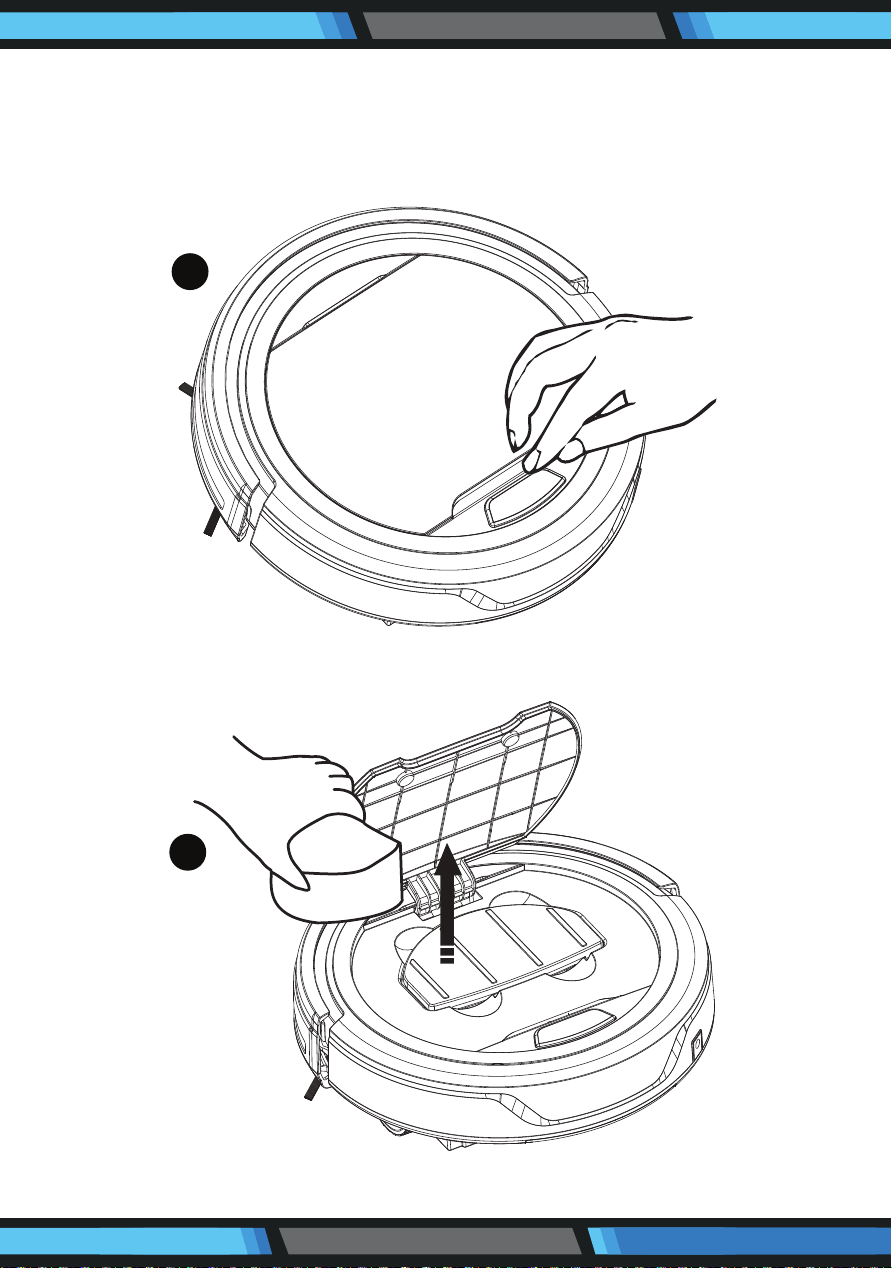
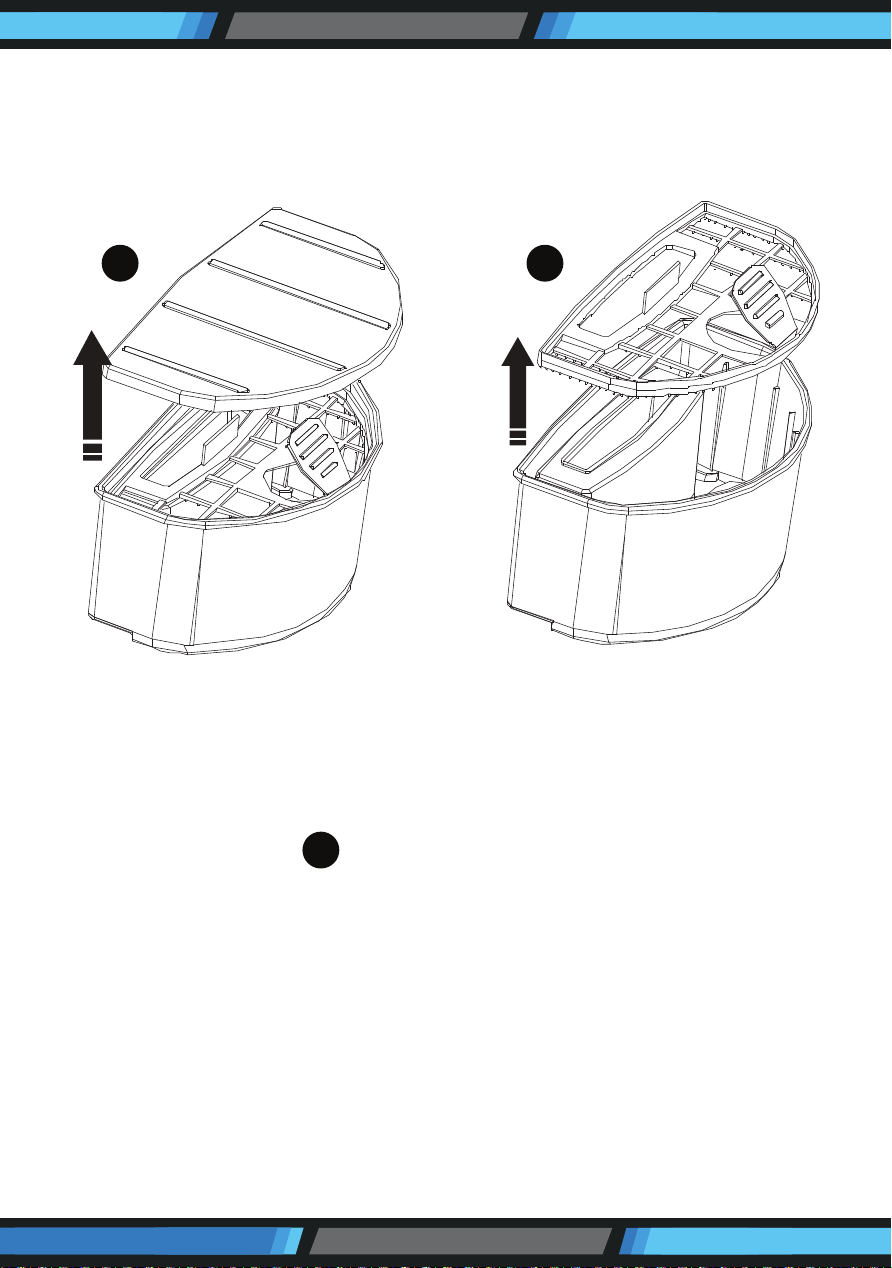
Cleaning Dust Bin
1. Open the upper cover by lifting the lid near the power on/o button
2. Put your nger into the dust bin groove and grip to take it out
1
2
www.PyleUSA.com
10
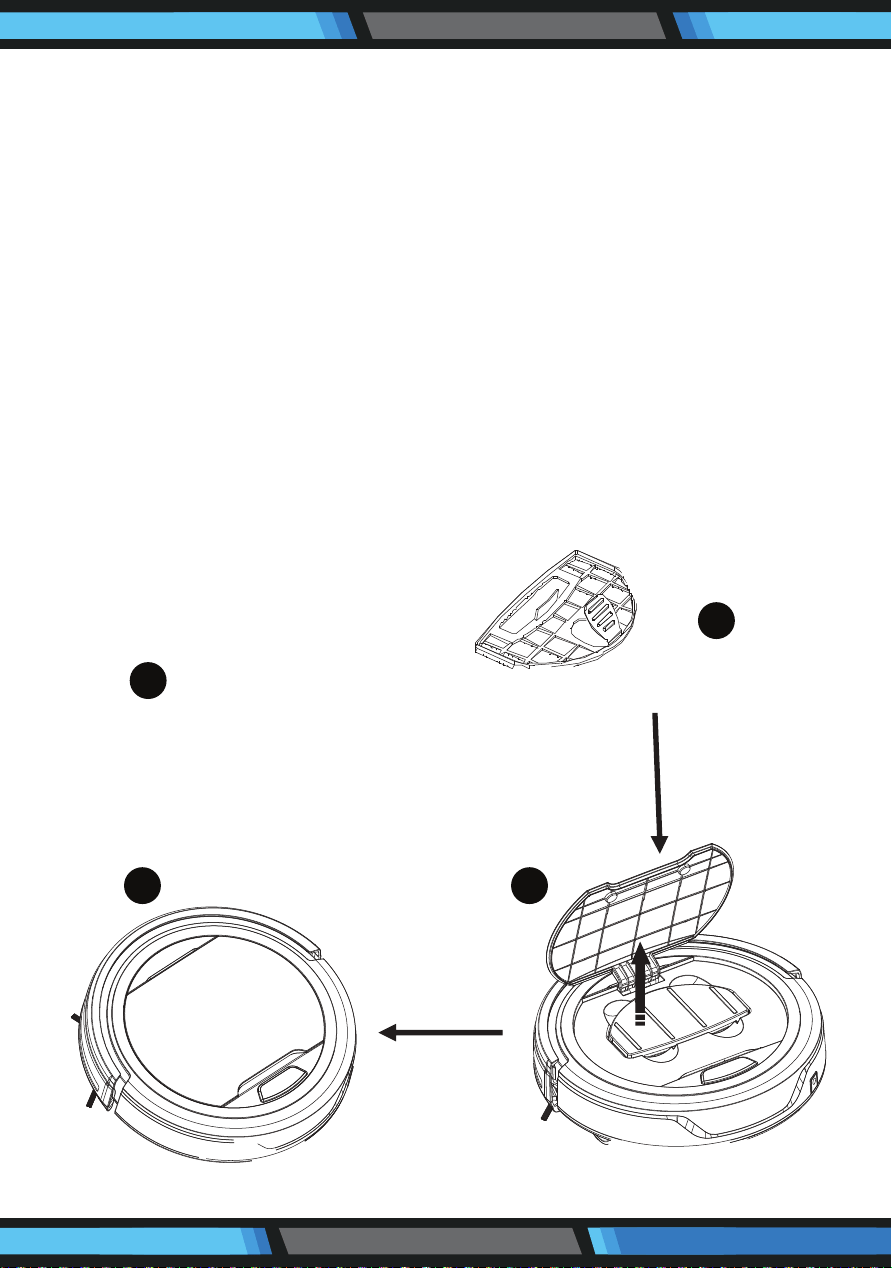
3. Open the lid of dust bin.
4. Take out the inner lter.
5. Empty the dirt in the dust bin.
3 4
5
www.PyleUSA.com
11
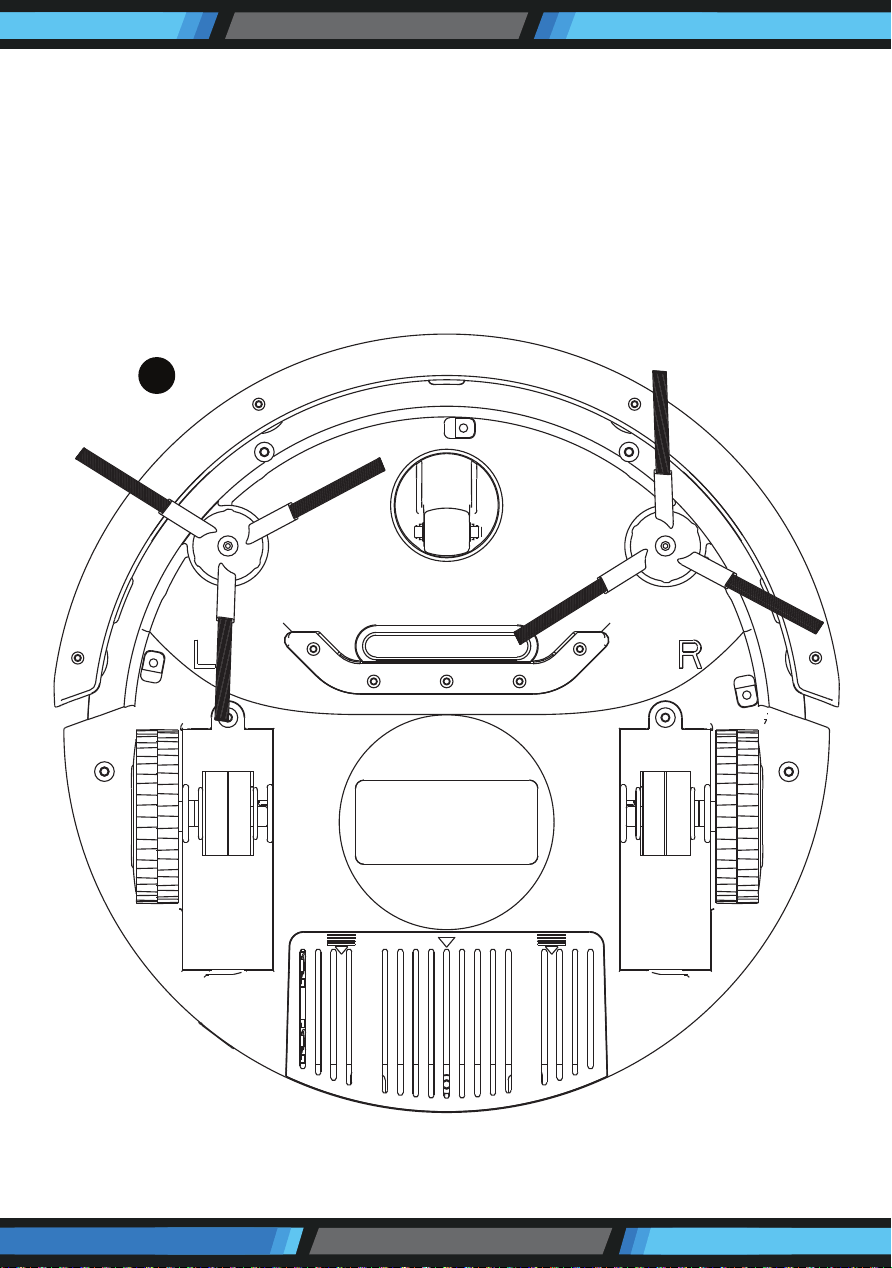
6. Rinse the dust bin with tap water. Do not wash it in washing machine, dish
washing machine or other machine.
7. Periodically clean the lter with a soft bristle brush
8. Reinstall the lter and the dust bin lid when fully dry.
9. Put the dust bin back into the vacuum.
NOTE:
Before putting back the dust bin, make sure the PE pad (function as non-return
valve) in the dust bin is well located. Recheck the lter also before operating
the product. Operating the product without lter might cause malfunction.
6
7
9 8
www.PyleUSA.com
12
Cleaning Intake
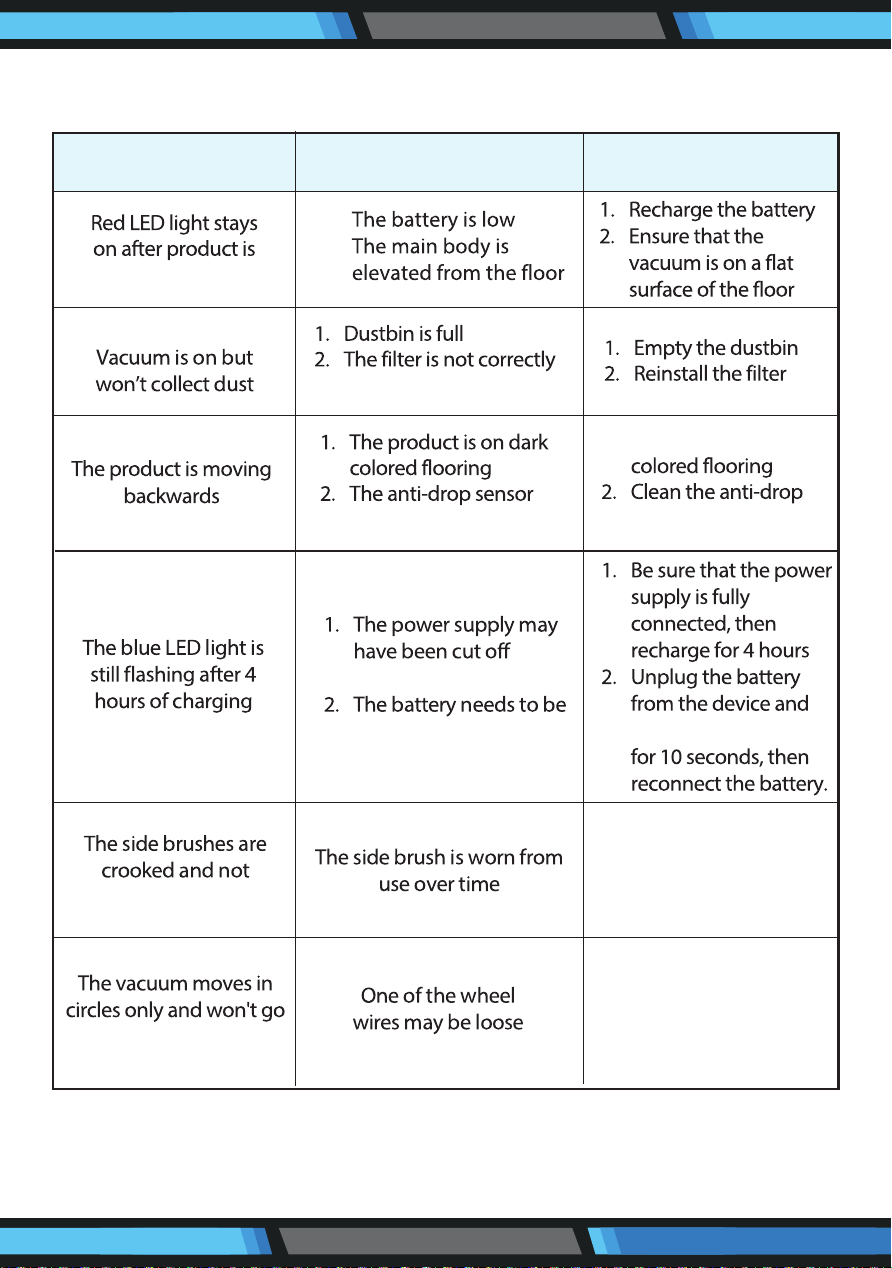
With use over time, dirt and dust may accumulate around the intake of
the product. For best cleaning results and eciency, the intake should
be cleaned periodically.
1. Remove the external power source.
2. Cleanup the dirt and dust at the intake
10
www.PyleUSA.com
13
TROUBLESHOOTING
PROBLEM POSSIBLE CAUSE SOLUTION
powered on
sweeping well
straight
installed
light is covered
during charging
reset
1. Put the robot on light
sensor light
hold the power button
1. Open the wheel
cover and connect the
loose wire properly
2. Send the robot to
seller for repair
1.
2.
1. Pour hot water over
brushes to revert to
their original shape
2. Replace side brushes