POWERSPORTS
USER’S MANUAL
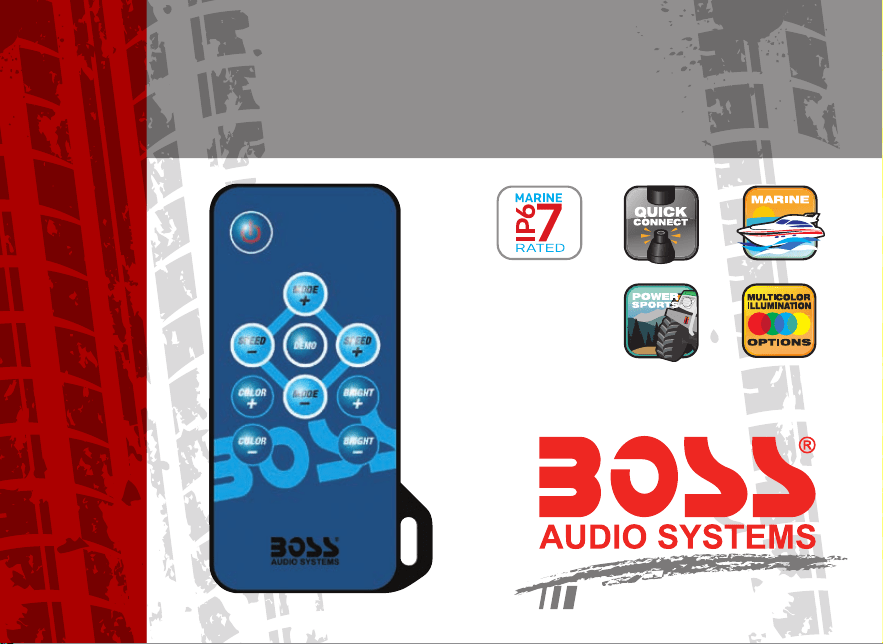
RF WIRELESS REMOTE
RGB LED CONTROLLER
0419
USER’S MANUAL
RF WIRELESS REMOTE
RGB LED CONTROLLER
BOSS Audio Systems
3451 Lunar Court • Oxnard, CA 93030
www.bossaudio.com
800-999-1236 US Toll-free
805-751-4853 Customer Service
Tech Support: www.bossaudio.com/support/technical-support

1
RF Wireless Remote
Advanced
• 22 Dynamic Modes
• 20 Static Colors
• Very Smooth Eects
• Speed Adjustable
• Brightness Adjustable
• Card Type RF Remote
• Ultra Slim Design
• Dynamic Demo Mode
• Easy Remote Pairing
• Direct Color Select
RGB LED Controller
Instruc tions
2

1
2
3
9
10
4
7
8
5
6
Functions
3

1. Turn On/Standby Mode
Press this key to turn on unit or switch to Standby Mode.
2/8. Dynamic Mode Adjust
Switch to Dynamic Mode from static color, or switch between Dynamic Modes.
3/9. Dynamic Speed Adjust
Adjust Dynamic Playing Speed. Press SPEED+ to increase speed and press
SPEED- to decrease. Unit will switch to Dynamic Mode, if this key is pressed
during Static Color Mode.
4/5. Static Color Adjust
Switch to Static Color Mode from Dynamic Mode, or press COLOR+ or COLOR-
to change colors.
6/7. Brightness Adjust
Adjust static color brightness. Press BRIGHT+ to increase brightness and press
BRIGHT- to decrease. Unit will switch to Static Color Mode, if this key is pressed
during Dynamic Mode.
4

10. Demo Mode
Pressing this key will switch to Demo Mode. In Demo Mode, it plays 12 Dynamic
Modes in loop, each mode repeats 3 times.
Installing
1. Power Supply
Operational voltage is 12V DC, negative ground. The DC jack’s inner pole (or red
cable) is positive and sleeve (or black cable) is negative. Also, please make sure
the power supply voltage is same as the LED load.
2. LED Output
This unit supports common anode connection LED products. The mark ‘ ’
indicates the common connection node.
The peak output current is 4 amperes and maximum constant current is 2 amperes
per channel. Please reduce load if main unit is overheating.
5

–
+
CAUTION! Do not short circuit or overload the LED outputs, this may
lead to permanent damage!
Operation
1. Using Remote Controller
Please pull out the battery insulation tape before using. The RF wireless remote
signal can pass through barrier, so it’s not necessary to aim at the main unit
when operating.
1
2
LED CONTROLLER
Common
Node
Peak Output Current : 3x4A 189
RF Remote / Easy Color / Switchable
RGB LED
–
+
5-24V
6

For proper receiving remote signal, please do not install the main unit in closed
metal parts.
2. Pairing New Remote
The remote and main unit is 1 to 1 paired as default. Furthermore, main unit can
be paired to 3 remote controllers and each remote controller can be paired to
any main unit. Please do following steps to pair new remote controller:
1). Plug o the power of main unit and plug in after 5 seconds.
2). Press ‘SPEED-’ and ‘SPEED+’ Key together in seconds after power on.
After this operation, the main unit will recognize the new remote controller.
3. Free Remote Pairing Mode
In some specic cases, the main unit may need to be paired to any remote
control. Please do following steps for free remote pairing mode:
1). Unplug Power cable so the unit is OFF, and plug back in after 5 seconds.
7

2). Press ‘ON/OFF’ and ‘MODE+’ Key together 5 seconds after powering on.
After this operation, the main unit will recognize any remote control. To pair
the main unit back to specic remote, please repeat the ‘pairing New Remote’
operation.
4. Switch Output Color Sequence
The controller’s default output signal sequence is Common-Green-Red-Blue. If
the LED application is in dierent cable sequence, the direct color keys will not
match the LED color.in this case, user can adjust the output signal sequence
with following steps:
1). Unplug the power so the main unit is o for 5 seconds.
2). Press ’RED’ and ‘BLUE’ color key together in 5 seconds after powering on.
With this operation, the output sequence will switch between 6 possible
combinations. The sequence will be stored in memory so on next operation it
will be the same.
8

9
Specifications
Dynamic mode
22 modes
Static Color
20 colors
PWM Grade
256 levels
Brightness Grade
5 levels
Speed Grade
10 levels
Demo Mode
Yes
Direct Color Select
Yes
Output Color Switchable
Yes, 6 options
Operational Voltage
12V DC, negative ground
Output Current
3x4A peak, 3x2A constant
Remote Frequency
433.92MHz
Remote Distance
> 15m at Open Area

NOTES
10

POWERSPORTS
USER’S MANUAL
RF WIRELESS REMOTE
RGB LED CONTROLLER
0419
USER’S MANUAL
RF WIRELESS REMOTE
RGB LED CONTROLLER
BOSS Audio Systems
3451 Lunar Court • Oxnard, CA 93030
www.bossaudio.com
800-999-1236 US Toll-free
805-751-4853 Customer Service
Tech Support: www.bossaudio.com/support/technical-support