THIS INSTRUCTION BOOKLET CONTAINS IMPORTANT SAFETY INFORMATION. PLEASE READ AND KEEP FOR FUTURE REFERENCE.
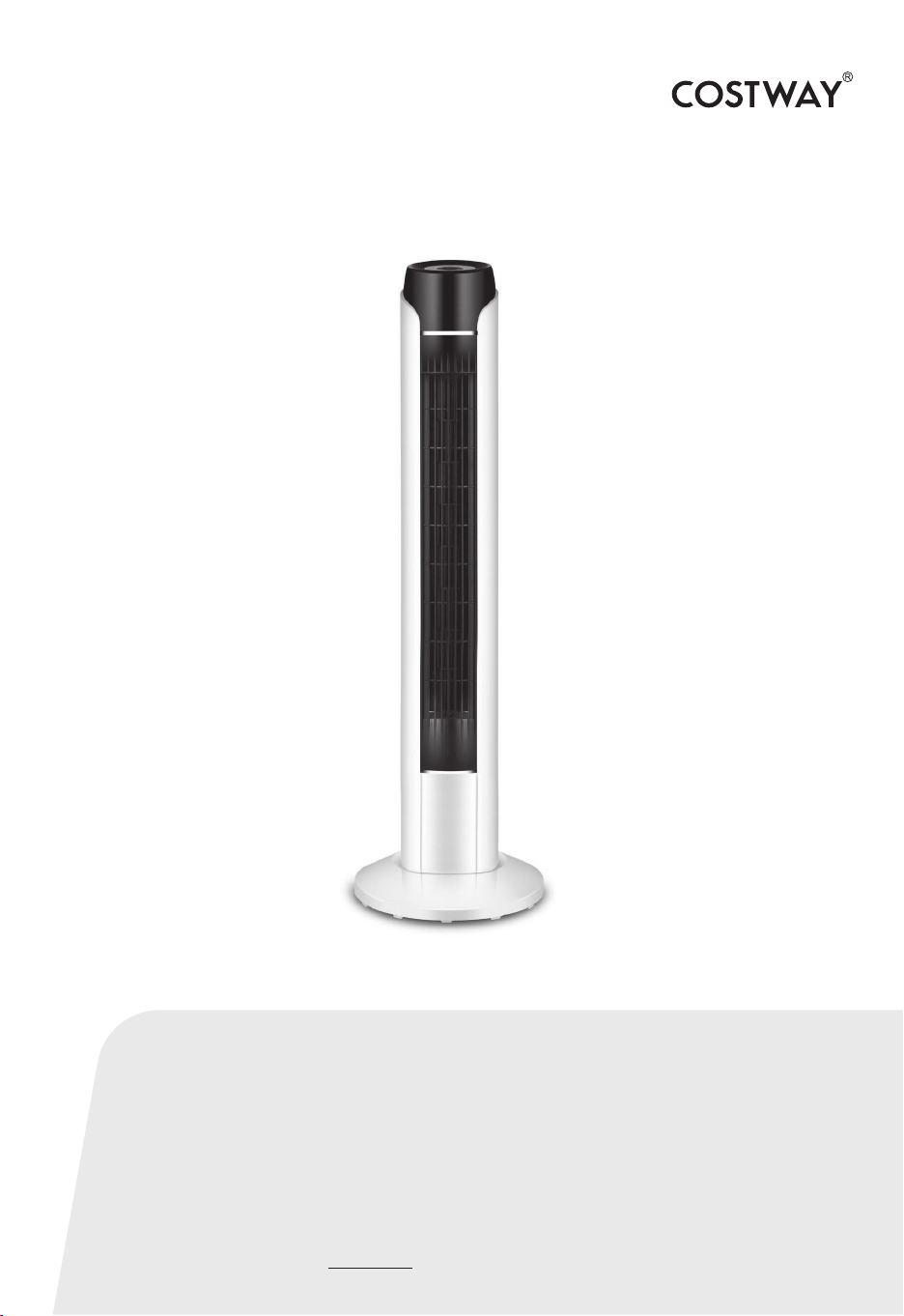
Tower Fan
ES10145US-WH
USER’S MANUAL

SAFETY CAUTIONS
To avoid damage or danger by improper use, these users’ instructions
should be followed and carefully kept. If you give the appliance to
another person, also supply them with the instruction for use.
Intended use:
The appliance has to be used only in the way indicated in the
instruction manual.
Only use the appliance for domestic purpose – the appliance is not
suited for commercial use.
Do not use the appliance outdoors.
In case of damage and accidents caused by not following this
instruction manual the manufacturer assumes no liability.
• Before first use ensure that your mains voltage corresponds to that
stated on the rating plate of the appliance.
• Connect this appliance to a wall socket which is wired according to
the regulations (120 V, 60 Hz) only.
• The wall socket must continue to be easily accessible after the
appliance is plugged in.
• Install cable in place to prevent accidental tripping or pulling.
• Ensure that the cable never comes into contact with rotating parts,
sharp edges and hot objects.
• Do not let the cord hang over edge of table or counter or sharp
edged surfaces.
• The appliance is forbidden to be operated by separate timer or
separate remote appliance.
• Additional protection may be obtained by fitting an earth-leakage
circuit-breaker (IF=30mA) into your home installation. Please consult
a qualified electrician.
02
• Do not operate any appliance if:
– power cord is damaged
– in case of malfunction or if it shows any breaks, has been dropped
or damaged in any manner.
• The device should not be near heat sources such as an oven, stove
or heater operated or stored to avoid damage.
• The appliance must always be disconnected from the mains after
use and before assembly or cleaning and during transport.
• If the mains power cable of this appliance should become damaged,
it must be replaced qualified specialist, in order to avoid any hazards.
• In any case ask a (*) competent qualified electrician to check and
repair it.
(*) Competent qualified electrician: qualified and capable of performing such
repairs to avoid all hazards and risks of injury
• Caution! An electric appliance is no toy!
Children must be supervised so that they are not playing with the
appliance.
• This appliance can be used by children aged 8 years and above and
by persons with reduced physical, sensory or mental capabilities or
lack of experience and knowledge if they have been given supervision
or instruction concerning use of the appliance in a safe way and they
understand the hazards involved.
• Children shall not play with the appliance.
• Cleaning and user maintenance must not be performed by children
unless they are supervised.
03
• Explain to your children all risks which can be caused by electric
appliances:
– Danger caused by rotating or sharp-edged parts of the appliance.
– Danger caused by electric current.
• Keep the appliance at any time out of reach of children or persons
who cannot handle electric appliances properly.
The appliance must be placed and stored out of the reach of children.
Ensure that nobody can pull on it or stumble over the cord.
• Do not leave packaging components (plastic bags, cardboard,
polystyrene, etc.) within the reach of children, as it could be
dangerous – danger of suffocation!
• Caution! Danger of electric shock! Appliance, cord and plug
should never get into contact with water or any other liquids to avoid
the risk of electric shock:
– never immerse the appliance, the cord or the plug in water or any
other liquid for any reason whatsoever
– the cord should never get wet or get in contact with humid things.
– never use the appliance near a sink, or bathtub to avoid danger of
falling into water
– protect the housing from moisture, dripping and splashing water.
– never touch the appliance with wet hands or standing on a wet
ground
– never place the appliance on wet ground
– never use the appliance outdoors
– should the appliance fall into water, immediately disconnect the
power plug from mains. Only then remove the appliance.
– if liquid gets into the housing, immediately pull out the mains plug.
Before using again have the appliance checked.
04
• Caution! Danger of injury! To avoid the risk of injury, please
note the safety instructions below:
• The air flow from the fan should not be directed on elderly or sick
people, children or pets.
• Never insert any objects or tools into the appliance openings or the
fan grid or reach into it with hands / fingers.
The appliance might be damaged. Be careful of electric shock and
other hazards. Pay special attention to children to prevent them from
touching the fan.
• Caution! Risk of damage!
• During use, the appliance has to be placed on an even, clean, stable
and dry surface. Keep the appliance away from hot gas, hot ovens
and other heat-emitting appliances or heat sources. Never use the
appliance on a hot or wet surface. Never place the appliance near
moisture, heat and naked flames.
• Make sure that the fan can rotate freely and that its oscillating
movement is not obstructed by any items.
• Make sure that there are no hair, curtains, drapes, table cloths or
similar items in the vicinity of the fan. They might be sucked in and
cause personal or material damage.
• Never cover the appliance with blankets, clothing items or similar
things during use. The space above the appliance and around the fan
has to be kept free at all times.
• Never move or lift the fan while it is in use.
• Do not spray anything into the fan – not even insect spray.
05

SCOPE OF DELIVERY
• Fan body
• Remote control
• Stand (2 parts)
• 1 locking screw
BEFORE FIRST USE
• Carefully take the appliance out of the packaging and remove all
transport stickers, labels (except for the type plate) and packaging
materials.
• Make sure that the appliance is without damage, firmly assembled
and ready for use. Should you have doubts, do not start using the
appliance and contact your nearest qualified technician.
• Make sure that nobody plays with the packaging material, especially
with the plastic bags – suffocation risk!
• Place the appliance on a dry, stable surface as described in the
safety precautions.
• Caution! Unplug the appliance,
– when the appliance is not in use,
– if there is a malfunction,
– before assembling or cleaning the appliance
• To unplug only pull the plug, never pull on the cord to avoid
damage.
• Never move the appliance by pulling the cord. Make sure the cord
cannot get caught in any way.
• Do not wind the cord around the appliance and do not bend it.
• From time to time check if the cord is damaged. In this case or if
the appliance is damaged it must not be used any more.
06
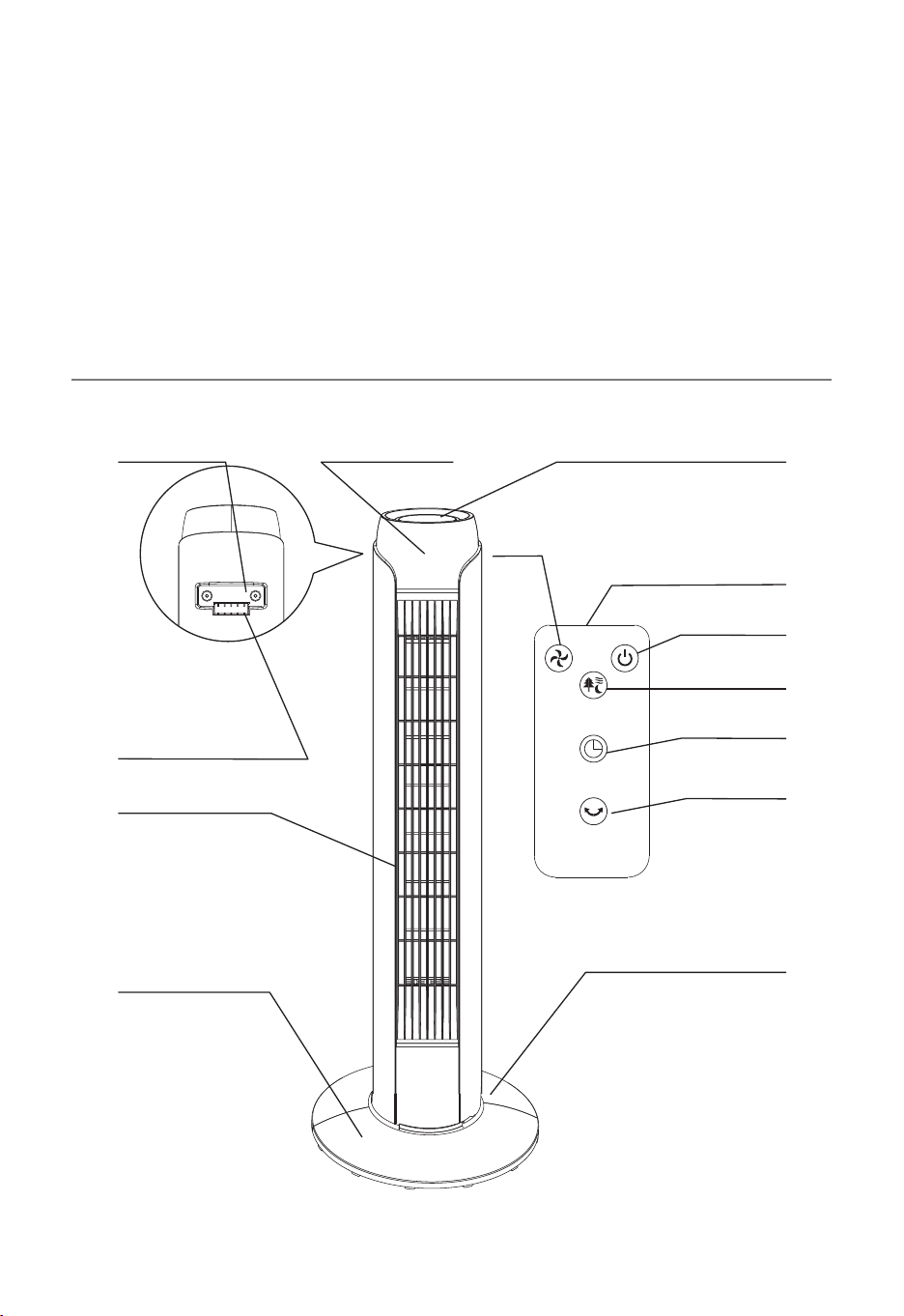
PRODUCT OVERVIEW
• Connect the power plug to a suitable power outlet. The appliance
can be used after assembling as decribed further below.
• The battery in the remote control is protected from discharging with
a film. Pull the protective film to remove it. The remote control is now
ready for use.
Rear stand
Remote control
Control panel
ON/OFF
Mode
Timer
Oscillation
SPEED ON/OFF
MODE
TIMER
SWING
Built-in handle LED display
Remote control
compartment
Body
Front stand
Speed
07
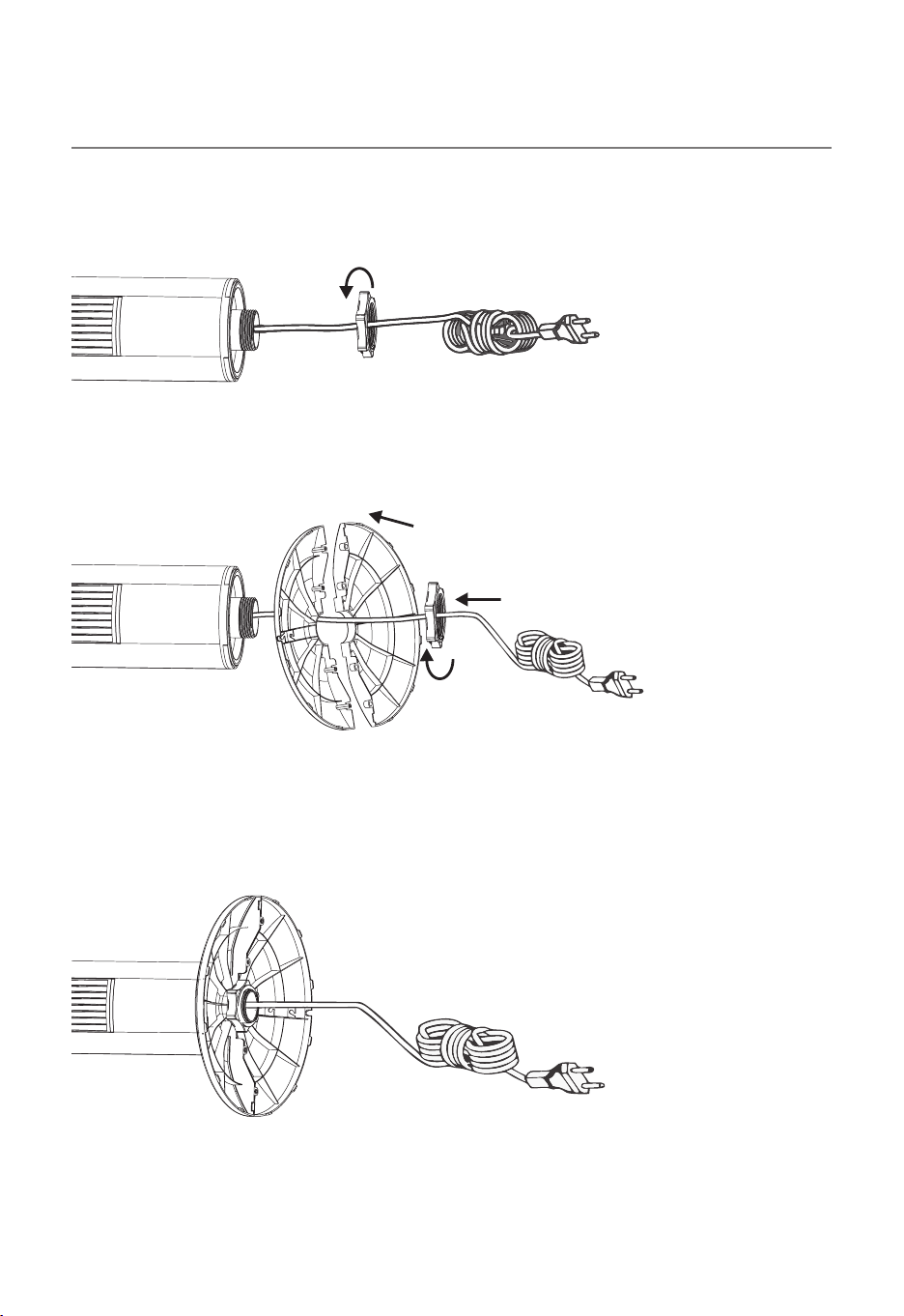
ASSEMBLY INSTRUCTIONS
Caution: Before assembling, ensure the fan is unplugged.
1. Unscrew the locking screw from base.
2. Thread the power cord through the centre hole of the two stand
parts, then fasten the front and rear stand together, until you hear
them click into place.
3. Align the assembled stand with the positioning hole on the base
and tighten the locking screw clockwise. The seam lines of the stand
point to the side, the power cord outlet points to the rear.
4. Place the power cable in the cable guide and outlet to ensure a
secure stand.
08
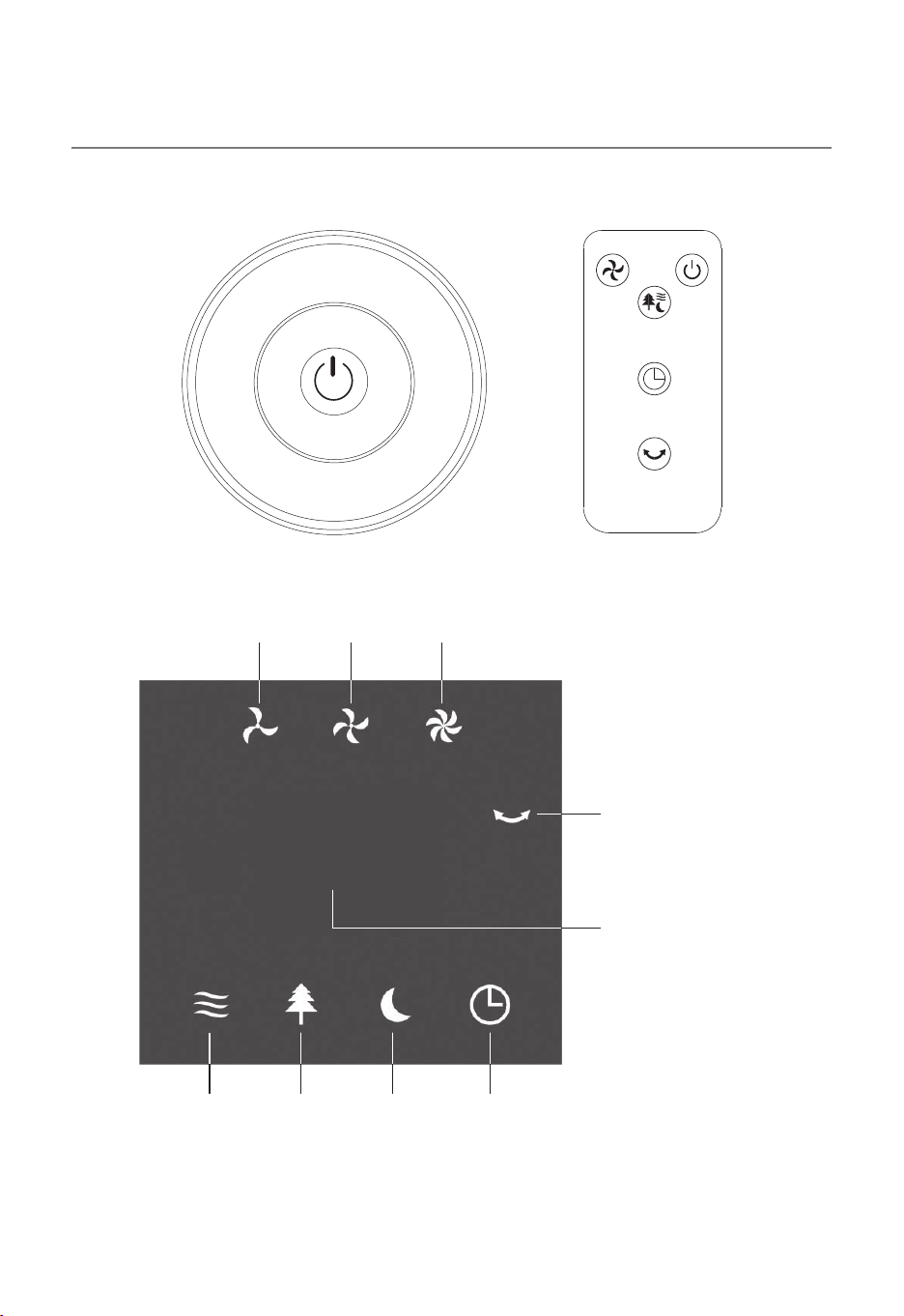
OPERATING INSTRUCTIONS
MODE
TIMER
ON/OFF
SWING
SPEED
SPEED ON/OFF
MODE
TIMER
SWING
Speed
low medium high
Normal
mode
Natural
mode
Sleep
mode
Timer
Oscillation
Hour indication
Timer
15
09
NOTE: All function keys can be operated either via the control panel
or via the remote control.
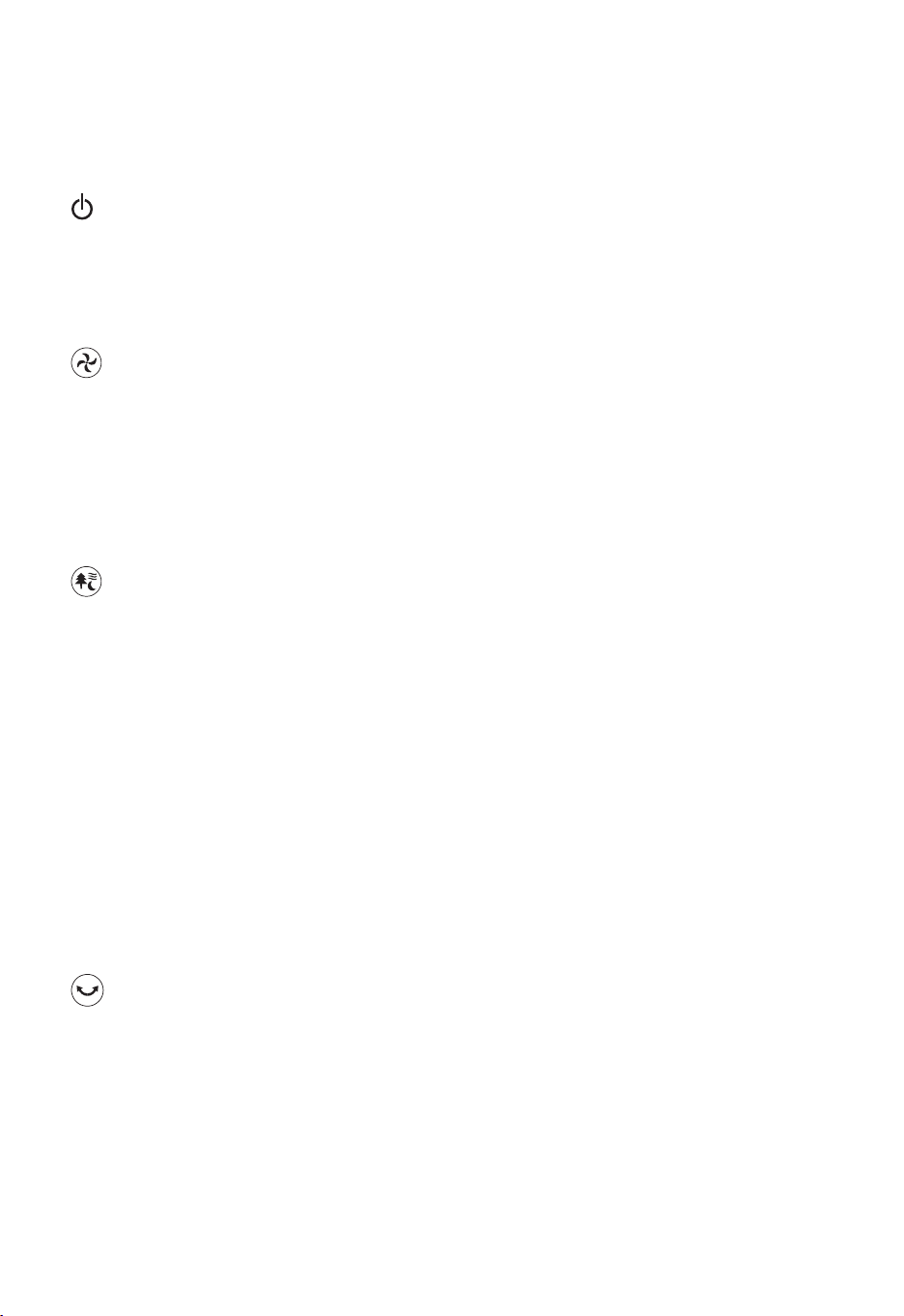
ON/OFF button
Press the ON/OFF button to switch on the fan. After switching on, the
fan is always in the lowest speed level in normal mode, means
without oscillation, without timer.
SPEED button
The fan has 3 speed options. Select the desired speed by pressing
consecutively the “SPEED” button. Original set speed is low speed, by
pressing the “SPEED” button, the air flow speed can be shifted from
low-medium-high circulalry. Indicator light for corresponding wind
speed will be turn on.
SWING button (Oscillation)
With this button you can set the oscillation function to achieve even
ventilation. If you press this button, the fan oscillates slowly from left
to right and back again. The indicator light for oscillation turns on.
If you press the button again, the oscillation stops. The oscillation
works in every setting.
MODE button
The fan has 3 wind mode options. With this button you can switch
from normal mode to natural mode and to sleep mode and back
to normal mode. Indicator light for the corresponding wind mode
will be turned on.
In sleep mode, the next lower speed level is activated after 30
minutes and then remains at the lowest speed level. The speed levels
randomly change at each level. If you start at the highest speed
level, the fan changes to the medium speed level after 30 minutes,
then to the lowest speed level after a further 30 minutes and
continues to run at the lowest level.
In natural mode, the speed levels will randomly change.
10
CLEANING, STORAGE, BATTERY
REPLACEMENT
TIMER button (set operation time)
You can set the operating time of the fan using the TIMER button.
A setting of 1 hour to 15 hours is possible. Each time you press the
button, the operation time increases by 1 hour to max. 15 hours
(1 2 3 ...15 TIMER off). The corresponding symbol on the
display lights up and the set number of hours is displayed. The timer
works in every setting.
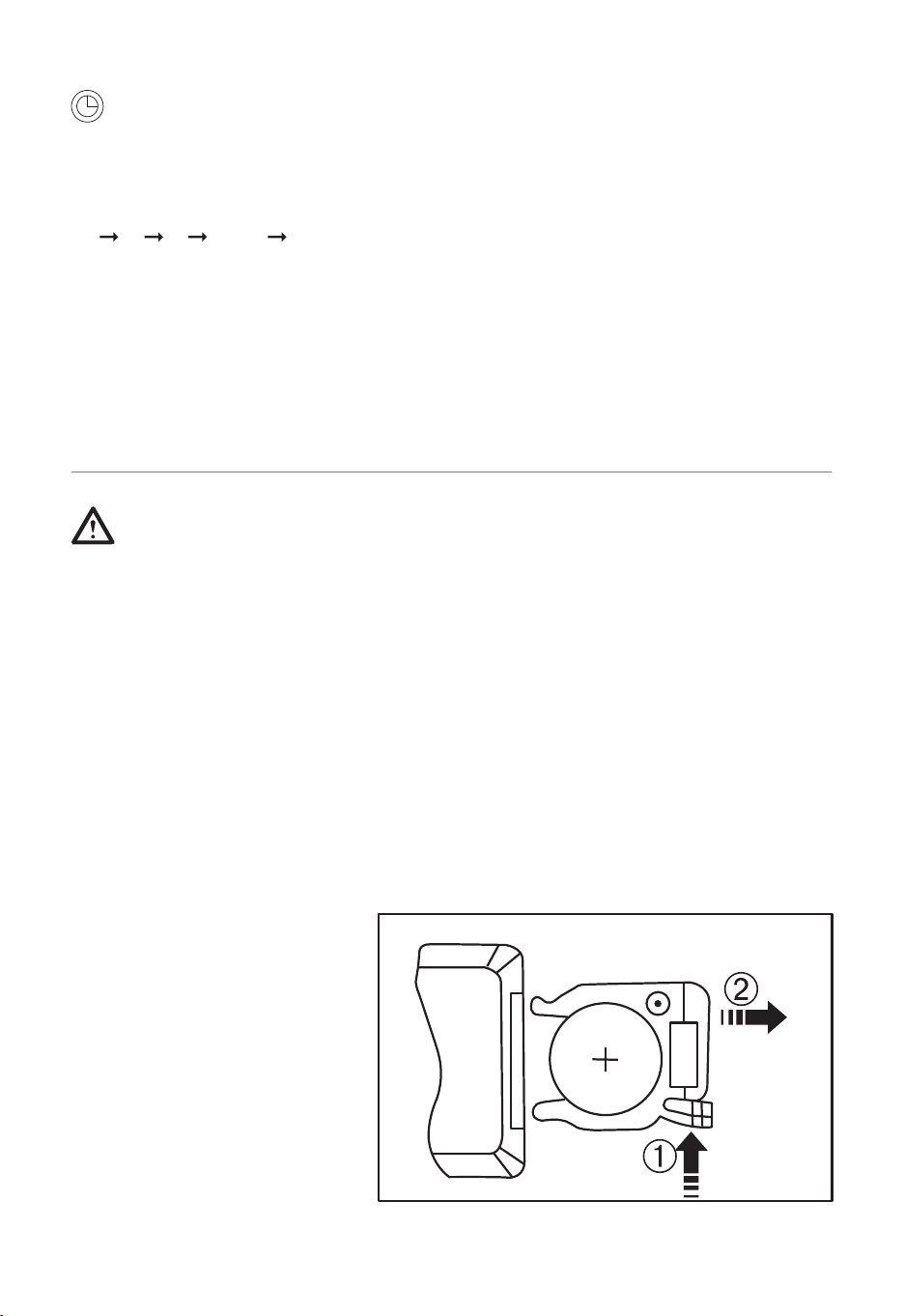
Battery replacement
Open the battery
compartment as shown in
the illustration on the back
of the remote control and
replace the used battery
with a new, same type
(CR2025).
The fan requires little maintenance. Do not try to fix it by
yourself.
Refer it to qualified service personnel if service is needed.
1. The fan must be unplugged before cleaning and assembling.
2. Wipe the exterior surfaces with a soft cloth soaked in a mild
detergent. Thoroughly remove the soap film with a dry cloth.
3. Do not use any abrasive detergent or solvents to avoid scratching
the surface. Do not use any of the following as a cleaner: gasoline,
thinner.
4. Do not allow water or any other liquid into the housing or interior
parts.
5. The appliance must be stored out of the reach of children.
OPEN
PUSH
CR2025
11
Notice for environmental: If at any time in the future you
should need to dispose of this product please note that waste
electrical products should not be disposed of with household
waste. The symbol (on the left) on the packaging is indicating
it. Please recycle where facilities exist. Check with your local authority
or retailer for recycling advice. (Waste Electrical and Electronic
Equipment Directive).
The battery must be disposed of properly. Contact battery
distributors or local waste disposal points for this.
TECHNICAL DATA
DISPOSAL
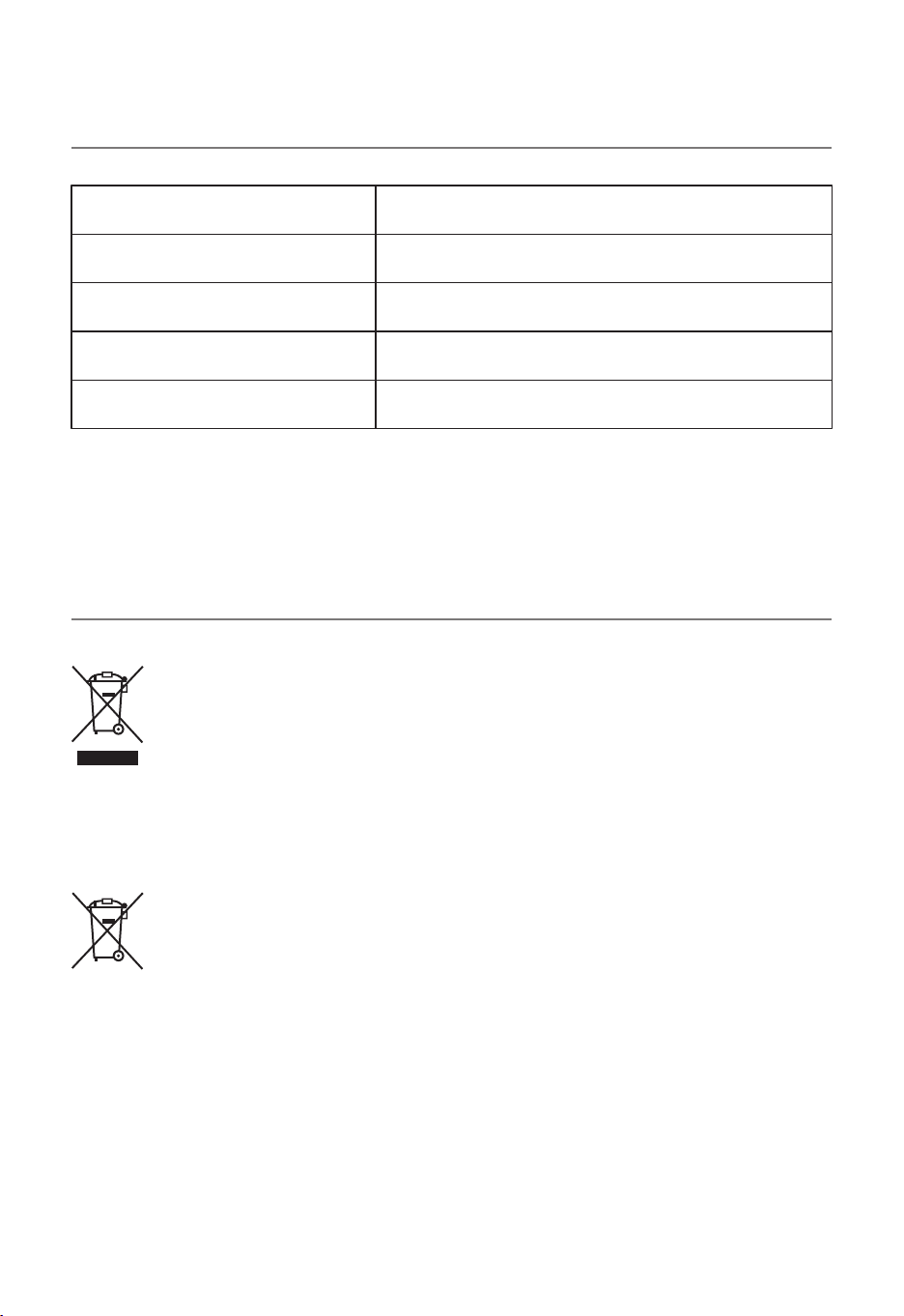
This appliance is tested according to ETL regulations and corresponds
to ETL directives.
Model:
Input voltage:
Power:
Protection class:
Dimensions:
JTF-02-RL
120V ~60HZ
60 W
Class II
9.3*7.3*50 INCH
12
EN
DE
FR
ES
IT
PL
With your inspiring rating, COSTWAY will be more consistent to offer you EASY
SHOPPING EXPERIENCE, GOOD PRODUCTS and EFFICIENT SERVICE!
Mit Ihrer inspirierenden Bewertung wird COSTWAY konsistenter sein, um Ihnen EIN
SCHÖNES EINKAUFSERLEBNIS, GUTE PRODUKTE und EFFIZIENTEN SERVICE zu
bieten!
Avec votre évaluation inspirante, COSTWAY continuera à fournir une EXPÉRIENCE
D’ACHAT PRATIQUE, des PRODUITS DE QUALITÉ et un SERVICE EFFICACE !
Con su calificación inspiradora, COSTWAY será más consistente para ofrecerle
EXPERIENCIA DE COMPRA FÁCIL, BUENOS PRODUCTOS y SERVICIO EFICIENTE.
Con la tua valutazione incoraggiante, COSTWAY sarà più coerente per offrirti
ESPERIENZA DI ACQUISTO FACILE, BUONI PRODOTTI e SERVIZIO EFFICIENTE!
Dzięki twojej opinii COSTWAY będzie mógł oferować jeszcze WYGODNIEJSZE
ZAKUPY, LEPSZE PRODUKTY i SPRAWNIEJSZĄ OBSŁUGĘ KLIENTA.
US office: Fontana UK office: Ipswich AU office: Truganina
DE office: Hamburg
FR office: Saint Vigor d'Ymonville
PL office: Gdańsk