THIS INSTRUCTION BOOKLET CONTAINS IMPORTANT SAFETY INFORMATION. PLEASE READ AND KEEP FOR FUTURE REFERENCE.
EN
DE
FR
ES
IT
PL
With your inspiring rating, COSTWAY will be more consistent to offer you EASY
SHOPPING EXPERIENCE, GOOD PRODUCTS and EFFICIENT SERVICE!
Mit Ihrer inspirierenden Bewertung wird COSTWAY konsistenter sein, um Ihnen EIN
SCHÖNES EINKAUFSERLEBNIS, GUTE PRODUKTE und EFFIZIENTEN SERVICE zu
bieten!
Avec votre évaluation inspirante, COSTWAY continuera à fournir une EXPÉRIENCE
D’ACHAT PRATIQUE, des PRODUITS DE QUALITÉ et un SERVICE EFFICACE !
Con su calificación inspiradora, COSTWAY será más consistente para ofrecerle
EXPERIENCIA DE COMPRA FÁCIL, BUENOS PRODUCTOS y SERVICIO EFICIENTE.
Con la tua valutazione incoraggiante, COSTWAY sarà più coerente per offrirti
ESPERIENZA DI ACQUISTO FACILE, BUONI PRODOTTI e SERVIZIO EFFICIENTE!
Dzięki twojej opinii COSTWAY będzie mógł oferować jeszcze WYGODNIEJSZE
ZAKUPY, LEPSZE PRODUKTY i SPRAWNIEJSZĄ OBSŁUGĘ KLIENTA.
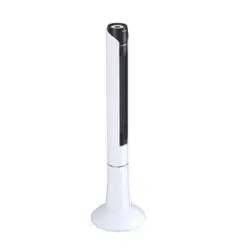
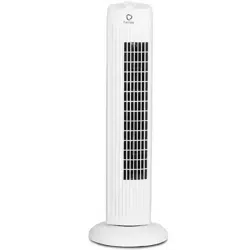
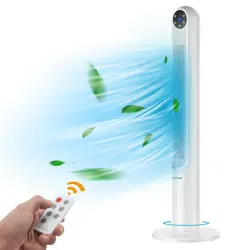
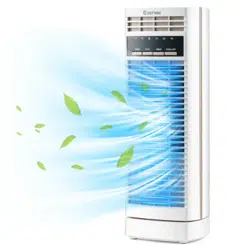
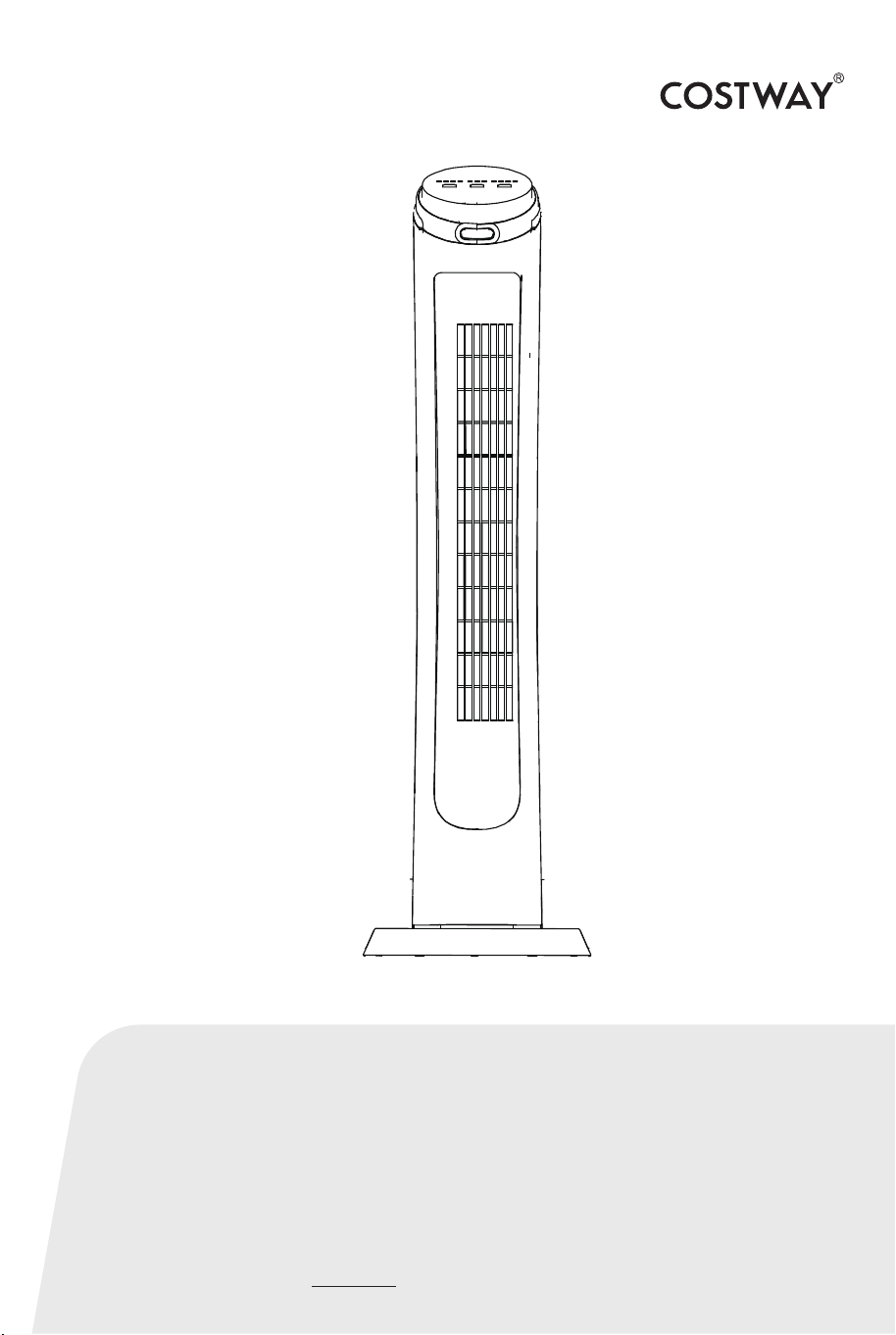
Digital Tower Fan
ES10086US-BK
USER’S MANUAL
US office: Fontana UK office: Ipswich AU office: Truganina
DE office: Hamburg
FR office: Saint Vigor d'Ymonville
PL office: Gdańsk

02 03
PLEASE READ THIS MANUAL CAREFULLY BEFORE
OPERATING THIS APPLIANCE AND RETAIN IT FOR
FUTURE REFERENCE
When using an electrical appliance, basic safety
precautions should always be observed, including the
following:
READ ALL INSTRUCTIONS BEFORE USING
1. The product is intended exclusively for non-commercial
operation as a mobile fan.
2. The product is intended for indoor use only.
3. To reduce the risk of fire or electric shock, do not use this fan
with any solid state speed control device.
4. If the power cord is damaged, stop using the product
immediately. Do not use if the ON/OFF switch does not function
correctly.
5. This appliance has a polarized plug (one blade is wider than the
other). To reduce the risk of electric shock, this plug is intended to
fit in a polarized outlet only one way. If the plug does not fit fully
in the outlet, reverse the plug. If it still does not fit, contact a
qualified electrician. Do not attempt to defeat this safety feature.
6. Do not leave the fan running unattended.
7. Never insert fingers, pencils, or any other objects through the
fan housing when the tower fan is running. Unplug the fan when
moving it from one location to another.
8. Disconnect the fan before installing, cleaning or
transporting the fan.
9. Pull the plug out if the fan is not in use, always pull
out the mains plug at the plug and not by the cable.
10. To avoid product tipping over, be sure the fan is on
a stable surface when in operation.
11. Never use the device in a room where there is a
danger of explosion or in the vicinity of flammable
liquids or gases. Do not use the fan near a window, rain
may cause a electrical hazard. Never expose the
product to water or other liquids.
12. Ensure that the fan is unplugged and switched off
before removing the grill.
13. This product is not intended to be used by persons
(including children) or who are limited in their physical,
sensory or mental capacities or who lack experience
and knowledge of the product unless they are
supervised, or have been instructed on how to use the
product, by a person responsible for their safety.
Ensure children are not able to play with the device.
IMPORTANT SAFEGUARD

02 03
PLEASE READ THIS MANUAL CAREFULLY BEFORE
OPERATING THIS APPLIANCE AND RETAIN IT FOR
FUTURE REFERENCE
When using an electrical appliance, basic safety
precautions should always be observed, including the
following:
READ ALL INSTRUCTIONS BEFORE USING
1. The product is intended exclusively for non-commercial
operation as a mobile fan.
2. The product is intended for indoor use only.
3. To reduce the risk of fire or electric shock, do not use this fan
with any solid state speed control device.
4. If the power cord is damaged, stop using the product
immediately. Do not use if the ON/OFF switch does not function
correctly.
5. This appliance has a polarized plug (one blade is wider than the
other). To reduce the risk of electric shock, this plug is intended to
fit in a polarized outlet only one way. If the plug does not fit fully
in the outlet, reverse the plug. If it still does not fit, contact a
qualified electrician. Do not attempt to defeat this safety feature.
6. Do not leave the fan running unattended.
7. Never insert fingers, pencils, or any other objects through the
fan housing when the tower fan is running. Unplug the fan when
moving it from one location to another.
8. Disconnect the fan before installing, cleaning or
transporting the fan.
9. Pull the plug out if the fan is not in use, always pull
out the mains plug at the plug and not by the cable.
10. To avoid product tipping over, be sure the fan is on
a stable surface when in operation.
11. Never use the device in a room where there is a
danger of explosion or in the vicinity of flammable
liquids or gases. Do not use the fan near a window, rain
may cause a electrical hazard. Never expose the
product to water or other liquids.
12. Ensure that the fan is unplugged and switched off
before removing the grill.
13. This product is not intended to be used by persons
(including children) or who are limited in their physical,
sensory or mental capacities or who lack experience
and knowledge of the product unless they are
supervised, or have been instructed on how to use the
product, by a person responsible for their safety.
Ensure children are not able to play with the device.
IMPORTANT SAFEGUARD
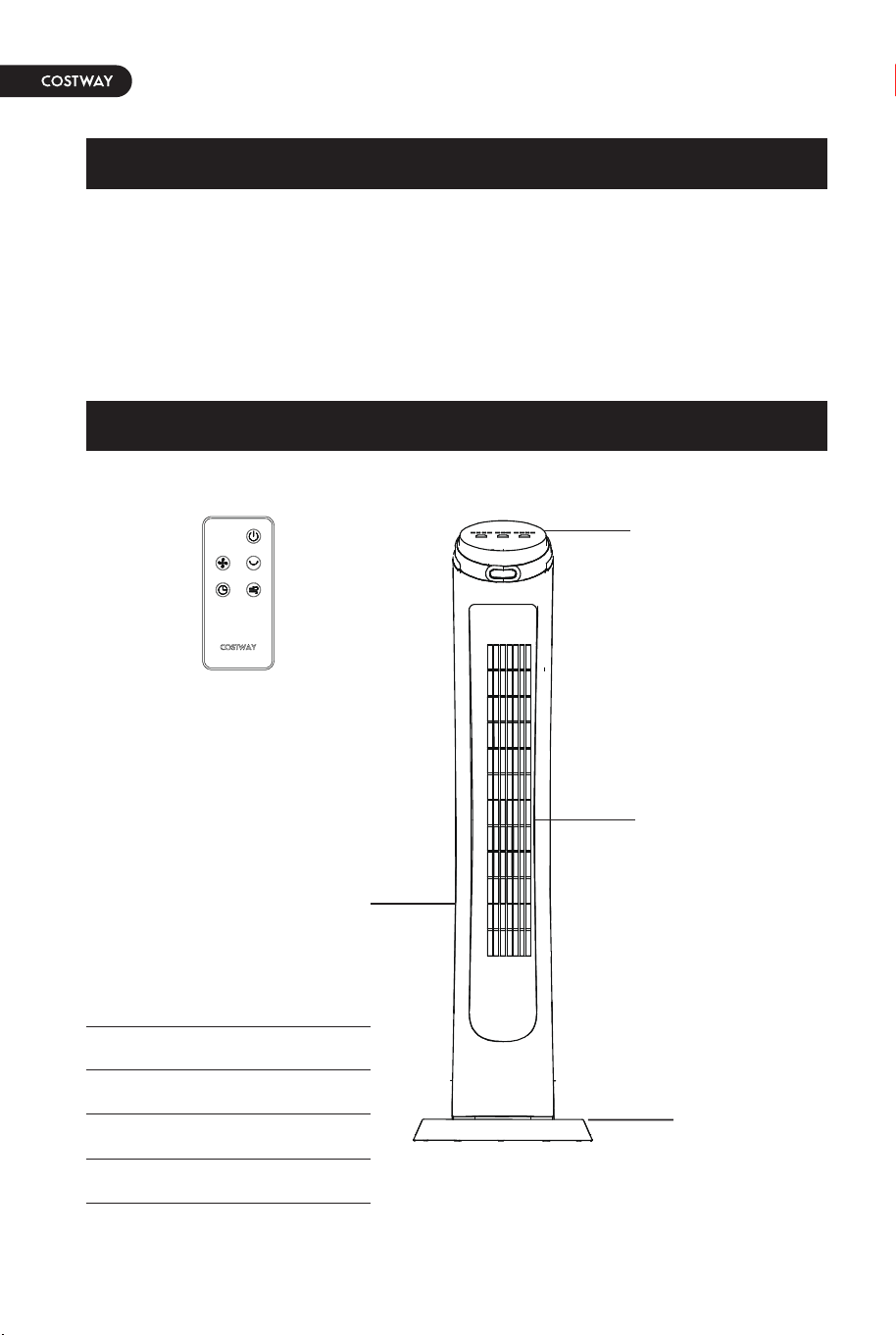
A. Control Panel
B. Air outlet
C. Fan Body
D. Base
E. Remote control
.
04 05
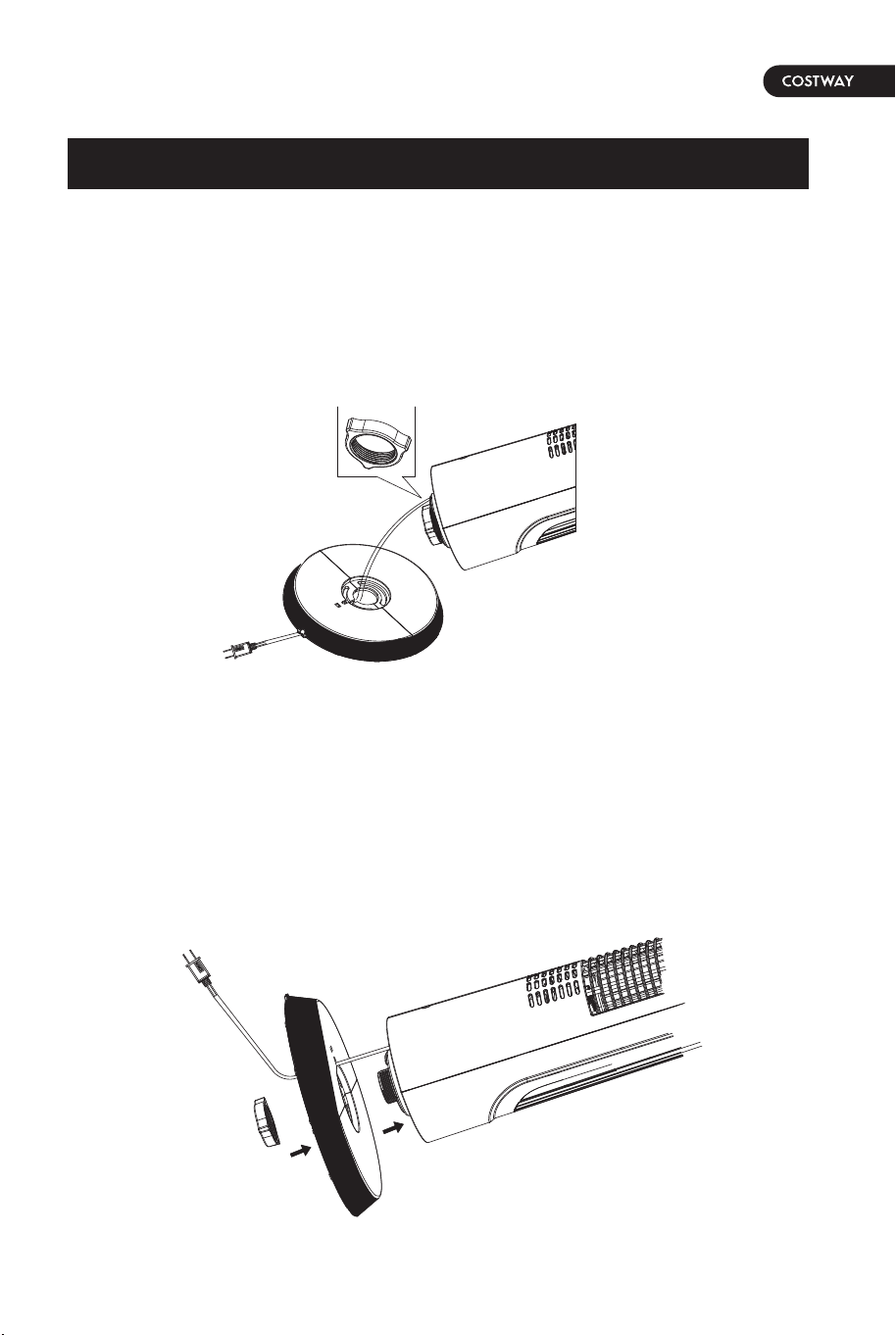
Do not operate the tower fan without the base assemblies
attached to the bottom of the unit. Otherwise, it may cause a
hazard.
1.Turn the tower fan upside down for easy assembly.
2.Align the base mount guide peg with the guide hold located
on the base. The base will only fit onto the tower fan one
way. Once the base is properly aligned on the bottom of the
tower fan, add the plastic nut and rotate it clockwise to
secure the base.
TECHNICAL SPECIFICATIONS
PRODUCT OVERVIEW
Model No.
Voltage
Frequency
Rated Power
ES10086US-BK
120V AC
60Hz
50W
A
B
C
D
E
Control Panel
Air outlet
Fan Body
Base
Remote control
Product Assembly
A. Control Panel
B. Air outlet
C. Fan Body
D. Base
E. Remote control
.
04 05
Do not operate the tower fan without the base assemblies
attached to the bottom of the unit. Otherwise, it may cause a
hazard.
1.Turn the tower fan upside down for easy assembly.
2.Align the base mount guide peg with the guide hold located
on the base. The base will only fit onto the tower fan one
way. Once the base is properly aligned on the bottom of the
tower fan, add the plastic nut and rotate it clockwise to
secure the base.
TECHNICAL SPECIFICATIONS
PRODUCT OVERVIEW
Model No.
Voltage
Frequency
Rated Power
ES10086US-BK
120V AC
60Hz
50W
A
B
C
D
E
Control Panel
Air outlet
Fan Body
Base
Remote control
Product Assembly
06 07
All the features of this fan can be controlled from the control
panel and remote control.
To Turn the Fan On/Off:
Gently press the "Power" button to turn the fan on. Press a
second time to turn the fan off.
To Set the Fan Speed:
Gently press the "SPEED" button to cycle between the LOW,
MEDIUM, and HIGH settings.
Oscillating Operation:
This fan is designed to oscillate to cool a large space
efficiently. To start oscillation, press the "OSCILLATE" button.
To stop oscillation, press the button a second time.
To Set the Fan Mode:
Gently press the "MODE" button to set "normal" (the wind is
more stable than "nature" and "sleep"); press it twice to set
"nature" mode (the gusts you feel like natural wind blows
outdoor); and three times to set it to "sleeping" mode (the
wind is gentle and most suitable for sleeping).
To Set Timer Operation:
This fan is equipped with a timer that ranges from 0-15
hours. To set the fan to automatically turn off after a
scheduled amount of time, simply press the "TIMER" button.
The illuminated lights on the control panel of the fan will
display.
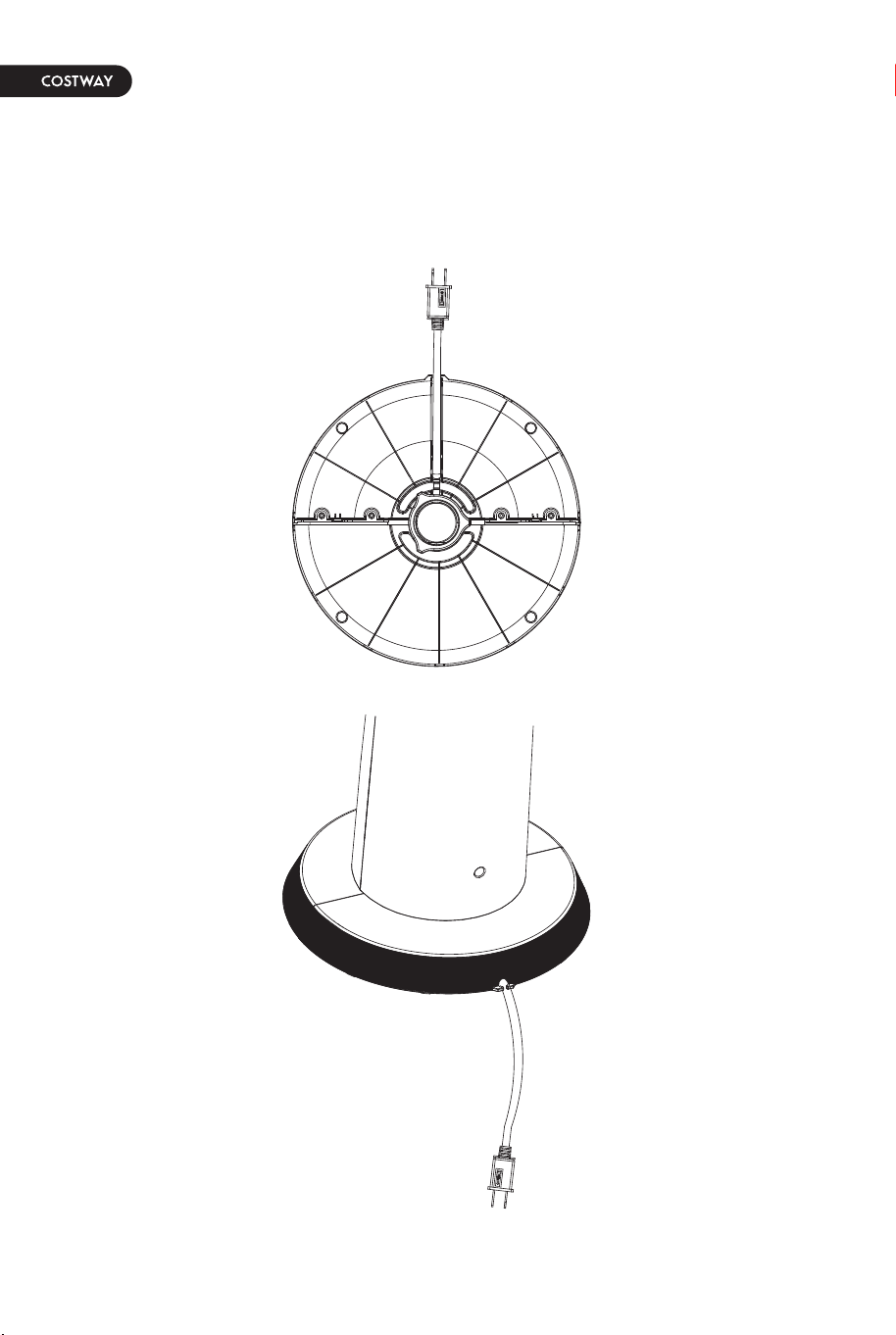
3.Thread the power cord into the guide on the bottom of the
base by gently pressing the wire into the clamps. Your tower
fan is now ready for use.
Operation

06 07
All the features of this fan can be controlled from the control
panel and remote control.
To Turn the Fan On/Off:
Gently press the "Power" button to turn the fan on. Press a
second time to turn the fan off.
To Set the Fan Speed:
Gently press the "SPEED" button to cycle between the LOW,
MEDIUM, and HIGH settings.
Oscillating Operation:
This fan is designed to oscillate to cool a large space
efficiently. To start oscillation, press the "OSCILLATE" button.
To stop oscillation, press the button a second time.
To Set the Fan Mode:
Gently press the "MODE" button to set "normal" (the wind is
more stable than "nature" and "sleep"); press it twice to set
"nature" mode (the gusts you feel like natural wind blows
outdoor); and three times to set it to "sleeping" mode (the
wind is gentle and most suitable for sleeping).
To Set Timer Operation:
This fan is equipped with a timer that ranges from 0-15
hours. To set the fan to automatically turn off after a
scheduled amount of time, simply press the "TIMER" button.
The illuminated lights on the control panel of the fan will
display.
3.Thread the power cord into the guide on the bottom of the
base by gently pressing the wire into the clamps. Your tower
fan is now ready for use.
Operation
08 09
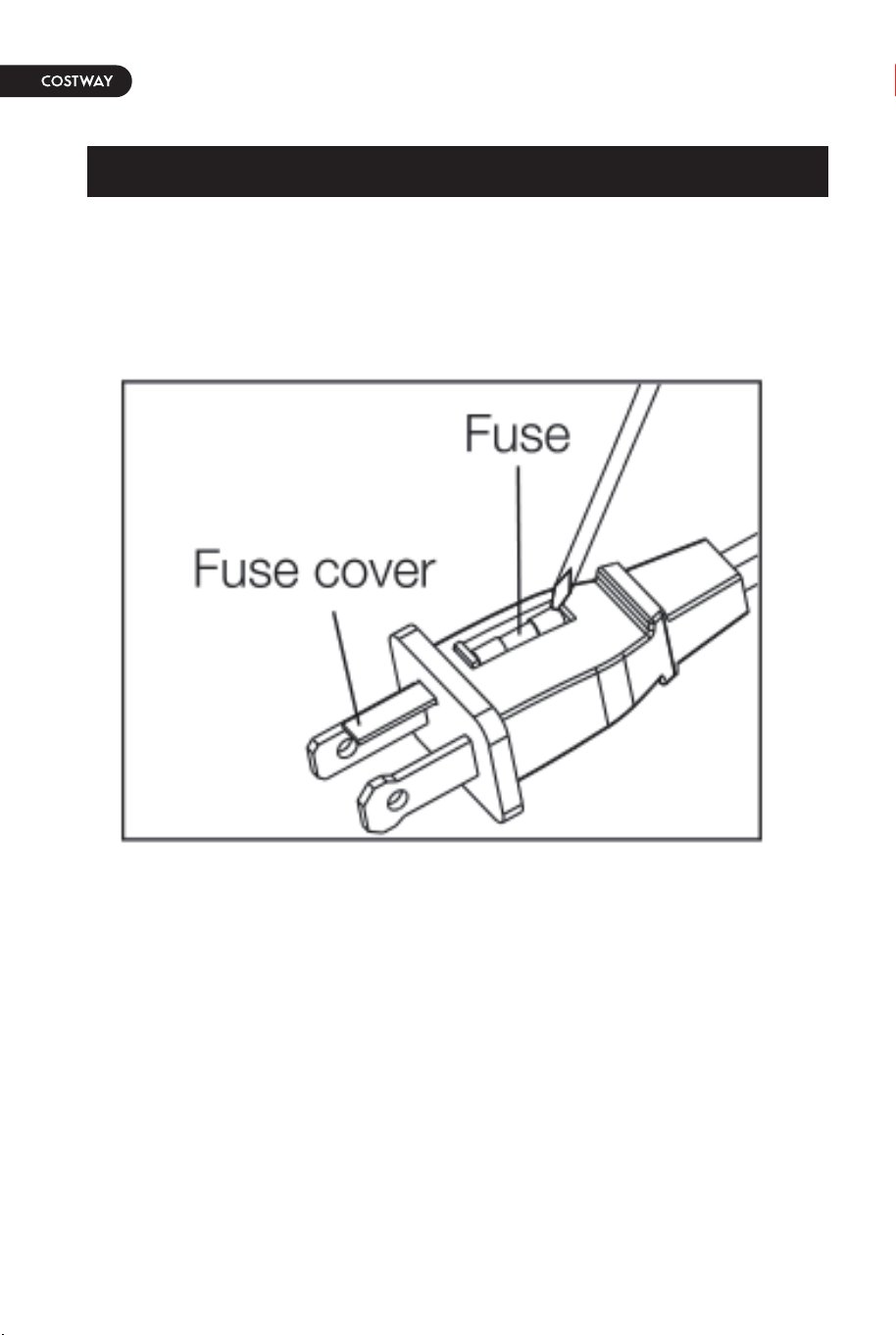
1. Grasp plug and remove from the receptacle or other outlet
device. Do not unplug by pulling on the cord.
2. Slide open fuse access cover on top of attachment plug
towards blades.
3. Remove fuse carefully by using a small screwdriver to pry
the fuse out of the compartment by the metal ends of the fuse.
WARNING Risk of electric shock! To prevent electric shock,
unplug the product before cleaning.
WARNING Risk of electric shock! During cleaning do not
immerse the product in water or other liquids. Never hold the
product under running water.
Cleaning
To clean the product, wipe with a soft, slightly moist cloth.
Dry the product after cleaning.
Never use corrosive detergents, wire brushes, abrasive
scourers, metal or sharp utensils to clean the product.
Storage
Store the product in its original packaging in a dry area. Keep
away from children and pets.
Maintenance
Any other servicing than mentioned in this manual should be
performed by a professional repair centre.
Cleaning and Maintenance
Fuse Replacement
NOTICE The product requires a 2.5 A,125 V fuse.
User Servicing Instructions

08 09
1. Grasp plug and remove from the receptacle or other outlet
device. Do not unplug by pulling on the cord.
2. Slide open fuse access cover on top of attachment plug
towards blades.
3. Remove fuse carefully by using a small screwdriver to pry
the fuse out of the compartment by the metal ends of the fuse.
WARNING Risk of electric shock! To prevent electric shock,
unplug the product before cleaning.
WARNING Risk of electric shock! During cleaning do not
immerse the product in water or other liquids. Never hold the
product under running water.
Cleaning
To clean the product, wipe with a soft, slightly moist cloth.
Dry the product after cleaning.
Never use corrosive detergents, wire brushes, abrasive
scourers, metal or sharp utensils to clean the product.
Storage
Store the product in its original packaging in a dry area. Keep
away from children and pets.
Maintenance
Any other servicing than mentioned in this manual should be
performed by a professional repair centre.
Cleaning and Maintenance
Fuse Replacement
NOTICE The product requires a 2.5 A,125 V fuse.
User Servicing Instructions

10 11
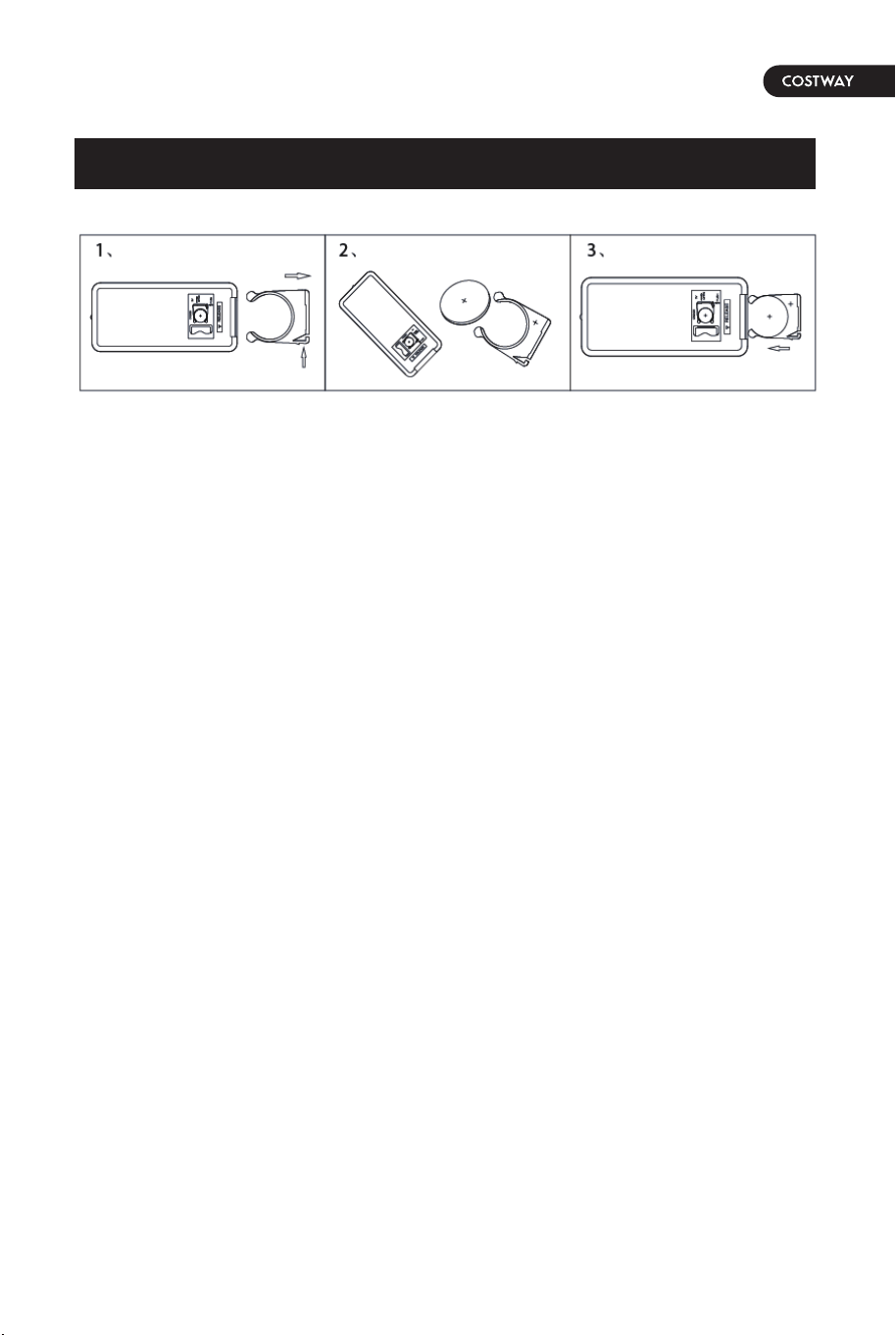
Battery Installation:
1.Pull out the remote control battery holder according to the
assembly drawing on the back of the remote control.
2.Put the battery into the battery holder, pay attention to the
positive and negative poles of the battery.
3.Reinstall the battery holder with the battery in the remote
control.
TROUBLESHOOTING
Problem
The product
cannot be
switched on.
The product
vibrates.
Solution
Check if the power plug
is connected to the
proper outlet.
Check if the socket outlet
works.
Wait for the product to
cool down.
Replace the fuse in the
power cord plug.
Place the product on a
level surface.
10 11
Battery Installation:
1.Pull out the remote control battery holder according to the
assembly drawing on the back of the remote control.
2.Put the battery into the battery holder, pay attention to the
positive and negative poles of the battery.
3.Reinstall the battery holder with the battery in the remote
control.
TROUBLESHOOTING
Problem
The product
cannot be
switched on.
The product
vibrates.
Solution
Check if the power plug
is connected to the
proper outlet.
Check if the socket outlet
works.
Wait for the product to
cool down.
Replace the fuse in the
power cord plug.
Place the product on a
level surface.

THIS INSTRUCTION BOOKLET CONTAINS IMPORTANT SAFETY INFORMATION. PLEASE READ AND KEEP FOR FUTURE REFERENCE.
EN
DE
FR
ES
IT
PL
With your inspiring rating, COSTWAY will be more consistent to offer you EASY
SHOPPING EXPERIENCE, GOOD PRODUCTS and EFFICIENT SERVICE!
Mit Ihrer inspirierenden Bewertung wird COSTWAY konsistenter sein, um Ihnen EIN
SCHÖNES EINKAUFSERLEBNIS, GUTE PRODUKTE und EFFIZIENTEN SERVICE zu
bieten!
Avec votre évaluation inspirante, COSTWAY continuera à fournir une EXPÉRIENCE
D’ACHAT PRATIQUE, des PRODUITS DE QUALITÉ et un SERVICE EFFICACE !
Con su calificación inspiradora, COSTWAY será más consistente para ofrecerle
EXPERIENCIA DE COMPRA FÁCIL, BUENOS PRODUCTOS y SERVICIO EFICIENTE.
Con la tua valutazione incoraggiante, COSTWAY sarà più coerente per offrirti
ESPERIENZA DI ACQUISTO FACILE, BUONI PRODOTTI e SERVIZIO EFFICIENTE!
Dzięki twojej opinii COSTWAY będzie mógł oferować jeszcze WYGODNIEJSZE
ZAKUPY, LEPSZE PRODUKTY i SPRAWNIEJSZĄ OBSŁUGĘ KLIENTA.
Digital Tower Fan
ES10086US-BK
USER’S MANUAL
US office: Fontana UK office: Ipswich AU office: Truganina
DE office: Hamburg
FR office: Saint Vigor d'Ymonville
PL office: Gdańsk