
8B63 BSN8B63-2112
C-21
8B63
INSTRUCTIONS
World Time Solar Radio Signal for 5 Areas Around the World (Japan, China, U.S.A., Germany, UK)
https://www.seikowatches.com/
日本語
..................................................
English ................................................
1
JA
1
EN
䬁Ổᶮ㔈 / ䷂橕ᶮ㔈
Please refer to the Instruction Manuals
of other languages by accessing
"Customer Service"→ "Instruction"
on our Website from PC or Smartphone.
そのほかの言語の取扱説明書は、パソコンや
スマートフォンから当社ホームページ内の
「カスタマーサービス」>「取扱説明書」
にアクセスいただき、ご覧ください。
8B63 BSN8B63-2112
C-21
8B63
INSTRUCTIONS
World Time Solar Radio Signal for 5 Areas Around the World (Japan, China, U.S.A., Germany, UK)
https://www.seikowatches.com/
日本語
..................................................
English ................................................
1
JA
1
EN
䬁Ổᶮ㔈 / ䷂橕ᶮ㔈
Please refer to the Instruction Manuals
of other languages by accessing
"Customer Service"→ "Instruction"
on our Website from PC or Smartphone.
そのほかの言語の取扱説明書は、パソコンや
スマートフォンから当社ホームページ内の
「カスタマーサービス」>「取扱説明書」
にアクセスいただき、ご覧ください。

Thank you very much for choosing a SEIKO watch.
For proper and safe use of your SEIKO watch,
please read carefully the instructions in this
booklet before using it.
Keep this manual handy for easy reference.
* Length adjustment service for metallic bands is available at the retailer from
whom the watch was purchased. If you cannot have your watch repaired by
the retailer from whom the watch was purchased because you received the
watch as a gift, or you moved to a distant place, please contact SEIKO
CUSTOMER SERVICE CENTER. The service may also be available on a
chargeable basis at other retailers, however, some retailers may not undertake
the service.
* If your watch has a protective film for preventing scratches, make sure to peel
it off before using the watch. If the watch is used with the film on it, dirt, sweat,
dust, or moisture may be attached to the film and may cause rust.
EN
1
CONTENTS
1 HOW TO USE
Handling cautions ............................................ 5
Characteristics ................................................ 9
Names of the parts and their functions .......... 11
How to use the button .................................... 13
Crown ............................................................ 14
2 BEFORE USE
Before Use .................................................... 15
3
HOW TO SET THE TIME (RADIO SIGNAL RECEPTION)
Setting the time, date and day by receiving a
radio signal
................................................... 17
Mechanism of radio signal reception ......... 17
Automatic reception and manual reception
...... 18
Reception environment ................................. 19
Radio signal reception range indication ..... 19
Radio signal reception range: Japan (JJY)
....... 20
Radio signal reception range: China (BPC)
...... 21
Radio signal reception range: U.S.A. (WWVB)
..... 22
Radio signal reception range: Germany
(DCF77), UK (MSF) ................................... 23
To improve radio signal reception .............. 24
Environments in which it is difficult to
receive a radio signal ................................. 25
How to check the reception status ................. 27
How to display the reception results .......... 27
EN
2
4 WORLD TIME FUNCTION
How to use the world time function ................ 29
World time function .................................... 29
How to select the time zone (How to display
the local time around the world) ..................... 31
Time zone display and time difference table
..... 33
What is a time zone? ................................. 35
Q&A for the world time function ................. 36
About dual time display ................................. 37
About sub dial ............................................... 38
How to set the sub dial ............................... 38
5 SOLAR CHARGING FUNCTION
Charging the battery ...................................... 40
How to charge the battery .......................... 40
Guide to charging times ............................. 41
About energy ................................................. 42
Energy depletion forewarning function (Two-
second interval movement and Five-second
interval movement) .................................... 42
Power save function .................................. 43
6
TO PRESERVE THE QUALITY OF YOUR WATCH
Power Source ................................................ 44
Daily care ...................................................... 46
Performance and type ................................... 47
Lumibrite ....................................................... 48
Water resistant performance ......................... 49
Magnetic resistant performance .................... 50
Band .............................................................. 52
How to use tri-fold type clasp for leather band
(Special clasps) ............................................. 55
How to use an adjustable three-fold clasp
(Pointed tip diving type) ................................. 61
How to use an easy adjust type clasp ............ 65
After sales service ......................................... 68
EN
3

Thank you very much for choosing a SEIKO watch.
For proper and safe use of your SEIKO watch,
please read carefully the instructions in this
booklet before using it.
Keep this manual handy for easy reference.
* Length adjustment service for metallic bands is available at the retailer from
whom the watch was purchased. If you cannot have your watch repaired by
the retailer from whom the watch was purchased because you received the
watch as a gift, or you moved to a distant place, please contact SEIKO
CUSTOMER SERVICE CENTER. The service may also be available on a
chargeable basis at other retailers, however, some retailers may not undertake
the service.
* If your watch has a protective film for preventing scratches, make sure to peel
it off before using the watch. If the watch is used with the film on it, dirt, sweat,
dust, or moisture may be attached to the film and may cause rust.
EN
1
CONTENTS
1 HOW TO USE
Handling cautions ............................................ 5
Characteristics ................................................ 9
Names of the parts and their functions .......... 11
How to use the button .................................... 13
Crown ............................................................ 14
2 BEFORE USE
Before Use .................................................... 15
3
HOW TO SET THE TIME (RADIO SIGNAL RECEPTION)
Setting the time, date and day by receiving a
radio signal
................................................... 17
Mechanism of radio signal reception ......... 17
Automatic reception and manual reception
...... 18
Reception environment ................................. 19
Radio signal reception range indication ..... 19
Radio signal reception range: Japan (JJY)
....... 20
Radio signal reception range: China (BPC)
...... 21
Radio signal reception range: U.S.A. (WWVB)
..... 22
Radio signal reception range: Germany
(DCF77), UK (MSF) ................................... 23
To improve radio signal reception .............. 24
Environments in which it is difficult to
receive a radio signal ................................. 25
How to check the reception status ................. 27
How to display the reception results .......... 27
EN
2
4 WORLD TIME FUNCTION
How to use the world time function ................ 29
World time function .................................... 29
How to select the time zone (How to display
the local time around the world) ..................... 31
Time zone display and time difference table
..... 33
What is a time zone? ................................. 35
Q&A for the world time function ................. 36
About dual time display ................................. 37
About sub dial ............................................... 38
How to set the sub dial ............................... 38
5 SOLAR CHARGING FUNCTION
Charging the battery ...................................... 40
How to charge the battery .......................... 40
Guide to charging times ............................. 41
About energy ................................................. 42
Energy depletion forewarning function (Two-
second interval movement and Five-second
interval movement) .................................... 42
Power save function .................................. 43
6
TO PRESERVE THE QUALITY OF YOUR WATCH
Power Source ................................................ 44
Daily care ...................................................... 46
Performance and type ................................... 47
Lumibrite ....................................................... 48
Water resistant performance ......................... 49
Magnetic resistant performance .................... 50
Band .............................................................. 52
How to use tri-fold type clasp for leather band
(Special clasps) ............................................. 55
How to use an adjustable three-fold clasp
(Pointed tip diving type) ................................. 61
How to use an easy adjust type clasp ............ 65
After sales service ......................................... 68
EN
3
Thank you very much for choosing a SEIKO watch.
For proper and safe use of your SEIKO watch,
please read carefully the instructions in this
booklet before using it.
Keep this manual handy for easy reference.
* Length adjustment service for metallic bands is available at the retailer from
whom the watch was purchased. If you cannot have your watch repaired by
the retailer from whom the watch was purchased because you received the
watch as a gift, or you moved to a distant place, please contact SEIKO
CUSTOMER SERVICE CENTER. The service may also be available on a
chargeable basis at other retailers, however, some retailers may not undertake
the service.
* If your watch has a protective film for preventing scratches, make sure to peel
it off before using the watch. If the watch is used with the film on it, dirt, sweat,
dust, or moisture may be attached to the film and may cause rust.
EN
1
CONTENTS
1 HOW TO USE
Handling cautions ............................................ 5
Characteristics ................................................ 9
Names of the parts and their functions .......... 11
How to use the button .................................... 13
Crown ............................................................ 14
2 BEFORE USE
Before Use .................................................... 15
3
HOW TO SET THE TIME (RADIO SIGNAL RECEPTION)
Setting the time, date and day by receiving a
radio signal
................................................... 17
Mechanism of radio signal reception ......... 17
Automatic reception and manual reception
...... 18
Reception environment ................................. 19
Radio signal reception range indication ..... 19
Radio signal reception range: Japan (JJY)
....... 20
Radio signal reception range: China (BPC)
...... 21
Radio signal reception range: U.S.A. (WWVB)
..... 22
Radio signal reception range: Germany
(DCF77), UK (MSF) ................................... 23
To improve radio signal reception .............. 24
Environments in which it is difficult to
receive a radio signal ................................. 25
How to check the reception status ................. 27
How to display the reception results .......... 27
EN
2
4 WORLD TIME FUNCTION
How to use the world time function ................ 29
World time function .................................... 29
How to select the time zone (How to display
the local time around the world) ..................... 31
Time zone display and time difference table
..... 33
What is a time zone? ................................. 35
Q&A for the world time function ................. 36
About dual time display ................................. 37
About sub dial ............................................... 38
How to set the sub dial ............................... 38
5 SOLAR CHARGING FUNCTION
Charging the battery ...................................... 40
How to charge the battery .......................... 40
Guide to charging times ............................. 41
About energy ................................................. 42
Energy depletion forewarning function (Two-
second interval movement and Five-second
interval movement) .................................... 42
Power save function .................................. 43
6
TO PRESERVE THE QUALITY OF YOUR WATCH
Power Source ................................................ 44
Daily care ...................................................... 46
Performance and type ................................... 47
Lumibrite ....................................................... 48
Water resistant performance ......................... 49
Magnetic resistant performance .................... 50
Band .............................................................. 52
How to use tri-fold type clasp for leather band
(Special clasps) ............................................. 55
How to use an adjustable three-fold clasp
(Pointed tip diving type) ................................. 61
How to use an easy adjust type clasp ............ 65
After sales service ......................................... 68
EN
3
Thank you very much for choosing a SEIKO watch.
For proper and safe use of your SEIKO watch,
please read carefully the instructions in this
booklet before using it.
Keep this manual handy for easy reference.
* Length adjustment service for metallic bands is available at the retailer from
whom the watch was purchased. If you cannot have your watch repaired by
the retailer from whom the watch was purchased because you received the
watch as a gift, or you moved to a distant place, please contact SEIKO
CUSTOMER SERVICE CENTER. The service may also be available on a
chargeable basis at other retailers, however, some retailers may not undertake
the service.
* If your watch has a protective film for preventing scratches, make sure to peel
it off before using the watch. If the watch is used with the film on it, dirt, sweat,
dust, or moisture may be attached to the film and may cause rust.
EN
1
CONTENTS
1 HOW TO USE
Handling cautions ............................................ 5
Characteristics ................................................ 9
Names of the parts and their functions .......... 11
How to use the button .................................... 13
Crown ............................................................ 14
2 BEFORE USE
Before Use .................................................... 15
3
HOW TO SET THE TIME (RADIO SIGNAL RECEPTION)
Setting the time, date and day by receiving a
radio signal
................................................... 17
Mechanism of radio signal reception ......... 17
Automatic reception and manual reception
...... 18
Reception environment ................................. 19
Radio signal reception range indication ..... 19
Radio signal reception range: Japan (JJY)
....... 20
Radio signal reception range: China (BPC)
...... 21
Radio signal reception range: U.S.A. (WWVB)
..... 22
Radio signal reception range: Germany
(DCF77), UK (MSF) ................................... 23
To improve radio signal reception .............. 24
Environments in which it is difficult to
receive a radio signal ................................. 25
How to check the reception status ................. 27
How to display the reception results .......... 27
EN
2
4 WORLD TIME FUNCTION
How to use the world time function ................ 29
World time function .................................... 29
How to select the time zone (How to display
the local time around the world) ..................... 31
Time zone display and time difference table
..... 33
What is a time zone? ................................. 35
Q&A for the world time function ................. 36
About dual time display ................................. 37
About sub dial ............................................... 38
How to set the sub dial ............................... 38
5 SOLAR CHARGING FUNCTION
Charging the battery ...................................... 40
How to charge the battery .......................... 40
Guide to charging times ............................. 41
About energy ................................................. 42
Energy depletion forewarning function (Two-
second interval movement and Five-second
interval movement) .................................... 42
Power save function .................................. 43
6
TO PRESERVE THE QUALITY OF YOUR WATCH
Power Source ................................................ 44
Daily care ...................................................... 46
Performance and type ................................... 47
Lumibrite ....................................................... 48
Water resistant performance ......................... 49
Magnetic resistant performance .................... 50
Band .............................................................. 52
How to use tri-fold type clasp for leather band
(Special clasps) ............................................. 55
How to use an adjustable three-fold clasp
(Pointed tip diving type) ................................. 61
How to use an easy adjust type clasp ............ 65
After sales service ......................................... 68
EN
3
7 TROUBLESHOOTING
How to conduct manual reception (Receive
a radio signal manually)
............................... 70
When a radio signal cannot be received ........ 72
How to manually set the time ..................... 73
How to manually set the date ..................... 75
How to manually set the day of the week ... 78
Preliminary position ....................................... 81
Automatic hand position adjustment function
(Adjustment of preliminary positions of hour,
minute and seconds hands)
......................... 81
Setting the preliminary position of the date
and the day
............................................... 81
How to set the preliminary position ................ 82
Setting the preliminary position of the date,
day hand, hour and minute hands
............ 82
Troubleshooting ............................................ 87
In case of an abnormal movement ................ 94
Reset the system ....................................... 94
8 SPECIFICATIONS
Specifications ................................................ 96
EN
4
Handling cautions
b WARNING
Please note that there is a risk of serious consequences such as severe injury if the following
safety regulations are not strictly observed.
Immediately stop wearing the watch in following cases:
○ If the watch body or band becomes edged by corrosion etc.
○ If the pins protrude from the band.
* Immediately consult the retailer from whom the watch was purchased or SEIKO CUSTOMER SERVICE
CENTER.
Keep the watch and accessories out of the reach of babies and children.
Care should be taken to prevent a baby or a child accidentally swallowing the accessories.
If a baby or child swallows the battery or accessories, immediately consult a doctor, as it will be
harmful to the health of the baby or child.
Do not remove the secondary battery from the watch.
* About the secondary battery → Power Source → P.44
Replacement of the secondary battery requires professional knowledge and skill. Please ask the retailer
from whom the watch was purchased for replacement of the secondary battery.
Installation of an ordinary silver oxide battery can generate heat that can cause bursting and ignition.
EN
5
1
HOW TO USE
b CAUTION
Please note that there is a risk of minor injury or material damage if the following safety
regulations are not strictly observed.
Avoid the following places for wearing or keeping the watch:
○ Places where volatile agents (cosmetics such as polish remover, bug repellent, thinners etc.) are
vaporizing
○ Places where the temperature drops below
5°C or rises above 35°C for a long time
○ Places affected by strong magnetism or static
electricity
○ Places affected by strong vibrations
○ Places of high humidity
○ Dusty places
If you observe any allergic symptoms or skin irritation
Stop wearing the watch immediately and consult a specialist such as a dermatologist or an allergist.
Other cautions
○ For adjusting the length of the metallic band, specialized knowledge and expertise are necessary.
Therefore, in such a case, contact the retailer from whom the watch was purchased. If you attempt
to adjust the metallic band, injury may occur to your hand or fingers, or parts of the band may be
lost.
○ Do not disassemble or tamper with the watch.
○ Keep the watch out of the reach of babies and children. Extra care should be taken to avoid risks
of any injury or allergic rash or itching that may be caused when you touch the watch.
○ When disposing of used batteries, follow the instructions of your local authorities.
○ If your watch is of the fob or pendant type, the strap or chain attached to the watch may damage
your clothes, or injure the hand, neck, or other parts of your body.
EN
6
1
HOW TO USE
b WARNING
Do not use the watch in scuba diving or saturation diving.
The various tightened inspections under simulated harsh environment, which are
usually required for watches designed for scuba diving or saturation diving, have
not been conducted on the water resistant watch with the BAR (barometric
pressure) display. For diving, use watches specifically designed for diving.
b CAUTION
Do not pour running water directly from faucet.
The water pressure of tap water from a faucet is high enough to degrade the water
resistant performance of a water resistant watch for everyday life.
EN
7
1
HOW TO USE
7 TROUBLESHOOTING
How to conduct manual reception (Receive
a radio signal manually)
............................... 70
When a radio signal cannot be received ........ 72
How to manually set the time ..................... 73
How to manually set the date ..................... 75
How to manually set the day of the week ... 78
Preliminary position ....................................... 81
Automatic hand position adjustment function
(Adjustment of preliminary positions of hour,
minute and seconds hands)
......................... 81
Setting the preliminary position of the date
and the day
............................................... 81
How to set the preliminary position ................ 82
Setting the preliminary position of the date,
day hand, hour and minute hands
............ 82
Troubleshooting ............................................ 87
In case of an abnormal movement ................ 94
Reset the system ....................................... 94
8 SPECIFICATIONS
Specifications ................................................ 96
EN
4
Handling cautions
b WARNING
Please note that there is a risk of serious consequences such as severe injury if the following
safety regulations are not strictly observed.
Immediately stop wearing the watch in following cases:
○ If the watch body or band becomes edged by corrosion etc.
○ If the pins protrude from the band.
* Immediately consult the retailer from whom the watch was purchased or SEIKO CUSTOMER SERVICE
CENTER.
Keep the watch and accessories out of the reach of babies and children.
Care should be taken to prevent a baby or a child accidentally swallowing the accessories.
If a baby or child swallows the battery or accessories, immediately consult a doctor, as it will be
harmful to the health of the baby or child.
Do not remove the secondary battery from the watch.
* About the secondary battery → Power Source → P.44
Replacement of the secondary battery requires professional knowledge and skill. Please ask the retailer
from whom the watch was purchased for replacement of the secondary battery.
Installation of an ordinary silver oxide battery can generate heat that can cause bursting and ignition.
EN
5
1
HOW TO USE
b CAUTION
Please note that there is a risk of minor injury or material damage if the following safety
regulations are not strictly observed.
Avoid the following places for wearing or keeping the watch:
○ Places where volatile agents (cosmetics such as polish remover, bug repellent, thinners etc.) are
vaporizing
○ Places where the temperature drops below
5°C or rises above 35°C for a long time
○ Places affected by strong magnetism or static
electricity
○ Places affected by strong vibrations
○ Places of high humidity
○ Dusty places
If you observe any allergic symptoms or skin irritation
Stop wearing the watch immediately and consult a specialist such as a dermatologist or an allergist.
Other cautions
○ For adjusting the length of the metallic band, specialized knowledge and expertise are necessary.
Therefore, in such a case, contact the retailer from whom the watch was purchased. If you attempt
to adjust the metallic band, injury may occur to your hand or fingers, or parts of the band may be
lost.
○ Do not disassemble or tamper with the watch.
○ Keep the watch out of the reach of babies and children. Extra care should be taken to avoid risks
of any injury or allergic rash or itching that may be caused when you touch the watch.
○ When disposing of used batteries, follow the instructions of your local authorities.
○ If your watch is of the fob or pendant type, the strap or chain attached to the watch may damage
your clothes, or injure the hand, neck, or other parts of your body.
EN
6
1
HOW TO USE
b WARNING
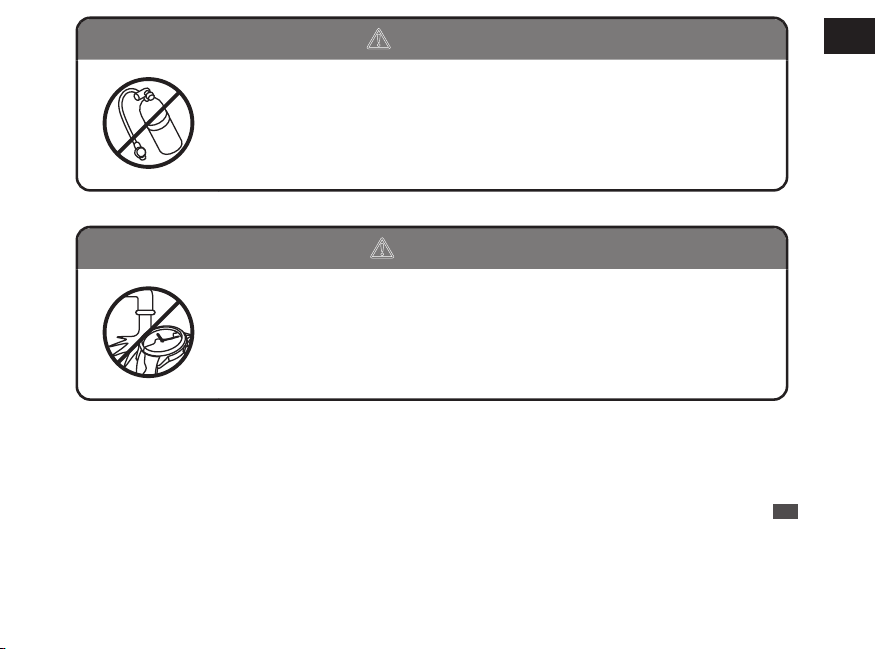
Do not use the watch in scuba diving or saturation diving.
The various tightened inspections under simulated harsh environment, which are
usually required for watches designed for scuba diving or saturation diving, have
not been conducted on the water resistant watch with the BAR (barometric
pressure) display. For diving, use watches specifically designed for diving.
b CAUTION
Do not pour running water directly from faucet.
The water pressure of tap water from a faucet is high enough to degrade the water
resistant performance of a water resistant watch for everyday life.
EN
7
1
HOW TO USE
7 TROUBLESHOOTING
How to conduct manual reception (Receive
a radio signal manually)
............................... 70
When a radio signal cannot be received ........ 72
How to manually set the time ..................... 73
How to manually set the date ..................... 75
How to manually set the day of the week ... 78
Preliminary position ....................................... 81
Automatic hand position adjustment function
(Adjustment of preliminary positions of hour,
minute and seconds hands)
......................... 81
Setting the preliminary position of the date
and the day
............................................... 81
How to set the preliminary position ................ 82
Setting the preliminary position of the date,
day hand, hour and minute hands
............ 82
Troubleshooting ............................................ 87
In case of an abnormal movement ................ 94
Reset the system ....................................... 94
8 SPECIFICATIONS
Specifications ................................................ 96
EN
4
Handling cautions
b WARNING
Please note that there is a risk of serious consequences such as severe injury if the following
safety regulations are not strictly observed.
Immediately stop wearing the watch in following cases:
○ If the watch body or band becomes edged by corrosion etc.
○ If the pins protrude from the band.
* Immediately consult the retailer from whom the watch was purchased or SEIKO CUSTOMER SERVICE
CENTER.
Keep the watch and accessories out of the reach of babies and children.
Care should be taken to prevent a baby or a child accidentally swallowing the accessories.
If a baby or child swallows the battery or accessories, immediately consult a doctor, as it will be
harmful to the health of the baby or child.
Do not remove the secondary battery from the watch.
* About the secondary battery → Power Source → P.44
Replacement of the secondary battery requires professional knowledge and skill. Please ask the retailer
from whom the watch was purchased for replacement of the secondary battery.
Installation of an ordinary silver oxide battery can generate heat that can cause bursting and ignition.
EN
5
1
HOW TO USE
b CAUTION
Please note that there is a risk of minor injury or material damage if the following safety
regulations are not strictly observed.
Avoid the following places for wearing or keeping the watch:
○ Places where volatile agents (cosmetics such as polish remover, bug repellent, thinners etc.) are
vaporizing
○ Places where the temperature drops below
5°C or rises above 35°C for a long time
○ Places affected by strong magnetism or static
electricity
○ Places affected by strong vibrations
○ Places of high humidity
○ Dusty places
If you observe any allergic symptoms or skin irritation
Stop wearing the watch immediately and consult a specialist such as a dermatologist or an allergist.
Other cautions
○ For adjusting the length of the metallic band, specialized knowledge and expertise are necessary.
Therefore, in such a case, contact the retailer from whom the watch was purchased. If you attempt
to adjust the metallic band, injury may occur to your hand or fingers, or parts of the band may be
lost.
○ Do not disassemble or tamper with the watch.
○ Keep the watch out of the reach of babies and children. Extra care should be taken to avoid risks
of any injury or allergic rash or itching that may be caused when you touch the watch.
○ When disposing of used batteries, follow the instructions of your local authorities.
○ If your watch is of the fob or pendant type, the strap or chain attached to the watch may damage
your clothes, or injure the hand, neck, or other parts of your body.
EN
6
1
HOW TO USE
b WARNING
Do not use the watch in scuba diving or saturation diving.
The various tightened inspections under simulated harsh environment, which are
usually required for watches designed for scuba diving or saturation diving, have
not been conducted on the water resistant watch with the BAR (barometric
pressure) display. For diving, use watches specifically designed for diving.
b CAUTION
Do not pour running water directly from faucet.
The water pressure of tap water from a faucet is high enough to degrade the water
resistant performance of a water resistant watch for everyday life.
EN
7
1
HOW TO USE
7 TROUBLESHOOTING
How to conduct manual reception (Receive
a radio signal manually)
............................... 70
When a radio signal cannot be received ........ 72
How to manually set the time ..................... 73
How to manually set the date ..................... 75
How to manually set the day of the week ... 78
Preliminary position ....................................... 81
Automatic hand position adjustment function
(Adjustment of preliminary positions of hour,
minute and seconds hands)
......................... 81
Setting the preliminary position of the date
and the day
............................................... 81
How to set the preliminary position ................ 82
Setting the preliminary position of the date,
day hand, hour and minute hands
............ 82
Troubleshooting ............................................ 87
In case of an abnormal movement ................ 94
Reset the system ....................................... 94
8 SPECIFICATIONS
Specifications ................................................ 96
EN
4
Handling cautions
b WARNING
Please note that there is a risk of serious consequences such as severe injury if the following
safety regulations are not strictly observed.
Immediately stop wearing the watch in following cases:
○ If the watch body or band becomes edged by corrosion etc.
○ If the pins protrude from the band.
* Immediately consult the retailer from whom the watch was purchased or SEIKO CUSTOMER SERVICE
CENTER.
Keep the watch and accessories out of the reach of babies and children.
Care should be taken to prevent a baby or a child accidentally swallowing the accessories.
If a baby or child swallows the battery or accessories, immediately consult a doctor, as it will be
harmful to the health of the baby or child.
Do not remove the secondary battery from the watch.
* About the secondary battery → Power Source → P.44
Replacement of the secondary battery requires professional knowledge and skill. Please ask the retailer
from whom the watch was purchased for replacement of the secondary battery.
Installation of an ordinary silver oxide battery can generate heat that can cause bursting and ignition.
EN
5
1
HOW TO USE
b CAUTION
Please note that there is a risk of minor injury or material damage if the following safety
regulations are not strictly observed.
Avoid the following places for wearing or keeping the watch:
○ Places where volatile agents (cosmetics such as polish remover, bug repellent, thinners etc.) are
vaporizing
○ Places where the temperature drops below
5°C or rises above 35°C for a long time
○ Places affected by strong magnetism or static
electricity
○ Places affected by strong vibrations
○ Places of high humidity
○ Dusty places
If you observe any allergic symptoms or skin irritation
Stop wearing the watch immediately and consult a specialist such as a dermatologist or an allergist.
Other cautions
○ For adjusting the length of the metallic band, specialized knowledge and expertise are necessary.
Therefore, in such a case, contact the retailer from whom the watch was purchased. If you attempt
to adjust the metallic band, injury may occur to your hand or fingers, or parts of the band may be
lost.
○ Do not disassemble or tamper with the watch.
○ Keep the watch out of the reach of babies and children. Extra care should be taken to avoid risks
of any injury or allergic rash or itching that may be caused when you touch the watch.
○ When disposing of used batteries, follow the instructions of your local authorities.
○ If your watch is of the fob or pendant type, the strap or chain attached to the watch may damage
your clothes, or injure the hand, neck, or other parts of your body.
EN
6
1
HOW TO USE
b WARNING
Do not use the watch in scuba diving or saturation diving.
The various tightened inspections under simulated harsh environment, which are
usually required for watches designed for scuba diving or saturation diving, have
not been conducted on the water resistant watch with the BAR (barometric
pressure) display. For diving, use watches specifically designed for diving.
b CAUTION
Do not pour running water directly from faucet.
The water pressure of tap water from a faucet is high enough to degrade the water
resistant performance of a water resistant watch for everyday life.
EN
7
1
HOW TO USE
b CAUTION
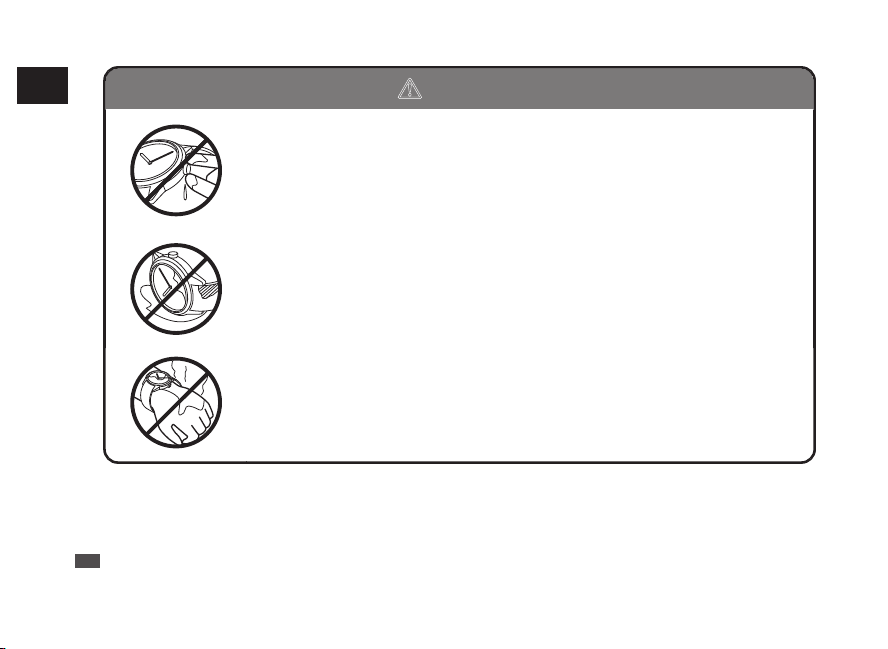
Do not turn or pull out the crown when the watch is wet.
Water may get inside of the watch.
* If the inner surface of the glass is clouded with condensation or water droplets appear
inside of the watch for a long time, the water resistant performance of the watch is
deteriorated. Immediately consult the retailer from whom the watch was purchased or
SEIKO CUSTOMER SERVICE CENTER.
Do not leave moisture, sweat and dirt on the watch for a long time.
Be aware of a risk that a water resistant watch may lessen its water resistant
performance because of deterioration of the adhesive on the glass or gasket, or
the development of rust on stainless steel.
Do not wear the watch while taking a bath or a sauna.
Steam, soap or some components of a hot spring may accelerate the
deterioration of water resistant performance of the watch.
EN
8
1
HOW TO USE
Characteristics
This solar-drive and radio-controlled watch is equipped with a world time function.
• The time in each region of the world can be displayed by selecting the time zone.
• This watch displays the precise time by receiving radio signals conveying time information.
• This watch can receive radio signals from Japan, China, U.S.A., Germany, and the UK.
• Two sets of time displays are provided to indicate the local time in two different time zones at the same
time.
■ World Time Function................
→ P.29
The time in each region of the world can be displayed by selecting
the time zone.
■ Dual Time Display....................
→ P.37
In addition to the main time display, the time in another region can
be displayed in the 24-hour indication format by the sub dial located
at the 6 o’clock position.
■ Radio Signal Receiving
Function....................................
→ P.17
The watch maintains the precise time by automatically receiving
radio signals on official standard frequencies.
Manual reception of radio signals is also possible.
This can receive radio signals from Japan (2 stations), China,
U.S.A., Germany, and the UK. (Select the transmitting station in the
world time function.)
EN
9
1
HOW TO USE
■ Reception Level Indication
Function....................................
→ P.71
The movement of the seconds hand indicates the radio signal
reception level during radio signal reception attempts.
(Only manual reception)
■ Display Function of Radio
Signal Reception Results........
→ P.27
The movement of the seconds hand indicates radio signal reception
results (Yes/No).
■ Solar Charging Function..........
→ P.40
A solar cell underneath the dial converts any form of light into
“electrical energy” to charge it. Once fully charged, the watch
continues to run for approximately 9 months.
■
Energy Depletion
Forewarning Function...........
→ P.42
The movement of the seconds hand indicates that the battery
should be charged.
■ Power Save Function...............
→ P.43
This watch is equipped with a function which can suppress energy
consumption when it is left without receiving an adequate light
source for a certain length of time.
■ Automatic Hand Position
Alignment Function..................
→ P.81
When the hand positions display an incorrect time as a result of
external influences such as magnetism, the watch automatically
corrects the hand misalignment.
EN
10
1
HOW TO USE
Names of the parts and their functions
1
Minute hand
2
Hour hand
3
Day hand (day of the week)
4
Seconds hand
5
Sub dial (24-hour system)
6
Button A
7
Date
8
Crown
• Normal position: How to select the time zone
→ P.31, Checking the reception result
→ P.27, Manual reception → P.70
• First click: Manual date setting → P.75,
Manual day setting → P.78, Time setting for
subdial → P.38
• Second click position:
Manual time setting → P.73,
Reset the system → P.94
9
Button B → P.13
* The operation method of the button varies with the functions being used. Follow the instructions of each section
of this manual.
1
7
8
9
6
2
4
5
3
EN
11
1
HOW TO USE
b CAUTION
Do not turn or pull out the crown when the watch is wet.
Water may get inside of the watch.
* If the inner surface of the glass is clouded with condensation or water droplets appear
inside of the watch for a long time, the water resistant performance of the watch is
deteriorated. Immediately consult the retailer from whom the watch was purchased or
SEIKO CUSTOMER SERVICE CENTER.
Do not leave moisture, sweat and dirt on the watch for a long time.
Be aware of a risk that a water resistant watch may lessen its water resistant
performance because of deterioration of the adhesive on the glass or gasket, or
the development of rust on stainless steel.
Do not wear the watch while taking a bath or a sauna.
Steam, soap or some components of a hot spring may accelerate the
deterioration of water resistant performance of the watch.
EN
8
1
HOW TO USE
Characteristics
This solar-drive and radio-controlled watch is equipped with a world time function.
• The time in each region of the world can be displayed by selecting the time zone.
• This watch displays the precise time by receiving radio signals conveying time information.
• This watch can receive radio signals from Japan, China, U.S.A., Germany, and the UK.
• Two sets of time displays are provided to indicate the local time in two different time zones at the same
time.
■ World Time Function................
→ P.29
The time in each region of the world can be displayed by selecting
the time zone.
■ Dual Time Display....................
→ P.37
In addition to the main time display, the time in another region can
be displayed in the 24-hour indication format by the sub dial located
at the 6 o’clock position.
■ Radio Signal Receiving
Function....................................
→ P.17
The watch maintains the precise time by automatically receiving
radio signals on official standard frequencies.
Manual reception of radio signals is also possible.
This can receive radio signals from Japan (2 stations), China,
U.S.A., Germany, and the UK. (Select the transmitting station in the
world time function.)
EN
9
1
HOW TO USE
■ Reception Level Indication
Function....................................
→ P.71
The movement of the seconds hand indicates the radio signal
reception level during radio signal reception attempts.
(Only manual reception)
■ Display Function of Radio
Signal Reception Results........
→ P.27
The movement of the seconds hand indicates radio signal reception
results (Yes/No).
■ Solar Charging Function..........
→ P.40
A solar cell underneath the dial converts any form of light into
“electrical energy” to charge it. Once fully charged, the watch
continues to run for approximately 9 months.
■
Energy Depletion
Forewarning Function...........
→ P.42
The movement of the seconds hand indicates that the battery
should be charged.
■ Power Save Function...............
→ P.43
This watch is equipped with a function which can suppress energy
consumption when it is left without receiving an adequate light
source for a certain length of time.
■ Automatic Hand Position
Alignment Function..................
→ P.81
When the hand positions display an incorrect time as a result of
external influences such as magnetism, the watch automatically
corrects the hand misalignment.
EN
10
1
HOW TO USE
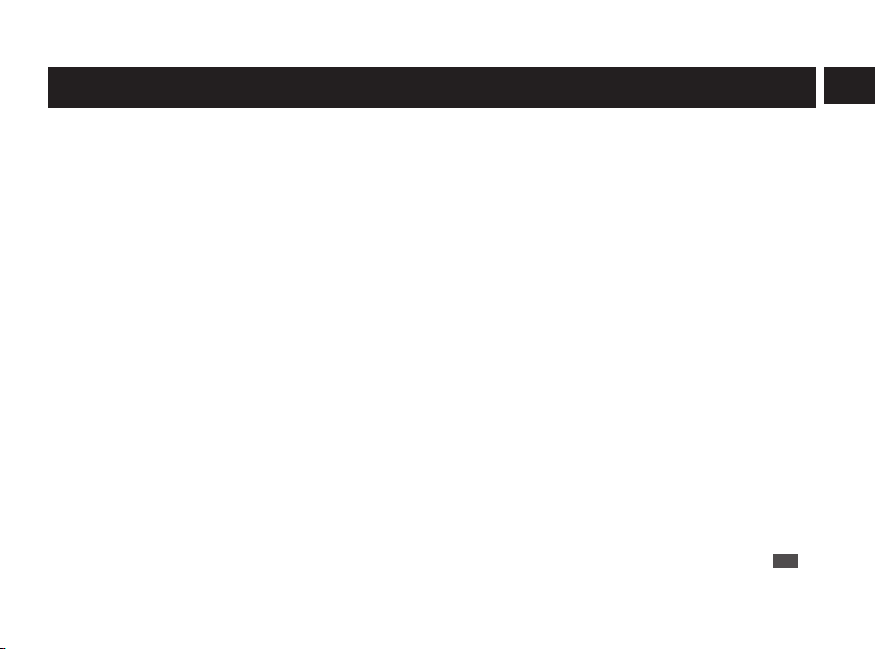
Names of the parts and their functions
1
Minute hand
2
Hour hand
3
Day hand (day of the week)
4
Seconds hand
5
Sub dial (24-hour system)
6
Button A
7
Date
8
Crown
• Normal position: How to select the time zone
→ P.31, Checking the reception result
→ P.27, Manual reception → P.70
• First click: Manual date setting → P.75,
Manual day setting → P.78, Time setting for
subdial → P.38
• Second click position:
Manual time setting → P.73,
Reset the system → P.94
9
Button B → P.13
* The operation method of the button varies with the functions being used. Follow the instructions of each section
of this manual.
1
7
8
9
6
2
4
5
3
EN
11
1
HOW TO USE

b CAUTION
Do not turn or pull out the crown when the watch is wet.
Water may get inside of the watch.
* If the inner surface of the glass is clouded with condensation or water droplets appear
inside of the watch for a long time, the water resistant performance of the watch is
deteriorated. Immediately consult the retailer from whom the watch was purchased or
SEIKO CUSTOMER SERVICE CENTER.
Do not leave moisture, sweat and dirt on the watch for a long time.
Be aware of a risk that a water resistant watch may lessen its water resistant
performance because of deterioration of the adhesive on the glass or gasket, or
the development of rust on stainless steel.
Do not wear the watch while taking a bath or a sauna.
Steam, soap or some components of a hot spring may accelerate the
deterioration of water resistant performance of the watch.
EN
8
1
HOW TO USE
Characteristics
This solar-drive and radio-controlled watch is equipped with a world time function.
• The time in each region of the world can be displayed by selecting the time zone.
• This watch displays the precise time by receiving radio signals conveying time information.
• This watch can receive radio signals from Japan, China, U.S.A., Germany, and the UK.
• Two sets of time displays are provided to indicate the local time in two different time zones at the same
time.
■ World Time Function................
→ P.29
The time in each region of the world can be displayed by selecting
the time zone.
■ Dual Time Display....................
→ P.37
In addition to the main time display, the time in another region can
be displayed in the 24-hour indication format by the sub dial located
at the 6 o’clock position.
■ Radio Signal Receiving
Function....................................
→ P.17
The watch maintains the precise time by automatically receiving
radio signals on official standard frequencies.
Manual reception of radio signals is also possible.
This can receive radio signals from Japan (2 stations), China,
U.S.A., Germany, and the UK. (Select the transmitting station in the
world time function.)
EN
9
1
HOW TO USE
■ Reception Level Indication
Function....................................
→ P.71
The movement of the seconds hand indicates the radio signal
reception level during radio signal reception attempts.
(Only manual reception)
■ Display Function of Radio
Signal Reception Results........
→ P.27
The movement of the seconds hand indicates radio signal reception
results (Yes/No).
■ Solar Charging Function..........
→ P.40
A solar cell underneath the dial converts any form of light into
“electrical energy” to charge it. Once fully charged, the watch
continues to run for approximately 9 months.
■
Energy Depletion
Forewarning Function...........
→ P.42
The movement of the seconds hand indicates that the battery
should be charged.
■ Power Save Function...............
→ P.43
This watch is equipped with a function which can suppress energy
consumption when it is left without receiving an adequate light
source for a certain length of time.
■ Automatic Hand Position
Alignment Function..................
→ P.81
When the hand positions display an incorrect time as a result of
external influences such as magnetism, the watch automatically
corrects the hand misalignment.
EN
10
1
HOW TO USE
Names of the parts and their functions
1
Minute hand
2
Hour hand
3
Day hand (day of the week)
4
Seconds hand
5
Sub dial (24-hour system)
6
Button A
7
Date
8
Crown
• Normal position: How to select the time zone
→ P.31, Checking the reception result
→ P.27, Manual reception → P.70
• First click: Manual date setting → P.75,
Manual day setting → P.78, Time setting for
subdial → P.38
• Second click position:
Manual time setting → P.73,
Reset the system → P.94
9
Button B → P.13
* The operation method of the button varies with the functions being used. Follow the instructions of each section
of this manual.
1
7
8
9
6
2
4
5
3
EN
11
1
HOW TO USE
b CAUTION
Do not turn or pull out the crown when the watch is wet.
Water may get inside of the watch.
* If the inner surface of the glass is clouded with condensation or water droplets appear
inside of the watch for a long time, the water resistant performance of the watch is
deteriorated. Immediately consult the retailer from whom the watch was purchased or
SEIKO CUSTOMER SERVICE CENTER.
Do not leave moisture, sweat and dirt on the watch for a long time.
Be aware of a risk that a water resistant watch may lessen its water resistant
performance because of deterioration of the adhesive on the glass or gasket, or
the development of rust on stainless steel.
Do not wear the watch while taking a bath or a sauna.
Steam, soap or some components of a hot spring may accelerate the
deterioration of water resistant performance of the watch.
EN
8
1
HOW TO USE
Characteristics
This solar-drive and radio-controlled watch is equipped with a world time function.
• The time in each region of the world can be displayed by selecting the time zone.
• This watch displays the precise time by receiving radio signals conveying time information.
• This watch can receive radio signals from Japan, China, U.S.A., Germany, and the UK.
• Two sets of time displays are provided to indicate the local time in two different time zones at the same
time.
■ World Time Function................
→ P.29
The time in each region of the world can be displayed by selecting
the time zone.
■ Dual Time Display....................
→ P.37
In addition to the main time display, the time in another region can
be displayed in the 24-hour indication format by the sub dial located
at the 6 o’clock position.
■ Radio Signal Receiving
Function....................................
→ P.17
The watch maintains the precise time by automatically receiving
radio signals on official standard frequencies.
Manual reception of radio signals is also possible.
This can receive radio signals from Japan (2 stations), China,
U.S.A., Germany, and the UK. (Select the transmitting station in the
world time function.)
EN
9
1
HOW TO USE
■ Reception Level Indication
Function....................................
→ P.71
The movement of the seconds hand indicates the radio signal
reception level during radio signal reception attempts.
(Only manual reception)
■ Display Function of Radio
Signal Reception Results........
→ P.27
The movement of the seconds hand indicates radio signal reception
results (Yes/No).
■ Solar Charging Function..........
→ P.40
A solar cell underneath the dial converts any form of light into
“electrical energy” to charge it. Once fully charged, the watch
continues to run for approximately 9 months.
■
Energy Depletion
Forewarning Function...........
→ P.42
The movement of the seconds hand indicates that the battery
should be charged.
■ Power Save Function...............
→ P.43
This watch is equipped with a function which can suppress energy
consumption when it is left without receiving an adequate light
source for a certain length of time.
■ Automatic Hand Position
Alignment Function..................
→ P.81
When the hand positions display an incorrect time as a result of
external influences such as magnetism, the watch automatically
corrects the hand misalignment.
EN
10
1
HOW TO USE
Names of the parts and their functions
1
Minute hand
2
Hour hand
3
Day hand (day of the week)
4
Seconds hand
5
Sub dial (24-hour system)
6
Button A
7
Date
8
Crown
• Normal position: How to select the time zone
→ P.31, Checking the reception result
→ P.27, Manual reception → P.70
• First click: Manual date setting → P.75,
Manual day setting → P.78, Time setting for
subdial → P.38
• Second click position:
Manual time setting → P.73,
Reset the system → P.94
9
Button B → P.13
* The operation method of the button varies with the functions being used. Follow the instructions of each section
of this manual.
1
7
8
9
6
2
4
5
3
EN
11
1
HOW TO USE
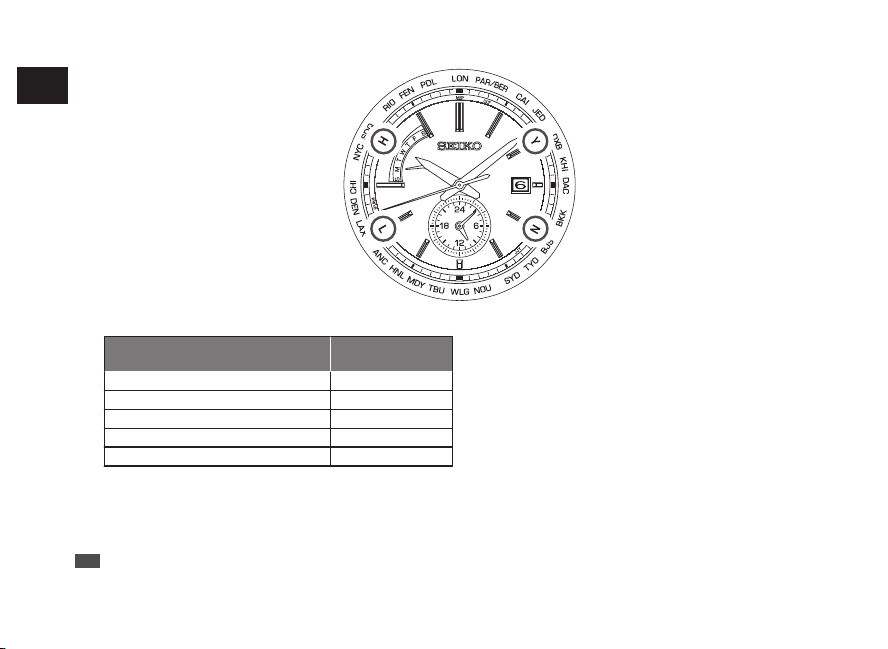
●
Reception level display
[Manual reception]
H
:
High reception level (50-second
position)
L
:
Low reception level (40-second
position)
N
:
Unable to receive radio signals
(20-second position)
* Reception level display → P.71
●
Reception result
display
[Check of reception result]
Y
:
Reception successful
(10-second position)
N
:
Reception failed (20-second
position)
* How to display the reception results
→ P.27
●
Standard radio signal display
Display (Country with radio
signal transmitting station)
Display position
J / JJY (Japan)
23-second position
B / BPC (China)
21-second position
W / WWVB (U.S.A.)
43-second position
D / DCF77 (Germany) 3-second position
M/MSF (UK) 0-second position
* World time function → P.29
●
Time zone display
[Time zone selection]
City names
:
25 regions around the world
* How to select the time zone (How to display the local
time around the world) → P.31
* Time zone display and time difference table → P.33
* Indication on the bezel or positions of each item on the
dial may vary depending on the model (design).
EN
12
1
HOW TO USE
How to use the button
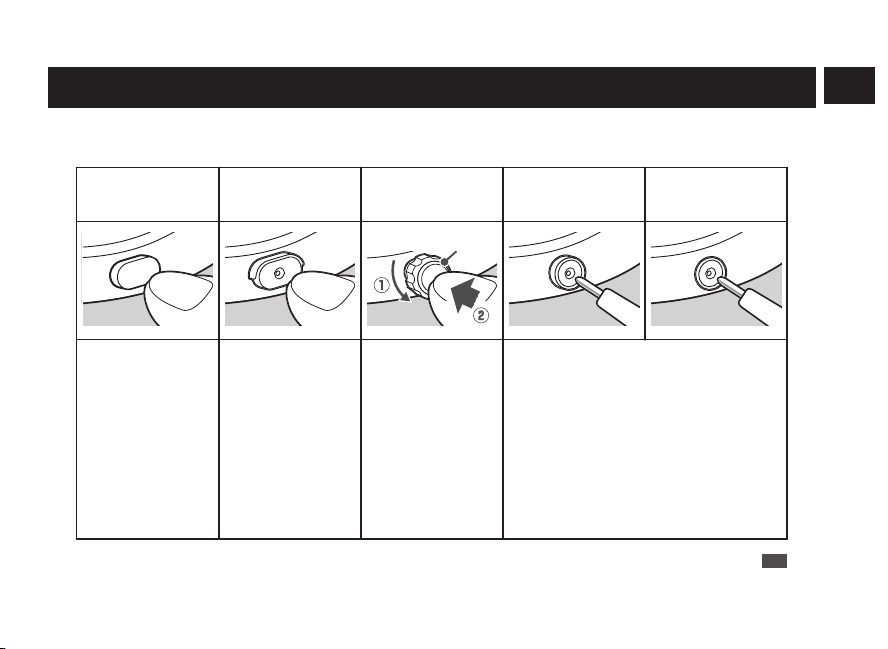
Some models may have a button which is recessed in the watch case to prevent accidental input.
Shape of the button differs depending on the design of the watch.
Normal Button
Upper half of the
Button B is covered.
Button B has an outer
ring.
Button B is covered
except the hollow in the
middle of the button.
Button B is embedded
in the watchcase.
Button ring
Press the button with
your finger
Use an object with a
long tapered tip.
* You can also press the
lower half of the button
with your finger.
1. Turn the outer ring
counterclockwise
(to a downward
direction) to loosen
it.
2. Press the button
with your finger.
* After finishing the
operation, make sure
to relock the outer ring
by turning it clockwise.
Press the button using an object with a long
tapered tip.
EN
13
1
HOW TO USE
Crown
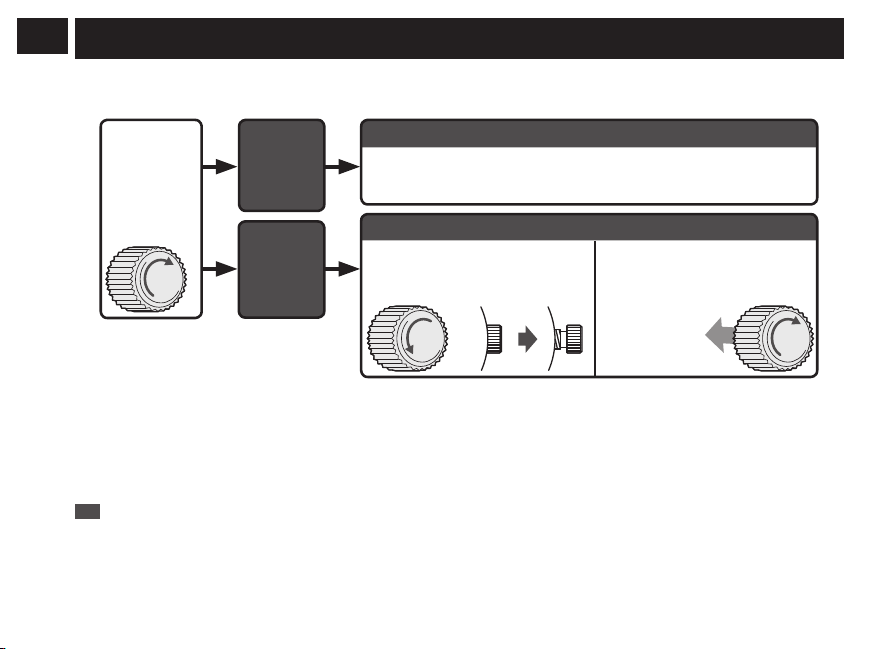
There are two types of crowns, a normal crown and a screw down crown.
Please check the type of the crown of your watch.
While
pressing the
crown in, turn it
in the direction
indicated by
the arrow.
The
crown
turns.
The crown
does not
turn.
Normal crown
Pull out the crown and operate it.
Screw down crown
Unlock the crown before
operating it.
After operating the crown,
lock it.
Unscrew
Rotate while
pressing
the crown in.
* By locking the crown by screw, a screw down crown can prevent malfunction and increase water resistance.
* Be careful not to screw the crown in by force as it may damage the slots of the crown.
EN
14
1
HOW TO USE
Before Use
1
Checking the Charging Status
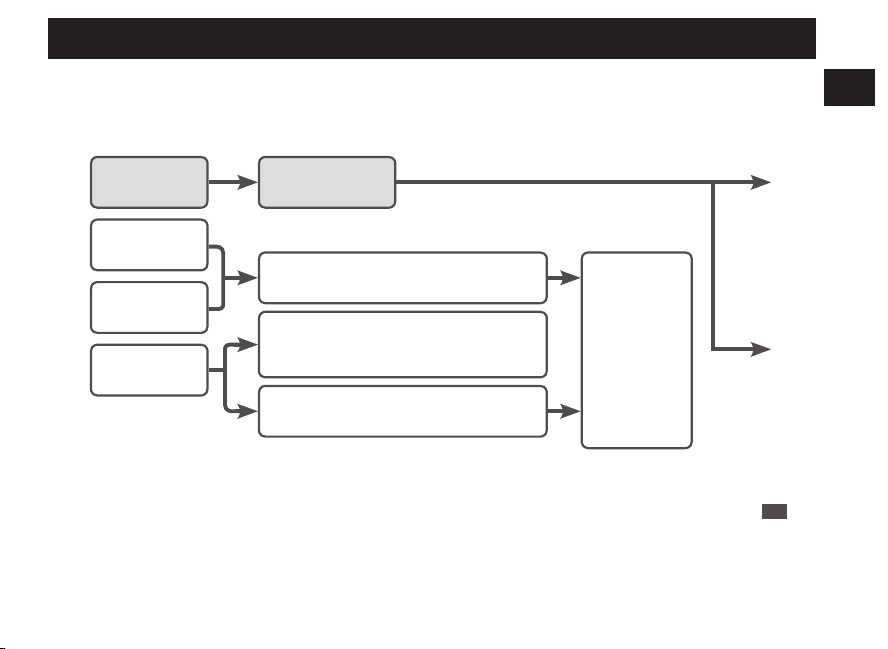
When the movement of the seconds hand shows an energy depletion state, the battery requires
charging.
The seconds hand moves
at one-second intervals.
The seconds hand moves
at two-second intervals.
The seconds hand moves
at five-second intervals.
The seconds
hand is stopped.
The watch is
sufficiently charged.
The charged energy is depleted.
→ P.42
The power save function is activated. → P.
43
Check the movements of the seconds hand
after releasing the Power Save mode.
The energy stored in the watch runs low.
Charge the
battery
sufficiently.
How to charge
the battery
→ P.40
* If the seconds hand does not move at one-second intervals even after fully charging the battery, refer to
“Charging the solar battery” in Troubleshooting on P.90
EN
15
2
BEFORE USE
●
Reception level display
[Manual reception]
H
:
High reception level (50-second
position)
L
:
Low reception level (40-second
position)
N
:
Unable to receive radio signals
(20-second position)
* Reception level display → P.71
●
Reception result
display
[Check of reception result]
Y
:
Reception successful
(10-second position)
N
:
Reception failed (20-second
position)
* How to display the reception results
→ P.27
●
Standard radio signal display
Display (Country with radio
signal transmitting station)
Display position
J / JJY (Japan)
23-second position
B / BPC (China)
21-second position
W / WWVB (U.S.A.)
43-second position
D / DCF77 (Germany) 3-second position
M/MSF (UK) 0-second position
* World time function → P.29
●
Time zone display
[Time zone selection]
City names
:
25 regions around the world
* How to select the time zone (How to display the local
time around the world) → P.31
* Time zone display and time difference table → P.33
* Indication on the bezel or positions of each item on the
dial may vary depending on the model (design).
EN
12
1
HOW TO USE
How to use the button
Some models may have a button which is recessed in the watch case to prevent accidental input.
Shape of the button differs depending on the design of the watch.
Normal Button
Upper half of the
Button B is covered.
Button B has an outer
ring.
Button B is covered
except the hollow in the
middle of the button.
Button B is embedded
in the watchcase.
Button ring
Press the button with
your finger
Use an object with a
long tapered tip.
* You can also press the
lower half of the button
with your finger.
1. Turn the outer ring
counterclockwise
(to a downward
direction) to loosen
it.
2. Press the button
with your finger.
* After finishing the
operation, make sure
to relock the outer ring
by turning it clockwise.
Press the button using an object with a long
tapered tip.
EN
13
1
HOW TO USE
Crown
There are two types of crowns, a normal crown and a screw down crown.
Please check the type of the crown of your watch.
While
pressing the
crown in, turn it
in the direction
indicated by
the arrow.
The
crown
turns.
The crown
does not
turn.
Normal crown
Pull out the crown and operate it.
Screw down crown
Unlock the crown before
operating it.
After operating the crown,
lock it.
Unscrew
Rotate while
pressing
the crown in.
* By locking the crown by screw, a screw down crown can prevent malfunction and increase water resistance.
* Be careful not to screw the crown in by force as it may damage the slots of the crown.
EN
14
1
HOW TO USE
Before Use
1
Checking the Charging Status
When the movement of the seconds hand shows an energy depletion state, the battery requires
charging.
The seconds hand moves
at one-second intervals.
The seconds hand moves
at two-second intervals.
The seconds hand moves
at five-second intervals.
The seconds
hand is stopped.
The watch is
sufficiently charged.
The charged energy is depleted.
→ P.42
The power save function is activated. → P.
43
Check the movements of the seconds hand
after releasing the Power Save mode.
The energy stored in the watch runs low.
Charge the
battery
sufficiently.
How to charge
the battery
→ P.40
* If the seconds hand does not move at one-second intervals even after fully charging the battery, refer to
“Charging the solar battery” in Troubleshooting on P.90
EN
15
2
BEFORE USE
●
Reception level display
[Manual reception]
H
:
High reception level (50-second
position)
L
:
Low reception level (40-second
position)
N
:
Unable to receive radio signals
(20-second position)
* Reception level display → P.71
●
Reception result
display
[Check of reception result]
Y
:
Reception successful
(10-second position)
N
:
Reception failed (20-second
position)
* How to display the reception results
→ P.27
●
Standard radio signal display
Display (Country with radio
signal transmitting station)
Display position
J / JJY (Japan)
23-second position
B / BPC (China)
21-second position
W / WWVB (U.S.A.)
43-second position
D / DCF77 (Germany) 3-second position
M/MSF (UK) 0-second position
* World time function → P.29
●
Time zone display
[Time zone selection]
City names
:
25 regions around the world
* How to select the time zone (How to display the local
time around the world) → P.31
* Time zone display and time difference table → P.33
* Indication on the bezel or positions of each item on the
dial may vary depending on the model (design).
EN
12
1
HOW TO USE
How to use the button
Some models may have a button which is recessed in the watch case to prevent accidental input.
Shape of the button differs depending on the design of the watch.
Normal Button
Upper half of the
Button B is covered.
Button B has an outer
ring.
Button B is covered
except the hollow in the
middle of the button.
Button B is embedded
in the watchcase.
Button ring
Press the button with
your finger
Use an object with a
long tapered tip.
* You can also press the
lower half of the button
with your finger.
1. Turn the outer ring
counterclockwise
(to a downward
direction) to loosen
it.
2. Press the button
with your finger.
* After finishing the
operation, make sure
to relock the outer ring
by turning it clockwise.
Press the button using an object with a long
tapered tip.
EN
13
1
HOW TO USE
Crown
There are two types of crowns, a normal crown and a screw down crown.
Please check the type of the crown of your watch.
While
pressing the
crown in, turn it
in the direction
indicated by
the arrow.
The
crown
turns.
The crown
does not
turn.
Normal crown
Pull out the crown and operate it.
Screw down crown
Unlock the crown before
operating it.
After operating the crown,
lock it.
Unscrew
Rotate while
pressing
the crown in.
* By locking the crown by screw, a screw down crown can prevent malfunction and increase water resistance.
* Be careful not to screw the crown in by force as it may damage the slots of the crown.
EN
14
1
HOW TO USE
Before Use
1
Checking the Charging Status
When the movement of the seconds hand shows an energy depletion state, the battery requires
charging.
The seconds hand moves
at one-second intervals.
The seconds hand moves
at two-second intervals.
The seconds hand moves
at five-second intervals.
The seconds
hand is stopped.
The watch is
sufficiently charged.
The charged energy is depleted.
→ P.42
The power save function is activated. → P.
43
Check the movements of the seconds hand
after releasing the Power Save mode.
The energy stored in the watch runs low.
Charge the
battery
sufficiently.
How to charge
the battery
→ P.40
* If the seconds hand does not move at one-second intervals even after fully charging the battery, refer to
“Charging the solar battery” in Troubleshooting on P.90
EN
15
2
BEFORE USE
●
Reception level display
[Manual reception]
H
:
High reception level (50-second
position)
L
:
Low reception level (40-second
position)
N
:
Unable to receive radio signals
(20-second position)
* Reception level display → P.71
●
Reception result
display
[Check of reception result]
Y
:
Reception successful
(10-second position)
N
:
Reception failed (20-second
position)
* How to display the reception results
→ P.27
●
Standard radio signal display
Display (Country with radio
signal transmitting station)
Display position
J / JJY (Japan)
23-second position
B / BPC (China)
21-second position
W / WWVB (U.S.A.)
43-second position
D / DCF77 (Germany) 3-second position
M/MSF (UK) 0-second position
* World time function → P.29
●
Time zone display
[Time zone selection]
City names
:
25 regions around the world
* How to select the time zone (How to display the local
time around the world) → P.31
* Time zone display and time difference table → P.33
* Indication on the bezel or positions of each item on the
dial may vary depending on the model (design).
EN
12
1
HOW TO USE
How to use the button
Some models may have a button which is recessed in the watch case to prevent accidental input.
Shape of the button differs depending on the design of the watch.
Normal Button
Upper half of the
Button B is covered.
Button B has an outer
ring.
Button B is covered
except the hollow in the
middle of the button.
Button B is embedded
in the watchcase.
Button ring
Press the button with
your finger
Use an object with a
long tapered tip.
* You can also press the
lower half of the button
with your finger.
1. Turn the outer ring
counterclockwise
(to a downward
direction) to loosen
it.
2. Press the button
with your finger.
* After finishing the
operation, make sure
to relock the outer ring
by turning it clockwise.
Press the button using an object with a long
tapered tip.
EN
13
1
HOW TO USE
Crown
There are two types of crowns, a normal crown and a screw down crown.
Please check the type of the crown of your watch.
While
pressing the
crown in, turn it
in the direction
indicated by
the arrow.
The
crown
turns.
The crown
does not
turn.
Normal crown
Pull out the crown and operate it.
Screw down crown
Unlock the crown before
operating it.
After operating the crown,
lock it.
Unscrew
Rotate while
pressing
the crown in.
* By locking the crown by screw, a screw down crown can prevent malfunction and increase water resistance.
* Be careful not to screw the crown in by force as it may damage the slots of the crown.
EN
14
1
HOW TO USE
Before Use
1
Checking the Charging Status
When the movement of the seconds hand shows an energy depletion state, the battery requires
charging.
The seconds hand moves
at one-second intervals.
The seconds hand moves
at two-second intervals.
The seconds hand moves
at five-second intervals.
The seconds
hand is stopped.
The watch is
sufficiently charged.
The charged energy is depleted.
→ P.42
The power save function is activated. → P.
43
Check the movements of the seconds hand
after releasing the Power Save mode.
The energy stored in the watch runs low.
Charge the
battery
sufficiently.
How to charge
the battery
→ P.40
* If the seconds hand does not move at one-second intervals even after fully charging the battery, refer to
“Charging the solar battery” in Troubleshooting on P.90
EN
15
2
BEFORE USE
2
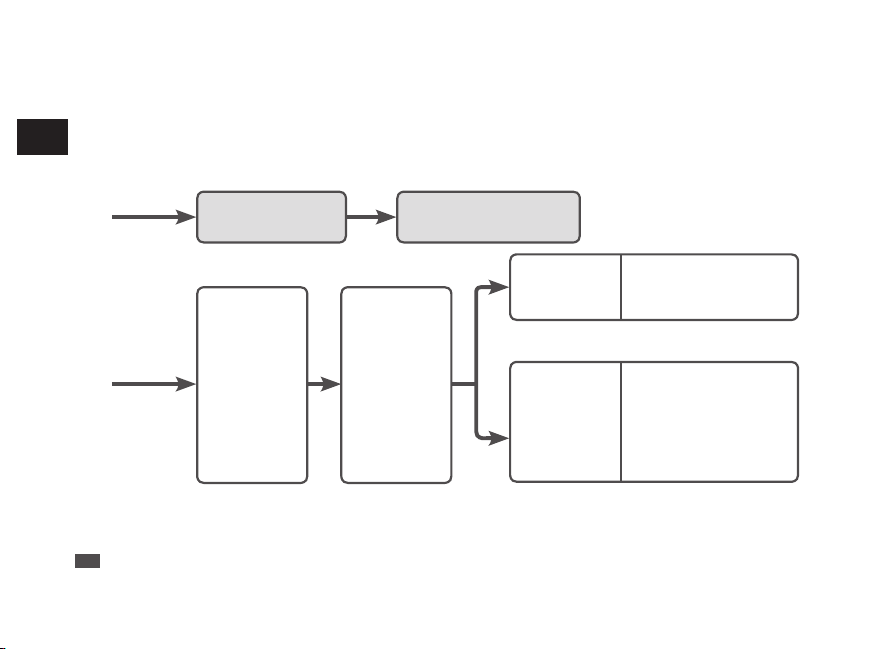
Checking the time, date and day
* The hands of this watch cannot be moved by turning the crown.
* So when adjusting the time, date and day, refer to the following regarding the procedures.
When the time, date
and day are correct
Use the watch without
adjustment.
When ether
time, date or
day is incorrect
Time zone
confirmation
→ P.31
When the radio
signal can be
received
Setting the time, date
and day by receiving a
radio signal → P.70
Radio signal reception range indication → P.
19
Environments in which it is difficult to receive a radio signal → P.
25
When a radio
signal cannot
be received
Manually set the time
→ P.73
Manually set the date
→ P.75
Manually set the date and day
→ P.78
* When the watch is not displaying the precise time, date and day even after successfully receiving a radio signal →
In this case, refer to Troubleshooting: Misalignment of the time and hands P.90 and Misalignment of the date and
day P.92.
EN
16
2
BEFORE USE
Setting the time, date and day by receiving a radio signal
■ Mechanism of radio signal reception
The radio-controlled watch displays the precise time, date and day by automatically receiving and
synchronizing itself with the radio signal of an official standard frequency.
Transmitting
Station
Cesium
Atomic
Clock
Official standard
frequency
Radio-controlled watch
Receive radio signals through
the antenna inside the watch
Analyze time information
Display the current time, date
and day
Time signal transmitted by a standard frequency is based on a super accurate “Cesium Atomic Clock” that
may have a 1 second loss or gain per one hundred thousand years.
EN
17
3
HOW TO SET THE TIME (RADIO SIGNAL RECEPTION)
■ Automatic reception and manual reception
●
Automatic reception
This watch sets the time, date and day by automatically receiving a radio signal at a fixed time.
It automatically receives a radio signal before 2:00 AM, 3:00 AM and 4:00 AM.
* When the reception is successful, the watch finishes the automatic reception.
• Place the watch in a place where it can easily receive a radio signal (by the window, etc.).
• Do not move the watch during the radio signal reception.
“To improve radio signal reception” → P.24
●
Manual reception
This watch can receive a radio signal arbitrarily at any time other than the automatic reception mode.
“How to conduct manual reception” → P.70
* Radio signal reception results depend on the receiving environment. “Environments in which it is difficult to receive
a radio signal” → P.25
* The watch cannot receive a radio signal outside the radio signal reception range. “Radio signal reception range
indication” → P.19
* When the time zone is set for a region other than the radio signal reception range, radio signals cannot be received.
Check the selection of time zone. “Time zone display and time difference table” → P.33
* When the watch is not displaying the precise time, date and day even after successfully receiving a radio signal.
In this case, refer to “Troubleshooting: Misalignment of the time and hands” → P.90 and “Misalignment of the date
and day” → P.92.
EN
18
3
HOW TO SET THE TIME (RADIO SIGNAL RECEPTION)
Reception environment
■ Radio signal reception range indication
This watch receives standard radio signals from Japan (2 stations), China, U.S.A., Germany and UK.
When you set the watch to a time zone in Japan, China, U.S.A., Germany or UK, the official standard
frequencies the watch receives will be automatically changed accordingly to the selected time zone.
“How to select the time zone (How to display the local time around the world)” → P.31
Germany (DCF77), UK (MSF)
P.23
China (BPC)
P.21
Japan (JJY)
P.20
U.S.A.
(WWVB)
P.22
EN
19
3
HOW TO SET THE TIME (RADIO SIGNAL RECEPTION)
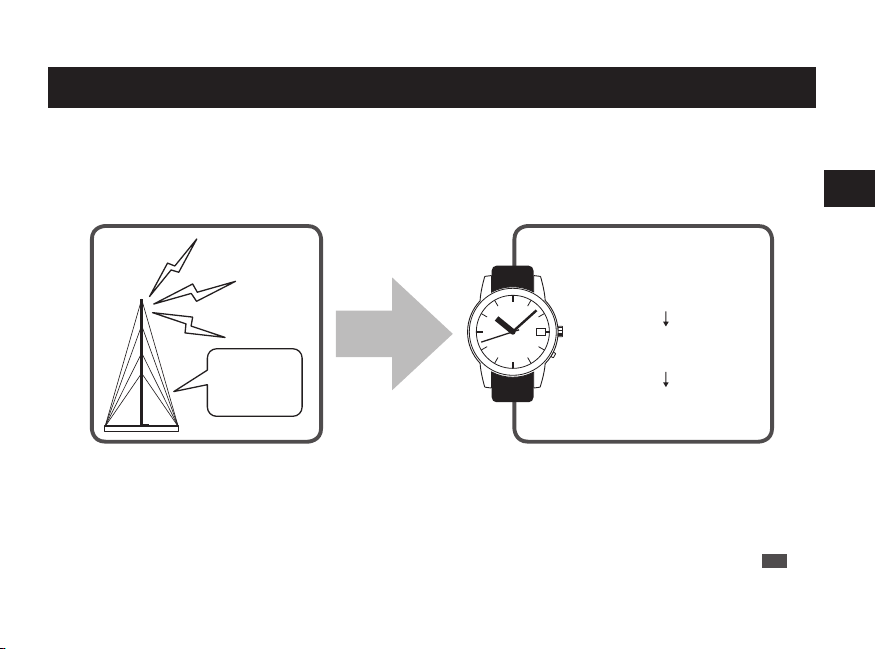
2
Checking the time, date and day
* The hands of this watch cannot be moved by turning the crown.
* So when adjusting the time, date and day, refer to the following regarding the procedures.
When the time, date
and day are correct
Use the watch without
adjustment.
When ether
time, date or
day is incorrect
Time zone
confirmation
→ P.31
When the radio
signal can be
received
Setting the time, date
and day by receiving a
radio signal → P.70
Radio signal reception range indication → P.
19
Environments in which it is difficult to receive a radio signal → P.
25
When a radio
signal cannot
be received
Manually set the time
→ P.73
Manually set the date
→ P.75
Manually set the date and day
→ P.78
* When the watch is not displaying the precise time, date and day even after successfully receiving a radio signal →
In this case, refer to Troubleshooting: Misalignment of the time and hands P.90 and Misalignment of the date and
day P.92.
EN
16
2
BEFORE USE
Setting the time, date and day by receiving a radio signal
■ Mechanism of radio signal reception
The radio-controlled watch displays the precise time, date and day by automatically receiving and
synchronizing itself with the radio signal of an official standard frequency.
Transmitting
Station
Cesium
Atomic
Clock
Official standard
frequency
Radio-controlled watch
Receive radio signals through
the antenna inside the watch
Analyze time information
Display the current time, date
and day
Time signal transmitted by a standard frequency is based on a super accurate “Cesium Atomic Clock” that
may have a 1 second loss or gain per one hundred thousand years.
EN
17
3
HOW TO SET THE TIME (RADIO SIGNAL RECEPTION)
■ Automatic reception and manual reception
●
Automatic reception
This watch sets the time, date and day by automatically receiving a radio signal at a fixed time.
It automatically receives a radio signal before 2:00 AM, 3:00 AM and 4:00 AM.
* When the reception is successful, the watch finishes the automatic reception.
• Place the watch in a place where it can easily receive a radio signal (by the window, etc.).
• Do not move the watch during the radio signal reception.
“To improve radio signal reception” → P.24
●
Manual reception
This watch can receive a radio signal arbitrarily at any time other than the automatic reception mode.
“How to conduct manual reception” → P.70
* Radio signal reception results depend on the receiving environment. “Environments in which it is difficult to receive
a radio signal” → P.25
* The watch cannot receive a radio signal outside the radio signal reception range. “Radio signal reception range
indication” → P.19
* When the time zone is set for a region other than the radio signal reception range, radio signals cannot be received.
Check the selection of time zone. “Time zone display and time difference table” → P.33
* When the watch is not displaying the precise time, date and day even after successfully receiving a radio signal.
In this case, refer to “Troubleshooting: Misalignment of the time and hands” → P.90 and “Misalignment of the date
and day” → P.92.
EN
18
3
HOW TO SET THE TIME (RADIO SIGNAL RECEPTION)
Reception environment
■ Radio signal reception range indication
This watch receives standard radio signals from Japan (2 stations), China, U.S.A., Germany and UK.
When you set the watch to a time zone in Japan, China, U.S.A., Germany or UK, the official standard
frequencies the watch receives will be automatically changed accordingly to the selected time zone.
“How to select the time zone (How to display the local time around the world)” → P.31
Germany (DCF77), UK (MSF)
P.23
China (BPC)
P.21
Japan (JJY)
P.20
U.S.A.
(WWVB)
P.22
EN
19
3
HOW TO SET THE TIME (RADIO SIGNAL RECEPTION)
2
Checking the time, date and day
* The hands of this watch cannot be moved by turning the crown.
* So when adjusting the time, date and day, refer to the following regarding the procedures.
When the time, date
and day are correct
Use the watch without
adjustment.
When ether
time, date or
day is incorrect
Time zone
confirmation
→ P.31
When the radio
signal can be
received
Setting the time, date
and day by receiving a
radio signal → P.70
Radio signal reception range indication → P.
19
Environments in which it is difficult to receive a radio signal → P.
25
When a radio
signal cannot
be received
Manually set the time
→ P.73
Manually set the date
→ P.75
Manually set the date and day
→ P.78
* When the watch is not displaying the precise time, date and day even after successfully receiving a radio signal →
In this case, refer to Troubleshooting: Misalignment of the time and hands P.90 and Misalignment of the date and
day P.92.
EN
16
2
BEFORE USE
Setting the time, date and day by receiving a radio signal
■ Mechanism of radio signal reception
The radio-controlled watch displays the precise time, date and day by automatically receiving and
synchronizing itself with the radio signal of an official standard frequency.
Transmitting
Station
Cesium
Atomic
Clock
Official standard
frequency
Radio-controlled watch
Receive radio signals through
the antenna inside the watch
Analyze time information
Display the current time, date
and day
Time signal transmitted by a standard frequency is based on a super accurate “Cesium Atomic Clock” that
may have a 1 second loss or gain per one hundred thousand years.
EN
17
3
HOW TO SET THE TIME (RADIO SIGNAL RECEPTION)
■ Automatic reception and manual reception
●
Automatic reception
This watch sets the time, date and day by automatically receiving a radio signal at a fixed time.
It automatically receives a radio signal before 2:00 AM, 3:00 AM and 4:00 AM.
* When the reception is successful, the watch finishes the automatic reception.
• Place the watch in a place where it can easily receive a radio signal (by the window, etc.).
• Do not move the watch during the radio signal reception.
“To improve radio signal reception” → P.24
●
Manual reception
This watch can receive a radio signal arbitrarily at any time other than the automatic reception mode.
“How to conduct manual reception” → P.70
* Radio signal reception results depend on the receiving environment. “Environments in which it is difficult to receive
a radio signal” → P.25
* The watch cannot receive a radio signal outside the radio signal reception range. “Radio signal reception range
indication” → P.19
* When the time zone is set for a region other than the radio signal reception range, radio signals cannot be received.
Check the selection of time zone. “Time zone display and time difference table” → P.33
* When the watch is not displaying the precise time, date and day even after successfully receiving a radio signal.
In this case, refer to “Troubleshooting: Misalignment of the time and hands” → P.90 and “Misalignment of the date
and day” → P.92.
EN
18
3
HOW TO SET THE TIME (RADIO SIGNAL RECEPTION)
Reception environment
■ Radio signal reception range indication
This watch receives standard radio signals from Japan (2 stations), China, U.S.A., Germany and UK.
When you set the watch to a time zone in Japan, China, U.S.A., Germany or UK, the official standard
frequencies the watch receives will be automatically changed accordingly to the selected time zone.
“How to select the time zone (How to display the local time around the world)” → P.31
Germany (DCF77), UK (MSF)
P.23
China (BPC)
P.21
Japan (JJY)
P.20
U.S.A.
(WWVB)
P.22
EN
19
3
HOW TO SET THE TIME (RADIO SIGNAL RECEPTION)
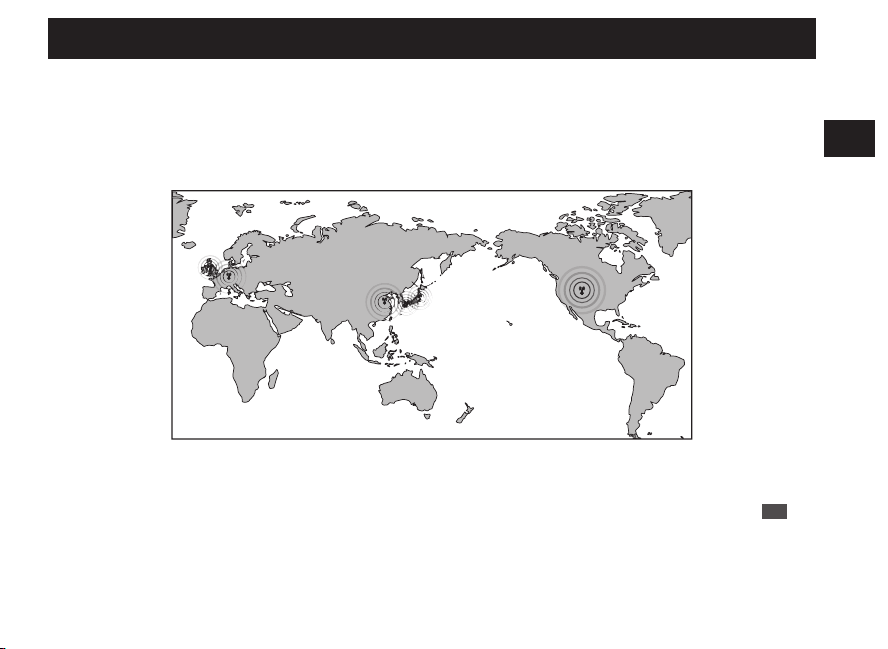
2
Checking the time, date and day
* The hands of this watch cannot be moved by turning the crown.
* So when adjusting the time, date and day, refer to the following regarding the procedures.
When the time, date
and day are correct
Use the watch without
adjustment.
When ether
time, date or
day is incorrect
Time zone
confirmation
→ P.31
When the radio
signal can be
received
Setting the time, date
and day by receiving a
radio signal → P.70
Radio signal reception range indication → P.
19
Environments in which it is difficult to receive a radio signal → P.
25
When a radio
signal cannot
be received
Manually set the time
→ P.73
Manually set the date
→ P.75
Manually set the date and day
→ P.78
* When the watch is not displaying the precise time, date and day even after successfully receiving a radio signal →
In this case, refer to Troubleshooting: Misalignment of the time and hands P.90 and Misalignment of the date and
day P.92.
EN
16
2
BEFORE USE
Setting the time, date and day by receiving a radio signal
■ Mechanism of radio signal reception
The radio-controlled watch displays the precise time, date and day by automatically receiving and
synchronizing itself with the radio signal of an official standard frequency.
Transmitting
Station
Cesium
Atomic
Clock
Official standard
frequency
Radio-controlled watch
Receive radio signals through
the antenna inside the watch
Analyze time information
Display the current time, date
and day
Time signal transmitted by a standard frequency is based on a super accurate “Cesium Atomic Clock” that
may have a 1 second loss or gain per one hundred thousand years.
EN
17
3
HOW TO SET THE TIME (RADIO SIGNAL RECEPTION)
■ Automatic reception and manual reception
●
Automatic reception
This watch sets the time, date and day by automatically receiving a radio signal at a fixed time.
It automatically receives a radio signal before 2:00 AM, 3:00 AM and 4:00 AM.
* When the reception is successful, the watch finishes the automatic reception.
• Place the watch in a place where it can easily receive a radio signal (by the window, etc.).
• Do not move the watch during the radio signal reception.
“To improve radio signal reception” → P.24
●
Manual reception
This watch can receive a radio signal arbitrarily at any time other than the automatic reception mode.
“How to conduct manual reception” → P.70
* Radio signal reception results depend on the receiving environment. “Environments in which it is difficult to receive
a radio signal” → P.25
* The watch cannot receive a radio signal outside the radio signal reception range. “Radio signal reception range
indication” → P.19
* When the time zone is set for a region other than the radio signal reception range, radio signals cannot be received.
Check the selection of time zone. “Time zone display and time difference table” → P.33
* When the watch is not displaying the precise time, date and day even after successfully receiving a radio signal.
In this case, refer to “Troubleshooting: Misalignment of the time and hands” → P.90 and “Misalignment of the date
and day” → P.92.
EN
18
3
HOW TO SET THE TIME (RADIO SIGNAL RECEPTION)
Reception environment
■ Radio signal reception range indication
This watch receives standard radio signals from Japan (2 stations), China, U.S.A., Germany and UK.
When you set the watch to a time zone in Japan, China, U.S.A., Germany or UK, the official standard
frequencies the watch receives will be automatically changed accordingly to the selected time zone.
“How to select the time zone (How to display the local time around the world)” → P.31
Germany (DCF77), UK (MSF)
P.23
China (BPC)
P.21
Japan (JJY)
P.20
U.S.A.
(WWVB)
P.22
EN
19
3
HOW TO SET THE TIME (RADIO SIGNAL RECEPTION)
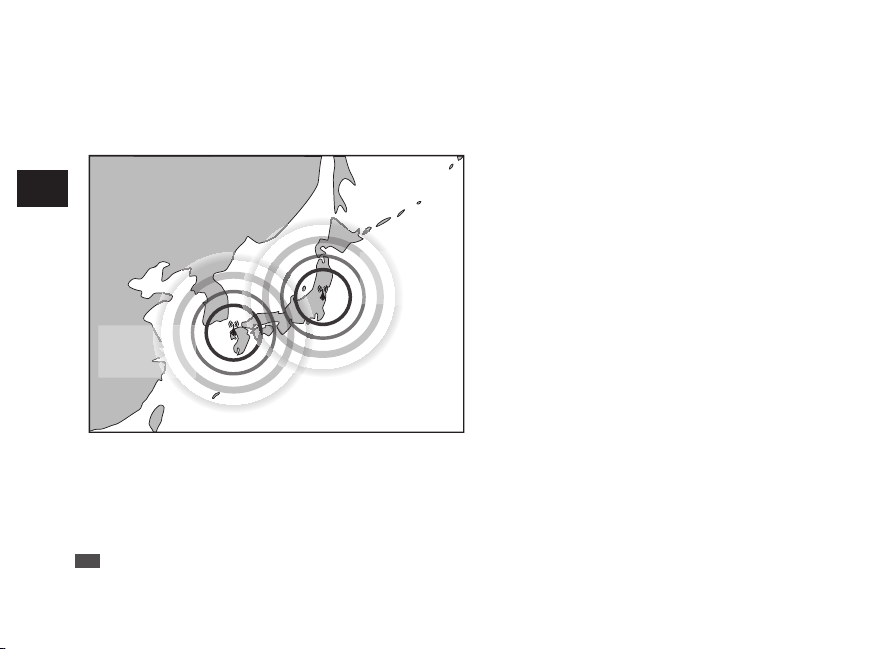
■ Radio signal reception range: Japan (JJY)
The reception range from the transmitting station is approximately 1,000 km (1,000 km radius of the
transmitting station).
Hagane-yama
transmitting
station (60 kHz)
Ohtakadoya-
yama
transmitting
station (40 kHz)
1,000 km
1,000 km
JJY is operated by the National Institute of
Information and Communications Technology
(NICT).
JJY is transmitted from two stations in Japan. Each
station transmits JJY in a different frequency.
Fukushima : Ohtakadoya-yama transmitting
station
Frequency: 40 KHz
Kyushu : Hagane-yama transmitting station
Frequency: 60 KHz
* NICT: National Institute of Information and
Communications Technology
* Even within the reception range, weather conditions,
terrain, buildings, and orientation may mean that
reception is not possible.
“Environments in which it is difficult to receive a radio
signal” → P.25
EN
20
3
HOW TO SET THE TIME (RADIO SIGNAL RECEPTION)
■ Radio signal reception range: China (BPC)
The reception range from the transmitting station is approximately 1,500 km (1,500 km radius of the
transmitting station).
Shangqiu
National Time
Service Center
(68.5 kHz)
1,500 km
BPC is operated by NTSC.
Shangqiu National Time Service Center
Frequency: 68.5 kHz
* NTSC: National Time Service Center
* The watch may be able to receive radio signals outside
a reception range if the receiving conditions are
favorable.
* Even within the reception range, weather conditions,
terrain, buildings, and orientation may mean that
reception is not possible.
“Environments in which it is difficult to receive a radio
signal” → P.25
EN
21
3
HOW TO SET THE TIME (RADIO SIGNAL RECEPTION)
■ Radio signal reception range: U.S.A. (WWVB)
The reception range from the transmitting station is approximately 1,500 km (1,500 km radius of the
transmitting station).
There are four time zones within the reception range.
Fort Collins
transmitting station
Frequency (60 KHz)
1,500 km
WWVB is operated by NIST.
Fort Collins transmitting station
Frequency: 60 kHz
* NIST: National Institute of Standards and Technology
* The watch may be able to receive radio signals outside
a reception range if the receiving conditions are
favorable.
* Even within the reception range, weather conditions,
terrain, buildings, and orientation may mean that
reception is not possible.
“Environments in which it is difficult to receive a radio
signal” → P.25
* Use of automatic reception is recommended, as this
time frame is optimal for automatic reception.
EN
22
3
HOW TO SET THE TIME (RADIO SIGNAL RECEPTION)
■ Radio signal reception range: Germany (DCF77), UK (MSF)
Each reception range from the transmitting station of DCF77 and MSF is approximately 1,000 km and 500 km
(1,000 km and 500 km radius of the each transmitting station). There are four time zones within the reception
range.
Mainflingen
transmitting station
(77.5 kHz)
Anthorn transmitting station
(60.0 kHz)
1,000 km
Approx. 500 km
DCF77 is operated by PTB.
Southeastern Frankfurt
Mainflingen transmitting station (77.5 kHz)
* PTB: Physikalisch-Technische Bundesanstalt
MSF is operated by NPL.
Northern England
Anthorn transmitting station
Frequency: 60.0 kHz
* NPL: National Physical Laboratory
* Even within the reception range, weather conditions,
terrain, buildings, and orientation may mean that
reception is not possible.
“Environments in which it is difficult to receive a radio
signal” → P.25
* Use of automatic reception is recommended, as this
time frame is optimal for automatic reception.
EN
23
3
HOW TO SET THE TIME (RADIO SIGNAL RECEPTION)
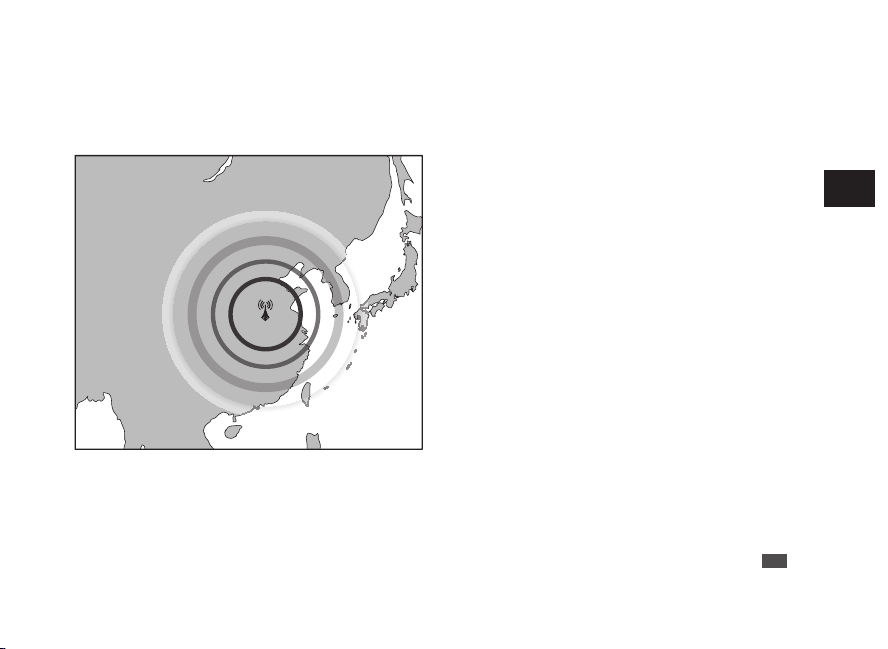
■ Radio signal reception range: Japan (JJY)
The reception range from the transmitting station is approximately 1,000 km (1,000 km radius of the
transmitting station).
Hagane-yama
transmitting
station (60 kHz)
Ohtakadoya-
yama
transmitting
station (40 kHz)
1,000 km
1,000 km
JJY is operated by the National Institute of
Information and Communications Technology
(NICT).
JJY is transmitted from two stations in Japan. Each
station transmits JJY in a different frequency.
Fukushima : Ohtakadoya-yama transmitting
station
Frequency: 40 KHz
Kyushu : Hagane-yama transmitting station
Frequency: 60 KHz
* NICT: National Institute of Information and
Communications Technology
* Even within the reception range, weather conditions,
terrain, buildings, and orientation may mean that
reception is not possible.
“Environments in which it is difficult to receive a radio
signal” → P.25
EN
20
3
HOW TO SET THE TIME (RADIO SIGNAL RECEPTION)
■ Radio signal reception range: China (BPC)
The reception range from the transmitting station is approximately 1,500 km (1,500 km radius of the
transmitting station).
Shangqiu
National Time
Service Center
(68.5 kHz)
1,500 km
BPC is operated by NTSC.
Shangqiu National Time Service Center
Frequency: 68.5 kHz
* NTSC: National Time Service Center
* The watch may be able to receive radio signals outside
a reception range if the receiving conditions are
favorable.
* Even within the reception range, weather conditions,
terrain, buildings, and orientation may mean that
reception is not possible.
“Environments in which it is difficult to receive a radio
signal” → P.25
EN
21
3
HOW TO SET THE TIME (RADIO SIGNAL RECEPTION)
■ Radio signal reception range: U.S.A. (WWVB)
The reception range from the transmitting station is approximately 1,500 km (1,500 km radius of the
transmitting station).
There are four time zones within the reception range.
Fort Collins
transmitting station
Frequency (60 KHz)
1,500 km
WWVB is operated by NIST.
Fort Collins transmitting station
Frequency: 60 kHz
* NIST: National Institute of Standards and Technology
* The watch may be able to receive radio signals outside
a reception range if the receiving conditions are
favorable.
* Even within the reception range, weather conditions,
terrain, buildings, and orientation may mean that
reception is not possible.
“Environments in which it is difficult to receive a radio
signal” → P.25
* Use of automatic reception is recommended, as this
time frame is optimal for automatic reception.
EN
22
3
HOW TO SET THE TIME (RADIO SIGNAL RECEPTION)
■ Radio signal reception range: Germany (DCF77), UK (MSF)
Each reception range from the transmitting station of DCF77 and MSF is approximately 1,000 km and 500 km
(1,000 km and 500 km radius of the each transmitting station). There are four time zones within the reception
range.
Mainflingen
transmitting station
(77.5 kHz)
Anthorn transmitting station
(60.0 kHz)
1,000 km
Approx. 500 km
DCF77 is operated by PTB.
Southeastern Frankfurt
Mainflingen transmitting station (77.5 kHz)
* PTB: Physikalisch-Technische Bundesanstalt
MSF is operated by NPL.
Northern England
Anthorn transmitting station
Frequency: 60.0 kHz
* NPL: National Physical Laboratory
* Even within the reception range, weather conditions,
terrain, buildings, and orientation may mean that
reception is not possible.
“Environments in which it is difficult to receive a radio
signal” → P.25
* Use of automatic reception is recommended, as this
time frame is optimal for automatic reception.
EN
23
3
HOW TO SET THE TIME (RADIO SIGNAL RECEPTION)
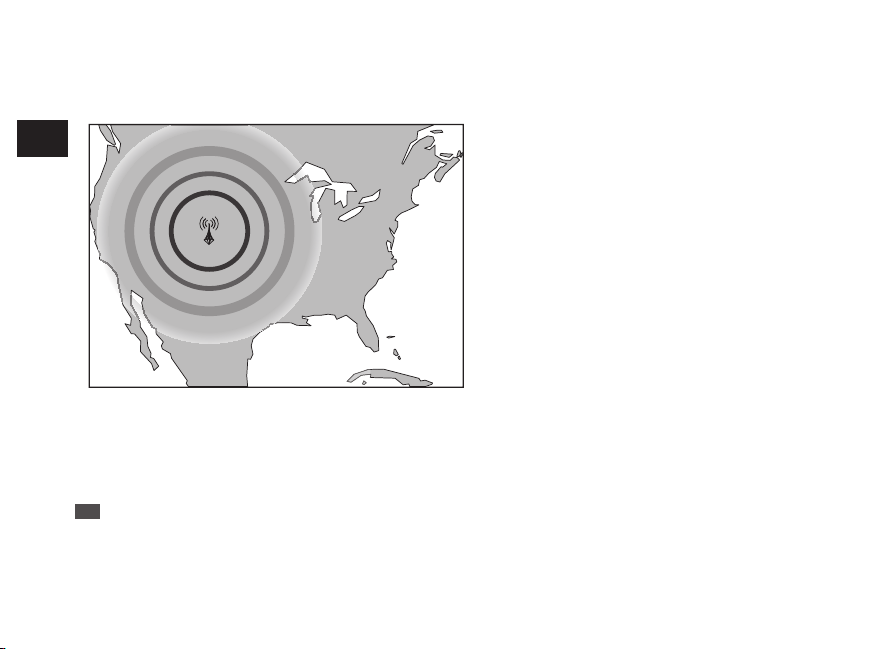
■ Radio signal reception range: Japan (JJY)
The reception range from the transmitting station is approximately 1,000 km (1,000 km radius of the
transmitting station).
Hagane-yama
transmitting
station (60 kHz)
Ohtakadoya-
yama
transmitting
station (40 kHz)
1,000 km
1,000 km
JJY is operated by the National Institute of
Information and Communications Technology
(NICT).
JJY is transmitted from two stations in Japan. Each
station transmits JJY in a different frequency.
Fukushima : Ohtakadoya-yama transmitting
station
Frequency: 40 KHz
Kyushu : Hagane-yama transmitting station
Frequency: 60 KHz
* NICT: National Institute of Information and
Communications Technology
* Even within the reception range, weather conditions,
terrain, buildings, and orientation may mean that
reception is not possible.
“Environments in which it is difficult to receive a radio
signal” → P.25
EN
20
3
HOW TO SET THE TIME (RADIO SIGNAL RECEPTION)
■ Radio signal reception range: China (BPC)
The reception range from the transmitting station is approximately 1,500 km (1,500 km radius of the
transmitting station).
Shangqiu
National Time
Service Center
(68.5 kHz)
1,500 km
BPC is operated by NTSC.
Shangqiu National Time Service Center
Frequency: 68.5 kHz
* NTSC: National Time Service Center
* The watch may be able to receive radio signals outside
a reception range if the receiving conditions are
favorable.
* Even within the reception range, weather conditions,
terrain, buildings, and orientation may mean that
reception is not possible.
“Environments in which it is difficult to receive a radio
signal” → P.25
EN
21
3
HOW TO SET THE TIME (RADIO SIGNAL RECEPTION)
■ Radio signal reception range: U.S.A. (WWVB)
The reception range from the transmitting station is approximately 1,500 km (1,500 km radius of the
transmitting station).
There are four time zones within the reception range.
Fort Collins
transmitting station
Frequency (60 KHz)
1,500 km
WWVB is operated by NIST.
Fort Collins transmitting station
Frequency: 60 kHz
* NIST: National Institute of Standards and Technology
* The watch may be able to receive radio signals outside
a reception range if the receiving conditions are
favorable.
* Even within the reception range, weather conditions,
terrain, buildings, and orientation may mean that
reception is not possible.
“Environments in which it is difficult to receive a radio
signal” → P.25
* Use of automatic reception is recommended, as this
time frame is optimal for automatic reception.
EN
22
3
HOW TO SET THE TIME (RADIO SIGNAL RECEPTION)
■ Radio signal reception range: Germany (DCF77), UK (MSF)
Each reception range from the transmitting station of DCF77 and MSF is approximately 1,000 km and 500 km
(1,000 km and 500 km radius of the each transmitting station). There are four time zones within the reception
range.
Mainflingen
transmitting station
(77.5 kHz)
Anthorn transmitting station
(60.0 kHz)
1,000 km
Approx. 500 km
DCF77 is operated by PTB.
Southeastern Frankfurt
Mainflingen transmitting station (77.5 kHz)
* PTB: Physikalisch-Technische Bundesanstalt
MSF is operated by NPL.
Northern England
Anthorn transmitting station
Frequency: 60.0 kHz
* NPL: National Physical Laboratory
* Even within the reception range, weather conditions,
terrain, buildings, and orientation may mean that
reception is not possible.
“Environments in which it is difficult to receive a radio
signal” → P.25
* Use of automatic reception is recommended, as this
time frame is optimal for automatic reception.
EN
23
3
HOW TO SET THE TIME (RADIO SIGNAL RECEPTION)
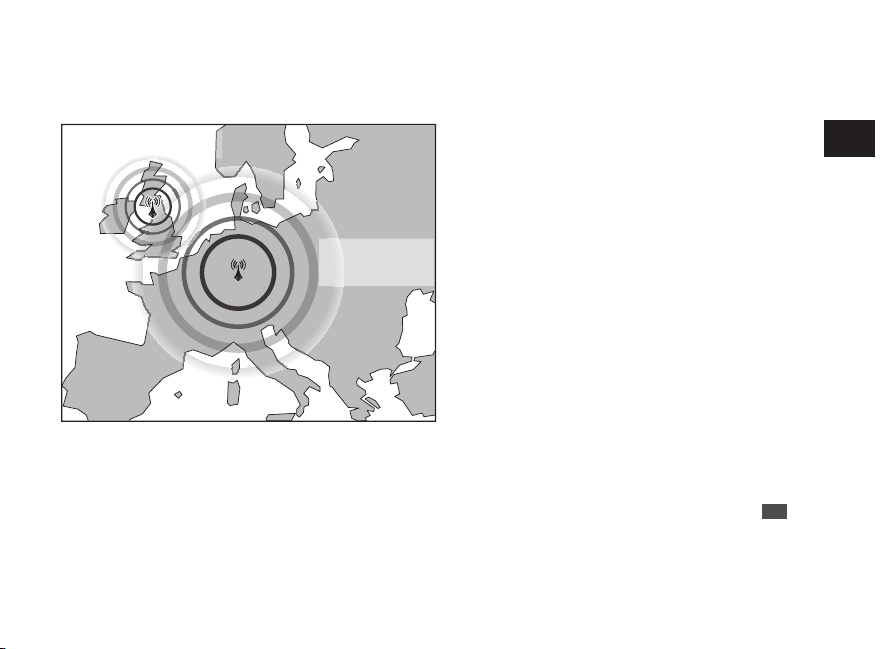
■ Radio signal reception range: Japan (JJY)
The reception range from the transmitting station is approximately 1,000 km (1,000 km radius of the
transmitting station).
Hagane-yama
transmitting
station (60 kHz)
Ohtakadoya-
yama
transmitting
station (40 kHz)
1,000 km
1,000 km
JJY is operated by the National Institute of
Information and Communications Technology
(NICT).
JJY is transmitted from two stations in Japan. Each
station transmits JJY in a different frequency.
Fukushima : Ohtakadoya-yama transmitting
station
Frequency: 40 KHz
Kyushu : Hagane-yama transmitting station
Frequency: 60 KHz
* NICT: National Institute of Information and
Communications Technology
* Even within the reception range, weather conditions,
terrain, buildings, and orientation may mean that
reception is not possible.
“Environments in which it is difficult to receive a radio
signal” → P.25
EN
20
3
HOW TO SET THE TIME (RADIO SIGNAL RECEPTION)
■ Radio signal reception range: China (BPC)
The reception range from the transmitting station is approximately 1,500 km (1,500 km radius of the
transmitting station).
Shangqiu
National Time
Service Center
(68.5 kHz)
1,500 km
BPC is operated by NTSC.
Shangqiu National Time Service Center
Frequency: 68.5 kHz
* NTSC: National Time Service Center
* The watch may be able to receive radio signals outside
a reception range if the receiving conditions are
favorable.
* Even within the reception range, weather conditions,
terrain, buildings, and orientation may mean that
reception is not possible.
“Environments in which it is difficult to receive a radio
signal” → P.25
EN
21
3
HOW TO SET THE TIME (RADIO SIGNAL RECEPTION)
■ Radio signal reception range: U.S.A. (WWVB)
The reception range from the transmitting station is approximately 1,500 km (1,500 km radius of the
transmitting station).
There are four time zones within the reception range.
Fort Collins
transmitting station
Frequency (60 KHz)
1,500 km
WWVB is operated by NIST.
Fort Collins transmitting station
Frequency: 60 kHz
* NIST: National Institute of Standards and Technology
* The watch may be able to receive radio signals outside
a reception range if the receiving conditions are
favorable.
* Even within the reception range, weather conditions,
terrain, buildings, and orientation may mean that
reception is not possible.
“Environments in which it is difficult to receive a radio
signal” → P.25
* Use of automatic reception is recommended, as this
time frame is optimal for automatic reception.
EN
22
3
HOW TO SET THE TIME (RADIO SIGNAL RECEPTION)
■ Radio signal reception range: Germany (DCF77), UK (MSF)
Each reception range from the transmitting station of DCF77 and MSF is approximately 1,000 km and 500 km
(1,000 km and 500 km radius of the each transmitting station). There are four time zones within the reception
range.
Mainflingen
transmitting station
(77.5 kHz)
Anthorn transmitting station
(60.0 kHz)
1,000 km
Approx. 500 km
DCF77 is operated by PTB.
Southeastern Frankfurt
Mainflingen transmitting station (77.5 kHz)
* PTB: Physikalisch-Technische Bundesanstalt
MSF is operated by NPL.
Northern England
Anthorn transmitting station
Frequency: 60.0 kHz
* NPL: National Physical Laboratory
* Even within the reception range, weather conditions,
terrain, buildings, and orientation may mean that
reception is not possible.
“Environments in which it is difficult to receive a radio
signal” → P.25
* Use of automatic reception is recommended, as this
time frame is optimal for automatic reception.
EN
23
3
HOW TO SET THE TIME (RADIO SIGNAL RECEPTION)
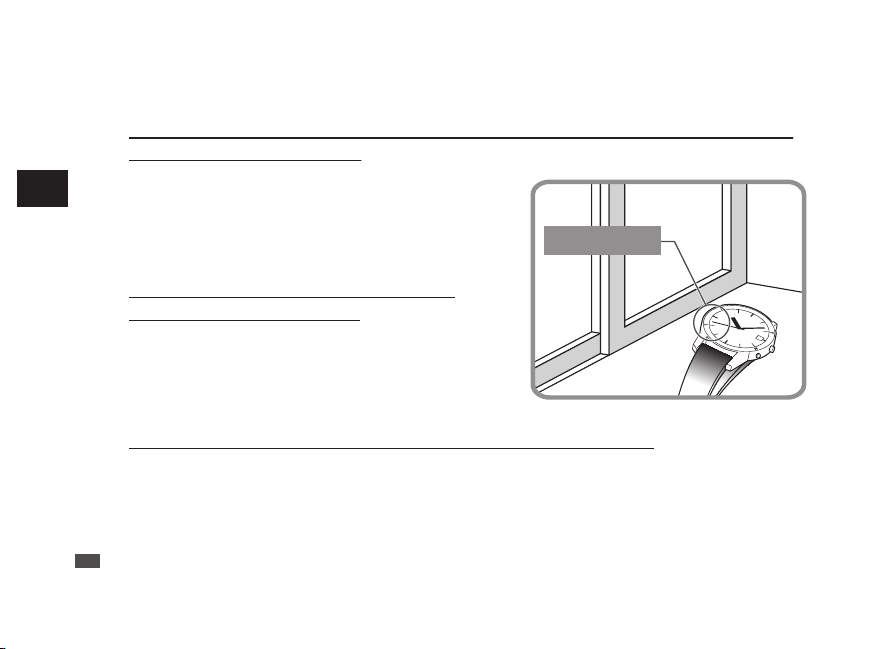
■ To improve radio signal reception
●
Place the watch in a place where it can easily receive a radio signal
such as near a window.
The antenna is embedded at the 9 o’clock position of the watch.
Turning the antenna toward the outside of a window or the
direction facing transmitting stations helps improve radio signal
reception.
* Locations of transmitting stations
“Radio signal reception range indication” → P.19
●
Do not move the watch while it is
receiving radio signals.
To enhance the reception of radio signals, do not move the
watch or do not change the orientation of the watch while it is
receiving radio signals.
* If the button or crown is operated while the watch is receiving a
radio signal, the reception will be cancelled.
●
The place where the watch is put before going to bed
Place the watch next to a window facing in the direction of a transmitting station before bedtime because
automatic reception is performed late at night.
The standard radio signal is influenced by the distance from the transmitting station, as well as by terrain
(including buildings) and weather conditions.
Also, please search for a place to easily receive radio signals when attempting reception.
Antenna
EN
24
3
HOW TO SET THE TIME (RADIO SIGNAL RECEPTION)
■ Environments in which it is difficult to receive a radio signal
Avoid putting the watch in such places when it receives radio signals.
• Close to home electrical
appliances such as TV’s,
refrigerators or air conditioners
• Close to OA equipment such as
mobile phones, personal
computers or fax machines
• Close to steel desks or other
furniture made of metal
• In places generating radio
interference, such as construction
sites or places with heavy traffic
• Close to overhead power lines, TV
stations, train cables
• Inside a building, between tall
buildings, underground
• Inside a vehicle, train, or airplane
EN
25
3
HOW TO SET THE TIME (RADIO SIGNAL RECEPTION)
b
CAUTION
• The watch may display the wrong time if it fails to receive radio signals properly
because of interference.
The watch may also fail to receive radio signals properly depending on the location or
radio wave receiving conditions.
In this case, move the watch to another place where it can receive radio signals.
• When the watch is out of reception range, its accurate quartz movement (loss / gain:
±15 seconds per month on average) will continue to keep the time.
• The time signal transmission may be stopped during maintenance of the facilities of
the (each) transmitting station or because of a lightning strike.
In such a case, see the (each) station’s website for further information or contact
SEIKO CUSTOMER SERVICE CENTER.
• Websites of transmission stations (As of August 2020)
Japan : National Institute of Information and Communications Technology (Japan
Standard Time Project) http://jjy.nict.go.jp/
China : NTSC http://www.ntsc.cas.cn/
U.S.A. : NIST https://www.nist.gov/pml/time-and-frequency-division/radio-
stations/wwvb
Germany : PTB https://www.ptb.de/cms/en.html
UK : NPL https://www.npl.co.uk/
EN
26
3
HOW TO SET THE TIME (RADIO SIGNAL RECEPTION)
How to check the reception status
■ How to display the reception results
The seconds hand indicates the latest reception results (Yes/No) of a radio signal for 5 seconds.
1
Press the Button A once and release
it.
The seconds hand indicates the reception
results.
Button A
Press once
and release
it
2
Check if the reception was
successful (within 5 seconds).
If a reception was
successful: The seconds
hand points to Y
(Yes: the 10-second
position)
If a reception has failed: The
seconds hand points to N
(No: the 20-second
position)
* If the button is pressed after 5 seconds have
elapsed or while the seconds hand is moving to
display the reception results, the reception
results display function is cancelled and the
watch returns to the TIME display mode.
EN
27
3
HOW TO SET THE TIME (RADIO SIGNAL RECEPTION)
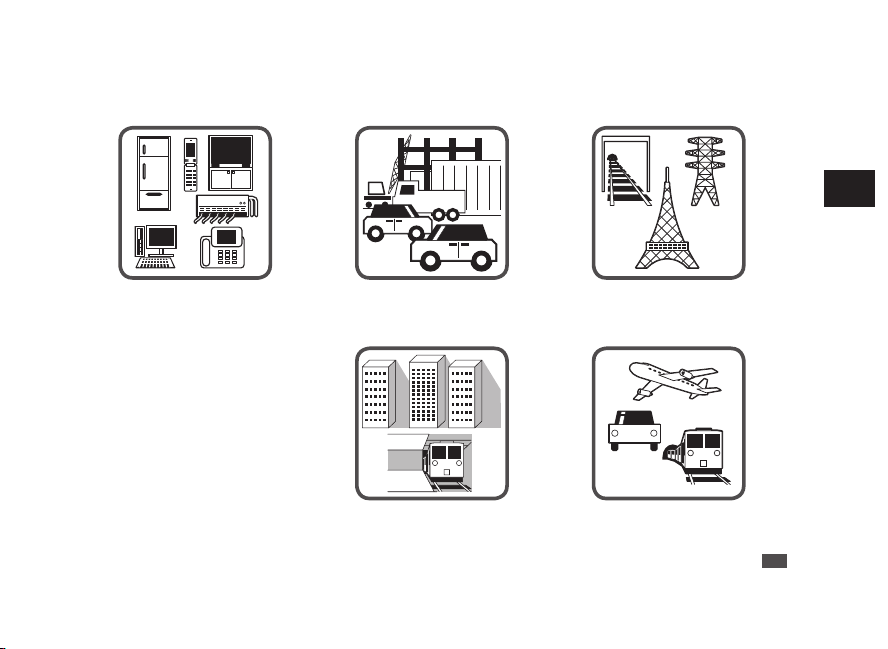
■ To improve radio signal reception
●
Place the watch in a place where it can easily receive a radio signal
such as near a window.
The antenna is embedded at the 9 o’clock position of the watch.
Turning the antenna toward the outside of a window or the
direction facing transmitting stations helps improve radio signal
reception.
* Locations of transmitting stations
“Radio signal reception range indication” → P.19
●
Do not move the watch while it is
receiving radio signals.
To enhance the reception of radio signals, do not move the
watch or do not change the orientation of the watch while it is
receiving radio signals.
* If the button or crown is operated while the watch is receiving a
radio signal, the reception will be cancelled.
●
The place where the watch is put before going to bed
Place the watch next to a window facing in the direction of a transmitting station before bedtime because
automatic reception is performed late at night.
The standard radio signal is influenced by the distance from the transmitting station, as well as by terrain
(including buildings) and weather conditions.
Also, please search for a place to easily receive radio signals when attempting reception.
Antenna
EN
24
3
HOW TO SET THE TIME (RADIO SIGNAL RECEPTION)
■ Environments in which it is difficult to receive a radio signal
Avoid putting the watch in such places when it receives radio signals.
• Close to home electrical
appliances such as TV’s,
refrigerators or air conditioners
• Close to OA equipment such as
mobile phones, personal
computers or fax machines
• Close to steel desks or other
furniture made of metal
• In places generating radio
interference, such as construction
sites or places with heavy traffic
• Close to overhead power lines, TV
stations, train cables
• Inside a building, between tall
buildings, underground
• Inside a vehicle, train, or airplane
EN
25
3
HOW TO SET THE TIME (RADIO SIGNAL RECEPTION)
b
CAUTION
• The watch may display the wrong time if it fails to receive radio signals properly
because of interference.
The watch may also fail to receive radio signals properly depending on the location or
radio wave receiving conditions.
In this case, move the watch to another place where it can receive radio signals.
• When the watch is out of reception range, its accurate quartz movement (loss / gain:
±15 seconds per month on average) will continue to keep the time.
• The time signal transmission may be stopped during maintenance of the facilities of
the (each) transmitting station or because of a lightning strike.
In such a case, see the (each) station’s website for further information or contact
SEIKO CUSTOMER SERVICE CENTER.
• Websites of transmission stations (As of August 2020)
Japan : National Institute of Information and Communications Technology (Japan
Standard Time Project) http://jjy.nict.go.jp/
China : NTSC http://www.ntsc.cas.cn/
U.S.A. : NIST https://www.nist.gov/pml/time-and-frequency-division/radio-
stations/wwvb
Germany : PTB https://www.ptb.de/cms/en.html
UK : NPL https://www.npl.co.uk/
EN
26
3
HOW TO SET THE TIME (RADIO SIGNAL RECEPTION)
How to check the reception status
■ How to display the reception results
The seconds hand indicates the latest reception results (Yes/No) of a radio signal for 5 seconds.
1
Press the Button A once and release
it.
The seconds hand indicates the reception
results.
Button A
Press once
and release
it
2
Check if the reception was
successful (within 5 seconds).
If a reception was
successful: The seconds
hand points to Y
(Yes: the 10-second
position)
If a reception has failed: The
seconds hand points to N
(No: the 20-second
position)
* If the button is pressed after 5 seconds have
elapsed or while the seconds hand is moving to
display the reception results, the reception
results display function is cancelled and the
watch returns to the TIME display mode.
EN
27
3
HOW TO SET THE TIME (RADIO SIGNAL RECEPTION)
■ To improve radio signal reception
●
Place the watch in a place where it can easily receive a radio signal
such as near a window.
The antenna is embedded at the 9 o’clock position of the watch.
Turning the antenna toward the outside of a window or the
direction facing transmitting stations helps improve radio signal
reception.
* Locations of transmitting stations
“Radio signal reception range indication” → P.19
●
Do not move the watch while it is
receiving radio signals.
To enhance the reception of radio signals, do not move the
watch or do not change the orientation of the watch while it is
receiving radio signals.
* If the button or crown is operated while the watch is receiving a
radio signal, the reception will be cancelled.
●
The place where the watch is put before going to bed
Place the watch next to a window facing in the direction of a transmitting station before bedtime because
automatic reception is performed late at night.
The standard radio signal is influenced by the distance from the transmitting station, as well as by terrain
(including buildings) and weather conditions.
Also, please search for a place to easily receive radio signals when attempting reception.
Antenna
EN
24
3
HOW TO SET THE TIME (RADIO SIGNAL RECEPTION)
■ Environments in which it is difficult to receive a radio signal
Avoid putting the watch in such places when it receives radio signals.
• Close to home electrical
appliances such as TV’s,
refrigerators or air conditioners
• Close to OA equipment such as
mobile phones, personal
computers or fax machines
• Close to steel desks or other
furniture made of metal
• In places generating radio
interference, such as construction
sites or places with heavy traffic
• Close to overhead power lines, TV
stations, train cables
• Inside a building, between tall
buildings, underground
• Inside a vehicle, train, or airplane
EN
25
3
HOW TO SET THE TIME (RADIO SIGNAL RECEPTION)
b
CAUTION
• The watch may display the wrong time if it fails to receive radio signals properly
because of interference.
The watch may also fail to receive radio signals properly depending on the location or
radio wave receiving conditions.
In this case, move the watch to another place where it can receive radio signals.
• When the watch is out of reception range, its accurate quartz movement (loss / gain:
±15 seconds per month on average) will continue to keep the time.
• The time signal transmission may be stopped during maintenance of the facilities of
the (each) transmitting station or because of a lightning strike.
In such a case, see the (each) station’s website for further information or contact
SEIKO CUSTOMER SERVICE CENTER.
• Websites of transmission stations (As of August 2020)
Japan : National Institute of Information and Communications Technology (Japan
Standard Time Project) http://jjy.nict.go.jp/
China : NTSC http://www.ntsc.cas.cn/
U.S.A. : NIST https://www.nist.gov/pml/time-and-frequency-division/radio-
stations/wwvb
Germany : PTB https://www.ptb.de/cms/en.html
UK : NPL https://www.npl.co.uk/
EN
26
3
HOW TO SET THE TIME (RADIO SIGNAL RECEPTION)
How to check the reception status
■ How to display the reception results
The seconds hand indicates the latest reception results (Yes/No) of a radio signal for 5 seconds.
1
Press the Button A once and release
it.
The seconds hand indicates the reception
results.
Button A
Press once
and release
it
2
Check if the reception was
successful (within 5 seconds).
If a reception was
successful: The seconds
hand points to Y
(Yes: the 10-second
position)
If a reception has failed: The
seconds hand points to N
(No: the 20-second
position)
* If the button is pressed after 5 seconds have
elapsed or while the seconds hand is moving to
display the reception results, the reception
results display function is cancelled and the
watch returns to the TIME display mode.
EN
27
3
HOW TO SET THE TIME (RADIO SIGNAL RECEPTION)
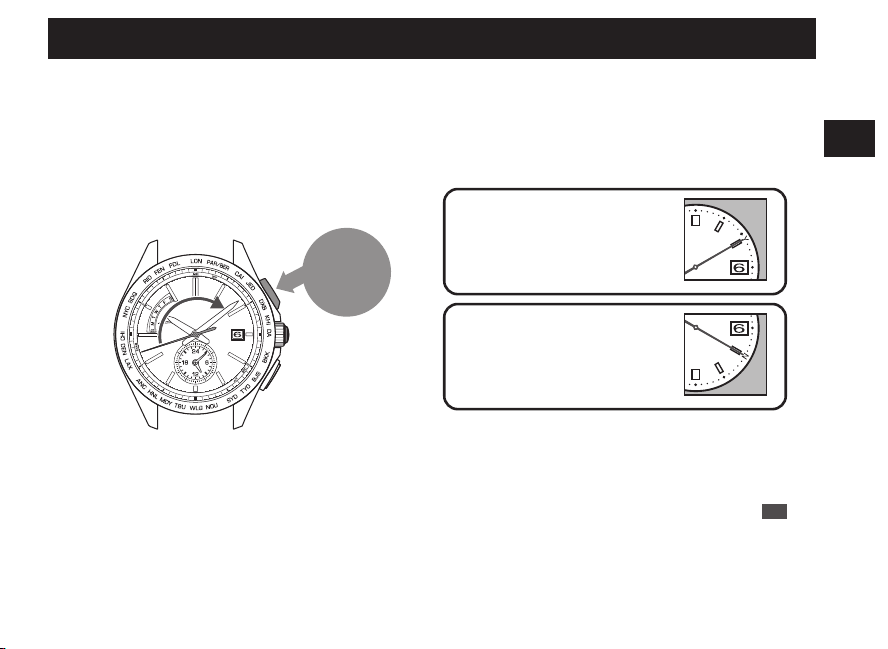
■ To improve radio signal reception
●
Place the watch in a place where it can easily receive a radio signal
such as near a window.
The antenna is embedded at the 9 o’clock position of the watch.
Turning the antenna toward the outside of a window or the
direction facing transmitting stations helps improve radio signal
reception.
* Locations of transmitting stations
“Radio signal reception range indication” → P.19
●
Do not move the watch while it is
receiving radio signals.
To enhance the reception of radio signals, do not move the
watch or do not change the orientation of the watch while it is
receiving radio signals.
* If the button or crown is operated while the watch is receiving a
radio signal, the reception will be cancelled.
●
The place where the watch is put before going to bed
Place the watch next to a window facing in the direction of a transmitting station before bedtime because
automatic reception is performed late at night.
The standard radio signal is influenced by the distance from the transmitting station, as well as by terrain
(including buildings) and weather conditions.
Also, please search for a place to easily receive radio signals when attempting reception.
Antenna
EN
24
3
HOW TO SET THE TIME (RADIO SIGNAL RECEPTION)
■ Environments in which it is difficult to receive a radio signal
Avoid putting the watch in such places when it receives radio signals.
• Close to home electrical
appliances such as TV’s,
refrigerators or air conditioners
• Close to OA equipment such as
mobile phones, personal
computers or fax machines
• Close to steel desks or other
furniture made of metal
• In places generating radio
interference, such as construction
sites or places with heavy traffic
• Close to overhead power lines, TV
stations, train cables
• Inside a building, between tall
buildings, underground
• Inside a vehicle, train, or airplane
EN
25
3
HOW TO SET THE TIME (RADIO SIGNAL RECEPTION)
b
CAUTION
• The watch may display the wrong time if it fails to receive radio signals properly
because of interference.
The watch may also fail to receive radio signals properly depending on the location or
radio wave receiving conditions.
In this case, move the watch to another place where it can receive radio signals.
• When the watch is out of reception range, its accurate quartz movement (loss / gain:
±15 seconds per month on average) will continue to keep the time.
• The time signal transmission may be stopped during maintenance of the facilities of
the (each) transmitting station or because of a lightning strike.
In such a case, see the (each) station’s website for further information or contact
SEIKO CUSTOMER SERVICE CENTER.
• Websites of transmission stations (As of August 2020)
Japan : National Institute of Information and Communications Technology (Japan
Standard Time Project) http://jjy.nict.go.jp/
China : NTSC http://www.ntsc.cas.cn/
U.S.A. : NIST https://www.nist.gov/pml/time-and-frequency-division/radio-
stations/wwvb
Germany : PTB https://www.ptb.de/cms/en.html
UK : NPL https://www.npl.co.uk/
EN
26
3
HOW TO SET THE TIME (RADIO SIGNAL RECEPTION)
How to check the reception status
■ How to display the reception results
The seconds hand indicates the latest reception results (Yes/No) of a radio signal for 5 seconds.
1
Press the Button A once and release
it.
The seconds hand indicates the reception
results.
Button A
Press once
and release
it
2
Check if the reception was
successful (within 5 seconds).
If a reception was
successful: The seconds
hand points to Y
(Yes: the 10-second
position)
If a reception has failed: The
seconds hand points to N
(No: the 20-second
position)
* If the button is pressed after 5 seconds have
elapsed or while the seconds hand is moving to
display the reception results, the reception
results display function is cancelled and the
watch returns to the TIME display mode.
EN
27
3
HOW TO SET THE TIME (RADIO SIGNAL RECEPTION)
If a reception was successful: The seconds hand points to Y
• A radio signal has been received successfully. Use the watch without any adjustments.
* When the watch is not displaying the precise time, date and day even after successfully receiving a radio signal.
→ In this case, refer to Troubleshooting: Misalignment of the time and hands P.90 and Misalignment of the date
and day P.92.
If reception has failed: The seconds hand points to N
•
Place the watch in a place where it can easily receive a radio signal, or change its direction.
Even within the radio signal reception range, this watch may fail to receive a radio signal depending on
the condition (due to the influence of weather, terrain, buildings, or direction). “Environments in which it
is difficult to receive a radio signal” → P.25
This watch is unable to receive radio signals outside the reception range. “Radio signal reception range
indication” → P.19
•
Make sure that the time zone is correctly selected before attempting radio signal reception.
When the time zone is set to a region other than the radio signal reception range, radio signals cannot
be received. Check the selection of time zone.
“How to select the time zone (How to display the local time around the world)” → P.31
“Time zone display and time difference table” → P.33
•
Attempt to receive a radio signal in a different time period. (In the case of manual reception)
Receiving environments differ according to time periods even at the same place. Due to radio signal
characteristics, the watch is able to easily receive radio signals during nighttime hours.
• If you use the watch in a place or region outside the radio signal reception range or when the watch
cannot successfully receive radio signals, manually set the time, date and day of the week.
“How to manually set the time” → P.73
“How to manually set the date” → P.75
“How to manually set the day of the week” → P.78
EN
28
3
HOW TO SET THE TIME (RADIO SIGNAL RECEPTION)
How to use the world time function
■ World time function
• The main watch can be easily set to display the local time in a different time zone by selecting a time
zone among 25 regions around the world.
• In the time zone setting mode, the seconds
hand indicates the selected time zone.
•
When the time zone is set to a region within the radio signal reception range, radio signals can be
received. When the watch is within the radio signal reception range, radio signals are received during
automatic reception or manual reception and the exact time, date and day are displayed.
* The watch is unable to receive radio signals outside the reception range. “Radio signal reception range
indication” → P.19
“How to select the time zone (How to display the local time around the world)” → P.31
“Time zone display and time difference table” → P.33
Time zone indication
Main
watch
Sub dial
EN
29
4
WORLD TIME FUNCTION
Example : Display Honolulu time (Set time zone to HNL (Honolulu))
When the time zone is selected, the date and day of the week are automatically adjusted in conjunction
with the time of the main watch.
The time of the sub dial remains unchanged. “About sub dial” → P.38
<Before time zone setting>
Main watch: local time (Tokyo)
Sub dial: home time (Tokyo)
<After time zone setting>
Main watch: local time (Honolulu)
Sub dial: home time (Tokyo)
Local time in Japan : 6th., Monday, 10 o’clock 8 minutes and 42 seconds
Local time in Honolulu : 5th., Sunday, 15 o’clock 8 minutes and 42 seconds
EN
30
4
WORLD TIME FUNCTION
How to select the time zone (How to display the local time around the world)
Button B
Press for
3
seconds
Press Button A
to advance 1
time zone
Press Button B
to set back 1
time zone
1
Keep pressing down the Button B (for 3
seconds) until the seconds hand stops.
The watch switches to the time zone adjustment mode
and stops by the time zone set currently.
*
Within 10 seconds after procedure 1. is completed, start
the operation of procedure 2.
If the watch is left untouched for 10 seconds after the
seconds hand stops, the watch automatically returns to
the TIME display mode.
If this happens, restart the operation from procedure 1.
2
Within 10 seconds after carrying out the
procedure 1., press the Button A or B to
set the seconds hand to point at the target
time zone index.
With each pressing of the button, the seconds hand
moves to the adjacent time zone index.
The position of the seconds hand shows the time
zone. Please set it by referring to P.33.
EN
31
4
WORLD TIME FUNCTION
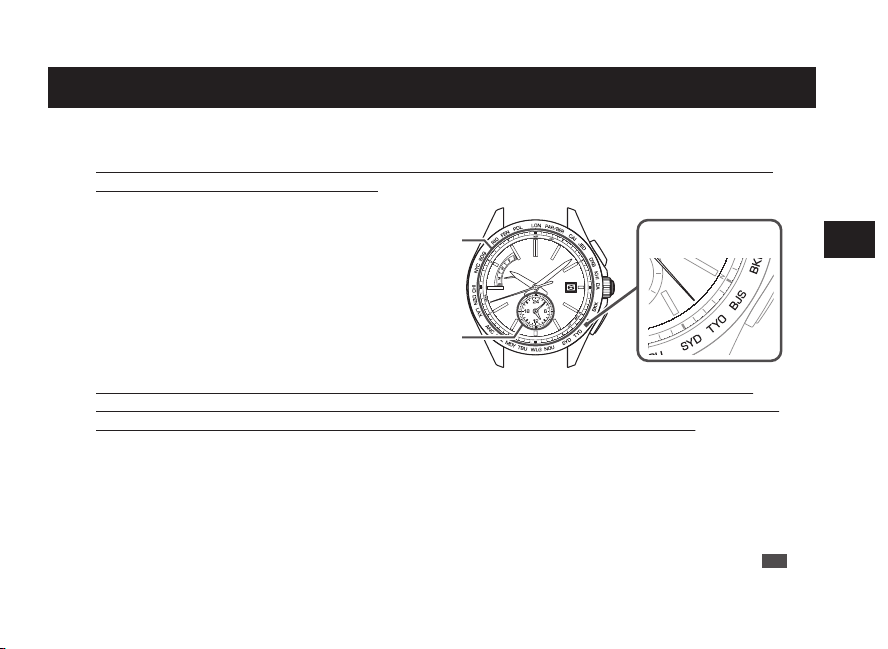
If a reception was successful: The seconds hand points to Y
• A radio signal has been received successfully. Use the watch without any adjustments.
* When the watch is not displaying the precise time, date and day even after successfully receiving a radio signal.
→ In this case, refer to Troubleshooting: Misalignment of the time and hands P.90 and Misalignment of the date
and day P.92.
If reception has failed: The seconds hand points to N
•
Place the watch in a place where it can easily receive a radio signal, or change its direction.
Even within the radio signal reception range, this watch may fail to receive a radio signal depending on
the condition (due to the influence of weather, terrain, buildings, or direction). “Environments in which it
is difficult to receive a radio signal” → P.25
This watch is unable to receive radio signals outside the reception range. “Radio signal reception range
indication” → P.19
•
Make sure that the time zone is correctly selected before attempting radio signal reception.
When the time zone is set to a region other than the radio signal reception range, radio signals cannot
be received. Check the selection of time zone.
“How to select the time zone (How to display the local time around the world)” → P.31
“Time zone display and time difference table” → P.33
•
Attempt to receive a radio signal in a different time period. (In the case of manual reception)
Receiving environments differ according to time periods even at the same place. Due to radio signal
characteristics, the watch is able to easily receive radio signals during nighttime hours.
• If you use the watch in a place or region outside the radio signal reception range or when the watch
cannot successfully receive radio signals, manually set the time, date and day of the week.
“How to manually set the time” → P.73
“How to manually set the date” → P.75
“How to manually set the day of the week” → P.78
EN
28
3
HOW TO SET THE TIME (RADIO SIGNAL RECEPTION)
How to use the world time function
■ World time function
• The main watch can be easily set to display the local time in a different time zone by selecting a time
zone among 25 regions around the world.
• In the time zone setting mode, the seconds
hand indicates the selected time zone.
•
When the time zone is set to a region within the radio signal reception range, radio signals can be
received. When the watch is within the radio signal reception range, radio signals are received during
automatic reception or manual reception and the exact time, date and day are displayed.
* The watch is unable to receive radio signals outside the reception range. “Radio signal reception range
indication” → P.19
“How to select the time zone (How to display the local time around the world)” → P.31
“Time zone display and time difference table” → P.33
Time zone indication
Main
watch
Sub dial
EN
29
4
WORLD TIME FUNCTION
Example : Display Honolulu time (Set time zone to HNL (Honolulu))
When the time zone is selected, the date and day of the week are automatically adjusted in conjunction
with the time of the main watch.
The time of the sub dial remains unchanged. “About sub dial” → P.38
<Before time zone setting>
Main watch: local time (Tokyo)
Sub dial: home time (Tokyo)
<After time zone setting>
Main watch: local time (Honolulu)
Sub dial: home time (Tokyo)
Local time in Japan : 6th., Monday, 10 o’clock 8 minutes and 42 seconds
Local time in Honolulu : 5th., Sunday, 15 o’clock 8 minutes and 42 seconds
EN
30
4
WORLD TIME FUNCTION
How to select the time zone (How to display the local time around the world)
Button B
Press for
3
seconds
Press Button A
to advance 1
time zone
Press Button B
to set back 1
time zone
1
Keep pressing down the Button B (for 3
seconds) until the seconds hand stops.
The watch switches to the time zone adjustment mode
and stops by the time zone set currently.
*
Within 10 seconds after procedure 1. is completed, start
the operation of procedure 2.
If the watch is left untouched for 10 seconds after the
seconds hand stops, the watch automatically returns to
the TIME display mode.
If this happens, restart the operation from procedure 1.
2
Within 10 seconds after carrying out the
procedure 1., press the Button A or B to
set the seconds hand to point at the target
time zone index.
With each pressing of the button, the seconds hand
moves to the adjacent time zone index.
The position of the seconds hand shows the time
zone. Please set it by referring to P.33.
EN
31
4
WORLD TIME FUNCTION
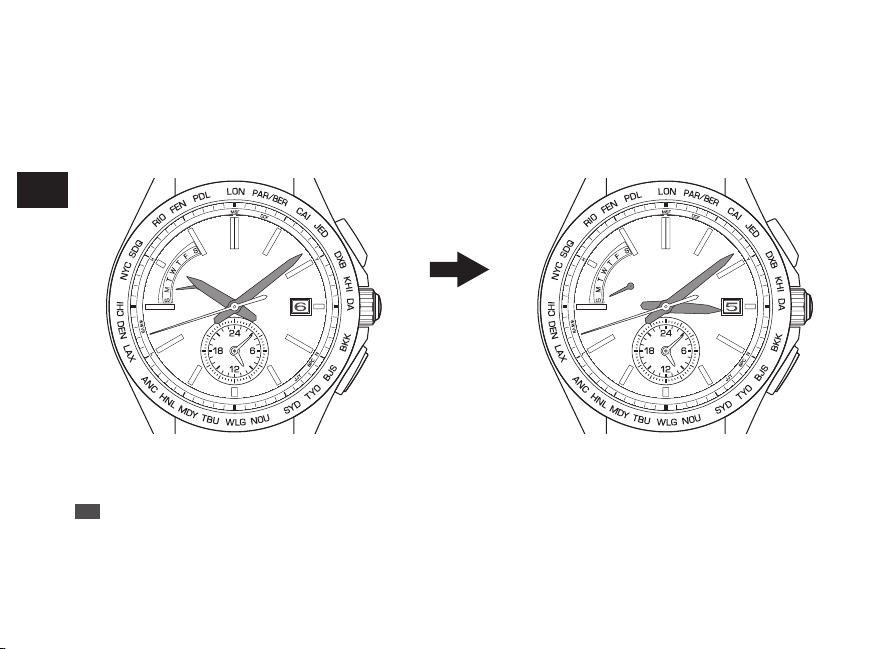
If a reception was successful: The seconds hand points to Y
• A radio signal has been received successfully. Use the watch without any adjustments.
* When the watch is not displaying the precise time, date and day even after successfully receiving a radio signal.
→ In this case, refer to Troubleshooting: Misalignment of the time and hands P.90 and Misalignment of the date
and day P.92.
If reception has failed: The seconds hand points to N
•
Place the watch in a place where it can easily receive a radio signal, or change its direction.
Even within the radio signal reception range, this watch may fail to receive a radio signal depending on
the condition (due to the influence of weather, terrain, buildings, or direction). “Environments in which it
is difficult to receive a radio signal” → P.25
This watch is unable to receive radio signals outside the reception range. “Radio signal reception range
indication” → P.19
•
Make sure that the time zone is correctly selected before attempting radio signal reception.
When the time zone is set to a region other than the radio signal reception range, radio signals cannot
be received. Check the selection of time zone.
“How to select the time zone (How to display the local time around the world)” → P.31
“Time zone display and time difference table” → P.33
•
Attempt to receive a radio signal in a different time period. (In the case of manual reception)
Receiving environments differ according to time periods even at the same place. Due to radio signal
characteristics, the watch is able to easily receive radio signals during nighttime hours.
• If you use the watch in a place or region outside the radio signal reception range or when the watch
cannot successfully receive radio signals, manually set the time, date and day of the week.
“How to manually set the time” → P.73
“How to manually set the date” → P.75
“How to manually set the day of the week” → P.78
EN
28
3
HOW TO SET THE TIME (RADIO SIGNAL RECEPTION)
How to use the world time function
■ World time function
• The main watch can be easily set to display the local time in a different time zone by selecting a time
zone among 25 regions around the world.
• In the time zone setting mode, the seconds
hand indicates the selected time zone.
•
When the time zone is set to a region within the radio signal reception range, radio signals can be
received. When the watch is within the radio signal reception range, radio signals are received during
automatic reception or manual reception and the exact time, date and day are displayed.
* The watch is unable to receive radio signals outside the reception range. “Radio signal reception range
indication” → P.19
“How to select the time zone (How to display the local time around the world)” → P.31
“Time zone display and time difference table” → P.33
Time zone indication
Main
watch
Sub dial
EN
29
4
WORLD TIME FUNCTION
Example : Display Honolulu time (Set time zone to HNL (Honolulu))
When the time zone is selected, the date and day of the week are automatically adjusted in conjunction
with the time of the main watch.
The time of the sub dial remains unchanged. “About sub dial” → P.38
<Before time zone setting>
Main watch: local time (Tokyo)
Sub dial: home time (Tokyo)
<After time zone setting>
Main watch: local time (Honolulu)
Sub dial: home time (Tokyo)
Local time in Japan : 6th., Monday, 10 o’clock 8 minutes and 42 seconds
Local time in Honolulu : 5th., Sunday, 15 o’clock 8 minutes and 42 seconds
EN
30
4
WORLD TIME FUNCTION
How to select the time zone (How to display the local time around the world)
Button B
Press for
3
seconds
Press Button A
to advance 1
time zone
Press Button B
to set back 1
time zone
1
Keep pressing down the Button B (for 3
seconds) until the seconds hand stops.
The watch switches to the time zone adjustment mode
and stops by the time zone set currently.
*
Within 10 seconds after procedure 1. is completed, start
the operation of procedure 2.
If the watch is left untouched for 10 seconds after the
seconds hand stops, the watch automatically returns to
the TIME display mode.
If this happens, restart the operation from procedure 1.
2
Within 10 seconds after carrying out the
procedure 1., press the Button A or B to
set the seconds hand to point at the target
time zone index.
With each pressing of the button, the seconds hand
moves to the adjacent time zone index.
The position of the seconds hand shows the time
zone. Please set it by referring to P.33.
EN
31
4
WORLD TIME FUNCTION
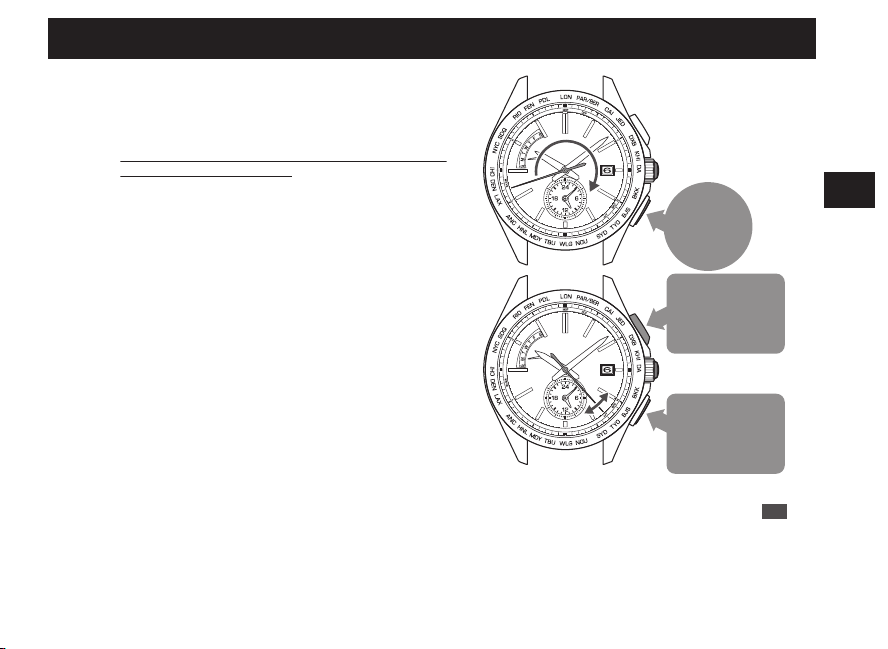
If a reception was successful: The seconds hand points to Y
• A radio signal has been received successfully. Use the watch without any adjustments.
* When the watch is not displaying the precise time, date and day even after successfully receiving a radio signal.
→ In this case, refer to Troubleshooting: Misalignment of the time and hands P.90 and Misalignment of the date
and day P.92.
If reception has failed: The seconds hand points to N
•
Place the watch in a place where it can easily receive a radio signal, or change its direction.
Even within the radio signal reception range, this watch may fail to receive a radio signal depending on
the condition (due to the influence of weather, terrain, buildings, or direction). “Environments in which it
is difficult to receive a radio signal” → P.25
This watch is unable to receive radio signals outside the reception range. “Radio signal reception range
indication” → P.19
•
Make sure that the time zone is correctly selected before attempting radio signal reception.
When the time zone is set to a region other than the radio signal reception range, radio signals cannot
be received. Check the selection of time zone.
“How to select the time zone (How to display the local time around the world)” → P.31
“Time zone display and time difference table” → P.33
•
Attempt to receive a radio signal in a different time period. (In the case of manual reception)
Receiving environments differ according to time periods even at the same place. Due to radio signal
characteristics, the watch is able to easily receive radio signals during nighttime hours.
• If you use the watch in a place or region outside the radio signal reception range or when the watch
cannot successfully receive radio signals, manually set the time, date and day of the week.
“How to manually set the time” → P.73
“How to manually set the date” → P.75
“How to manually set the day of the week” → P.78
EN
28
3
HOW TO SET THE TIME (RADIO SIGNAL RECEPTION)
How to use the world time function
■ World time function
• The main watch can be easily set to display the local time in a different time zone by selecting a time
zone among 25 regions around the world.
• In the time zone setting mode, the seconds
hand indicates the selected time zone.
•
When the time zone is set to a region within the radio signal reception range, radio signals can be
received. When the watch is within the radio signal reception range, radio signals are received during
automatic reception or manual reception and the exact time, date and day are displayed.
* The watch is unable to receive radio signals outside the reception range. “Radio signal reception range
indication” → P.19
“How to select the time zone (How to display the local time around the world)” → P.31
“Time zone display and time difference table” → P.33
Time zone indication
Main
watch
Sub dial
EN
29
4
WORLD TIME FUNCTION
Example : Display Honolulu time (Set time zone to HNL (Honolulu))
When the time zone is selected, the date and day of the week are automatically adjusted in conjunction
with the time of the main watch.
The time of the sub dial remains unchanged. “About sub dial” → P.38
<Before time zone setting>
Main watch: local time (Tokyo)
Sub dial: home time (Tokyo)
<After time zone setting>
Main watch: local time (Honolulu)
Sub dial: home time (Tokyo)
Local time in Japan : 6th., Monday, 10 o’clock 8 minutes and 42 seconds
Local time in Honolulu : 5th., Sunday, 15 o’clock 8 minutes and 42 seconds
EN
30
4
WORLD TIME FUNCTION
How to select the time zone (How to display the local time around the world)
Button B
Press for
3
seconds
Press Button A
to advance 1
time zone
Press Button B
to set back 1
time zone
1
Keep pressing down the Button B (for 3
seconds) until the seconds hand stops.
The watch switches to the time zone adjustment mode
and stops by the time zone set currently.
*
Within 10 seconds after procedure 1. is completed, start
the operation of procedure 2.
If the watch is left untouched for 10 seconds after the
seconds hand stops, the watch automatically returns to
the TIME display mode.
If this happens, restart the operation from procedure 1.
2
Within 10 seconds after carrying out the
procedure 1., press the Button A or B to
set the seconds hand to point at the target
time zone index.
With each pressing of the button, the seconds hand
moves to the adjacent time zone index.
The position of the seconds hand shows the time
zone. Please set it by referring to P.33.
EN
31
4
WORLD TIME FUNCTION
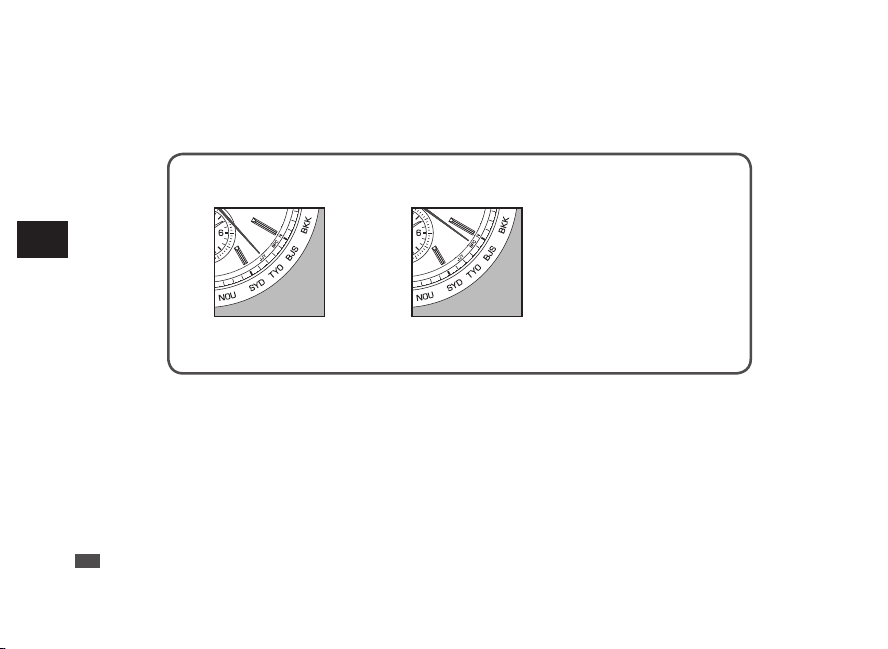
The radio signal transmitting station can be changed by selecting the time zone.
When selecting a time zone for regions other than the radio signal reception ranges,
the radio signal reception function will not work.
* When setting the daylight saving time (DST), add one hour to the time zone of the target area.
In Japan In China In the other countries
Set the seconds hand to
the 23-second position.
Set the seconds hand to
the 21-second position.
“Time zone display
and time difference
table” → P.33
3
Wait for ten seconds after the movement of the hour and minute hands stop. (The
time zone adjustment mode is finished.)
The seconds hand starts to move.
The watch automatically adjust the date and day of the week as necessary.
* While the date and day of the week are moving, neither the buttons nor the crown can be operated.
EN
32
4
WORLD TIME FUNCTION
Time zone display and time difference table
In time zone selection mode, move the seconds hand to the time zone display of the target area as shown below.
When setting daylight saving time (DST), add a time difference of +1 hour to the time zone of the target area.
Time zone
display
Time
difference
display
Seconds hand positions
Names of
representative
cities (Time zone)
Time
difference
from UTC
Receivable radio
signals
LON UTC 0-second position London ±0 hours MSF/DCF77
PAR/BER 1 3-second position Paris/Berlin +1 hours MSF/DCF77
CAI 2 6-second position Cairo +2 hours MSF/DCF77
JED 3 8-second position Jeddah +3 hours DCF77
DXB 4 11-second position Dubai +4 hours DCF77 △
KHI 5 13-second position Karachi +5 hours -
DAC 6 15-second position Dhaka +6 hours -
BKK 7 18-second position Bangkok +7 hours -
BJS/HKG 8 21-second position Beijing/Hongkong +8 hours BPC
TYO 9 23-second position Tokyo +9 hours JJY
SYD 10 25-second position Sydney +10 hours JJY △
NOU 11 28-second position Nouméa +11 hours -
EN
33
4
WORLD TIME FUNCTION
* Time zones marked with a △ in “Receivable radio signals” are selected when the time zone one hour earlier is set to daylight
saving time (DST).
* Each indication may differ depending on the model (design) of the watch.
(As of August 2020)
Time zone
display
Time
difference
display
Seconds hand positions
Names of
representative
cities (Time zone)
Time
difference
from UTC
Receivable radio
signals
WLG 12 30-second position Wellington +12 hours -
TBU 13 32-second position Nuku’alofa +13 hours -
MDY -11 34-second position Midway Islands -11 hours -
HNL -10 36-second position Honolulu -10 hours -
ANC -9 38-second position Anchorage -9 hours -
LAX -8 41-second position Los Angels -8 hours WWVB
DEN -7 43-second position Denver -7 hours WWVB
CHI -6 45-second position Chicago -6 hours WWVB
NYC -5 48-second position New York -5 hours WWVB
SDQ -4 50-second position Santo Domingo -4 hours WWVB △
RIO -3 53-second position Rio de Janeiro -3 hours -
FEN -2 55-second position
Fernando de
Noronha
-2 hours -
PDL -1 57-second position Azores -1 hour -
EN
34
4
WORLD TIME FUNCTION
■ What is a time zone?
Based on Coordinated Universal Time (UTC), the standard time commonly used is adopted by
countries and regions around the world.
The standard time is determined by each country or region, and the region where the same
standard time is adopted is referred to as the time zone.
Further, Daylight Saving Time (DST) is individually adopted in countries and regions.
[What is UTC (Coordinated Universal Time)?]
UTC is the universal standard time coordinated through international agreement. It is used as the official
time around the world. UTC is a time coordinated by adding leap seconds to the “International Atomic
Time (TAI)” determined from atomic clocks in the world, in order to correct the deviation from the
astronomically defined universal time (UT).
[What is summer time (DST)?]
Summer time is Daylight Saving Time (DST).
Advance the watch one hour to prolong daytime during longer daylight hours in summer.
The adoption and duration of Daylight Saving Time (DST) vary depending on the country.
* Time differences between regions and daylight saving time may change due to circumstances of a country or
region.
* In some regions, time zones that differ from UTC by half- or quarter-hour time differences are established. (For
example, some parts of India)
EN
35
4
WORLD TIME FUNCTION
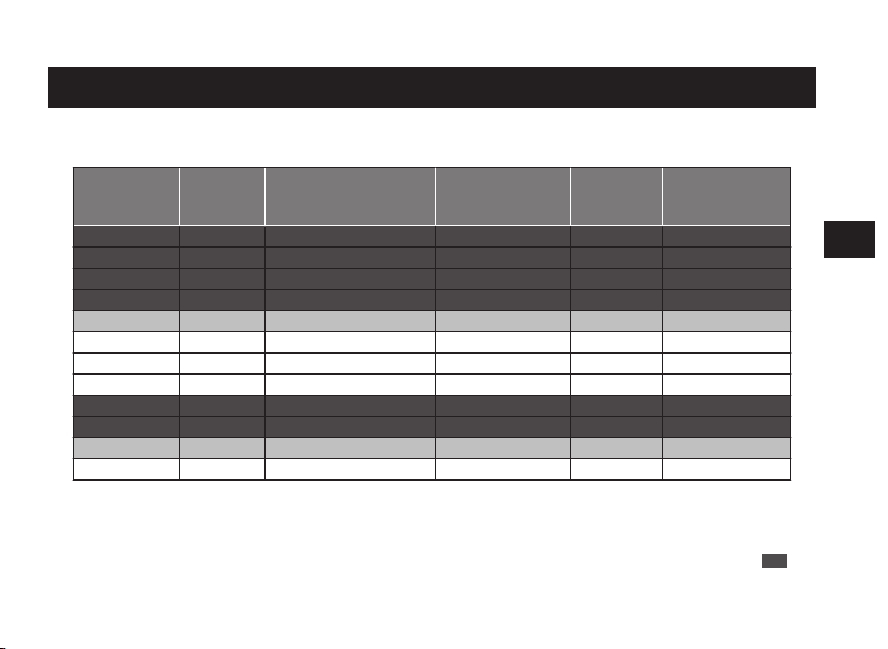
The radio signal transmitting station can be changed by selecting the time zone.
When selecting a time zone for regions other than the radio signal reception ranges,
the radio signal reception function will not work.
* When setting the daylight saving time (DST), add one hour to the time zone of the target area.
In Japan In China In the other countries
Set the seconds hand to
the 23-second position.
Set the seconds hand to
the 21-second position.
“Time zone display
and time difference
table” → P.33
3
Wait for ten seconds after the movement of the hour and minute hands stop. (The
time zone adjustment mode is finished.)
The seconds hand starts to move.
The watch automatically adjust the date and day of the week as necessary.
* While the date and day of the week are moving, neither the buttons nor the crown can be operated.
EN
32
4
WORLD TIME FUNCTION
Time zone display and time difference table
In time zone selection mode, move the seconds hand to the time zone display of the target area as shown below.
When setting daylight saving time (DST), add a time difference of +1 hour to the time zone of the target area.
Time zone
display
Time
difference
display
Seconds hand positions
Names of
representative
cities (Time zone)
Time
difference
from UTC
Receivable radio
signals
LON UTC 0-second position London ±0 hours MSF/DCF77
PAR/BER 1 3-second position Paris/Berlin +1 hours MSF/DCF77
CAI 2 6-second position Cairo +2 hours MSF/DCF77
JED 3 8-second position Jeddah +3 hours DCF77
DXB 4 11-second position Dubai +4 hours DCF77 △
KHI 5 13-second position Karachi +5 hours -
DAC 6 15-second position Dhaka +6 hours -
BKK 7 18-second position Bangkok +7 hours -
BJS/HKG 8 21-second position Beijing/Hongkong +8 hours BPC
TYO 9 23-second position Tokyo +9 hours JJY
SYD 10 25-second position Sydney +10 hours JJY △
NOU 11 28-second position Nouméa +11 hours -
EN
33
4
WORLD TIME FUNCTION
* Time zones marked with a △ in “Receivable radio signals” are selected when the time zone one hour earlier is set to daylight
saving time (DST).
* Each indication may differ depending on the model (design) of the watch.
(As of August 2020)
Time zone
display
Time
difference
display
Seconds hand positions
Names of
representative
cities (Time zone)
Time
difference
from UTC
Receivable radio
signals
WLG 12 30-second position Wellington +12 hours -
TBU 13 32-second position Nuku’alofa +13 hours -
MDY -11 34-second position Midway Islands -11 hours -
HNL -10 36-second position Honolulu -10 hours -
ANC -9 38-second position Anchorage -9 hours -
LAX -8 41-second position Los Angels -8 hours WWVB
DEN -7 43-second position Denver -7 hours WWVB
CHI -6 45-second position Chicago -6 hours WWVB
NYC -5 48-second position New York -5 hours WWVB
SDQ -4 50-second position Santo Domingo -4 hours WWVB △
RIO -3 53-second position Rio de Janeiro -3 hours -
FEN -2 55-second position
Fernando de
Noronha
-2 hours -
PDL -1 57-second position Azores -1 hour -
EN
34
4
WORLD TIME FUNCTION
■ What is a time zone?
Based on Coordinated Universal Time (UTC), the standard time commonly used is adopted by
countries and regions around the world.
The standard time is determined by each country or region, and the region where the same
standard time is adopted is referred to as the time zone.
Further, Daylight Saving Time (DST) is individually adopted in countries and regions.
[What is UTC (Coordinated Universal Time)?]
UTC is the universal standard time coordinated through international agreement. It is used as the official
time around the world. UTC is a time coordinated by adding leap seconds to the “International Atomic
Time (TAI)” determined from atomic clocks in the world, in order to correct the deviation from the
astronomically defined universal time (UT).
[What is summer time (DST)?]
Summer time is Daylight Saving Time (DST).
Advance the watch one hour to prolong daytime during longer daylight hours in summer.
The adoption and duration of Daylight Saving Time (DST) vary depending on the country.
* Time differences between regions and daylight saving time may change due to circumstances of a country or
region.
* In some regions, time zones that differ from UTC by half- or quarter-hour time differences are established. (For
example, some parts of India)
EN
35
4
WORLD TIME FUNCTION
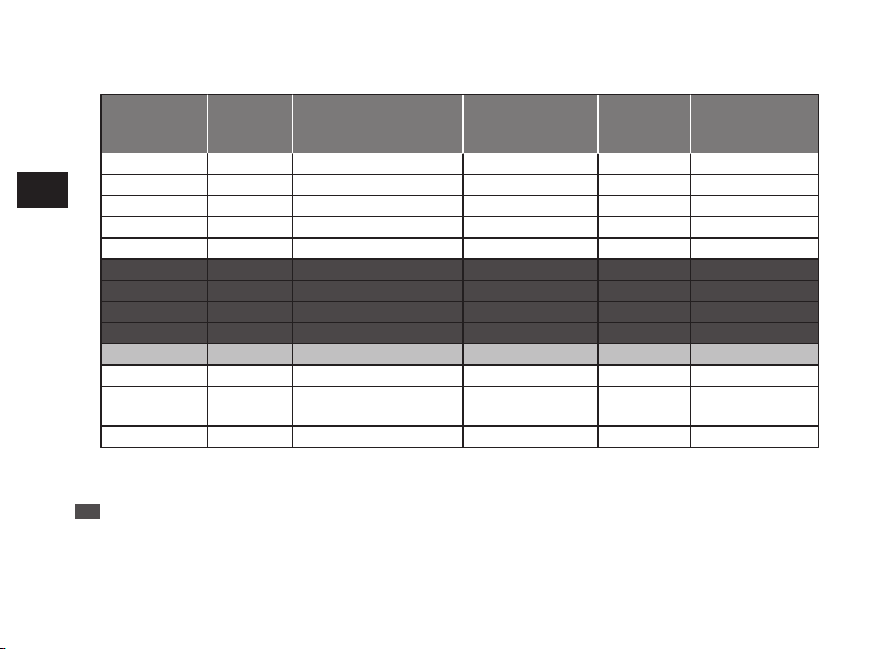
The radio signal transmitting station can be changed by selecting the time zone.
When selecting a time zone for regions other than the radio signal reception ranges,
the radio signal reception function will not work.
* When setting the daylight saving time (DST), add one hour to the time zone of the target area.
In Japan In China In the other countries
Set the seconds hand to
the 23-second position.
Set the seconds hand to
the 21-second position.
“Time zone display
and time difference
table” → P.33
3
Wait for ten seconds after the movement of the hour and minute hands stop. (The
time zone adjustment mode is finished.)
The seconds hand starts to move.
The watch automatically adjust the date and day of the week as necessary.
* While the date and day of the week are moving, neither the buttons nor the crown can be operated.
EN
32
4
WORLD TIME FUNCTION
Time zone display and time difference table
In time zone selection mode, move the seconds hand to the time zone display of the target area as shown below.
When setting daylight saving time (DST), add a time difference of +1 hour to the time zone of the target area.
Time zone
display
Time
difference
display
Seconds hand positions
Names of
representative
cities (Time zone)
Time
difference
from UTC
Receivable radio
signals
LON UTC 0-second position London ±0 hours MSF/DCF77
PAR/BER 1 3-second position Paris/Berlin +1 hours MSF/DCF77
CAI 2 6-second position Cairo +2 hours MSF/DCF77
JED 3 8-second position Jeddah +3 hours DCF77
DXB 4 11-second position Dubai +4 hours DCF77 △
KHI 5 13-second position Karachi +5 hours -
DAC 6 15-second position Dhaka +6 hours -
BKK 7 18-second position Bangkok +7 hours -
BJS/HKG 8 21-second position Beijing/Hongkong +8 hours BPC
TYO 9 23-second position Tokyo +9 hours JJY
SYD 10 25-second position Sydney +10 hours JJY △
NOU 11 28-second position Nouméa +11 hours -
EN
33
4
WORLD TIME FUNCTION
* Time zones marked with a △ in “Receivable radio signals” are selected when the time zone one hour earlier is set to daylight
saving time (DST).
* Each indication may differ depending on the model (design) of the watch.
(As of August 2020)
Time zone
display
Time
difference
display
Seconds hand positions
Names of
representative
cities (Time zone)
Time
difference
from UTC
Receivable radio
signals
WLG 12 30-second position Wellington +12 hours -
TBU 13 32-second position Nuku’alofa +13 hours -
MDY -11 34-second position Midway Islands -11 hours -
HNL -10 36-second position Honolulu -10 hours -
ANC -9 38-second position Anchorage -9 hours -
LAX -8 41-second position Los Angels -8 hours WWVB
DEN -7 43-second position Denver -7 hours WWVB
CHI -6 45-second position Chicago -6 hours WWVB
NYC -5 48-second position New York -5 hours WWVB
SDQ -4 50-second position Santo Domingo -4 hours WWVB △
RIO -3 53-second position Rio de Janeiro -3 hours -
FEN -2 55-second position
Fernando de
Noronha
-2 hours -
PDL -1 57-second position Azores -1 hour -
EN
34
4
WORLD TIME FUNCTION
■ What is a time zone?
Based on Coordinated Universal Time (UTC), the standard time commonly used is adopted by
countries and regions around the world.
The standard time is determined by each country or region, and the region where the same
standard time is adopted is referred to as the time zone.
Further, Daylight Saving Time (DST) is individually adopted in countries and regions.
[What is UTC (Coordinated Universal Time)?]
UTC is the universal standard time coordinated through international agreement. It is used as the official
time around the world. UTC is a time coordinated by adding leap seconds to the “International Atomic
Time (TAI)” determined from atomic clocks in the world, in order to correct the deviation from the
astronomically defined universal time (UT).
[What is summer time (DST)?]
Summer time is Daylight Saving Time (DST).
Advance the watch one hour to prolong daytime during longer daylight hours in summer.
The adoption and duration of Daylight Saving Time (DST) vary depending on the country.
* Time differences between regions and daylight saving time may change due to circumstances of a country or
region.
* In some regions, time zones that differ from UTC by half- or quarter-hour time differences are established. (For
example, some parts of India)
EN
35
4
WORLD TIME FUNCTION

The radio signal transmitting station can be changed by selecting the time zone.
When selecting a time zone for regions other than the radio signal reception ranges,
the radio signal reception function will not work.
* When setting the daylight saving time (DST), add one hour to the time zone of the target area.
In Japan In China In the other countries
Set the seconds hand to
the 23-second position.
Set the seconds hand to
the 21-second position.
“Time zone display
and time difference
table” → P.33
3
Wait for ten seconds after the movement of the hour and minute hands stop. (The
time zone adjustment mode is finished.)
The seconds hand starts to move.
The watch automatically adjust the date and day of the week as necessary.
* While the date and day of the week are moving, neither the buttons nor the crown can be operated.
EN
32
4
WORLD TIME FUNCTION
Time zone display and time difference table
In time zone selection mode, move the seconds hand to the time zone display of the target area as shown below.
When setting daylight saving time (DST), add a time difference of +1 hour to the time zone of the target area.
Time zone
display
Time
difference
display
Seconds hand positions
Names of
representative
cities (Time zone)
Time
difference
from UTC
Receivable radio
signals
LON UTC 0-second position London ±0 hours MSF/DCF77
PAR/BER 1 3-second position Paris/Berlin +1 hours MSF/DCF77
CAI 2 6-second position Cairo +2 hours MSF/DCF77
JED 3 8-second position Jeddah +3 hours DCF77
DXB 4 11-second position Dubai +4 hours DCF77 △
KHI 5 13-second position Karachi +5 hours -
DAC 6 15-second position Dhaka +6 hours -
BKK 7 18-second position Bangkok +7 hours -
BJS/HKG 8 21-second position Beijing/Hongkong +8 hours BPC
TYO 9 23-second position Tokyo +9 hours JJY
SYD 10 25-second position Sydney +10 hours JJY △
NOU 11 28-second position Nouméa +11 hours -
EN
33
4
WORLD TIME FUNCTION
* Time zones marked with a △ in “Receivable radio signals” are selected when the time zone one hour earlier is set to daylight
saving time (DST).
* Each indication may differ depending on the model (design) of the watch.
(As of August 2020)
Time zone
display
Time
difference
display
Seconds hand positions
Names of
representative
cities (Time zone)
Time
difference
from UTC
Receivable radio
signals
WLG 12 30-second position Wellington +12 hours -
TBU 13 32-second position Nuku’alofa +13 hours -
MDY -11 34-second position Midway Islands -11 hours -
HNL -10 36-second position Honolulu -10 hours -
ANC -9 38-second position Anchorage -9 hours -
LAX -8 41-second position Los Angels -8 hours WWVB
DEN -7 43-second position Denver -7 hours WWVB
CHI -6 45-second position Chicago -6 hours WWVB
NYC -5 48-second position New York -5 hours WWVB
SDQ -4 50-second position Santo Domingo -4 hours WWVB △
RIO -3 53-second position Rio de Janeiro -3 hours -
FEN -2 55-second position
Fernando de
Noronha
-2 hours -
PDL -1 57-second position Azores -1 hour -
EN
34
4
WORLD TIME FUNCTION
■ What is a time zone?
Based on Coordinated Universal Time (UTC), the standard time commonly used is adopted by
countries and regions around the world.
The standard time is determined by each country or region, and the region where the same
standard time is adopted is referred to as the time zone.
Further, Daylight Saving Time (DST) is individually adopted in countries and regions.
[What is UTC (Coordinated Universal Time)?]
UTC is the universal standard time coordinated through international agreement. It is used as the official
time around the world. UTC is a time coordinated by adding leap seconds to the “International Atomic
Time (TAI)” determined from atomic clocks in the world, in order to correct the deviation from the
astronomically defined universal time (UT).
[What is summer time (DST)?]
Summer time is Daylight Saving Time (DST).
Advance the watch one hour to prolong daytime during longer daylight hours in summer.
The adoption and duration of Daylight Saving Time (DST) vary depending on the country.
* Time differences between regions and daylight saving time may change due to circumstances of a country or
region.
* In some regions, time zones that differ from UTC by half- or quarter-hour time differences are established. (For
example, some parts of India)
EN
35
4
WORLD TIME FUNCTION

■ Q&A for the world time function
Q
:
Will the watch be automatically set to the local time when it is moved to a place outside Japan in a different time zone?
A
:
The watch will not be automatically set to the local time if it is just moved to a place outside Japan in a different time
zone.
When traveling abroad, select the time zone for that area.
The watch automatically displays the local time when the time zone is selected. (The time difference can be adjusted
in one-hour increments.)
After selecting the time zone, radio signals within the radio signal reception range are received and a more accurate
local time can be set. (The transmitting station from which to receive radio signals is changed by selecting the time
zone.)
Q
:
When returning to Japan from overseas, is the time automatically set to Japan time?
A
:
Just moving does not adjust your watch to Japanese local time.
When wearing a watch in Japan, set to Japan time by use of the world time function.
Q
:
The hands stop during operation of time zone selection setting, therefore, does time lag occur?
A
:
The internal circuit stores the time, therefore, no time lag occurs.
Q
:
When a time zone for a region other than the radio signal reception range is set, the watch will not receive a radio signal.
How is the accuracy of the watch at that time?
A
:
The watch has an accuracy of a normal quartz watch in that case. (Monthly rate: ±15 seconds)
Q
:
How is adjustment made to a local time with a time zone of 15 minutes or 30 minutes?
A
:
The time can be adjusted on a 1 hour basis by use of the time difference adjustment function. When adjusting to a local
time with a time difference of 15 minutes or 30 minutes, refer to “How to manually set the time” → P.73
EN
36
4
WORLD TIME FUNCTION
About dual time display
Equipped with the main watch and sub dial, the watch can simultaneously indicate the local times in two
regions.
Example: How to display the local time in Honolulu by the main watch, and the local time in Japan by the
sub dial.
Main watch: Local time (Honolulu)
Honolulu time (−19 hours): 15 o’clock 8 minutes and 42 seconds
Date: 5th. Day of the week: Sunday
Sub dial: Home time (Japan)
Japan time: 10 o’clock 8 minutes (24-hour indication format)
About sub dial → P.38
EN
37
4
WORLD TIME FUNCTION
About sub dial
• The sub dial displays time in the 24-hour indication format.
•
Even if the time zone of the main watch is changed, the time indicated on the sub dial remains
unchanged.
Sub dial operates independently of the main watch.
■ How to set the sub dial
0
1
2
Pull out the
crown to the
first click
1
Pull out the crown to the first click.
The seconds hand rotates until it points to the 30-
second position and stops.
The watch enters the time setting mode for sub dial.
Both the main watch and the sub dial continue to
operate.
* When the crown is a screw lock type, unlock it.
→ P.14
EN
38
4
WORLD TIME FUNCTION
Button B
Press
0
1
Push the
crown
back in
2
Press the Button B to set the time.
One minute
Advance
Press button once and then release
it.
Continuous
Advance
Keep pressing down the button for
longer than 2 seconds. Press the
button once again to stop.
3
Push the crown back in.
The operation is completed.
* When the crown is a screw lock type, lock it. → P.14
EN
39
4
WORLD TIME FUNCTION
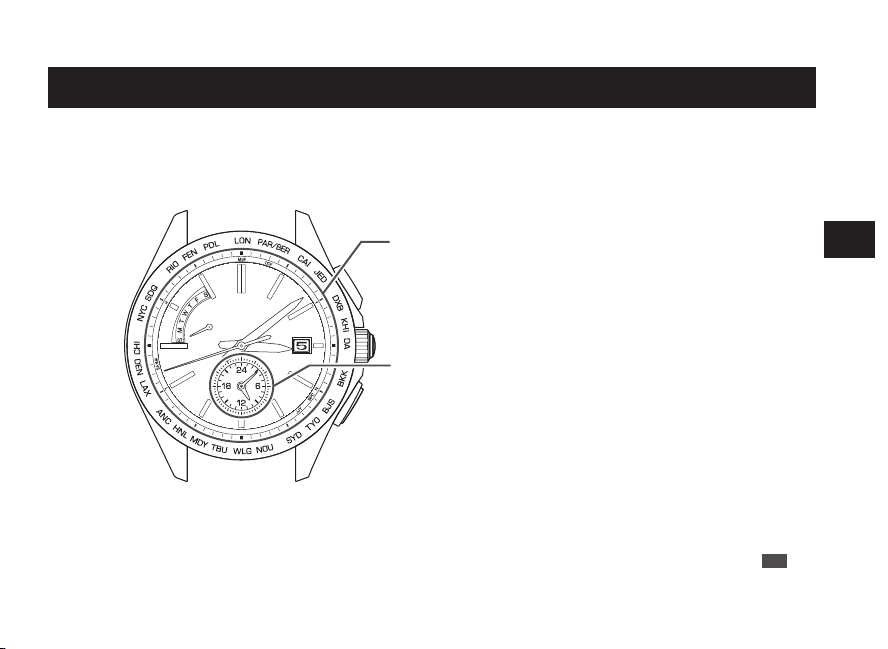
■ Q&A for the world time function
Q
:
Will the watch be automatically set to the local time when it is moved to a place outside Japan in a different time zone?
A
:
The watch will not be automatically set to the local time if it is just moved to a place outside Japan in a different time
zone.
When traveling abroad, select the time zone for that area.
The watch automatically displays the local time when the time zone is selected. (The time difference can be adjusted
in one-hour increments.)
After selecting the time zone, radio signals within the radio signal reception range are received and a more accurate
local time can be set. (The transmitting station from which to receive radio signals is changed by selecting the time
zone.)
Q
:
When returning to Japan from overseas, is the time automatically set to Japan time?
A
:
Just moving does not adjust your watch to Japanese local time.
When wearing a watch in Japan, set to Japan time by use of the world time function.
Q
:
The hands stop during operation of time zone selection setting, therefore, does time lag occur?
A
:
The internal circuit stores the time, therefore, no time lag occurs.
Q
:
When a time zone for a region other than the radio signal reception range is set, the watch will not receive a radio signal.
How is the accuracy of the watch at that time?
A
:
The watch has an accuracy of a normal quartz watch in that case. (Monthly rate: ±15 seconds)
Q
:
How is adjustment made to a local time with a time zone of 15 minutes or 30 minutes?
A
:
The time can be adjusted on a 1 hour basis by use of the time difference adjustment function. When adjusting to a local
time with a time difference of 15 minutes or 30 minutes, refer to “How to manually set the time” → P.73
EN
36
4
WORLD TIME FUNCTION
About dual time display
Equipped with the main watch and sub dial, the watch can simultaneously indicate the local times in two
regions.
Example: How to display the local time in Honolulu by the main watch, and the local time in Japan by the
sub dial.
Main watch: Local time (Honolulu)
Honolulu time (−19 hours): 15 o’clock 8 minutes and 42 seconds
Date: 5th. Day of the week: Sunday
Sub dial: Home time (Japan)
Japan time: 10 o’clock 8 minutes (24-hour indication format)
About sub dial → P.38
EN
37
4
WORLD TIME FUNCTION
About sub dial
• The sub dial displays time in the 24-hour indication format.
•
Even if the time zone of the main watch is changed, the time indicated on the sub dial remains
unchanged.
Sub dial operates independently of the main watch.
■ How to set the sub dial
0
1
2
Pull out the
crown to the
first click
1
Pull out the crown to the first click.
The seconds hand rotates until it points to the 30-
second position and stops.
The watch enters the time setting mode for sub dial.
Both the main watch and the sub dial continue to
operate.
* When the crown is a screw lock type, unlock it.
→ P.14
EN
38
4
WORLD TIME FUNCTION
Button B
Press
0
1
Push the
crown
back in
2
Press the Button B to set the time.
One minute
Advance
Press button once and then release
it.
Continuous
Advance
Keep pressing down the button for
longer than 2 seconds. Press the
button once again to stop.
3
Push the crown back in.
The operation is completed.
* When the crown is a screw lock type, lock it. → P.14
EN
39
4
WORLD TIME FUNCTION
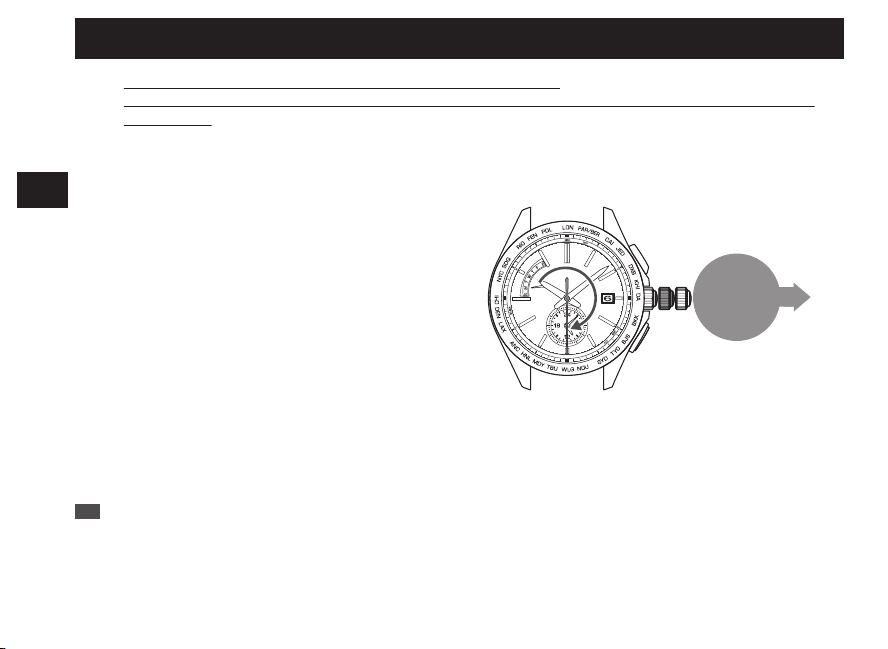
■ Q&A for the world time function
Q
:
Will the watch be automatically set to the local time when it is moved to a place outside Japan in a different time zone?
A
:
The watch will not be automatically set to the local time if it is just moved to a place outside Japan in a different time
zone.
When traveling abroad, select the time zone for that area.
The watch automatically displays the local time when the time zone is selected. (The time difference can be adjusted
in one-hour increments.)
After selecting the time zone, radio signals within the radio signal reception range are received and a more accurate
local time can be set. (The transmitting station from which to receive radio signals is changed by selecting the time
zone.)
Q
:
When returning to Japan from overseas, is the time automatically set to Japan time?
A
:
Just moving does not adjust your watch to Japanese local time.
When wearing a watch in Japan, set to Japan time by use of the world time function.
Q
:
The hands stop during operation of time zone selection setting, therefore, does time lag occur?
A
:
The internal circuit stores the time, therefore, no time lag occurs.
Q
:
When a time zone for a region other than the radio signal reception range is set, the watch will not receive a radio signal.
How is the accuracy of the watch at that time?
A
:
The watch has an accuracy of a normal quartz watch in that case. (Monthly rate: ±15 seconds)
Q
:
How is adjustment made to a local time with a time zone of 15 minutes or 30 minutes?
A
:
The time can be adjusted on a 1 hour basis by use of the time difference adjustment function. When adjusting to a local
time with a time difference of 15 minutes or 30 minutes, refer to “How to manually set the time” → P.73
EN
36
4
WORLD TIME FUNCTION
About dual time display
Equipped with the main watch and sub dial, the watch can simultaneously indicate the local times in two
regions.
Example: How to display the local time in Honolulu by the main watch, and the local time in Japan by the
sub dial.
Main watch: Local time (Honolulu)
Honolulu time (−19 hours): 15 o’clock 8 minutes and 42 seconds
Date: 5th. Day of the week: Sunday
Sub dial: Home time (Japan)
Japan time: 10 o’clock 8 minutes (24-hour indication format)
About sub dial → P.38
EN
37
4
WORLD TIME FUNCTION
About sub dial
• The sub dial displays time in the 24-hour indication format.
•
Even if the time zone of the main watch is changed, the time indicated on the sub dial remains
unchanged.
Sub dial operates independently of the main watch.
■ How to set the sub dial
0
1
2
Pull out the
crown to the
first click
1
Pull out the crown to the first click.
The seconds hand rotates until it points to the 30-
second position and stops.
The watch enters the time setting mode for sub dial.
Both the main watch and the sub dial continue to
operate.
* When the crown is a screw lock type, unlock it.
→ P.14
EN
38
4
WORLD TIME FUNCTION
Button B
Press
0
1
Push the
crown
back in
2
Press the Button B to set the time.
One minute
Advance
Press button once and then release
it.
Continuous
Advance
Keep pressing down the button for
longer than 2 seconds. Press the
button once again to stop.
3
Push the crown back in.
The operation is completed.
* When the crown is a screw lock type, lock it. → P.14
EN
39
4
WORLD TIME FUNCTION
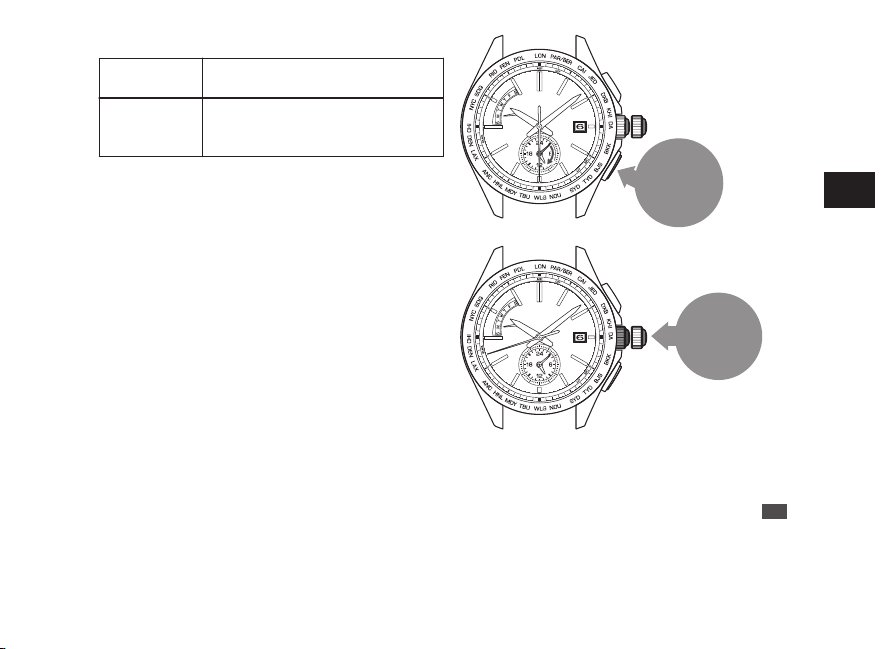
■ Q&A for the world time function
Q
:
Will the watch be automatically set to the local time when it is moved to a place outside Japan in a different time zone?
A
:
The watch will not be automatically set to the local time if it is just moved to a place outside Japan in a different time
zone.
When traveling abroad, select the time zone for that area.
The watch automatically displays the local time when the time zone is selected. (The time difference can be adjusted
in one-hour increments.)
After selecting the time zone, radio signals within the radio signal reception range are received and a more accurate
local time can be set. (The transmitting station from which to receive radio signals is changed by selecting the time
zone.)
Q
:
When returning to Japan from overseas, is the time automatically set to Japan time?
A
:
Just moving does not adjust your watch to Japanese local time.
When wearing a watch in Japan, set to Japan time by use of the world time function.
Q
:
The hands stop during operation of time zone selection setting, therefore, does time lag occur?
A
:
The internal circuit stores the time, therefore, no time lag occurs.
Q
:
When a time zone for a region other than the radio signal reception range is set, the watch will not receive a radio signal.
How is the accuracy of the watch at that time?
A
:
The watch has an accuracy of a normal quartz watch in that case. (Monthly rate: ±15 seconds)
Q
:
How is adjustment made to a local time with a time zone of 15 minutes or 30 minutes?
A
:
The time can be adjusted on a 1 hour basis by use of the time difference adjustment function. When adjusting to a local
time with a time difference of 15 minutes or 30 minutes, refer to “How to manually set the time” → P.73
EN
36
4
WORLD TIME FUNCTION
About dual time display
Equipped with the main watch and sub dial, the watch can simultaneously indicate the local times in two
regions.
Example: How to display the local time in Honolulu by the main watch, and the local time in Japan by the
sub dial.
Main watch: Local time (Honolulu)
Honolulu time (−19 hours): 15 o’clock 8 minutes and 42 seconds
Date: 5th. Day of the week: Sunday
Sub dial: Home time (Japan)
Japan time: 10 o’clock 8 minutes (24-hour indication format)
About sub dial → P.38
EN
37
4
WORLD TIME FUNCTION
About sub dial
• The sub dial displays time in the 24-hour indication format.
•
Even if the time zone of the main watch is changed, the time indicated on the sub dial remains
unchanged.
Sub dial operates independently of the main watch.
■ How to set the sub dial
0
1
2
Pull out the
crown to the
first click
1
Pull out the crown to the first click.
The seconds hand rotates until it points to the 30-
second position and stops.
The watch enters the time setting mode for sub dial.
Both the main watch and the sub dial continue to
operate.
* When the crown is a screw lock type, unlock it.
→ P.14
EN
38
4
WORLD TIME FUNCTION
Button B
Press
0
1
Push the
crown
back in
2
Press the Button B to set the time.
One minute
Advance
Press button once and then release
it.
Continuous
Advance
Keep pressing down the button for
longer than 2 seconds. Press the
button once again to stop.
3
Push the crown back in.
The operation is completed.
* When the crown is a screw lock type, lock it. → P.14
EN
39
4
WORLD TIME FUNCTION
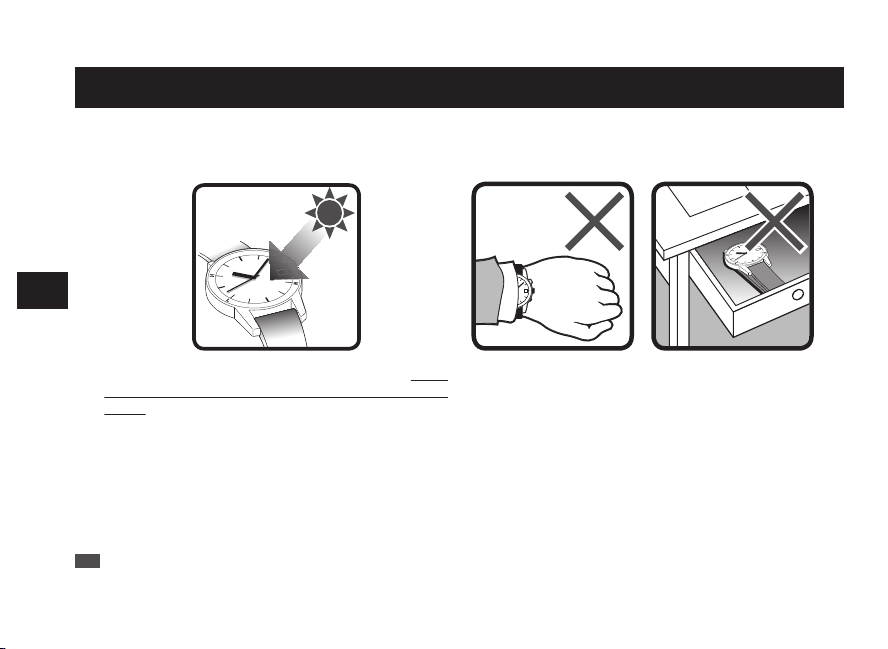
Charging the battery
■ How to charge the battery
Expose the dial to light to charge the watch.
To ensure optimal performance of the watch, make
sure that the watch is kept sufficiently charged at all
times.
Under the following situations, the energy of the watch is
likely to be depleted, resulting in stoppage of the watch:
• The watch is concealed under a sleeve.
•
The watch is used or stored under conditions where
it cannot be exposed to light for a long time.
* Be careful to make sure that the watch does not get hot when it is charging. (The operating temperature range is
-10°C to +60°C.)
* When you first start using the watch or starting it after it stopped due to a lack of charge, charge the watch sufficiently
using the table on P.41 as a guide.
EN
40
5
SOLAR CHARGING FUNCTION
■ Guide to charging times
Charge the watch using the times below as a guide.
Illuminance
lx (LUX)
Light source Condition (Example)
From the state where the watch is
stopped (Not charged)
In the state where
the hand moves (The
watch is charged)
Time required for
fully charging the
watch
Time required for
charging the watch
to start moving at
one-second
intervals
Time required for
charging the watch
to last for 1 day
700
Fluorescent
light
General offices - - 4 hours
3,000
Fluorescent
light
30 W 20 cm 230 hours 6 hours 1 hour
10,000
Fluorescent
light
30 W 5 cm
60 hours 1.5 hours 15 minutes
Sunlight Cloudy day
100,000 Sunlight
Sunny day (Under direct
sunlight on a summer
day)
30 hours 30 minutes 3 minutes
The figures of “Time required for charging the watch to start moving at one-second intervals” are estimations of
time required to charge the stopped watch by exposing it to light until it moves at steady one-second intervals.
Even if the watch is partially charged for a shorter period, the watch will resume one-second interval movement.
However, it may shortly return to two-second interval movement. Use the charging time in this column as a rough
guide for sufficient charging time.
* The seconds hand movement indicates the remaining amount of energy. “Checking the Charging Status” → P.15
* The required charging time slightly varies depending on the model of the watch.
EN
41
5
SOLAR CHARGING FUNCTION
About energy
■ Energy depletion forewarning function (Two-second
interval movement and Five-second interval movement)
The energy depletion forewarning function is activated when the energy stored in the watch runs low.
In such a case, the seconds hand moves at two-second intervals.
If the watch continues to be in the state of two-second interval movement, the watch switches to five-second
interval movement, followed by a completely stopped state.
If the energy depletion forewarning function is activated, charge the watch sufficiently.
“How to charge the battery” → P.40
“Guide to charging times” → P.41
* Neither the button nor the crown can be operated while the seconds hand moves at two-second or five-second
intervals. (This is not a malfunction.)
* While the seconds hand moves at five-second intervals, the hour and minutes hands, date, day of the week, and
sub dial stop operating.
* While the seconds hand moves at five-second intervals, the automatic reception function and manual reception
function will not work. After the watch is charged sufficiently and the seconds hand returns to normal one-second
interval movement, conduct the manual reception of radio signals to set the watch to the correct time. (“Automatic
reception and manual reception” → P.18)
EN
42
5
SOLAR CHARGING FUNCTION
■ Power save function
This watch is equipped with a power save function which can suppress energy consumption when it is left without receiving
an adequate light source for a certain length of time.
* There are two types of power save mode.
Power Save 1 Power Save 2
Condition
The watch is exposed to a state without receiving an
adequate light source for 72 hours or longer.
The watch is in an insufficient charging state for a long
time.
Situation
The seconds hand
stops pointing at the
15-second position,
and the hour and
minutes hands, date,
day of the week, and
sub dial also stop.
The watch conducts
automatic radio signal
receiving.
The seconds hand
stops pointing at the
45-second position,
and the hour and
minutes hands, date,
day of the week, and
sub dial also stop.
The watch does not
conduct automatic
radio signal receiving.
How to
handle the
situation
When the watch is exposed to an adequate light source
for five seconds or longer, it displays the current time
again after the seconds hand is rapidly advanced.
After sufficiently charging the battery, set the watch for
the current time, if necessary.
Power Save 2
* While the watch is being charged, the seconds hand moves at “Five-second Intervals.” During the “Five-second Interval Movement,”
neither the button nor the crown can be operated.
* If the“ Power Save 2” mode is prolonged, the stored power amount drops and the internal current time information stored will be lost.
When the watch returns to its normal movement of one-second interval after sufficiently charging the battery, set the current time by
receiving a radio signal. (“Automatic reception and manual reception” → P.18)
EN
43
5
SOLAR CHARGING FUNCTION
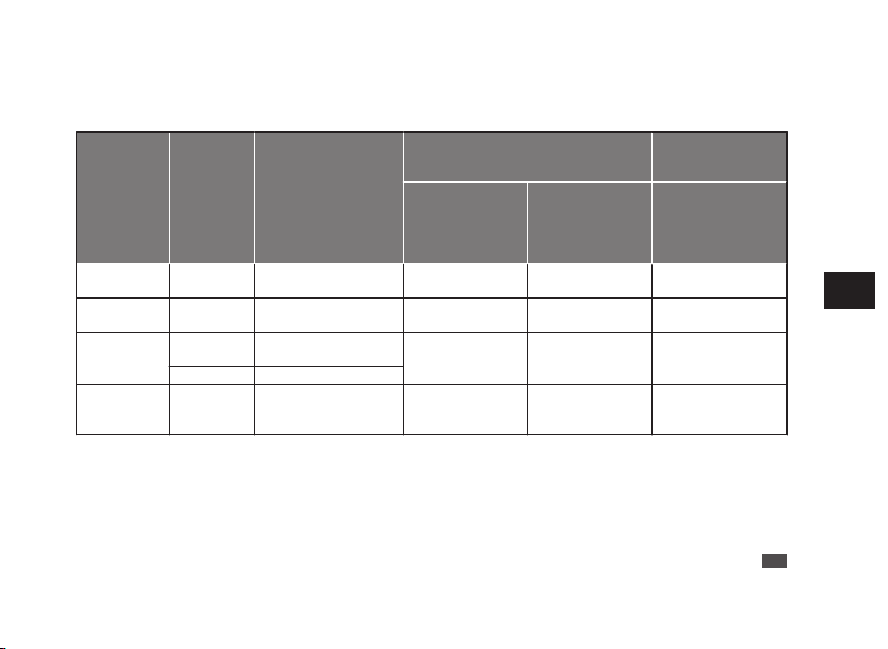
Charging the battery
■ How to charge the battery
Expose the dial to light to charge the watch.
To ensure optimal performance of the watch, make
sure that the watch is kept sufficiently charged at all
times.
Under the following situations, the energy of the watch is
likely to be depleted, resulting in stoppage of the watch:
• The watch is concealed under a sleeve.
•
The watch is used or stored under conditions where
it cannot be exposed to light for a long time.
* Be careful to make sure that the watch does not get hot when it is charging. (The operating temperature range is
-10°C to +60°C.)
* When you first start using the watch or starting it after it stopped due to a lack of charge, charge the watch sufficiently
using the table on P.41 as a guide.
EN
40
5
SOLAR CHARGING FUNCTION
■ Guide to charging times
Charge the watch using the times below as a guide.
Illuminance
lx (LUX)
Light source Condition (Example)
From the state where the watch is
stopped (Not charged)
In the state where
the hand moves (The
watch is charged)
Time required for
fully charging the
watch
Time required for
charging the watch
to start moving at
one-second
intervals
Time required for
charging the watch
to last for 1 day
700
Fluorescent
light
General offices - - 4 hours
3,000
Fluorescent
light
30 W 20 cm 230 hours 6 hours 1 hour
10,000
Fluorescent
light
30 W 5 cm
60 hours 1.5 hours 15 minutes
Sunlight Cloudy day
100,000 Sunlight
Sunny day (Under direct
sunlight on a summer
day)
30 hours 30 minutes 3 minutes
The figures of “Time required for charging the watch to start moving at one-second intervals” are estimations of
time required to charge the stopped watch by exposing it to light until it moves at steady one-second intervals.
Even if the watch is partially charged for a shorter period, the watch will resume one-second interval movement.
However, it may shortly return to two-second interval movement. Use the charging time in this column as a rough
guide for sufficient charging time.
* The seconds hand movement indicates the remaining amount of energy. “Checking the Charging Status” → P.15
* The required charging time slightly varies depending on the model of the watch.
EN
41
5
SOLAR CHARGING FUNCTION
About energy
■ Energy depletion forewarning function (Two-second
interval movement and Five-second interval movement)
The energy depletion forewarning function is activated when the energy stored in the watch runs low.
In such a case, the seconds hand moves at two-second intervals.
If the watch continues to be in the state of two-second interval movement, the watch switches to five-second
interval movement, followed by a completely stopped state.
If the energy depletion forewarning function is activated, charge the watch sufficiently.
“How to charge the battery” → P.40
“Guide to charging times” → P.41
* Neither the button nor the crown can be operated while the seconds hand moves at two-second or five-second
intervals. (This is not a malfunction.)
* While the seconds hand moves at five-second intervals, the hour and minutes hands, date, day of the week, and
sub dial stop operating.
* While the seconds hand moves at five-second intervals, the automatic reception function and manual reception
function will not work. After the watch is charged sufficiently and the seconds hand returns to normal one-second
interval movement, conduct the manual reception of radio signals to set the watch to the correct time. (“Automatic
reception and manual reception” → P.18)
EN
42
5
SOLAR CHARGING FUNCTION
■ Power save function
This watch is equipped with a power save function which can suppress energy consumption when it is left without receiving
an adequate light source for a certain length of time.
* There are two types of power save mode.
Power Save 1 Power Save 2
Condition
The watch is exposed to a state without receiving an
adequate light source for 72 hours or longer.
The watch is in an insufficient charging state for a long
time.
Situation
The seconds hand
stops pointing at the
15-second position,
and the hour and
minutes hands, date,
day of the week, and
sub dial also stop.
The watch conducts
automatic radio signal
receiving.
The seconds hand
stops pointing at the
45-second position,
and the hour and
minutes hands, date,
day of the week, and
sub dial also stop.
The watch does not
conduct automatic
radio signal receiving.
How to
handle the
situation
When the watch is exposed to an adequate light source
for five seconds or longer, it displays the current time
again after the seconds hand is rapidly advanced.
After sufficiently charging the battery, set the watch for
the current time, if necessary.
Power Save 2
* While the watch is being charged, the seconds hand moves at “Five-second Intervals.” During the “Five-second Interval Movement,”
neither the button nor the crown can be operated.
* If the“ Power Save 2” mode is prolonged, the stored power amount drops and the internal current time information stored will be lost.
When the watch returns to its normal movement of one-second interval after sufficiently charging the battery, set the current time by
receiving a radio signal. (“Automatic reception and manual reception” → P.18)
EN
43
5
SOLAR CHARGING FUNCTION

Charging the battery
■ How to charge the battery
Expose the dial to light to charge the watch.
To ensure optimal performance of the watch, make
sure that the watch is kept sufficiently charged at all
times.
Under the following situations, the energy of the watch is
likely to be depleted, resulting in stoppage of the watch:
• The watch is concealed under a sleeve.
•
The watch is used or stored under conditions where
it cannot be exposed to light for a long time.
* Be careful to make sure that the watch does not get hot when it is charging. (The operating temperature range is
-10°C to +60°C.)
* When you first start using the watch or starting it after it stopped due to a lack of charge, charge the watch sufficiently
using the table on P.41 as a guide.
EN
40
5
SOLAR CHARGING FUNCTION
■ Guide to charging times
Charge the watch using the times below as a guide.
Illuminance
lx (LUX)
Light source Condition (Example)
From the state where the watch is
stopped (Not charged)
In the state where
the hand moves (The
watch is charged)
Time required for
fully charging the
watch
Time required for
charging the watch
to start moving at
one-second
intervals
Time required for
charging the watch
to last for 1 day
700
Fluorescent
light
General offices - - 4 hours
3,000
Fluorescent
light
30 W 20 cm 230 hours 6 hours 1 hour
10,000
Fluorescent
light
30 W 5 cm
60 hours 1.5 hours 15 minutes
Sunlight Cloudy day
100,000 Sunlight
Sunny day (Under direct
sunlight on a summer
day)
30 hours 30 minutes 3 minutes
The figures of “Time required for charging the watch to start moving at one-second intervals” are estimations of
time required to charge the stopped watch by exposing it to light until it moves at steady one-second intervals.
Even if the watch is partially charged for a shorter period, the watch will resume one-second interval movement.
However, it may shortly return to two-second interval movement. Use the charging time in this column as a rough
guide for sufficient charging time.
* The seconds hand movement indicates the remaining amount of energy. “Checking the Charging Status” → P.15
* The required charging time slightly varies depending on the model of the watch.
EN
41
5
SOLAR CHARGING FUNCTION
About energy
■ Energy depletion forewarning function (Two-second
interval movement and Five-second interval movement)
The energy depletion forewarning function is activated when the energy stored in the watch runs low.
In such a case, the seconds hand moves at two-second intervals.
If the watch continues to be in the state of two-second interval movement, the watch switches to five-second
interval movement, followed by a completely stopped state.
If the energy depletion forewarning function is activated, charge the watch sufficiently.
“How to charge the battery” → P.40
“Guide to charging times” → P.41
* Neither the button nor the crown can be operated while the seconds hand moves at two-second or five-second
intervals. (This is not a malfunction.)
* While the seconds hand moves at five-second intervals, the hour and minutes hands, date, day of the week, and
sub dial stop operating.
* While the seconds hand moves at five-second intervals, the automatic reception function and manual reception
function will not work. After the watch is charged sufficiently and the seconds hand returns to normal one-second
interval movement, conduct the manual reception of radio signals to set the watch to the correct time. (“Automatic
reception and manual reception” → P.18)
EN
42
5
SOLAR CHARGING FUNCTION
■ Power save function
This watch is equipped with a power save function which can suppress energy consumption when it is left without receiving
an adequate light source for a certain length of time.
* There are two types of power save mode.
Power Save 1 Power Save 2
Condition
The watch is exposed to a state without receiving an
adequate light source for 72 hours or longer.
The watch is in an insufficient charging state for a long
time.
Situation
The seconds hand
stops pointing at the
15-second position,
and the hour and
minutes hands, date,
day of the week, and
sub dial also stop.
The watch conducts
automatic radio signal
receiving.
The seconds hand
stops pointing at the
45-second position,
and the hour and
minutes hands, date,
day of the week, and
sub dial also stop.
The watch does not
conduct automatic
radio signal receiving.
How to
handle the
situation
When the watch is exposed to an adequate light source
for five seconds or longer, it displays the current time
again after the seconds hand is rapidly advanced.
After sufficiently charging the battery, set the watch for
the current time, if necessary.
Power Save 2
* While the watch is being charged, the seconds hand moves at “Five-second Intervals.” During the “Five-second Interval Movement,”
neither the button nor the crown can be operated.
* If the“ Power Save 2” mode is prolonged, the stored power amount drops and the internal current time information stored will be lost.
When the watch returns to its normal movement of one-second interval after sufficiently charging the battery, set the current time by
receiving a radio signal. (“Automatic reception and manual reception” → P.18)
EN
43
5
SOLAR CHARGING FUNCTION
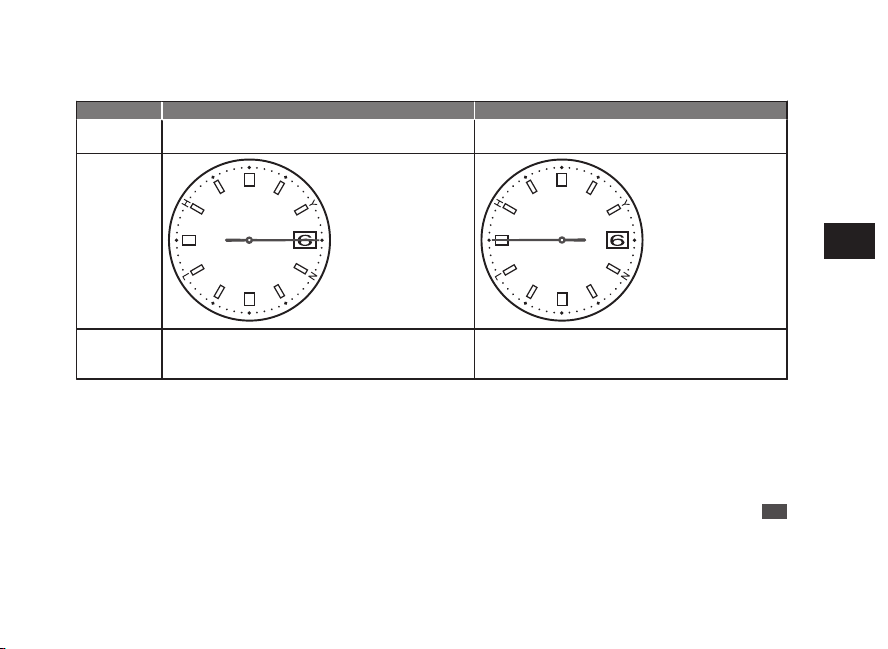
Charging the battery
■ How to charge the battery
Expose the dial to light to charge the watch.
To ensure optimal performance of the watch, make
sure that the watch is kept sufficiently charged at all
times.
Under the following situations, the energy of the watch is
likely to be depleted, resulting in stoppage of the watch:
• The watch is concealed under a sleeve.
•
The watch is used or stored under conditions where
it cannot be exposed to light for a long time.
* Be careful to make sure that the watch does not get hot when it is charging. (The operating temperature range is
-10°C to +60°C.)
* When you first start using the watch or starting it after it stopped due to a lack of charge, charge the watch sufficiently
using the table on P.41 as a guide.
EN
40
5
SOLAR CHARGING FUNCTION
■ Guide to charging times
Charge the watch using the times below as a guide.
Illuminance
lx (LUX)
Light source Condition (Example)
From the state where the watch is
stopped (Not charged)
In the state where
the hand moves (The
watch is charged)
Time required for
fully charging the
watch
Time required for
charging the watch
to start moving at
one-second
intervals
Time required for
charging the watch
to last for 1 day
700
Fluorescent
light
General offices - - 4 hours
3,000
Fluorescent
light
30 W 20 cm 230 hours 6 hours 1 hour
10,000
Fluorescent
light
30 W 5 cm
60 hours 1.5 hours 15 minutes
Sunlight Cloudy day
100,000 Sunlight
Sunny day (Under direct
sunlight on a summer
day)
30 hours 30 minutes 3 minutes
The figures of “Time required for charging the watch to start moving at one-second intervals” are estimations of
time required to charge the stopped watch by exposing it to light until it moves at steady one-second intervals.
Even if the watch is partially charged for a shorter period, the watch will resume one-second interval movement.
However, it may shortly return to two-second interval movement. Use the charging time in this column as a rough
guide for sufficient charging time.
* The seconds hand movement indicates the remaining amount of energy. “Checking the Charging Status” → P.15
* The required charging time slightly varies depending on the model of the watch.
EN
41
5
SOLAR CHARGING FUNCTION
About energy
■ Energy depletion forewarning function (Two-second
interval movement and Five-second interval movement)
The energy depletion forewarning function is activated when the energy stored in the watch runs low.
In such a case, the seconds hand moves at two-second intervals.
If the watch continues to be in the state of two-second interval movement, the watch switches to five-second
interval movement, followed by a completely stopped state.
If the energy depletion forewarning function is activated, charge the watch sufficiently.
“How to charge the battery” → P.40
“Guide to charging times” → P.41
* Neither the button nor the crown can be operated while the seconds hand moves at two-second or five-second
intervals. (This is not a malfunction.)
* While the seconds hand moves at five-second intervals, the hour and minutes hands, date, day of the week, and
sub dial stop operating.
* While the seconds hand moves at five-second intervals, the automatic reception function and manual reception
function will not work. After the watch is charged sufficiently and the seconds hand returns to normal one-second
interval movement, conduct the manual reception of radio signals to set the watch to the correct time. (“Automatic
reception and manual reception” → P.18)
EN
42
5
SOLAR CHARGING FUNCTION
■ Power save function
This watch is equipped with a power save function which can suppress energy consumption when it is left without receiving
an adequate light source for a certain length of time.
* There are two types of power save mode.
Power Save 1 Power Save 2
Condition
The watch is exposed to a state without receiving an
adequate light source for 72 hours or longer.
The watch is in an insufficient charging state for a long
time.
Situation
The seconds hand
stops pointing at the
15-second position,
and the hour and
minutes hands, date,
day of the week, and
sub dial also stop.
The watch conducts
automatic radio signal
receiving.
The seconds hand
stops pointing at the
45-second position,
and the hour and
minutes hands, date,
day of the week, and
sub dial also stop.
The watch does not
conduct automatic
radio signal receiving.
How to
handle the
situation
When the watch is exposed to an adequate light source
for five seconds or longer, it displays the current time
again after the seconds hand is rapidly advanced.
After sufficiently charging the battery, set the watch for
the current time, if necessary.
Power Save 2
* While the watch is being charged, the seconds hand moves at “Five-second Intervals.” During the “Five-second Interval Movement,”
neither the button nor the crown can be operated.
* If the“ Power Save 2” mode is prolonged, the stored power amount drops and the internal current time information stored will be lost.
When the watch returns to its normal movement of one-second interval after sufficiently charging the battery, set the current time by
receiving a radio signal. (“Automatic reception and manual reception” → P.18)
EN
43
5
SOLAR CHARGING FUNCTION
Power Source
The battery used in this watch is a special secondary battery, which is different from ordinary
batteries.
Unlike an ordinary silver oxide battery, the secondary battery does not require periodic
replacement.
The capacity or charging efficiency may gradually lower due to long-term use or operating
environment.
In addition, long-term use may shorten the charge duration due to wear, contamination, lubricant
deterioration of mechanical parts, etc. Request repair when the performance lowers.
b
WARNING
■ Notes on replacing the secondary battery
• Do not remove the secondary battery from the watch.
Replacement of the secondary battery requires professional knowledge and skill.
Please ask the retailer from whom the watch was purchased for replacement of the
secondary battery.
• Installation of an ordinary silver oxide battery can generate heat that can cause
bursting and ignition.
EN
44
6
TO PRESERVE THE QUALITY OF YOUR
WATCH
* Overcharge prevention function
When the secondary battery is fully charged, the overcharge prevention function is automatically
activated to avoid further charging.
There is no need to worry about damage caused by overcharging no matter how much the
secondary battery is charged in excess of the “time required for fully charging the watch.”
* For the required time to fully charge the battery, see “Guide to charging times” → P.41.
b
WARNING
■ Notes on charging the watch
• When charging the watch, do not place the watch in close proximity to an intense light
source such as lighting equipment for photography, spotlights or incandescent lights,
as the watch may be excessively heated resulting in damage to its internal parts.
• When charging the watch by exposure to direct sunlight, avoid places that easily reach
high temperatures, such as a car dashboard.
• Always keep the watch temperature under 60°C.
EN
45
6
TO PRESERVE THE QUALITY OF YOUR
WATCH
Daily care
●
The watch requires good daily care
• Do not wash the watch when its crown is in the extended position.
• Wipe away moisture, sweat or dirt with a soft cloth.
• After soaking the watch in seawater, be sure to wash the watch in clean pure water and wipe it dry
carefully.
Do not pour running water directly from a faucet onto the watch. Put some water into a bowl first, and
then soak the watch in the water to wash it.
* If your watch is rated as “Non-water resistant” or “water resistant for daily use,” please do not wash the watch.
“Performance and type” → P.47
“Water resistant performance” → P.49
●
Turn the crown from time to time
• In order to prevent corrosion of the crown, turn the crown from time to time.
• The same practice should be applied to a screw down crown.
“Crown” → P.14
●
Press the button once in a while
• Press the button once in a while to prevent corrosion of the button.
* If the display is changed by pressing any button, wait and leave it as is.
EN
46
6
TO PRESERVE THE QUALITY OF YOUR
WATCH
Performance and type
The case back shows the caliber and performance of your watch
8B63-0000
Water resistant performance
Case Number
Magnetic resistant
performance
•
Water resistant performance
Please refer to P.49.
•
Case Number
The number to identify the type of your watch.
•
Magnetic resistant performance
Please refer to P.50 and P.51.
* The above illustration is provided as an example, therefore it may not be exactly the same as your watch.
EN
47
6
TO PRESERVE THE QUALITY OF YOUR
WATCH
Power Source
The battery used in this watch is a special secondary battery, which is different from ordinary
batteries.
Unlike an ordinary silver oxide battery, the secondary battery does not require periodic
replacement.
The capacity or charging efficiency may gradually lower due to long-term use or operating
environment.
In addition, long-term use may shorten the charge duration due to wear, contamination, lubricant
deterioration of mechanical parts, etc. Request repair when the performance lowers.
b
WARNING
■ Notes on replacing the secondary battery
• Do not remove the secondary battery from the watch.
Replacement of the secondary battery requires professional knowledge and skill.
Please ask the retailer from whom the watch was purchased for replacement of the
secondary battery.
• Installation of an ordinary silver oxide battery can generate heat that can cause
bursting and ignition.
EN
44
6
TO PRESERVE THE QUALITY OF YOUR
WATCH
* Overcharge prevention function
When the secondary battery is fully charged, the overcharge prevention function is automatically
activated to avoid further charging.
There is no need to worry about damage caused by overcharging no matter how much the
secondary battery is charged in excess of the “time required for fully charging the watch.”
* For the required time to fully charge the battery, see “Guide to charging times” → P.41.
b
WARNING
■ Notes on charging the watch
• When charging the watch, do not place the watch in close proximity to an intense light
source such as lighting equipment for photography, spotlights or incandescent lights,
as the watch may be excessively heated resulting in damage to its internal parts.
• When charging the watch by exposure to direct sunlight, avoid places that easily reach
high temperatures, such as a car dashboard.
• Always keep the watch temperature under 60°C.
EN
45
6
TO PRESERVE THE QUALITY OF YOUR
WATCH
Daily care
●
The watch requires good daily care
• Do not wash the watch when its crown is in the extended position.
• Wipe away moisture, sweat or dirt with a soft cloth.
• After soaking the watch in seawater, be sure to wash the watch in clean pure water and wipe it dry
carefully.
Do not pour running water directly from a faucet onto the watch. Put some water into a bowl first, and
then soak the watch in the water to wash it.
* If your watch is rated as “Non-water resistant” or “water resistant for daily use,” please do not wash the watch.
“Performance and type” → P.47
“Water resistant performance” → P.49
●
Turn the crown from time to time
• In order to prevent corrosion of the crown, turn the crown from time to time.
• The same practice should be applied to a screw down crown.
“Crown” → P.14
●
Press the button once in a while
• Press the button once in a while to prevent corrosion of the button.
* If the display is changed by pressing any button, wait and leave it as is.
EN
46
6
TO PRESERVE THE QUALITY OF YOUR
WATCH
Performance and type
The case back shows the caliber and performance of your watch
8B63-0000
Water resistant performance
Case Number
Magnetic resistant
performance
•
Water resistant performance
Please refer to P.49.
•
Case Number
The number to identify the type of your watch.
•
Magnetic resistant performance
Please refer to P.50 and P.51.
* The above illustration is provided as an example, therefore it may not be exactly the same as your watch.
EN
47
6
TO PRESERVE THE QUALITY OF YOUR
WATCH
Power Source
The battery used in this watch is a special secondary battery, which is different from ordinary
batteries.
Unlike an ordinary silver oxide battery, the secondary battery does not require periodic
replacement.
The capacity or charging efficiency may gradually lower due to long-term use or operating
environment.
In addition, long-term use may shorten the charge duration due to wear, contamination, lubricant
deterioration of mechanical parts, etc. Request repair when the performance lowers.
b
WARNING
■ Notes on replacing the secondary battery
• Do not remove the secondary battery from the watch.
Replacement of the secondary battery requires professional knowledge and skill.
Please ask the retailer from whom the watch was purchased for replacement of the
secondary battery.
• Installation of an ordinary silver oxide battery can generate heat that can cause
bursting and ignition.
EN
44
6
TO PRESERVE THE QUALITY OF YOUR
WATCH
* Overcharge prevention function
When the secondary battery is fully charged, the overcharge prevention function is automatically
activated to avoid further charging.
There is no need to worry about damage caused by overcharging no matter how much the
secondary battery is charged in excess of the “time required for fully charging the watch.”
* For the required time to fully charge the battery, see “Guide to charging times” → P.41.
b
WARNING
■ Notes on charging the watch
• When charging the watch, do not place the watch in close proximity to an intense light
source such as lighting equipment for photography, spotlights or incandescent lights,
as the watch may be excessively heated resulting in damage to its internal parts.
• When charging the watch by exposure to direct sunlight, avoid places that easily reach
high temperatures, such as a car dashboard.
• Always keep the watch temperature under 60°C.
EN
45
6
TO PRESERVE THE QUALITY OF YOUR
WATCH
Daily care
●
The watch requires good daily care
• Do not wash the watch when its crown is in the extended position.
• Wipe away moisture, sweat or dirt with a soft cloth.
• After soaking the watch in seawater, be sure to wash the watch in clean pure water and wipe it dry
carefully.
Do not pour running water directly from a faucet onto the watch. Put some water into a bowl first, and
then soak the watch in the water to wash it.
* If your watch is rated as “Non-water resistant” or “water resistant for daily use,” please do not wash the watch.
“Performance and type” → P.47
“Water resistant performance” → P.49
●
Turn the crown from time to time
• In order to prevent corrosion of the crown, turn the crown from time to time.
• The same practice should be applied to a screw down crown.
“Crown” → P.14
●
Press the button once in a while
• Press the button once in a while to prevent corrosion of the button.
* If the display is changed by pressing any button, wait and leave it as is.
EN
46
6
TO PRESERVE THE QUALITY OF YOUR
WATCH
Performance and type
The case back shows the caliber and performance of your watch
8B63-0000
Water resistant performance
Case Number
Magnetic resistant
performance
•
Water resistant performance
Please refer to P.49.
•
Case Number
The number to identify the type of your watch.
•
Magnetic resistant performance
Please refer to P.50 and P.51.
* The above illustration is provided as an example, therefore it may not be exactly the same as your watch.
EN
47
6
TO PRESERVE THE QUALITY OF YOUR
WATCH
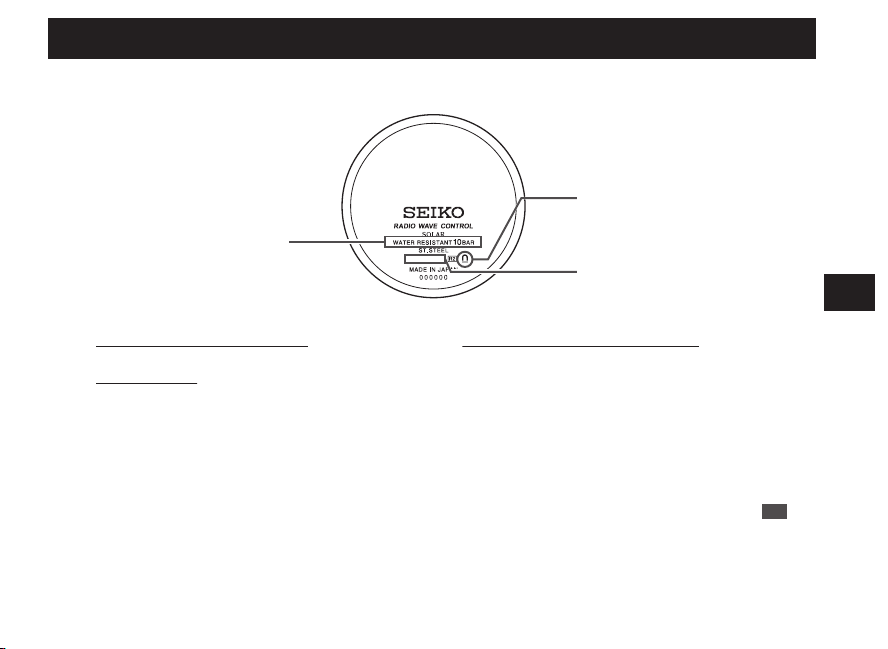
Power Source
The battery used in this watch is a special secondary battery, which is different from ordinary
batteries.
Unlike an ordinary silver oxide battery, the secondary battery does not require periodic
replacement.
The capacity or charging efficiency may gradually lower due to long-term use or operating
environment.
In addition, long-term use may shorten the charge duration due to wear, contamination, lubricant
deterioration of mechanical parts, etc. Request repair when the performance lowers.
b
WARNING
■ Notes on replacing the secondary battery
• Do not remove the secondary battery from the watch.
Replacement of the secondary battery requires professional knowledge and skill.
Please ask the retailer from whom the watch was purchased for replacement of the
secondary battery.
• Installation of an ordinary silver oxide battery can generate heat that can cause
bursting and ignition.
EN
44
6
TO PRESERVE THE QUALITY OF YOUR
WATCH
* Overcharge prevention function
When the secondary battery is fully charged, the overcharge prevention function is automatically
activated to avoid further charging.
There is no need to worry about damage caused by overcharging no matter how much the
secondary battery is charged in excess of the “time required for fully charging the watch.”
* For the required time to fully charge the battery, see “Guide to charging times” → P.41.
b
WARNING
■ Notes on charging the watch
• When charging the watch, do not place the watch in close proximity to an intense light
source such as lighting equipment for photography, spotlights or incandescent lights,
as the watch may be excessively heated resulting in damage to its internal parts.
• When charging the watch by exposure to direct sunlight, avoid places that easily reach
high temperatures, such as a car dashboard.
• Always keep the watch temperature under 60°C.
EN
45
6
TO PRESERVE THE QUALITY OF YOUR
WATCH
Daily care
●
The watch requires good daily care
• Do not wash the watch when its crown is in the extended position.
• Wipe away moisture, sweat or dirt with a soft cloth.
• After soaking the watch in seawater, be sure to wash the watch in clean pure water and wipe it dry
carefully.
Do not pour running water directly from a faucet onto the watch. Put some water into a bowl first, and
then soak the watch in the water to wash it.
* If your watch is rated as “Non-water resistant” or “water resistant for daily use,” please do not wash the watch.
“Performance and type” → P.47
“Water resistant performance” → P.49
●
Turn the crown from time to time
• In order to prevent corrosion of the crown, turn the crown from time to time.
• The same practice should be applied to a screw down crown.
“Crown” → P.14
●
Press the button once in a while
• Press the button once in a while to prevent corrosion of the button.
* If the display is changed by pressing any button, wait and leave it as is.
EN
46
6
TO PRESERVE THE QUALITY OF YOUR
WATCH
Performance and type
The case back shows the caliber and performance of your watch
8B63-0000
Water resistant performance
Case Number
Magnetic resistant
performance
•
Water resistant performance
Please refer to P.49.
•
Case Number
The number to identify the type of your watch.
•
Magnetic resistant performance
Please refer to P.50 and P.51.
* The above illustration is provided as an example, therefore it may not be exactly the same as your watch.
EN
47
6
TO PRESERVE THE QUALITY OF YOUR
WATCH
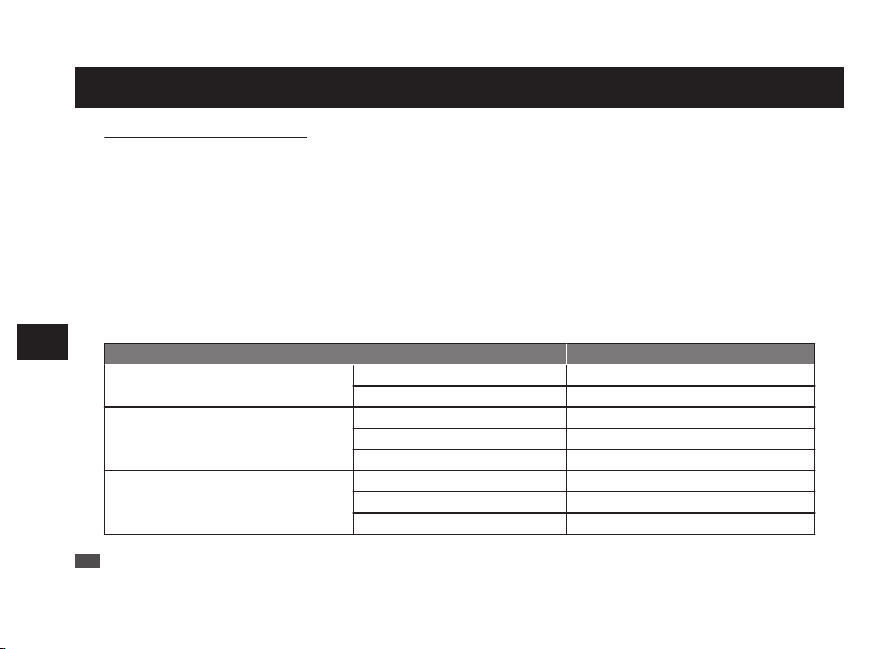
Lumibrite
If your watch has Lumibrite
Lumibrite is a luminous paint that absorbs the light energy of sunlight and lighting apparatuses in a short
time and stores it to emit light in the dark. For example, if exposed to a light of more than 500 lux for
approximately 10 minutes, Lumibrite can emit light for 3 to 5 hours. Please note, however, that, as Lumibrite
emits the light it stores, the luminance level of the light decreases gradually over time. The duration of the
emitted light may also differ slightly depending on such factors as the brightness of the place where the
watch is exposed to light and the distance from the light source to the watch.
* In general, when coming from a place that is bright to a place that is dark, it takes human eyes some time to adapt
to the darkness making it difficult to see objects initially. (Dark adaptation)
* Lumibrite is luminous paint that stores and emits light, which is harmless to human beings and the environment,
containing no toxic materials such as radioactive substances.
<Brightness levels>
Condition Illumination
Sunlight
Fine weather 100,000 lux
Cloudy weather 10,000 lux
Indoor (Window-side during
daytime)
Fine weather More than 3,000 lux
Cloudy weather 1,000 to 3,000 lux
Rainy weather Less than 1,000 lux
Lighting apparatus (40-watt daylight
fluorescent light)
Distance to the watch: 1 m 1,000 lux
Distance to the watch: 3 m 500 lux (Average room luminance)
Distance to the watch: 4 m 250 lux
EN
48
6
TO PRESERVE THE QUALITY OF YOUR
WATCH
Water resistant performance
Refer the table below for the description of water resistant performance of your watch before using.
(Please look at P.47.)
Indication on the
case back
Water resistant
performance
Conditions of Use
No indication Non-water resistance Avoid drops of water or sweat
WATER
RESISTANT
Water resistance for
everyday life
The watch withstands
accidental contact with
water in everyday life.
b
WARNING
Please do not use it for
swimming.
WATER
RESISTANT
5 BAR
Water resistance for
everyday life at 5-BAR
water resistant
The watch is suitable for sports such as swimming.
WATER
RESISTANT
10(
20)BAR
Water resistance for
everyday life at 10 (20)-BAR
water resistant
The watch is suitable for diving not using an air cylinder.
EN
49
6
TO PRESERVE THE QUALITY OF YOUR
WATCH
Magnetic resistant performance
Affected by nearby magnetism,
a watch may temporarily gain or lose time or stop operating.
* When the hand positions deviate to display incorrect time as a result of influence of magnetism, this watch
automatically corrects the hand alignment itself. (P.81)
b DANGER
Indication on the case back Condition of use
No indication Keep the watch more than 10 cm away from magnetic products.
Keep the watch more than 5 cm away from magnetic products.
(JIS level-1 standard)
Keep the watch more than 1 cm away from magnetic products.
(JIS level-2 standard)
If the watch becomes magnetized and its accuracy deteriorates to an extent exceeding the specified rate
under normal use, the watch needs to be demagnetized. In this case, you will be charged for
demagnetization and accuracy readjustment even if it happens within the guarantee period.
The reason why a watch is affected by magnetism
The built-in motor is provided with a magnet, which may be influenced by a strong external magnetic field.
EN
50
6
TO PRESERVE THE QUALITY OF YOUR
WATCH
Examples of common magnetic products that may affect watches
Smartphone, cellular phone, tablet terminal
(Speaker, magnet of cover)
AC adapter Bag
(With magnet
buckle)
AC-powered
shaver
Magnetic
cooking device
Portable radio
(Speaker)
Magnetic
necklace
Magnetic health
pillow
EN
51
6
TO PRESERVE THE QUALITY OF YOUR
WATCH
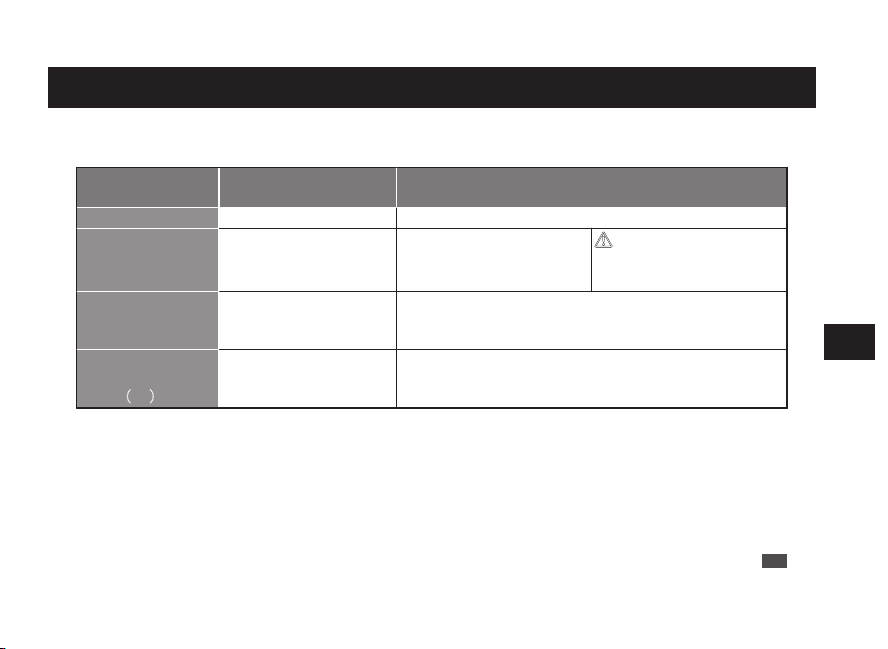
Lumibrite
If your watch has Lumibrite
Lumibrite is a luminous paint that absorbs the light energy of sunlight and lighting apparatuses in a short
time and stores it to emit light in the dark. For example, if exposed to a light of more than 500 lux for
approximately 10 minutes, Lumibrite can emit light for 3 to 5 hours. Please note, however, that, as Lumibrite
emits the light it stores, the luminance level of the light decreases gradually over time. The duration of the
emitted light may also differ slightly depending on such factors as the brightness of the place where the
watch is exposed to light and the distance from the light source to the watch.
* In general, when coming from a place that is bright to a place that is dark, it takes human eyes some time to adapt
to the darkness making it difficult to see objects initially. (Dark adaptation)
* Lumibrite is luminous paint that stores and emits light, which is harmless to human beings and the environment,
containing no toxic materials such as radioactive substances.
<Brightness levels>
Condition Illumination
Sunlight
Fine weather 100,000 lux
Cloudy weather 10,000 lux
Indoor (Window-side during
daytime)
Fine weather More than 3,000 lux
Cloudy weather 1,000 to 3,000 lux
Rainy weather Less than 1,000 lux
Lighting apparatus (40-watt daylight
fluorescent light)
Distance to the watch: 1 m 1,000 lux
Distance to the watch: 3 m 500 lux (Average room luminance)
Distance to the watch: 4 m 250 lux
EN
48
6
TO PRESERVE THE QUALITY OF YOUR
WATCH
Water resistant performance
Refer the table below for the description of water resistant performance of your watch before using.
(Please look at P.47.)
Indication on the
case back
Water resistant
performance
Conditions of Use
No indication Non-water resistance Avoid drops of water or sweat
WATER
RESISTANT
Water resistance for
everyday life
The watch withstands
accidental contact with
water in everyday life.
b
WARNING
Please do not use it for
swimming.
WATER
RESISTANT
5 BAR
Water resistance for
everyday life at 5-BAR
water resistant
The watch is suitable for sports such as swimming.
WATER
RESISTANT
10(
20)BAR
Water resistance for
everyday life at 10 (20)-BAR
water resistant
The watch is suitable for diving not using an air cylinder.
EN
49
6
TO PRESERVE THE QUALITY OF YOUR
WATCH
Magnetic resistant performance
Affected by nearby magnetism,
a watch may temporarily gain or lose time or stop operating.
* When the hand positions deviate to display incorrect time as a result of influence of magnetism, this watch
automatically corrects the hand alignment itself. (P.81)
b DANGER
Indication on the case back Condition of use
No indication Keep the watch more than 10 cm away from magnetic products.
Keep the watch more than 5 cm away from magnetic products.
(JIS level-1 standard)
Keep the watch more than 1 cm away from magnetic products.
(JIS level-2 standard)
If the watch becomes magnetized and its accuracy deteriorates to an extent exceeding the specified rate
under normal use, the watch needs to be demagnetized. In this case, you will be charged for
demagnetization and accuracy readjustment even if it happens within the guarantee period.
The reason why a watch is affected by magnetism
The built-in motor is provided with a magnet, which may be influenced by a strong external magnetic field.
EN
50
6
TO PRESERVE THE QUALITY OF YOUR
WATCH
Examples of common magnetic products that may affect watches
Smartphone, cellular phone, tablet terminal
(Speaker, magnet of cover)
AC adapter Bag
(With magnet
buckle)
AC-powered
shaver
Magnetic
cooking device
Portable radio
(Speaker)
Magnetic
necklace
Magnetic health
pillow
EN
51
6
TO PRESERVE THE QUALITY OF YOUR
WATCH
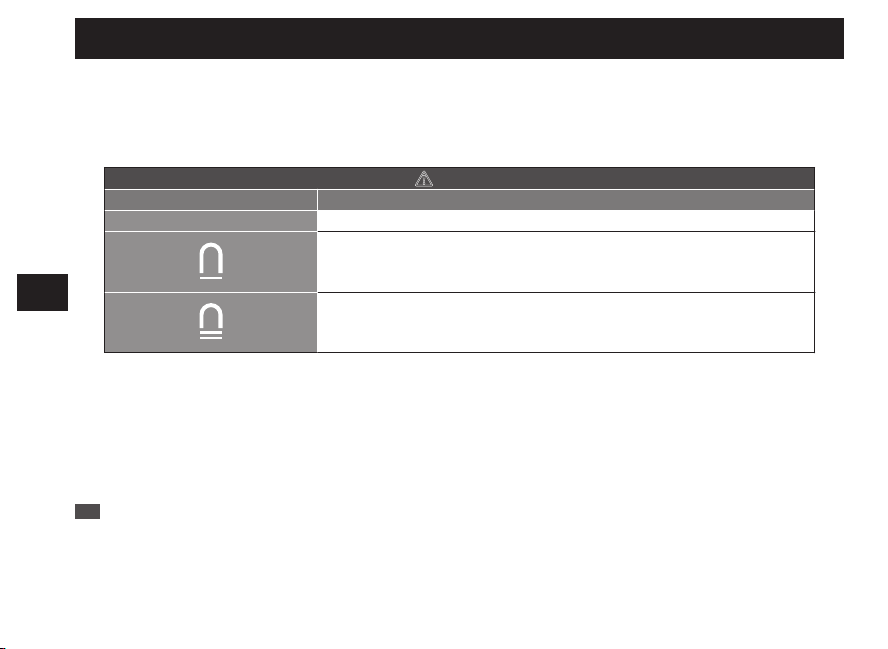
Lumibrite
If your watch has Lumibrite
Lumibrite is a luminous paint that absorbs the light energy of sunlight and lighting apparatuses in a short
time and stores it to emit light in the dark. For example, if exposed to a light of more than 500 lux for
approximately 10 minutes, Lumibrite can emit light for 3 to 5 hours. Please note, however, that, as Lumibrite
emits the light it stores, the luminance level of the light decreases gradually over time. The duration of the
emitted light may also differ slightly depending on such factors as the brightness of the place where the
watch is exposed to light and the distance from the light source to the watch.
* In general, when coming from a place that is bright to a place that is dark, it takes human eyes some time to adapt
to the darkness making it difficult to see objects initially. (Dark adaptation)
* Lumibrite is luminous paint that stores and emits light, which is harmless to human beings and the environment,
containing no toxic materials such as radioactive substances.
<Brightness levels>
Condition Illumination
Sunlight
Fine weather 100,000 lux
Cloudy weather 10,000 lux
Indoor (Window-side during
daytime)
Fine weather More than 3,000 lux
Cloudy weather 1,000 to 3,000 lux
Rainy weather Less than 1,000 lux
Lighting apparatus (40-watt daylight
fluorescent light)
Distance to the watch: 1 m 1,000 lux
Distance to the watch: 3 m 500 lux (Average room luminance)
Distance to the watch: 4 m 250 lux
EN
48
6
TO PRESERVE THE QUALITY OF YOUR
WATCH
Water resistant performance
Refer the table below for the description of water resistant performance of your watch before using.
(Please look at P.47.)
Indication on the
case back
Water resistant
performance
Conditions of Use
No indication Non-water resistance Avoid drops of water or sweat
WATER
RESISTANT
Water resistance for
everyday life
The watch withstands
accidental contact with
water in everyday life.
b
WARNING
Please do not use it for
swimming.
WATER
RESISTANT
5 BAR
Water resistance for
everyday life at 5-BAR
water resistant
The watch is suitable for sports such as swimming.
WATER
RESISTANT
10(
20)BAR
Water resistance for
everyday life at 10 (20)-BAR
water resistant
The watch is suitable for diving not using an air cylinder.
EN
49
6
TO PRESERVE THE QUALITY OF YOUR
WATCH
Magnetic resistant performance
Affected by nearby magnetism,
a watch may temporarily gain or lose time or stop operating.
* When the hand positions deviate to display incorrect time as a result of influence of magnetism, this watch
automatically corrects the hand alignment itself. (P.81)
b DANGER
Indication on the case back Condition of use
No indication Keep the watch more than 10 cm away from magnetic products.
Keep the watch more than 5 cm away from magnetic products.
(JIS level-1 standard)
Keep the watch more than 1 cm away from magnetic products.
(JIS level-2 standard)
If the watch becomes magnetized and its accuracy deteriorates to an extent exceeding the specified rate
under normal use, the watch needs to be demagnetized. In this case, you will be charged for
demagnetization and accuracy readjustment even if it happens within the guarantee period.
The reason why a watch is affected by magnetism
The built-in motor is provided with a magnet, which may be influenced by a strong external magnetic field.
EN
50
6
TO PRESERVE THE QUALITY OF YOUR
WATCH
Examples of common magnetic products that may affect watches
Smartphone, cellular phone, tablet terminal
(Speaker, magnet of cover)
AC adapter Bag
(With magnet
buckle)
AC-powered
shaver
Magnetic
cooking device
Portable radio
(Speaker)
Magnetic
necklace
Magnetic health
pillow
EN
51
6
TO PRESERVE THE QUALITY OF YOUR
WATCH
Lumibrite
If your watch has Lumibrite
Lumibrite is a luminous paint that absorbs the light energy of sunlight and lighting apparatuses in a short
time and stores it to emit light in the dark. For example, if exposed to a light of more than 500 lux for
approximately 10 minutes, Lumibrite can emit light for 3 to 5 hours. Please note, however, that, as Lumibrite
emits the light it stores, the luminance level of the light decreases gradually over time. The duration of the
emitted light may also differ slightly depending on such factors as the brightness of the place where the
watch is exposed to light and the distance from the light source to the watch.
* In general, when coming from a place that is bright to a place that is dark, it takes human eyes some time to adapt
to the darkness making it difficult to see objects initially. (Dark adaptation)
* Lumibrite is luminous paint that stores and emits light, which is harmless to human beings and the environment,
containing no toxic materials such as radioactive substances.
<Brightness levels>
Condition Illumination
Sunlight
Fine weather 100,000 lux
Cloudy weather 10,000 lux
Indoor (Window-side during
daytime)
Fine weather More than 3,000 lux
Cloudy weather 1,000 to 3,000 lux
Rainy weather Less than 1,000 lux
Lighting apparatus (40-watt daylight
fluorescent light)
Distance to the watch: 1 m 1,000 lux
Distance to the watch: 3 m 500 lux (Average room luminance)
Distance to the watch: 4 m 250 lux
EN
48
6
TO PRESERVE THE QUALITY OF YOUR
WATCH
Water resistant performance
Refer the table below for the description of water resistant performance of your watch before using.
(Please look at P.47.)
Indication on the
case back
Water resistant
performance
Conditions of Use
No indication Non-water resistance Avoid drops of water or sweat
WATER
RESISTANT
Water resistance for
everyday life
The watch withstands
accidental contact with
water in everyday life.
b
WARNING
Please do not use it for
swimming.
WATER
RESISTANT
5 BAR
Water resistance for
everyday life at 5-BAR
water resistant
The watch is suitable for sports such as swimming.
WATER
RESISTANT
10(
20)BAR
Water resistance for
everyday life at 10 (20)-BAR
water resistant
The watch is suitable for diving not using an air cylinder.
EN
49
6
TO PRESERVE THE QUALITY OF YOUR
WATCH
Magnetic resistant performance
Affected by nearby magnetism,
a watch may temporarily gain or lose time or stop operating.
* When the hand positions deviate to display incorrect time as a result of influence of magnetism, this watch
automatically corrects the hand alignment itself. (P.81)
b DANGER
Indication on the case back Condition of use
No indication Keep the watch more than 10 cm away from magnetic products.
Keep the watch more than 5 cm away from magnetic products.
(JIS level-1 standard)
Keep the watch more than 1 cm away from magnetic products.
(JIS level-2 standard)
If the watch becomes magnetized and its accuracy deteriorates to an extent exceeding the specified rate
under normal use, the watch needs to be demagnetized. In this case, you will be charged for
demagnetization and accuracy readjustment even if it happens within the guarantee period.
The reason why a watch is affected by magnetism
The built-in motor is provided with a magnet, which may be influenced by a strong external magnetic field.
EN
50
6
TO PRESERVE THE QUALITY OF YOUR
WATCH
Examples of common magnetic products that may affect watches
Smartphone, cellular phone, tablet terminal
(Speaker, magnet of cover)
AC adapter Bag
(With magnet
buckle)
AC-powered
shaver
Magnetic
cooking device
Portable radio
(Speaker)
Magnetic
necklace
Magnetic health
pillow
EN
51
6
TO PRESERVE THE QUALITY OF YOUR
WATCH
Band
The band touches the skin directly and becomes dirty with sweat or dust. Therefore, lack of care
may accelerate deterioration of the band or cause skin irritation or stain on the sleeve edge.
The watch requires a lot of attention for long usage.
●
Metallic band
• Moisture, sweat or soil will cause rust even on a stainless steel band if they are left for a long time.
•
Lack of care may result in a rash or cause a yellowish or gold stain on the lower sleeve edge of shirts.
• Wipe off moisture, sweat or soil with a soft cloth as soon as possible.
• To clean the soil around the joint gaps of the band, wipe it out in water and then brush it off with a soft
toothbrush.
(Protect the watch body from water splashes by wrapping it up in plastic wrap etc.)
Clean it off with a soft cloth.
• Because some titan bands use pins made of stainless steel, which has outstanding strength, rust may
form in the stainless steel parts.
• If rust advances, pins may poke out or drop out, and the watch case may fall off the band, or the clasp
may not open.
• If a pin is poking out, personal injury may result. In such a case, refrain from using the watch and request
repair.
EN
52
6
TO PRESERVE THE QUALITY OF YOUR
WATCH
●
Leather band
• A leather band is susceptible to discoloration and deterioration from moisture, sweat and direct sunlight.
• Wipe off moisture and sweat as soon as possible by gently blotting them up with a dry cloth.
• Do not expose the watch to direct sunlight for a long time.
• Please take care when wearing a watch with light-colored band, as dirt is likely to show up.
•
Refrain from wearing a leather band watch other than Aqua Free bands while bathing, swimming, and
when working with water even if the watch itself is water resistant enforced for daily use (10-BAR/20-BAR
water resistant).
●
Polyurethane band
• A polyurethane band is susceptible to discoloration from light, and may be deteriorated by solvent or
atmospheric humidity.
•
Especially a translucent, white, or pale colored band easily adsorbs other colors, resulting in color smears
or discoloration.
• Wash out dirt in water and clean it off with a dry cloth.
(Protect the watch body from water splashes by wrapping it up in plastic wrap etc.)
• When the band becomes less flexible, have the band replaced with a new one. If you continue to use
the band as it is, the band may develop cracks or become brittle over time.
EN
53
6
TO PRESERVE THE QUALITY OF YOUR
WATCH
●
Silicone band
• As for material characteristics, the band is easily dirtied, and may be stained and discolored.
Wipe off dirt with a wet cloth or cleaning tissue.
• Unlike bands of other materials, cracks may result in the band being cut. Take care not to damage the
band with an edged tool.
Notes on skin
irritation and
allergy
Skin irritation caused by a band may result from various factors such as allergy to
metals or leathers, or skin reactions against friction on dust or the band itself.
Notes on the
length of the band
Adjust the band to allow a little clearance with your wrist to ensure proper
airflow.
When wearing the watch, leave enough room to insert a finger between
the band and your wrist.
EN
54
6
TO PRESERVE THE QUALITY OF YOUR
WATCH
How to use tri-fold type clasp for leather band (Special clasps)
There are 3 types of special clasps as described below;
If the clasp of the watch you purchased is one of them, please refer to the indications.
A A Type → P.56
B B Type → P.57
C C Type → P.58
EN
55
6
TO PRESERVE THE QUALITY OF YOUR
WATCH
Band
The band touches the skin directly and becomes dirty with sweat or dust. Therefore, lack of care
may accelerate deterioration of the band or cause skin irritation or stain on the sleeve edge.
The watch requires a lot of attention for long usage.
●
Metallic band
• Moisture, sweat or soil will cause rust even on a stainless steel band if they are left for a long time.
•
Lack of care may result in a rash or cause a yellowish or gold stain on the lower sleeve edge of shirts.
• Wipe off moisture, sweat or soil with a soft cloth as soon as possible.
• To clean the soil around the joint gaps of the band, wipe it out in water and then brush it off with a soft
toothbrush.
(Protect the watch body from water splashes by wrapping it up in plastic wrap etc.)
Clean it off with a soft cloth.
• Because some titan bands use pins made of stainless steel, which has outstanding strength, rust may
form in the stainless steel parts.
• If rust advances, pins may poke out or drop out, and the watch case may fall off the band, or the clasp
may not open.
• If a pin is poking out, personal injury may result. In such a case, refrain from using the watch and request
repair.
EN
52
6
TO PRESERVE THE QUALITY OF YOUR
WATCH
●
Leather band
• A leather band is susceptible to discoloration and deterioration from moisture, sweat and direct sunlight.
• Wipe off moisture and sweat as soon as possible by gently blotting them up with a dry cloth.
• Do not expose the watch to direct sunlight for a long time.
• Please take care when wearing a watch with light-colored band, as dirt is likely to show up.
•
Refrain from wearing a leather band watch other than Aqua Free bands while bathing, swimming, and
when working with water even if the watch itself is water resistant enforced for daily use (10-BAR/20-BAR
water resistant).
●
Polyurethane band
• A polyurethane band is susceptible to discoloration from light, and may be deteriorated by solvent or
atmospheric humidity.
•
Especially a translucent, white, or pale colored band easily adsorbs other colors, resulting in color smears
or discoloration.
• Wash out dirt in water and clean it off with a dry cloth.
(Protect the watch body from water splashes by wrapping it up in plastic wrap etc.)
• When the band becomes less flexible, have the band replaced with a new one. If you continue to use
the band as it is, the band may develop cracks or become brittle over time.
EN
53
6
TO PRESERVE THE QUALITY OF YOUR
WATCH
●
Silicone band
• As for material characteristics, the band is easily dirtied, and may be stained and discolored.
Wipe off dirt with a wet cloth or cleaning tissue.
• Unlike bands of other materials, cracks may result in the band being cut. Take care not to damage the
band with an edged tool.
Notes on skin
irritation and
allergy
Skin irritation caused by a band may result from various factors such as allergy to
metals or leathers, or skin reactions against friction on dust or the band itself.
Notes on the
length of the band
Adjust the band to allow a little clearance with your wrist to ensure proper
airflow.
When wearing the watch, leave enough room to insert a finger between
the band and your wrist.
EN
54
6
TO PRESERVE THE QUALITY OF YOUR
WATCH
How to use tri-fold type clasp for leather band (Special clasps)
There are 3 types of special clasps as described below;
If the clasp of the watch you purchased is one of them, please refer to the indications.
A A Type → P.56
B B Type → P.57
C C Type → P.58
EN
55
6
TO PRESERVE THE QUALITY OF YOUR
WATCH
Band
The band touches the skin directly and becomes dirty with sweat or dust. Therefore, lack of care
may accelerate deterioration of the band or cause skin irritation or stain on the sleeve edge.
The watch requires a lot of attention for long usage.
●
Metallic band
• Moisture, sweat or soil will cause rust even on a stainless steel band if they are left for a long time.
•
Lack of care may result in a rash or cause a yellowish or gold stain on the lower sleeve edge of shirts.
• Wipe off moisture, sweat or soil with a soft cloth as soon as possible.
• To clean the soil around the joint gaps of the band, wipe it out in water and then brush it off with a soft
toothbrush.
(Protect the watch body from water splashes by wrapping it up in plastic wrap etc.)
Clean it off with a soft cloth.
• Because some titan bands use pins made of stainless steel, which has outstanding strength, rust may
form in the stainless steel parts.
• If rust advances, pins may poke out or drop out, and the watch case may fall off the band, or the clasp
may not open.
• If a pin is poking out, personal injury may result. In such a case, refrain from using the watch and request
repair.
EN
52
6
TO PRESERVE THE QUALITY OF YOUR
WATCH
●
Leather band
• A leather band is susceptible to discoloration and deterioration from moisture, sweat and direct sunlight.
• Wipe off moisture and sweat as soon as possible by gently blotting them up with a dry cloth.
• Do not expose the watch to direct sunlight for a long time.
• Please take care when wearing a watch with light-colored band, as dirt is likely to show up.
•
Refrain from wearing a leather band watch other than Aqua Free bands while bathing, swimming, and
when working with water even if the watch itself is water resistant enforced for daily use (10-BAR/20-BAR
water resistant).
●
Polyurethane band
• A polyurethane band is susceptible to discoloration from light, and may be deteriorated by solvent or
atmospheric humidity.
•
Especially a translucent, white, or pale colored band easily adsorbs other colors, resulting in color smears
or discoloration.
• Wash out dirt in water and clean it off with a dry cloth.
(Protect the watch body from water splashes by wrapping it up in plastic wrap etc.)
• When the band becomes less flexible, have the band replaced with a new one. If you continue to use
the band as it is, the band may develop cracks or become brittle over time.
EN
53
6
TO PRESERVE THE QUALITY OF YOUR
WATCH
●
Silicone band
• As for material characteristics, the band is easily dirtied, and may be stained and discolored.
Wipe off dirt with a wet cloth or cleaning tissue.
• Unlike bands of other materials, cracks may result in the band being cut. Take care not to damage the
band with an edged tool.
Notes on skin
irritation and
allergy
Skin irritation caused by a band may result from various factors such as allergy to
metals or leathers, or skin reactions against friction on dust or the band itself.
Notes on the
length of the band
Adjust the band to allow a little clearance with your wrist to ensure proper
airflow.
When wearing the watch, leave enough room to insert a finger between
the band and your wrist.
EN
54
6
TO PRESERVE THE QUALITY OF YOUR
WATCH
How to use tri-fold type clasp for leather band (Special clasps)
There are 3 types of special clasps as described below;
If the clasp of the watch you purchased is one of them, please refer to the indications.
A A Type → P.56
B B Type → P.57
C C Type → P.58
EN
55
6
TO PRESERVE THE QUALITY OF YOUR
WATCH
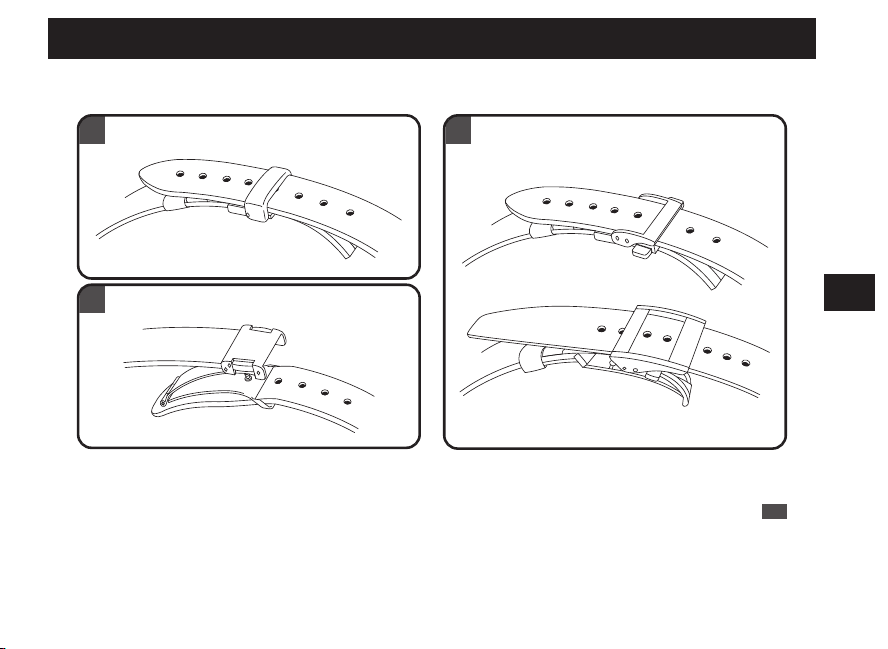
Band
The band touches the skin directly and becomes dirty with sweat or dust. Therefore, lack of care
may accelerate deterioration of the band or cause skin irritation or stain on the sleeve edge.
The watch requires a lot of attention for long usage.
●
Metallic band
• Moisture, sweat or soil will cause rust even on a stainless steel band if they are left for a long time.
•
Lack of care may result in a rash or cause a yellowish or gold stain on the lower sleeve edge of shirts.
• Wipe off moisture, sweat or soil with a soft cloth as soon as possible.
• To clean the soil around the joint gaps of the band, wipe it out in water and then brush it off with a soft
toothbrush.
(Protect the watch body from water splashes by wrapping it up in plastic wrap etc.)
Clean it off with a soft cloth.
• Because some titan bands use pins made of stainless steel, which has outstanding strength, rust may
form in the stainless steel parts.
• If rust advances, pins may poke out or drop out, and the watch case may fall off the band, or the clasp
may not open.
• If a pin is poking out, personal injury may result. In such a case, refrain from using the watch and request
repair.
EN
52
6
TO PRESERVE THE QUALITY OF YOUR
WATCH
●
Leather band
• A leather band is susceptible to discoloration and deterioration from moisture, sweat and direct sunlight.
• Wipe off moisture and sweat as soon as possible by gently blotting them up with a dry cloth.
• Do not expose the watch to direct sunlight for a long time.
• Please take care when wearing a watch with light-colored band, as dirt is likely to show up.
•
Refrain from wearing a leather band watch other than Aqua Free bands while bathing, swimming, and
when working with water even if the watch itself is water resistant enforced for daily use (10-BAR/20-BAR
water resistant).
●
Polyurethane band
• A polyurethane band is susceptible to discoloration from light, and may be deteriorated by solvent or
atmospheric humidity.
•
Especially a translucent, white, or pale colored band easily adsorbs other colors, resulting in color smears
or discoloration.
• Wash out dirt in water and clean it off with a dry cloth.
(Protect the watch body from water splashes by wrapping it up in plastic wrap etc.)
• When the band becomes less flexible, have the band replaced with a new one. If you continue to use
the band as it is, the band may develop cracks or become brittle over time.
EN
53
6
TO PRESERVE THE QUALITY OF YOUR
WATCH
●
Silicone band
• As for material characteristics, the band is easily dirtied, and may be stained and discolored.
Wipe off dirt with a wet cloth or cleaning tissue.
• Unlike bands of other materials, cracks may result in the band being cut. Take care not to damage the
band with an edged tool.
Notes on skin
irritation and
allergy
Skin irritation caused by a band may result from various factors such as allergy to
metals or leathers, or skin reactions against friction on dust or the band itself.
Notes on the
length of the band
Adjust the band to allow a little clearance with your wrist to ensure proper
airflow.
When wearing the watch, leave enough room to insert a finger between
the band and your wrist.
EN
54
6
TO PRESERVE THE QUALITY OF YOUR
WATCH
How to use tri-fold type clasp for leather band (Special clasps)
There are 3 types of special clasps as described below;
If the clasp of the watch you purchased is one of them, please refer to the indications.
A A Type → P.56
B B Type → P.57
C C Type → P.58
EN
55
6
TO PRESERVE THE QUALITY OF YOUR
WATCH
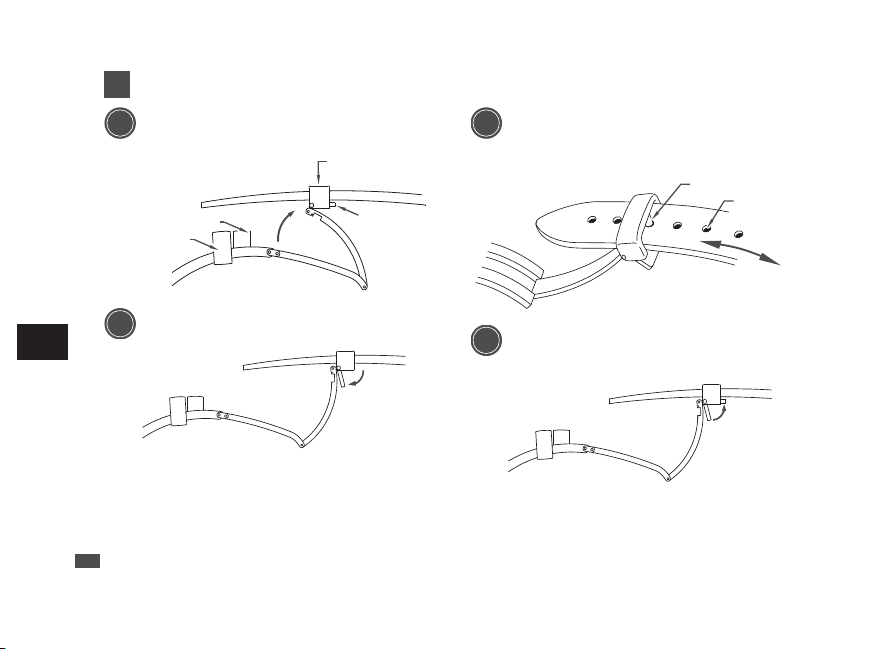
A A Type
1
Lift up the clasp to release the buckle.
Fixed loop
Movable loop
Buckle
Flap
2
Open the flap.
3
Remove the pin from the adjustment hole. Slide the
band left and right, and reinsert the pin into the
adjustment hole at an appropriate length.
Pin
Adjustment hole
4
Fasten the flap.
* Do not push the flap in too hard.
* When fastening the clasp, insert the tip of the band
into the movable loop and fixed loop, and then,
securely tighten the clasp.
EN
56
6
TO PRESERVE THE QUALITY OF YOUR
WATCH
B B Type
1
While pressing the push buttons on both sides
of the flap, lift to open the clasp.
Push button
2
Remove the pin from the adjustment hole.
Slide the band left and right, and insert the pin
into the adjustment hole at an appropriate
length. Push the buckle and fasten the clasp.
Buckle
Pin
Adjustment hole
EN
57
6
TO PRESERVE THE QUALITY OF YOUR
WATCH
C C Type
●
How to wear or take off the watch
1
While pressing the push buttons on both sides
of the flap, pull the band out of the movable
loop and fixed loop. Then open the clasp.
Fixed loop
Movable loop
Buckle
Flap
Push button
2
Place the tip of the band into the movable loop
and fixed loop, and fasten the clasp by
pressing the frame of the buckle.
EN
58
6
TO PRESERVE THE QUALITY OF YOUR
WATCH
●
How to adjust the length of the band
1
While pressing the push buttons on both sides
of the flap, pull the band out of the movable
loop and fixed loop. Then open the clasp.
Fixed loop
Movable loop
Buckle
Flap
Push button
2
Press the push buttons again to unfasten the
flap.
EN
59
6
TO PRESERVE THE QUALITY OF YOUR
WATCH
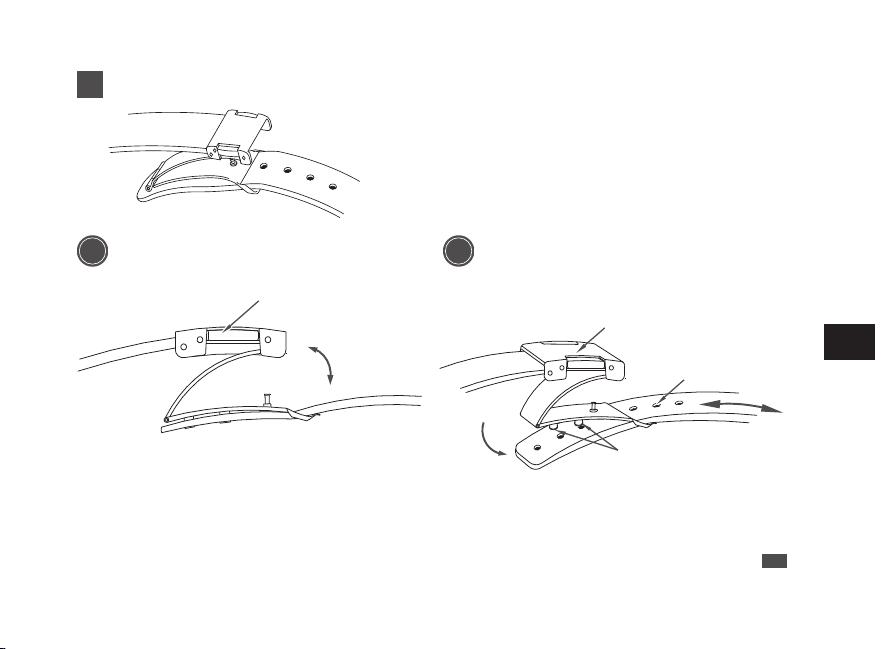
A A Type
1
Lift up the clasp to release the buckle.
Fixed loop
Movable loop
Buckle
Flap
2
Open the flap.
3
Remove the pin from the adjustment hole. Slide the
band left and right, and reinsert the pin into the
adjustment hole at an appropriate length.
Pin
Adjustment hole
4
Fasten the flap.
* Do not push the flap in too hard.
* When fastening the clasp, insert the tip of the band
into the movable loop and fixed loop, and then,
securely tighten the clasp.
EN
56
6
TO PRESERVE THE QUALITY OF YOUR
WATCH
B B Type
1
While pressing the push buttons on both sides
of the flap, lift to open the clasp.
Push button
2
Remove the pin from the adjustment hole.
Slide the band left and right, and insert the pin
into the adjustment hole at an appropriate
length. Push the buckle and fasten the clasp.
Buckle
Pin
Adjustment hole
EN
57
6
TO PRESERVE THE QUALITY OF YOUR
WATCH
C C Type
●
How to wear or take off the watch
1
While pressing the push buttons on both sides
of the flap, pull the band out of the movable
loop and fixed loop. Then open the clasp.
Fixed loop
Movable loop
Buckle
Flap
Push button
2
Place the tip of the band into the movable loop
and fixed loop, and fasten the clasp by
pressing the frame of the buckle.
EN
58
6
TO PRESERVE THE QUALITY OF YOUR
WATCH
●
How to adjust the length of the band
1
While pressing the push buttons on both sides
of the flap, pull the band out of the movable
loop and fixed loop. Then open the clasp.
Fixed loop
Movable loop
Buckle
Flap
Push button
2
Press the push buttons again to unfasten the
flap.
EN
59
6
TO PRESERVE THE QUALITY OF YOUR
WATCH
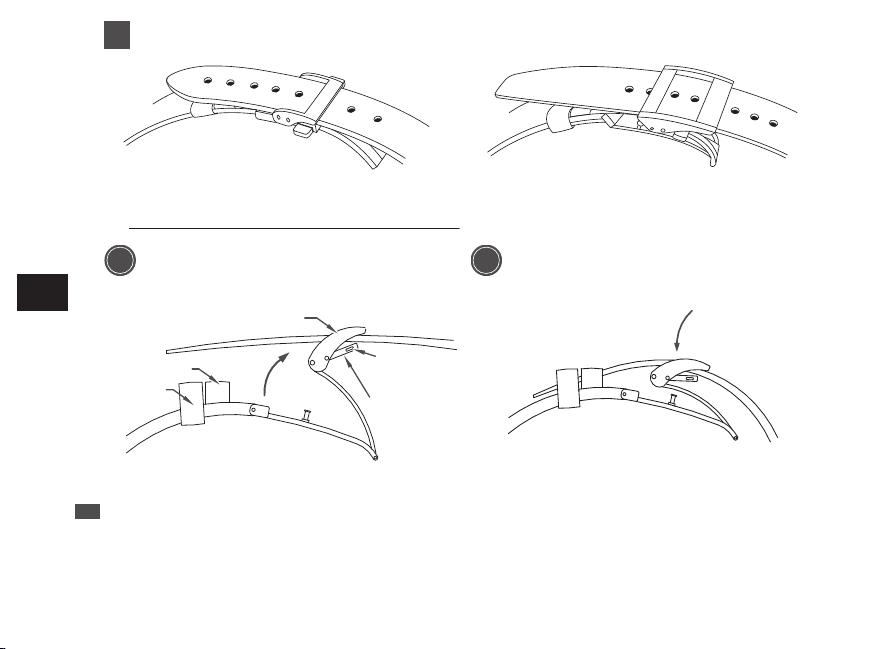
A A Type
1
Lift up the clasp to release the buckle.
Fixed loop
Movable loop
Buckle
Flap
2
Open the flap.
3
Remove the pin from the adjustment hole. Slide the
band left and right, and reinsert the pin into the
adjustment hole at an appropriate length.
Pin
Adjustment hole
4
Fasten the flap.
* Do not push the flap in too hard.
* When fastening the clasp, insert the tip of the band
into the movable loop and fixed loop, and then,
securely tighten the clasp.
EN
56
6
TO PRESERVE THE QUALITY OF YOUR
WATCH
B B Type
1
While pressing the push buttons on both sides
of the flap, lift to open the clasp.
Push button
2
Remove the pin from the adjustment hole.
Slide the band left and right, and insert the pin
into the adjustment hole at an appropriate
length. Push the buckle and fasten the clasp.
Buckle
Pin
Adjustment hole
EN
57
6
TO PRESERVE THE QUALITY OF YOUR
WATCH
C C Type
●
How to wear or take off the watch
1
While pressing the push buttons on both sides
of the flap, pull the band out of the movable
loop and fixed loop. Then open the clasp.
Fixed loop
Movable loop
Buckle
Flap
Push button
2
Place the tip of the band into the movable loop
and fixed loop, and fasten the clasp by
pressing the frame of the buckle.
EN
58
6
TO PRESERVE THE QUALITY OF YOUR
WATCH
●
How to adjust the length of the band
1
While pressing the push buttons on both sides
of the flap, pull the band out of the movable
loop and fixed loop. Then open the clasp.
Fixed loop
Movable loop
Buckle
Flap
Push button
2
Press the push buttons again to unfasten the
flap.
EN
59
6
TO PRESERVE THE QUALITY OF YOUR
WATCH
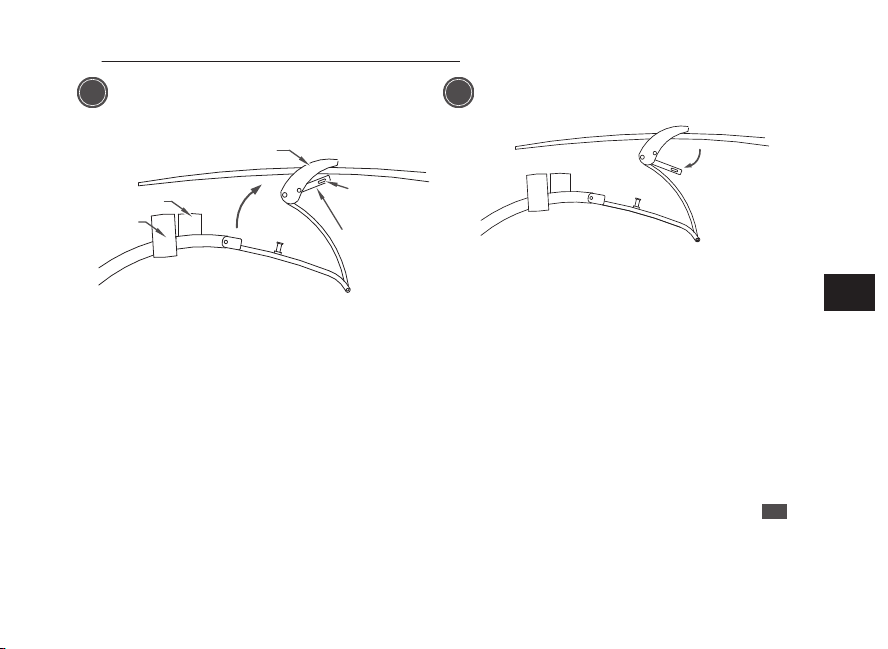
A A Type
1
Lift up the clasp to release the buckle.
Fixed loop
Movable loop
Buckle
Flap
2
Open the flap.
3
Remove the pin from the adjustment hole. Slide the
band left and right, and reinsert the pin into the
adjustment hole at an appropriate length.
Pin
Adjustment hole
4
Fasten the flap.
* Do not push the flap in too hard.
* When fastening the clasp, insert the tip of the band
into the movable loop and fixed loop, and then,
securely tighten the clasp.
EN
56
6
TO PRESERVE THE QUALITY OF YOUR
WATCH
B B Type
1
While pressing the push buttons on both sides
of the flap, lift to open the clasp.
Push button
2
Remove the pin from the adjustment hole.
Slide the band left and right, and insert the pin
into the adjustment hole at an appropriate
length. Push the buckle and fasten the clasp.
Buckle
Pin
Adjustment hole
EN
57
6
TO PRESERVE THE QUALITY OF YOUR
WATCH
C C Type
●
How to wear or take off the watch
1
While pressing the push buttons on both sides
of the flap, pull the band out of the movable
loop and fixed loop. Then open the clasp.
Fixed loop
Movable loop
Buckle
Flap
Push button
2
Place the tip of the band into the movable loop
and fixed loop, and fasten the clasp by
pressing the frame of the buckle.
EN
58
6
TO PRESERVE THE QUALITY OF YOUR
WATCH
●
How to adjust the length of the band
1
While pressing the push buttons on both sides
of the flap, pull the band out of the movable
loop and fixed loop. Then open the clasp.
Fixed loop
Movable loop
Buckle
Flap
Push button
2
Press the push buttons again to unfasten the
flap.
EN
59
6
TO PRESERVE THE QUALITY OF YOUR
WATCH
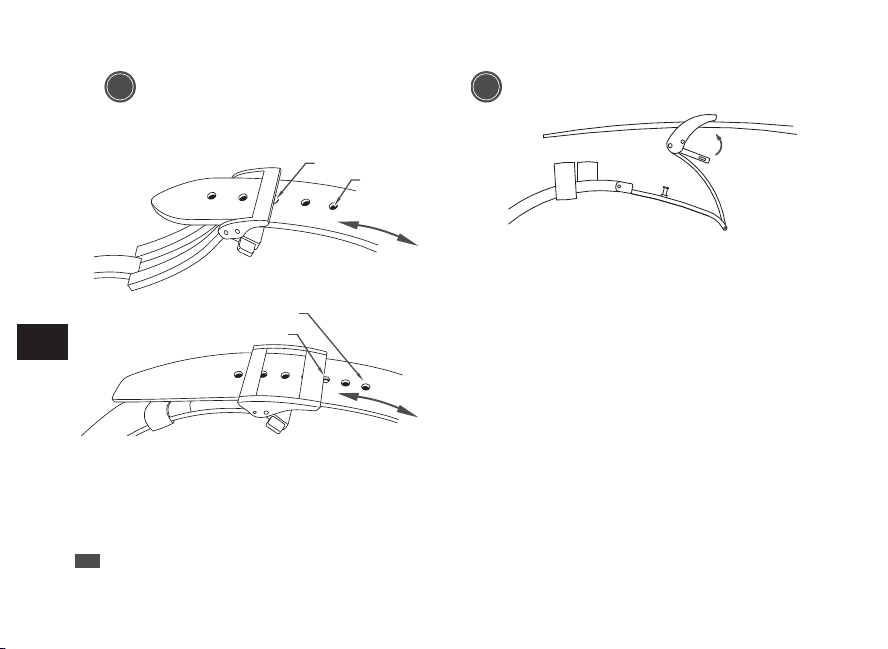
3
Pull the pin out of an adjustment hole of the
band. Slide the band to adjust its length and
find an appropriate hole. Place the pin into the
hole.
Pin
Adjustment hole
Pin
Adjustment hole
4
Fasten the flap.
EN
60
6
TO PRESERVE THE QUALITY OF YOUR
WATCH
How to use an adjustable three-fold clasp (Pointed
tip diving type)
The rubber bands and some leather bands are provided with an adjustable three-fold clasp
(Pointed tip diving type) of the type where the pointed tip of the band dives downward as shown
in the figure.
If the clasp of the watch you purchased is as follows, please refer to the following instructions.
EN
61
6
TO PRESERVE THE QUALITY OF YOUR
WATCH
●
How to wear or take off the watch
Buckle
Push button
Band
1. Open the clasp and pull upward by
pressing the push buttons on both sides of
the buckle.
2. Fasten the clasp by pressing the frame of
the buckle.
EN
62
6
TO PRESERVE THE QUALITY OF YOUR
WATCH
●
How to adjust the length of the band
Buckle
Push button
Band
Pin
Pin
Adjustment hole
1. Open the band clasp by pushing the
buttons on both sides of the clasp.
2. Pull the pins out of the adjustment holes at
both locations.
EN
63
6
TO PRESERVE THE QUALITY OF YOUR
WATCH
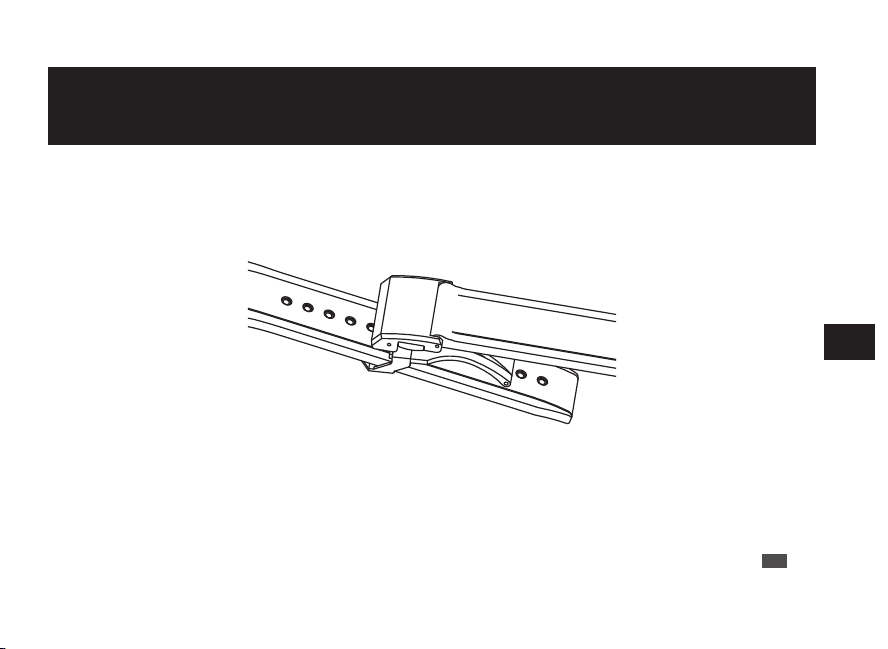
3
Pull the pin out of an adjustment hole of the
band. Slide the band to adjust its length and
find an appropriate hole. Place the pin into the
hole.
Pin
Adjustment hole
Pin
Adjustment hole
4
Fasten the flap.
EN
60
6
TO PRESERVE THE QUALITY OF YOUR
WATCH
How to use an adjustable three-fold clasp (Pointed
tip diving type)
The rubber bands and some leather bands are provided with an adjustable three-fold clasp
(Pointed tip diving type) of the type where the pointed tip of the band dives downward as shown
in the figure.
If the clasp of the watch you purchased is as follows, please refer to the following instructions.
EN
61
6
TO PRESERVE THE QUALITY OF YOUR
WATCH
●
How to wear or take off the watch
Buckle
Push button
Band
1. Open the clasp and pull upward by
pressing the push buttons on both sides of
the buckle.
2. Fasten the clasp by pressing the frame of
the buckle.
EN
62
6
TO PRESERVE THE QUALITY OF YOUR
WATCH
●
How to adjust the length of the band
Buckle
Push button
Band
Pin
Pin
Adjustment hole
1. Open the band clasp by pushing the
buttons on both sides of the clasp.
2. Pull the pins out of the adjustment holes at
both locations.
EN
63
6
TO PRESERVE THE QUALITY OF YOUR
WATCH
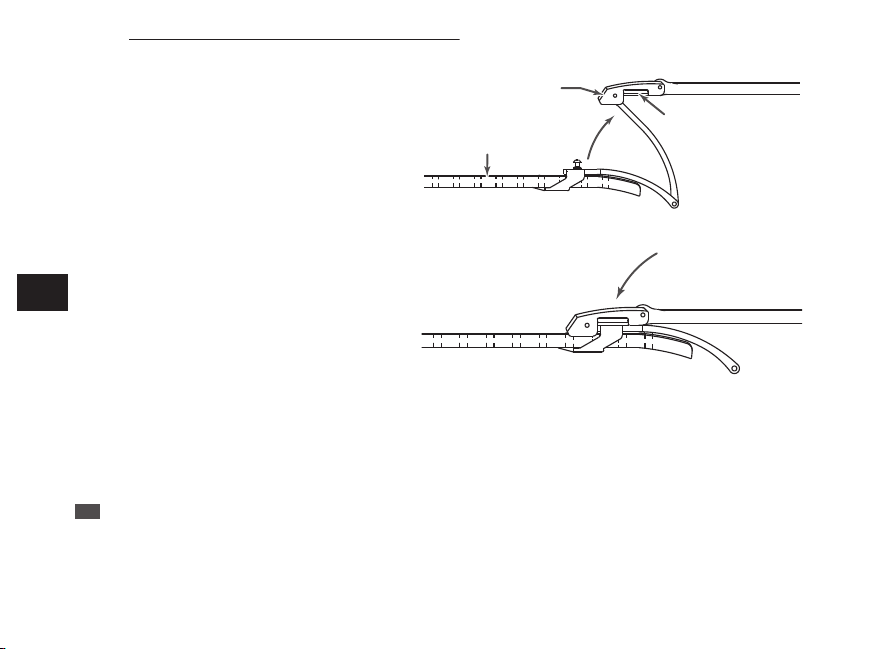
3
Pull the pin out of an adjustment hole of the
band. Slide the band to adjust its length and
find an appropriate hole. Place the pin into the
hole.
Pin
Adjustment hole
Pin
Adjustment hole
4
Fasten the flap.
EN
60
6
TO PRESERVE THE QUALITY OF YOUR
WATCH
How to use an adjustable three-fold clasp (Pointed
tip diving type)
The rubber bands and some leather bands are provided with an adjustable three-fold clasp
(Pointed tip diving type) of the type where the pointed tip of the band dives downward as shown
in the figure.
If the clasp of the watch you purchased is as follows, please refer to the following instructions.
EN
61
6
TO PRESERVE THE QUALITY OF YOUR
WATCH
●
How to wear or take off the watch
Buckle
Push button
Band
1. Open the clasp and pull upward by
pressing the push buttons on both sides of
the buckle.
2. Fasten the clasp by pressing the frame of
the buckle.
EN
62
6
TO PRESERVE THE QUALITY OF YOUR
WATCH
●
How to adjust the length of the band
Buckle
Push button
Band
Pin
Pin
Adjustment hole
1. Open the band clasp by pushing the
buttons on both sides of the clasp.
2. Pull the pins out of the adjustment holes at
both locations.
EN
63
6
TO PRESERVE THE QUALITY OF YOUR
WATCH
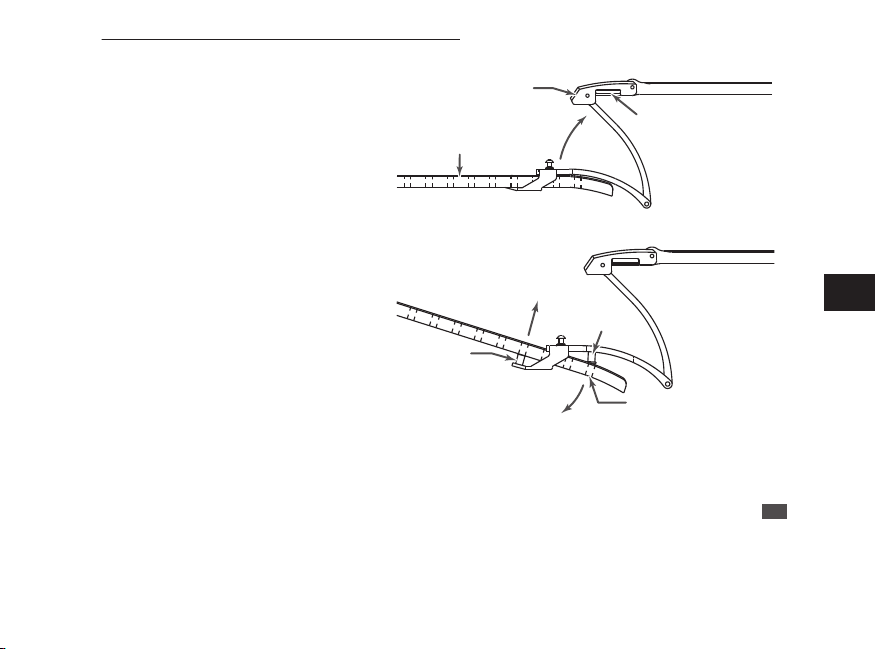
3
Pull the pin out of an adjustment hole of the
band. Slide the band to adjust its length and
find an appropriate hole. Place the pin into the
hole.
Pin
Adjustment hole
Pin
Adjustment hole
4
Fasten the flap.
EN
60
6
TO PRESERVE THE QUALITY OF YOUR
WATCH
How to use an adjustable three-fold clasp (Pointed
tip diving type)
The rubber bands and some leather bands are provided with an adjustable three-fold clasp
(Pointed tip diving type) of the type where the pointed tip of the band dives downward as shown
in the figure.
If the clasp of the watch you purchased is as follows, please refer to the following instructions.
EN
61
6
TO PRESERVE THE QUALITY OF YOUR
WATCH
●
How to wear or take off the watch
Buckle
Push button
Band
1. Open the clasp and pull upward by
pressing the push buttons on both sides of
the buckle.
2. Fasten the clasp by pressing the frame of
the buckle.
EN
62
6
TO PRESERVE THE QUALITY OF YOUR
WATCH
●
How to adjust the length of the band
Buckle
Push button
Band
Pin
Pin
Adjustment hole
1. Open the band clasp by pushing the
buttons on both sides of the clasp.
2. Pull the pins out of the adjustment holes at
both locations.
EN
63
6
TO PRESERVE THE QUALITY OF YOUR
WATCH
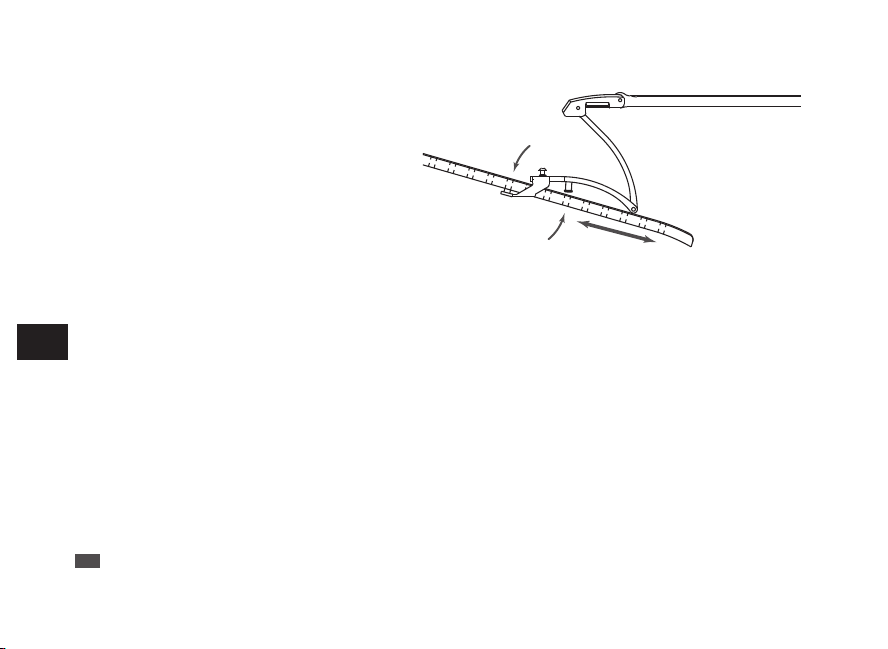
3. Slide the band to the right and left and at an
appropriate length, push the pins firmly into
the adjustment holes again at those 2
locations.
* The above illustrations are provided as examples. Some details may differ depending on the model.
EN
64
6
TO PRESERVE THE QUALITY OF YOUR
WATCH
How to use an easy adjust type clasp
Some bands are provided with an easy adjust type clasp for fine adjustment of the band’s length.
If the clasp of the watch you purchased is as follows, please refer to the following instructions.
* The band can be lengthened by up to about 5 mm.
This is useful if the band feels too tight or is uncomfortable for some reason.
EN
65
6
TO PRESERVE THE QUALITY OF YOUR
WATCH
●
How to wear the band (Opening and closing the clasp)
Push button Buckle
1. Lightly press the push buttons to open the
clasp.
* Note that pressing the push buttons too
firmly (deeply) actuates the adjuster, which
lengthens the band.
2. Fasten the clasp by pressing the frame of
the buckle.
EN
66
6
TO PRESERVE THE QUALITY OF YOUR
WATCH
●
How to adjust the length of the band
1. You can lengthen the band by up to about 5 mm
(2 stages) by firmly pressing the push buttons
from both sides to actuate the adjuster.
2. Fasten the clasp by pressing the frame of the
buckle.
* Even while the clasp is closed, you can still retract
the length of band extended by the adjuster.
* The above illustrations are provided as examples. Some details may differ depending on the model.
EN
67
6
TO PRESERVE THE QUALITY OF YOUR
WATCH
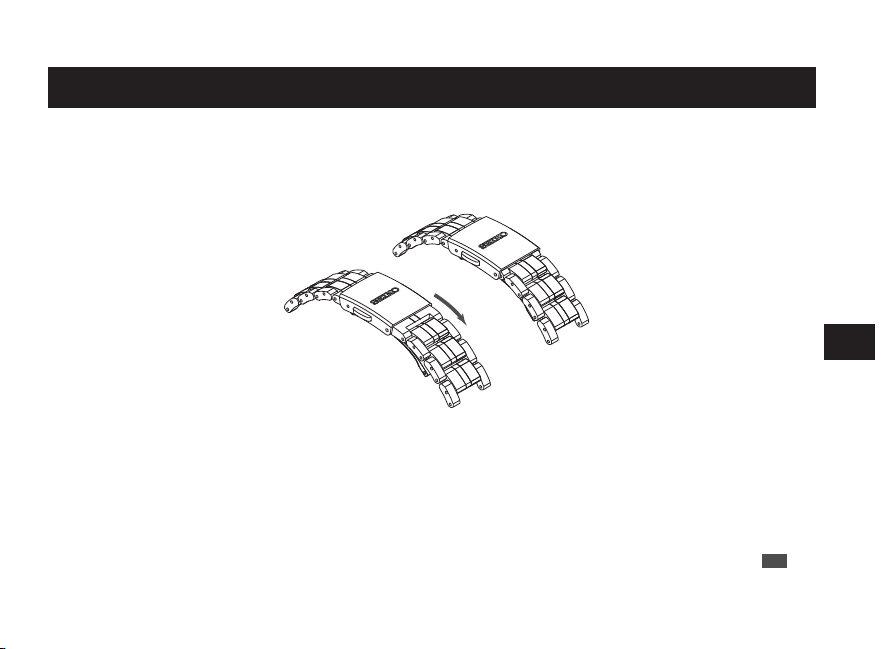
3. Slide the band to the right and left and at an
appropriate length, push the pins firmly into
the adjustment holes again at those 2
locations.
* The above illustrations are provided as examples. Some details may differ depending on the model.
EN
64
6
TO PRESERVE THE QUALITY OF YOUR
WATCH
How to use an easy adjust type clasp
Some bands are provided with an easy adjust type clasp for fine adjustment of the band’s length.
If the clasp of the watch you purchased is as follows, please refer to the following instructions.
* The band can be lengthened by up to about 5 mm.
This is useful if the band feels too tight or is uncomfortable for some reason.
EN
65
6
TO PRESERVE THE QUALITY OF YOUR
WATCH
●
How to wear the band (Opening and closing the clasp)
Push button Buckle
1. Lightly press the push buttons to open the
clasp.
* Note that pressing the push buttons too
firmly (deeply) actuates the adjuster, which
lengthens the band.
2. Fasten the clasp by pressing the frame of
the buckle.
EN
66
6
TO PRESERVE THE QUALITY OF YOUR
WATCH
●
How to adjust the length of the band
1. You can lengthen the band by up to about 5 mm
(2 stages) by firmly pressing the push buttons
from both sides to actuate the adjuster.
2. Fasten the clasp by pressing the frame of the
buckle.
* Even while the clasp is closed, you can still retract
the length of band extended by the adjuster.
* The above illustrations are provided as examples. Some details may differ depending on the model.
EN
67
6
TO PRESERVE THE QUALITY OF YOUR
WATCH
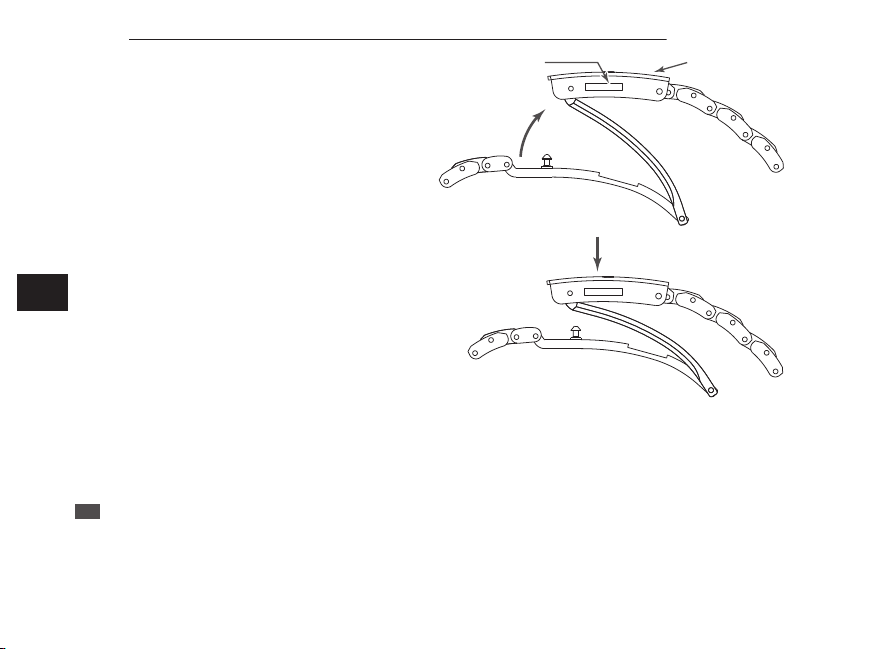
3. Slide the band to the right and left and at an
appropriate length, push the pins firmly into
the adjustment holes again at those 2
locations.
* The above illustrations are provided as examples. Some details may differ depending on the model.
EN
64
6
TO PRESERVE THE QUALITY OF YOUR
WATCH
How to use an easy adjust type clasp
Some bands are provided with an easy adjust type clasp for fine adjustment of the band’s length.
If the clasp of the watch you purchased is as follows, please refer to the following instructions.
* The band can be lengthened by up to about 5 mm.
This is useful if the band feels too tight or is uncomfortable for some reason.
EN
65
6
TO PRESERVE THE QUALITY OF YOUR
WATCH
●
How to wear the band (Opening and closing the clasp)
Push button Buckle
1. Lightly press the push buttons to open the
clasp.
* Note that pressing the push buttons too
firmly (deeply) actuates the adjuster, which
lengthens the band.
2. Fasten the clasp by pressing the frame of
the buckle.
EN
66
6
TO PRESERVE THE QUALITY OF YOUR
WATCH
●
How to adjust the length of the band
1. You can lengthen the band by up to about 5 mm
(2 stages) by firmly pressing the push buttons
from both sides to actuate the adjuster.
2. Fasten the clasp by pressing the frame of the
buckle.
* Even while the clasp is closed, you can still retract
the length of band extended by the adjuster.
* The above illustrations are provided as examples. Some details may differ depending on the model.
EN
67
6
TO PRESERVE THE QUALITY OF YOUR
WATCH
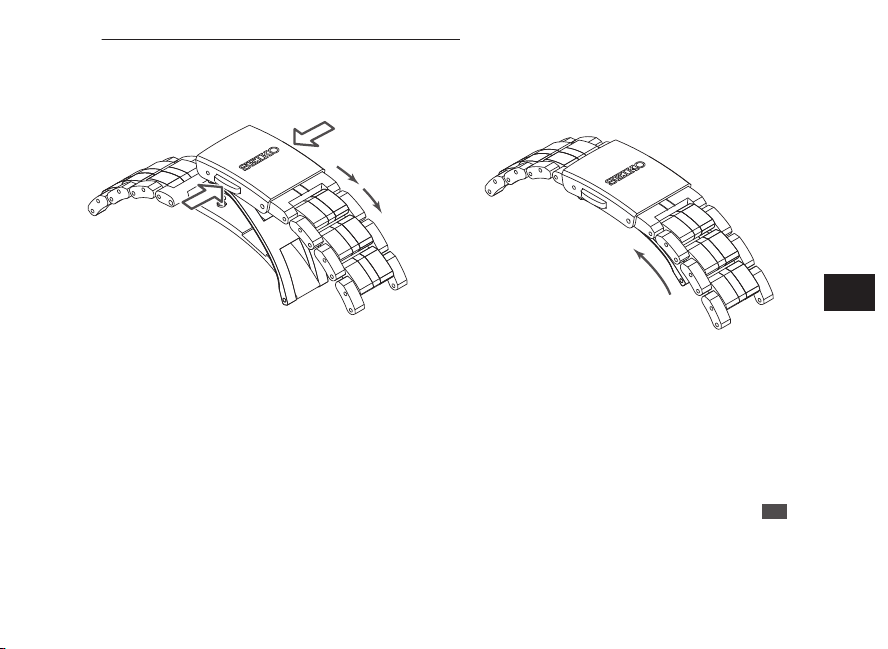
3. Slide the band to the right and left and at an
appropriate length, push the pins firmly into
the adjustment holes again at those 2
locations.
* The above illustrations are provided as examples. Some details may differ depending on the model.
EN
64
6
TO PRESERVE THE QUALITY OF YOUR
WATCH
How to use an easy adjust type clasp
Some bands are provided with an easy adjust type clasp for fine adjustment of the band’s length.
If the clasp of the watch you purchased is as follows, please refer to the following instructions.
* The band can be lengthened by up to about 5 mm.
This is useful if the band feels too tight or is uncomfortable for some reason.
EN
65
6
TO PRESERVE THE QUALITY OF YOUR
WATCH
●
How to wear the band (Opening and closing the clasp)
Push button Buckle
1. Lightly press the push buttons to open the
clasp.
* Note that pressing the push buttons too
firmly (deeply) actuates the adjuster, which
lengthens the band.
2. Fasten the clasp by pressing the frame of
the buckle.
EN
66
6
TO PRESERVE THE QUALITY OF YOUR
WATCH
●
How to adjust the length of the band
1. You can lengthen the band by up to about 5 mm
(2 stages) by firmly pressing the push buttons
from both sides to actuate the adjuster.
2. Fasten the clasp by pressing the frame of the
buckle.
* Even while the clasp is closed, you can still retract
the length of band extended by the adjuster.
* The above illustrations are provided as examples. Some details may differ depending on the model.
EN
67
6
TO PRESERVE THE QUALITY OF YOUR
WATCH
After sales service
●
Notes on guarantee and repair
• Contact the retailer from whom the watch was purchased or SEIKO CUSTOMER SERVICE CENTER
for repair or overhaul.
• Within the guarantee period, present the certificate of guarantee to receive repair services.
• Guarantee coverage is provided in the certificate of guarantee.
Read carefully and retain it.
• For repair services after the guarantee period has expired, if the functions of the watch can be restored
by repair work, we will undertake repair services upon request and payment.
●
Replacement with functional parts
• Please keep in mind that if original parts are not available, they may be replaced with substitutes whose
outward appearance may differ from the originals.
EN
68
6
TO PRESERVE THE QUALITY OF YOUR
WATCH
●
Inspection and adjustment by disassembly and cleaning (Overhaul)
• Periodic inspection and adjustment by disassembly and cleaning (overhaul) is recommended
approximately once every 3 to 4 years in order to maintain optimal performance of the watch for a long
time. According to use conditions, the oil retaining condition of your watch mechanical parts may
deteriorate, abrasion of the parts may occur due to contamination of oil, which may ultimately lead the
watch itself to stop.
As the parts such as gasket may deteriorate, water-resistant performance may be impaired due to
intrusion of perspiration and moisture.
Please contact the retailer from whom the watch was purchased for inspection and adjustment by
disassembly and cleaning (overhaul). For replacement of parts, please specify “SEIKO GENUINE
PARTS.” When asking for inspection and adjustment by disassembly and cleaning (overhaul), make
sure that the gasket and push pin are also replaced with new ones.
• When your watch is inspected and adjusted by disassembly and cleaning (overhauled), the movement
of your watch may be replaced.
EN
69
6
TO PRESERVE THE QUALITY OF YOUR
WATCH
How to conduct manual reception (Receive a radio
signal manually)
The antenna is embedded at the
9 o’clock position of the watch.
Turning the antenna toward the
outside of a window helps
improve radio signal reception.
Button A
Press for
3
seconds
1
Place the watch.
Place the watch where it can easily receive a radio signal.
“To improve radio signal reception” → P.24
“Environments in which it is difficult to receive a radio
signal” → P.25
*
The watch cannot receive a radio signal outside the radio
signal reception range. “Radio signal reception range
indication” → P.19
2
Press and hold Button A until the seconds
hand moves to the 0-second position (for
three seconds).
Reception starts after the seconds hand moves and stops
at the 0-second position.
*
When the time zone is set for a region other than the radio
signal reception range, the seconds hand does not move to
the 0-second position. (A radio signal cannot be received
manually.) Check the selected time zone.
“How to select the time zone (How to display the local time
around the world)” → P.31
EN
70
7
TROUBLESHOOTING
3
Place the watch and wait for a few minutes (max. 12 minutes).
When the seconds hand moves at the one-second interval, the reception is finished.
<Display until the reception is finished>
The seconds hand indicates the reception level. (Updated
every minute)
Reception level High : H Low : L
Display
Receiving state of
a radio signal
Easy to receive
Difficult to
receive
* In conjunction with the seconds hand movement, the minute
hand advances by one minute.
<If the reception has failed>
The seconds hand indicates the reception result “N.”
Reception result : N
After 5 seconds, the watch switches to the time display
mode.
“If reception has failed: The seconds hand points to N”
→ P.28
4
When the seconds hand starts to move at one-second intervals, check that the reception is successful.
When the reception is finished, check that the reception is successful.
“How to display the reception results” → P.27
* While the date and day of the week are moving, neither the buttons nor the crown can be operated.
It takes time to receive a radio signal (max. 12 minutes).
* The required time varies depending on the receiving state of a
radio signal.
EN
71
7
TROUBLESHOOTING
After sales service
●
Notes on guarantee and repair
• Contact the retailer from whom the watch was purchased or SEIKO CUSTOMER SERVICE CENTER
for repair or overhaul.
• Within the guarantee period, present the certificate of guarantee to receive repair services.
• Guarantee coverage is provided in the certificate of guarantee.
Read carefully and retain it.
• For repair services after the guarantee period has expired, if the functions of the watch can be restored
by repair work, we will undertake repair services upon request and payment.
●
Replacement with functional parts
• Please keep in mind that if original parts are not available, they may be replaced with substitutes whose
outward appearance may differ from the originals.
EN
68
6
TO PRESERVE THE QUALITY OF YOUR
WATCH
●
Inspection and adjustment by disassembly and cleaning (Overhaul)
• Periodic inspection and adjustment by disassembly and cleaning (overhaul) is recommended
approximately once every 3 to 4 years in order to maintain optimal performance of the watch for a long
time. According to use conditions, the oil retaining condition of your watch mechanical parts may
deteriorate, abrasion of the parts may occur due to contamination of oil, which may ultimately lead the
watch itself to stop.
As the parts such as gasket may deteriorate, water-resistant performance may be impaired due to
intrusion of perspiration and moisture.
Please contact the retailer from whom the watch was purchased for inspection and adjustment by
disassembly and cleaning (overhaul). For replacement of parts, please specify “SEIKO GENUINE
PARTS.” When asking for inspection and adjustment by disassembly and cleaning (overhaul), make
sure that the gasket and push pin are also replaced with new ones.
• When your watch is inspected and adjusted by disassembly and cleaning (overhauled), the movement
of your watch may be replaced.
EN
69
6
TO PRESERVE THE QUALITY OF YOUR
WATCH
How to conduct manual reception (Receive a radio
signal manually)
The antenna is embedded at the
9 o’clock position of the watch.
Turning the antenna toward the
outside of a window helps
improve radio signal reception.
Button A
Press for
3
seconds
1
Place the watch.
Place the watch where it can easily receive a radio signal.
“To improve radio signal reception” → P.24
“Environments in which it is difficult to receive a radio
signal” → P.25
*
The watch cannot receive a radio signal outside the radio
signal reception range. “Radio signal reception range
indication” → P.19
2
Press and hold Button A until the seconds
hand moves to the 0-second position (for
three seconds).
Reception starts after the seconds hand moves and stops
at the 0-second position.
*
When the time zone is set for a region other than the radio
signal reception range, the seconds hand does not move to
the 0-second position. (A radio signal cannot be received
manually.) Check the selected time zone.
“How to select the time zone (How to display the local time
around the world)” → P.31
EN
70
7
TROUBLESHOOTING
3
Place the watch and wait for a few minutes (max. 12 minutes).
When the seconds hand moves at the one-second interval, the reception is finished.
<Display until the reception is finished>
The seconds hand indicates the reception level. (Updated
every minute)
Reception level High : H Low : L
Display
Receiving state of
a radio signal
Easy to receive
Difficult to
receive
* In conjunction with the seconds hand movement, the minute
hand advances by one minute.
<If the reception has failed>
The seconds hand indicates the reception result “N.”
Reception result : N
After 5 seconds, the watch switches to the time display
mode.
“If reception has failed: The seconds hand points to N”
→ P.28
4
When the seconds hand starts to move at one-second intervals, check that the reception is successful.
When the reception is finished, check that the reception is successful.
“How to display the reception results” → P.27
* While the date and day of the week are moving, neither the buttons nor the crown can be operated.
It takes time to receive a radio signal (max. 12 minutes).
* The required time varies depending on the receiving state of a
radio signal.
EN
71
7
TROUBLESHOOTING
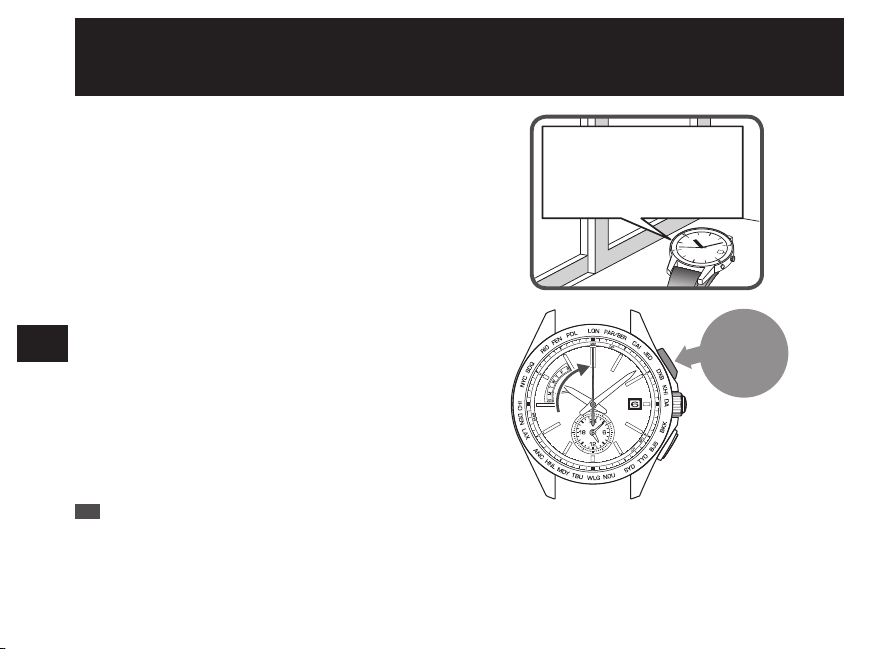
After sales service
●
Notes on guarantee and repair
• Contact the retailer from whom the watch was purchased or SEIKO CUSTOMER SERVICE CENTER
for repair or overhaul.
• Within the guarantee period, present the certificate of guarantee to receive repair services.
• Guarantee coverage is provided in the certificate of guarantee.
Read carefully and retain it.
• For repair services after the guarantee period has expired, if the functions of the watch can be restored
by repair work, we will undertake repair services upon request and payment.
●
Replacement with functional parts
• Please keep in mind that if original parts are not available, they may be replaced with substitutes whose
outward appearance may differ from the originals.
EN
68
6
TO PRESERVE THE QUALITY OF YOUR
WATCH
●
Inspection and adjustment by disassembly and cleaning (Overhaul)
• Periodic inspection and adjustment by disassembly and cleaning (overhaul) is recommended
approximately once every 3 to 4 years in order to maintain optimal performance of the watch for a long
time. According to use conditions, the oil retaining condition of your watch mechanical parts may
deteriorate, abrasion of the parts may occur due to contamination of oil, which may ultimately lead the
watch itself to stop.
As the parts such as gasket may deteriorate, water-resistant performance may be impaired due to
intrusion of perspiration and moisture.
Please contact the retailer from whom the watch was purchased for inspection and adjustment by
disassembly and cleaning (overhaul). For replacement of parts, please specify “SEIKO GENUINE
PARTS.” When asking for inspection and adjustment by disassembly and cleaning (overhaul), make
sure that the gasket and push pin are also replaced with new ones.
• When your watch is inspected and adjusted by disassembly and cleaning (overhauled), the movement
of your watch may be replaced.
EN
69
6
TO PRESERVE THE QUALITY OF YOUR
WATCH
How to conduct manual reception (Receive a radio
signal manually)
The antenna is embedded at the
9 o’clock position of the watch.
Turning the antenna toward the
outside of a window helps
improve radio signal reception.
Button A
Press for
3
seconds
1
Place the watch.
Place the watch where it can easily receive a radio signal.
“To improve radio signal reception” → P.24
“Environments in which it is difficult to receive a radio
signal” → P.25
*
The watch cannot receive a radio signal outside the radio
signal reception range. “Radio signal reception range
indication” → P.19
2
Press and hold Button A until the seconds
hand moves to the 0-second position (for
three seconds).
Reception starts after the seconds hand moves and stops
at the 0-second position.
*
When the time zone is set for a region other than the radio
signal reception range, the seconds hand does not move to
the 0-second position. (A radio signal cannot be received
manually.) Check the selected time zone.
“How to select the time zone (How to display the local time
around the world)” → P.31
EN
70
7
TROUBLESHOOTING
3
Place the watch and wait for a few minutes (max. 12 minutes).
When the seconds hand moves at the one-second interval, the reception is finished.
<Display until the reception is finished>
The seconds hand indicates the reception level. (Updated
every minute)
Reception level High : H Low : L
Display
Receiving state of
a radio signal
Easy to receive
Difficult to
receive
* In conjunction with the seconds hand movement, the minute
hand advances by one minute.
<If the reception has failed>
The seconds hand indicates the reception result “N.”
Reception result : N
After 5 seconds, the watch switches to the time display
mode.
“If reception has failed: The seconds hand points to N”
→ P.28
4
When the seconds hand starts to move at one-second intervals, check that the reception is successful.
When the reception is finished, check that the reception is successful.
“How to display the reception results” → P.27
* While the date and day of the week are moving, neither the buttons nor the crown can be operated.
It takes time to receive a radio signal (max. 12 minutes).
* The required time varies depending on the receiving state of a
radio signal.
EN
71
7
TROUBLESHOOTING
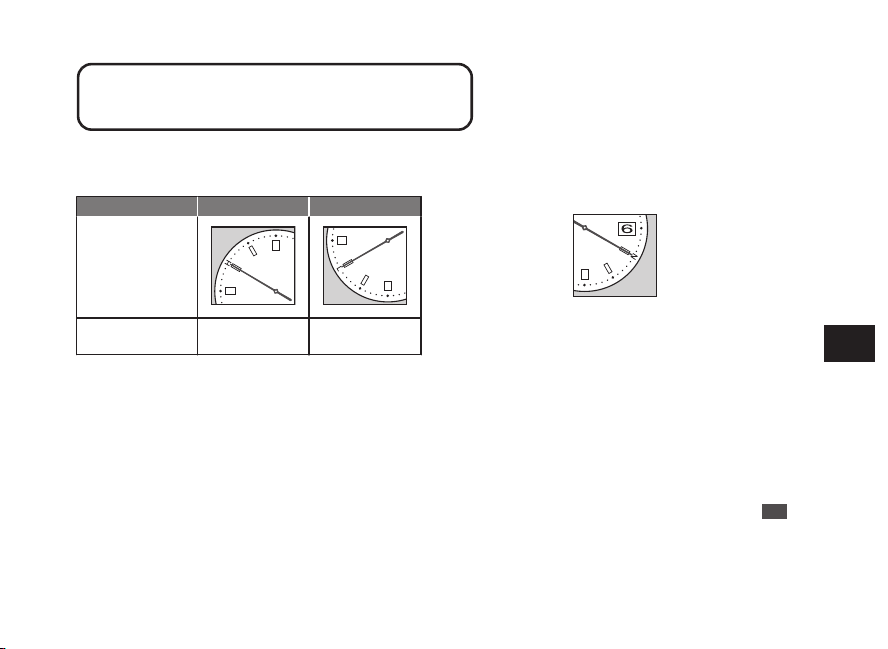
After sales service
●
Notes on guarantee and repair
• Contact the retailer from whom the watch was purchased or SEIKO CUSTOMER SERVICE CENTER
for repair or overhaul.
• Within the guarantee period, present the certificate of guarantee to receive repair services.
• Guarantee coverage is provided in the certificate of guarantee.
Read carefully and retain it.
• For repair services after the guarantee period has expired, if the functions of the watch can be restored
by repair work, we will undertake repair services upon request and payment.
●
Replacement with functional parts
• Please keep in mind that if original parts are not available, they may be replaced with substitutes whose
outward appearance may differ from the originals.
EN
68
6
TO PRESERVE THE QUALITY OF YOUR
WATCH
●
Inspection and adjustment by disassembly and cleaning (Overhaul)
• Periodic inspection and adjustment by disassembly and cleaning (overhaul) is recommended
approximately once every 3 to 4 years in order to maintain optimal performance of the watch for a long
time. According to use conditions, the oil retaining condition of your watch mechanical parts may
deteriorate, abrasion of the parts may occur due to contamination of oil, which may ultimately lead the
watch itself to stop.
As the parts such as gasket may deteriorate, water-resistant performance may be impaired due to
intrusion of perspiration and moisture.
Please contact the retailer from whom the watch was purchased for inspection and adjustment by
disassembly and cleaning (overhaul). For replacement of parts, please specify “SEIKO GENUINE
PARTS.” When asking for inspection and adjustment by disassembly and cleaning (overhaul), make
sure that the gasket and push pin are also replaced with new ones.
• When your watch is inspected and adjusted by disassembly and cleaning (overhauled), the movement
of your watch may be replaced.
EN
69
6
TO PRESERVE THE QUALITY OF YOUR
WATCH
How to conduct manual reception (Receive a radio
signal manually)
The antenna is embedded at the
9 o’clock position of the watch.
Turning the antenna toward the
outside of a window helps
improve radio signal reception.
Button A
Press for
3
seconds
1
Place the watch.
Place the watch where it can easily receive a radio signal.
“To improve radio signal reception” → P.24
“Environments in which it is difficult to receive a radio
signal” → P.25
*
The watch cannot receive a radio signal outside the radio
signal reception range. “Radio signal reception range
indication” → P.19
2
Press and hold Button A until the seconds
hand moves to the 0-second position (for
three seconds).
Reception starts after the seconds hand moves and stops
at the 0-second position.
*
When the time zone is set for a region other than the radio
signal reception range, the seconds hand does not move to
the 0-second position. (A radio signal cannot be received
manually.) Check the selected time zone.
“How to select the time zone (How to display the local time
around the world)” → P.31
EN
70
7
TROUBLESHOOTING
3
Place the watch and wait for a few minutes (max. 12 minutes).
When the seconds hand moves at the one-second interval, the reception is finished.
<Display until the reception is finished>
The seconds hand indicates the reception level. (Updated
every minute)
Reception level High : H Low : L
Display
Receiving state of
a radio signal
Easy to receive
Difficult to
receive
* In conjunction with the seconds hand movement, the minute
hand advances by one minute.
<If the reception has failed>
The seconds hand indicates the reception result “N.”
Reception result : N
After 5 seconds, the watch switches to the time display
mode.
“If reception has failed: The seconds hand points to N”
→ P.28
4
When the seconds hand starts to move at one-second intervals, check that the reception is successful.
When the reception is finished, check that the reception is successful.
“How to display the reception results” → P.27
* While the date and day of the week are moving, neither the buttons nor the crown can be operated.
It takes time to receive a radio signal (max. 12 minutes).
* The required time varies depending on the receiving state of a
radio signal.
EN
71
7
TROUBLESHOOTING
When a radio signal cannot be received
When a radio signal cannot be received, refer to the following.
•
Not receivable within the radio signal reception range
Check that the time zone of the area where the watch is used is set.
When the watch is unable to display the correct time, date or day of the week even if the time zone is
selected, refer to Troubleshooting. “Reception of a radio signal” → P.89
If the above remedies do not solve the problem, set the time, date or day referring to the “How to Manually
Set the time, date or day” section below.
“How to manually set the time” → P.73
“How to manually set the date” → P.75
“How to manually set the day of the week” → P.78
* For the radio signal reception ranges, refer to “Radio signal reception range indication” → P.19.
• When the watch is used outside the radio signal reception range
Select the time zone of the area where the watch is used.
“How to select the time zone (How to display the local time around the world)” → P.31
When the watch is unable to display the correct time, date or day of the week even if the time zone is
selected, manually set the time, date or day of the week.
EN
72
7
TROUBLESHOOTING
■ How to manually set the time
If the watch is continually used in an environment in which a radio signal cannot be received (a region other than the
radio signal reception ranges, etc.), set the time manually.
“Radio signal reception range indication” → P.19
•
When using the watch again in regions in which the watch is able to receive a radio signal, it is recommended to
perform“ Manual reception.” “Automatic reception and manual reception” → P.18
•
When adjusting the time, the date and day will be accordingly adjusted.
* Even if a radio signal cannot be received, the watch can be used with the same accuracy as that of a normal quartz watch.
(Average gain/loss ±15 seconds per month)
* When the watch receives radio signals after the time is manually adjusted, it displays the time received from radio signals.
0
1
2
Pull out the
crown to the
second click
1
Pull out the crown to the second click.
The seconds hand moves to the zero second position and
stops.
The watch switches to the manual time setting mode.
*
When the crown is a screw lock type, unlock it. → P.14
EN
73
7
TROUBLESHOOTING
Button A
Press to turn
clockwise
Button B
Press to turn
counterclockwise
0
1
2
Push the
crown
back in
2
Press Button A or B to set the time.
One minute
Advance
Press button once and then release it.
Continuous
Advance
Keep pressing down the button for
longer than 2 seconds. Press the button
once again to stop.
*
The hands do not move by turning the crown.
*
The moment the date changes is midnight (12 AM). Please
be sure to set the time after ensuring that AM/PM is set
correctly.
*
When the watch switches to the manual time setting mode,
the reception result data is lost. Therefore, the reception
result is indicated as “N”.
3
Push the crown back in according to the time
signal, etc.
The operation is completed.
The watch starts to work.
*
When the crown is a screw lock type, lock it. → P.14
EN
74
7
TROUBLESHOOTING
■ How to manually set the date
When the date is not changed automatically due to an environment in which a radio signal cannot be received outside
the radio signal reception range, etc. (when changing from a month with 30 days or less to a month with 31 days), set
the date manually.
•
The date can be adjusted independently regardless of the time or day of the week.
•
To use the watch in a radio signal receivable condition again, conduct automatic signal reception to set the time.
“Automatic reception and manual reception” → P.18
* When the watch receives radio signals after the date is manually adjusted, it displays the date received from radio signals.
* If the date remains incorrect even after a successful radio signal reception, the preliminary position of the date may be misaligned.
“Setting the preliminary position of the date, day hand, hour and minute hands” → P.82
0
1
2
Pull out the
crown to the
first click
1
Pull out the crown to the first click.
The seconds hand rotates until it points to the 30-second
position and stops.
Both the main watch and the sub dial continue to operate.
*
When the crown is a screw lock type, unlock it. → P.14
EN
75
7
TROUBLESHOOTING
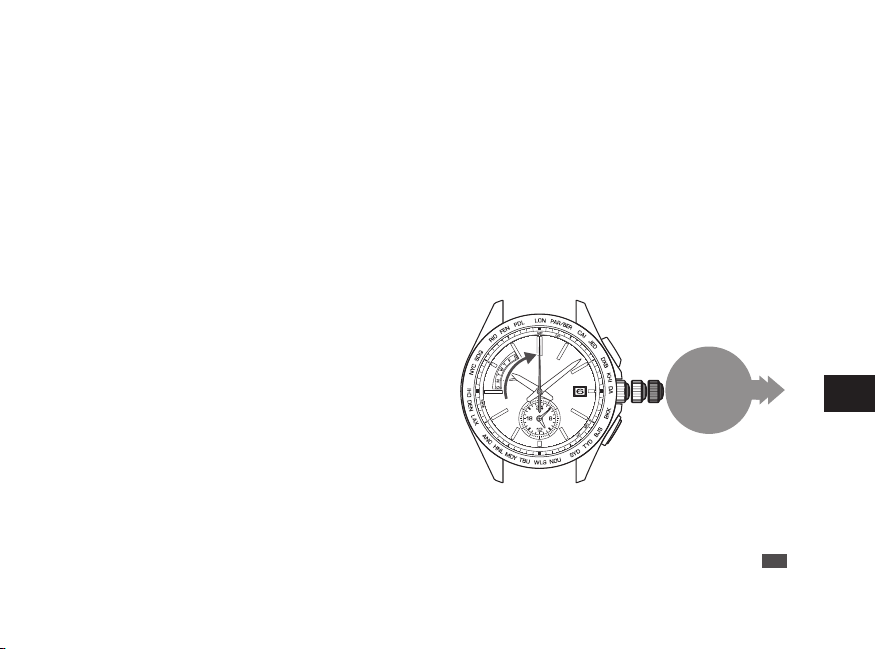
When a radio signal cannot be received
When a radio signal cannot be received, refer to the following.
•
Not receivable within the radio signal reception range
Check that the time zone of the area where the watch is used is set.
When the watch is unable to display the correct time, date or day of the week even if the time zone is
selected, refer to Troubleshooting. “Reception of a radio signal” → P.89
If the above remedies do not solve the problem, set the time, date or day referring to the “How to Manually
Set the time, date or day” section below.
“How to manually set the time” → P.73
“How to manually set the date” → P.75
“How to manually set the day of the week” → P.78
* For the radio signal reception ranges, refer to “Radio signal reception range indication” → P.19.
• When the watch is used outside the radio signal reception range
Select the time zone of the area where the watch is used.
“How to select the time zone (How to display the local time around the world)” → P.31
When the watch is unable to display the correct time, date or day of the week even if the time zone is
selected, manually set the time, date or day of the week.
EN
72
7
TROUBLESHOOTING
■ How to manually set the time
If the watch is continually used in an environment in which a radio signal cannot be received (a region other than the
radio signal reception ranges, etc.), set the time manually.
“Radio signal reception range indication” → P.19
•
When using the watch again in regions in which the watch is able to receive a radio signal, it is recommended to
perform“ Manual reception.” “Automatic reception and manual reception” → P.18
•
When adjusting the time, the date and day will be accordingly adjusted.
* Even if a radio signal cannot be received, the watch can be used with the same accuracy as that of a normal quartz watch.
(Average gain/loss ±15 seconds per month)
* When the watch receives radio signals after the time is manually adjusted, it displays the time received from radio signals.
0
1
2
Pull out the
crown to the
second click
1
Pull out the crown to the second click.
The seconds hand moves to the zero second position and
stops.
The watch switches to the manual time setting mode.
*
When the crown is a screw lock type, unlock it. → P.14
EN
73
7
TROUBLESHOOTING
Button A
Press to turn
clockwise
Button B
Press to turn
counterclockwise
0
1
2
Push the
crown
back in
2
Press Button A or B to set the time.
One minute
Advance
Press button once and then release it.
Continuous
Advance
Keep pressing down the button for
longer than 2 seconds. Press the button
once again to stop.
*
The hands do not move by turning the crown.
*
The moment the date changes is midnight (12 AM). Please
be sure to set the time after ensuring that AM/PM is set
correctly.
*
When the watch switches to the manual time setting mode,
the reception result data is lost. Therefore, the reception
result is indicated as “N”.
3
Push the crown back in according to the time
signal, etc.
The operation is completed.
The watch starts to work.
*
When the crown is a screw lock type, lock it. → P.14
EN
74
7
TROUBLESHOOTING
■ How to manually set the date
When the date is not changed automatically due to an environment in which a radio signal cannot be received outside
the radio signal reception range, etc. (when changing from a month with 30 days or less to a month with 31 days), set
the date manually.
•
The date can be adjusted independently regardless of the time or day of the week.
•
To use the watch in a radio signal receivable condition again, conduct automatic signal reception to set the time.
“Automatic reception and manual reception” → P.18
* When the watch receives radio signals after the date is manually adjusted, it displays the date received from radio signals.
* If the date remains incorrect even after a successful radio signal reception, the preliminary position of the date may be misaligned.
“Setting the preliminary position of the date, day hand, hour and minute hands” → P.82
0
1
2
Pull out the
crown to the
first click
1
Pull out the crown to the first click.
The seconds hand rotates until it points to the 30-second
position and stops.
Both the main watch and the sub dial continue to operate.
*
When the crown is a screw lock type, unlock it. → P.14
EN
75
7
TROUBLESHOOTING
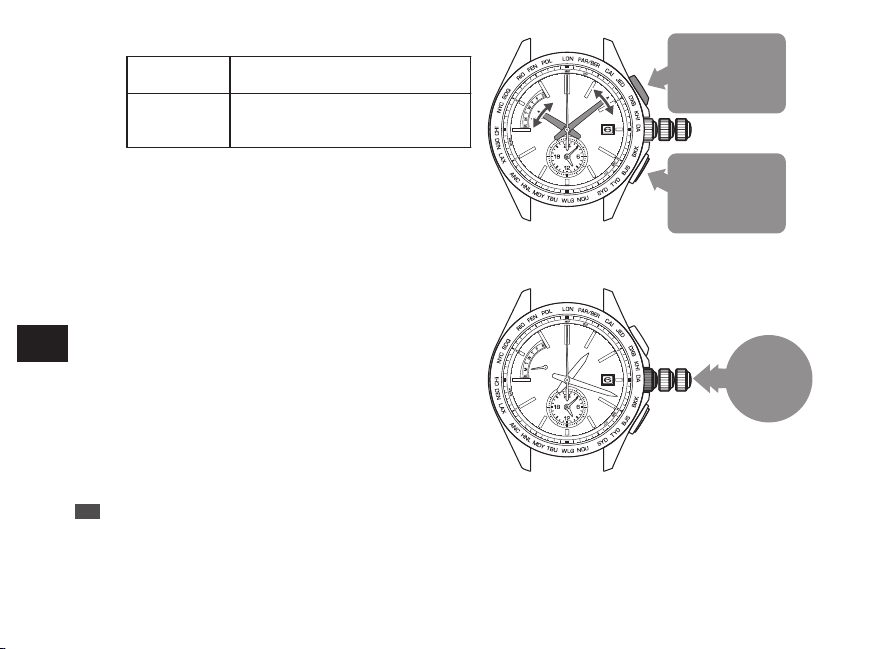
When a radio signal cannot be received
When a radio signal cannot be received, refer to the following.
•
Not receivable within the radio signal reception range
Check that the time zone of the area where the watch is used is set.
When the watch is unable to display the correct time, date or day of the week even if the time zone is
selected, refer to Troubleshooting. “Reception of a radio signal” → P.89
If the above remedies do not solve the problem, set the time, date or day referring to the “How to Manually
Set the time, date or day” section below.
“How to manually set the time” → P.73
“How to manually set the date” → P.75
“How to manually set the day of the week” → P.78
* For the radio signal reception ranges, refer to “Radio signal reception range indication” → P.19.
• When the watch is used outside the radio signal reception range
Select the time zone of the area where the watch is used.
“How to select the time zone (How to display the local time around the world)” → P.31
When the watch is unable to display the correct time, date or day of the week even if the time zone is
selected, manually set the time, date or day of the week.
EN
72
7
TROUBLESHOOTING
■ How to manually set the time
If the watch is continually used in an environment in which a radio signal cannot be received (a region other than the
radio signal reception ranges, etc.), set the time manually.
“Radio signal reception range indication” → P.19
•
When using the watch again in regions in which the watch is able to receive a radio signal, it is recommended to
perform“ Manual reception.” “Automatic reception and manual reception” → P.18
•
When adjusting the time, the date and day will be accordingly adjusted.
* Even if a radio signal cannot be received, the watch can be used with the same accuracy as that of a normal quartz watch.
(Average gain/loss ±15 seconds per month)
* When the watch receives radio signals after the time is manually adjusted, it displays the time received from radio signals.
0
1
2
Pull out the
crown to the
second click
1
Pull out the crown to the second click.
The seconds hand moves to the zero second position and
stops.
The watch switches to the manual time setting mode.
*
When the crown is a screw lock type, unlock it. → P.14
EN
73
7
TROUBLESHOOTING
Button A
Press to turn
clockwise
Button B
Press to turn
counterclockwise
0
1
2
Push the
crown
back in
2
Press Button A or B to set the time.
One minute
Advance
Press button once and then release it.
Continuous
Advance
Keep pressing down the button for
longer than 2 seconds. Press the button
once again to stop.
*
The hands do not move by turning the crown.
*
The moment the date changes is midnight (12 AM). Please
be sure to set the time after ensuring that AM/PM is set
correctly.
*
When the watch switches to the manual time setting mode,
the reception result data is lost. Therefore, the reception
result is indicated as “N”.
3
Push the crown back in according to the time
signal, etc.
The operation is completed.
The watch starts to work.
*
When the crown is a screw lock type, lock it. → P.14
EN
74
7
TROUBLESHOOTING
■ How to manually set the date
When the date is not changed automatically due to an environment in which a radio signal cannot be received outside
the radio signal reception range, etc. (when changing from a month with 30 days or less to a month with 31 days), set
the date manually.
•
The date can be adjusted independently regardless of the time or day of the week.
•
To use the watch in a radio signal receivable condition again, conduct automatic signal reception to set the time.
“Automatic reception and manual reception” → P.18
* When the watch receives radio signals after the date is manually adjusted, it displays the date received from radio signals.
* If the date remains incorrect even after a successful radio signal reception, the preliminary position of the date may be misaligned.
“Setting the preliminary position of the date, day hand, hour and minute hands” → P.82
0
1
2
Pull out the
crown to the
first click
1
Pull out the crown to the first click.
The seconds hand rotates until it points to the 30-second
position and stops.
Both the main watch and the sub dial continue to operate.
*
When the crown is a screw lock type, unlock it. → P.14
EN
75
7
TROUBLESHOOTING
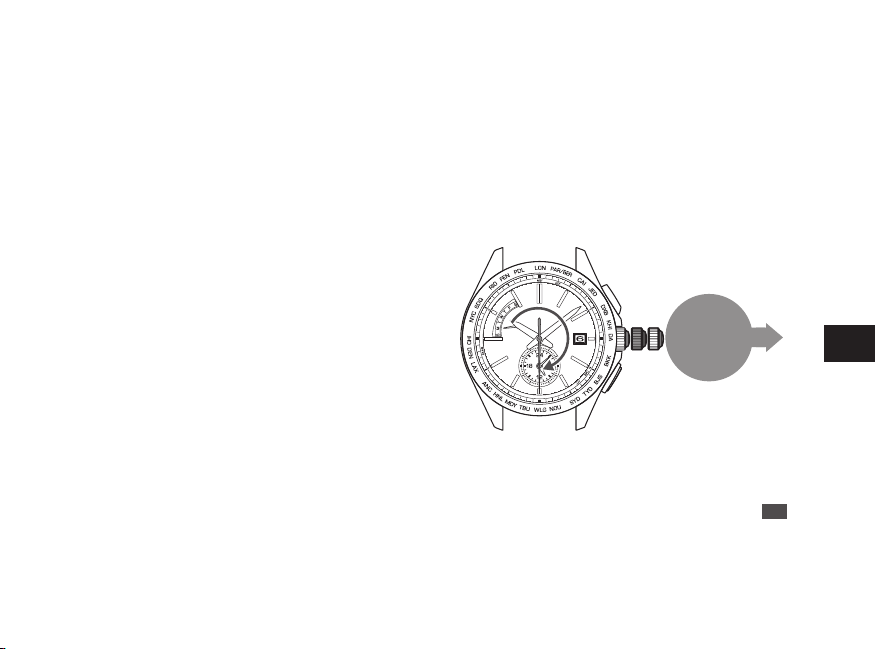
When a radio signal cannot be received
When a radio signal cannot be received, refer to the following.
•
Not receivable within the radio signal reception range
Check that the time zone of the area where the watch is used is set.
When the watch is unable to display the correct time, date or day of the week even if the time zone is
selected, refer to Troubleshooting. “Reception of a radio signal” → P.89
If the above remedies do not solve the problem, set the time, date or day referring to the “How to Manually
Set the time, date or day” section below.
“How to manually set the time” → P.73
“How to manually set the date” → P.75
“How to manually set the day of the week” → P.78
* For the radio signal reception ranges, refer to “Radio signal reception range indication” → P.19.
• When the watch is used outside the radio signal reception range
Select the time zone of the area where the watch is used.
“How to select the time zone (How to display the local time around the world)” → P.31
When the watch is unable to display the correct time, date or day of the week even if the time zone is
selected, manually set the time, date or day of the week.
EN
72
7
TROUBLESHOOTING
■ How to manually set the time
If the watch is continually used in an environment in which a radio signal cannot be received (a region other than the
radio signal reception ranges, etc.), set the time manually.
“Radio signal reception range indication” → P.19
•
When using the watch again in regions in which the watch is able to receive a radio signal, it is recommended to
perform“ Manual reception.” “Automatic reception and manual reception” → P.18
•
When adjusting the time, the date and day will be accordingly adjusted.
* Even if a radio signal cannot be received, the watch can be used with the same accuracy as that of a normal quartz watch.
(Average gain/loss ±15 seconds per month)
* When the watch receives radio signals after the time is manually adjusted, it displays the time received from radio signals.
0
1
2
Pull out the
crown to the
second click
1
Pull out the crown to the second click.
The seconds hand moves to the zero second position and
stops.
The watch switches to the manual time setting mode.
*
When the crown is a screw lock type, unlock it. → P.14
EN
73
7
TROUBLESHOOTING
Button A
Press to turn
clockwise
Button B
Press to turn
counterclockwise
0
1
2
Push the
crown
back in
2
Press Button A or B to set the time.
One minute
Advance
Press button once and then release it.
Continuous
Advance
Keep pressing down the button for
longer than 2 seconds. Press the button
once again to stop.
*
The hands do not move by turning the crown.
*
The moment the date changes is midnight (12 AM). Please
be sure to set the time after ensuring that AM/PM is set
correctly.
*
When the watch switches to the manual time setting mode,
the reception result data is lost. Therefore, the reception
result is indicated as “N”.
3
Push the crown back in according to the time
signal, etc.
The operation is completed.
The watch starts to work.
*
When the crown is a screw lock type, lock it. → P.14
EN
74
7
TROUBLESHOOTING
■ How to manually set the date
When the date is not changed automatically due to an environment in which a radio signal cannot be received outside
the radio signal reception range, etc. (when changing from a month with 30 days or less to a month with 31 days), set
the date manually.
•
The date can be adjusted independently regardless of the time or day of the week.
•
To use the watch in a radio signal receivable condition again, conduct automatic signal reception to set the time.
“Automatic reception and manual reception” → P.18
* When the watch receives radio signals after the date is manually adjusted, it displays the date received from radio signals.
* If the date remains incorrect even after a successful radio signal reception, the preliminary position of the date may be misaligned.
“Setting the preliminary position of the date, day hand, hour and minute hands” → P.82
0
1
2
Pull out the
crown to the
first click
1
Pull out the crown to the first click.
The seconds hand rotates until it points to the 30-second
position and stops.
Both the main watch and the sub dial continue to operate.
*
When the crown is a screw lock type, unlock it. → P.14
EN
75
7
TROUBLESHOOTING
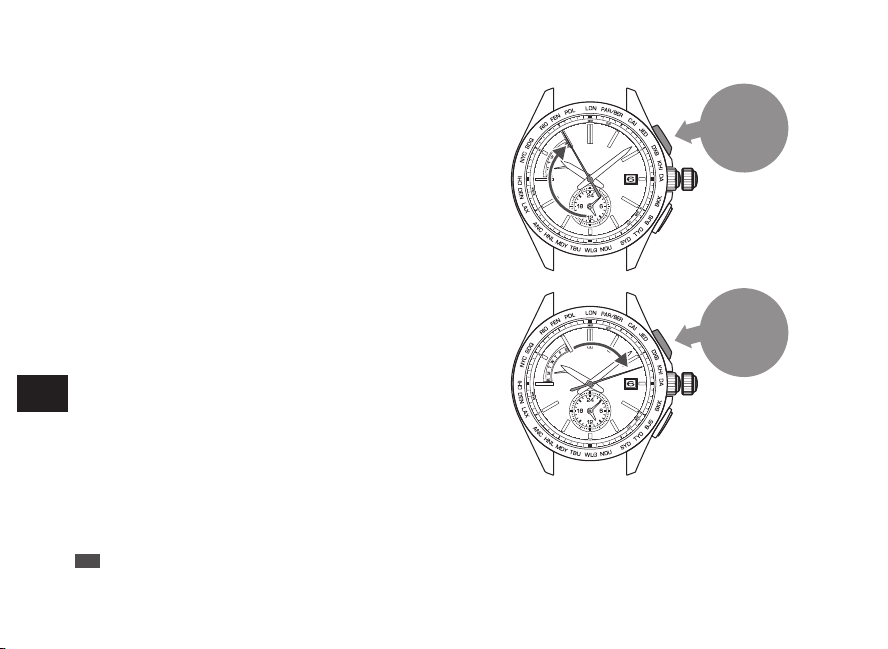
Button A
Press for
2
seconds
Button A
Press for
2
seconds
2
Keep pressing down the Button A (for 2
seconds) until the seconds hand moves to
point to the 55-second position.
3
Keep pressing down the Button A (for 2
seconds) until the seconds hand moves to
point to the 13-second position.
The watch enters the manual date setting mode.
EN
76
7
TROUBLESHOOTING
Button B
Press
0
1
Push the
crown
back in
4
Press the Button B to set the date.
To advance a
date
Press button once and then release it.
Continuous
Advance
Keep pressing down the button for
longer than 2 seconds. Press the button
once again to stop.
*
The hands do not move by turning the crown.
*
While the date is moving, the button cannot be operated.
*
Set the date by advancing the date. The date cannot be
reversely moved.
5
Push the crown back in.
The operation is completed.
*
When the crown is a screw lock type, lock it. → P.14
EN
77
7
TROUBLESHOOTING
■ How to manually set the day of the week
•
The day of the week can be adjusted independently regarding of the time or the date.
•
To use the watch in a radio signal receivable condition again, conduct automatic signal reception to set the day of
the week. “Automatic reception and manual reception” → P.18
* When the watch receives radio signals after the day of the week is manually adjusted, it displays the day of the week received
from the radio signals.
* If the day of the week remains incorrect even after a successful radio signal reception, the preliminary position of the day hand
may be misaligned.
“Setting the preliminary position of the date, day hand, hour and minute hands” → P.82
EN
78
7
TROUBLESHOOTING
0
1
2
Pull out the
crown to the
first click
Button A
Press for
2
seconds
1
Pull out the crown to the first click.
The seconds hand rotates until it points to the 30-second
position and stops.
Both the main watch and the sub dial continue to operate.
*
When the crown is a screw lock type, unlock it. → P.14
2
Keep pressing down the Button A (for 2
seconds) until the seconds hand moves to
point to the 55-second position.
The watch enters the manual day of the week setting
mode.
EN
79
7
TROUBLESHOOTING
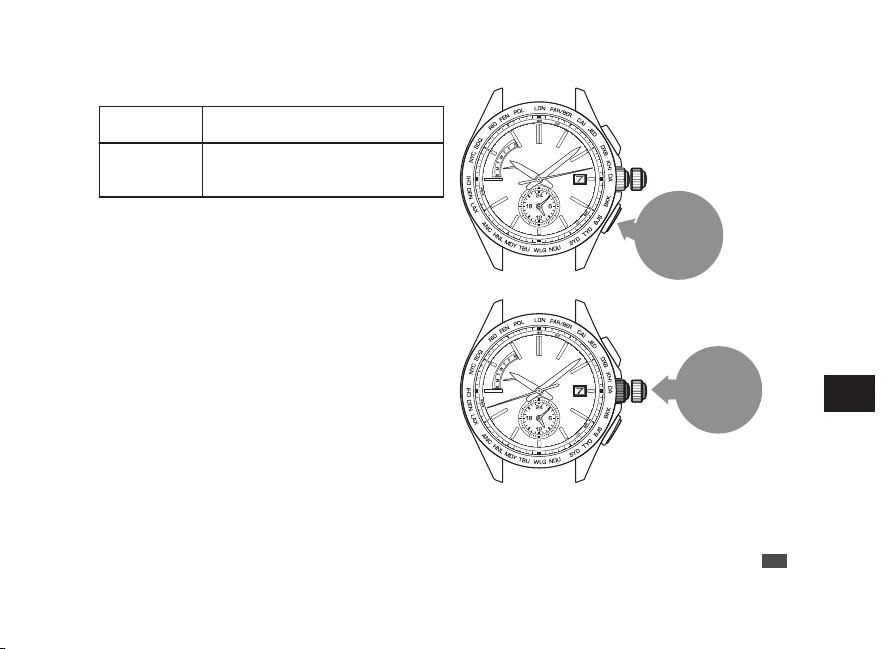
Button A
Press for
2
seconds
Button A
Press for
2
seconds
2
Keep pressing down the Button A (for 2
seconds) until the seconds hand moves to
point to the 55-second position.
3
Keep pressing down the Button A (for 2
seconds) until the seconds hand moves to
point to the 13-second position.
The watch enters the manual date setting mode.
EN
76
7
TROUBLESHOOTING
Button B
Press
0
1
Push the
crown
back in
4
Press the Button B to set the date.
To advance a
date
Press button once and then release it.
Continuous
Advance
Keep pressing down the button for
longer than 2 seconds. Press the button
once again to stop.
*
The hands do not move by turning the crown.
*
While the date is moving, the button cannot be operated.
*
Set the date by advancing the date. The date cannot be
reversely moved.
5
Push the crown back in.
The operation is completed.
*
When the crown is a screw lock type, lock it. → P.14
EN
77
7
TROUBLESHOOTING
■ How to manually set the day of the week
•
The day of the week can be adjusted independently regarding of the time or the date.
•
To use the watch in a radio signal receivable condition again, conduct automatic signal reception to set the day of
the week. “Automatic reception and manual reception” → P.18
* When the watch receives radio signals after the day of the week is manually adjusted, it displays the day of the week received
from the radio signals.
* If the day of the week remains incorrect even after a successful radio signal reception, the preliminary position of the day hand
may be misaligned.
“Setting the preliminary position of the date, day hand, hour and minute hands” → P.82
EN
78
7
TROUBLESHOOTING
0
1
2
Pull out the
crown to the
first click
Button A
Press for
2
seconds
1
Pull out the crown to the first click.
The seconds hand rotates until it points to the 30-second
position and stops.
Both the main watch and the sub dial continue to operate.
*
When the crown is a screw lock type, unlock it. → P.14
2
Keep pressing down the Button A (for 2
seconds) until the seconds hand moves to
point to the 55-second position.
The watch enters the manual day of the week setting
mode.
EN
79
7
TROUBLESHOOTING

Button A
Press for
2
seconds
Button A
Press for
2
seconds
2
Keep pressing down the Button A (for 2
seconds) until the seconds hand moves to
point to the 55-second position.
3
Keep pressing down the Button A (for 2
seconds) until the seconds hand moves to
point to the 13-second position.
The watch enters the manual date setting mode.
EN
76
7
TROUBLESHOOTING
Button B
Press
0
1
Push the
crown
back in
4
Press the Button B to set the date.
To advance a
date
Press button once and then release it.
Continuous
Advance
Keep pressing down the button for
longer than 2 seconds. Press the button
once again to stop.
*
The hands do not move by turning the crown.
*
While the date is moving, the button cannot be operated.
*
Set the date by advancing the date. The date cannot be
reversely moved.
5
Push the crown back in.
The operation is completed.
*
When the crown is a screw lock type, lock it. → P.14
EN
77
7
TROUBLESHOOTING
■ How to manually set the day of the week
•
The day of the week can be adjusted independently regarding of the time or the date.
•
To use the watch in a radio signal receivable condition again, conduct automatic signal reception to set the day of
the week. “Automatic reception and manual reception” → P.18
* When the watch receives radio signals after the day of the week is manually adjusted, it displays the day of the week received
from the radio signals.
* If the day of the week remains incorrect even after a successful radio signal reception, the preliminary position of the day hand
may be misaligned.
“Setting the preliminary position of the date, day hand, hour and minute hands” → P.82
EN
78
7
TROUBLESHOOTING
0
1
2
Pull out the
crown to the
first click
Button A
Press for
2
seconds
1
Pull out the crown to the first click.
The seconds hand rotates until it points to the 30-second
position and stops.
Both the main watch and the sub dial continue to operate.
*
When the crown is a screw lock type, unlock it. → P.14
2
Keep pressing down the Button A (for 2
seconds) until the seconds hand moves to
point to the 55-second position.
The watch enters the manual day of the week setting
mode.
EN
79
7
TROUBLESHOOTING
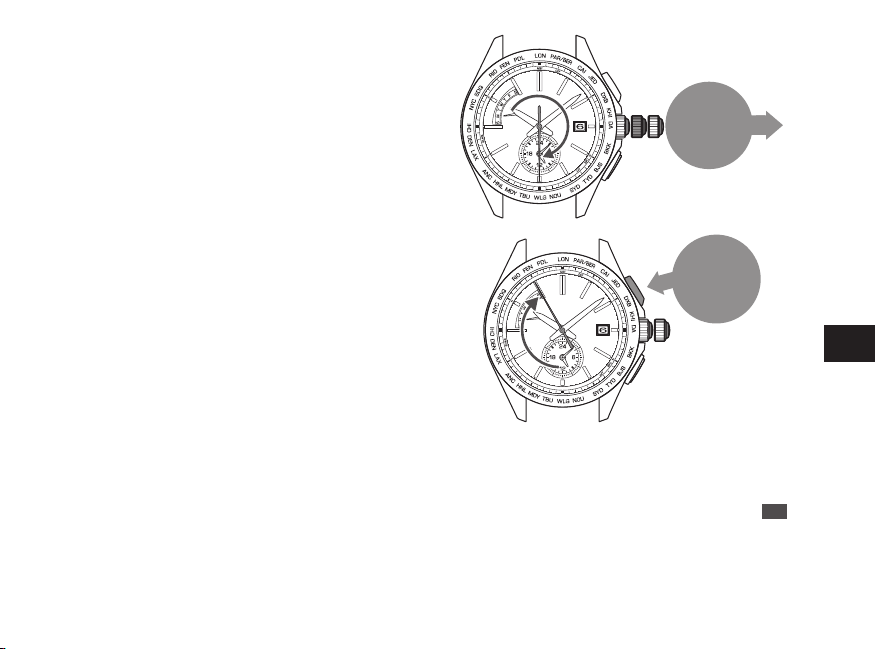
Button A
Press for
2
seconds
Button A
Press for
2
seconds
2
Keep pressing down the Button A (for 2
seconds) until the seconds hand moves to
point to the 55-second position.
3
Keep pressing down the Button A (for 2
seconds) until the seconds hand moves to
point to the 13-second position.
The watch enters the manual date setting mode.
EN
76
7
TROUBLESHOOTING
Button B
Press
0
1
Push the
crown
back in
4
Press the Button B to set the date.
To advance a
date
Press button once and then release it.
Continuous
Advance
Keep pressing down the button for
longer than 2 seconds. Press the button
once again to stop.
*
The hands do not move by turning the crown.
*
While the date is moving, the button cannot be operated.
*
Set the date by advancing the date. The date cannot be
reversely moved.
5
Push the crown back in.
The operation is completed.
*
When the crown is a screw lock type, lock it. → P.14
EN
77
7
TROUBLESHOOTING
■ How to manually set the day of the week
•
The day of the week can be adjusted independently regarding of the time or the date.
•
To use the watch in a radio signal receivable condition again, conduct automatic signal reception to set the day of
the week. “Automatic reception and manual reception” → P.18
* When the watch receives radio signals after the day of the week is manually adjusted, it displays the day of the week received
from the radio signals.
* If the day of the week remains incorrect even after a successful radio signal reception, the preliminary position of the day hand
may be misaligned.
“Setting the preliminary position of the date, day hand, hour and minute hands” → P.82
EN
78
7
TROUBLESHOOTING
0
1
2
Pull out the
crown to the
first click
Button A
Press for
2
seconds
1
Pull out the crown to the first click.
The seconds hand rotates until it points to the 30-second
position and stops.
Both the main watch and the sub dial continue to operate.
*
When the crown is a screw lock type, unlock it. → P.14
2
Keep pressing down the Button A (for 2
seconds) until the seconds hand moves to
point to the 55-second position.
The watch enters the manual day of the week setting
mode.
EN
79
7
TROUBLESHOOTING
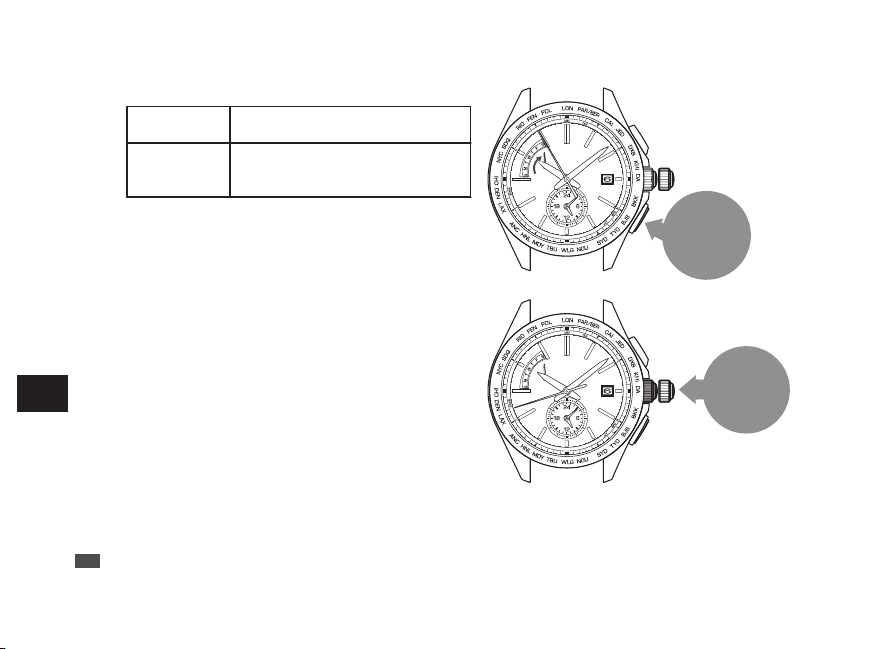
Button B
Press
0
1
Push the
crown
back in
3
Press the Button B to set the day of the week.
To advance one
day
Press button once and then release it.
Continuous
Advance
Keep pressing down the button for
longer than 2 seconds. Press the button
once again to stop.
*
The hands do not move by turning the crown.
*
While the day of the week is moving, the button cannot be
operated.
*
The day of the week hand can only move forward. It cannot
move backward.
4
Push the crown back in.
The operation is completed.
*
When the crown is a screw lock type, lock it. → P.14
EN
80
7
TROUBLESHOOTING
Preliminary position
When the watch is unable to display the precise time, date or day even if it successfully receives a radio signal with the
correct time zone setting, the preliminary position may be misaligned.
The possible causes of misalignment of preliminary position are as follows:
In the case of having a strong impact
:
the misalignment may occur when dropping or hitting the watch.
In the case of a magnetic influence
:
the misalignment may occur when bringing the watch close to an object which
generates magnetism.
“Examples of common magnetic products that may affect watches” → P.51
* The condition “the preliminary position of hand is misaligned” means that compared to a health meter, “the zero position of a
meter is misaligned, causing a correct weight not to be displayed.”
■ Automatic hand position adjustment function (Adjustment of
preliminary positions of hour, minute and seconds hands)
The hour, minute, and seconds hands have an “automatic hand position adjustment function,” which automatically
corrects an incorrect preliminary position. Automatic hand position adjustment function activates at 12:00 both for the
AM and PM for the hour and minute hands and once a minute for the seconds hand.
*
This function works when the preliminary hand position is misaligned due to external factors such as strong impact or magnetic influence.
It does not work to adjust accuracy of the watch or slight deviations which may occur during the manufacturing process.
* The preliminary position of the hour and minute hands can also be manually adjusted.
“Setting the preliminary position of the date, day hand, hour and minute hands” → P.82
■ Setting the preliminary position of the date and the day
Since the preliminary position of the date and the day is not automatically adjusted, it must be adjusted manually.
“Setting the preliminary position of the date, day hand, hour and minute hands” → P.82
EN
81
7
TROUBLESHOOTING
How to set the preliminary position
■ Setting the preliminary position of the date, day hand,
hour and minute hands
The preliminary position of the date is the “1st”.
The preliminary position of the day hand is “ S.”
(Sunday)
The preliminary positions of the hour and minute
hands are “0:00 AM”.
When the preliminary positions are incorrect, the correct date, day of the week or time cannot be displayed
even if the watch receives radio signals.
In such a case, by correcting the preliminary positions, wrong date or day indication, loss or gain of the time
can be corrected.
When the numerical number of the date is not located at the center of the window, it can be corrected by
the same procedures as mentioned above.
To correct the preliminary positions, perform the following operation.
EN
82
7
TROUBLESHOOTING
Button A
Press for
3
seconds
Button B
Press for
3
seconds
1
Keep pressing down the Button A and B
(for 3 seconds) at the same time until the
seconds hand stops pointing to the 13-
second position.
The watch switches to the preliminary position
alignment mode for the date.
The date moves, and stops at the preliminary position.
*
First, press the Button B, and subsequently press the
Button A while keeping holding down the Button B so as
to press both of them successfully.
*
While the date is moving, the button cannot be operated.
*
Do not pull the crown out.
*
Within 20 seconds after procedure 1. is completed and
the date stops, start the operation of procedure 2.
If the watch is left untouched for 20 seconds after the
date stops, the watch automatically returns to the TIME
display mode.
If this happens, restart the operation from procedure 1.
EN
83
7
TROUBLESHOOTING
Button B
Press
0
1
Push the
crown
back in
3
Press the Button B to set the day of the week.
To advance one
day
Press button once and then release it.
Continuous
Advance
Keep pressing down the button for
longer than 2 seconds. Press the button
once again to stop.
*
The hands do not move by turning the crown.
*
While the day of the week is moving, the button cannot be
operated.
*
The day of the week hand can only move forward. It cannot
move backward.
4
Push the crown back in.
The operation is completed.
*
When the crown is a screw lock type, lock it. → P.14
EN
80
7
TROUBLESHOOTING
Preliminary position
When the watch is unable to display the precise time, date or day even if it successfully receives a radio signal with the
correct time zone setting, the preliminary position may be misaligned.
The possible causes of misalignment of preliminary position are as follows:
In the case of having a strong impact
:
the misalignment may occur when dropping or hitting the watch.
In the case of a magnetic influence
:
the misalignment may occur when bringing the watch close to an object which
generates magnetism.
“Examples of common magnetic products that may affect watches” → P.51
* The condition “the preliminary position of hand is misaligned” means that compared to a health meter, “the zero position of a
meter is misaligned, causing a correct weight not to be displayed.”
■ Automatic hand position adjustment function (Adjustment of
preliminary positions of hour, minute and seconds hands)
The hour, minute, and seconds hands have an “automatic hand position adjustment function,” which automatically
corrects an incorrect preliminary position. Automatic hand position adjustment function activates at 12:00 both for the
AM and PM for the hour and minute hands and once a minute for the seconds hand.
*
This function works when the preliminary hand position is misaligned due to external factors such as strong impact or magnetic influence.
It does not work to adjust accuracy of the watch or slight deviations which may occur during the manufacturing process.
* The preliminary position of the hour and minute hands can also be manually adjusted.
“Setting the preliminary position of the date, day hand, hour and minute hands” → P.82
■ Setting the preliminary position of the date and the day
Since the preliminary position of the date and the day is not automatically adjusted, it must be adjusted manually.
“Setting the preliminary position of the date, day hand, hour and minute hands” → P.82
EN
81
7
TROUBLESHOOTING
How to set the preliminary position
■ Setting the preliminary position of the date, day hand,
hour and minute hands
The preliminary position of the date is the “1st”.
The preliminary position of the day hand is “ S.”
(Sunday)
The preliminary positions of the hour and minute
hands are “0:00 AM”.
When the preliminary positions are incorrect, the correct date, day of the week or time cannot be displayed
even if the watch receives radio signals.
In such a case, by correcting the preliminary positions, wrong date or day indication, loss or gain of the time
can be corrected.
When the numerical number of the date is not located at the center of the window, it can be corrected by
the same procedures as mentioned above.
To correct the preliminary positions, perform the following operation.
EN
82
7
TROUBLESHOOTING
Button A
Press for
3
seconds
Button B
Press for
3
seconds
1
Keep pressing down the Button A and B
(for 3 seconds) at the same time until the
seconds hand stops pointing to the 13-
second position.
The watch switches to the preliminary position
alignment mode for the date.
The date moves, and stops at the preliminary position.
*
First, press the Button B, and subsequently press the
Button A while keeping holding down the Button B so as
to press both of them successfully.
*
While the date is moving, the button cannot be operated.
*
Do not pull the crown out.
*
Within 20 seconds after procedure 1. is completed and
the date stops, start the operation of procedure 2.
If the watch is left untouched for 20 seconds after the
date stops, the watch automatically returns to the TIME
display mode.
If this happens, restart the operation from procedure 1.
EN
83
7
TROUBLESHOOTING
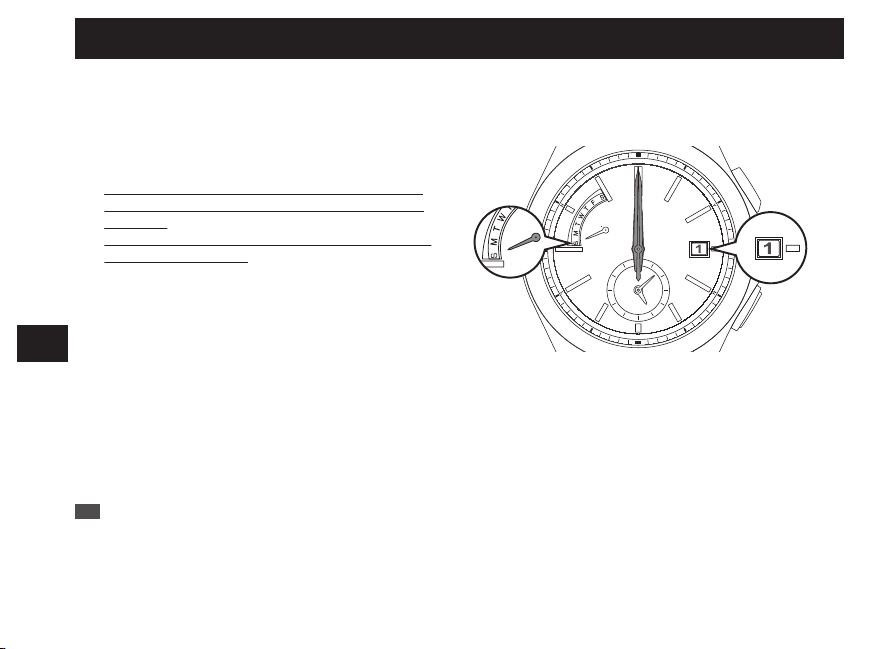
Button B
Press
0
1
Push the
crown
back in
3
Press the Button B to set the day of the week.
To advance one
day
Press button once and then release it.
Continuous
Advance
Keep pressing down the button for
longer than 2 seconds. Press the button
once again to stop.
*
The hands do not move by turning the crown.
*
While the day of the week is moving, the button cannot be
operated.
*
The day of the week hand can only move forward. It cannot
move backward.
4
Push the crown back in.
The operation is completed.
*
When the crown is a screw lock type, lock it. → P.14
EN
80
7
TROUBLESHOOTING
Preliminary position
When the watch is unable to display the precise time, date or day even if it successfully receives a radio signal with the
correct time zone setting, the preliminary position may be misaligned.
The possible causes of misalignment of preliminary position are as follows:
In the case of having a strong impact
:
the misalignment may occur when dropping or hitting the watch.
In the case of a magnetic influence
:
the misalignment may occur when bringing the watch close to an object which
generates magnetism.
“Examples of common magnetic products that may affect watches” → P.51
* The condition “the preliminary position of hand is misaligned” means that compared to a health meter, “the zero position of a
meter is misaligned, causing a correct weight not to be displayed.”
■ Automatic hand position adjustment function (Adjustment of
preliminary positions of hour, minute and seconds hands)
The hour, minute, and seconds hands have an “automatic hand position adjustment function,” which automatically
corrects an incorrect preliminary position. Automatic hand position adjustment function activates at 12:00 both for the
AM and PM for the hour and minute hands and once a minute for the seconds hand.
*
This function works when the preliminary hand position is misaligned due to external factors such as strong impact or magnetic influence.
It does not work to adjust accuracy of the watch or slight deviations which may occur during the manufacturing process.
* The preliminary position of the hour and minute hands can also be manually adjusted.
“Setting the preliminary position of the date, day hand, hour and minute hands” → P.82
■ Setting the preliminary position of the date and the day
Since the preliminary position of the date and the day is not automatically adjusted, it must be adjusted manually.
“Setting the preliminary position of the date, day hand, hour and minute hands” → P.82
EN
81
7
TROUBLESHOOTING
How to set the preliminary position
■ Setting the preliminary position of the date, day hand,
hour and minute hands
The preliminary position of the date is the “1st”.
The preliminary position of the day hand is “ S.”
(Sunday)
The preliminary positions of the hour and minute
hands are “0:00 AM”.
When the preliminary positions are incorrect, the correct date, day of the week or time cannot be displayed
even if the watch receives radio signals.
In such a case, by correcting the preliminary positions, wrong date or day indication, loss or gain of the time
can be corrected.
When the numerical number of the date is not located at the center of the window, it can be corrected by
the same procedures as mentioned above.
To correct the preliminary positions, perform the following operation.
EN
82
7
TROUBLESHOOTING
Button A
Press for
3
seconds
Button B
Press for
3
seconds
1
Keep pressing down the Button A and B
(for 3 seconds) at the same time until the
seconds hand stops pointing to the 13-
second position.
The watch switches to the preliminary position
alignment mode for the date.
The date moves, and stops at the preliminary position.
*
First, press the Button B, and subsequently press the
Button A while keeping holding down the Button B so as
to press both of them successfully.
*
While the date is moving, the button cannot be operated.
*
Do not pull the crown out.
*
Within 20 seconds after procedure 1. is completed and
the date stops, start the operation of procedure 2.
If the watch is left untouched for 20 seconds after the
date stops, the watch automatically returns to the TIME
display mode.
If this happens, restart the operation from procedure 1.
EN
83
7
TROUBLESHOOTING
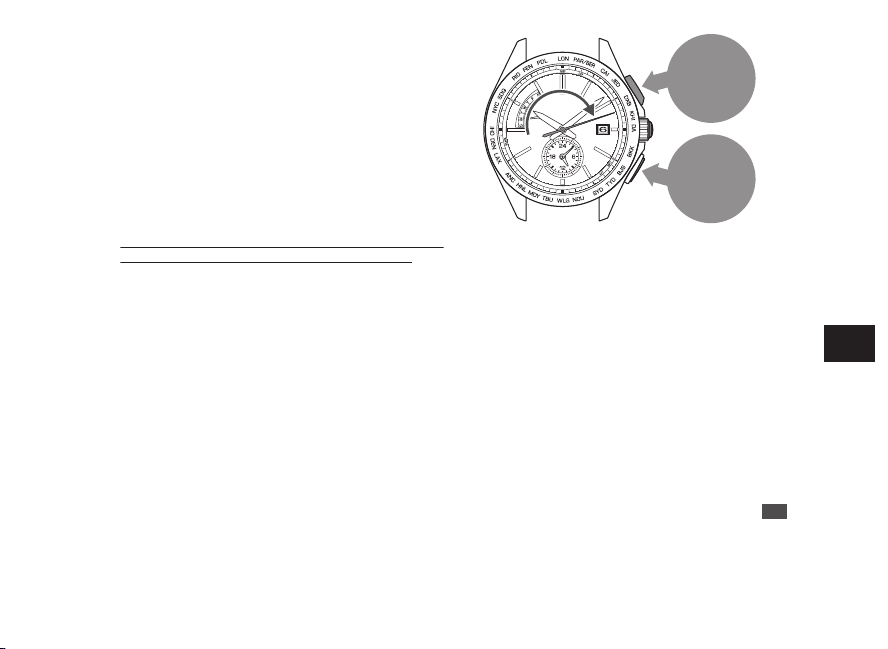
Button B
Press
0
1
Push the
crown
back in
3
Press the Button B to set the day of the week.
To advance one
day
Press button once and then release it.
Continuous
Advance
Keep pressing down the button for
longer than 2 seconds. Press the button
once again to stop.
*
The hands do not move by turning the crown.
*
While the day of the week is moving, the button cannot be
operated.
*
The day of the week hand can only move forward. It cannot
move backward.
4
Push the crown back in.
The operation is completed.
*
When the crown is a screw lock type, lock it. → P.14
EN
80
7
TROUBLESHOOTING
Preliminary position
When the watch is unable to display the precise time, date or day even if it successfully receives a radio signal with the
correct time zone setting, the preliminary position may be misaligned.
The possible causes of misalignment of preliminary position are as follows:
In the case of having a strong impact
:
the misalignment may occur when dropping or hitting the watch.
In the case of a magnetic influence
:
the misalignment may occur when bringing the watch close to an object which
generates magnetism.
“Examples of common magnetic products that may affect watches” → P.51
* The condition “the preliminary position of hand is misaligned” means that compared to a health meter, “the zero position of a
meter is misaligned, causing a correct weight not to be displayed.”
■ Automatic hand position adjustment function (Adjustment of
preliminary positions of hour, minute and seconds hands)
The hour, minute, and seconds hands have an “automatic hand position adjustment function,” which automatically
corrects an incorrect preliminary position. Automatic hand position adjustment function activates at 12:00 both for the
AM and PM for the hour and minute hands and once a minute for the seconds hand.
*
This function works when the preliminary hand position is misaligned due to external factors such as strong impact or magnetic influence.
It does not work to adjust accuracy of the watch or slight deviations which may occur during the manufacturing process.
* The preliminary position of the hour and minute hands can also be manually adjusted.
“Setting the preliminary position of the date, day hand, hour and minute hands” → P.82
■ Setting the preliminary position of the date and the day
Since the preliminary position of the date and the day is not automatically adjusted, it must be adjusted manually.
“Setting the preliminary position of the date, day hand, hour and minute hands” → P.82
EN
81
7
TROUBLESHOOTING
How to set the preliminary position
■ Setting the preliminary position of the date, day hand,
hour and minute hands
The preliminary position of the date is the “1st”.
The preliminary position of the day hand is “ S.”
(Sunday)
The preliminary positions of the hour and minute
hands are “0:00 AM”.
When the preliminary positions are incorrect, the correct date, day of the week or time cannot be displayed
even if the watch receives radio signals.
In such a case, by correcting the preliminary positions, wrong date or day indication, loss or gain of the time
can be corrected.
When the numerical number of the date is not located at the center of the window, it can be corrected by
the same procedures as mentioned above.
To correct the preliminary positions, perform the following operation.
EN
82
7
TROUBLESHOOTING
Button A
Press for
3
seconds
Button B
Press for
3
seconds
1
Keep pressing down the Button A and B
(for 3 seconds) at the same time until the
seconds hand stops pointing to the 13-
second position.
The watch switches to the preliminary position
alignment mode for the date.
The date moves, and stops at the preliminary position.
*
First, press the Button B, and subsequently press the
Button A while keeping holding down the Button B so as
to press both of them successfully.
*
While the date is moving, the button cannot be operated.
*
Do not pull the crown out.
*
Within 20 seconds after procedure 1. is completed and
the date stops, start the operation of procedure 2.
If the watch is left untouched for 20 seconds after the
date stops, the watch automatically returns to the TIME
display mode.
If this happens, restart the operation from procedure 1.
EN
83
7
TROUBLESHOOTING
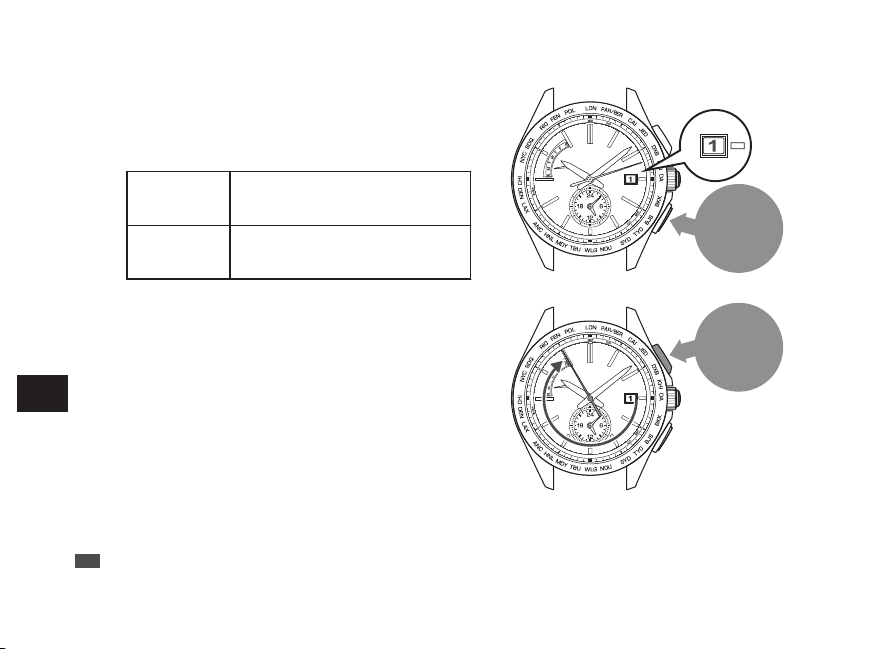
Button B
Press
Button A
Press for
2
seconds
2
Within 20 seconds after the date stops,
press the Button B to set the date to “1”.
Make sure that the numerical number “1” is located at
the center of the date window.
*
If “1” is shown, go to step 3.
Continuous
adjustment
Keep pressing down the button for
longer than 2 seconds. Press the
button once again to stop.
Fine
adjustment
When the button is pressed
intermittently, the hand will slightly
advance.
3
Keep pressing down the Button A (for 2
seconds) until the seconds hand moves to
point to the 55-second position.
The watch enters the preliminary position setting
mode for day of the week.
EN
84
7
TROUBLESHOOTING
Button B
Press
Button A
Press for
2
seconds
4
Press the Button B to set the day hand to
point to “S” (Sunday).
Make sure that the day hand is set to point to “S”.
*
If “S” is shown, go to step 5.
The day hand rotates clockwise.
Continuous
adjustment
Keep pressing down the button for
longer than 2 seconds. Press the
button once again to stop.
Fine
adjustment
When the button is pressed
intermittently, the hand will slightly
advance.
5
Keep pressing down the Button A (for 2
seconds) until the seconds hand stops
pointing to the 0-second position.
The watch switches to the preliminary position
alignment mode for the hour and minute hands.
*
If the correct time is shown, go to step 7.
EN
85
7
TROUBLESHOOTING
Button B
Press once
and release it
7
After completing the operation, leave the watch untouched for 20 seconds.
The watch automatically exits the preliminary position setting mode, and the seconds, hour and minute hands
start moving.
When the watch returns to the TIME display mode, check if the time, date and day of the week are all correct.
If the time, date and day of the week are not correct, manually set them.
Adjusting the time and date by receiving a radio signal
“How to conduct manual reception (Receive a radio signal manually)” → P.70
When the watch is unable to receive a radio signal, refer to
“How to manually set the time” → P.73
“How to manually set the date” → P.75
“How to manually set the day of the week” → P.78
6
Press the Button B once and release it.
The hour and minute hands move, and stop at the 12
o’clock position.
EN
86
7
TROUBLESHOOTING
Troubleshooting
At trouble Possible causes Solutions
Reference
Hand
Movement
The seconds hand moves
at two-second intervals.
The energy depletion forewarning
function is activated. (P.42)
If the seconds hand moves at two- or
five-second intervals while you wear
the watch everyday, the watch is in a
condition where it cannot acquire
sufficient light, for instance, the watch
is concealed under a long sleeve shirt.
Fully charge the watch so that the
seconds hand may move at one-second
intervals.
Be careful not to conceal the watch
under a sleeve, etc., while wearing it.
When taking off the watch, place it in as
bright a location as possible.
P.40
The seconds hand moves
at five-second intervals.
The stopped seconds
hand pointing to the
15-second position
started operating.
The power save function has been
activated. (P.43)
When the watch is not exposed to
adequate light for a certain period of
time, the power save function to limit
energy consumption is automatically
activated.
Wait until the current time is displayed.
No operation is needed. (This is not a
malfunction.)
-
EN
87
7
TROUBLESHOOTING
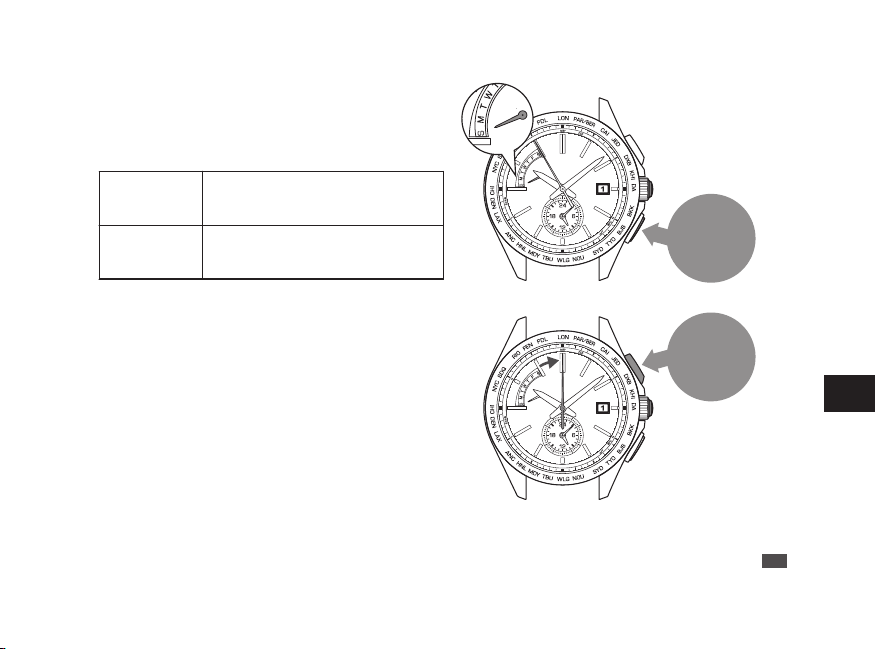
Button B
Press
Button A
Press for
2
seconds
2
Within 20 seconds after the date stops,
press the Button B to set the date to “1”.
Make sure that the numerical number “1” is located at
the center of the date window.
*
If “1” is shown, go to step 3.
Continuous
adjustment
Keep pressing down the button for
longer than 2 seconds. Press the
button once again to stop.
Fine
adjustment
When the button is pressed
intermittently, the hand will slightly
advance.
3
Keep pressing down the Button A (for 2
seconds) until the seconds hand moves to
point to the 55-second position.
The watch enters the preliminary position setting
mode for day of the week.
EN
84
7
TROUBLESHOOTING
Button B
Press
Button A
Press for
2
seconds
4
Press the Button B to set the day hand to
point to “S” (Sunday).
Make sure that the day hand is set to point to “S”.
*
If “S” is shown, go to step 5.
The day hand rotates clockwise.
Continuous
adjustment
Keep pressing down the button for
longer than 2 seconds. Press the
button once again to stop.
Fine
adjustment
When the button is pressed
intermittently, the hand will slightly
advance.
5
Keep pressing down the Button A (for 2
seconds) until the seconds hand stops
pointing to the 0-second position.
The watch switches to the preliminary position
alignment mode for the hour and minute hands.
*
If the correct time is shown, go to step 7.
EN
85
7
TROUBLESHOOTING
Button B
Press once
and release it
7
After completing the operation, leave the watch untouched for 20 seconds.
The watch automatically exits the preliminary position setting mode, and the seconds, hour and minute hands
start moving.
When the watch returns to the TIME display mode, check if the time, date and day of the week are all correct.
If the time, date and day of the week are not correct, manually set them.
Adjusting the time and date by receiving a radio signal
“How to conduct manual reception (Receive a radio signal manually)” → P.70
When the watch is unable to receive a radio signal, refer to
“How to manually set the time” → P.73
“How to manually set the date” → P.75
“How to manually set the day of the week” → P.78
6
Press the Button B once and release it.
The hour and minute hands move, and stop at the 12
o’clock position.
EN
86
7
TROUBLESHOOTING
Troubleshooting
At trouble Possible causes Solutions
Reference
Hand
Movement
The seconds hand moves
at two-second intervals.
The energy depletion forewarning
function is activated. (P.42)
If the seconds hand moves at two- or
five-second intervals while you wear
the watch everyday, the watch is in a
condition where it cannot acquire
sufficient light, for instance, the watch
is concealed under a long sleeve shirt.
Fully charge the watch so that the
seconds hand may move at one-second
intervals.
Be careful not to conceal the watch
under a sleeve, etc., while wearing it.
When taking off the watch, place it in as
bright a location as possible.
P.40
The seconds hand moves
at five-second intervals.
The stopped seconds
hand pointing to the
15-second position
started operating.
The power save function has been
activated. (P.43)
When the watch is not exposed to
adequate light for a certain period of
time, the power save function to limit
energy consumption is automatically
activated.
Wait until the current time is displayed.
No operation is needed. (This is not a
malfunction.)
-
EN
87
7
TROUBLESHOOTING
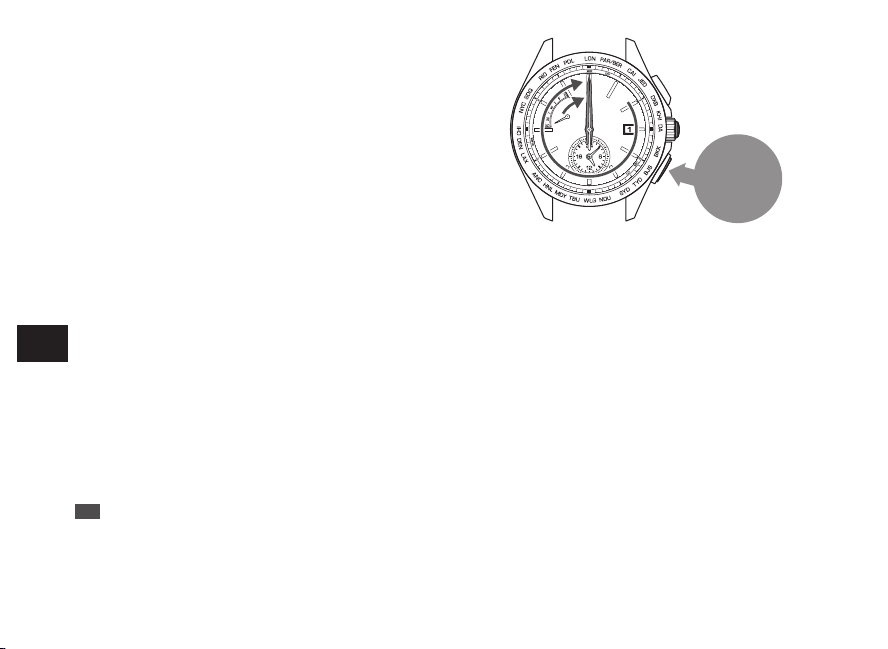
Button B
Press
Button A
Press for
2
seconds
2
Within 20 seconds after the date stops,
press the Button B to set the date to “1”.
Make sure that the numerical number “1” is located at
the center of the date window.
*
If “1” is shown, go to step 3.
Continuous
adjustment
Keep pressing down the button for
longer than 2 seconds. Press the
button once again to stop.
Fine
adjustment
When the button is pressed
intermittently, the hand will slightly
advance.
3
Keep pressing down the Button A (for 2
seconds) until the seconds hand moves to
point to the 55-second position.
The watch enters the preliminary position setting
mode for day of the week.
EN
84
7
TROUBLESHOOTING
Button B
Press
Button A
Press for
2
seconds
4
Press the Button B to set the day hand to
point to “S” (Sunday).
Make sure that the day hand is set to point to “S”.
*
If “S” is shown, go to step 5.
The day hand rotates clockwise.
Continuous
adjustment
Keep pressing down the button for
longer than 2 seconds. Press the
button once again to stop.
Fine
adjustment
When the button is pressed
intermittently, the hand will slightly
advance.
5
Keep pressing down the Button A (for 2
seconds) until the seconds hand stops
pointing to the 0-second position.
The watch switches to the preliminary position
alignment mode for the hour and minute hands.
*
If the correct time is shown, go to step 7.
EN
85
7
TROUBLESHOOTING
Button B
Press once
and release it
7
After completing the operation, leave the watch untouched for 20 seconds.
The watch automatically exits the preliminary position setting mode, and the seconds, hour and minute hands
start moving.
When the watch returns to the TIME display mode, check if the time, date and day of the week are all correct.
If the time, date and day of the week are not correct, manually set them.
Adjusting the time and date by receiving a radio signal
“How to conduct manual reception (Receive a radio signal manually)” → P.70
When the watch is unable to receive a radio signal, refer to
“How to manually set the time” → P.73
“How to manually set the date” → P.75
“How to manually set the day of the week” → P.78
6
Press the Button B once and release it.
The hour and minute hands move, and stop at the 12
o’clock position.
EN
86
7
TROUBLESHOOTING
Troubleshooting
At trouble Possible causes Solutions
Reference
Hand
Movement
The seconds hand moves
at two-second intervals.
The energy depletion forewarning
function is activated. (P.42)
If the seconds hand moves at two- or
five-second intervals while you wear
the watch everyday, the watch is in a
condition where it cannot acquire
sufficient light, for instance, the watch
is concealed under a long sleeve shirt.
Fully charge the watch so that the
seconds hand may move at one-second
intervals.
Be careful not to conceal the watch
under a sleeve, etc., while wearing it.
When taking off the watch, place it in as
bright a location as possible.
P.40
The seconds hand moves
at five-second intervals.
The stopped seconds
hand pointing to the
15-second position
started operating.
The power save function has been
activated. (P.43)
When the watch is not exposed to
adequate light for a certain period of
time, the power save function to limit
energy consumption is automatically
activated.
Wait until the current time is displayed.
No operation is needed. (This is not a
malfunction.)
-
EN
87
7
TROUBLESHOOTING
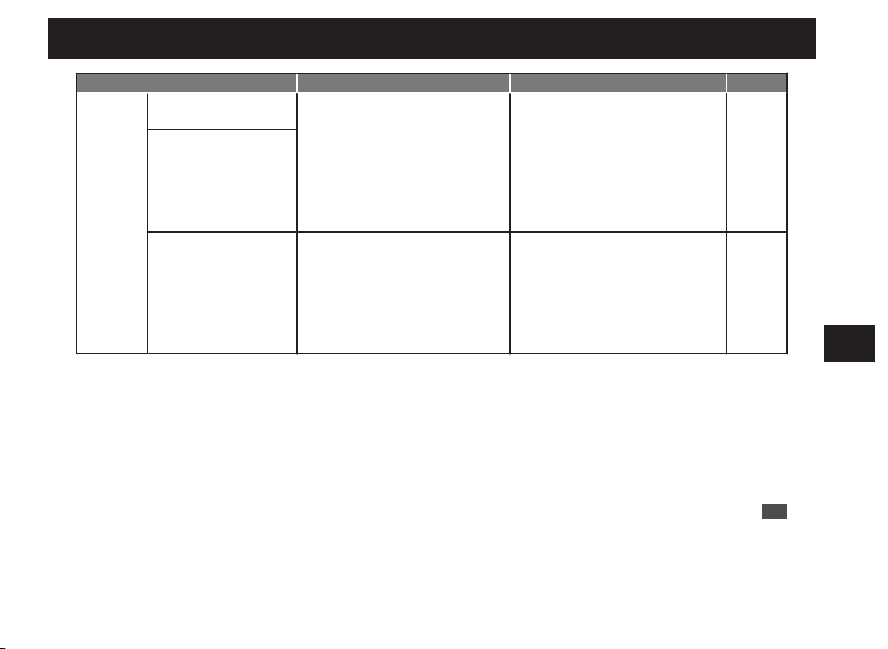
Button B
Press
Button A
Press for
2
seconds
2
Within 20 seconds after the date stops,
press the Button B to set the date to “1”.
Make sure that the numerical number “1” is located at
the center of the date window.
*
If “1” is shown, go to step 3.
Continuous
adjustment
Keep pressing down the button for
longer than 2 seconds. Press the
button once again to stop.
Fine
adjustment
When the button is pressed
intermittently, the hand will slightly
advance.
3
Keep pressing down the Button A (for 2
seconds) until the seconds hand moves to
point to the 55-second position.
The watch enters the preliminary position setting
mode for day of the week.
EN
84
7
TROUBLESHOOTING
Button B
Press
Button A
Press for
2
seconds
4
Press the Button B to set the day hand to
point to “S” (Sunday).
Make sure that the day hand is set to point to “S”.
*
If “S” is shown, go to step 5.
The day hand rotates clockwise.
Continuous
adjustment
Keep pressing down the button for
longer than 2 seconds. Press the
button once again to stop.
Fine
adjustment
When the button is pressed
intermittently, the hand will slightly
advance.
5
Keep pressing down the Button A (for 2
seconds) until the seconds hand stops
pointing to the 0-second position.
The watch switches to the preliminary position
alignment mode for the hour and minute hands.
*
If the correct time is shown, go to step 7.
EN
85
7
TROUBLESHOOTING
Button B
Press once
and release it
7
After completing the operation, leave the watch untouched for 20 seconds.
The watch automatically exits the preliminary position setting mode, and the seconds, hour and minute hands
start moving.
When the watch returns to the TIME display mode, check if the time, date and day of the week are all correct.
If the time, date and day of the week are not correct, manually set them.
Adjusting the time and date by receiving a radio signal
“How to conduct manual reception (Receive a radio signal manually)” → P.70
When the watch is unable to receive a radio signal, refer to
“How to manually set the time” → P.73
“How to manually set the date” → P.75
“How to manually set the day of the week” → P.78
6
Press the Button B once and release it.
The hour and minute hands move, and stop at the 12
o’clock position.
EN
86
7
TROUBLESHOOTING
Troubleshooting
At trouble Possible causes Solutions
Reference
Hand
Movement
The seconds hand moves
at two-second intervals.
The energy depletion forewarning
function is activated. (P.42)
If the seconds hand moves at two- or
five-second intervals while you wear
the watch everyday, the watch is in a
condition where it cannot acquire
sufficient light, for instance, the watch
is concealed under a long sleeve shirt.
Fully charge the watch so that the
seconds hand may move at one-second
intervals.
Be careful not to conceal the watch
under a sleeve, etc., while wearing it.
When taking off the watch, place it in as
bright a location as possible.
P.40
The seconds hand moves
at five-second intervals.
The stopped seconds
hand pointing to the
15-second position
started operating.
The power save function has been
activated. (P.43)
When the watch is not exposed to
adequate light for a certain period of
time, the power save function to limit
energy consumption is automatically
activated.
Wait until the current time is displayed.
No operation is needed. (This is not a
malfunction.)
-
EN
87
7
TROUBLESHOOTING
At trouble Possible causes Solutions
Reference
Hand
Movement
The stopped seconds
hand pointing to the
45-second position
started operating.
The power save function has been
activated. (P.43)
When the watch is not exposed to
adequate light for a certain period of
time, the power save function to limit
energy consumption is automatically
activated.
1.
Fully charge the watch so that
the seconds hand may move at
one-second intervals.
2.
After that, if the watch displays
the incorrect time, receive a
radio wave as needed.
P.18,
P.40
The watch hands advance
rapidly unless a button is
pressed. After the rapid
advancement is
completed, the watch
resumes its normal
movement.
The power save function has been
activated. (P.43)
The automatic hand position alignment
function was activated. (P.81)
When the hand positions deviate to
display incorrect time as a result of
external influences, etc., the watch
automatically corrects the hand
misalignment by the automatic hand
position alignment function.
No operation is needed. (This is not a
malfunction.)
-
EN
88
7
TROUBLESHOOTING
At trouble Possible causes Solutions
Reference
Reception
of a radio
signal
The watch is unable to
receive a radio signal.
The reception results have
failed and the seconds
hand points to N (the watch
does not receive a radio
signal).
The watch was moved while it was
receiving a radio signal.
(It takes 12 minutes at the longest to
receive a radio signal successfully.)
Do not move the watch while it is
receiving a radio signal.
Because it takes time to receive a radio
signal successfully, leave the watch
untouched for 12 minutes at the longest.
P.24,
P.71
The watch was left where the radio
signal was weak or where it was unable
to receive a radio signal. (P.25)
Place the watch where it is able to easily
receive a radio signal.
P.24
Transmitting stations may have
stopped transmitting radio signals for
some reason. (Transmission stop)
Check the website of each transmitting
station for further information
concerning a transmission stop.
Attempt to receive a radio signal again
after a while.
P.26
The time zone is set to a region other
than the radio signal reception range.
1. Check the selected time zone and
select the correct time zone.
2. When the watch is not displaying the
precise time, receive a radio signal
again if necessary.
P.18,
P.31
EN
89
7
TROUBLESHOOTING
At trouble Possible causes Solutions
Reference
Charging
the solar
battery
The stopped watch was
exposed to an
adequate light for
longer than “the time
required to fully charge
the watch”, however, it
does not resume its
normal one-second
interval movements.
The amount of exposed light is too
weak.
The time for charging the watch is not
sufficient.
The time required for charging the
watch depends entirely on the amount
of exposed light the watch receives.
Refer to “Guide to charging times” to
charge the watch.
P.41
The built-in IC of the watch has fallen
into an unstable condition.
Refer to “In case of an abnormal
movement” to reset the system.
P.94
Misalignment
of the time
and hand
positions
The watch temporarily
gains or loses time.
The watch has been left in an extremely
high or low temperature place for a long
time.
1. When the watch returns to a normal
temperature, it will display the
precise time as before.
2. If the watch still gains or loses the
time, conduct manual reception if
necessary.
3. If the watch cannot resume normal
movement even after conducting
the above mentioned procedures,
consult the retailer from whom the
watch was purchased.
P.70
EN
90
7
TROUBLESHOOTING
At trouble Possible causes Solutions
Reference
Misalignment
of the time
and hand
positions
The reception results are
successful, but the precise
time is not displayed.
The watch fails to receive a radio signal
correctly as a result of external
influence. (Incorrect reception)
1. Place the watch where it is able to
receive a radio signal more easily.
2. Conduct manual reception if
necessary.
P.24,
P.70
The hand positions were misaligned as
a result of external influence.
The hands are out of the preliminary
position as a result of external
influence.
“Preliminary position” → P.81
1. The automatic hand position
alignment function will operate, and
these will be corrected. Continue to
use the watch normally. The
automatic hand position alignment
function operates every 12 hours (at
12 AM and 12 PM) for the hour and
minute hands, and every minute for
the seconds hand. If urgent, perform
manual time adjustment.
2. If the watch still gains or loses time,
refer to “In case of an abnormal
movement” to perform procedures.
3. If the watch cannot resume normal
movement even after conducting
the above mentioned procedures,
consult the retailer from whom the
watch was purchased.
P.81,
P.94
The seconds hand position
is not correctly aligned in
“the reception results
display” or “the reception
level display.”
The seconds hand is out of the
preliminary position as a result of
external influence.
“Preliminary position” → P.81
EN
91
7
TROUBLESHOOTING
At trouble Possible causes Solutions
Reference
Hand
Movement
The stopped seconds
hand pointing to the
45-second position
started operating.
The power save function has been
activated. (P.43)
When the watch is not exposed to
adequate light for a certain period of
time, the power save function to limit
energy consumption is automatically
activated.
1.
Fully charge the watch so that
the seconds hand may move at
one-second intervals.
2.
After that, if the watch displays
the incorrect time, receive a
radio wave as needed.
P.18,
P.40
The watch hands advance
rapidly unless a button is
pressed. After the rapid
advancement is
completed, the watch
resumes its normal
movement.
The power save function has been
activated. (P.43)
The automatic hand position alignment
function was activated. (P.81)
When the hand positions deviate to
display incorrect time as a result of
external influences, etc., the watch
automatically corrects the hand
misalignment by the automatic hand
position alignment function.
No operation is needed. (This is not a
malfunction.)
-
EN
88
7
TROUBLESHOOTING
At trouble Possible causes Solutions
Reference
Reception
of a radio
signal
The watch is unable to
receive a radio signal.
The reception results have
failed and the seconds
hand points to N (the watch
does not receive a radio
signal).
The watch was moved while it was
receiving a radio signal.
(It takes 12 minutes at the longest to
receive a radio signal successfully.)
Do not move the watch while it is
receiving a radio signal.
Because it takes time to receive a radio
signal successfully, leave the watch
untouched for 12 minutes at the longest.
P.24,
P.71
The watch was left where the radio
signal was weak or where it was unable
to receive a radio signal. (P.25)
Place the watch where it is able to easily
receive a radio signal.
P.24
Transmitting stations may have
stopped transmitting radio signals for
some reason. (Transmission stop)
Check the website of each transmitting
station for further information
concerning a transmission stop.
Attempt to receive a radio signal again
after a while.
P.26
The time zone is set to a region other
than the radio signal reception range.
1. Check the selected time zone and
select the correct time zone.
2. When the watch is not displaying the
precise time, receive a radio signal
again if necessary.
P.18,
P.31
EN
89
7
TROUBLESHOOTING
At trouble Possible causes Solutions
Reference
Charging
the solar
battery
The stopped watch was
exposed to an
adequate light for
longer than “the time
required to fully charge
the watch”, however, it
does not resume its
normal one-second
interval movements.
The amount of exposed light is too
weak.
The time for charging the watch is not
sufficient.
The time required for charging the
watch depends entirely on the amount
of exposed light the watch receives.
Refer to “Guide to charging times” to
charge the watch.
P.41
The built-in IC of the watch has fallen
into an unstable condition.
Refer to “In case of an abnormal
movement” to reset the system.
P.94
Misalignment
of the time
and hand
positions
The watch temporarily
gains or loses time.
The watch has been left in an extremely
high or low temperature place for a long
time.
1. When the watch returns to a normal
temperature, it will display the
precise time as before.
2. If the watch still gains or loses the
time, conduct manual reception if
necessary.
3. If the watch cannot resume normal
movement even after conducting
the above mentioned procedures,
consult the retailer from whom the
watch was purchased.
P.70
EN
90
7
TROUBLESHOOTING
At trouble Possible causes Solutions
Reference
Misalignment
of the time
and hand
positions
The reception results are
successful, but the precise
time is not displayed.
The watch fails to receive a radio signal
correctly as a result of external
influence. (Incorrect reception)
1. Place the watch where it is able to
receive a radio signal more easily.
2. Conduct manual reception if
necessary.
P.24,
P.70
The hand positions were misaligned as
a result of external influence.
The hands are out of the preliminary
position as a result of external
influence.
“Preliminary position” → P.81
1. The automatic hand position
alignment function will operate, and
these will be corrected. Continue to
use the watch normally. The
automatic hand position alignment
function operates every 12 hours (at
12 AM and 12 PM) for the hour and
minute hands, and every minute for
the seconds hand. If urgent, perform
manual time adjustment.
2. If the watch still gains or loses time,
refer to “In case of an abnormal
movement” to perform procedures.
3. If the watch cannot resume normal
movement even after conducting
the above mentioned procedures,
consult the retailer from whom the
watch was purchased.
P.81,
P.94
The seconds hand position
is not correctly aligned in
“the reception results
display” or “the reception
level display.”
The seconds hand is out of the
preliminary position as a result of
external influence.
“Preliminary position” → P.81
EN
91
7
TROUBLESHOOTING
At trouble Possible causes Solutions
Reference
Hand
Movement
The stopped seconds
hand pointing to the
45-second position
started operating.
The power save function has been
activated. (P.43)
When the watch is not exposed to
adequate light for a certain period of
time, the power save function to limit
energy consumption is automatically
activated.
1.
Fully charge the watch so that
the seconds hand may move at
one-second intervals.
2.
After that, if the watch displays
the incorrect time, receive a
radio wave as needed.
P.18,
P.40
The watch hands advance
rapidly unless a button is
pressed. After the rapid
advancement is
completed, the watch
resumes its normal
movement.
The power save function has been
activated. (P.43)
The automatic hand position alignment
function was activated. (P.81)
When the hand positions deviate to
display incorrect time as a result of
external influences, etc., the watch
automatically corrects the hand
misalignment by the automatic hand
position alignment function.
No operation is needed. (This is not a
malfunction.)
-
EN
88
7
TROUBLESHOOTING
At trouble Possible causes Solutions
Reference
Reception
of a radio
signal
The watch is unable to
receive a radio signal.
The reception results have
failed and the seconds
hand points to N (the watch
does not receive a radio
signal).
The watch was moved while it was
receiving a radio signal.
(It takes 12 minutes at the longest to
receive a radio signal successfully.)
Do not move the watch while it is
receiving a radio signal.
Because it takes time to receive a radio
signal successfully, leave the watch
untouched for 12 minutes at the longest.
P.24,
P.71
The watch was left where the radio
signal was weak or where it was unable
to receive a radio signal. (P.25)
Place the watch where it is able to easily
receive a radio signal.
P.24
Transmitting stations may have
stopped transmitting radio signals for
some reason. (Transmission stop)
Check the website of each transmitting
station for further information
concerning a transmission stop.
Attempt to receive a radio signal again
after a while.
P.26
The time zone is set to a region other
than the radio signal reception range.
1. Check the selected time zone and
select the correct time zone.
2. When the watch is not displaying the
precise time, receive a radio signal
again if necessary.
P.18,
P.31
EN
89
7
TROUBLESHOOTING
At trouble Possible causes Solutions
Reference
Charging
the solar
battery
The stopped watch was
exposed to an
adequate light for
longer than “the time
required to fully charge
the watch”, however, it
does not resume its
normal one-second
interval movements.
The amount of exposed light is too
weak.
The time for charging the watch is not
sufficient.
The time required for charging the
watch depends entirely on the amount
of exposed light the watch receives.
Refer to “Guide to charging times” to
charge the watch.
P.41
The built-in IC of the watch has fallen
into an unstable condition.
Refer to “In case of an abnormal
movement” to reset the system.
P.94
Misalignment
of the time
and hand
positions
The watch temporarily
gains or loses time.
The watch has been left in an extremely
high or low temperature place for a long
time.
1. When the watch returns to a normal
temperature, it will display the
precise time as before.
2. If the watch still gains or loses the
time, conduct manual reception if
necessary.
3. If the watch cannot resume normal
movement even after conducting
the above mentioned procedures,
consult the retailer from whom the
watch was purchased.
P.70
EN
90
7
TROUBLESHOOTING
At trouble Possible causes Solutions
Reference
Misalignment
of the time
and hand
positions
The reception results are
successful, but the precise
time is not displayed.
The watch fails to receive a radio signal
correctly as a result of external
influence. (Incorrect reception)
1. Place the watch where it is able to
receive a radio signal more easily.
2. Conduct manual reception if
necessary.
P.24,
P.70
The hand positions were misaligned as
a result of external influence.
The hands are out of the preliminary
position as a result of external
influence.
“Preliminary position” → P.81
1. The automatic hand position
alignment function will operate, and
these will be corrected. Continue to
use the watch normally. The
automatic hand position alignment
function operates every 12 hours (at
12 AM and 12 PM) for the hour and
minute hands, and every minute for
the seconds hand. If urgent, perform
manual time adjustment.
2. If the watch still gains or loses time,
refer to “In case of an abnormal
movement” to perform procedures.
3. If the watch cannot resume normal
movement even after conducting
the above mentioned procedures,
consult the retailer from whom the
watch was purchased.
P.81,
P.94
The seconds hand position
is not correctly aligned in
“the reception results
display” or “the reception
level display.”
The seconds hand is out of the
preliminary position as a result of
external influence.
“Preliminary position” → P.81
EN
91
7
TROUBLESHOOTING
At trouble Possible causes Solutions
Reference
Hand
Movement
The stopped seconds
hand pointing to the
45-second position
started operating.
The power save function has been
activated. (P.43)
When the watch is not exposed to
adequate light for a certain period of
time, the power save function to limit
energy consumption is automatically
activated.
1.
Fully charge the watch so that
the seconds hand may move at
one-second intervals.
2.
After that, if the watch displays
the incorrect time, receive a
radio wave as needed.
P.18,
P.40
The watch hands advance
rapidly unless a button is
pressed. After the rapid
advancement is
completed, the watch
resumes its normal
movement.
The power save function has been
activated. (P.43)
The automatic hand position alignment
function was activated. (P.81)
When the hand positions deviate to
display incorrect time as a result of
external influences, etc., the watch
automatically corrects the hand
misalignment by the automatic hand
position alignment function.
No operation is needed. (This is not a
malfunction.)
-
EN
88
7
TROUBLESHOOTING
At trouble Possible causes Solutions
Reference
Reception
of a radio
signal
The watch is unable to
receive a radio signal.
The reception results have
failed and the seconds
hand points to N (the watch
does not receive a radio
signal).
The watch was moved while it was
receiving a radio signal.
(It takes 12 minutes at the longest to
receive a radio signal successfully.)
Do not move the watch while it is
receiving a radio signal.
Because it takes time to receive a radio
signal successfully, leave the watch
untouched for 12 minutes at the longest.
P.24,
P.71
The watch was left where the radio
signal was weak or where it was unable
to receive a radio signal. (P.25)
Place the watch where it is able to easily
receive a radio signal.
P.24
Transmitting stations may have
stopped transmitting radio signals for
some reason. (Transmission stop)
Check the website of each transmitting
station for further information
concerning a transmission stop.
Attempt to receive a radio signal again
after a while.
P.26
The time zone is set to a region other
than the radio signal reception range.
1. Check the selected time zone and
select the correct time zone.
2. When the watch is not displaying the
precise time, receive a radio signal
again if necessary.
P.18,
P.31
EN
89
7
TROUBLESHOOTING
At trouble Possible causes Solutions
Reference
Charging
the solar
battery
The stopped watch was
exposed to an
adequate light for
longer than “the time
required to fully charge
the watch”, however, it
does not resume its
normal one-second
interval movements.
The amount of exposed light is too
weak.
The time for charging the watch is not
sufficient.
The time required for charging the
watch depends entirely on the amount
of exposed light the watch receives.
Refer to “Guide to charging times” to
charge the watch.
P.41
The built-in IC of the watch has fallen
into an unstable condition.
Refer to “In case of an abnormal
movement” to reset the system.
P.94
Misalignment
of the time
and hand
positions
The watch temporarily
gains or loses time.
The watch has been left in an extremely
high or low temperature place for a long
time.
1. When the watch returns to a normal
temperature, it will display the
precise time as before.
2. If the watch still gains or loses the
time, conduct manual reception if
necessary.
3. If the watch cannot resume normal
movement even after conducting
the above mentioned procedures,
consult the retailer from whom the
watch was purchased.
P.70
EN
90
7
TROUBLESHOOTING
At trouble Possible causes Solutions
Reference
Misalignment
of the time
and hand
positions
The reception results are
successful, but the precise
time is not displayed.
The watch fails to receive a radio signal
correctly as a result of external
influence. (Incorrect reception)
1. Place the watch where it is able to
receive a radio signal more easily.
2. Conduct manual reception if
necessary.
P.24,
P.70
The hand positions were misaligned as
a result of external influence.
The hands are out of the preliminary
position as a result of external
influence.
“Preliminary position” → P.81
1. The automatic hand position
alignment function will operate, and
these will be corrected. Continue to
use the watch normally. The
automatic hand position alignment
function operates every 12 hours (at
12 AM and 12 PM) for the hour and
minute hands, and every minute for
the seconds hand. If urgent, perform
manual time adjustment.
2. If the watch still gains or loses time,
refer to “In case of an abnormal
movement” to perform procedures.
3. If the watch cannot resume normal
movement even after conducting
the above mentioned procedures,
consult the retailer from whom the
watch was purchased.
P.81,
P.94
The seconds hand position
is not correctly aligned in
“the reception results
display” or “the reception
level display.”
The seconds hand is out of the
preliminary position as a result of
external influence.
“Preliminary position” → P.81
EN
91
7
TROUBLESHOOTING
At trouble Possible causes Solutions
Reference
Misalignment
of the time
and hand
positions
The watch displays an
incorrect time hour unit,
even though it displays the
precise time of minutes
and seconds.
The time zone selection is incorrect.
Check the selected time zone and set it
to the area where the watch is used.
P.31
Misalignment
of the date
The reception results are
successful and the precise
time is displayed, but the
date is not correctly
displayed.
The date is out of the preliminary
position.
This happens when the date is out of
the preliminary position as a result of
influence of various external sources or
after the built-in IC is reset.
Set the date to the preliminary position
“1” (the 1st).
P.82
Misalignment
of the day
The reception result
display confirms
successful reception, and
the correct time is
displayed, but the wrong
day is displayed.
The preliminary position of the day of
week is out of alignment.
This problem occurs when the
preliminary position of the day of week
is out of alignment due to external
influence and system reset etc.
Check if the day is set to the correct
preliminary position “S” (Sunday).
P.82
Wrong
display of the
sub dial
The sub dial is set to the
time shown by the main
watch, but the sub dial
displays the wrong time.
The sub dial displays the wrong time. Refer to“ How to set the sub dial”. P.38
EN
92
7
TROUBLESHOOTING
At trouble Possible causes Solutions
Reference
Operation
The crown or button
cannot be operated.
The stored electric power is running
short.
Sufficiently charge the watch until it
starts moving at one-second intervals.
P.40
Hands and date are moving right after
a setting is carried out by the crown or
button operation.
Wait without doing anything.
After the date stops, the crown and
button can be operated.
-
Operation
You get lost in the middle
of the operation.
-----------
Return to the status before the start of
the operation, and try the operation
again.
If the crown is pulled out, push it in.
If the crown is not pulled out, then pull it
out and push it in again.
This will return to one-second interval
movement for a maximum of 9 minutes.
After this, try the operation again.
-
Others
Blur on the dial glass
persists.
A small amount of water has got inside
the watch due to deterioration of the
gasket, etc.
Contact the retailer from whom the
watch was purchased.
-
* For the solution of troubles other than the above, consult the retailer from whom the watch was purchased.
EN
93
7
TROUBLESHOOTING
In case of an abnormal movement
In the case that the watch moves abnormally or that the watch does not move at one-second intervals even
after fully charging the battery, then it can be returned to normal operation using the following operation.
■ Reset the system
0
1
2
Pull out the
crown to the
second click
1
Pull out the crown to the second click.
The seconds hand moves to the 0-second position
and stops.
* When the crown is a screw lock type, unlock it.
→ P.14
EN
94
7
TROUBLESHOOTING
Button A
Press for
3 seconds
Button B
Press for
3 seconds
3
When all the hands stop pointing to 12 o’clock 0 minutes and 0 seconds, push
the crown back.
The seconds hand starts moving from 12 o’clock 0 minutes and 0 seconds.
* After the built-in IC is reset, the watch is set to the time zone LON.
After completion of a system reset, perform the following operations.
• “Setting the preliminary position of the date, day hand, hour and minute hands” → P.82
• “How to select the time zone (How to display the local time around the world)” → P.31
• “How to conduct manual reception (Receive a radio signal manually)” → P.70
* When the crown is a screw lock type, lock it. → P.14
2
Keep pressing down the Button A and B
at the same time for 3 seconds, and then
release them.
After releasing the button, approximately 5 seconds
later the seconds hand moves, and stops at the
0-second position.
Then the hour and minute hands will start to move
and stop pointing to 12 o’clock 0 minutes.
* First, press the Button B, and subsequently press the
Button A while keeping holding down the Button B so
as to press both of them successfully.
* The button cannot be operated until all the hands stop.
EN
95
7
TROUBLESHOOTING
At trouble Possible causes Solutions
Reference
Misalignment
of the time
and hand
positions
The watch displays an
incorrect time hour unit,
even though it displays the
precise time of minutes
and seconds.
The time zone selection is incorrect.
Check the selected time zone and set it
to the area where the watch is used.
P.31
Misalignment
of the date
The reception results are
successful and the precise
time is displayed, but the
date is not correctly
displayed.
The date is out of the preliminary
position.
This happens when the date is out of
the preliminary position as a result of
influence of various external sources or
after the built-in IC is reset.
Set the date to the preliminary position
“1” (the 1st).
P.82
Misalignment
of the day
The reception result
display confirms
successful reception, and
the correct time is
displayed, but the wrong
day is displayed.
The preliminary position of the day of
week is out of alignment.
This problem occurs when the
preliminary position of the day of week
is out of alignment due to external
influence and system reset etc.
Check if the day is set to the correct
preliminary position “S” (Sunday).
P.82
Wrong
display of the
sub dial
The sub dial is set to the
time shown by the main
watch, but the sub dial
displays the wrong time.
The sub dial displays the wrong time. Refer to“ How to set the sub dial”. P.38
EN
92
7
TROUBLESHOOTING
At trouble Possible causes Solutions
Reference
Operation
The crown or button
cannot be operated.
The stored electric power is running
short.
Sufficiently charge the watch until it
starts moving at one-second intervals.
P.40
Hands and date are moving right after
a setting is carried out by the crown or
button operation.
Wait without doing anything.
After the date stops, the crown and
button can be operated.
-
Operation
You get lost in the middle
of the operation.
-----------
Return to the status before the start of
the operation, and try the operation
again.
If the crown is pulled out, push it in.
If the crown is not pulled out, then pull it
out and push it in again.
This will return to one-second interval
movement for a maximum of 9 minutes.
After this, try the operation again.
-
Others
Blur on the dial glass
persists.
A small amount of water has got inside
the watch due to deterioration of the
gasket, etc.
Contact the retailer from whom the
watch was purchased.
-
* For the solution of troubles other than the above, consult the retailer from whom the watch was purchased.
EN
93
7
TROUBLESHOOTING
In case of an abnormal movement
In the case that the watch moves abnormally or that the watch does not move at one-second intervals even
after fully charging the battery, then it can be returned to normal operation using the following operation.
■ Reset the system
0
1
2
Pull out the
crown to the
second click
1
Pull out the crown to the second click.
The seconds hand moves to the 0-second position
and stops.
* When the crown is a screw lock type, unlock it.
→ P.14
EN
94
7
TROUBLESHOOTING
Button A
Press for
3 seconds
Button B
Press for
3 seconds
3
When all the hands stop pointing to 12 o’clock 0 minutes and 0 seconds, push
the crown back.
The seconds hand starts moving from 12 o’clock 0 minutes and 0 seconds.
* After the built-in IC is reset, the watch is set to the time zone LON.
After completion of a system reset, perform the following operations.
• “Setting the preliminary position of the date, day hand, hour and minute hands” → P.82
• “How to select the time zone (How to display the local time around the world)” → P.31
• “How to conduct manual reception (Receive a radio signal manually)” → P.70
* When the crown is a screw lock type, lock it. → P.14
2
Keep pressing down the Button A and B
at the same time for 3 seconds, and then
release them.
After releasing the button, approximately 5 seconds
later the seconds hand moves, and stops at the
0-second position.
Then the hour and minute hands will start to move
and stop pointing to 12 o’clock 0 minutes.
* First, press the Button B, and subsequently press the
Button A while keeping holding down the Button B so
as to press both of them successfully.
* The button cannot be operated until all the hands stop.
EN
95
7
TROUBLESHOOTING
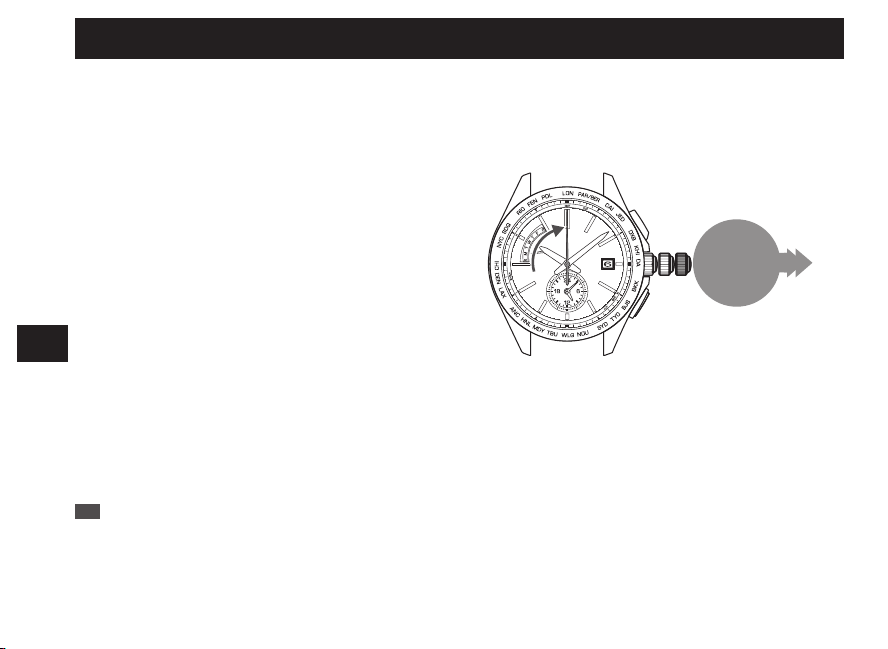
At trouble Possible causes Solutions
Reference
Misalignment
of the time
and hand
positions
The watch displays an
incorrect time hour unit,
even though it displays the
precise time of minutes
and seconds.
The time zone selection is incorrect.
Check the selected time zone and set it
to the area where the watch is used.
P.31
Misalignment
of the date
The reception results are
successful and the precise
time is displayed, but the
date is not correctly
displayed.
The date is out of the preliminary
position.
This happens when the date is out of
the preliminary position as a result of
influence of various external sources or
after the built-in IC is reset.
Set the date to the preliminary position
“1” (the 1st).
P.82
Misalignment
of the day
The reception result
display confirms
successful reception, and
the correct time is
displayed, but the wrong
day is displayed.
The preliminary position of the day of
week is out of alignment.
This problem occurs when the
preliminary position of the day of week
is out of alignment due to external
influence and system reset etc.
Check if the day is set to the correct
preliminary position “S” (Sunday).
P.82
Wrong
display of the
sub dial
The sub dial is set to the
time shown by the main
watch, but the sub dial
displays the wrong time.
The sub dial displays the wrong time. Refer to“ How to set the sub dial”. P.38
EN
92
7
TROUBLESHOOTING
At trouble Possible causes Solutions
Reference
Operation
The crown or button
cannot be operated.
The stored electric power is running
short.
Sufficiently charge the watch until it
starts moving at one-second intervals.
P.40
Hands and date are moving right after
a setting is carried out by the crown or
button operation.
Wait without doing anything.
After the date stops, the crown and
button can be operated.
-
Operation
You get lost in the middle
of the operation.
-----------
Return to the status before the start of
the operation, and try the operation
again.
If the crown is pulled out, push it in.
If the crown is not pulled out, then pull it
out and push it in again.
This will return to one-second interval
movement for a maximum of 9 minutes.
After this, try the operation again.
-
Others
Blur on the dial glass
persists.
A small amount of water has got inside
the watch due to deterioration of the
gasket, etc.
Contact the retailer from whom the
watch was purchased.
-
* For the solution of troubles other than the above, consult the retailer from whom the watch was purchased.
EN
93
7
TROUBLESHOOTING
In case of an abnormal movement
In the case that the watch moves abnormally or that the watch does not move at one-second intervals even
after fully charging the battery, then it can be returned to normal operation using the following operation.
■ Reset the system
0
1
2
Pull out the
crown to the
second click
1
Pull out the crown to the second click.
The seconds hand moves to the 0-second position
and stops.
* When the crown is a screw lock type, unlock it.
→ P.14
EN
94
7
TROUBLESHOOTING
Button A
Press for
3 seconds
Button B
Press for
3 seconds
3
When all the hands stop pointing to 12 o’clock 0 minutes and 0 seconds, push
the crown back.
The seconds hand starts moving from 12 o’clock 0 minutes and 0 seconds.
* After the built-in IC is reset, the watch is set to the time zone LON.
After completion of a system reset, perform the following operations.
• “Setting the preliminary position of the date, day hand, hour and minute hands” → P.82
• “How to select the time zone (How to display the local time around the world)” → P.31
• “How to conduct manual reception (Receive a radio signal manually)” → P.70
* When the crown is a screw lock type, lock it. → P.14
2
Keep pressing down the Button A and B
at the same time for 3 seconds, and then
release them.
After releasing the button, approximately 5 seconds
later the seconds hand moves, and stops at the
0-second position.
Then the hour and minute hands will start to move
and stop pointing to 12 o’clock 0 minutes.
* First, press the Button B, and subsequently press the
Button A while keeping holding down the Button B so
as to press both of them successfully.
* The button cannot be operated until all the hands stop.
EN
95
7
TROUBLESHOOTING
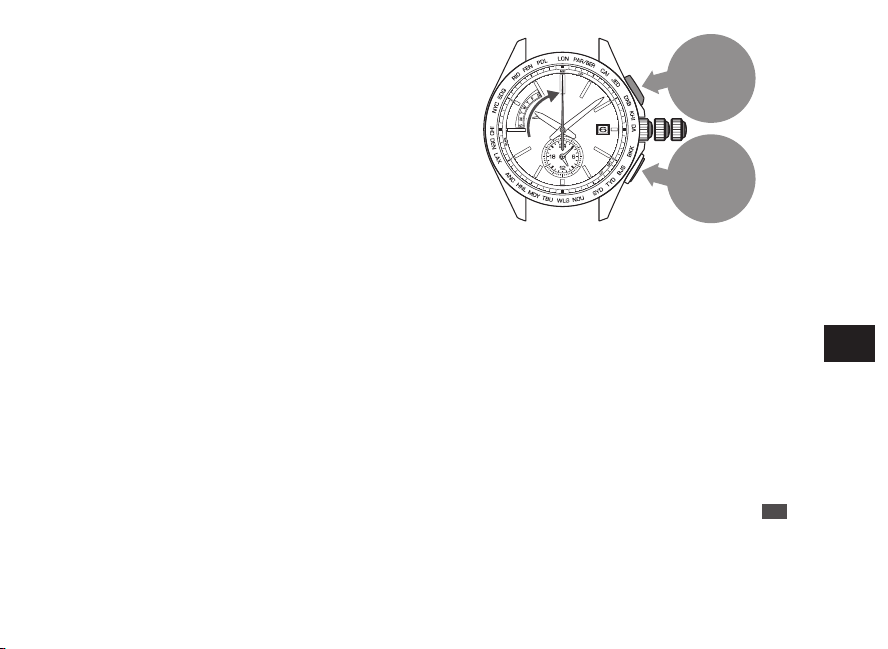
At trouble Possible causes Solutions
Reference
Misalignment
of the time
and hand
positions
The watch displays an
incorrect time hour unit,
even though it displays the
precise time of minutes
and seconds.
The time zone selection is incorrect.
Check the selected time zone and set it
to the area where the watch is used.
P.31
Misalignment
of the date
The reception results are
successful and the precise
time is displayed, but the
date is not correctly
displayed.
The date is out of the preliminary
position.
This happens when the date is out of
the preliminary position as a result of
influence of various external sources or
after the built-in IC is reset.
Set the date to the preliminary position
“1” (the 1st).
P.82
Misalignment
of the day
The reception result
display confirms
successful reception, and
the correct time is
displayed, but the wrong
day is displayed.
The preliminary position of the day of
week is out of alignment.
This problem occurs when the
preliminary position of the day of week
is out of alignment due to external
influence and system reset etc.
Check if the day is set to the correct
preliminary position “S” (Sunday).
P.82
Wrong
display of the
sub dial
The sub dial is set to the
time shown by the main
watch, but the sub dial
displays the wrong time.
The sub dial displays the wrong time. Refer to“ How to set the sub dial”. P.38
EN
92
7
TROUBLESHOOTING
At trouble Possible causes Solutions
Reference
Operation
The crown or button
cannot be operated.
The stored electric power is running
short.
Sufficiently charge the watch until it
starts moving at one-second intervals.
P.40
Hands and date are moving right after
a setting is carried out by the crown or
button operation.
Wait without doing anything.
After the date stops, the crown and
button can be operated.
-
Operation
You get lost in the middle
of the operation.
-----------
Return to the status before the start of
the operation, and try the operation
again.
If the crown is pulled out, push it in.
If the crown is not pulled out, then pull it
out and push it in again.
This will return to one-second interval
movement for a maximum of 9 minutes.
After this, try the operation again.
-
Others
Blur on the dial glass
persists.
A small amount of water has got inside
the watch due to deterioration of the
gasket, etc.
Contact the retailer from whom the
watch was purchased.
-
* For the solution of troubles other than the above, consult the retailer from whom the watch was purchased.
EN
93
7
TROUBLESHOOTING
In case of an abnormal movement
In the case that the watch moves abnormally or that the watch does not move at one-second intervals even
after fully charging the battery, then it can be returned to normal operation using the following operation.
■ Reset the system
0
1
2
Pull out the
crown to the
second click
1
Pull out the crown to the second click.
The seconds hand moves to the 0-second position
and stops.
* When the crown is a screw lock type, unlock it.
→ P.14
EN
94
7
TROUBLESHOOTING
Button A
Press for
3 seconds
Button B
Press for
3 seconds
3
When all the hands stop pointing to 12 o’clock 0 minutes and 0 seconds, push
the crown back.
The seconds hand starts moving from 12 o’clock 0 minutes and 0 seconds.
* After the built-in IC is reset, the watch is set to the time zone LON.
After completion of a system reset, perform the following operations.
• “Setting the preliminary position of the date, day hand, hour and minute hands” → P.82
• “How to select the time zone (How to display the local time around the world)” → P.31
• “How to conduct manual reception (Receive a radio signal manually)” → P.70
* When the crown is a screw lock type, lock it. → P.14
2
Keep pressing down the Button A and B
at the same time for 3 seconds, and then
release them.
After releasing the button, approximately 5 seconds
later the seconds hand moves, and stops at the
0-second position.
Then the hour and minute hands will start to move
and stop pointing to 12 o’clock 0 minutes.
* First, press the Button B, and subsequently press the
Button A while keeping holding down the Button B so
as to press both of them successfully.
* The button cannot be operated until all the hands stop.
EN
95
7
TROUBLESHOOTING
Specifications
Cal. 8B63
1. Features Main watch with three hands (hour, minute and seconds hands), date display,
Retrograde day indicator, Sub dial with 2 hands (Hour and Minute hands)
2. Frequency of crystal
oscillator
32,768 Hz (Hz= Hertz, cycles per second)
3. Loss/gain (Monthly
rate)
Loss/gain ±15 seconds in a monthly rate (Except the cases when the watch is used
without time adjustment by receiving a radio signal and when it is worn on the wrist within
a normal temperature range between 5 °C and 35 °C)
4. Operational
temperature range
Between −10 °C and +60 °C
5. Driving system Step motor (Hour and minute hands, seconds hand, and the date, day and hour and
minute hands for sub dial)
6. Power source Secondary battery, 1 piece
7. Duration Approximately 9 months (Fully charged, and the Power Save is not activated)
* If Power Save is activated after it is fully charged, the watch continues to run for approximately
2 years at maximum.
8. Radio signal reception
function / radio signal
transmitting station
Automatic reception (Before 2:00 AM, 3:00 AM and 4:00 AM)
* It varies depending on the radio signal receiving condition.
* After radio signal reception, the watch will start to work depending on the quartz movement
until the next reception.
* Manual reception is available.
9. Integrated circuit Oscillator, frequency divider and driving circuit C-MOS-IC, 3 pieces
* The specifications are subject to change without prior notice due to product improvements.
EN
96
8
SPECIFICATIONS
8B63 BSN8B63-2112
C-21
8B63
INSTRUCTIONS
World Time Solar Radio Signal for 5 Areas Around the World (Japan, China, U.S.A., Germany, UK)
https://www.seikowatches.com/
日本語
..................................................
English ................................................
1
JA
1
EN
䬁Ổᶮ㔈 / ䷂橕ᶮ㔈
Please refer to the Instruction Manuals
of other languages by accessing
"Customer Service"→ "Instruction"
on our Website from PC or Smartphone.
そのほかの言語の取扱説明書は、パソコンや
スマートフォンから当社ホームページ内の
「カスタマーサービス」>「取扱説明書」
にアクセスいただき、ご覧ください。