
0
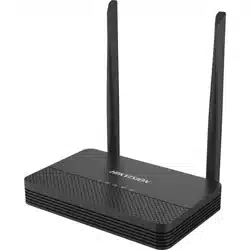
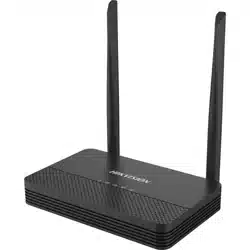
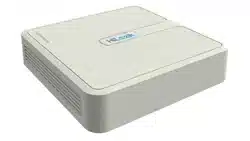
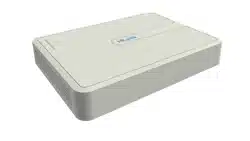
Network Video Server (Wi-Fi Series)
User Manual
Network Video Server (Wi-Fi Series) • User Manual
I
Legal Information
About this Document
● This Document includes instructions for using and managing the Product. Pictures, charts, images and all other
information hereinafter are for description and explanation only.
● The information contained in the Document is subject to change, without notice, due to firmware updates or other
reasons. Please find the latest version of the Document at the Hikvision website (https://www.hikvision.com).
Unless otherwise agreed, Hangzhou Hikvision Digital Technology Co., Ltd. or its affiliates (hereinafter referred to as
"Hikvision") makes no warranties, express or implied.
● Please use the Document with the guidance and assistance of professionals trained in supporting the Product.
About this Product
● This product can only enjoy the after-sales service support in the country or region where the purchase is made.
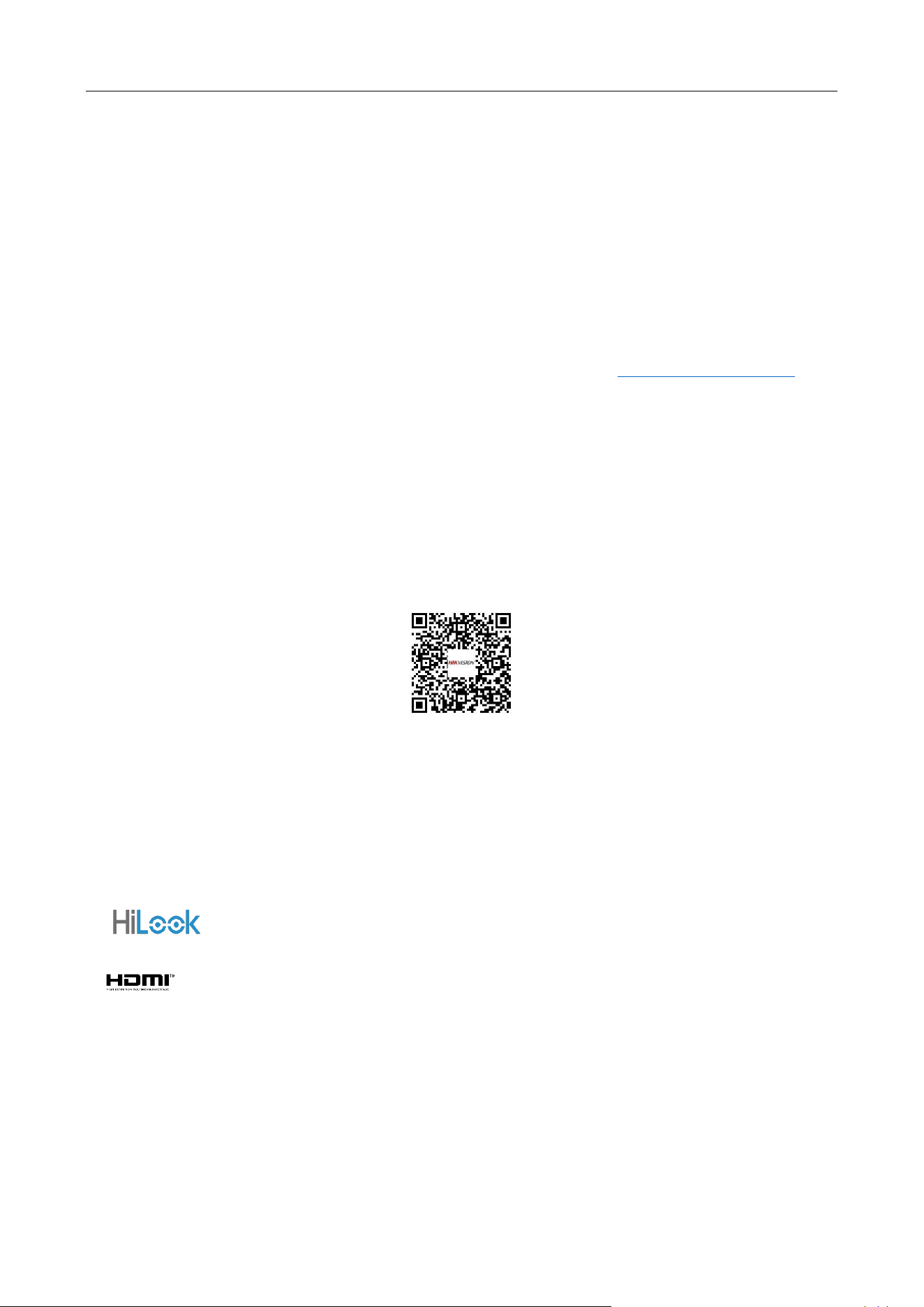
● If the product you choose is a video product, please scan the following QR code to obtain the "Initiatives on the Use
of Video Products", and read it carefully.
Acknowledgment of Intellectual Property Rights
● Hikvision owns the copyrights and/or patents related to the technology embodied in the Products described in this
Document, which may include licenses obtained from third parties.
● Any part of the Document, including text, pictures, graphics, etc., belongs to Hikvision. No part of this Document
may be excerpted, copied, translated, or modified in whole or in part by any means without written permission.
● and other Hikvision's trademarks and logos are the properties of Hikvision in various jurisdictions.
● Other trademarks and logos mentioned are the properties of their respective owners.
● The terms HDMI and HDMI High-Definition Multimedia Interface, and the HDMI Logo are trademarks or
registered trademarks of HDMI Licensing Administrator, Inc. in the United States and other countries.
LEGAL DISCLAIMER
● TO THE MAXIMUM EXTENT PERMITTED BY APPLICABLE LAW, THIS DOCUMENT AND THE PRODUCT DESCRIBED,
WITH ITS HARDWARE, SOFTWARE AND FIRMWARE, ARE PROVIDED "AS IS" AND "WITH ALL FAULTS AND ERRORS".
HIKVISION MAKES NO WARRANTIES, EXPRESS OR IMPLIED, INCLUDING WITHOUT LIMITATION, MERCHANTABILITY,

Network Video Server (Wi-Fi Series) • User Manual
II
SATISFACTORY QUALITY, OR FITNESS FOR A PARTICULAR PURPOSE. THE USE OF THE PRODUCT BY YOU IS AT YOUR
OWN RISK. IN NO EVENT WILL HIKVISION BE LIABLE TO YOU FOR ANY SPECIAL, CONSEQUENTIAL, INCIDENTAL, OR
INDIRECT DAMAGES, INCLUDING, AMONG OTHERS, DAMAGES FOR LOSS OF BUSINESS PROFITS, BUSINESS
INTERRUPTION, OR LOSS OF DATA, CORRUPTION OF SYSTEMS, OR LOSS OF DOCUMENTATION, WHETHER BASED
ON BREACH OF CONTRACT, TORT (INCLUDING NEGLIGENCE), PRODUCT LIABILITY, OR OTHERWISE, IN CONNECTION
WITH THE USE OF THE PRODUCT, EVEN IF HIKVISION HAS BEEN ADVISED OF THE POSSIBILITY OF SUCH DAMAGES
OR LOSS.
● YOU ACKNOWLEDGE THAT THE NATURE OF THE INTERNET PROVIDES FOR INHERENT SECURITY RISKS, AND
HIKVISION SHALL NOT TAKE ANY RESPONSIBILITIES FOR ABNORMAL OPERATION, PRIVACY LEAKAGE OR OTHER
DAMAGES RESULTING FROM CYBER-ATTACK, HACKER ATTACK, VIRUS INFECTION, OR OTHER INTERNET SECURITY
RISKS; HOWEVER, HIKVISION WILL PROVIDE TIMELY TECHNICAL SUPPORT IF REQUIRED.
● YOU AGREE TO USE THIS PRODUCT IN COMPLIANCE WITH ALL APPLICABLE LAWS, AND YOU ARE SOLELY
RESPONSIBLE FOR ENSURING THAT YOUR USE CONFORMS TO THE APPLICABLE LAW. ESPECIALLY, YOU ARE
RESPONSIBLE, FOR USING THIS PRODUCT IN A MANNER THAT DOES NOT INFRINGE ON THE RIGHTS OF THIRD
PARTIES, INCLUDING WITHOUT LIMITATION, RIGHTS OF PUBLICITY, INTELLECTUAL PROPERTY RIGHTS, OR DATA
PROTECTION AND OTHER PRIVACY RIGHTS. YOU SHALL NOT USE THIS PRODUCT FOR ANY PROHIBITED END-USES,
INCLUDING THE DEVELOPMENT OR PRODUCTION OF WEAPONS OF MASS DESTRUCTION, THE DEVELOPMENT OR
PRODUCTION OF CHEMICAL OR BIOLOGICAL WEAPONS, ANY ACTIVITIES IN THE CONTEXT RELATED TO ANY
NUCLEAR EXPLOSIVE OR UNSAFE NUCLEAR FUEL-CYCLE, OR IN SUPPORT OF HUMAN RIGHTS ABUSES.
● IN THE EVENT OF ANY CONFLICTS BETWEEN THIS DOCUMENT AND THE APPLICABLE LAW, THE LATTER PREVAILS.
© Hangzhou Hikvision Digital Technology Co., Ltd. All rights reserved.
Network Video Server (Wi-Fi Series) • User Manual
III
Regulatory Information
FCC Information
Please take attention that changes or modification not expressly approved by the party responsible
for compliance could void the user's authority to operate the equipment.
FCC compliance: This equipment has been tested and found to comply with the limits for a Class B
digital device, pursuant to part 15 of the FCC Rules. These limits are designed to provide reasonable
protection against harmful interference in a residential installation. This equipment generates, uses
and can radiate radio frequency energy and, if not installed and used in accordance with the
instructions, may cause harmful interference to radio communications. However, there is no
guarantee that interference will not occur in a particular installation. If this equipment does cause
harmful interference to radio or television reception, which can be determined by turning the
equipment off and on, the user is encouraged to try to correct the interference by one or more of
the following measures:
● Reorient or relocate the receiving antenna.
● Increase the separation between the equipment and receiver.
● Connect the equipment into an outlet on a circuit different from that to which the receiver is
connected.
● Consult the dealer or an experienced radio/TV technician for help.
This equipment should be installed and operated with a minimum distance 20cm between the
radiator and your body.
FCC Conditions
This device complies with part 15 of the FCC Rules. Operation is subject to the following two
conditions:
● This device may not cause harmful interference.
● This device must accept any interference received, including interference that may cause
undesired operation.
EU Conformity Statement
This product and - if applicable - the supplied accessories too are marked
with "CE" and comply therefore with the applicable harmonized European
standards listed under the RE Directive 2014/53/EU, the EMC Directive
2014/30/EU, LVD Directive 2014/35/EU, the RoHS Directive 2011/65/EU.
Network Video Server (Wi-Fi Series) • User Manual
IV
2012/19/EU (WEEE directive): Products marked with this symbol cannot
be disposed of as unsorted municipal waste in the European Union. For
proper recycling, return this product to your local supplier upon the
purchase of equivalent new equipment, or dispose of it at designated
collection points. For more information see: http://www.recyclethis.info.
2006/66/EC (battery directive): This product contains a battery that cannot
be disposed of as unsorted municipal waste in the European Union. See
the product documentation for specific battery information. The battery is
marked with this symbol, which may include lettering to indicate cadmium
(Cd), lead (Pb), or mercury (Hg). For proper recycling, return the battery to
your supplier or to a designated collection point. For more information
see: http:// www.recyclethis.info.
Industry Canada ICES-003 Compliance
This device meets the CAN ICES-3 (B)/NMB-3(B) standards requirements.
1. This device complies with Industry Canada licence-exempt RSS standard(s). Operation is
subject to the following two conditions:this device may not cause interference, and
2. this device must accept any interference, including interference that may cause undesired
operation of the device.
1. Le présent appareil est conforme aux CNR d'Industrie Canada applicables aux appareils
radioexempts de licence. L'exploitation est autorisée aux deux conditions suivantes :l'appareil
ne doit pas produire de brouillage, et
2. l'utilisateur de l'appareil doit accepter tout brouillage radioélectrique subi, même si le
brouillage est susceptible d'en compromettre le fonctionnement.
Under Industry Canada regulations, this radio transmitter may only operate using an antenna of a
type and maximum (or lesser) gain approved for the transmitter by Industry Canada. To reduce
potential radio interference to other users, the antenna type and its gain should be so chosen that
the equivalent isotropically radiated power (e.i.r.p.) is not more than that necessary for successful
communication.
Conformément à la réglementation d'Industrie Canada, le présent émetteur radio peut fonctionner
avec une antenne d'un type et d'un gain maximal (ou inférieur) approuvé pour l'émetteur par
Industrie Canada. Dans le but de réduire les risques de brouillage radioélectrique à l'intention des
autres utilisateurs, il faut choisir le type d'antenne et son gain de sorte que la puissance isotrope
rayonnée équivalente (p.i.r.e.) ne dépasse pas l'intensité nécessaire à l'établissement d'une
communication satisfaisante.
This equipment should be installed and operated with a minimum distance 20cm between the
radiator and your body.

Network Video Server (Wi-Fi Series) • User Manual
V
Cet équipement doit être installé et utilisé à une distance minimale de 20 cm entre le radiateur et
votre corps.
Network Video Server (Wi-Fi Series) • User Manual
VI
Applicable Model
This manual is applicable to the models listed in the following table.
Series
Model
NVR-100H-S/W
NVR-102H-S/W
NVR-104H-S/W
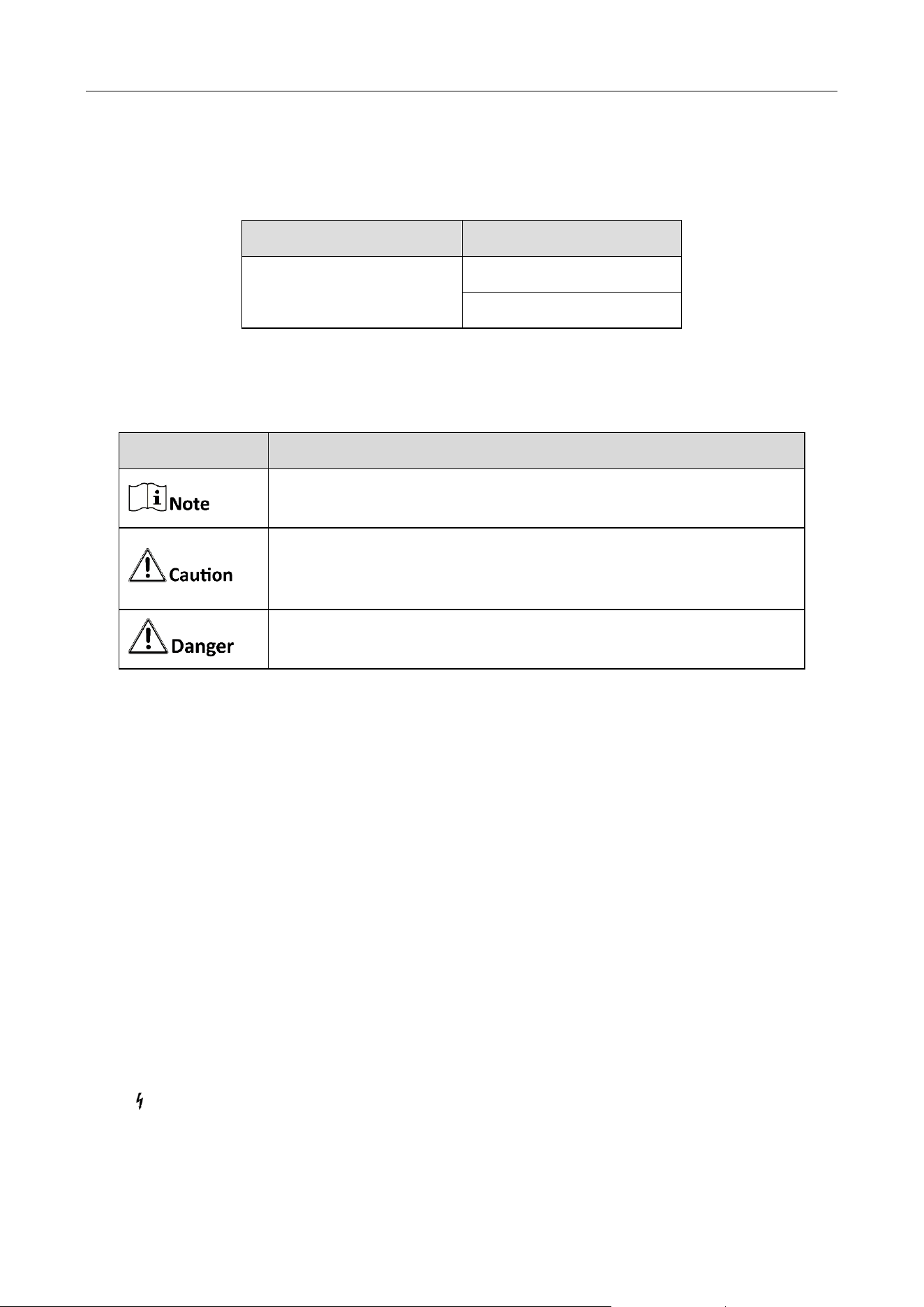
Symbol Conventions
The symbols that may be found in this document are defined as follows.
Safety Instruction
Proper configuration of all passwords and other security settings is the responsibility of the
installer and/or end-user.
In the use of the product, you must be in strict compliance with the electrical safety
regulations of the nation and region.
Firmly connect the plug to the power socket. Do not connect several devices to one power
adapter. Power off the device before connecting and disconnecting accessories and peripherals.
Shock hazard! Disconnect all power sources before maintenance.
The equipment must be connected to an earthed mains socket-outlet.
The socket-outlet shall be installed near the equipment and shall be easily accessible.
indicates hazardous live and the external wiring connected to the terminals requires
installation by an instructed person.
Symbol
Description
Provides additional information to emphasize or supplement
important points of the main text.
Indicates a potentially hazardous situation, which if not avoided,
could result in equipment damage, data loss, performance
degradation, or unexpected results.
Indicates a hazard with a high level of risk, which if not avoided, will
result in death or serious injury.

Network Video Server (Wi-Fi Series) • User Manual
VII
Never place the equipment in an unstable location. The equipment may fall, causing serious
personal injury or death.
Input voltage should meet the SELV (Safety Extra Low Voltage) and the LPS (Limited Power
Source) according to the IEC62368.
High touch current! Connect to earth before connecting to the power supply.
If smoke, odor or noise rise from the device, turn off the power at once and unplug the power
cable, and then please contact the service center.
Use the device in conjunction with an UPS, and use factory recommended HDD if possible.
This product contains a coin/button cell battery. If the battery is swallowed, it can cause severe
internal burns in just 2 hours and can lead to death.
This equipment is not suitable for use in locations where children are likely to be present.
CAUTION: Risk of explosion if the battery is replaced by an incorrect type.
Improper replacement of the battery with an incorrect type may defeat a safeguard (for
example, in the case of some lithium battery types).
Do not dispose of the battery into fire or a hot oven, or mechanically crush or cut the battery,
which may result in an explosion.
Do not leave the battery in an extremely high temperature surrounding environment, which
may result in an explosion or the leakage of flammable liquid or gas.
Do not subject the battery to extremely low air pressure, which may result in an explosion or
the leakage of flammable liquid or gas.
Dispose of used batteries according to the instructions.
Keep body parts away from fan blades and motors. Disconnect the power source during
servicing.
Keep body parts away from motors. Disconnect the power source during servicing.
Use only power supplies same with the original model, or LPS power supplies with the same
voltage and electric current.
Preventive and Cautionary Tips
Before connecting and operating your device, please be advised of the following tips:
● The device is designed for indoor use only. Install it in a well-ventilated, dust-free environment
without liquids.
● Ensure recorder is properly secured to a rack or shelf. Major shocks or jolts to the recorder as a
result of dropping it may cause damage to the sensitive electronics within the recorder.
● The equipment shall not be exposed to dripping or splashing and that no objects filled with
liquids shall be placed on the equipment, such as vases.
● No naked flame sources, such as lighted candles, should be placed on the equipment.
● The ventilation should not be impeded by covering the ventilation openings with items, such as

Network Video Server (Wi-Fi Series) • User Manual
VIII
newspapers, table-cloths, curtains, etc. The openings shall never be blocked by placing the
equipment on a bed, sofa, rug or other similar surface.
● For certain models, the equipment has been designed, when required, modified for connection
to an IT power distribution system.
● identifies the battery holder itself and identifies the positioning of the cell(s) inside the
battery holder.
● + identifies the positive terminal(s) of equipment which is used with, or generates direct
current. + identifies the negative terminal(s) of equipment which is used with, or generates
direct current.
● Keep a minimum 200 mm (7.87 inch) distance around the equipment for sufficient ventilation.
● The USB port of the equipment is used for connecting to a mouse, keyboard, or USB flash drive.
● Do not touch the sharp edges or corners.

Network Video Server (Wi-Fi Series) • User Manual
IX
TABLE OF CONTENTS
Chapter 1 Front Panel Introduction ................................................................................................ 1
Chapter 2 Rear Panel Introduction ................................................................................................. 2
Chapter 3 Connect Network Cable & Micro SD Card ...................................................................... 3
Chapter 4 Startup ........................................................................................................................... 4
Chapter 5 Hik-Connect Connection ................................................................................................ 5
Add Your Device............................................................................................................................................. 5
Link Cameras to Your Device .......................................................................................................................... 7
Live View and Playback .................................................................................................................................. 8
Network Video Server (Wi-Fi Series) • User Manual
1
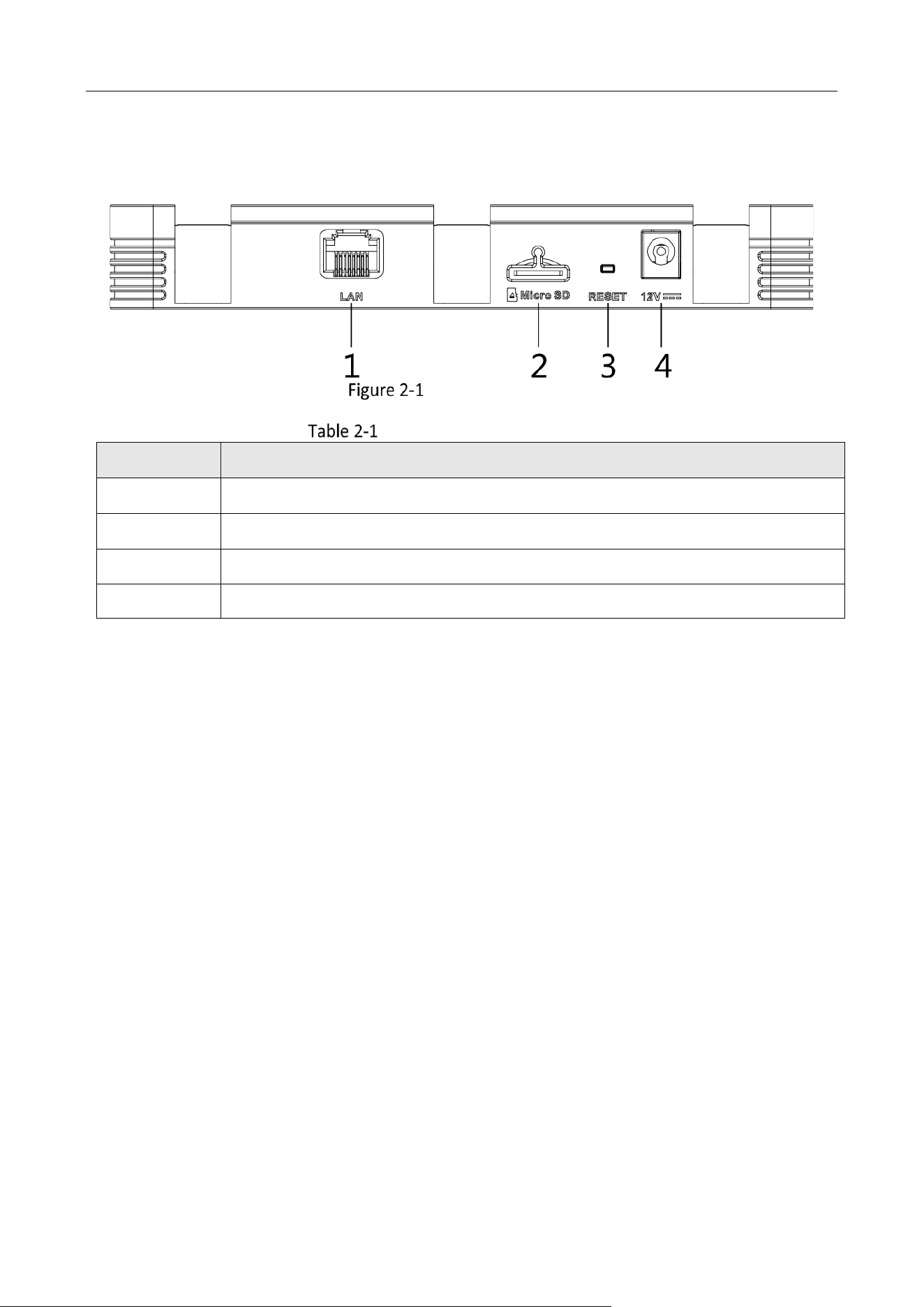
Chapter 1 Front Panel Introduction
Front Panel Indicator
Front Panel Indicator Description
No.
Icon
Description
1
The indicator turns on when your device is powered up.
The indicator turns off when your device is powered off or power
supply exception occurs.
The indicator flashes when your device is being restored.
2
The indicator turns on when SD card is detected.
The indicator turns off when there is no SD card.
The indicator flashes when there is data transmission.
3
The indicator turns on when network is connected.
The indicator turns on when network is disconnected or network
exception occurs.
4
The indicator turns on when Wi-Fi is initializing or there is no data
transmission through Wi-Fi.
The indicator turns off when Wi-Fi exception occurs.
The indicator flashes slowly (on for 2 sec and off for 2 sec) when
Wi-Fi is initialized and there is data transmission through Wi-Fi.
5
4G is not available for you device, and this indicator would not be
working.
Network Video Server (Wi-Fi Series) • User Manual
2
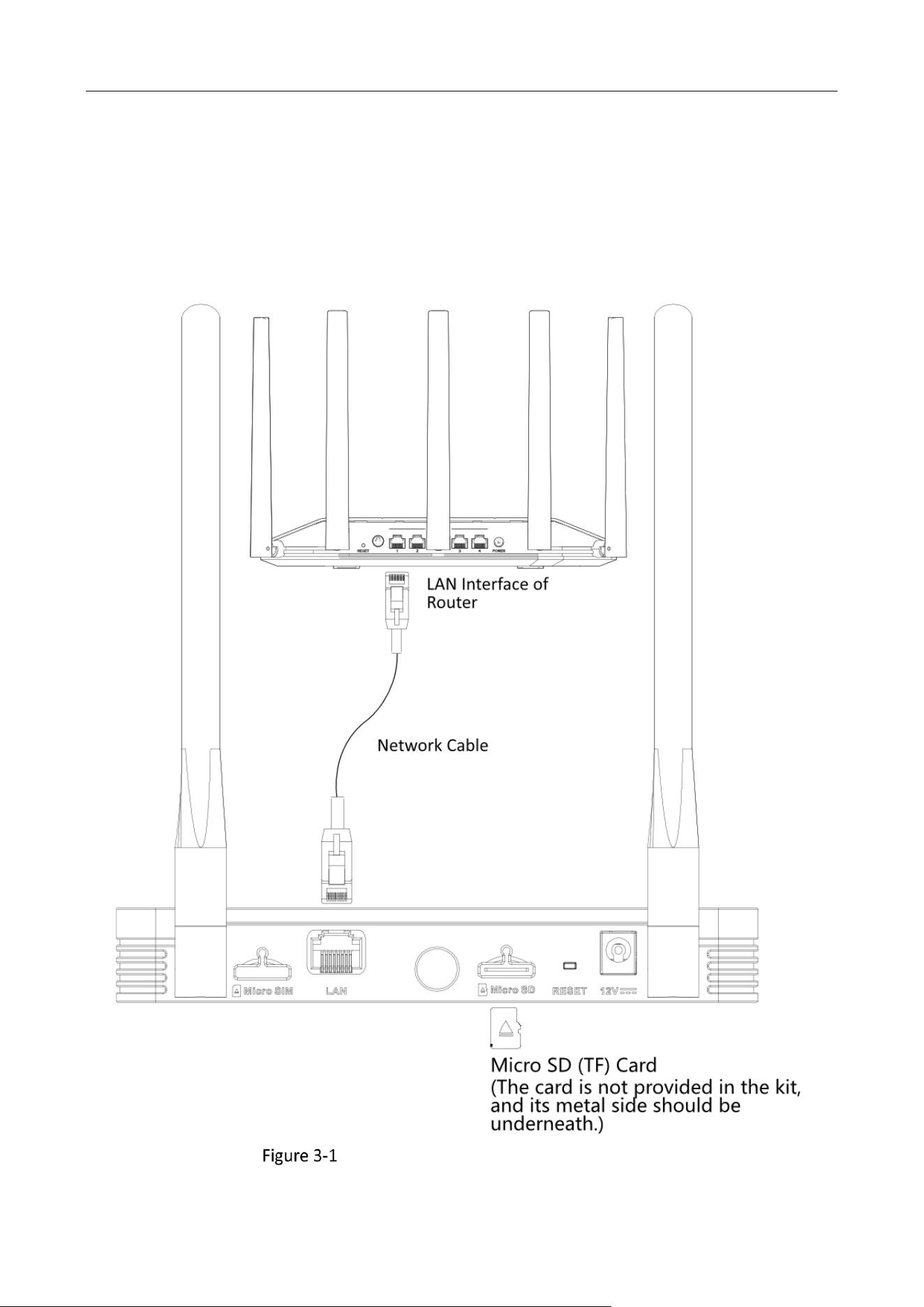
Chapter 2 Rear Panel Introduction
Rear Panel Interface
Rear Panel Interface Description
No.
Description
1
LAN self-adaptive Ethernet interface.
2
Micro SD (TF) card is connectable, and the card metal side should be underneath.
3
The device be restored if you press the reset button for about 5 seconds.
4
12 VDC power supply.
Network Video Server (Wi-Fi Series) • User Manual
3
Chapter 3 Connect Network Cable & Micro SD
Card
Connect your device with a router by a network cable, and insert a micro SD card in to the SD card
slot.
Network Cable & Micro SD Card Connection
Network Video Server (Wi-Fi Series) • User Manual
4
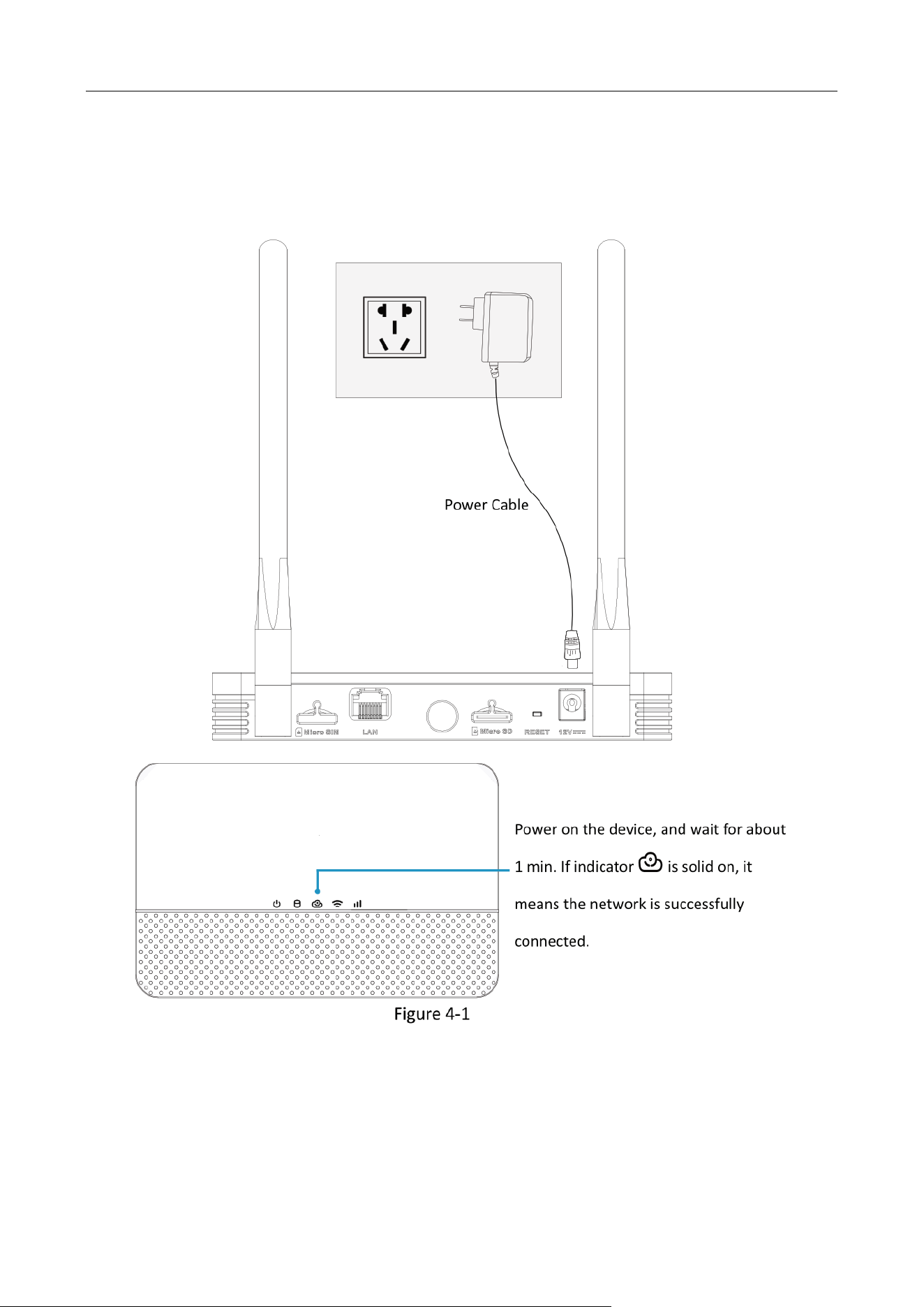
Chapter 4 Startup
Power on your device.
Startup
Network Video Server (Wi-Fi Series) • User Manual
5
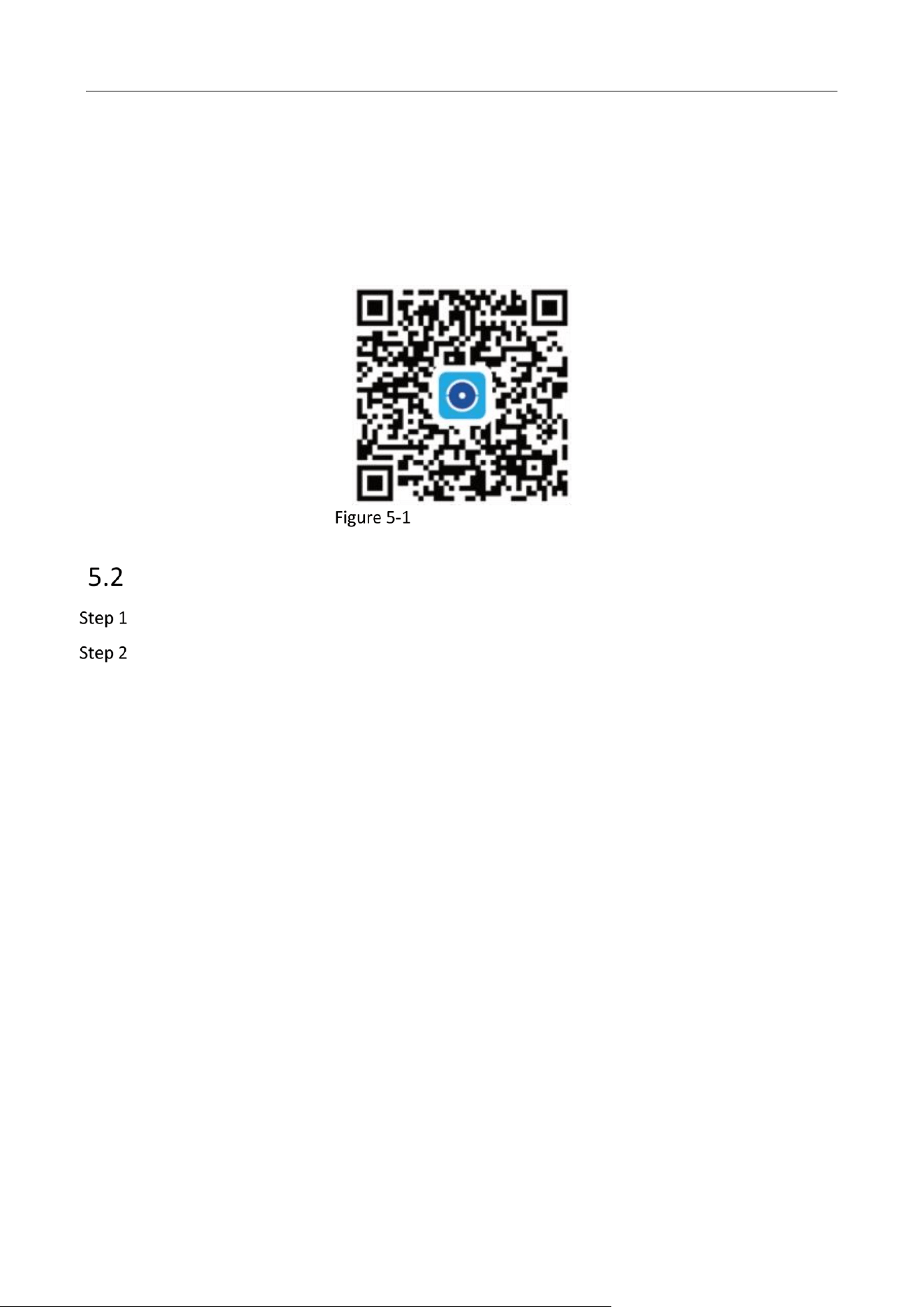
Chapter 5 HiLookVision Connection
HiLookVision provides mobile phone application and platform service to access and operate your
network video server. Please use a smart phone to scan the QR code below and download
HiLookVision app.
Download HiLookVision
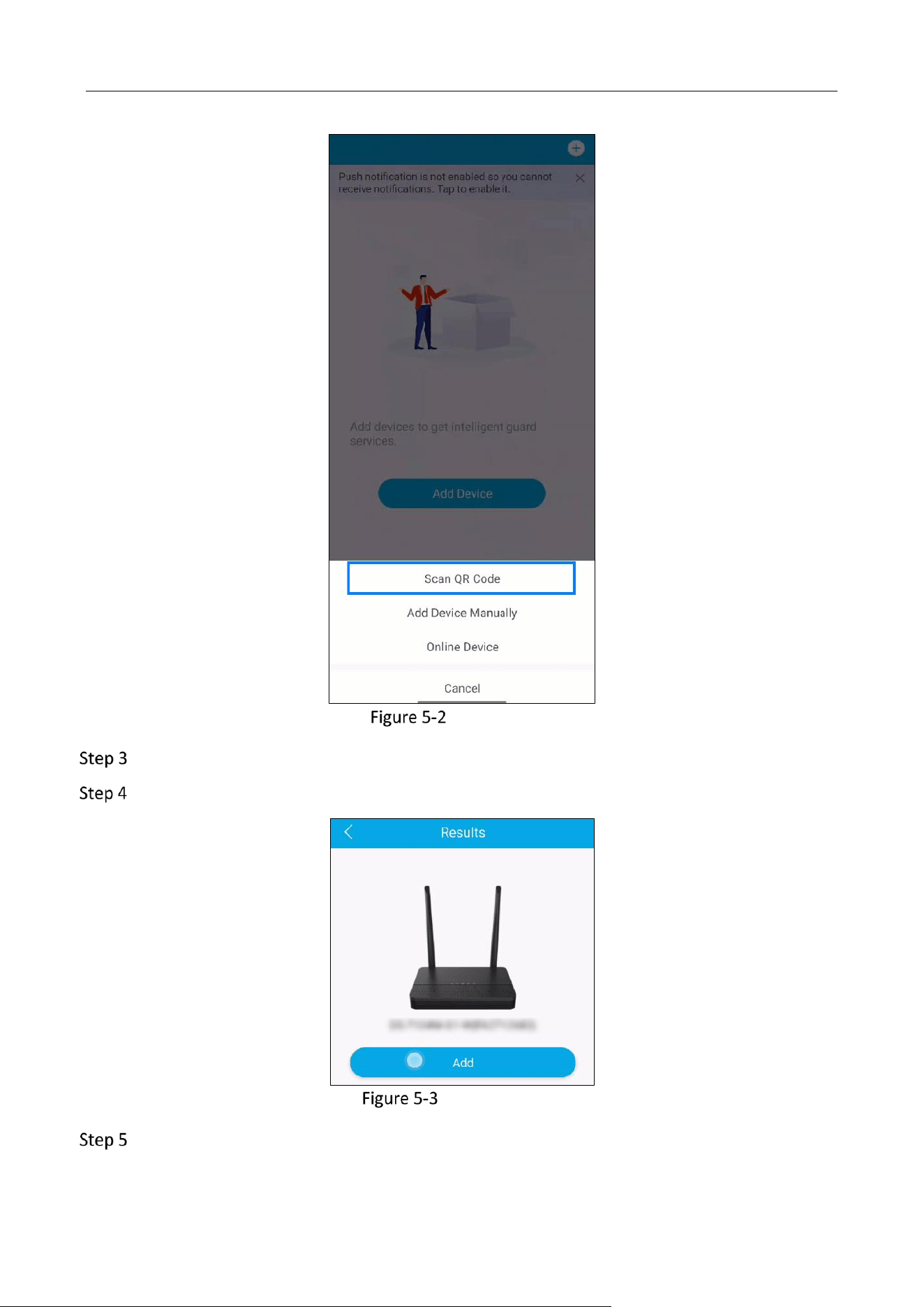
Add Your Device
Tap Add Device at the home page of HiLookVision.
Tap Scan QR Code.
Network Video Server (Wi-Fi Series) • User Manual
6
Scan QR Code
Scan the device QR code on the tag.
Tap Add.
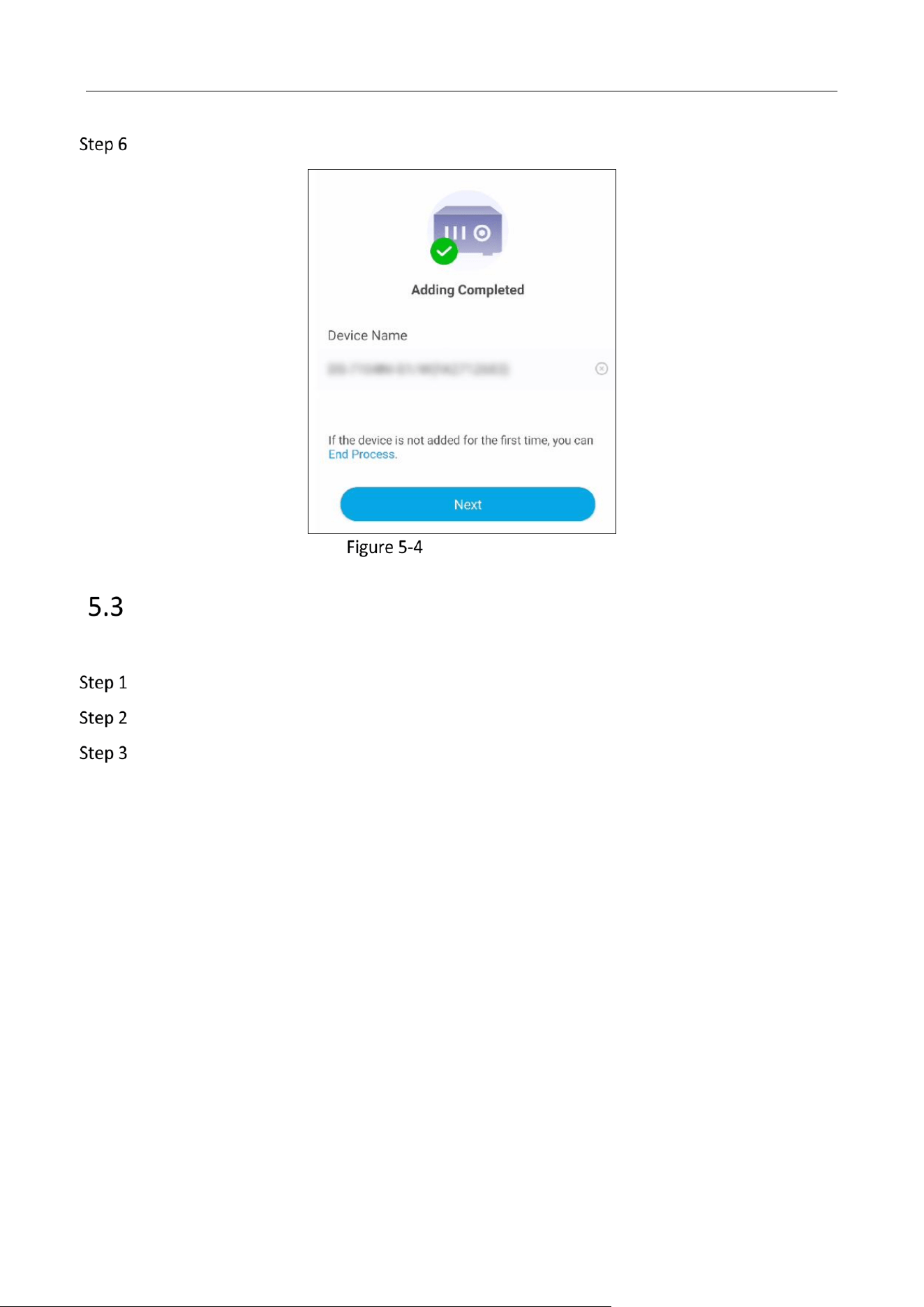
Add Your Device
If the device is not added for the first time, tap End Process.
Network Video Server (Wi-Fi Series) • User Manual
7
Optional: Tap Next to link cameras.
Initialize Your Device
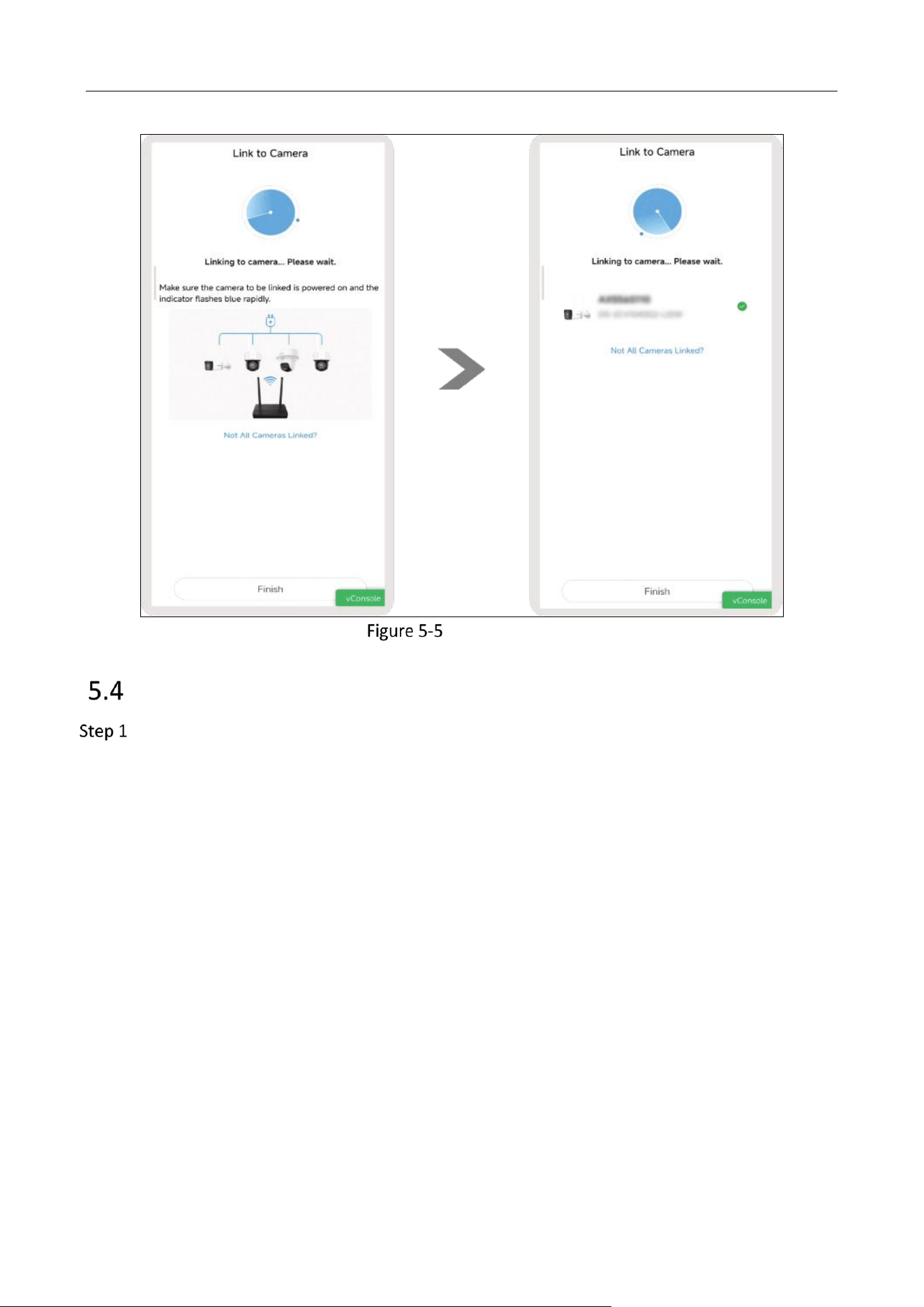
Link Cameras to Your Device
After your device is added to HiLookVision, you can link network cameras to your device.
Tap Next after your device is added to HiLookVision.
Wait for the searching process.
Tap Finish after all cameras are automatically linked.
Network Video Server (Wi-Fi Series) • User Manual
8
Link to Camera
Live View and Playback
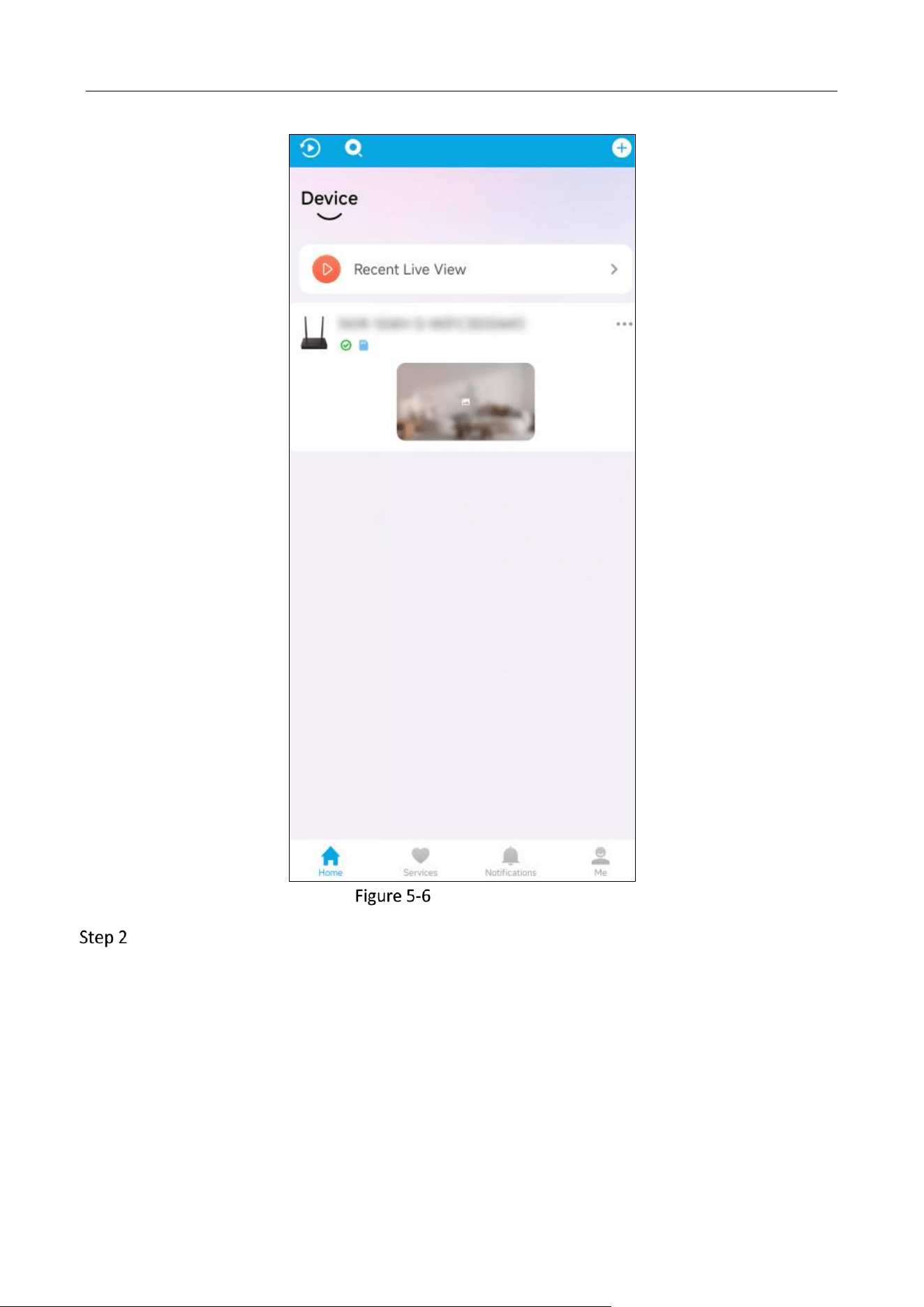
Select your device at the home page of HiLookVision.
Network Video Server (Wi-Fi Series) • User Manual
9
Select Your Device
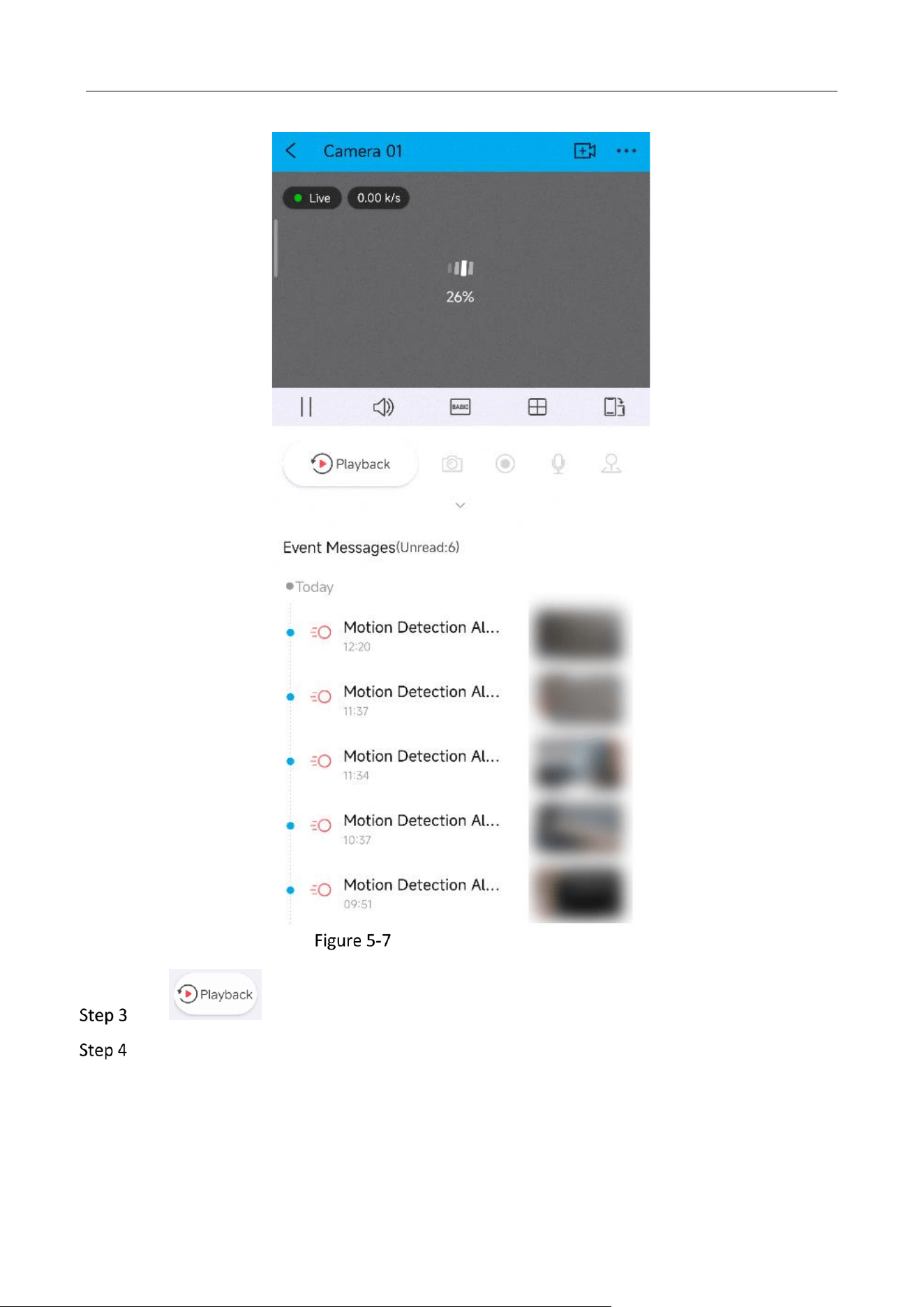
Wait for the network connection, and live image would be display at the top window.
Network Video Server (Wi-Fi Series) • User Manual
10
Wait for Network Connection
Tap to play back videos.
Optional: Tap the tools below the live view window as your needed.

0
UD37783B