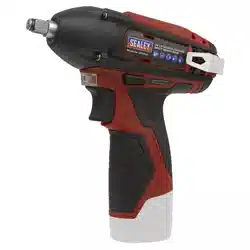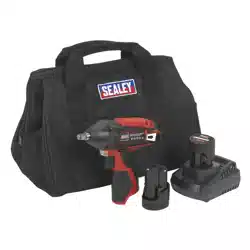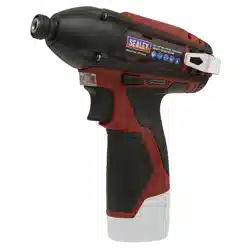
12V SV12 SERIES 1/4”HEX DRIVE CORDLESS
IMPACT DRIVER - BODY ONLY
MODEL NO: CP1203
Thank you for purchasing a Sealey product. Manufactured to a high standard, this product will, if used according to these instructions,
and properly maintained, give you years of trouble free performance.
IMPORTANT: PLEASE READ THESE INSTRUCTIONS CAREFULLY. NOTE THE SAFE OPERATIONAL REQUIREMENTS, WARNINGS & CAUTIONS. USE
THE PRODUCT CORRECTLY AND WITH CARE FOR THE PURPOSE FOR WHICH IT IS INTENDED. FAILURE TO DO SO MAY CAUSE DAMAGE AND/OR
PERSONAL INJURY AND WILL INVALIDATE THE WARRANTY. KEEP THESE INSTRUCTIONS SAFE FOR FUTURE USE.
1. SAFETY
1.1. GENERAL SAFETY
9 Maintain the Impact Driver and battery in good condition. Check moving parts alignment on a regular basis.
9 Replace or repair damaged parts. Use an authorised service agent and recommended parts only. Unauthorised parts may be
dangerous and will invalidate the warranty.
9 Ensure the Impact Driver is switched off before installing the battery pack.
9 Keep the Impact Driver and charger clean for best and safest performance.
9 Remove ill tting clothing. Remove ties, watches, rings and other loose jewellery and contain long hair.
9 Evaluate the work area before using the Impact Driver; e.g. ceilings, oors and enclosures may contain electrical items or water piping
9 Ensure battery pack is correctly inserted into the Impact Driver handle and latched in place before attempting to switch on Impact
Driver.
9 Secure loose work pieces with a clamp, vice or other adequate holding device.
9 Avoid unintentional starting.
9 Wear approved safety eye protection (standard spectacles are not adequate).
9 Maintain correct balance and footing. Ensure the floor is not slippery and wear non-skid shoes.
9 Be aware that this Impact Driver does not need to be plugged into the mains power.
9 Keep direction switch in the locked position until the Impact Driver is required for use.
9 Keep children and unauthorised persons away from the working area.
8 DO NOT use the Impact Driver where there are ammable liquids, solids or gases, such as paint solvents, etc.
8 DO NOT allow children to operate the Impact Driver.
8 DO NOT operate the Impact Driver if any parts are missing as this may cause failure and/or personal injury.
8 DO NOT hold unsecured work piece in your hand.
8 DO NOT leave the Impact Driver operating unattended.
8 DO NOT carry the Impact Driver with your finger on the power switch. Keep chuck direction switch in the locked position.
8 DO NOT use the Impact Driver for a task it is not designed to perform.
8 DO NOT operate the Impact Driver when you are tired or under the influence of alcohol, drugs or intoxicating medication.
8 DO NOT get the Impact Driver or battery charger wet or use in damp or wet locations.
1.2. HAND ARM VIBRATION
WARNING! – Risk of Hand Arm Vibration Injury.
This tool may cause Hand Arm Vibration Syndrome if its use is not managed adequately.
This tool is subject to the vibration testing section of the Machinery Directive 2006/42/EC.
This tool is to be operated in accordance with these instructions.
Measured vibration emission value (a): 2.898
m/s²
Uncertainty value (k):
1.5m/s²
Please note that the application of the tool to a sole specialist task may produce a different average vibration emission. We recommend
that a specific evaluation of the vibration emission is conducted prior to commencing with a specialist task.
A health and safety assessment by the user or employer will need to be carried out to determine the suitable duration of use for each tool.
NB: Stated Vibration Emission values are type-test values and are intended to be typical.
Whilst in use, the actual value will vary considerably from and depend on many factors, such as the operator, the task and the inserted
tool or consumable.
NB: ensure that the length of leader hoses is sufficient to allow unrestricted use, as this also helps to reduce vibration.
The state of maintenance of the tool itself is also an important factor, a poorly maintained tool will also increase the risk of Hand Arm
Vibration Syndrome.
1.3. HEALTH SURVEILLANCE
We recommend a programme of health surveillance to detect early symptoms of vibration injury so that management procedures can be
modified accordingly.
1.4. PERSONAL PROTECTIVE EQUIPMENT
We are not aware of any personal protective equipment (PPE) that provides protection against vibration injury that may result from the
uncontrolled use of this tool. We recommend a sufficient supply of clothing (including gloves) to enable the operator to remain warm and
dry and maintain good blood circulation in fingers etc. Please note that the most effective protection is prevention, please refer to the
Correct Use and Maintenance section in these instructions. Guidance relating to the management of hand arm vibration can be found on
the HSC website www.hse.gov.uk - Hand-Arm Vibration at Work.
Refer to
instruction
manual
Wear eye
protection
Wear protective
gloves
Wear ear
protection
Wear a mask
CP1203 Issue 3 (ALL) 13/06/23
Original Language Version
© Jack Sealey Limited
CP1203 Issue 3 (ALL) 13/06/23
Original Language Version
© Jack Sealey Limited
Sealey Group, Kempson Way, Suffolk Business Park, Bury St Edmunds, Suffolk. IP32 7AR
01284 757500 sales@sealey.co.uk www.sealey.co.uk
ENVIRONMENT PROTECTION
Recycle unwanted materials instead of disposing of them as waste. All tools, accessories and packaging should be
sorted, taken to a recycling centre and disposed of in a manner which is compatible with the environment. When
the product becomes completely unserviceable and requires disposal, drain any uids (if applicable) into approved
containers and dispose of the product and uids according to local regulations.
Note: It is our policy to continually improve products and as such we reserve the right to alter data, specifications and component parts without prior
notice.
Important: No Liability is accepted for incorrect use of this product.
Warranty: Guarantee is 12 months from purchase date, proof of which is required for any claim.
REGISTER YOUR
PURCHASE HERE
WEEE REGULATIONS
Dispose of this product at the end of its working life in compliance with the EU Directive on Waste Electrical and Electronic
Equipment (WEEE). When the product is no longer required, it must be disposed of in an environmentally protective way. Contact
your local solid waste authority for recycling information.
2. INTRODUCTION
Compact, lightweight cordless impact driver. Comfortable composite housing with soft grip to reduce vibration. Variable speed control
trigger with lock function gives more control during application. All metal gear construction for ultimate durability and performance.
Integrated LED battery level indicator and LED work light. Supplied with belt hook for safer storage while not in use. Requires Model No.
CP1200BP 12V 1.5Ah Lithium-ion Battery and Model No. CP1200MC Battery Charger.
3. SPECIFICATION
Model No: ..........................................................CP1203
Battery Options (not included): .....12V 1.5Ah Lithium-ion
........................................................12V 3Ah Lithium-ion
........................................................12V 4Ah Lithium-ion
Drive: ..................................................................1/4”Hex
Impact Rate: ..................................................0-3500bpm
Maximum Torque: ...................................... 80Nm(58lb.ft)
Noise Power/Pressure:..................................89/78dB(A)
No-Load Speed: .............................................0-2500rpm
Replacement Parts: ............ CP1200MC - Mains Charger
Vibration/Uncertainty: ................................2.898/1.5m/s²
4. OPERATION
4.1. USING THE IMPACT DRIVER
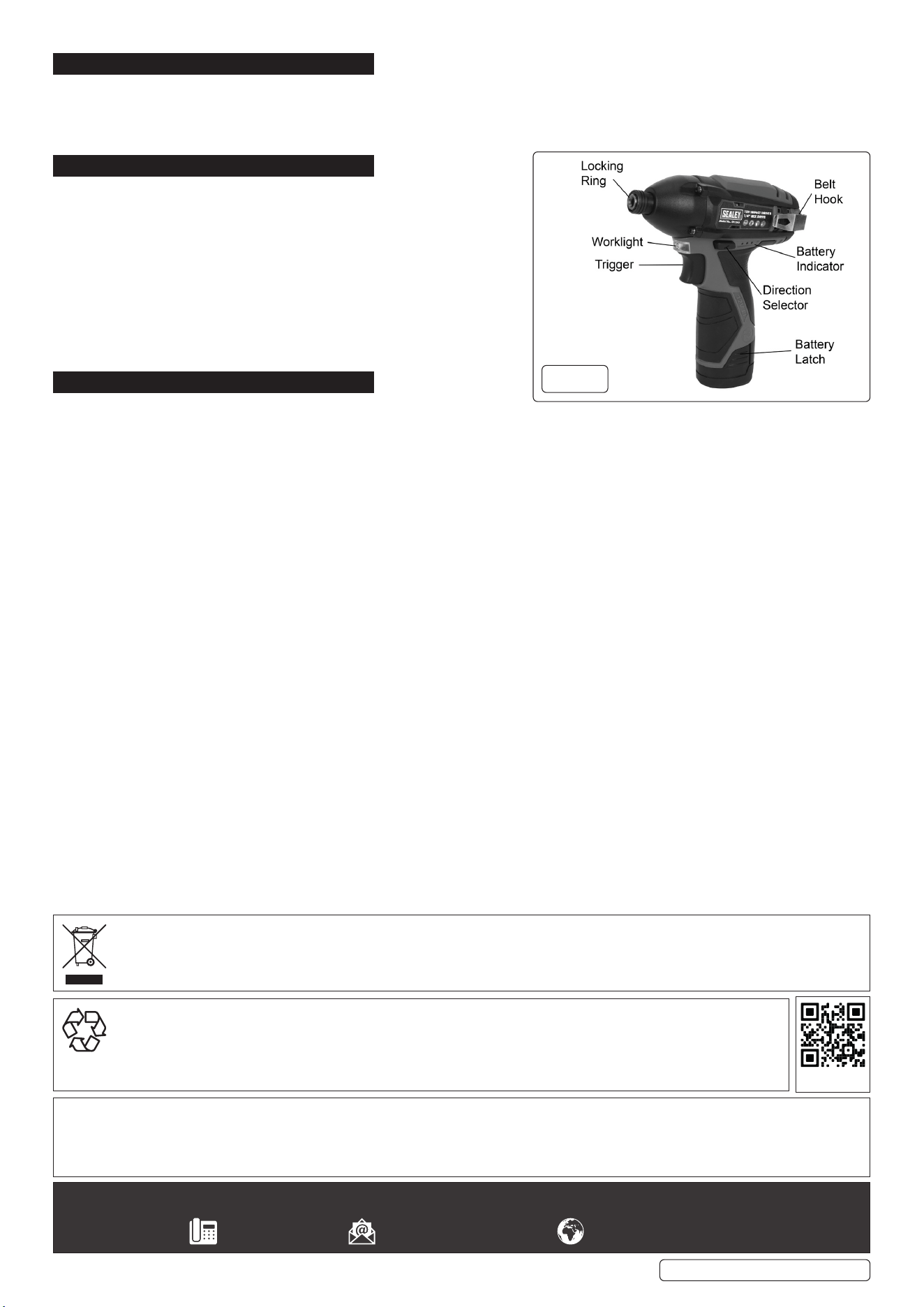
4.1.1. Ensure the direction selector (g.1) is in the mid (lock) position.
4.1.2. Insert the required driver bit into the chuck by pulling the locking
collar forward and sliding the bit in until the locking ring snaps back.
4.1.3. Select clockwise or anticlockwise direction by means of the direction selector.
4.1.4. Squeeze the trigger to start the driver; initial pressure switches on the LED worklight, further pressure starts the motor and increases
speed.
4.1.5. To release the bit, pull the locking collar forward and withdraw.
g.1