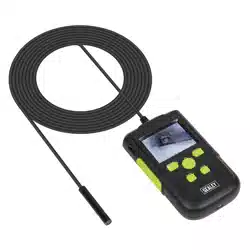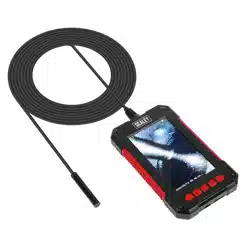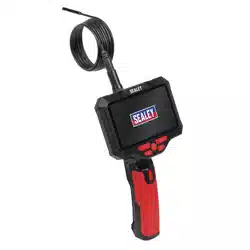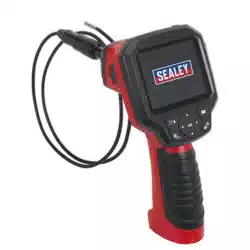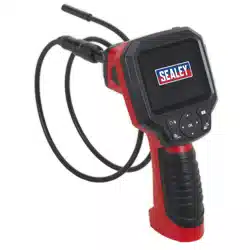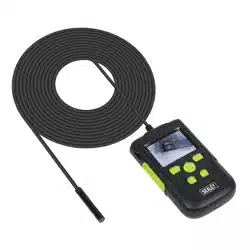

Ø8MM CAMERA VIDEO BORESCOPES
MODEL NO: VS8111, VS8112
Thank you for purchasing a Sealey product. Manufactured to a high standard, this product will, if used according to these
instructions, and properly maintained, give you years of trouble free performance.
IMPORTANT: PLEASE READ THESE INSTRUCTIONS CAREFULLY. NOTE THE SAFE OPERATIONAL REQUIREMENTS, WARNINGS & CAUTIONS. USE
THE PRODUCT CORRECTLY AND WITH CARE FOR THE PURPOSE FOR WHICH IT IS INTENDED. FAILURE TO DO SO MAY CAUSE DAMAGE AND/OR
PERSONAL INJURY AND WILL INVALIDATE THE WARRANTY. KEEP THESE INSTRUCTIONS SAFE FOR FUTURE USE.
1. SAFETY
1.1. GENERAL SAFETY
9 Always perform automotive testing in a safe environment.
9 Keep your work area clean and well lit.
9 Keep clothing, hair, hands, tools, test equipment, etc. away from all moving or hot engine parts.
9 Operate the tool in a well-ventilated work area.
8 DO NOT operate the tool in explosive atmospheres, such as in the presence of ammable liquids, gases, or heavy dust.
8 DO NOT use the tool around corrosive chemicals which can damage the tool.
8 DO NOT abuse the exible cable. Never use the exible cable to carry the tool.
8 DO NOT drop the borescope, it is not shock proof.
9 Keep bystanders and children away while operating the tool.
9 Keep the tool dry, clean, free from oil, water and grease.
WARNING: The handheld display unit is NOT waterproof.
9 Handle the borescope with care. If it is dropped, check for breakage and any other conditions which may aect its operation.
8 DO NOT immerse the imager head and cable into corrosive substances, petroleum or oil.
8 DO NOT use near moving machinery.
8 DO NOT use excessive force to insert or withdraw the imager head or cable.
8 DO NOT use the tool while tired or under the inuence of drugs, alcohol, or intoxicating medication.
8 DO NOT use the tool for personal or medical use in any way.
1.2. CHARGING SAFETY
9 Use only the supplied charger.
9 Disconnect the charger from the electrical supply when not in use.
8 DO NOT charge in an explosive atmosphere or in the presence of ammable material.
8 DO NOT exceed the maximum charging time.
1.3. The warnings, precautions and instructions discussed in this instruction manual cannot cover all possible conditions and situations
that may occur. It must be understood by the operator that common sense and caution are factors which cannot be built into this
product, but must be supplied by the operator.
2. INTRODUCTION
High performance handheld borescope with 60mm colour LCD screen and waterproof probe pod with IP67 rating. Features video record/
playback and still images. Videos and images are stored on a micro SD card (not supplied). 2600mAh Battery capacity allowing up to 10 hours
working time. Kit includes 45° mirror, hook and magnetic pick-up. USB Charging cable supplied.
3. SPECIFICATION
VS8111, VS8112 Issue 1 11/08/21
Original Language Version
© Jack Sealey Limited
Refer to
instructions
Model: VS8111 VS8112
Camera Probe Length: 2m 10m
Camera: Ø8mm Ø8mm
Mirror Flip/Rotate Function Yes Yes
Pod Length: 50mm 50mm
Power Source: 2600 mAh Battery 2600 mAh Battery
Record Function (Video + Still) Yes Yes
Screen Resolution: 1920 x 1080 1920 x 1080
Screen Size 60mm 60mm
SD Memory Slot Yes Yes
Viewing Angle: 178
0
178
0
Accessories 45
0
Mirror, Magnetic Pick-up and Hook 45
0
Mirror, Magnetic Pick-up and Hook
4. OPERATION
4.1. BATTERY CHARGING
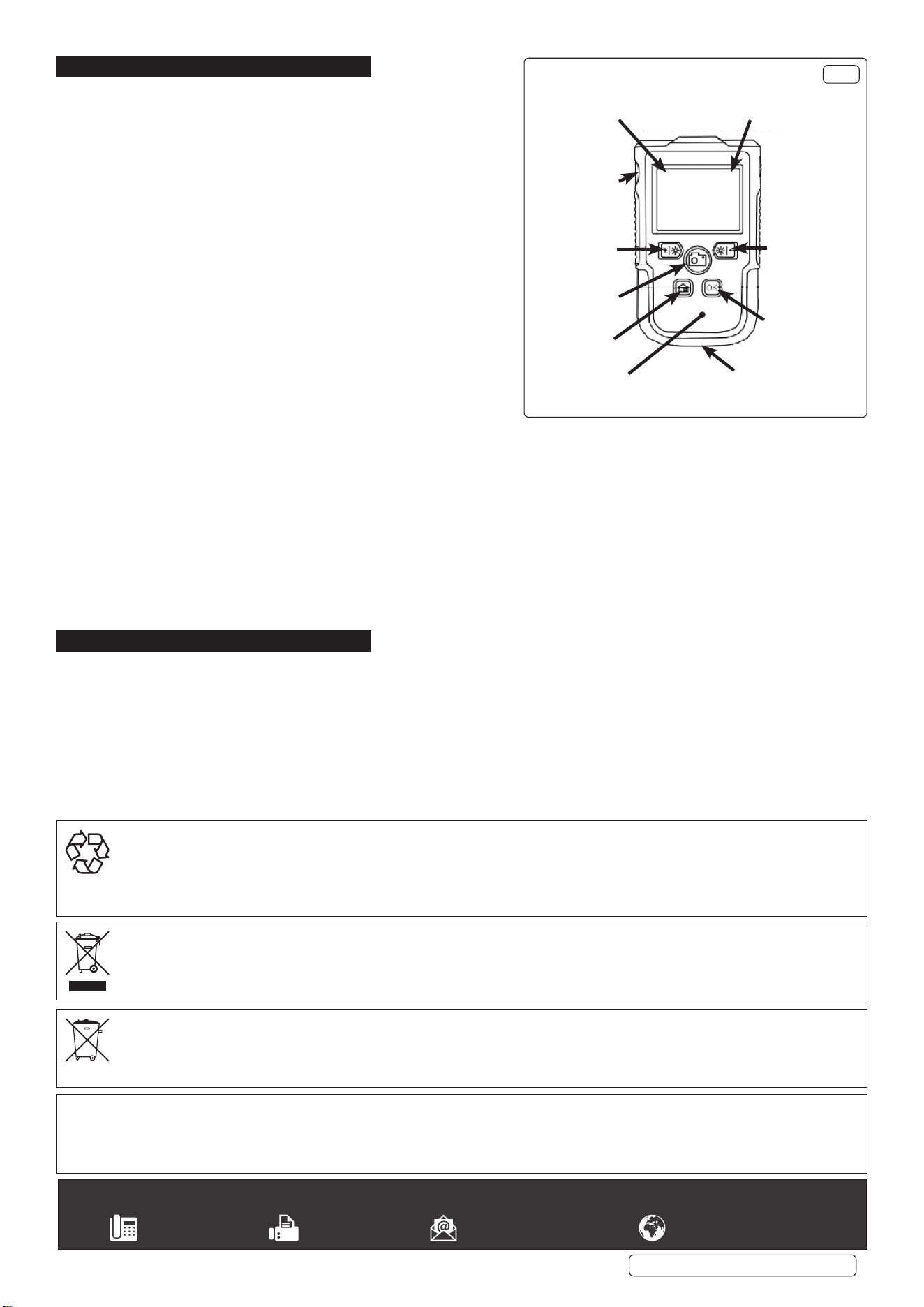
4.1.1. Insert the USB plug into the charging port (g.1), then plug the other
end into a suitable power socket.
4.1.2. When charging commences, the battery charging indicator (g.1)
will light red.
4.1.3. When the charge is complete, the charging indicator will turn o.
4.1.4. When charging is complete, disconnect the charging lead from the
power supply and from the charging port.
4.1.5. The charge state of the battery is shown in the top left corner of the
viewing screen.
4.2. FUNCTIONS
4.2.1. Photo/video: To take a photograph, press the Photo/Video button once.
If the button is held down for three seconds the unit will start recording.
To stop recording press the button once.
4.2.2. To alter the LED illumination level, press the Increase/Decrease LED
buttons. There are three LED levels, (Full, Half, or O).
4.3. MENU FUNCTIONS
4.3.1. Press Menu button to display options. Cycle through the options (below)
using the Menu Select UP/DOWN buttons. Press Accept (OK) to enter.
4.3.2. To exit from the Menu display, press the Menu button once.
4.3.3. Photo: To review stored photos, use the Menu Select UP/DOWN buttons
to highlight this option and press OK.
4.3.4. Video: To review stored videos, use the Menu Select UP/DOWN buttons to highlight this option and press OK.
4.3.5. Resolution: To select one of the three resolution modes, use the UP/DOWN buttons to highlight this option. Use the UP/DOWN
buttons to highlight the required value and press OK to select.
4.3.6. Language: To select a dierent language use the UP/DOWN buttons to highlight this option and press OK.
4.3.7. Screen rotation: To rotate the image being recorded, use the UP/DOWN buttons to highlight this option and press OK.
4.3.8. Time stamp: To time stamp your recordings, select this option.
4.3.9. Time setting: To set current time/date, use the OK and UP/DOWN buttons to set date and current time.
4.3.10. Formatting: To reformat a SD card use this option.
4.3.11. Reset system: To reset the system, use this option by selecting Conrm.
4.3.12. Storage: Displays the current volume of data stored on the SD card.
4.3.13. Software version: Displays the version number of the installed software.
5. MAINTENANCE
5.1. CLEANING
8 DO NOT use abrasive or solvent cleaners. Use a mild detergent on a soft cloth, taking care not to put excessive pressure on the
display screen.
Battery State
Indicator
Accept (OK)
Charge Port
Menu
Photo / Video
Decrease LED
Menu Select Down
SD Card Slot
On Charge
LED
Memory Card
Indicator
Increase LED
Menu Select Up
FFig.1ig.1
Sealey Group, Kempson Way, Suffolk Business Park, Bury St Edmunds, Suffolk. IP32 7AR
01284 757500 01284 703534 sales@sealey.co.uk www.sealey.co.uk
ENVIRONMENT PROTECTION
Recycle unwanted materials instead of disposing of them as waste. All tools, accessories and packaging should be sorted, taken to
a recycling centre and disposed of in a manner which is compatible with the environment. When the product becomes completely
unserviceable and requires disposal, drain any fluids (if applicable) into approved containers and dispose of the product and fluids
according to local regulations.
WEEE REGULATIONS
Dispose of this product at the end of its working life in compliance with the EU Directive on Waste Electrical and Electronic Equipment
(WEEE). When the product is no longer required, it must be disposed of in an environmentally protective way. Contact your local solid
waste authority for recycling information.
BATTERY REMOVAL
Under the Waste Batteries and Accumulators Regulations 2009, Jack Sealey Ltd are required to inform potential purchasers of products
containing batteries (as defined within these regulations), that they are registered with Valpak’s registered compliance scheme. Jack
Sealey Ltd Batteries Producer Registration Number (BPRN) is BPRN00705.
Note: It is our policy to continually improve products and as such we reserve the right to alter data, specifications and component parts without prior
notice.
Important: No Liability is accepted for incorrect use of this product.
Warranty: Guarantee is 12 months from purchase date, proof of which is required for any claim.
VS8111, VS8112 Issue 1 11/08/21
Original Language Version
© Jack Sealey Limited