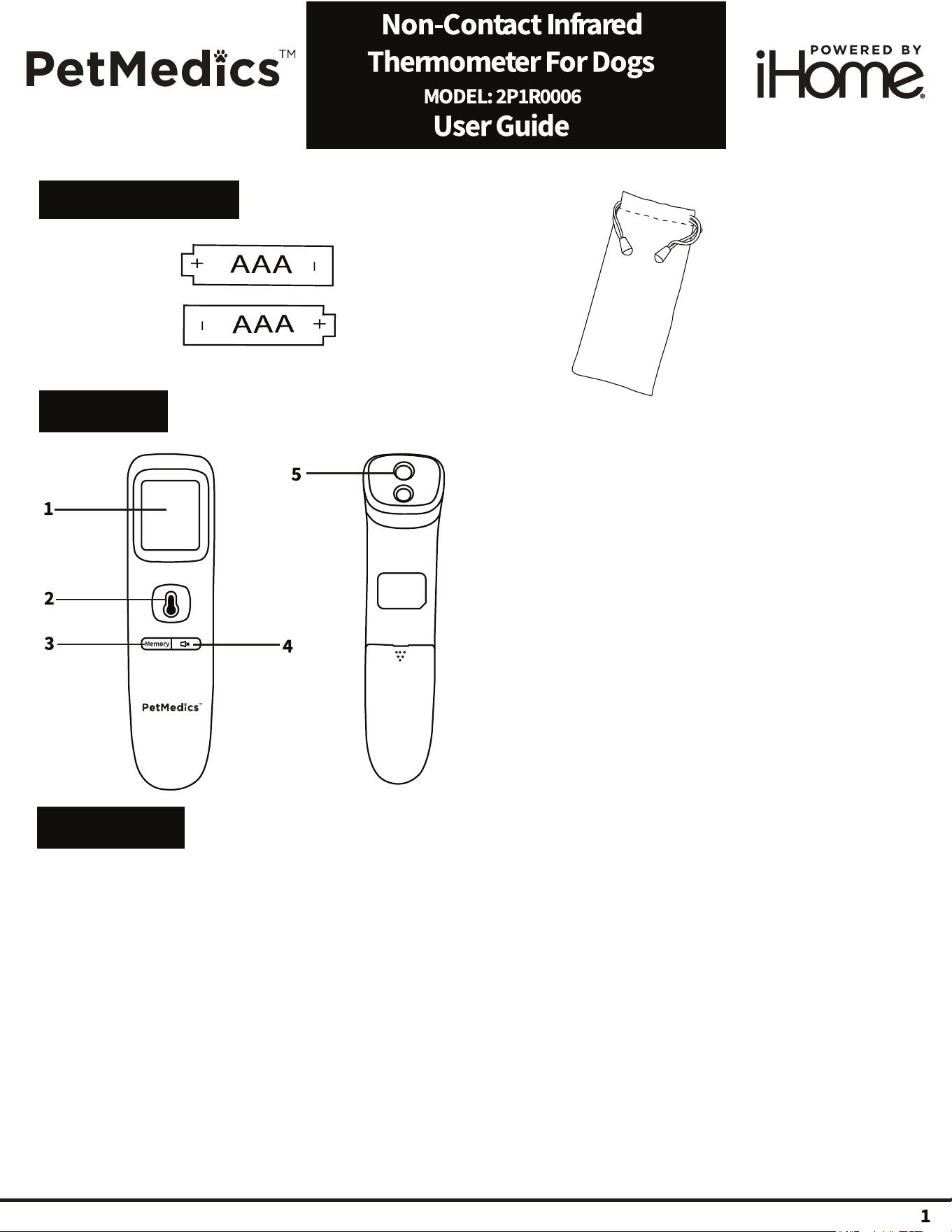
1. Power On
Press the temperature reading button (2) once. You will hear a beep sound indicating the power is on.
2. Temperature Reading
Point the thermometer approximately 1.5" away from the dog and then press the temp read button (2) until
you hear a tone sound. For accuracy, aim for the part of the body with the least hair (belly, leg or ears).
3. Silent Mode
Press the silent mode button (4) once to disable sounds. Press the button again to enable sounds.
4. Temperature Memory Recall (Up to 35)
When the thermometer is powered on press the memory button (3) to recall up to 35
previous temperature readings.
FCC Information
This equipment complies with FCC RF radiation exposure limits set forth for an uncontrolled environment.
This device complies with Part 15 of the FCC Rules, operation is subject to the following two conditions:
(1) This device may not cause harmful interference.
(2) this device must accept any interference received, including interference that may cause undesired operation.
Warning: Changes or modifications to this unit not expressly approved by the party responsible for
compliance could void the user’s authority to operate the equipment.
• NOTE: This equipment has been tested and found to comply with the limits for a Class B digital device, pursuant
to Part 15 of the FCC Rules.
These limits are designed to provide reasonable protection against harmful interference in a residentialinstallation.
This equipment generates, uses and can radiate radio frequency energy and, if not installed and used in accordance
with the instructions, may cause harmful interference to radio communications.
However, there is no guarantee that interference will not occur in a particular installation. If this equipment does
cause harmful interference to radio or television reception, which can be determined by turning the equipment
on and on, the user is encouraged to try to correct the interference by one or more of the following measures:
• Reorient or relocate the receiving antenna.
• Increase the separation between the equipment and receiver.
• Connect the equipment into an outlet on a circuit different from that to which the receiver is connected.
• Consult the dealer or an experienced radio/TV technician for help. IC Statement
WARNING/DISPOSAL OF UNIT
Do NOT attempt to change the battery. Doing so will void the warranty and could cause injury and damage
to your device. To dispose of the unit, follow the instructions below:
• Never dispose of used batteries/electronics with ordinary solid wastes, since they contain toxic substances.
• Always dispose of used batteries/electronics in accordance with the prevailing community regulations.
• Many electronics retailers now recycle batteries and other electronic components at no charge.
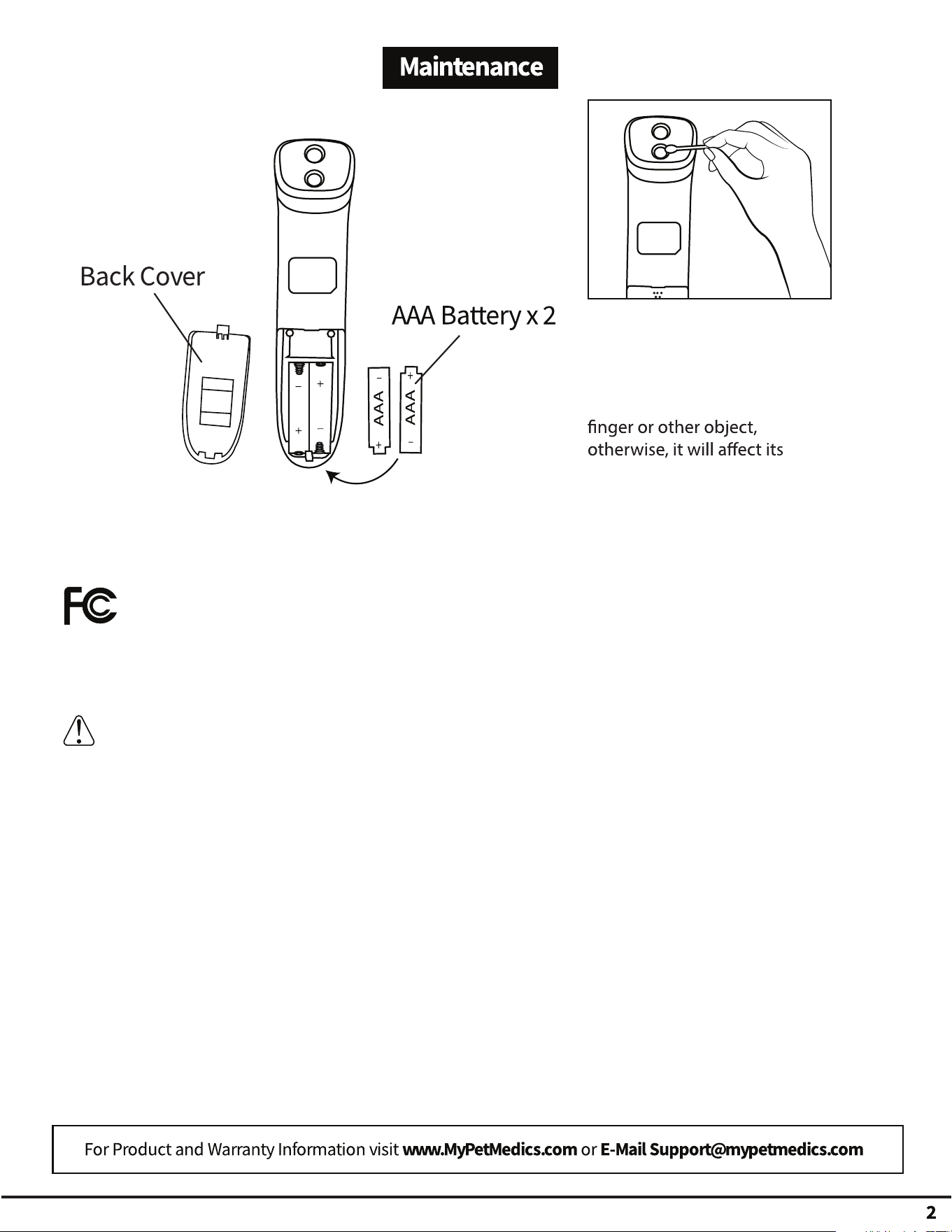
The thermometer's lens is the
most sensitive part and needs
to be kept clean from dirt or
liquids. If the lens becomes
dirty, don’t touch with your
accuracy. Use an alcohol swab
or cotton swab moistened with
95% anhydrous alcohol to
clean the thermometer casing
and the measuring lens.
