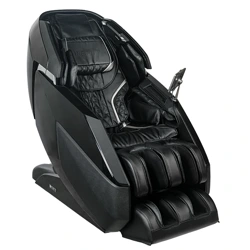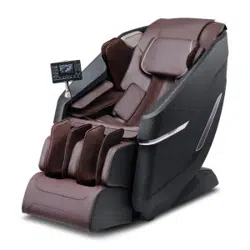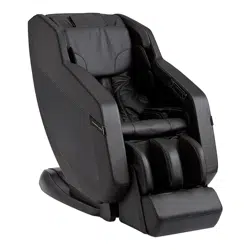
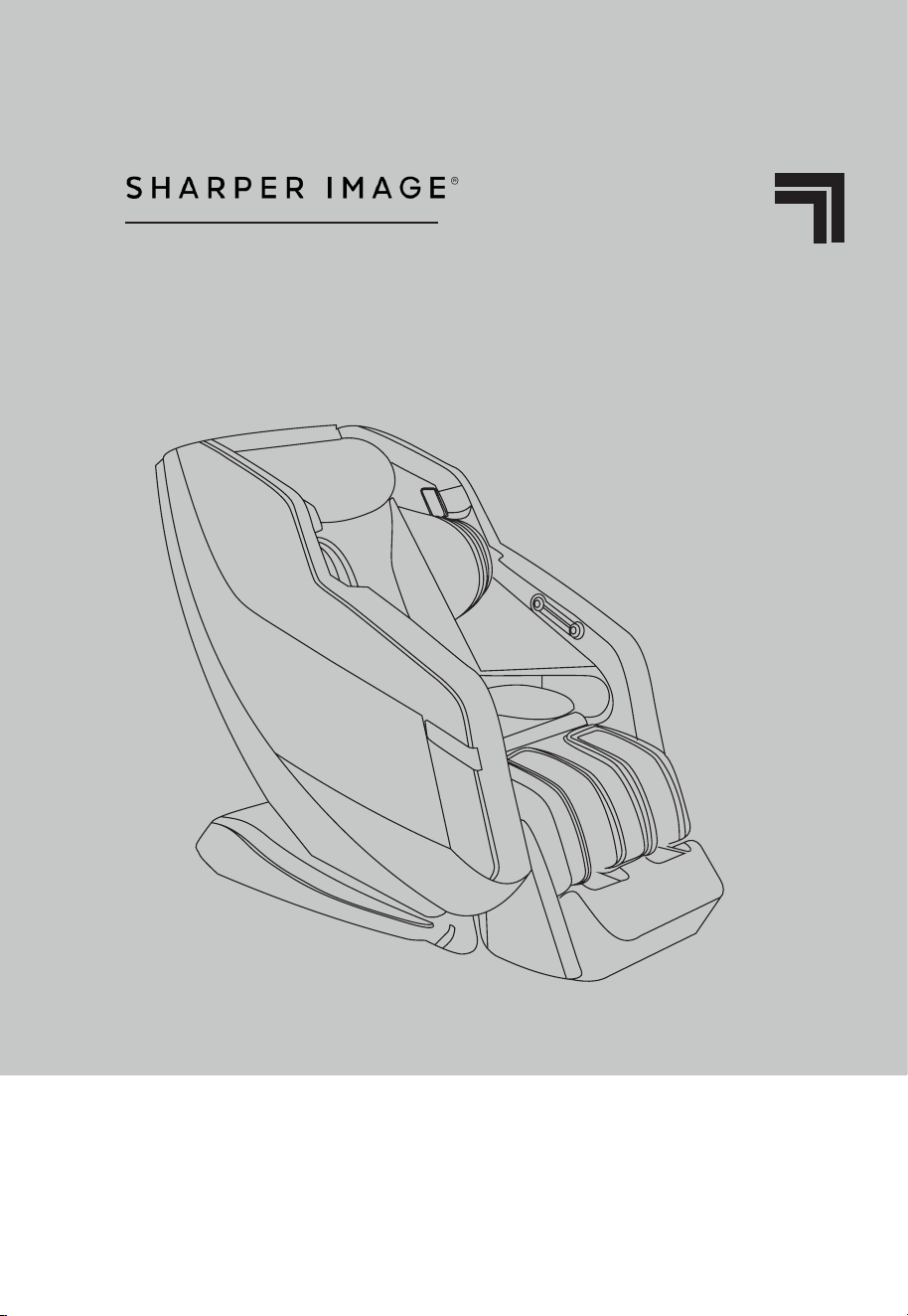
RELIEVE 3D
MASSAGE CHAIR
USER MANUAL

WELCOME TO
Thank you, and congratulations on purchusing your very own Sharper Image
Massage Chair - you’ve made a great buying decision.
Sharper Image is an american company founded in 1977 that offers products
that give people a taste of the future. The brand was the brainchild of Richard
Thalheimer, and started as a catalog business to sell advanced jogging watches.
Later, through what had become an iconic catalog, Sharper Image expanded its
product line and positioned itself as an iconic American brand for futuristic products.
Inside this manual, you are going to find everything you need to safely operate your
chair. If at any point you are having difficulties, or we havent answered one of your
questions, please dont hesitate to contact our outstanding customer service team at
888-894-9150. We are here for you.
To ensure you don’t overlook any of your chair’s features, and that you use it safely,
please read this manual carefully and keep for future reference. If you lose this
manual, refer to our website www.sharperimagemassagechairs.com. Here you
will find additional resources, copies of all documents, and tutorial videos on our
products.
Register your product at www.sharperimagemassagechairs.com/
warranty/registration to ensure it is in our system. This will simplify
the warranty process should you ever need it.
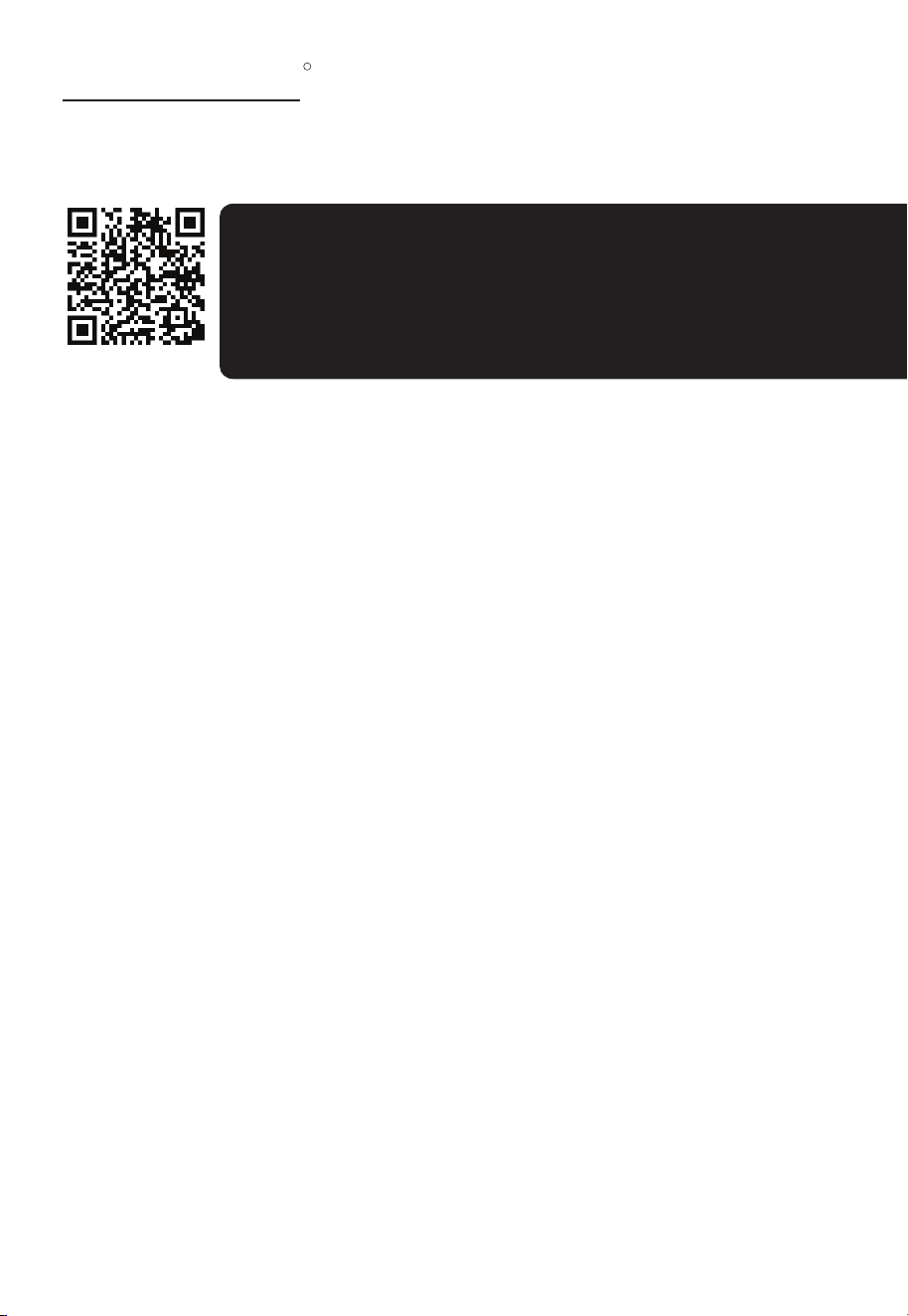
Alternatively, scan the QR code to go directly to the URL above.
SCAN CODE
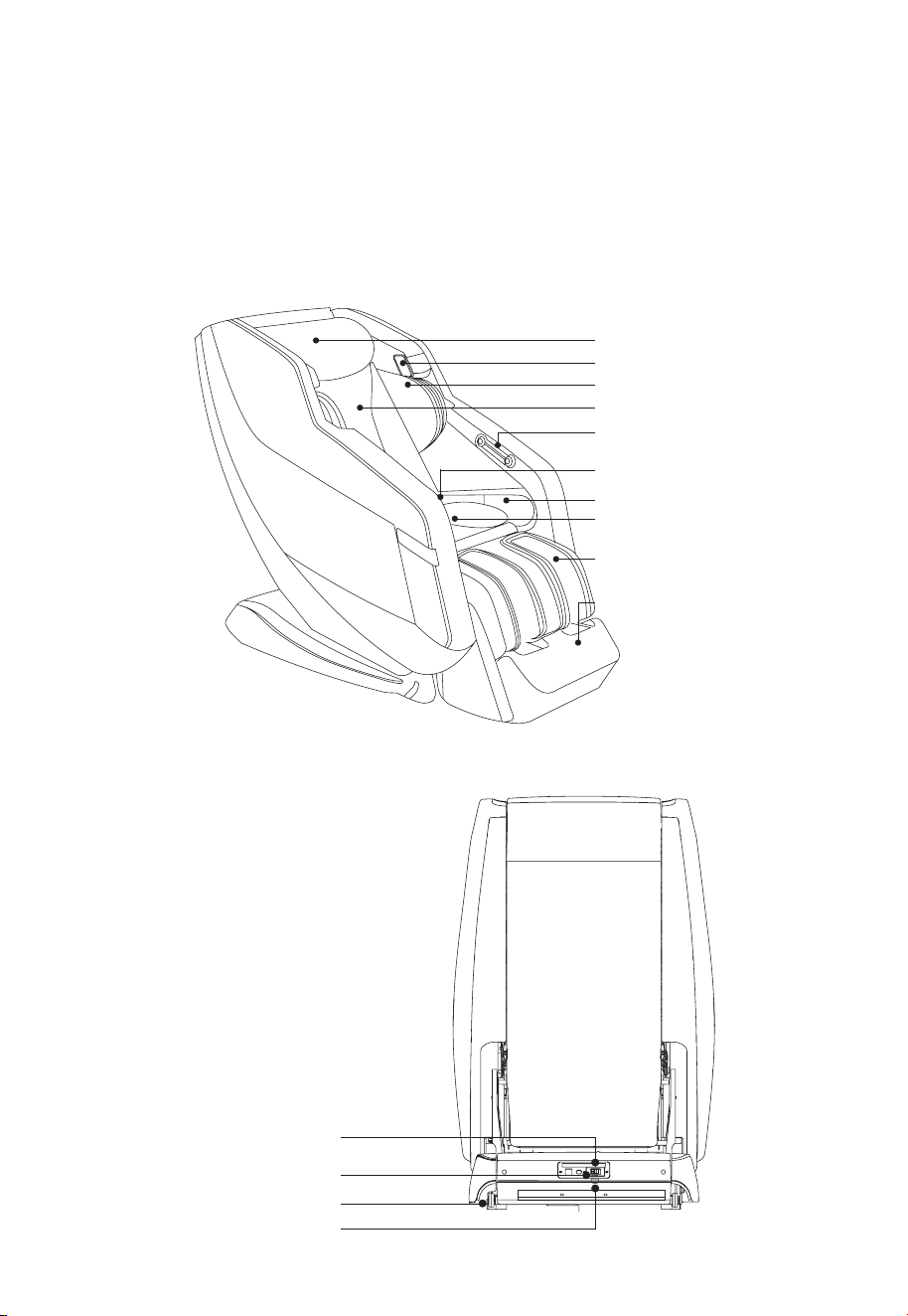
EXTERNAL STRUCTURE
POWER PANEL
MASSAGE CHAIR TERMINOLOGY
Shoulder Airbags
Headrest
Speakers
Backrest Cushion
Quick Access Panel
Arm Airbags
Controller Holder
Hip Airbags
Legrest
Footrest
Casters
Main Power Switch
Fuse
Power Cord Port

TABLE OF CONTENTS
INSTALLATION & PLACEMENT
REMOTE CONTROL BUTTONS
REMOTE & MASSAGE CHAIR OPERATION
PRODUCT CARE & STORAGE
CUSTOM MASSAGE
BLUETOOTH SPEAKERS
RELIEVE 3D APP
SPECIFICATIONS
SAFETY PRECAUTIONS
FCC INFORMATION
LIMITED WARRANTY
TROUBLESHOOTING
Moving the Massage Chair
Chair Placement
Preparing the Massage Chair
Turning off the Massage Chair
6
6
7
7
Remote Diagram
In-Use Screen Remote Display
Quick Acess Panel
Starting, Pausing, & Stopping Your Massage
Main Menu Options
Body Scanning
8
9
9
10
10
11
Storing the Massage Chair
Cleaning the Massage Chair
Custom Massage Configuration
Pairing a Device
Using the Relieve 3D App
16
16
12
14
15
17
Caution
Grounding Instructions
19
20
21
22
18
6
SHARPER IMAGE
R
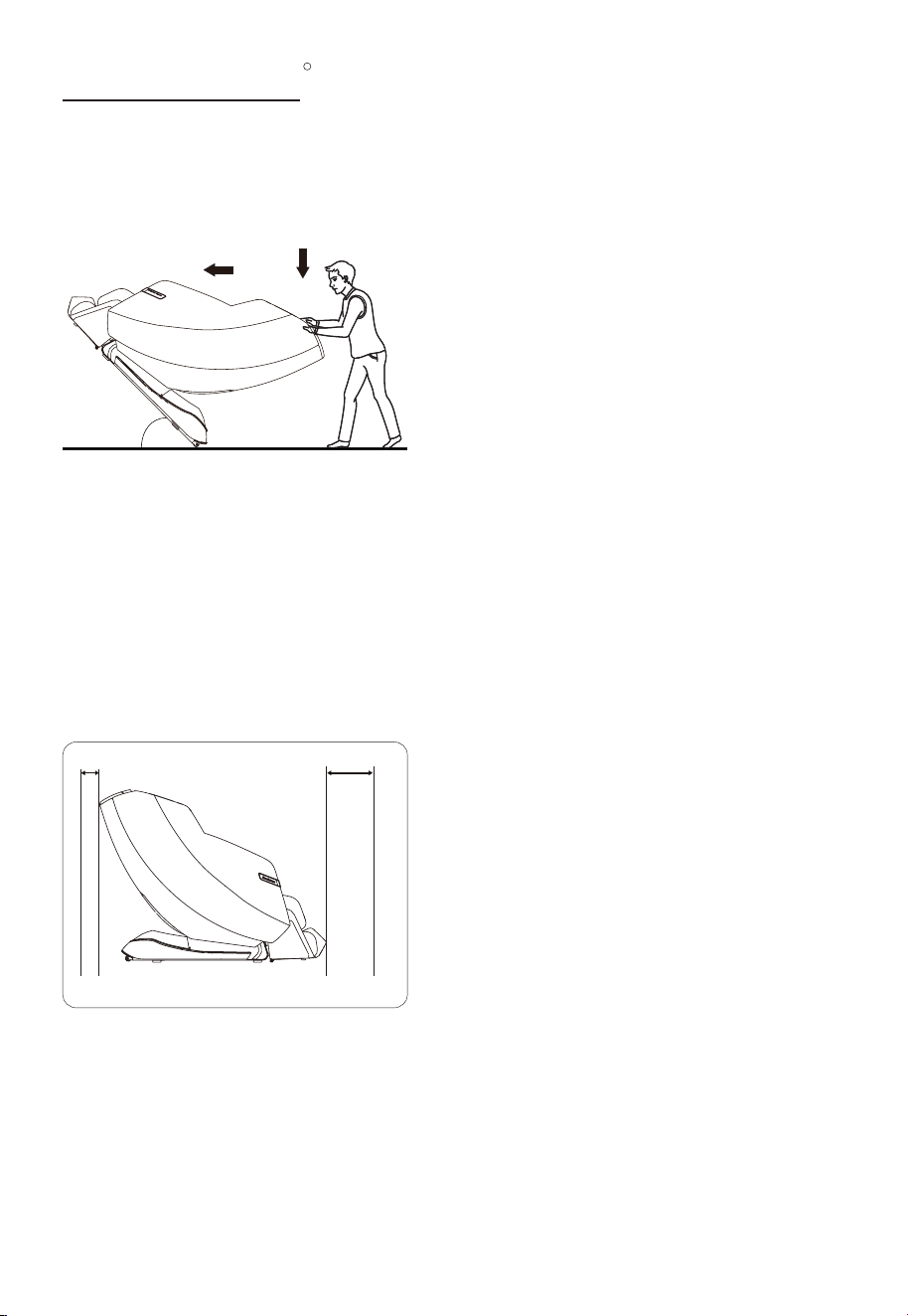
MOVING THE MASSAGE CHAIR
CHAIR PLACEMENT
INSTALLATION & PLACEMENT
As illustrated, push the backrest downwards and
tilt the chair onto its wheels at a 45 angle. Slowly
push and maneuver the massage chair to the
desired location. Lower the chair slowly until it is
fully flat on the floor.
Caution:
- Do not move the massage chair when
occupied or in use.
- Moving the massage chair may damage floors.
We recommend moving the chair on rugs or
carpeted floors.
- Do not drop or suddenly let go of the chair
when moving it, as this may damage the chair
or the floor.
- We advise two people move the massage chair
together.
When placing your massage chair, be sure to
leave at least 3-4 inches of space between the
back of the chair and any wall or other objects to
allow it to recline safely.
When using the massage chair, ensure there are
no people, pets, or objects within 32 inches of the
chair to allow the footrest to extend safely.
Caution:
- In order to avoid damage or injury, do not place
the massage chair on a wet or uneven floor.
3 - 4 in. 32 in.
45°45°
7
SHARPER IMAGE
R
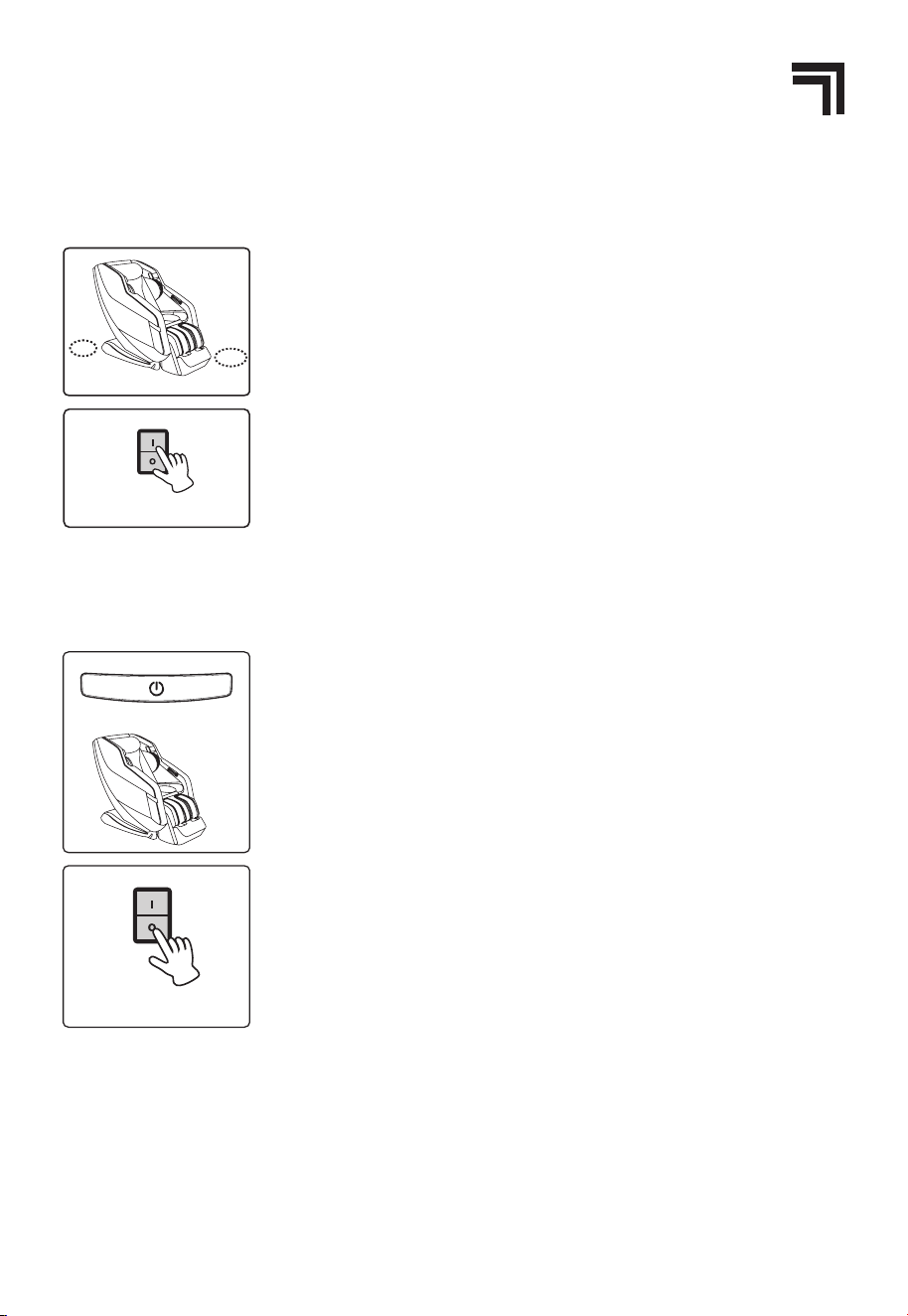
PREPARING THE MASSAGE CHAIR
TURNING OFF THE MASSAGE CHAIR
2. Check the surrounding environment.
- Make sure there are no objects, pets, or small children around
the massage chair before using it.
3. Connect the chair to power:
- Connect the power cord to the chair, and then to a grounded
110V outlet.
- Turn on the power switch on the power box, located on the
rear of the chair.
1. After the massage program is completed, press the Power
button on the massage chair remote to turn it off. The chair
will reset to its original upright position.
- Ensure the surrounding area is clear of any pets, children, or
objects prior to turning off and resetting the chair.
- Keep your arms and legs away from gaps between the
armrest, legrest, and footrest to prevent any pinching or injury.
2. Exit chair and turn off the main power switch on the back of
the chair at the power panel.
3. Unplug the power cord from the outlet.
- Do not pull on the cord to unplug from the wall.
- Do not handle the power cord with wet hands.
Main power switch
8
SHARPER IMAGE
R
REMOTE CONTROL BUTTONS
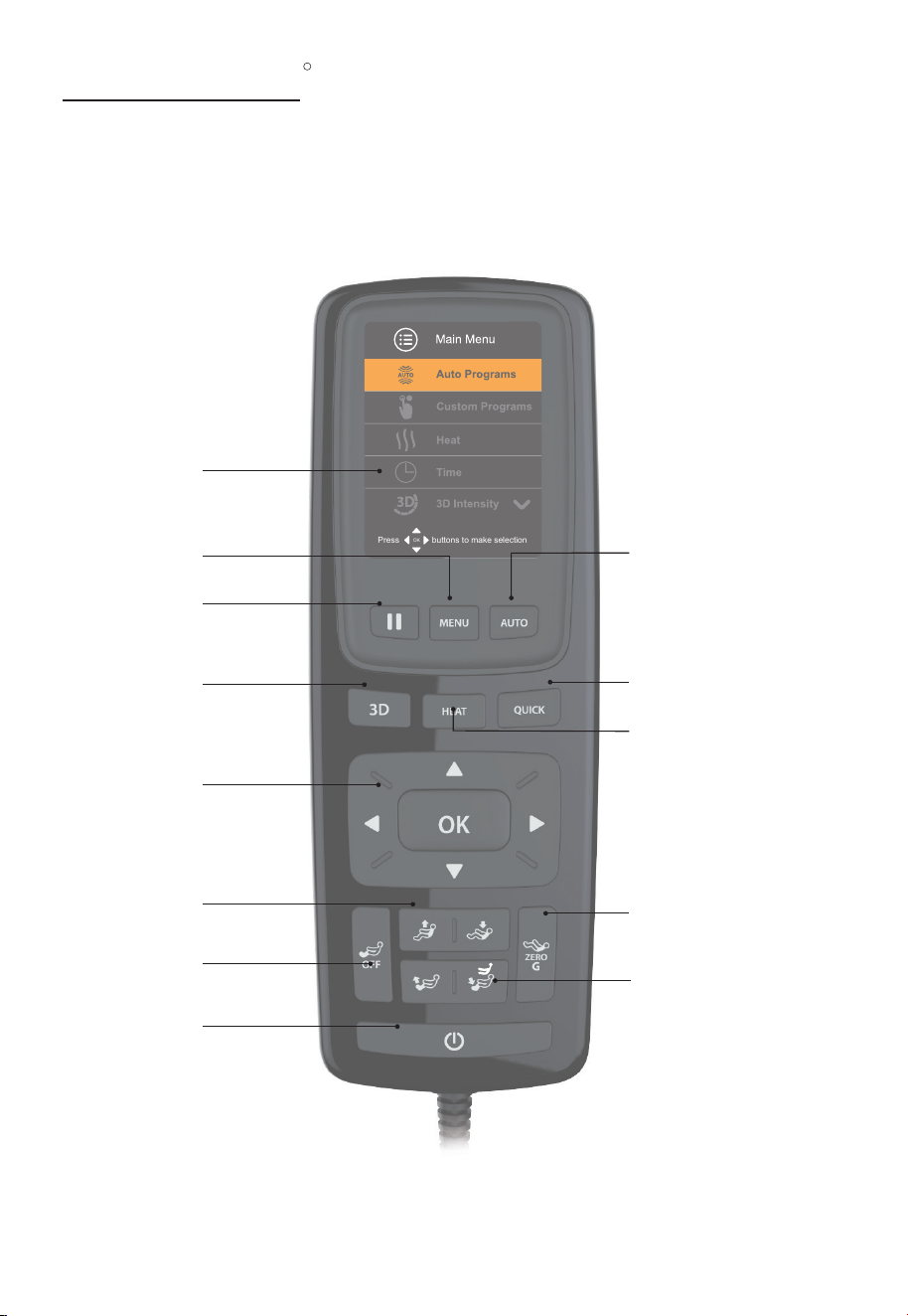
REMOTE DIAGRAM
Press buttons to make selection
OK
Zero Gravity
Pause
Power
Menu
Navigation
Control
Backrest
Position
Automatic
Programs
Quick (Demo) Program
Heat
3D Effect
Foot Rest Position
Foot Rest Rollers
and Airbags
Display Screen
9
SHARPER IMAGE
R
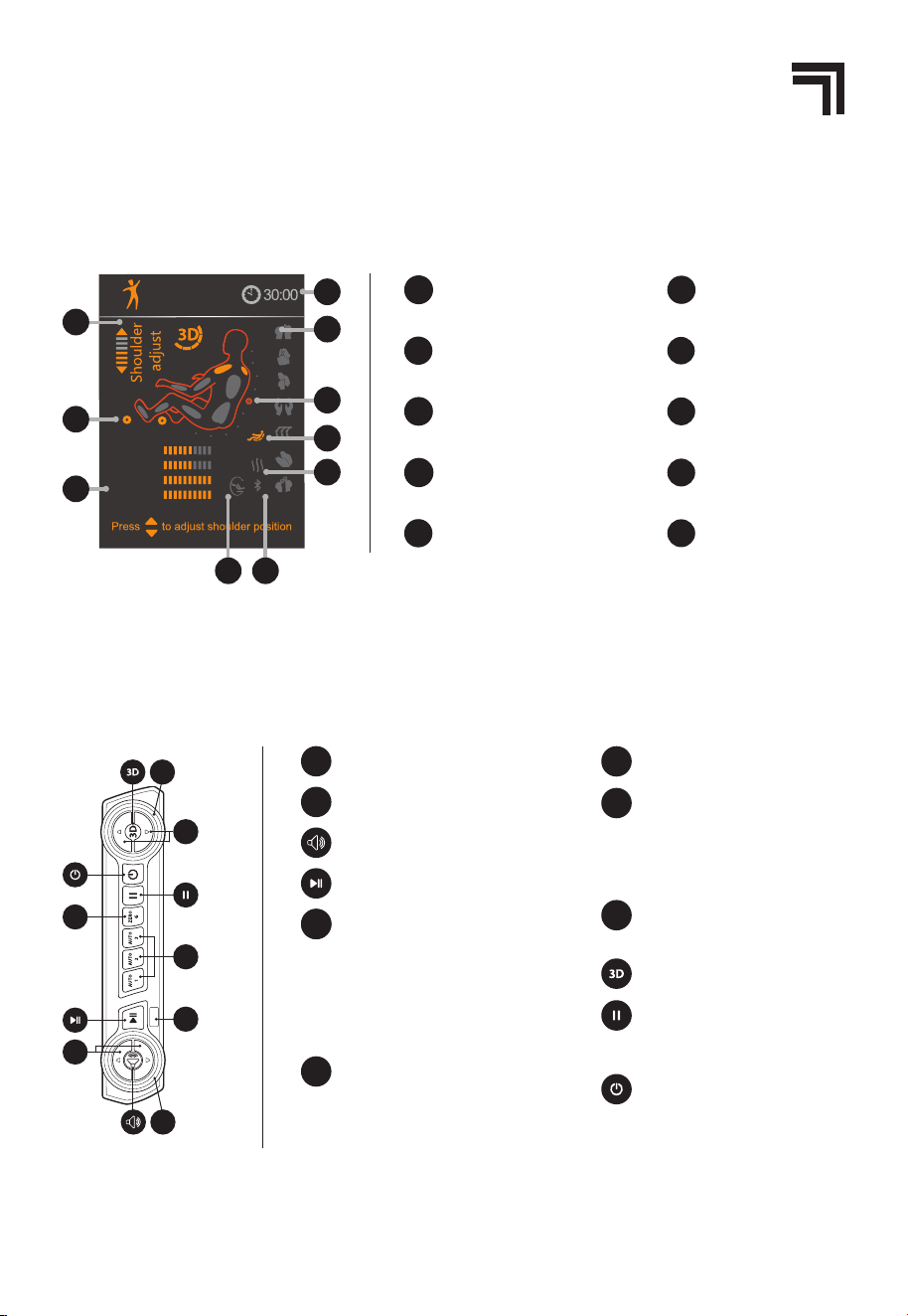
IN-USE SCREEN REMOTE DISPLAY
QUICK ACCESS PANEL DIAGRAM
Full
SPEED
AIR
WIDTH
ROLLER
1
2
3
4
6
5
8
7
9
10
VIGOR
Back-roller position
6
Active Back Zone
7
Heat
8
Zero Gravit
9
Bluetoot
h
10
1
Shoulder Adjust Indicator
2
Active Rollers
3
Meters
4
Time Remaining
Active Massage Technique
5
2
ZERO
G
1
3
AUTO
4
5
y
1
Volume Up/Volume Down
Bluetooth Button
2
Bluetooth LED Indicator
3
USB Charging Port
6
Preset Automatic Programs -
While running an Automatic
Program, press and hold Auto
1, 2, or 3.
The button will be set
to the current program. To run
the program in the future,
press the Auto 1, 2, or 3 button.
AUTO
Pause - Press this button to
force stop the chair during a
program
4
3D Level Up/Down - When
setting the 3D level, use the 3D
Level Up and 3D Level Down
buttons to change the depth
of the massage node rotation.
5
3D LED Indicator -
The 3D LED
Indicator displays the depth.
3D Button
Power -
Powers up the chair or
returns the chair to the exit
position and powers down
chair
ZERO
G
Enter/Exit Zero Gravity Position -
Press the Zero Gravity button
on the controller to activate
Zero Gravity. Press again to
deactivate.
Play/Pause Sound
10
SHARPER IMAGE
R
STARTING, PAUSING, AND STOPPING YOUR MASSAGE
MAIN MENU OPTIONS
REMOTE & MASSAGE CHAIR OPERATION
- To turn on the massage chair, click on the main power switch on the back of the chair, then
press the Power button on the controller, or on the Quick Access Panel . The chair moves
to its Home position (legrest slightly raised, backrest slightly reclined, rollers in upper part of
backrest), and the Menu Panel on the controller lights up.
- If no selection is made after 3 minutes, the chair will go into sleep mode and the Menu Panel
light will go off. The first press of the Power Button will wake the controller up; the second
press of the Power Button will return the chair to the Exit position. Any button pressed on the
controller will wake the controller from sleep mode.
- To pause the motion and timer, press the Pause Button on the controller, or on the Quick
Access Panel . The chair will enter idle mode. The air cells deflate, but the rollers do not
return to their Home position. Press again to resume your massage.
- To turn off the massage chair, ensure that there are no obstacles under the foot rest and
press the Power button on the controller, or on the Quick Access Panel, or in the Relieve 3D
app. The rollers return to their Home position, all air cells deflate, and the chair moves to the
Exit position. Click off the main power switch on the back of the chair and unplug the chair.
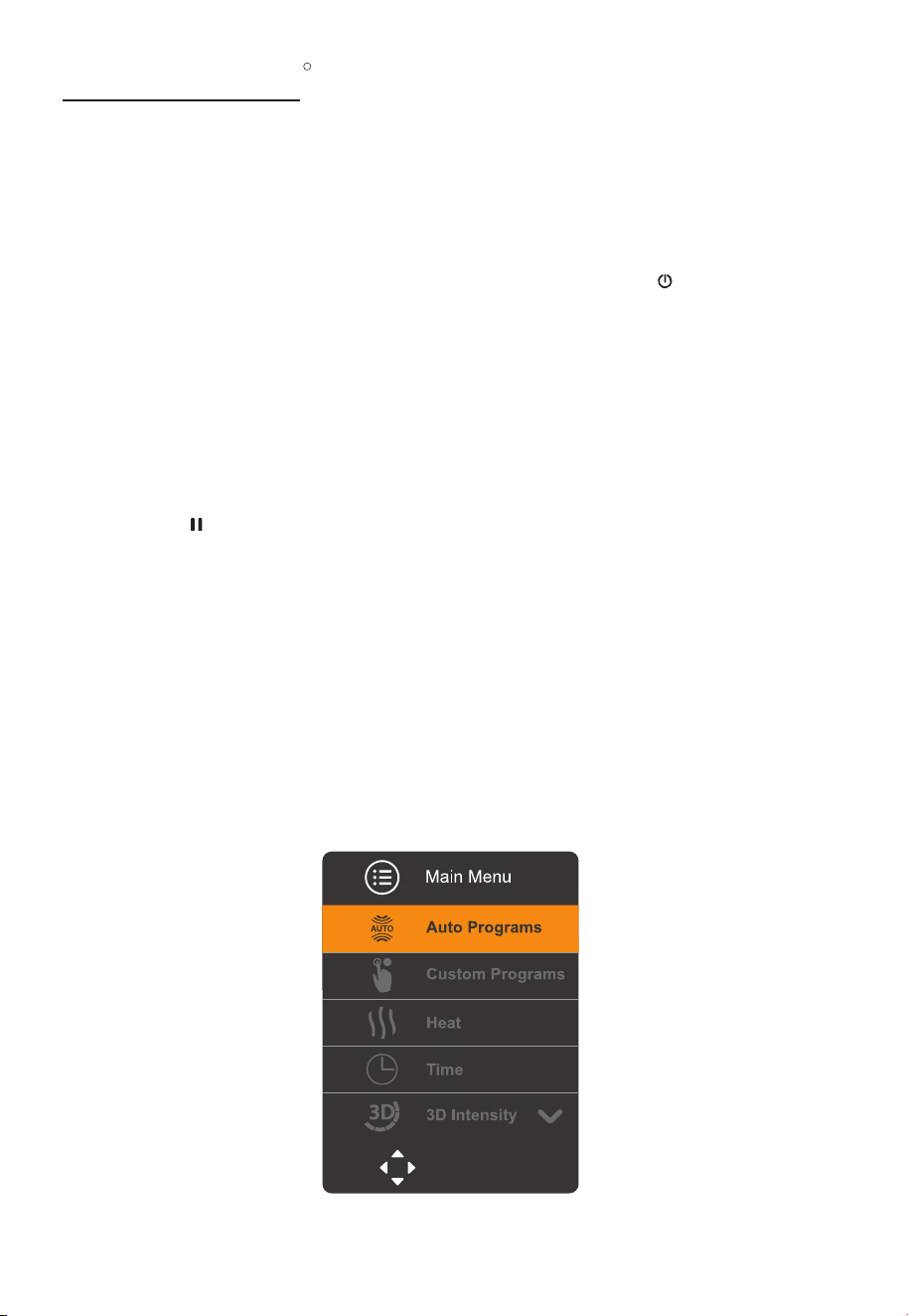
When you turn on the massage chair, the Display screen becomes active and displays the
Main Menu.
Press buttons to make selection
OK
11
SHARPER IMAGE
R
When you select an automatic or custom massage, the chair begins by scanning your body
height to determine where your shoulders are. The sensor will beep for several seconds, during
which time you can adjust the rollers based on the height of your shoulders. Press the UP and
DOWN buttons on the navigation control to change the scanned shoulder height. Once the
beeping stops, the height is set. To reset, you must power down the chair.
AUTO PROGRAMS allows you to select one of 20 automatic massage programs. You can
customize some aspects of these programs, such as the massage time and heat setting. The
full list of Auto Programs is below:
Relieve
Vigor
Renew
Zen
Calm
Bedtime
Rise & Shine
Air Only
Zero G
Extend
BODY SCANNING
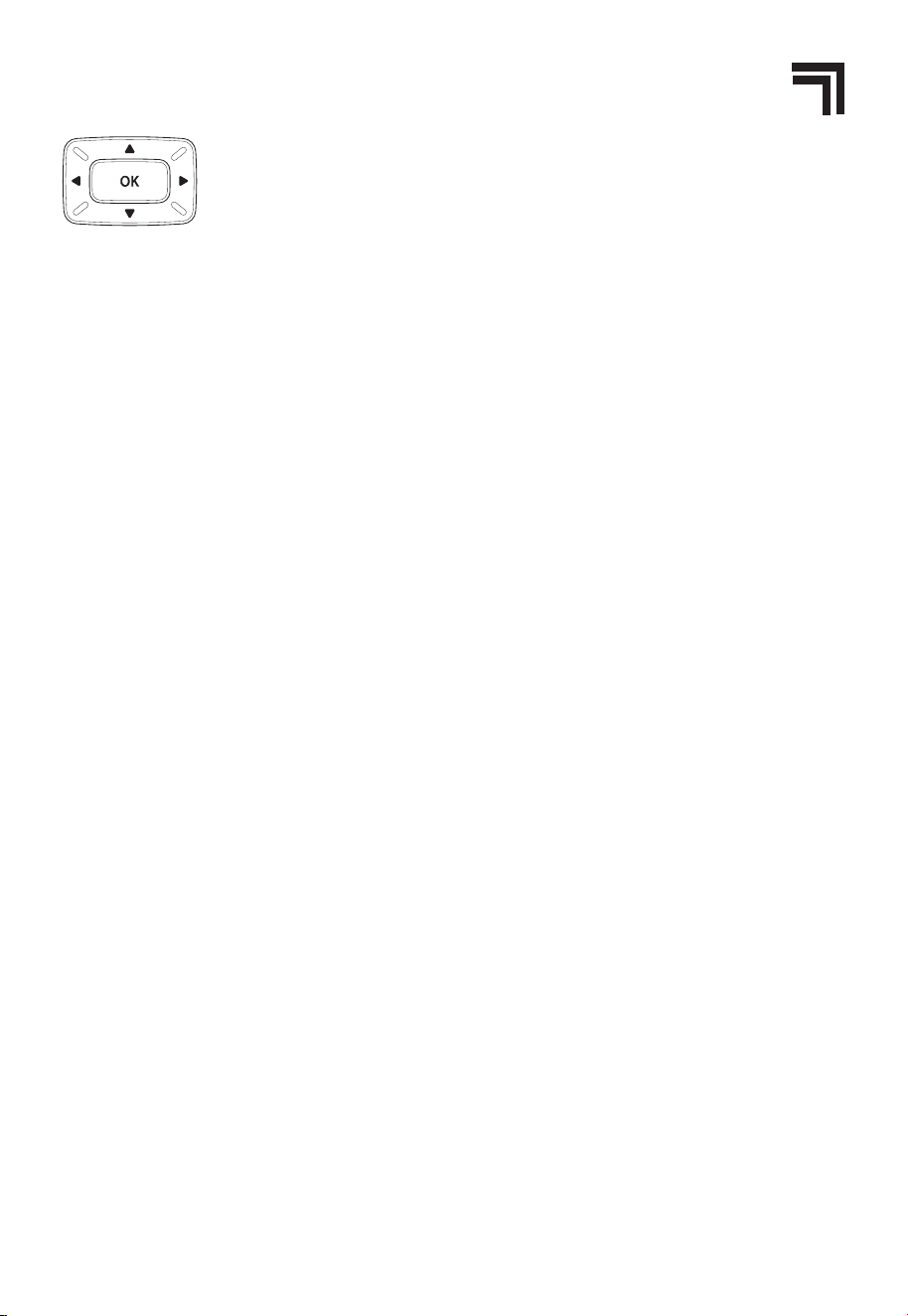
To navigate between the options in the Main Menu, use the Navigation
Control’s arrow buttons to move up, down, left, and right. Press OK to confirm
your selection. To return to the Main Menu, press the Menu button on the
controller or press the left arrow. The six options on the Main Menu are:
Yoga
Stretch
Athlete
Stress Free
Mid Body
Total Body
Upper Body
Lower Body
Neck & Shoulder
Quick
HEAT allows you to turn the heat feature on or off in target zones. The default is off for most
automatic programs.
TIME allows you to set a timer for your massage in increments of 10, 15, 20, and 30 minutes. You
can also add 5 minute increments, up to a 30 minute maximum. The default massage time is
15 minutes. This option also shows the Total Runtime, which is the total minutes the chair has
run for the life of the chair.
3D INTENSITY allows you to adjust the depth of the massage node rotation (the 3D massage
effect), from Level 1 (lightest) to Level 5 (deepest), or select Off.
FOOT REST SETTINGS allows you to select whether the air compression and/or rollers in the
foot rest should be On or Off.
REMOTE SOUND allows you to select whether the beeping sounds that alert you to chair
movement and controller selections should be On or Off.
12
SHARPER IMAGE
R
CUSTOM MASSAGE CONFIGURATION
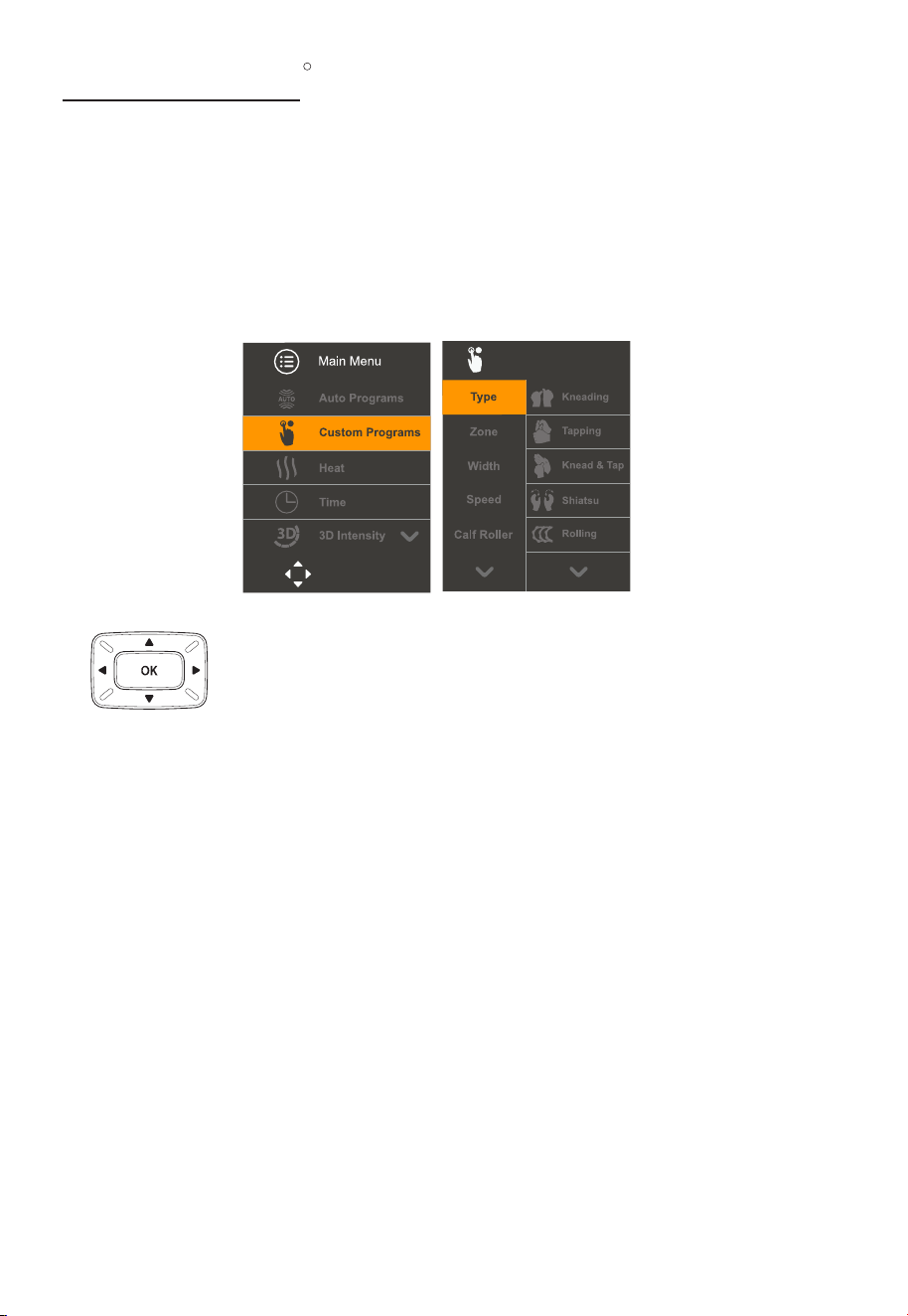
To custom design a massage to best suit your needs, select the CUSTOM PROGRAMS option on
the Main Menu and press OK. The chair will auto-sense your shoulder position (if not previously
set) and the Menu Panel will display the CUSTOM massage options.
Use the Navigation Control’s arrow buttons to select your massage
options, then click OK to confirm your selection and start the massage.
You can change individual custom options during your massage.
The default time for a custom massage is 15 minutes, but you can adjust the time with the
Time function.
TYPE - Select one of the seven massage styles: Kneading, Tapping, Knead & Tap, Shiatsu,
Rolling, Clap-Thai, or Knead & Hold, and press OK to begin the massage.
ZONE - The area of your body to be massaged - Full Body, Upper Body, Lower Body, or Target.
When you select Target, the nodes will remain at their current location. You can adjust the
target by using the up and down buttons.
WIDTH - The WIDTH of the massage - Wide, Medium, or Narrow. This option is not available in
Kneading, Knead & Tap, or Knead & Hold modes.
SPEED - The SPEED of the massage, from Level 1 (slowest) to Level 5 (fastest). This option is not
available with Rolling mode.
CALF ROLLER - Select the calf roller speed from 1 (slowest) to 3 (fastest) or Off.
FOOT ROLLER - Select the foot roller speed from 1 (slowest) to 3 (fastest) or Off.
Press buttons to make selection
OK
Custom Programs
CUSTOM MASSAGE
13
SHARPER IMAGE
R
AIR ZONE - Select the air bags to be activated during your massage: Full Body, Shoulder, Hip,
Arm, Calf, or Foot.
AIR INTENSITY - Select the intensity of the air pressure to be used in the active air bags, from
Level 1 (least intense) to Level 5 (most intense).
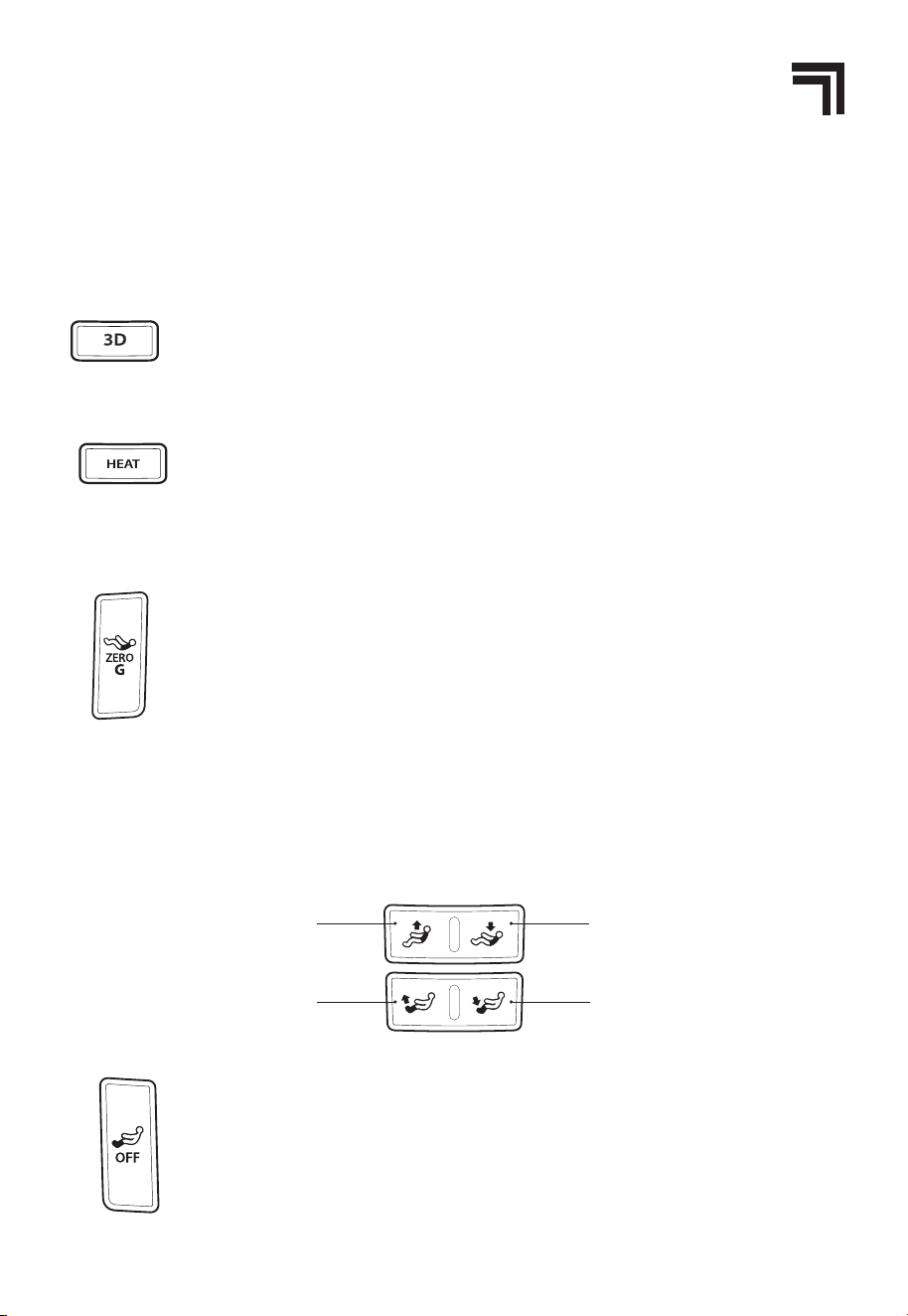
SETTING THE 3D LEVEL - The 3D button on the controller allows you to adjust
the depth of the massage node rotation (the 3D massage effect), from Level 1
(lightest) to Level 5 (deepest). The Monitoring Screen displays the 3D level.This
button is also available on the Quick Access Panel.
SETTING THE HEAT OPTION - You can turn the heat option on or off in the Upper
Body, Lower Body, or Full Body zones. You can set the heat feature using the
Heat button on the controller, or the Heat menu. The Monitoring Screen shows
the zones in which heat is activated.
SELECTING ZERO GRAVITY POSITION - You can enjoy your massage in a
standard sitting position or in the Zero Gravity position. In Zero Gravity, the
backrest reclines and the foot rest is raised, allowing you to raise your feet
above your heart. Press the Zero Gravity button on the controller to activate
Zero Gravity. Press again to deactivate.
Once Zero Gravity is activated, it will override any programmed chair
movement in the Auto programs. Note that Zero Gravity does not work with the
Stretch program.This button is also available on the Quick Access Panel.
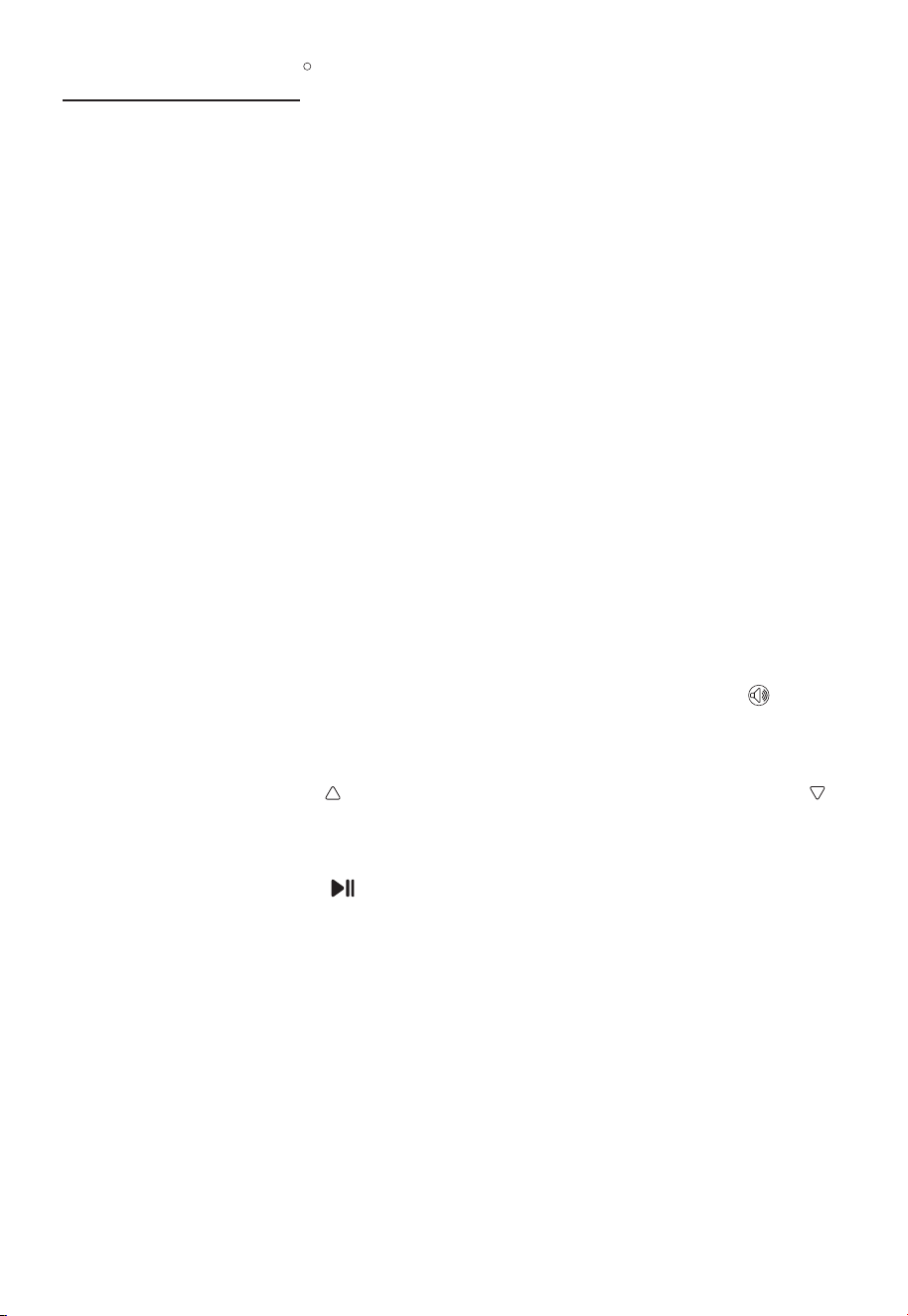
ADJUSTING THE FOOT REST AND BACKREST POSITION - You can adjust the position of the foot
rest and backrest using the Foot Rest and Backrest position buttons. Press and hold the button
until the foot rest or backrest is in your preferred position. Once the foot rest and/or backrest
position has been adjusted, it will override any programmed position in the Auto programs.
ACTIVATING FOOT REST ROLLERS AND AIR-BAGS - You can activate and
deactivate the rollers and airbags in the foot rest. Press the Foot Rest Rollers and
Airbags button once to turn off the rollers in the foot rest. Press again to turn
off the air bags in the foot rest. Press a third time to turn the rollers and airbags
in the foot rest on. Press once to turn off rollers; press again to turn off airbags;
press a third time to turn rollers and airbags on
Backrest Up Backrest Down
Footrest Up Footrest Down
14
SHARPER IMAGE
R
PAIRING A DEVICE
The speakers in your massage chair can connect to a Bluetooth -enabled device. The chair
does not have to be powered on to use the Bluetooth feature.
To pair with a device:
1. Prepare your device to pair using Bluetooth wireless technology, making sure it is within 33
feet of the massage chair. Refer to your device’s owner’s manual for details if necessary.
2. Press and hold the Bluetooth button on the Quick Access Panel for 1 second. The LED
indicator is solid orange for 5 seconds as the massage chair searches for previously paired
devices. If no connection is made within 5 seconds, the massage chair enters Bluetooth
pairing mode. The LED Indicator flashes orange. Once the massage chair is in pairing
mode and your device is ready to pair, select Relieve 3D Massage Chair on your device.
If prompted, use 0000 as a PIN for the pairing code. Once Relieve 3D Massage Chair is
selected, the LED Indicator changes to solid orange and a tone sounds to confirm pairing is
complete.
3. To enter Bluetooth pairing mode manually, press and hold the Bluetooth button until the
LED Indicator starts flashing orange (approximately 2 seconds of holding the Bluetooth
button if Bluetooth is on, 4 seconds of holding the Bluetooth button if Bluetooth is off).
4. Press the Volume Up button to increased the volume. Press the Volume Down button
button to decrease the volume. The LED Indicator shows the volume level. The maximum
volume level is determined by the volume setting on your device.
5. Press the Play/Pause button to pause and resume the audio.
6. Press and hold the Bluetooth button for one second to turn Bluetooth mode off.
After the initial pairing of your device, the massage chair should automatically pair with your
device the next time the unit is put into Bluetooth mode. Depending on your device, you may
have to select Relieve 3D Massage Chair in your device’s Bluetooth menu.
To cancel pairing mode, press and hold the Bluetooth button for one second to turn off
Bluetooth mode, or wait 10 minutes for the massage chair to cancel pairing mode and turn off
Bluetooth mode automatically. The Pairing LED Indicator will turn off.
You can charge USB-compatible devices using the USB Port on the Quick Access Panel.
BLUETOOTH
SPEAKERS
®
15
SHARPER IMAGE
R
USING THE RELIEVE 3D APP
The Relieve 3D Massage Chair can be controlled from a smartphone or other device using the
free Relieve 3D app. You can download the free app from the App Store
SM
(for Apple
®
devices)
or from Google Play
TM
(for Android
TM
devices). The name of the app is Relieve 3D.
The Relieve 3D Massage Chair App is compatible with: Apple
®
iOS 8.0 and later
Android
TM
4.3 and later
- Use the controller to familiarize yourself with the chair’s operations before using the app
- Use the controller or the app to control your massage session, but do not switch between the
two. Repeatedly switching between the app and the controller during the same massage
session can cause synchronization issues.
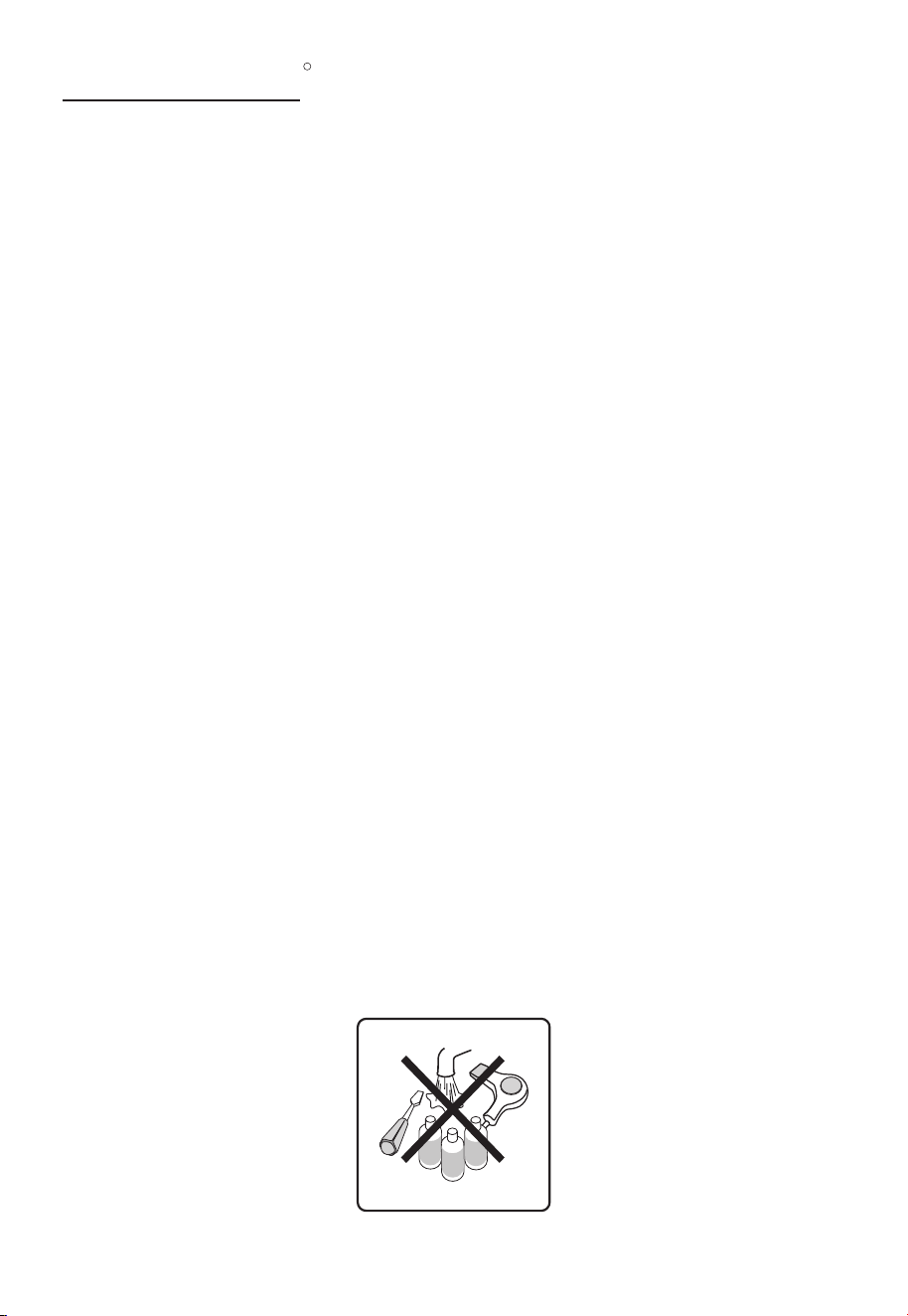
RELIEVE 3D APP
Return To Home Screen
Access Auto Programs
Return To Bluetooth
Connection Screen
Access Zero Gravity Settings
Pause Program
Power On/off
Access Custom Programs
Access Heat Settings
Access Time Settings
Access 3d Intensity Settings
Access Foot Settings
Apple is a trademark of Apple Inc., registered in the U.S. and other countries.App Store is a service mark of Apple Inc.
Google Play and Android are trademarks of Google, Inc.
16
SHARPER IMAGE
R
PRODUCT CARE & STORAGE
- Disconnect the massage chair from the power source after use.
- Do not expose the massage chair to direct sunlight, high temperature, or high humidity. This
could cause fading or other damage to the upholstery.
- Do not put heavy objects on the massage chair.
- If the outer cover is torn or the mechanism is damaged, stop using the chair and contact
Sharper Image massage chairs for assistance.
Follow the steps below to clean your massage chair:
- Remove the main plug from the outlet.
- Clean the synthetic leather, controller, cords with a dry cloth.
- If necessary, you can dampen a soft cloth with a neutral cleaning solution or water to clean
the synthetic leather. Lysol wipes are another safe and easy way to clean this material. Then,
wipe it with a dry cloth and let air dry.
- Any cloth material of the chair (e.g., the inside of the arm airbags or calf airbags) can be spot
cleaned with a soft cloth dampened with a weak neutral detergent and gently clean where
necessary. Avoid cleaning the fabric too often so as to avoid wear and tear.
- To clean any plastic parts of the chair (e.g., the base), use a soft cloth lightly soaked in a
neutral detergent. Then, wipe again with a water-dampened cloth. Finally, wipe with a clean,
dry cloth.
- Do not immerse the chair in water.
- Never use scouring pads, abrasive cleaning agents (e.g., benzene or thinner), or harsh
chemicals such as petroleum or acetone to clean the chair. Additionally, never use heat
to dry the chair after cleaning.These items may cause fading or other damage to the
upholstery.
- Any additional servicing should be performed by an authorized service representative. This
chair has no user serviceable parts inside.
STORING THE MASSAGE CHAIR
CLEANING THE MASSAGE CHAIR
CAUTION
17
SHARPER IMAGE
R
SPECIFICATIONS
Model
Relieve 3D Massage Chair
Dimension of Main Body (in)
Net Weight (lbs)
Shipping Weight (lbs)
67 x 32 x 50 (L x W X H)
271
Voltage
Fuse
Power Consumption
110V
3.15 AMP
200W
Safety Standards
Type 1
Necessary Clearance to Wall (in)
3-4
Max. User Weight (lbs)
315
300
18
SHARPER IMAGE
R
TROUBLESHOOTING
If you encounter problems while operating your Sharper Image Relieve 3D massage chair,
try the suggestions below. If the issue(s) persist, flip the main power switch on the back of the
chair to the Off position and remove the power plug from the outlet. Contact Sharper Image
massage chairs technical support team at 888-894-9150 for service.
Do not disassemble or attempt to repair the massage chair yourself. Doing so will void the warranty
and Sharper Image will not bear any responsibility for any subsequent consequences.
The massage chair is connected to a
power source, but is not functioning.
Sounds are coming from the
massage mechanism.
Backrest or legrest will not extend or
retract.
Problem
Possible Cause/Solution
- Check that the main power switch on
the back of the chair is in the On position.
- Check that the power plug is inserted
properly and the power outlet is
functioning properly.
- Press the Power button on the remote.
- Check the fuse next to the main switch
in the back of the chair.
It is normal for the motors to make noise
while operating or rubbing against the
backrest area.
There may be too much pressure placed
on the backrest or legrest. Reduce the
weight or pressure on the backrest or
legrest.
The Controller is responding, but the
massage chair is not functioning
- The massage chair may have
automatically shut down due to
overheating protection devices. Please
turn off the power and allow the chair to
cool for 30-50 minutes.
- Check that the main power switch on
the back of the chair is in the ON position.
The massage chair is connected
to a power source, but is not
functioning
My massage has stopped - Automatic and manual programs
last for 15 minutes (6 minutes for
quick program). When the program
completes, the chair turns off.
- The massage chair may have
automatically shut down due to
overheating protection devices. Please
turn off the power and allow the chair to
cool for 30-50 minutes.
19
SHARPER IMAGE
R
SAFETY PRECAUTIONS
- To reduce the risk of electric shock, do not remove cover. There are no serviceable parts inside.
- To reduce risk of fire or electric shock, do not expose the massage chair to rain or moisture.
When using an electrical appliance, basic precautions should always be followed. Read all
instructions before using this massage chair. This massage chair is intended for household use
only.
DANGER - To reduce the risk of electric shock:
WARNING - To reduce the risk of burns, fire, electric shock, or injury:
- This symbol indicates the presence of uninsulated “dangerous voltage” within the
massage chair’s enclosure that may be of sufficient magnitude to constitute a risk
of electric shock.
- This symbol indicates the presence of important operating and maintenance
instructions in the literature accompanying the massage chair.
CAUTION
CAUTION
- Consult your physician before use if you have any conditionunder their care
- Do not operate after consuming pain killers, sedatives, or alcohol.
- Do not use this chair in combination with other therapeutic equipment or items such as an electric blanket, as
this may result in ineffectiveness or injury.
- Do not stand on or in this massage chair. Use only while seated.
- Do not disassemble any part of the chair. Touching the internal components may result in malfunction or
electric shock. Instead, contact Infinity's technical support team immediately for professional assistance.
- Always position the massage chair on a flat, level surface.
- Do not operate for more than 30 consecutive minutes. Turn off the chair and allow it to rest for 30 minutes
before using again. This will prolong the life of the chair.
- Do not perform continuous massage on the same spot of your body for more than 5 minutes at a time, as this
may result in excessive stimulation and may have adverse effects.
- Never use the chair on open skin wounds or swollen, inflamed areas.
- Do not apply massage rollers directly on the head, elbow or knee joints, torso, or abdomen.
- If the power goes off during use, be sure to turn the power switch to the OFF position and pull the power plug
- Always unplug this massage chair from the electrical outlet immediately after using and before cleaning.
- If liquid is accidentally spilled onto the chair, remove the power plug from the electrical outlet immediately. Do
not use wet hands to connect or disconnect the power plug from the electrical outlet.
- Do not operate during a lightning storm.
- Although operation will be stopped automatically by the Auto Timer function, always remember to turn off the
main power switch after use.
- Do not place the power cord under the chair or under any other heavy objects.
- Do not wind the power cord around the chair as this may damage the cord and result in a fire or electric shock.
- Do not operate the chair with a damaged cord or with an extension cord.
- Do not use the chair if the electrical outlet is loose.
DANGER
20
SHARPER IMAGE
R
This product must be grounded. If it should malfunction or break down, grounding provides a
path of least resistance for the electric current to reduce the risk of electric shock.
This product is equipped with a cord with an equipment-grounding conductor and a
grounding plug. The plug must be plugged into an appropriate outlet that is properly installed
and grounded in accordance with all local codes and ordinances.
DANGER: Improper connection of the equipment-grounding conductor can result in a risk
of electric shock. Check with a qualified electrician or serviceperson if you are in doubt as to
whether the product is properly grounded. Do not modify the plug provided with the product.
If it does not fit the outlet, have a proper outlet installed by a qualified electrician. Make sure
the product is connected to an outlet having the same configurationas the plug. No adapter
should be used with this product.
GROUNDING INSTRUCTIONS
- This massage chair should never be left unattended when plugged in. Unplug from outlet when not in use, and
before putting on or taking off parts.
- Do not operate under blanket or pillow. Excessive heating can occur and cause fire, electric shock, or other
injury.
- Close supervision is necessary when this chair is used by or near children, pets, or disabled individuals. Keep
children and pets away from extended foot support.
- Use this massage chair only for its intended use as described in this manual. Do not use attachments not
recommended by Sharper Image massage chairs.
- Never operate this massage chair if it has a damaged cord or plug, if it is not working properly, if it has been
dropped or damaged, or if it has been damaged by water. Contact Sharper Image massage chairs technical
support team at 888-894-9150 for assistance.
- Do not move or carry this massage chair by the power cord, or use the cord as a handle.
- Keep the cord away from heated surfaces.
- Never operate the massage chair with the air openings blocked. Keep the air openings free of lint, hair, and other
debris.
- Never drop or insert any object into any opening.
- Do not use outdoors.
- Do not operate where aerosol (spray) products are being used, or where oxygen is being administered.
- To disconnect, turn all controls to the OFF position, then remove the plug from the outlet.
- Use heated surfaces carefully. May cause serious burns. Do not use over sensitive areas or on areas with poor
circulation. The unattended use of heat by children or disabled individuals may be dangerous.
- Never use pins or other metallic fasteners with this chair.
- Never remove the cover from this chair. Do not use the chair when the upholstery is ripped, torn, or removed. This
may cause injury or malfunction. Carefully examine the covering before each use. Call Sharper Image massage
chairs’ technical support team if the covering shows any sign of deterioration, such as blistering, peeling,
cracking, or ripping.
- Keep dry. Do not operate the massage chair in a wet or moist environment. Do not use the chair when your body
is wet, or operate with wet hands.
- Do not use the massage chair while wearing excessively loose clothing or jewelry.
- Keep long hair away from massage chair openings and moving parts during use.
- Do not insert your hand or foot along the path of the massage rollers during use.
- This massage chair is designed as a non-professional solution to help soothe tired, aching muscles. It is not
intended for self-treatment of conditions that should be managed by a qualified healthcare provider. If your
ailments and symptoms persist or worsen after use, contact your doctor immediately.
- Do not use this chair if you are not feeling well.
- Stop operation immediately if you experience any discomfort.
- Do not fall asleep during the massage session.
WARNING

21
SHARPER IMAGE
R
FCC INFORMATION
Caution: Changes or modifications not expressly approved by the party responsible for
compliance could void the user’s authority to operate the equipment.
This equipment has been tested and found to comply with the limits for a Class B Digital
Device, pursuant to Part 15 of the FCC Rules. These limits are designed to provide reasonable
protection against harmful interference in a residential installation. This equipment generates,
uses, and can radiate radio frequency energy and, if not installed and used in accordance with
the instructions, may cause harmful interference to radio communications. However, there is
no guarantee that interference will not occur in a particular installation.
If this equipment does cause harmful interference to radio or television reception, which can
be determined by turning the equipment off and on, the user is encouraged to try to correct
the interference by one or more of the following measures:
- Reorient or relocate the receiving antenna.• Increase the distance between the equipment
and receiver.
- Connect the equipment to an outlet on a circuit different from that to which the receiver is
connected.
- Consult the dealer or an experienced radio/TV technician for help.
WARNING: To comply with FCC’s RF radiation exposure limits for general population/
uncontrolled exposure, the antenna(s) used for this transmitter must be installed to provide a
separation distance of at least 20 cm from all persons and must not be collocated or operating
in conjunction with any other antenna or transmitter.
This equipment complies with part 15 of the FCC Rules. Operation is subject to the following
two conditions:
1. This equipment may not cause harmful interference.
2. This equipment must accept any interference received, including interference that may
cause undesired operation.
22
SHARPER IMAGE
R
LIMITED WARRANTY
SCAN CODE
For the most current Warranty information please visit: www.
sharperimagemassagechairs.com/warranty
Alternatively, scan the QR code to go directly to the URL above.
23
SHARPER IMAGE
R
www.sharperimagemassagechairs.com
Toll Free #: 888-894-9150
72 Stard Rd, Seabrook, NH 03874
Version 1.6