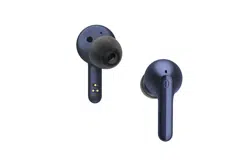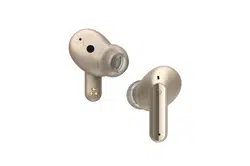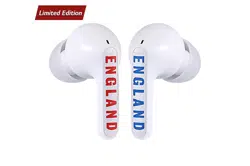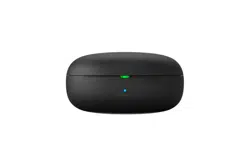
OWNER’S MANUAL
For user safety and convenience, please read the user manual before using
the product.
READ THE LABEL AND ANY OPERATING MANUAL BEFORE USING
Model
TONE-T80S
Bluetooth
®
LG Stereo Headset
www.lg.com
Copyright © 2023-2024 LG Electronics Inc. All Rights Reserved.

2
Exploring the Product
3 Charging Case
4 Earbuds
Connecting with Bluetooth for
Use
5 Connecting the Smartphone to Earbuds
via Bluetooth
6 Multiple Connections
6 Automatic Reconnection
Listening to Sound with
Earbuds
7 Wearing Earbuds
8 Listening to Music
9 Receiving Phone Call
10 Listening to Ambient Sound/Active Noise
Cancellation (ANC)
Charging
12 Charging by Wire
13 Charging Wirelessly
14 Checking Battery Status
Connecting to the Bluetooth
App
16 Connecting the LG TONE Free App
Safety Precautions
17 Safety Notices and Warnings
19 Precautions when Using the Product
19 Prevention of product misuse
Things to Check before
Reporting Malfunction
20 Troubleshooting
Appendix
21 Product Specifications
Safety Information
22 Prevention of Hearing Loss
22 Additional Information
22 Radio frequency exposure
23 Bluetooth connection precautions
23 Battery Information
24 Registered Trademarks and Licenses
Cleaning Guide
26 How to clean your ear gel
Contents
3
Exploring the Product
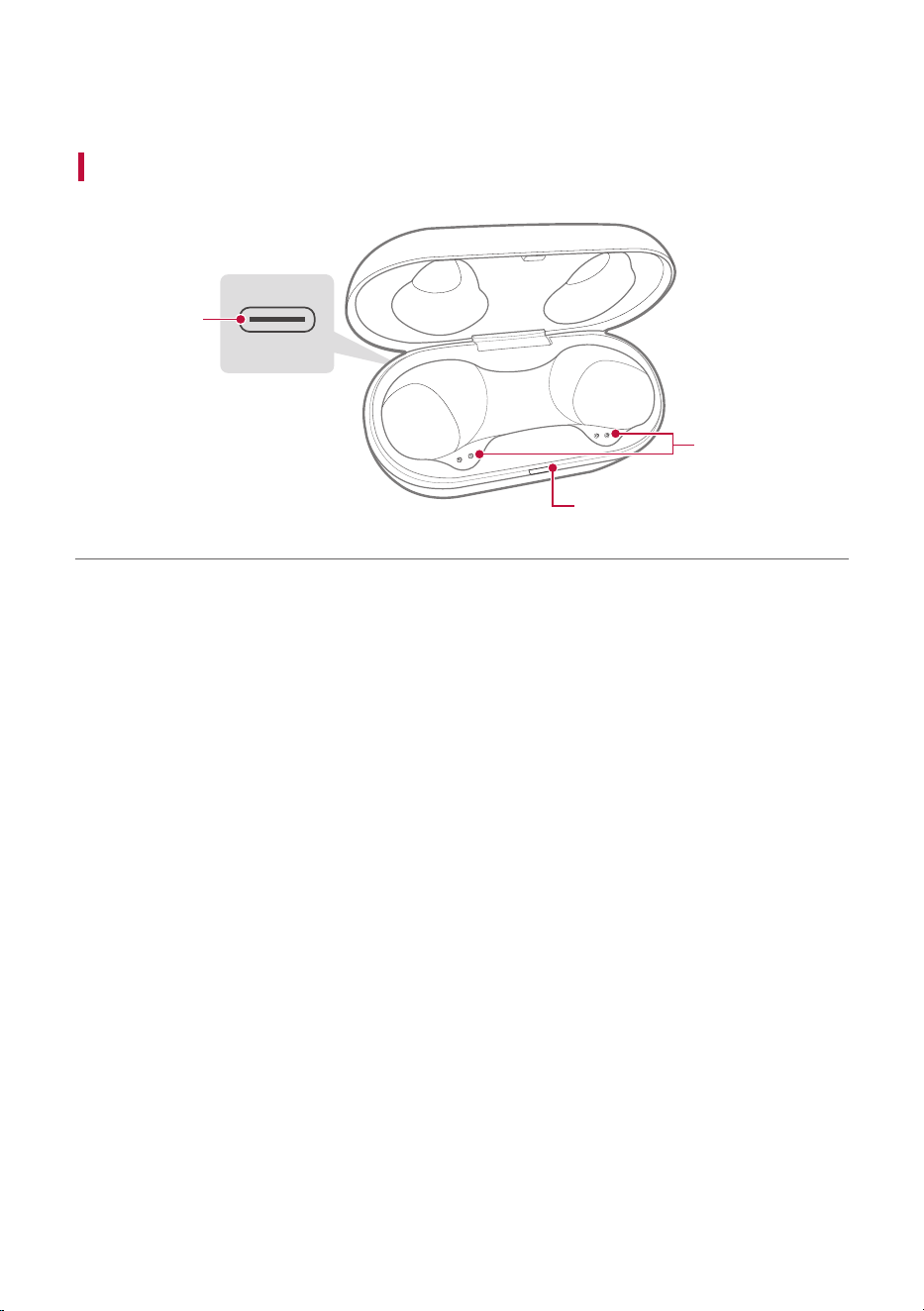
Charging Case
C
B
A
A Case charging port: You can charge a device.
B Battery status indicator: You can check the battery status of the earbuds or charging case.
C Earbuds charging terminals: You can charge the earbuds by attaching them to the charging case.
Exploring the Product
4
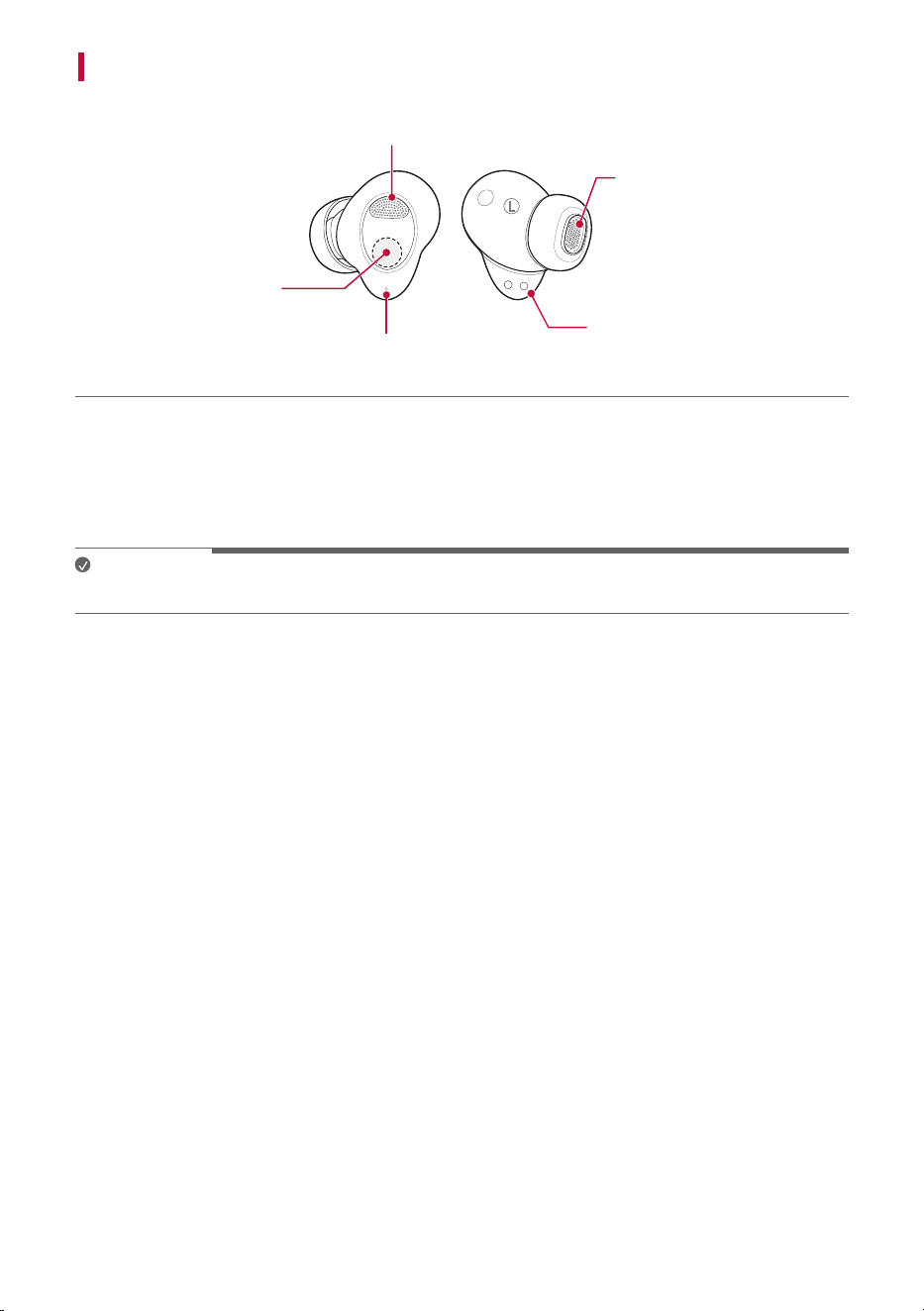
Earbuds
C
D
B
L
A
A
A Microphone
B Speaker mesh (microphone)
C Touch pad
D Earbuds charging terminals
Note
• Be careful that foreign substances are not over the Earbuds charging terminals.
5
Connecting with Bluetooth for Use
Connecting the Smartphone to Earbuds via Bluetooth
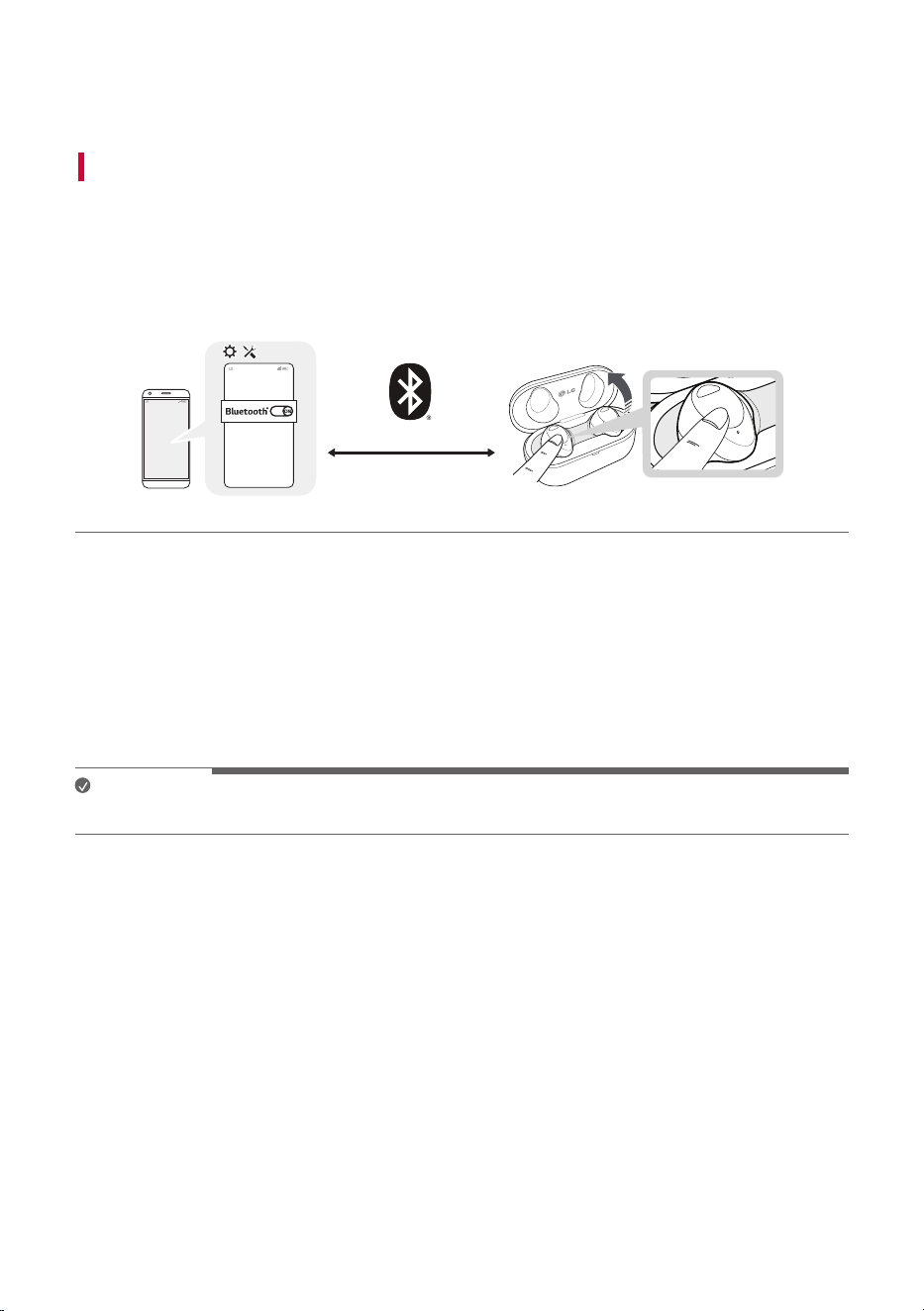
a Turn on the Bluetooth
®
function of your smartphone or a device you want to connect.
b Open the cover with earbuds attached to the charging case. The blue battery status indicator on the
front blinks. If the blue battery status indicator does not blink, or if you want to connect a device
other than the one already connected, touch and hold the touch pad of the left or right earbud for
3 - 5 seconds.
~39 inch, ~1m
c When the Fast Pair connection pop-up appears at the bottom of the smartphone screen, touch the
pop-up to connect.
• Only Android™ 6.0 or higher is supported, and Bluetooth
®
and location information settings of the
mobile device are required.
d If the connection pop-up does not show up, select and connect [TONE-T80S] in the Bluetooth
®
menu
of the smartphone. (For users of iOS or Android 5.0 or lower)
• If the earbuds model name is displayed abnormally on the Android device, please change the model
name in the Bluetooth
®
menu of the settings of the connected device.
Note
• To connect with another device, perform the above procedures again.
Connecting with Bluetooth for Use
6
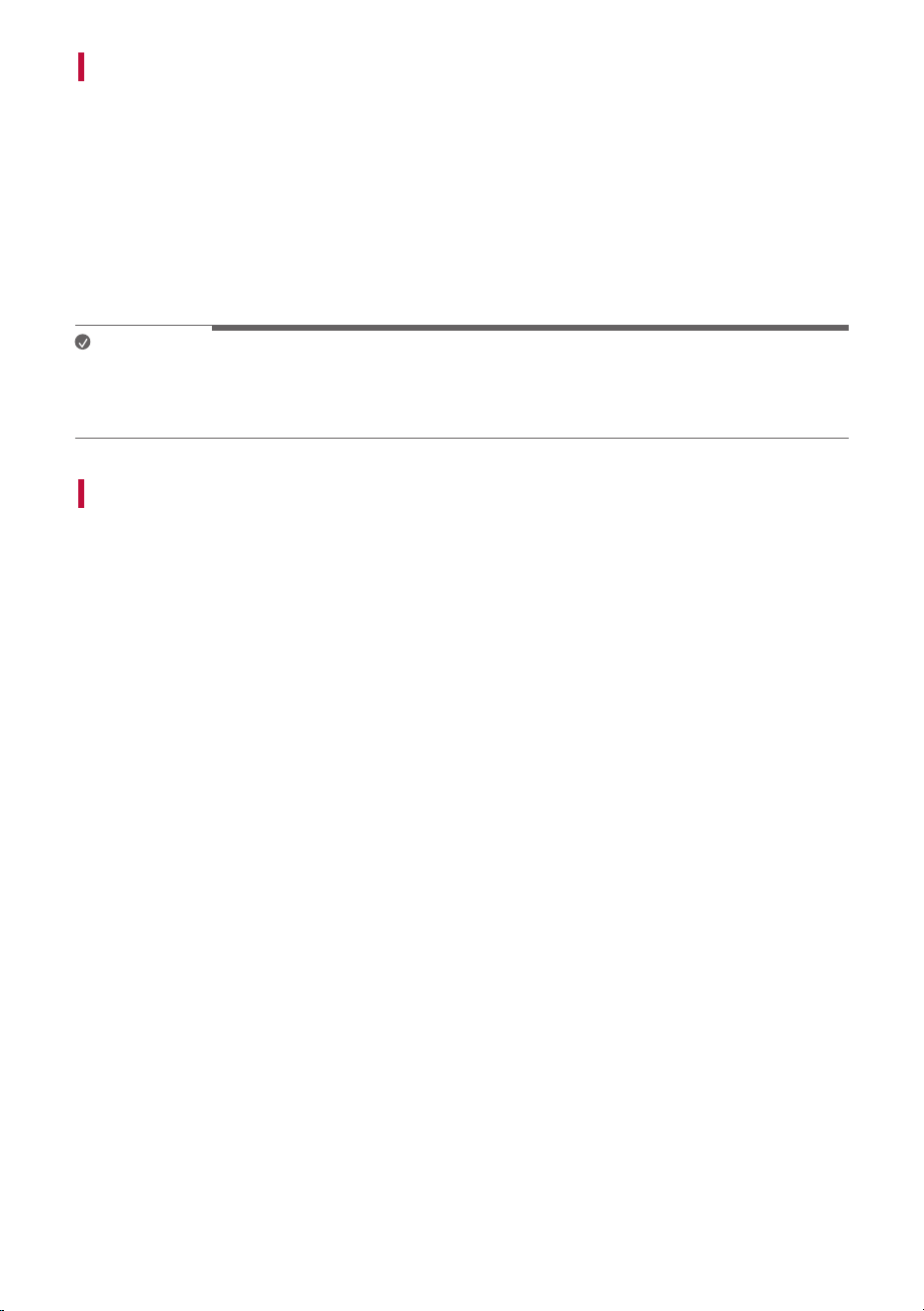
Multiple Connections
If you use the LG TONE Free app, you can connect and use two devices, such as a smartphone and a PC at
the same time.
a Please activate Multi-Point & Multi-Pairing on the LG TONE Free app.
b Put the earbuds in the charging case and perform the connecting procedures in the same way.
c The existing connection device becomes the “main connection device” and the newly connected
device becomes the “auxiliary connection device”.
d You can use the multi-connection function more conveniently in the detailed Multi-Point & Multi-
Pairing settings.
Note
• When the two devices are connected at the same time, the main function operates based on the “main
connection device”.
• In some media players, the sound may not switch automatically when content is played.
Automatic Reconnection
If you open the charging case of the earbuds, they are automatically connected to the last connected and
used device. (If the device cannot be found, it changes to the connectable mode.)
If automatic reconnection is not done, search for earbuds on the device to be connected and connect
them manually.
7
Listening to Sound with Earbuds
Wearing Earbuds
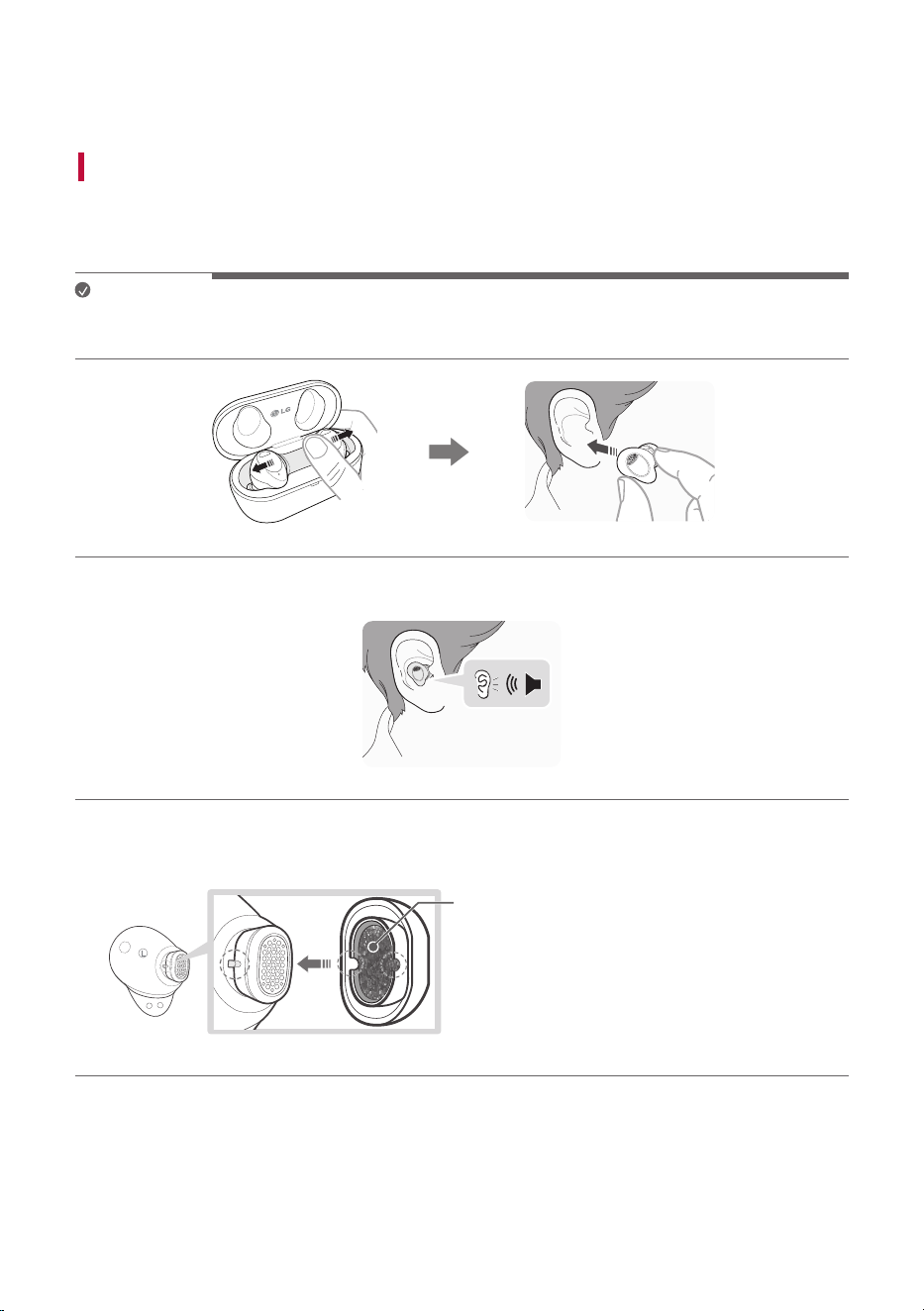
a Remove the earbuds from the charging case by bending the inside of the earbuds outward, and then
wear them to fit tightly into your ears.
Note
• If you use an ear gel sized to fit your ears, you can improve performance of active noise cancellation
(ANC). You can then listen to music with rich sound quality.
b If you wear earbuds properly, you can hear a wear detection sound.
* To replace the ear gel, align the hole shape of the ear gel with the protrusion of the earbuds and fasten
it. (Make sure the multi function foam is well inserted into the inner part of the ear gel.)
L
L
A
A Multi function foam
Listening to Sound with Earbuds
8
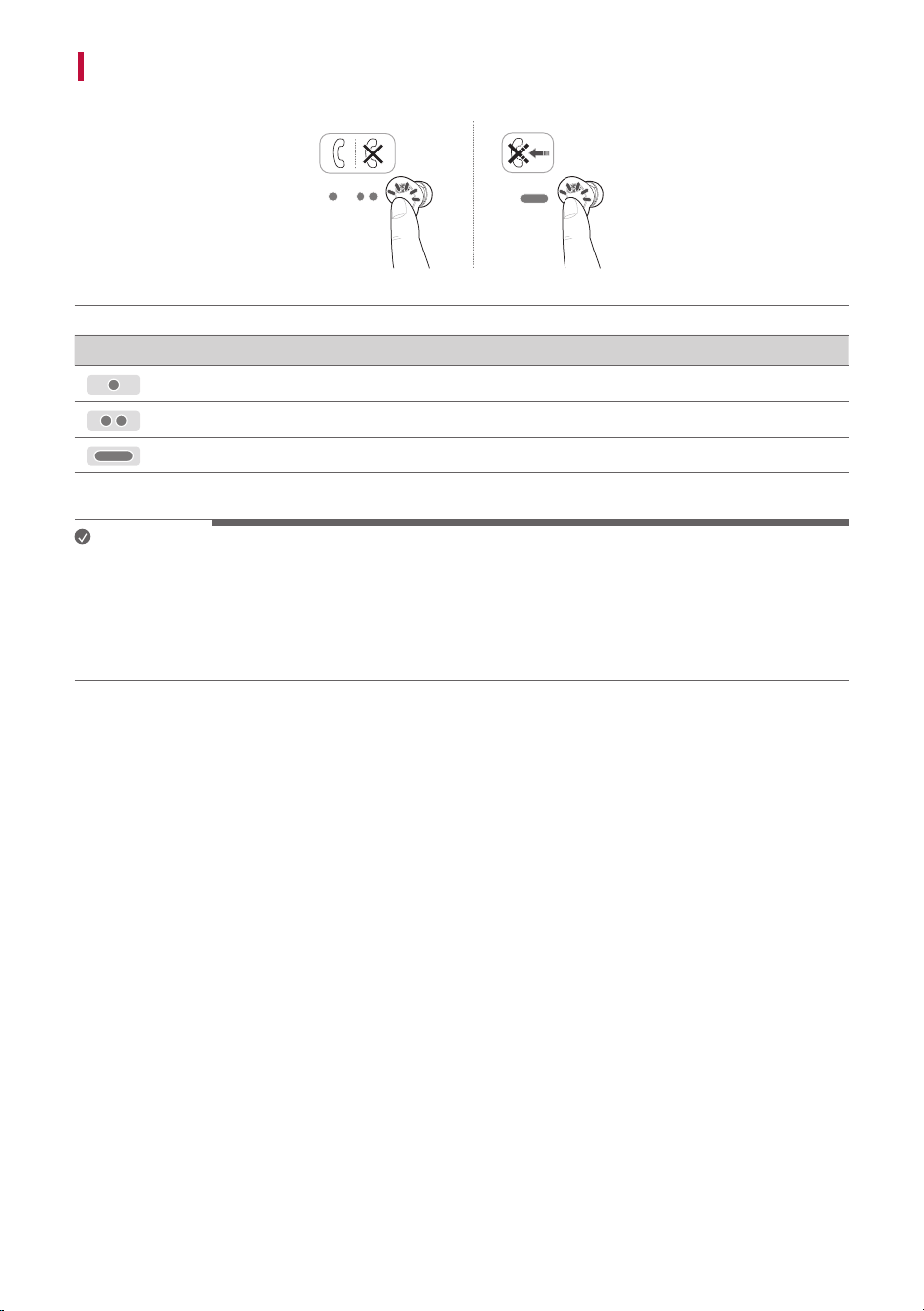
Listening to Music
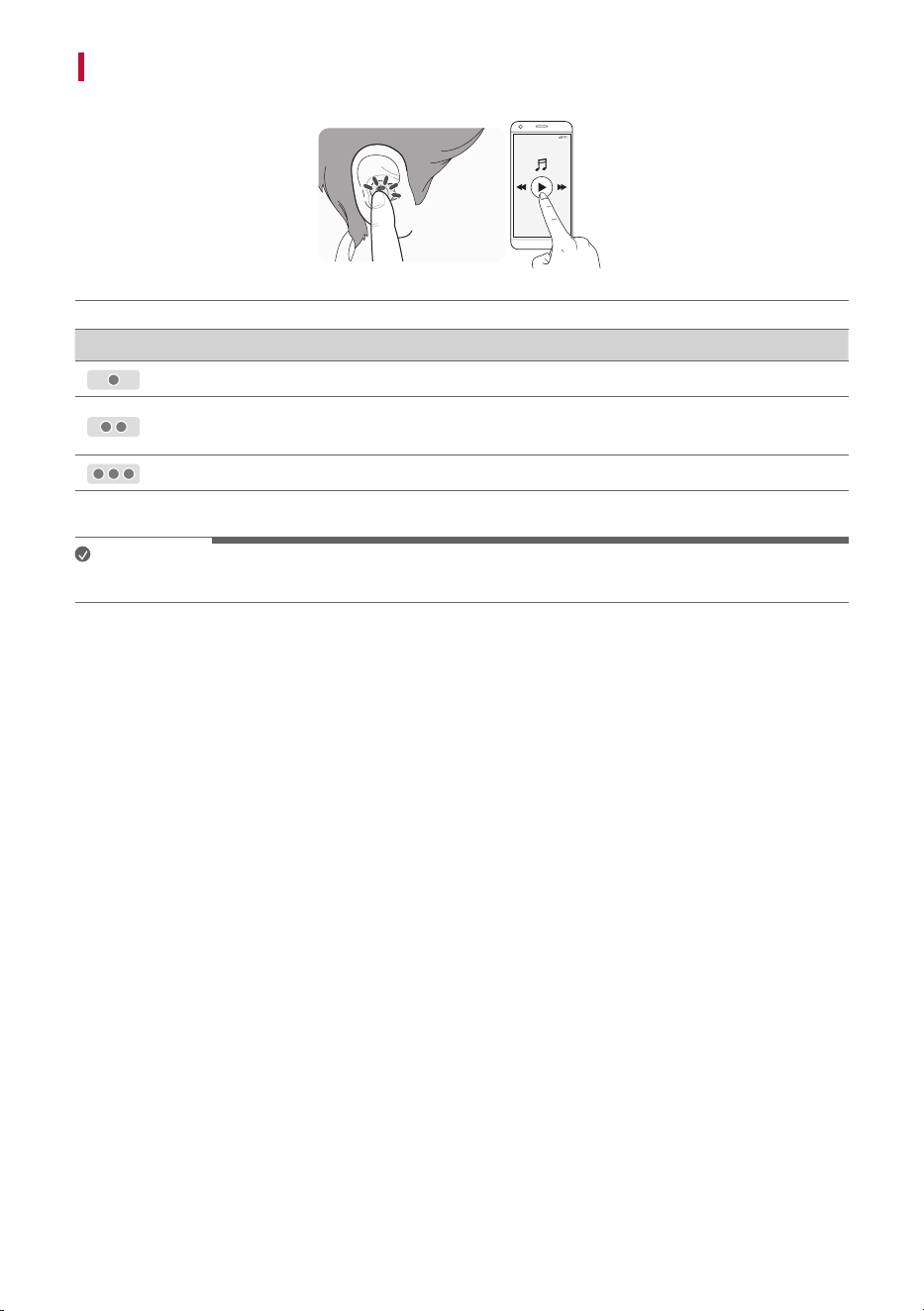
How to Use Function
Touch once
Play/Stop
Touch twice
Volume Down (Touch the left)
Volume Up (Touch the right)
Touch three times
Play the next song
Note
• You can change how to use the listen to music in the touchpad settings of the LG TONE Free app.
9
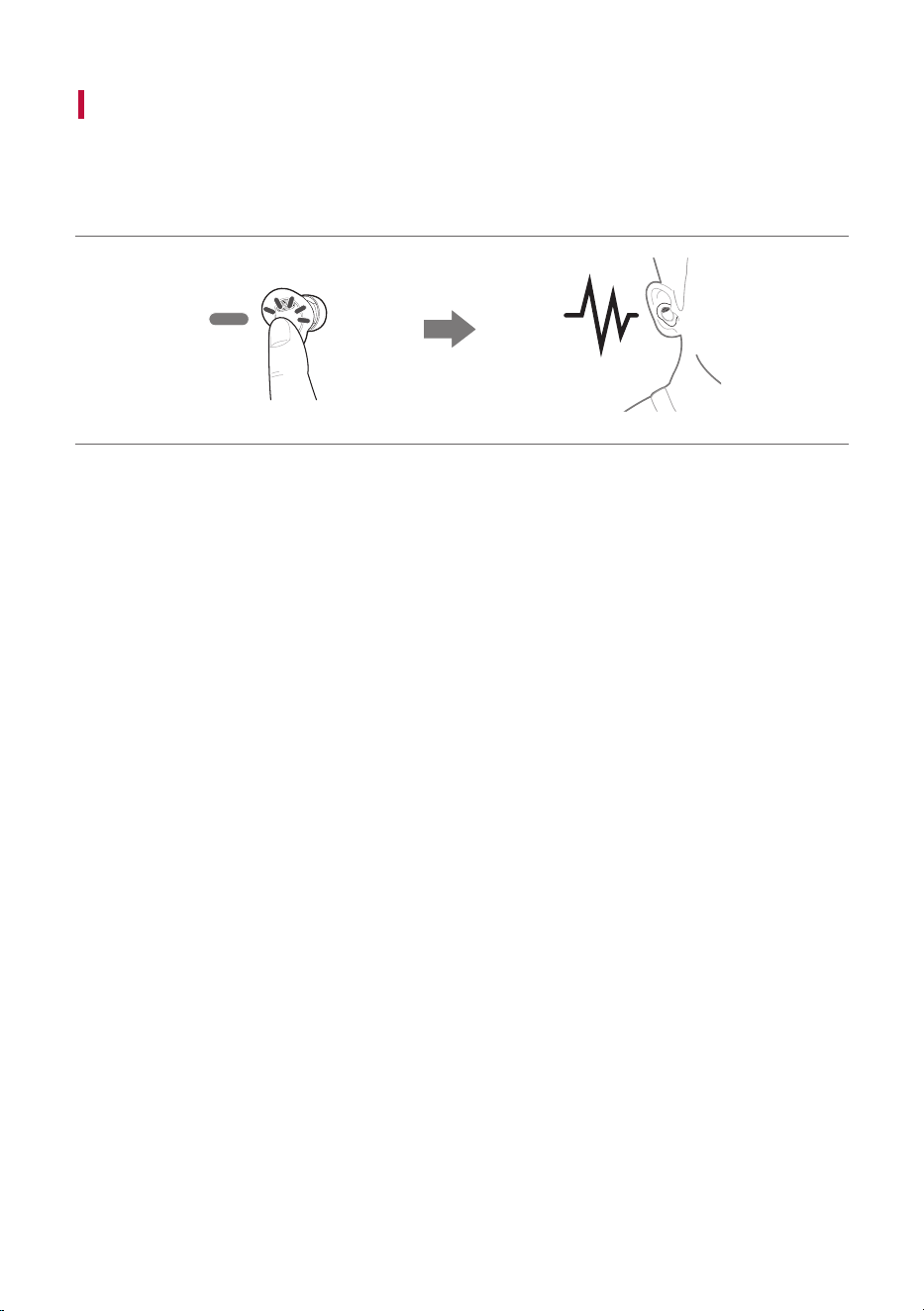
Receiving Phone Call
How to Use Function
Touch once
Answer Call
Touch twice
End Call
Touch and hold
Reject call
Note
• When you make a call from your smartphone, the call is automatically connected to the headset.
• If you touch the left or right earbud once, the current phone call is switched to the standby status and
you can receive an incoming call during a call.
• If an existing call is on hold, you can end the current call on your smartphone. (This operates differently
depending on the smartphone settings.)
10
Listening to Ambient Sound/Active Noise Cancellation
(ANC)
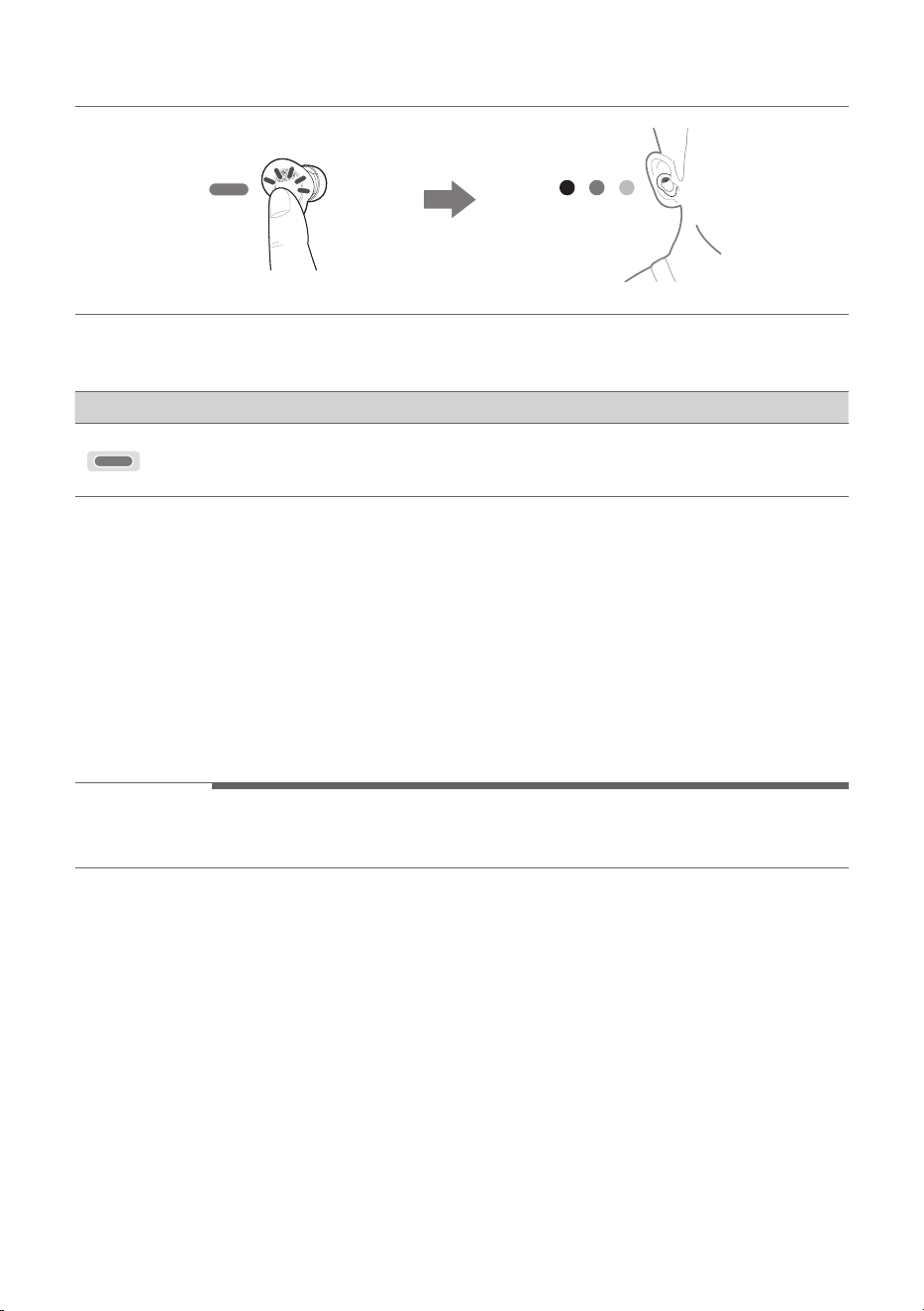
Listening to ambient sound
When the listening to ambient sound function turned on allows you to control the amount of sound you
can hear around you.
11
Active noise cancellation (ANC)
The active noise cancellation (ANC) function blocks external sounds during use. Therefore, use it when
you do not want to be disturbed while listening to music or watching a video.
How to Use Function
Touch and hold
Change the functions between active noise
cancellation (ANC) and listening to ambient
sound
• You can set listening to ambient sound or active noise cancellation (ANC) functions in the LG TONE
Free app.
• You can set listening mode and conversation mode in the LG TONE Free app.
• When using listening to ambient sound function or active noise cancellation (ANC) function, the
available time is shorter than while it is turned off.
• The listening to ambient sound or active noise cancellation (ANC) function operates when you are in
standby/listening to music/during a call.
• The listening to ambient sound or active noise cancellation (ANC) function operates both earbuds must
be worn for this to work.
- ANC stands for active noise cancellation.
> Caution
• When the ambient sound mode is executed, you may hear a loud ambient sound suddenly. Pay
attention to safety when using active noise cancellation (ANC) outdoors.
12
Charging
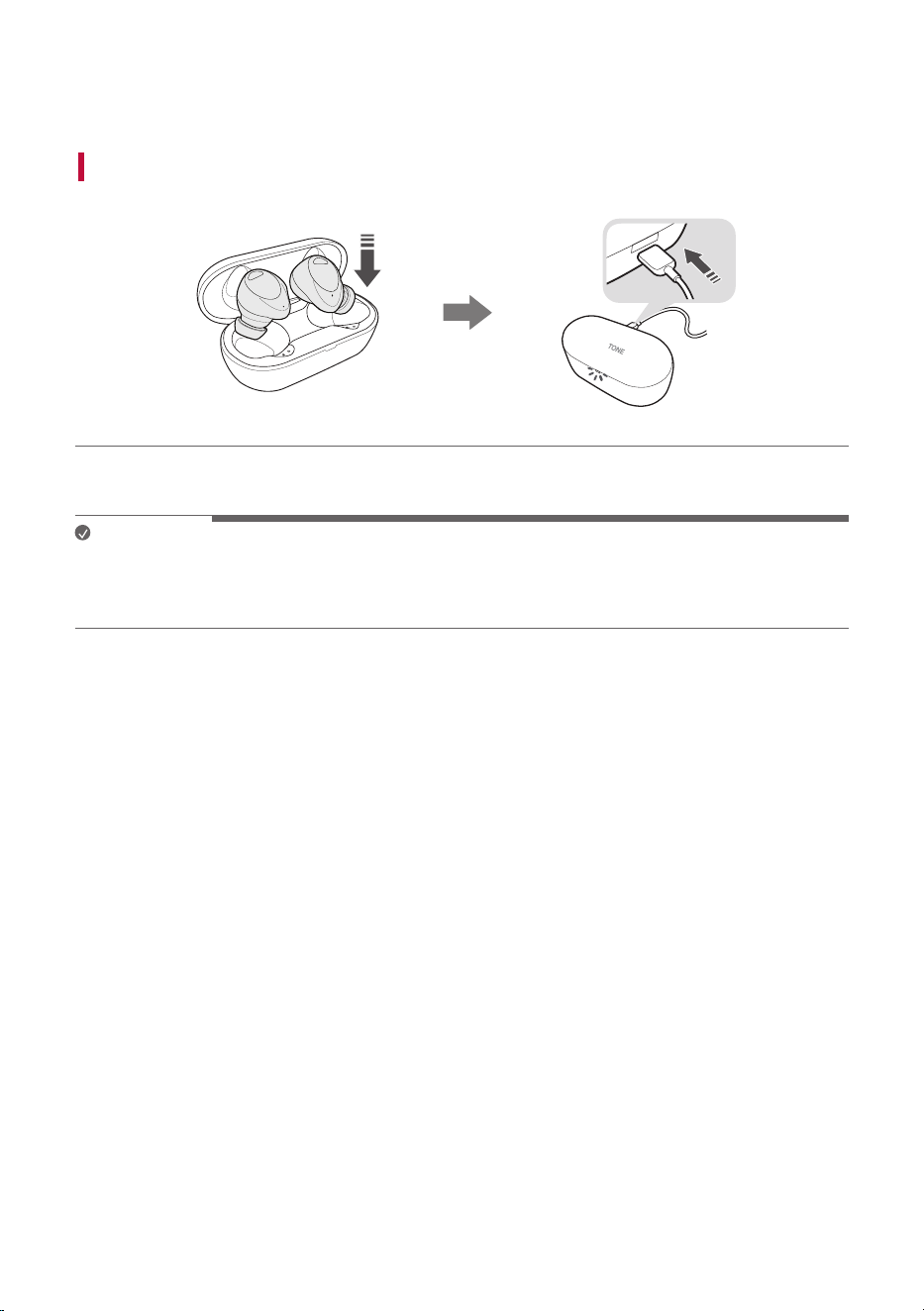
Charging by Wire
If you connect the charging cable, the charging status shows up on the charging case.
Note
• The earbuds and charging case are charged at the same time.
• The Case charging port of the charging case does not support the power supply function to other
devices such as smartphone.
Charging
13
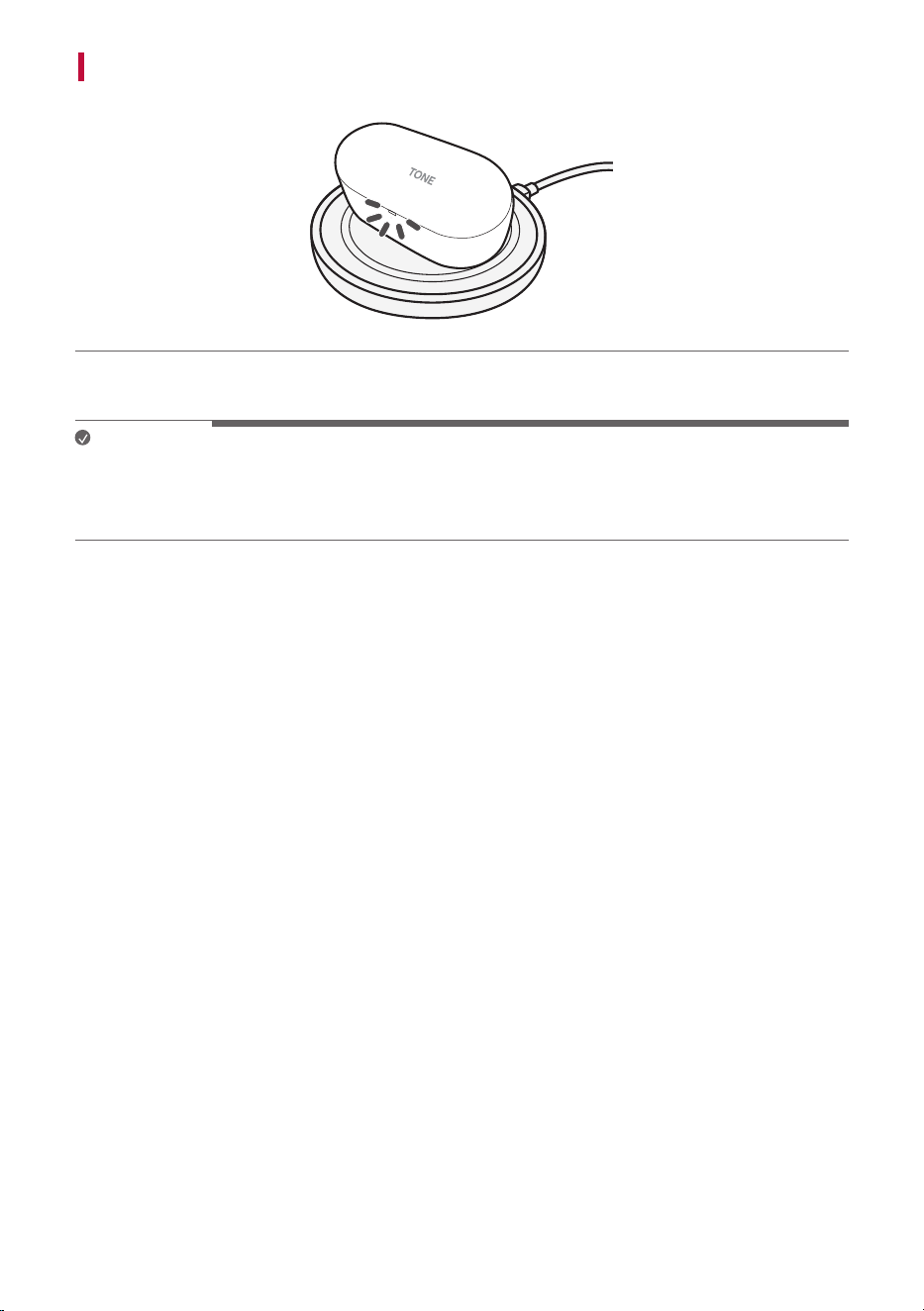
Charging Wirelessly
Place the charging case on the center of the wireless charger.
Note
• A wireless charger is not provided.
• For some wireless chargers, the wireless charging function may not operate.
• For wireless charging, it takes a long to charge.
14
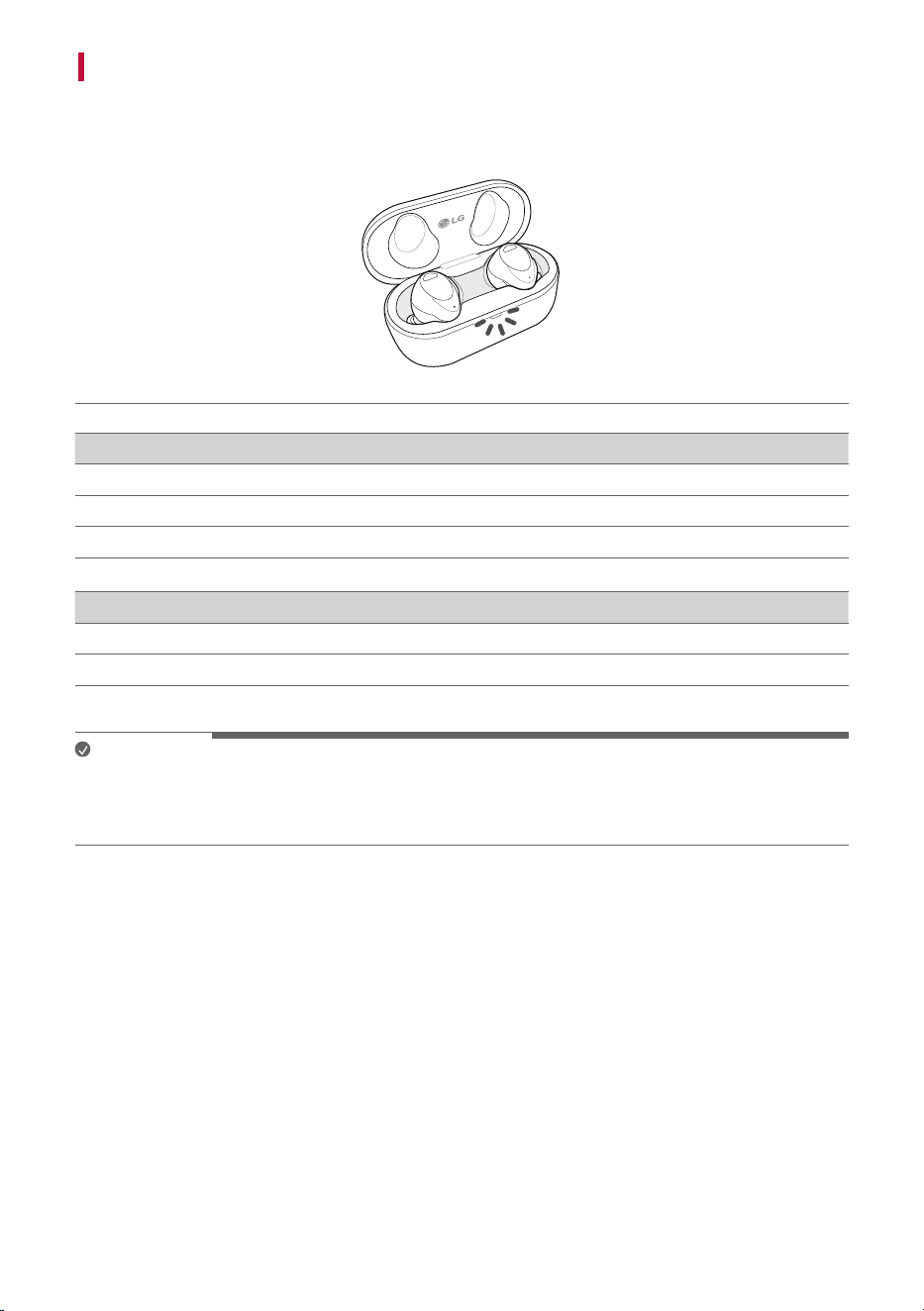
Checking Battery Status
If you open the charging case, the battery status of the earbuds is displayed.
When the earbuds are not attached, the battery status of the charging case is displayed.
Battery status indicator Battery level state (charger not connected)
Red 20% or less
Yellow 20% ~ 80%
Green 80% or higher
Battery status indicator Charging status (charger connected)
Red Charging
Green Fully charged
Note
• If you close the charging case, the battery status of the charging case is displayed.
• When the battery in the charging case is completely consumed, the earbuds cannot be turned on or off.
Please charge the charging case.

15
Battery status indicator
Status Operation
Bluetooth
®
search mode The blue battery status indicator blinks.
Battery 20% or less The red battery status indicator turns on and off.
Battery 20% ~ 80% The yellow battery status indicator turns on and off.
Battery 80% or higher The green battery status indicator turns on and off.
When a charging error occurs The red battery status indicator blinks.
While battery is charged (charger
connected)
The red battery status indicator turns on.
Battery charging completed (charger
connected)
The green battery status indicator turns on.
16
Connecting to the Bluetooth App
Connecting the LG TONE Free App
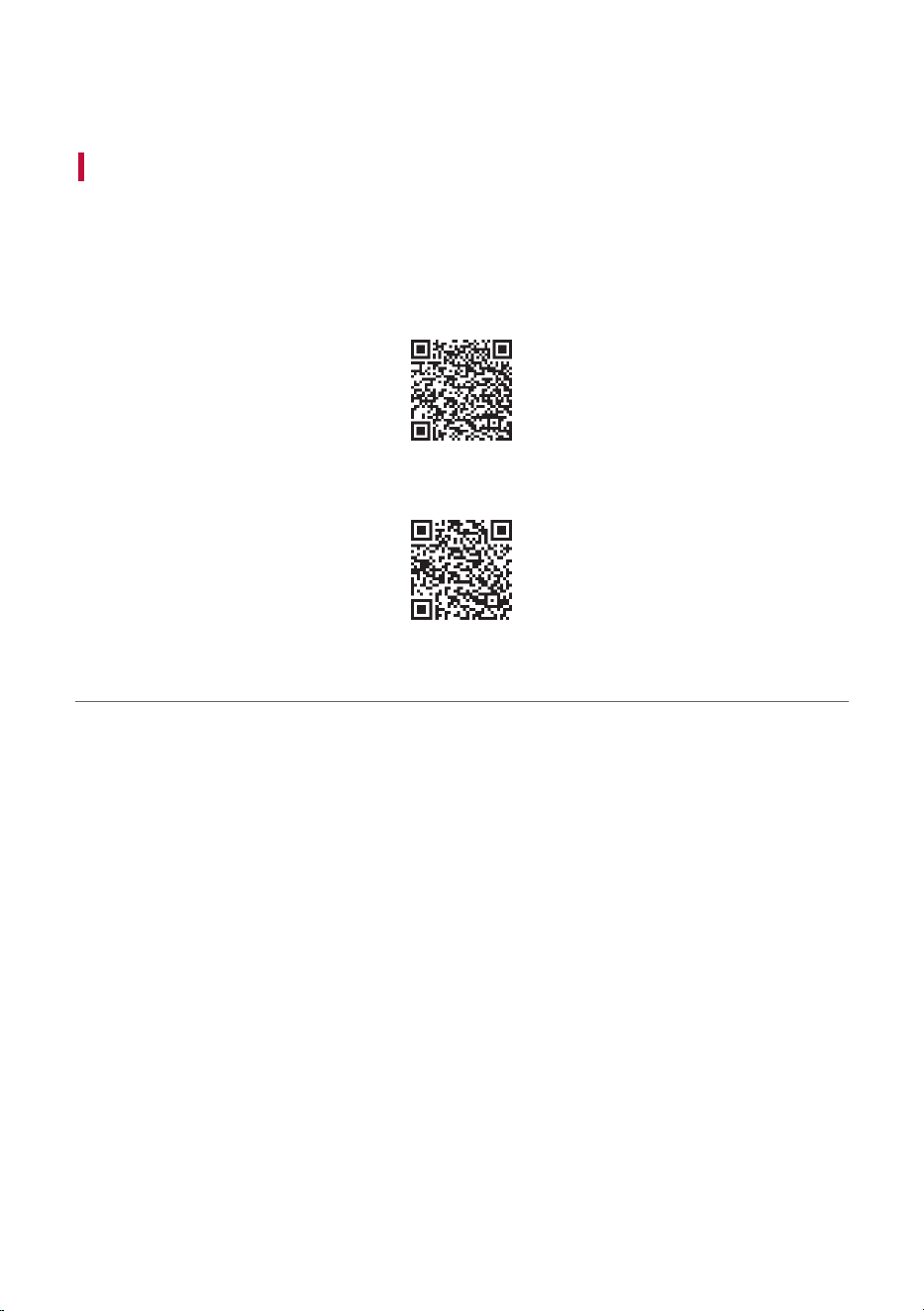
a Search for “LG TONE Free” on Google Play Store or App Store on your smartphone or scan the QR
code below to install the LG TONE Free app.
b Run the app to use various functions [Battery Status, Voice Alert Settings (Android only), Equalizer
Settings, and Find my earbuds function, etc.]
Only Android 7.0 or iOS 13 or higher is supported.
<Android>
<iOS>
Connecting to the Bluetooth App

17
Safety Precautions
Safety Notices and Warnings
The following “Safety Precautions” are to prevent unexpected dangers or damages, so be sure to read
them thoroughly.
‘Safety Precautions’ are divided into ‘Warning’ and ‘Caution’.
. WARNING: Failure to follow the instructions may result in serious injury or death.
> Caution: Failure to follow the instructions may result in minor injury or product damage.
. Warning
• Do not drop the product from a high place.
• Make sure there is no alcohol, or benzene in contact with the product.
• Do not store the product in a wet or dusty place.
• Do not place heavy objects on the product.
• Earbuds tested under controlled laboratory conditions with an IPX4 rating.
Resistant to splashed water. Dry before using. Do not charge while wet. Case has
not been tested for IPX4.
Safety Precautions

18
> Caution
• Do not disassemble, adjust, or repair the product.
• Do not place the product near excessive heat or flammable material.
• The product may be damaged if an incompatible charger is used.
• Keep small components of the product away from infants or children.
• Make sure that foreign objects do not enter the charger’s connectors (Case
charging port and power plug). Foreign objects in the charger’s connectors may
result in fire or electric shock.
• If you have a medical device implanted, contact your doctor before using this
device.
• For your safety, do not remove the battery incorporated in the product.
• This product has a built-in battery, and the battery cannot be removed or
replaced.
• If you arbitrarily replace the battery or don’t replace it correctly, it may explode.
• The lithium-ion battery is a hazardous component that can cause injury.
• Battery replacement by an unqualified professional can cause damage to your
device.
• Do not discard the battery arbitrarily. Follow the local procedure for discarding
batteries.
• In order to prevent unnecessary energy consumption, disconnect the device
when fully charged. Always use an easily accessible power outlet for charging
your device.
• Risk of fire or explosion if the battery is replaced by an incorrect type.
• Do not store or transport at pressures lower than 0.116 bar (11.6 kPa) and at
above 9.32 miles (15,000 m) altitude.

19
> Caution
• Replacement of a battery with an incorrect type that can defeat a safeguard (for
example, in the case of some lithium battery types).
• Disposal of a battery into fire or a hot oven, or mechanically crushing or cutting
of a battery, may result in an explosion.
• Leaving a battery in an extremely high temperature surrounding environment
that can result in an explosion or the leakage of flammable liquid or gas.
• A battery subjected to extremely low air pressure may result in an explosion or
the leakage of flammable liquid or gas.
• Do not carelessly throw away old batteries. It can cause an explosion or fire. The
disposal method may vary by country and region. Dispose of it in an appropriate
manner.
Precautions when Using the Product
Wipe the product clean if it has been exposed to a lot of sweat.
Keep the area around the earphones clean.
If you wear earphones for a long time, it may cause pain, and if the moisture in the ears remains long, it
may cause skin trouble.
Prevention of product misuse
To prevent misuse of the product, please be sure to check the contents below.
Precautions for using the product
• You cannot charge external devices with the USB port.
• When moving the product, pull out the power cord and all cables connected to the product.
- Otherwise, it may cause a fire or electric shock.
• Do not open or close the cover of the charging case with excessive force.
• Do not mount the earbuds on the charging case with the left and right sides reversed.
- If you mount the earbuds reversed and close the cover of the charging case forcefully, it may result in
a product breakdown.
• Make sure that water or any other liquid does not get into the charging case.
- If liquid gets into the charging case, it may cause a breakdown.
• Be careful not to insert or touch foreign substances into the charging port.

20
Things to Check before Reporting
Malfunction
Troubleshooting
If you experience the following symptoms while using the product, please check them again. They may not
be malfunctions.
Symptom Cause and Solution
If the power does not
turn on
• Check the battery level and charge it.
If a call cannot be
made with the earbuds
• If your smartphone does not support the hands-free function, you
cannot use the call function.
• Check the battery level and charge it.
If you cannot register
the earbuds into the
smartphone
• Check whether power is turned on by opening the cover of the charging
case.
• Check that the earbuds are switched to search mode.
- If you touch and hold the touchpad on the left or right side of the
earbuds for 3 to 5 seconds with the earbuds in the charging case, it
is switched to search mode.
If you have replaced
the earbuds or
have problems with
operation (factory
reset).
• Touch and hold the left or right touchpad of the earbuds for more than
10 seconds with the earbuds in the charging case.
- The battery status indicator of the charging case blinks red and the
factory reset progresses. Please reconnect the earbuds after factory
reset.
Things to Check before Reporting
Malfunction
21
Appendix
Product Specifications
General Description
Bluetooth
Specifications
V 5.4 (HFP/A2DP/AVRCP)
Battery
Earbud: 3.85 V / 51 mAh, Lithium-ion
Charging case: 3.85 V / 475 mAh, Lithium-ion
Music Play Time
Earbuds & With
Charging case
ANC Off: Up to 9 & Up to 36 hours*
ANC On: Up to 5 & Up to 20 hours*
Charging Time
Earbud: within an hour
Charging case: within 2 hours 30 minutes*
Fast Charging: 5 min charge for up to 60 min playtime*
• When charging wired at room temperature
Rated Input Voltage
Earbud: 5 V 0, 120 mA
Charging case: 5 V 0, 650 mA
*The use time may vary depending on the connected smartphone or use functions, settings, signal
strength, operation temperature, using frequency band, and other use methods.
Operating
Temperature
0°C (+32°F) ~ +40°C (+104°F)
Operating Humidity 5 % ~ 60 %
Dimensions (inch) /
Weight (oz)
• Earbud : 0.85” (W) X 0.86” (L) X 0.95” (H) / 0.2 oz (One earbud)
(21.6 mm (W) X 21.9 mm (L) X 24.2 mm (H) / 5.7 g (One earbud))
• Charging case : 2.54” (W) X 1.18” (L) X 1.28” (H) / 1.45 oz
(64.5 mm (W) X 29.9 mm (L) X 32.6 mm (H) / 41 g)
Frequency range 2402 MHz to 2480 MHz
*Duration of use and charging time may vary depending on the connected mobile device or charging
adapter, features being used, settings, signal strength, operating temperature, frequency band, and other
methods of use.
This device was tested in compliance with FCC and ISED RF Exposure limit. (0 mm distance from human
head/body (limit 1.6 W/kg @ 1g SAR) and extremity (limit 4.0 W/kg @ 10g SAR)).
This device contains licence-exempt transmitter(s)/receiver(s) that comply with Innovation, Science and
Economic Development Canada’s licence exempt RSS(s).
Appendix
22
Safety Information
Prevention of Hearing Loss
If the volume of the headset is too high, you can experience permanent hearing loss.
Set the volume to a safe level. It may sound normal, but if you often listen to high-
pitch sounds that can damage your hearing, your ears get used to it over time.
If you feel ringing in your ears or hear faint voice, stop listening and get a hearing test.
The louder the volume, the faster your hearing can be damaged.
Experts suggest you to do the followings to protect your hearing.
• Limit the time for using the headset with the high volume.
• Avoid the habit to turn up the volume not to hear loud noises around you.
• If you cannot hear people nearby, turn the volume down.
For how to set the maximum volume limit of the connection device, refer to the user manual provided
with the connection device.
Additional Information
The Bluetooth
®
word mark and logos are registered trademarks owned by the Bluetooth SIG, Inc. and
any use of such marks by LG Electronics is under license.
Other trademarks and trade names are those of their respective owners.
Android, Google Play, the Google Play logo, and other related marks and logos are trademarks of Google
LLC.
Radio frequency exposure
This Bluetooth LG Stereo Headset is a radio transmitter and receiver. When in operation, it communicates
with a Bluetooth-equipped mobile device by receiving and transmitting radio frequency (RF)
electromagnetic fields (microwaves) in the frequency range 2402 to 2480 MHz.
Safety information
23
Bluetooth connection precautions
The following environments affect the range and reception of Bluetooth signals:
- When walls, metal, human bodies, or other obstacles exist between the Bluetooth device and the
connected device.
- When equipment that uses 2.4 GHz frequency signals (wireless LANs, wireless phones, microwave
ovens, etc.) is placed near the devices being used.
- When using a Bluetooth device (TV, laptop, etc.) other than the mobile phone, the sound quality may be
affected by the specifications and performance of the device.
Battery Information
A rechargeable battery has a long service life if treated properly. A new battery or one that has not been
used for a long period of time could have reduced capacity the first few times it is used. Do not expose
the battery to extreme temperatures, never above +122°F (+50°C) or below +14°F (-10°C). For maximum
battery capacity, use the battery at room temperature. If the battery is used in low temperatures, the
battery capacity will be reduced. The battery can only be charged in temperatures between +32°F (0°C)
and +113°F (+45°C).
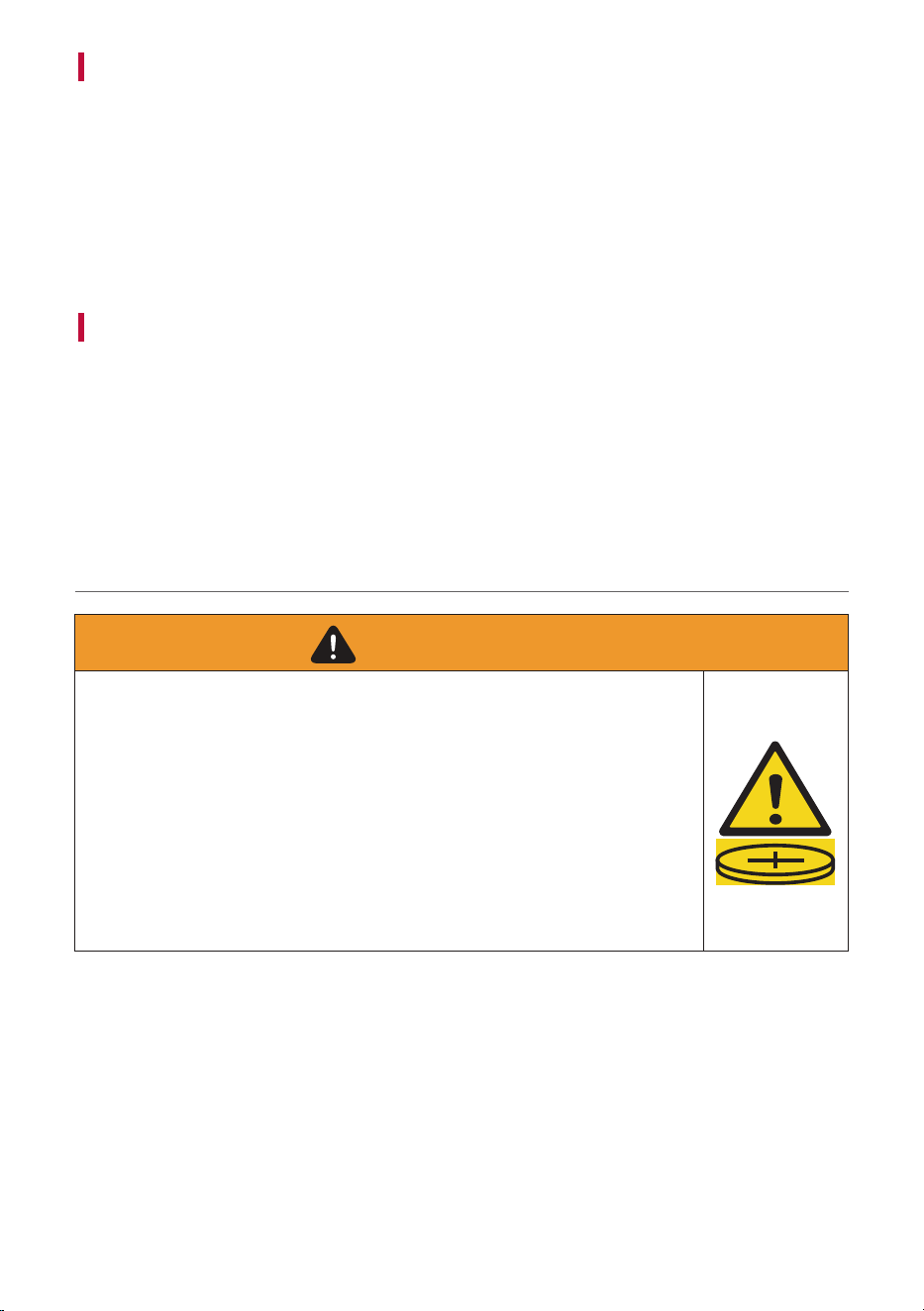
[For coin battery application]
•
INGESTION HAZARD: This product contains a button cell
or coin battery.
•
DEATH or serious injury can occur if ingested.
•
A swallowed button cell or coin battery can cause Internal
Chemical Burns in as little as 2 hours.
•
KEEP new and used batteries OUT OF REACH of CHILDREN
•
Seek immediate medical attention if a battery is suspected
to be swallowed or inserted inside any part of the body.
WARNING
• Remove and immediately recycle or dispose of used batteries according to local regulations and keep
away from children. Do NOT dispose of batteries in household trash or incinerate.
• Even used batteries may cause severe injury or death.
• Call a local poison control center for treatment information.
• The compatible battery type is only VDL 1240H
• The nominal battery voltage is 3.85 V
• Non-rechargeable batteries are not to be recharged.
• Do not force discharge, recharge, disassemble, heat above (manufacturer’s specified temperature
rating) or incinerate. Doing so may result in injury due to venting, leakage or explosion resulting in
chemical burns.
• The product contains non-replaceable batteries.
24
Registered Trademarks and Licenses
All trademarks and trade names are owned by their respective owners.
“Made for iPhone” mean that an electronic accessory has been designed to connect specifically to iPhone,
respectively, and has been certified by the developer to meet Apple performance standards. Apple is not
responsible for the operation of this device or its compliance with safety and regulatory standards. Please
note that the use of this accessory with iPhone may affect wireless performance.
Dolby, Dolby Atmos, and the double-D symbol are registered trademarks of Dolby Laboratories Licensing
Corporation. Manufactured under license from Dolby Laboratories. Confidential unpublished works.
Copyright © 2012–2020 Dolby Laboratories. All rights reserved.
25
Snapdragon and Qualcomm branded products are products of Qualcomm Technologies, Inc. and/or its
subsidiaries.
Qualcomm, Snapdragon, and Snapdragon Sound are trademarks or registered trademarks of Qualcomm
Incorporated.
aptX is a trademark of Qualcomm Technologies International, Ltd., registered in the United States and
other countries.
Symbols
0
Direct current (DC)
CAUTION
Instructions
Coin / button cell battery
The spelling errors or inaccurate contents in this user manual are subject to change without
prior notice by LG Electronics.
The output level shall automatically return to an output level not exceeding RS1 when the power
is switched off.
26
Cleaning Guide
How to clean your ear gel
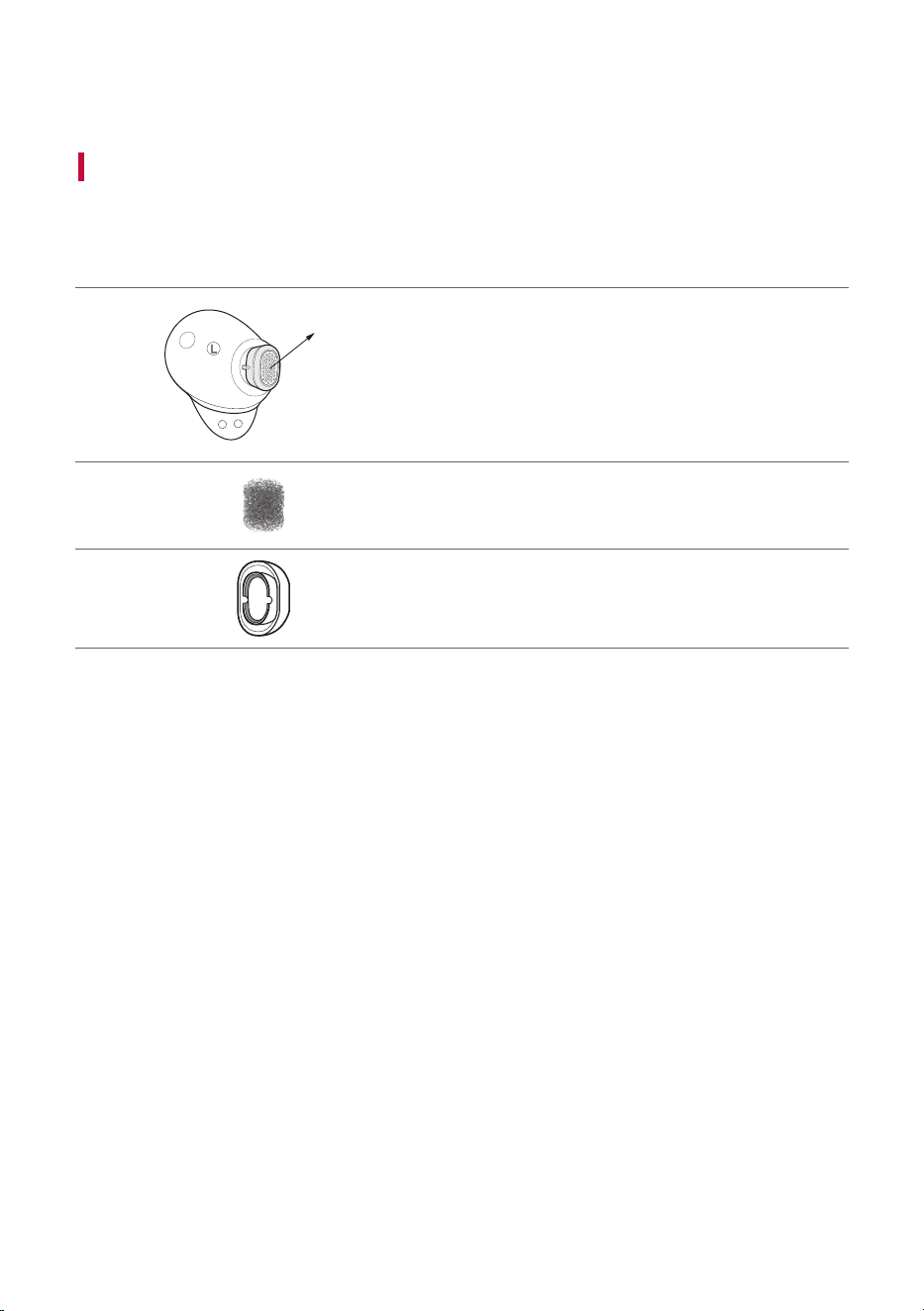
Make sure to clean the ear gel / multi function foam periodically to keep it clean!
If the ear gel / multi function foam is clogged, the sound may be reduced or the ANC performance may be
reduced!
A
L
Earbuds
A Speaker mesh
Multi function foam
Ear gel
a Separate the ear gel from the earbuds.
b Separate the multi function foam from the ear gel.
c Remove contaminants (earwax, sebum, etc.) from the ear gel and multi function foam.
* Foreign substances can be easily removed by washing in lukewarm water, and reuse after removing the
water.
* If the multi function foam is damaged, please use an extra multi function foam.
d Put the multi function foam into the ear gel and reassemble it with the earbuds.
Cleaning Guide