www.PyleUSA.com
OPERATION
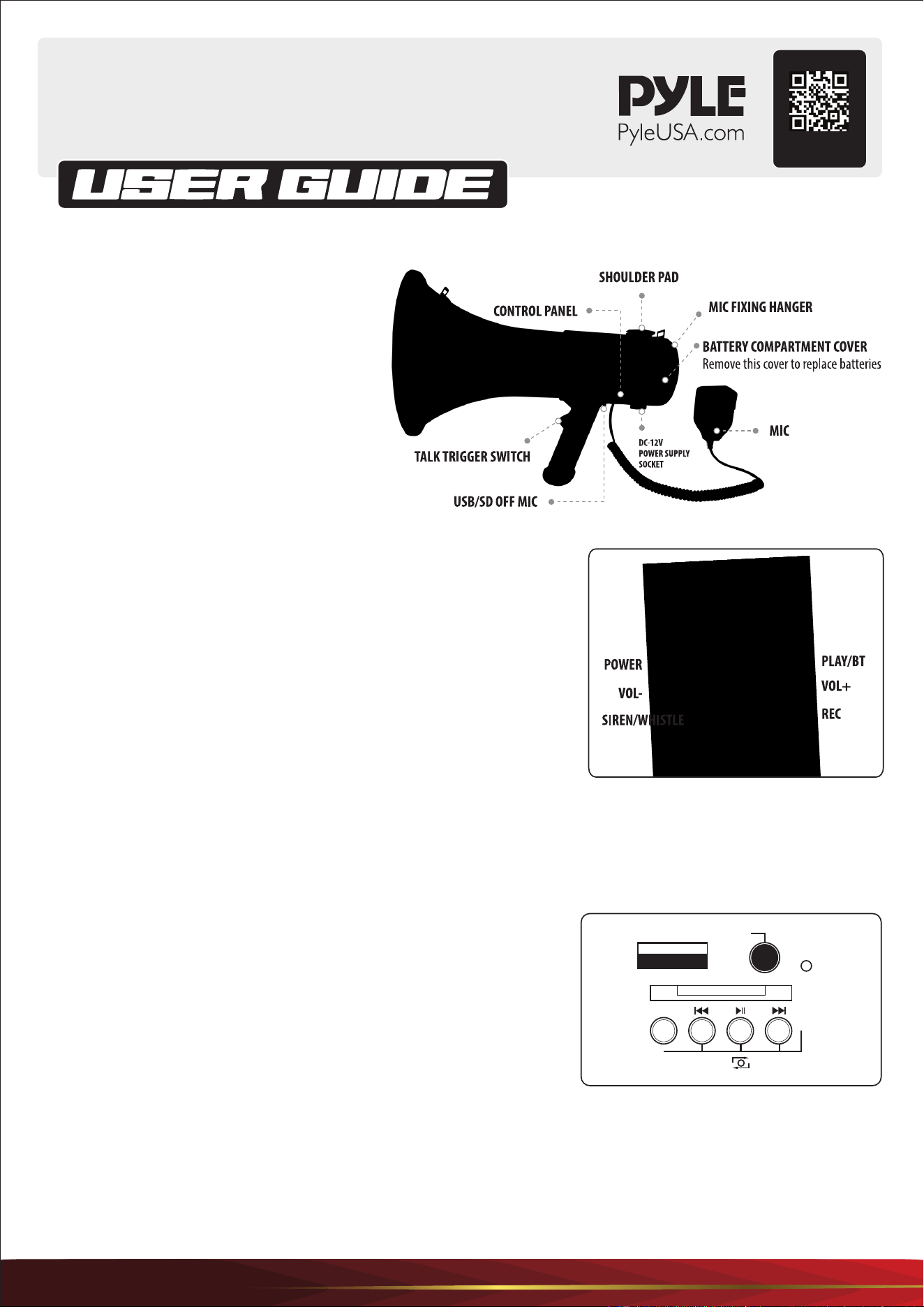
TALK OPERATION
Dial the toggle switch to MIC and then press the power key on MIC,
the indicator lights up, and then you can now speak into the microphone.
SIREN/WHISTLE Operation: Short press SIREN/WHISTLE button when mic
is powered ON to SIREN. Press and hold this key to play exit whistle, and
short press again to close.
Recording and Playing Operation: When the MIC is powered on, press the
REC button and the indicator starts ashing to record into the microphone.
When the recording duration is over, press PLAY to PLAY the content of the
recording. Turn o playback with a short press.
Volume Adjustment Operation: When no card is inserted, you can press to adjust the volume.
Bluetooth Operation: When the MIC is powered on, press and hold the PLAY key and you will hear a Bluetooth voice
to connect the Bluetooth on the phone. The bluetooth name is MEGAPHONE. Exit bluetooth mode and press to enter
shout mode.
Control Panel Operation
First switch the button to TALK and then switch me LOCK on the left side
of microphone to the top, the LED light is ON. Plug in USB or SD card to
play music. The led light will ash when the music is playing.
Press M button to choose the music between AUX and USB.
Notice:
1. You can play the music on the disk and speak at the same time, they wIll not eect each other.
2. If you don't want to speak when playing music, turn o the volume control, thus it can turn down the noise and
save the battery.
3. DO NOT touch the USB while the indicator light is ashing.
4. The capability of the USB is no more than 6G, and it can only identify MP3 format.
M
USB
AUX
LED
SD card
Long press VOL- VOL+
1
Open the Back Cover. Remove the plastic battery
sleeve and insert 8 nos. UM-2 cells with correct
polarity, insert the sleeve into the battery
compartment according to the instructions in
the compartment. Then close the back cover
until it locks. Now your megaphone is ready for
action. You can also open the back cover, remove
the plastic battery sleeve and insert one 12V
rechargeable battery then close the back cover
until it locks.
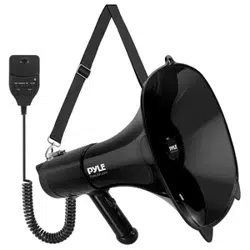
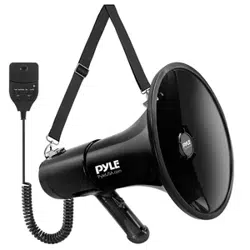
Lightweight and Portable Hand-Grip Type Megaphone
USB/BT/MIC/TALK, 260s Record, 30Watt, Automatic Siren
PMP68RBIN
Visit Our Website
SCAN ME
PyleUSA.com
www.PyleUSA.com
Features:
•
Dry Cell Operation
• Full ABS Body, Sturdy & Lightweight
• Built-in Siren Microphone
• Clear Sound, Long Rang Ecient Design
• Conveniently Located Volume Controls Switch
• Rechargeable Lithium Battery Included
• (3) Modes: Talk, Siren & Music
• Aux (3.5mm) Input Connector Jack
• Stream MP3 & Digital Audio Files
• Ability to Connect External Devices
(iPhone, Android, Smartphone, iPad, Tablet, etc.)
• Includes Plug-in Handheld Microphone
• Button Activated Automatic Siren Alarm
• Adjustable Volume Control
• Ergonomic Pistol Grip and Lightweight Chassis
• For Indoor/Outdoor Use
• Built-in Automatic Siren Function
• Talk, Music, and Siren Switch
What's in The Box:
•
Megaphone speaker
• 12V Lithium Battery
• Strap
Technical Specs:
•
Constructional Materials: ABS
• Power Output: 100 Watt MAX
• Power Supply: 110-220V
• Bell Width: 8.46’’ -inches
• Projection Range: Up to 600 Square Yards
• Battery Powered: Requires 8 x 'C’ Not Included
or 12V Lithium Batteries
• Battery Life: 6-8 Hours
• Microphone: Unidirectional
• Weight: 2.52 lbs.
• Product Dimensions (D x L): 8.46’‘ x 14.96'' -inches
Control Panel Operation Instruction
Short press for previous track, press and hold for
volume decrease.
Short press to play music or pause.
Press and hold to stop
Short press for next track, press and hold for volume
increase.
AUX 3.5mm Audio Line IN
M Audio Source Mode Switch
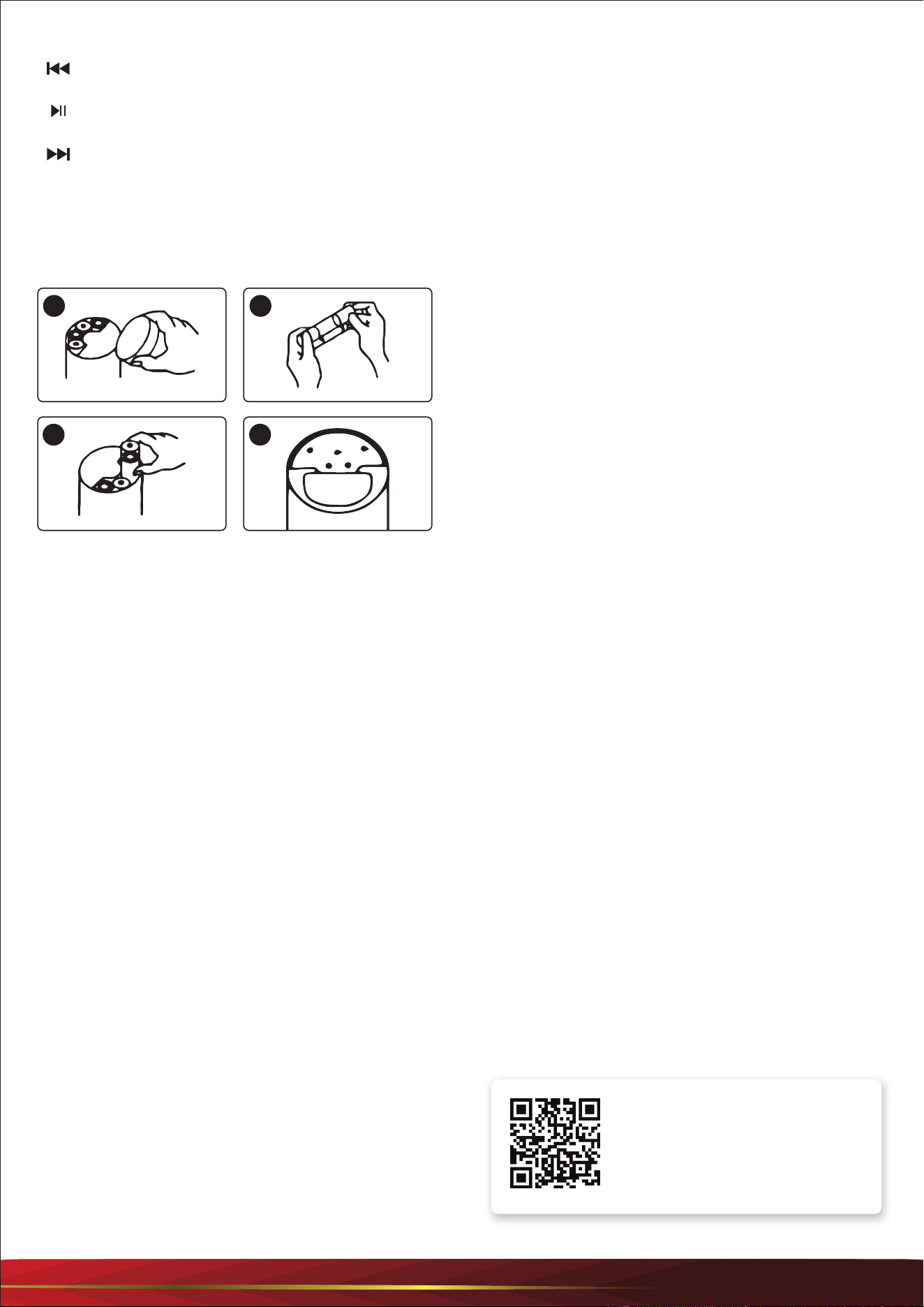
TO REPLACE BATTERIES
1. Loosen the locking screw of the battery compartment
cover on the back of the body.
The battery compartment cover comes o.
2. Insert 8 x type-C (UM-2) batteries in the battery case
observing correct polarity.
3. Insert the battery case with batteries into the battery
compartment of the megaphone, paying attention to
polarity.
TO REPLACE RECHARGEABLE BATTERIES
4. Open the back cover. Remove the plastic battery sleeve
and insert the rechargeable battery, close the back
cover until it locks.
Notes:
1. Make sure the batteries are insrted correctly, observe
correct polarity.
2. Charge the battery for 6-8 hours in 110-220V before rst
use.
3. When the megaphone is not in use for a long period of
time, remove the dry cells and replace.
4. Drained cells or rechargeable battery will not give
sucient sound volume.
5. After the lithium battery is fully charged, the indicator
light will turn red into green.
6. Swith the button to OFF if you have nished using the
megaphone.
1 2
3 4
Questions or Comments?
We are here to help!
Phone: 1.718.535.1800
PyleUSA.com/ContactUs