- 1 -
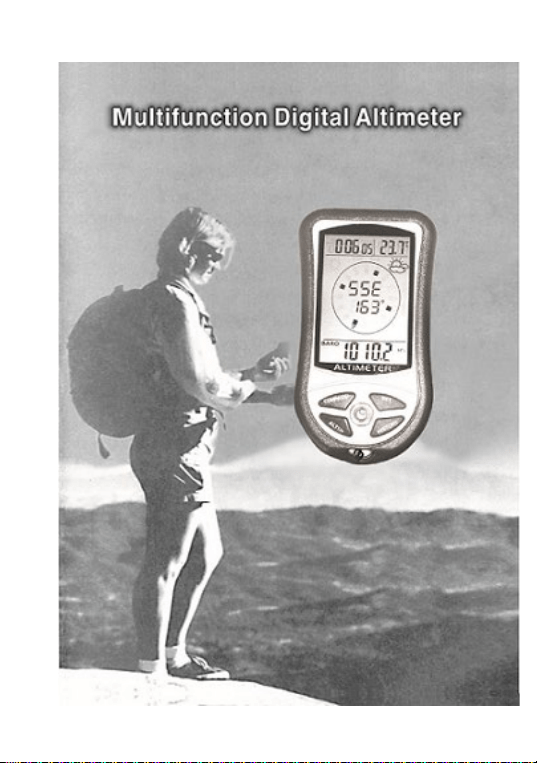
8 IN 1 DIGITAL ALTIMETER
USER MANUAL
Digital Altimeter, with digital barometer, digital
compass, weather forecast, clock, calendar,
thermometer. The device is based on the technology of
electronic bearing sensor and air pressure sensor.
The digital altimeter is designed for outdoor use, the
detachable string makes the digital compass to a perfect
hand-carry device for various outdoor activities.
It will give you backlight when you press any button
in any time.
Two AAA batteries in the battery compartment
- 2 -
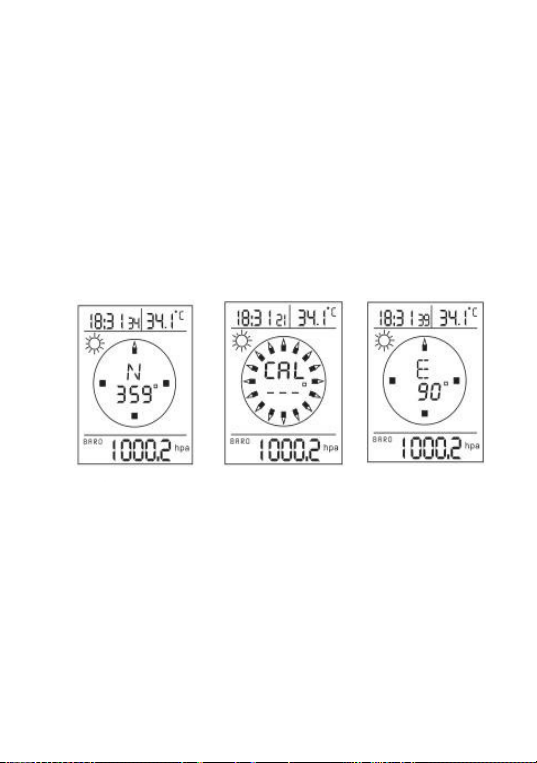
Calibration for digital compass
1. Once batteries are placed, the LCD will full display,
press [COMPASS/-] button, it will show a wrong
direction degree on the LCD.
2. Press and hold [COMPASS/-] button for 2 seconds, it
will show ‘CAL’ on the LCD, turn the device 12 circles,
press [Compass/-] button, the correct direction angles
show on the screen, the calibration process completed.
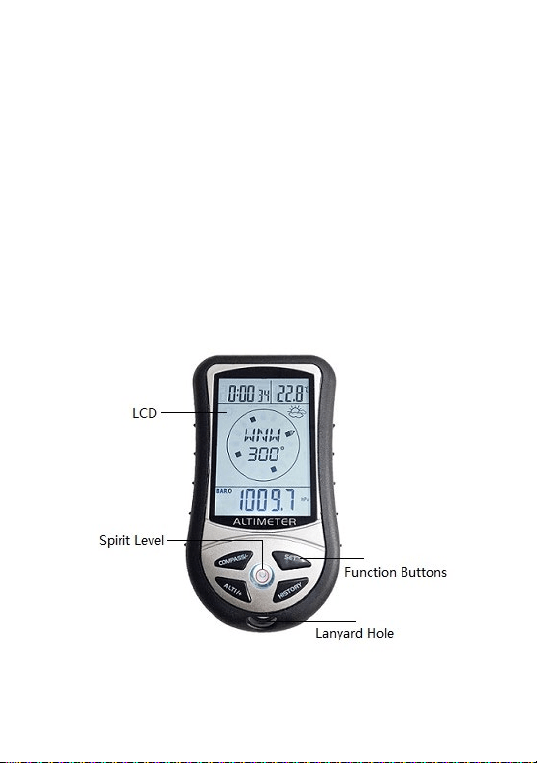
(Note: For more accurate results, the air bubble in the
spirit level should be kept inside the circle during the
calibration procedure.)
3. At compass mode, it will exit compass function, if you
press [ALTI/+] button.
Note: the device only needs to adjust the compass function
when it is used for the first time. After that, there is no need
to made adjustment steps. It will need to be re-calibrated
unless it is used for a long time or if the compass data is
inaccurate due to strong magnetic field interference.
Full display,
press [Compass/-]
Long press
[Compass/-]
Turn the device
12 circles, press
[Compass/-]

- 3 -
Setting step:
1. Press and hold [SET] button for 2 seconds, 24Hr will
flash on the top left corner, press [ALTI/+] button to
select 24Hr or 12Hr;
2. Press [SET], hour flash, press [+] or [-] to set hour;
3. Press [SET], minute flash, press [+] or [-] to set minute;
4. Press [SET], year flash, press [+] or [-] to set year;
5. Press [SET], month flash, press[+] or [-] to set month;
6. Press [SET], date flash, press [+] or [-] to set date;
7. Press [SET], temperature unit ℃ flash, press
[ALTI/+] button to select ℃ or ℉;
8. Press [SET] , barometer unit HPA flash, press
[ALTI/+] button to select HPA, inHg or mmHg;
9. Press [SET], altitude unit M flash, press [ALTI/+] to select
M or FEET;
10. Press [HISTORY] button to confirm and exit the setting,
press [SET] to switch display mode (clock or calendar).
Altimeter
The height value displayed on the screen is the sea level
of the current location.
press [SET] and [ALTI/+] at one time, The altitude
value will flash, press [ALTI/+] to increase the
reference altitude value, or press [COMPASS/-] to
decrease it.

- 4 -
At setting process, it will exit setting automatically if you
press [HISTORY] button or don’t operate it in ten
seconds.
Relative Altitude
You can use this device to monitor the ascending or
descending altitude from one certain location or the
relative altitude for any mountain or object etc.
In the altimeter mode, press and hold [ALTI/+] button
for 2 seconds to clear the altitude value to 0
M
, then to
ascend or descend, the relative altitude from that
location where you clear will display in the lower row
of the screen. The negative value means that the current
altitude is lower than the previous relative altitude; The
positive value means the current altitude is higher than
the previous relative altitude.
Press [ALTI/+] button to switch the use of altimeter
and barometer.
Barometer
The air pressure value displayed on the screen is the air
pressure at the current location.
Press [ALTI/+] button to switch the use of altimeter and
barometer.
Weather Forecast
Apart from detecting the altitude, barometer also helps
to forecast the weather for the forthcoming 12 to 24

- 5 -
hours basing on air pressure changes. The effective
range is 30-50km.
1. The weather forecast could be affected by oceanic or
continental weather phenomenon, It is not
responsible for any inconvenience caused by an
Inaccurate forecast.So, please refer to the weather
forecast from the local weather station.
2. The weather forecast is meant for the next 12 to 24
hours. It will not reflect the current forecast.
History Altitude Record
Press [HISTORY] button, you can view record of
history altitude and air pressure record. It will display
the most previous record in this mode, then you can
press [ALTI/+] or [COMPASS/-] button to forwards or
backwards view history record. It can save most 256pcs
records, the records’ distance is five minutes, and you
can change the distance time from 1-60 minutes if you
press and hold [HISTORY] button for 2 seconds.
Save power design
When you don’t want to use the device, you press and
hold [SET] button for 5 seconds, the device will stop all
display enter into dormancy mode. And then you press
any button, it will resume previous display.

- 6 -
Low battery Warning
When the battery voltage is low, a battery symbol will
flash on the screen of the device, indicating that the
battery needs to be replaced.
Backlight
In any mode, it can give you backlight for 5 seconds
that you press any button; and if the backlight is opened,
you press any button, it can extend the backlight time
for 5 seconds.
Default Value
1.Default clock:0:00;
default display: 24 hours system
2.Default date:2018-1-1,
display order is : date-month-year from left to right
3.Default temperature unit:℃
4.Default barometer unit:HPA
5.Default altitude unit:M
6.Default history record distance:five minutes