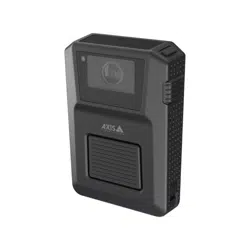


AXISW400BodyWornActivationKit
Abouttheactivationkit
Abouttheactivationkit
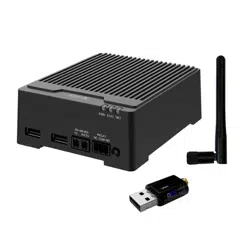
TheactivationkitconsistsofanAxisconnectivityhub,aWiFi/Bluetooth®adapter,andanantenna.IncombinationwithanAxisbody
wornsystemandAxisbodyworncameras,youcantriggerrecordingsoneventssuchasturningonalightbar,oropeningacardoor.
Systemoverview
Headquarters’system
1
Axisbodywornsystem
2

AXISW400BodyWornActivationKit
Abouttheactivationkit
Mobilesurveillancesystem
1
Axisbodyworncamera
2
AXISW400BodyWornActivationKit
3
Recordingactivationinput(throughlightbarcontrolunit)
Softwarerequirements
AXISD31 10-AXISOSversion11.6orlater
Axisbodywornsystem-AXISOSversion1 1.6orlater
3

AXISW400BodyWornActivationKit
Installtheconnectivityhub
Installtheconnectivityhub
Formoreinformationonhowtoinstalltheconnectivityhub,seetheAXISD3110ConnectivityHubinstallationguideandthe
AXISD31 10usermanualontheproduct’ssupportpage.
1.ConnecttherecordingactivationdevicetotheI/Oconnector.
2.InserttheLM842WiFi/Bluetooth®adapterintheUSBport.
3.Connectpowertothepowerconnector,orusePoEtopowerthedevice.
4

AXISW400BodyWornActivationKit
Configureyoursystem
Configureyoursystem
Conguretheconnectivityhub
1.AccesstheAXISD3110ConnectivityHubthroughitswebinterface,seetheAXISD3110usermanual.
2.Conguretherecordingactivationinput:
2.1GotoSystem>Accessories.
2.2Ontheportwhereyouconnectedthedevice,click
tosetthedirectiontoinput.
3.Createarule:
3.1GotoSystem>Eventsandaddarule.
3.2Inthelistofconditions,selectDigitalinputisactive.
3.3Selecttheportthatthedeviceisconnectedto.
3.4Inthelistofactions,selectBroadcastsignal.
3.5InSystemID,enterthebodywornsystem’sID.YoucannditintheAboutmenuinAXISBodyWornManager.
3.6InMessagetype,enter1tobroadcastthemessagelightbaractive.
Congurethebodywornsystem
1.InstallthebodywornsystemaccordingtotheAxisbodywornsolutionusermanual.
2.InAXISBodyWornManager,gotoCameraprolesandselectthecameraproleyouwanttousefortheonboardsystem.
3.UnderRecordingactivation,selectReceivewirelessbroadcast.
5

UsermanualVer.M1.4
AXISW400BodyWornActivationKitDate:September2023
©AxisCommunicationsAB,2023
Partno.T10192691