MAD
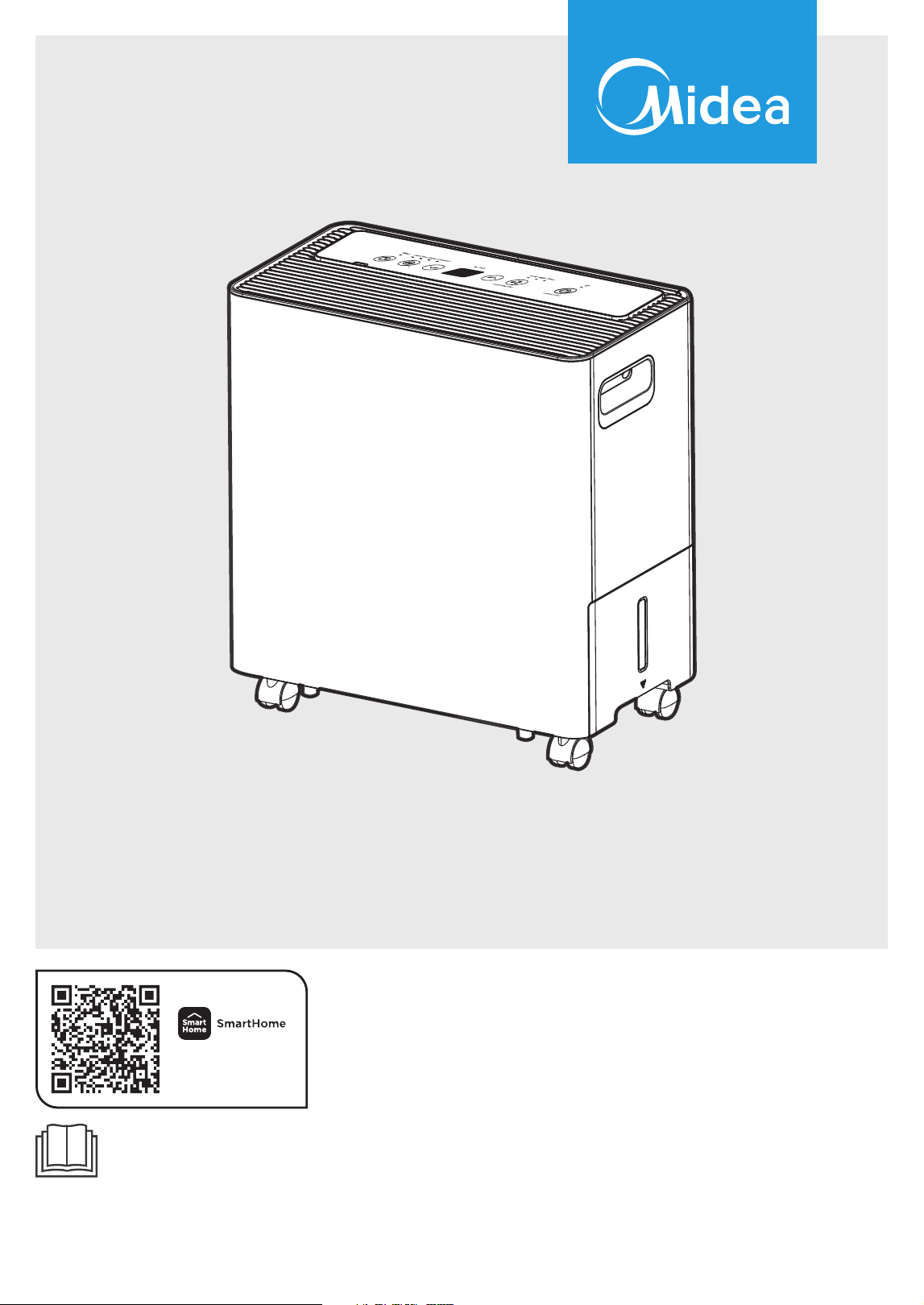
Dehumidifier
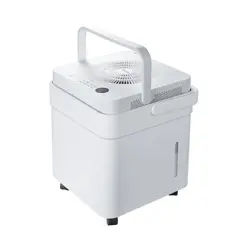
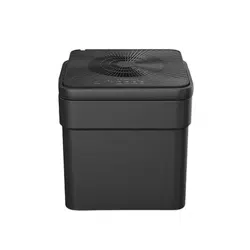
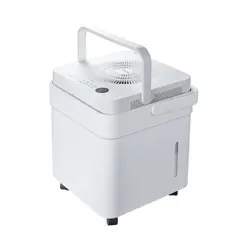
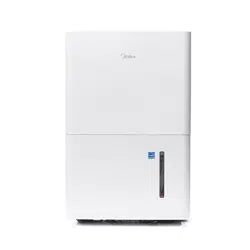
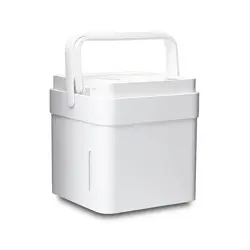
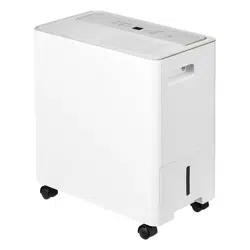
MAD22S1AWWT
MAD35S1AWWT
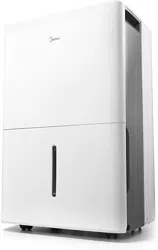
MAD50PS1AWBL
USER MANUAL
Warning notices: Before using this product, please read this manual carefully and keep it for future reference.
The design and specifications are subject to change without prior notice for product improvement.
Consult with your dealer or manufacturer for details.
The diagram above is just for reference. Please take the appearance of the actual product as the standard.
Download the app
& activate product

2
CONTENTS
Read This Manual
Inside you’ll find many helpful hints on how to use and maintain your dehumidifier properly. Just a little
preventive care on your part can save you a great deal of time and money over the life of your appliance.
You’ll find many answers to common problems in the troubleshooting tips - you should be able to fix most
of them quickly before calling service. These instructions may not cover every possible condition of use, so
common sense and attention to safety is required when installing, operating and maintaining this product.
THANK YOU LETTER
Thank you for choosing Midea! Before using your new Midea product, please read this manual
thoroughly to ensure that you know how to operate the features and functions that your new
dehumidifier offers in a safe way.
THANK YOU LETTER ...............................................................................................................2
SAFETY INSTRUCTIONS ........................................................................................................3
GET TO KNOW YOUR PRODUCT .......................................................................................7
PRODUCT INSTALLATION ....................................................................................................8
GET TO KNOW YOUR FEATURES .....................................................................................11
REMOVING COLLECTED WATER .....................................................................................15
APP INSTRUCTIONS ................................................................................................................18
CLEANING AND MAINTENANCE......................................................................................22
TROUBLESHOOTING TIPS ..................................................................................................24
WARRANTY ...............................................................................................................................25
RETURN POLICY ......................................................................................................................26
CAUTION
• For support, please call the Service Center at 1-866-646-4332.
• This appliance is not intended for use by people (including children) with reduced physical, sensory, or
mental capabilities or lack of experience and knowledge, unless they have been given supervision or
instruction concerning use of the appliance by a person responsible for their safety.
• Children should be supervised to ensure that they do not play with the appliance.
• The appliance shall be installed in accordance with national wiring regulations.

3
SAFETY PRECAUTIONS
Must read the warning message
Read Safety Precautions Before Operation and Installation. To prevent injury to the user or personal and
property damage, these instructions must be followed. Incorrect operation due to ignoring of instructions
may cause harm or damage. The level of risk is shown by the following indications.
Explanation of Symbols
WARNING
The signal word indicates a hazard with a medium level of risk which, if not avoided, may result
in death or serious injury.
CAUTION
The signal word indicates a hazard with a low degree of risk which, if not avoided, may result in
minor or moderate injury.
Please read through these instructions before you start the installation process. Improper installation can cause
damage to the unit and/or personal property and can be a personal safety hazard.
• Do not exceed the rating of the power outlet or connection device.
• Do not operate or stop the unit by switching on or off the power.
• Do not damage or use an unspecified power cord.
• Do not modify power cord length or share the outlet with other appliances.
• Do not insert or pull out plug with wet hands.
• Do not install the appliance in a location that may be exposed to combustible gas.
• Do not place the unit near a heat source.
• Disconnect the power if strange sounds, smell, or smoke comes from it.
• Never try to take apart or repair the unit by yourself.
• Before cleaning, turn off the power and unplug the unit.
• Do not use the machine near flammable gas or combustibles, such as gasoline, benzene, thinner, etc.
• Do not drink or use the water drained from the unit.
• Do not take the side access tank out during operation.
• Do not use the unit in small spaces.
• Do not put in places where water may splash onto the unit.
• Place the unit on a level, sturdy section of the floor.
• Do not cover the intake or exhaust openings with cloths or towels.
• Care should be taken when using the unit in a room with the following persons: infants, children, elderly
people,and people with reduced physical, sensory, or mental capabilities.
• Do not use in areas where chemicals are handled.
• Never insert your finger or other foreign objects into grills or openings. Take special care to warn children
of these dangers.
• Do not place heavy objects on the power cord and take care so that the cord is not compressed.
• Do not climb up on
or sit on the unit.
• Always insert the filters securely. Clean filter once every two weeks.
• lf water enters the unit, turn the unit off and disconnect the power, contact a qualified service technician.
• Do not place flower vases or other water container filled s on top of the unit.
• Do not use extension cords.
WARNING

4
• This appliance is not intended for use by persons (including children) with reduced physical, sensory
or mental capabilities or lack of experience and knowledge, unless they have been given supervision or
instruction concerning use of the appliance by a person responsible for their safety.
• Children should be supervised to ensure that they do not play with the appliance.
• If the supply cord is damaged, it must be replaced by the manufacturer, its service agent or similarly
qualified persons in order to avoid a hazard.
• Prior to cleaning or other maintenance, the appliance must be disconnected from the power supply.
• Do not install the appliance in a location that may be exposed to combustible gas.
• If combustible gas accumulates around the unit, it may cause fire.
• lf the appliance is knocked over durin use, turn off the unit and unplug it from the main power supply
immediately. Visually inspect the unit to ensure there is no damage. If you suspect the unit has been
damaged, contact a technician or customer service for assistance.
• Our product should not be used in a water damaged environment.
• ln a thunderstorm, the power must be cut off to avoid damage to the machine due to lightning.
• Do n
ot run cord under carpeting. Do not cover cord with throw rugs, runners, or similar coverings. Do
not route cord under furniture or appliances. Arrange cord away from traffic area and where it will not
be tripped over.
• Do not operate unit with a damaged cord or plug. Discard unit or return to an authorized service facility
for examination and/or repair.
• The appliance shall be installed in accordance with national wiring regulations.
• Contact the authorized service technician for repair or maintenance of this unit.
• Turn off the product when not in use.
• The manufacturer’s nameplate is located on the panel of the unit and contains electrical and other
technical data specific to this unit.
• Be sure the unit is properly grounded. To minimize shock and fire hazards, proper grounding is important.
• The power cord is equipped with a three-prong grounding plug for protection against shock hazards.
• Your unit must be used in a properly grounded wall receptacle. If the wall receptacle you intend to use
is not adequately grounded or protected by a time delay fuse or circuit breaker(please refer to the
nameplate for the electrical data), have a qualified electrician install the proper receptacle.
• The unit’s circuit board(PCB) is designed with a fuse to provide o
vercurrent protection Specifications of
the fuse are printed on the circuit board, such as: T 3.15A/250V (or 350V), etc.
CAUTION
5
Electronic Work
DISPLAY
The cographs are for explanation purpose only. Your machine may be
slightly different. The actual shape shall prevail.
NOTE
WARNING
BEFORE PERFORMING ANY ELECTRICAL OR WIRING WORK, TURN OFF THE MAIN POWER TO THE SYSTEM.
MAIN
CONTROL
POWER
SUPPLY
CORD
CAUTION:
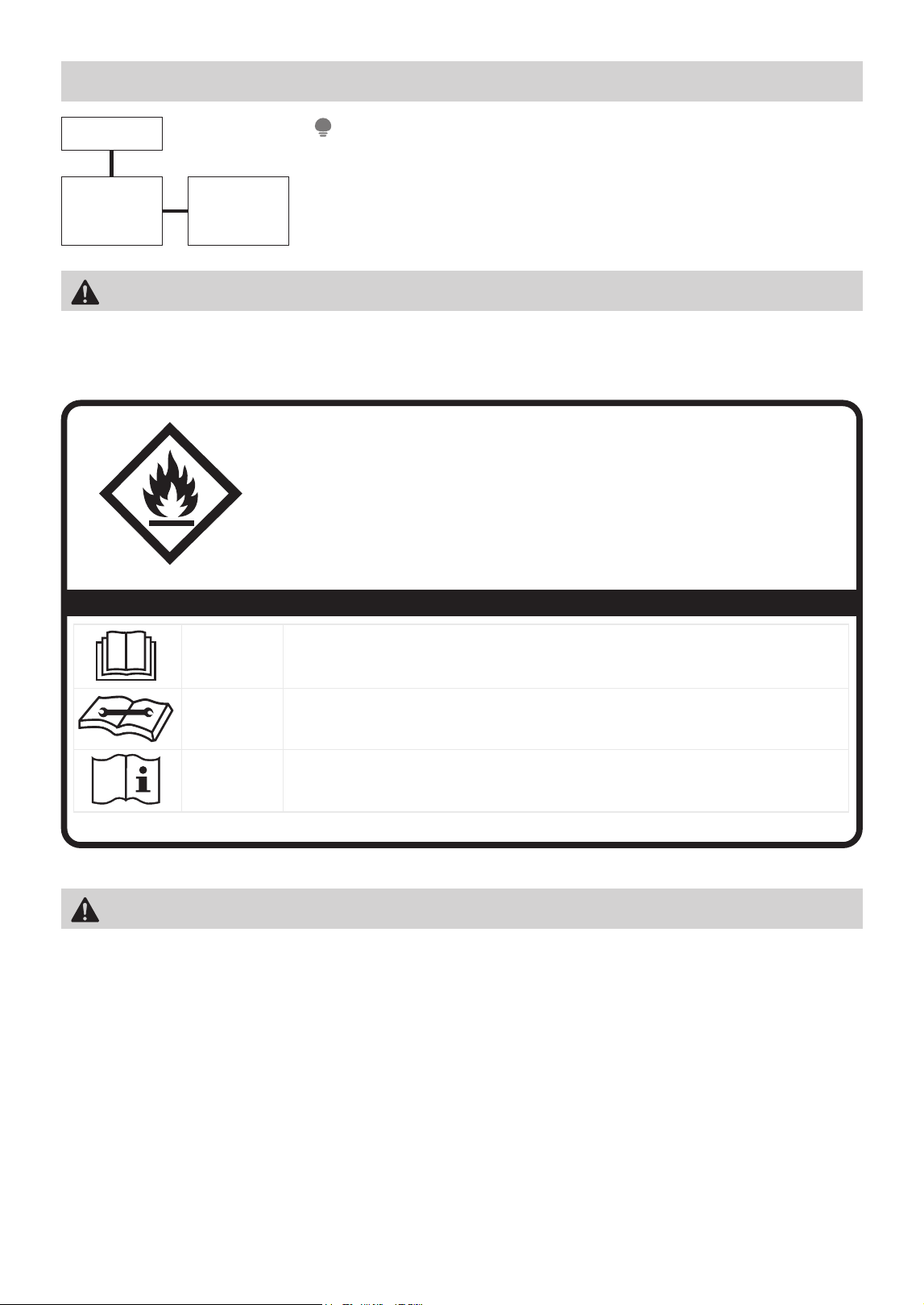
Risk of fire
flammable materials
IMPORTANT NOTE: Read this manual
carefully before installing or operating
your new appliance unit. Make sure
to save this manual for future reference.
Explanation of symbols displayed on the unit
CAUTION
This symbol shows that the operation manual should be read carefully.
CAUTION
This symbol shows that a service personnel should be handling this equipment with
reference to the installation manual.
CAUTION
This symbol shows that information is available such as the operating manual or
installation manual.
A2L
• Servicing shall only be performed as recommended by the equipment manufacturer. Maintenance and
repair requiring the assistance of other skilled personnel shall be carried out under the supervision of a
person competent in the use of flammable refrigerants.
• DO NOT modify the length of the power cord or use an extension cord to power the unit.
• DO NOT share a single outlet with other electrical appliances. Improper power supply can cause fire or
electrical shock. Please follow the instructions carefully to handle, install, clean, and service the appliance
to avoid any damage or hazard.
WARNING

6
Flammable!
Refrigerant R32 is used within appliance.
• When maintaining or disposing the appliance, the refrigerant (R32) shall be recovered properly, shall not
discharge to air directly.
• Compliance with national gas regulations shall be observed.
• Keep ventilation openings clear of obstruction.
• The appliance shall be stored so as to prevent mechanical damage from occurring.
• A warning that the appliance shall be stored in a well-ventilated area where the room size corresponds to
the room area as specified for operation.
• Any person who is involved with working on or breaking into a refrigerant circuit should hold a current
valid certificate from an industry-accredited assessment authority, which authorizes their competence to
handle refrigerants safely in accordance with an industry recognized assessment specification.
Examples for such working procedures are:
• Breaking into the refrigerating circuit;
• Opening of sealed components;
• Opening of ventilated enclosures.
• No any open fire or device like switch which may generate spark/arcing shall be around appliance to
avoid causing ignition of the flammable refrigerant used. Please follow the instruction carefully to store or
maintain the appliance to prevent mechanical damage from occurring.
• Do not use means to accelerate the defrosting process or to clean, other than those recommended by the
manufacturer.
• The appliance shall be stored in a room without continuously operating ignition sources (for example: open
flames, an operating gas appliance) and ignition sourcesor (for example: an operating electric heater) close
to the appliance.
• Do not pierce or burn.
• Be aware that the refrigerants may not contain an odor.
WARNING (for using R32 refrigerant)

7
GET TO KNOW YOUR PRODUCT
Accessories
Identification of Parts
Caster (4 pc)
Cushion pad (1 pc)
Pump drain hose *1 pc (For the unit with pump feature)
Fig. 1
Pump drainage
(only for pump model)
Power plug
storage
Power cord
and plug
Continuous drain
hose outlet
Handle
(both sides)
Air filter
(Air inlet grille)
Air outlet grille
Control
panel
Water level
window
Front panel
Caster
Side Access
Tank
All the illustrations in the manual are for explanation purpose only. Your machine may be slightly
different.The actual shape shall prevail. The unit can be controlled by the unit control panel.
NOTE
Name of each component of the product
Optional accessories

8
PRODUCT INSTALLATION
Positioning the Unit
A dehumidifier operating in a basement will have little or no effect in drying an adjacent enclosed storage
area, such as a closet, unless there is adequate circulation of air in and out of the area. (See Fig. 2)
• Do not use outdoors.
• This dehumidifer is intended for indoor residential applications only.
• This dehumidifer should not be used for commercial or industrial applications.
• Place the dehumidifier on a smooth, level floor strong enough to support the unit with a full bucket of water.
• Allow at least 20cm of air space on all sides of the unit for good air circulation (at least 40cm of air
space on air outlet).
• Place the unit in an area where the temperature will not fall below 41°F (5°C). The coils can become
covered with frost at temperatures below 41°F (5°C), which may reduce performance.
• Place the unit away from the clothes dryer, heater or radiator.
• Use the unit to prevent moisture damage anywhere books or valuables are stored.
• Use the dehumidifier in a basement to help prevent moisture damage.
• The dehumidifi er must be operated in an enclosed area to be most effective.
• Close all doors, windows and other outside openings to the room.
• Before tilting or moving the unit in any way, take out the bucket, open the continuous drain outlet to
empty the water, and disconnect the power cord.
Fig. 2
20cm
or more
20cm
or more
40cm
or more
40cm
or more
40cm
or more
weiv poTweiv tnorF
Safe distance requirements
Casters (At four points on the bottom of unit)
• Casters can move freely.
• Do not force casters to move over carpet.
• Do not move the unit with water in the bucket. (The unit may tip over and spill water.)
NOTE

9
When Using Your Product
• When first using the dehumidifier, operate the unit continuously for 24 hours. Ensure that the plastic
cover is securely installed in continuous dehumidification mode and does not leak.
• This unit is designed to operate with a working environment between 5°C/41°F and 32°C/90°F, and
between 30% (RH) and 80% (RH).
• When use in open space with open windows, condensation may form on the surface of the product,
which is normal.
• lf the unit has been switched off and needs to be switched on again quickly , allow approximately three
minutes for the correct operation to resume.
• Do not connect the dehumidifier to a multiple socket outlet, which is also being used for other electrical
appliances.
• Select a suitable location, making sure you have easy access to an electrical outlet.
• Plug the unit into an electrical socket-outlet with ground connection.
• Make sure the side access tank is correctly fitted otherwise the unit will not operate properly.
Preparations for product use
When the water in the bucket reaches to a certain level, please be careful to move the machine to avoid it
tipping over.
NOTE
3min
After a quick restart,
wait 3 minutes for the
operation to resume.
*Please refer to the actual
plug, and the legend is
for reference only.
30% (RH) 80% (RH)
Operating TEMP.
Operating Humidity
Min.
Min.
Max.
Max.
5 C/41 F
32 C/90 F
Working condition requirement
Precautions for use
First time using
Ensure the water plug
is securely installed
and operate the unit
continuously for
24 hours.
Ground connection Proper installation of water tank
Correct power connection
*This is for single socket outlet.

10
Caster Installation
1
3
2
4
Pull out the side access tank.
Tilt the unit on its side and
hold it with one hand, then
insert two casters.
Leave the unit
standing up for half
an hour before use.
Rotate the unit and hold it with one hand, then
insert the other two casters.
Take out a cushion pad and four casters from the bucket, then reinstall
the side access tank.
Caster (4 pc)Cushion pad (1 pc)
Before inserting
Correctly inserted
• Take out the bucket, drain the water outlet and reinstall the plastic cover before installing casters.
• The tilt angle is not to exceed 30 degrees when installing casters, and all casters MUST BE installed
within 5 minutes.
• After the caster installation is complete, set the unit upright and rest for 30 minutes before starting the unit.
WARNING
Step 1
Step 2
Fig. 3
Fig. 4

11
Control Panel Features
GET TO KNOW YOUR FEATURES
Description
1 ON / OFF
• Press to turn unit on or off.
• Press for 3 sec to initiate wireless connection mode.
2
TIMER Button • Press to turn unit Auto Start/Stop.
3
Mode Button
• Press to choose operating mode in a sequence:
Set → Cont. → Dryer → Comfort
4
UP / DOWN
Buttons
• Press to set humidity and timer.
5
FAN Button
• Press to select the Fan Speed in two steps: High and Low.
• Press to turn off the cleaning filter reminder.
6
LED Display
• Show the ambient humidity and set humidity, set time
(when timer function is used), and the error codes.
7
PUMP Button
(only for pump model)
• Press to activate the built-in pump function.
32 1
The following control panels are for explanation purpose only. The control panel of the unit you purchased
may be slightly different according to the models. Your machine may not contain some indicators or buttons.
The actual shape will remain the same.
NOTE
76
Operation Display
4
4 5

12
2. TIMER Function:
Press the Timer button to initiate the Auto start and Auto stop function, in conjunction with the UP and
DOWN buttons.
Auto start setting
1. In the shutdown state, press the Timer button to active the Auto start time.
2. Press or hold the UP or DOWN button to change the Auto start time by 0.5 hour increments, up to 10
hours, then at 1 hour increments, up to 24 hours.
3. The selected time will register in 5 seconds and the system will automatically revert. The control will
count down the time remaining until start.
Auto stop setting
1. In the startup state, press the Timer button to active the Auto stop time.
2. Press or hold the UP or DOWN button to change the Auto stop time by 0.5 hour increments,
up to 10 hours, then at 1 hour increments, up to 24 hours.
3. The selected time will register in 5 seconds and the system will automatically revert. The control will
count down the remaining time until stop.
The timing can be adjusted to increase or decrease by 24 hours. After the TIMER setting is complete, you can
press the button again to check the TIMER setting status. After the TIMER setting is complete, you can cancel
it by setting the set time to 0.0.
NOTE
1. POWER ON/OFF Button:
Press to turn the dehumidifier on and off.
WIRELESS Button
1. Press and hold on the POWER button for 3 seconds to initiate the Wireless connection mode. The LED
DISPLAY shows ’AP’ to indicate you can set Wireless connection.
2. If connection (router) is successful within 8 minutes, the unit will exit Wireless connection mode
automatically and the Wireless indicator illuminates and the unit enters the previous function. If connection
fails within 8 minutes, the unit exits the Wireless connection mode automatically.
When the unit is connecting to the internet, the quick glance light will flash white light.
NOTE

13
Humidity cannot be adjusted in this mode.
NOTE
Humidity cannot be adjusted in this mode.
NOTE
The fan speed indicator light illuminates under different
fan speed settings.
NOTE
For some models, The unit will quit Dryer
mode after a maximum 10 hours operation.
NOTE
Dryer and Comfort are optional; The
humidity setting cannot be manually
adjusted in Dryer, Cont. and Comfort Mode;
The set humidity will be displayed when
the selected mode is Set, and the ambient
humidity will be displayed 5 seconds later.
NOTE
Humidity can be set from 35% to 85%, with
5% adjustment per press.
NOTE
3. MODE Function:
Press the button to select the mode you want,
as shown: Set → Cont. → Dryer → Comfort.
Set Dehumidifying mode (Set)
Set mode allows you to manually adjust the
desired humidity level between 35% and 85%.
Press the button to select the Dehumidifying
mode, and adjust the desired humidity by
pressing the UP and DOWN buttons.
Continuous Dehumidifying Mode (Cont.)
In Continuous mode, the dehumidifier works
continuously to remove moisture from the air.
Press the button to select the Continuous
dehumidifying mode.
Comfort Dehumidifying Mode - optional
In Comfort dehumidifying mode, the unit
will automatically control room humidity in a
comfortable range from 45%~55% according
to the room temperature.
Press the button to select the Comfort
dehumidifying mode.
Dryer mode (Dryer) - optional
In dryer mode, the unit will filter out moisture
and blow it back into the room at a warmer
temperature on a higher fan setting.
Press the button to select the Dryer mode,
and the unit will operate in Continuous
dehumidifying and High fan speed mode, in
this mode.
30~50cm
Wet clothes
30~50cm
Allow 30~50cm of distance
on the top and right side of
the unit to the wet clothes.
4. UP AND DOWN Buttons:
Humidity Set Control Buttons
The humidity level can be set within a range of 35% RH (Relative
Humidity) to 85% RH (Relative Humidity) in 5% increments.
TIMER Set Control Buttons
Press the UP and DOWN buttons to set the Auto start and
Auto stop time from 00:00 to 24:00.
5. FAN SPEED Function:
Press the button to select fan speed in the following setting:
Low → High → Low ...
6. DISPLAY:
The electronic display will show the ambient humidity and
set humidity. When the timer function is used, the display
will show the set time. If there is an error, the display will
show the error code.
Error Codes:
ES/EH61 - Evaporator coil temperature sensor error.
Unplug the unit and plug it back in. If the error repeats,
call for service.
AS/EH60 - Room temperature sensor error. Unplug the
unit and plug it back in. If the error repeats, call for service.
P2 - Bucket is full of water or bucket is not in right position.
Empty the bucket and replace it in the right position.
P1 - Unit is defrosting. Allow the unit time to automatically
service. The protection will clear after the unit self defrosts.
(some units)
EH00 - Indoor EEPROM error. Unplug the unit and plug it
back in. If error repeats, call for service. (some units)
1. Close doors and Windows while operating in this mode.
2. For best results, please ring out excess moisture from
the clothes before using the dryer mode.
3.
Make sure to direct airflow at the wet clothes.
4. Clothes that are thick and heavy may not dry as effectively.
Fig. 5

14
7. PUMP Function (only for pump model):
Press the
button to activate the built-in pump
function. Pump Mode Indicator will be on. When
using this function, the unit will automatically
pump water out until the water tank is empty.
The pump will stop automatically once the water
tank is empty.
• Pump drain hose must be well connected for
this mode.
• Make sure the drain hose is pointed in the
direction where you would like to drain the
water to.
• If the pump indicator light and bucket full
indicator light flash simultaneously after
pressing the Pump button, the drain hose
may not be installed correctly. See page 16
for instructions on how to properly install
the drain hose.
NOTES
More Features
AUTO SHUT OFF
The dehumidifier shuts off when the bucket is full, or
when the bucket is removed or not replaced in the
proper position. For some models, the fan motor will
continue to run for 30 seconds.
When the Full indicator light illuminates, please empty
the bucket and reinstall it correctly.
Then, wait 3 minutes before resuming operation, it
cannot restart operation in the first 3 minutes. This is to
protect the unit.
Operation will automatically start after 3 minutes.
CHECK FILTER FEATURE
The unit will automatically track how long the fan motor
has been in use. Once the accumulated operation time
reaches 250 hours, the check filter light will turn on,
letting you know it is the optimal time to clean the filter.
After cleaning and reinserting the filter, press and hold
the FAN (reset filter) button for 3 seconds to turn the
light off. This will repeat after every 250 hours of use.
AUTO-RESTA
RT
If the unit turns off unexpectedly due to loss of
power, it will restart with the previous function setting
automatically when the power resumes.

15
REMOVING COLLECTED WATER
When Your Bucket Is Full
Type 1: Bucket drainage
There are different ways to remove collected water.
Bucket drainage
Type 1:
Type 3:
Pump drainage
(only for pump model)
Type 2:
Water hose drainage
(continuous)
• When the unit is off, if the bucket is full, the Full indicator light will turn on.
• When the unit is on, if the bucket is full, the comoressor and the fan turn off, and the Full indicator light
will turn on, the digital display shows P2.
• Pull the bucket out halfway, then pull up the handle and lift the bucket slowly vertically to prevent spillage.
• Dump the water and replace the bucket. The bucket must be correctly installed for the dehumidifier to operate.
• The appliance will re-start when the bucket is restored in its correct position.
1
Pull the bucket out halfway.
Do not pull out the whole bucket without grabbing the handle, or it may cause damage to the bucket or
even injure you.
WARNING
2
Pull up the handle and lift
the bucket slowly vertically.
3
Pour the water out.

16
Type 2: Water Hose Drainage (continuous)
• When you remove the bucket, do not touch any parts inside of the unit. Doing so may damage the product.
Be sure to push the bucket gently all the way into the unit. Banging the bucket against anything or failing
to push it in securely may cause the unit not to operate.
• If the pump hose becomes disconnected when you remove the bucket, you must reinstall the pump hose
properly to the unit before replacing the bucket .
• When you remove the bucket, if there is some water in the unit you must dry it.
• When the unit is on, if the bucket is removed, the compressor and the fan turn off, then the unit will
beep 8 times and the digital display shows Eb.
• When the unit is off, if the bucket is removed, the unit will beep 8 times and the digital display shows Eb.
NOTE
Water can be automatically emptied into a floor drain by attaching the unit with a water hose (ld ≥ Ø 5/16”,
not included) with a female threaded end (ID: M=1”, not included).
Before the water tank begins filling, remove the water plug from the drain outlet and set aside. Then, insert the
drain hose through the water drain outlet. Lead the drain hose to the floor drain or a suitable drainage facility.
When the continuous draining feature is not being used, remove the drain hose from the outlet, and dry the
water in the continuous drain hose outlet. After drying, make sure to reinstall the water plug.
NOTE
1
Remove the water plug.
2
Connect the drain hose.
• When you remove the water plug, if there is any water in the back drain outlet of the unit you must dry it.
Make sure the hose is secure so there are no leaks and the end of the hose is level or down to let the water
flow smoothly.
• Direct the hose toward the drain, making sure that there are no kinks that will stop the watowing. Make sure
the water hose is lower than the drain hose outlet of the unit.
• Select the desired humidity setting and fan speed on the unit for continuous draining to start.

17
Type 3: Pump Drainage (only for pump model)
• The maximum distance and the rise may be 5m from the unit. Exceeding this distance may damage the
unit or cause leaks.
• If removing the hose to use in Bucket mode, please reinsert the drain plug to prevent accidental water
leakage. (You still need to press the tightening ring when removing the hose.)
NOTE
To connect pump drain hose:
• Press the tightening ring of drainage joint (as shown as Fig. 6);
• Keep pressing the grey ring while pulling out the plug. (as shown as Fig. 7);
• Insert the drain hose onto the drainage joint, make sure it is connected well so that it is fully seaed.
• Place the other end of the drain hose in the location you want the water to go to, such as a floor drain, a
water container, or through a basement window to the outdoors.
To remove pump drain hose:
• Press the tightening ring of drainage joint.
• Pull out the drain hose.
• Place the plug back to the joint.
1 2
3 4
Fig. 6
Fig. 7

18
APP INSTRUCTIONS
Specification of Wireless Module
Model: US-SK105 Dimensions: 41 x 24 x 5 (mm)
Antenna Type: Printed PCB Antenna Operation Temperature: 0°C ~ 45°C / 32°F ~ 113°F
Frequency: WLAN 2400-2483.5 MHz Operation Humidity: 10% ~ 85%
Maximum Transmitted Power: <20 dBm Max Power Input: DC 5V/500 mA
Precautions
App Compatibility:
• The app is available for both iOS and Android, however older versions may no longer be compatible.
Please keep the app updated with the latest version. Midea makes no guarantee of compatibility and is not
responsible for issues arising as a consequence thereof.
Wireless Security:
• The Smart Kit supports the following security protocols: WPA-PSK / WPA2-PSK / WPA3-SAE.
• It may be used with or without encryption although encryption is strongly recommended.
Connectivity:
• Network issues may occasionally cause timeouts. The unit display and the app may become unsynchronized
but this will resolve itself when the network is restored.
• Should the network remain unavailable, it might be necessary to run the configuration process again.
• Change in the wireless network will require reconfiguration of the device.
Configuration:
• The actual network configuration process may vary slightly from the manual.
• Please check the service website for more information.
Midea will not be responsible for any problems that could be caused by incompatibility or network issues, your
wireless router and mobile phone.
NOTE

19
Using the SmartHome App
Step 1: Download the SmartHome app
Scan the QR code below to download the
SmartHome app from app store or search for
it directly on the Google Play Store or Apple’s
App Store.
Download the app
& activate product
Step 2: Log in
Open the SmartHome app. Log in directly if you have an existing
SmartHome account or create a new account. Alternatively, you can
also use a 3rd party login platform.
Step 3: Connecting the device
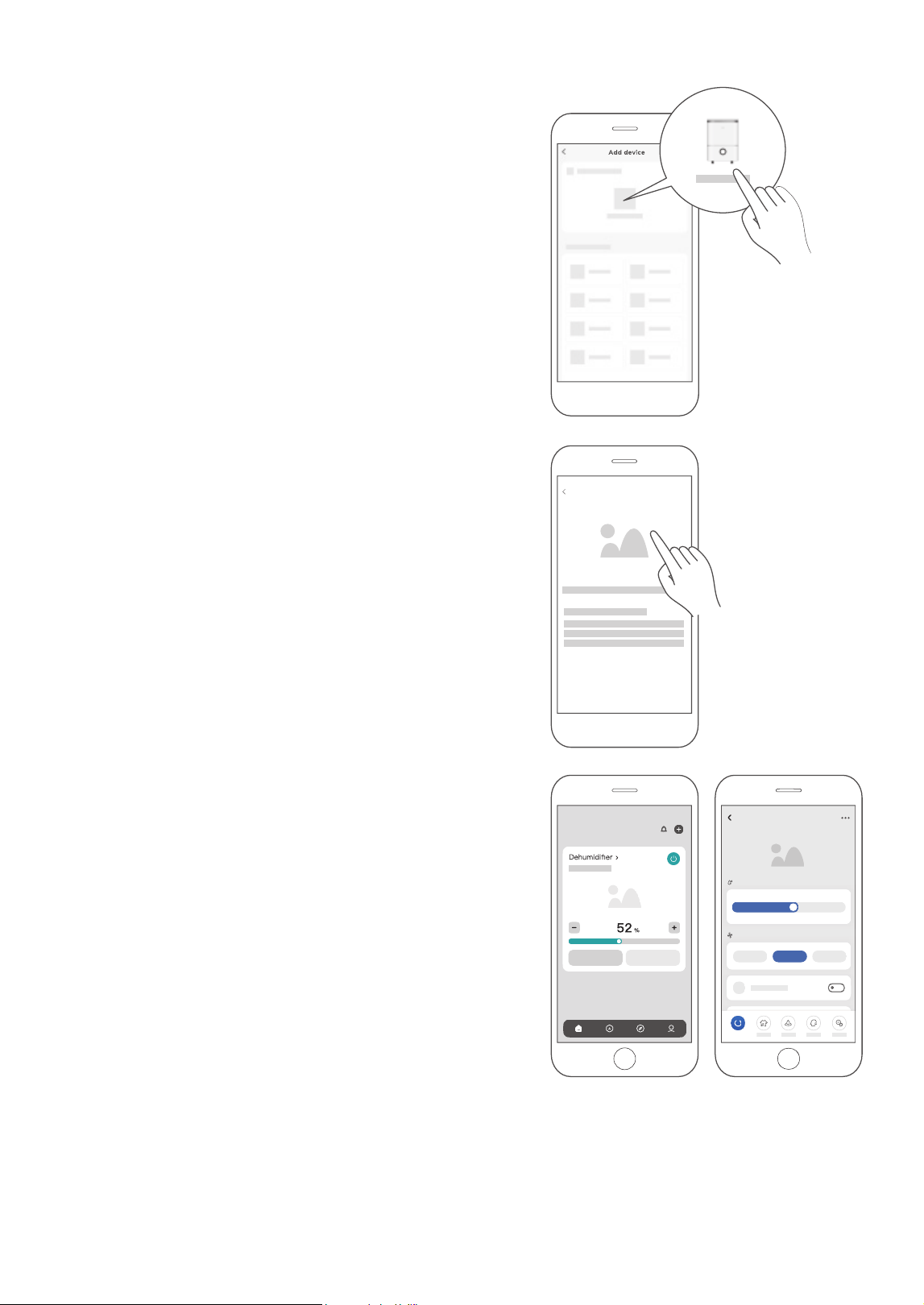
1) When you log in, you may see the message “Smart devices
discovered nearby”. Tap to add your device.
Ensure that your mobile phone is connected to the wireless network. Bluetooth must be turned on.
The device must also be powered up.
CAUTION
20
Dehumidifier
52%
38%
45%
55% 70%
Target Humidity
Low Med High
Fan Speed
Room humidity 52%
Power
SmartHome
Add device
2) If no such message appears, proceed as follows:
Tap on “+” and select your device in the list of nearby
available devices.
If your device is not listed, please add your device manually,
first selecting the device category e.g. Dehumidifier.
3) Follow the steps in the app to connect your device to the
wireless network. If your device fails to connect, follow the
additional instructions in the app.
Step 4: Controlling the device
After pairing successfully, a card will be created for the device in
the SmartHome app.
Shortcuts for basic functions will appear on the card such as
changing the humidity or switching the device on or off.
Tapping on the card, will reveal additional features and settings.
The actual design may look different from examples due to
app updates.

21
Compliance
We, hereby declare that this dehumidifier is in compliance with the relevant provisions of RE Directive
2014/53/EU.
Wireless module models:
US-SK105:
FCC ID: 2ADQOMDNA21
IC: 12575A-MDNA21
This device complies with Part 15 of the FCC Rules and it contains licence exempt transmitter(s) / receiver(s)
that comply with Innovation, Science and Economic Development Canada’s licence-exempt RSS(s).
Operation is subject to the following two conditions:
(1) This device may not cause harmful interference;
(2) This device must acceptany interference, including interference that may cause undesired operation of
the device.
Only operate the device in accordance with the instructions supplied.
Changes or modifications to this unit not expressly ap
proved by the party responsible for compliance could
void the user’s authority to operate the equipment.
This device complies with FCC radiation exposure limits set forth for an uncontrolled environment. In order to
avoid the possibility of exceeding the FCC radio frequency exposure limits, human proximity to the antenna
shall not be less than 20cm (8 inches) during normal operation.
This equipment has been tested and found to comply with the limits for a Class B digital device, pursuant to part
15 of the FCC Rules. These limits are designed to provide reasonable protection against harmful interference
in a residential installation. This equipment generates, uses and can radiate radio frequency energy and, if not
installed and used in accordance with the instructions, may cause harmful interference to radio communications.
However, there is no guarantee that interference will not occur in a particular installation. If this equipment does
cause harmful interference to radio or television reception, which can be determined by turning the equipment
off and on, the user is encouraged to try to correct the interference by one or more of the following measures:
• Reorient or relocate the receiving antenna.
• Connect the equipment into an outlet on a circuit different from that to which the receiver is connected.
• Consult the dealer or an experienced radio/TV technician for help.
NOTE

22
How To Clean & Care For Your Product
CLEANING AND MAINTENANCE
Turn the dehumidifier off and disconnect the plug from the power source before cleaning.
CAUTION
DO NOT operate the dehumidifier without a filter because dirt and lint
will clog it and reduce performance
3. Clean the air filter
• To remove the filter every two weeks based on normal operating
conditions.
• To remove the filter, pull filter outwards.
• Wash the filter with clean water then dry.
• Re-install the filter, replace bucket.
4. Clean the pump filter
• Clean the pump filter every two weeks based on normal operating conditions.
• Take out the side access tank from the unit and remove the bucket top cover. (as shown as Fig. 9)
• Remove the screw as shown as Fig. 10.
• Take out the pump drainage structure and clean the filter at the button of the hose.
• Reinstall the filter and pump drainage structure to the side access tank.
Do not use a dishwasher to clean the bucket. After cleaning, the bucket must be in place and securely seated
for the dehumidifier to operate.
NOTE
1. Clean the Grill and Case
• Use water and a mild detergent. Do not use bleach or abrasives.
• Do not splash water directly onto the unit. Doing so may cause an electrical shock, cause the insulation
to deteriorate, or cause the unit to rust.
• The air intake and outlet grilles get soiled easily, so use a vacuum attachment or brush to clean.
2. Clean the bucket
Every few weeks, clean the bucket to prevent growth of mold, mildew and bacteria. Partially fill the
bucket with clean water and add a little mild detergent. Swish it around in the bucket, empty and rinse.
Remove
the screw
Fig. 10Fig. 9
Fig. 8

23
When Not Using The Unit For Long Time Periods
• Clean the main unit, side access tank and air filter.
• It is normal that the water tray will have a small amount of water droplets to the chassis after take out
the bucket. Please dry it off.
• Wrap the cord with the power cord buckle.
• Properly restore the bucket and place the unit in an upright position.
• Cover the unit with a plastic bag.
• Store the unit upright in a dry, well-ventilated place.
Step 2
Remove water plug to drain
any excess water.
*Please refer to the actual
plug, and the legend is
for reference only.
Step 3
Re-insert the water plug.
Step 1
Remove water from the bucket.
Clean the grille and case.
Step 4
Clean the bucket.
Step 6
Store the unit upright in a dry,
well-ventilated place.
Step 7
Clean the air filter.
.
Step 5

24
TROUBLESHOOTING TIPS
Problem What to check
Unit does not start
Make sure the dehumidifiers plug is pushed completely into the outlet.
Check the house fuse/circuit breaker box.
Dehumidifier has reached its preset level or bucket is full.
Side access tank is not in the proper position.
Dehumidifier does not dry
the air as it should
Did not allow enough time to remove the moisture
Make sure there are no curtains, blinds or furniture blocking the front or back
of the dehumidifier.
The humidity control may not be set low enough.
Check that all doors, windows and other openings are securely closed.
Room temperature is too low, below 5°C (41°F).
There is a kerosene heater or something giving off water vapor in the room.
The unit makes a loud
noise when operating
Air filter may be dirty. Clean filter. Refer to Care and Maintenance section.
The unit is tilted instead of upright as it should be.
The floor surface is not level.
Frost appears on the coils This is normal. The dehumidifier has an Auto defrost feature.
Water is leaking onto the
Hose to connector or hose connection may be loose.
Intended to use the bucket to collect water, but the back drain plug is removed.
ES, AS, P2, Eb appear in
the display
These are error codes and protection codes. See the CONTROL PANEL
FEATURES section.
The pump operation on
light blinks at 1 Hz
Clean the filter of the pump.
Check the pump hose is not blocked or leaking.
Empty the side access tank.
Before calling for service, review the chart below first. This list includes common occurrences that are not the
result of defective workmanship or materials in this appliance.
The design and specifications are subject to change without prior notice for product improvement.
Consult with the sales agency or manufacturer for details. Any updates to the manual will be uploaded to the
service website, please check for the latest version.
Malfunction Diagnosis
floor

25
WARRANTY
Dehumidifier Limited Warranty
Your product is protected by this Limited Warranty:
Warranty service must be obtained from Midea Consumer Services or an authorized Midea servicer.
Warranty
• One Year full warranty from original purchase date.
Midea, through its authorized servicers will:
• Pay all costs for reparing or replacing parts of this appliance which prove to be defective in materials or
workmanship.
Consumer will be responsible for:
• Diagnostics, removal, transportation and reinstallation cost required because of service.
• Costs of service calls that are a result of items listed under NORMAL RESPONSABILITIES OF THE CONSUMER**
Midea replacement parts shall be used and will be warranted only for the original warranty.
NORMAL RESPONSABILITIES OF THE CONSUMER**
This warranty applies only to products in ordinary household use, and the consumer is responsible for the items
listed below:
1. Proper use of the appliance in acordance with instructions provided with the product.
2. Routine maintenance and cleaning necessary to keep the good working condition.
3. Proper installation by an authorized service professional in accordance with instructions provided with the appliance and
in accordance with all local plumbing, electrical an
d/or gas codes.
4. Proper connection to a grouded power supply of sufficient voltage, replacement of blown fuses, repair of loosen
connections or defects in house wiring.
5. Expenses for making the appliance accessible for servicing.
6. Damages to finish after intallation.
EXCLUSIONS
This warranty does not cover the following:
1) Failure caused by damage to the unit while in your possesion (other than damage caused by defect or
malfunction), by its improper installation, or by unreasonable use of the unit, including without limitation, failure
to provide reasonable and necessary maintenance or to follow the written installation and Operating Instructions.
2) Damages caused by serviced performed by persons other than those authorized by Midea customer service; or
external causes such as abuse, misuse, inadequate power supply or acts of God.
3) If the unit is put to commercial, business, rental, or other use or application other than for consumer use, we make
no warranties, express or implied, including but not limited to, any implied warranty of merchantability or fitness
for use or purpose.
4) Products without original serial numbers or products that have serial numbers which have been altered or cannot
be readily determined.
NOTICE: Some states do not allow the exclusions or limitation of incidental or consequential damages. So this
limitation or exclusion may not apply to you.
IF YOU NEED SERVICE
Keep your bill of sale, delivery slip, or some other appropriate payment Record.
The date on the bill establishes the warranty period, should service be required.
If service is performed, its your best interest to obtain and keep all receipts.
This written warranty gives you specific legal rights. You may also have other rights that vary from state to state
.
Service under this warranty must be obtained by following these steps, in order:
1) Contact Midea Consumer Services or an authorized Midea services at 1 866 646 4332.
2) If there is a question as to where to obtain service, contact our consumer relations Departament.

26
RETURN POLICY
Return policy
Questions about installing or operating your Midea product?
• If you still need assistance, please call Customer Service at 1-866-646-4332.
• Have your sales receipt, serial number and product model number available when
you call.
The product may be returned within 30 days of purchase with receipt. After 30 days,
the product is covered under limited warranty.
Please refer to the warranty section in the User Manual for details.
save your
receipt
30


2023
16120100A19535
MADSW